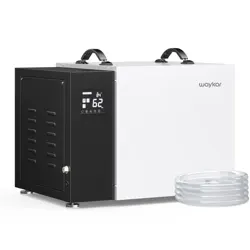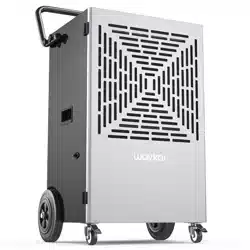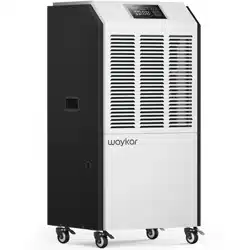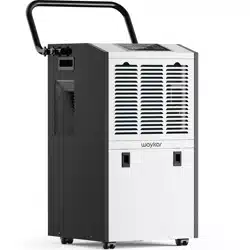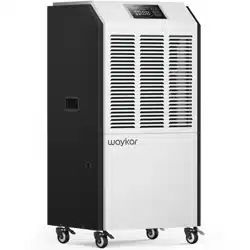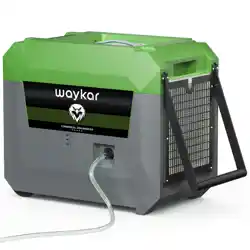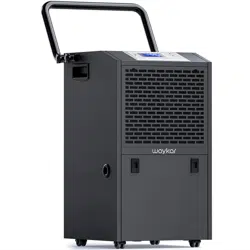

Commercial Dehumidifier
Please read the manual carefully
before using the unit
PD606B
USER MANUAL

Thank you for purchasing our dehumidifier.
Waykar wishes that our products and services can bring convenience to your
work and life.We highly recommend that you keep the manual for reference if
you encounter unexpected events using the unit.
Please read the manual carefully to ensure proper use of the dehumidifier.
Our dehumidifiers are widely used in family bedrooms, bathrooms,
basements, offices and storage rooms, etc.
The dehumidifiers from provide quick and efficient operation to
Waykar
reduce room's humidity and bring you a healthy and comfortable life.
If there is any problem of the product, please contact Waykar Customer
Service at with your Purchase Order ID to help you support@waykar.com
address the problem more effectively.
FOR CUSTOMERS
TO ACCESS CUSTOMER SUPPORT FASTER
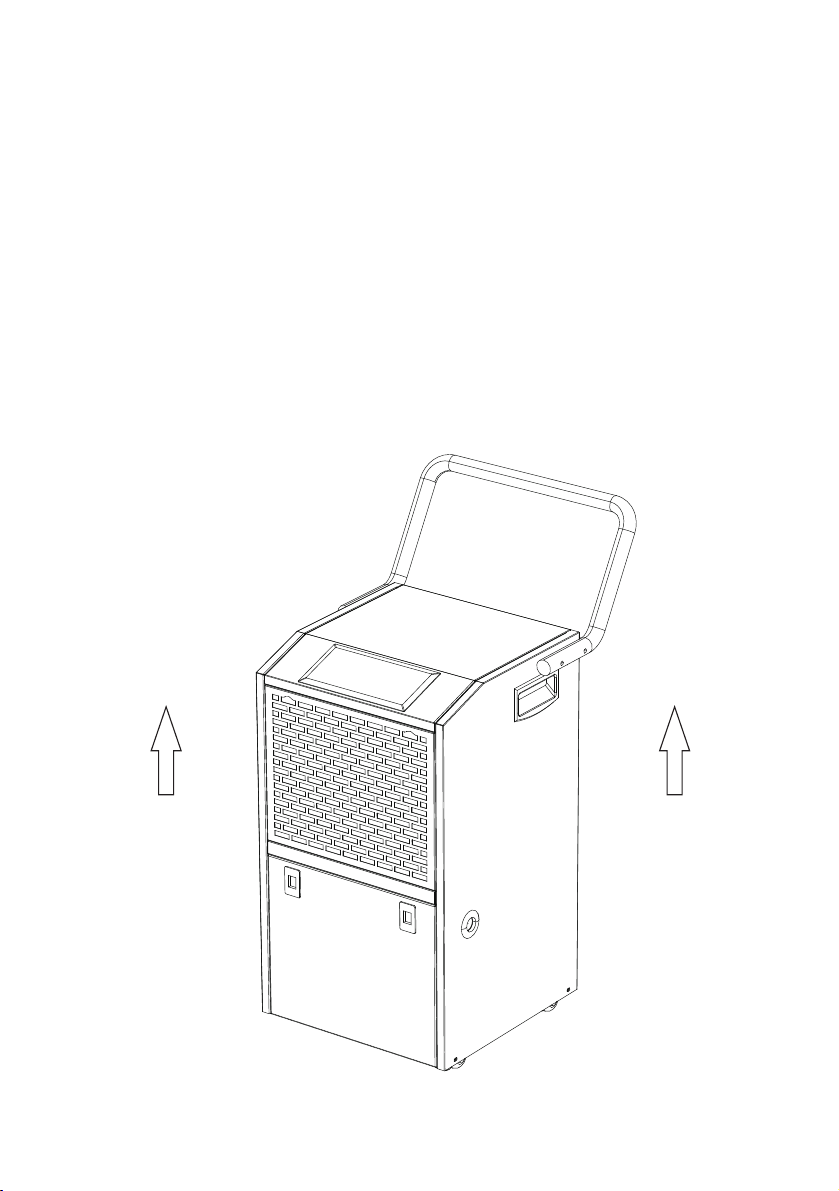
To prevent any internal damage, it is very important to
keep refrigeration units (like this one) upright throughout
their journey.
Please leave it standing upright and outside the box for
24 HOURS before plugging it in.
BEFORE FIRST USE:
The graphics and functions provided in this manual may not be the same
as the actual product. Please always refer to the actual product.
The model of the machine on the manual is for reference only. Please
check the corresponding content and operate the machine based on the
actual product.
The right to interpret the relevant terms belongs to the company.
Safety Instructions.....................................................................01
Parts Description.......................................................................02
Control Interface........................................................................03
Operation Instructions...............................................................04
Cleaning & Maintenance...........................................................10
Common Faults & Solutions......................................................11
Special Notes.............................................................................13
Technical Parameters................................................................15
Warranty&Contact Us................................................................16
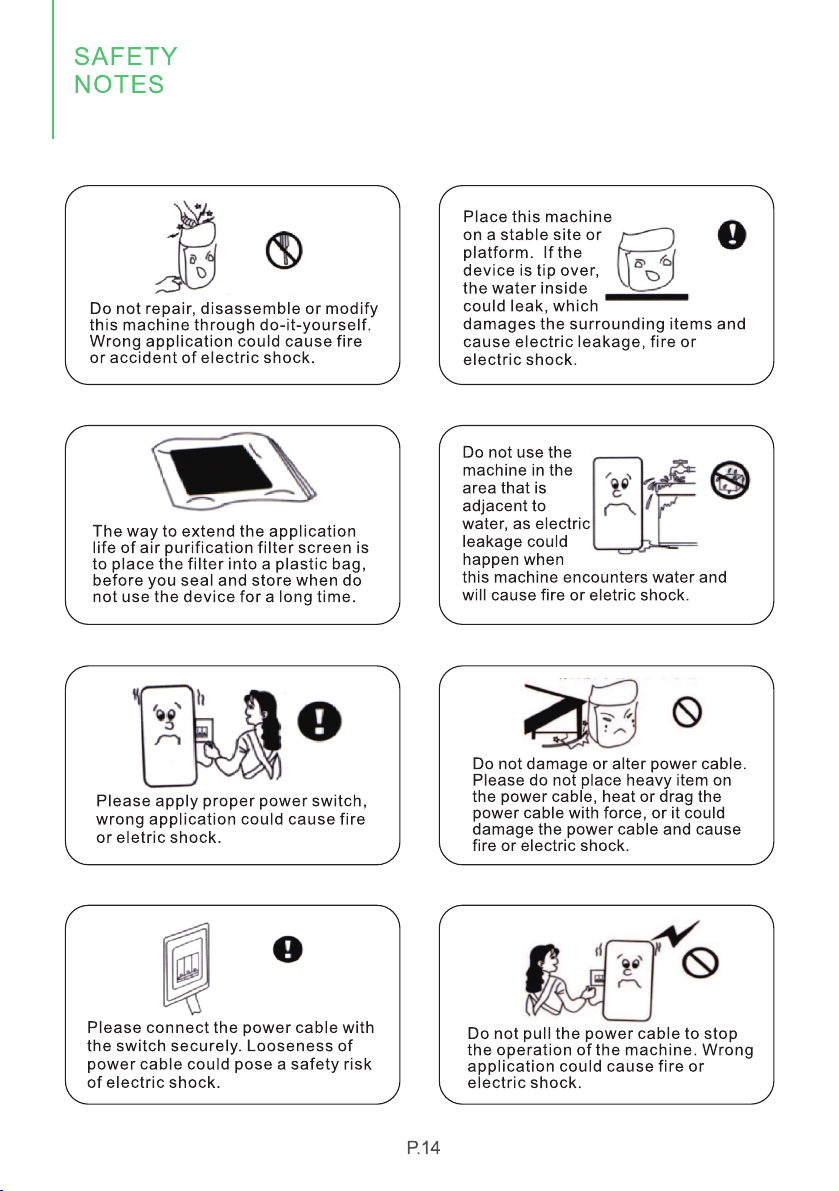
Do not insert fingers or other objects into the air outlet.
This appliance should not be used under the environment below 41℉.
Special Note: When the display screen does not light up, it does not mean the power
has been disconnected.
The unit shall be installed in accordance with national wiring regulations.
Model specification of safety tube: 5A.
This unit should be operated between the temperature of 41℉ and 100℉. If over this range,
the machine may not work properly.
When using this dehumidifier, other objects surrounding the machine at least need to kept
at a distance 39.4 inches (1m).
Please adopt the 110-120V-60Hz grounding socket.
The installation and use of this machine must be in accordance with local regulations and
rules.
If you have any quesions about the installation of this product, please learn more from the
user manual or refer to the professionals.
Draw out the plug when do not use. Never remove the plug by pulling the wire. Never
operate the machine with wet hands.
Please keep this machine in the places will not be played with by the children.
Never soak the machine in water or spray any water on the machine when cleaning.
Please make sure to remove the plug when cleaning or maintaining the machine.
Do not use the extension cable to connect with power, ask the professionals for installation
when there are no proper sockets available.
To avoid the occurrence of danger, ask manufacturer, agents or qualified staff for
replacement of damaged power wire.
Cautions!
Safety Notes:
SAFETY INSTRUCTIONS
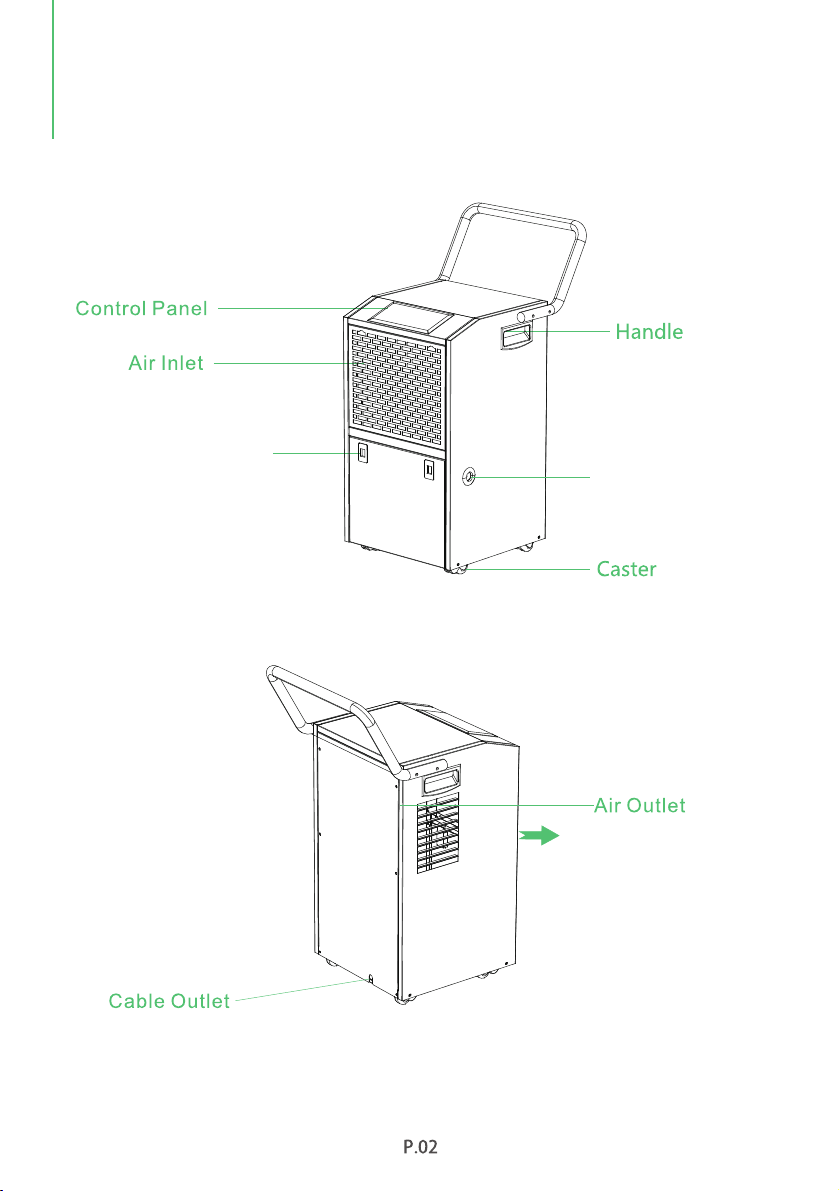
Hand Button
(To access the water tank)
Continuous
Drainage Port
PARTS DESCRIPTION
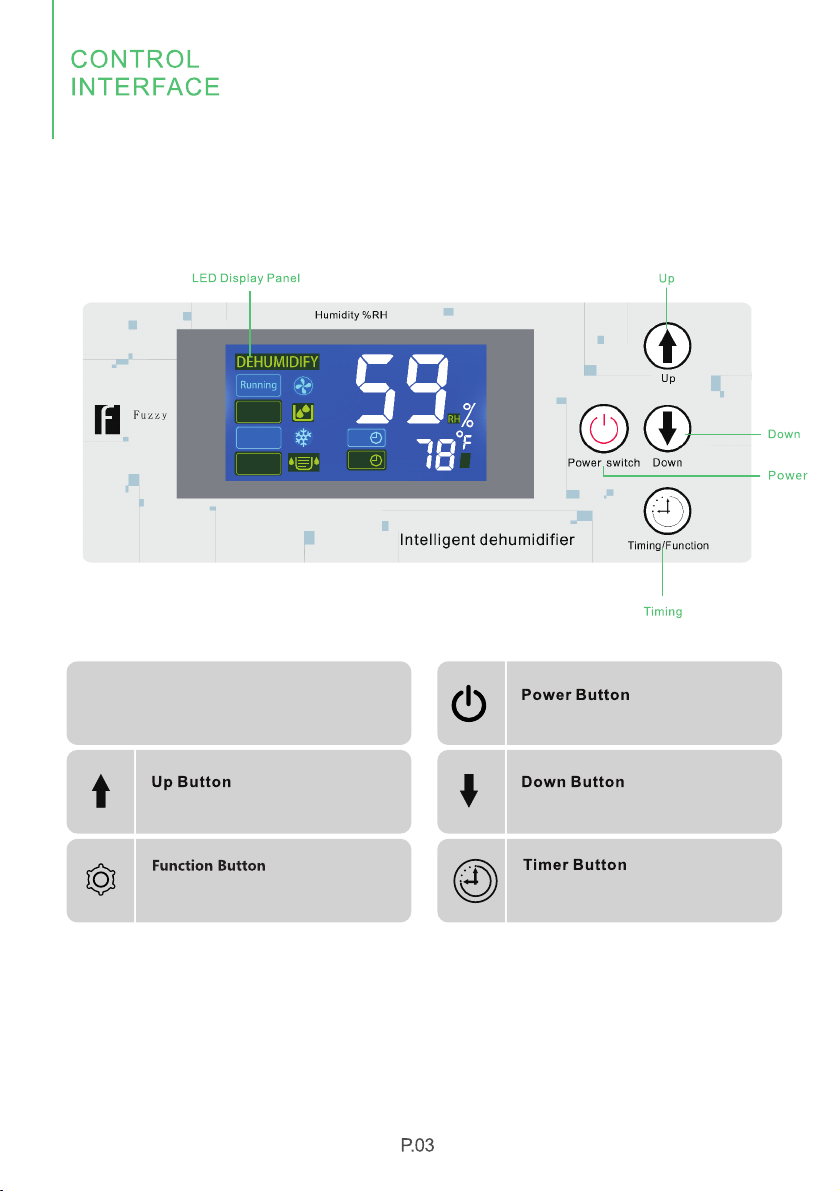
Button Instructions
Press to turn on or turn off the machine
Set the humidity down
Set the humidity up
Press to initiate the auto-start or
auto-stop feature.
Confirm the setting
1. Control Panel
H
Wet
Controller
Defrost
Water Full
off
on

2. Setting
In power-on status, you can press Up/Down button to set the humidity range between
10%-98%RH.
When it starts to work, the machine will first automatically detect and show the room's
humidity. You can press "Up" button to change the humidity slection in 1%RH increment
or press "Down"button to change the humidity selection by 1%RH decrement.
The big number "88" will flash to show the setting value during this process.
Press the "Function" button once or no operations for seconds, the machine will exit the
function setting automatically and display the current humidty.
Setting Humidity
Timing Setting
This timer setting function is designed for you to set a time to turn off (when the machine
is on) or to turn on (when the machine is off) the machine, automatically by the timer.
In power-on or power-off status, long press the "Timing" button to enter timer setting
status, the timer icon " " and "h" will light up, the small number will flash to show the
setting time.
You can press "Up" or "Down" button to set the timer within 1-24 hours by 1-hour
increment or decrement, which can be reset again after invalid.
Press and hold the "Timing" button for several seconds, it can be set continuously.
If no timer setting, the small number on the screen will display the current temperature.
If the timer being set successfully, the small number will display the remaining time, and
if you press the"Timing" button again, the small number will return to the remaining time
automatically after a few seconds.
If the timer is set to "00", this is called the invalid time.

Power off Memory Function
● After the device is powered on, it will automatically resume the working status before
power off.
● If the machine is running before power outage, the machine will automatically enter
power-on status, and maintain the previous setting parameters.
● If the machine is shut down before the power outage, then the machine will still be in
power-off status.
Defrost Function
When the dehumidifier is running at a lower temperature, the system will automatically
determine whether there is a presence of frost. If any frost exists, it will defrost
automatically.
The fan will keep running and the compressor will stop when defrosting. After this
process, the compressor will restart to run.
Temperature Protection Function
When the ambient temperature is higher than the default high temperature of 113°F, the
system will enter high temperature protection, the small number will indicate "HH", and
the compressor will stop;
When the ambient temperature is lower than the default low temperature of 39 °F, the
system will enter the low temperature protection, the small number will indicate"LL", and
the whole machine will stop.
Cleaning Remind Function
When the accumulative running time of the fan is ≥30 days, the machine can continue to
run, but it will prompt " " and it will not be able to be removed even restarted.
In power-off status, long press the "Function" button for seconds, then the display
screen will show once, the" " prompt will be released, and the fan running time will
be cleared.
Special Note:
To avoid any damage to the dehumidifier, the compressor features a "3 minutes delay
protection" function, which is, when the dehumidifier is powered, the compressor can
only start again 3 minutes later after its last shutdown.
OPERATION
INSTRUCTIONS

When the fan is delayed, the running icon " " will flash, and if the fan is running, the Running
running icon " " will be on, otherwise it will be off. Running
When the compressor is delayed, the dehumidification icon " " will flash, and if the
compressor is running, the dehumidification " " icon will be on, otherwise it will be off.
If the ambient humidity is lower than the setting humidity, the compressor will be stopped, and
the humidity control icon " " will flash, otherwise it will be off.
Wet Controller
When the machine needs to be cleaned, the cleaning icon " " will flash, otherwise it is off.
When the machine is defrosting, the defrost icon " " will flash, and go out when the
Defrost
defrosting ends.
3. Display Status Description
OPERATION
INSTRUCTIONS

1. If E0, E1, E2, E3, E4, ER or Eb occurs, the compressor and fan still work, and can be
restarted when power supplied (press any button can release the alarm).
2. If E3, E5, E6, E8 or E9 alarms, the machine needs to be cut off the power supply to
restart after troubleshooting.
3. When Ec occurs, the operation of the machine will not be controlled.
If the malfunction is still present, please don't hesitate to contact Waykar Customer
Service email at for help.
support@waykar.com
Note
Malfunction of defrosting temperature sensor 2
Malfunction of humidity sensor
Malfunction of defrosting temperature sensor 1
Malfunction of phase sequence (not applicable for this model)
Malfunction of environmental temperature sensor
Malfunction of system high pressure
Malfunction of system low pressure
Alarm for full water
Malfunction of overloading current of compressor
Malfunction of overload current of compressor
Defrost temperature sensor 3 failure
Defrost temperature sensor 4 failure
Display information transmission abnormal
Number Error Code Name of The Fault
E0
E1
E2
E3
E4
E5
E6
E7
E8
E9
ER (EA)
Eb (Eb)
Ec (Ec)
1
2
3
4
5
6
7
8
9
10
11
12
13
4. Error&protection Code
OPERATION
INSTRUCTIONS
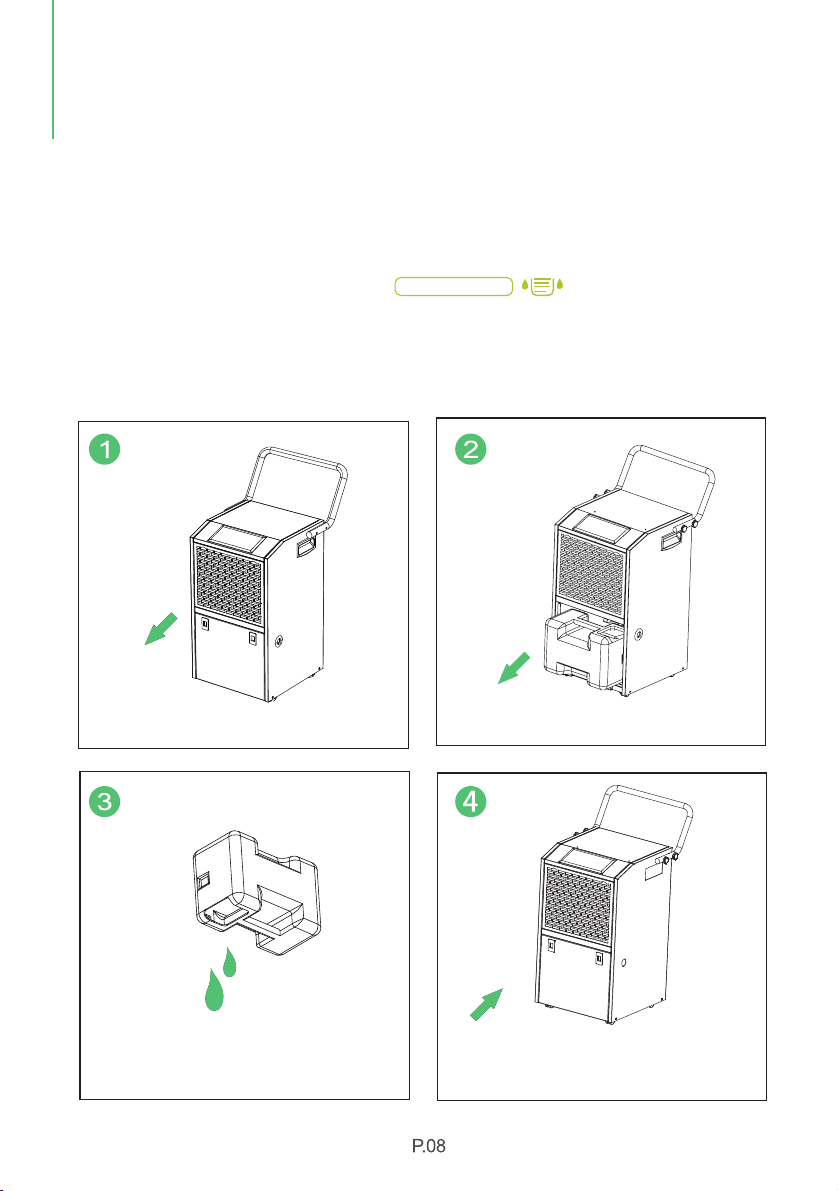
Use The Water Tank
When the water tank is already full, the " " indicator will light up, the WATER FULL
dehumidifier will automatically shut down until the tank has been emptied and placed
back to the unit.
5. Empty the Water Tank
Two ways are available to remove the collected water.
Ways to Empty the Water Tank
Press the two hand buttons to open the door.Pull the water tank out from the bottom.
Put the water tank back in place, and close the
door,the WATER FULL indicator will go out.
Empty the water tank.
OPERATION
INSTRUCTIONS
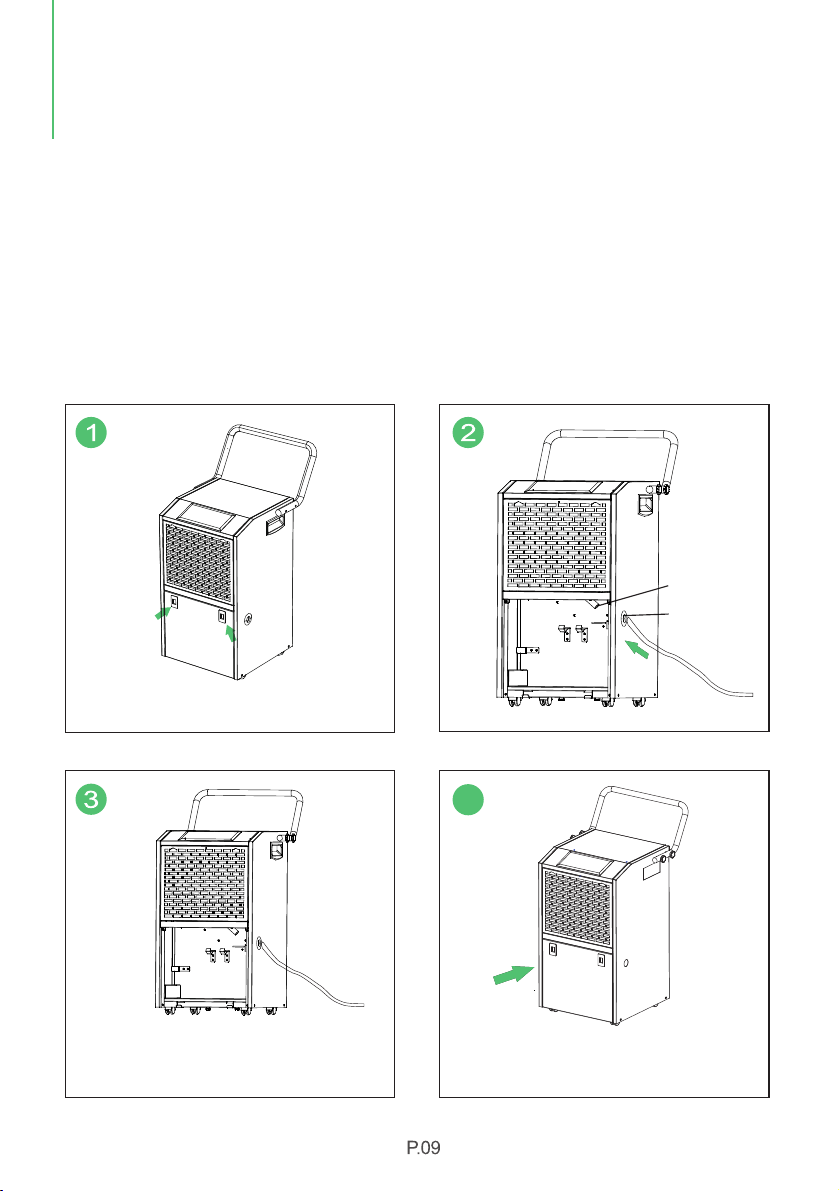
6. Continuous Drainage
Pull out the power supply, open the door, take out the water tank, insert the water hose
into the continuous drainage port, connect it with drainage outlet and put back the
water tank.
Power the machine again to start the operation. The outlet of the water hose should be
lower than the continuous drainage port by more than 6 inches, and the hose can not be
bent during the drainage process, or the water will be blocked and can not flow out.
(Note: The diameter of continuous drainage port is 0.63 inches. )
Drainage Outlet
Open the Door.
Continuous
Drainage Port
Take out the water tank out from the bottom,
insert the water hose into the continuous
drainage port and connect it with drainage outlet.
4
Put the water tank back in place, and close the
door, the Water Full indicator will go out.
OPERATION
INSTRUCTIONS
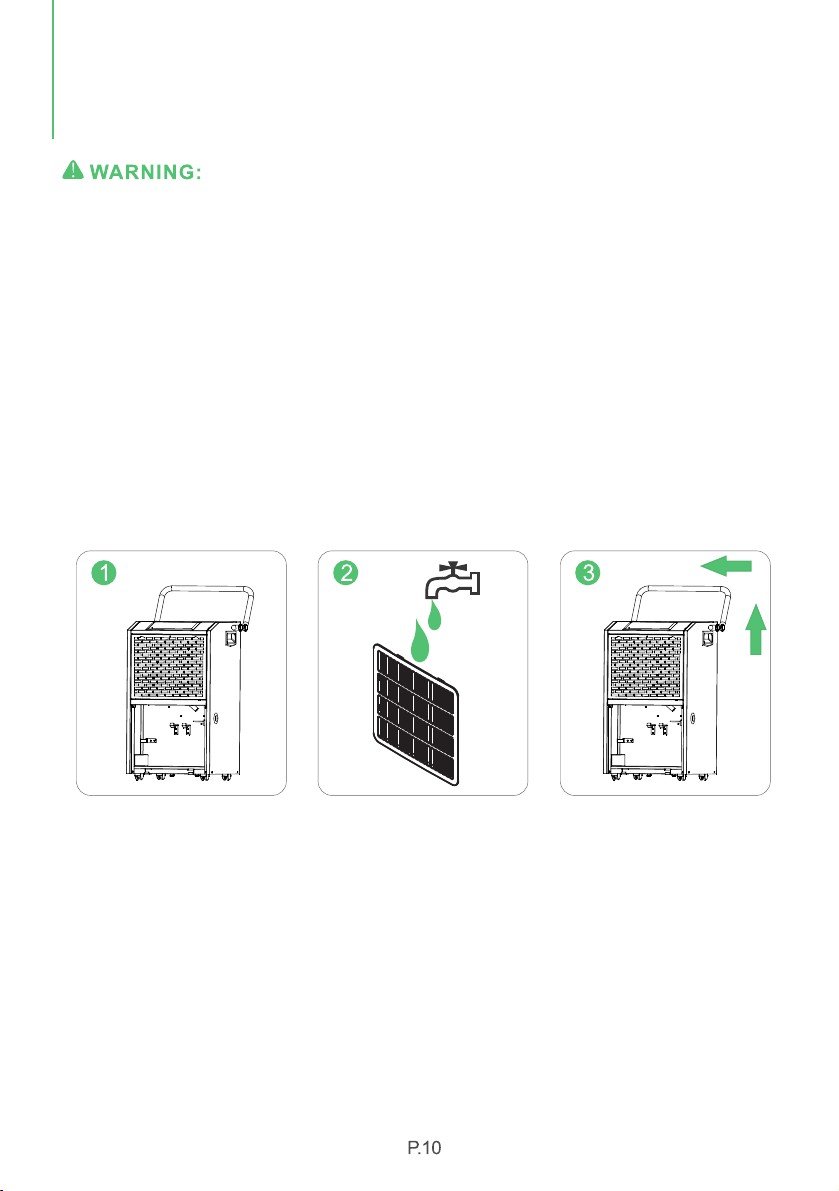
Turn the dehumidifier off and remove the plug from the wall outlet before cleaning.
A-Cleaning the dehumidifier body
Please use a soft and a slightly wet textile or cloth to clean it.
B-Cleaning filter
1. 1.Pull out the filter
2. Clean the filter: Use a vacuum cleaner to gently remove the dust from the surface of
the filter. If the filter is very dirty, clean it with warm water and mild detergent and dry it
completely.
3. Slowly insert the filter back into the machine body.
C-dehumidifier storage
When you want to store the dehumidifier, you don't use it for a long time. Please pay
attention to the following steps:
1. Empty the water in the water tank.
2. Roll up the power cord and tie it up.
3. Clean the filter.
4. Place the machine in a cool and dry environment.
OPERATION
INSTRUCTIONS
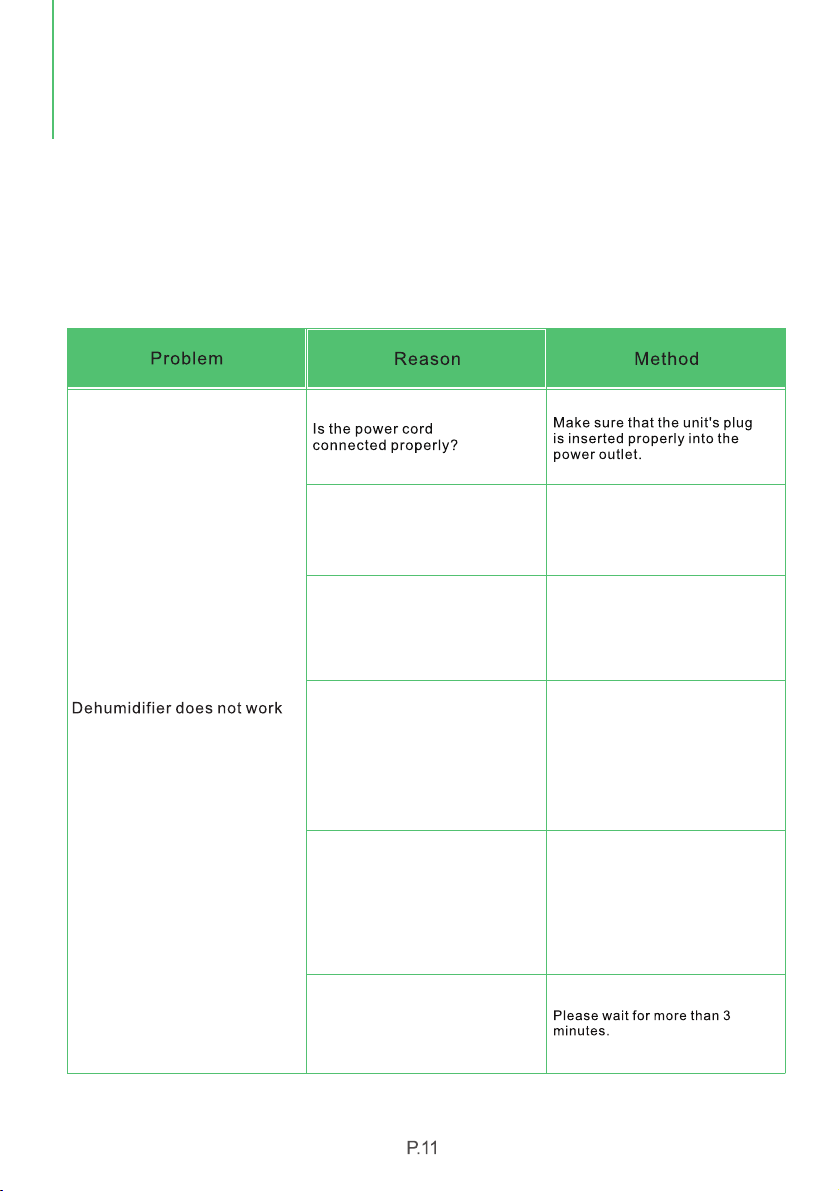
Check the information below for troubleshooting steps, it will save you time to resolve
issues that may happen with the unit.
The list includes most of the common cases, but not the results of defective unit, crafts
or materials in the unit.
lf all troubleshooting steps have been exhausted and the issue is still occurring, please
feel free to reach out to Waykar Customer Seryice to get further assistance.
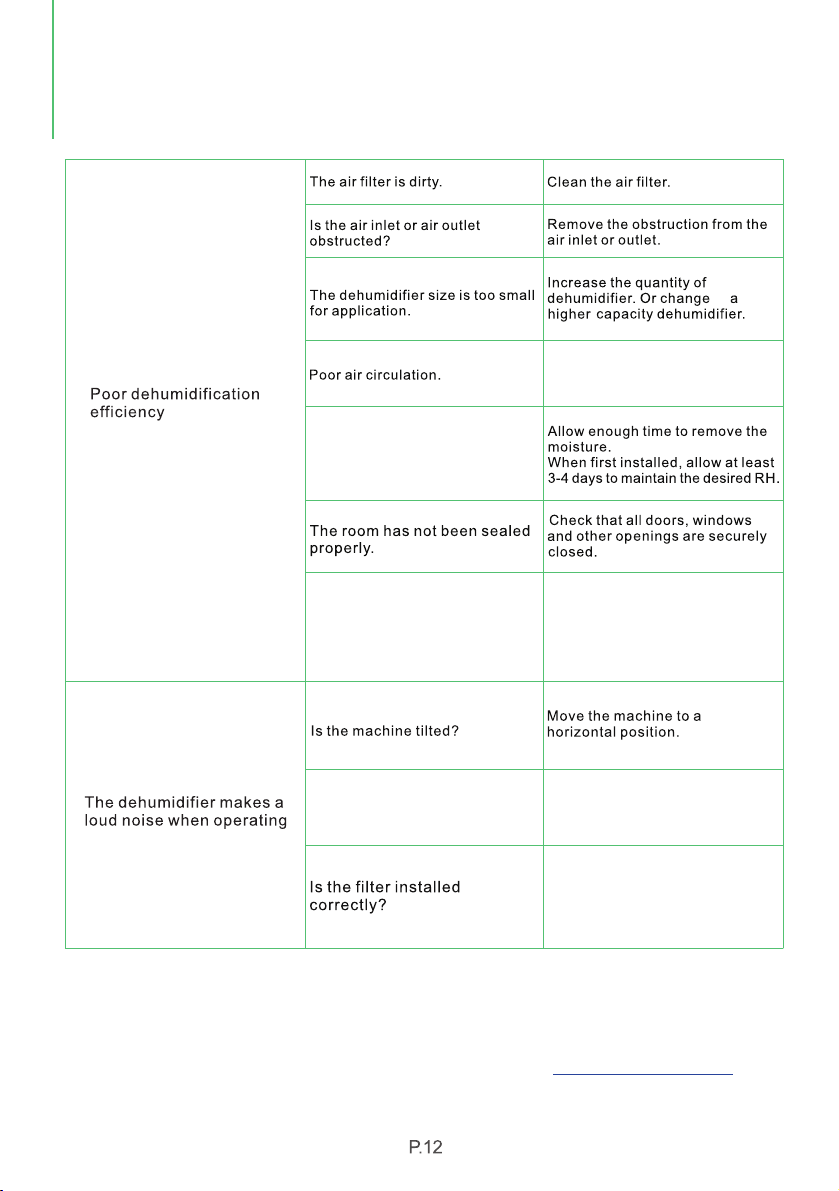
Water tank is not placed in a
proper position
Pull out the water tank and put it
back properly in the machine and
make sure the tank is empty.
Room temperature is too high or
too low: above 95℉ or below 41℉.
This product does not apply to
over hot or cold environment, the
machine will automatically enter
the protection mode in this
condition.
Room temperature is between
41℉(5℃) and 68℉ (20℃)
The machine will automatically
defrost when running under lower
ambient temperature, which is a
normal phenomenon. It will restart
dehumification again until the
defrosting process finished.
Is the ambient humidity lower or
reaching the preset humidity
level? (When the room humidity
has reached or lower than the
preset level, the dehumidifier
will enter the Standby Mode)
Please set the humidity by 5%RH
lower than the room humidity or
set the humidity to 30%RH.
This is to prevent the frequent
start of the machine. Does the
machine stop working just now?
COMMON FAULTS &
SOLUTIONS
Room temperature is too low, or
below 41℉ (5℃): The machine will
not work or undergo poor
dehumifying efficiency in low
temperature.
Please wait until the temperature
rises to above 5℃ or higher.
to
Clean up the dirt or lint on the air
outlet and intake.
Please check whether the
packing bag of the filter had
been removed and the filter has
been installed correctly.
Warning
If the dehumidifier is still not working properly as expected and the troubleshooting steps
or solutions above may not resolve the issue, please unplug the power and shut down
the dehumidifier, then contact Waykar Customer Service at .
support@waykar.com
COMMON FAULTS &
SOLUTIONS
Is the air intake or outlet being
blocked?
Please leave about 20cm
(7.9 inches) around the product.
Do not allow enough time to
remove the moisture.
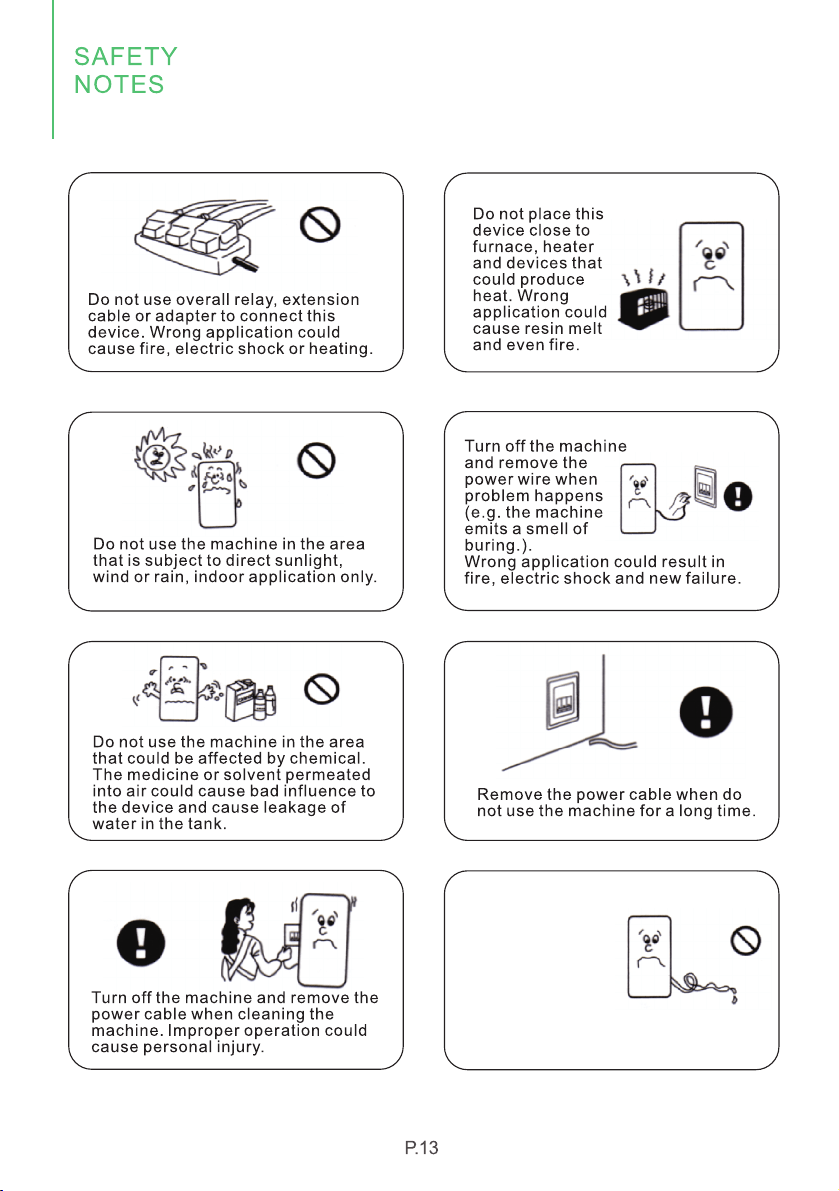
Place the drainage
hose well when
drain water conti-
nuously so as to
flow the water
freely. If work in
a cold temperature
that could freeze the water, then
the continuous drainage may not
be applicable.
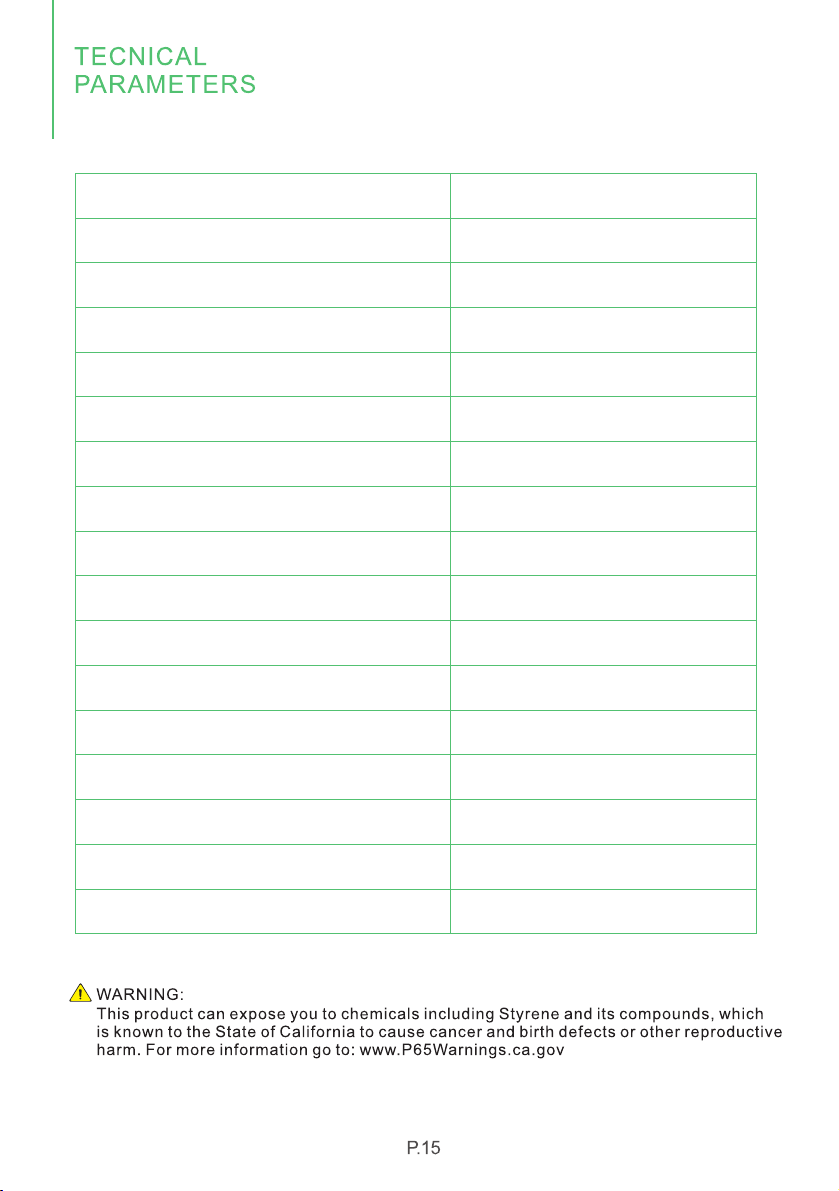
MODEL
POWER SOURCE
RATED POWER
RATED CURRENT
MOISTURE REMOVAL CAPACITY (65℉/60%RH)
MOISTURE REMOVAL (80℉/60% RH)
MOISTURE REMOVAL (86℉/80% RH)
MOISTURE REMOVAL (95℉/90% RH)
INPUT POWER(65℉/60% RH)
INPUT CURRENT(65℉/60% RH)
IEF(65℉/60% RH)
MOTOR FLA
MOTOR COMPRESSOR
PEFRIGERANT
MAXLMUM ALLOWABLE PRESSURE
MAXLMUM OPERATING PRESSURE HIGH
MAXLMUM OPERATING PRESSURE LOW
D606B
120V-60Hz
1000W
8.8A
47 Pints/Day
75 Pints/Day
126 Pints/Day
155 Pints/Day
515W
4.6A
1.80liters/kWh
0.85A
RLA: 10A LRA: 30A
R410A/450g (15.87ozs)
5.5MPa
4.0MPa
1.7MPa
Waykar offers a 12-month warranty to all of our products together with the original
proof of purchase when a defect occured, including those newly purchased and
unused, from Waykar or through an authorized reseller, wholly or substantially, or
as a result of faulty manufacturing parts, or workmanship during the Warranty
Period.
The warranty does not apply if damage is caused by other factors, including but
without limitation of:
*Please fill out all required fields and inlcude your Order ID, Date of Purchased if
applicable.
Order Number ready
Warranty
Extend Your Warranty by 1 Year
Customer Support
There are our general terms for the warranty service, but we always encourage
our customers to contact us if any issues, regardless of warranty terms. If you
are experiencing an issue with Waykar product, you can reach out to us at
support@waykar.com, we will dedicate our efforts to resolve it for you.
WARRANTY &
CONTACT US


We are expecting to see our products fulfill your life and hear your voice.
Your satisfaction means a lot to us.
Please tag us if you share a snap on your social media.