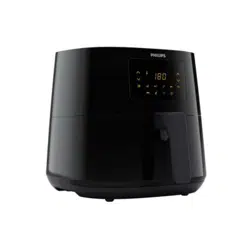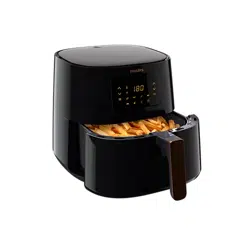

User manual
HD928X

2 ENGLISH
TABLE OF CONTENTS
Important 3
Introduction 7
General description 7
Before rst use 9
The NutriU App 9
Preparing for use 10
Using the appliance 10
Food table 10
Airfrying 12
Choosing the keep warm mode 15
Cooking with a preset 16
Changing to another preset 17
Starting a recipe from the NutriU App 18
Making home-made fries 19
Cleaning 20
Cleaning table 21
Storage 21
Recycling 22
Declaration of Conformity 22
Guarantee and support 22
Software updates 22
Device compatibility 22
Factory reset 23
Troubleshooting 23

3ENGLISH
Important
Read this important information carefully before you use the appliance
and save it for future reference.
Danger
- Always put the ingredients to be fried in the
basket, to prevent them from coming into contact
with the heating elements.
- Do not cover the air inlet and the air outlet
openings while the appliance is operating.
- Do not ll the pan with oil as this may cause a re
hazard.
- Never immerse the appliance in water or any other
liquid, nor rinse it under the tap.
- Do not let any water or other liquid enter the
appliance to prevent electric shock.
- Never put any amount of food that exceeds the
maximum level indicated in the basket.
- Never touch the inside of the appliance while it is
operating.
- Always make sure the heater is free and no food is
stuck in heater.
Warning
- Check if the voltage indicated on the appliance
corresponds to the local mains voltage before you
connect the appliance.
- Do not use the appliance if the plug, the mains
cord or the appliance itself is damaged.
- If the mains cord is damaged, you must have it
replaced by Philips, a service centre authorised by
Philips or similarly qualied persons in order to
avoid a hazard.
- This appliance can be used by children aged from
8 years and above and persons with reduced
physical, sensory or mental capabilities or lack
of experience and knowledge if they have been
given supervision or instruction concerning use of
the appliance in a safe way and understand the
4 ENGLISH
hazards involved. Children shall not play with the
appliance. Cleaning and user maintenance shall
not be made by children unless they are older than
8 years and supervised.
- Keep the appliance and its cord out of reach of
children less than 8 years.
- Keep the mains cord away from hot surfaces.
- Only connect the appliance to an earthed wall
socket. Always make sure that the plug is inserted
into the wall socket properly.
- Do not place the appliance against a wall or
against other appliances. Leave at least 10 cm free
space on the back and sides and 10 cm free space
above the appliance. Do not place anything on top
of the appliance.
- Do not use the appliance for any other purpose
than described in the user manual.
- During hot air frying, hot steam is released through
the air outlet openings. Keep your hands and face
at a safe distance from the steam and from the air
outlet openings. Also be careful of hot steam and
air when you remove the pan from the appliance.
- The accessible surfaces may become hot during
use.
- The pan, the basket and accessories inside the
Airfryer become hot during use. Be careful when
you handle them.
- Do not place the appliance on or near a hot gas
stove or all kinds of electric stove and electric
cooking plates, or in a heated oven.
- Never use light ingredients or baking paper in the
appliance.
- Do not place the appliance on or near combustible
materials such as a tablecloth or curtain.
- Do not let the appliance operate unattended.
- Immediately unplug the appliance if you see dark
smoke coming out of the appliance. Wait for the

5ENGLISH
smoke emission to stop before you pull the pan
out of the appliance.
- Storage of potatoes: The temperature shall be
appropriate to the potato variety stored and it shall
be above 6°C to minimize the risk of acrylamide
exposure in the prepared foodstu.
- Do not plug in the appliance or operate the control
panel with wet hands.
- This appliance is designed to be used at ambient
temperatures between 5°C and 40°C.
Caution
- This appliance is intended for normal household
use only. It is not intended for use in environments
such as sta kitchens of shops, oces, farms
or other work environments. Nor is it intended
to be used by clients in hotels, motels, bed and
breakfasts and other residential environments.
- Always return the appliance to a service centre
authorised by Philips for examination or repair.
Do not attempt to repair the appliance yourself,
otherwise the guarantee becomes invalid.
- If the appliance is used improperly or for
professional or semi-professional purposes or if
it is not used according to the instructions in the
user manual, the guarantee becomes invalid and
Philips refuses any liability for damage caused.
- Always place and use the appliance on a dry,
stable, level and horizontal surface.
- Always unplug the appliance after use.
- Let the appliance cool down for approx. 30
minutes before you handle or clean it.
- Make sure the ingredients prepared in this
appliance come out golden-yellow instead of
dark or brown. Remove burnt remnants. Do not fry
fresh potatoes at a temperature above 180°C (to
minimise the production of acrylamide).

6 ENGLISH
- Be careful when cleaning the upper area of the
cooking chamber: Hot heating element, edge of
Metal parts.
- Always make sure that the food is fully cooked in
the Airfryer.
- Always make sure that you have the control over
your Airfryer, also when using the remote function
or delayed start.
- When cooking fatty food, the Airfryer could emit
smoke. Pay special attention when using the
remote control function or delayed start.
- Make sure that only one person at a time is using
the remote control function.
- Be cautious when cooking easy perishable food
with the delayed start function (bacteria may
breed).
Electromagnetic elds (EMF)
This Philips appliance complies with all applicable standards and
regulations regarding electromagnetic elds.
Automatic shut-o
This appliance is equipped with an automatic shut-o function. If you
do not press a button within 20 minutes, the appliance switches o
automatically. To switch o the appliance manually, press the power On/
o button.

7ENGLISH
Introduction
Congratulations on your purchase and welcome to Philips!
To fully benet from the support that Philips oers, register your product at
www.philips.com/welcome.
Philips Airfryer is the only Airfryer with unique Rapid Air technology to fry
your favorite foods with little or no added oil and up to 90% less fat.
Philips Rapid Air technology cooks food all around as well as our starsh
design for perfect results from your rst bite to your last.
You can now enjoy perfectly cooked fried food—crispy on the outside
tender on the inside—Fry, grill, roast and bake to prepare a variety of tasty
dishes in a healthy, fast and easy way.
For more inspiration, recipes and information about the Airfryer, visit
www.philips.com/kitchen or download the free NutriU App* for IOS® or
Android™.
*The NutriU app may not be available in your country.
In this case please access your local Philips website for inspiration.
General description
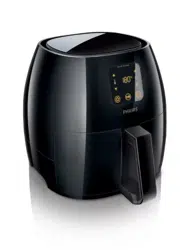
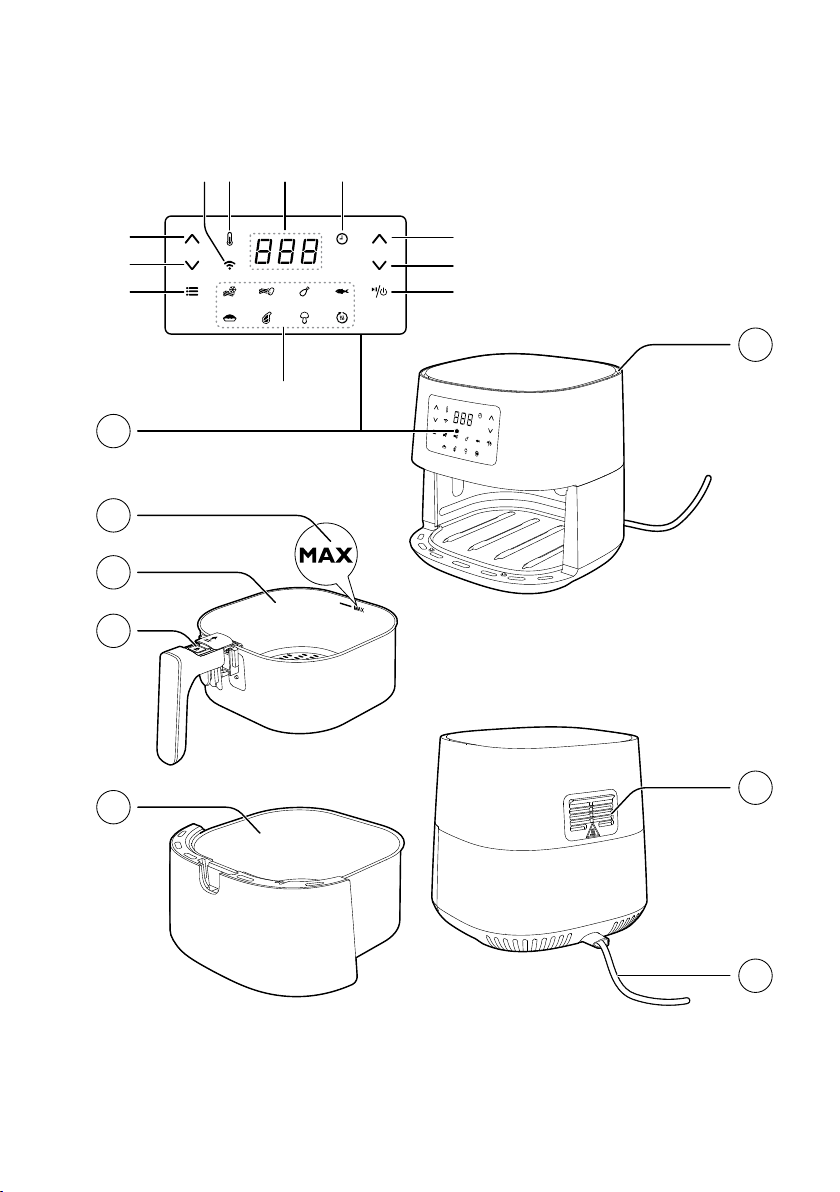
1 Control panel
A Temperature up button
B Temperature down button
C Menu button
D Preset menus
E On/O button
F Time down button
G Time up button
H Time indicator
I Screen
J Temperature indicator
K Wi-Fi indicator
2 MAX indication
3 Basket
4 Basket release button
5 Pan
6 Power cord
7 Air outlets
8 Air inlet
8 ENGLISH
1
JK HI
B
A
C
G
F
E
D
2
4
3
5
8
7
6
9ENGLISH
WiFi Indicator Status
The Wi-Fi indicator
is o
• Either your Airfryer is not connected to your home WiFi (no initial WiFi set-up done
so far), or the connection to your home WiFi is lost due to e.g. home router has
changed or the distance between the Airfryer and router is too far
The Wi-Fi indicator
is on
• Conguration with the NutriU App is complete and the Airfryer is connected to the
Home WiFi
The Wi-Fi indicator
is
blinking
• Either the Airfryer is in the "set-up“ mode during the WiFi set-up process. The
screen shows three dashes and the buttons on the Airfryer are inactive; or if it
was already connected, the blinking LED is an indication that the Airfryer is in the
process of connecting to the home WiFi.
The Wi-Fi indicator
is
blinking with long break in
between
• The WiFi functionality of the Airfryer has defect. You can either use the Airfryer
without the connectivity features, or you can call the Philips service hot line or
contact the Consumer Care Center in your country.
Before rst use
1 Remove all packing material.
2 Remove any stickers or labels (if available) from the appliance.
3 Thoroughly clean the appliance before rst use, as indicated in the
cleaning chapter.
The NutriU App
Your Philips Airfryer is WiFi enabled and allows you to connect with the
NutriApp to gain the full Airfryer experience. Within the App you can select
your favorite recipes, send it to the Airfryer and start it from your smart
device. You can start, monitor and adjust the cooking process on your
smart device from wherever you are, even if you are not at home.
Connecting your Airfryer to the App
1 Put the plug of the Airfryer in the wall outlet.
2 Make sure that your smart device is within reach of your home WiFi
network before you start the easy WiFi set-up process.
3 Download the Philips NutriU App on your smart device from the
App store or from www.philips.com/nutriu, follow the registration
process and select the connected Airfryerconnected Airfryer in your prole under "My
Appliances".
4 Follow the instructions in the App to connect your Airfryer to your Wi-
Fi and to pair your Airfryer.
5 When the WiFi LED on the user interface of the Airfryer is solid on, the
Airfryer is connected.
10 ENGLISH
Note
• Make sure to connect your Airfryer to a 2.4 GHz 802.11 b/g/n home WiFi
network.
• The easy WiFi set-up is needed to connect the Airfryer to your home WiFi.
• The pairing process is to connect the NutriU App with your smart Airfryer.
• The WiFi setup process can be cancelled via the App or by unplugging the
Airfryer.
• You can pair only one smart device at the same time to your Airfryer. If a
second user starts the pairing process, the rst user is kicked out and has to
pair again the next time when cooking with the Airfryer.
• To start the pairing process, long press the temperature down button and
follow the instructions in the App, or start it from the settings in the NutriU App.
Voice control
1 Download the NutriU App.
2 Connect the NutriU App with your Airfryer.
3 Give consent to "remote cooking".
4 Connect the NutriU App with your voice assistant App. This
connection can be done directly while onboarding or later in the
settings of the NutriU App. In case you do not see the option to
activate voice control in NutriU, activate the Kitchen+ skill through
your voice assistant App.
Note
• If you do not have a voice control App, download it rst to send commands to
the Airfryer.
• Detailed voice commands are available in the App for voice control.
Preparing for use
1 Place the appliance on a stable, horizontal, level and heat-resistant
surface.
Note
• Do not put anything on top or on the sides of the appliance. This could disrupt
the airow and aect the frying result.
• Do not place the operating appliance near or underneath objects that could be
damaged by steam, such as walls and cupboard.
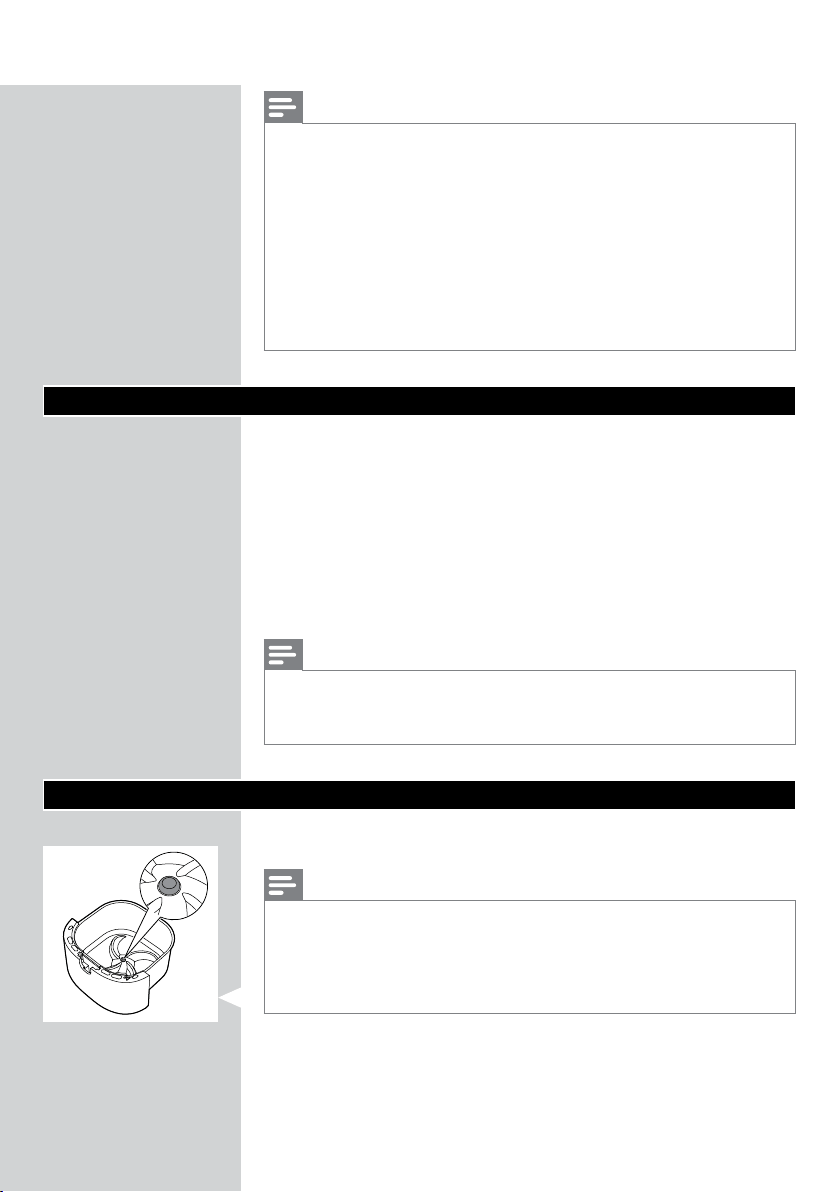
• Leave the rubber plug in the pan. Do not remove it before cooking.
11ENGLISH
Using the appliance
Food table
The table below helps you select the basic settings for the types of food
you want to prepare.
Note
• Keep in mind that these settings are suggestions. As ingredients dier in origin,
size, shape as well as brand, we cannot guarantee the best setting for your
ingredients.
• When preparing larger amount of food (e.g. fries, prawns, drumsticks, frozen
snacks), shake, turn, or stir the ingredients in the basket 2 to 3 times in order to
achieve a consistent result.
Ingredients
Min.– max.
amount
Time
(min)
Tem per a ture Note
Thin frozen fries (7x7
mm/0.3x0.3 in)
200-800 g /
7-28 oz
14-31 180°C/350°F • Shake, turn or stir 2-3
times in between
Homemade fries (10x10
mm/0.4x0.4 in thick)
200-800 g /
7-28 oz
20-40 180°C/350°F • Shake, turn or stir 2-3
times in between
Frozen chicken nuggets 200-600 g/
7-21 oz
9-20 200°C/400°F • Shake, turn or stir halfway
Frozen spring rolls 200-600 g/
7-21 oz
9-20 200°C/400°F • Shake, turn or stir halfway
Hamburger (around 150
g/5 oz)
1-5 patties 16-21 200°C/400°F
Meat loaf 1200 g / 42 oz 55-60 150°C/300°F • Use the baking accessory
Meat chops without bone
(around 150 g/5 oz)
1-4 chops 15-20 200°C/400°F
• Shake, turn or stir halfway
Thin sausages (around 50
g/1.8 oz)
2-10 pieces 11-15 200°C/400°F • Shake, turn or stir halfway
Chicken drumsticks
(around 125 g/4.5 oz)
2-8 pieces 17-27 180°C/350°F • Shake, turn or stir halfway
Chicken breast (around
160 g/6 oz)
1-5 pieces 15-25 180°C/350°F
Whole chicken 1200 g/42 oz 60-70 180°C/350°F
Whole sh (around 300-
400 g/11-14 oz)
1-2 sh 20-25 200°C/400°F
Fish let (around 200
g/7 oz)
1-5 (1 layer) 25-32 160°C / 325°F
12 ENGLISH
Ingredients
Min.– max.
amount
Time
(min)
Tem per a ture Note
Mixed vegetables
(roughly chopped)
200-800 g/7-
28 oz
9-18 180°C/350°F • Set the cooking time
according to your own
taste
• Shake, turn or stir halfway
Muns (around 50 g/1.8
oz)
1-9 13-15 180°C/350°F
• Use the Mun cups
Cake 500 g/18 oz 40-45 160°C/325°F • Use a cake pan
Pre-baked bread/rolls
(around 60 g/ 2 oz)
1-6 pieces 6-8 200°C/400°F
Homemade bread 800 g / 28 oz 55-65 150°C/300°F
• Use the baking accessory
• The shape should be as
at as possible to avoid
that the bread touches
the heating element when
rising.
Airfrying
Caution
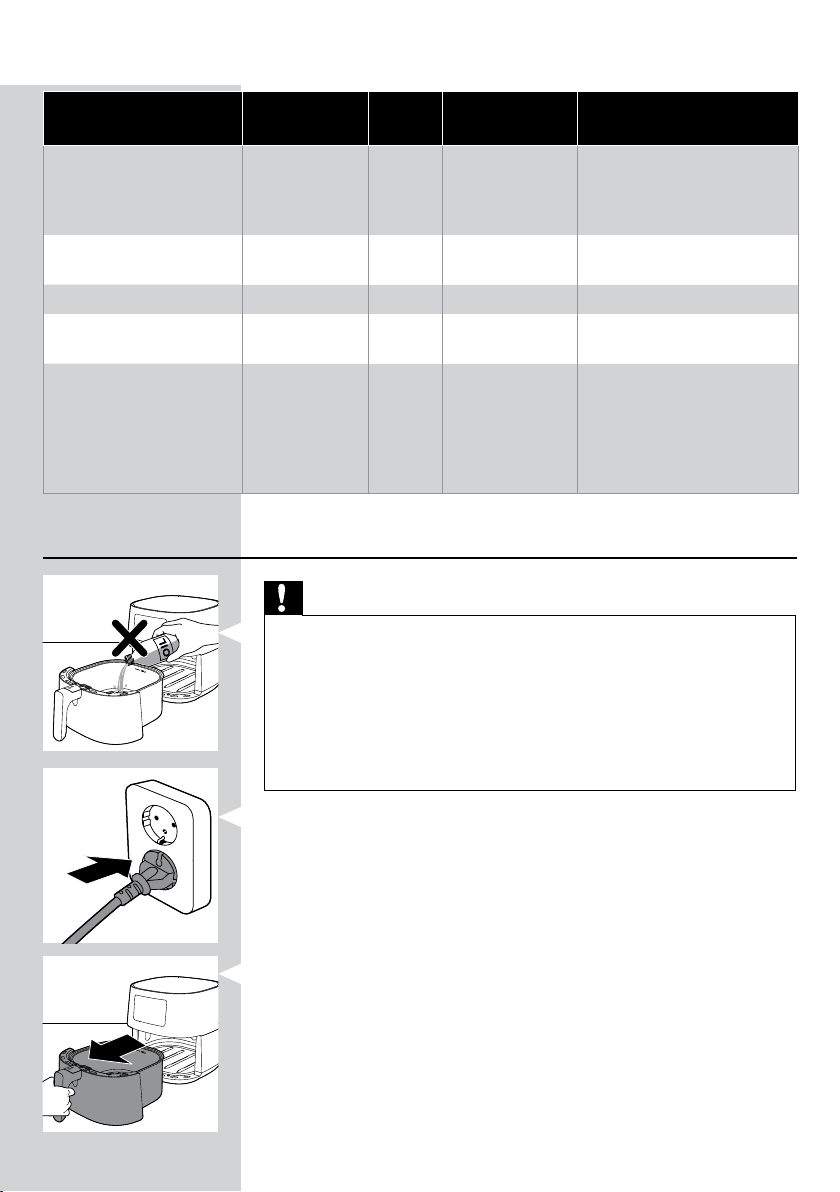
• This is an Airfryer that works on hot air. Do not ll the pan with oil, frying fat
or any other liquid.
• Do not touch hot surfaces. Use handles or knobs. Handle the hot pan with
oven-safe gloves.
• This appliance is for household use only.
• This appliance may produce some smoke when you use it for the rst time.
This is normal.
• Preheating of the appliance is not necessary.
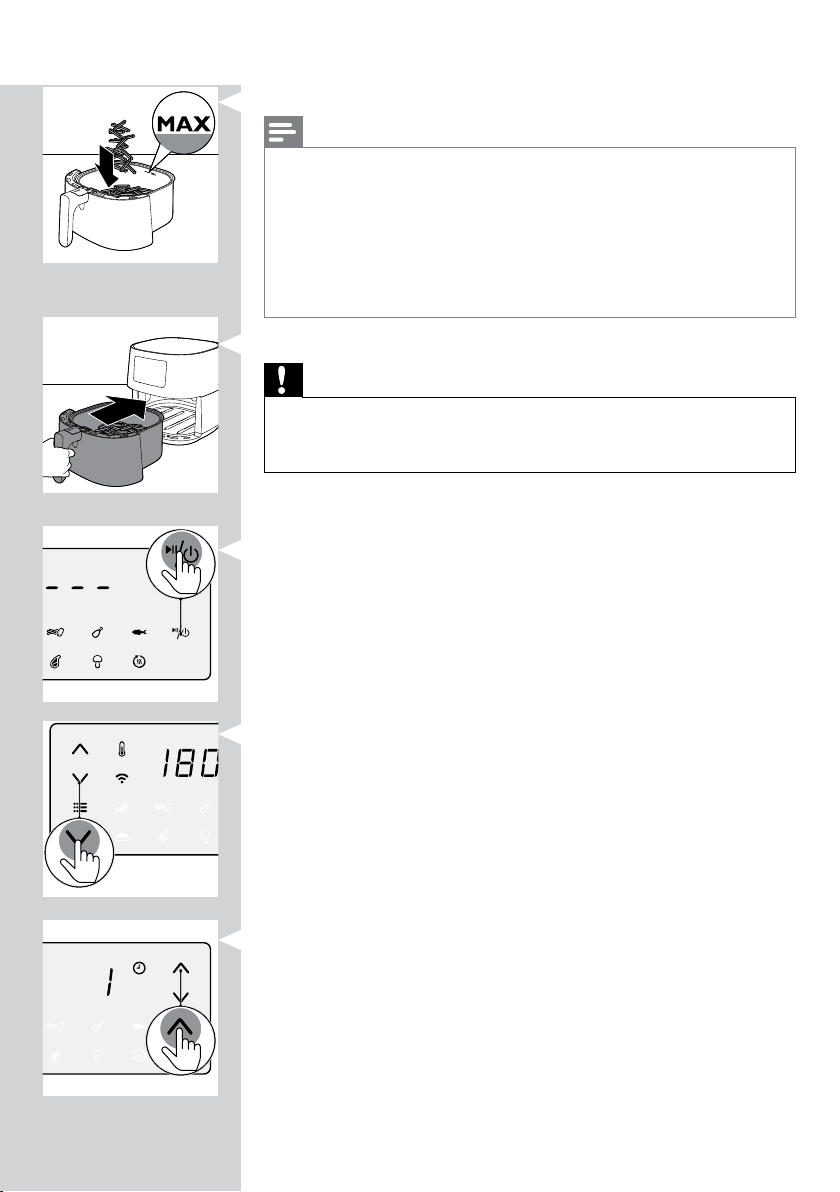
1 Put the plug in the wall outlet.
2 Remove the pan with the basket from the appliance by pulling the
handle.
13ENGLISH
3 Put the ingredients in the basket.
Note
• The Airfryer can prepare a large range of ingredients. Consult the ‘Food table’
for the right quantities and approximate cooking times.
• Do not exceed the amount indicated in the ‘Food table’ section or overll the
basket beyond the ‘MAX’ indication as this could aect the quality of the end
result.
• If you want to prepare dierent ingredients at the same time, make sure you
check the suggested cooking time required for the dierent ingredients before
you start to cook them simultaneously.
4 Put the pan with the basket back into the Airfryer.
Caution
• Never use the pan without the basket in it.
• Do not touch the pan or the basket during and for some time after use, as
they get very hot.
5 Press the power On/O button to switch on the appliance.
6 Press the temperature up or down button to choose the needed
temperature.
7 Press the time up button to choose the needed time.
14 ENGLISH
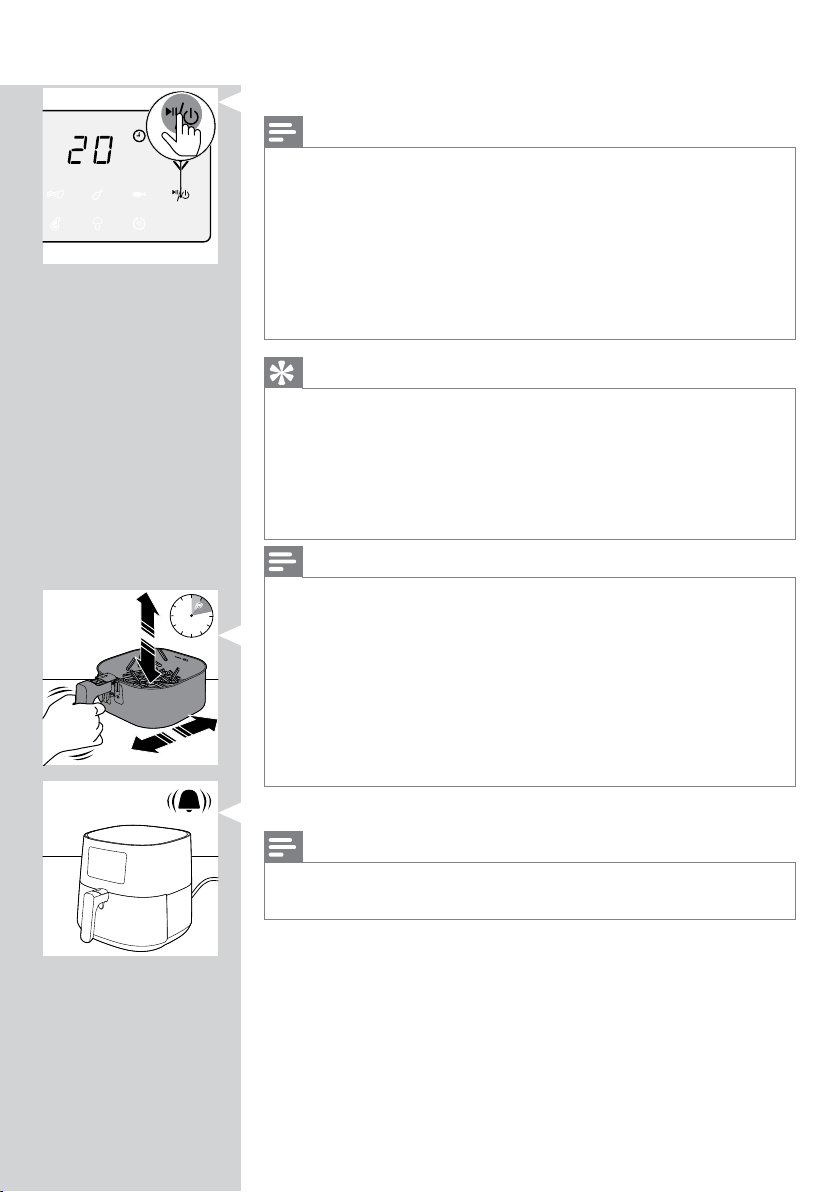
8 Press the On/O button to start the cooking process.
Note
• During cooking the temperature and time are shown alternately.
• The last cooking minute counts down in seconds.
• Refer to the food table with basic cooking settings for dierent types of food.
• When the cooking process is started and your Airfryer is paired with your smart
device, you can see, control and change the cooking parameters also in the
NutriU App.
• To change the temperature unit from Celsius to Fahrenheit or the other way
around on your Airfryer, press the temperature up and down button at the
same time for about 10 seconds.
Tip
• During cooking, if you want to change the cooking time or temperature, press
the corresponding up or down button at any time to do so.
• To pause the cooking process, press the On/O button. To resume the cooking
process, press the On/O button again to continue the cooking process.
• The device is automatically in pause mode when you pull out the pan and the
basket. The cooking process continues when the pan and the basket are put in
the appliance again.
Note
• If you do not set the required cooking time within 30 minutes, the appliance
automatically shuts o for safety reasons.
• Some ingredients require shaking or turning halfway through the cooking time
(see ‘Food table’). To shake the ingredients, pull out the pan with the basket,
place it on a heat resistant work top, slide the lid and press the basket release
button to remove the basket and shake the basket over the sink. Then put the
basket into the pan, and slide them back into the appliance.
• If you set the timer to the half of the cooking time and you hear the timer bell
it is time to shake or turn the ingredients. Be sure to reset the timer to the
remaining cooking time.
9 When you hear the timer bell, the cooking time has elapsed.
Note
• You can stop the cooking process manually. To do this, press the On/O
button.
15ENGLISH
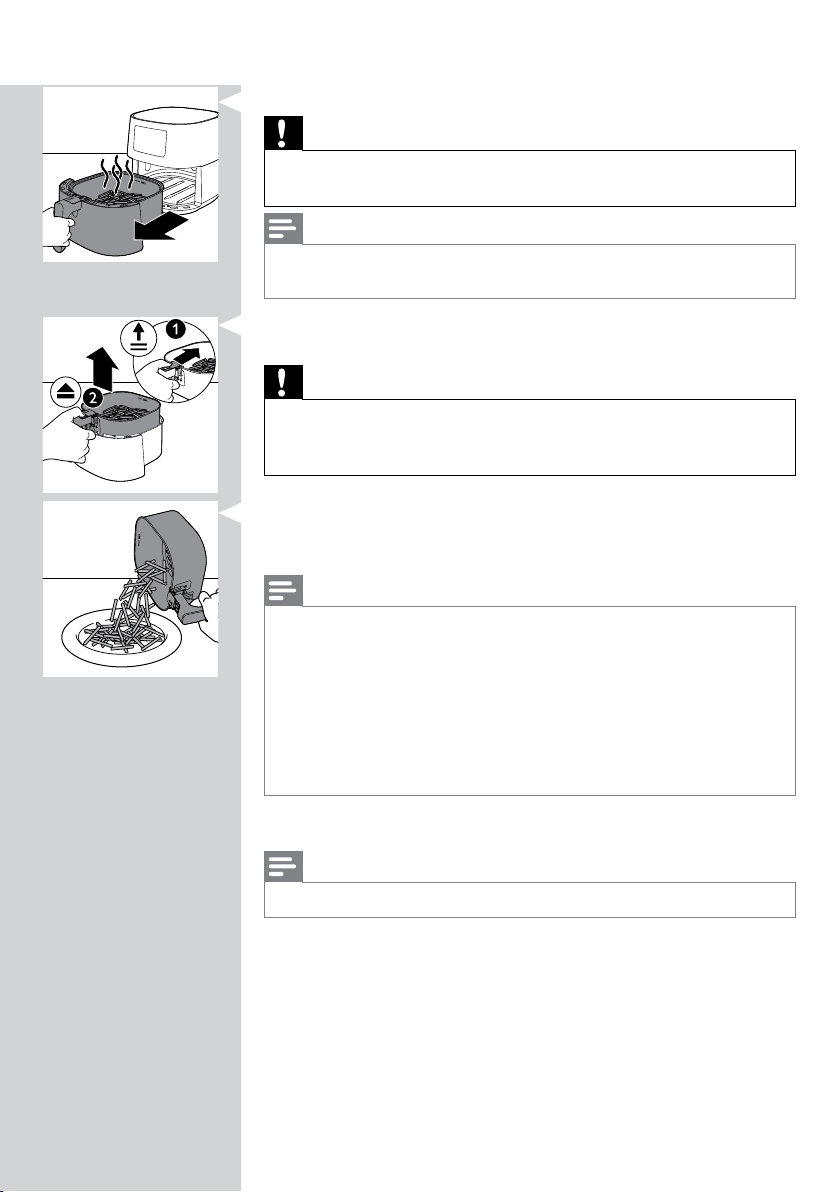
10 Pull out the pan and check if the ingredients are ready.
Caution
• The Airfryer pan is hot after the cooking process. Always place it on a heat
resistant work top (eg. trivet, etc.) when you remove the pan from the device.
Note
• If the ingredients are not ready yet, simply slide the pan back into the Airfryer
by the handle and add a few extra minutes to the set time.
11 To remove small ingredients (e.g. fries), lift the basket out of the pan
by sliding the lid rst, and then pressing the basket release button.
Caution
• After the cooking process, the pan, the basket, the interior housing and the
ingredients are hot. Depending on the type of ingredients in the Airfryer,
steam may escape from the pan.
12 Empty the basket contents into a bowl or onto a plate. Always remove
the basket from the pan to empty contents as hot oil may be in the
bottom of the pan.
Note
• To remove large or fragile ingredients, use a pair of tongs to lift out the
ingredients.
• Excess oil or rendered fat from the ingredients is collected on the bottom of
the pan.
• Depending on the type of ingredients cooking, you may want to carefully pour
o any excess oil or rendered fat from the pan after each batch or before
shaking or replacing the basket in the pan. Place the basket on a heat-resistant
surface. Wear oven-safe gloves to pour o excess oil or rendered fat. Return
the basket into the pan.
When a batch of ingredients is ready, the Airfryer is instantly ready for
preparing another batch.
Note
• Repeat steps 3 to 12 if you want to prepare another batch.
16 ENGLISH
Choosing the keep warm mode
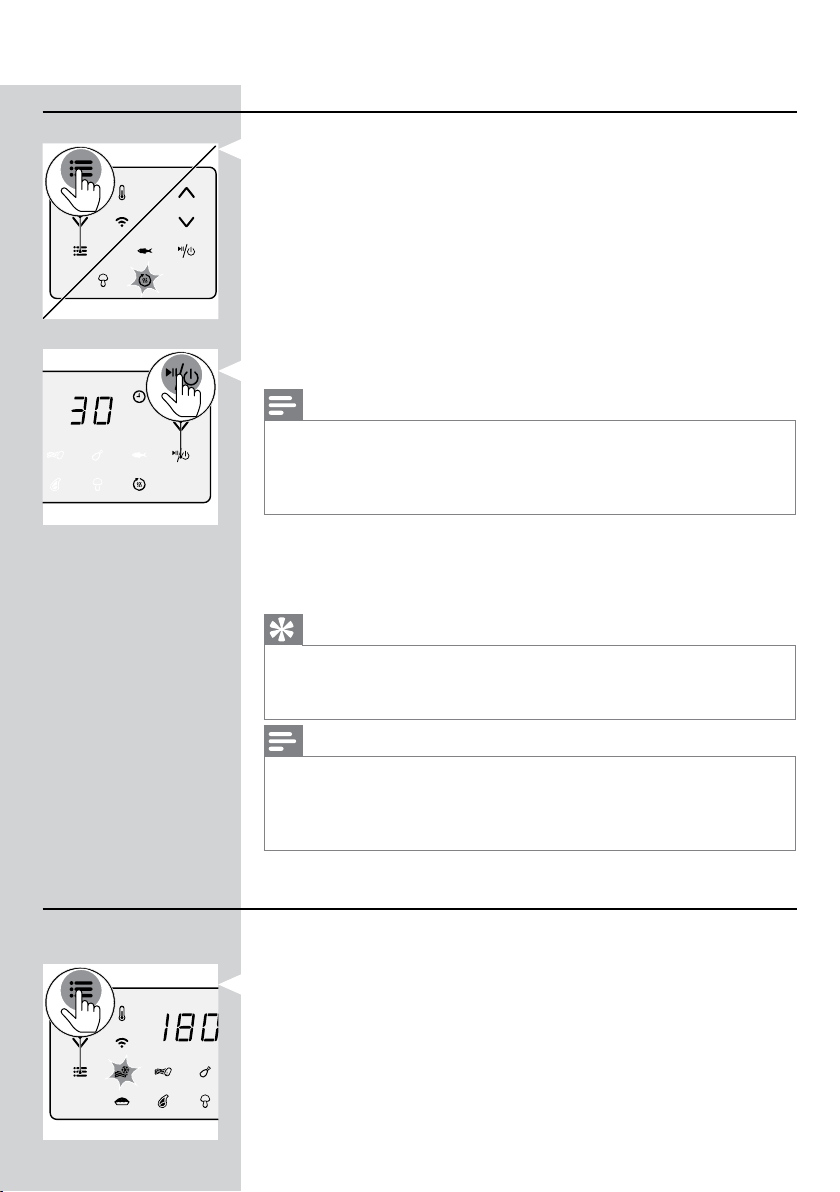
1 Press the menu button as often as the keep warm icon is blinking.
2 Press the On/O button to start the keep warm mode.
Note
• The keep warm timer is set to 30 minutes. To change the keep warm time
(1 - 30 minutes), press the time down button. The time will be conrmed
automatically.
• The temperature cannot be changed in keep warm mode.
3 To pause the keep warm mode, press the On/O button. To resume
the keep warm mode, press the On/O button again.
4 To exit the keep warm mode, long press the On/O button.
Tip
• If food like French fries loses too much crispness during the keep warm mode,
either shorten the keep warm time by switching o the appliance earlier or
crisp them up for 2-3 minutes at the temperature of 180°C/350°F.
Note
• During the keep warm mode, the fan and heater inside of the appliance turn
on from time to time.
• The keep warm mode is designed to keep your food warm immediately after it
is cooked in the Airfryer. It is not meant for reheating.
Cooking with a preset
1 Follow steps 1 to 5 in chapter "Airfrying".
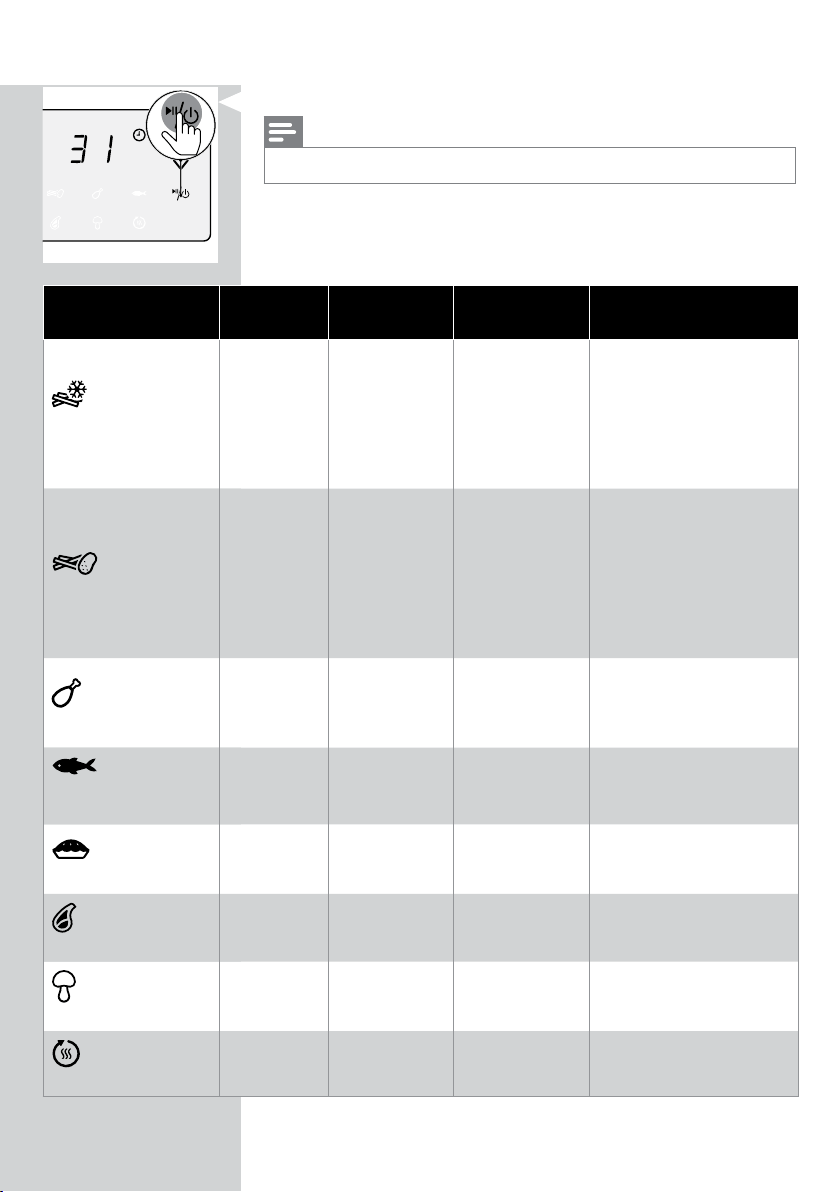
2 Press the Menu button. The frozen snacks icon is blinking. Press the
Menu button as often as your needed preset is blinking.
17ENGLISH
3 Start the cooking process by pressing the On/O button.
Note
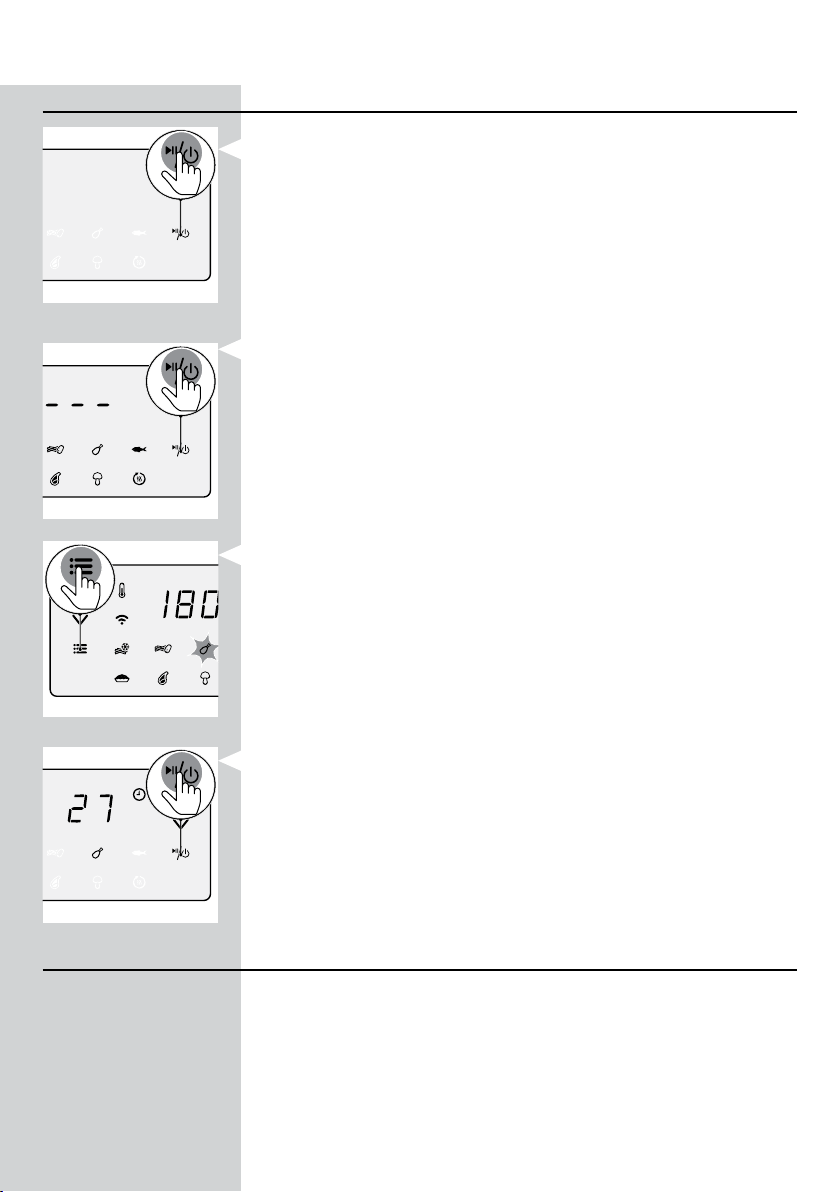
• In the following table you can nd more information about the presets.
Preset
Preset time
(min)
Preset
temperature
Weight (Max.) Information
Frozen potato based
snacks
31
180°C/
350°F
800 g/28 oz
• Potato based frozen
snacks like frozen
French fries, potato
wedges, criss-cross fries
etc.
• Shake, turn or stir 2-3
times in between
Fresh fries
38
180°C/
350°F
800 g/28 oz
• Use mealy potatoes
• 10x10mm / 0.4x0.4 in
thick cut
• Soak 30 minutes in
water, dry then add ¼ to
1 tbsp of oil
• Shake, turn or stir 2-3
times in between
Chicken drumsticks
27
180°C/
350°F
1000 g/35 oz
• Up to 8 chicken
drumsticks
• Shake, turn or stir in
between
Whole sh around
300 g/11 oz
20
200°C/
400°F
600 g/21 oz
Cake
45
160°C/
325°F
500 g/18 oz
• Use the XL baking
accessory (199 x 189 x
80 mm)
Meat chops
20
200°C/
400°F
600 g/21 oz
• Up to 4 meat chops
without bone
Mixed vegetables
18
180°C/
350°F
800 g/28 oz
• Roughly chopped
• Use the XL baking
accessory
Keep warm
30
80°C/
175°F
N/A
• Temperature cannot be
adjusted
18 ENGLISH
Changing to another preset
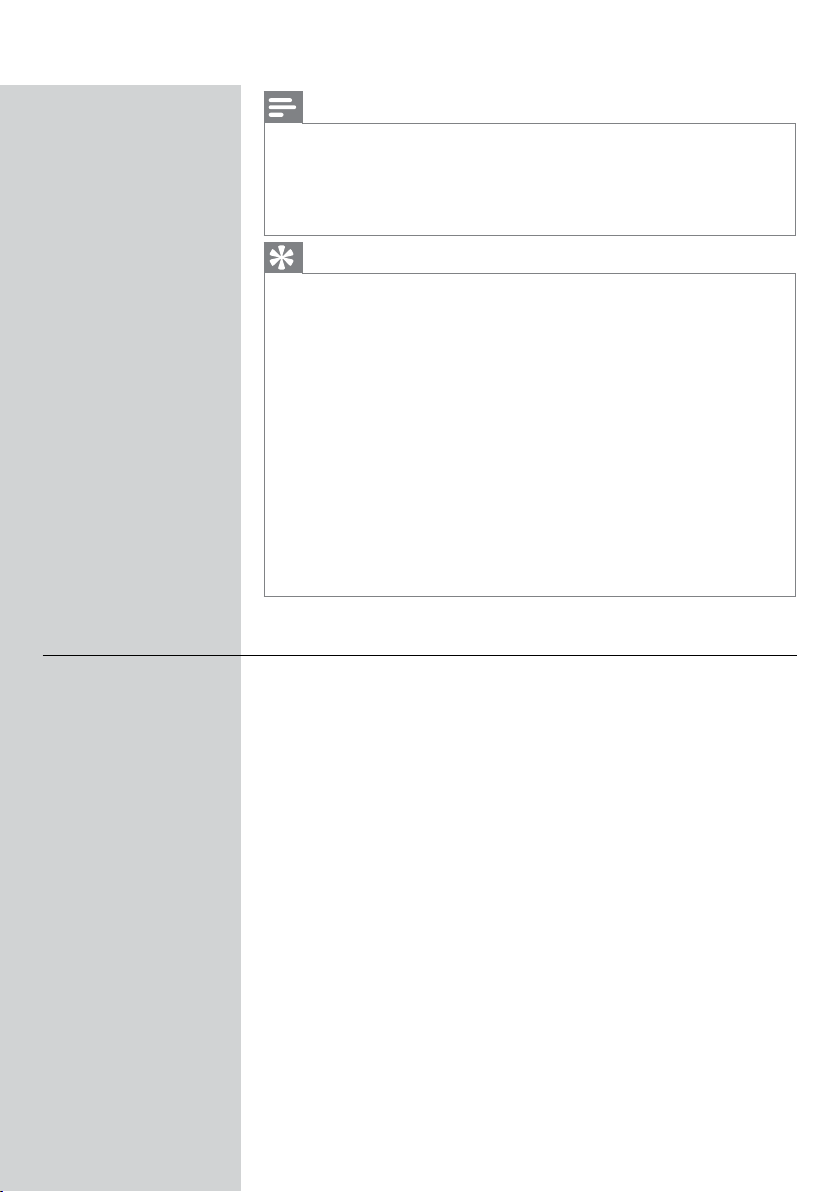
1 During the cooking process long press the power On/O button to
stop the cooking process. The device is then in stand-by mode.
2 Press the On/O button again to turn on the device.
3 Press the menu button as often as your needed preset is blinking.
4 Press the On/O button to start the cooking process.
Starting a recipe from the NutriU App
1 Press the On/O button to turn on the Airfryer.
2 Open the NutriU App on your smart device and look for your preferred
recipe.
3 Open the recipe and start the cooking process in the App.
19ENGLISH
Note
• Make sure that when cooking recipes that are developed for your Airfryer,
use the same amount of food mentioned in the recipes. When using dierent
ingredients or a dierent amount of food items, adjust the cooking time. When
cooking recipes that are not developed for your Airfryer, be aware the time and
temperature might be adjusted.
Tip
• Via the lter in the recipe search you can lter your smart Airfryer to get the
recipes that are developed for your device.
• When the cooking process is started from the App, you can see the cooking
settings also on the screen of the Airfryer.
• You can pause the cooking process or change the settings on the Airfryer or in
the App.
• When the cooking process is over you can start the keep warm mode in the
App or start it from the "keep warm" preset on the Airfryer.
• If the food is not done yet, you can also prolong the cooking process within the
App or on the Airfryer.
• To exit the cooking process before the cooking time is over, long press the On/
O button on the Airfryer or press the pause and then the stop icon in the App.
• You can also start your individual time and temperature in the NutriU App.
• On the bottom of the Home Screen there is the button to go to the home
screen, the recipes, manual mode, articles or your prole. Press the manual
mode button and send your individual time and temperature to the Airfryer.
Making home-made fries
To make great home-made fries in the Airfryer:
- Choose a potato variety suitable for making fries, e.g. fresh, (slightly)
oury potatoes.
- It is best to air fry the fries in portions of up to 800 g/28 oz for an even
result. Larger fries tend to be less crispy than smaller fries.
1 Peel the potatoes and cut into sticks (10 x 10 mm/0.4 x 0.4 in thick).
2 Soak the potato sticks in a bowl of water for at least 30 minutes.
3 Empty the bowl and dry the potato sticks with a dish towel or paper
towel.
4 Pour one tablespoon of cooking oil into the bowl, put the sticks in the
bowl and mix until the sticks are coated with oil.
5 Remove the sticks from the bowl with your ngers or a slotted kitchen
utensil so excess oil remains in the bowl.
20 ENGLISH
Note
• Do not tilt the bowl to pour all the sticks in the basket at once to prevent
excess oil from going into the pan.
6 Put the sticks into the basket.
7 Fry the potato sticks and shake the basket 2-3 times during cooking.
Cleaning
Warning
• Let the basket, the pan, and the inside of the appliance cool down
completely before you start cleaning.
• The pan, the basket, and the inside of the appliance have a non-stick
coating. Do not use metal kitchen utensils or abrasive cleaning materials as
this may damage the non-stick coating.
Clean the appliance after every use. Remove oil and fat from the bottom of
the pan after every use.
1 Press the power
On/O On/O button to switch o the appliance, remove
the plug from the wall outlet and let the appliance cool down.
Tip
• Remove the pan and the basket to let the Airfryer cool down more quickly.
2 Dispose of rendered fat or oil from the bottom of the pan.
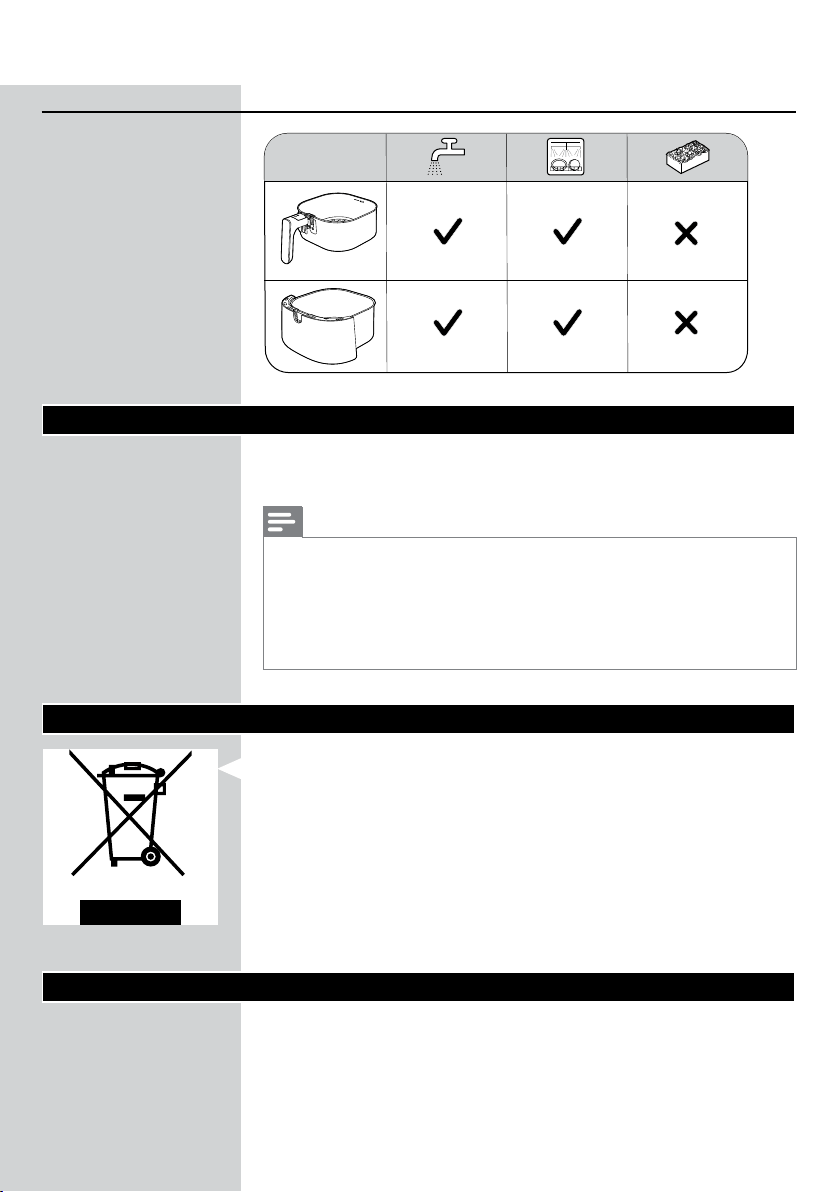
3 Clean the pan and the basket in a dishwasher. You can also clean
them with hot water, dishwashing liquid and a non-abrasive sponge
(see ‘Cleaning table’).
Note
• Put the pan with the rubber plug in the dishwasher. Do not remove the rubber
plug before cleaning.
21ENGLISH
Tip
• If food residues stuck to the pan or the basket, you can soak them in hot water
and dishwashing liquid for 10–15 minutes. Soaking loosens the food residues
and makes it easier to remove. Make sure you use a dishwashing liquid that
can dissolve oil and grease. If there are grease stains on the pan or the basket
and you have not been able to remove them with hot water and dishwashing
liquid, use a liquid degreaser.
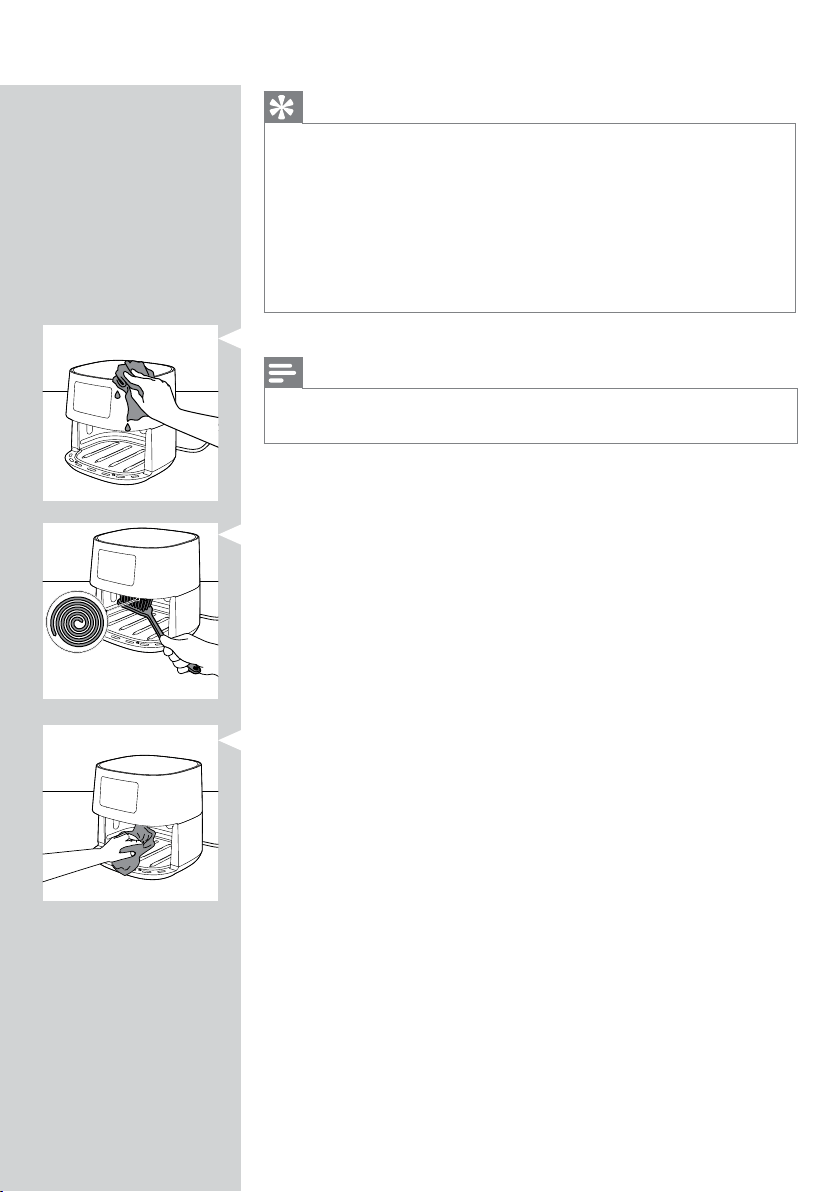
• If necessary, food residues stuck to the heating element can be removed with
a soft to medium bristle brush. Do not use a steel wire brush or a hard bristle
brush, as this might damage the coating on the heating element.
4 Wipe the outside of the appliance with a moist cloth.
Note
• Make sure no moisture remains on the control panel. Dry the control panel with
a cloth after you have cleaned it.
5 Clean the heating element with a cleaning brush to remove any food
residues.
6 Clean the inside of the appliance with hot water and a non-abrasive
sponge.
22 ENGLISH
Cleaning table
Storage
1 Unplug the appliance and let it cool down.
2 Make sure all parts are clean and dry before storing.
Note
• Always hold the Airfryer horizontally when you carry it. Make sure that you also
hold the pan on the front part of the appliance as the pan with the basket can
slide out of the appliance if accidentally tilted downwards. This can lead to
damaging of these parts.
• Always make sure that the removable parts of the Airfryer are xed before you
carry and/or store it.
Recycling
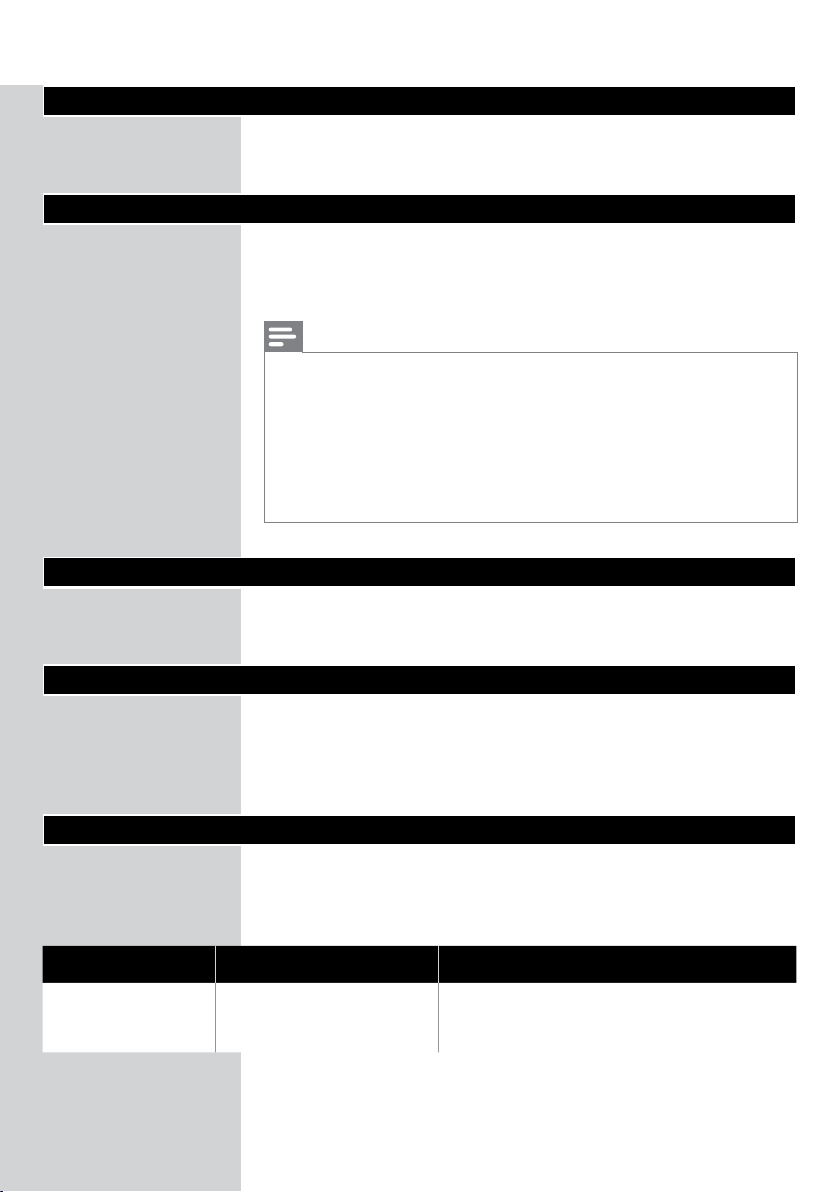
- This symbol means that this product shall not be disposed of with
normal household waste (2012/19/EU).
- Follow your country’s rules for the separate collection of electrical and
electronic products. Correct disposal helps prevent negative
consequences for the environment and human health.
Declaration of Conformity
Hereby, Philips Consumer Lifestyle B.V. declares that the Airfryer HD928x is
in compliance with Directive 2014/53/EU.
The full text of the EU declaration of conformity is available at the
following internet address: https://www.philips.com.
The Airfryer HD928x is equipped with a WiFi module, 2.4GHz 802.11 b/g/n.
23ENGLISH
Guarantee and support
If you need information or support, please visit www.philips.com/support
or read the separate worldwide guarantee leaet.
Software updates
Updating is essential to safeguard your privacy and the proper functioning
of your Airfryer and the App.
From time to time, the App is updating automatically to the latest software.
Also the Airfryer is updating the rmware automatically.
Note
• When an update is being installed, make sure that your Airfryer is connected to
the home WiFi. The smart device can be connected to any network.
• Always use the latest App and rmware.
• Updates are made available when there are software improvements or to
prevent a security issue.
• A rmware update is started automatically when the Airfryer is in stand-by
mode. This update takes up to 1 minute and the screen on the Airfryer shows
blinking "---". During this time the Airfryer cannot be used.
Device compatibility
For detailed information about the compatibility of the App, please refer to
the information in the App Store.
Factory reset
For a factory reset of the Airfryer, press the temperature and time up
buttons at the same time for 10 seconds.
Your Airfryer is then no more connected to your home WiFi and not paired
with your smart device anymore.
Troubleshooting
This chapter summarizes the most common problems you could encounter
with the appliance. If you are unable to solve the problem with the
information below, visit www.philips.com/support for a list of frequently
asked questions or contact the Consumer Care Center in your country.
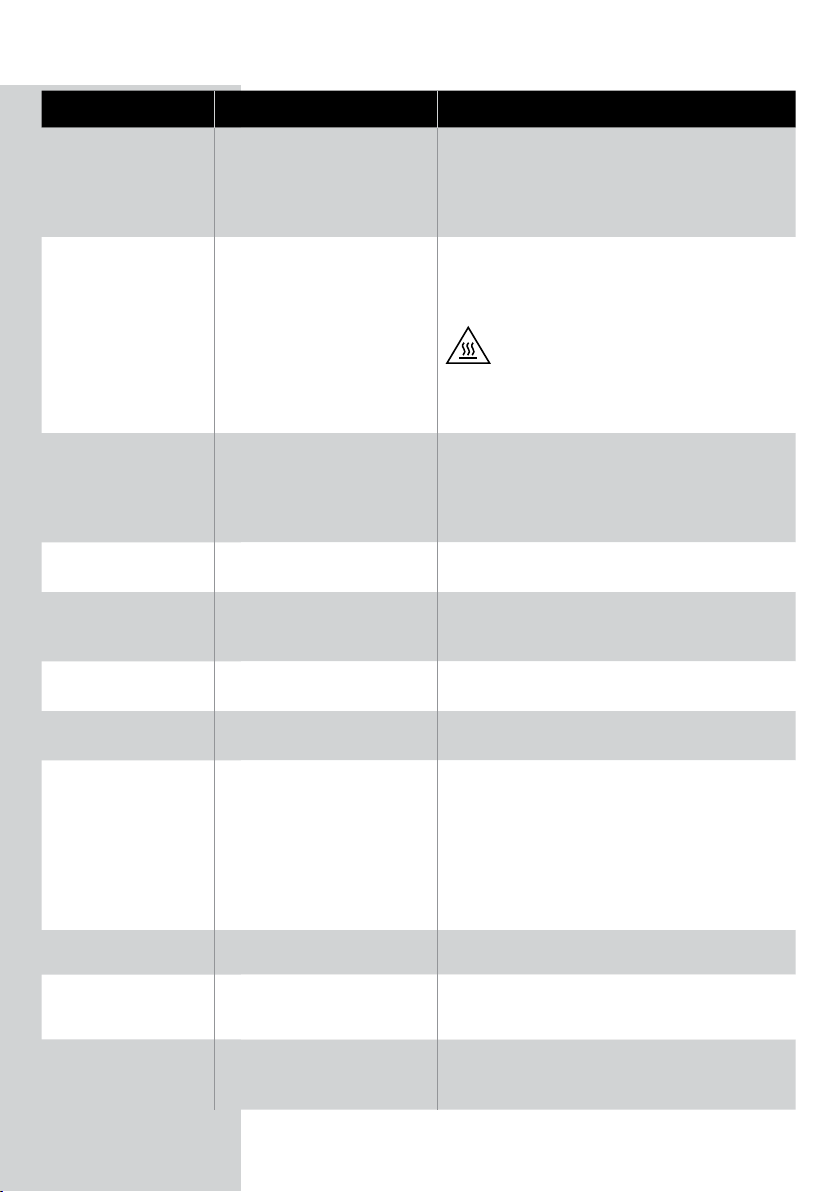
Problem Possible cause Solution
The outside of the
appliance becomes
hot during use.
The heat inside radiates to
the outside walls.
This is normal. All handles and knobs that you
need to touch during use stay cool enough to
touch.
24 ENGLISH
Problem Possible cause Solution
The pan, the basket, and the inside of the
appliance always become hot when the
appliance is switched on to ensure the food is
properly cooked. These parts are always too hot
to touch.
If you leave the appliance switched on for a
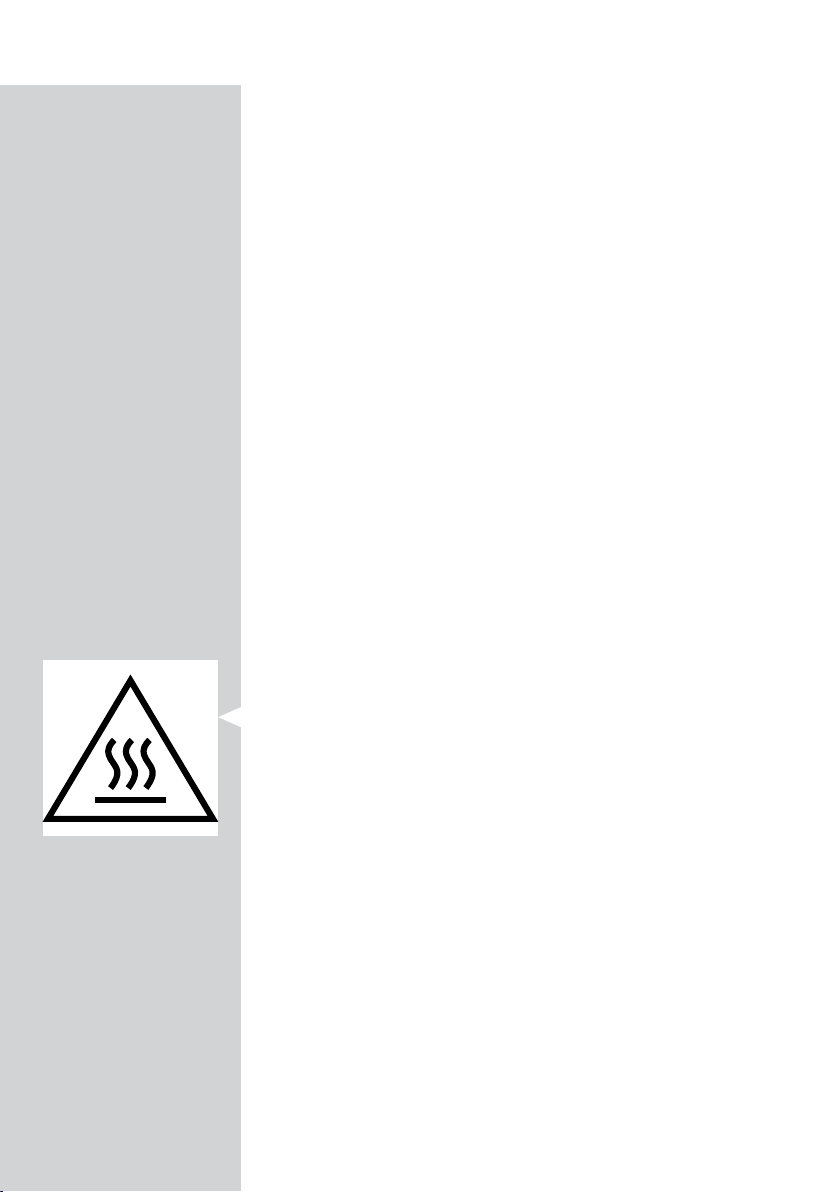
longer time, some areas get too hot to touch.
These areas are marked on the appliance with
the following icon:
As long as you are aware of the hot areas
and avoid touching them, the appliance is
completely safe to use.
My home-made fries
do not turn out as I
expected.
You did not use the right
potato type.
To get the best results, use fresh oury
potatoes. If you need to store the potatoes, do
not store them in a cold environment like in a
fridge. Choose potatoes whose package states
that they are suitable for frying.
The amount of ingredients in
the basket is too big.
Follow the instructions on page 19 in this
user manual to prepare home-made fries.
Certain types of ingredients
need to be shaken halfway
through the cooking time.
Follow the instructions on page 19 in this
user manual to prepare home-made fries.
The Airfryer does not
switch on.
The appliance is not plugged
in.
Check if the plug is inserted in the wall outlet
properly.
Several appliances are
connected to one outlet.
The Airfryer has a high wattage. Try a dierent
outlet and check the fuses.
I see some peeling
o spots inside my
Airfryer.
Some small spots can
appear inside the pan of the
Airfryer due to the incidental
touching or scratching of the
coating (e.g. during cleaning
with harsh cleaning tools
and/or while inserting the
basket).
You can prevent damage by lowering the basket
into the pan properly. If you insert the basket at
an angle, its side may knock against the wall of
the pan, causing small pieces of coating to chip
o. If this occurs, please be informed that this is
not harmful as all materials used are food-safe.
White smoke comes
out of the appliance.
You are cooking fatty
ingredients.
Carefully pour o any excess oil or fat from the
pan and then continue cooking.
The pan still contains greasy
residues from previous use.
White smoke is caused by greasy residues
heating up in the pan. Always clean the pan and
the basket thoroughly after every use.
Breading or coating did not
adhere properly to the food.
Tiny pieces of airborne breading can cause
white smoke. Firmly press breading or coating to
food to ensure it sticks.

25ENGLISH
Problem Possible cause Solution
Marinade, liquid or meat
juices are splattering in the
rendered fat or grease.
Pat food dry before placing it in the basket.
The WiFi LED on my
Airfryer is not shining
anymore.
• The Airfryer is not
connected to your home
WiFi anymore.
• You have changed your
home WiFi network.
Start the WiFi set up process by long pressing
the menu button and follow the instructions in
the App.
The App shows that
the pairing process is
not successful.
Another user has paired
the Airfryer with a dierent
smart device and is currently
cooking.
Wait until the other user has nished the current
cooking process and re-pair your smart device
with the Airfryer.
My display shows
blinking "---".
Your Airfryer is updating the
rmware.
Wait for about one minute before the rmware
update process is nished. You cannot use the
Airfryer during the rmware update.
The screen on the
Airfryer shows "E1".
The device is broken/defect.
Call the Philips service hot line or contact the
Consumer Care Center in your country.
Your Airfryer might be stored
in a place where it is too cold.
If your device was stored at a low ambient
temperature, let it warm up to room temperature
for at least 15 minutes before you plug it in again.
If your display still shows "E1", call the Philips
service hot line or contact the Consumer Care
Center in your country.

© 2021 Philips Domestic Appliances Holding B.V.
All rights reserved.