Wi-Fi
Smart LED Bulb
Standard E26 base
Model – 51338, 51339, 51340
Light pairing modes
• Flashing quickly – auto pairing
• Flashing slowly – manual pairing
MADE IN CHINA
Distributed by Jasco Products Company LLC,
10 E. Memorial Rd., Oklahoma City, OK 73114.
This Jasco product comes with a 5-year limited warranty.
Visit www.byjasco.com for warranty details.
Questions? Contact our U.S.-based Consumer Care at
1-800-654-8483 between 7AM-8PM, M-F, Central Time.
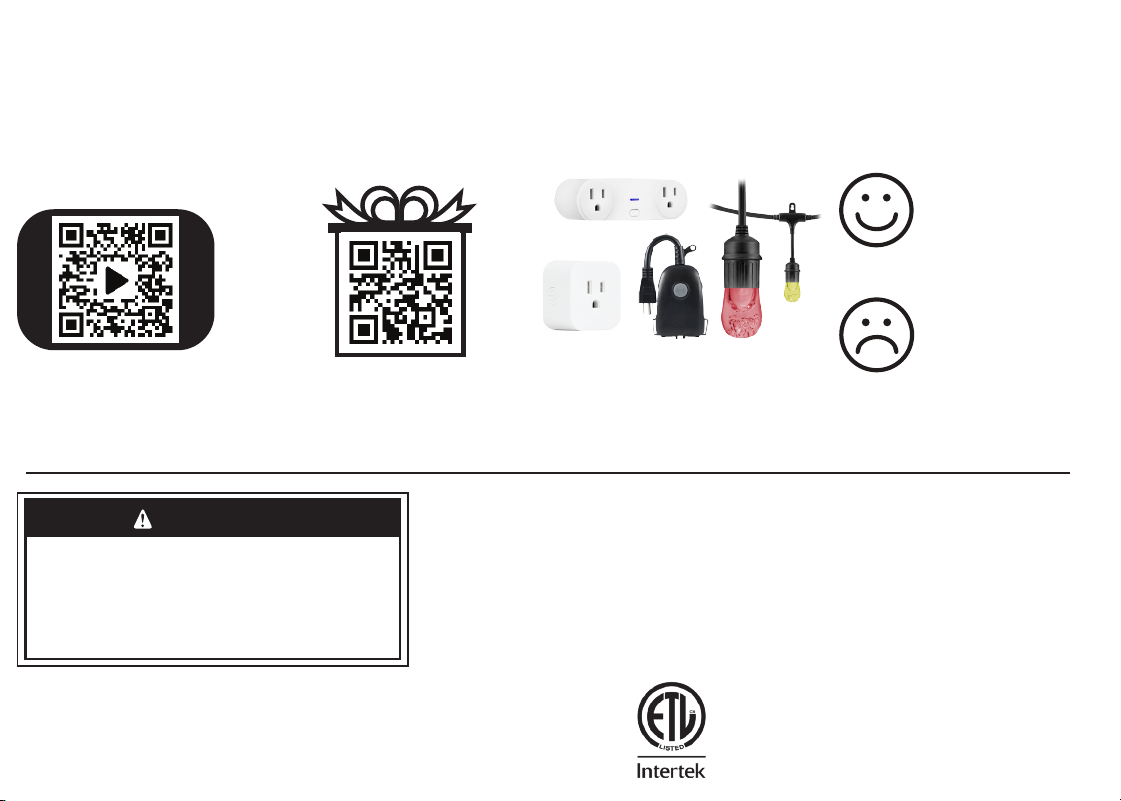
For deals, to register your
purchase and to tell us how we’re
doing, simply scan the code or visit
byjasco.com/deals
Exclusive deals
Read instructions or watch
easy-to-follow video.
Scan code or visit
byjasco.com/51338i
Instructions
made easy
Thank you for your purchase!
Like our product?
Leave a review
on your favorite
retailer website or
amazon.com
Having problems?
Let us know how
we can help. Call
1-800-654-8483
between 7AM-8PM,
M-F, Central Time.
Home automation is in your palm with
Wi-Fi smart devices and accessories at
www.enbrightenwifi.com
02/11/2022 v2
WARNING
• NOT FOR EMERGENCY LIGHTING
• RISK OF ELECTRIC SHOCK
• RISK OF FIRE
• RISK OF BURNS
• DO NOT USE WHERE DIRECTLY EXPOSED TO WATER
• DO NOT USE WITH STANDARD DIMMERS
• NOT FOR USE IN TOTALLY ENCLOSED LUMINARIES
• DO NOT USE WITH MEDICAL AND LIFE-SUPPORT INSTRUMENTS
App Store is a service mark of Apple Inc. Google, Google
Home and Google Play are trademarks of Google LLC.
Amazon, Alexa and all related logos are trademarks of
Amazon.com, Inc. or its aliates.
FCC Declaration of Conformity is available on the support
page in the Enbrighten app.
Scan the QR code above or search
Enbrighten on the Apple App Store or
on Google Play
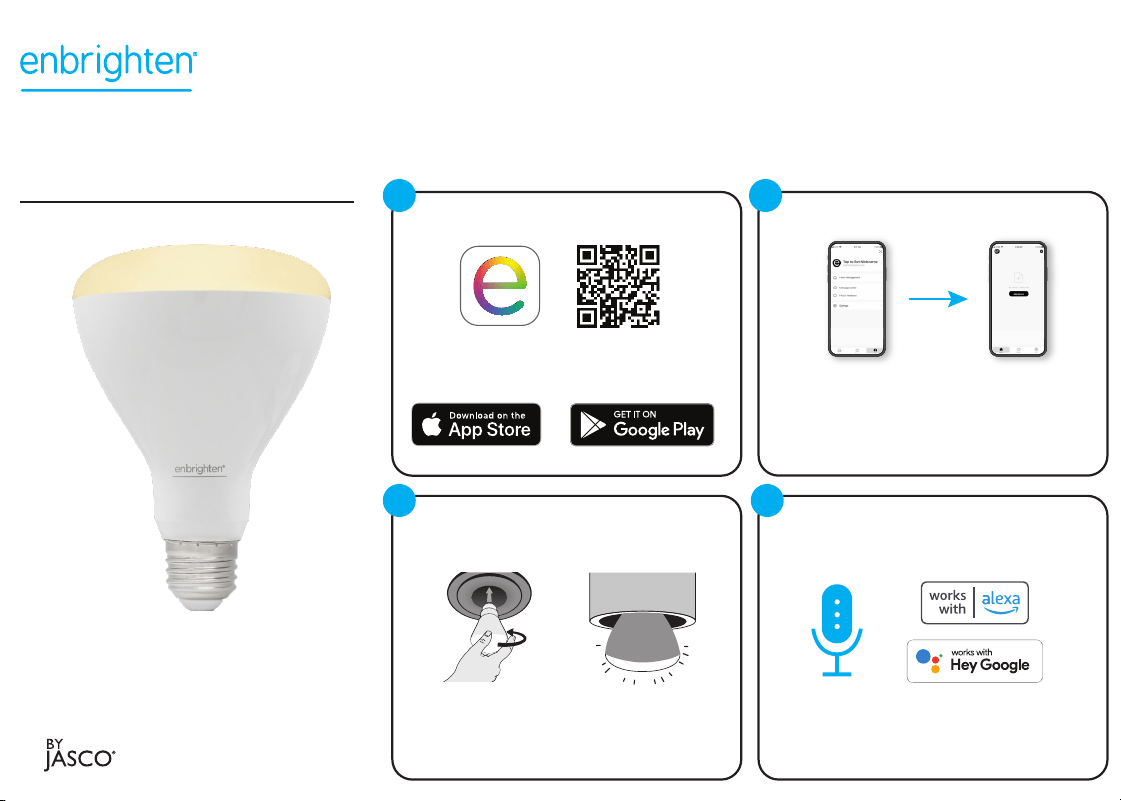
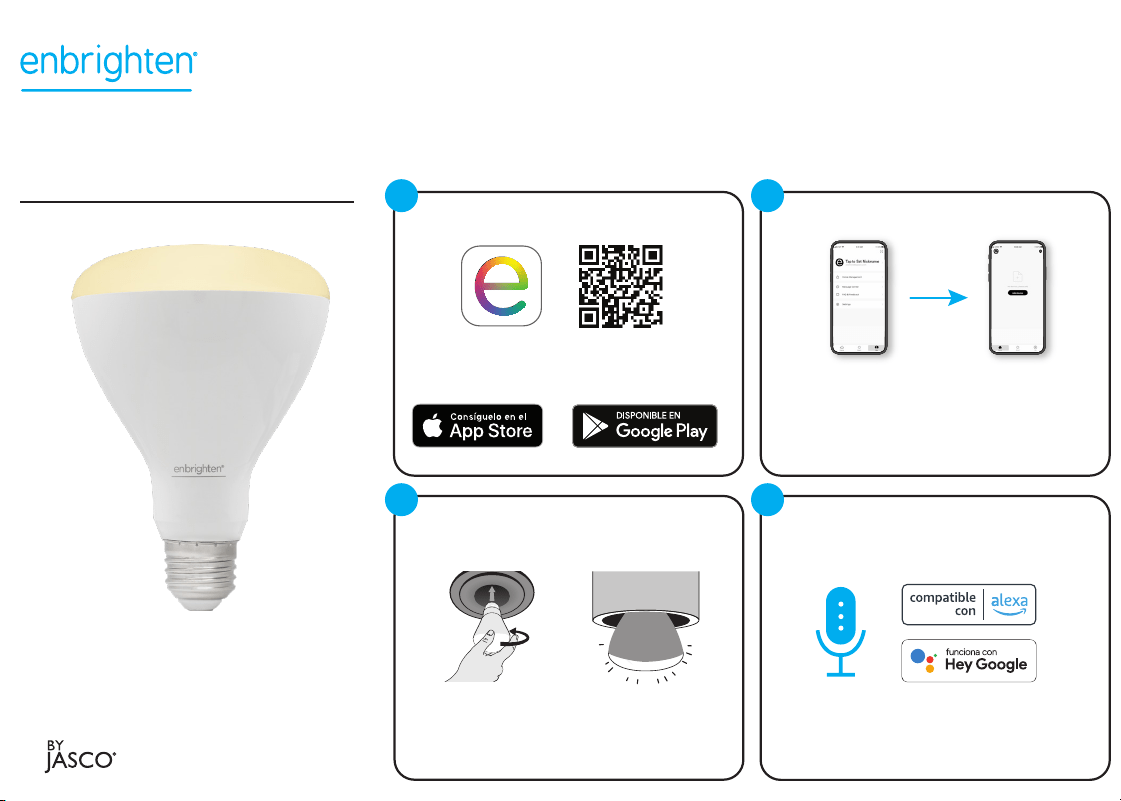
Download the app
Compatible with Amazon
Alexa and Google Assistant
Follow the steps in the Amazon Alexa or
Google Home app to connect the
Enbrighten app or select “Support” in
the Enbrighten app.
Voice control
1
4
Remotely operate your smart bulb with the easy-to-use
Enbrighten app. Follow the available instructions and
resources to set up your smart device.
Install the smart device
Screw in the
smart bulb to a
standard indoor
light fixture
Turn OFF power at the switch before installation
Power switch for the
lamp or light fixture
must be ON
1. 2.
3
Create an account in
the Enbrighten app
Add devices, control
the smart bulb from
anywhere and create
schedules
Set up account
1. 2.
2
Wi-Fi
Smart LED Bulb
Standard E26 base
Model – 51338, 51339, 51340
Light pairing modes
• Flashing quickly – auto pairing
• Flashing slowly – manual pairing
MADE IN CHINA
Distributed by Jasco Products Company LLC,
10 E. Memorial Rd., Oklahoma City, OK 73114.
This Jasco product comes with a 5-year limited warranty.
Visit www.byjasco.com for warranty details.
Questions? Contact our U.S.-based Consumer Care at
1-800-654-8483 between 7AM-8PM, M-F, Central Time.
For deals, to register your
purchase and to tell us how we’re
doing, simply scan the code or visit
byjasco.com/deals
Exclusive deals
Read instructions or watch
easy-to-follow video.
Scan code or visit
byjasco.com/51338i
Instructions
made easy
Thank you for your purchase!
Like our product?
Leave a review
on your favorite
retailer website or
amazon.com
Having problems?
Let us know how
we can help. Call
1-800-654-8483
between 7AM-8PM,
M-F, Central Time.
Home automation is in your palm with
Wi-Fi smart devices and accessories at
www.enbrightenwifi.com
02/11/2022 v2
WARNING
• NOT FOR EMERGENCY LIGHTING
• RISK OF ELECTRIC SHOCK
• RISK OF FIRE
• RISK OF BURNS
• DO NOT USE WHERE DIRECTLY EXPOSED TO WATER
• DO NOT USE WITH STANDARD DIMMERS
• NOT FOR USE IN TOTALLY ENCLOSED LUMINARIES
• DO NOT USE WITH MEDICAL AND LIFE-SUPPORT INSTRUMENTS
App Store is a service mark of Apple Inc. Google, Google
Home and Google Play are trademarks of Google LLC.
Amazon, Alexa and all related logos are trademarks of
Amazon.com, Inc. or its aliates.
FCC Declaration of Conformity is available on the support
page in the Enbrighten app.
Scan the QR code above or search
Enbrighten on the Apple App Store or
on Google Play
Download the app
Compatible with Amazon
Alexa and Google Assistant
Follow the steps in the Amazon Alexa or
Google Home app to connect the
Enbrighten app or select “Support” in
the Enbrighten app.
Voice control
1
4
Remotely operate your smart bulb with the easy-to-use
Enbrighten app. Follow the available instructions and
resources to set up your smart device.
Install the smart device
Screw in the
smart bulb to a
standard indoor
light fixture
Turn OFF power at the switch before installation
Power switch for the
lamp or light fixture
must be ON
1. 2.
3
Create an account in
the Enbrighten app
Add devices, control
the smart bulb from
anywhere and create
schedules
Set up account
1. 2.
2
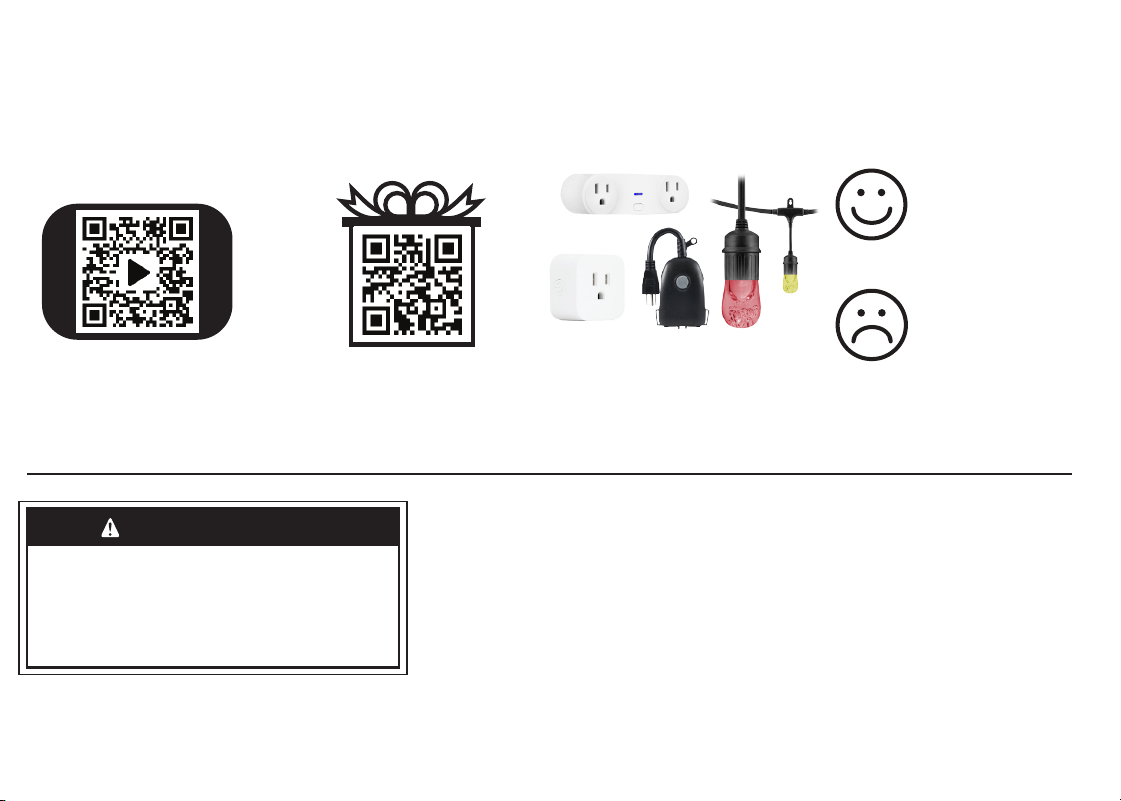
Para acceder a ofertas, registrar su
compra y darnos su opinión sobre
nosotros, tan solo escanee el código o
visite byjasco.com/deals
Ofertas exclusivas
Lea las instrucciones o mire el video
con el paso a paso.
Escanee el código o visite
byjasco.com/51338i
Instrucciones
fáciles
¡Gracias por su compra!
La domótica está al alcance de su
mano con los dispositivos y accesorios
inteligentes con wifi en
www.enbrightenwifi.com
¿Le gusta nuestro
producto?
Deje una reseña en el
sitio web de su
comercio favorito o
en amazon.com
¿Tiene algún
problema?
Díganos cómo
podemos ayudar.
Llame al
1-800-654-8483,
entre las 7 a. m. y las
8 p. m., hora estándar
del centro
HECHO EN CHINA
Distribuido por Jasco Products Company LLC,
10 E Memorial Rd., Oklahoma City, Oklahoma 73114.
Este producto de Jasco tiene una garantía limitada
de 5 años. Visite www.byjasco.com para conocer los
detalles de la garantía.
¿Preguntas? Comuníquese al 1-800-654-8483 entre las
7AM y las 8PM hora estándar del centro.
ADVERTENCIA
• NO APTO PARA ILUMINACIÓN DE EMERGENCIA
• RIESGO DE DESCARGA ELÉCTRICA
• RIESGO DE INCENDIO
• RIESGO DE QUEMADURAS
• NO USAR DONDE CON EXPOSICIÓN DIRECTA AL AGUA
• NO USAR CON REGULADORES DE INTENSIDAD
• NO APTO PARA USO EN LUMINARIAS TOTALMENTE CERRADAS
• NO USAR CON INSTRUMENTOS MÉDICOS Y DE SOPORTE VITAL
Wi-Fi
Inteligente bombilla LED
Modelo – 51338, 51339, 51340
Modos de emparejamiento de luz
• Parpadeo rápido: emparejamiento automático
• Parpadeo lento: emparejamiento manual
Base estándar E26
App Store es una marca de servicio de Apple Inc. Google,
Google Home y Google Play son marcas de Google LLC.
Amazon, Alexa y todos los logotipos relacionados son
marcas registradas de Amazon.com, Inc. o sus filiales.
Declaración de la comisión federal de comunicaciones
(FCC) está disponible en la página de soporte de la
aplicación Enbrighten.
Escanee el código QR anterior o
busque Enbrighten en App Store de
Apple o en Google Play
Descargue la app
Instale el dispositivo inteligente
1. 2.
Apague la potencia en el interruptor antes
de la instalación
Atornille la
bombilla
inteligente a una
lámpara de
interior estándar
El interruptor de
encendido de la
lámpara o el aparato
de iluminación debe
estar ENCENDIDO
Compatible con Amazon
Alexa y Google Assistant
Siga los pasos en la app de Amazon
Alexa o Google Home para conectar la
app Enbrighten o seleccione "Apoyo"
en la app Enbrighten.
Control por voz
1
43
Opere de forma remota su bombilla inteligente con la app
Enbrighten fácil de usar. Siga las instrucciones y los recursos
disponibles para configurar su dispositivo inteligente.
Cree una cuenta en
la app Enbrighten
Agregue dispositivos,
controle la bombilla
inteligente desde
cualquier lugar y cree
horarios
Cree la cuenta
1. 2.
2
Para acceder a ofertas, registrar su
compra y darnos su opinión sobre
nosotros, tan solo escanee el código o
visite byjasco.com/deals
Ofertas exclusivas
Lea las instrucciones o mire el video
con el paso a paso.
Escanee el código o visite
byjasco.com/51338i
Instrucciones
fáciles
¡Gracias por su compra!
La domótica está al alcance de su
mano con los dispositivos y accesorios
inteligentes con wifi en
www.enbrightenwifi.com
¿Le gusta nuestro
producto?
Deje una reseña en el
sitio web de su
comercio favorito o
en amazon.com
¿Tiene algún
problema?
Díganos cómo
podemos ayudar.
Llame al
1-800-654-8483,
entre las 7 a. m. y las
8 p. m., hora estándar
del centro
HECHO EN CHINA
Distribuido por Jasco Products Company LLC,
10 E Memorial Rd., Oklahoma City, Oklahoma 73114.
Este producto de Jasco tiene una garantía limitada
de 5 años. Visite www.byjasco.com para conocer los
detalles de la garantía.
¿Preguntas? Comuníquese al 1-800-654-8483 entre las
7AM y las 8PM hora estándar del centro.
ADVERTENCIA
• NO APTO PARA ILUMINACIÓN DE EMERGENCIA
• RIESGO DE DESCARGA ELÉCTRICA
• RIESGO DE INCENDIO
• RIESGO DE QUEMADURAS
• NO USAR DONDE CON EXPOSICIÓN DIRECTA AL AGUA
• NO USAR CON REGULADORES DE INTENSIDAD
• NO APTO PARA USO EN LUMINARIAS TOTALMENTE CERRADAS
• NO USAR CON INSTRUMENTOS MÉDICOS Y DE SOPORTE VITAL
Wi-Fi
Inteligente bombilla LED
Modelo – 51338, 51339, 51340
Modos de emparejamiento de luz
• Parpadeo rápido: emparejamiento automático
• Parpadeo lento: emparejamiento manual
Base estándar E26
App Store es una marca de servicio de Apple Inc. Google,
Google Home y Google Play son marcas de Google LLC.
Amazon, Alexa y todos los logotipos relacionados son
marcas registradas de Amazon.com, Inc. o sus filiales.
Declaración de la comisión federal de comunicaciones
(FCC) está disponible en la página de soporte de la
aplicación Enbrighten.
Escanee el código QR anterior o
busque Enbrighten en App Store de
Apple o en Google Play
Descargue la app
Instale el dispositivo inteligente
1. 2.
Apague la potencia en el interruptor antes
de la instalación
Atornille la
bombilla
inteligente a una
lámpara de
interior estándar
El interruptor de
encendido de la
lámpara o el aparato
de iluminación debe
estar ENCENDIDO
Compatible con Amazon
Alexa y Google Assistant
Siga los pasos en la app de Amazon
Alexa o Google Home para conectar la
app Enbrighten o seleccione "Apoyo"
en la app Enbrighten.
Control por voz
1
43
Opere de forma remota su bombilla inteligente con la app
Enbrighten fácil de usar. Siga las instrucciones y los recursos
disponibles para configurar su dispositivo inteligente.
Cree una cuenta en
la app Enbrighten
Agregue dispositivos,
controle la bombilla
inteligente desde
cualquier lugar y cree
horarios
Cree la cuenta
1. 2.
2