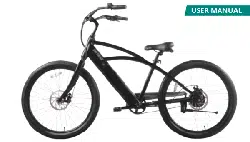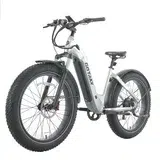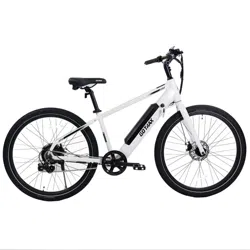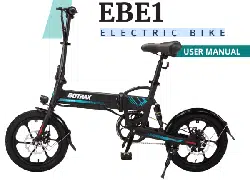
USER MANUAL
Electric Bike
CTI
3

Congratulations
on your purchase!
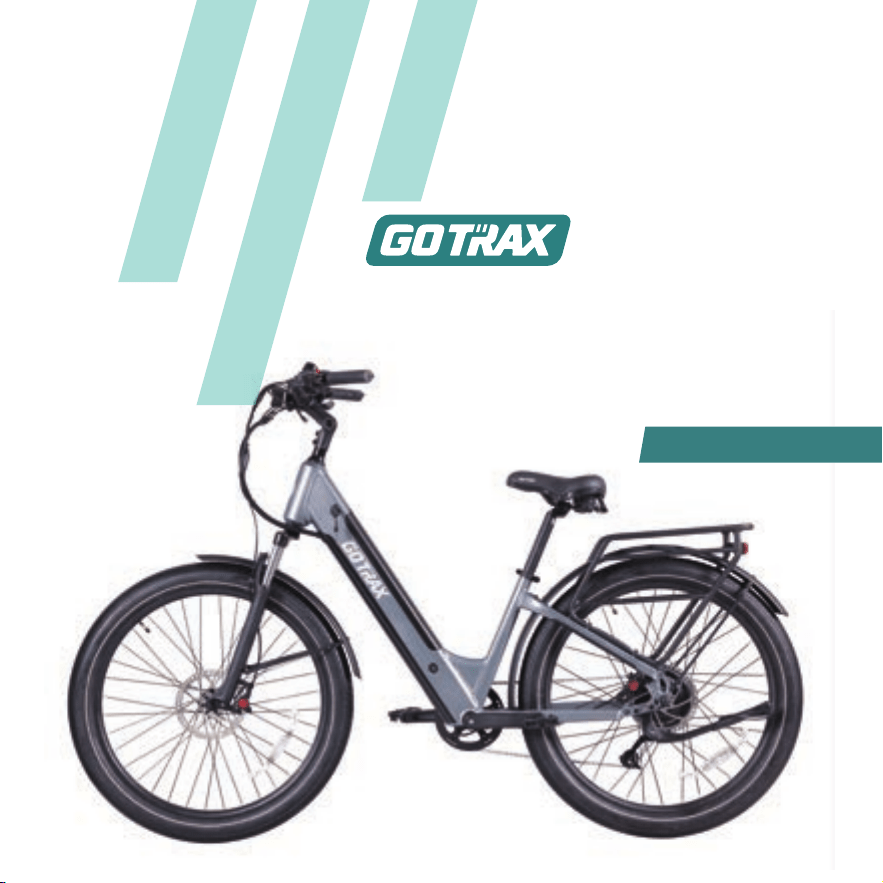
This user manual will help you assemble and
operate your new electric bicycle. Be sure to
read ALL OF THE INFORMATION in this
manual before riding.
NOTE TO ALL RIDERS UNDER THE AGE OF 18:
It’s very important that you get parental
permission before riding your electric bicycle.
TOOLS INCLUDED: 15mm&18mm open-end
wrench, combination wrench.
01

02
Contents
Don’t Ride Until You Read This ...............................................................
Unpacking and Product Specs ................................................................
Get to Know Your E-Bike .........................................................................
1. Handlebar .....................................................................................................
2. Seat ................................................................................................................
3. Front Wheel & Front Brake .......................................................................
4. Pedals ............................................................................................................
5. Fenders .........................................................................................................
6. Adjustments .................................................................................................
Meter Function .........................................................................................
Charge your E-Bike ...................................................................................
7. Uninstalling the Battery ..............................................................................
Charge your Battery .................................................................................
Tire Inflation Instructions ........................................................................
Maintenance & Repair .............................................................................
Function Mode ..........................................................................................
Battery Information .................................................................................
Battery Assembly .............................................................................................
Charging the Battery .......................................................................................
Warning Message .....................................................................................
04
09
10
11
13
14
15
16
17
18
18
19
20
21
23
26
34
36
36
36
05
8. Reinstalling the Battery ..............................................................................

Precautions for Battery Protection................................................................
37
Troubleshooting Guidance .....................................................................
Warranty ...................................................................................................
38
39
03
ALWAYS wear a helmet when riding your electric bike.
Make sure your electric bike has a full battery before taking it out to ride.
Always be aware of local road laws, and follow them.
Do not
Always respect pedestrians.
ride the bike under the influence of drugs or alcohol.
Don’t Ride Until You Read This:
To conserve electricity, use assist mode and avoid zero starting, frequent
braking, driving against the wind, carrying heavy loads including other people
and riding with insufficient air pressure.
Do not ride under wet conditions. The electric bike may slide from under
your feet causing injury. Wet conditions may damage the electronics
and void the warranty.
04
WARNING: Lithium-ion Batteries and/or products that contain Lithium-ion Batteries can
expose you to chemicals including cobalt lithium nickel oxide, and nickel, which are
known to the State of California to cause cancer and birth defects or other reproductive
harm. For more information, go to www.P65Warnings.ca.gov
1. Avoid water - The electric bike is not waterproof. The electronics may be damaged
due to water and water damage is not covered by our warranty. Riding in wet
conditions is also very dangerous and may result in injury.
2. Avoid prolonged exposure to sun or rain and avoid storage in places with high
temperatures or corrosive gas.
3. Abuse - We do not cover physical damage due to negligent care and extreme riding.
4. Whenever you ride the GOTRAX Electric Bike, you risk severe injury or even death
from loss of control, collisions, and falls. Use caution and ride at your own risk.
5. Do not modify the product from the manufacturers original design.
6. Do not exceed
7. Avoid touching the charging port directly and do not let it ma
ke contact
with a
metal object.
8. Keep hands and all body parts away from moving parts while operating the
electric bike.
9. Before riding - be sure to check the electric bike over and make sure the electric
bike is operating correctly before each use.
10. Before riding - be sure to check that the braking system is functioning properly;
also be sure to check that all safety labels are in place and you understand the
safety warnings.
11. Before riding - be sure that any and all axle guards, chain guards, or other covers
or guards supplied by the manufacturer are in place and in serviceable condition.
12. Before riding -
Warning Message
the posted speed limit and obey all traffic laws.
properly, and have sufficient tread remaining.
be sure to check that the tires are in good condition, inflated
13. Never exceed
14. The electric bike should never be used by children under the age of 16.
the 264lbs (120 kg) maximum load rating.
05
15. Maximum Speed - Your electric bike goes the maximum speed of 20 mph.
16. Make note that additional insurance may be required to cover situations you
encounter while riding an electric bike. It is recommended that you contact an
insurance company or broker for advice and consultation.
17. To conserve electricity, use assist mode and avoid zero starting, frequent braking,
driving against the wind, carrying heavy loads including other people and riding with
insufficient air pressure.
06
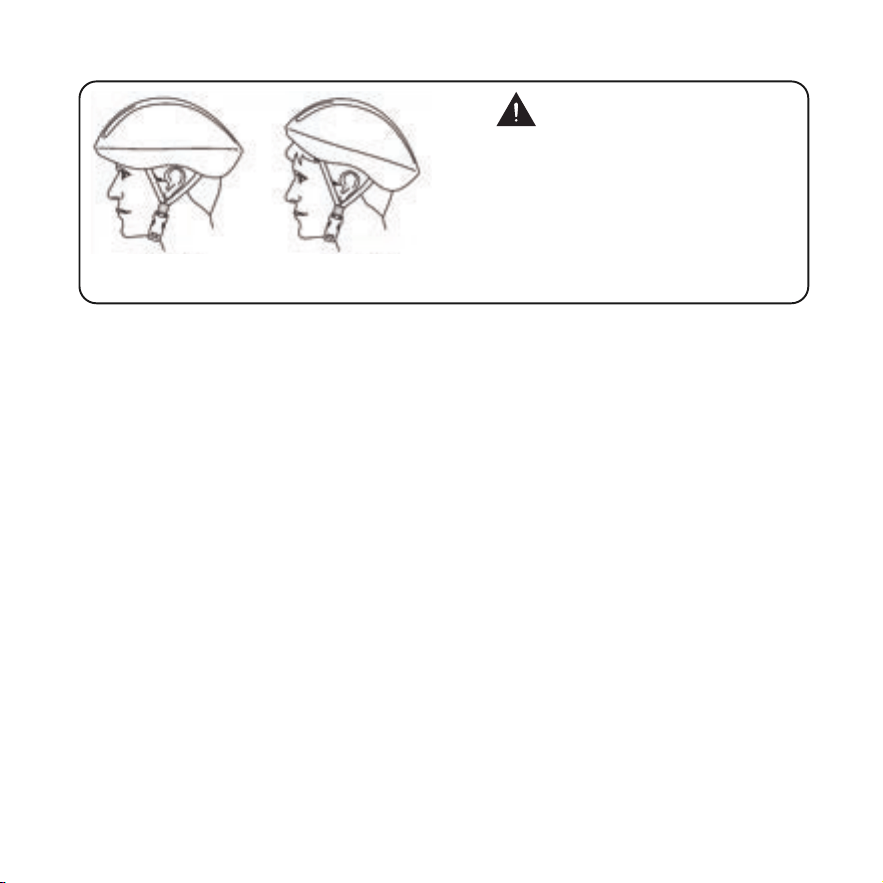
Correct
Forehead covered
Incorrect
ALWAYS WEAR A HELMETIT
COULD SAVE YOUR LIFE!
A properly fitting, CPSC approved, bicycle helmet
should be worn at all times when riding your bicycle.
In addition, if you are carrying a passenger (only use
an approved child safety seat), and remember, the
passenger must also be wearing a helmet.
The correct helmet should:
-be comfortable
-be lightweight
-have good ventilation
-fit correnctly
-cover the forehead
-be securely fastened on the rider.
Forehead exposed
FCC REGULATIONS This device complies with Part 15 of the FCC Rules. Operation
is subject to the following two conditions: (1) this device may not cause harmful
interference, and (2) this device must accept any interference received, including
interference that may cause undesired operation.
Caution: The user is cautioned that changes or modifications not expressly approved
by the party responsible for compliance could void the user's authority to operate
the equipment.
Note: This equipment has been tested and found to comply with the limits for a Class
B digital device, pursuant to part 15 of the FCC Rules. These limits are designed to
provide reasonable protection against harmful interference in a residential installation.
This equipment generates, uses and can radiate radio frequency energy and, if not
installed and used in accordance with the instructions, may cause harmful interference
to radio communications. However, there is no guarantee that interference will not
occur in a particular installation. If this equipment does cause harmful interference to
radio or television reception, which can be determined by turning the equipment off
and on, the user is encouraged to try to correct the interference by one or more of the
07

following measures:
*Reorient or relocate the receiving antenna.
*Increase the separation between the equipment and receiver.
*Connect the equipment into an outlet on a circuit different from that to which the
receiver is connected.
*Consult the dealer or an experienced radio/TV technician for help.
08
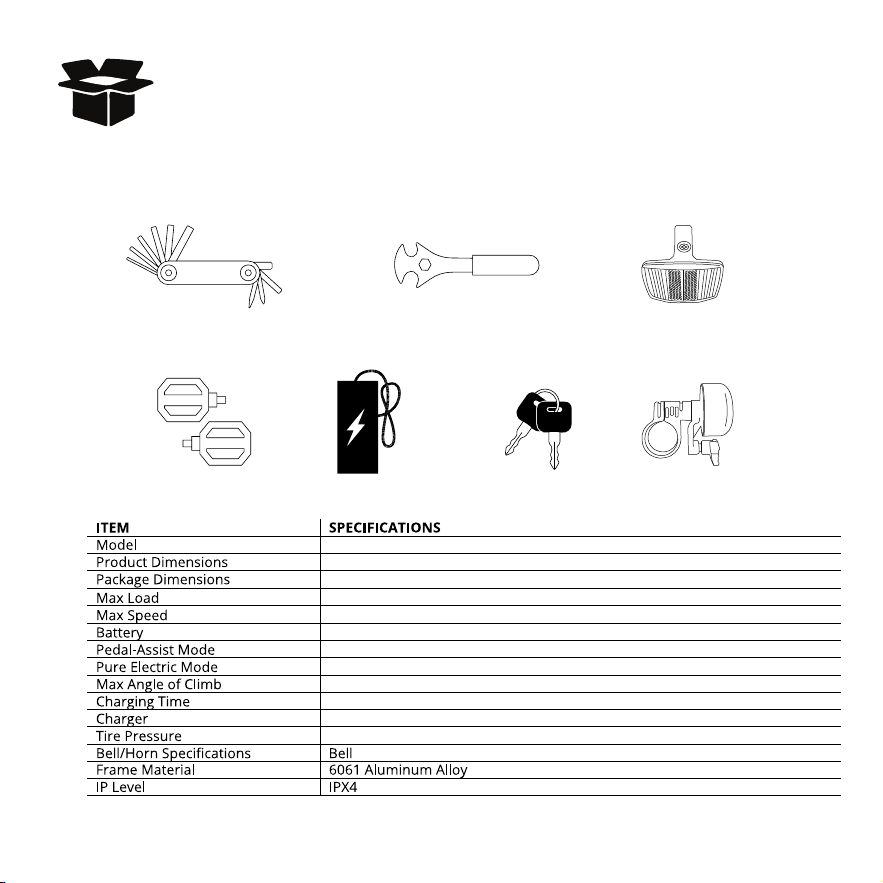
Unpacking and Product Specs
1890x720x1190 mm (74.4x28.3x46.8 in)
CTI3
1495x310x880 mm (58.8x12.2x34.6in)
120 kg (264 Ibs)
32km (20 mph)
48V 13.6Ah
5hours
45 km (28 miles)
85 km (53 miles)
Input 100-240V 50/60Hz AC Plug; Output 54.6V 3A Three-core charging port
25-45 P.S.I
The following accessories are included with your 90% pre-assembled GOTRAX bike.
Pedal Battery Charger Battery Keys
Multi Tool Pedal / Wheel Wrench Front Reflector
Small Bell
14 degrees
09
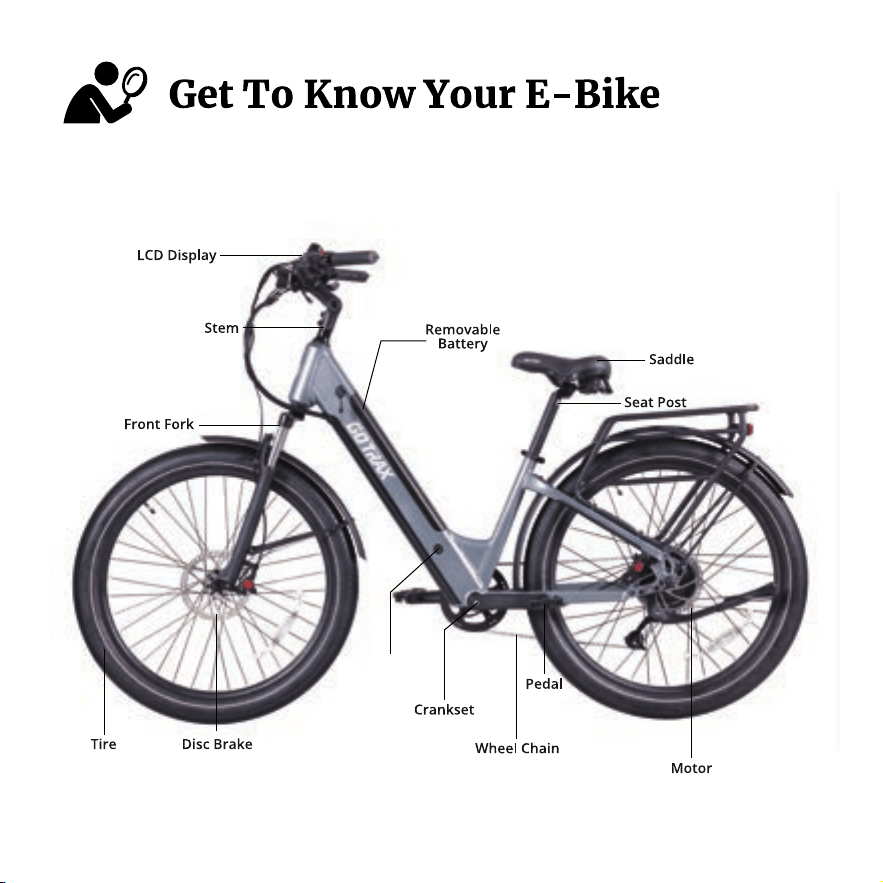
Charger Port
10
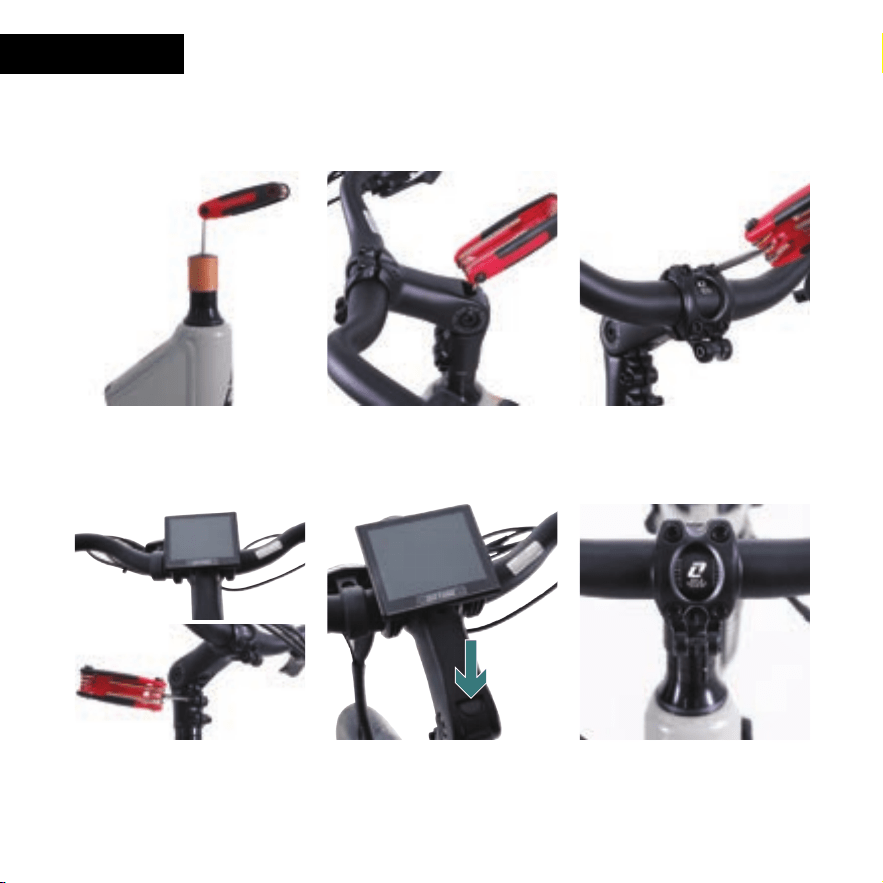
1.
Unscrew the bolts and remove the
covers, bolts and sleeves, leaving all
washers in place.
2. Place the handlebar riser on the
front fork, tighten the bolts on the top
of the stem, and fix the stem on the
front of the bicycle.
3. Loosen the fixing screws between
the stem and the handlebar,
and adjust the handlebar to an angle
which is comfortable for riding.
4. Align the handlebar with the center
position, tighten and fix the bolts on
both sides of the handlebar.
5. Add Top Cap to Stem Bolt. 6. Upon final assembly, revisit this
step to confirm alignment with stem
and front wheel.
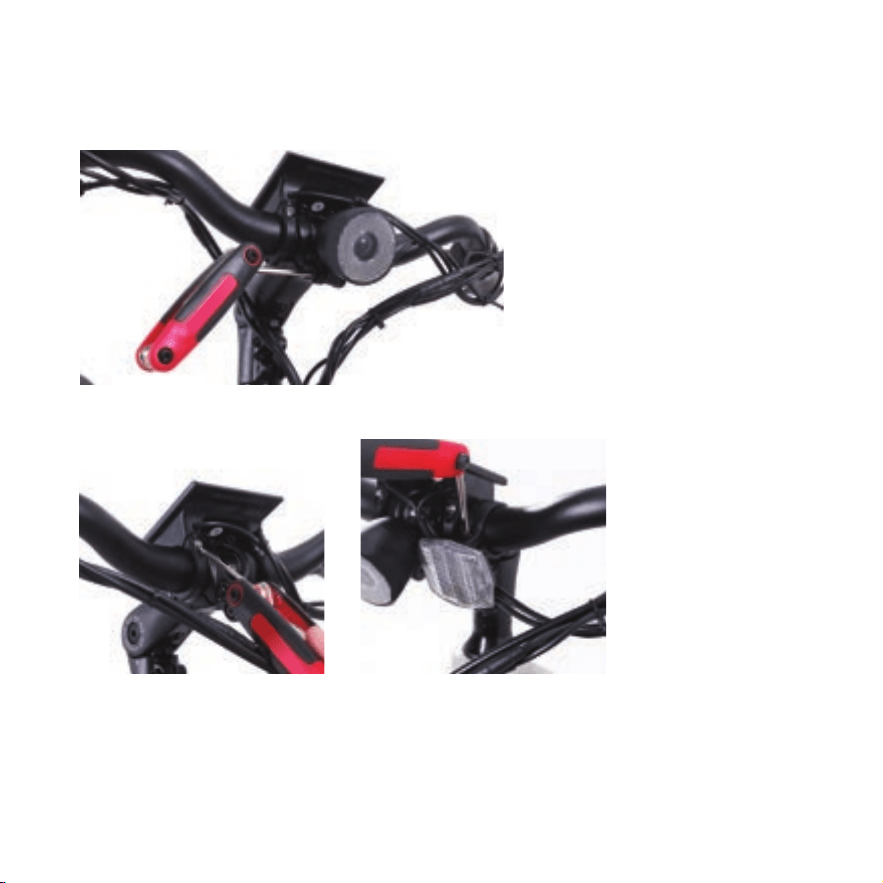
1. HANDLEBAR
Please tighten and secure all bolts
HANDLEBAR COMPONENTS HAS BEEN PRE-ASSEMBLED
You will use the 5mm allen key on the multi tool for these steps.
11
1313
Front Reflector Installation.
Remove the screw and place bracket
over the handlebar on the left side
closest to the monitor, if you are sitting
on the seat. Tighten and secure the screw.
Monitor Installation.
Remove bolts and place monitor on
handlebar with a bracket on each side of
the stem. Make sure that you can clearly
see the monitor while sitting the the seat.
Insert the bolts - tighten and secure.
You will need the 3mm allen key
on the multi tool to install.
You will need the +/phillips screw driver
in the multi tool to install.
You will need the +/phillips screw driver in the multi tool to install.
Light Installation.
Remove allen bolt and wrap
bracket around center of stem.
Reapply bolt and using the 4mm
allen key tighten and secure. Adjust
light angle for preference.
12
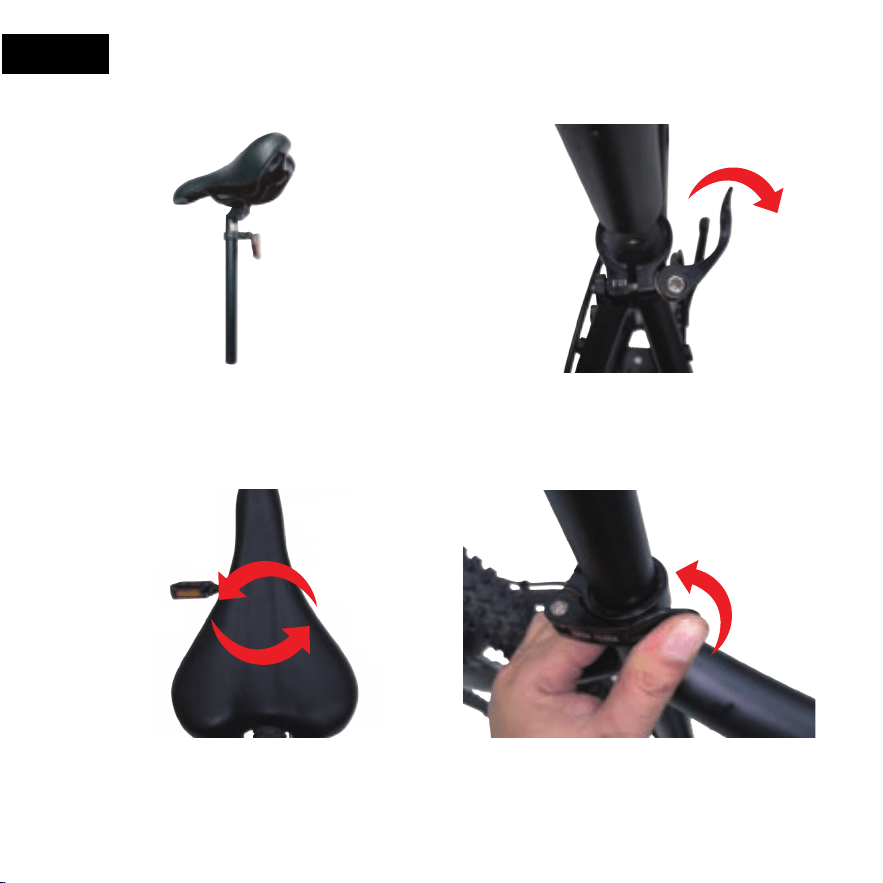
2. SEAT
1. Push the saddle down.
3. Adjusting and rotate the seat. 4. Finally lock the folder.
2. Open the folder of the seat tube.
13
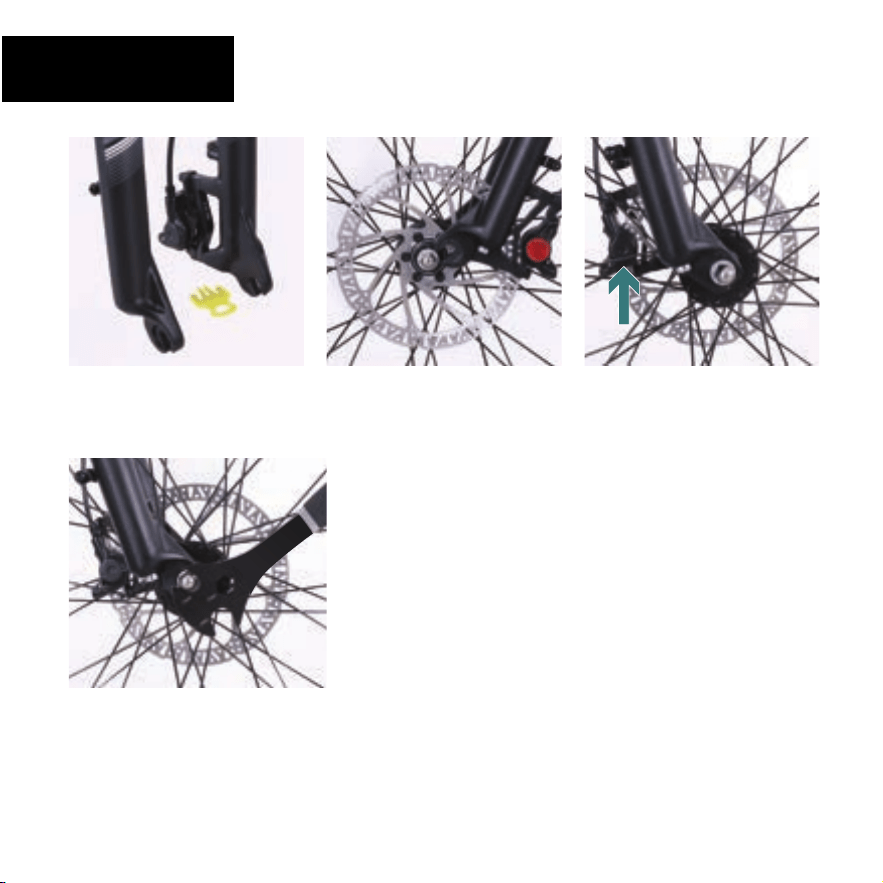
15
4. Tighten one axle nut part way
then tighten the other nut, repeat
until both sides are tightened
securely. Be sure that the wheel is
centered between the fork legs.
2.
Position the front wheel so it’s
centered between the front fork
legs with the axle resting inside the
fork drop outs.
3. Align the disc brake rotor so it is
centered in the slot of the brake
caliper.
1. Remove packing block from disc
brake caliper
– Do Not Throw Away
– Re-install Packing Block whenever
you remove your front wheel.
CAUTION
Tighten nuts securely to the fork drop outs
3. FRONT WHEEL &
FRONT BRAKE
YOUR BIKE HAS A BOLT ON MECHANISM
14
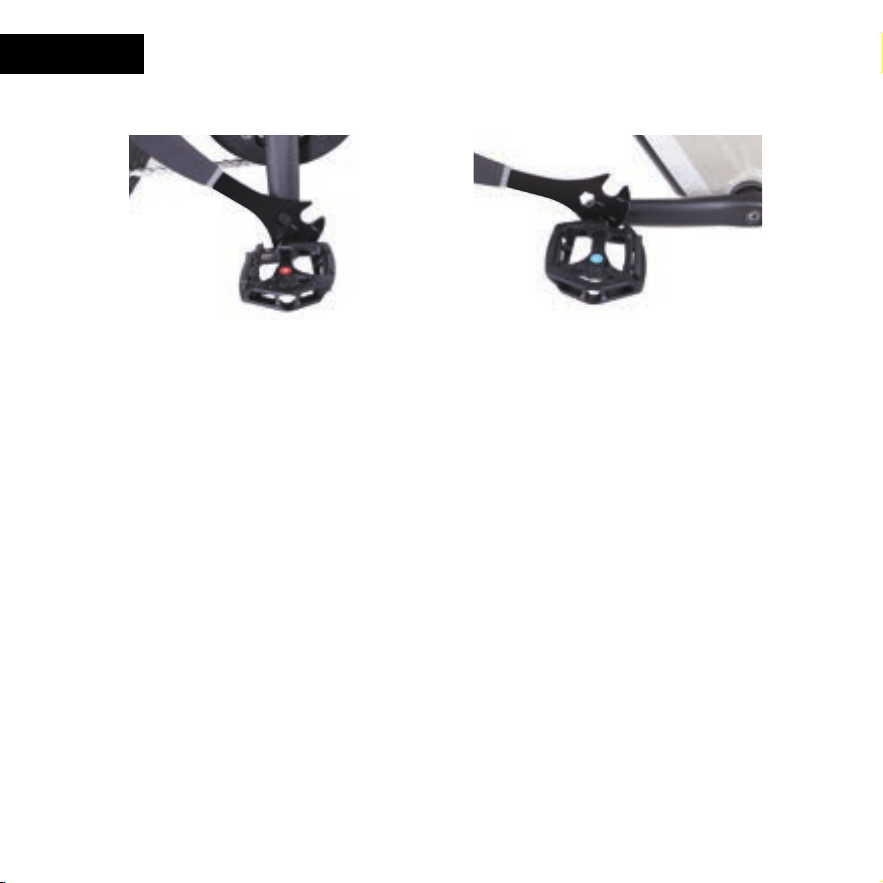
4. PEDALS
1. Drive side of bike select R-Right pedal
2.
3.
Insert pedal into Crank/Drive side
and start to turn CLOCKWISE.
Once hand tight apply pedal wrench to
pedal and tighten and secure.
1. NON drive size of bike select L-Left pedal
2.
3.
Insert pedal into Crank Arm/NON- Drive side
and start to turn COUNTER CLOCKWISE.
Once hand tight apply pedal wrench to pedal
and tighten and secure.
MATCH PEDAL and CRANK ARM CAREFULLY
Right pedal is applied to drive side/side with crank and gears and threads/twist on CLOCKWISE
Left pedal is applied on NON-DRIVE side/side with disk rotors and twist COUNTERCLOCKWISE
USE PEDAL WRENCH AND CONFIRM PEDALS ARE TIGHTENED AND SECURE
Check frequently
15
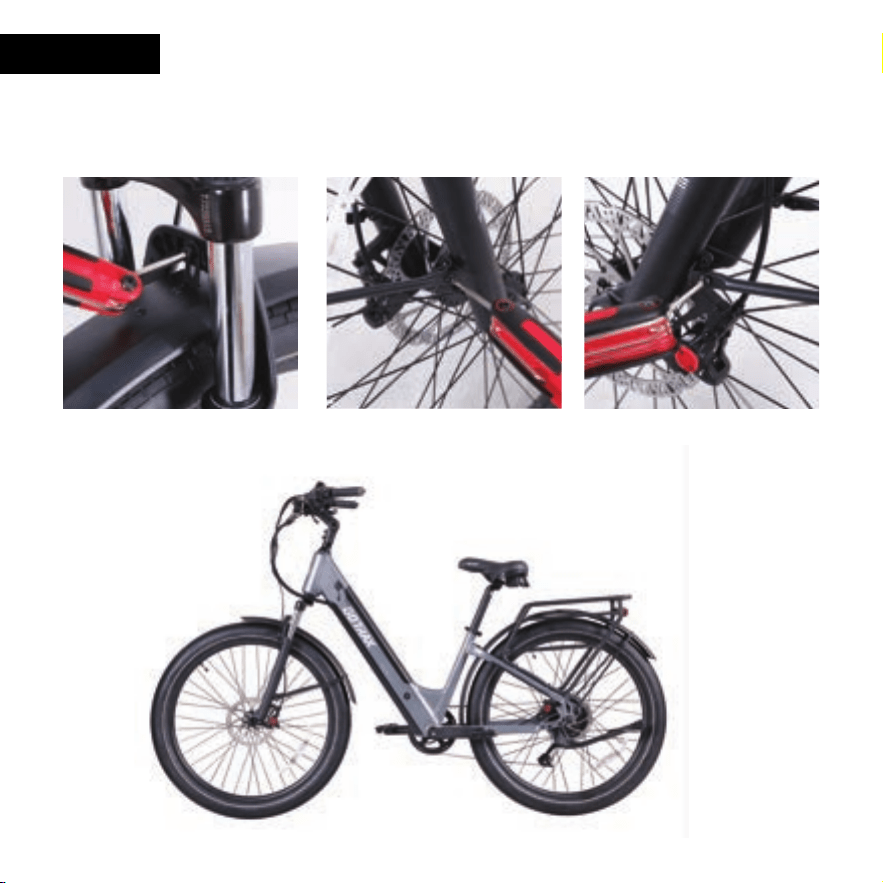
1. Locate front fork brake arch center
hole and align front fender and
insert bolt and nut thru brake arch
and mounting bracket on fender.
Secure and tighten.
You will use the 5mm allen key
on this step
2.
Move the fixing rod to the corresponding fixing plate position
and tighten the bolts on both sides.
You will use the 4mm allen key on the following 2 steps
5. FENDERS
16
17
6. ADJUSTMENTS
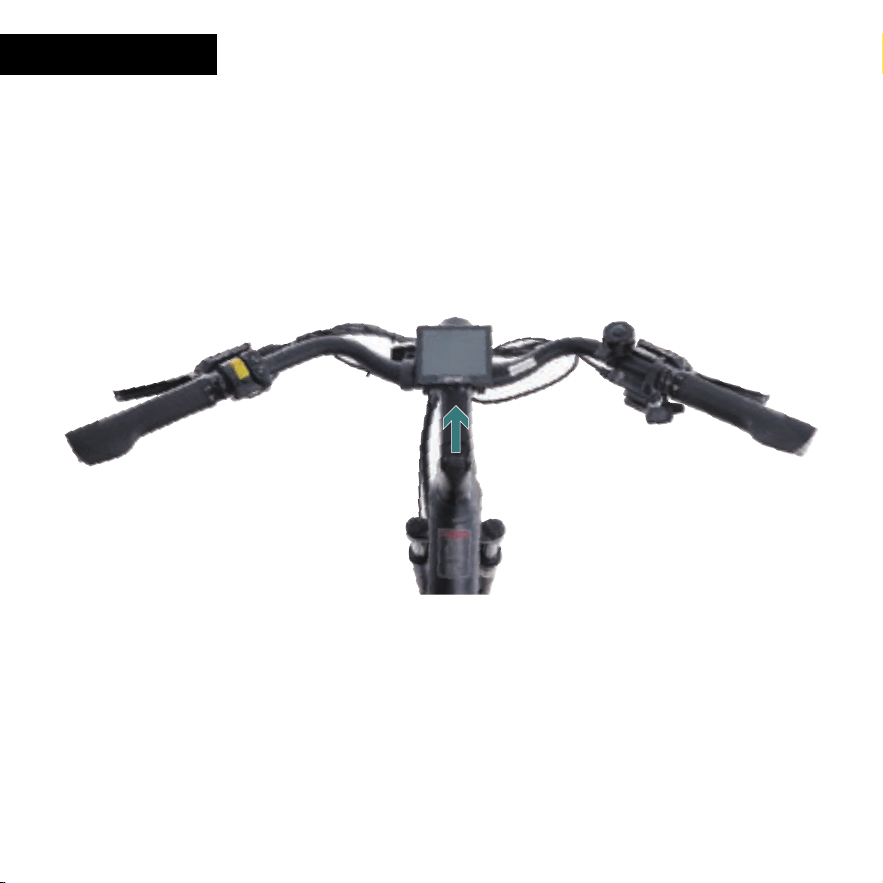
STEM AND FRONT WHEEL are in alignment.Please confirm
18
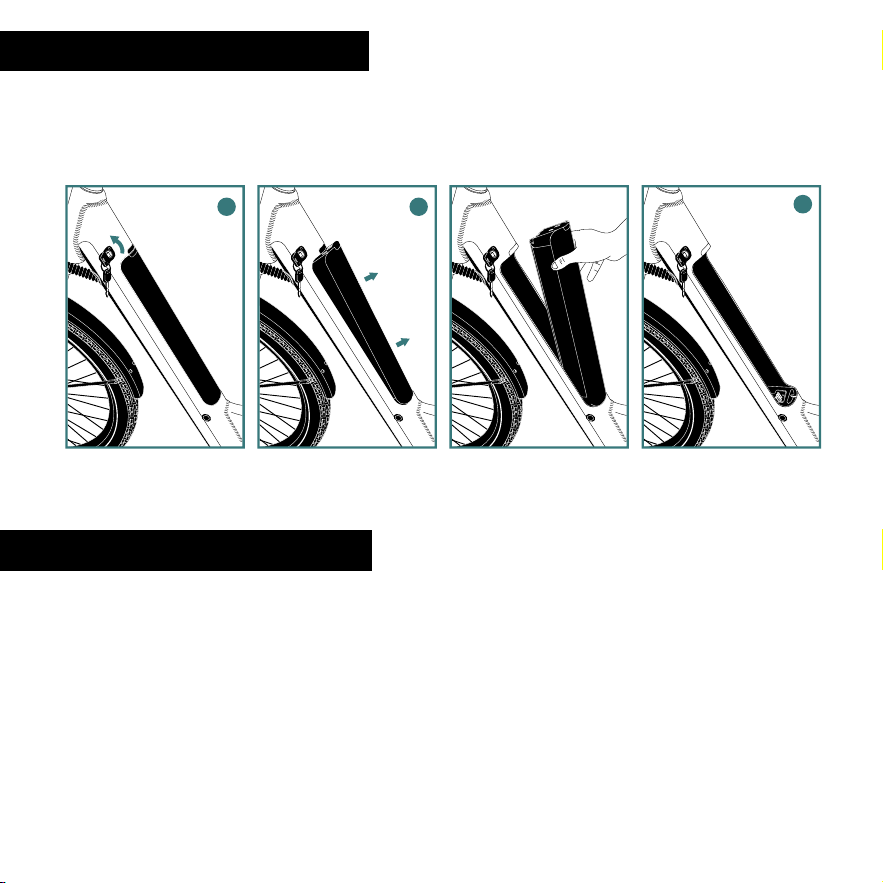
8. REINSTALLING THE BATTERY
7. UNINSTALLING THE BATTERY
3. Battery should be inside cavity and press closed
to hear a click
4. Key is not needed to install battery but if in place
remove and enjoy the ride
1. With open battery cavity, check connectors.
Key is not needed to install battery
2. Place bottom of battery into frame cavity
and slide down to connect
1. Turn key until you hear CLICK
2. Lifting battery out
3. Frame area is clear of battery. Check connectors
toward the bottom of battery cavity
1 2 3
1 2
19
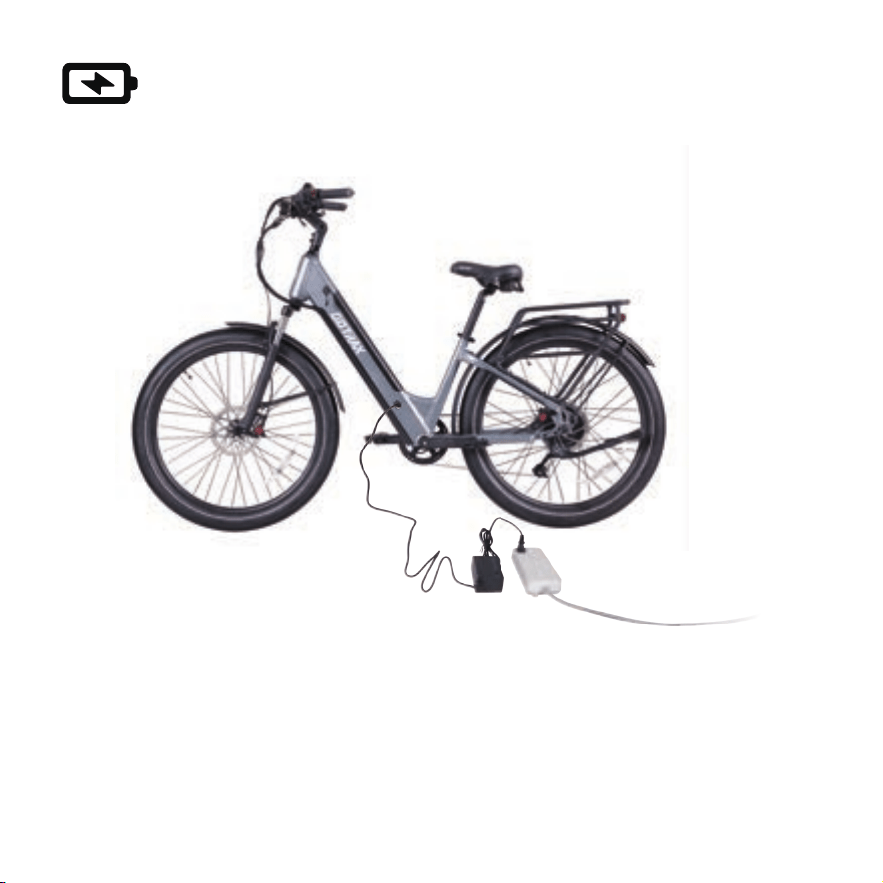
Charge your E-Bike
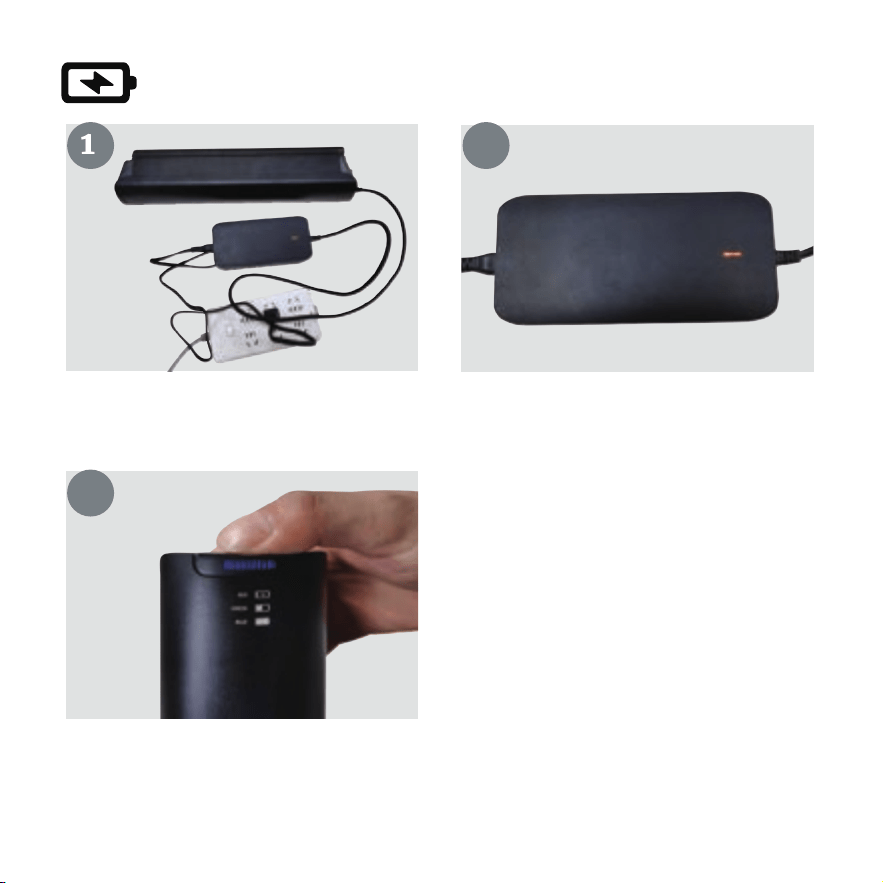
1. Locate the charging port.
2. Plug one side of the charger into the charging port and plug the other into an outlet.
3. A red light indicates the battery is charging, green indicates the battery is full.
4. Charging Time: 5 hours.
Before using the electric bike, you must fully charge the battery.
20
Charge your Battery
21
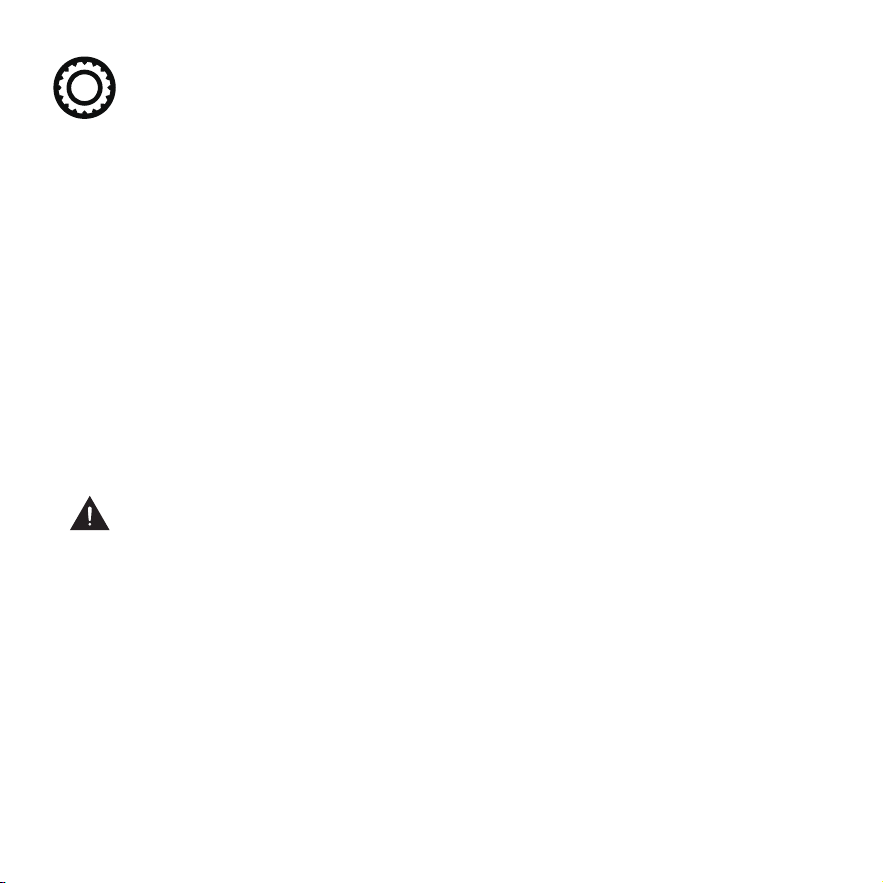
Plug one end of the charger into the
battery and the other end into the power
supply.
Red light shows the battery is charging,
green light is full.
3
Power indicator:
Press the button to light up.
The three-color light corresponds to the power:
blue(high),green(middle)and red(LOW).
21
Tire Inflation Instructions
After assembling your bike, it will be necessary to inflate the tires. Check the sidewall of
the tire for the correct tire pressure (PSI) and inflate tires accordingly with a MANUAL
BICYCLE PUMP. Improper inflation is the biggest cause of tire failure. Due to the
slightly porous nature of bicycle inner tubes, it is normal for your bike tires to
lose pressure over time. For this reason it is critically important to maintain the
proper tire inflation on your bike.
1. Your bicycle has been equipped with tires which the bike’s manufacturer felt were
the best balance of performance and value for the use for which the bike was intended.
The tire size and pressure rating are marked on the sidewall of the tire. CAUTION: Pencil
type automotive tire gauges and gas station air hose pressure settings can be inaccu-
tate and should not be relied upon for consistent, accurate pressure readings. Instead,
use a high quality dial gauge.
WARNING: NEVER INFLATE A TIRE BEYOND THE MAXIMUM PRESSURE
MARKED ON THE TIRE’S SIDEWALL. EXCEEDING THE RECOMMENDED
MAXIMUM PRESSURE MAY BLOW THE TIRE OFF THE RIM, WHICH COULD CAUSE
DAMAGE TO THE BIKE AND INJURY TO THE RIDER AND OTHERS. THE BEST WAY
TO INFLATE A BICYCLE TIRE TO THE CORRECT PRESSURE IS WITH A BICYCLE
PUMP. NEVER USE A SERVICE STATION AIR HOSE TO INFLATE A BICYCLE TIRE. IT
IS DESIGNED FOR LARGER TIRES AND IT CAN EXCEED THE RECOMMENDED
MAXIMUM PRESSURE AND IT MAY BLOW THE TIRE OFF THE RIM.
Tires and Tubes
22
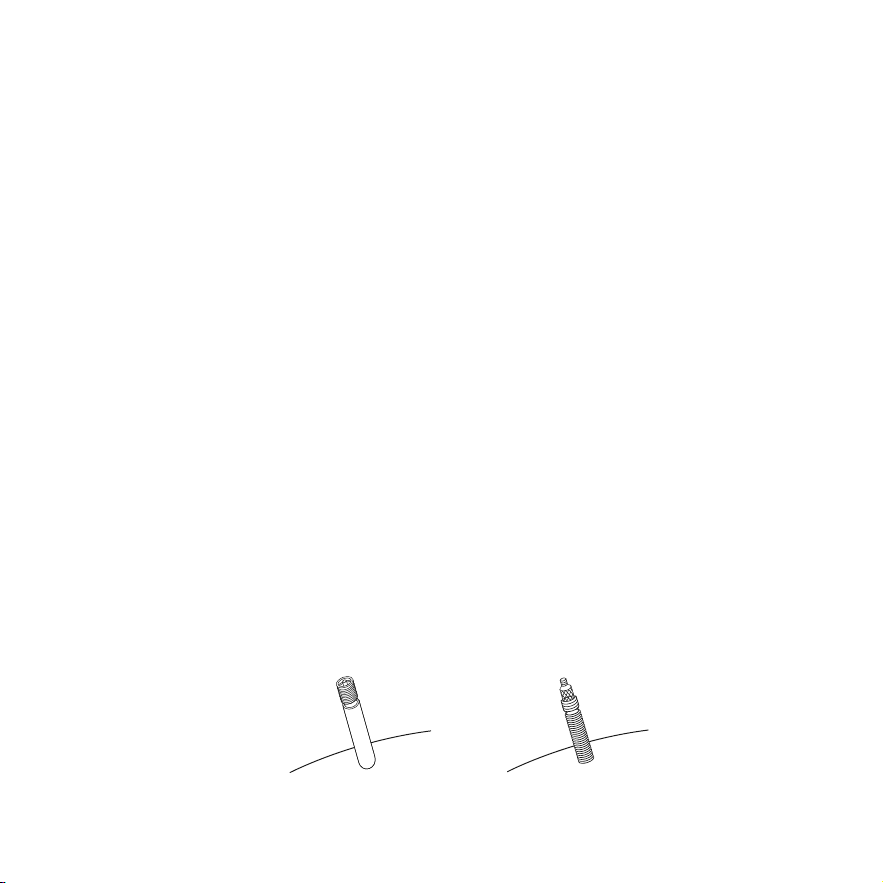
Schraeder Valve Presta Valve
Tire pressure is given either as maximum pressure or as a pressure range. How a tire
performs under different terrain or weather conditions depends largely on tire
pressure. Inflating the tire to near its maximum recommended pressure gives the
lowest rolling resistance; but also produces the harshest ride. High pressures work
best on smooth, dry pavement. Very low pressure, at the bottom of the recommmend-
ed pressure range, gives the best performance on smooth, slick terrain such as
hard-packed clay, and on deep, loose surfaces such as deep, dry sand. Tire pressure
that is too low for your weight and the riding conditions can cause a puncture of the
tube by allowing the tire to deform suffciently to pinch the inner tube between the rim
and the riding surface.
Some special high-performance tires have unidirectional treads: their tread pattern is
designed to work better in one direction than in the other. The sidewall marking of a
unidirectional tire will have an arrow showing the correct rotation direction. If your
bike has unidirectional tires, be sure that they are mounted to rotate in the correct
direction.
2. The tire valve allows air to enter the tire’s inner tube under pressure, but doesn’t let
it back out unless you want it to. There are primarily two kinds of bicycle tube valves:
The Schraeder Valve and the Presta Valve. The bicycle pump you use must have the
fitting appropriate to the valve stems on your bicycle. The Schraeder is like the valve on
a car tire, this is the type of valve stem you should have on your bike. To inflate a
Schraeder valve tube, remove the valve cap and push the air hose on you bike. To
inflate a Schraeder valve tube, remove the valve cap and push the air hose or pump
fitting onto the end of the valve stem. To let air out of a Schraeder valve, depress the
pin on the end of the valve stem with the end of a key or other appropriate object.

23
Maintenance & Repair
Schedule1 - Lubrication
Frequency
Weekly
Monthly
Every Six Months
Yearly
chain
derailleur wheels
derailleurs
brake calipers
brake levers
bottom braket
pedals
derailleur cables
wheel bearings
headset
seat pillar
shift levers
shift levers
brake cables
chain lube or light oil
chain lube or light oil
oil
oil
oil
lithium based grease
lithium based grease
lithium based grease
lithium based grease
lithium based grease
lithium based grease
lithium based grease
oil
lithium based grease
brush on or squirt
brush on or squirt
oil can
3 drops from oil can
2 drops from oil can
bicycle mechanic
disassemble
disassemble
bicycle mechanic
bicycle mechanic
disassemble
disassemble
2 drops from oil can
disassemble
Component Lubricant How to Lubricate
Correct routine maintenance of your new bike will ensure a longer life
for your bike and a safer ride for you.
Every time you ride your bike, its condition changes. The more you ride, the more
frequently maintenance will be required. We recommend you spend a little time on
regular maintenance tasks. The following schedules will assist you in knowing what
tasks need to be performed and how often. If you have any doubts about your
abilities to accomplish these tasks, we recommend you take your bike to a
professional bicycle mechanic periodically to have them done.

24
Schedule2 - Service Checklist
NOTE: Many instructions for adjustments can be found in the assembly portion
of this manual.
Frequency Task
Before every ride
After every ride
Monthly
check wheel and pedal tightness
check tire pressure
check brake operation
check wheels for loose spokes, loose axle nuts or quick release
make sure all fasteners are tightened securely
lubrication as per schedule 1
check derailleur adjustment
check brake adjustment
check brake and gear cable adjustment
check tire wear and pressure
check wheels are true and spokes tight
check hub, head set and crank bearings for looseness
quick wipe down with damp cloth
lubrication as per schedule 1
check pedals are tight
check handlebars are tight
check seat and seat post are tight and comfortably adjusted
check frame and fork for trueness
Note: The frequency of maintenance should increase with use in wet or dusty
conditions. Do not over lubricate-remove excess lubricant to prevent dirt
build up. Never use a degreaser to lubricate your chain (WD-40T™)
Weekly

25
Every six months
Yearly
lubrication as per schedule 1
check all points as per monthly service
check and replace brake pads, if required
check chain for excess paly or wear
lubrication as per schedule 1
check all nuts and bolts are tight
NOTE: OWNERS ARE RESPONSIBLE FOR ALL MAINTENANCE AND SERVICE OF
THE BICYCLE. FAILURE TO DO SO MAY VOID YOUR WARRANTY, CAUSE DAMAGE
TO YOUR BIKE OR ITS COMPONENTS, AND MAY CAUSE AN ACCIDENT.
26
Meter Function
Power on/off: After press and hold for 2 seconds, the meter will light up. In the
power-on state, press and hold the to turn off the power of the E-bike. The bike
will automatically shut down after 10 minutes of inactivity.
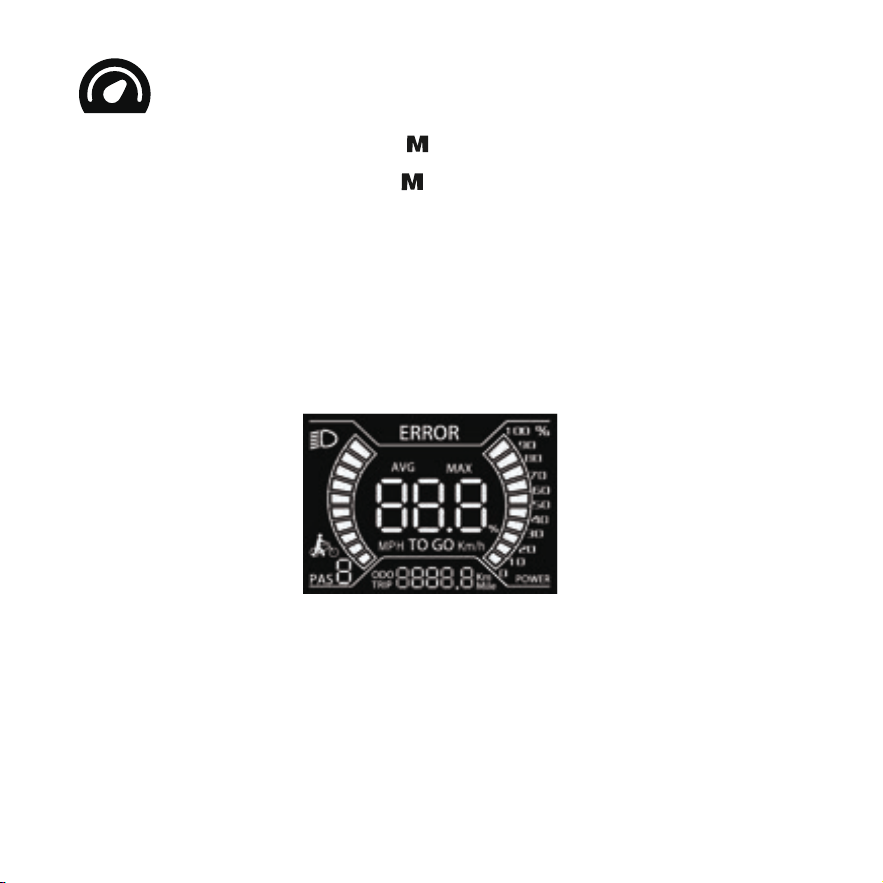
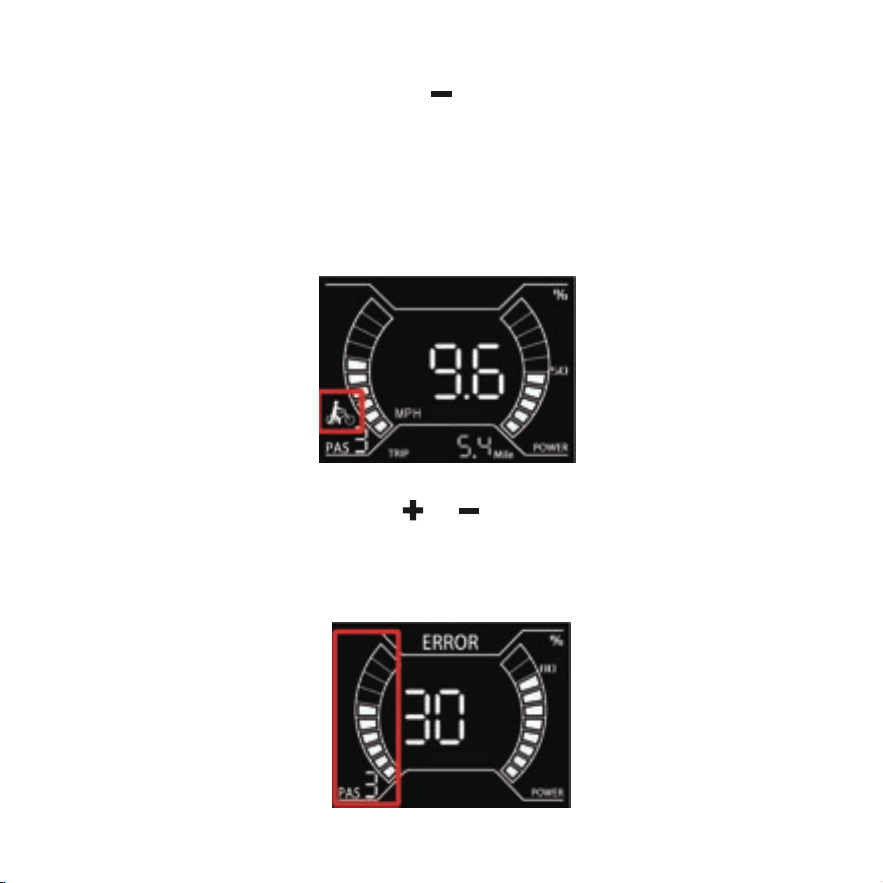
When the instrument is turned on, it will firstly display as shown in the figure below:
27
Push-Assist Model: Press and hold the and do not release it. After 3 seconds, the
E-bike enters the Push-Assist Model. The E-bike travels at a constant speed of 6 km/h
when the push-assist logo lights up. The push-assisted model can only be used when
the user pushes the E-bike, please do not use when riding.
Power-assist gear selection: Press or to switch the E-bike power-assist gear.
The default output power range of the meter is 0-5 gears. The default gear is 0 gear.
28
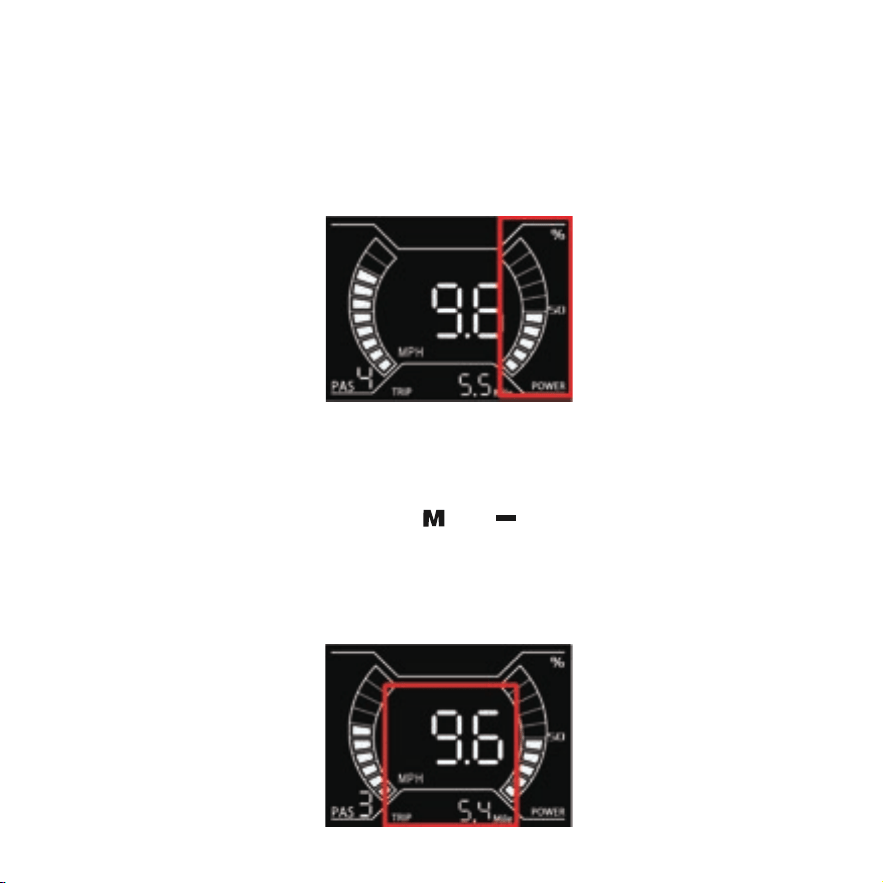
Battery capacity display: The battery capacity is displayed on the right in percentage.
When the battery is fully charged, the power bar displays 100%, and each grid
represents 10% of the battery capacity.
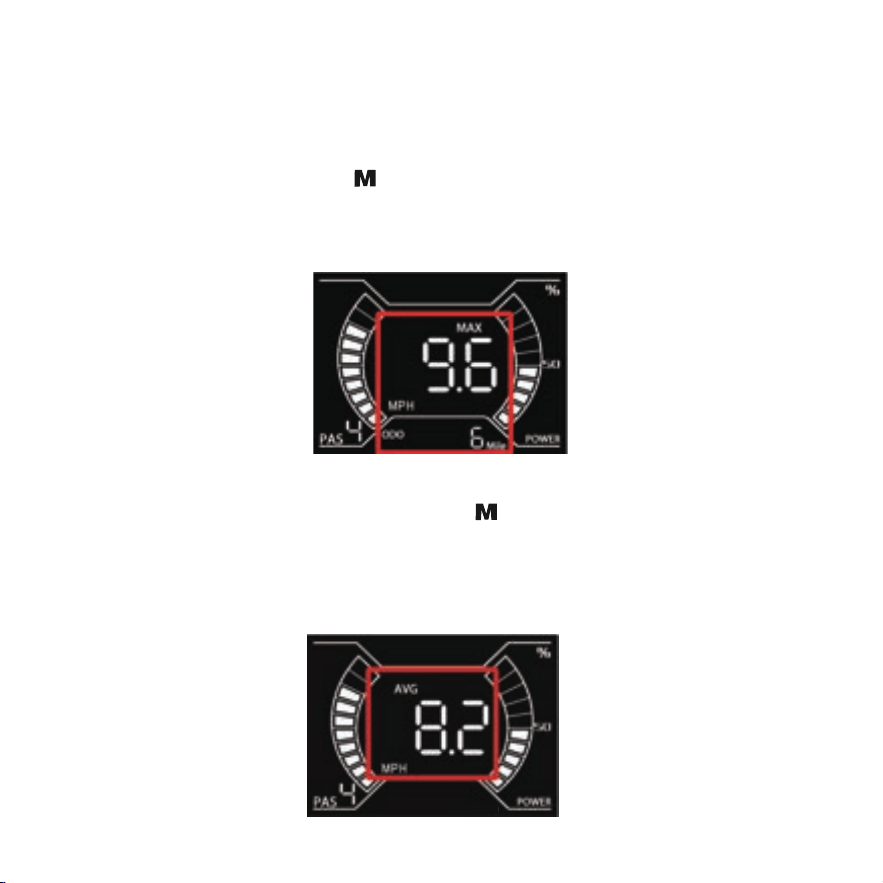
Real-time speed, single mileage (TRIP) display interface: After the meter is turned
on, the meter will display the real-time speed and single mileage interface by default.
When the speed is zero, press and hold and at the same time for 2 seconds, the
current single mileage will be cleared. The single mileage will not be cleared after the
meter is turned off and restarted.
29
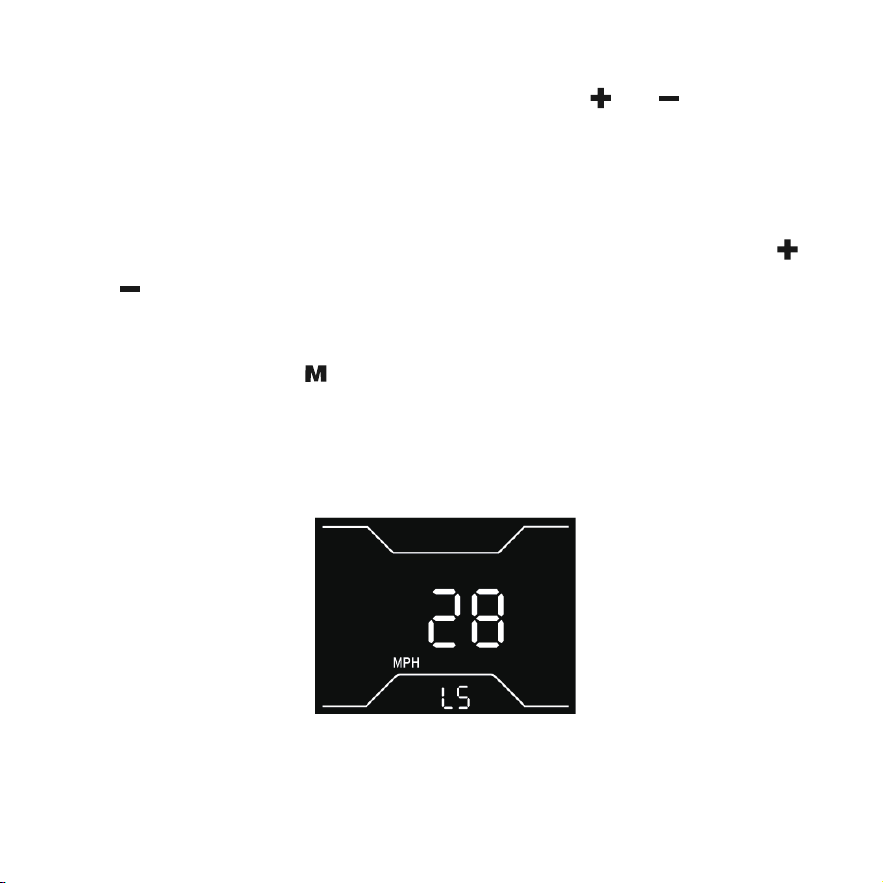
Maximum speed, total mileage (ODO) display interface: After the meter is turned
on, the default interface of the meter is switched to the maximum speed and total
mileage interface with pressing . The maximum speed indicates the highest speed
during this ride, and the total mileage is the sum of the accumulated mileage of the
E-bike.
Average speed display interface: Press the again to switch to the average speed
and interface when the meter is in maximum speed and total mileage interface.
Average speed represents the average speed during this ride.
30
Setting interface: When the speed is zero, press and hold and for 2 seconds to
enter the setting interface.
(Wheel diameter, value cannot be adjusted)
Speed Limit Setting: In the speed limit setting interface, you can use short press
and to increase/decrease the setting. The setting range is 17-45 km/h (11-28 mph),
with a default value of 32 km/h (20 mph) when shipped from the factory. After complet-
ing the setting, long press key to save and exit.
This setting can only adjust the speed limit for the assisted mode. The speed limit for the
electric mode is fixed at 32 km/h (20 mph) and cannot be adjusted.
31
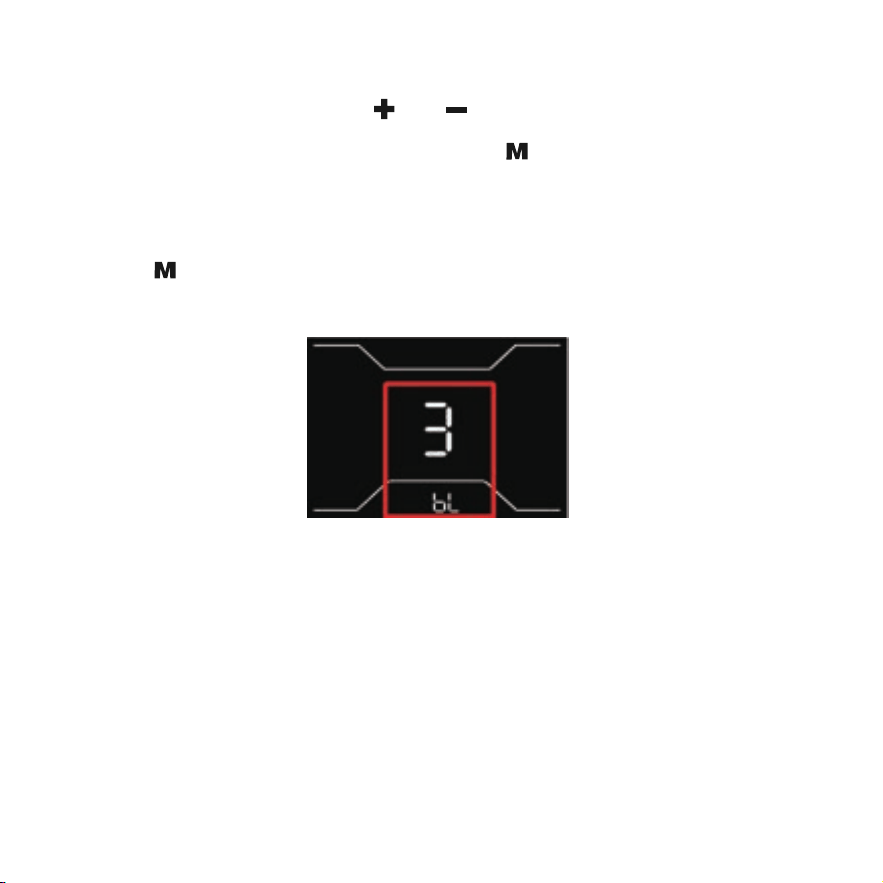
Backlight setting: Press and hold and at the same time for 2 seconds to enter
the setting interface when the speed is zero. Press to switch to the backlight setting.
Parameters 1, 2, and 3, indicating the brightness of the backlight, 1 is the darkest, 2 is
the standard brightness, and 3 is the brightest. The default value of the meter is 3. Press
and hold to save the settings and return to the main interface.
32
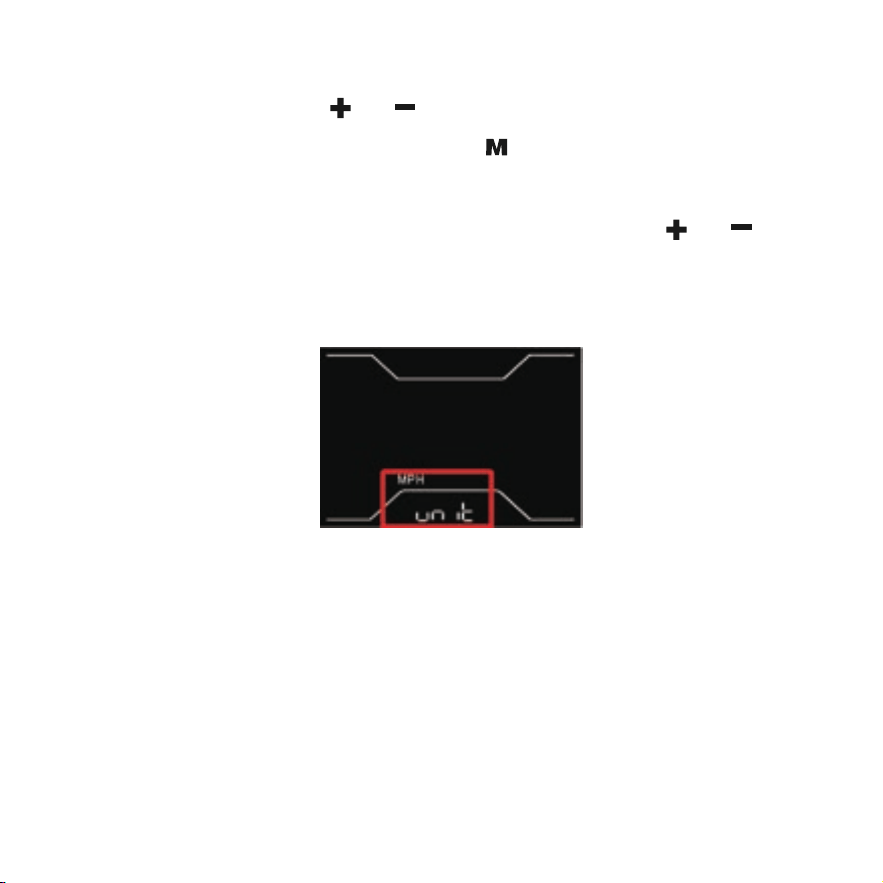
Unit setting: Press and hold and at the same time for 2 seconds to enter the
setting interface when the speed is zero. Press to switch to enter the unit setting
interface. The setting parameters are optional km/h and MPH. The default MPH repre-
sentation unit is imperial. Km/h or MPH can be selected by pressing and . km/h
means the unit is metric, MPH means the unit is imperial. Press and hold to save the
settings and return to the main interface.
33
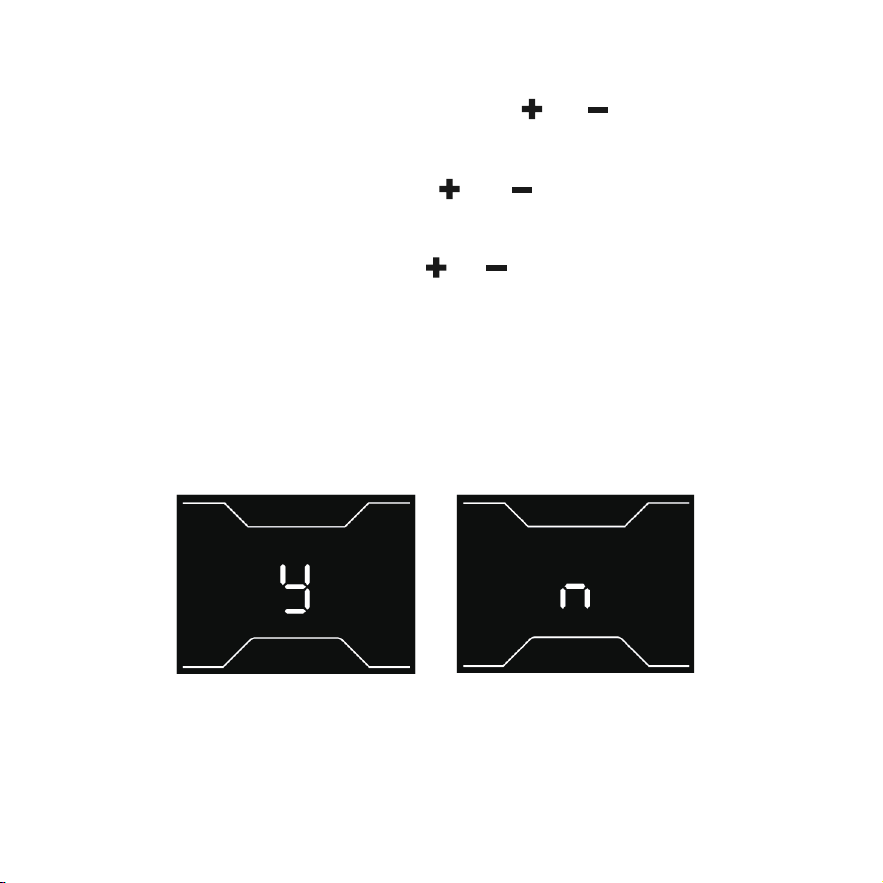
Password enable/disable setting: Press and hold and at the same time for 2
seconds to enter the setting interface when the speed is zero. After entering the
general settings interface, press and hold and at the same time for 2 seconds
to select whether to use the power-on password or not. Initial password: 0000. After
entering the password use setting, press and to switch between options "y" and
"n", "y" means power-on password is enabled, "n" means power-on password is
disabled. After selecting "y" to enable the power-on password, it will enter the inter-
face of modifying the power-on password. If you select "n", it will return to the general
setting interface.
34
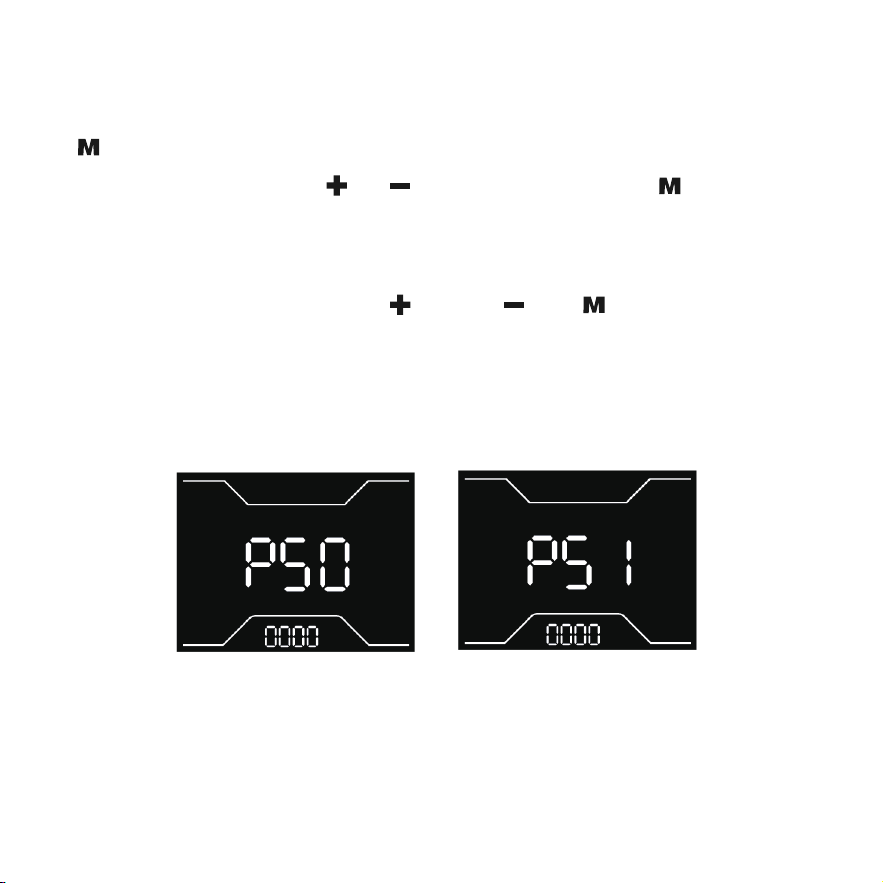
Modify password settings: After selecting whether to use power-on password, press
to enter the interface for modifying the power-on password, firstly, input the existing
4-digit password (PS0), press and to switch the number, press to confirm, and
enter the modification interface after the 4-digit password input is correct. Enter the
new password (PS1), if the input is wrong, return to the first digit and re-enter. If you
forget the password, you can press and hold , and at the same time in the
password interface to restore the default initial password (0000). After restoring the
initial password, it will automatically jump back to the general setting interface.

35
Function Mode
1. Three Riding Modes: Electric Assisted Mode, Pedal-Assisted Mode, Bicycle
Mode.
2. Throttle Assisted Mode: When you turn the bike on, the assist level will be at
0. Press the button to increase auxiliary levels 1-5. Press the throttle to reach
the start motor and move the bike. Throttle Assist mode Stages 1-5 assist keep
same speed.
3. Pedal-Assist Mode: When you turn the bike on, the assist level will be at level
0. Press the key to increase the auxiliary level to 1-5, and press the key to
decrease the gearing level.
4. Bicycle Mode: When riding in the off state or neutral, the motor has no power
output.

36
Before using the charger locate the voltage selector switch (li-ion chargers only) on the
back of the charger. Select either 115 volts or 230 volts depending on your country of
residence. Using the wrong voltage setting will permanenty damage the charger
and/or electrical components on the hybrid electric bicycle.
BATTERY ASSEMBLY
1. Use the matching charger.
2. Insert the round plug into the E-Bike first and then insert the charger plug into the
electrical socket.
3. A red light indicates the battery is charging.
4. A green light indicates the battery is fully charged.
5. The Key lock position will vary from model to model.
6. The battery is removable, the battery can be charged attached to the E-Bike or
pulled out and charged separately.
CHARGING THE BATTERY
1. When using the charger for the first time, carefully check whether the rated output
voltage of the charger is consistent with the battery voltage and check whether the
charger input voltage is consistent with the grid voltage.
2. When charging, first put the charger in a ventilated place, then insert the charger
output plug into the charging port. Plug the electrical power plug into the 100-240V
50/60Hz AC Power Supply. Be sure to keep the input plug in contact with the AC
outlet.
3. After charging, the input plug of the charger shall be pulled out first, and then the
output plug connected with E-Bike shall be pulled out. Do not leave the charge
plugged in.
Battery Information

37
PRECAUTIONS FOR BATTERY PROTECTION
1. Do not place anything on the battery and charger when charging, otherwise the
charger may overheat and cause serious damage.
2. Only use the charger supplied by the original factory to charge the battery, if you
use a different charger your battery will be disqualified from warranty.
3. You can charge your battery at any time if the battery loses power.
4. If you do not use or charge your battery for an extended period of time, battery
performance will decrease. If you do not plan to ride your bike for an extended period
of time it is recommended to plug in and charge the battery Insert Care/Maintenance
section an extended period every 4-6 weeks.
5. Protection can make your battery maintain about 80% of its capacity after more than
500 cycles. But overall decline is inevitable.
6. If the battery remains in a status not charged a long time, it will lead to permanent
loss of performance.
7. If you want to store your battery for an extended period, please store and discharge it
in a cool and dry place.
8. Keep the temperature between 50-70 and avoid direct sunlight. Take the battery
out for charging every 30 days.
9. Do not intentionally short-circuit the battery which will cause very serious damage
and void the warranty.
10. Dispose of your batteries responsibly. Research local recycling regulations.
11. If you have questions about battery use, maintenance, or storage, please contact
customer service.
12. Only use the battery supplied with this electronic bike.
13. Never charge a lithium battery unsupervised.
38
Troubleshooting Guidance
Troubleshooting tips
ERROR 22 The accelerator failure
The motor troubleshooting
The motor troubleshooting
The Brake faulire
ERROR 23
ERROR 24
ERROR 25
ERROR 30
Code meaning Troubleshooting clearing
Check the accelerator connection
cable. If the connection cable is
normal, replace the accelerator
Check the motor connection
cable. If the connection cable is
normal, replace the motor
Check the motor connection
cable. If the connection cable is
normal, replace the motor
Check the brake connection cable,
if the connection line is normal,
replace the brake handle.
Check the display connection
cable. If the connection cable is
normal, replace the display
Display communication
failure
When the E-bike electric control system fails, the display will show the error codes,
and only when the fault is removed can you exit the fault display program.
After the fault occurs, the E-bikes can't able to continue working.
Please contact our customer service team if you are experiencing problems or need
more detailed information.
US team after-sales email: [email protected]
CA team after-sales email: [email protected]
1. Users should operate in accordance with the product manual. In case of any performance
fault caused by production quality, the company shall perform the obligations of the three
guarantees in accordance with the provisions of relevant laws and regulations of the
state.
2. The company is still responsible for the after-sales service of the faults beyond three
guarantees and the major components in the three guarantees, but there will be a cost
for repair.
3. If the battery replacement is over the warranty time, our company will supply the battery
at factory price. To ensure safety, and avoid pollution.
4. We do not cover physical damage due to negligent care and extreme riding.
Warranty
39



GOTRAX.com
2201 Luna Rd.
Carrollton, TX 75006
(US) GOLABS, INC
170 Bartor Road, Unit 1 North York,
Ontario M9M 2W6,
Canada.
(CA) Tao Motor Canada Inc.