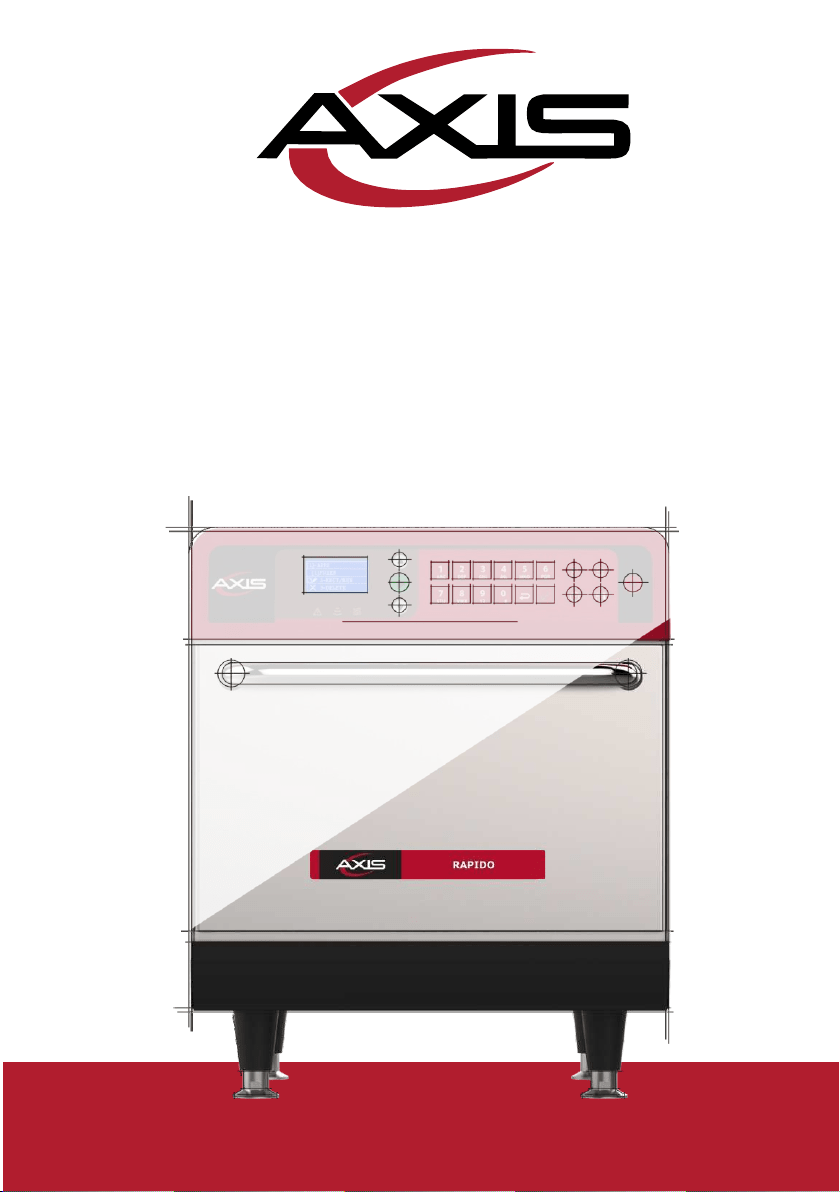
RAPIDO
SPEED OVEN
INSTALLATION AND OPERATION MANUAL

To our customer:
MVP Group is proud to become part of your day-to-day lives with our
products. By purchasing the AXIS Rapido high speed oven, you will have a
partner always attentive to your needs and interested in keeping customers
satisfied.
We are available to serve you at any time, whether it is to hear your ideas,
criticisms, suggestions or to solve an issue.
Our Mission
Bring quality and productivity to the food preparation environment.
Our Commitment
!
To know and meet the needs of our customers.
!
Offer reliable, high-performance, and energy-efficient products.
! Always looking for improvements of processes, products and cost to
offer more value to our customers every single day.
!
Treat our customers with complete honesty and respect.
This manual contains all the information for you to install and use your
equipment correctly and get the best performance results, with quality and
safety.
We recommend that you read and follow all the guidelines contained in this
manual;
and to keep it in a suitable place for future consultations.

SUMMARY
IMPORTANT SAFETY INSTRUCTIONS
Use Recommendations. ...............................................................................................04
Restrictions of use. .........................................................................................................07
General recommendations for cleaning. ................................................................08
Safety risk: cleaning chemicals. .................................................................................08
Safety risk: heating. ........................................................................................................08
Safety risk: electric power ............................................................................................09
Suitable utensils. .............................................................................................................10
Combination of suitable utensils. .............................................................................10
PRECAUTIONS TO AVOID POSSIBLE EXPOSURE TO EXCESSIVE
MICROWAVE ENERGY .................................................................................................11
IDENTIFICATION OF SYMBOLS USED IN THIS MANUAL. .............................12
WARRANTY TERM
Terms and detailing. ......................................................................................................13
Warranty exclusions. ......................................................................................................13
Notes and recommendations. ....................................................................................14
INSTALLATION INSTRUCTIONS
Electrical installation. ....................................................................................................16
General instructions. .....................................................................................................17
Dimensions. ......................................................................................................................18
General recommendations. ........................................................................................19
RAPIDO TECHNOLOGY ...............................................................................................20
PRINCIPLES OF OPERATION.....................................................................................21
RECIPES CREATION.......................................................................................................23
OPERATING INSTRUCTIONS
Preheating. ........................................................................................................................24
Play recipes. ......................................................................................................................24
Creating and editing groups. ......................................................................................26
Creating, editing and deleting recipes. ...................................................................27
Manual Mode. ..................................................................................................................29
Importing and exporting function. ..........................................................................30
Cooling the oven. ...........................................................................................................31
Temperature inspection. ..............................................................................................32
Information LED’s. ..........................................................................................................32
CLEANING
Procedure. .........................................................................................................................33
Cleaning the catalytic converter ...............................................................................34
Cleaning the air filter .....................................................................................................35

IMPORTANT SAFETY INSTRUCTIONS
USE RECOMMENDATIONS
!
Oven operation: It is recommended that the oven operator to always wear
thermal protection gloves and an apron to prevent burns when in contact
with the oven chamber and possible spillage of the contents of the trays.
!
Use of the panel: The panel must be operated with hands only, as the use of
any instrument may damage the equipment and jeopardize the operator's
safety.
CAUTION: To avoid burns, do not use containers with
liquids or kitchen products that become liquids by heating
up
to a boiling point.
The oven must be mounted after the
installation at 63in / 5ft / 1.6m above floor level.
! WARNING: The lack of cavity cleaning can cause surface deterioration
and this can adversely affect the life of the equipment and possibly result
in a dangerous situation.
!
Remove metal or plastic sealing wires of bags inserted in the unit. Check if
the container used is under specification for temperature and microwaves
provided by the unit. Do not use plastic utensils.
!
Do not allow children to use or operate this equipment.
! Do not use the equipment if it is damaged, especially if its door is not
closing properly.
! Do not place any object between the inner cavity and the oven door,
obstructing the door from closing.
!
Do not let the power cord hang over the edge of the table or counter.
!
Only qualified personnel should open the equipment panel.
!
Do not use plastic utensils.
!
Do not use water jet for cleaning.
!
Do not use steam cleaner for cleaning.
! Do not use the microwave function without food as it can damage the
equipment.
04

! Do not operate the equipment with the door open due to microwave
energy exposure.
!
Do not allow food residue or other debris to accumulate on the surface of the
door and hinge to avoid damaging the equipment.
! Foods with skin, peel or membrane, such as tomato, potato, sausage,
must be perforated with a fork as they may explode.
! Fully sealed packages should not be heated in the oven as they can
explode.
!
Do not cover or block any air vents on unit.
!
Do not use the equipment outdoors or without coverage.
!
Do not use this product near water such as near the kitchen sink, in a wet
basement, or near a swimming pool.
! Do not use a water jet for cleaning the unit. Please see cleaning
instructions for proper cleaning.
!
When cleaning the oven surfaces use only non-abrasive products applied
with a nylon sponge or soft cloth
(page 37).
Note: Consult MVP Group to
make sure the correct cleaning product is being used.
! To reduce the risk of fire in the oven cavity: remove wires used to seal
paper or plastic bags that will be into the oven.
! Carefully monitor the equipment when materials such as paper, plastic,
and other combustible materials are placed inside the oven for easy
cooking.
!
Remove all contents located inside the oven cavity.
! If the product catches fire inside the cook cavity, close the door
immediately and turn the unit off or unplug it. The power can also be
turned off at the circuit breaker.
! Always wear thermal gloves or use holders or tongs to remove the food
from inside the equipment to avoid burns.
05

!
Do not use the cavity of the equipment for storage.
! When heating liquids using microwave only or combined function, the
contents should be stirred before heating to help prevent eruptive boiling.
In
microwave beverage heating can result in delayed eruption, so care
should be taken when handling the container.
!
Liquids, such as water, coffee, or tea are able to be overheated beyond the
boiling point without appearing to be boiling. Visible bubbling or boiling
when the container is removed from the microwave oven is not always
present. THIS COULD RESULT IN VERY HOT LIQUIDS SUDDENLY
BOILING OVER WHEN THE CONTAINER IS DISTURBED OR A UTENSIL
IS INSERTED INTO THE LIQUID.
! The minimum height of free space above the microwave should be of 5.9
inches. (150mm)
!
Only use utensils suitable for use in microwave ovens.
! When heating food in microwave safe container, check the oven
frequently due to the possibility of ignition.
!
The oven should be cleaned daily and any food remains must be removed.
!
Failure to maintain the oven in a clean condition may lead to deterioration
of
the surface that could adversely affect the equipment service life and
possibly result in the warranty loss.
!
Do not operate any heating or cooking equipment beneath this product.
! Do not mount unit over or near any portion of a heating or cooking
equipment.
!
Do not mount over a sink.
!
Oversized foods or oversized metal utensils should not be inserted in the
oven as they may create a fire or risk of electric shock.
! Do not clean with metal scouring pads. Pieces may burn off the pad and
touch electrical parts involving a risk of electric shock.
06

!
Some products such as whole eggs and sealed containers – for example,
closed glass jars – are able to explode and should not be heated in this
oven.
! Do not use paper appliances when
equipment is operated in the toaster
mode.
! Do not store any materials, other than manufacturer's recommended
accessories in this oven when not in use.
! Do not cover racks or any other part of the oven with metal foil. This will
cause overheating of the oven.
! It is necessary to remove and clean the air filter frequently. For more
details go to
page 38 of the manual.
!
Daily cleaning is required to remove fat grease from equipment. For more
details, see page 37 of the manual.
! Clean Only Parts Listed in Manual. Other than that, please contact the
manufacturer for instructions.
!
Use this equipment only for the functions described in this manual.
RESTRICTIONS OF USE
! WARNING: Do not use corrosive chemicals or vapors in this device. This
type of oven is specifically designed to heat, regenerate, gratin or finish
food that has already undergone some cooking process. Not suitable for
cooking food or products in general. It is not designed for industrial or
laboratory use.
!
Use only utensils suitable for use in microwave combo ovens on page 14.
!
Never use the device to heat alcohol, cognac, rum, etc.
! Alcohol can catch fire easily if overheated. Be careful and do not leave
the device unattended.
!
If smoke is observed, turn off the device. Disconnect or isolate it from the
power supply and keep the door closed to muffle the flames.
07

GENERAL RECOMMENDATIONS FOR CLEANING
! The cooking chamber of the equipment must be cleaned daily. Failure to
keep the
equipment clean can lead to surface deterioration, which can
adversely affect the life of the
equipment and possibly result in a
hazardous situation.
!
The equipment shall be disconnected from the power supply during
maintenance and
replacement of parts. It is not necessary to disconnect the
equipment from th
e power supply during daily cleaning of the equipment.
SAFETY RISK: CLEANING CHEMICALS
DANGER
WHERE OR IN WHAT
SITUATIONS DOES DANGER
ARISE?
PREVENTIVE ACTION
For all cleaning actions
.
!
Do not let cleaning chemicals
come into contact with your skin or
eyes.
Risk of chemical burns
or irritation of the skin,
eyes and respiratory
system due to contact
with cleaning chemicals
and their fumes.
!
Do not heat the equipment if there
are cleaning chemicals inside.
!
Don’t breathe in the chemical
spray.
!
U s e p e r s o n a l p r o t e c t i v e
equipment (PPE’s).
When corrosive cleaning
chemicals
are used.
!
Strictly follow the steps to
cleaning page 37.
SAFETY RISK: HEATING
DANGER
WHERE OR IN WHAT
SITUATIONS DOES DANGER
ARISE?
PREVENTIVE ACTION
Inside the entire cavity, including all
parts that are or have been inside
during cooking, such as:
!
Before starting cleaning tasks,
wait until the cavity has cooled
below 122°F or 50c
Risk of burns from hot
surfaces.
!
Racks;
!
Containers;
!
Baking sheets.
Inside the equipment door.
Wear personal protective clothing and
equipment (PPE’s) as shown on page
08.
08

! SAFETY RISK: ELECTRIC POWER
DANGER
WHERE OR IN WHAT
SITUATIONS CAN DANGER
ARISE?
PREVENTIVE ACTION
Risk of electric shock by
energized parts.
!
Under the covers;
!
on the operating panel;
!
Along the power cord.
!
Work on the electrical system
must be performed only by
qualified electricians of an
authorized service company.
!
Professional Work.
!
Make sure that all electrical
connections are in per fect
condition and securely fixed
before putting the equipment into
use.
In the equipment and adjacent
metal parts.
!
Before preparing the equipment
for use, make sure that the
equipment is connected to a
equipotential compensation
system (UE).
If the equipment is on a mobile
cart, it can
start to move
accidentally
and the power supply
must be switched off
.
!
When operating the equipment,
always engage the safety lock on
the wheels.
!
Check daily that the wheel locks
are activated before starting the
operation.
Risk of electrical shock
caused by a short circuit.
If the equipment comes into
contact
with water.
!
Do not wash the outer box with
water.
!
Always keep the USB cover closed
while cleaning.
09

SUITABLE UTENSILS
Check the manufacturer’s instructions and temperature rating to determine the
suitability of individual containers and accessories to be used with the
furnace. The
table below provides general guidelines:
SUITABLE KITCHEN UTENSILS
ALLOWED
PREVENTIVE ACTION
HEAT-RESISTANT CONTAINERS
Tempered glass.
YES
Compatible ceramics.
Do not use items with metallic decoration.
Earthenware (crockery, porcelain, etc.)
Note: the level of mineral load present
in the utensil can affect the
performance of the equipment
METAL AND FOIL TRAYS
Any metal or foil containers
NO
PLASTIC CONTAINERS
Plastic containers
NO
DISPOSABLE
Fuels (paper, cardboard, etc.)
YES
Use only disposables compatible with the
temperatures reached by the oven 536 F
(280°C).
OTHER UTENSILS
Tethers and labels
NO
During the cooking process no
utensil such as probes, cutlery, straps and
labels must be inside the oven.
Cutlery
Temperature probes
COMBINATIONS OF SUITABLE UTENSILS
COMBINATION OF ACCESSORIES
ALLOWED
OCCURRENCE
Panini Style Grill Plate
YES
Panini Style Grill Plate + Solid PTFE Basket
YES
Panini Style Grill Plate + Aluminum Pan
NO
It affects the performance of the equipment
and can damage the microwave system.
Aluminum Pan
YES
Aluminum Pan + Solid PTFE Basket
NO
It affects the performance of the
equipment, and can damage the microwave
system and can damage the teflon basket.
Teflon accessories
YES
10

USE RECOMMENDATIONS (continued)
CAUTION!
PRECAUTIONS TO AVOID POSSIBLE EXPOSURE
TO EXCESSIVE MICROWAVE ENERGY
(a) Do not attempt to operate this oven with the door open since open-door
operation can result in harmful exposure to microwave energy. It is important
not to defeat or tamper the safety interlocks.
(b)
Do not place any object between the oven front face and the door or
allow soil or cleaner residue to accumulate on sealing surfaces.
(c) Do not operate the oven if it is damaged. It is particularly important that
the oven door close properly and that there is no damage to the: (1 ) Door
(bent), (2 ) Hinges and latches (broken or loosened), (3 ) Door seals and
sealing surfaces.
(d) The oven should not be adjusted or repaired by anyone except properly
qualified service personnel.
04
11
!
!
!
!
The equipment is not intended for use by people (including children) with
reduced physical, sensory or mental capabilities, or that have not been
properly trained to operate the unit.
Do not use the oven handle to move the equipment. The
oven must be moved exclusively from its sides.
Do not use the equipment door as support. It will cause
unevenness of the door and equipment malfunction.
The oven door is only intended for sealing microwaves
generated during cooking. Using the door for any other
purpose not described in this manual may void the warranty.

IDENTIFICATION OF SYMBOLS USED IN THIS MANUAL
DANGER! THREAT OF RISK THAT MAY CAUSE SERIOUS INJURY OR
DEATH
ALERT
WARNING - FIRE RISK - TO REDUCE THE FIRE RISK DO NOT
REMOVE THIS COVER. NO USER-SERVICEABLE PARTS INSIDE.
REPAIR SHOULD BE DONE BY AUTHORIZED SERVICE PERSONNEL
ONLY
MICROWAVE WARNING SYMBOL: THIS SYMBOL IDENTIFIES
THERE IS A RISK OF EXTERNAL AND INTERNAL BURNS OF BODY
PARTS FOLLOWING EXPOSURE TO MICROWAVE ENERGY.
WARNING - RISK OF ELECTRIC SHOCK - TO REDUCE THE RISK OF
ELECTRIC SHOCK DO NOT REMOVE THIS COVER. NO USER-
SERVICEABLE PARTS INSIDE. REPAIR SHOULD BE DONE BY
AUTHORIZED SERVICE PERSONNEL ONLY
WARNING - BURN RISK - DO NOT TOUCH ANY PART WITH THIS
SYMBOL WHILE THE OVEN IS IN OPERATION.
WARNING - RISK OF BURN FROM SPILLING OF HOT LOAD - TO
AVOID BURNS, DO NOT USE CONTAINERS WITH LIQUIDS OR
KITCHEN PRODUCTS THAT BECOME LIQUIDS BY HEATING UP TO
A BOILING POINT.
GROUNDING SYMBOL
EQUIPOTENTIAL
SYMBOL
USE TIPS AND INFORMATION
12

WARRANTY TERM
TERMS AND DETAILING
a) Our products are warrantied for twelve months for parts and labor, and
twenty-four months for the all heating element parts; from the date the
product is installed. If, for any reason, there is no record of the installation date
or if the purchase invoice cannot be located, the date of manufacture of the
equipment contained on the rating label shall be considered the start date
of
this guarantee.
b)
If new visits are needed to complete the delivery/installation of the product
due to the lack of adequate, electrical, or exhaust related conditions, the costs of
such visits shall be the customer's responsibility.
c) For the product’s installation, the customer must provide all conditions
required (208v/240v single phase) in the installation blueprint. The customer will
also be responsible for transporting the equipment to the installation site.
d) The warranty only covers manufacturing and component failures.
Damages caused by lack of heeding label warnings on the product will not be
covered.
e)
The warranty will cover adjustments and replacement of defective parts. It
is
the responsibility of the authorized service technician to return the defective
parts to MVP Group for analysis when requested.
f) Warranty service calls will not justify the extent of the warranty, returns or
exchanges of the equipment, or any other type of claim.
WARRANTY EXCLUSIONS
a)
The customer should thoroughly inspect the equipment upon delivery and
contact the carrier in case of shipping damage arising from transport.
b) MVP Group will not respond for any issues arising for electrical building
irregularities, or a lack of abiding to the local electrical code.
c) Use or installation not in accordance with the Installation and Operation
Manual accompanying the product.
13

d)
Failure to observe the installation details per the Installation and Operation
Manual, such as uneven floors, installing the oven next to equipment that
exudes fat, heat or solid particles, lack of air circulation, etc.
e) Any damage and defects resulting from inappropriate cleaning products
that result in damages to the components will not be covered under warranty.
For example, pouring water inside the electric panel, etc.
f)
Changes performed by unauthorized technicians in the original conditions
of installation such as electrical distribution, installation location, etc.
g) Use of aggressive or abrasive products that are unsuitable for cleaning
which may tarnish, wear, scratch or damage accessories or equipment
components.
h) Occurrences from electrical discharges arising from acts of nature or
voltage peaks caused by generators or power supply companies.
i)
Damage to the equipment or its accessories caused by accidents, improper
operation, improper handling or installation as described by the Operation
Manual included with this product.
j)
Repair attempts by unauthorized third parties or use of non-OEM parts and
components, regardless of the damage or defects.
NOTES AND RECOMMENDATIONS
a)
The operator should use the Installation and Operation Manual as a guide.
b) Make sure that the electric systems are made and installed by a qualified
company or technician.
c) Before contacting technical assistance, check the manual for
troubleshooting tips that can be solved without a technician.
d)
For installation, service or other questions contact:
TECH SUPPORT:
MON - FRI 8:30 AM - 5:00 PM EST
(888) 275-4538 EXT 611
(888) 275-4538 EXT 612
14

EQUIPMENT IDENTIFICATION
(Please complete in full to make the technical support calls easier
)
MODEL
VOLTAGE
SERIAL NUMBER
RESELLER
INVOICE
NUMBER
PURCHASE DATE
ELECTRICAL INSTALLATION
Note:
The oven must be properly configured for optimum performance before
using it for the first time. Follow the steps listed below to set the oven operating
system to either 208V or 240V supply voltage based on the voltage being
supplied at the oven's receptacle. This configuration step is only performed on the
initial set-up and installation. The oven will not need to be configured again as long
as the supply voltage remains unchanged.
1.
Verify the supply voltage. If this knowledge is not readily available, please use a
qualified technician or individual familiar and comfortable with electricity to take
the measurements. Care must be used to avoid electrical shock. Confirm
the
electrical configuration of the receptacle conforms to the electrical
specification in the table below and written on the oven's data plate located on
the
back of the unit.
2.
Connect the oven to the power supply.
3. Press the and the simultaneously to enter the programming
screen.
4. The display will show both voltages, use the
/
to highlight the
correct choice for your application.
5.
Press the
to set the correct voltage and save the settings.
6.
Press the
to turn off the oven.
7.
The oven is now ready for use, press the to enter the warm-up mode.
15

INSTALLATION INSTRUCTIONS
ELECTRICAL INSTALLATION
!
Always follow the installation instructions in the instruction manual or the
product's spec sheet.
! The installation of the product must be done with the necessary care to
avoid problems, damage to the equipment, and guarantee its full use.
!
This equipment must be installed by an authorized technician.
!
The equipment MUST be grounded.
!
The oven must have a exclusive circuit breaker.
!
Do not immerse the power cable or connect water to the unit.
!
Keep the power cord away from heated surfaces.
! If the power cable is damaged, it must be immediately
replaced by an authorized technician to avoid shock hazards.
!
Only qualified personnel should open the equipment panel.
!
There is an equipotential point on the rear panel of the oven.
Voltage
(V)
Phases
Freq.
(Hz)
Power
(kW)
Circuit
Breake
r
(A)
Cable
Socket
208
Single
60
6.2
32
3x10AWG
NEM
A 6-
30
240
7.2
16

INSTALLATION INSTRUCTIONS
Note: The equipment has a connector for interconnect it with
other equipment. This connector is intended to keep several
devices with the same electrical potential. Not necessarily the
grounding of a local connection. This connector on the back of
the device is identified by the symbol on the right:
!
Use of pressure cables to prevent movement
of the power cable.
Air Inlet
Maximum
Distance
6 ft
(1.8m)
Circuit
Breaker
! In case the oven voltage is 380 volts, a
neutral cable (independent of the ground)
must be available.
! Ensure that the electrical characteristics of
the power grid are in accordance with the
technical specifications located on the
identification tag label located on front
bottom cover of the unit. The power grid is a
customer's responsibility.
!
This unit must be properly grounded to avoid
electrical shock .
!
The circuit braker should be located no more
than 70,8in / 6ft / 1.8m away from the unit.
GENERAL INSTRUCTIONS
! The oven must be installed on a surface or counter that supports its
weight of approximately 194lb (88 Kg).
!
Do not obstruct the air inlets and outlets at the oven bottom.
! The oven must not be positioned near stoves, deep fryers, hot plates and
other equipment that releases fat, fumes and heat. The ventilation,
electrical panel and motor vents must be far from these heat sources to
prevent damage to the electrical system of the equipment.
!
The oven must be installed in a leveled and well-ventilated area.
!
The installation of the equipment in a non-suitable place can result in the
warranty loss.
17

m)
INSTALLATION INSTRUCTIONS
DIMENSIONS
RAPIDO
FRONT VIEW
20,9"
(532 mm)
25"
(636 m
21,1"
(536 mm)
3,9"
(100 mm)
(441 mm)
SIDE VIEW
SIDE VIEW
WITH DOOR OPEN
30,1"
(766 mm)
1,5"
(40 mm)
11,4"
(292 mm)
27,5"
(700 mm)
1,5"
(40 mm)
21,4"
(544 mm)
3,1"
(80 mm)
39,9"
(1015 mm)
Chamber Dimensions
Capacity
0.74 cu.ft – 21L
Height
5.75" - 146 mm
Width
15.5" - 394 mm
Depth
14.2" - 362 mm
18

GENERAL RECOMMENDATIONS
!
Do not use this product near water, kitchen sink, wet places, or
near a swimming pool.
! If a residue accumulation inside the chamber cathes fire,
keep the oven door closed, turn the equipment off and unplug
it
from the power outlet.
!
Do not use the oven to dry or to store clothes.
! If the oven door is damaged, it must not be operated until it
gets repaired by a qualified technician.
! In case of voltage loss or error during a recipe, the progress will be lost.
Recipes will keep intact if the issue regarding power grid.
!
Do not cover or block any air inlet and outlet of the unit.
!
Do not use the oven outdoors.
!
Do not store food inside the oven when it is not in operation.
! When enabling the oven circuit breaker, wait ten (10) seconds before
turning it on.
19

AXIS RAPIDO OVEN TECHNOLOGY
The
Rapido
oven uses a combination of high-speed impinged air, convection
from an infra-red element, and microwave energy to heat food more quickly
than a conventional oven can.
The figure below illustrates the steps involving the technology:
1 -
Internal heating elements transfer thermal energy to the circulating air.
2 -
The blower motor circulates air at high speed directly into the food item.
3
-
The circulating air goes through the catalytic filter where the grease-laden
vapors are broken down, and transformed in the air and water molecules.
4
-
The bottom heater irradiates heat within the oven chamber.
5
-
At the same time, magnetrons generate microwave energy that evenly heats
the water molecules within the food.
1
2
3
4
5
20

PRINCIPLES OF OPERATION
Microwaves are a type of radiation energy. Just like radio waves, visible light and
infrared, the microwaves are part of the electromagnetic spectrum, i.e., it
is a
form of electromagnetic radiation. They are classified as non-ionizing
radiation, because, unlike x-rays, Alpha, Beta and Gamma rays, its effects are
strictly thermal and therefore do not alter the molecular structure of the item
that is being irradiated.
The basic principle of microwaves is to cook by molecular vibration. They
penetrate the food surface in a depth that ranges from two to seven
centimeters, heating the molecules of water and fat by making them vibrate.
The
heat is transmitted to the interior of the food by thermal conduction,
demystifying the idea that the microwaves cook food from the inside out.
The
Rapido
works through the association between microwaves and hot air
directed towards the food. The variables in the operation consist of:
a)
Operation time.
b)
Chamber temperature.
c)
Microwaves power.
d)
Air speed.
Each recipe operation can be programmed with up to eight steps and each of
them can have the variables mentioned above.
Temperatures: The preparation times are short and so are the steps. The
temperature variation between steps will not be observed by the unit.
Normally, the temperature used is the same temperature as the preheating
set point.
0,7" to 1,1"
1,9" to 2,7"
21

Microwaves: The microwave is adjustable between 0% and 100% for each 30
second fraction. For example, the microwaves in a one-minute recipe with
microwave programmed at 50% will run for 15 and
stop
for
15
seconds. Then
it will be energized for another 15 seconds and stop for the remaining 15
seconds. In 1 minute, it will act for a total of 30 seconds.
Microwaves are reflected by metals but will penetrate glass, plastics, and
ceramics. The microwaves penetrate the food and generates water
molecules friction, heating the food.
FEATURES
METAL GLASS, PAPER AND
PLASTIC
FOOD
The use of plastic or paper material must respect it's specifications since it
must support up to 536°F (280°C) and being microwavable.
Operation Time: The food heated by microwaves occur from the outside in
and the penetration level will vary depending on the type of food. Therefore,
the preparing time has to be related to the meal composition, the quantity of
food processed, as well as its density and thickness. The larger the food
amount (quantity or density), the greater the time or percentage will be
needed for the microwave to take effect.
Hot Air Speed: The hot air speed can be adjusted between 10% and 100% of
speed. The hot air is controlled by a blower motor which will envelope the
food.
a)
The higher the air speed, the more likely it will be to burn the product on its
surface.
b)
The higher the air speed, the more it will affect the texture and crispness of
the product.
22

RECIPES
When creating a recipe, all the variables mentioned earlier should be
considered. The microwaves and the air speed are both critical factors for a
successful preparation.
To get faster results in the recipe creation, we suggest beginning
programming at 1/10 of the total time of preparation used in a conventional
process.
The microwave effect is more efficient at the beginning of processes. For
frozen products, work with two or three steps, so that at the beginning of the
process the product is thawed with lower microwave levels and at the end of the
process the color and crispness are obtained.
Later, combine the air speed variations to reach the desired crispness and
color. Remember, the air also transmits heat to the food so keep that in mind
when setting blower percentage. The food's weight, size, and shape are
critical when setting the total cook time.
The following information is critical when creating a new recipe:
a)
The initial temperature of the product will change the desired results if the
following conditions are not considered: preheating and meal condition
(refrigerated, frozen or in room temperature)
b)
The size and/or weight variation of the meal has to be considered when
programing a standard recipe.
c)
Only use containers approved for a microwave oven to prevent any damage
and that the product gets properly cooked.
23

OPERATION
PREHEATING
a)
When you turn the oven on - the following message will appear:
b)
Once 525°F is reached, a message will appear in the display showing that
there will be 5 minutes to the end of preheating process.
PLAY RECIPES
a)
Switch on the oven and wait until the following message appears.
b)
Press
to display the group's screen;
c) To select a group, use the keys
/
or type the number of the
group.
24

d) To start a recipe, use the arrows
/
or type the recipe’s number
using the alphanumeric keyboard.
e) During the process, the display will show the cooking time, group and the
recipe’s name.
d) At the end of the cooking, the alarm will sound and the message “Ready”
will appear.
e)
The
“Cook More”
function will be enable to use after the end of preparation,
with the door opened. Close the door and press:
More 10 seconds
More 20 seconds
More 30 seconds
This option will be available for 10 seconds only once the door is closed.
25

CREATING AND EDITING GROUPS
a) While in the group’s menu, press to allow the edition function, as
shown:
b)
With arrows
/
or alphanumeric panel, select which group edit.
c)
Enter the password (123 - standard) using the alphanumeric keyboard and
press
to enter the edition mode.
d)
Press
to edit group’s name or create a new group.
to erase or backspace.
to 0(zero) or ‘_’ and ‘*’ symbols.
up to
to numbers and letters.
To save changes, press to save.
26

CREATING, EDITING AND DELETING RECIPES
a) While in the recipe’s menu, press to allow the edition function.
b)
With arrows
/
or alphanumeric panel, select which recipe edit.
c)
Enter the password (123 - standard) using the alphanumeric keyboard and
press
to enter the edition mode.
d)
Press
to edit recipe’s name or create a new recipe or press to
delete the recipe.
to erase or backspace.
to 0(zero) or ‘_’ and ‘*’ symbols. up
to to numbers and letters.
27

e) To save changes, press to save and edit steps. Each recipe
supports up to 6 steps. Use the alphanumeric keypad to select the step to
be added or edited.
f) The following parameter settings will appear: time, chamber temperature,
microwave percentage and hot air speed.
g)
Use the arrows /
to navigate through and choose the parameter.
Press
to edit.
h)
Set the parameter value with the alphanumeric keypad and press
to
confirm and save.
i)
To DELETE a step, set the time value to zero.
j) Press
to save, and to go back.
28

MANUAL MODE
a)
While in the recipe’s menu, press
to enter the manual mode.
b)
The following will appear: time, chamber temperature, microwaves power
and hot air speed.
c)
Use the arrows
/
to navigate through and choose the parameter,
press
to select and edit.
d)
Set the parameter value with the alphanumeric keypad.
e)
Press
to confirm and to start.
f)
During the process, the display will show only the cooking time.
29

g) At the end of the cooking, the alarm will sound and the message
“Ready”
will appear.
IMPORTING AND EXPORTING FUNCTION
a)
To access the USB connector, lift the bottom cover and pull to remove it. Do
the opposite process to replace.
b) Press . Using the alphanumeric keyboard, press 2 or 3 Export or
Import recipes:
Export Recipes - The recipes are copied from the oven to the Flash Drive.
Import Recipes - The recipes are copied from the Flash Drive to the oven.
c)
Using the alphanumeric keyboard, press to export/import all recipes
from the oven to Flash Drive.
30

d)
Wait until the message:
“Operation Completed”.
IMPORTANT
! When the IMPORT command is executed, all the oven’s recipes are
replaced.
!
When the
EXPORT
command is executed, all the Flash Drive’s recipes are
replaced.
COOLING THE OVEN
a)
Press
and open the oven’s door. The display will indicate that cooling
is
in progress. Wait until the desired temperature is reached. The cooling
function can be turned on at any time.
b) The oven automatically shuts off after reaching the temperature of 149°F,
without the need for operator monitoring.
ATTENTION
During the cooling process, that fan remains on even with the door open.
31

TEMPERATURE INSPECTION
a)
While in the recipe’s menu, press
to inspect the temperature mode.
b) The following settings will appear: Chamber temperature and bottom
radiant heater temperature.
c)
Press
to go back to the recipe’s screen.
INFORMATION LEDS
a) There are three LEDs under the oven’s screen to inform the status:
: There is a system failure, please contact an authorized technician.
: The Microwave is on.
: Heating is on.
32

CLEANING INSTRUCTIONS
a) Only use a professional product specific for speed ovens to clean the oven.
Cloth
Anti-abrasive sponge
PROCEDURE
at 122°F / 50°C
a wet cloth
33

CLEANING THE CATALYTIC CONVERTER
a) To access the catalytic converter, remove the baking stone, the rack, and
the bottom jet-plate from the oven. Then remove the catalytic through a
vertical movement upwards, as shown in the following image.
b) Spray approved cleaner on the catalytic converter. Leave it in for 15
minutes, rinse thoroughly with clean water. Shake excess water from the filter
and pat dry with paper towels before re-installing.
towels holders
34

CLEANING THE AIR FILTER
a)
To have access to the air filter, pull it under the oven.
b)
Then, remove the filter with a forward movement, as in the image:
c)
To sanitize correctly, place the filter to soak in warm water with neutral
detergent.
e)
Leave it for 15 minutes, rinse it well and install the air filter again.
TECH SUPPORT:
MON - FRI 8:30 AM - 5:00 PM
(786
) 600-4687 EXT 611
TOLL FREE:
(888
) 275-4538 EXT 611
35

AXIS - RAPIDO
CODE: 742776
INSTALLATION AND OPERATIONAL MANUAL
OCTOBER 2022 - VERSION 02

3560 NW 56th Street
Fort Lauderdale, FL 33309
Tel.: 786.600.4687
Toll Free: 844.218.8477
Fax: 786.661.4100