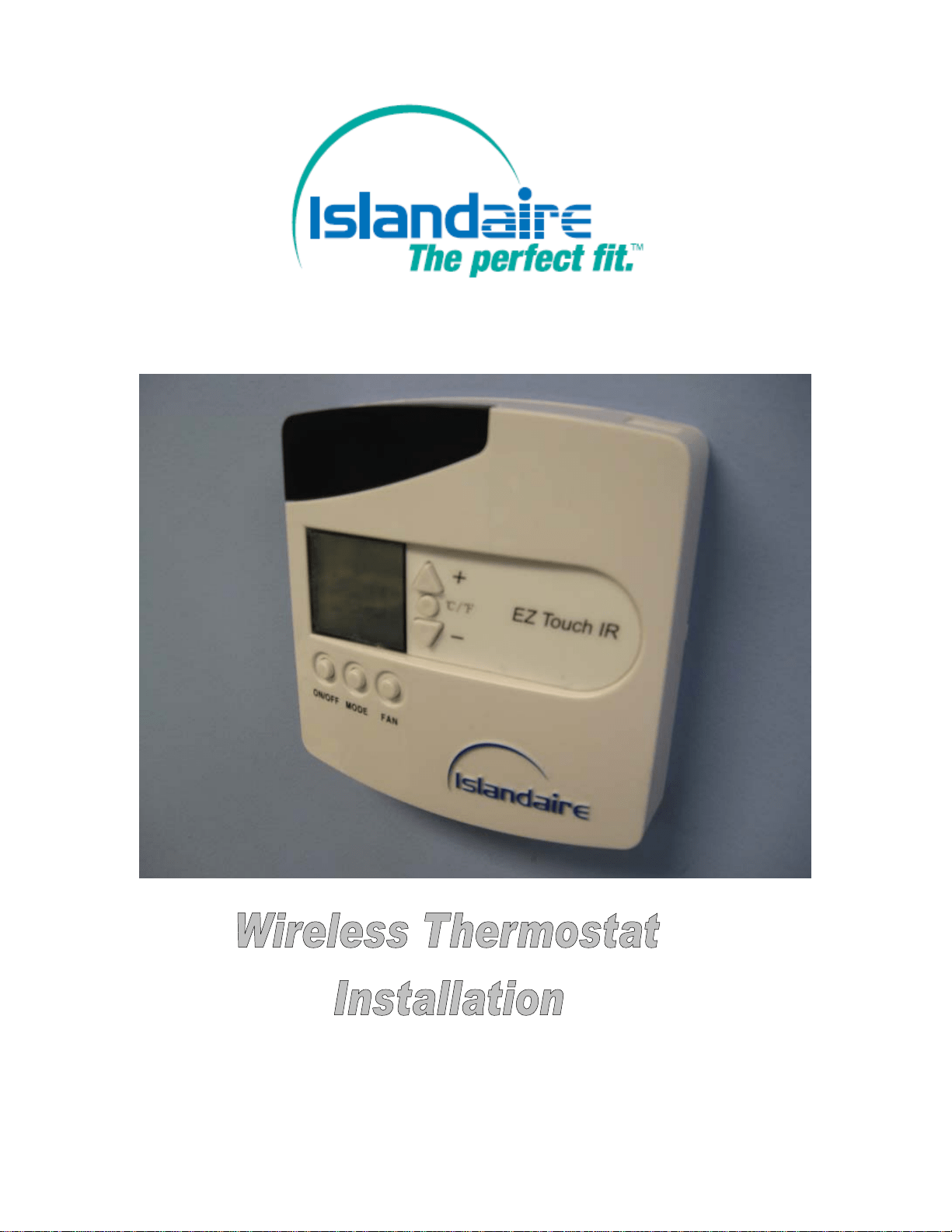

1) Determine the thermostat location.
a. Approximately 5ft above the floor
b. On a wall for best line of sight to the PTAC Unit (see illustration 1)
Illustration 1
Wireless Thermostat Installation
2) Installation Materials Required
EZ Touch IR Wireless Thermostat / base
a. Four (4) AA alkaline batteries (included)
b. Four (4) screws and anchors (included)
c. #0 Phillips screw driver
d. The EZ touch thermostat, the remote receiver and its harness make part of kit #
6040824
Control board (pre-installed in the PTAC unit)
1) Infrared receiver (to be installed in the PTAC’s room enclosure)
2) Infrared receiver harness (to be connected to control board)
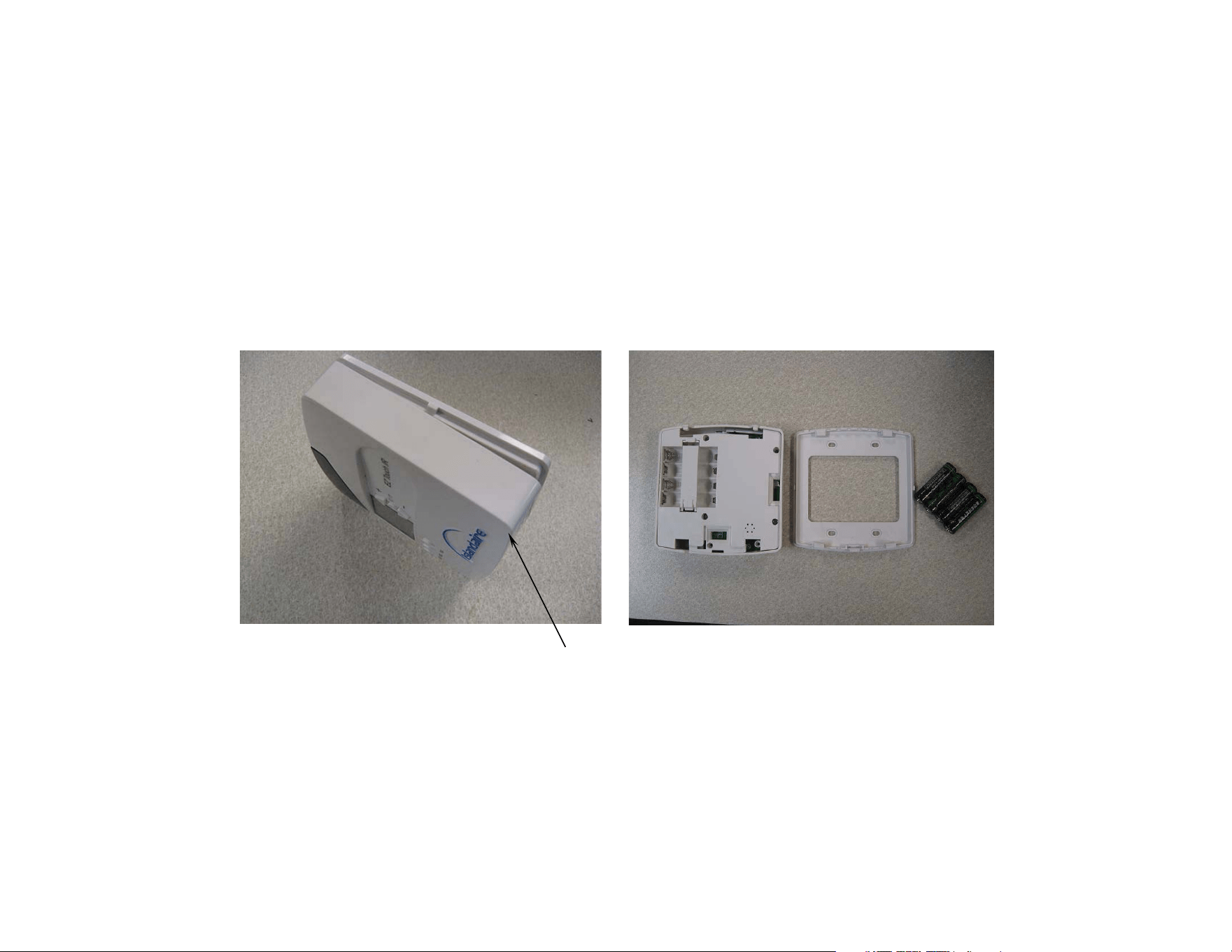
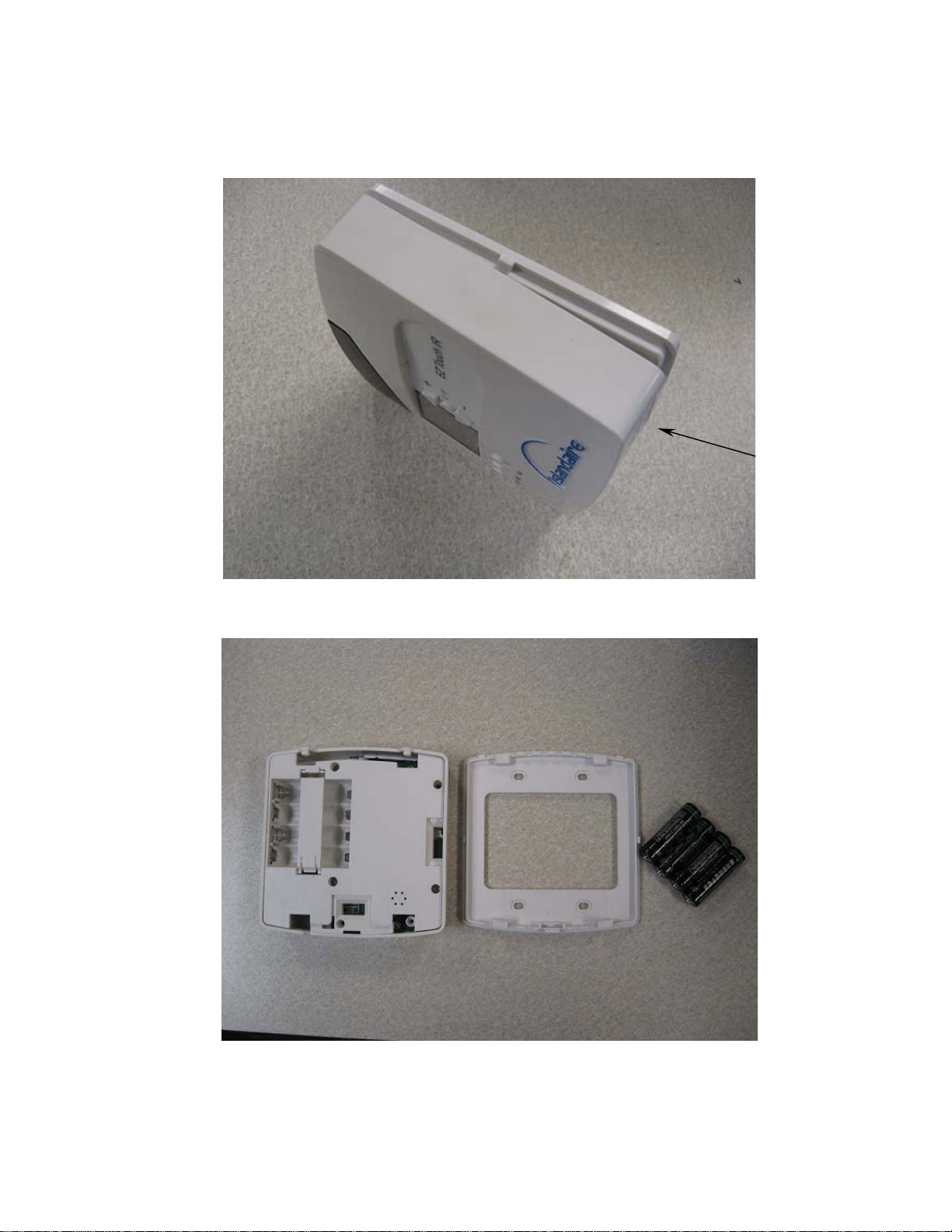
3) Detach the thermostat base as shown, by removing the two bottom screws
Picture 1 Picture 2
BOTTOM
SCREWS
LOCATION
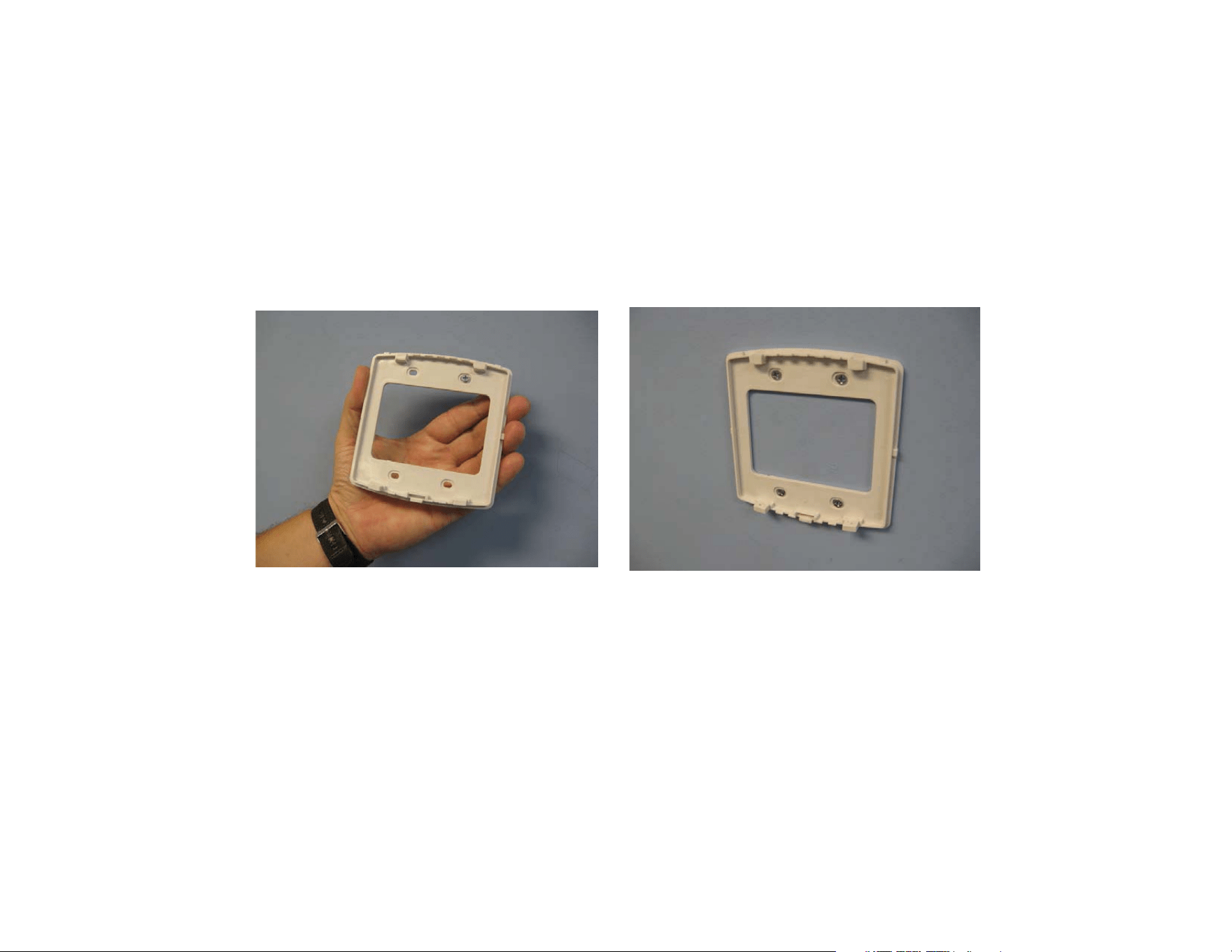
4) Secure the thermostat’s base to the wall using the four (4) screws and anchors supplied
Picture 3 Picture 4
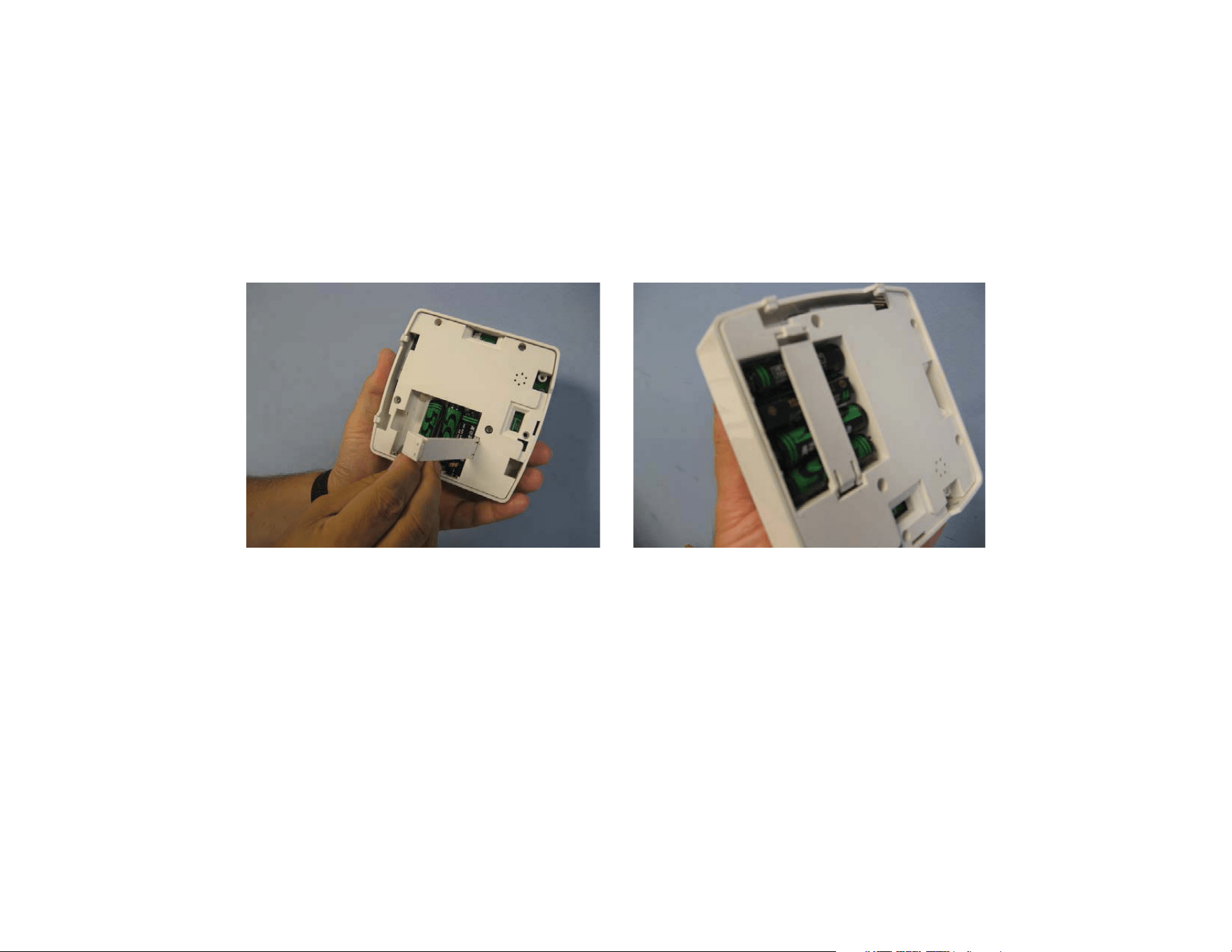
5) Open the latch, insert the four (4) supplied batteries, secure the latch
Picture 5 Picture 6
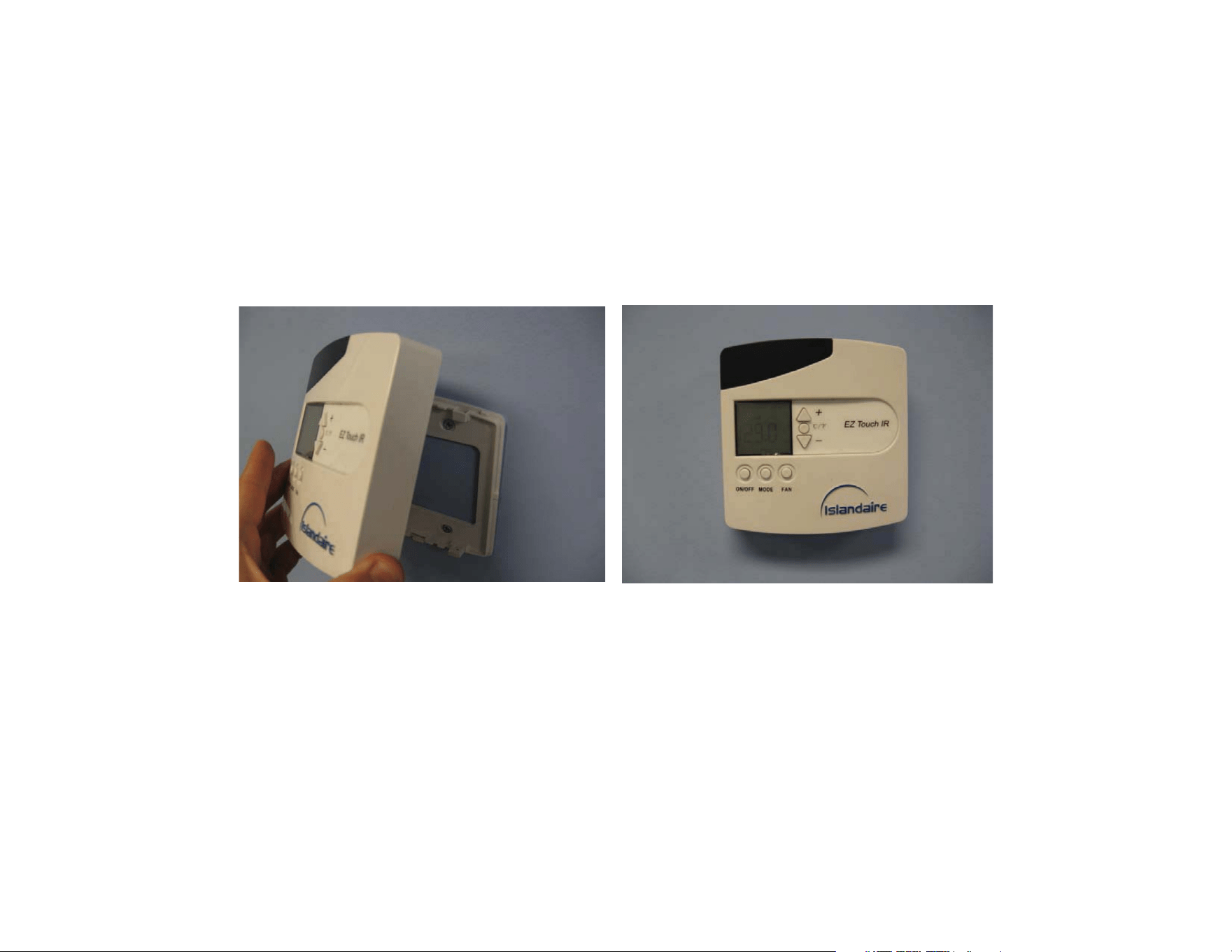
6) Anchor the thermostat back to the base and secure it using the two (2) small bottom
screws
Picture 7 Picture 8
INTRODUCTION
The EZ Touch IR receiver will be required when the PTAC unit has been installed inside an enclosure
that does not allow direct line of sight between the digital controls and the wireless thermostat.
INSTRUCTIONS
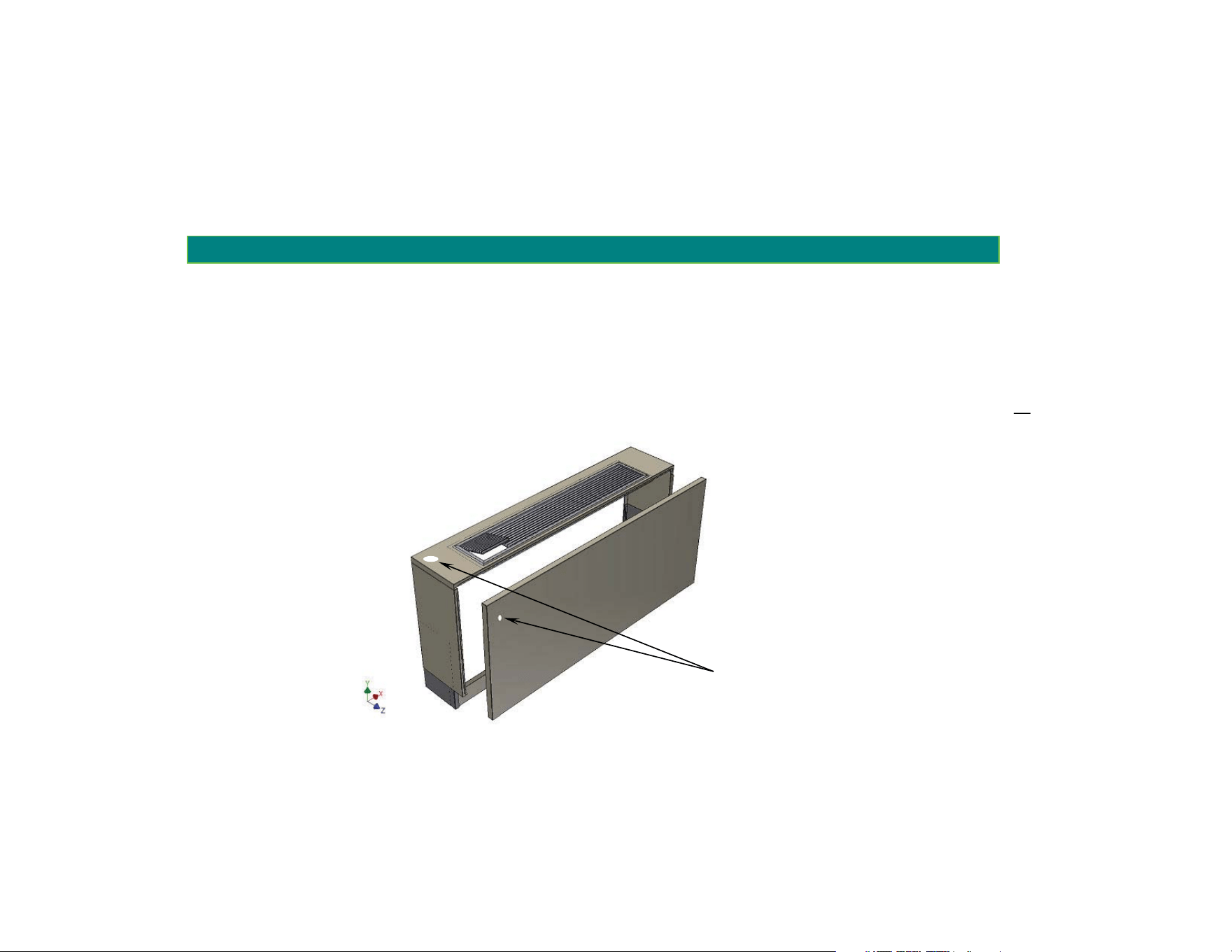
1) If required, drill a 5/8” diameter hole on the front cover, approximately 3 inches below the top, or
the top panel of the enclosure, (See illustration next page)
INFRARED RECEIVER INSTALLATION
5
/
8” dia. hole
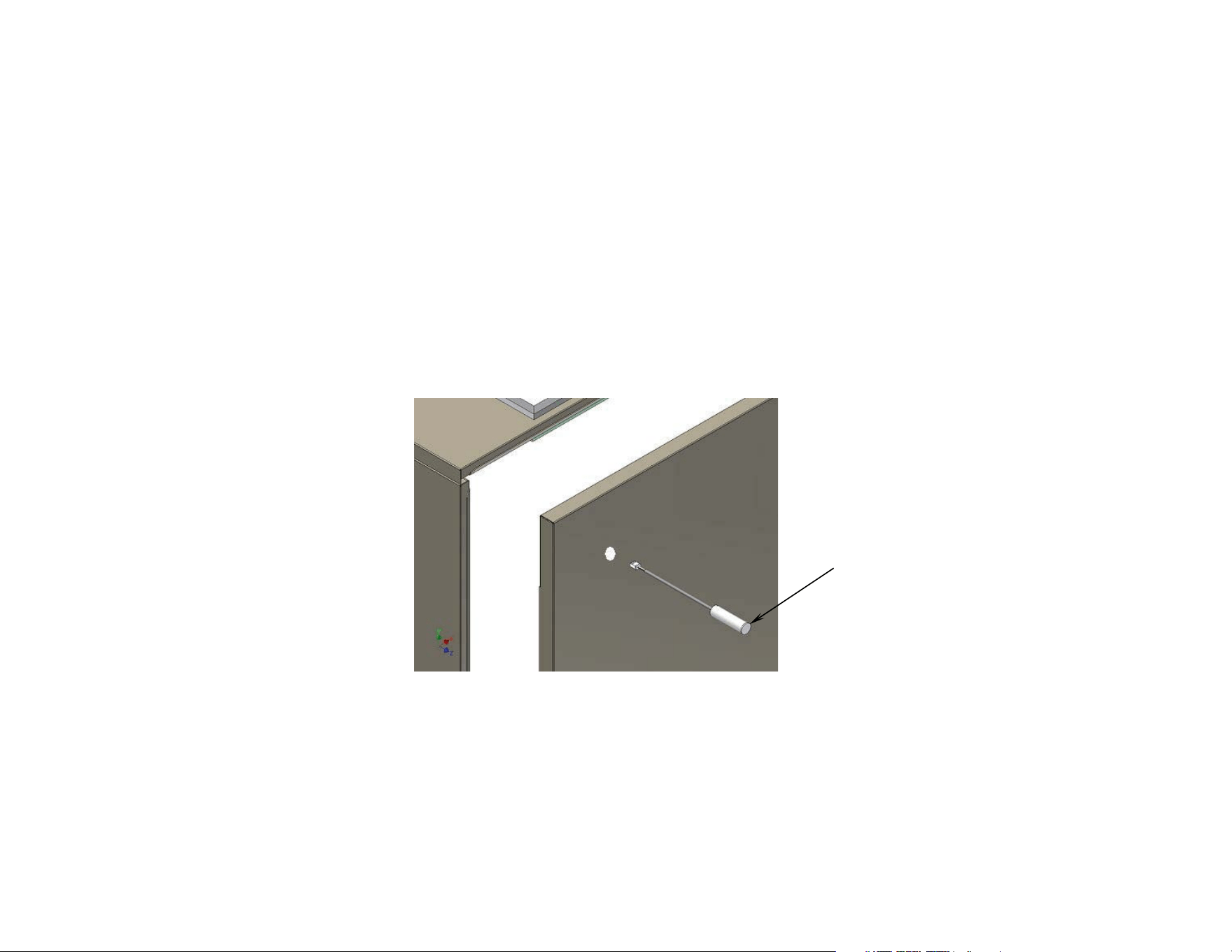
2) Insert the EZ Touch IR remote receiver through the 5/8” diameter hole and push it in so it will
lock in to place
EZ Touch
IR Receiver
INFRARED RECEIVER INSTALLATION
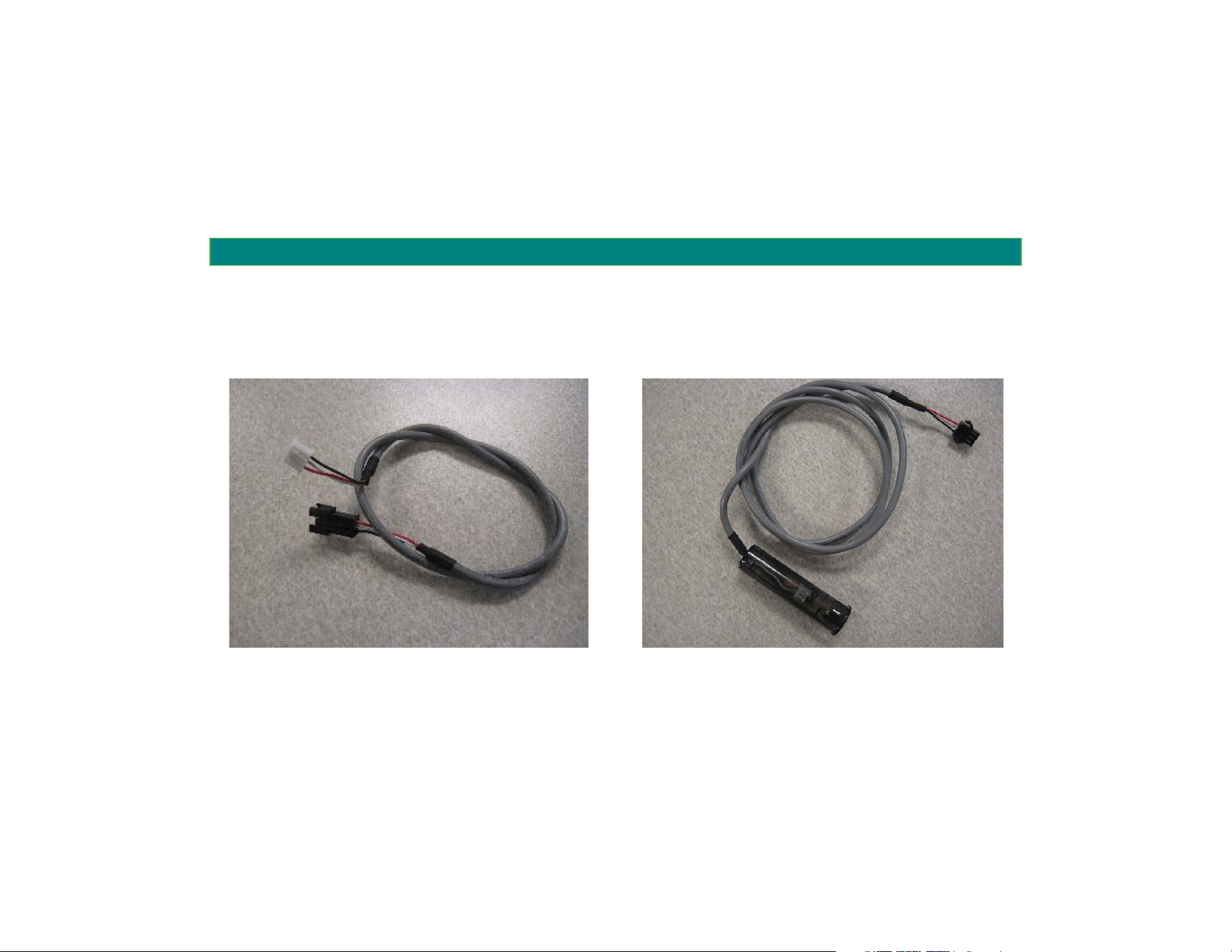
3) Connect the EZ Touch IR receiver (picture 10) to the 10 ft EZ Touch IR receiver extension harness
(picture 9) that must be attached to the control board inside the PTAC unit (see location on
picture 11)
Picture 9
(
EZ Touch IR receiver harness
)
Picture 10
(
EZ Touch IR receiver harness
)
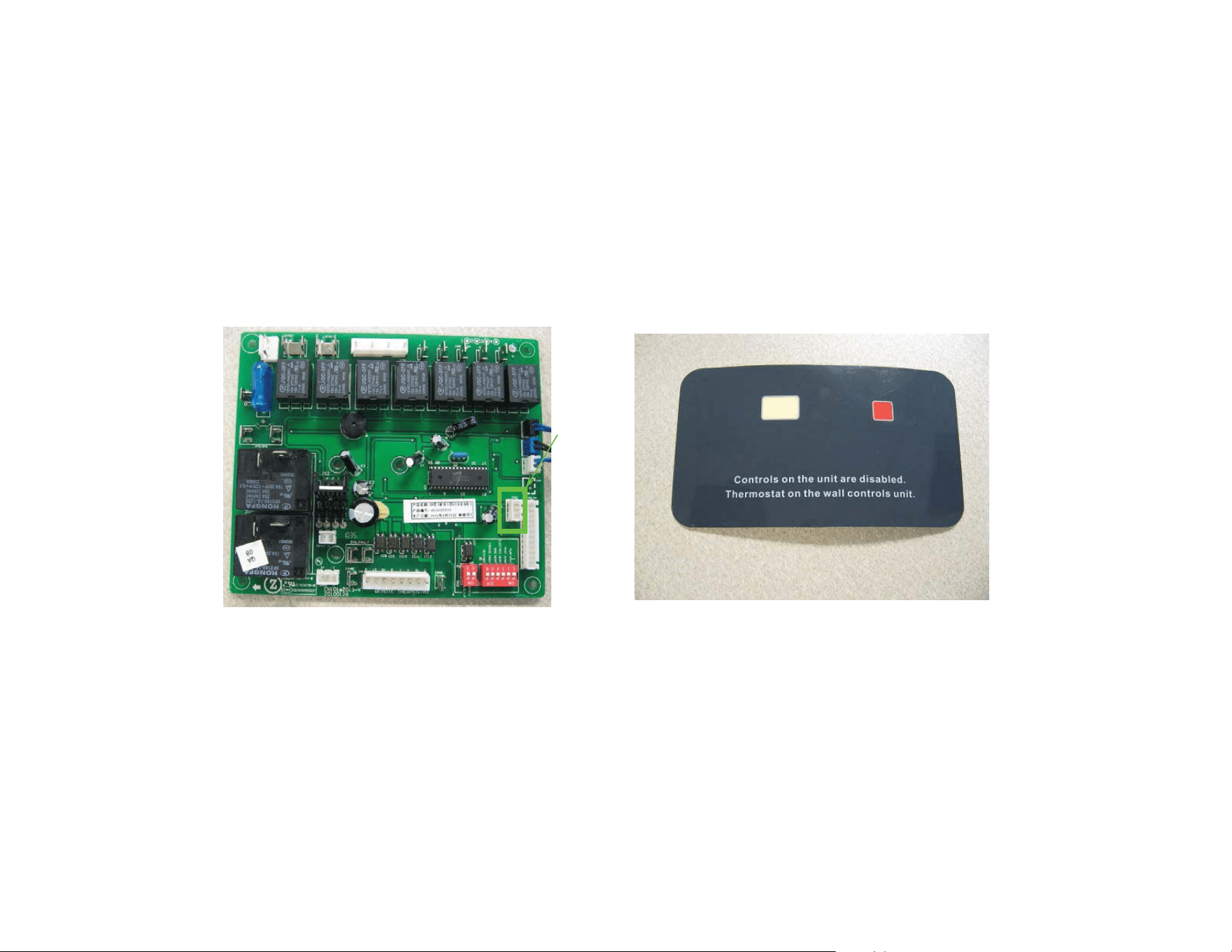
4) The blank off piece shown in picture 12 may be attached over the control pad location to instruct
users to use the EZ touch IR on the wall.
Picture 11
(Control Board)
Picture 12
(PTAC Unit Digital Controls Blank off)
EZ Touch IR
receiver
harness
connector

Wireless Thermostat User’s Manual
Table Of Contents
1. Getting To Know Your Thermostat
2. Operating Your Thermostat
3. Troubleshooting
4. Technical Service / Parts
Wireless Thermostat Operatin
g
Manual
GETTING TO K YOUR THERMOSTAT
GETTING TO KNOW YOUR THERMOSTAT
1. GETTING TO KNOW YOUR THERMOSTAT
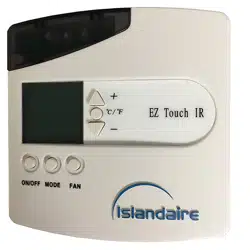
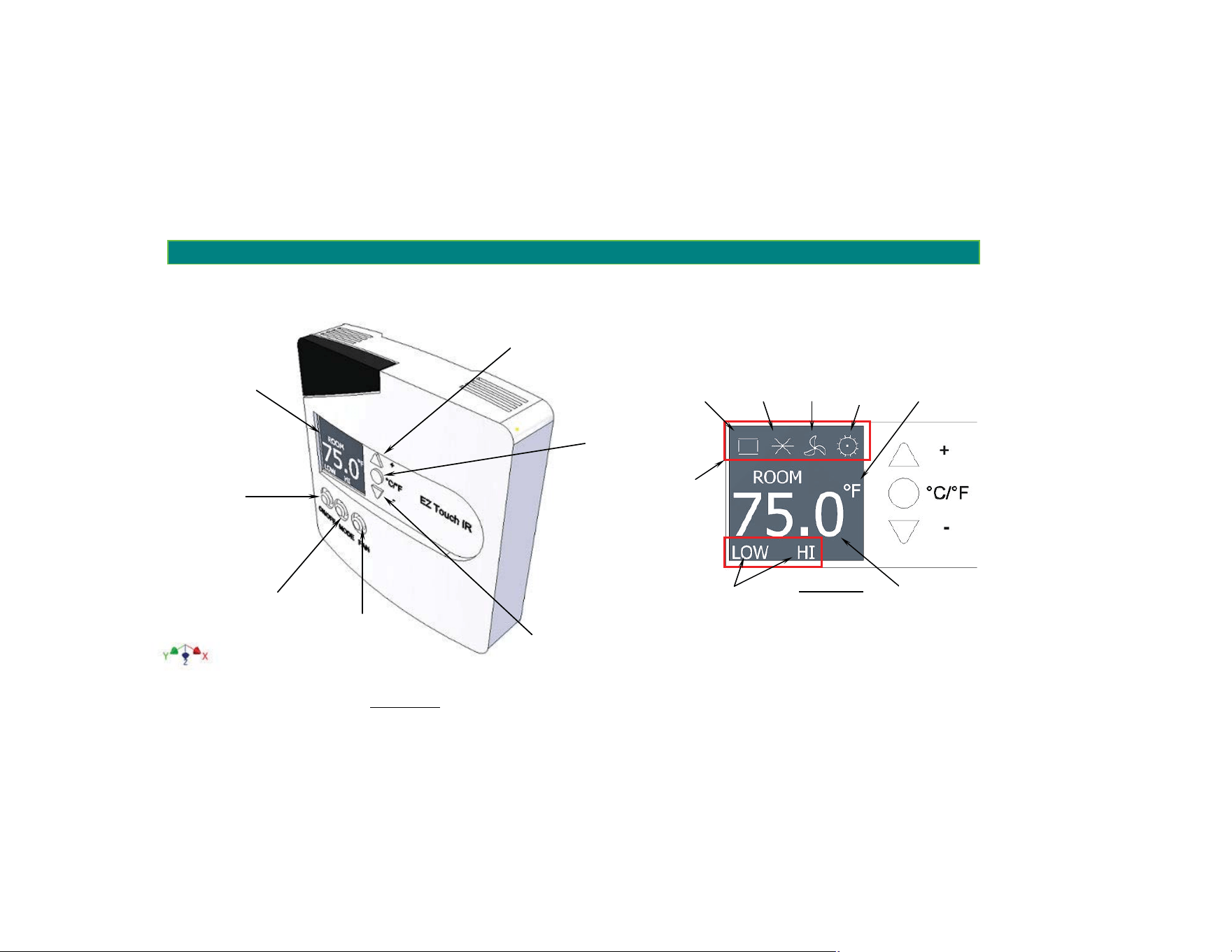
Illustration 1
DIGITAL DISPLAY
ON/OFF
MODE: COOLING,
HEAT, FAN ONLY
FAN SPEED:
HIGH, LOW
TEMPERATURE
UNITS:
q
F,
q
C
TEMPERATURE SETTING (UP):
INCREASE TEMPERATURE SET
POINT
TEMPERATURE SETTING (DOWN):
DECREASE TEMPERATURE SET
POINT
Illustration 2
TEMPERATURE UNITS
FAN
ONLY
COOLING
AUTO
(
Future Version
)
CURRENT
FAN SPEED
CURRENT
MODE ICONS
HEATING
INDOOR TEMPERATURE (DEFAULT)/
TEMPERATURE SET POINT

2. OPERATING YOUR THERMOSTAT
1. ON/OFF key: switches the unit on or off. When the unit is off, all keys are invalid except ON/OFF keys.
2. MODE key: set up fan only, cooling or heating mode. Cycles as cooling ĺfan only ĺ heating ĺcooling.
3. FAN key: set up fan speed. Cycles as high ĺ lowĺ auto ĺhigh.
4. °F/°C key: the temperature switches between Fahrenheit and Celsius degrees.
5. “UP”/”DOWN” keys: pressing "UP" or "DOWN" key once the display will show the current temperature
set point, if no key is pressed in 5 seconds the display will show the current room temperature. While the
display is showing the temperature set point, pressing the "UP" button once increases the temperature
set point by 1°C (or 1°F if in °F mode ), pressing the "DOWN" button once, decreases the temperature
set point by 1°C (or 1°F if in °F mode). Temperature set point range is 16°C~31°C (61°F~88°F).
6. LOCK and UNLOCK: pressing and holding both the "UP" and "DOWN" key for 3 seconds will lock or
unlock all keys except the ON/OFF key.
7. LCD display: displays the room temperature when the air conditioner is running. Pressing the "UP" or
"DOWN" key when key operation is valid will show the temperature set point, and will return to display
the room temperature after 5 seconds without any user action. After shutdown, the display shows OFF.

8. Backlight control: backlight is lit when pressing any operation key. Five seconds later will automatically
turn off.
9. Data Transmission Time Cycles: each time a key is pressed, the infra-red control unit will send the
signal of running mode, set point temperature, room temperature and fan speed to the control board;
when the unit is on: every 10 minutes (adjustable), see item 10, the infra-red control transmits room
temperature to the electronic control board; when the unit is off: the infra-red control will not transmit
any data.
10. Data Transmission Time Cycles Modification: while in shutdown state pressing and holding both
MODE and FAN keys for 3 seconds the LCD display will display the value of Data Transmission Time Cycle
in minutes (for instance, 10 means launch once every 10 minutes), press "UP" or "DOWN" keys to
change it (range between 1 and 20 minutes), press the MODE key or 10 seconds no key press to save
the change.
3. TROUBLESHOOTING
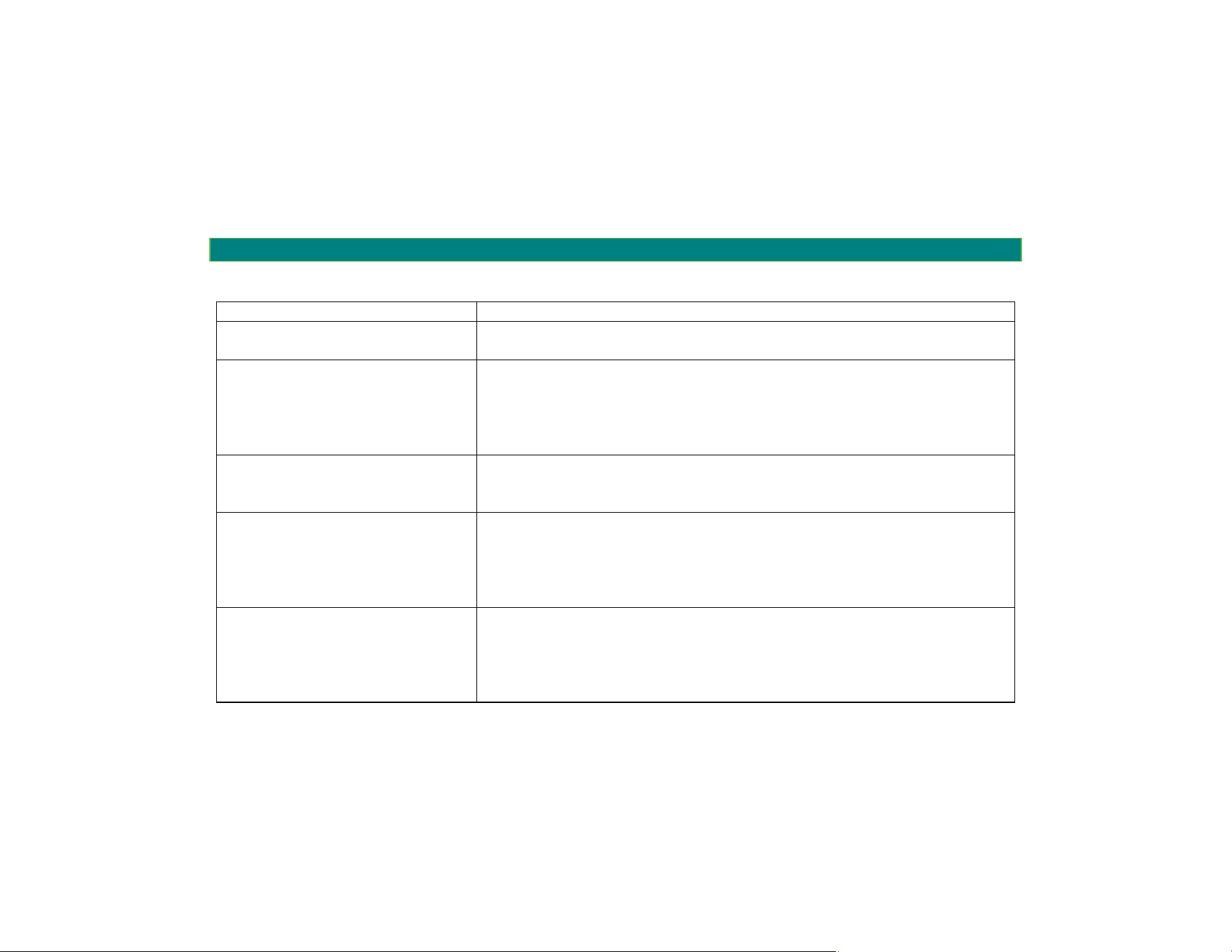
When Cause
The Display is blank x The batteries are old, and a new set of AA batteries must be installed
x The batteries are installed incorrectly
The unit does not turn on
regardless of the operating MODE
x The thermostat does not have line of sight communications
x The batteries are old, and a new set of AA batteries must be installed
x Remote IR receiver may need to be connected/installed
x A system time delay (approx. 3min) is engaged
x The unit is not powered
The temperature set point does
not change
The set point range is between:
x Min. Temperature: 61.0qF (16.0qC)
x Max. Temperature: 88.0qF (31.0qC)
The Heating System doesn’t run x The thermostat is set to a different mode other than heat/auto
x The temperature set point is set to a temperature below the room
temperature
x The unit is not powered
x A system time delay (approx. 3min) is engaged
The Cooling System doesn’t run x The thermostat is set to a different mode other than cooling/auto
x The temperature set point is set to a temperature above the room
temperature
x The unit is not powered
x A system time delay (approx.. 3min) is engaged
22 Research Way
East Setauket, NY 11733
Islandaire Technical Service
Toll Free: 1-800-886-2759
Fax: 1-631 471-2913
Email: [email protected]
Doc. 6140222 Rev.-
4. TECHNICAL SERVICE / PARTS