Please email us at: official@icecofreezer.com
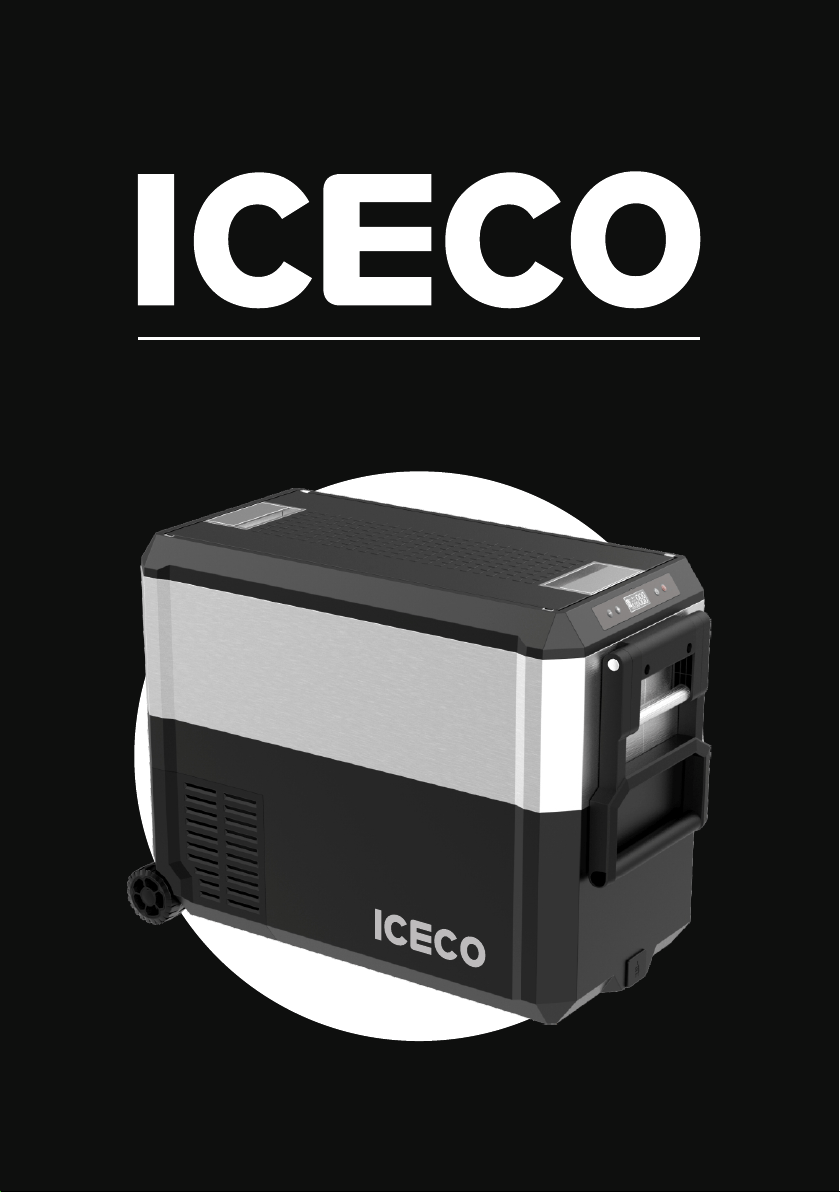
JP40/50 PRO
Catalogue
1
1
- - - - - - - - - - - - - - - - - - - - - -
Supply Details
2
2
- - - - - - - - - - - - - - - - - - - - - - - - - - -
Operation
3
9
- - - - - - - - - -
Cleaning And Maintenance
4
11
- - - - - - - - - - -
Error Codes & Solutions
5
13
- - - - - - - - - -
Warranty & Return Policy
6
14
- - - - - - - - - - -
Troubleshooting (Q & A)
7
19
- - - - - - - - - - - - - - - - -
Safety Instructions
8
24
- - - - - - - - - - - - - - - - - - -
Protective Cover

Supply Details
Refrigerator x1
Wire Basket x1
01
1
MODEL JP40 PRO JP50 PRO
Dimensions
LxWxH
Net
Weight
Storage
Volume
Refrigerant
725x350x458 mm
DC 12/24V AC 110V-240V
R513A
28.5x13.8x18 inch
725x350x533 mm
28.5x13.8x21 inch
38.4 lbs 40.8 lbs
42 quarts 52 quarts
17.4 kg 18.5 kg
40 liters 50 liters
-20°C to +20°C (-4°F to 68°F)
Temperature
Range
Voltage
8.2 Feet 12/24V
DC Cigarette
Lighter Plug Cable x1
6 Feet 110V AC Wall
Outlet Cable x1
2
Operation
02
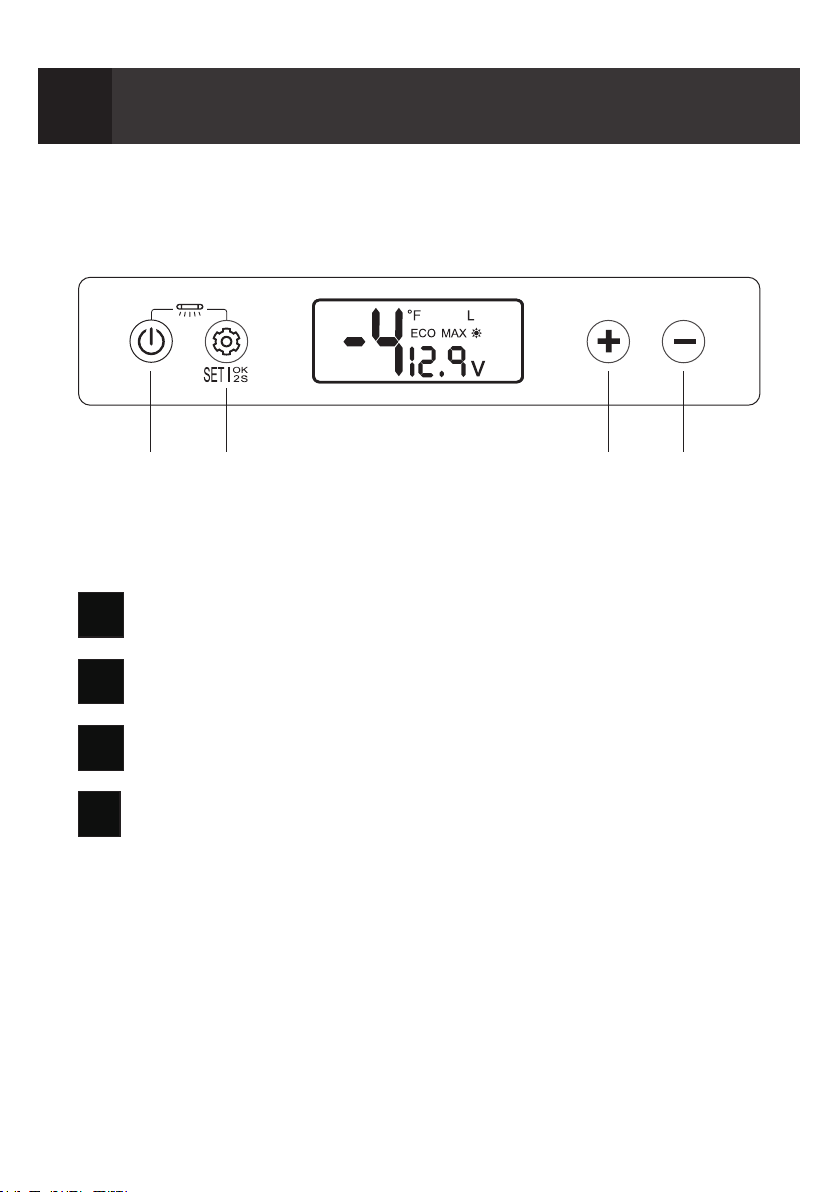
B
Compressor Speed(MAX/ECO Mode)
C
Temp. Setting UP
A
Power (Press & Hold to turn on/of f )
D
Temp. Setting DOWN
A B C D
-4
°F
v
12.9
L
ECO MAX
UV
UV

03
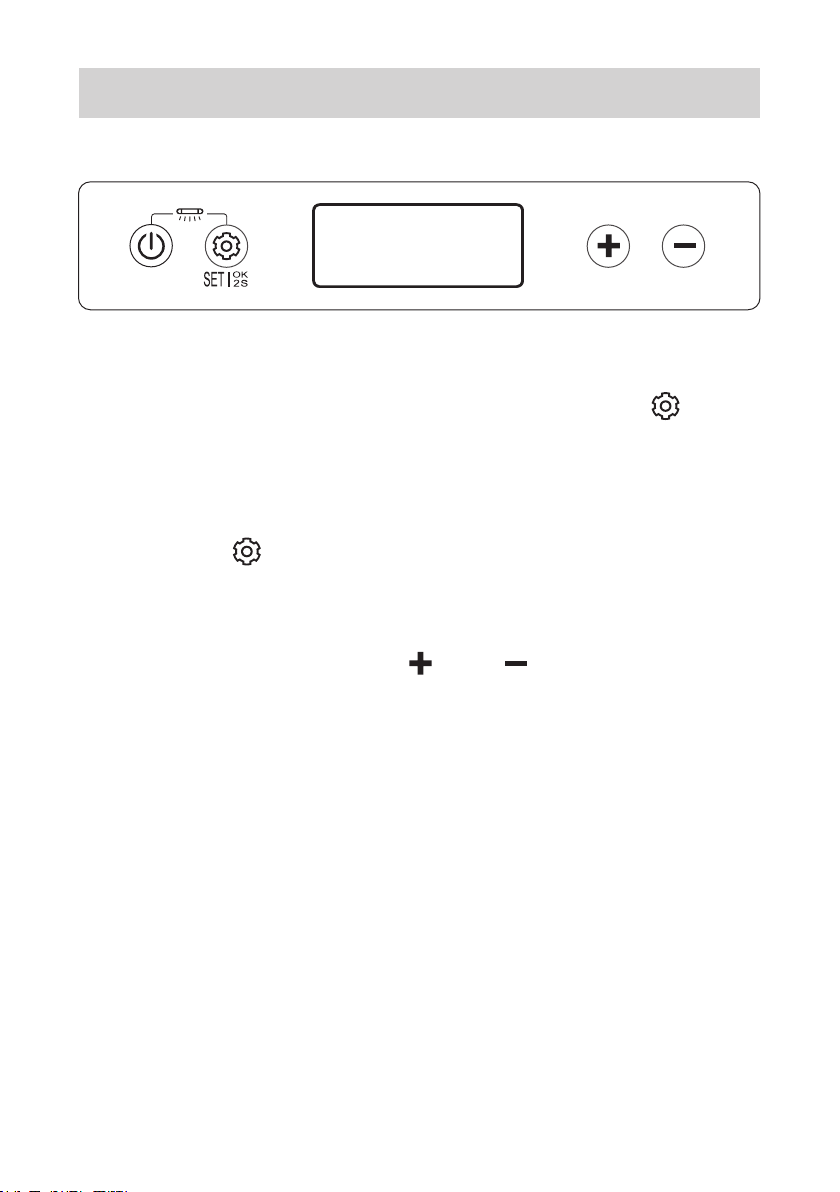
2.1 Setting Temperature
After the fridge turned on, press “ ” or “ ” to
raise or low the set temperature.
Press & hold “ ” or “ ” to linear adjust the
temperature.
-4
UV
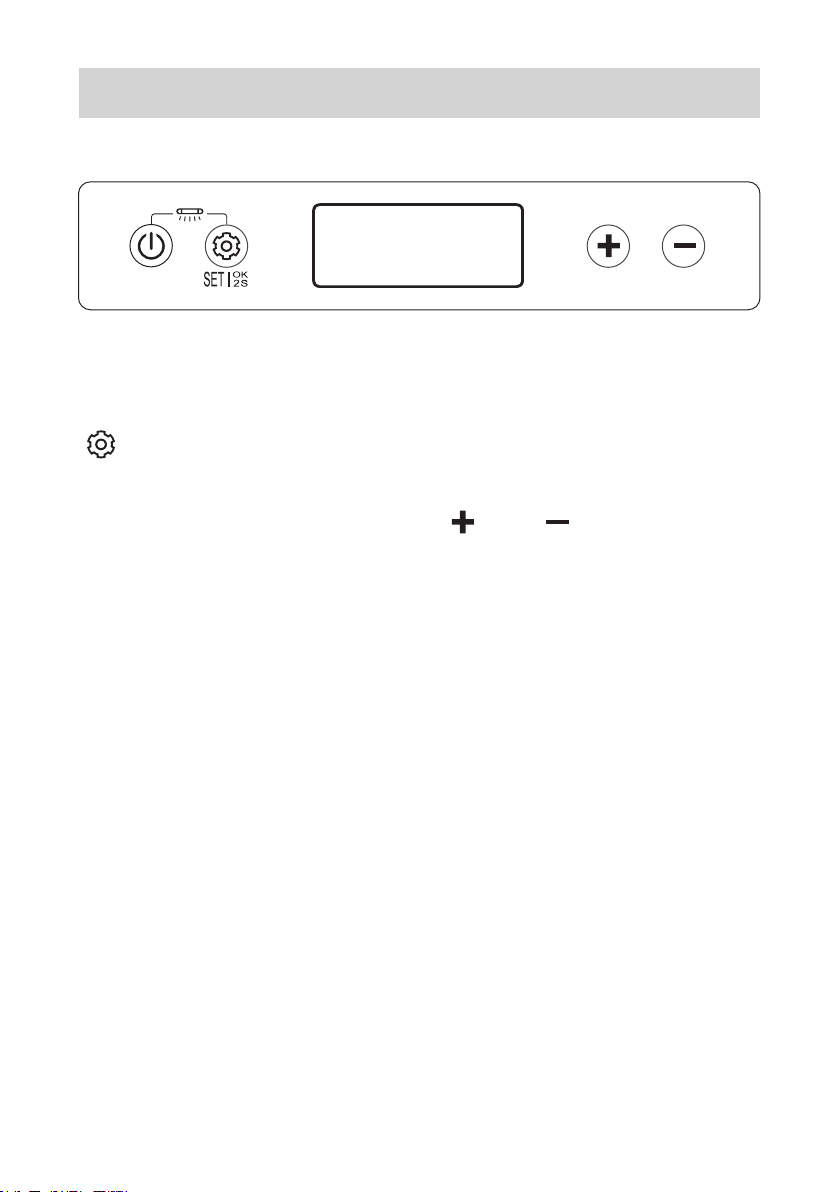
2.2 MAX & ECO Mode
After the fridge turned on, press & hold “ ” for
2 seconds. Fridge will enter the setting mode.
Press the “ ” to adjust the compressor
ef ficiency and the corresponding icon
(MAX, ECO) on the display board will be
FLASHING, press the “ ” or “ ” to switch
dif ferent mode. Wait 5 seconds for the system
to finish the mode change.
There are two mode “MAX” or “ECO” (the
display board will show the running mode).
The factory settings is MAX mode.
04
ECO MAX
UV

2.3 Battery Protection
When enter the fridge setting mode, press the
“ ” to adjust the battery protection level and
the corresponding icon (H, M, L) on display
board will be FLASHING. Press the “ ” or “ ”
to switch dif ferent level. Wait 5 seconds for the
system finish the level change.
05
LOW
VOLTAGE
PROTECTION
POSITION
DISPLAY
12V
CUT OFF
(V)
CUT IN
(V)
CUT OFF
(V)
CUT IN
(V)
24V
1 Bar
2 Bars
3 Bars
9.6 10.9 21.3 22.7
10.4 11.7 22.8 24.2
11.1 12.4 24.3 25.7
MED
HIGH
The factory settings is M level.
06
2.4 Switch Between °C and °F
When enter the fridge setting mode, press the
“ ” to adjust the temperature scale and the
corresponding icon (°C, °F) on display board will
be FLASHING, press the “ ” or “ ” to switch
dif ferent scale. Wait 5 seconds for the system
finish the scale change.
The factory settings is °F.
°F
°C
UV
07
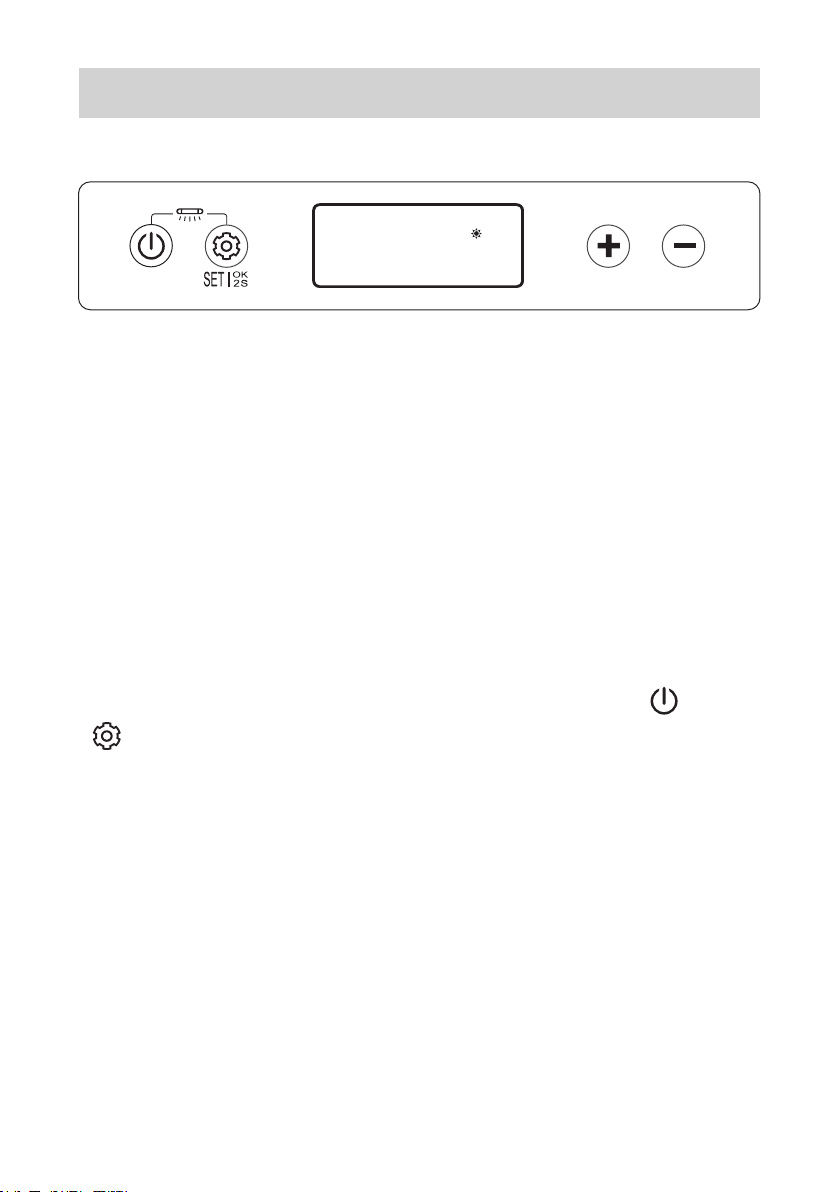
2.5 UV Sterilizer Settings
After the fridge turned on, the UV light will work
automatically. The UV light will finish work after
30 minutes.
When the lid opened the UV light will turn of f
immediately.
If want to cancel the UV sanitizing function.
After the fridge turned on, press & hold “ ” and
“ ” at the same time, the function will turn of f.
Restart the function please repeat the previous
step.
UV
UV

2.6 Alarm For Lid Not Closed Properly
When the refrigerator door is opened continuously
for more than 1 minute, the fridge will ring, and
the refrigerator will display the following pattern
to notice the user to close the door.
When the refrigerator door is closed fasten, the
refrigerator resumes normal display.
This icon will flash if lid not closed completely.
08
UV

Cleaning And Maintenance
3
09
3.1 Cleaning
Always unplug the fridge before cleaning
the fridge.
You can clean the interior and exterior of
the fridge by using warm water, mixed
with a gentle non-abrasive detergent.
You may use a soft sponge, or micro fiber
cloth.
When not in use, it’s better to leave the lids
open to reduce odors.
If odors occur, please clean the fridge
thoroughly, or use baking soda in a bowl
to absorb odors.
10
3.2 Danger Behavior
Use pointed objects to scrape, or defrost ice.
Use abrasive detergents to clean.
Use heavy duty sponges (due to scratching).
Clean the fridge with running water or
pressure washer.
Clean the fridge without power input covers
secured.
+
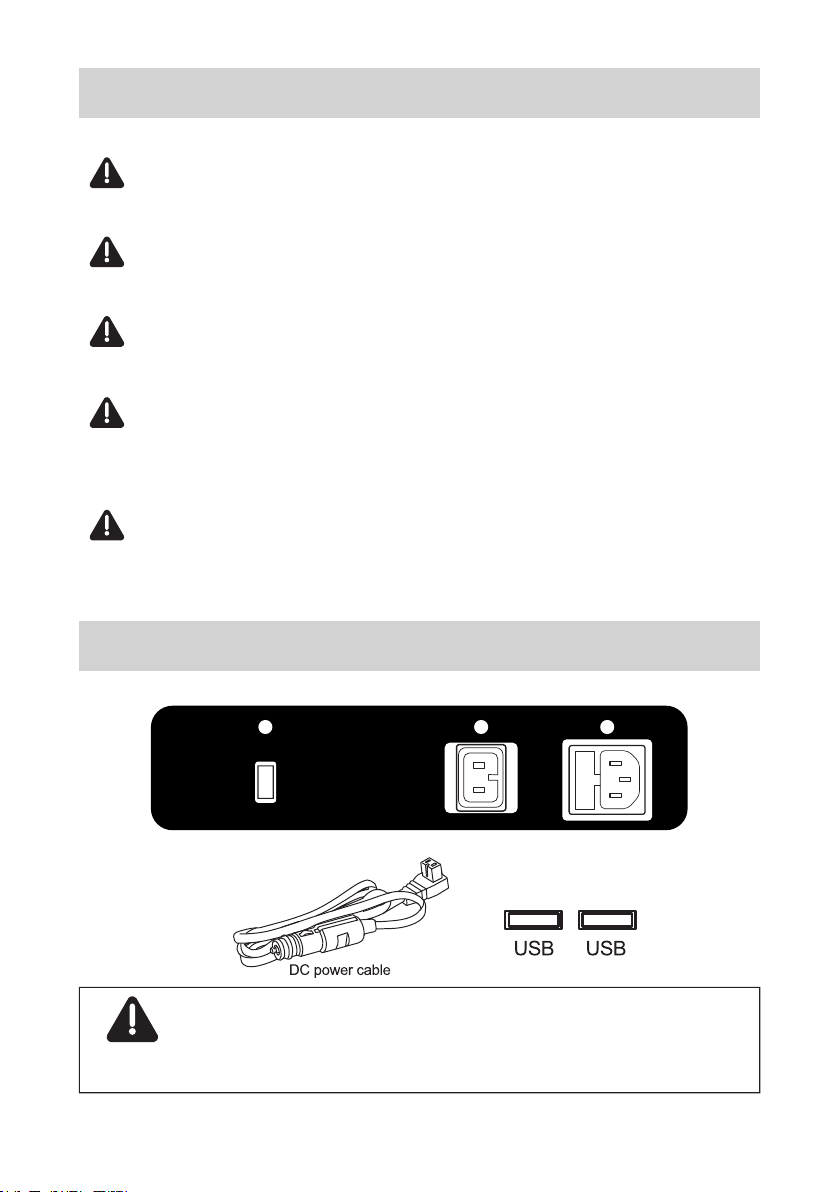
3.3 USB Connector
NOTICE: USB connector only takes
ef fect when charging in DC power cord.
*191.4
73.7
*44.4
*26
*7.537
*32
*29
3.4
*25.1
*14.79.7
7.6
K:100 Pantone 877C
更改描述
A
插座标签
MCD30J
MCD30J.05-03
发 布
技术要求:
1.*号处为重要尺寸,未注公差按GB/T 1804-m级;
2.制件材质为PET/0.2光面,背涂3M9448胶 ;
3.制件颜色要求如图所示,字体清晰,间距均匀;
4.标签件应符合GB/T 4852-2002 斜面球法要求,贴膜(长度300mm),胶水面向上,测试角度30°,
≥21#钢球滚过贴膜不跌落;
5.高温、低温测试(贴于塑料件24H后再做测试);
60℃(6H)→-20℃(6H)→60℃(6H)→-20℃(6H),无起翘、无烧焦现象。
黄玉莲 2022.4.1
林文华 2022.4.1
罗舟明 2022.4.1
谢 羽 2022.4.1
韩梦茹 2022.4.1
DC 12V/24V
AC 100-240V
50/60Hz
USB
4-R1.5
4-R1.8
1.15.030-1315

11
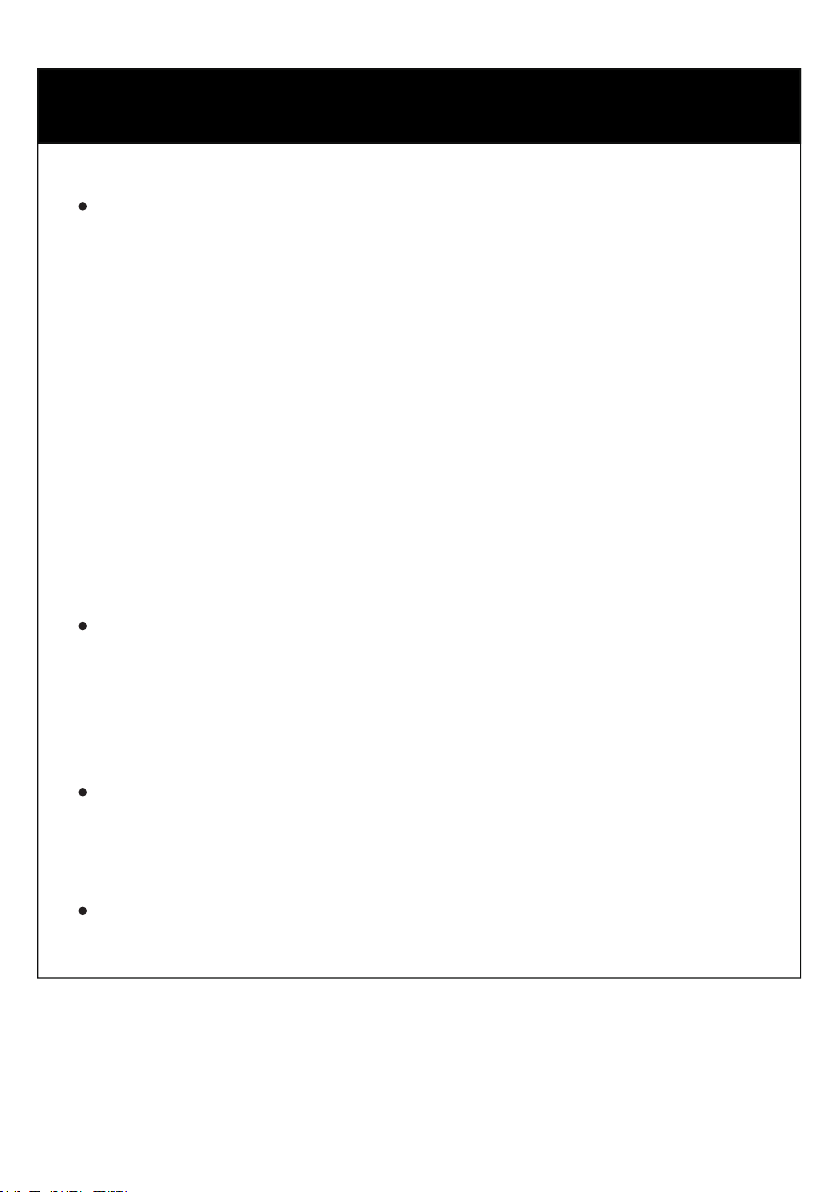
Error Codes & Solutions
4
Description
The cooling fan overloads with more than
1A of current.
E2
Motor start error
The motor of compressor is blocked or the
pressure dif ference in the refrigeration
system is too high.
E3
Minimum motor speed error
The compressor overloads and the motor
can not maintain its minimun speed 1850
rpms.
E4
Thermal cut-out of electronic unit
Thermal cut-out error If the refrigeration
system overloads, or the ambient
temperature is too high, the thermal
sensoris overheated.
E5
The DC voltage is under the protection
setting and the battery protection mode is
activated.
E1
NTC failure
Open circuit or short circuit.
E6
Code
12
Solutions
If this error code appears when the fridge is
operating on 12V DC, please try to lower the
battery protection setting and see if the error
is resolved. The battery protection mode may
be triggered prematurely on certain vehicles
due to small wiring imperfections, contributing
to a measured DC voltage drop at compressor
start-up. Lowering the battery protection
setting may resolve this issue.
Please also care about the reading of your
battery voltage to make sure it is not
depleted/discharged.
If possible, please connect the AC power to try
if the refrigerator appears error code.
Please contact us directly if the error persists.

13
Warranty & Return Policy
5
30 days refund guarantee upon receiving.
For returns or exchanges, please call us,
or fill out the following return and exchange
registration form in the package as a proof
of return. All materials must be returned in
the original condition and packaging. Thank
you for your cooperation.
If the product is received damaged or
defective during transportation, you will
need to contact our customer service
within 2 business days. Make sure to
provide relevant photos or videos, your
order ID number, and your name. A
customer service agent will help assist
into solving the issue at a timely manner
(Return, Exchange, or Discount
Compensation). A free return label will be
provided if needed.
5 years warranty on the compressor.
1 year warranty for other parts or accessories.

14
Troubleshooting (Q & A)
6
1. Heat resistance & water resistance
ICECO refrigerators are engineered to operate at
an ambient temperature of up to 55 °C(131 °F).
Heat resistance
ICECO refrigerators can operate under light rain
conditions. Please keep the vents above clear
of water, and please add some clearances to
the bottom of the fridge if the ground is wet.
Weather Proof
We DO NOT recommend exposing the fridge
to moderate or heavy rain.
As with all electrical appliances, over-exposure
to moisture may shorten the fridge’s life.
15
2. Why did it change back to the original
temperature after setting the
temperature?
The Solid/Non-Flashing number on the display
is the CURRENT interior temperature.
The Flashing number is your SET temperature
after adjustment. The compressor will shut of f
when the SET temperature is reached.
3. What should I do if the refrigerator is
upside down when it is delivered?
Please leave your refrigerator upright for 24
hours to allow the compressor lubricant to
resettle before powering on the fridge.
Otherwise it may contribute to certain operation
abnormalities.

4. What is the function of triple battery
protection? How do they work?
The triple battery protection is designed to
prevent over-discharge and battery depletion.
When the measured DC voltage is below the
set value, the compressor is shut off to prevent
battery depletion.
LOW
VOLTAGE
PROTECTION
POSITION
DISPLAY
12V
CUT OFF
(V)
CUT IN
(V)
CUT OFF
(V)
CUT IN
(V)
24V
1 Bar
2 Bars
3 Bars
9.6 10.9 21.3 22.7
10.4 11.7 22.8 24.2
11.1 12.4 24.3 25.7
MED
HIGH
For example, when you switch to a LOW MODE,
the battery voltage is under 9.6 volts, the
refrigerator will automatically cut the power OFF;
The refrigerator will start again till the battery
voltage reached back to 10.9 volts.
16
17
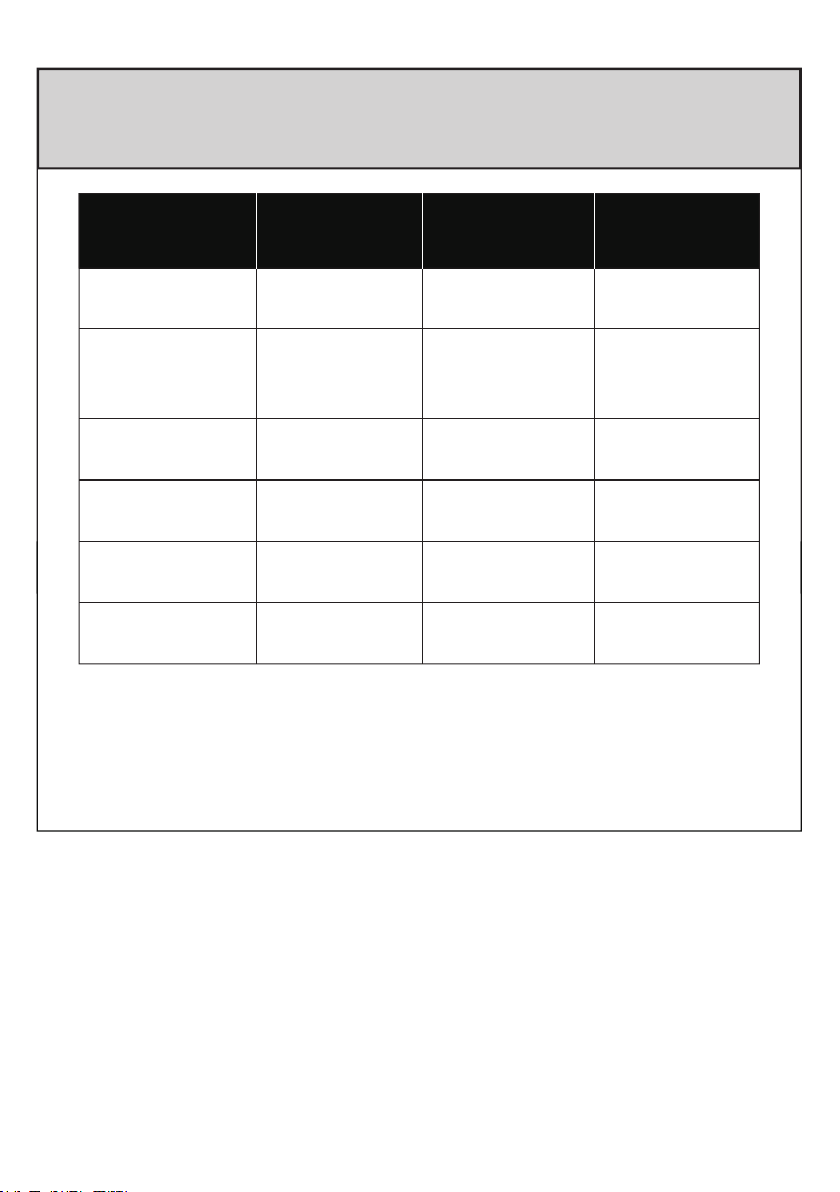
5. What is the power draw in max/ fast
cooling mode?
Model
Electrical
Power
GO12
50W
Model
Electrical
Power
JP42
55W
GO20
50W
VL35
Series
65W
JP Series
60W
VL Series
85W
VL45 ProS
45W
VL60 ProS
47W
VL75 ProD
57W
VL90 ProD
61W
This data is only suitable for laboratory testing,
and the actual power is subject to actual
conditions.
JP40 Pro JP50 Pro
60W 60W

18
Because of the sinking nature of cold air, the
dif ferent temperatures may exist in dif ferent
locations in the refrigerator (the temperature of
the bottom will be the lowest). The panel only
shows the average temperature of the refrigerator.
6. Why is there a temperature dif ference
(between the actual temperature of the
refrigerator and the set temperature)?
7. What kind of cable do I need to use in
the car and at home?
The DC cable is provided. You can power it
from your vehicle's cigarette lighter plug using
the DC cable. You can also power it at home,
but you need to use with AC cable as
precondition.
8. What is the specification of the fuse
of the refrigerator?
The supply line is protected by a 15A fuse
located in the refrigerator.

19
Safety Instruction
7
SAFETY INSTRUCTIONS
Please read the user manual and safety
instructions carefully before using the appliance.
By ignoring the safety instructions, the
manufacturer cannot be held responsible for
the damage.
The use of accessories that are not
recommended by manufacturer can cause
injuries and will invalidate any warranty that
you may have.
The appliance shall not be exposed to
moderate/heavy rain.
Place the refrigerator on a dry, secure surface,
with adaquate ventilation.

20
Do not leave the refrigerator unattended
in uncovered, outdoor areas exposed to
the elements.
!
Do not use this appliance near direct
heatsources, such as an open flame or
radiator.
!
Do not place open containers of liquid
inside the fridge.
!
Please don't put hot/warm food into the
fridge directly without letting it cooling
of f. Place/arrange the content of your
fridge securely when using the refrigerator
inside a moving vehicle.
!
To maximize energy savings, please make sure
the lid is closed and secure, and only open the
fridge when you need to.
The power cable must only be replaced by
qualified technical personnel and by an
assistant body authorized by the manufacturer.
Before carrying out any maintenance operations
on the refrigerator, disconnect all power sources
from the fridge.
This appliance is suitable for camping use.

21
WARNING!
Please keep the fridge in a well ventilated
area.
!
Do not use mechanical devices or other
means to accelerate the defrosting
process, other than those recommended
by the manufacturer.
!
Do not use electrical devices inside the
food storage compartments of the
appliance, unless approved/recommended
by the manufacturer.
!
Do not store explosive items, such as
aerosol cans with a flammable propellant
in this appliance.
!
Risk of fire and electrical shock.
!
Do not let hot items touch the plastic parts
of the appliance.
!
Do not put flammable products or items in,
near or on the appliance.
!

22
Do not touch the compressor or the
condenser when the fridge is operating.
They may be very hot.
!
When setting up the appliance, ensure
the supply cord is not trapped or
damaged.
!
Further information is provided on the
technical data label inside the product.
1. This appliance is not intended for use by
persons (including children) with reduced
physical, sensory or mental capabilities, or lack
of experience and knowledge, unless they have
been given supervision or instruction concerning
use of the appliance by a person responsible for
their safety.
2. Children should be supervised to ensure that
they do not play with the appliance.

23
3. This appliance is intended to be used in
household and similar applications such as
staf f kitchen areas in shops, of fices and
other working environments;
farm houses and by clients in hotels, motels
and other residential type environments;
bed and breakfast type environments;
catering and similar non-retail applications.
4. If the supply cord is damaged, it must be
replaced by the manufacturer, its service agent
or similarly qualified person in order to avoid a
hazard.
5. Do not store explosive substances such as
aerosol cans with a flammable propellant in this
appliance.
6. DANGER: Risk of child entrapment. Before
you throw away your old refrigerator or freezer:
Take of f the doors.
Leave the shelves in place so that
childrenmay not easily climb inside.
*
*

Clean the fabric with a soft cloth and a mix of soft
detergent and warm water - do not use bleach or
any abrasive cleaners.
Do not dry in direct sunlight.
Care Instructions
Available For
JP40 Pro / JP50 Pro
Protective Cover
8
24
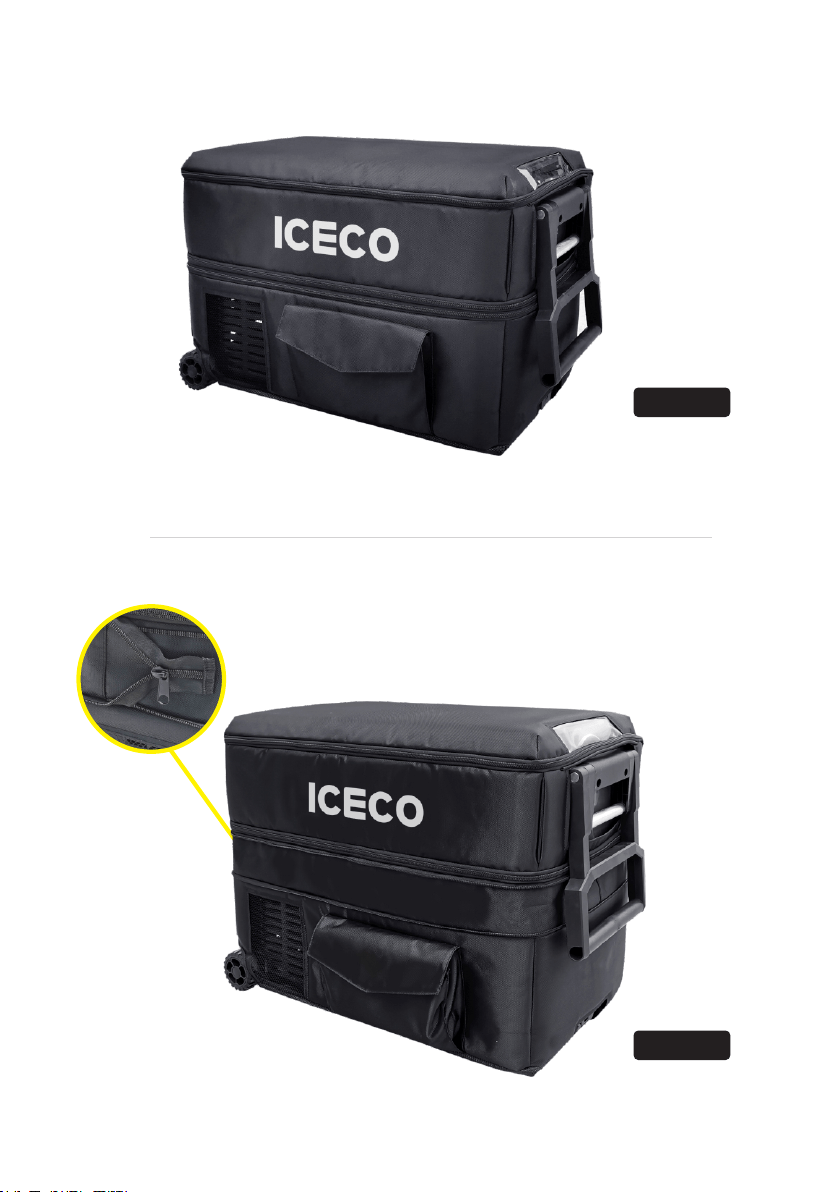
JP40 Pro
JP50 Pro
Open the flexible zipper
25

Cooler Than A Cooler