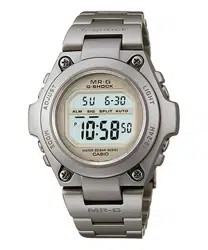
Module No. 2269
2269-1
GENERAL GUIDE
• Press C to change from mode to mode. After you perform an operation in Countdown Timer Mode or Stopwatch Mode, pressing C returns to the Timekeeping Mode.
• In the Timekeeping Mode, Moon Data Mode, Sunrise/Sunset Mode or Alarm Mode, press D to illuminate the display for about two seconds. In the Countdown Timer Mode or Stopwatch
Mode, press E to illuminate the display for about two seconds.
Countdown Timer Mode
Stopwatch Mode
Alarm Mode
Timekeeping Mode
Moon Data Mode
Sunrise/Sunset Mode
TIMEKEEPING MODE
The settings you make in the Timekeeping Mode are very important, because they
affect the Moon Data, Tide Graph, and Sunrise/Sunset functions.
There are three setting screens in the Timekeeping Mode: the Time and Date Setting
Screen, DST, GMT Differential, Point Name Setting Screen, and Longitude/Latitude,
Lunar Tide Interval Setting Screen.
• For normal timekeeping, you need to set the time, and date, and turn daylight
saving time (summer time) on or off.
• To use the Moon Data, Tide Graph, and Sunrise/Sunset functions, you must set the
GMT differential, your current longitude and latitude, and the lunar tide interval on
your point.
• If you do not operate any button for a few minutes while a selection is flashing, the
flashing stops and the watch goes back to the Timekeeping Mode automatically.
• Any time you change a setting on one of the three setting screens, exiting the
setting screens causes the graphics at the top of the display to perform an animated
pattern for a few minutes while the watch calculates data.
To set the time and date
• Use this screen to set the current time and date, to
reset the seconds to 00, and to toggle between 12-hour
and 24-hour timekeeping.
1. In the Timekeeping Mode, check if the DST indicator is
displayed, and change the DST setting in accordance
with the timekeeping in your area.
• Turn on DST if daylight saving time (summer time) is
currently in effect in your area. If daylight saving time is
not currently in effect in your area, be sure to turn DST
off.
• See “DST, GMT Differential, Point Name Setting
Screen” for details about turning DST on and off.
2. In the Timekeeping Mode, hold down A until the
second’s digits start to flash. This is the Time and Date
Setting Screen.
3. Press C to move the selection around the display in the following sequence.
Seconds Hour
Minutes
12/24-Hour
Format
Day YearMonth
4. While the second’s digits are selected (flashing), press E to reset the seconds to
00. If you press E while the second’s count is in the range of 30 to 59, the
seconds are reset to 00 and 1 is added to the minutes. If the second’s count is in
the range of 00 to 29, the minute’s count is unchanged.
5. While any other digits (besides seconds), are selected (flashing), press E to
increase the number or
B
to decrease it. Holding down either button changes the
current number at high speed.
• While the 12/24-hour setting is selected, press E to switch between the two
formats.
• The day of the week is automatically set in accordance with the date.
• The date can be set with the range of January 1,1995 to December 31, 2039.
6. After you are finished making the settings you want, press A to advance to the
DST, GMT Differential, Point Name Setting Screen. To return to the normal
Timekeeping Mode screen, press A three times.
DST, GMT Differential, Point Name Setting Screen
Use this screen to switch DST (daylight saving time or
summer time) on and off, to specify the GMT differential
from your current location and to input new point names.
DST
ON/OFF
GMT
differential
1st
character
2nd
character
8th
character
Point name
To turn DST on and off
While ON or OFF and the small DST mark is flashing on the display, press E to
toggle DST on and off.
• Use C to move the flashing to the GMT differential value.
Important!
• Be sure to use this procedure to turn daylight saving time (summer time) on and off.
Never manually change the timekeeping setting to adjust for daylight saving time.
Doing so will produce incorrect Moon Data, Tide Graph, and Sunrise/Sunset data.
To set the GMT differential
• The GMT differential is the difference in time between the time zone where you are
currently located and Greenwich Mean Time (GMT).
• See “TIME ZONE CHART” for information about determining the GMT differential in
your area.
1. Press E to increase the value or B to decrease it. Holding down either button
changes the setting at high speed.
2. Use
C
to move the flashing to the first character of the point name.
Day of week
Hour : Minutes Seconds
Month - Day
PM indicator
Tide graph
Moon graph
Point name
DST ON/OFF
GMT differential
Press C.
Press C.
To change a point name
1. Press
E
to scroll forward through the characters at the current flashing location, or
B to scroll backwards. Holding down either button changes the current characters
at high speed.
2. When the character you want is displayed, press C to advance to the next
character.
3. Repeat steps 1 and 2 for all eight characters of the point name.
• After you are finished making the settings you want, press A to advance to the
Longitude/Latitude, Lunar Tide Interval Setting Screen.
Longitude/Latitude, Lunar Tide Interval Setting Screen
Use this screen to specify the longitude, latitude, and
lunar tide interval of your current location.
Longitude/Latitude
Luner tide interval
MinutesHours
Latitude
Longitude
Lunar tide interval
Press C.
Press C.
To set the longitude and latitude of your current location
While the Longitude/Latitude is flashing on the display, use E to change the longitude
value and B to change the latitude value. To reverse the direction of the change
(from increase to decrease, or from decrease to increase), press D.
• After you are finished making the settings you want, press C to advance to the
Lunar Tide Interval Setting Screen.
To set the lunar tide interval at your current location
1. Press E to increase the hours value or B to decrease it. Holding down either
button changes the setting at high speed.
2. Press C to move to the minute’s digits.
3. Press E to increase the minutes value or B to decrease it.
4. After you are finished making the settings you want, press A to return to the
normal Timekeeping Mode Screen.
About the lunar tide interval
The lunar tide interval is the period from the moon’s upper transit (moon up) to high
tide. If you know the lunar tide interval, tide changes can be determined using the
moon age. This watch calculates tide changes according to the current time and the
location setting, and displays them graphically.
To calculate the lunar tide interval
1. Look up the high tide time for the flood tide of the location whose tide changes you
want to know.
2. Use this watch to look up the moon up time that occurs immediately before this
time.
3.
Subtracting the moon up time from the high tide time produces the lunar tide interval.
MULTI-TIME MODE
To view point data
1. In the Timekeeping Mode, press B to enter the Multi-time Mode. The first point
that appears is the one you selected as your home (Timekeeping Mode) point.
2. Press
B
to scroll through the data for the 10 points. The watch beeps and returns
to the Timekeeping Mode after the tenth point.
• Pressing C at any time in the Multi-time Mode immediately returns to the
Timekeeping Mode.
• You can use the procedure under “DST, GMT Differential, Point Name Setting
Screen” and “Longitude/Latitude, Lunar Tide Interval Setting Screen” to
change the name and other data of a point.
Multi-time Mode
Point name
Local time
Press B.
This watch comes pre-programmed with data for 10 surfing points around the world.
The data for each point includes an 8-character point name, GMT differential,
longitude and latitude, and lunar tide interval. Setting the current time and date for any
of the points causes the time and date settings for all other points to be adjusted
accordingly. In the case of DST, however, you must make a separate setting for each
point. You can use the following procedure to select any one of the ten points as your
home time point.
• See the “PRESET LOCATION CHART” for details on the locations whose data is
preset in watch memory when you purchase it.
To select a point for your home time
While the point you want to use for your home time is displayed in the Multi-time
Mode, hold down E for about two seconds.
MA0401-EB

2269-2
Auto light
switch on indicator
Moving the watch to a position that is parallel to the ground and then tilting it
towards you more than 40 degrees causes the backlight to illuminate.
ABOUT THE BACKLIGHT
About the Auto Light Switch
When the auto light switch is turned on, the backlight automatically turns on for two
seconds under the conditions described below. Avoid wearing the watch on the inside
of your wrist. Doing so causes the auto light switch to operate when not needed,
which shortens battery life.
Parallel to ground
40
°
More than
Parallel to ground
More than 15 degrees too high More than 15 degrees too low
New Moon Crescent
Moon
Half Moon
First Quarter
Full Moon Half Moon
Last Quarter
To display the moon up and moon down time for a specific date
• The moon data for your home (Timekeeping Mode)
point appears first when you enter the Moon Data Mode.
• Press E (forward) or B (back) within about two
seconds after entering the Moon Data Mode to scroll to
another point. It takes a few minutes before moon data
appears after you display the name of a point.
• If you do not perform any button operation, about two
seconds after you enter the Moon Data Mode the
display changes automatically to show the moon data
for today’s date. Pressing E advances to the next date,
while B goes back to the previous date. Holding down
either button scrolls the date at high speed. It takes a
few minutes before moon data appears after you display
a date.
Point name
Month
Day
Moon age
Moon down time
Moon up time
Year
Month
Day
High
Ebb Flood High
Tide graph
Time
Low
The black bar on the tide graph indicates
the current tide.
Month - Day
Point name
Day
Sunset time Sunrise time
Month
• The backlight may not illuminate if the face of the watch is more than 15 degrees off
parallel to the left or right. Make sure that the back of your hand is parallel to the
ground.
• Static electricity or magnetic force can interfere with proper operation of the auto
light switch function. If the backlight does not illuminate, try moving the watch back
to the starting position (parallel with the ground) and then tilt it back toward you
again. If this does not work, drop your arm all the way down so it hangs at your side,
and then bring it back up again.
• Under certain conditions the backlight may not light until about one second after you
turn the face of the watch towards you. This does not necessarily indicate
malfunction of the backlight.
To turn the auto light switch on and off
In the Timekeeping Mode, hold down E for one or two seconds to turn the auto light
switch function on and off.
Hold down E
.
ON OFF
• The auto light switch indicator is shown on the display in all modes while the auto
light switch is on.
• In order to protect against running down the battery, the auto light switch is
automatically turned off approximately six hours after you turn it on. Repeat the
above procedure to turn the auto light switch back on if you want.
• Pressing D (Timekeeping Mode, Moon Data Mode, Tide Graph Mode, Sunrise/
Sunset Mode, Alarm Mode) or E (Countdown Timer Mode, Stopwatch Mode)
illuminates the display, regardless of the auto light switch’s on/off setting.
Caution
• The backlight of this watch employs an electro-luminescent (EL) light, which loses
its illuminating power after very long term use.
• Frequent use of the backlight shortens the battery life.
• The watch may emit an audible sound whenever the display is illuminated. This is
due to vibration of the EL panel used for illumination, and does not indicate
malfunction.
Warning!
• Never try to read your watch when mountain climbing or hiking in areas that
are dark or in areas with poor footing. Doing so is dangerous and can result in
serious personal injury.
• Never try to read your watch when running where there is the danger of
accidents, especially in locations where there might be vehicular or
pedestrian traffic. Doing so is dangerous and can result in serious personal
injury.
• Never try to read your watch when riding on a bicycle or when operating a
motorcycle or any other motor vehicle. Doing so is dangerous and can result
in a traffic accident and serious personal injury.
• When you are wearing the watch, make sure that its auto backlight function is
turned off before riding on a bicycle or operating a motorcycle or any other
motor vehicle.
Sudden and unintended operation of the auto backlight can create a
distraction, which can result in a traffic accident and serious personal injury.
MOON DATA MODE
Be sure to set the current time and your current location before trying to use the Moon
Data Mode.
The Moon Data Mode display shows the current moon age, as well as moon up and
moon down times. Moon age is indicated both by a value and one of the following
graphics.
• The light part of the moon graph shows the part of the Moon that is visible in the sky
during each particular phase.
• The moon graph shows the Moon as viewed at noon from a position in the Northern
Hemisphere looking south. Note that at times the image shown by the moon graph
may differ from that of the actual Moon in your area.
• The left-right orientation of the Moon phase is reversed when viewing from the
Southern Hemisphere or from a point near the equator.
• The moon up time indicates when the moon will
reach its highest point relative to your current
location (upper transit), while the moon down time
indicates when it will reach its lowest point (lower
transit). Note that moon up and moon down times
are accurate up to ±30 minutes.
Moon
Moon-Up
Earth
Location
Moon Moon-Down
• Note that once the moon data display appears, you
cannot change to another point. To change to another
point, press
A
twice to return to the point name display
and make the changes you want.
• Moon data is displayed in 5-minute units.
• For days around the full moon (moon age 15) or new
moon (moon age 29.5), there are days where there is
no moon up or moon down. In such cases, the xx:xx
is shown for the moon up or moon down time.
TIDE GRAPH MODE
1. Press A while in the Moon Data Mode to enter the
Tide Graph Mode. The display shows the tide graph for
6:00 am on the date that was selected in the Moon
Data Mode.
2. Use E (forward) and B (back) to scroll the time in
1-hour increments. Holding down either button changes
the time at high speed.
• Note that once you enter the Tide Graph Mode, you
cannot change to another point or date. To change to
another point or date, press A to return to the Moon
Data Mode, make the changes you want, and then
reenter the Tide Graph Mode.
SUNRISE/SUNSET MODE
• The today’s sunrise and sunset data for the point
currently selected in the Moon Data Mode appears first
when you enter the Sunrise/Sunset Mode.
• Press E (forward) or B (back) within about two
seconds after entering the Sunrise/Sunset Mode to
scroll to another point. It takes a few minutes before
sunrise/sunset data appears after you display the name
of a point.
• If you do not perform any button operation, about two
seconds after you enter the Sunrise/Sunset Mode the
display changes automatically to show the sunrise/
sunset data for today’s date. Pressing E advances to
the next date, while B goes back to the previous date.
Holding down either button scrolls the date at high
speed. It takes a few minutes before sunrise/sunset
data appears after you display a date.
• Note that once the sunrise/sunset data display appears, you cannot change to
another point. To change to another point, press
A
to return to the point name
display and make the changes you want.
• Sunrise/sunset data is displayed in 5-minute units.
COUNTDOWN TIMER MODE
The countdown start time can be set within a range of 1 second to 24 hours. When
the countdown reaches zero, an alarm sounds.
To set the countdown start time and to switch auto repeat timing on and off
1. Hold down A while in the Countdown Timer Mode.
The minute’s digits flash on the display because they
are
selected
.
2. Press C to change the selection in the following
sequence.
Minutes
Auto repeat on/off
Seconds Hours
3. While the hour, minutes, or second’s digits are flashing, press E to increase the
value or B to decrease it. Holding down either button changes the value at high
speed.
• To set the starting value of the countdown time to 24 hours, set 0:00 00.
4. While the auto repeat indicator is flashing, press E toggle auto repeat on and off.
The auto repeat indicator is on the display only while you are setting the countdown
start time.
Press E.
Auto repeat OFF Auto repeat ON
5. After you set the countdown start time and auto repeat timing on and off, press A
to return to the Countdown Timer Mode.
Hours : Minutes
Seconds

2269-3
1/100
second
Minutes
Seconds
Minutes
Seconds
Hours
Alarm on indicator
Hourly time signal on
indicator
HOSSEGOR
■ PIPELINE
■
■
■ TORAMI
■
REUNION
FIGUEIRA ■
■
JEFFREY
HUNTNGTN
■
■
RIO
EAST JAVA
■
GOLD CST
GMT
differential
Lunar Tide
Interval
Point name Longitude Latitude
TORAMI 140° E35° N 9 4:50
GOLD CST 154° E28° S 10 8:30
PIPELINE 158° W22° N –10 3:00
HUNTNGTN 118° W34° N –8 9:20
RIO 43° W23° S –3 3:00
FIGUEIRA 9° W40° N 0 2:10
HOSSEGOR 1° W44° N 1 3:10
JEFFREY 25° E34° S 2 3:10
REUNION 55° E21° S 4 1:40
EAST JAVA 114° E9° S 7 10:40
To use the countdown alarm
1. Press D while in the Countdown Timer Mode to start the countdown alarm.
2. Press D again to stop the countdown alarm.
• You can resume countdown alarm operation by pressing D.
3. Press D to stop the countdown alarm, and then press B to reset the countdown
time to its starting value.
• When the end of the countdown is reached and auto repeat timing is off, the alarm
sounds for 10 seconds or until you stop the alarm by pressing any button.
Countdown timing stops and the countdown time is automatically reset to its starting
value after the alarm stops.
• When the end of the countdown is reached while auto repeat is on, the alarm
sounds, but the countdown restarts from the beginning without stopping. You can
stop the countdown by pressing D and manually reset to the start time by pressing
B.
• If you set a starting time of 10 seconds or less and have Auto Repeat turned on, the
countdown alarm tone (which normally sounds for 10 seconds) sounds for only one
second.
To turn the progress beeper on and off
While the Countdown Timer Mode screen shows its starting value or while a
countdown operation is in progress, press B to toggle the progress beeper on and
off.
OFF ON
• When the progress beeper is turned on, the watch beeps as the countdown time
passes the 10, 5, 4, 3, 2, and 1-minute marks, and the 50, 40, 30, 20, 10, 5, 4, 3, 2,
and 1-second marks.
STOPWATCH MODE
The Stopwatch Mode lets you measure elapsed time, split
times, and two finishes. The range of the stopwatch is 23
hours, 59 minutes 59 seconds. You can use the EL
backlight at any time while the stopwatch is operating by
pressing E.
• For the first 60 minutes, the screen shows minutes,
seconds, and 1/100 second. After 60 minutes, the
screen format changes to show hours, minutes, and
seconds.
• The stopwatch continues to run, restarting from zero
after it reaches its limit, until you stop it.
Elapsed time measurement
Start
Stop Re-start Stop Clear
Start
Split Split release Stop Clear
Start
Split Stop Split release Clear
Split time measurement
Split time and 1st-2nd place times
First runner
finishes.
Display time of
first runner.
Second runner
finishes.
Display time of
second runner.
Auto-Start
In addition to the normal instant start at the press of a
button, the stopwatch can also be set up to start timing
automatically after five seconds have elapsed.
• While the stopwatch is stopped and cleared to all zeros,
press A to toggle auto-start on and off. Turning on
auto-start displays 5 in the lower part of the display. 00'
00" 00 is displayed when auto-start is turned off.
ALARM MODE
You can set three independent alarms with the hour,
minutes, month and day. Use the Alarm Mode to turn the
alarm and the Hourly Time Signal on and off.
• When an alarm is turned on, an alarm tone sounds for
20 seconds when the preset time reached.
• When the Hourly Time Signal is turned on, the watch
beeps every hour on the hour.
Alarm types
The types of alarm you get depends on the information
you set.
• To set a daily alarm
Set the hour and minutes for the alarm time. Set “xx” for the
month and day. This type of setting causes the
alarm to sound everyday at the time you set.
• To set a date alarm
Set the month, day, hour and minutes for the alarm time. This type of setting causes
the alarm to sound at the specific time, on the specific date you set.
• To set a 1-month alarm
Set the month, hour and minutes for the alarm time. Set “xx” for the day. This type
setting causes the alarm to sound every day at the time you set, only during the
month you set.
• To set a month alarm
Set the day, hour and minutes for the alarm time. Set “
xx
” for the month. This type of
the setting causes the alarm to sound every month at the time you set, on the day you
set.
Day
Month
Alarm on indicator
Alarm number
Hour : Minutes
To set the alarm time
1. Press E while in the Alarm Mode to select Alarm 1 through Alarm 3 and Hourly
Time Signal.
Alarm 1 Alarm 3Alarm 2
Hourly Time Signal
2. After you select an alarm, hold down A until the hour digits start to flash on the
display. The hour digits flash because they are
selected
. At this time the Alarm is
automatically switched on.
3. Press C to change the selection in the following sequence.
Hour Minutes Month Day
4. Press E to increase the number or B to decrease it. Holding down either button
changes the current number at high speed.
• The format (12-hour and 24-hour) of the alarm time matches the format you select
for normal timekeeping.
• When setting the alarm time using the 12-hour format, take care to set the time
correctly as morning or afternoon.
5. After you set the alarm time, press A to return to the Alarm Mode.
• If you do not operate any button for a few minutes while a selection is flashing, the
flashing stops and the watch goes back to the Alarm Mode automatically.
To stop the alarm
• Press any button to stop the alarm after it starts to sound.
To switch an alarm on and off
1. In the Alarm Mode, press E to select an alarm.
2. When an alarm you want to is selected, press B to
switch it on and off.
• If any alarm is on, the alarm on indicator is shown on
the display when you change to another mode.
To switch the Hourly Time Signal on and off
1. In the Alarm Mode, press E to select the Hourly Time
Signal.
2. When Hourly Time Signal is selected, press B to
switch it on and off.
• If Hourly Time Signal is on, the Hourly Time Signal On
indicator is shown on the display when you change to
another mode.
To test the alarm
Hold down E while in the Alarm Mode to sound the
alarm.
PRESET LOCATION CHART

2269-4
TIME ZONE CHART
North America
180° 165° 150°
135° 120° 105° 90°
75°
180°
165°
0°
15°
60° 45°
60°
45°
30°
15°
.
.
.
.
.
.
.
.
.
.
.
.
.
.
.
.
.
.
.
.
.
.
1
2
3
4
12
8
9
6
5
7
.
10
11
15
14
18
22
16
21
13
19
23
20
17
NO.
CITY
THE DIFFERENCE
FROM GMT FOR
STANDARD TIME
LONGITUDE
LATITUDE
1. PAGO PAGO –11 171°W14°N
2. HONOLULU –10 158°W21°N
3. ANCHORAGE –9 150°W61°N
4. NOME –9 165°W65°N
5. LOS ANGELES –8 118°W34°N
6. SAN FRANCISCO –8 122°W38°N
7. LAS VEGAS –8 115°W36°N
8. VANCOUVER –8 123°W49°N
9. SEATTLE –8 122°W48°N
10. DENVER –7 105
°W40°N
11. EL PASO –7 106
°W32°N
12. EDMONTON –7 114
°W54°N
13. CHICAGO –688
°W42°N
14. HOUSTON –695
°W30°N
NO.
CITY
THE DIFFERENCE
FROM GMT FOR
STANDARD TIME
LONGITUDE
LATITUDE
15. DALLAS/
FORT WORTH –697°W33°N
16. NEW ORLEANS –690°W30°N
17. WINNIPEG –697°W50°N
18. MEXICO CITY –699°W19°N
19. NEW YORK –574°W41°N
20. MONTREAL –574°W45°N
21. DETROIT –5
83°W42°N
22. MIAMI –5
80°W26°N
23. BOSTON –5
71°W42°N
Add 1 hour to the difference time if DST
(Daylight Saving Time) is used. (EX. if difference
of standard time is +2, that of DST is +3.)
Central and South America
0°
15°
30°
105° 90°
75° 60° 45°
45°
1
2
3
4
5
7
10
6
11
1
12
9
8
.
.
.
.
.
.
.
.
.
.
.
.
NO.
CITY
THE DIFFERENCE
FROM GMT FOR
STANDARD TIME
LONGITUDE
LATITUDE
1. PANAMA CITY –580°W9°N
2. LIMA –577°W12°S
3. BOGOTA –574°W5°N
4. CARACAS –467°W10°N
5. LA PAZ –468°W17°S
6. SANTIAGO –471°W33°S
7. PORT OF SPAIN –461°W11°N
8. RIO DE JANEIRO –3
43°W23°S
9. SAO PAULO –3
47°W24°S
10. BRASILIA –3
48°W16°S
11. BUENOS AIRES –3
58°W35°S
12. MONTEVIDEO
–356°W35°S
NO.
CITY
THE DIFFERENCE
FROM GMT FOR
STANDARD TIME
LONGITUDE
LATITUDE
Add 1 hour to the difference time if DST
(Daylight Saving Time) is used. (EX. if difference
of standard time is +2, that of DST is +3.)
Europe
.
.
.
.
.
.
.
.
.
.
.
.
.
.
.
.
17
15
13
8
7
6
9
5
4
12
11
16
14
10
2
3
.
1
15° 0° 15° 30°
45°
45°
60°
NO.
CITY
THE DIFFERENCE
FROM GMT FOR
STANDARD TIME
LONGITUDE
LATITUDE
1. AZORES –125°W38°N
2. LONDON +0 0°E51°N
3. DUBLIN +0 6°W53°N
4. CASABLANCA +0 8°W34°N
5. LISBON +0 9°W39°N
6. PARIS +1 2°E49°N
7. MILAN +1 9°E45°N
8. ROME +1
12°E42°N
9. MADRID +1
4°W40°N
10. AMSTERDAM +1
5°E52°N
11. HAMBURG +1
10°E54°N
12. FRANKFURT
+1 9°E50°N
13. VIENNA
+1 16°E48°N
14. STOCKHOLM
+1 18°E59°N
NO.
CITY
THE DIFFERENCE
FROM GMT FOR
STANDARD TIME
LONGITUDE
LATITUDE
15. ATHENS +2 24°E38°N
16. HELSINKI +2 25°E60°N
17. ISTANBUL +2 29°E41°N
Add 1 hour to the difference time if DST
(Daylight Saving Time) is used. (EX. if difference
of standard time is +2, that of DST is +3.)
Africa and Middle East
30°
75°60°45°30°15°0°15°
30°
15°
0°
15°
9
8
7
6
5
4
1
3
2
1
15
14
13
12
1
11
10
16
.
.
.
.
.
.
.
.
.
.
.
.
.
.
.
.
NO.
CITY
THE DIFFERENCE
FROM GMT FOR
STANDARD TIME
LONGITUDE
LATITUDE
1. BEIRUT +2 35°E34°N
2. DAMASCUS +2 36°E33°N
3. CAPE TOWN +2 18°E34°S
4. KUWAIT +3 48°E29°N
5. RIYADH +3 47°E25°N
6. JEDDAH +3 39°E21°N
7. ADEN +3 45°E13°N
8. ADDIS ABABA +3
39°E9°N
9. NAIROBI +3
37°E1°S
10. DUBAI +4
55°E25°N
11. ABU DHABI +4
54°E24°N
12. MUSCAT
+4 58°E23°N
13. KARACHI
+5 67°E25°N
14. PRAIA
–123°W15°N
NO.
CITY
THE DIFFERENCE
FROM GMT FOR
STANDARD TIME
LONGITUDE
LATITUDE
15. DAKAR +0 17°W15°N
16. ABIDJAN +0 4°W5°N
Add 1 hour to the difference time if DST
(Daylight Saving Time) is used. (EX. if difference
of standard time is +2, that of DST is +3.)
Asia and South Pacific
..
.
.
.
.
.
.
.
.
.
.
.
.
.
.
.
.
.
.
.
.
.
1
11
2
49
8
6
14
5
7
10
17
16
15
3
12
20
26
22 25
21
27
23
24
45°
30°
15°
0°
15°
30°
45°
150°165°180°165°150°135°120°105°90°
75°
60°
.
.
.
13
19
18
NO.
CITY
THE DIFFERENCE
FROM GMT FOR
STANDARD TIME
LONGITUDE
LATITUDE
1. DHAKA +6 90°E24°N
2. BANGKOK +7 101°E14°N
3. JAKARTA +7 107°E6°S
4. PHNOM PENH +7 105°E12°N
5. HANOI +7 106°E21°N
6. VIENTIANE +7 103°E18°N
7. HONG KONG +8 114°E22°N
8. SINGAPORE +8 104°E1°N
9. KUALA LUMPUR +8 102°E3°N
10. BEIJING +8 116
°E40°N
11. TAIPEI +8 121
°E25°N
12. MANILA +8 121
°E15°N
13. PERTH +8 116
°E32°S
14. ULAANBAATAR +8 107
°E48°N
15. TOKYO +9 140
°E36°N
NO.
CITY
THE DIFFERENCE
FROM GMT FOR
STANDARD TIME
LONGITUDE
LATITUDE
16. SEOUL +9 127°E38°N
17. PYONGYANG +9 126°E39°N
18. SYDNEY +10 151°E34°S
19. MELBOURNE +10 145°E38°S
20. GUAM +10 145°E13°N
21. NOUMEA +11 166°E22°S
22. PORT VILA +11 168°E18°S
23. WELLINGTON +12 175°E41°S
24. CHRISTCHURCH +12 173°E44°S
25. NADI +12 177
°E18°S
26. NAURU ISLAND +12 167
°E1°S
27. PAPEETE –10 150
°W18°S
Add 1 hour to the difference time if DST
(Daylight Saving Time) is used. (EX. if difference
of standard time is +2, that of DST is +3.)