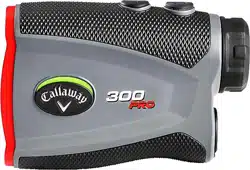
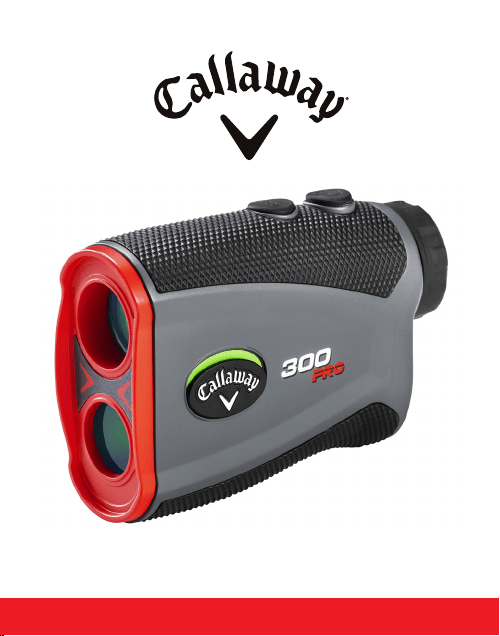
300 PRO LASER RANGEFINDER
Product Callaway 300 PRO Laser Rangender
Model 300 PRO
Dimensions 4” x 1.4” x 2.7”
Weight 5.4 oz. (155g) (Without Battery)
Battery CR2 3-Volt Lithium Battery
Display LCD display
Magnication 6X
Max Range 5-1000 yd
Range To Flag 5-300 yd
Accuracy +/- 1 yd
Slope Measurement Range -89° - 90°
Unit of Measure Yards/Meters
Water/Fog Proof Weather Resistant (IPX3)
SPECIFICATIONS
INTRODUCTION
Thank You for choosing the Callaway 300 PRO Laser Rangender,
delivering precise distance measurements in a sleek, compact
design. The 300 PRO now features our P.A.T. (Pin Acquisition
Technology) with Pulse Technology, which provides the golfer with
a short vibration to conrm that the laser has locked on to the pin.
2 INTRODUCTION
BATTERY INSTALLATION
1. Lift hatch tab.
2. Turn counterclockwise to open.
3. Remove protective plastic battery cover.
4. Replace battery cap & tighten by turning clockwise.
NOTE: When the Battery Indicator icon is empty, there are
approximately 200 ranges left until the battery is completely
drained. The Battery Indicator icon will ash when the battery
needs to be replaced.
BATTERY INSTALLATION 3
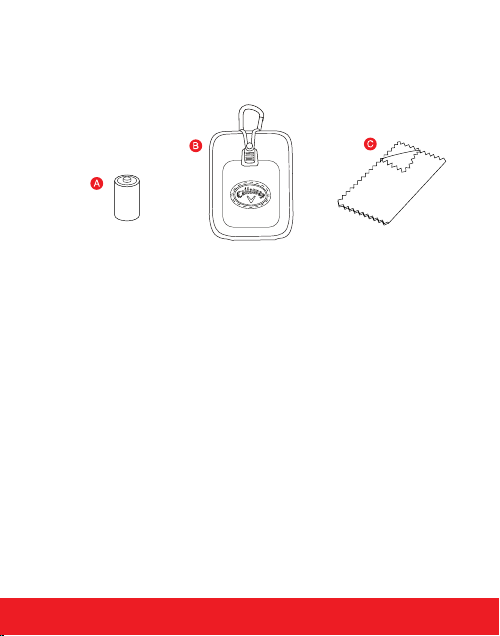
INCLUDES
A. CR2 - 3-Volt Lithium Battery
B. Carry Case
C. Cleaning Cloth
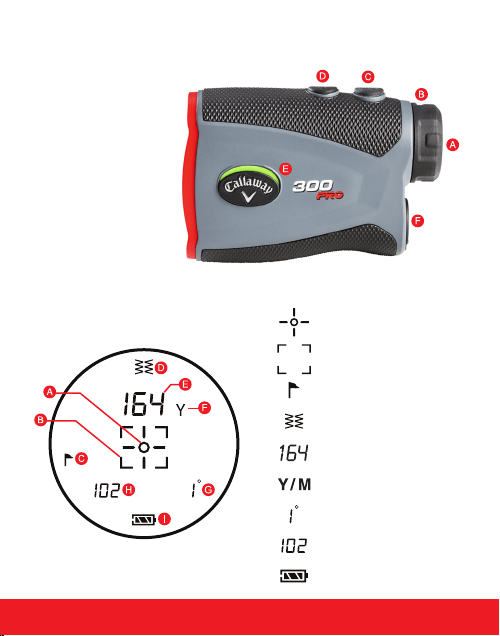
RANGEFINDER DIAGRAM
A. Eye Piece
B. Diopter Adjustment
C. Power Button
D. Mode Button
E. Slope Switch
F. Battery Door
LCD DISPLAY
A. Zero-In Aiming Circle
B. Laser Indicator Box
C. P.A.T. Mode Indicator
D. Pulse Indicator
E. Distance
F. Unit of Measure
G. Angle of Incline/Decline
H. Slope Adjusted Distance
I. Battery Indicator
4 HOW TO USE
HOW TO USE
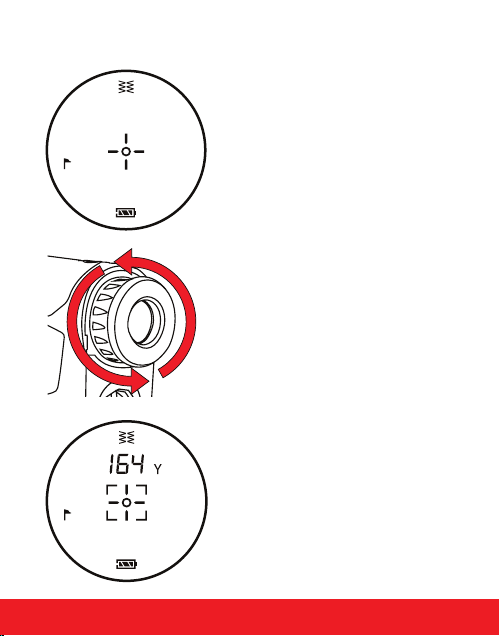
1. While looking through the Eye
Piece, PRESS and RELEASE the
Power Button. The rangender is
now powered on.
2. To focus/increase clarity, use the
Diopter Adjustment by turning
the Eye Piece.
3. Continue looking through the Eye
Piece, aim the Zero-In Aiming
Circle at your intended target and
PRESS the Power Button. The laser
will re and the Laser Indicator
Box will appear around the Zero-In
Aiming Circle. The measurement
will be displayed at the top of the
LCD display.
---
Y
HOW TO USE 5
---
Y ---
Y
MEASUREMENT MODES
1. Standard - Standard Mode is recommended when measuring
distances to larger objects. (Fig. A)
2.
6 HOW TO USE
4. Unit of Measure - To change the unit of measure from Yards to
Meters, start with the device powered o. Then HOLD the Mode
Button for 3 sec. The unit of measure is indicated by a “Y” or “M”
shown directly to the right of the distance displayed.
P.A.T. with Pulse Technology - P.A.T. Mode is best used when
measuring the distance to a Flagstick or smaller objects. Device
will provide a short vibration to conrm that the laser has locked
on to the pin. To toggle between Standard and P.A.T Mode, quickly
PRESS the Mode Button once while device is powered on. When
P.A.T. Mode is activated, the agstick icon will appear on the left
side & the Pulse icon will appear at the top of the LCD display (Fig. B).
To turn Pulse ON/OFF, quickly PRESS the Mode Button Twice.
3. Scanning - To measure distances to multiple targets in succession,
PRESS & RELEASE the Power Button to power on. Then HOLD
Power Button, the Laser Indicator Box will ash and the laser
will continuously re. Measurements will change as you scan the
landscape and change targets.
NOTE: While scanning in P.A.T. Mode, the measurement will only change
when a shorter distance is measured. This is useful when measuring the
distance to a agstick when there are trees or other objects in the background.
HOW TO USE 7
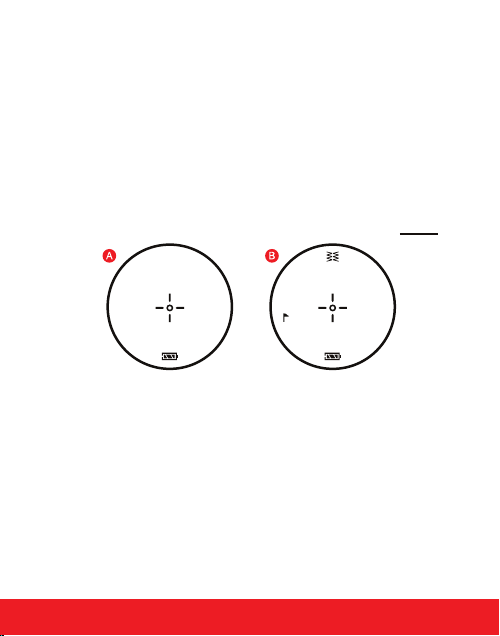
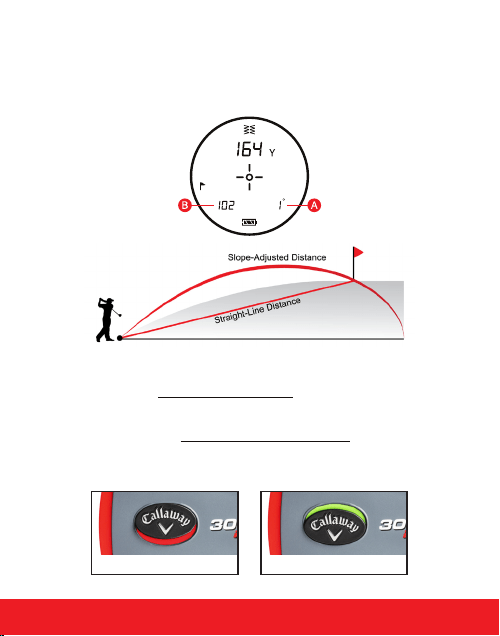
SLOPE FUNCTION
Device will measure the angle of incline/decline in the bottom
right of the display (A), then calculate & display the slope adjusted
distance in the bottom left of the display (B).
The Slope switch on the Side of the 300 PRO has two positions:
1. RED is showing: Slope function is o. The Laser is tournament
legal when the slope is turned o.
2. GREEN is showing: Slope function is enabled. Slope adjusted
yardage will be displayed after every time the laser is red. The
Laser is not tournament legal when the slope is enabled.
SLOPE OFF SLOPE ON
OPERATIONAL NOTES
1. The maximum measurement range is 5-1000 yards to objects and
5-300 yards to a agstick with +/- 1 yard accuracy.
NOTE: Maximum range can depend on several factors, including
target characteristics and environmental conditions. For instance,
longer maximum distances may be obtained to targets that are
large in size, brightly colored, or have a reective nish. Ranging
capability can also be aected by the angle to the target and
lighting conditions.
2. Auto Shuto - To conserve battery life, the device will
automatically power o when idle for more than 10 seconds.
3. Weather Conditions - Heavy rain and thick fog can potentially
limit the maximum range of the device.
4. Weather Resistant - Protected against light rain.
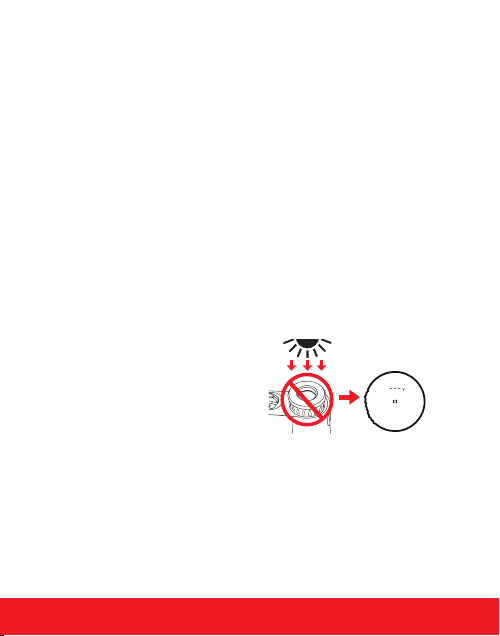
STORING THE LASER
• Do not leave the eyepiece in
direct sunlight. The condenser
eect of the lens may damage
the internal display surface.
MAINTENANCE
1. To clean, use only a soft, clean cloth to prevent scratches.
2. Do not submerge in liquid or apply any cleaning products.
3. Do not store in extremely hot/cold temperatures (<50°F - >110° F).
4. Store in carrying case when not in use.
8 MAINTENANCE

TROUBLESHOOTING 9
TROUBLESHOOTING
Rangender is consistently providing inaccurate measurements.
• Make sure the device is set to the desired unit of measure
(Yards or Meters).
• Weak battery signal can aect the accuracy of the device. If the
Battery Indicator is ashing on the LCD display, replace the
battery.
• Make sure there isn’t anything obstructing your view such as
leaves, branches, your nger, etc.
When looking through the Eye Piece, the view is blurry.
• Use the Diopter Adjustment by turning the Eye Piece to focus/
increase clarity.
• Make sure there isn’t anything obstructing your view such as
leaves, branches, your nger, etc.
• Use a soft, clean cloth to clean lens.
When should the battery be replaced?
• If the Battery Indicator is ashing on the LCD display.
• If the rangender is consistently providing inaccurate
measurements.
• If the LCD display is not present when PRESSING the
Power Button.
What type of battery does the rangender use?
• CR2 3-Volt Lithium Battery.

10 TROUBLESHOOTING
TROUBLESHOOTING (CONTINUED)
When should P.A.T. Mode be used?
• When measuring the distance to smaller targets such as
a agstick.
• When scanning the landscape to measure distances to a smaller
target such as a agstick and there are trees or other objects in
the background.
WARRANTY POLICY
This product is warranted to be free from defects for up to (1) year
from the original purchase date. IZZO Golf cannot refund your
purchase unless purchased directly from IZZO Golf. IZZO Golf will
replace or repair any unit that is determined defective under normal
use within the warranty period. Please call Customer Service at
800-456-2129 to request a Return Authorization. All defective
products must be returned to:
IZZO Golf
Attn: Returns Dept.
1635 Commons Parkway
Macedon, NY 14502
Please include a note with your Name, Address, Phone # and the
Return Authorization #.Your replacement will be shipped once we
diagnose the returned unit.
If you have any other questions or concerns,
please call 800-456-2129 or go to www.callawaytag.com.

WARNING
• NEVER look directly into the sun or intense light when using
the laser rangender.
• DO NOT aim/point laser rangender at another person.
• DO NOT aim/point laser rangender at anyone’s eyes or face.
• DO NOT attempt to disassemble the laser rangender.
• DO NOT submerge in any liquid.
• DO NOT store the laser rangender in extreme cold/hot
temperatures (<50°F - >110°F).
WARNING 11
© 2021 CALLAWAY GOLF COMPANY. Callaway Golf and the
Chevron device are trademarks of Callaway Golf Company.
IZZO Golf is an ocial licensee of Callaway Golf Company.

© 2021 CALLAWAY GOLF COMPANY. Callaway Golf and the
Chevron device are trademarks of Callaway Golf Company.
IZZO Golf is an ocial licensee of Callaway Golf Company.