
Quick
start
guide
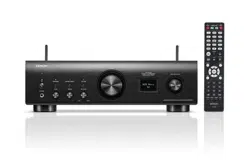
PMA-
900
HNE
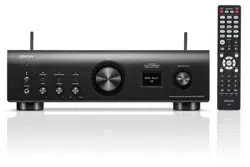
Integrated Network Amplifier
1.PMA-900HNEE3_QSG_ENG_00A_220407.indd 11.PMA-900HNEE3_QSG_ENG_00A_220407.indd 1 2022/04/07 10:42:452022/04/07 10:42:45
PrintingColor:Black
1
Before you begin
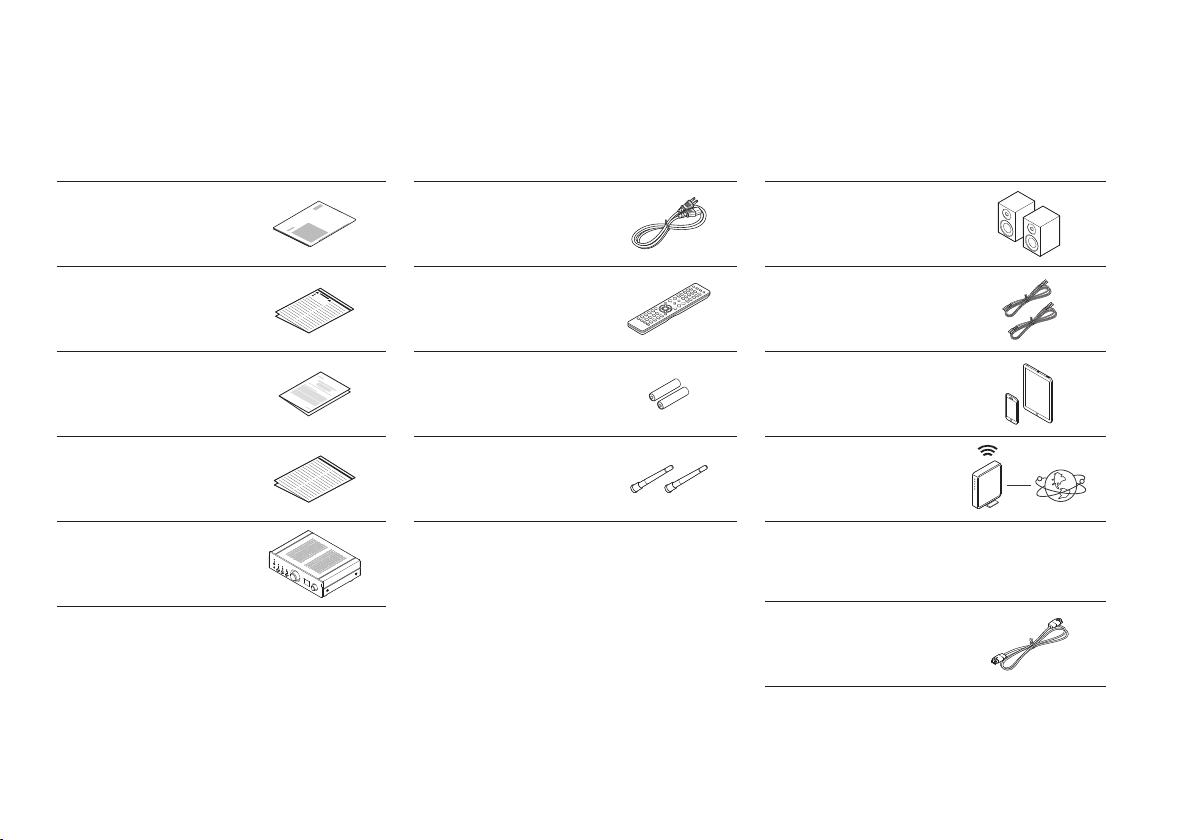
What’s in the box
Quick start guide Power cord
Safety Instructions
Remote control
(RC-1246)
Warranty
(for North America
model only)
2× R03/AAA batteries
Notes on radio
External antennas
for Bluetooth®/Wi-Fi®
connectivity
Network Integrated
Amplifier
Optional
Ethernet cable
Required for setup
Speakers
Speaker cables
Mobile device
Wi-Fi Router and
Internet connection
1.PMA-900HNEE3_QSG_ENG_00A_220407.indd 11.PMA-900HNEE3_QSG_ENG_00A_220407.indd 1 2022/04/07 10:42:462022/04/07 10:42:46
PrintingColor:Black
EN
FR
ES
2
Setup
1
2
3
Optional
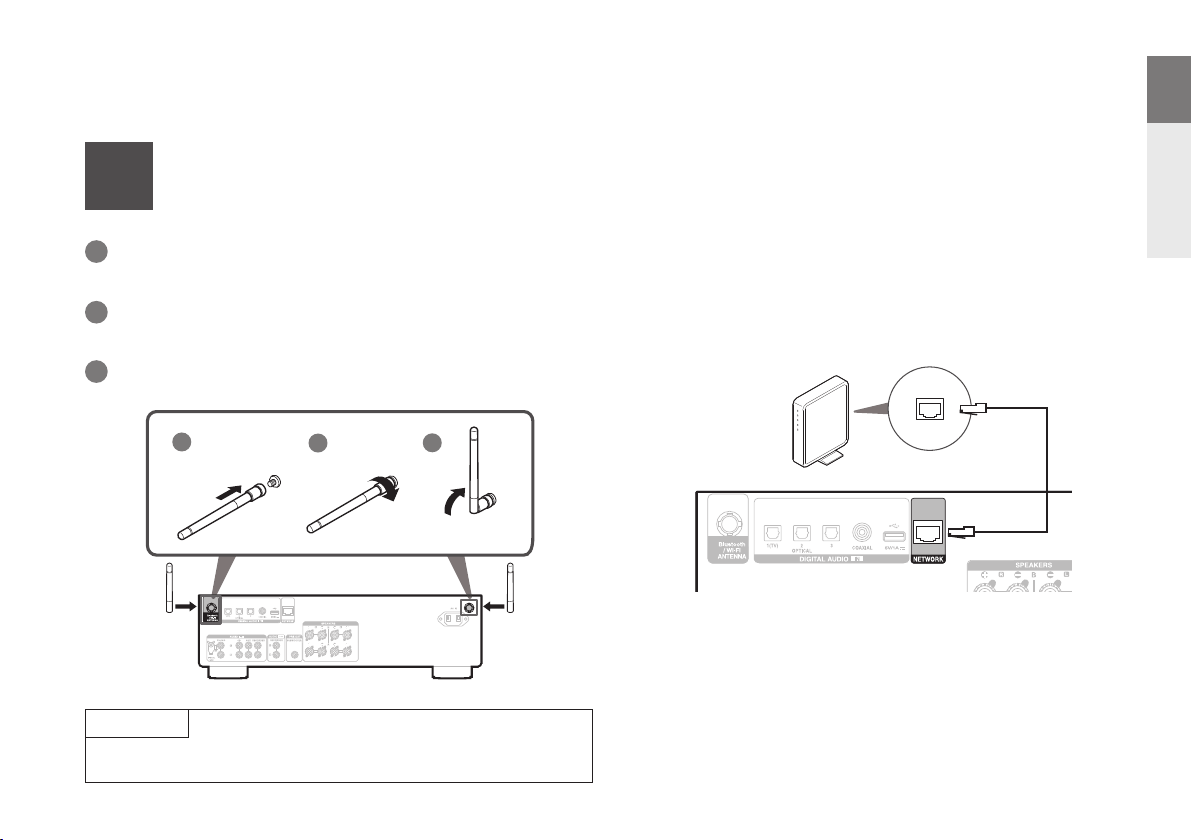
If you are connecting PMA-900HNE to a wired network, connect an Ethernet
cable (not included) between the amplifi er and your router. Do not connect the
Ethernet cable if you are connecting the amplifi er to a wireless network.
NOTE
The antennas are required for both Bluetooth and Wi-Fi functions.
1
Connect the antennas
Place the antenna squarely over the antenna terminal in the
upper-left or upper-right corner of the rear panel.
1
Turn the antenna clockwise until it is fully connected.
Do not over tighten.
2
Rotate the antenna upwards for the best possible reception.
3
1.PMA-900HNEE3_QSG_ENG_00A_220407.indd 21.PMA-900HNEE3_QSG_ENG_00A_220407.indd 2 2022/04/07 10:42:462022/04/07 10:42:46
PrintingColor:Black
3
2
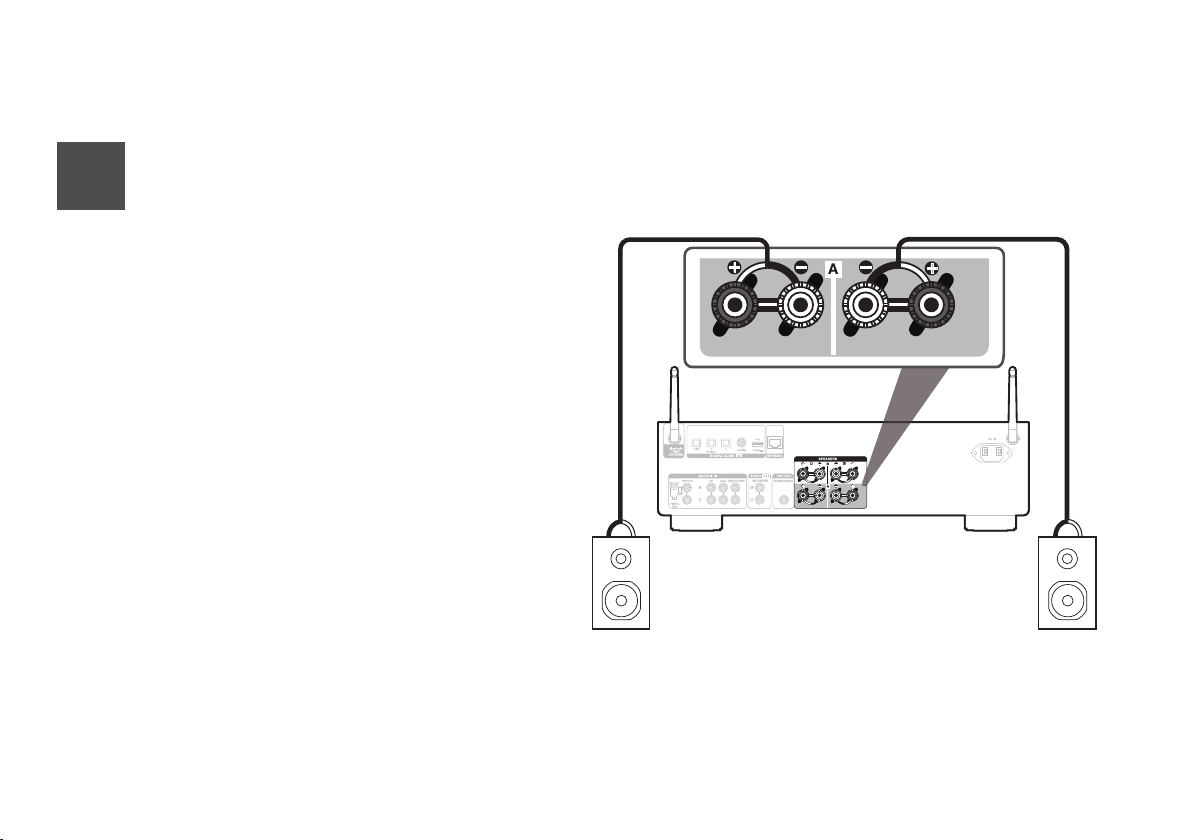
Connect your speakers
w q
w q
(R) (L)
Connect your speaker cables between the PMA-900HNE
and your speakers.
1.PMA-900HNEE3_QSG_ENG_00A_220407.indd 31.PMA-900HNEE3_QSG_ENG_00A_220407.indd 3 2022/04/07 10:42:462022/04/07 10:42:46
PrintingColor:Black
EN
FR
ES
4
3
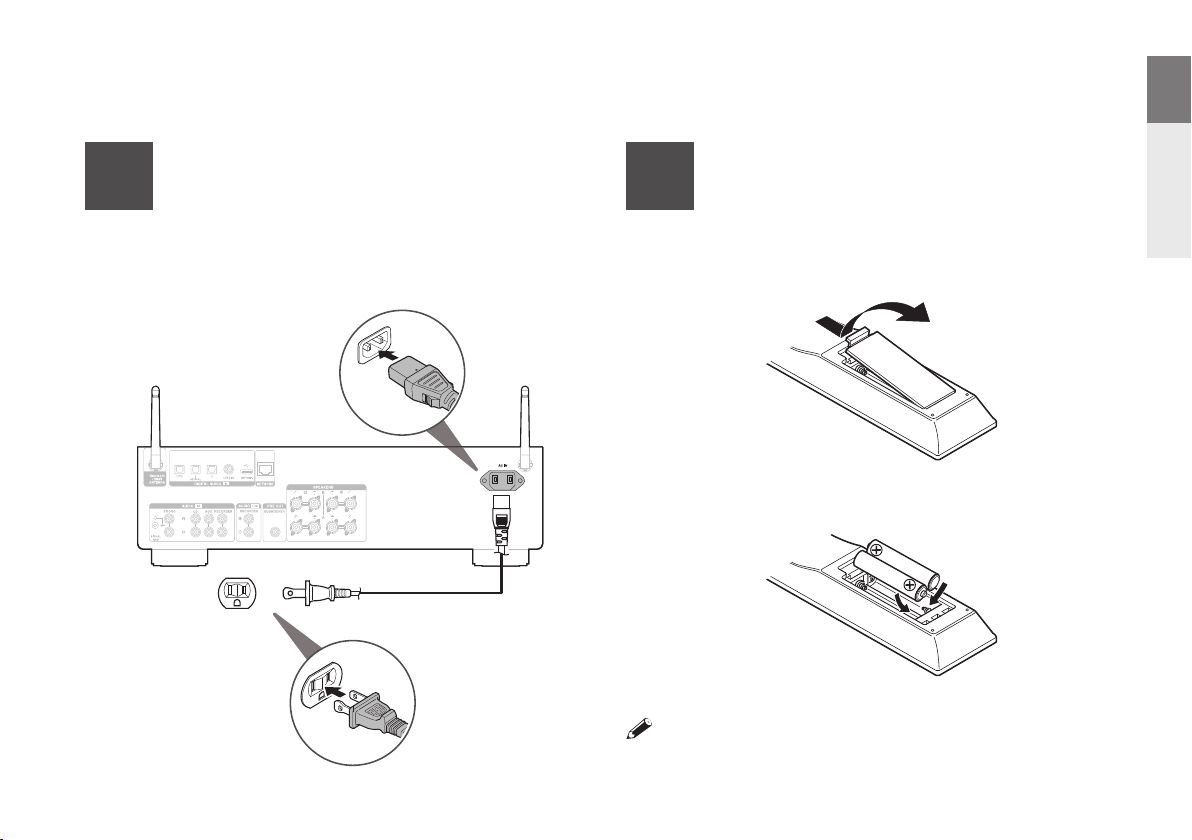
Connect to power
Power cord
Connect the power cable between the PMA-900HNE and a wall
outlet.
4
Install batteries
in the remote control
• Batteries can be taken out in reversed order.
1.PMA-900HNEE3_QSG_ENG_00A_220407.indd 41.PMA-900HNEE3_QSG_ENG_00A_220407.indd 4 2022/04/07 10:42:462022/04/07 10:42:46
PrintingColor:Black
5
5
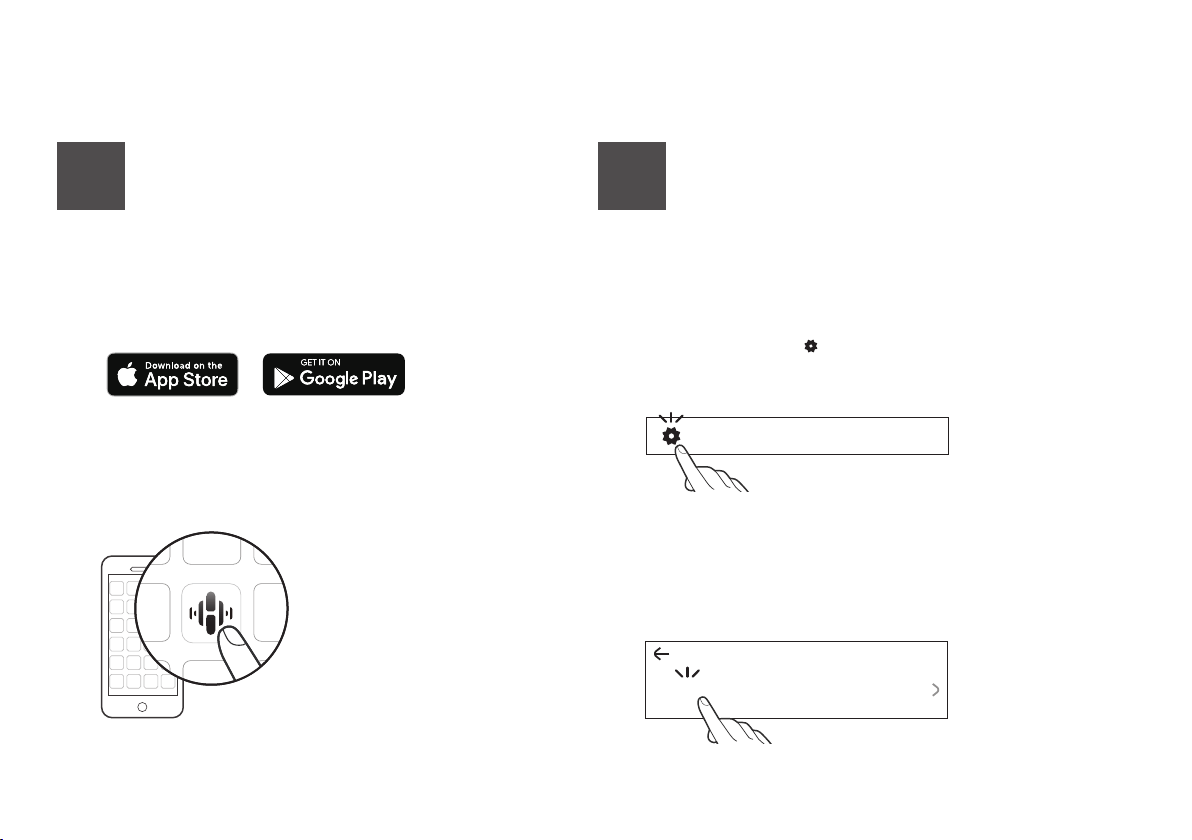
Use the HEOS app to complete
PMA-900HNE setup
1
Go to the Apple App Store, Google Play or Amazon
App Store and search for “HEOS” to download and
install.
2
Launch the HEOS app and follow the instructions in
the app.
6
Add device
1
Select the Settings icon in the upper-left corner of the
main “Music” menu to display the Settings menu.
2
Select “Add Device” from the HEOS app’s Settings menu
and follow the instructions:
If you already have the HEOS app and have setup at least one
HEOS built-in device, please follow the steps below to add the
PMA-900HNE to your wireless network.
Music
Settings
Add Device
1.PMA-900HNEE3_QSG_ENG_00A_220407.indd 51.PMA-900HNEE3_QSG_ENG_00A_220407.indd 5 2022/04/07 10:42:472022/04/07 10:42:47
PrintingColor:Black
EN
FR
ES
6
Denon PMA-900HNE
Bluetooth
Bluetooth ON
Bluetooth
Pairing...
Playing music - Bluetooth
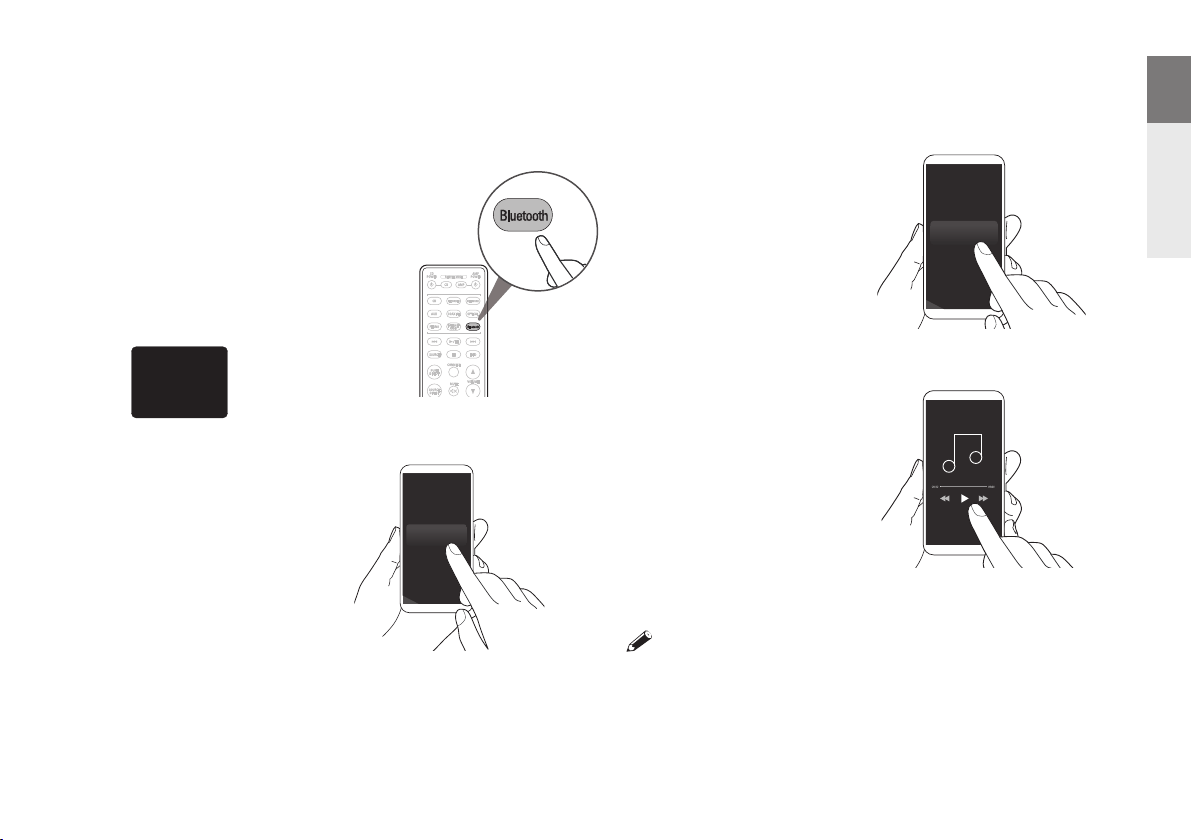
Press Bluetooth to select
Bluetooth.
When you use it for the fi rst time,
the amplifi er automatically enters
pairing mode and “Bluetooth
Pairing...” appears on the display.
1
Activate Bluetooth on
your mobile device.
2
Select “Denon PMA-
900HNE” from the
Bluetooth device list.
3
Play music using any app
on your device.
4
• To pair with other Bluetooth devices, press and hold Bluetooth on the remote
control until “Bluetooth Pairing...” is displayed on the unit.
1.PMA-900HNEE3_QSG_ENG_00A_220407.indd 61.PMA-900HNEE3_QSG_ENG_00A_220407.indd 6 2022/04/07 10:42:472022/04/07 10:42:47
PrintingColor:Black
7
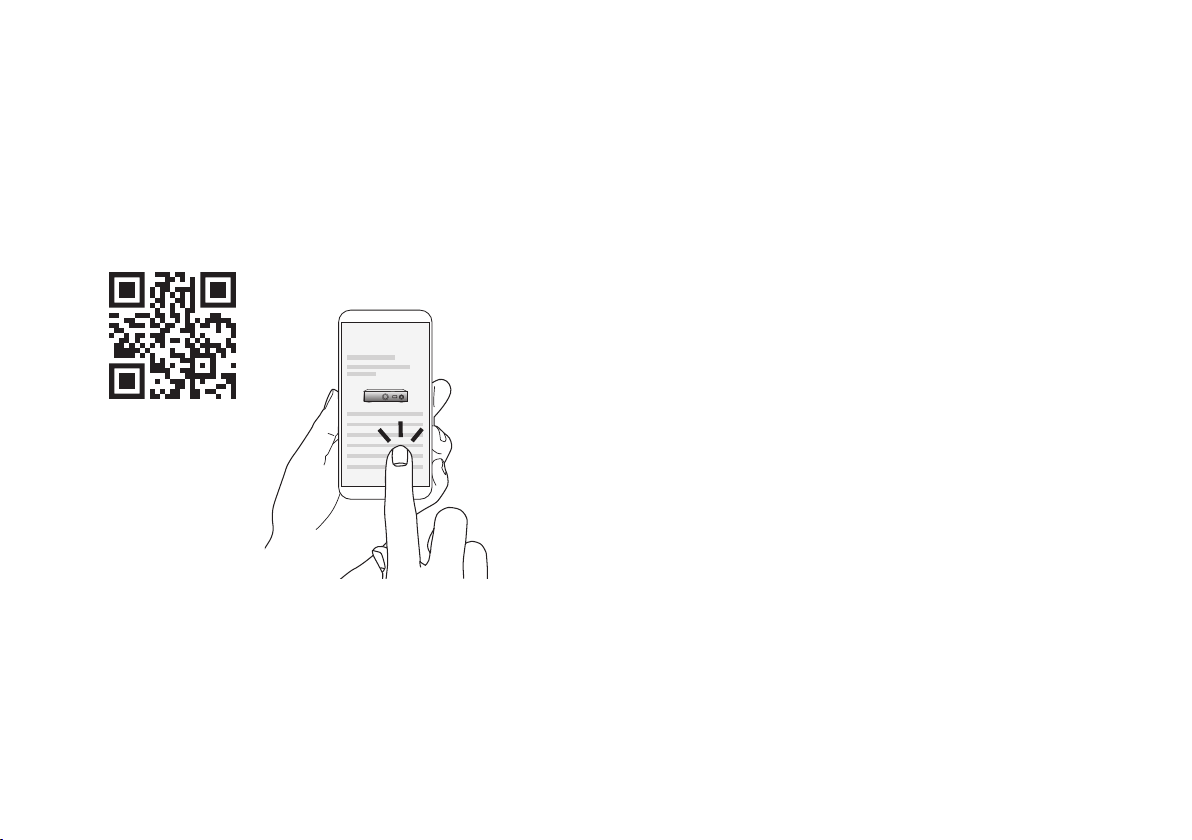
Online manual
Refer to the online manual for other functions information and
operation procedure details.
manuals.denon.com/PMA900HNE/NA/EN/
For more information, visit www.denon.com
Owner’s manual
1.PMA-900HNEE3_QSG_ENG_00A_220407.indd 71.PMA-900HNEE3_QSG_ENG_00A_220407.indd 7 2022/04/07 10:42:472022/04/07 10:42:47
PrintingColor:Black

Trademark information
The Bluetooth® word mark and logos are registered trademarks owned by the
Bluetooth SIG, Inc. and any use of such marks by D&M Holdings Inc. is under
license. Other trademarks and trade names are those of their respective owners.
The Wi-Fi CERTIFIED logo is a registered trademark of the Wi-Fi Alliance.
Wi-Fi Certication provides assurance that the device has passed the
interoperability test conducted by the Wi-Fi Alliance, a group that certies
interoperability among wireless LAN devices.
4.PMA-900HNEE3_QSG_BackPage_220222.indd 14.PMA-900HNEE3_QSG_BackPage_220222.indd 1 2022/04/07 10:38:292022/04/07 10:38:29
PrintingColor:Black

www.denon.com
Printed in Vietnam 5411 11959 00AD
© 2022 Sound United. All Rights Reserved.
4.PMA-900HNEE3_QSG_BackPage_220222.indd 34.PMA-900HNEE3_QSG_BackPage_220222.indd 3 2022/04/07 10:38:292022/04/07 10:38:29
PrintingColor:Black