User’s Manual
Add: 8605 SANTA MONlCA BLVD#79525
WEST HOLLYWOOD,California,90069 USA
E-mail: sales@abesto
Tel: (888)276-9833
rm.com
Note: as we keep upgrading our product, we reserve the right to modify the product without notice in advance.
NeatyFresh Pro
Abestorm
C
-1-
NeatyFresh Pro
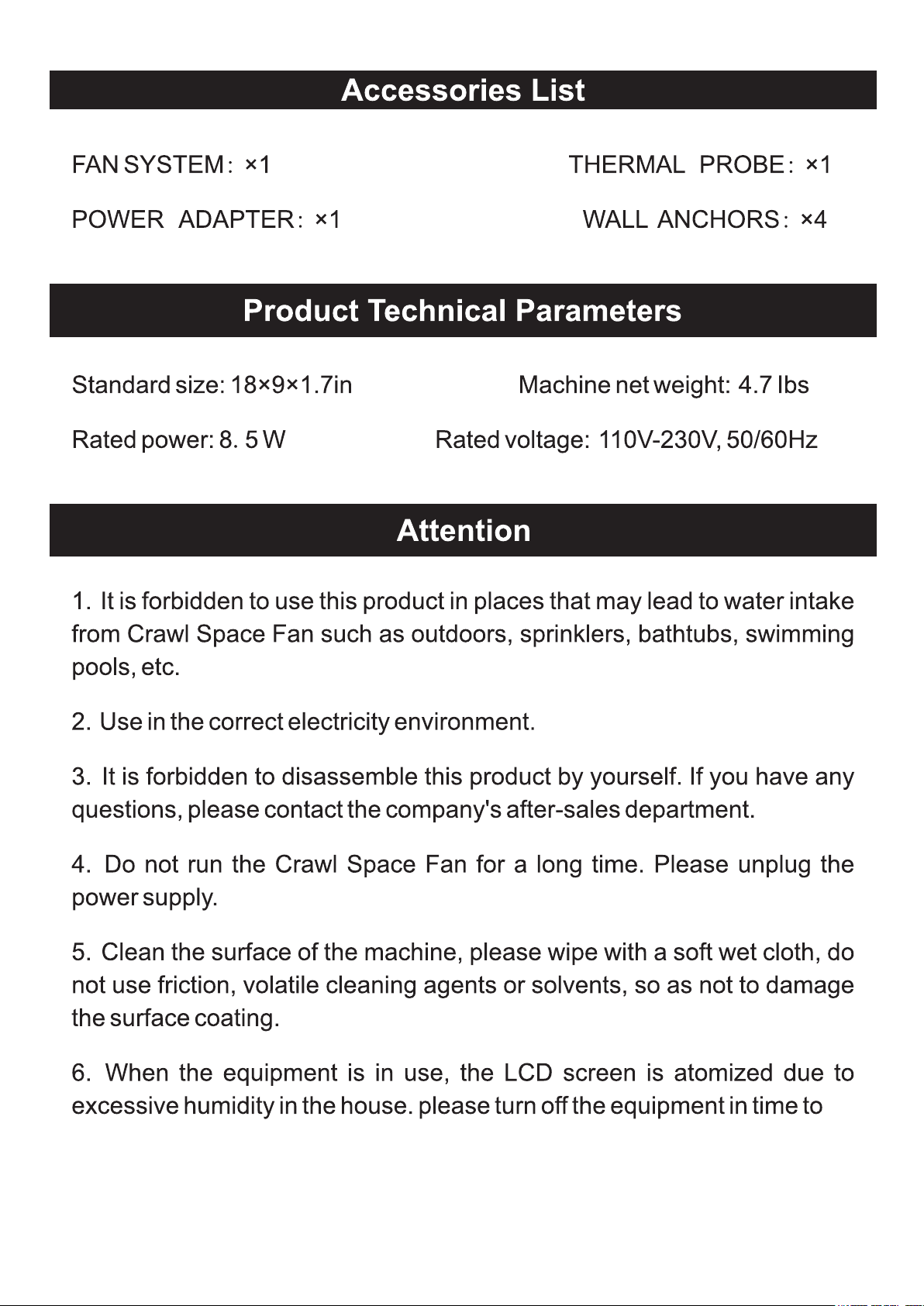
-2-

-3-
ABESTORM
-4-
Energy
saving
Health
Safety
protection
Intelligent
control
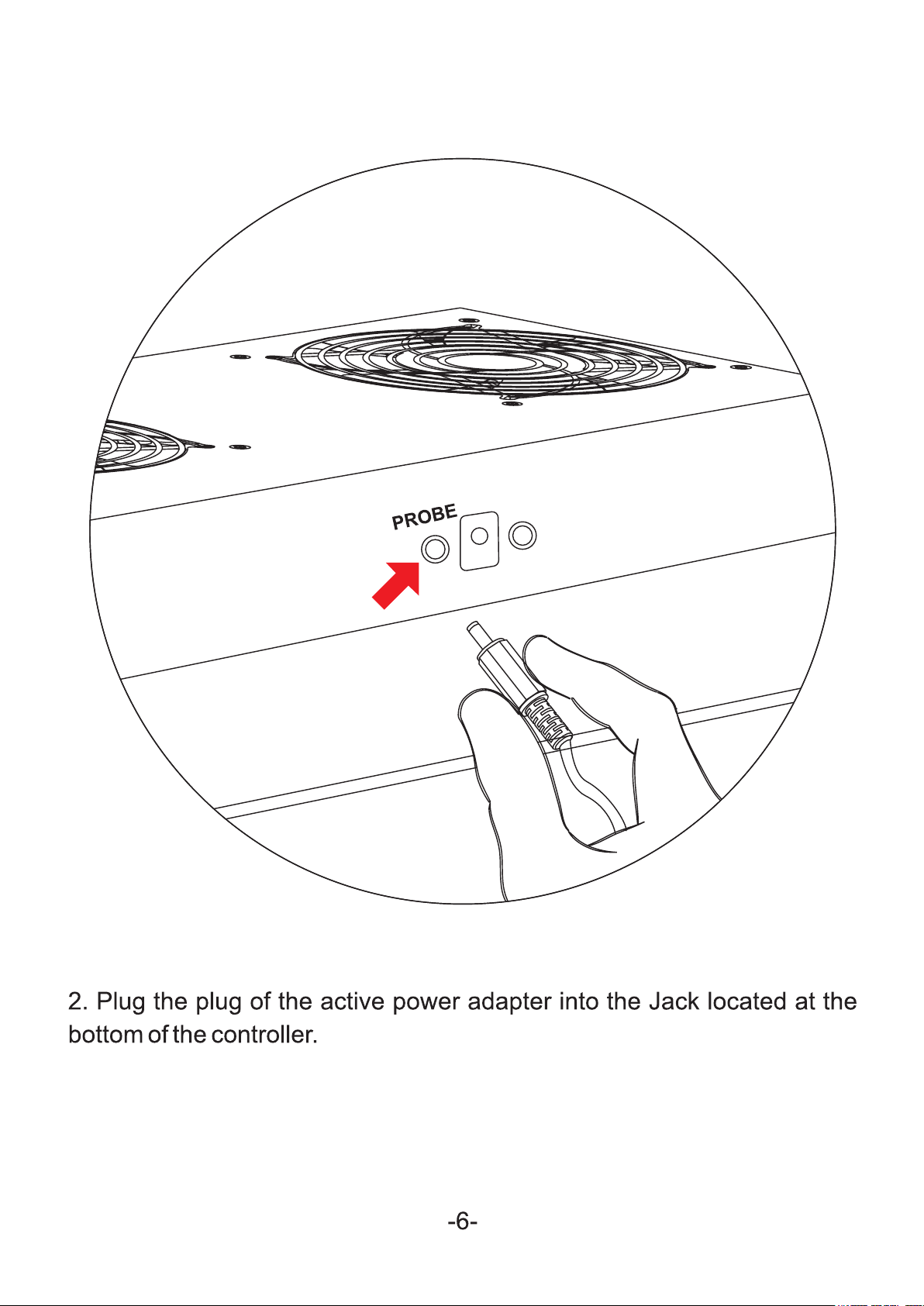
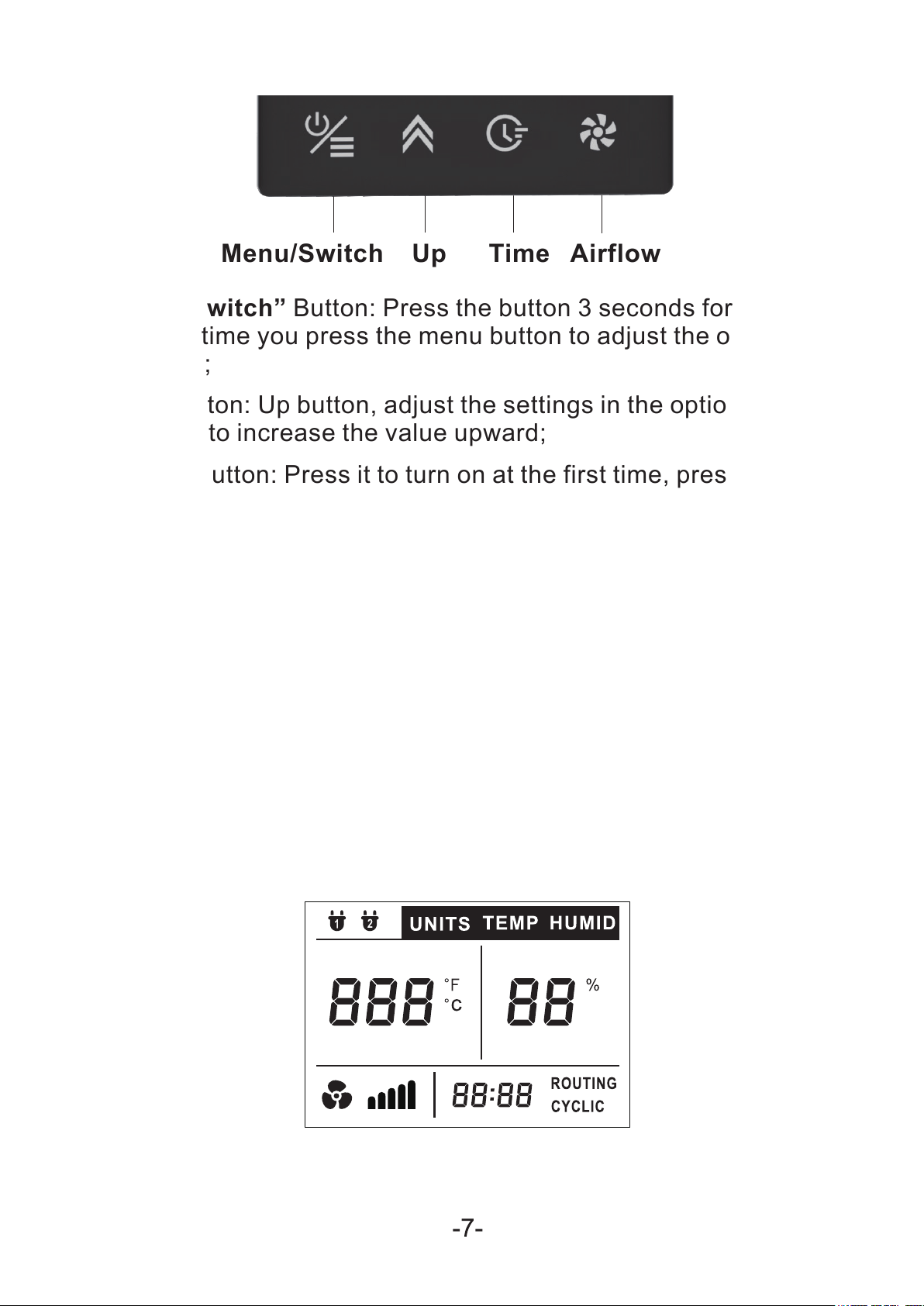
(2) “Up” Button: Up button, adjust the settings in the options; press
this button to increase the value upward;
(1) “Menu/Switch” Button: Press the button 3 seconds for turn on/off
unit, each time you press the menu button to adjust the options after
starting up;
(3) “Time” Button: Press it to turn on at the first time, press it starts
the cycle time mode the second time, press it to turn off in the third
time;
(4) “Airflow” Button: Press it to adjust the airflow, the gear from 1-5;
press it 5 seconds to start the automatically humidity/temperature
adjustment.
a) Enter the follo
wing interface after powered on.
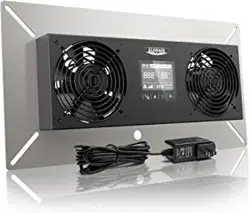
LCD Display:
1. When the fan is powered on but not working: (“Beep” when powered
on)
Menu/Switch Up Time Airflow
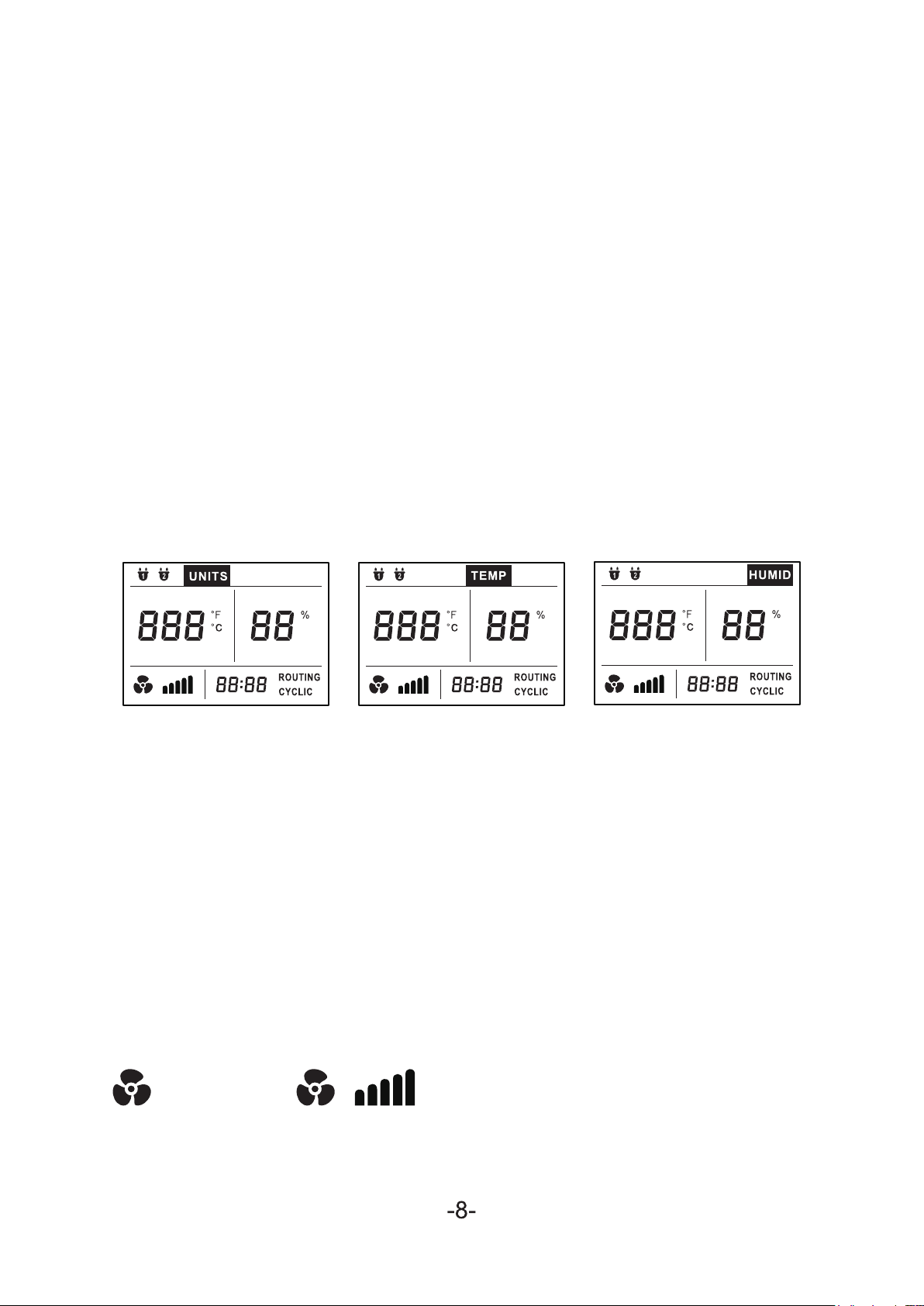
Values on Screen:
Icon including:
①Host, ②Host;
Show the fan’s gear, the sensor’s ℉/℃, temperature, humidity
temperature, temperature, timer, ℉/℃.
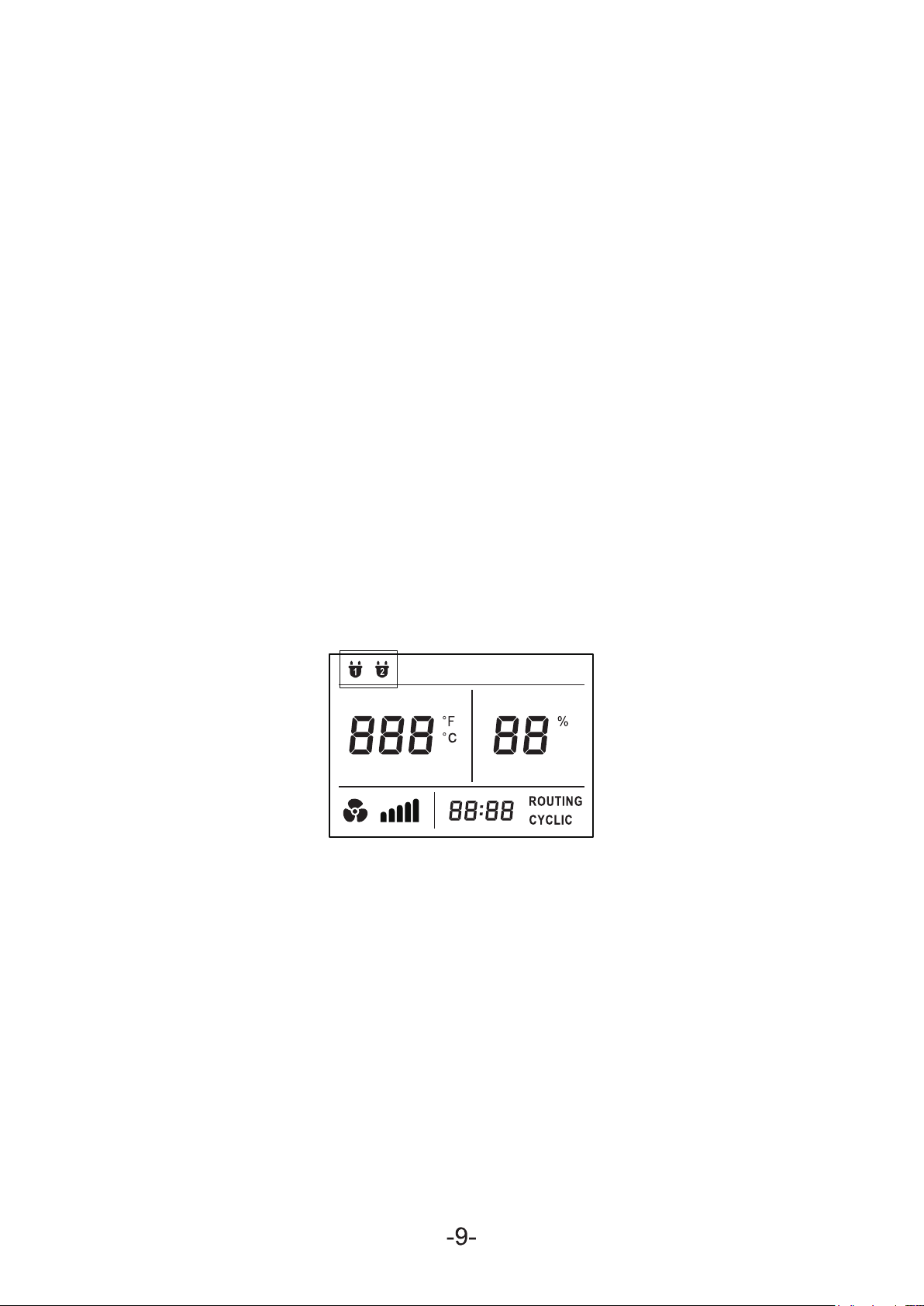
In Values Menu, Temperature Menu, Humidity Menu:
If there is no button action for 5 seconds, the device will operate
according to the set parameters. Choose which menu the icon of
which menu is lit (2-1).
Scr een:
Menu:
℉/℃, Temperature Menu, Humidity Menu;
(2-1)
When the equipment is running, press any key without interrupting
the operation of the equipment. After obtaining the new setting
parameters, it will run according to the new parameters.
a) Fan icon:
Runtime: Every strip means a gear, from 1-5.
Failure: The strip disappear (make sure it is connected to power).
The buzzer sounds intermittently and continuously, press any key
to cancel the buzzer.
Failure Runtime: Display the gear strip and fan icon.
“- -%”. The buzzer sounds intermittently and continuously, press
any key to cancel the buzzer.
Failure: The temperature will display “- -°”, humidity will display
Humidity/Temperature icon
Runtime: Display the humidity and temperature;
c) Symbol icon module:
Cycle Mode: CYCLIC Light Up
1. Cycle Mode:
Timing Mode: ROUTING Light Up
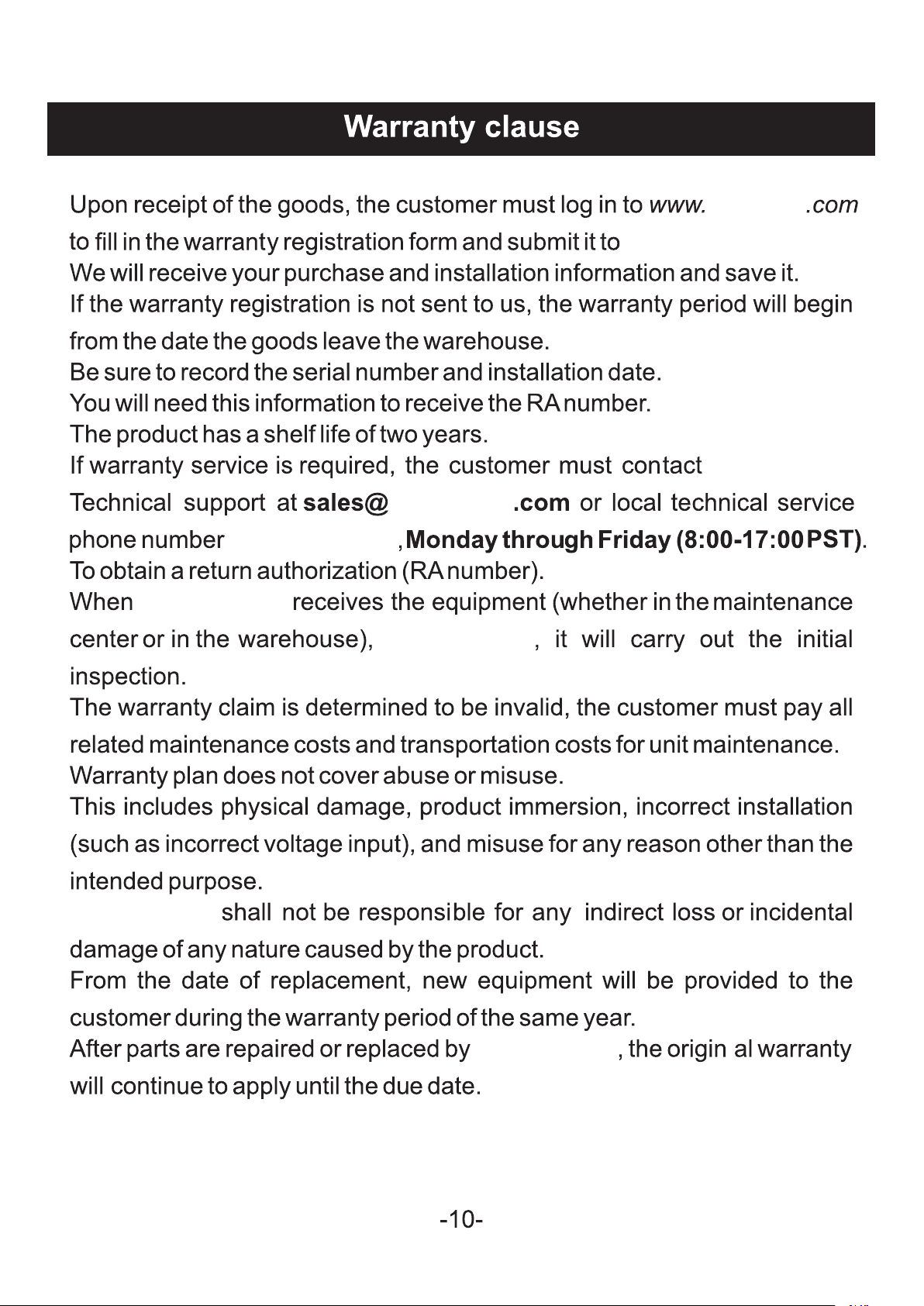
1. ①, ② Host icon: Corresponding to No.1 large 4 Pin interface
and No.2 large 4 Pin interface. The corresponding icon lights up
when inserted, and hides when not inserted.
Lights up when the timing mode and the cycle mode are runni
ng,
and it is displayed according to the set time and gradually
decreases.
b) Time icon
(1-5)
1. Temperature mode set:
3. Humidity Set:
2. Temperature Set:
Enter humidity adjustment, press the “up” button to set humidity.
Enter temperature adjustment, press the “up” button to set
temperature;
Enter mode set to press the “up” button, change the temperature
mode between ℉ and ℃;
abestorm
ABESTORM.
ABESTORM
abestorm
(888)276-9833
ABESTORM
ABESTORM
ABESTORM