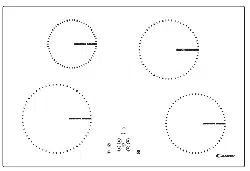
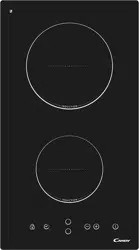
How to use
Start cooking
Touch the ON/OFF control. After power on. the buzzer beeps once. all displays show “–” or “– –”. indicating that the induction hob has entered the state of standby mode.
Place a suitable pan on the cooking zone that you wish to use.
• Make sure the bottom of the pan and the surface of the cooking zone are clean and dry.
Touching the heating zone selection control. and an indicator next to the key will flash
Select a heat setting by touching the slider control
• If you don’t choose a heat setting within 1 minute. the Induction hob will automatically switch off. You will need to start again at step 1.
• You can modify the heat setting at any time during cooking.
If the display flashes alternately with the heat setting
This means that:
• you have not placed a pan on the correct cooking zone or.
• the pan you’re using is not suitable for induction cooking or.
• the pan is too small or not properly centered on the cooking zone.
No heating takes place unless there is a suitable pan on the cooking zone.
The display “ ”will automatically disappear after 1 minute if no suitable pan is placed on it.
EN-8
Finish cooking
Touching the heating zone selection control that you wish to switch off
Turn the cooking zone off by touching the slider to “|”.
Make sure the displayshows”0”
Turn the whole cooktop off by touching the ON/OFF
Beware of hot surfaces
H will show which cooking zone is hot to touch. It will disappear when the surface has cooled down to a safe temperature. It can also be used as an energy saving function if you want to heat further pans. use the hotplate that is still hot.
Using the Boost function
Activate the boost function
Touching the heating zone selection control.
Touching the boost control. the zone indicator show
“P” and the power reach Max.
Cancel the Boost function
Touching the heating zone selection control that you wish to cancel the boost function
ENGLISH
EN-9
The function can work in any cooking zone. The cooking zone returns to its original setting after 5 minutes. If the original heat setting equals 0. it will return to 9 after 5 minutes.
FLEXIBLE AREA
• This area can be used as a single zone or as two different zones. accordingly
• Free area is made of two independent inductors that can be controlled
As big zone
1. To activate the free area as a single big zone. Touching the Flexible Area control .
2. As a big zone. we suggest the used as the follow:
Cookware: 250mm or 280mm diameter cookware (Square or Oval
We don’t recommend other operations except for above mentioned three
As two independent zones
To use the flexible area as two different zones. you can have two choices of
(a) Put a pan on the right up side or the right down side of the flexible zone.
Touching the "Boost" control to cancel the Boost
EN-10
(b)Put two pans on both sides of the flexible zone.
Notice: Make sure the pan is bigger than 12cm.
Locking the Controls
You can lock the controls to prevent unintended use (for example children accidentally turning the cooking zones on). When the controls are locked. all the controls except the ON/OFF control are disabled.
To lock the controls
Touch the lock control The timer indicator will show “ Lo“
To unlock the controls
Touch and hold the lock control for a while.
When the hob is in the lock mode. all the controls are disable except the ON/OFF. you can always turn
Timer control
You can use the timer in two different ways: a) You can use it as a minute minder. In this case. the timer will not turn any cooking zone off when the set time is up.
b) You can set it to turn one or more cooking zones off after the set time is up.
The timer of maximum is 99 min.
If you are not selecting any cooking zone
ENGLISH
EN-11
Make sure the cooktop is turned on.
Note: you can use the minute minder at least one zone shall
Touch timer control. the “10” will show in the timer display.
Set the time by touching the slider control. (e.g. 5)
Touch timer control again. the “1” will flash
Set the time by touching the slider control (e.g.9). now the
When the time is set. it will begin to count down immediately. The display will show the remaining time
Buzzer will beep for 30 seconds and the timer indicator shows “- -” when the setting time finished.
Set one zone
Touching the heating zone selection control that you want to set the timer for.
In short time. touch timer control. the “10” will show in the timer display and the “0” flashes.
EN-12
Set the time by touching the slider control. (e.g. 5)
Touch timer control again. the “1” will flash.
Set the time by touching the slider control (e.g.9). now the timer you set is 95 minutes.
When the time is set. it will begin to count down immediately.
The display will show the remaining time .
NOTE: The red dot next to power level indicator will illuminate indicating that zone is selected.
When cooking timer expires. the corresponding cooking zone will be switched off automatically.
Other cooking zone will keep operating if they are turned on previously.
The pictures shown above are for reference only. and the final product shall prevail. set more zones: The steps for setting more zones are similar to the steps of setting one zone; When you set the time for several cooking zones simultaneously. decimal dots of the relevant cooking zones are on. The minute display shows the min. timer. The dot of the corresponding zone flashes.
The shown as below:
(set to 15 minutes)
(set to 45 minutes)
Once the countdown timer expires. the corresponding zone will switch off. Then it will show the new min. timer and the dot of corresponding zone will flash.
The shown as right: (set to 30 minutes)
Touch the heating zone selection control. the corresponding timer will be shown in the timer indicator.
C)Cancel the timer
ENGLISH
EN-13
Default working times
Auto shut down is a safety protection function for your induction hob. It shut down automatically if ever you forget to turn off your cooking. The default working times for various power levels are shown in the below table:
Power level
Default working timer (hour)
When the pot is removed. the induction hob can stop heating immediately and the hob automatically switch off after 2 minutes.
To switch to another level
Confirmation Power Management Function
After the desired power setting mode is selected.
When the timer indicator stops flickering. the power
Exit Power Management Function
After the setting. make sure to dis-connect the
Then the hob will be turned off.
ENGLISH
EN-15
There are 6 power levels. from “7.4” to “2.5”. The
“7.4” : the maximum power is 7.4Kw.
“6.5” : the maximum power is 6.5Kw.
“5.5” : the maximum power is 5.5Kw.
“4.5” : the maximum power is 4.5Kw.
“3.5” : the maximum power is 3.5Kw.
“2.5” : the maximum power is 2.5Kw.
You may have a number of different cooking vessels
1. This induction hob can identify a variety of cooking vessels. which you can test by
Place the vessel on the cooking zone. If the corresponding cooking zone displays a
2. Hold a magnet to the vessel. If the magnet is attracted to the vessel is suitable for
NB: The base of the vessel must contain magnetic material.
It must have flat bottom with a diameter according to the table 1 below.
3. Use only ferromagnetic cookwares made from enameled steel. cast iron or stainless
4. Use pans whose diameter of the ferromagnetic area (base of the pan) is in the range
If you use smaller pots. performance could be affected
If you use pot with a diameter smaller than the one indicated in the table 1. pots
According to the dimension of the zone you can use pots of different diameters as picture
Iron oil frying Stainless steel Iron pan Iron kettle Enamel
Enamel cooking
Iron plate
EN-16
5. If the ferromagnetic part covers only partially the base of the pan. only the
6. If the ferromagnetic area is not homogeneous. but presents others material such as
If the base of the pan is similar to the pictures below the pan could be not detected.
The base diameter of induction cookware
Cooking zone
Minimum(mm) Maximum(mm)
The above may vary according to the size of the pan and the material it is made from.
Flexible Area 386*180
ENGLISH
EN-17