2021 | Condential and Proprietary | Do not distribute
Sleep Sensing: Soli
A closer look
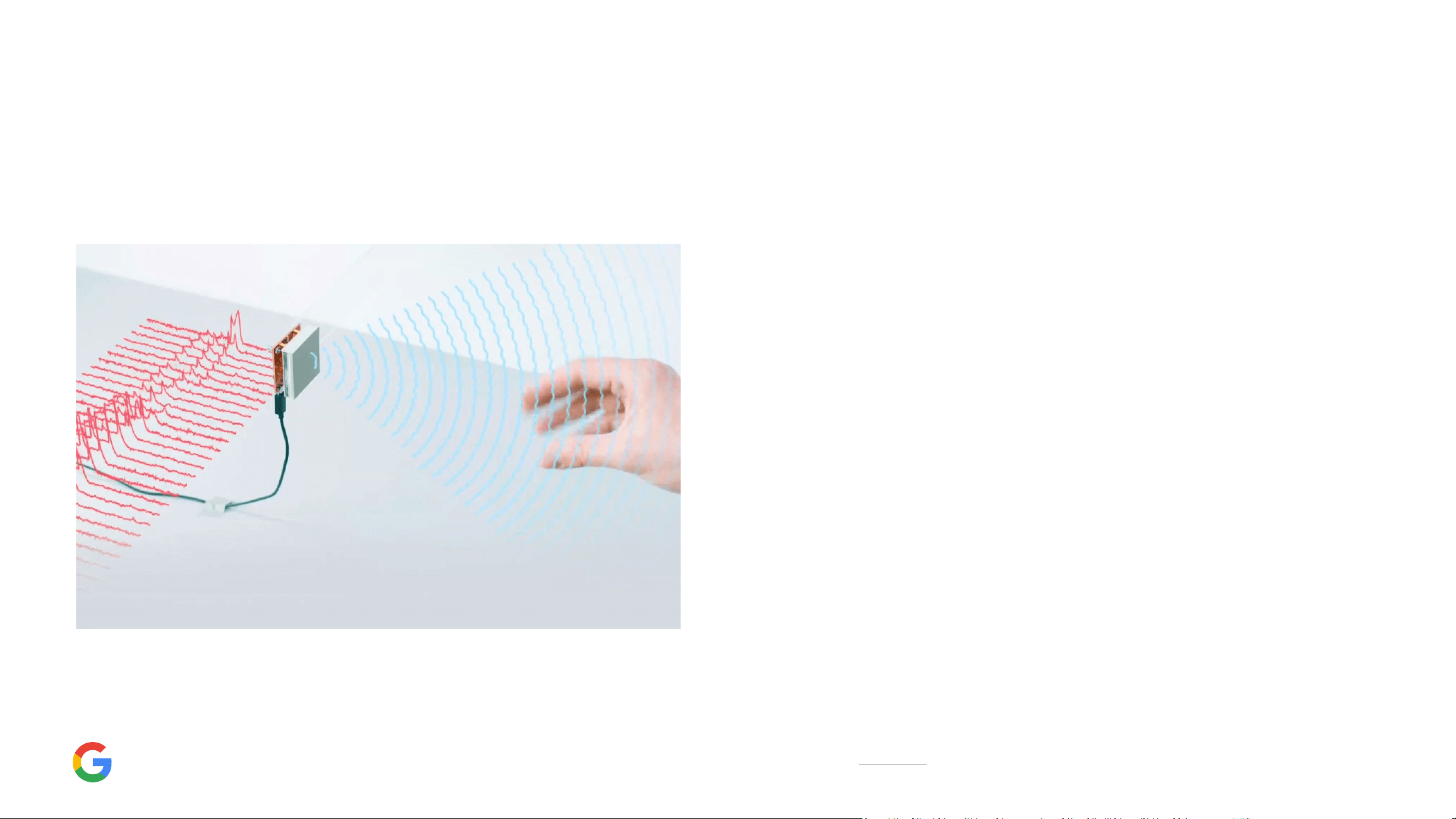
Video: Demo of how Soli works.
The Soli sensor senses motion through radar by
emiing a broad beam of radio waves. When an
object, such as a person, moves within the
beam, energy is reected back to Soli’s antenna,
so it knows you’re there. Soli can detect subtle
movements, such as your breathing, by
detecting changes in reected energy.
It’s the same tech that’s used for Pixel 4’s
Motion Sense. Now it’s being used to power
Sleep Sensing, Motion Sense, and Quick
Gestures on Nest Hub (2nd gen).
1
1
Google Nest Hub requires a Wi-Fi network, a nearby electrical outlet, and a compatible (Android, iOS) mobile device. Minimum OS requirements are available at g.co/home/req. iOS is a trademark of Cisco and is
used under license.
2021 | Condential and Proprietary | Do not distribute
Track
An eoless way to
track your sleep.
Learn
Know more about your
night’s sleep.
Improve
A good night’s sleep,
night aer night.
Get a bedtime schedule
tailored for you.
See a Daily Sleep Summary
View your sleep data throughout the
day with the Google Fit app
Track your respiratory rate, and
sleep disturbances like coughing
and snoring.
3
Review environment factors like light
levels and temperature in the room.
Improve your sleep with personalized
insights and recommendations.
3
Get weekly suggestions and
coaching for more consistent and
resul sleep.
3
Sleep Sensing
1
A closer look
Enjoy a free preview. And a beer night’s sleep.
2,3
1
Sleep Sensing features are subject to your permissions and seings. They use motion, sound, and other device and sensor data to work and require placing the device close to the bed and calibrating the device for
your sleeping position. Google Assistant, Google Fit app and other Google apps may be required for full functionality. Google Assistant requires a Google Account.
2
Preview Sleep Sensing for a beer night’s sleep. Enjoy a preview of Sleep Sensing for free until next year. Google is learning and innovating on this new technology, and also exploring how Sleep Sensing can become
a pa of the Fitbit and Fitbit Premium experiences. Google and Fitbit will keep you updated on any future plans related Sleep Sensing. Learn more at g.co/sleepsensing/preview.
3
Sleep Sensing is not intended to diagnose, cure, mitigate, prevent or treat any disease or condition. Consult your healthcare professional for questions about your health. Device placement and nearby people, pets,
or noises can cause inaccurate readings.
2021 | Condential and Proprietary | Do not distribute
Privacy protection
A closer look
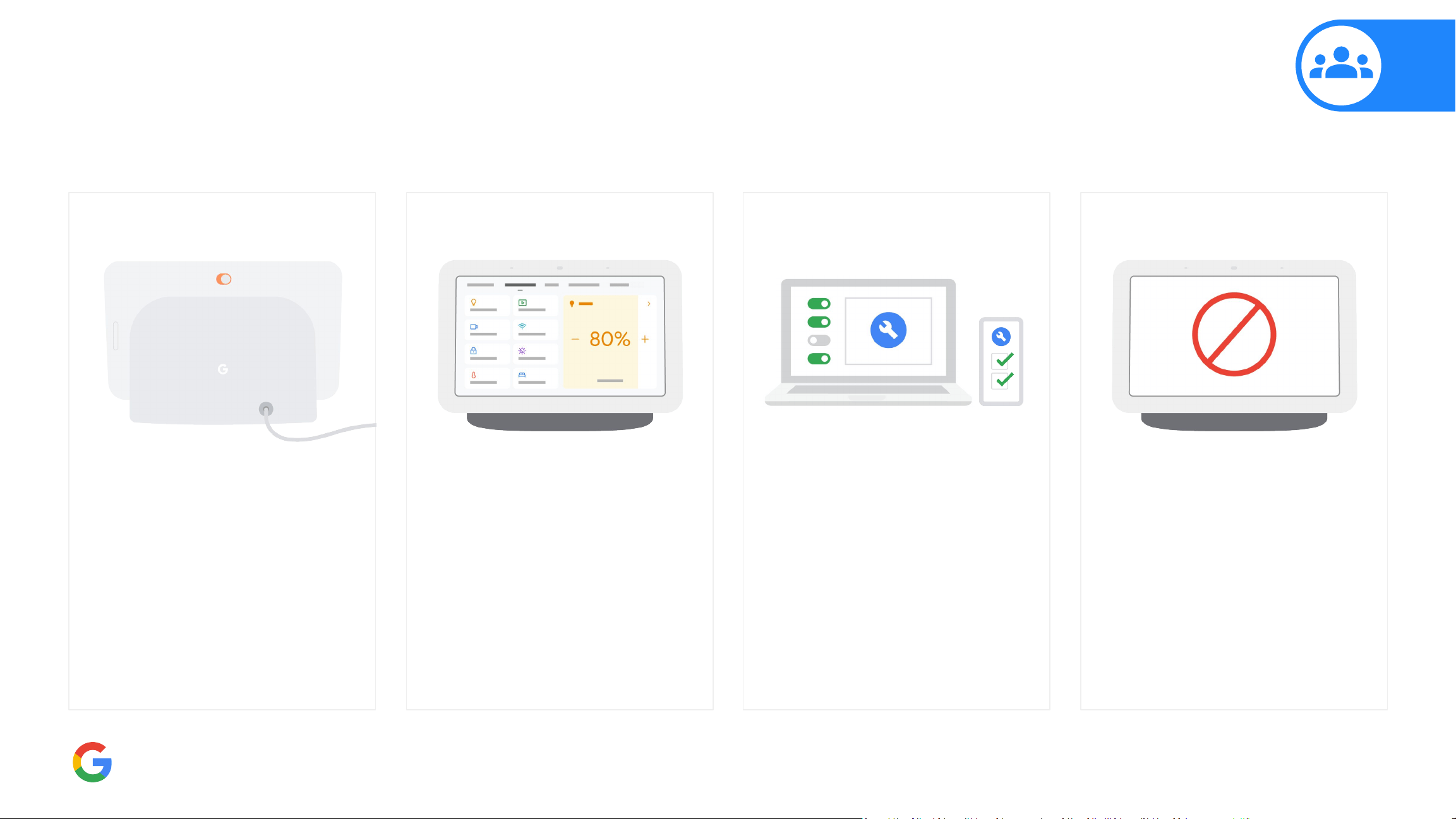
On-device controls
At any time, you can turn o the
mic with the mic switch. And easily
clear your Google Assistant
history whenever you want.
Manage privacy
Get quick access to seings and
tools that let you protect your data
and privacy in your Google
Account and Google Home app.
You can manage these seings
at any time.
Designed for privacy
Your coughing and snoring sound
data doesn’t leave the device. Your
sleep data is not used for ad
personalization, and you can
review and delete it at any time.
Sleep Sensing seings
Pause Sleep Sensing at any time
using the screen, or turn it o
using the Google Home app.
1
An
ale at the top of the display
shows when Sleep Sensing is o.
Nothing is recorded unless you
enable it.
1
Sleep Sensing requires a subscription service. Features are subject to your permissions and seings. They use motion, sound, and other device and sensor data to work and require placing the device close to the bed and
calibrating the device for your sleeping position. Google Assistant, Google Fit and other Google apps may be required for full functionality. Google Assistant requires a Google Account.