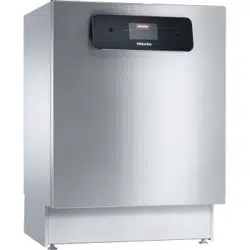
![PG 8056-1 U [240V] photo](https://manualsfile.com/images/appliances/k3/fa/k3faa5dirzc_4_1701426903_thumbnail.webp)

Operating Instructions
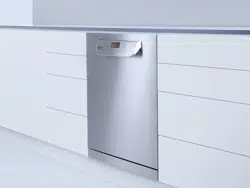
Commercial Dishwasher
PG 8056-1
To prevent accidents and machine
damage, you absolutely must read these
instructions before installation or use.
en-US
M.-Nr. 09 981 902

Contents
2
Guide to the manual ........................................................................................................ 5
Proper use........................................................................................................................ 6
IMPORTANT SAFETY INSTRUCTIONS .......................................................................... 7
Symbols attached to the commercial dishwasher ............................................................ 11
Disposal of the commercial dishwasher .......................................................................... 11
Product description......................................................................................................... 12
Machine overview.............................................................................................................. 12
Control panel..................................................................................................................... 13
User profiles..................................................................................................................... 14
User groups....................................................................................................................... 14
Daily operators .............................................................................................................. 14
Experienced operators .................................................................................................. 14
Operation tips .................................................................................................................. 15
Display functions............................................................................................................... 15
Menus................................................................................................................................ 16
Symbols in the display ..................................................................................................... 18
Commissioning................................................................................................................ 19
Opening and closing the door........................................................................................ 23
Opening the door .............................................................................................................. 23
Closing the door................................................................................................................ 23
Filling the salt container ................................................................................................. 24
Reactivating....................................................................................................................... 24
Setting the water hardness level ....................................................................................... 25
Salt refill reminder.............................................................................................................. 27
Appliance lockdown due to low salt ................................................................................. 27
Adding rinse aid............................................................................................................... 30
Rinse aid............................................................................................................................ 30
Rinse aid indicator......................................................................................................... 30
Application technology ................................................................................................... 32
Preparing the load ............................................................................................................. 32
Upper basket..................................................................................................................... 34
Adjusting the upper basket ............................................................................................... 35
Lower basket..................................................................................................................... 37
Use of plastic trays............................................................................................................ 39
Operation.......................................................................................................................... 41
Adding detergent............................................................................................................... 41
Tips for the Rapid program ............................................................................................... 42
Dispenser module ............................................................................................................. 43
Turning on the dishwasher ................................................................................................ 47
Selecting a program .......................................................................................................... 47
Starting a program ............................................................................................................ 49
At the end of the program ................................................................................................. 50
Turning off the dishwasher ................................................................................................ 50
Unloading the dishwasher................................................................................................. 50
Interrupting a program....................................................................................................... 51

Contents
3
Cancelling a program ........................................................................................................ 52
Additional functions ........................................................................................................ 53
Delay Start......................................................................................................................... 53
Program chart.................................................................................................................. 54
Settings ......................................................................................................................... 58
Menu structure .................................................................................................................. 59
Delay Start......................................................................................................................... 60
Setting the language ...................................................................................................... 61
Venting DOS modules ....................................................................................................... 62
Setting the date................................................................................................................. 63
Date format.................................................................................................................... 63
Setting the date............................................................................................................. 63
Setting the time of day ...................................................................................................... 64
Setting the time ............................................................................................................. 64
Display........................................................................................................................... 65
Clock format.................................................................................................................. 65
Adjusting the volume......................................................................................................... 66
Keypad .......................................................................................................................... 66
Buzzer............................................................................................................................ 66
Setting the volume ........................................................................................................ 67
Additional settings ......................................................................................................... 68
Accessing the “Additional settings” menu ........................................................................ 68
Menu structure .................................................................................................................. 70
Code.................................................................................................................................. 72
Release.......................................................................................................................... 72
Changing the PIN code ................................................................................................. 72
Log book ........................................................................................................................... 74
Temperature unit................................................................................................................ 75
Moving a program ............................................................................................................. 76
Additional functions........................................................................................................... 77
Resetting ....................................................................................................................... 77
Increased amount of water............................................................................................ 78
Interim rinse................................................................................................................... 78
DOS dispensing systems .............................................................................................. 79
Temperature / Time ....................................................................................................... 82
Program access................................................................................................................. 85
Water hardness ................................................................................................................. 86
Display view ...................................................................................................................... 86
Display............................................................................................................................... 87
Contrast......................................................................................................................... 87
Brightness ..................................................................................................................... 87
Switch off after .................................................................................................................. 88
Factory default setting....................................................................................................... 89
Software version................................................................................................................ 90
Cleaning and care ........................................................................................................... 91
Maintenance...................................................................................................................... 91
Cleaning the control panel ................................................................................................ 92
Cleaning the front of the dishwasher ................................................................................ 92

Contents
4
Cleaning the wash cabinet ................................................................................................ 92
Cleaning the door and the door seal................................................................................. 93
Cleaning the filters in the wash cabinet ............................................................................ 93
Cleaning the spray arms.................................................................................................... 95
Frequently asked questions ........................................................................................... 97
Faults with water intake or drainage.................................................................................. 97
Unusual behavior of the dishwasher ................................................................................. 100
Noises................................................................................................................................ 101
Poor cleaning results ......................................................................................................... 102
Frequently asked questions ........................................................................................... 104
Cleaning the water intake filter.......................................................................................... 104
Cleaning the drain pump and non-return valve................................................................. 105
After sales service........................................................................................................... 107
Installation instructions .................................................................................................. 108
Caring for the environment ............................................................................................ 109
Installation........................................................................................................................ 110
Installation ......................................................................................................................... 110
Undercounter installation .............................................................................................. 110
Leveling and securing the dishwasher .......................................................................... 111
Moving the dishwasher ..................................................................................................... 112
Electrical connection ...................................................................................................... 113
Peak-load negotiation ....................................................................................................... 114
Plumbing .......................................................................................................................... 115
Connecting the water supply ............................................................................................ 115
Connection to the drainage system .................................................................................. 117
Technical details.............................................................................................................. 118
Guide to the manual
5
Warnings
Warnings important for safety are highlighted like this. Warnings
alert you to potential injury and damage.
Read the warnings carefully and follow the instructions and
directions.
Notes
Notes contain information that is particularly important to follow.
They are highlighted by a thickly framed box.
Additional information and comments
Additional information and comments are contained in a narrow
frame.
Operating steps
Instructions on how to operate the Commercial Dishwasher are
identified by specially marked operating steps. They explain the
procedure step by step.
Operating steps are identified by a black square.
Example:
Open the door of the Commercial Dishwasher.
Display
Information that is shown in the Commercial Dishwasher display
appears in a special font similar to the display text.
Example:
Select Delay start and confirm your choice with the OKbutton.

Proper use
6
This Commercial Dishwasher complies with all current local and
national safety requirements. Inappropriate use can, however, lead
to personal injury and material damage.
Read the operating instructions carefully before using the
Commercial Dishwasher for the first time. They contain important
information on the safety, use, and maintenance of the machine.
You will prevent the risk of accidents and damage to the
Commercial Dishwasher. Keep these operating instructions in a
safe place and pass them on to any future user.
With its short program running times and powerful cleaning
performance, this Miele commercial dishwasher is intended for
commercial use in commercial environments.
- commercial environments
This machine is designed exclusively for use as a “dishwasher” for
cleaning wash items as described in these instructions. Any other
use, conversions, and modifications are not permitted and could be
dangerous.
Miele cannot be held liable for damage resulting from incorrect or
improper use or operation.
This dishwasher is intended for stationary, indoor use only.
The special inserts are to be used for their specific purpose only.
This dishwasher is not suitable for cleaning medical products.
Persons which lack physical, sensory or mental abilities or
experience with the machine should not use it without supervision or
instruction by a responsible person.

IMPORTANT SAFETY INSTRUCTIONS
7
Proper installation
Do not install the machine in an area where a danger of explosion
or of freezing temperatures may be present.
To ensure the stability of undercounter dishwashers, these units
may only be installed beneath a continuous countertop that is bolted
to adjacent cabinetry.
In order to reduce the risk of damage from condensation, the
furniture in the area around the dishwasher should be designed for
commercial use.
Technical safety
Installation and repair work should be performed by a qualified and
trained service technician in accordance with local and national
safety regulations. Work by unqualified persons could be dangerous
and may void the warranty.
This dishwasher must only be operated by appropriately trained
personnel. They must be instructed and trained regularly.
Before using the dishwasher, check it for any externally visible
damage. Do not use a damaged dishwasher. This could be
dangerous.
In the event of a damaged or leaking dishwasher, switch off at the
power supply immediately and call Miele Technical Service, a Miele
dealer, or a suitably qualified service technician.
Faulty components may only be replaced by genuine Miele original
parts. Only when these parts are fitted can Miele guarantee the safety
standards of the appliance.
The electrical safety of this dishwasher can only be guaranteed
when correctly grounded. If in any doubt, please have the electrical
installation tested by a qualified electrician. Miele cannot be held
liable for the consequences of an inadequate grounding system (e.g.,
electric shock).
Be sure to follow the installation instructions in this manual and in
the installation diagram.
Ensure that the connection data on the data plate (voltage,
frequency, and fuse rating) match those of your electrical supply.
WARNING - Fire hazard! Do not cover or crush the plug of the
appliance. Ensure that the cabinet opening for the dishwasher
provides ample space for the plug and cord. Installing the dishwasher
in a tight space may crimp the power cord or put pressure on it. See
“Electrical connection”.
Do not use an extension cord to connect this machine to
electricity. Extension cords do not guarantee the required safety of
the machine (e.g., danger of overheating).

IMPORTANT SAFETY INSTRUCTIONS
8
Do not open the casing of the dishwasher. Any contact with live
connections or tampering with the electrical or mechanical
components of the dishwasher will endanger your safety and may
lead to machine malfunctions.
The dishwasher must not be used if the wire is damaged. A
damaged wire may only be replaced by a suitable wire of the same
type. For safety reasons, such replacement may only be carried out
by Miele Technical Service or a qualified service technician.
Before servicing the appliance, disconnect it from the power
supply.
The plastic housing of the water connection contains electrical
components. It must not be dipped in water.
There are live wires in the water intake hose. Do not shorten the
water intake hose, even if it is too long.
The built-in Waterproof system offers reliable protection against
water damage if the following conditions are met:
- Installation has been carried out correctly.
- The dishwasher is properly maintained and parts are replaced in
case of noticeable damage.
- The faucets have been turned off during longer absences (for
example, vacation).
The Waterproof system will work even when the dishwasher is
switched off. However, the dishwasher must remain connected to the
electricity supply.

IMPORTANT SAFETY INSTRUCTIONS
9
Correct use
This commercial dishwasher is designed for operation with water
and detergents suitable for use in commercial or residential
dishwashers only. Organic solvents and flammable liquid agents must
not be used.
This could cause an explosion, property damage due to the
destruction of rubber or plastic, and the resulting leakage of liquids.
Do not sit, stand, or lean on the opened door. This could tip or
damage the dishwasher.
After any plumbing work, the water pipework to the dishwasher will
need to be vented. If this is not done, components can be damaged.
Please be aware that the dishwasher may be operating at high
temperatures. When the door is opened there is a risk of burning or
scalding. Wash items, baskets, and inserts must be allowed to cool
down before they are unloaded. Any water remaining in containers
could still be very hot. Empty them into the wash cabinet before
taking them out.
The water in the wash cabinet is NOT safe to drink!
The pretreatment of items (for example with dishwashing liquid and
other detergents), but also some types of soiling and some
detergents, can cause a build-up of foam in the wash cabinet. Foam
can have an adverse effect on the cleaning result.
Foam escaping from the wash chamber can cause damage to the
dishwasher. If foam escapes, the program must be canceled
immediately and the dishwasher must be disconnected from the
mains electrical supply.
When using detergents and specialized products, it is essential
that the manufacturer's instructions are followed. Detergents must
only be used for the purpose they are designed for by the
manufacturer to avoid any material damage or the occurrence of
strong chemical reactions (e.g., oxyhydrogen explosion).
Do not inhale or ingest powder detergent. Dishwasher detergents
contain irritant or corrosive ingredients which can cause burning in
the nose, mouth and throat if swallowed, or inhibit breathing. Seek
medical attention immediately if detergent has been swallowed or
inhaled.
Miele cannot be held liable for any effect chemical detergents may
have on the material of the items being cleaned. Observe the
detergent manufacturer's instructions with regard to storage
conditions, use, and dosage.
To avoid material damage and corrosion, do not allow any acids or
solutions containing chloride to get into the wash cabinet. Similarly
avoid any materials with a corrosive effect.

IMPORTANT SAFETY INSTRUCTIONS
10
Do not wash items soiled with ash, sand, wax, lubricating grease,
or paint in the dishwasher. These materials will cause damage to the
dishwasher.
Do not clean the dishwasher or its near vicinity with a hose or a
pressure washer.
Ensure that the outer casing of the machine does not come into
contact with solutions or steam containing acid to avoid any
corrosion damage.
Be careful when sorting items with sharp pointed ends and
positioning them in the dishwasher so that you do not hurt yourself or
create a danger for others. Cutlery should be placed in baskets in
such a way that no injuries can occur.
Remove any coarse food deposits from the items being cleaned
before loading them in the dishwasher.
Children in the vicinity
Children should be supervised in the vicinity of the dishwasher.
Never allow children to play with the dishwasher. There is a danger
that children might shut themselves in the dishwasher.
Children must not be allowed to operate this dishwasher.
Keep children away from process chemicals. These contain
ingredients which can cause burning in the mouth or throat, or inhibit
breathing. Keep children away from the dishwasher when the door is
open. There could still be residual process chemicals in the
dishwasher. Seek medical advice immediately if a child has
swallowed or inhaled any process chemicals.
Accessories
Only use genuine Miele original spare parts and accessories with
this dishwasher. Miele will provide you with the article designations of
the accessories.
Only use Miele baskets and inserts with this dishwasher. Using
baskets and inserts made by other manufacturers, or making
modifications to Miele accessories can cause unsatisfactory cleaning
results, for which Miele cannot be held liable. Any resultant damage
would not be covered by the guarantee.
IMPORTANT SAFETY INSTRUCTIONS
11
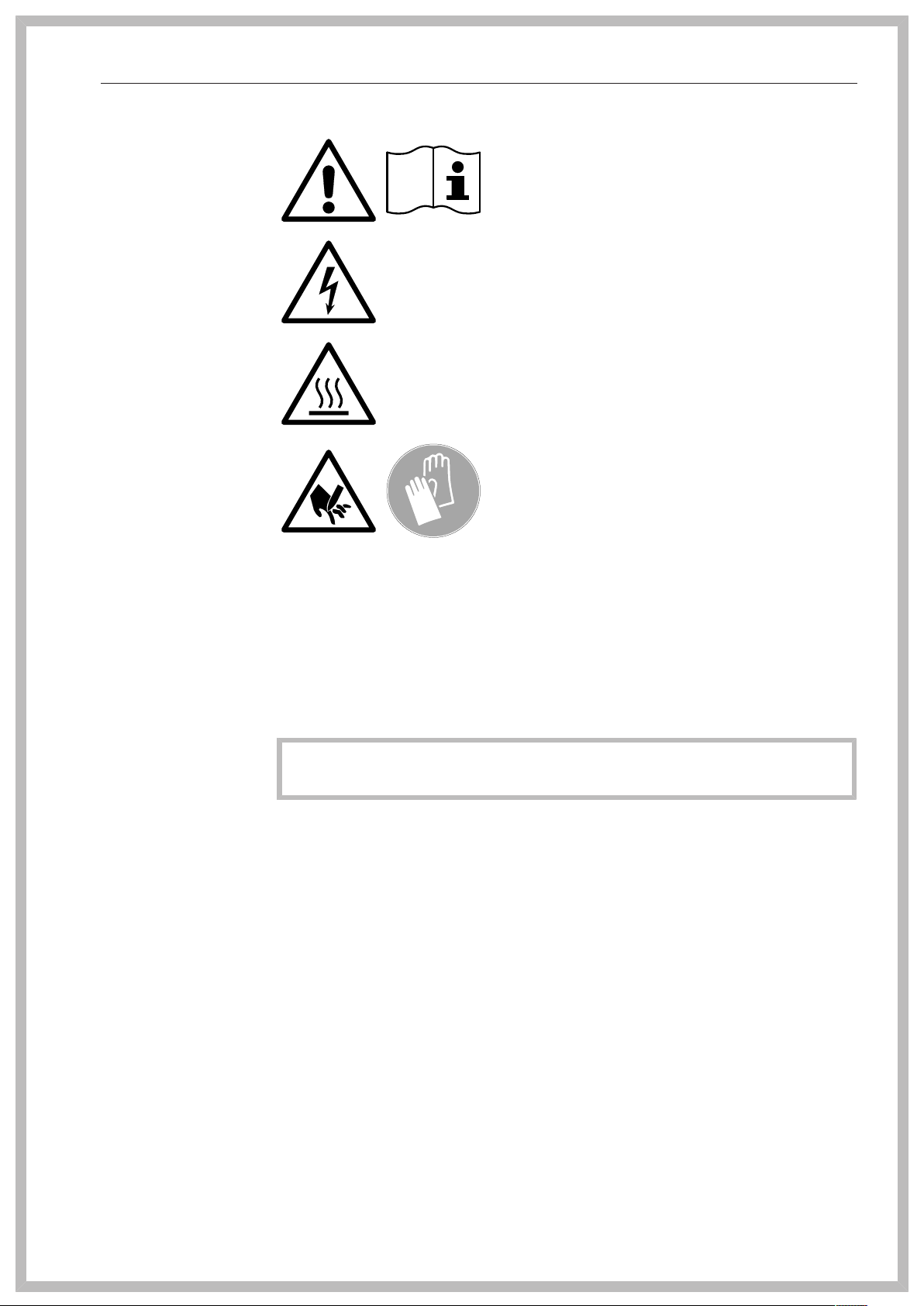
Symbols attached to the commercial dishwasher
Attention:
Observe the operating instructions!
Attention:
Danger of electric shock!
Warning: Hot surfaces:
It can be very hot inside the wash chamber
when the door is opened!
Risk of being cut:
Wear cut-resistant protective gloves when
transporting and setting up the machine!
Disposal of the commercial dishwasher
For safety and environmental reasons, dispose of all process
chemicals according to the manufacturer's instructions and to safety
regulations. Safety goggles and protective gloves should be worn.
Remove or disable the door lock prior to disposal of the
dishwasher, so that children cannot become trapped inside (see
“Caring for the environment”).
Miele cannot be held liable for damage caused by failure to comply
with these safety instructions and warnings.
Product description
12
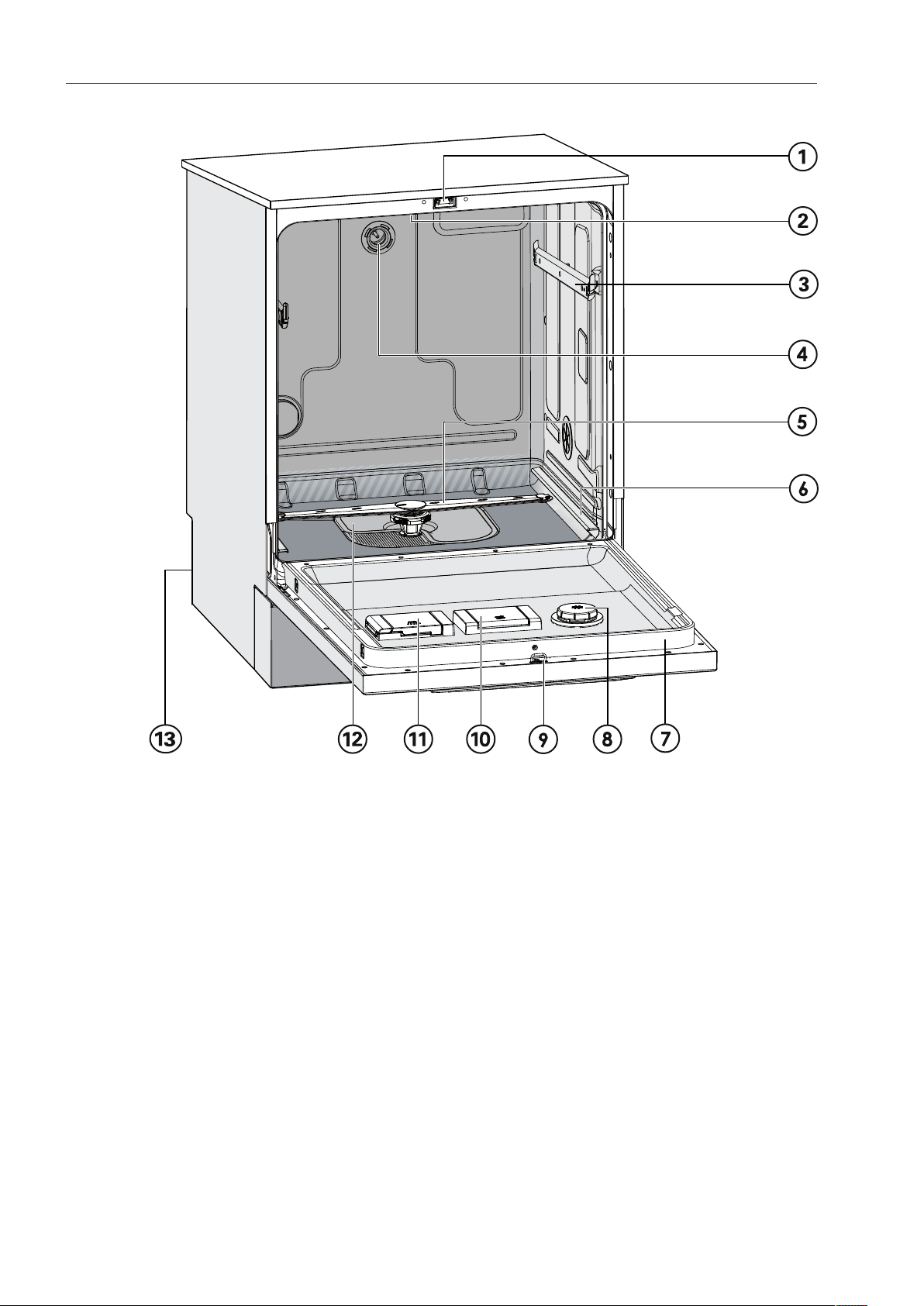
Machine overview
a
Door lock
b
Upper spray arm (not visible)
c
Upper basket runner
d
Connection for upper basket spray arm
e
Lower spray arm
f
Lower basket runner
g
Data plate
h
Rinse aid container
i
Door lock barrel
j
Container for reactivation salt
k
Dispenser for powder detergent
l
Filter combination
m
Back:
Connection for dispenser modules
External dispenser pump for liquid
detergent (DOS1)
External dispenser pump for rinse aid
(DOS4)
Product description
13
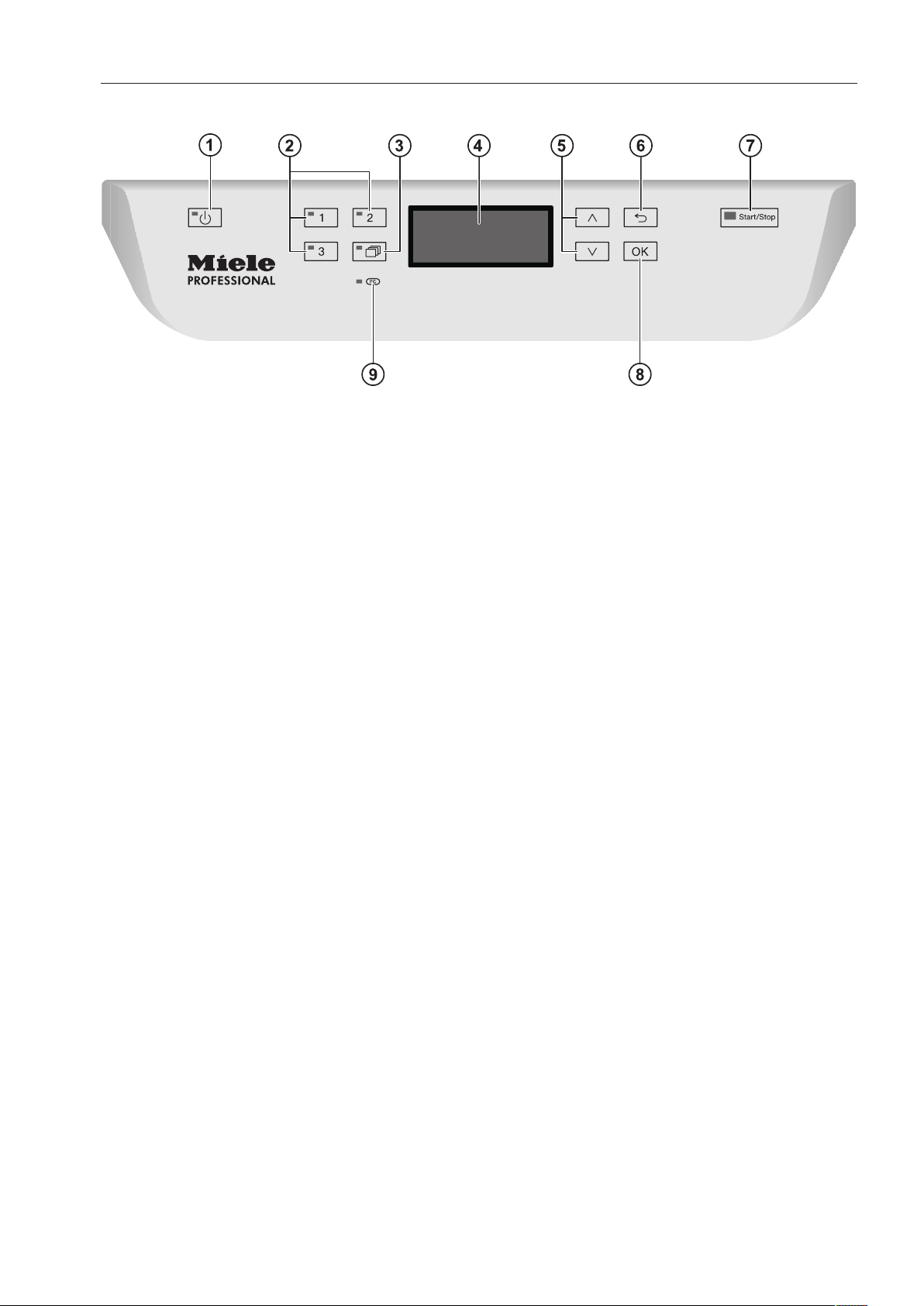
Control panel
a
(On/Off) Button
Turns the dishwasher on and off
b
Buttons 1 - 3 (program selection buttons)
Shortcut buttons for storing favorite
programs
c
button (additional programs)
For selecting additional programs
d
Display
User interface
e
and button (arrow buttons)
Navigation in user interface
f
button (cancel or back)
Cancels a process in the user interface
(not for canceling programs)
g
Start/Stop button
Starts or cancels a program
h
OK button (confirmation)
Selects options or confirms entries in the
user interface
i
Optical interface
Testing and transmission point for Miele
service technicians

User profiles
14
User groups
Users can be divided into two groups:
- Daily operators
- Experienced operators
Access to “Additional settings” can be blocked to general, daily
operators by using a code (see “Additional settings, Code”).
Daily operators
Operators must be instructed in operating and loading the
Commercial Dishwasher and trained regularly to guarantee safe daily
use.
Experienced
operators
Experienced operators can additionally block access to programs,
modify temperature and holding times within program cycles, and
alter water levels.
Operation tips
15
Display functions
The display is not a touch screen.
The following functions can be selected or set with the display:
- The program
- The delay start time
- The settings
The following appears in the display while a program is running:
- The program name
- The program stage / target temperature / actual temperature
- The estimated time left for the program to run
- Any relevant fault messages and information
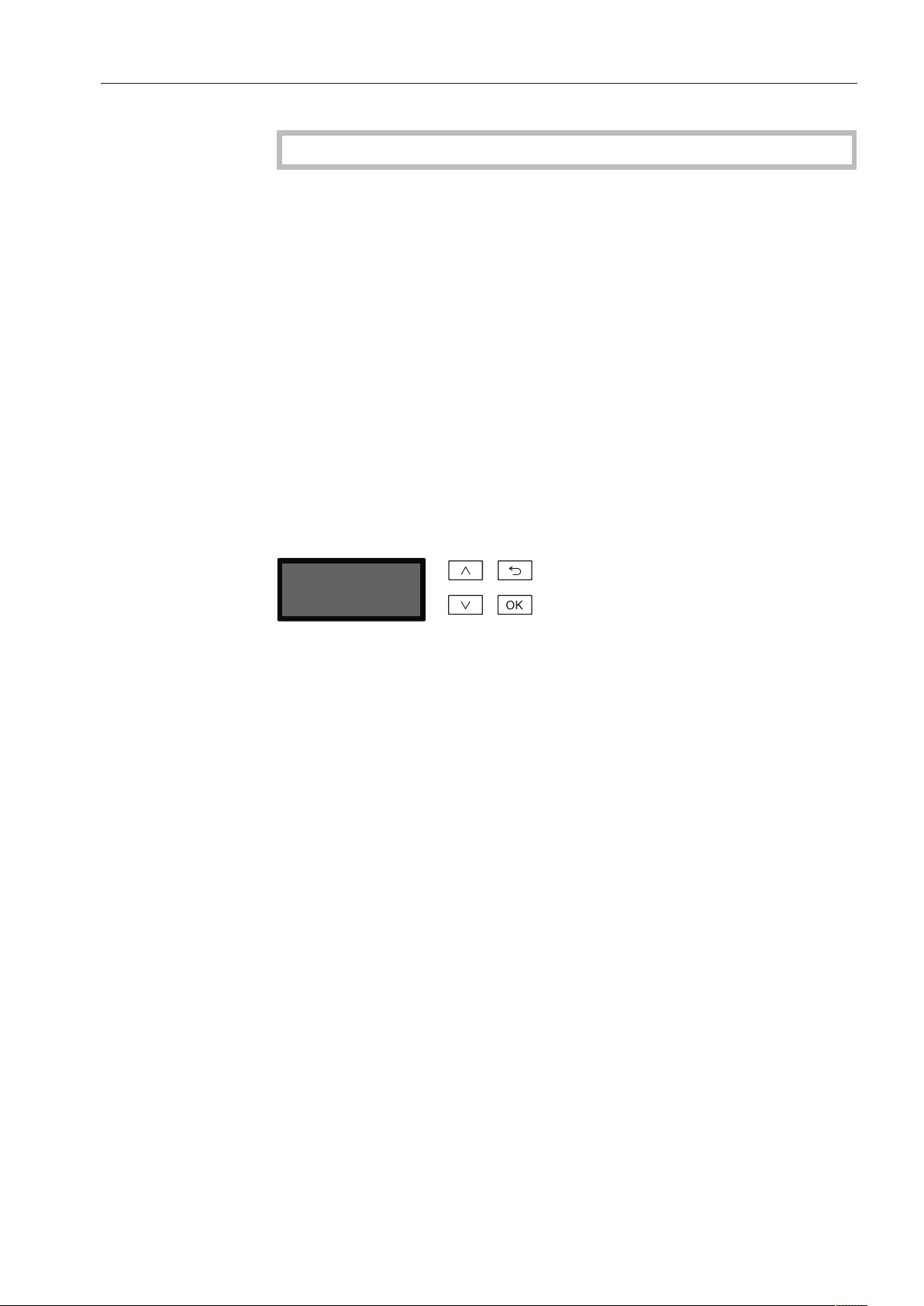
Menu operation
This dishwasher is operated exclusively via buttons on the control
panel. Arranged to the side of the display, the buttons (button fields)
are printed on the stainless steel control panel. They are operated by
pressing gently.
Menu operation is via the keypad to the right of the display.
- button
For navigating upwards by row within a menu, or increasing the
value highlighted.
- button (Cancel or back)
For ending a menu early. Any changes to settings are not saved
and the display reverts to the previous menu.
- button
For navigating downwards by row within a menu, or decreasing the
value highlighted.
- OK button
For confirming a selection or for saving input. The display moves to
the next menu or, when entering values, to the next input position.
The procedure for entering the values is described in the respective
chapter.

Operation tips
16
Menus
The Commercial Dishwasher's user interface is divided into different
menus. These menus are displayed in a 3-line display on the control
panel.
Example:
Language
,
;
(
english (GB)
deutsch
The name of the menu and a maximum of two menu options are
shown. The currently selected option is highlighted.
Single selection
Delay start
Yes
No
(
Use the and arrow buttons to navigate through the menu. The
highlighted option is selected by pressing the OKbutton. The option
which is selected will have a check next to it. The other options are
automatically deselected.
Press the OKbutton to progress to the next menu, or to the next
input position when entering values. The procedure for entering
values is described in the respective chapter. Press the button to
revert to the previous menu without saving the entry.
Multiple selection
Release program
Normal
Normal Plus
,
;
9
9
Use the and arrow buttons to navigate through the menu.
Several options can be selected in succession within the menu using
the OKbutton. Once selected, an option will have a check beside
it.
To save your selection, select Accept and confirm with the OKbutton.

Operation tips
17
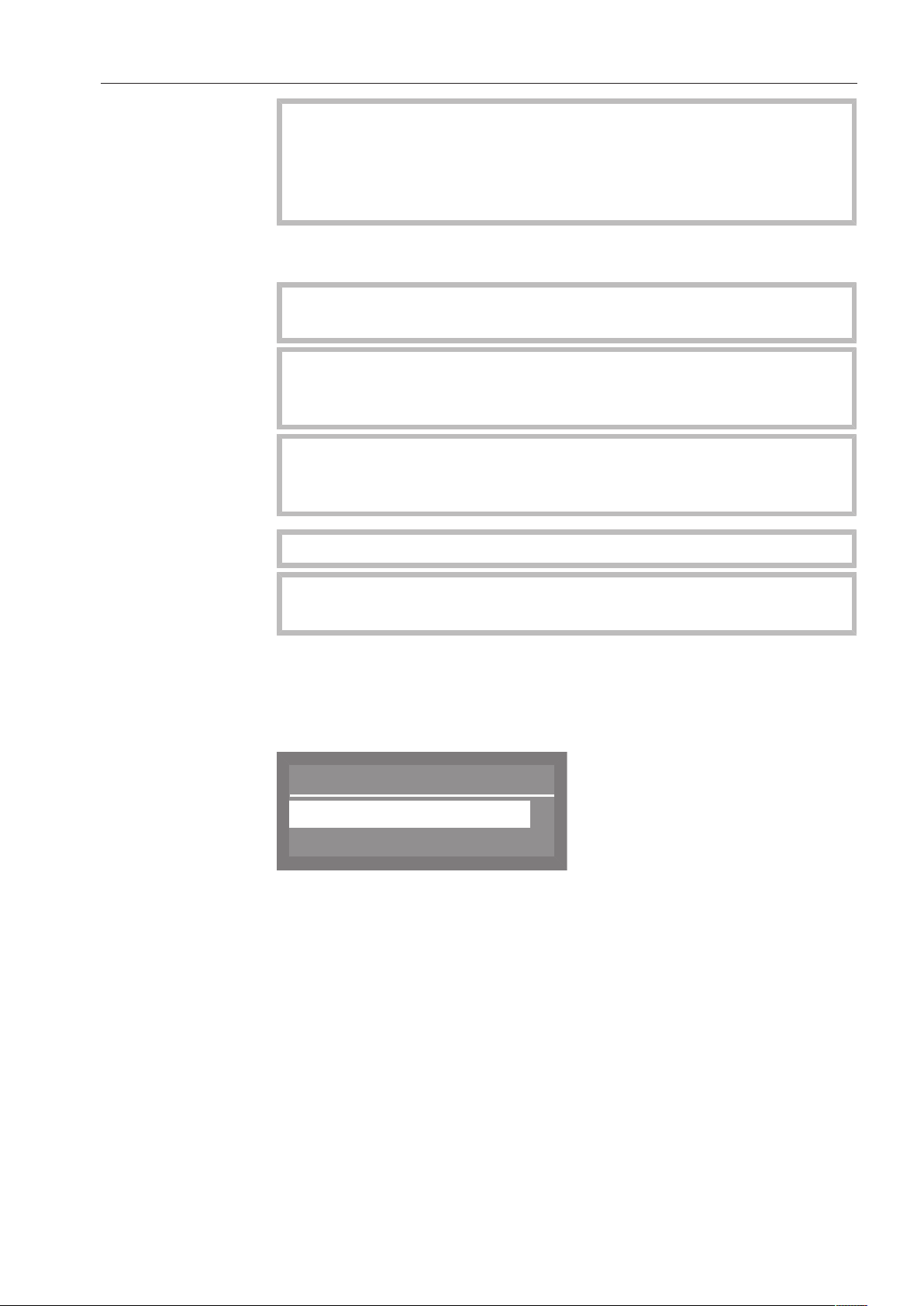
System messages
The symbol denotes system messages. These give information
about current processes and the status of the Commercial
Dishwasher. System messages are displayed individually at the end
of the program. If there are a number of system messages,
subsequent messages can be displayed by pressing the OKbutton.
System messages can also be displayed during the program cycle by
pressing the OKbutton.
Example:
OK
Refill salt
Automatic switch-off
The Commercial Dishwasher has an automatic switch-off function.
The Commercial Dishwasher switches itself off automatically after the
time set. The display and all other LEDs are switched off. To switch
the Commercial Dishwasher back on, press the On/Off button.
The automatic switch-off function can be deactivated (see “Additional
settings, Switch off after”). The display will then remain switched on
in idle mode.

Operation tips
18
Symbols in the display
Navigation arrows
If a menu contains more than two options, two navigation arrows are
shown beside the options. The arrow buttons and can be used
to scroll through the options.
Dotted line -------
If a menu contains more than two options, the end of the option list is
marked by a dotted line. The last entry appears above the line, the
first entry below it.
Tick
If there are several options available, the current setting is marked
with a tick .
Example:
Delay start
Yes
No
(
System messages
The symbol denotes system messages. If OK appears in the bottom
right of the display, the system message must be confirmed using the
OK button. If OK does not appear in the display, after a few seconds
the display skips to the next level up.
Fault messages
In the event of a fault, a warning triangle is shown in place of the
symbol. See “Frequently asked questions” for more information.
Commissioning
19
During commissioning, the following settings must be carried out.
You will be asked to program settings one after the other
automatically, and currently selected values will have a check
beside them. The commissioning process requires a set period of
time which cannot be interrupted.
The Commercial Dishwasher will guide you automatically through the
steps required.
Reactivation is carried out during the first program following
commissioning.
If the first program after commissioning is not completed and the
Commercial Dishwasher is then switched off, the initial
commissioning process must be carried out again.
The following options (with the exception of “Plumbing
connections”) can be altered subsequently by selecting the
“Settings ” menu and “Additional settings”.
Switching on the
machine
The dishwasher must be connected to the electrical supply.
Close the door
(door must be completely closed for commissioning).
Press the button until the button's LED lights up.
Setting
the language
The commissioning process automatically begins at the language
setting screen, where you will be prompted to set the display
language.
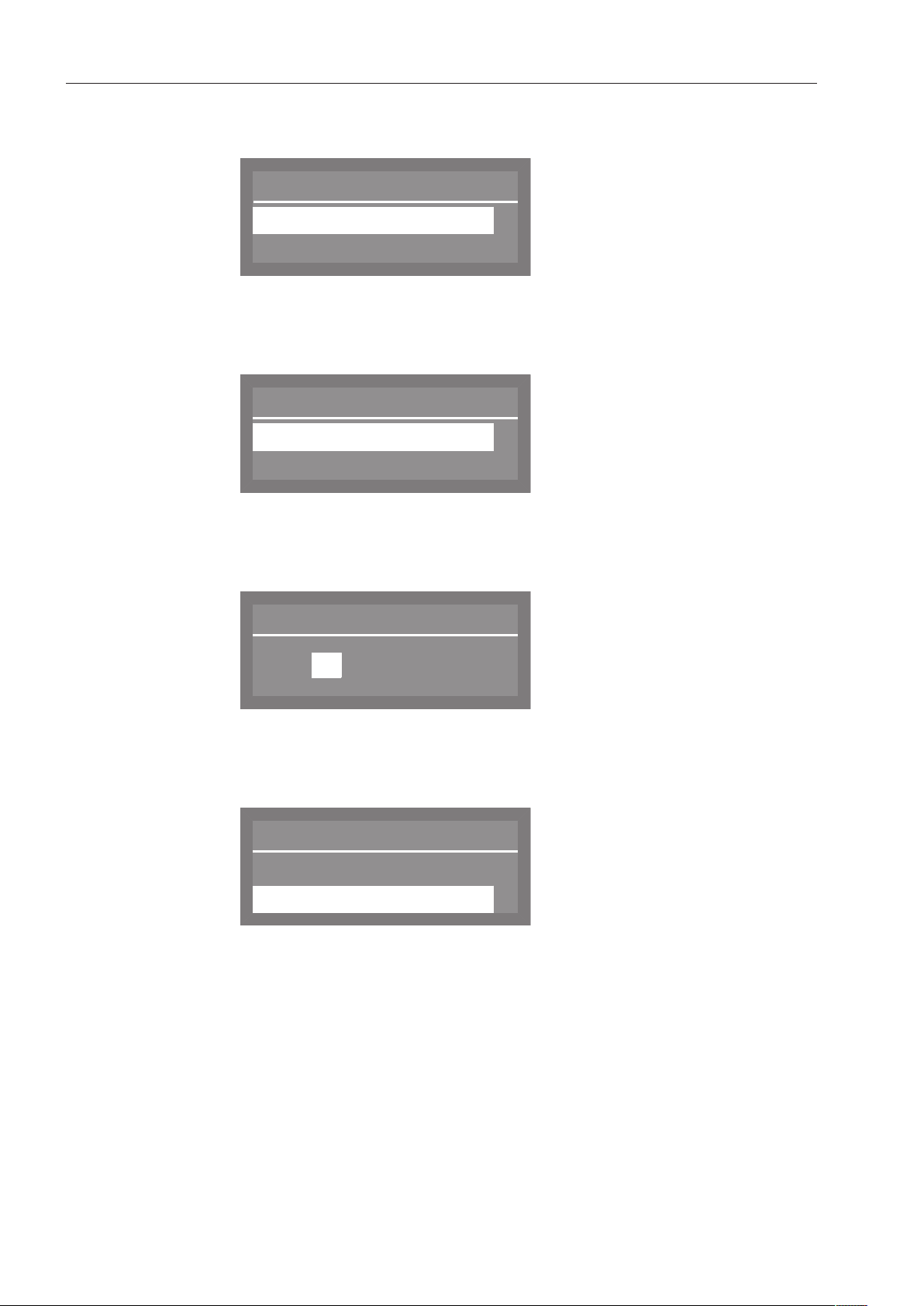
Language
,
;
(
english (GB)
deutsch
Use the and arrow buttons to select the desired language and
confirm your choice with the OKbutton.
Commissioning
20
Setting the
temperature unit
The display will then change to the screen for setting the temperature
unit.
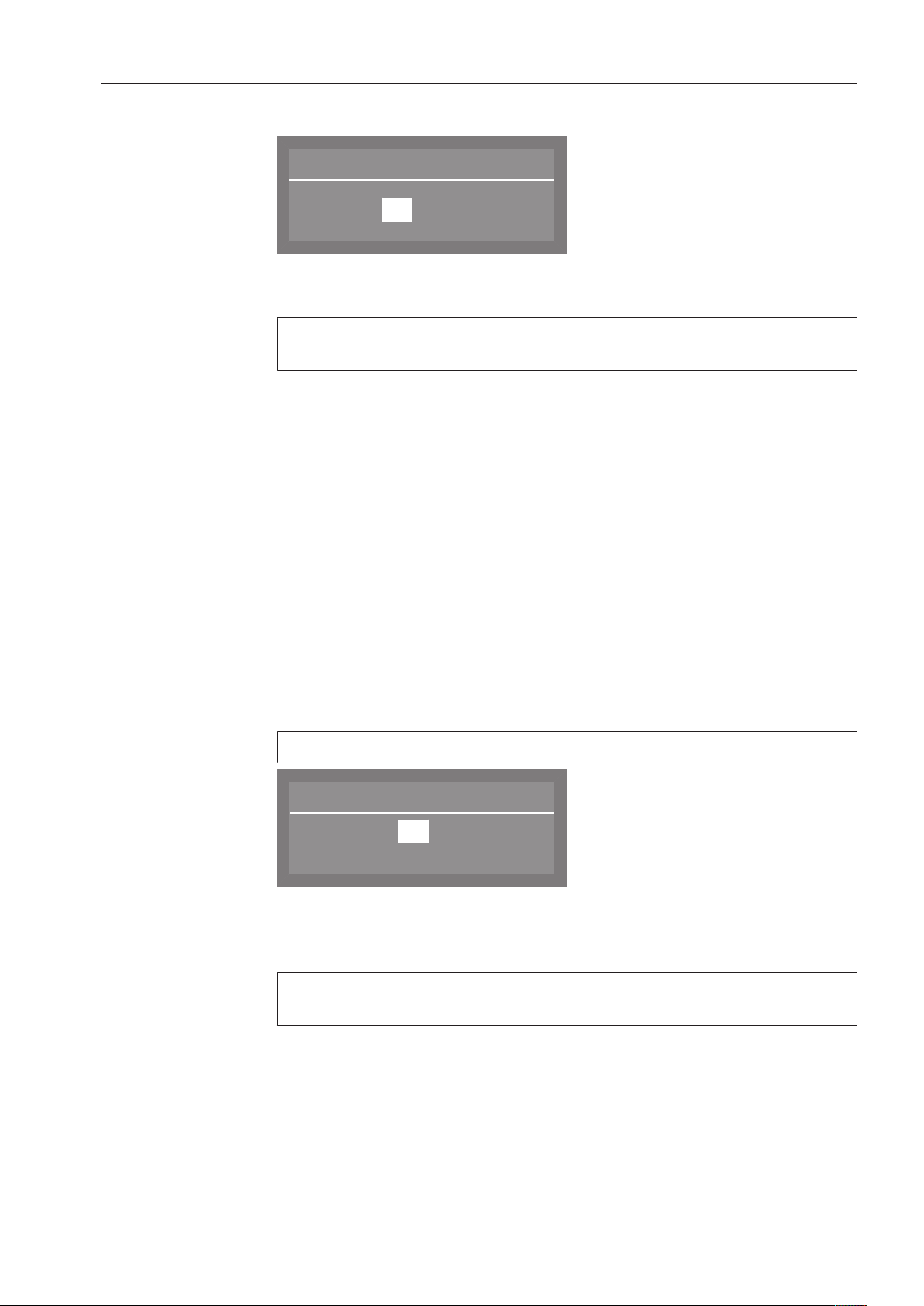
Temperature unit
°C
°F
(
Use the and arrow buttons to select the desired temperature
unit and confirm your choice with the OKbutton.
Setting the
date format
The display will then change to the screen for setting the date format.
Date format
DD:MM:YY
MM:DD:YY
(
Use the and arrow buttons to select the desired date format
and confirm your choice with the OK button.
Setting
the date
The display will then change to the screen for setting the date.
Date
12 . 07 . 2013
Use the arrow buttons (higher) and (lower) to set the day,
month, and year, and confirm each entry with the OKbutton.
Setting the
clock format
The display will change to the screen for setting the clock format.
Time format
(
24 h
12 h
Use the and arrow buttons to select the desired format, and
confirm your choice with the OKbutton.
Commissioning
21
Setting
the time
The display will change to the screen for setting the time of day.
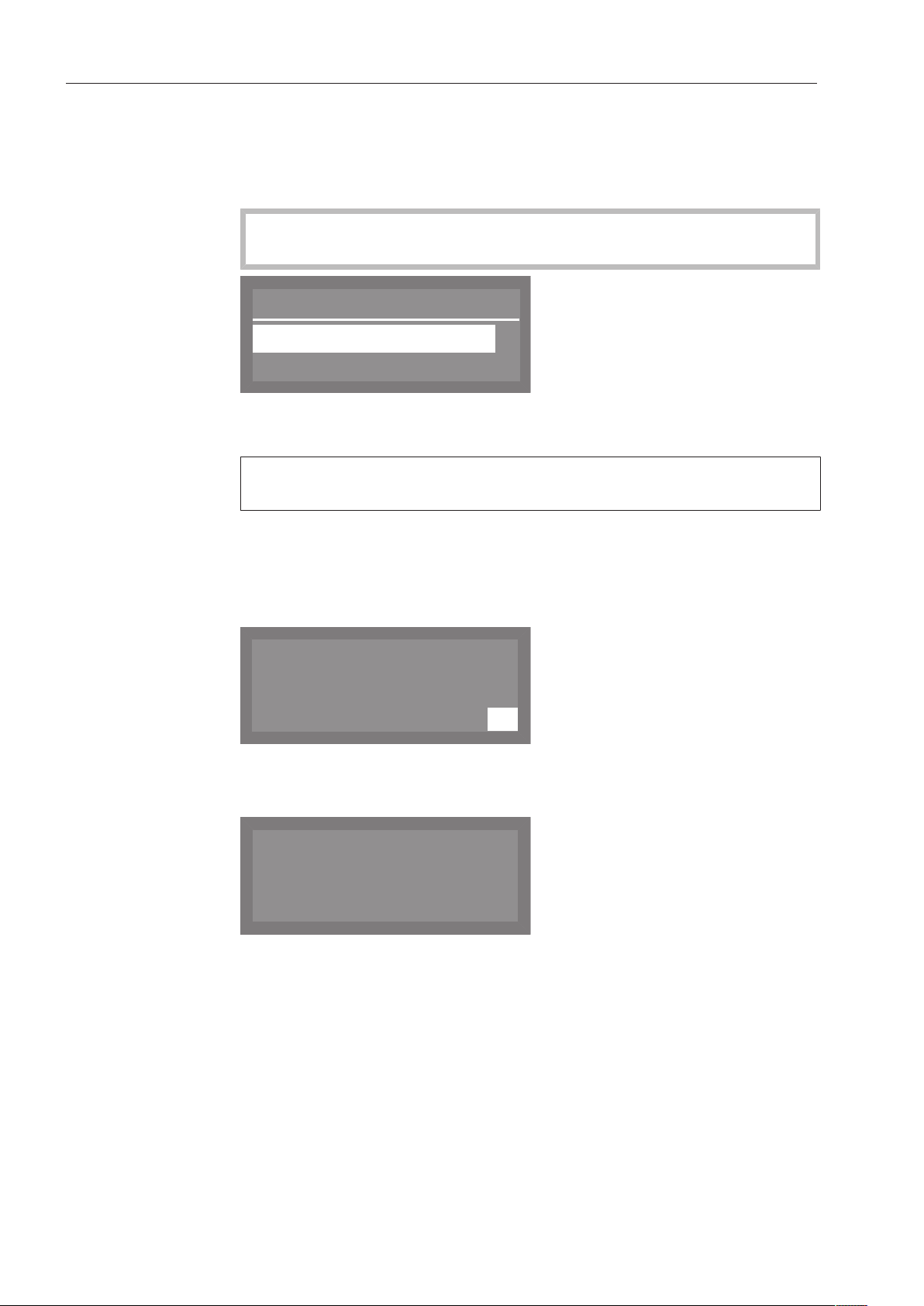
Time of day
12 : 00
Use the arrow buttons (higher) and (lower) to set the hours and
minutes, and confirm each entry with the OKbutton.
If you have selected 12h for the clock format, “am” (in the morning)
or “pm” (in the afternoon) will appear beside the time.
Setting the water
hardness level
The display changes to the screen for setting the water hardness.
The dishwasher must be programmed to match exactly the hardness
of your water.
Your local water supplier can tell you the water hardness level in
your area.
Where the water hardness fluctuates (e.g. 8-18gpg/8-17°dH),
always program the dishwasher to the higher value (in this example,
18gpg/17°dH).
It is useful to know your water hardness so that you can provide the
service technician with this information in the event of any service
calls.
Enter the water hardness below:
____________________gr/gal
The water hardness factory setting is programmed at 20gpg (19°dH)
Water hardness
19
(0 - 70 °dH)
°dH
Use the arrow buttons (higher) and (lower) to set the water
hardness required and confirm your entry by pressing the
OKbutton.
See “Filling the container for reactivation salt” for more information
about setting the water hardness level.
Commissioning
22
Water
connections
The display will then change to the screen for setting the water
connection.
This setting can be disabled if it is not possible to connect the
dishwasher to all available water connections.
If individual water connections are disabled, they can only be
enabled again by Miele Service.
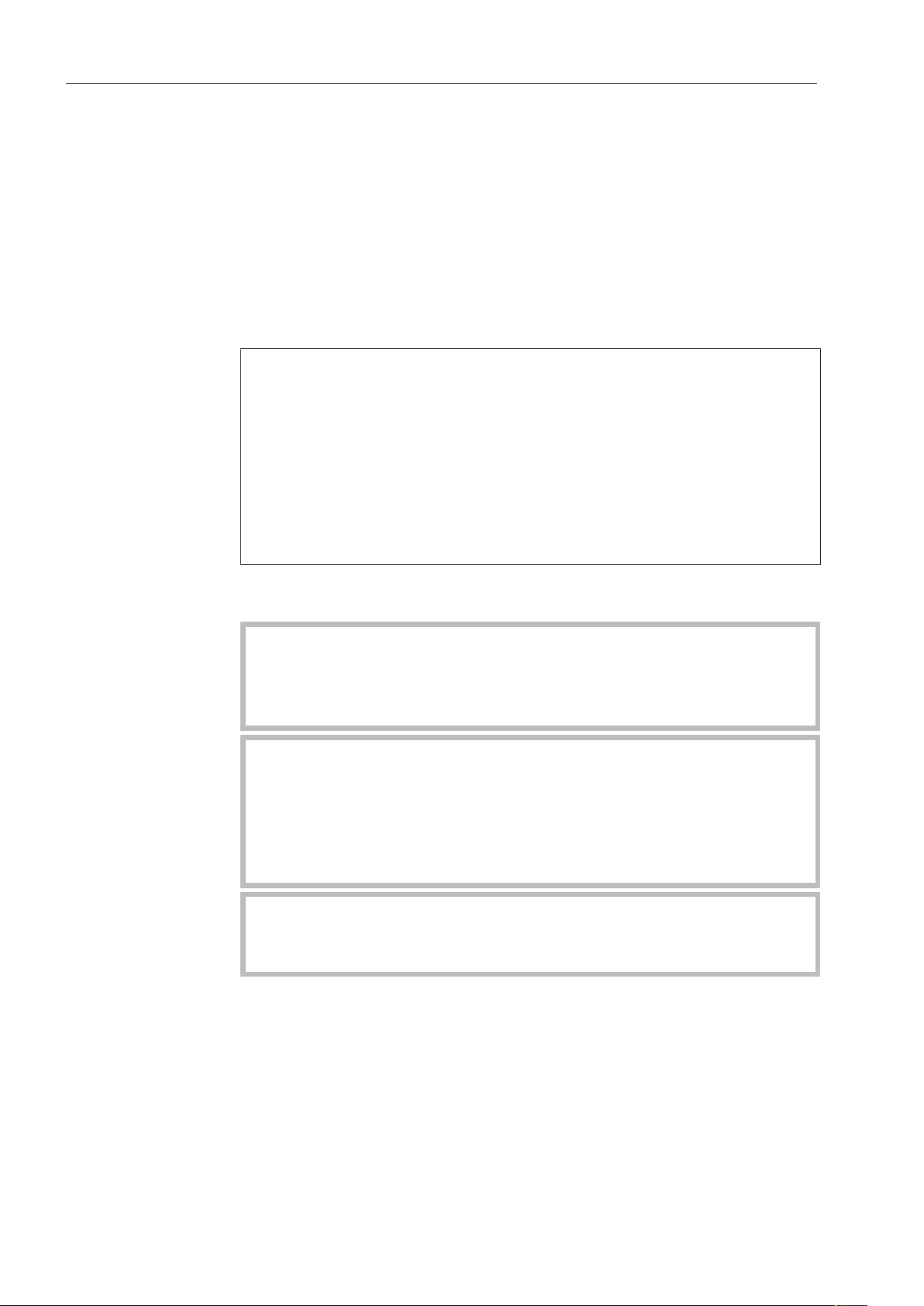
Plumbing connections
Accept
Cold water
,
;
9
Use the and arrow buttons to select the water connections
which are not in use, and confirm your choice with the OKbutton.
The checkmark will be removed from the box and the water
connection is then disabled.
Select Accept to save your choice, and confirm your setting with
the OKbutton.
Commissioning
completed
Commissioning is successfully completed and the following message
will appear in the display.
OK
Set up successful
Press the OK button.
The dishwasher is now ready for use.
M
PROFESSIONAL
PG 8056
The start screen is displayed for 3 seconds.
Then the first shortcut button program will appear in the display.

Opening and closing the door
23
Opening the door
The control panel also serves as a door handle.
Grasp the handle underneath the control panel and lower the door
to open.
If the door is opened during operation all functions are automatically
interrupted (see “Operation, Interrupting a program”).
A program which is already running should only be interrupted if
strictly necessary, e.g. if the wash load is moving about
significantly.
Closing the door
Push the baskets in.
Raise the door upwards until the catch engages.
Filling the salt container
24
Reactivating
In order to achieve excellent cleaning results, the Commercial
Dishwasher needs to operate with soft water. Hard water results in
the build-up of calcium deposits on wash items and on the wash
cabinet walls.
Domestic water with a water hardness of 4gpg (4°dH) must therefore
be softened. This occurs automatically in the integrated water
softener.
The water softener must be set to the exact hardness of the domestic
water.
Your local water authority can give you information about the exact
water hardness in your area.
It is useful to know your water hardness so that you can provide the
service technician with this information in the event of any
subsequent service calls. For this reason, please record the
hardness level of your domestic water here:
______________gpg or °dH
The water softener must also be reactivated at regular intervals.
Special reactivation salt is required for this.
Damage to the water softener from detergent.
Dishwasher detergent will damage the softener assembly.
Do not fill the container for reactivation salt with dishwasher
detergent (including liquid detergent).
Damage caused by using unsuitable salts.
Some types of salt may contain insoluble components which can
cause the water softener to malfunction.
Use only special, coarse-grained reactivation salt or other pure
kitchen salt.
Suitable products are available from Miele Professional.
If the hardness of your water is constantly less than 4gpg (= 4°dH),
no salt is required for the water softener.
However, you will still need to set the water hardness.

Filling the salt container
25
Setting the water hardness level
The water softener can be set to between 0 and 73 gpg (0 - 70°dH
German scale).
Select the Additional settings menu.
Select Water hardness and confirm your choice with theOKbutton.
Water hardness
19
(0 - 70 °dH)
°dH
The factory default setting for the water softener is a hardness of 20
gpg (19°dH German scale).
Please observe the table below when setting the hardness level.
If the water hardness fluctuates, e.g. between 8 and 18 gpg (8 and 17
°dH German scale), always be sure to set the dishwasher to the
higher value, 18 gpg (17°dH German scale) in this example.
Use the arrow buttons (higher) and (lower) to set the required
water hardness level, and confirm your entry with the OKbutton.
Filling the salt container
26
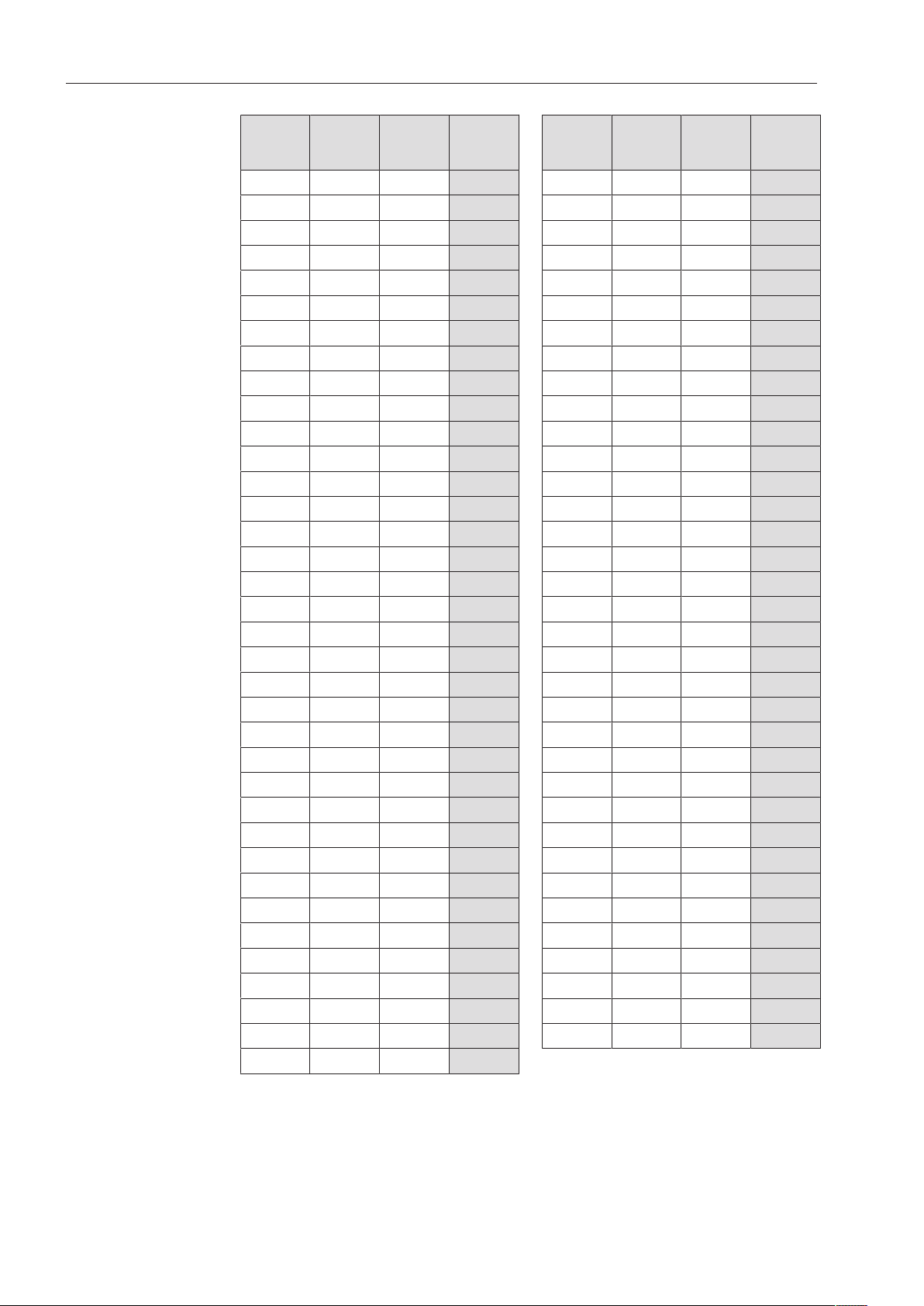
Settings table
gr/gal ppm
CaCO
3
mmol/l Display gr/gal ppm
CaCO
3
mmol/l Display
0 0 0 0 36 650 6.5 36
1 20 0.2 1 37 670 6.7 37
2 40 0.4 2 38 680 6.8 38
3 50 0.5 3 39 700 7.0 39
4 70 0.7 4 40 720 7.2 40
5 90 0.9 5 41 740 7.4 41
6 110 1.1 6 42 760 7.6 42
7 130 1.3 7 43 770 7.7 43
8 140 1.4 8 44 790 7.9 44
9 160 1.6 9 45 810 8.1 45
10 180 1.8 10 46 830 8.3 46
11 200 2.0 11 47 850 8.5 47
12 220 2.2 12 48 860 8.6 48
13 230 2.3 13 49 880 8.8 49
14 250 2.5 14 50 900 9.0 50
15 270 2.7 15 51 920 9.2 51
16 290 2.9 16 52 940 9.4 52
17 310 3.1 17 53 950 9.5 53
18 320 3.2 18 54 970 9.7 54
19 340 3.4 19 *) 55 990 9.9 55
20 360 3.6 20 56 1000 10.0 56
21 380 3.8 21 57 1020 10.2 57
22 400 4.0 22 58 1040 10.4 58
23 410 4.1 23 59 1060 10.6 59
24 430 4.3 24 60 1070 10.7 60
25 450 4.5 25 61 1090 10.9 61
26 470 4.7 26 62 1110 11.1 62
27 490 4.9 27 63 1130 11.3 63
28 500 5.0 28 64 1150 11.5 64
29 520 5.2 29 65 1160 11.6 65
30 540 5.4 30 66 1180 11.8 66
31 560 5.6 31 67 1200 12.0 67
32 580 5.8 32 68 1220 12.2 68
33 590 5.9 33 69 1240 12.4 69
34 610 6.1 34 70 1250 12.5 70
35 630 6.3 35
*) Factory default setting
Filling the salt container
27
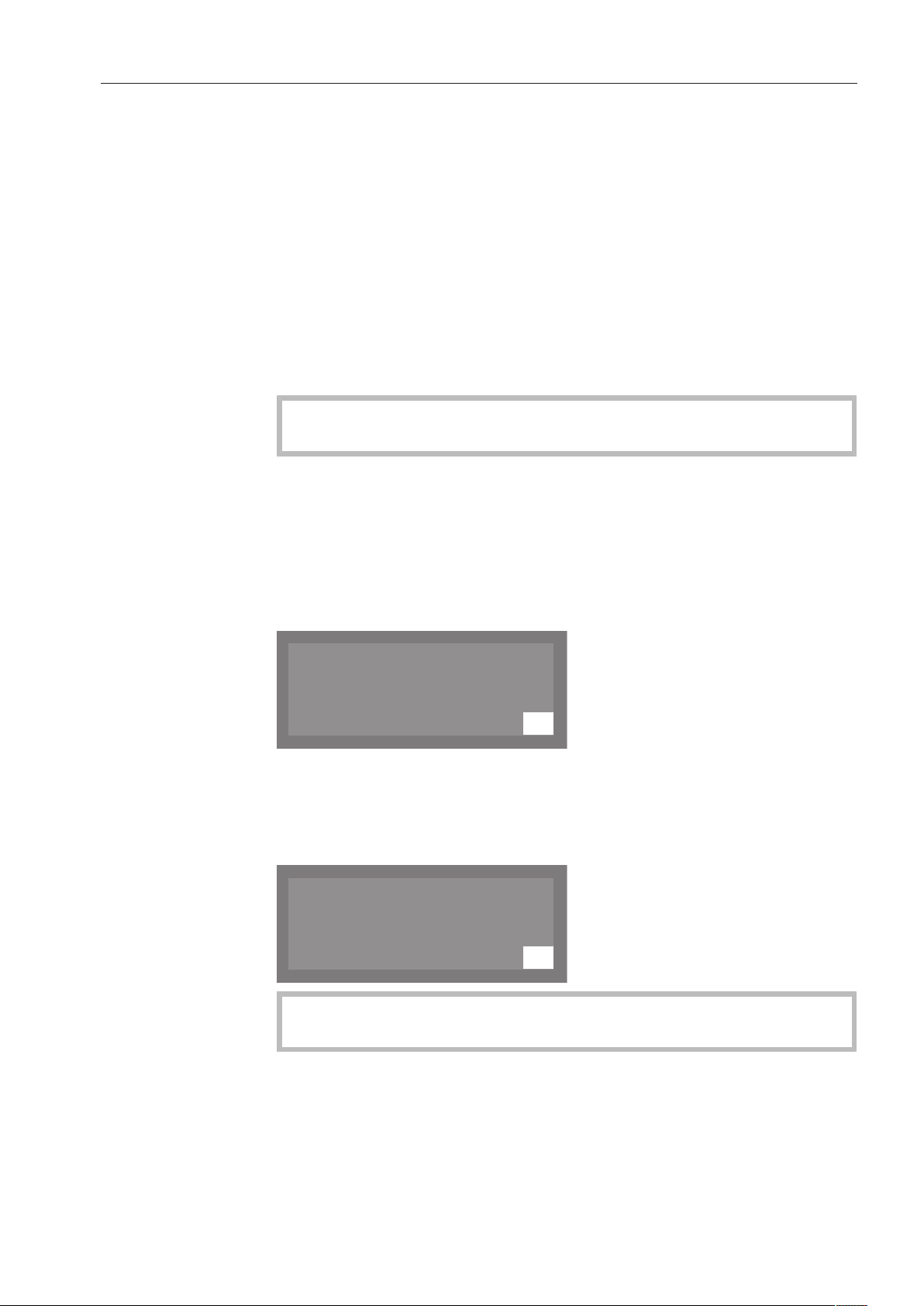
Salt refill reminder
At the end of a program, fill the salt compartment with salt
whenever the message appears in the display.
Acknowledge the message with the OK button.
If no salt is added, the symbol indicating low salt will appear beside
the program name on the right.
The low salt message will appear again at the end of each program.
Refill reminders can be displayed during the program cycle by
pressing the OK button.
If there are no additional refill reminders, the symbol in the display
will go out after a few seconds once the salt has been refilled.
The salt refill reminder is deactivated if the dishwasher is set to a
water hardness of 0 - 0.7mmol/l (0 - 4°dH German scale).
Appliance lockdown due to low salt
If the low salt reminder is ignored for several program cycles and the
salt is not refilled, the appliance will be locked to prevent further use
until more salt is added.
The following message will appear in the display shortly before this
happens:
K
OK
Machine locking
Insufficient salt
Depending on the selected program and the water hardness setting,
only a few more program cycles will be possible.
If additional program cycles are run without the salt being refilled, the
dishwasher will be locked to prevent operation.
K
OK
Salt container empty,
Program locked
When reactivation salt is added, the appliance will automatically
unlock after a few seconds.
Filling the salt container
28
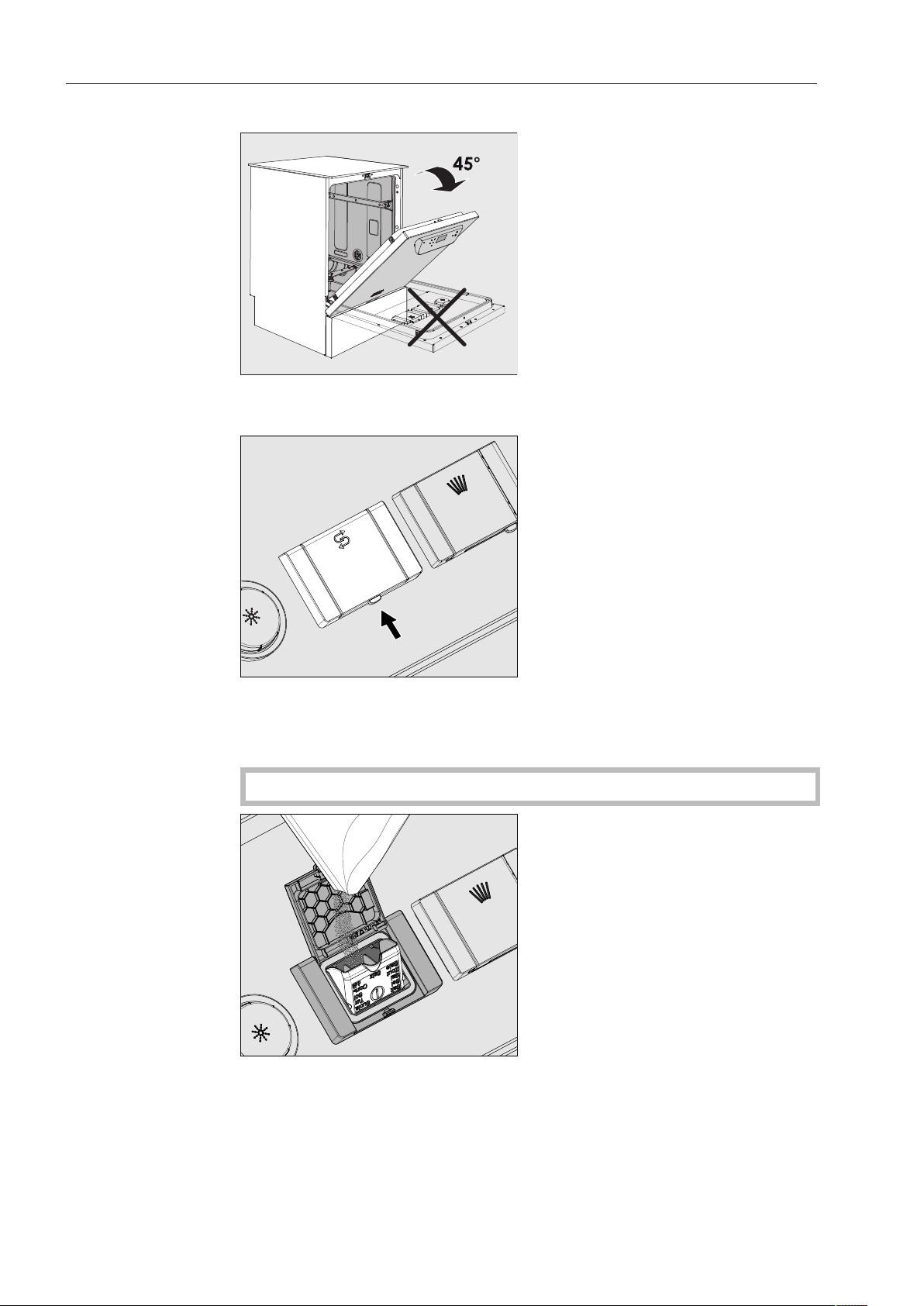
Filling the container for reactivation salt
When filling the salt container, only open the door halfway to
ensure that all the salt gets into the container.
Press the button on the lid of the salt container in the direction of
the arrow. The flap will spring open.
Open the funnel.
Do not pour any water into the salt container!
Add salt into the container until the funnel is full but still closes
easily. The salt container will take approx. 4.4 lb (2kg) of salt on the
first fill depending on the degree of coarseness.
Subsequent refills may take less salt, as there may still be salt
remaining in the container.

Filling the salt container
29
Do not add more than 4.4 lb (2kg) of salt.
If there is water present in the container, it may be forced out by the
added salt.
Clean any excess salt from around the container opening and the
seal surrounding it, and then close the flap.
To avoid corrosion in the wash cabinet, run the Rinse program
(without any wash items in the dishwasher) immediately after
refilling the salt container. This will dilute and rinse away any
remaining traces of salt.
Adding rinse aid
30
Rinse aid
Rinse aid is necessary to ensure water does not cling and leave
marks on cookware before the drying phase and helps cookware dry
faster after it has been washed.
Rinse aid can be poured into the reservoir in the door or can be
dispensed via an external dispensing DOS module (Optional
accessory - see “DOS module”).
Only fill the rinse aid reservoir with rinse aid. Do not fill it with
detergent (including liquid detergent). This will seriously damage
the reservoir.
Suitable products are available from Miele Professional.
Conversion to the external DOS module must be carried out only
by Miele Service or by an authorized dealer.
In the Glasses program, the final rinse is carried out without rinse
aid.
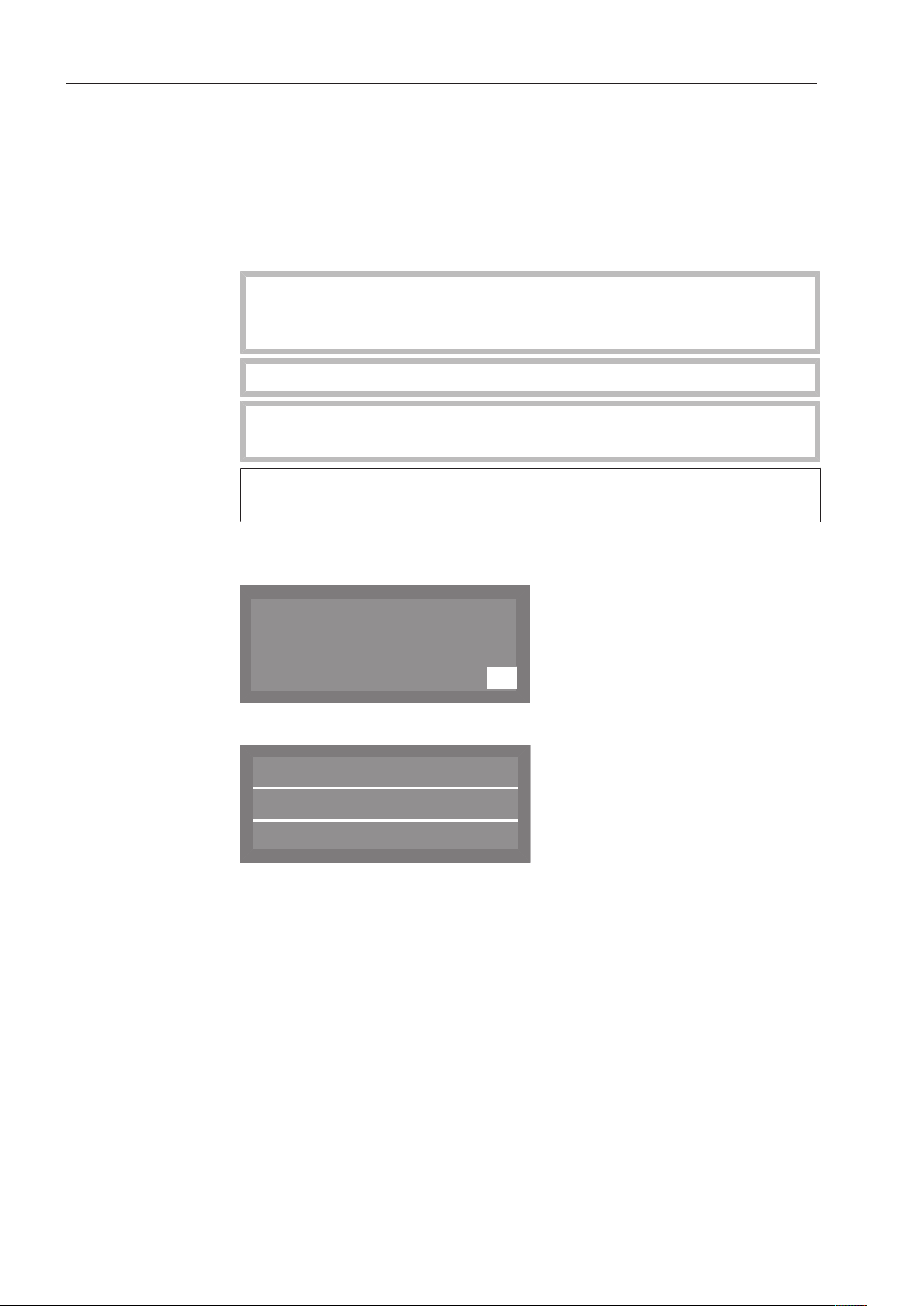
Rinse aid
indicator
Refill the rinse aid at the end of a program whenever the message
appears in the display.
K
OK
Refill rinse aid
Acknowledge the message with the OK button.
Normal Plus
Temperature
Duration
:
55 °C
Min
23
If rinse aid is not added, the symbol indicating low rinse aid will
appear beside the program name on the right.
The refill reminder will be displayed again at the end of every
subsequent program.
Refill reminders can be displayed during the program cycle by
pressing the OK button.
If there are no additional refill reminders, the symbol in the display
will go out a few seconds after the rinse aid has been refilled.
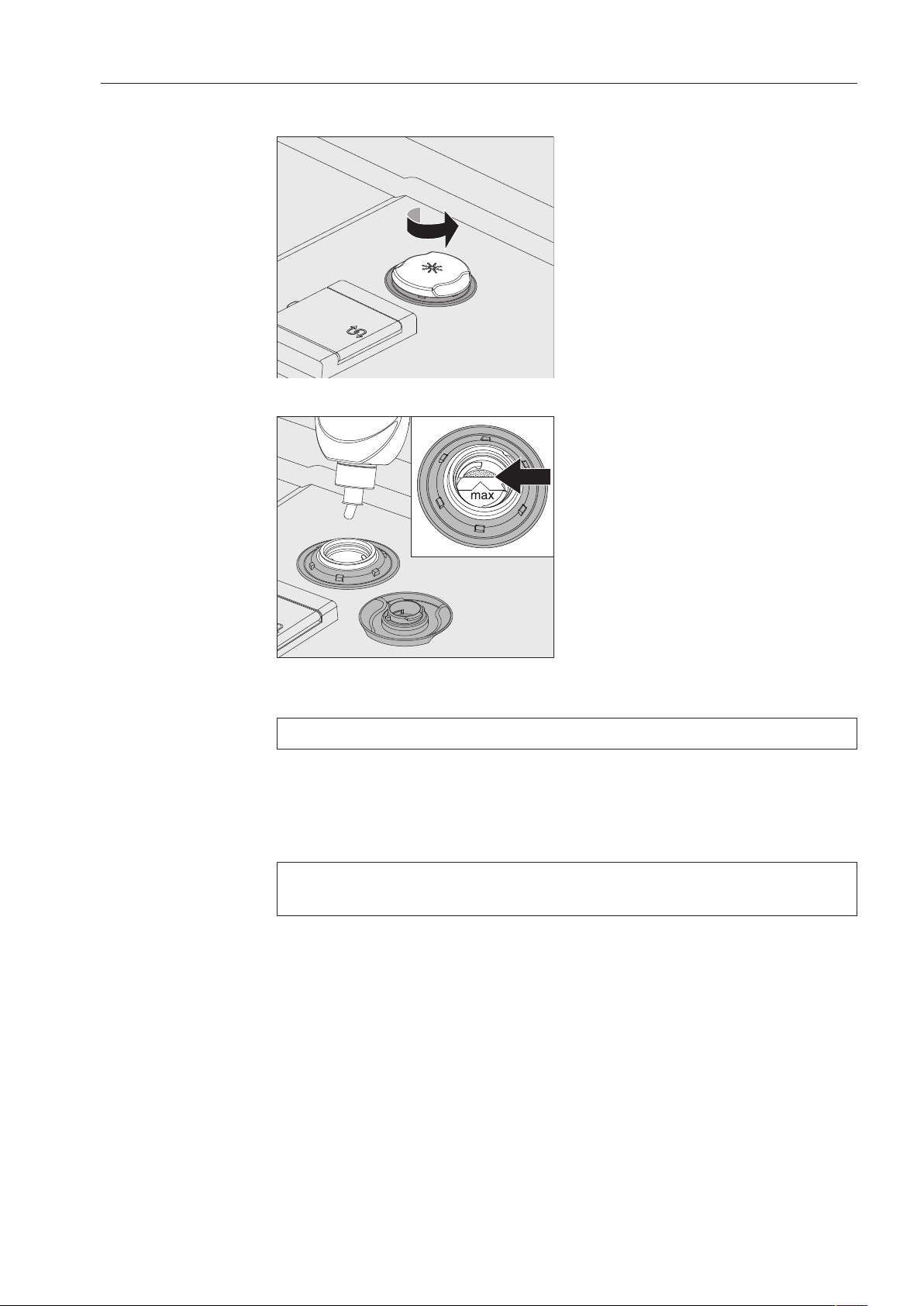
Adding rinse aid
31
Adding rinse aid
Open the door fully.
Unscrew the lid of the rinse aid container.
Add rinse aid only until it is up to the maximum mark on the edge of
the funnel on the container.
The rinse aid container holds approx. 10oz. (300ml).
Screw the lid of the rinse aid container back on tightly so that water
cannot get into the container during the wash cycle.
Run the “Cold” program to rinse away any spilled rinse aid. This
prevents over-foaming occurring during the next program.
You can adjust the dispensing quantity of the rinse aid for best
results (see “Additional settings, Additional functions”).

Application technology
32
Preparing the load
Remove coarse food residues from the dishware.
There is no need to rinse items under running water!
Tips
Ensure that no acid or solvent residues, especially hydrochloric
acid or chlorides, get inside the machine.
Do not wash items soiled with ash, sand, wax, grease or paint
in the dishwasher.
These substances will damage the dishwasher.
Load the dishware and utensils into their appropriate places in the
baskets, but be sure to observe the following instructions:
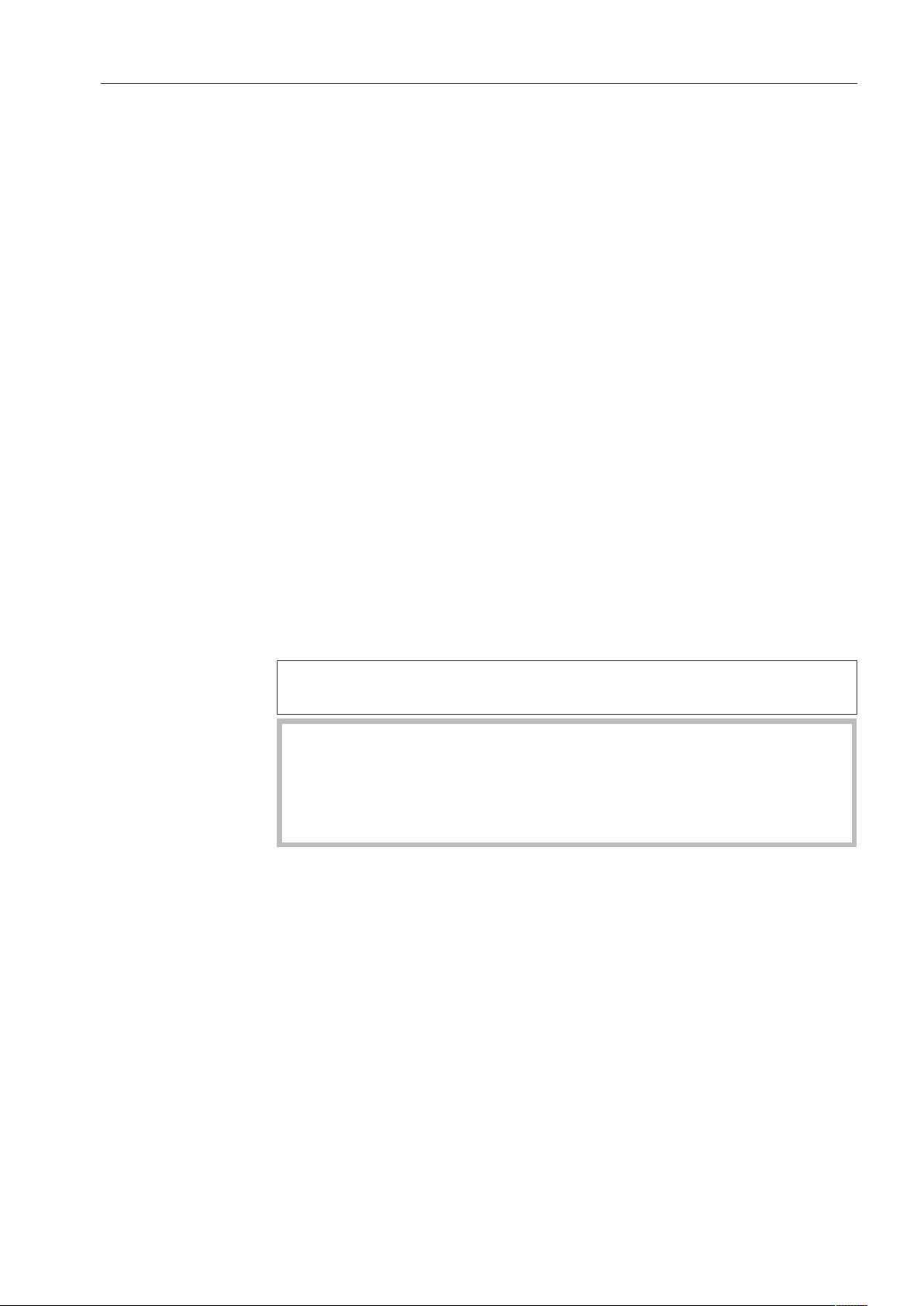
Load the dishware so that water can access all surfaces. This
ensures that the items will be properly cleaned.
Load plates symmetrically in the upper and lower baskets with the
concave surfaces facing the center of the basket (as shown on the
following pages).
Do not place dishes or cutlery inside other pieces. They will cover
one another.
Make sure that all items are securely positioned.
Hollow items such as cups, glasses and pans, etc. should be
placed upside down in the baskets.
Tall and narrow hollow items should be placed in the center of the
basket if possible to ensure better water coverage.
Concave items such as mugs or bowls should be placed at an
angle so that the water can run off.
The spray arms must not be blocked by items which are too tall or
hang through the baskets. If in doubt, test for free movement by
manually rotating the spray arms.
Small items can fall through the holders in the baskets. Small items
should therefore be placed in the cutlery basket.
Application technology
33
Items not suitable
for dishwashers:
- Wooden cutlery and cookware or items with wooden parts: these
may discolor and fade. The glue used in these items is not
dishwasher-proof and wooden handles may come loose after being
washed in a dishwasher.
- Craft items, antiques, valuable vases and decorative glassware:
such items are not suitable for dishwashers.
- Plastic items which are not heat resistant: the high temperatures in
the dishwasher may cause them to melt or lose shape.
- Copper, brass, tin and aluminum items: these may discolor or
become matt.
- Colors painted over a glaze: these may fade after a number of
washes.
- Delicate glassware and glassware containing lead crystal: clouding
may occur over time.
We recommend
- When purchasing new cookware and cutlery, make sure they are
dishwasher-proof.
- Clouding may occur on glasses after frequent washing. If delicate
glassware is washed in the dishwasher ensure that only a special
glass-care program with very low temperatures (see program chart)
is selected and that suitable detergent is used. This will reduce the
risk of clouding.
Please note:
Silver and aluminum which has been in contact with foods
containing sulfur can discolor.
Aluminum components (e.g. grease filters) must not be cleaned
with caustic alkaline commercial or industrial cleaning agents.
These may damage the material, or in extreme cases, there is a risk
of a severe explosive chemical reaction (such as an explosive
oxyhydrogen gas reaction).
Application technology
34
Upper basket
Use the upper basket for small, lightweight and delicate items such
as cups, saucers, glasses, dessert bowls etc. Light, heat resistant
plastic items can also be loaded in the upper basket.
O 891 upper basket
With insert E 810 for e.g. 20 cups, 33 saucers or 17 dessert plates.
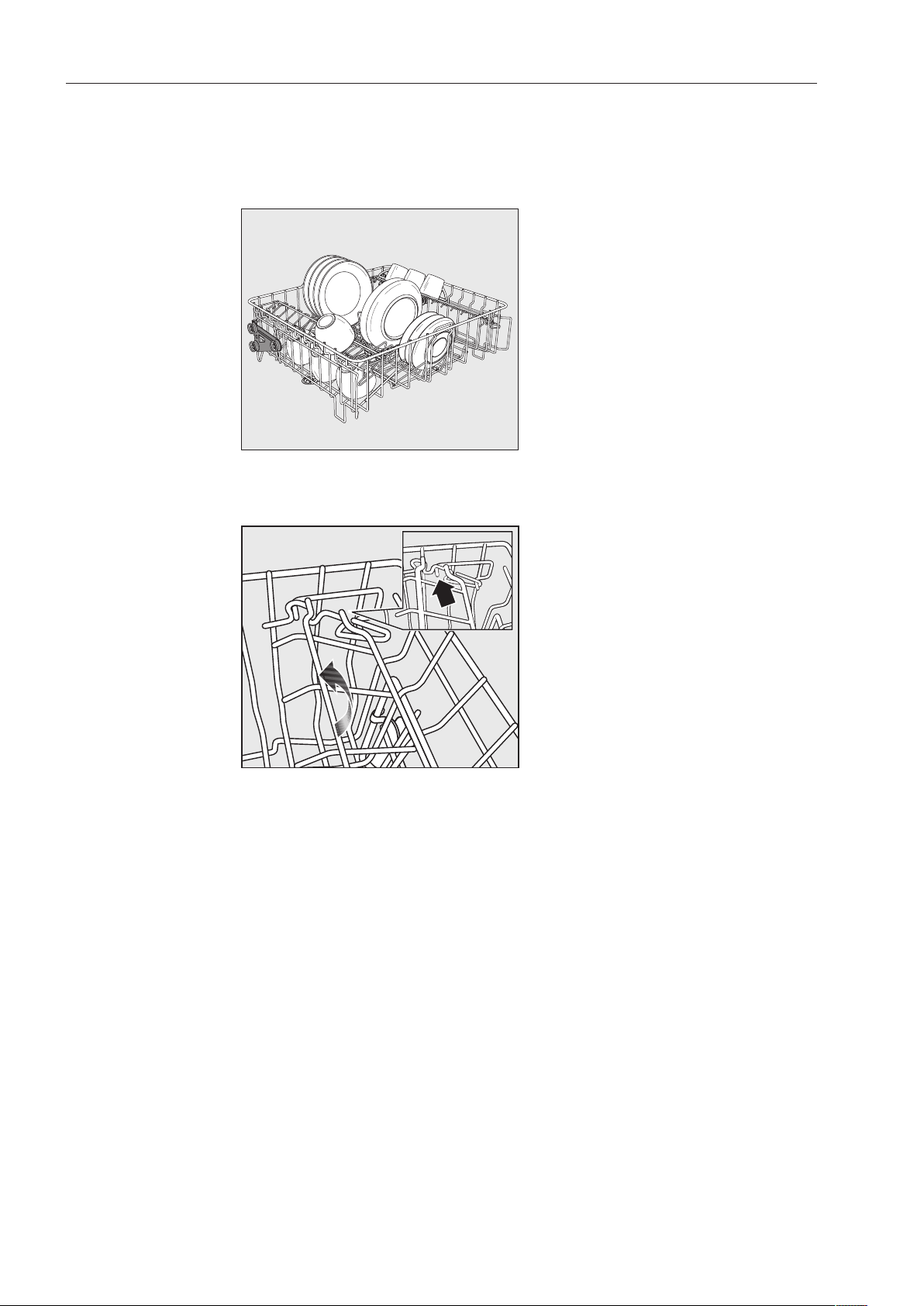
Cup rack
The cup rack can be set at two different widths so that it can also
accommodate large cups.
Pull the cup rack upwards and click it back into position at the
required width.
Application technology
35
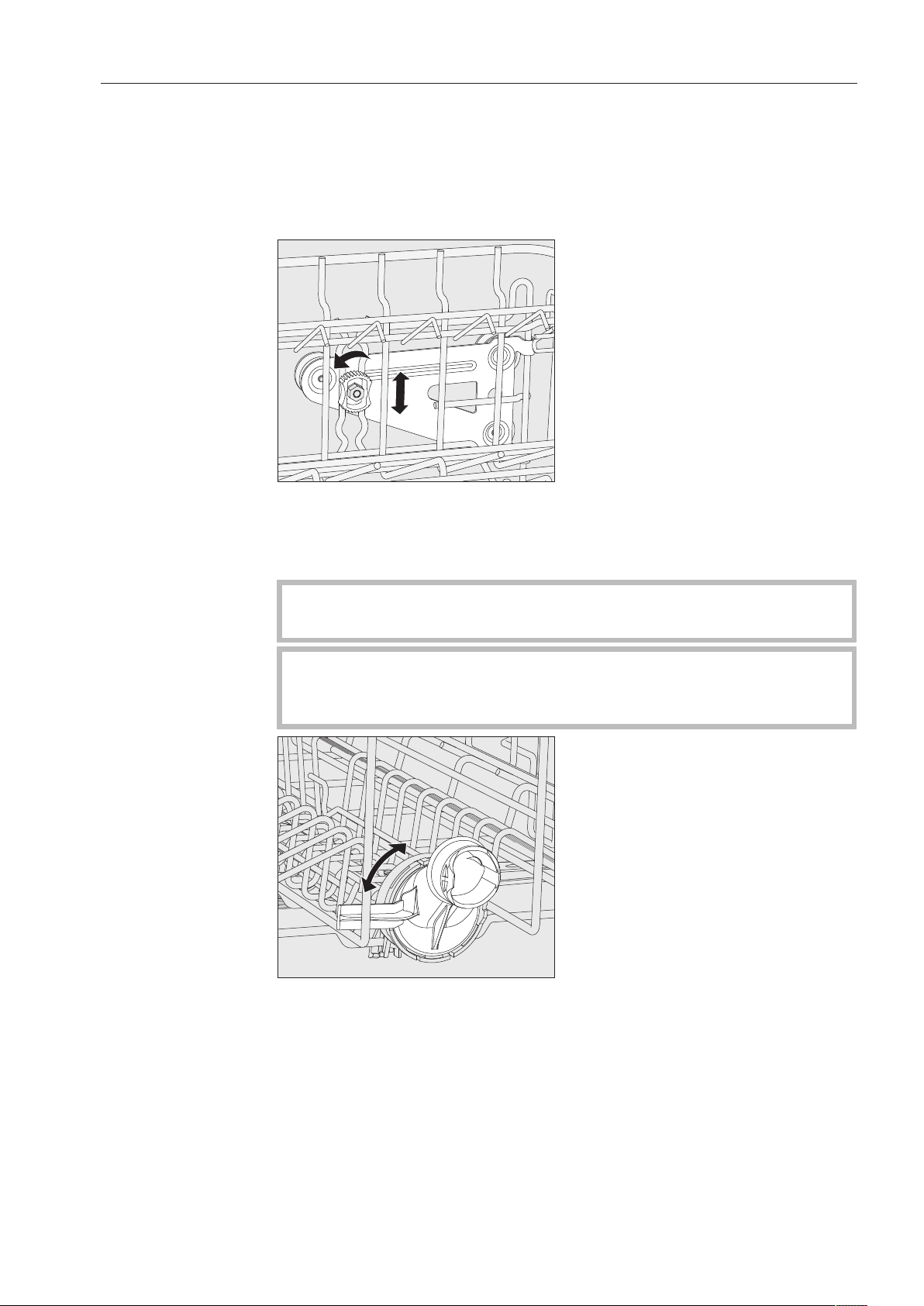
Adjusting the upper basket
In order to obtain more space for taller items in the lower or upper
basket, the upper basket can be adjusted between two vertical
positions that are approx. 2" (5cm) apart.
Pull the upper basket out.
Unscrew the lock nuts on both sides.
Lift or lower the basket into the desired position.
Tighten the lock nuts again.
The upper basket must be level in both positions.
If the basket is not level, the water connection will be blocked.
When changing the height of the upper basket, always adjust
the water connection accordingly before pushing the upper basket
back in.
Turn the upper basket water connection to the upper or lower
position.
The water connection must click audibly into place.

Application technology
36
Depending on the position of the upper basket, the following plate
dimensions can be accommodated:
Example with O891 Upper Basket:
Upper basket
position
Upper basket plate Ø Lower basket plate Ø
Top Max. 5 1/8" (15cm) 13" (33cm)*
Bottom Max. 7 7/8" (20cm) 9 3/4" (25cm)
* The E816 Plate Insert is required in the lower basket.
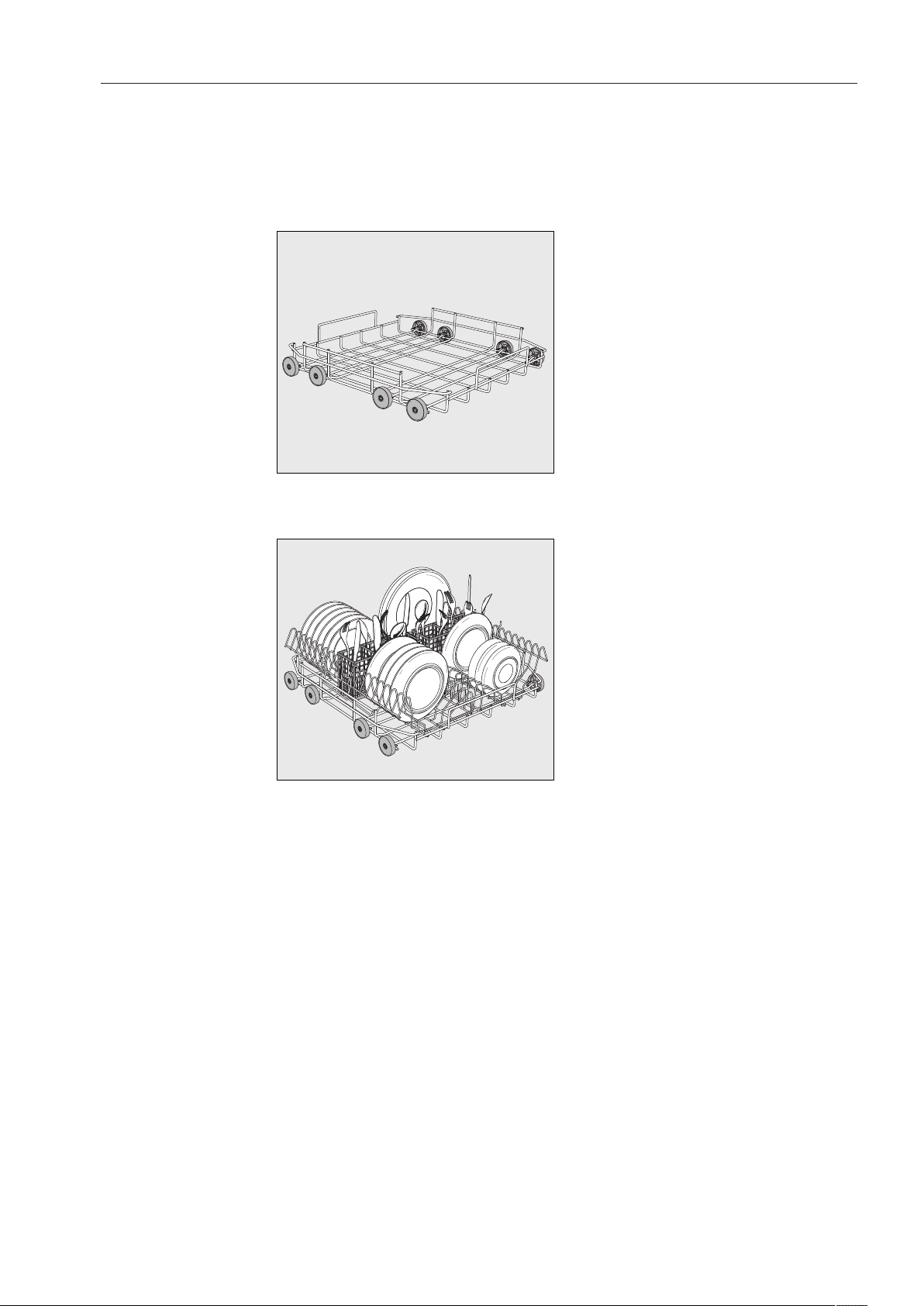
Application technology
37
Lower basket
Use the lower basket for larger and heavier items such as plates,
serving platters, saucepans, bowls, etc.
Always place thin, delicate glassware in the lower basket using a
suitable insert or basket.
U890lower basket carrier
For plastic trays, various inserts and cutlery baskets.
U890lower basket with 2 x E816 inserts and 2 x E165 cutlery baskets
16 plates with Ø 9 3/4“ (25cm) and various cutlery items can be
loaded. Without the cutlery baskets, 19 plates with Ø 9 3/4” (25cm)
can be loaded into the E816 inserts.
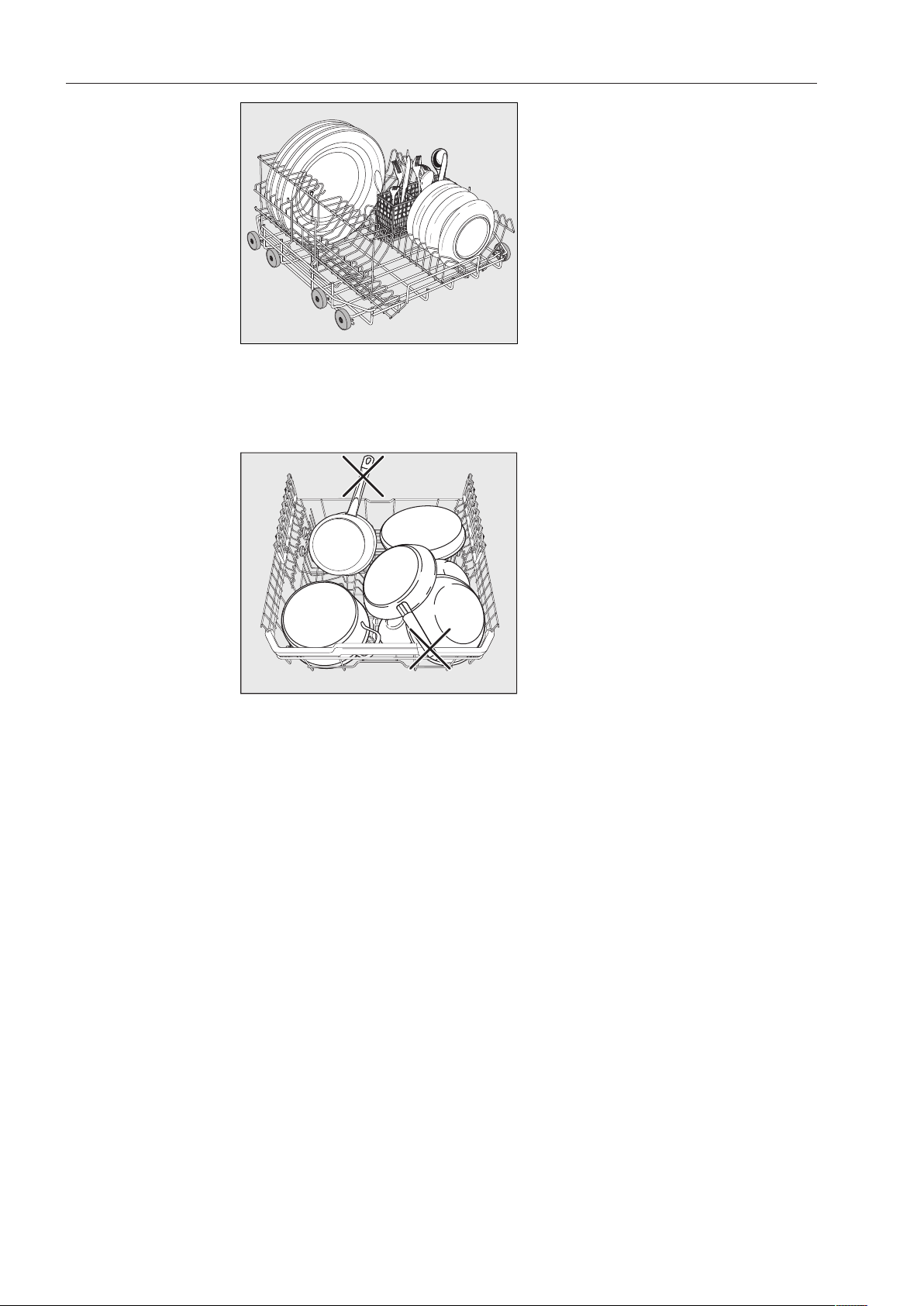
Application technology
38
U 890lower basket with an E 816 insert rotated 90°
With the E 165 cutlery baskets, 16 plates with Ø 13“ (33cm) and
various cutlery items can be loaded. Without the cutlery basket, 19
plates with Ø 13” (33cm) can be loaded into the rotated E 816 insert.
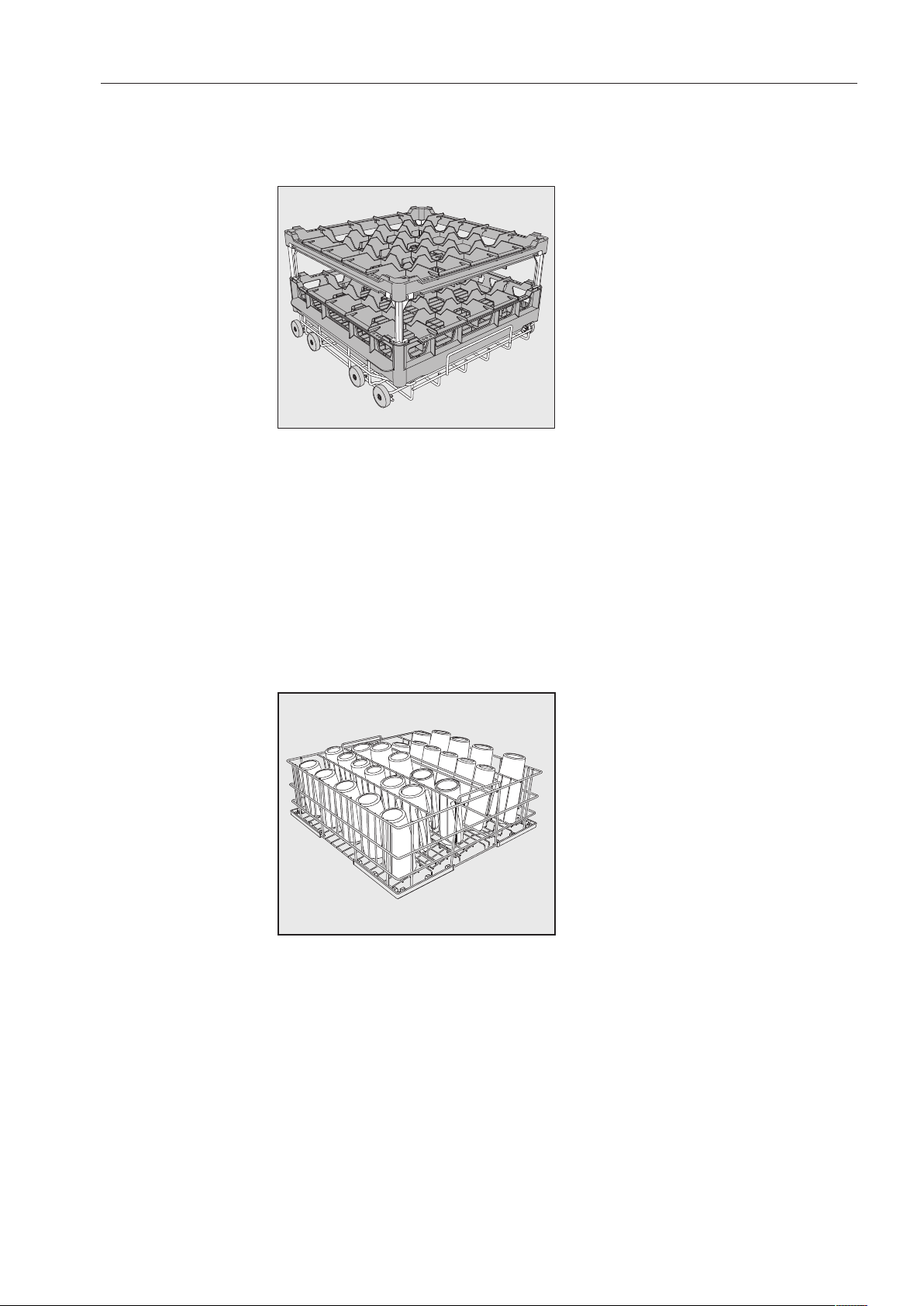
Application technology
39
Use of plastic trays
The U890 Lower Basket Carrier can be loaded with plastic trays
measuring 19 3/4"x19 3/4" (500x500mm).
The special O885 Upper Basket Carrier is required for loading plastic
trays in the upper basket (max. height for wash items is 5
1/8" (130mm)).
The special U876 Lower Basket Carrier is required for loading taller
wash items in the lower basket.
Which basket combination to use will depend on the type, shape, and
size of the wash items.
For further information on baskets, please contact your Miele dealer
or Miele Technical Service.
Examples: (lower baskets)
U525 5-Row Wire Basket
The wire basket can be used for glasses with a maximum diameter of
3 1/8" (8cm).
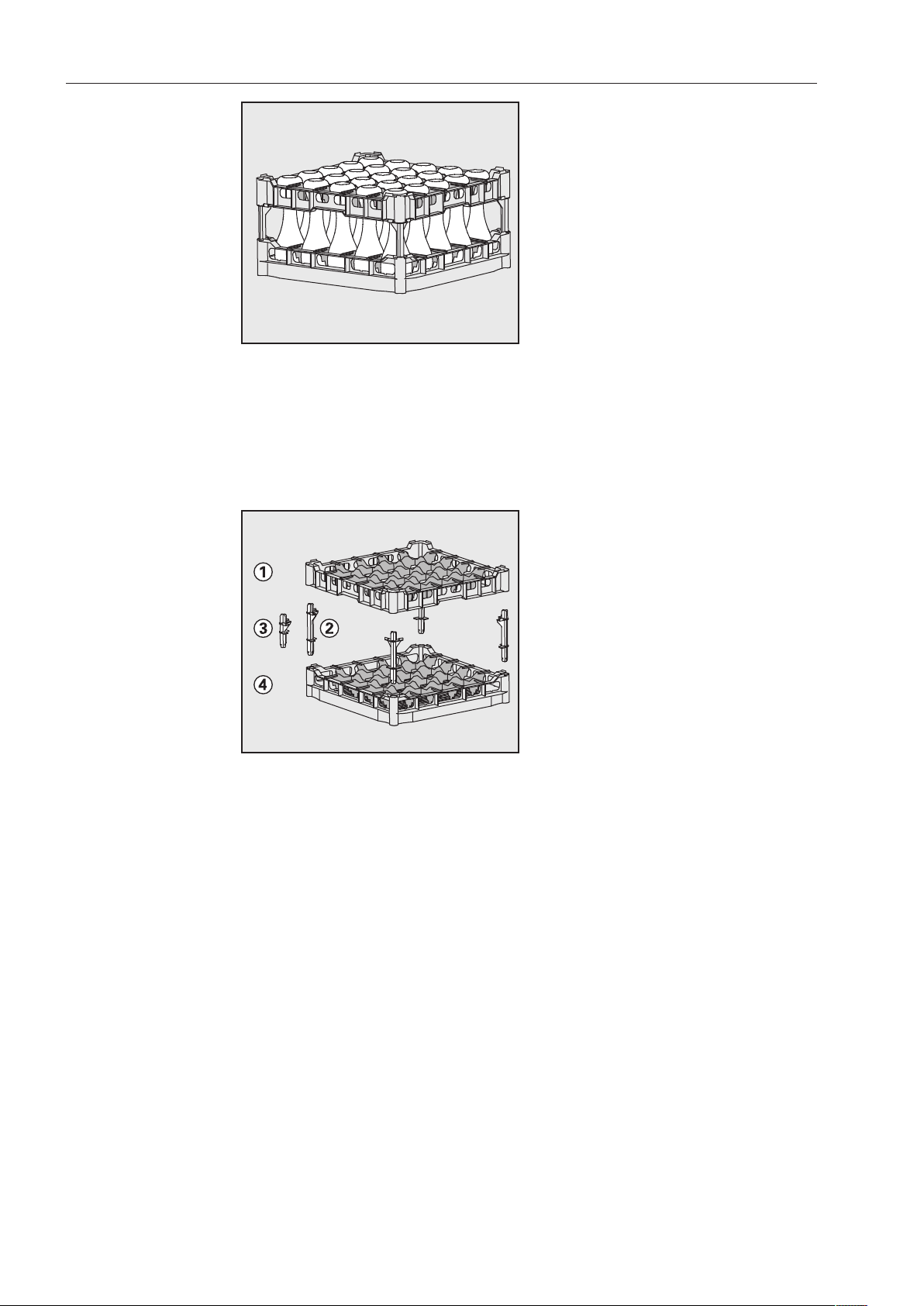
Application technology
40
U534–U537 Plastic Trays with compartments for different glass heights
In this example, the plastic tray is connected to the top frame by long
extenders.
(For assembly in U876 Lower Basket Carrier only)
Assembling a
plastic tray
The height of the tray can be altered by fitting a top frame to the
base basket with long or short extenders.
Push all four extenders into the base basket.
Press the top frame securely onto the extenders.
Operation
41
Adding detergent
Use only detergents suitable for commercial dishwashers.
Suitable products are available from Miele Professional.
The detergent can be dispensed in powder form via the powder
detergent dispenser or in liquid form via the DOS module (optional
accessory - see “DOS module”).
Tabs can be used in all programs except for “Rapid”.
Only use tabs that are quick dissolving. Suitable tabs are available
from Miele Professional.
Powder detergent
Only use powder detergent or tabs in the door dispenser
compartment.
Add powder detergent or tabs to the detergent dispenser in the door
before every wash program (except Rapid, Rinse, Reactivation and
Drain). Follow the tips on the next page.
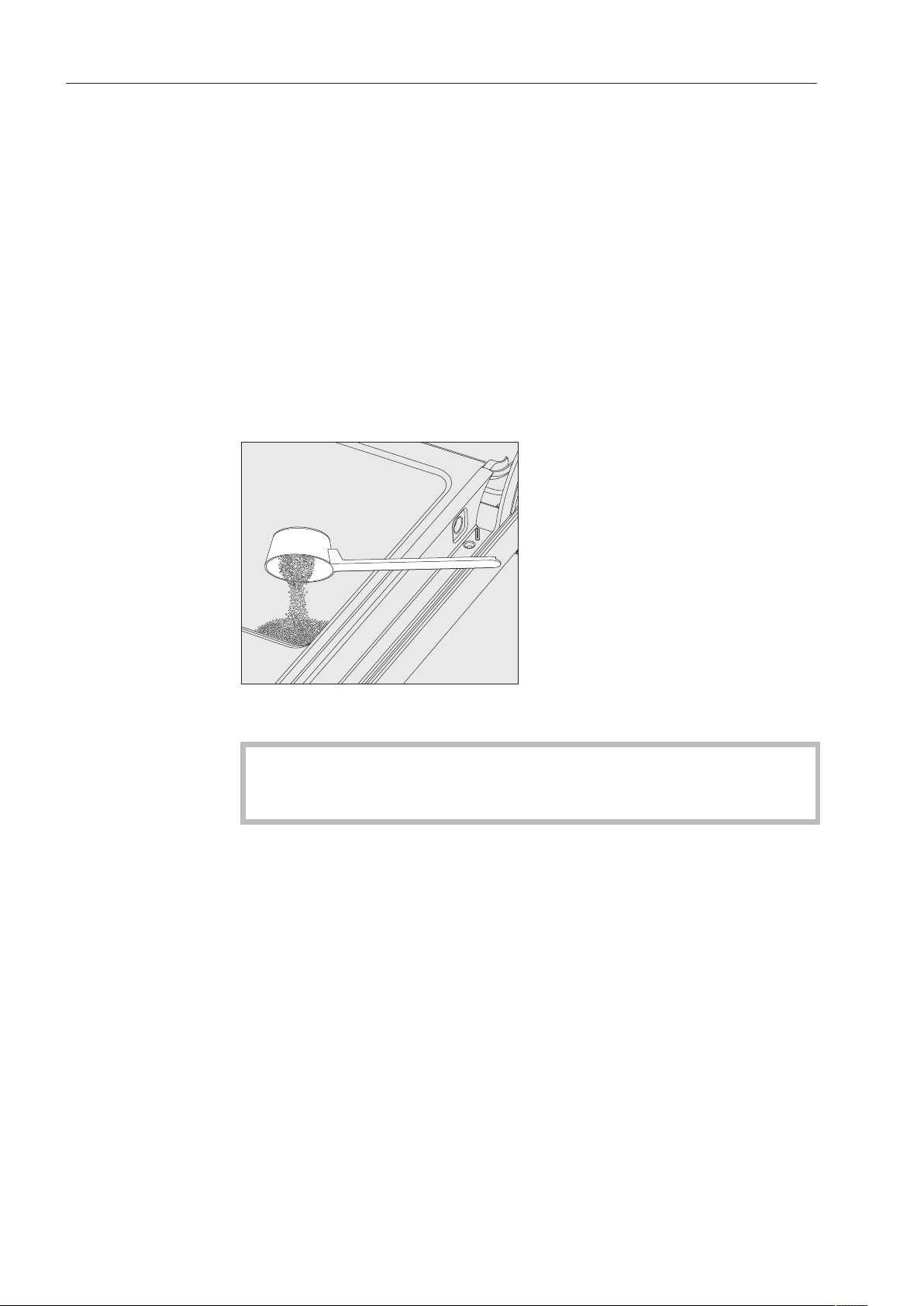
Add the appropriate amount of detergent to the dispenser
according to the degree of soiling of the items to be washed
(observe the quantities given in the “Program chart”).
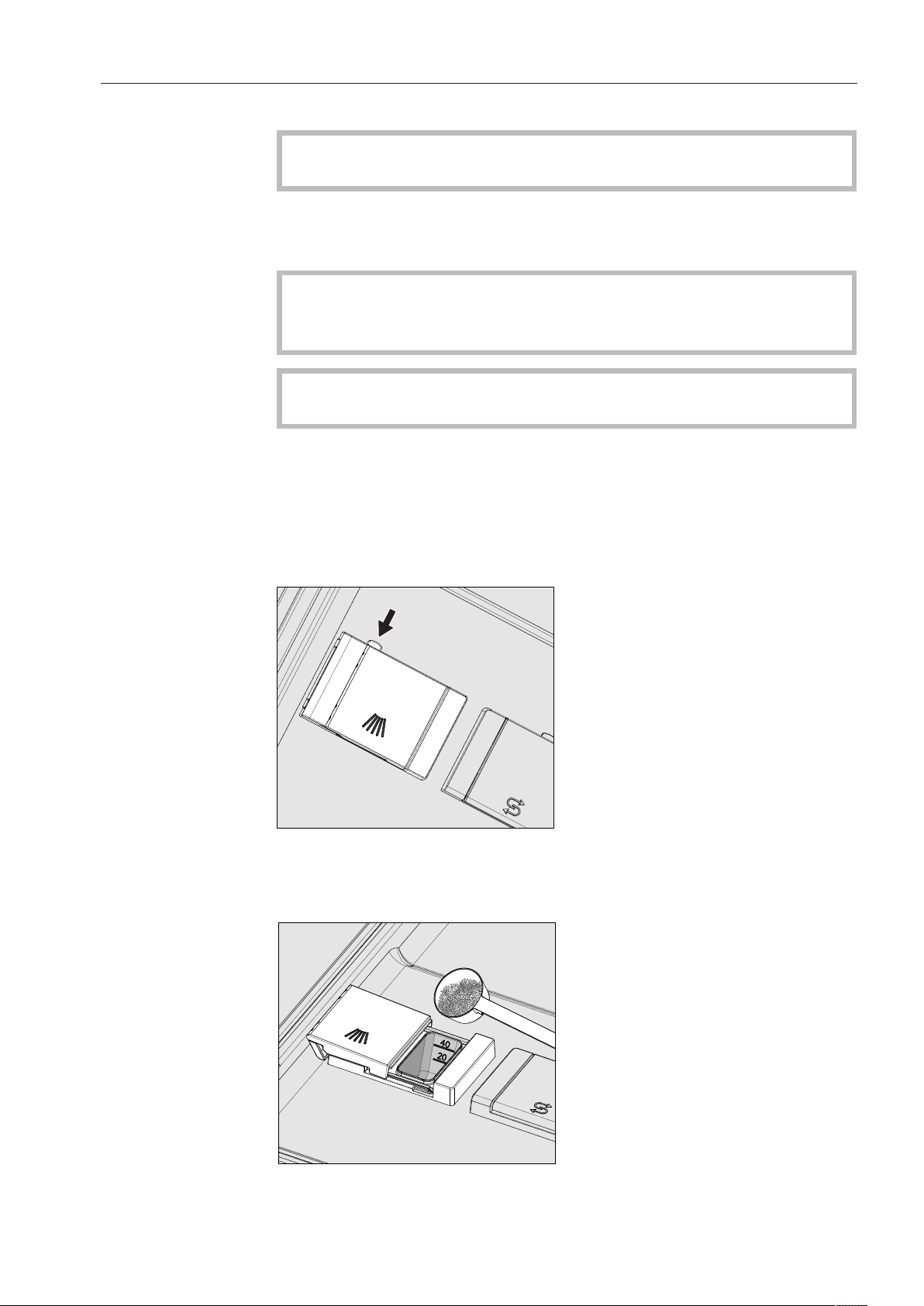
Press the opening catch on the dispenser in the direction of the
arrow. The flap will spring open to the left.
The flap will always be open at the end of a program.
Add the required amount of powder detergent and close the flap.
Operation
42
Detergent
quantity
Always follow the recommendations of the detergent manufacturer.
There are markings to help you add the right amount of detergent: 20
and 40. The marks indicate a level of approx. 20 or 40ml (0.7oz or
1.3oz) when the door is open in the horizontal position. They also
indicate the approx. amount in grams (depending on the
manufacturer and the coarseness of the powder).
The compartment holds a maximum of 60ml (2oz).
Tips for the Rapid program
With the Rapid program, the final rinse water is not pumped out at the
end of the program in order to achieve short program durations in
continuous use.
Detergent cannot be rinsed out of the dispenser during the short
program time.
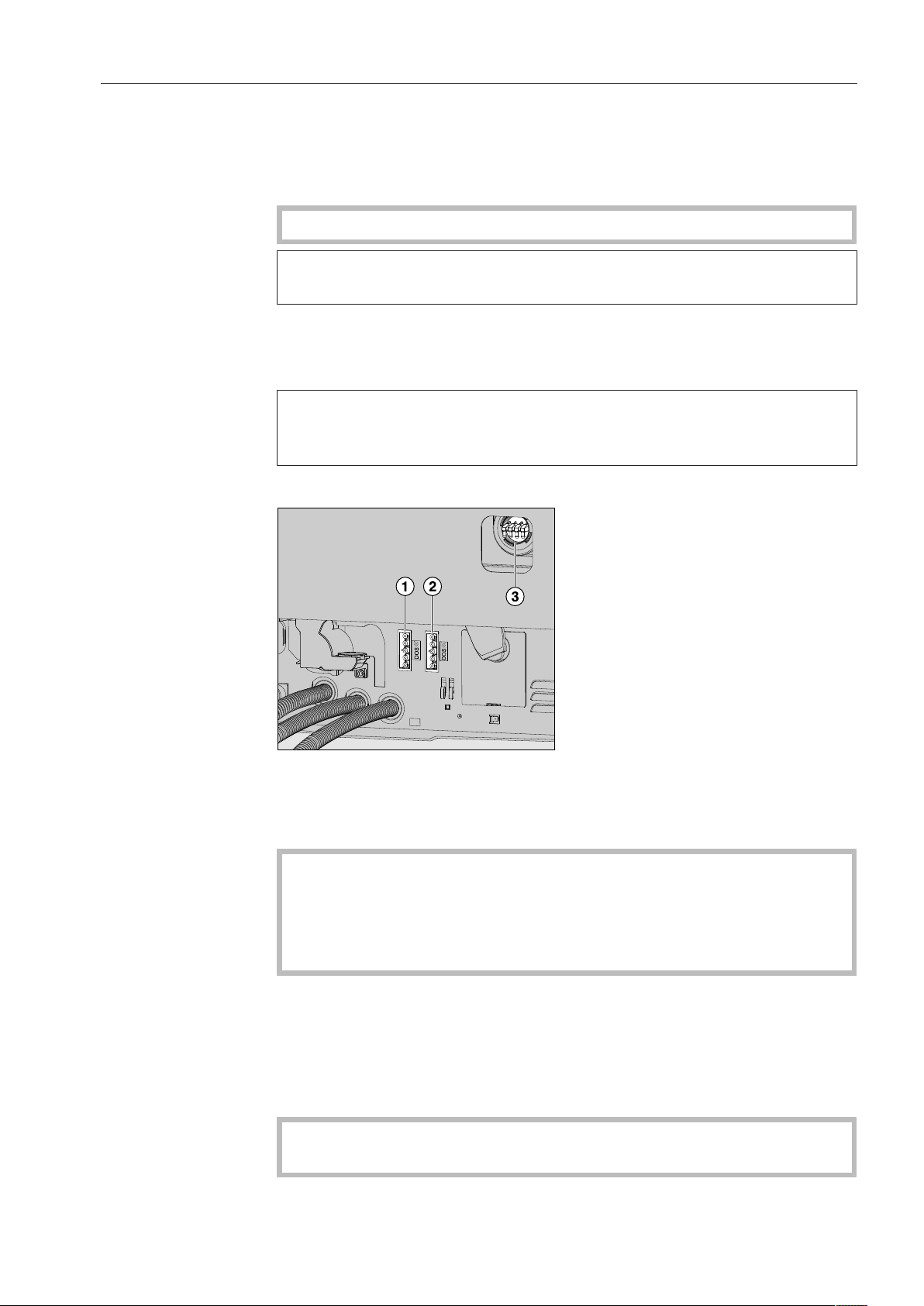
If liquid detergent is not being dispensed, dispense powder
detergent directly onto the inside of the door.
To avoid corrosion or discoloration, the wash program must be
started immediately after dispensing detergent directly onto the
inside of the door.
Operation
43
Dispenser module
In addition to the internal dispensing systems, up to two additional
external dispensing systems (dispenser modules) can be connected
for dispensing liquid process chemicals.
Suitable products are available from Miele Professional.
For more information on Miele dispenser modules, please contact
your Miele dealer or Miele Technical Service.
Labeling of the
suction wands
Liquid process chemicals from external containers are dispensed by
suction wands. Color coding the suction wands can be helpful for
correct dispensing.
Specific types of soiling may require different combinations of
detergents and additives. Miele Technical Service will be able to
advise you.
Connecting
dispenser
modules
The dispenser module comes with a separate installation manual.
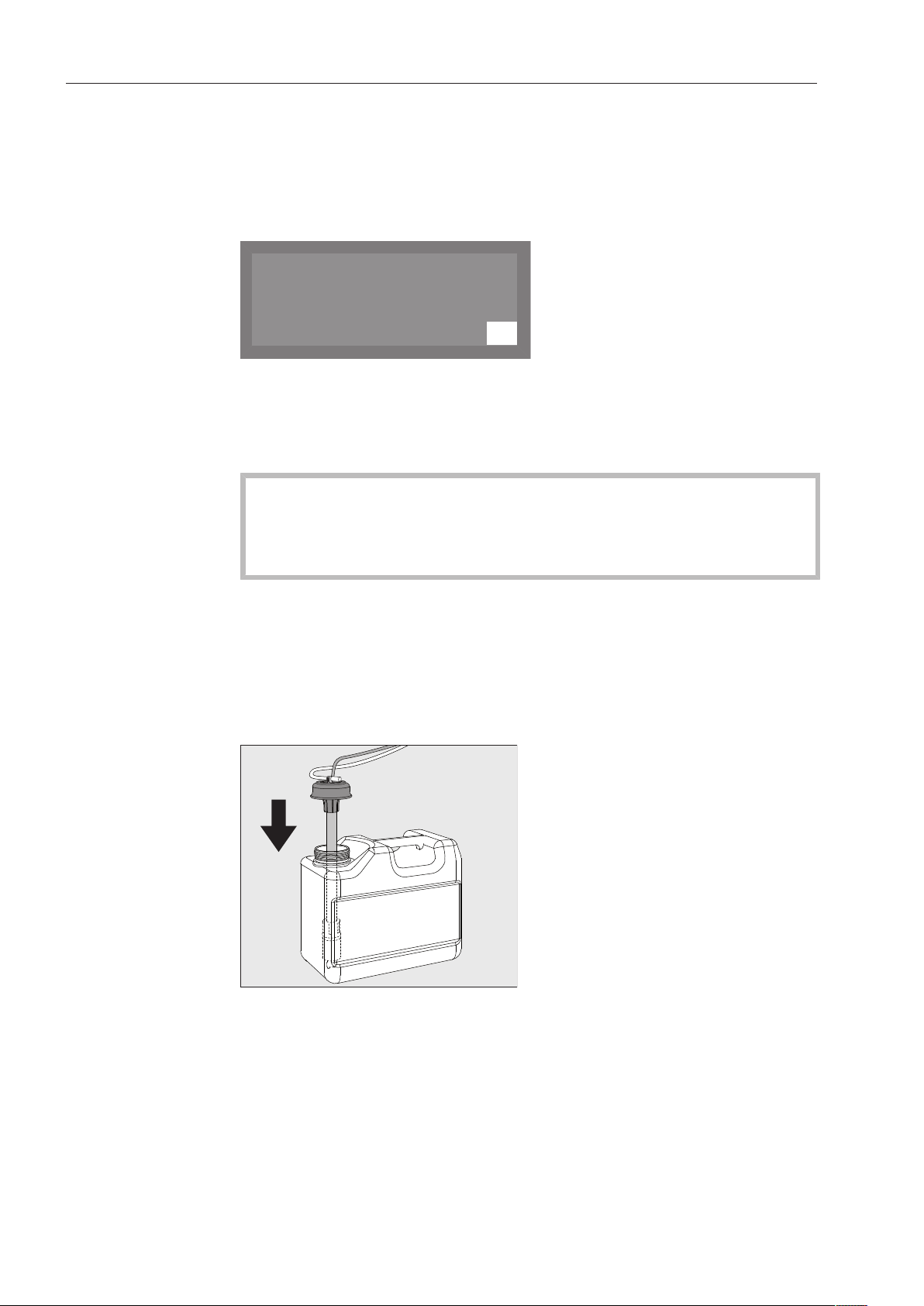
Power supply connection for DOS1, detergent.
Power supply connection for DOS4, rinse aid.
Connections for dispensing hoses.
Before fitting the dispenser module, compare the connection
data (voltage and frequency) on the data plate with that on the data
plate of your machine. If the data does not match, the module
could sustain damage. If in any doubt, consult a qualified
electrician.
Connect the module to the machine's power supply.
To connect the dispensing hose, release the hose clip on a free
connector and remove the safety cap.
Push the dispensing hose onto the connector and secure it with a
hose clip.
Unused connectors must be blanked off with safety caps to
prevent the leakage of wash water.
Operation
44
Setting the
dispensing
concentration
For information about setting the dispensing concentration, see
“Additional settings/Additional functions/Dispensing systems”.
Refilling or
changing
containers
The dispensing module is equipped with a level monitoring indicator
which shows a message in the display when the level drops below
the minimum.
K
OK
Refill DOS
As soon as the message appears in the display, refill or replace the
container with a full one containing the appropriate process
chemical at the end of the programme.
Confirm the message shown with the OKbutton.
Replace the container in good time to prevent the dispensing
system being emptied completely.
Vent an empty dispensing system before starting the next
programme.
Place the container on the open dishwasher door or on a surface
which is easy to clean.
Take the lid off the canister and remove the siphon. Place the
siphon on the open dishwasher door.
Fill or replace the container, fit the siphon and secure the lid.
Observe the colour coding.
Feed the siphon into the canister until it reaches the bottom.
Wipe up any spilled process chemical thoroughly.
Place the container on the floor beside the commercial dishwasher
or in an adjacent cabinet. The container must be at the same level
as the machine and not be placed on top of or above the machine.
The dispensing system must then be vented.

Operation
45
To vent the system and set the dispensing quantity, see
“Additional settings, Additional functions.”
Checking
consumption
Monitor the amount of process chemicals used by regularly checking
the level in the container in order to detect any dispensing
irregularities.
Operation
46
LEDs on the
keypad
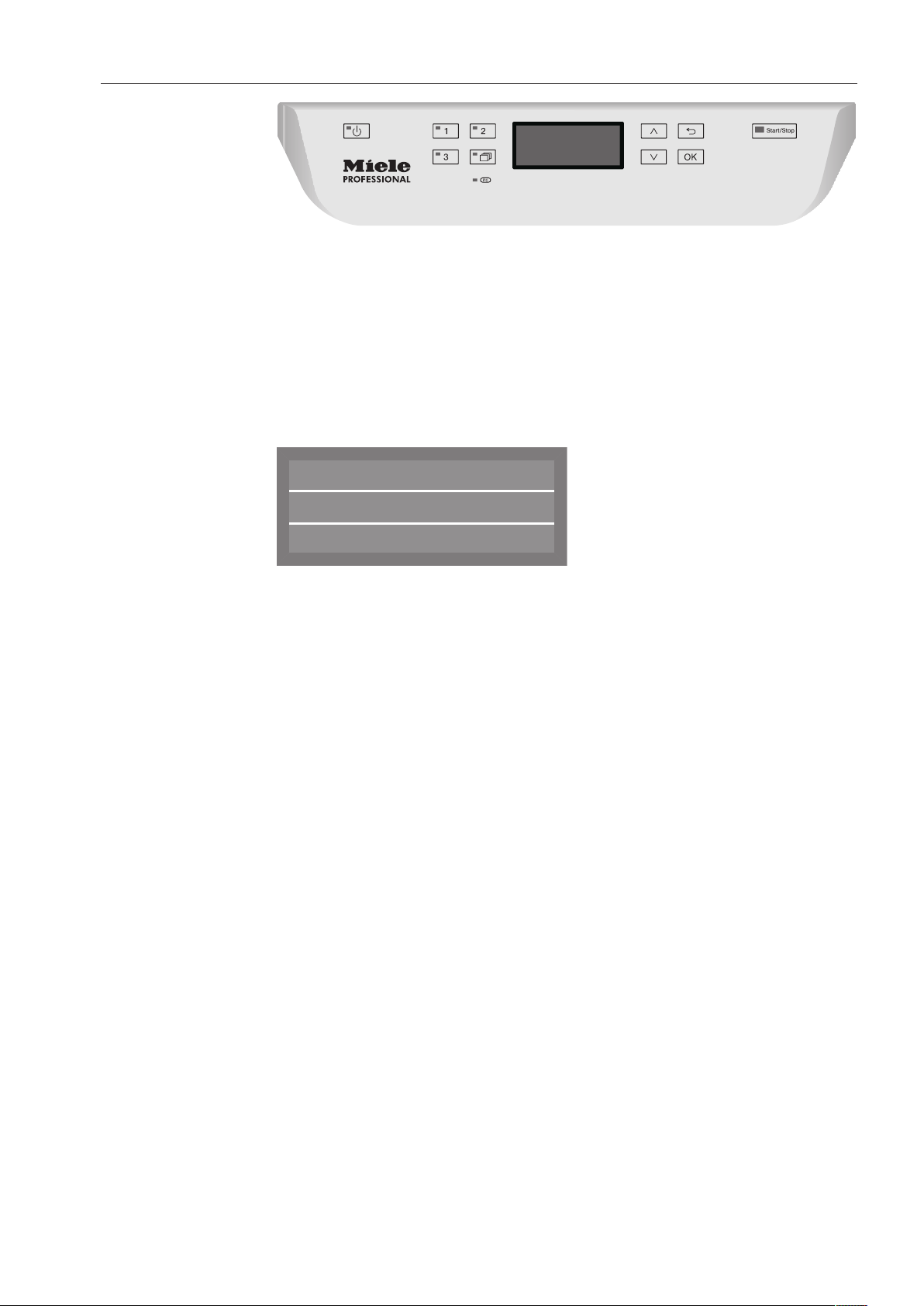
Light-emitting diodes that indicate the status of the dishwasher are
integrated in the keypad.
Except for the Start/Stop button, which has a green LED during
normal operation, all other LEDs light up yellow.
In the event of a fault the Start/Stop button flashes red.
Button LED Status
(On/Off)
Button
ON The dishwasher is on.
FLASHES The dishwasher has entered standby
mode after the preset time.
OFF The dishwasher is off.
,
and
button
s (program
shortcut
buttons)
ON The lit program has been selected. At
the end of the program, the LED will
remain lit until a different program is
selected.
OFF The program is not selected, or program
settings are being configured.
button
(additional
programs)
ON A program was selected from the
program list. At the end of the program,
the LED will remain lit until a different
program is selected.
OFF No program has been selected from the
list, or program settings are being
configured.
Start/Stop
button
ON A program is running.
FLASHES
GREEN
A program has been selected, but has
not yet started.
FLASHES
RED
A fault has occurred.
OFF A program has finished.
Operation
47
Turning on the dishwasher
Open the water valve if it is closed.
Press the button until the button's LED lights up.
Close the door.
Once the dishwasher is ready for operation, the display changes to
show the previously selected program,
e.g.:
Normal Plus
Temperature
Duration
55 °C
Min
23
Selecting a program
Choose your program according to the type of load and how dirty it
is.
Shortcut buttons
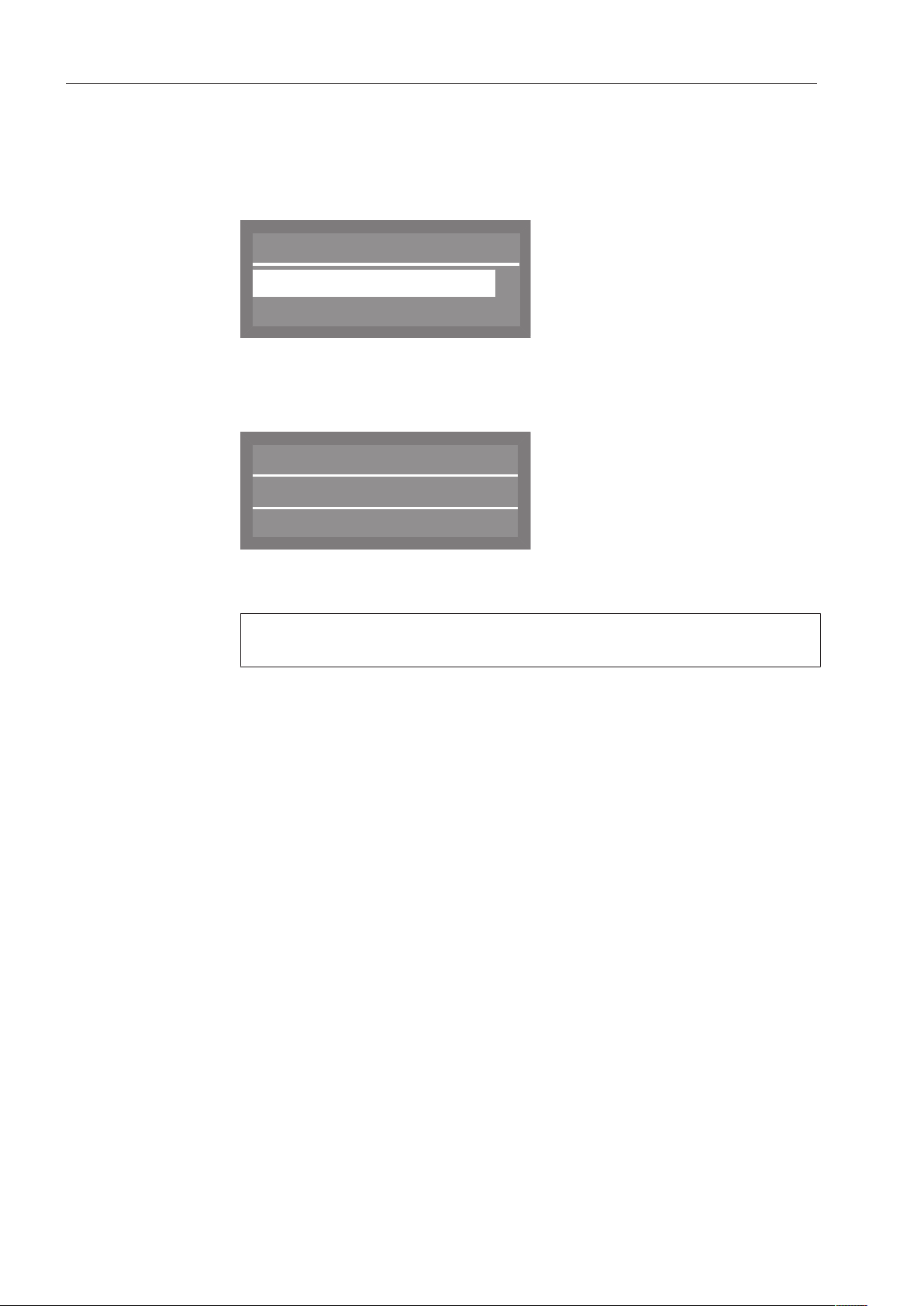
The most frequently used programs can be selected using the
shortcut buttons , and . Programs can be assigned to
these buttons as desired (see “Additional settings”).
In the factory default setting, the first three programs from the
program chart (see “Program chart”) are assigned to the shortcut
buttons.
Select a program using the shortcut buttons.
The LED for the shortcut button will light up and the LED for the Start/
Stop button will flash.
Operation
48
Program list
Programs that cannot be selected using the shortcut buttons can be
selected from the program list.
Press the button.
The following selection menu appears in the display
Normal
Intensive
,
;
Select program
Select the desired program using the and buttons, and confirm
your choice with the OK button.
The selected program will be shown in the display, e.g.:
Normal Plus
Temperature
Duration
55 °C
Min
23
The LED for the button will light up and the LED for the Start/Stop
button will flash.
Delay Start can be selected by pressing the OK button (see
“Additional functions”).

Operation
49
Starting a program
Press the Start/Stop button (the LED for the Start/Stop button will
light up).
Once it has been started, a program can no longer be changed.
A running program can either be interrupted (see “Interrupting a
program”) or cancelled (see “Canceling a program”).
Program cycle
display
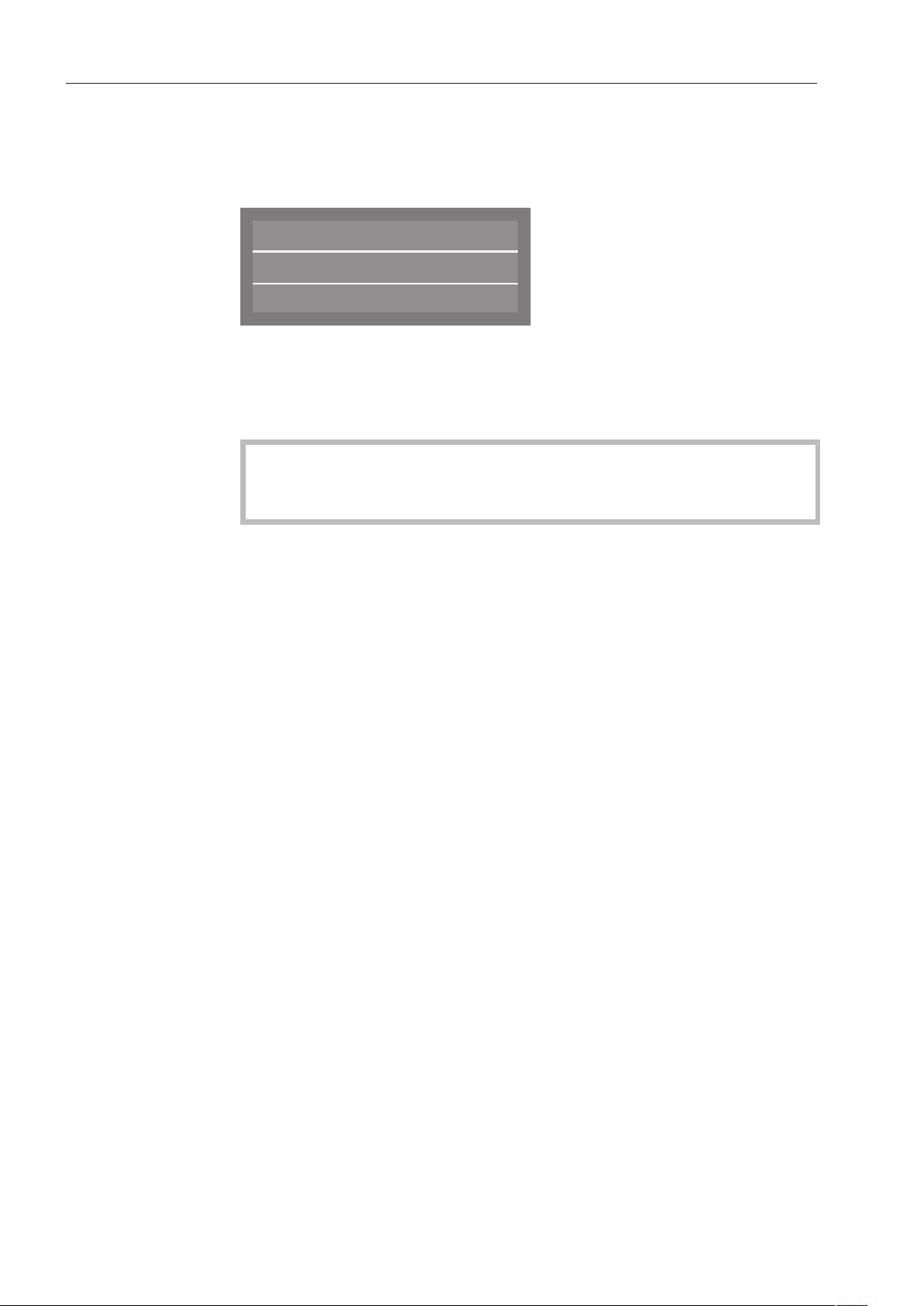
After the start of a program, the wash phase and, for 10 seconds,
Program runningare shown in the display.
During the program cycle, the arrow buttons and can be used to
switch between the wash phase, the set temperature, and the actual
temperature in the second line of the display.
The time remaining is shown in the third line of the display.
Normal Plus
Main wash
Duration
Min
23
Operation
50
At the end of the program
When a program ends normally, the LED for the Start/Stopbutton will
go out. The message Program finishedwill appear in the bottom line of
the display.
Normal Plus
Temperature
Program finished
55 °C
In addition, a buzzer will also sound for approx. 3 seconds (factory
default setting). To adjust the buzzer volume, see “Settings, Volume”.
To completely finish the program the door must be opened fully with
the dishwasher still switched on.
If the Switch-off function is enabled, the dishwasher switches itself
off after a short period of time.
Press the button to switch the dishwasher on again.
Turning off the dishwasher
Press the button until the button's LED goes out.
Unloading the dishwasher
Dishes tend to break and chip more easily when they are hot. Allow
the dishes to cool until they are cool enough to handle before
unloading them.
The dishes will cool much faster if you open the door when the
program has ended.
First unload the lower basket, then the upper basket. This will prevent
water drops from the upper basket falling onto the dishes in the lower
basket.

Operation
51
Interrupting a program
A program which is already running should only be interrupted if
strictly necessary, e.g. if the wash load is moving significantly.
Caution! The wash load and the interior of the dishwasher may
be hot.
Danger of scalding and burning.
Open the door.
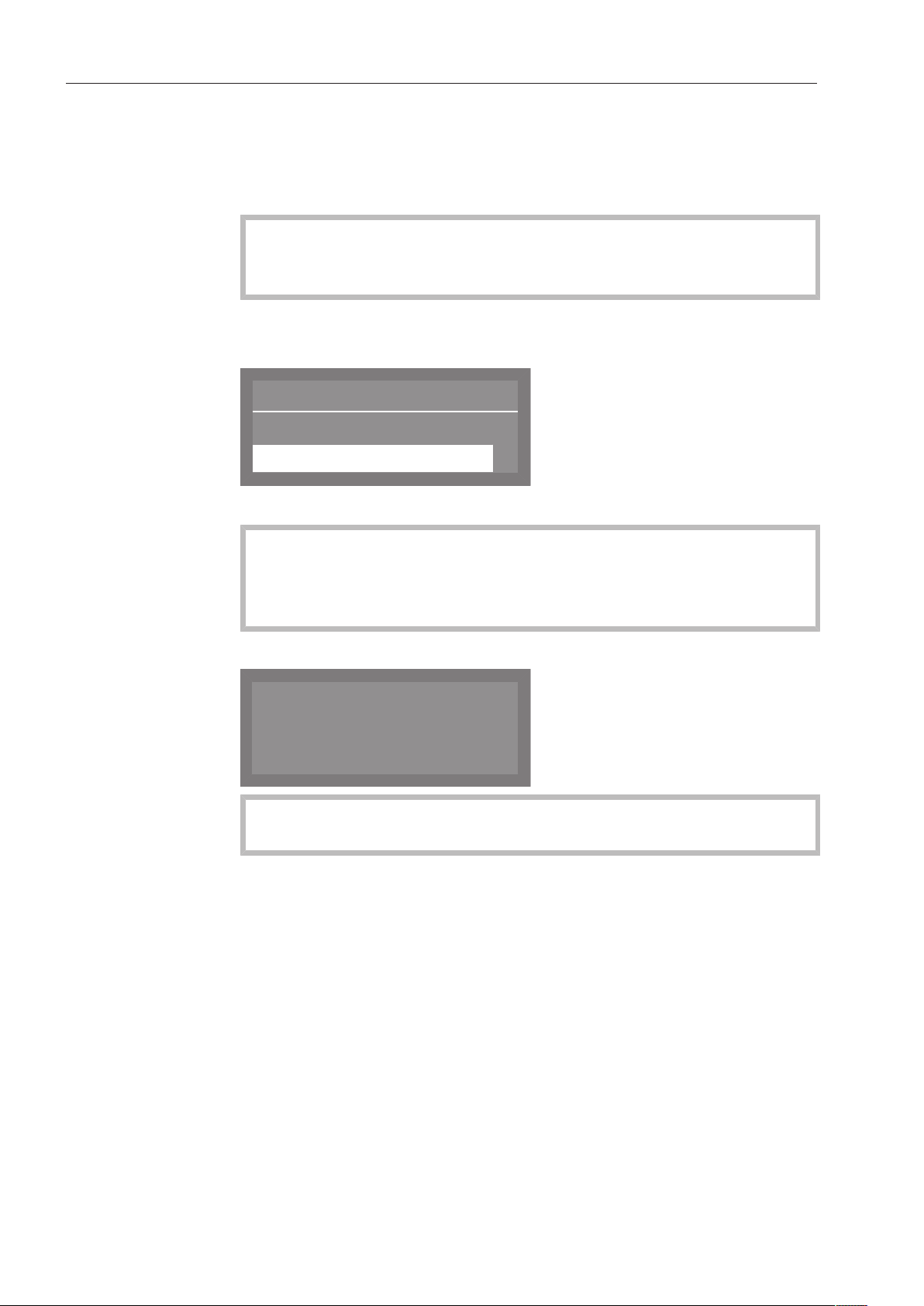
The following message appears in the display:
K
Program interrupted:
Door opened
Rearrange the items so that they are stable.
Close the door.
The program will continue from the point at which it was interrupted.
The display will automatically revert to the program cycle.
Operation
52
Cancelling a program
Only cancel a program that has already started if it is absolutely
necessary, e.g. if you want to change the program.
In the event of a fault, the program will be cancelled automatically.
Caution! The wash load and the interior of the dishwasher may
be hot.
Danger of scalding and burning.
Press the Start/Stop button.
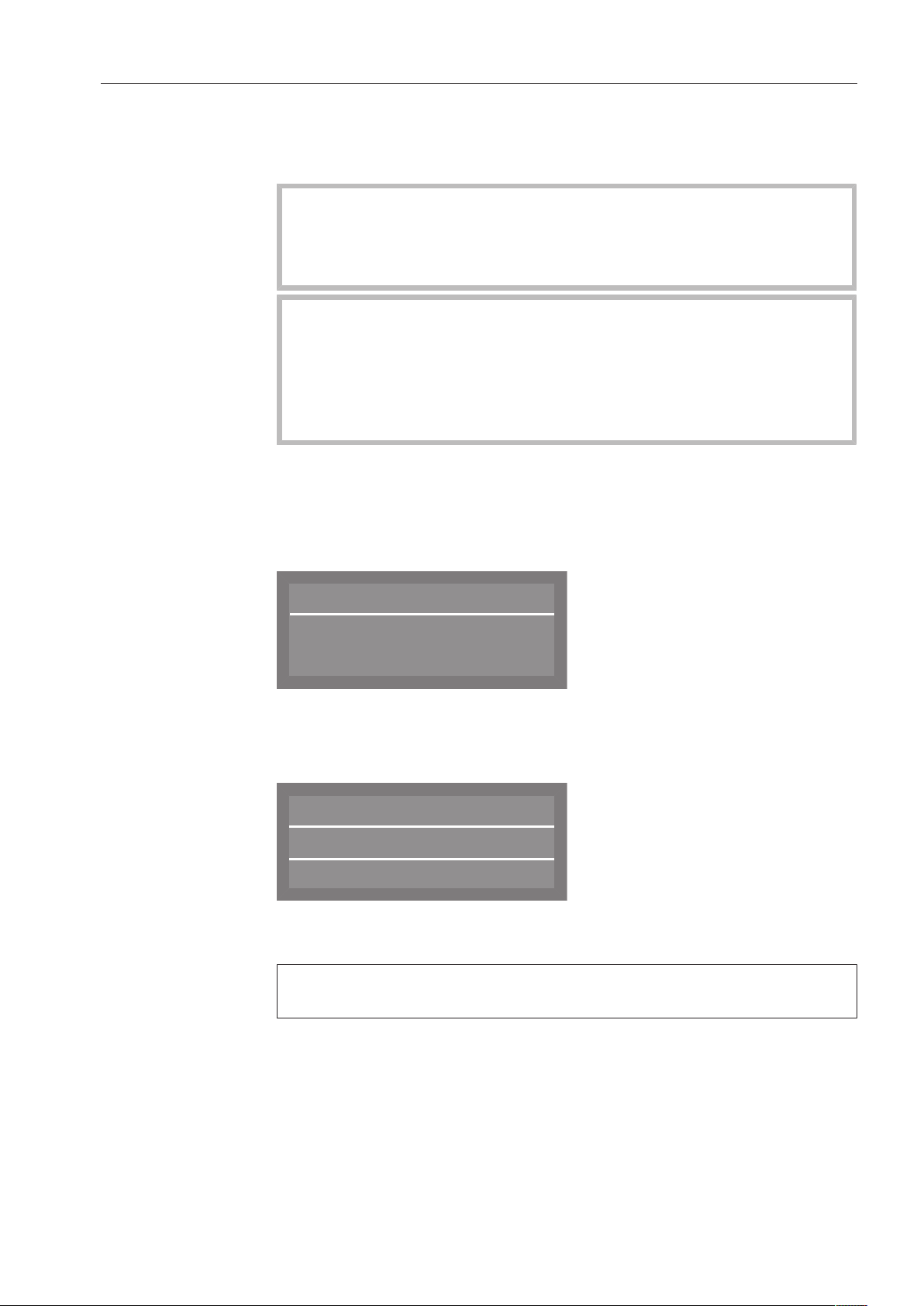
The following will appear in the display:
Cancel program
Yes
No
(
Select Yes and confirm your choice with theOKbutton.
The program is only cancelled when Yes is confirmed.
If confirmation does not occur within 20 seconds after the Start/
Stopbutton has been pressed, the display will revert to the
program cycle.
The following message appears in the display:
K
Program cancelled
If you change the program and the detergent dispenser flap has
already opened, add more detergent as needed.
Additional functions
53
Delay Start
You can schedule the start time of a program in advance. The start
time can be delayed by 1 minute to 24hours.
The Delay Start function must be enabled in the Settings menu (see
“Settings , Delay Start”).
If Delay Start is disabled, the function will not appear in the
“Additional functions” screen.
When using the Delay Start function together with powder
detergent, make sure that the detergent dispenser is dry before
adding the detergent. Wipe dry with a cloth if necessary.
If the compartment is wet, detergent can clump up and stick to the
dispenser, which may prevent the detergent from being fully
dispensed.
Setting the
start time
Turn the dishwasher on using the button.
Select the desired program (see “Operation, Selecting a program”).
The LED for the Start/Stopbutton will flash.
Press the OK button.
Start time
-- : --
Use the arrow buttons (higher) and (lower) to set the hours and
minutes, and confirm each entry using the OK button.
After entering the start time, press the Start/Stop button.
Normal Plus
Temperature
55 °C
12:30Turn on at
The selected program, along with the temperature and start time, will
then be displayed.
To cancel the entered Delay Start setting before the program starts,
turn the dishwasher off using the button.

Program chart
54
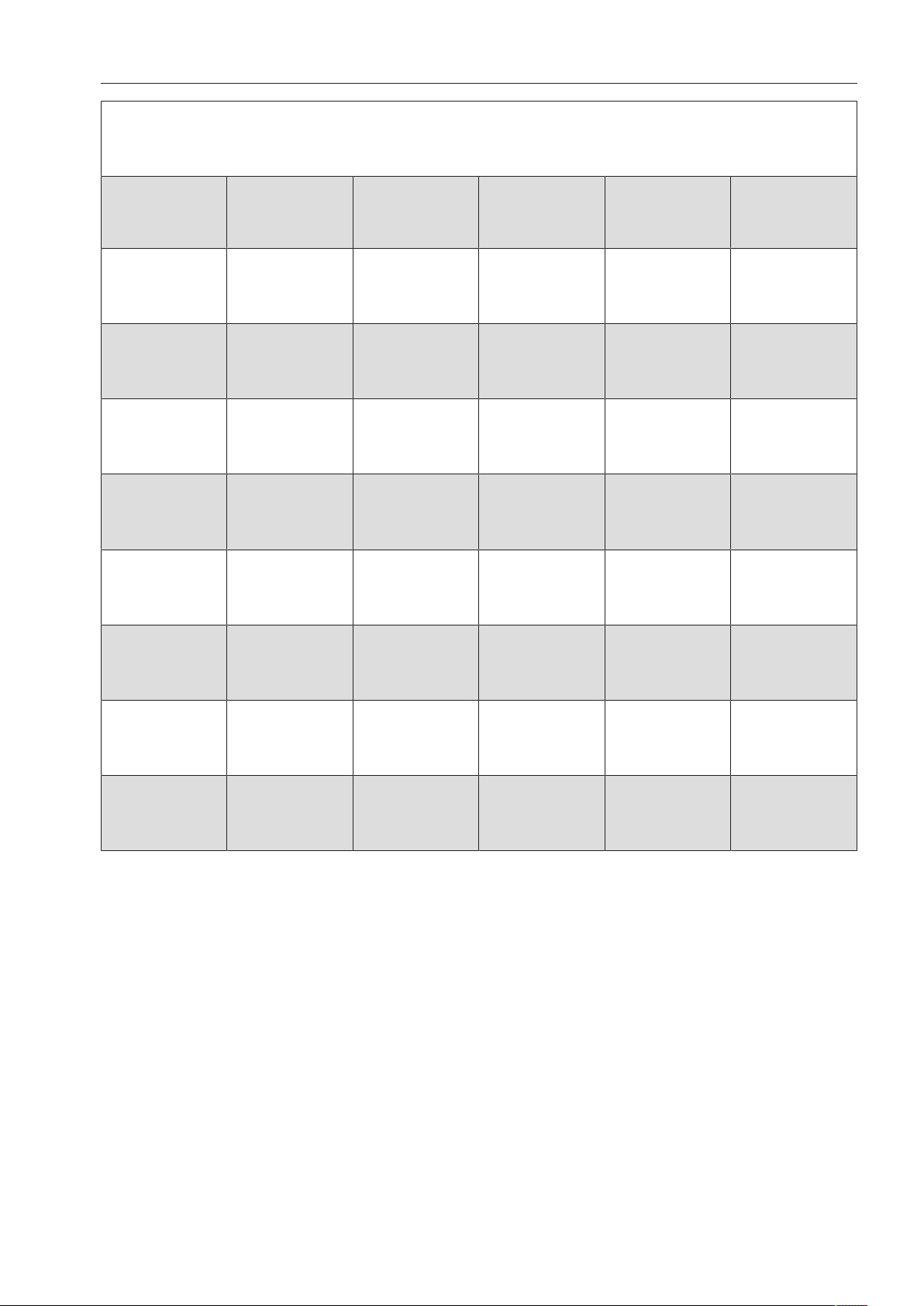
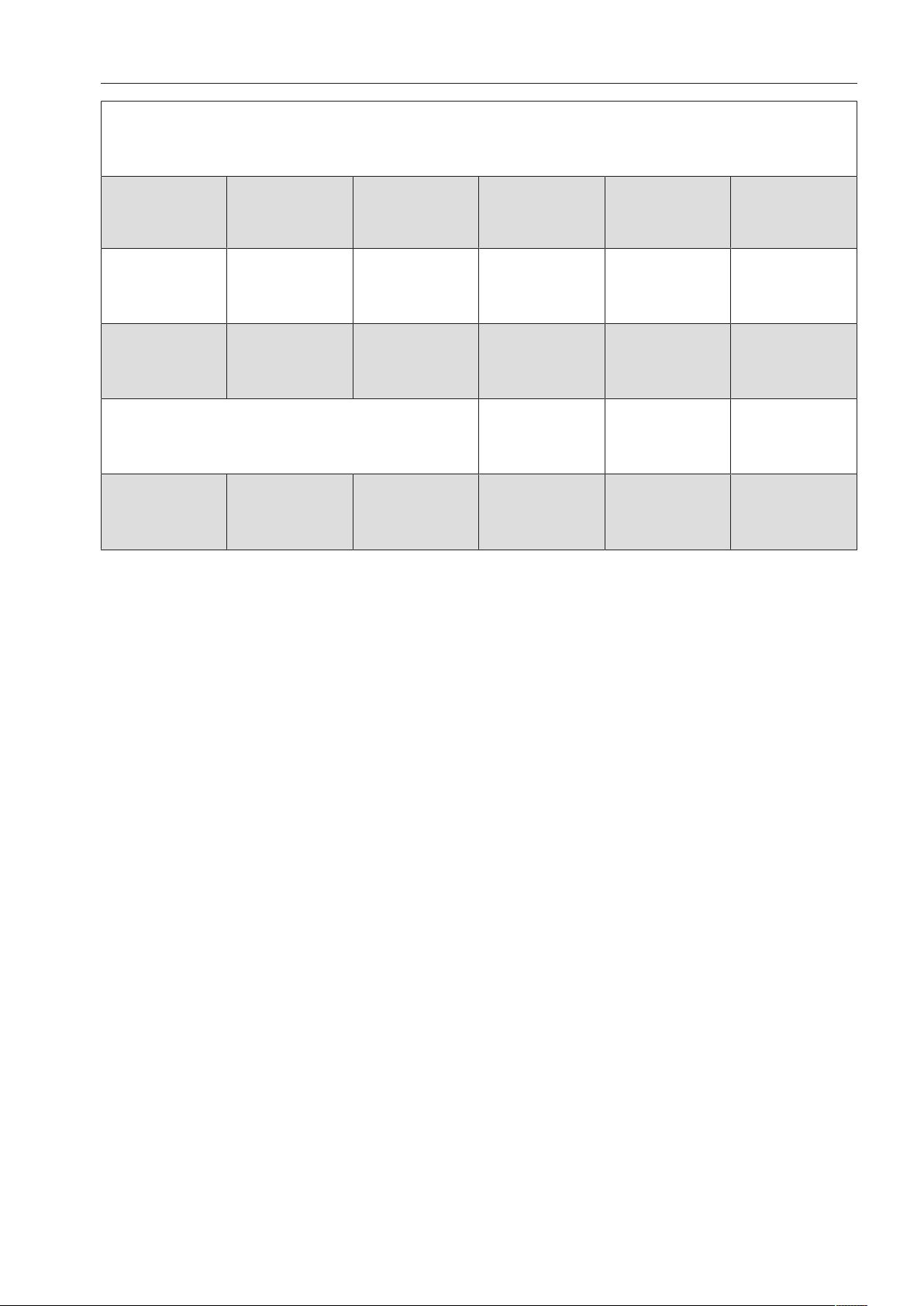
Program Application Powder detergent
(if liquid cleaning agent is
not dispensed)
The following dosages are based on
Miele detergents.
Please follow manufacturer's
instructions on dosage
Rapid
“Quick wash” for washing consecutive lightly soiled loads with
fresh traces of easily removable food residue.
1.5 - 2 tbsp.
placed on the inside of the door
Normal plus
For more soiled items. 1.5 - 2tbsp.
or 1 tab
in the detergent dispenser
Sanitize
For items that must be hygienically cleaned. 1.5 - 2tbsp.
or 1 tab
in the detergent dispenser
Normal
(1)
Program for regular use to completely wash a full load of
normally soiled dishes.
1.5 - 2tbsp.
or 1 tab
in the detergent dispenser
Intensive
For heavily soiled items. 1.5 - 2tbsp.
or 1 tab
in the detergent dispenser
China & Crystal
Special glassware program 1.5 - 2tbsp.
or 1 tab
in the detergent dispenser
Glasses
Special program for beer glasses.
The glasses will not dry from the heat they emit once the
program has ended and may need to be dried by hand.
1.5 - 2tbsp.
or 1 tab
in the detergent dispenser
Utensils
Special program for cutlery. 1.5 - 2tbsp.
or 1 tab
in the detergent dispenser
(1)
This program is used for energy labeling purposes.
Program chart
55
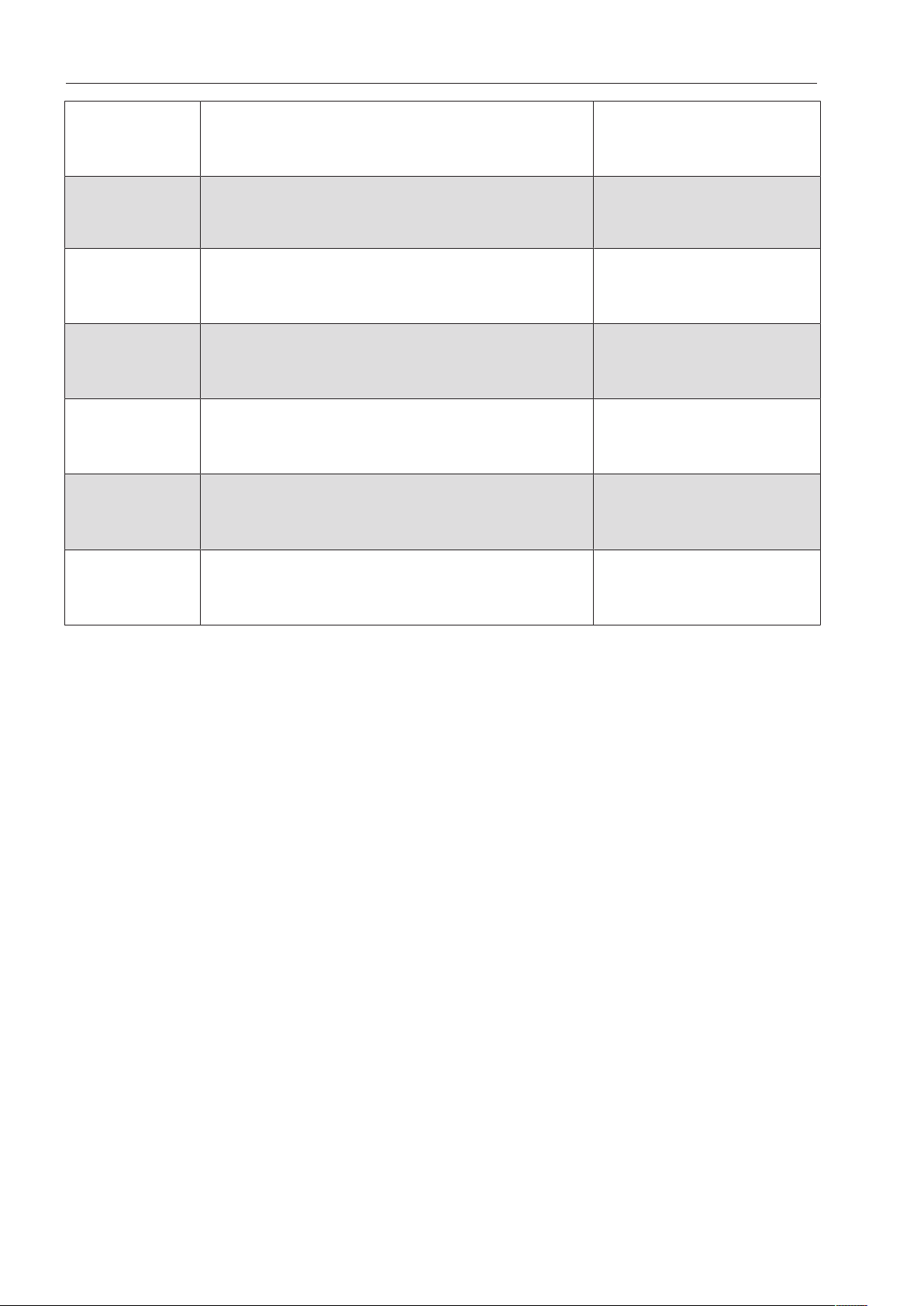
Program cycle
1.
Pre-wash
2.
Pre-wash
3.
Main wash
(1) / (2)
4.
Interim rinse
5.
Interim rinse
6.
Final rinse
(1) / (2)
X
131°F (55°C)
30s
(X) X *)
131°F (55°C)
30s
X X
131°F (55°C)
2min
X (X) X
140°F (60°C)
1min
X X
140°F (60°C)
3min
X (X) X
158°F (70°C)
10min
X X
131°F (55°C)
1min
(X) X
140°F (60°C)
1min
X X X
149°F (65°C)
3min
X (X) X
140°F (60°C)
1min
X
122°F (50°C)
1min
X (X) X
122°F (50°C)
1min
X
122°F (50°C)
1min
X (X) X
- (3)
1min
X X
140°F (60°C)
2min
X (X) X
131°F (55°C)
1min
*) Important note for the “” program.
With the “Rapid” program, water from the final rinse is not pumped away at the end of the program. It is used for the
main wash cycle in the next “Rapid” program.
If the water temperature drops below 104°F (40°C), or if another program is started, this water will be automatically
pumped away when the next program starts.
X = Stages included in the program
(X) = Optional stages that can also be selected (see “Additional settings, Additional functions”)
(1) Temperature range of 86 - 158°F (30 - 70°C) (see “Additional settings, Additional functions”).
(2) Holding time range of 0 - 10minutes (see “Additional settings, Additional functions”).
The holding time range in the “Rapid” program is 0 - 300 seconds.
(3) Runs with cold water and without rinse aid.
Program chart
56
Program Application Powder detergent
(if liquid cleaning agent is
not dispensed)
The following dosages are based on
Miele detergents.
Please follow manufacturer's
instructions on dosage
Plastics
Special program for plastic items and other lightweight loads. 1.5 - 2tbsp.
or 1 tab
in the detergent dispenser
Economy
Energy-saving program offering the most efficient combined
energy and water consumption for normally soiled dishware.
1.5 - 2tbsp.
or 1 tab
in the detergent dispenser
Reactivation
Manual reactivation.
This can be run to prevent the need to run a reactivation program
during busy periods.
Rinse
Used for rinsing heavily soiled items and to prevent food remains
from drying on the items.
Also used for flushing salt residue out of the cabinet after refilling
the salt container.
Drain
For pumping away the rinse water when, for example, the water
for the “Rapid” program needs to be replenished or the
program has been cancelled.
Program chart
57
Program cycle
1.
Pre-wash
2.
Pre-wash
3.
Main wash
(1) / (2)
4.
Interim rinse
5.
Interim rinse
6.
Final rinse
(1) / (2)
X X
122°F (50°C)
5min
X (X) X
140°F (60°C)
1min
X
115°F (46°C)
10min
X (X) X
122°F (50°C)
2min
Reactivation cycle
X
X
X = Stages included in the program
(X) = Optional stages that can also be selected (see “Additional settings, Additional functions”)
(1) Temperature range 86 - 158°F (30 - 70°C) (see “Additional settings, Additional functions”).
(2) Holding time range 0 - 10minutes (see “Additional settings, Additional functions”).
Settings
58
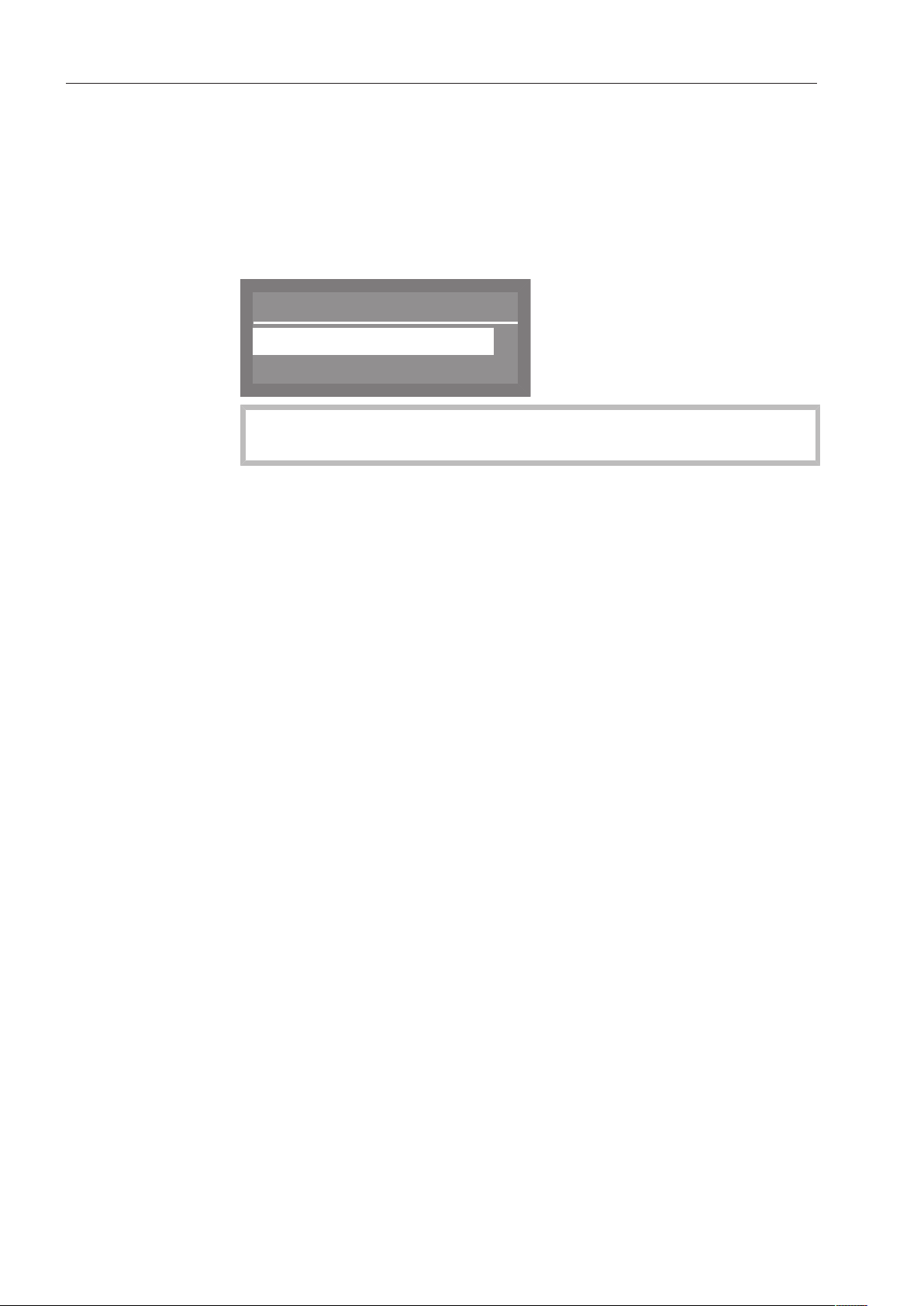
Accessing the “Settings ” menu
You can access the system settings menu as follows:
Turn the dishwasher off.
Press and hold the button and, at the same time, turn the
dishwasher on using the button.
The display will then show the following options, for example:
Menu
Settings
Additional settings
If the button is pressed at this menu, the dishwasher will exit
system settings and return to normal operation.
Select the Settings option and open the corresponding menu by
pressing the OKbutton.
Options in the
Settings
menu
- Delay start
Enable or disable Delay Start (see “Delay Start”)
- Language
Select the system language (see “Setting the language”)
- DOS priming (Option is only visible if a DOS module is activated)
Vent dispensing system (see “DOS venting”)
- Date
Set the date and date format (see “Setting the date”)
- Time of day
Set the time and clock format (see “Time of day”)
- Volume
Set the volume of the keypad and buzzer (see “Buzzer tones”)
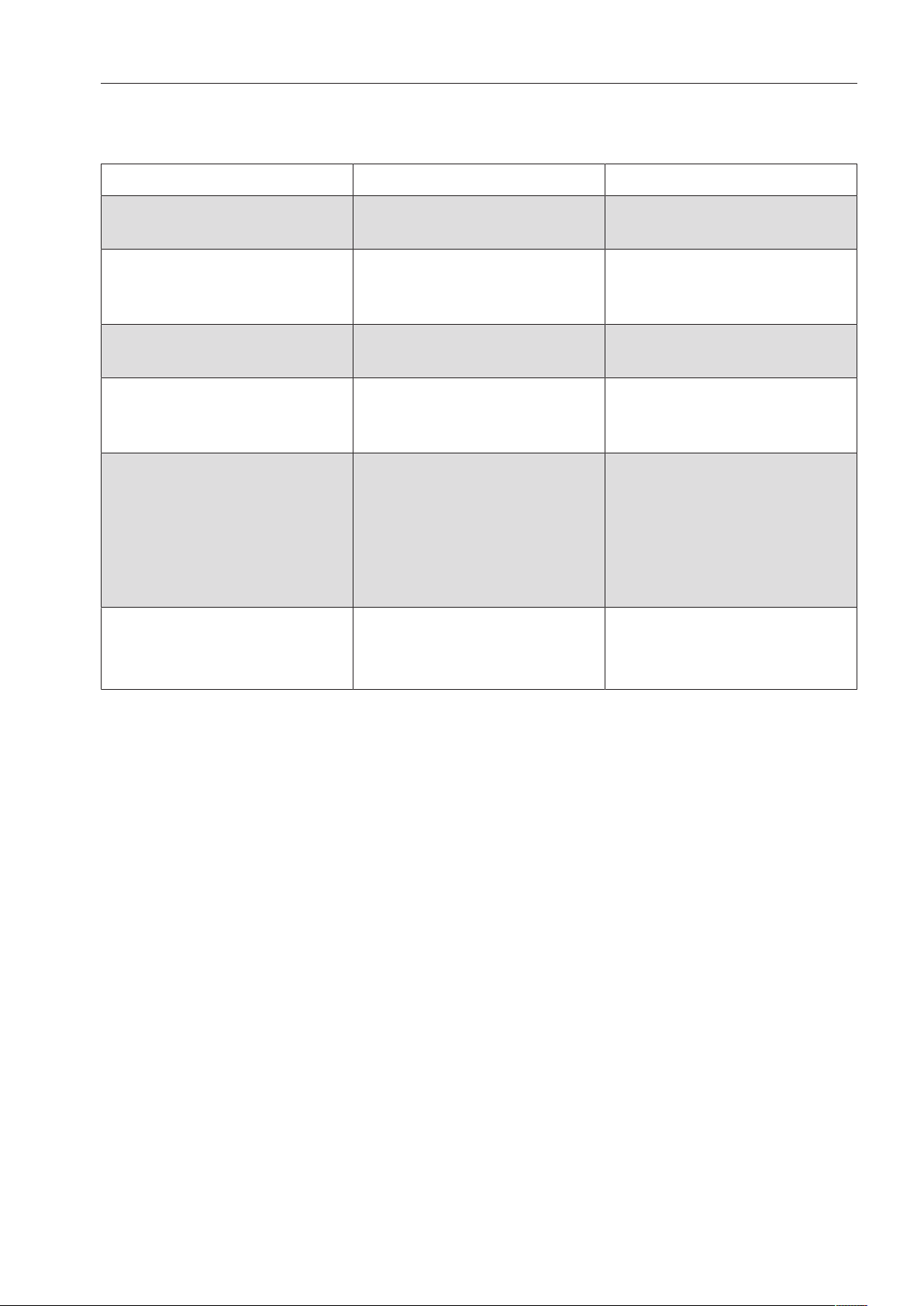
Settings
59
Menu structure
The factory defaults for the menu structure are shown.
Menu 1. Submenu 2. Submenu
1. Delay start No
Yes
2. Language German
English (GB)
etc.....
3. PrimingDOS DOS 1
DOS 4
4. Date Date format
Set
DD:MM:YY
MM:DD:YY
5. Time of day Set
Display
Time format
Set the time
Do not display
On
On for 60 seconds
12 h
24 h
6. Volume Keypad tone
Buzzer tones
Program end
Warning

Settings
60
Delay Start
You can determine whether Delay Start appears in the “Additional
functions” menu or not.
Selecting No will remove Delay Start from the “Additional functions”
menu as an operation option.
To enable the delayed start of a program, Yes must be selected so
that Delay Start can be displayed and selected in the “Additional
functions” menu.
For information on setting the start time, please see “Additional
functions, Delay Start”.
Select the Settings menu.
Select Delay start and confirm your selection with theOKbutton.
The following settings options are available:
Delay start
Yes
No
(
- No
Delay Start is disabled and therefore not visible as an additional
function.
- Yes
Delay Start is enabled.
Select the desired option and confirm your choice with the
OKbutton.
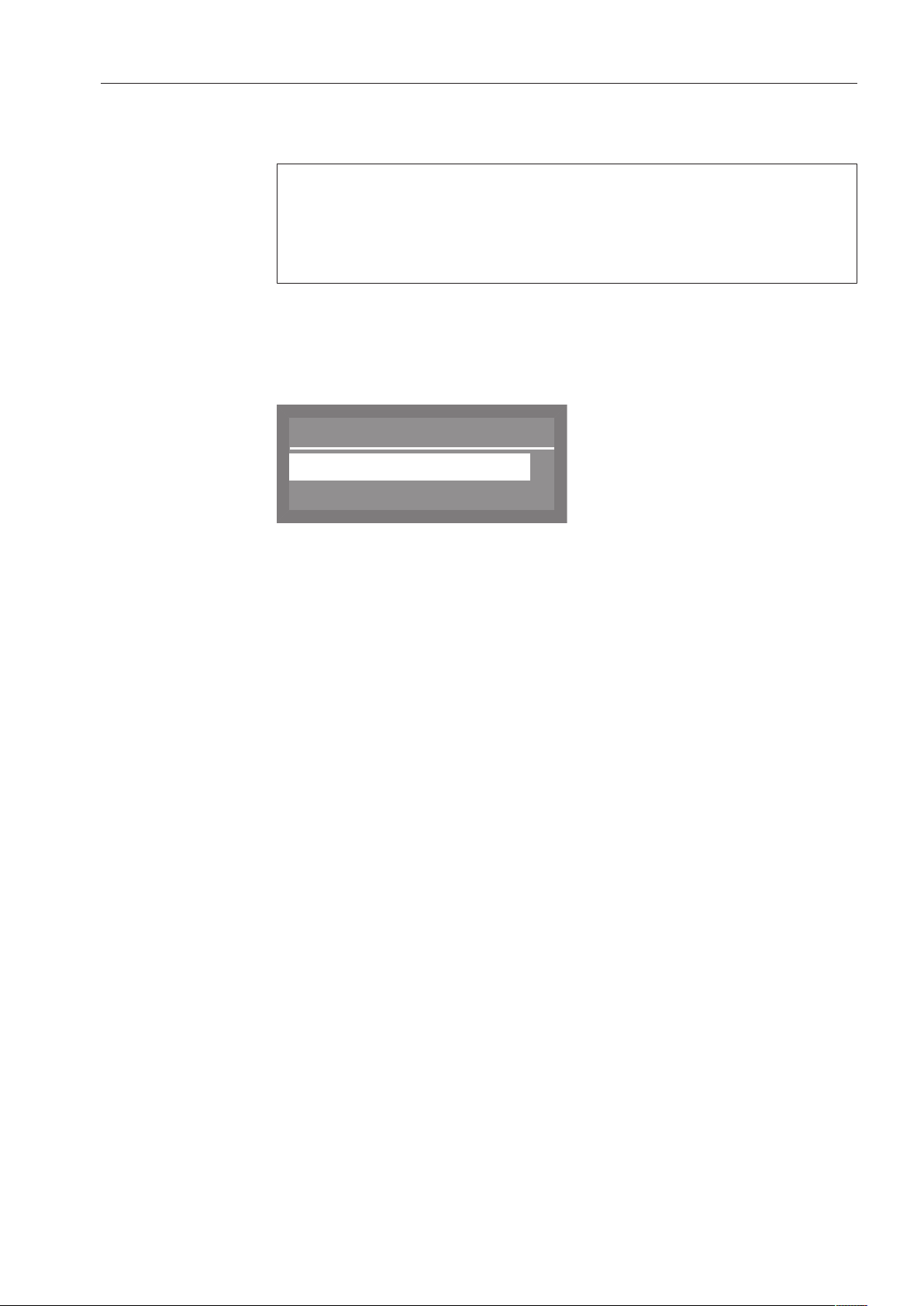
Settings
61
Setting the language
The language set here will be used in the display.
The flag symbol next to the “Settings” menu and the word
“Language” will help guide you if a language that you do not
understand has been set.
In this case, keep selecting the menu option that is followed by a
flag until the “Language” submenu appears.
Select the Settings menu.
Select Language and confirm your choice with theOKbutton.
A list containing all available system languages will appear in the
display.
Language
,
;
(
english (GB)
deutsch
Use the and arrow buttons to select the desired language, and
confirm your selection with the OKbutton.
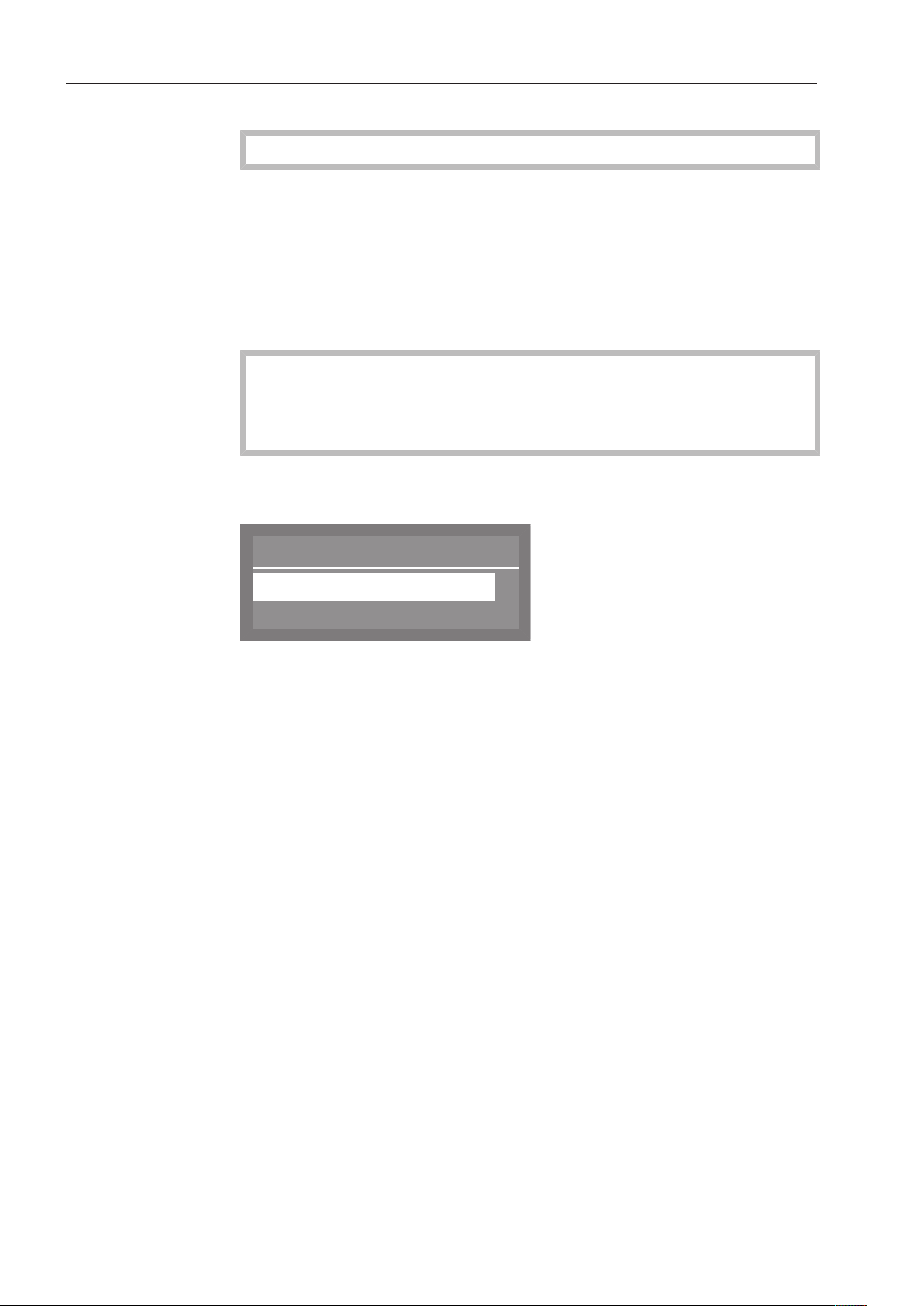
Settings
62
Venting DOS modules
This option is only visible when a DOS module is connected.
The dispensing system for liquid agents can only dispense reliably if
the system has been purged of air.
The DOS system must be vented if:
- it is being used for the first time.
- the liquid cleaning agent container has been replaced,
- the dispensing system has been sucked completely dry.
To avoid damage to the dispensing system, make sure before
venting that the detergent and rinse aid containers are adequately
filled and that the dispensing siphons are screwed securely to the
containers.
Select the Settings menu.
Select DOS priming and confirm your choice with theOKbutton.
DOS priming
DOS1
DOS4
Select the dispensing system to be vented using the and
arrow buttons and confirm your choice with the OKbutton.
The dishwasher will then begin automatically venting the selected
dispensing system. Once this process is complete, Dispensing system
successfully primed will appear in the display.
Press the OKbutton to acknowledge the message.

Settings
63
Setting the date
Select the Settings menu.
Select Date and confirm your choice with the OKbutton.
In the following menu, you can choose between:
Date
Date format
Set
- Date format
This menu option offers two different formats for displaying the
date.
- Set
This option is used to set the date in the selected format.
Date format
Select Date format and confirm your choice with the OKbutton.
Date format
DD:MM:YY
MM:DD:YY
(
DD stands for day
MM stands for month
YY stands for year
Select the desired date format and confirm your choice with the
OKbutton.
Setting the date
Select Set and confirm your choice with the OKbutton.
Date
01 . 06 . 2015
Use the arrow buttons (higher) and (lower) to set the day,
month and year, and confirm each entry with the OKbutton.
After the day, month and year have been set, the display
automatically reverts to the Date menu.

Settings
64
Setting the time of day
Select the Settings menu.
Select Time of day and confirm your entry with theOK button.
In the following menu, you can choose between:
Time of day
Set
Display
,
;
- Set
Set the time of day.
- Display
Time of day displayed when the dishwasher is idle.
- Time format
Set the clock format.
The dishwasher does not automatically adjust between summer and
winter time. This must be done manually by the operator as required.
Setting the time
Select Set and confirm your entry with theOK button.
Time of day
12 : 00
Use the arrow buttons (higher) and (lower) to set the hours and
minutes, and confirm each entry with the OKbutton.
When hours and minutes have been set, the display reverts
automatically to the Time of day menu.

Settings
65
Display
If required, the time of day can be displayed once the “Switch off
after duration” has elapsed (see Additional settings, Switch off after.
The LED in the button will start to flash.
The dishwasher is ready for use when the time is visible in the
display. Pressing any button will reactivate it.
Select Display and confirm your entry with theOK button.
The following options are available:
Display
Do not display
On
,
;
(
- Do not display
The time of day is not displayed. The dishwasher switches off at the
end of the preset waiting time.
- On
After the waiting time has elapsed, the time of day is displayed
continuously.
- On for 60 seconds
The time of day is displayed for 60seconds after the waiting time
has elapsed. After 60 seconds, the commercial dishwasher
switches itself off.
Select the setting you want and confirm your choice with the OK
button.
Clock format
Select Time format and confirm your entry with theOK button.
The following options are available for clock format in the display:
Time format
(
24 h
12 h
- 12 h (am / pm)
- 24 h
Select the desired format and confirm your choice with the
OKbutton.

Settings
66
Adjusting the volume
The dishwasher has audible tones that sound when buttons on the
keypad are pressed, at the end of a program, and when there are
system messages.
Select the Settings menu.
Select Volume and confirm your choice with the OKbutton.
The following options are available:
Volume
Keypad tone
Buzzer tones
- Keypad tone
Set the volume for the keypad buttons.
- Buzzer tones
Set the volume for the program end and for messages.
Keypad
Select Keypad tone and confirm your choice with the OKbutton.
Set the desired volume (see “Setting the volume”) and confirm your
selection with the OKbutton.
Buzzer
Select Buzzer tones and confirm your choice with the OKbutton.
The following options are available:
Buzzer tones
Program end
Warning
- Program end
Set the buzzer volume for the end of the program.
- Warning
Set the buzzer volume for messages.
Select the appropriate option and confirm your choice with the
OKbutton.
Set the desired volume (see “Setting the volume”) and confirm your
selection with the OKbutton.
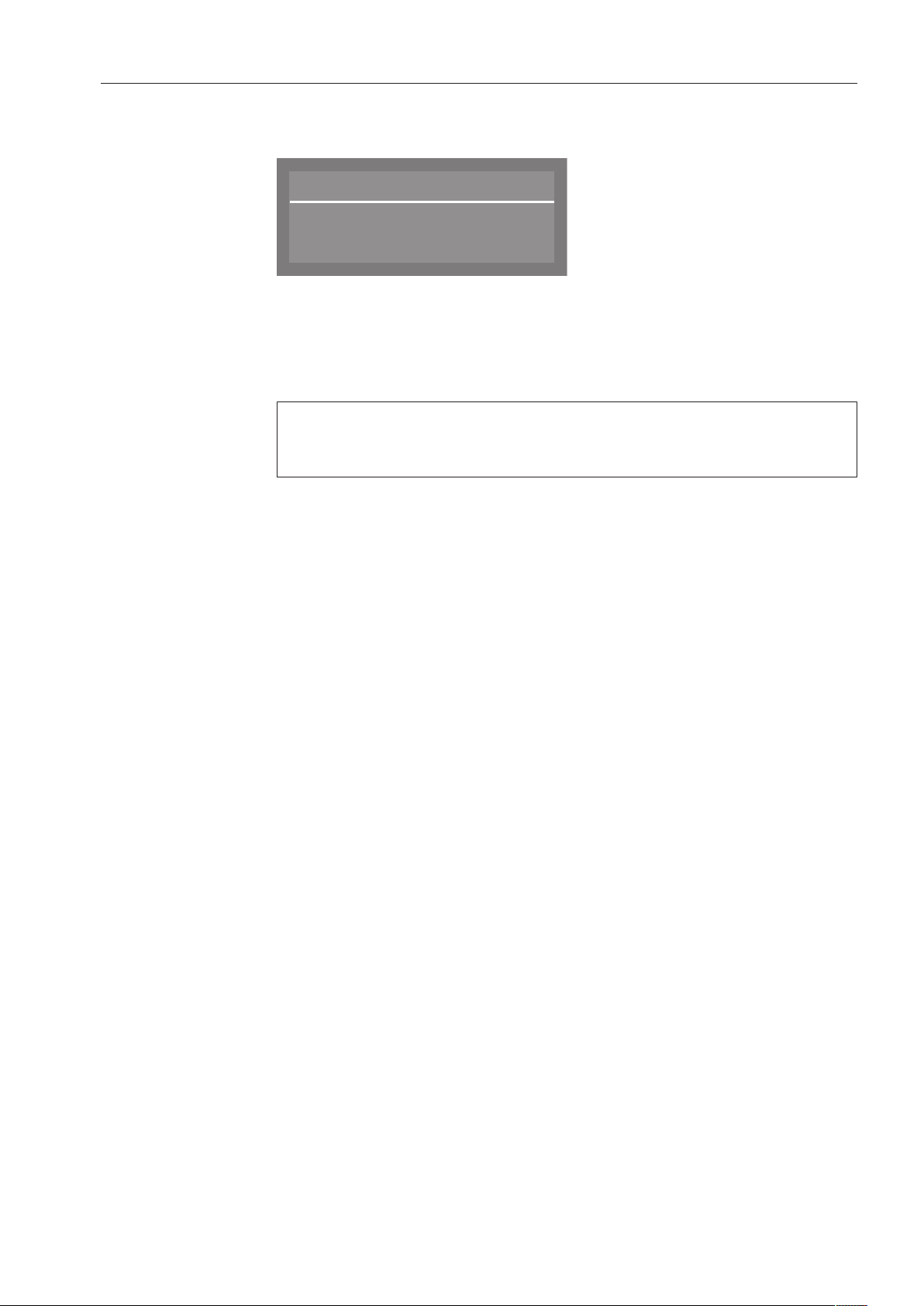
Settings
67
Setting the
volume
The procedure for setting the volume is always the same. The display
also looks similar, e.g.:
z
Keypad tone
Quieter Louder
Use the arrow buttons (louder) and (softer) to set the volume.
The volume level is shown as a bar. On the lowest setting, the buzzer
is turned off.
Confirm the volume setting with the OKbutton.
If confirmation does not occur within approx. 15seconds, the
display will automatically switch to the next higher menu without
saving the setting.
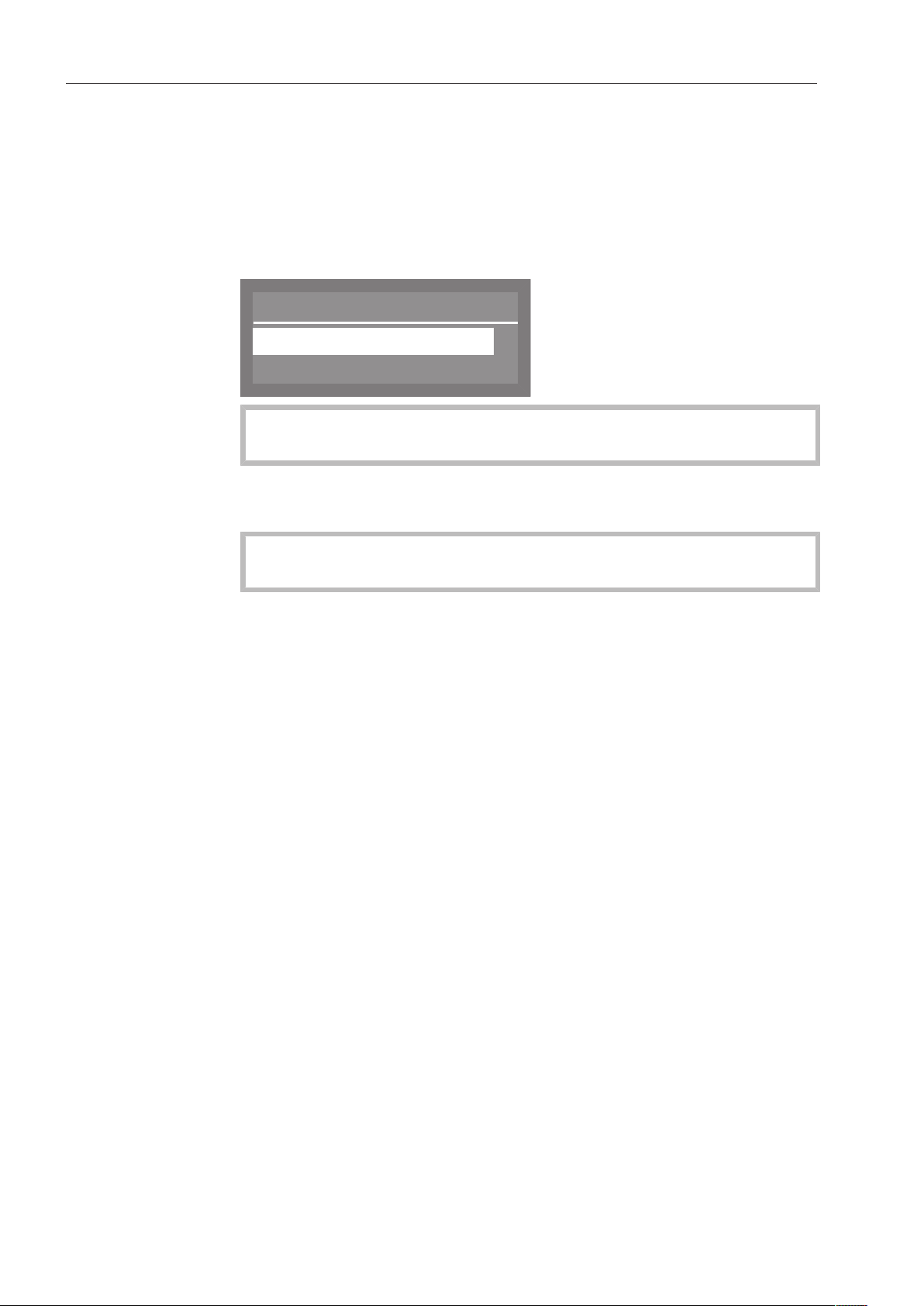
Additional settings
68
Accessing the “Additional settings” menu
To access the “Additional settings” menu:
Turn the dishwasher off.
Press and hold the button and, at the same time, turn the
dishwasher on using the button.
The display will then show the following options, for example:
Menu
Settings
Additional settings
If the button is pressed at this menu, the dishwasher will exit the
additional settings and return to normal operation.
Select Additional settings and open the corresponding menu by
pressing the OKbutton.
Options in the
“Additional
settings” menu
This menu can be protected with a PIN code (see “Additional
settings, Code”).
- Code
Assign a PIN code and configure settings (see “Code”)
- Log book
Display consumption levels for supplies used and operating hours
(see “Log book”)
- Temperature unit
Choose a temperature unit of either °C or °F (see “Temperature
unit”)
- Move program
Assign programs to the shortcut buttons (see “Move program”)
- Additional functions
Modify program parameters such as water intake, interim rinses,
temperatures, and holding times, as well as detergent
concentration levels for the DOS module (see “Additional
functions”)
- Release program
Determine the availability of individual programs for operation (see
“Program access”)
- Water hardness
Set the water hardness level (see “Water hardness” and “Water
softener”)
- Display view
Switch the display between the set and actual temperatures (see
“Display view”)

Additional settings
69
- Display
Adjust the contrast and brightness of the display (see “Display”)
- Switch off after
Enable or disable the automatic switch-off function (see “Switch off
after”)
- Factory default
Reset all parameters to the factory default settings (see “Restoring
factory default settings”)
- Software version
Display the software version (see “Software version”)
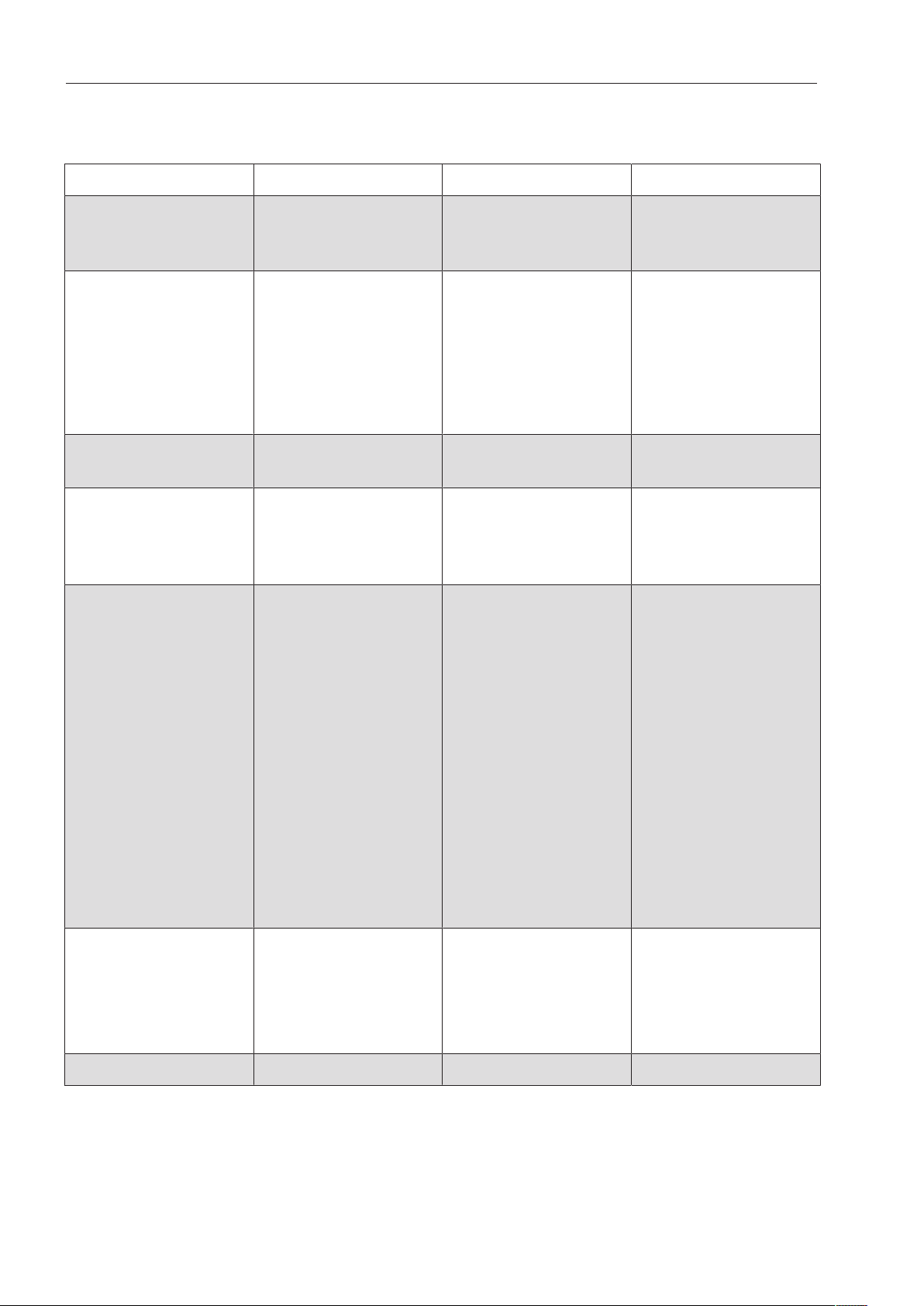
Additional settings
70
Menu structure
The factory defaults for the menu structure are shown.
Menu 1st submenu 2nd submenu 3rd submenu
1. Code Release
Change code
Additional settings
Enter code
Yes
Block
2. Log book Consumption: Water
Consumpt.:Cleaning
agent
Consumpt.: Rinse aid
Operating hours
Wash programs
Service interval
3. Temperature unit °C
°F
4. Move program 1. Rapid
2. Normal plus
3. Sanitize
etc.
5. Additional functions Reset
Increased water level
Interim rinse
Dispensing system
Temperature / Time
Yes
No
Yes
No
DOS 2 Rinse aid
DOS 1
DOS 4
Rapid
Normal plus
Sanitize
etc.
Active
Inactive
DOS priming
Concentration
Change name
Reset
Main wash
Final rinse
6. Release program All
Selection
Rapid
Normal plus
etc.
Accept
7. Water hardness
Additional settings
71
Menu 1st submenu 2nd submenu 3rd submenu
8. Display view Actual temperature
Required
temperature
9. Display Contrast
Brightness
ContrastSet
BrightnessSet
10. Switch off after Yes
No
Set the time
11. Factory default Reset No
Program settings only
All settings
12. Software version EB Id: XXXX
EGL Id: XXXX
EZL Id: XXXX
EFU Id: XXXX
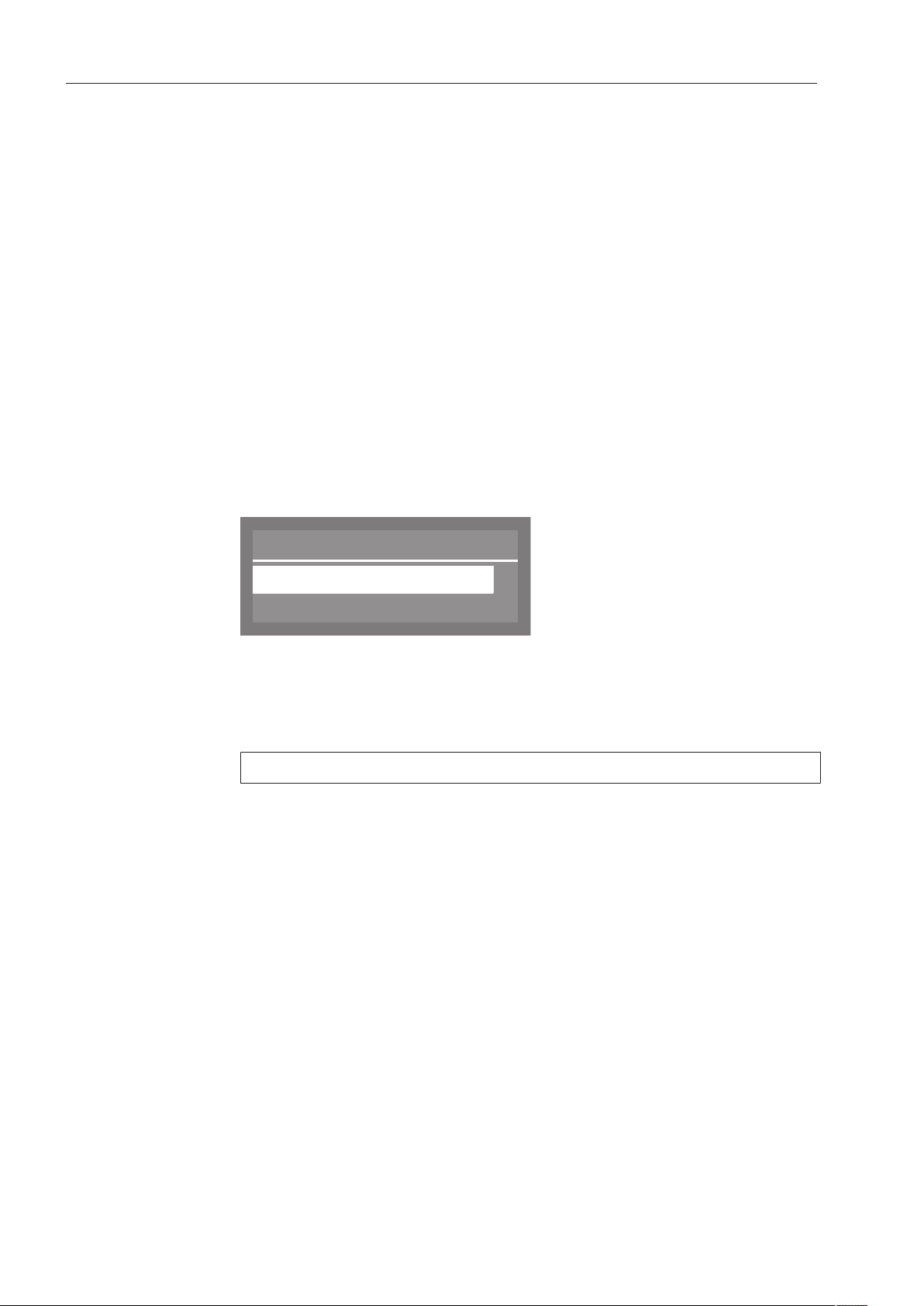
Additional settings
72
Code
A PIN code can be used to prevent unauthorized access to various
functions and system settings on the Commercial Dishwasher.
Select the Additional settings menu.
Select Code and press OK to open the relevant menu.
- Release
Restrict access to the Additional settings menu to users with
administrative rights only, or allow access to all users.
- Change code
Set a new PIN code.
Release
Select the Release option and confirm your choice with the
OKbutton.
Select Additional settings and confirm your choice with the
OKbutton.
The following settings are available:
Additional settings
Yes
Block
(
- Yes
The menu is available to all users.
- Block
Access to the menu is only possible with a PIN code.
A check indicates the current setting.
Select the appropriate option and confirm your selection with the
OKbutton.
Changing the PIN
code
Select the Change code option and confirm your choice with the
OKbutton.
First enter the current PIN code (see “Entering the PIN code”).
Then enter a new PIN code.
Save the new PIN code by confirming the last digit.
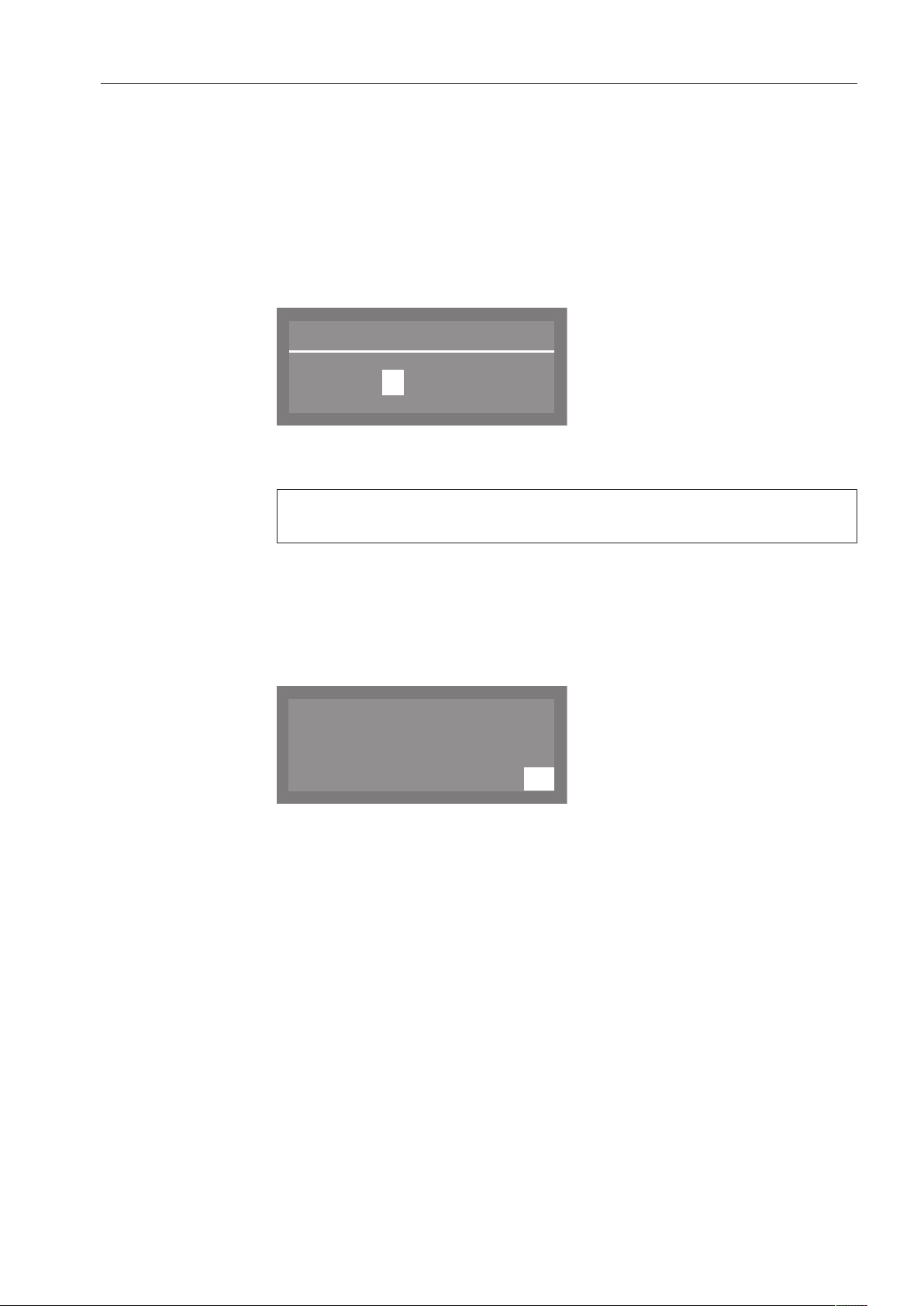
Additional settings
73
Entering the
PIN code
If in the Release menu you have selected Block or if you have set the
Additional settings menu up for access via a PIN code, you have to
enter the PIN code.
Settings within the Additional settings menu can then only be changed
by people with administrative rights.
The PIN code is set at the factory to 8 0 0 0 if access in Additional
settings is blocked.
The following PIN-entry screen will appear in the display, for example:
Enter code
0 0 0 0
Use the and arrow buttons to enter the numerical values, and
confirm each entry with the OKbutton.
Each press of the OKbutton takes the highlighting to the next input
position automatically.
Each entered digit is replaced by an asterisk (*).
The protected settings are unlocked once all digits have been
correctly entered.
If an incorrect PIN code is entered, the following message will appear
in the display:
K
OK
Wrong code entered
Press the OKbutton to acknowledge the message.
The display will then revert to the input menu.

Additional settings
74
Log book
The dishwasher controls record the consumption levels for water,
detergent and rinse aid. They also calculate the number of hours the
dishwasher has been in operation, the number of programs that have
been run, and the required service intervals.
Select the Additional settings menu.
Select Log book and open the corresponding menu by pressing the
OKbutton.
The following options are available:
Log book
,
;
Consumption: Water
Consumpt.:Cleaning agent
- Consumption: Water
Display the total amount of water used in liters.
- Consumpt.:Cleaning agent
Display the total amount of detergent used in liters (only for
dishwashers using a DOS module).
- Consumpt.: Rinse aid
Display the total amount of rinse aid used in liters
- Operating hours
Display the total number of operating hours.
- Wash programs
Display the total number of program cycles.
- Service interval
Display the next date for required service.
Select the desired option and confirm your choice with the
OKbutton.
A number will then be displayed.
You can switch the display to the next higher menu by pressing the
OKbutton.

Additional settings
75
Temperature unit
The temperature can be displayed in degrees Celsius or degrees
Fahrenheit.
Select the Additional settings menu.
Select Temperature unit and confirm your choice with theOKbutton.
Temperature unit
°C
°F
(
- °C
The temperature is displayed in degrees Celsius
- °F
The temperature is displayed in degrees Fahrenheit
Use the and arrow buttons to select the desired option, and
confirm your choice with the OKbutton.
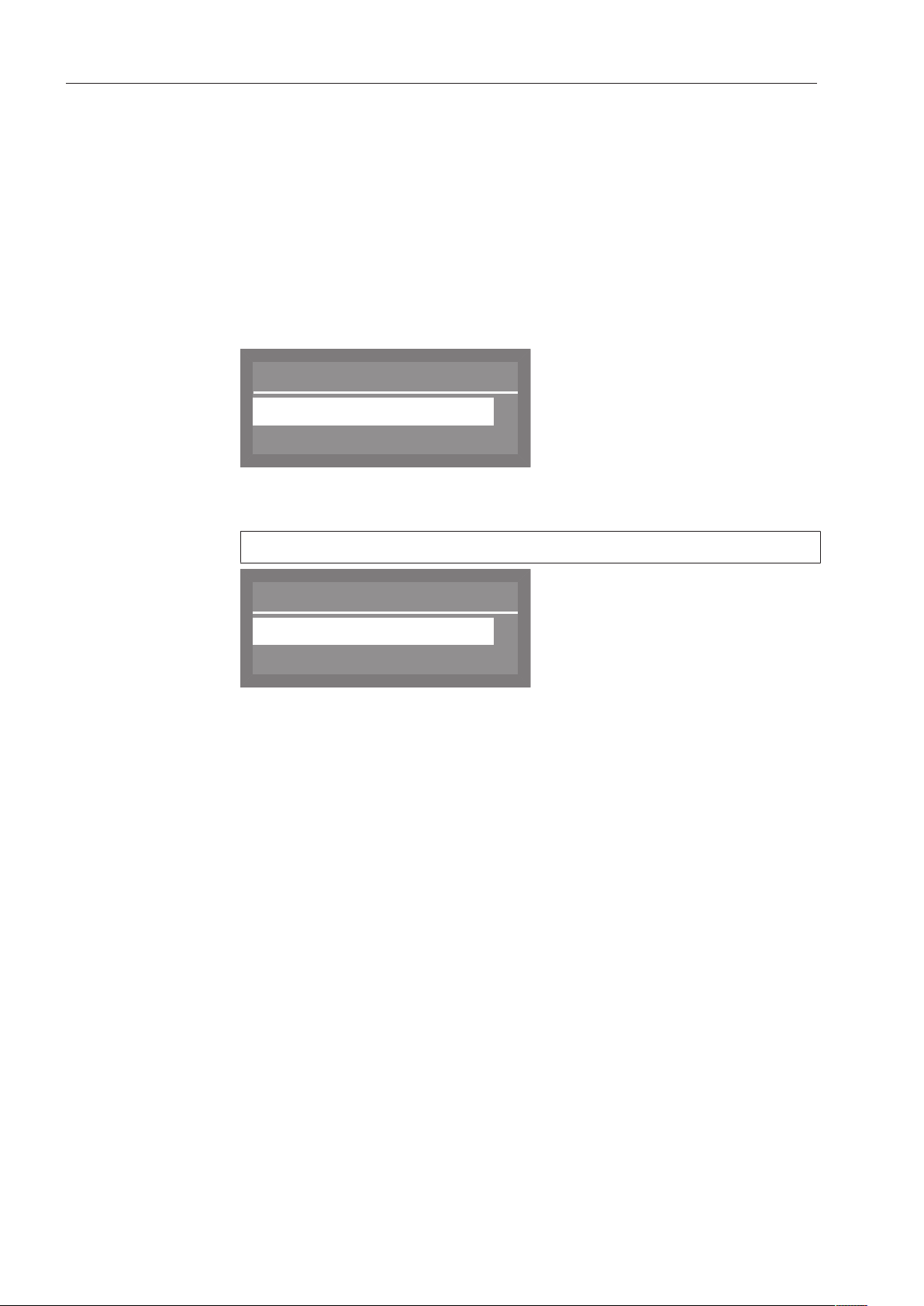
Additional settings
76
Moving a program
You can change the order of the programs and therefore also the
allocation of the shortcut buttons.
You can move the programs you use most frequently to program
places 1-3. These are then automatically allocated to the shortcut
buttons.
Select the Additional settings menu.
Select Move program and confirm the entry with the OK button.
Shortcut buttons
Programs are displayed in their current order.
Move program
1.
2.
,
;
Rapid
Normal Plus
Use the and buttons to select a program from the list that you
wish to move, and then confirm your choice with the OK button.
The program you select will be marked with a check .
1.
1.
2.
,
;
(
Move program
Rapid
Normal Plus
Use the and buttons to select the position you want to move it
to and confirm your choice with the OK button.
Moving a program forwards moves the programs after it down a
position.
Moving a program to the end of the list moves the programs in front
of it up a position.
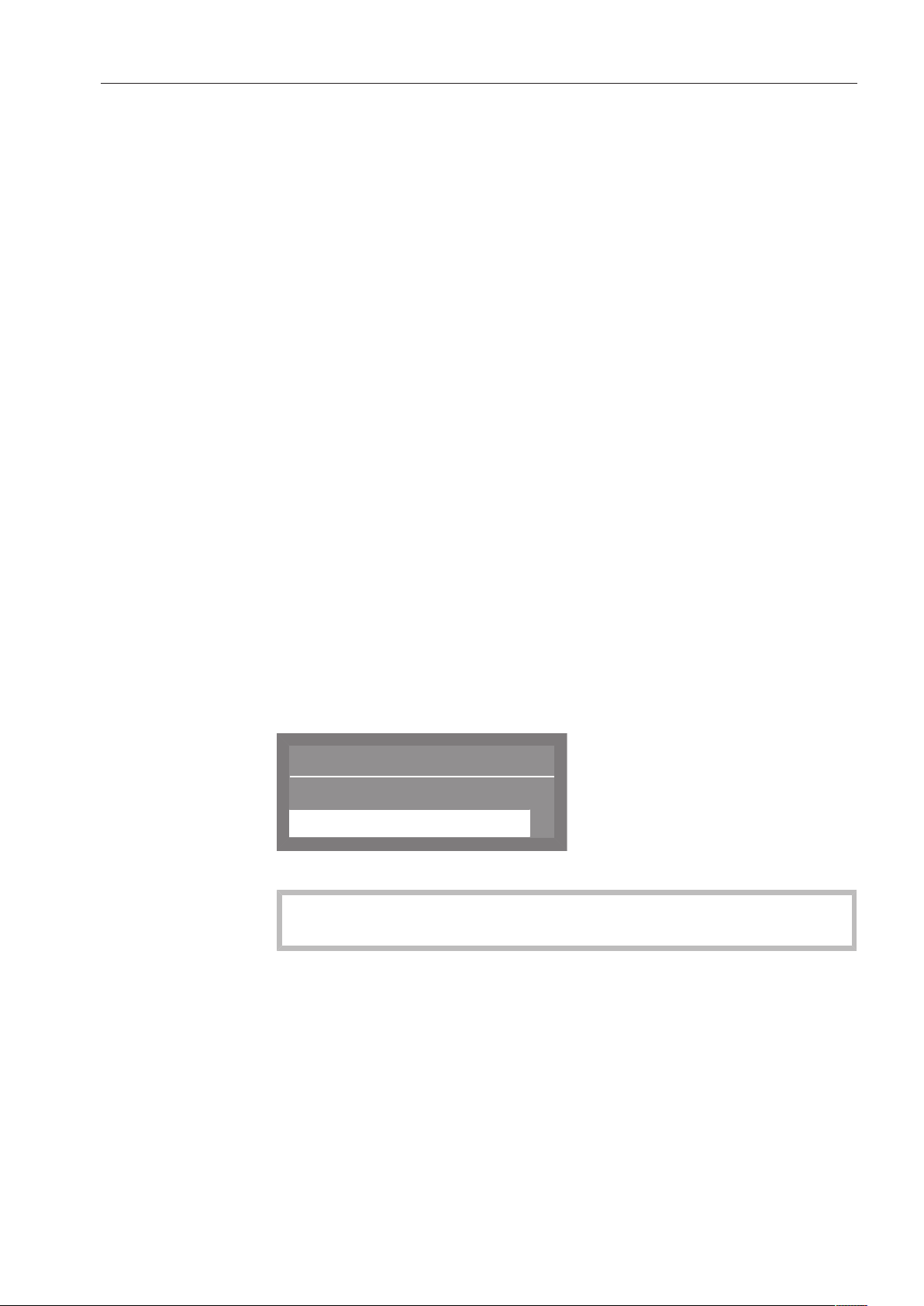
Additional settings
77
Additional functions
With these functions, it is possible to adjust individual parameters to
adapt program cycles to particular types of soiling and optimize
cleaning results.
Select the Additional settings menu.
Select Additional functions and open the corresponding menu by
pressing the OKbutton.
In the following menu, you can choose between:
- Reset
Reset all of the parameters changed under the “Additional
functions” menu to their factory defaults.
- Increased water level
Increase the amount of water used in all wash programs.
- Interim rinse
Include an interim rinse in all programs that support this feature
(see “Program chart”).
- Dispensing system
Vent the dispensing systems and change the name of the dispenser
modules.
- Temperature / Time
Change the temperature and holding time for the main wash and
final rinse stages of a wash program.
Resetting
Select the Reset option and confirm your choice with the
OKbutton.
Reset
Yes
No
(
Select the Yes option and confirm your choice with the OKbutton.
All parameters that have been changed under “Additional
functions” will be reset to the factory default setting.

Additional settings
78
Increased amount
of water
Select the Increased water level option and confirm your choice with
the OKbutton.
The amount of water used is indicated in liters and can be increased
by up to 1.5l in 0.5-liter increments.
Increased water level
0.0 l
(0.0 - 1.5 l)
Use the arrow buttons (higher) and (lower) to select the
desired amount of water, and confirm your selection with the
OKbutton.
Interim rinse
Select the Interim rinse option and confirm your choice with the
OKbutton.
The following options are available:
Interim rinse
Yes
No
(
- Yes
The additional interim rinse is active.
- No
The additional interim rinse is inactive.
Select the desired option and confirm your selection with the OK
button.
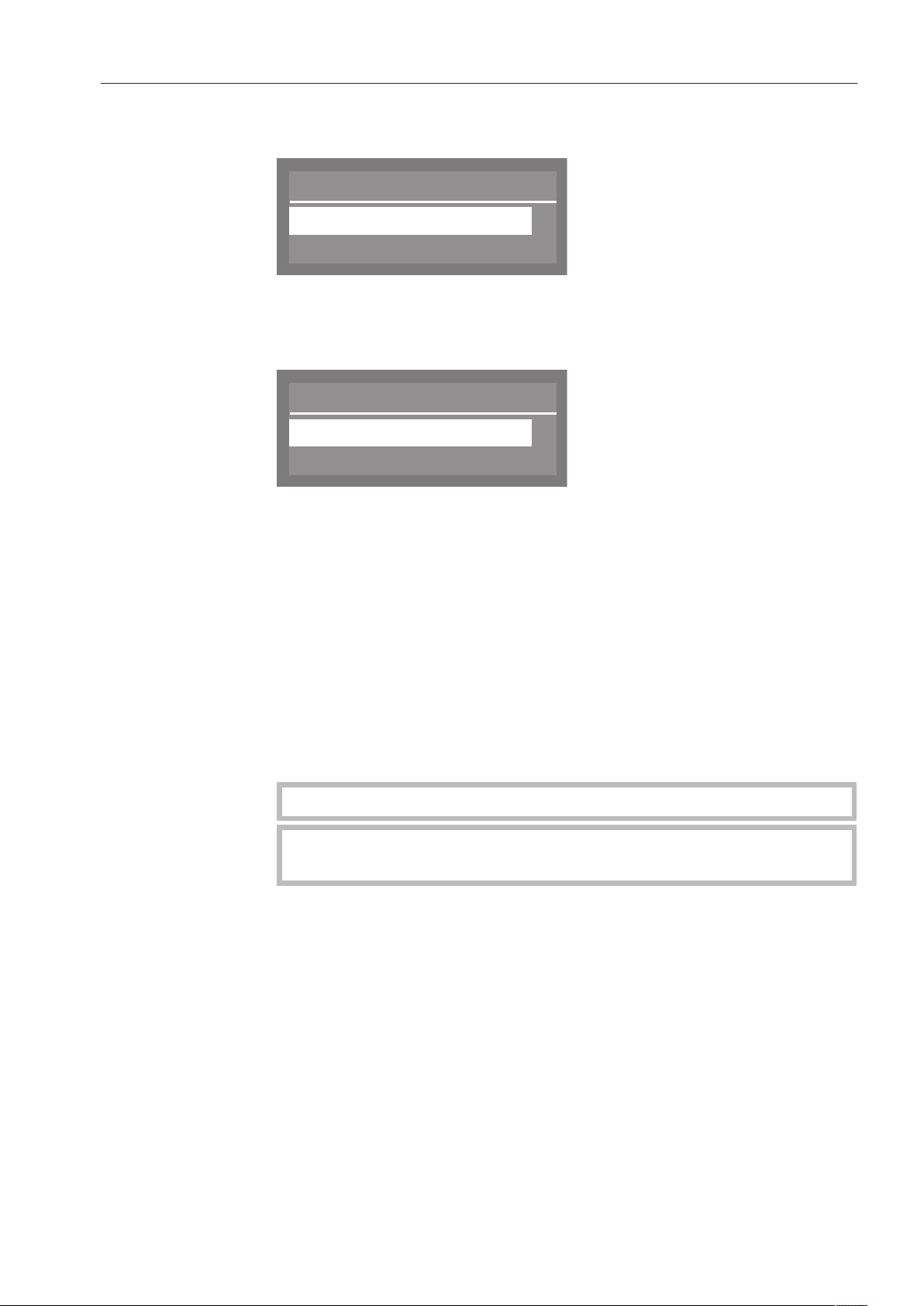
Additional settings
79
DOS dispensing
systems
Select the Dispensing system option and confirm your choice with
the OKbutton.
Dispensing system
DOS1
;
,
DOS 2 Rinse aid
Select the desired dispensing system and confirm your choice with
the OKbutton.
The following settings are available:
Active
Inactive
,
;
DOS1
- Active
The dispensing system is active.
- Inactive
The dispensing system is inactive.
- DOS priming
Venting of the dispensing system to ensure reliable dispensing.
- Concentration
The concentration of detergent and/or rinse aid can be modified as
needed.
- Change name
The name of the dispensing system can be changed.
With DOS 2 Rinse aid, the only option displayed is Concentration.
The menu options DOS priming, Concentration and Change name
are only visible if Active is selected.
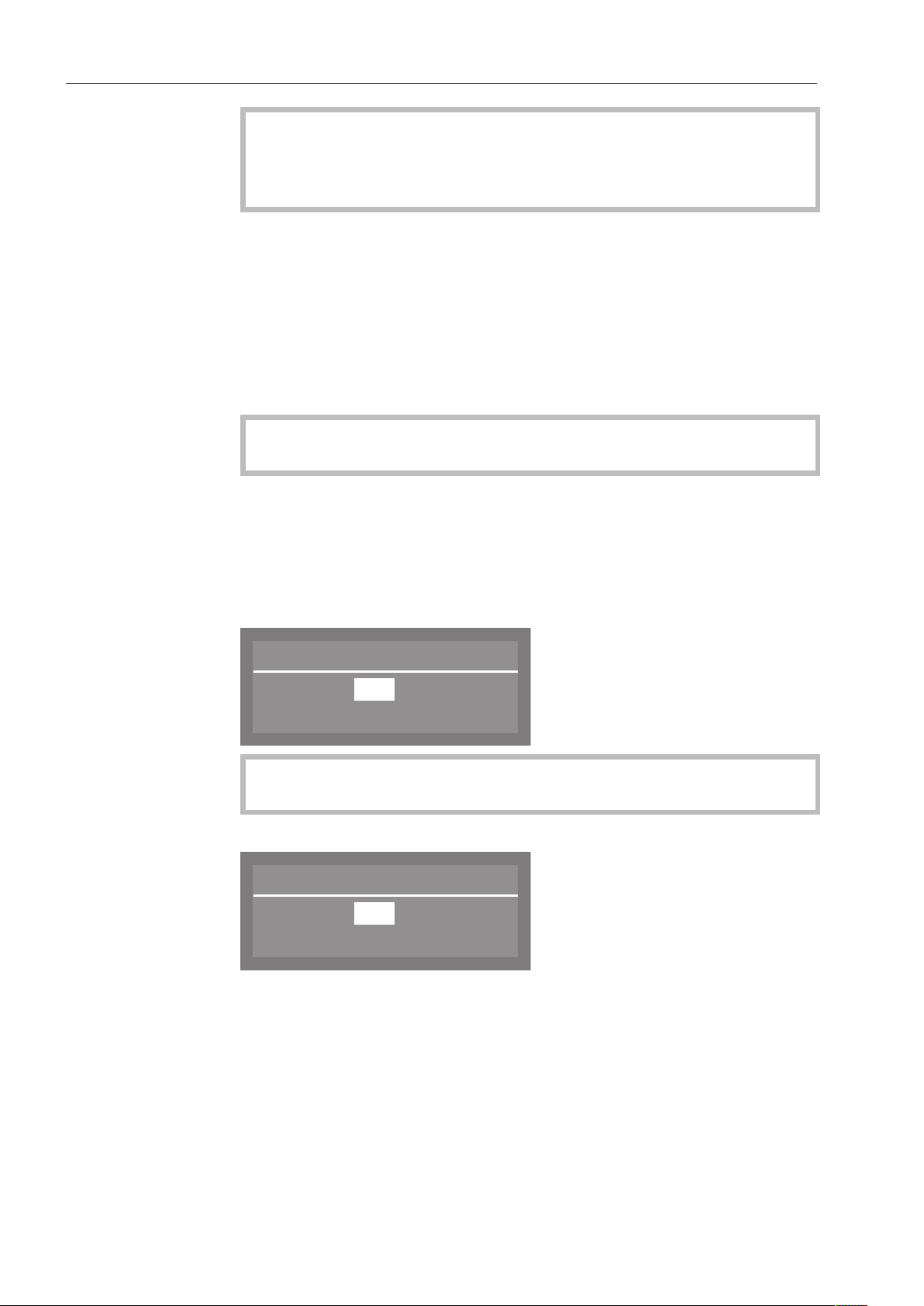
Additional settings
80
DOS venting
To avoid damage to the dispensing system, make sure before
venting that the detergent and rinse aid containers are adequately
filled and that the dispensing siphons are screwed securely to the
containers.
Select DOS priming and confirm your selection with the OKbutton.
The dishwasher will then begin automatically venting the dispensing
system.
Dispensing system DOS priming will appear in the display.
Once this process is complete, Dispensing system successfully primed
will appear in the display.
Press the OKbutton to acknowledge the message.
Setting the DOS
concentration level
Please observe dispensing recommendations made by the
manufacturer of the agent.
Select Concentration and confirm your choice with theOKbutton.
Concentration levels are given as a percentage and can be set
between 0.01 and 2.00%.
The concentration level set then applies to all programs.
Display for DOS1:
Concentration
0,30 %
(0,01 - 2,00 %)
If a DOS G 60module is connected to the dishwasher, the factory
set concentration level set must be reduced by half.
Display for DOS2 rinse aid and DOS4:
Concentration
0,04 %
(0,01 - 2,00 %)
Use the arrow buttons (higher) (lower) to set the concentration
level you want and confirm your choice with the OK button.

Additional settings
81
Changing a DOS
name
Select Change name and confirm your entry with theOK button.
Change name
DOS1
<
_ _ _ _ _ _ _ _ _ _ _
P
OK
#
a
ä b c
.
The current name is shown on the second line of the display. This can
be changed using the options shown in the bottom line.
DOS is a set part of the name and cannot be changed.
The top line shows which option has been selected.
Use the arrow buttons (move left) and (move right) to move the
cursor to the desired option.
Confirm each option individually with the OKbutton.
The following options are available:
- Letters from A - Z;
each new word will start with a capital letter.
- Numbers from 0 - 9
- Space characters
- Use the symbol to delete the last position in the name displayed.
- Select OK to save the name.
- If you do not want to save the name you have entered, press the
symbol.

Additional settings
82
Temperature /
Time
The temperature and holding time for the main wash and final rinse
phases can be changed in some programs (see “Program chart”).
Select Temperature / Time and confirm your choice with the
OKbutton.
Select program
Normal
Normal Plus
,
;
The following options are available:
Normal
Reset
Main wash
,
;
- Reset
This resets any values changed in the selected program to their
factory default settings.
- Main wash
Used to adjust the temperature and holding time for the main wash
phase.
- Final rinse
Option to change the temperature and holding time for the final
rinse phase.

Additional settings
83
Main wash / Final
rinse
The procedure for altering settings in Main wash and Final rinse is the
same. The display also looks similar.
Select the Main wash or Final rinse option and confirm your choice
with the OKbutton.
Normal
Holding time
Final rinse temperature
,
;
Select the desired wash program and confirm your selection with
the OKbutton.
The following settings are available:
- Temperature / Final rinse temp.
The temperature for the main wash or final rinse phase can be
changed.
- Holding time
The temperature holding time can be changed.
Final rinse
temperature
Select Temperature or Final rinse temp. and confirm your choice with
the OK button.
The temperature for the main wash or final rinse phase can be
changed between 30 and 70°C (86 to 158°F) in 1°C increments.
Final rinse temp.
50
°C
(30 - 70 °C)
Use the arrow buttons (higher) (lower) to set the desired
temperature, and confirm your selection with the OKbutton.
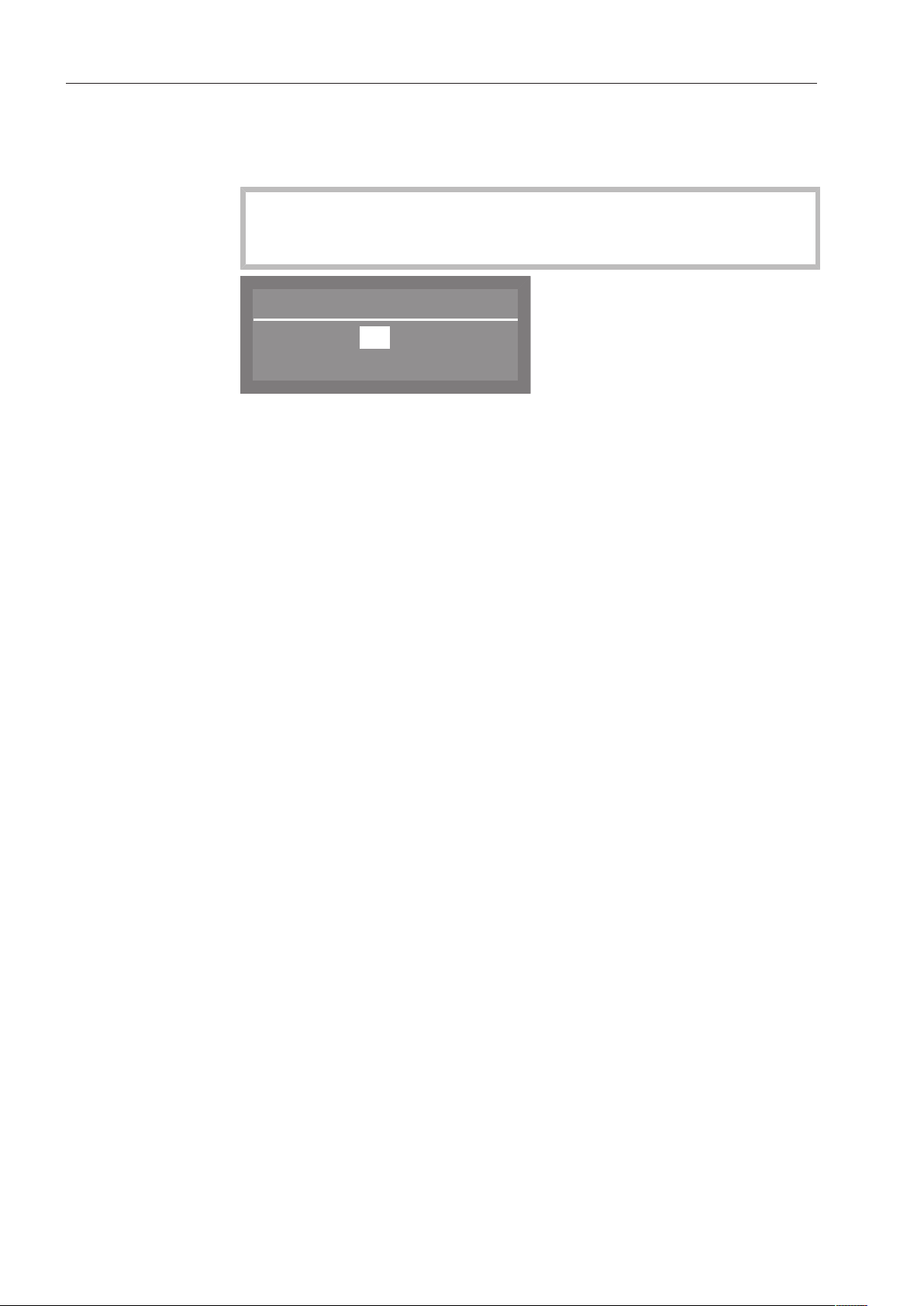
Additional settings
84
Holding time
Select Holding time and confirm your choice with theOKbutton.
The holding time is displayed in minutes and can be changed to
between 0 and 10minutes in 1-minute increments.
In the Rapid program, the holding time is displayed in seconds and
can be changed to between 0 and 300 seconds in 5-second
increments.
Holding time
1 Min
(0 - 10 Min)
Use the arrow buttons (higher) (lower) to set the holding time
you want and confirm your choice with the OKbutton.
Additional settings
85
Program access
Individual programs can be locked so that they cannot be used.
In the factory default setting, all programs are unlocked for use.
Select the Additional settings menu.
Release program
All
Selection
(
Select Release program and press OK to open the corresponding
menu.
The following settings are available:
- All
All programs are unlocked for use.
- Selection
Selection option for determining which individual programs are to
be locked.
Locking programs
to prevent use
Select Selection and confirm your choice with the OKbutton.
Release program
Rapid
Normal Plus
,
;
9
9
Select the programs that you wish to block and press the OK
button.
The checkmark will be removed from the box and the program
will then be locked and unavailable for use.
To save your selection, select Accept at the bottom of the program
list and confirm your choice with the OKbutton.
If programs are locked for use, Selection will be selected the next
time the “Program unlock” menu is accessed.

Additional settings
86
Water hardness
Using this menu, you can program the water softener to match the
hardness of the water supplied.
Detailed information is available under “Filling the salt compartment”.
Display view
During a program, the actual or set temperature can be shown in the
second line of the display.
Select the Additional settings menu.
Display view
Actual temperature
Required temperature
(
Select Display view and open the corresponding menu by pressing
the OKbutton.
The following settings are available:
- Actual temperature
Displays the actual temperature during a program (this value will
vary over the course of the program).
- Required temperature
Display the set temperature for the main wash or the final rinse
phase.
(The maximum value is displayed as a static value. It will change
from one program stage to the next).
Select the desired option and confirm your choice with the
OKbutton.

Additional settings
87
Display
The Display menu can be used to alter the contrast and brightness of
the display.
Select the Additional settings menu.
Display
Contrast
Brightness
Select Display and open the corresponding menu by pressing the
OKbutton.
The following settings are available:
- Contrast
Set the contrast.
- Brightness
Set the brightness.
Contrast
Select the Contrast and confirm your choice with the OKbutton.
The contrast range is shown as a bar in the display.
{
Contrast
Lower Higher
Use the arrow buttons (higher) (lower) to set the desired
contrast and confirm your choice with the OKbutton.
Brightness
Select the Brightness and confirm your choice with the OKbutton.
The brightness range is shown as a bar in the display.
Brightness
{
Darker Brighter
Use the arrow buttons (lighter) (darker) to set the desired
brightness and confirm your choice with the OKbutton.

Additional settings
88
Switch off after
When not in use, the Commercial Dishwasher can be switched off to
save energy or be placed in standby mode by selecting an option
from the Settings , Time of day, Display menu.
The clock display will be visible in standby mode.
Select the Additional settings menu.
Select Switch off after and open the corresponding menu by
pressing the OKbutton.
The following options are available:
Switch off after
Yes
No
(
- Yes
The “Switch off after” option is active and you can specify a time
period after which the machine switches off.
- No
The “Switch off after” option is not active.
Setting the
“Switch-off time”
Select the Yes option and confirm your choice with the OKbutton.
In the factory default setting, the switch off after time is set to
60minutes. A time of between 5 and 60 minutes can be set in 5-
minute increments.
Switch off after
60 Min
(5 - 60 Min)
Use the arrow buttons (higher) (lower) to set the switch-off
time, and confirm your entry with the OKbutton.

Additional settings
89
Factory default setting
The Factory default setting can be used to reset all changed
parameters in the Commercial Dishwasher back to their factory
default settings or just values that have been changed for programs.
Select the Additional settings menu.
Factory default
Reset
Select Factory default and press OK to open the relevant menu.
The following options are available:
Reset
No
Program settings only
,
;
(
- No
Altered parameters will not be reset to their default settings.
- Program settings only
Only settings that have been altered in programs will be reset to
their factory defaults.
- All settings
All parameters that have been altered on the Commercial
Dishwasher will be reset to their factory defaults.
Select the desired option and confirm your selection with the
OKbutton.
Selecting Program settings only or All settings restarts the Commercial
Dishwasher. After it has restarted, you will be prompted to re-enter
basic parameters such as the language, date, time, water hardness,
etc.
Enter the parameters displayed such as language, date, time, etc.
Your selection will be saved and the last program used will appear in
the display.
Additional settings
90
Software version
Displays the versions of the individual software components.
Select the Additional settings menu.
Select Software version and open the corresponding menu by
pressing the OKbutton.
Software version
EB Id: XXXX
EGL Id: XXXX
,
;
The software for the individual components is displayed. XXXX
denotes the version.
- EB Id: XXXX
Software version for the control and display unit.
- EGL Id: XXXX
Software version for the control board.
- EZL Id: XXXX
Software version for the relay board.
- EFU Id: XXXX
Software version for the frequency converter.
Modifications and updates to the software may only be carried out
by an authorized Miele service technician.

Cleaning and care
91
Maintenance
To prolong the service life of the Commercial Dishwasher, it should be
serviced at least once a year by Miele Technical Service.
Maintenance covers the following:
- Electrical safety according to national regulations
- Door mechanism and door seal
- Any screw connections and connectors in the wash cabinet
- Water inlet and drainage
- Internal and external dispensing systems
- Spray arms
- Filter combination
- Sump including drain pump and non-return valve
- All baskets and inserts
The following operational tests will be carried out as part of the
maintenance:
- A program will be run as a test run
- Seals will be tested for water tightness
- All relevant measuring systems will be safety tested, including fault
displays
- Safety features
Cleaning and care
92
Remove any soiling from the control panel and from the front of
the machine straight away.
Soiling that is left too long might become impossible to remove and
could cause the external surfaces to alter or discolor.
All surfaces are susceptible to scratching.
Contact with unsuitable detergents can alter or discolor the
external surfaces.
Cleaning the control panel
Only clean the control panel with warm water and liquid dish soap,
applied with a soft sponge or cloth. Then dry the control panel with
a soft cloth.
Do not use abrasive detergents!
These can damage the control panel.
Cleaning the front of the dishwasher
To clean the stainless steel front panel, use a damp cloth with either
a solution of liquid dish soap and hot water or a non-abrasive
cleaning agent suitable for use on stainless steel.
To keep the front panel from getting dirty again (fingerprints, etc.), a
stainless steel conditioner can be used after cleaning (e.g., Neoblank,
available from Miele Service).
Do not use cleaning agents containing ammonium chloride or
thinners!
These agents can damage the surface material.
When cleaning, do not hose down the dishwasher or its direct
vicinity, e.g. with a water hose or pressure washer.
Cleaning the wash cabinet
The wash cabinet is largely self-cleaning, provided that the correct
amount of detergent is always used.
If, despite this, lime scale or grease deposits accumulate in the
cabinet, these can be removed with a proprietary dishwasher cleaner
(available from Miele).
Cleaning and care
93
Cleaning the door and the door seal
Wipe the door seal and the area beneath the door regularly with a
damp cloth to remove food deposits.
Wipe away any spillages of food and beverages from the sides and
the hinges of the dishwasher door.
With freestanding dishwashers that have a base facing, remove
spillages of food and beverages from the channel that runs below
the door.
Be cautious of sharp edges when cleaning.
There is a risk of cutting yourself.
These surfaces are outside the wash cabinet. They are not accessed
by water from the spray jets. As a result, mould can develop here.
Cleaning the filters in the wash cabinet
The filter combination in the base of the wash cabinet retains coarse
soil from the suds solution, preventing it accessing the circulation
system and causing blockages in the spray arms.
This dishwasher must not be used without all the filters in place!
The filters must be checked regularly and cleaned when necessary.
Caution!
Danger of injury on glass splinters.
Cleaning the
coarse filter
Press the catches towards each other and remove the coarse filter.
Rinse the filter thoroughly under running water. If necessary use a
soft brush to remove soiling.
Replace the filter making sure it engages correctly.
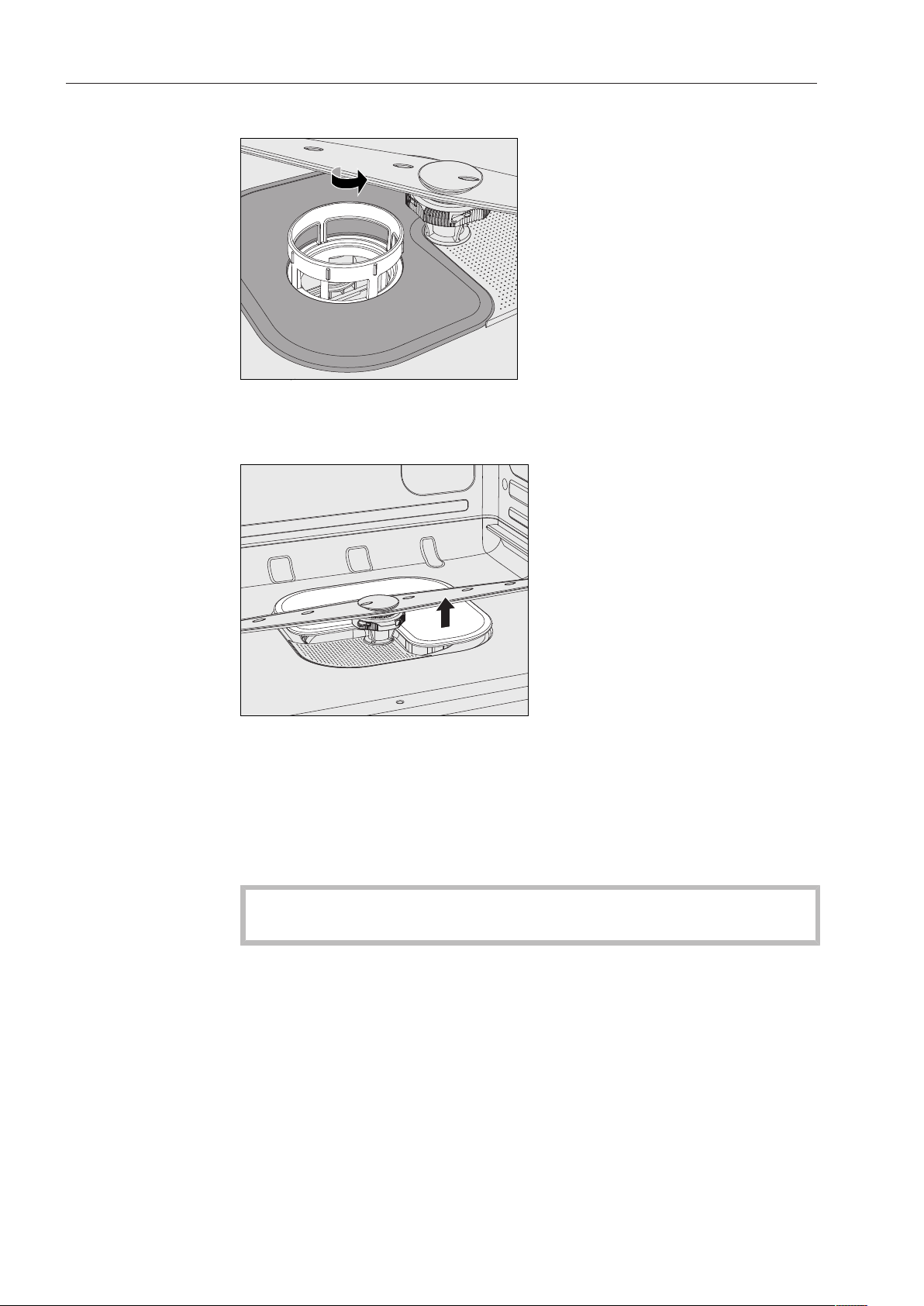
Cleaning and care
94
Cleaning the flat
and micro-fine
filters
Remove the coarse filter.
Grasp the micro-fine filter by the upper rim and turn it in the
direction of the arrow to release it.
Then lift it out.
Remove the flat filter.
Rinse the filters thoroughly under running water. If necessary use a
soft brush to remove soiling.
Replace the filter combination in the reverse order, turning the micro-
fine filter to the left to re-engage it.
The flat filter must lie flat in the bottom of the wash cabinet.
The spray arms will get blocked if the filters are not replaced
correctly.
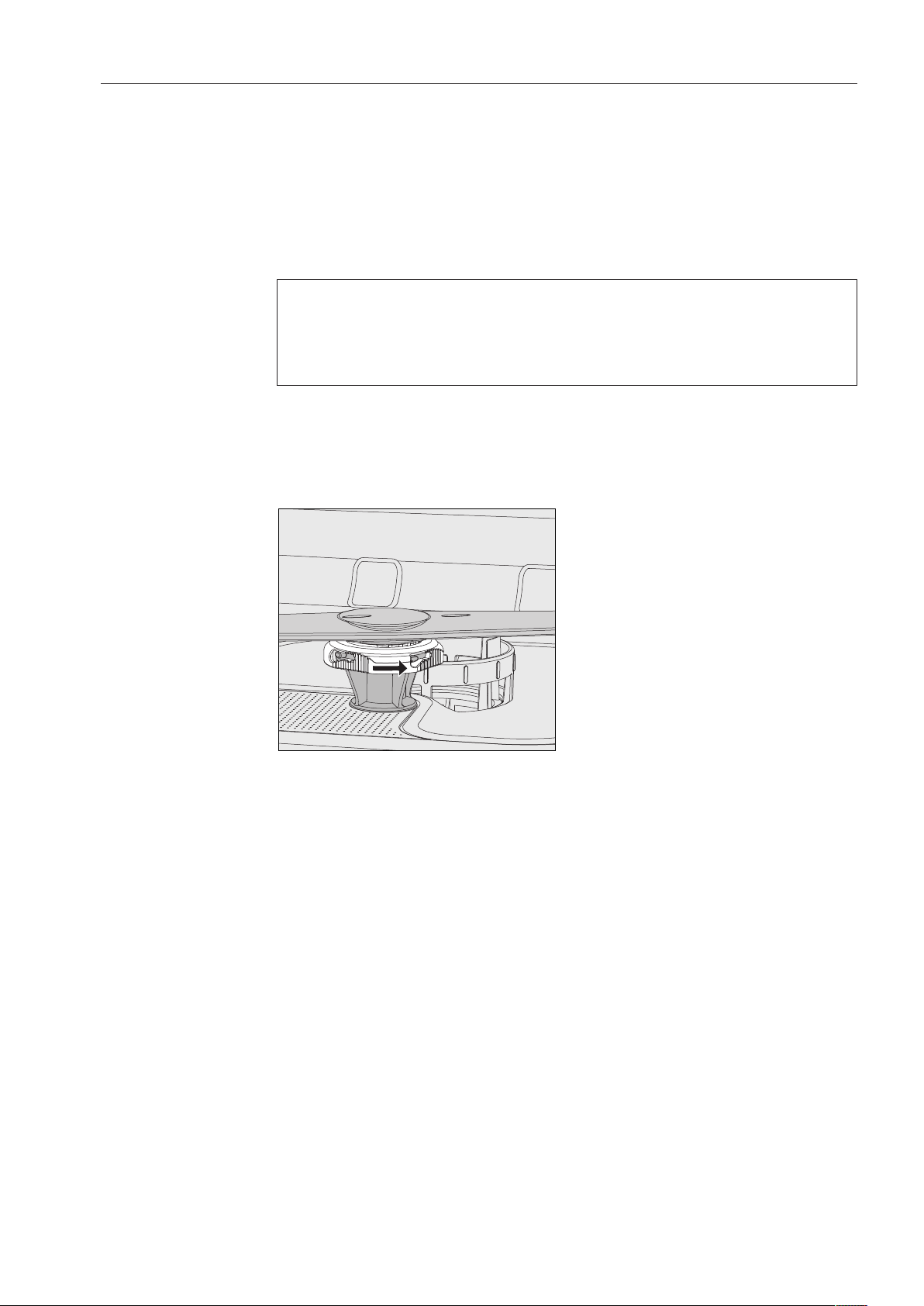
Cleaning and care
95
Cleaning the spray arms
This Commercial Dishwasher has three different spray arms.
Particles of food can get stuck in the spray arm jets and bearings.
The spray arms should therefore be checked and cleaned regularly.
Switch the Commercial Dishwasher off.
Pull the upper spray arm downwards to remove it.
The middle and bottom spray arms are secured with a bayonet
fitting.
The bayonet fitting on the lower spray arm is colored yellow so that
it cannot be mistaken for the fitting on the middle spray arm.
To release the bayonet fitting proceed as follows:
Using the knurled nut, turn the middle spray arm to the left as far
as it will go and then pull the spray arm downwards to remove it.
Remove the lower basket.
Using the knurled nut turn the lower spray arm to the right as far
as it will go and then pull the spray arm upwards to remove it.
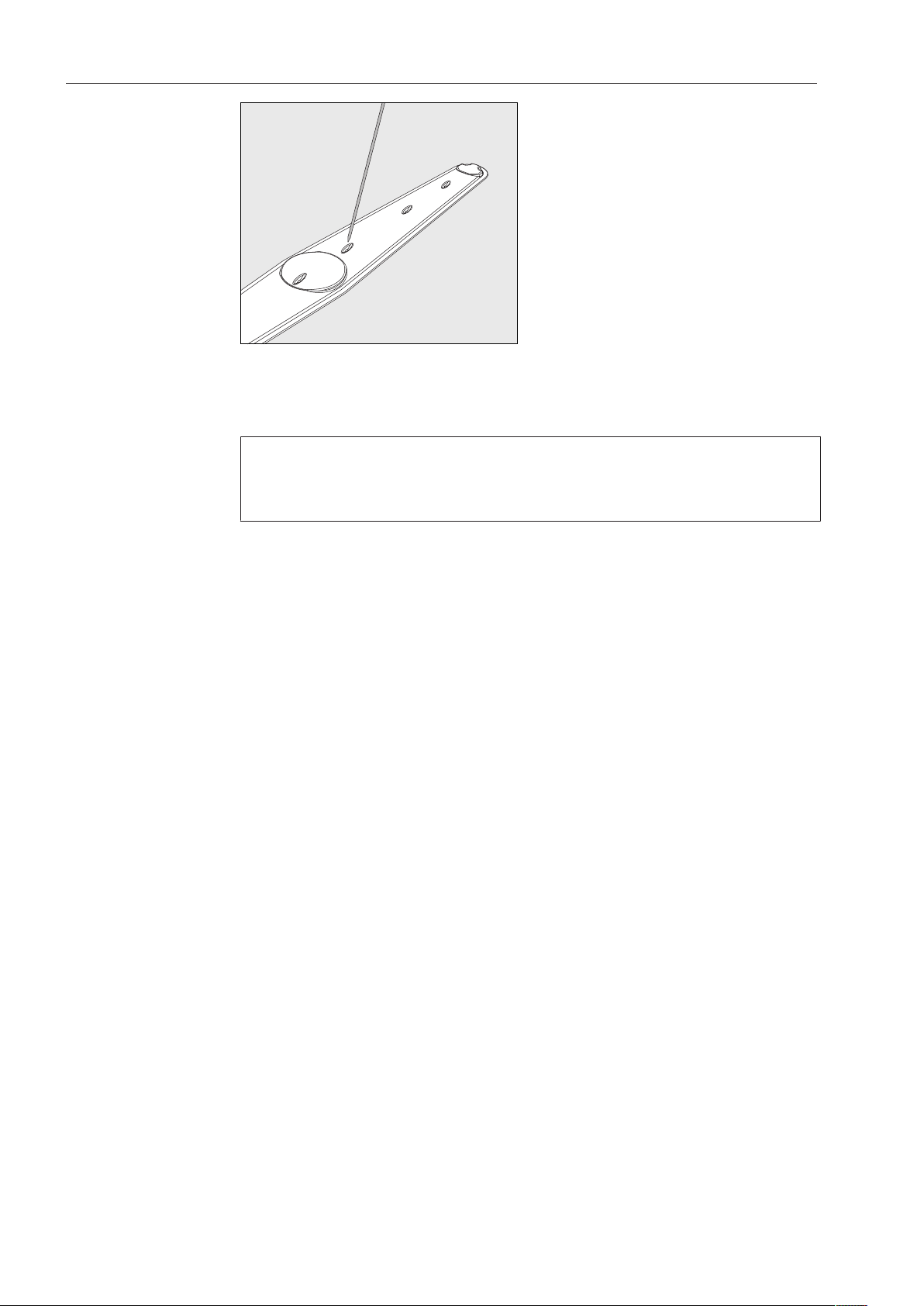
Cleaning and care
96
Use a pointed object to push food particles in the jets into the spray
arms.
Rinse the spray arms thoroughly under running water.
Reinstall the spray arms and check that they rotate freely.
Make sure that the spray arm with the yellow bayonet fitting is fitted
in the bottom of the wash cabinet.
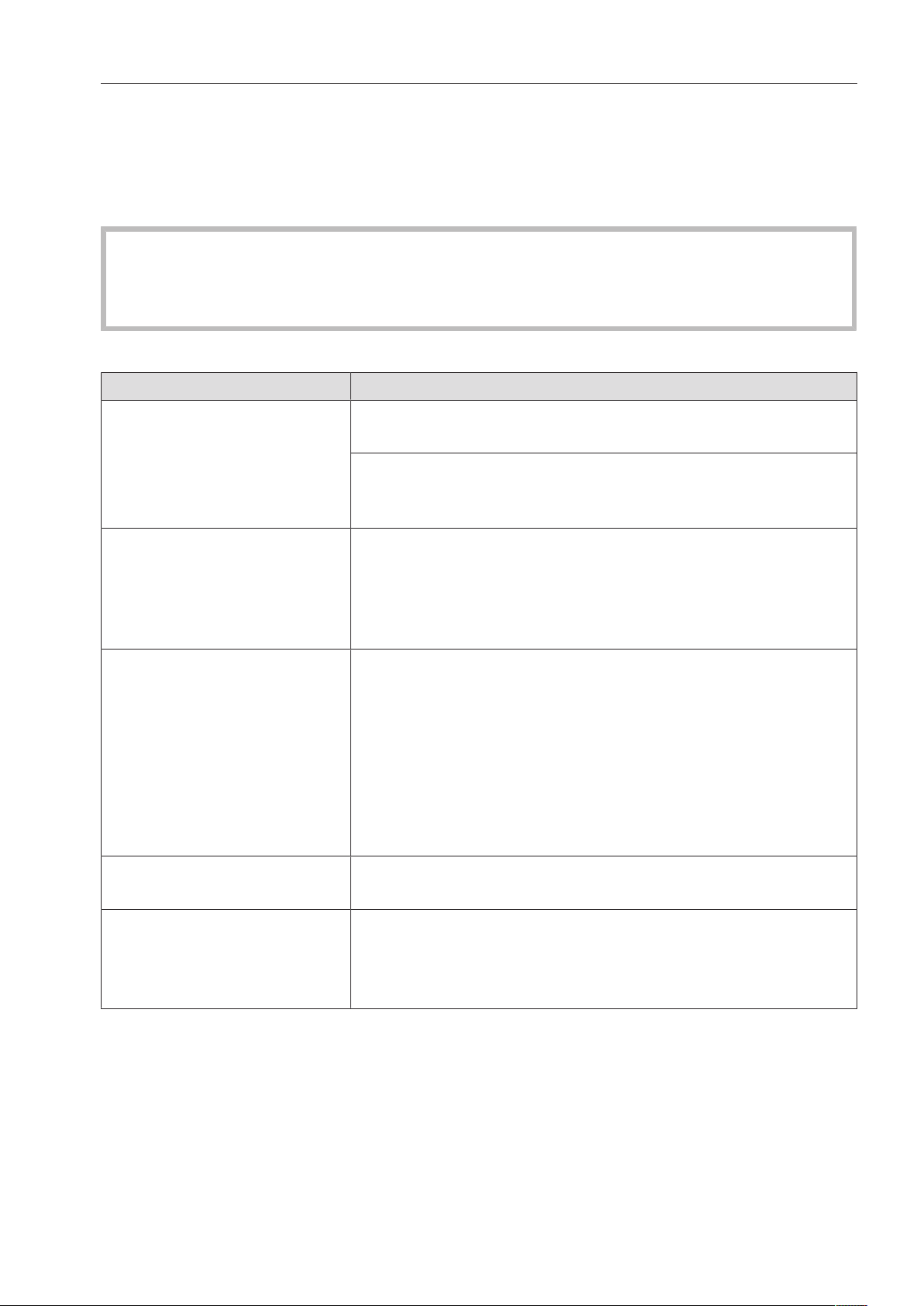
Frequently asked questions
97
With the aid of the following guide, most minor problems can be corrected without
contacting Miele. In many cases, this will save you time and money because you won't
need to call Miele Technical Service.
The following guide should help you to find the reason for a malfunction or fault, and to
correct it. However, please note:
Repairs must only be carried out by Miele Technical Service, a Miele authorized
service agent, or a suitably qualified technician in accordance with local and national
safety regulations. Repairs by unqualified persons can cause considerable danger to
users.
Faults with water intake or drainage
Problem Possible cause and solution
The display remains dark
and the “Start/Stop” light
does not flash after the
dishwasher was turned on
using the button.
The dishwasher is not plugged in.
Insert the plug.
The circuit breaker was tripped.
Activate the fuse
(see data plate for minimum fuse rating).
The dishwasher stops dur-
ing a program.
The circuit breaker has tripped.
Reset the circuit breaker (see data plate for the correct
fuse rating).
If the circuit breaker trips again, contact Miele Customer
Service.
Power outage during oper-
ation
If a temporary power outage occurs during a program
sequence, no measures are required.
The program which was running continues without
interruption.
If the temperature in the wash chamber drops below the
minimum value required for the program block during the
power outage, the program block is repeated.
In case of a power outage of ≥20hours, the entire
program is repeated.
One of the following fault
messages is displayed:
Before remedying the fault:
Switch the dishwasher off with the button.
Check water intake There is a problem with the water intake.
Open the faucet all the way.
Clean the filter in the water inlet (see “Cleaning and
care”).

Frequently asked questions
98
Problem Possible cause and solution
Fault 403-405 If Check water intake has appeared in the display, the
controls will check the water intake every 30seconds. If no
water has entered the dishwasher after three attempts, one
of these fault numbers appears in the display and the
program will be canceled.
Open the water supply valve all the way.
Turn the dishwasher back on.
Select the desired program.
Press the Start/Stop button.
Fault 406-408 Water inlet fault.
One of these numbers will appear in the display if the flow
pressure is too low and the program will be cancelled.
The flow pressure at the water intake point is too low
(see “Technical data”). Contact Miele Service for advice.
Fault 412-414 Water inlet fault.
One of these numbers will appear in the display if the flow
pressure is too high and the program will be cancelled.
The flow pressure at the water intake point is too high
(see “Technical data”). Contact Miele Service for advice.
Fault 492, 504, 541 Fault during program start. There may still be water in the
wash cabinet.
Clean the filter combination (see “Cleaning and care”).
Clean the non-return valve (see “Frequently asked
questions”).
Fault 550 The Waterproof system was activated.
Close the water supply valve.
Contact Miele Service.
Fault578 The peak-load cut-out has lasted longer than 3hours.
Have your electrical system and your energy
management system tested by a suitably qualified
person.
Check drainage The water outlet is restricted. There might be water in the
wash cabinet.
Clean the filter combination (see “Cleaning and care”).
Clean the drain pump (see “Frequently asked
questions”).
Clean the non-return valve (see “Frequently asked
questions”).
Remove any kink or loop in the drain hose.

Frequently asked questions
99
Problem Possible cause and solution
Fault XXX
(XXX stands for a number)
A malfunction may have occurred.
After waiting 10seconds:
Turn the dishwasher back on.
Select the desired program.
Press the Start/Stop button.
If the fault message is displayed again, there has been a
malfunction.
Contact Miele Service.
Frequently asked questions
100
Unusual behavior of the dishwasher
Problem Possible cause and solution
Program finished has ap-
peared on the display and
you cannot select or start
a program.
This is not a fault.
Open and close the door.
The dishwasher must remain switched on while you do
this.
The dishwasher fails to re-
act when buttons are
pressed. The display and
indicator lights remain
dark.
The dishwasher has turned itself off after the set Switch-off
time to save energy.
Press the button to turn the dishwasher on again.
The following fault mes-
sage is appears in the dis-
play:
Salt container lid not closed
correctly
The salt reservoir cover is not properly closed.
Close the salt reservoir cover.
The dispenser cover can-
not be closed.
Detergent residue is blocking the latch.
Remove the detergent residue.
The inside of the door and/
or the interior walls are
wet after a program has
finished.
This is not a fault.
It is caused by the drying system.
The moisture will dissipate after a short while.
There is still water in the
wash cabinet at the end of
the program.
(This does not apply to the
“Rapid” program.)
Before remedying the fault:
Turn the dishwasher off using the button.
The filter combination in the wash cabinet is clogged.
Clean the filter combination (see “Cleaning and care”).
The drain pump or non-return valve is blocked.
Clean the drain pump or the non-return valve (see
“Frequently asked questions”).
The drain hose is kinked.
Remove the kink.
The on-site drain trap is clogged.
Check and clean the drain trap.
Peak load cut-out
This is not a fault!
Your energy management system has detected a peak-
load in the energy supply. Some components in the
dishwasher stop operating for the duration of the peak-
load cut-out.
Frequently asked questions
101
Noises
Problem Possible cause and solution
There is a knocking noise
in the wash cabinet.
A spray arm is hitting the dishware.
Interrupt the program, and rearrange the items which are
obstructing the spray arm.
There is a rattling noise in
the wash cabinet.
Dishware is moving around in the wash cabinet.
Interrupt the program and rearrange loose pieces.
A foreign object (e.g. a cherry pit) has become lodged in
the drain pump.
Remove the foreign object from the drain pump (see
“Cleaning the drain pump and non-return valve”).
There is a knocking noise
from the water pipe
This may be caused by the installation or the diameter of
the water pipe.
However, this will not affect the dishwasher function in any
way.
If in doubt, contact a plumber.
Frequently asked questions
102
Poor cleaning results
Problem Possible cause and solution
The dishes are not clean. The dishes were not loaded correctly.
Please observe the instructions in “Loading the
dishwasher”.
The program was not suitable for the requirements.
Select a more suitable program (see “Program guide)”.
Not enough detergent was dispensed.
Increase the dosage.
The detergent used is not suitable for the type of soiling
present.
Switch to another detergent.
Items are blocking the path of the spray arms.
Rearrange the items so that the spray arms can rotate
freely.
The filter system in the base of the wash cabinet is not
clean or is not correctly fitted.
This may cause the spray arm jets to get blocked.
Clean and/or fit the filter combination correctly.
Clean the spray arm jets, if necessary (see “Cleaning and
care”).
The non-return valve is open and blocked. Dirty water has
flowed back into the wash chamber.
Clean the drain pump and the non-return valve (see
“Frequently asked questions”).
If necessary, alter the temperature and / or the holding time
for the program being used.
Change the relevant parameters for the program. (see
“Additional settings, Additional functions”)
Smearing appears on
glassware and cutlery.
There is a bluish sheen on
the surface of glassware;
film can be wiped off.
The rinse aid dosage is set too high.
Reduce the dosage (see “Additional settings, Additional
functions, Dispensing systems”).
Dishware is not dry or cut-
lery and glasses are
spotty.
The rinse aid dosage is set too low or the rinse aid
reservoir is empty.
Replenish the rinse aid, increase the dosage or change
the brand of rinse aid used (see “Adding rinse aid”).
Frequently asked questions
103
Problem Possible cause and solution
White residue is visible on
the dishware. Clouding oc-
curs on glassware and
cutlery; the deposit can be
wiped off.
The rinse aid dosage is too low.
Increase the quantity dispensed (see “Additional
settings, Additional functions, Dispensing system”).
The salt reservoir is empty.
Fill the reactivation salt reservoir (see “Filling the salt
reservoir”).
The water softener is programmed to too low for the water
hardness level.
Program the water softener assembly to the correct
value (see “Additional settings, Water hardness”).
Glasses have a brownish-
blue discoloration; the de-
posit cannot be wiped off.
Detergent deposits.
Switch to another detergent right away.
Glasses are dull and dis-
colored; the deposit can-
not be wiped off.
The glassware is not dishwasher-safe. The surfaces are
affected.
Purchase glassware which is dishwasher-safe.
Tea or lipstick stains have
not been completely re-
moved.
The wash temperature of the selected program was too
low.
Select a program with a higher wash temperature.
The bleaching effect of the detergent is too low.
Switch to another detergent.
Plastic parts are discol-
ored.
Natural dyes e.g. from carrots, tomatoes or ketchup may
be the cause. The amount of detergent used or its
bleaching effect was not sufficient to deal with natural
dyes.
Use more detergent (see “Operation, Adding detergent”).
Discolored plastic items will not regain their original color.
There are rust stains on
the cutlery.
The “Cold” program was not run after dishwasher salt
was added. Traces of salt have gotten into the wash
cycle.
Always run the “Cold” program without a load after
refilling salt.
The affected items are not corrosion resistant.
Purchase cutlery which is dishwasher-proof.
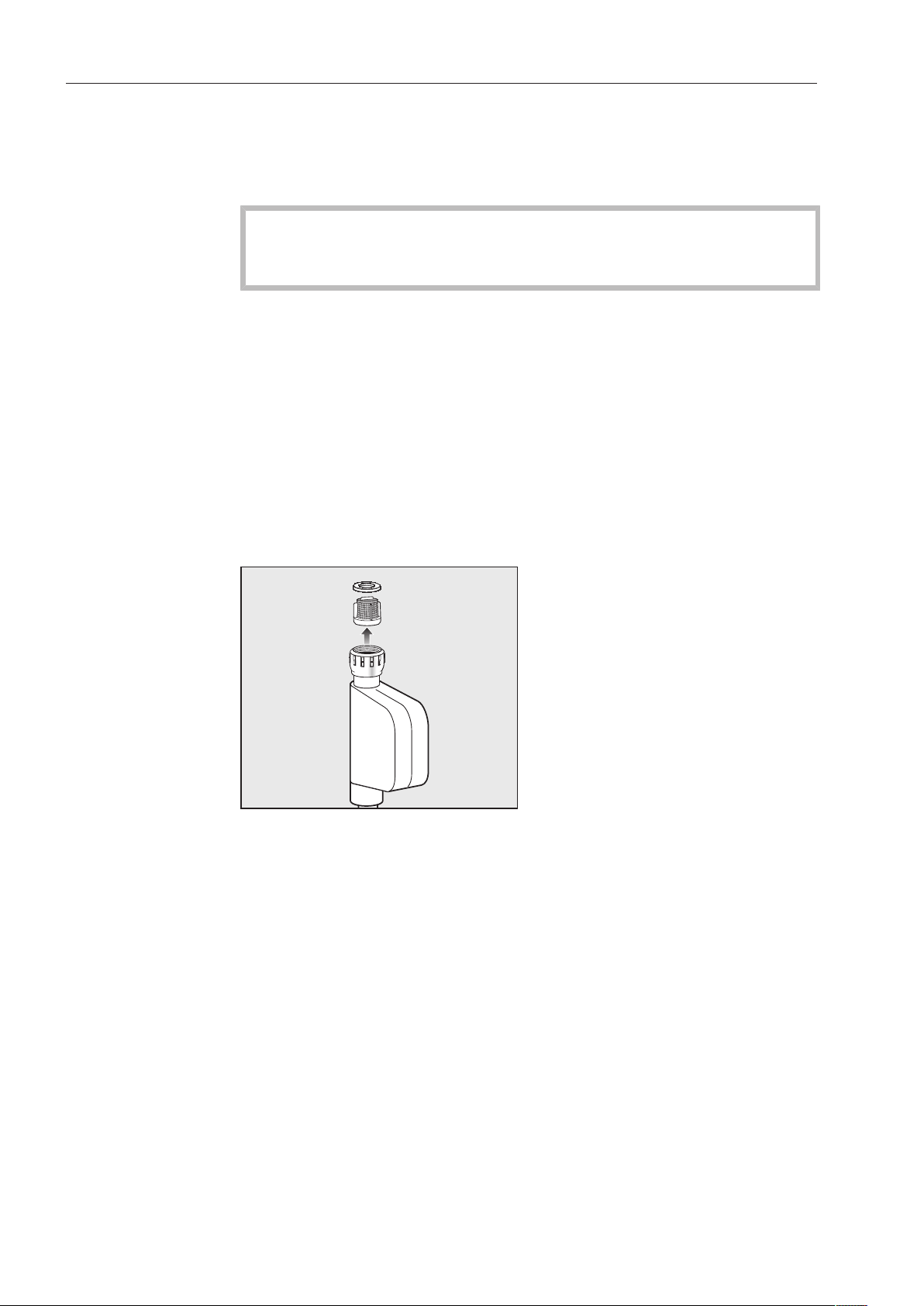
Frequently asked questions
104
Cleaning the water intake filter
A filter is incorporated in the screw connection of the water intake
valve. The filter must be cleaned when dirty; otherwise, insufficient
water will flow into the wash cabinet.
The plastic housing of the water connection contains an
electrical component.
The housing must not be dipped in water.
Recommendation
If your water supply contains a large number of insoluble substances,
we recommend fitting a large-area filter in the connection between
the water supply valve and the water intake hose threaded union.
This filter can be purchased from your Miele dealer or from Miele
Service.
To clean the filter:
Disconnect the dishwasher from the power supply.
Switch off at the electrical socket and withdraw the plug.
Close the water supply.
Unscrew the water intake valve.
Take the seal ring out of the screw connection.
Withdraw the filter using pointed pliers and rinse clean under
running water.
Put the filter and seal back into place. Make sure they are fitted
correctly.
Reconnect the water intake valve to the faucet, making sure it goes
on correctly and is not cross-threaded.
Turn on the water supply.
If water leaks out, the screw connection may not be connected
securely or it may have been screwed on at an angle.
Unscrew and reconnect the water intake valve correctly.
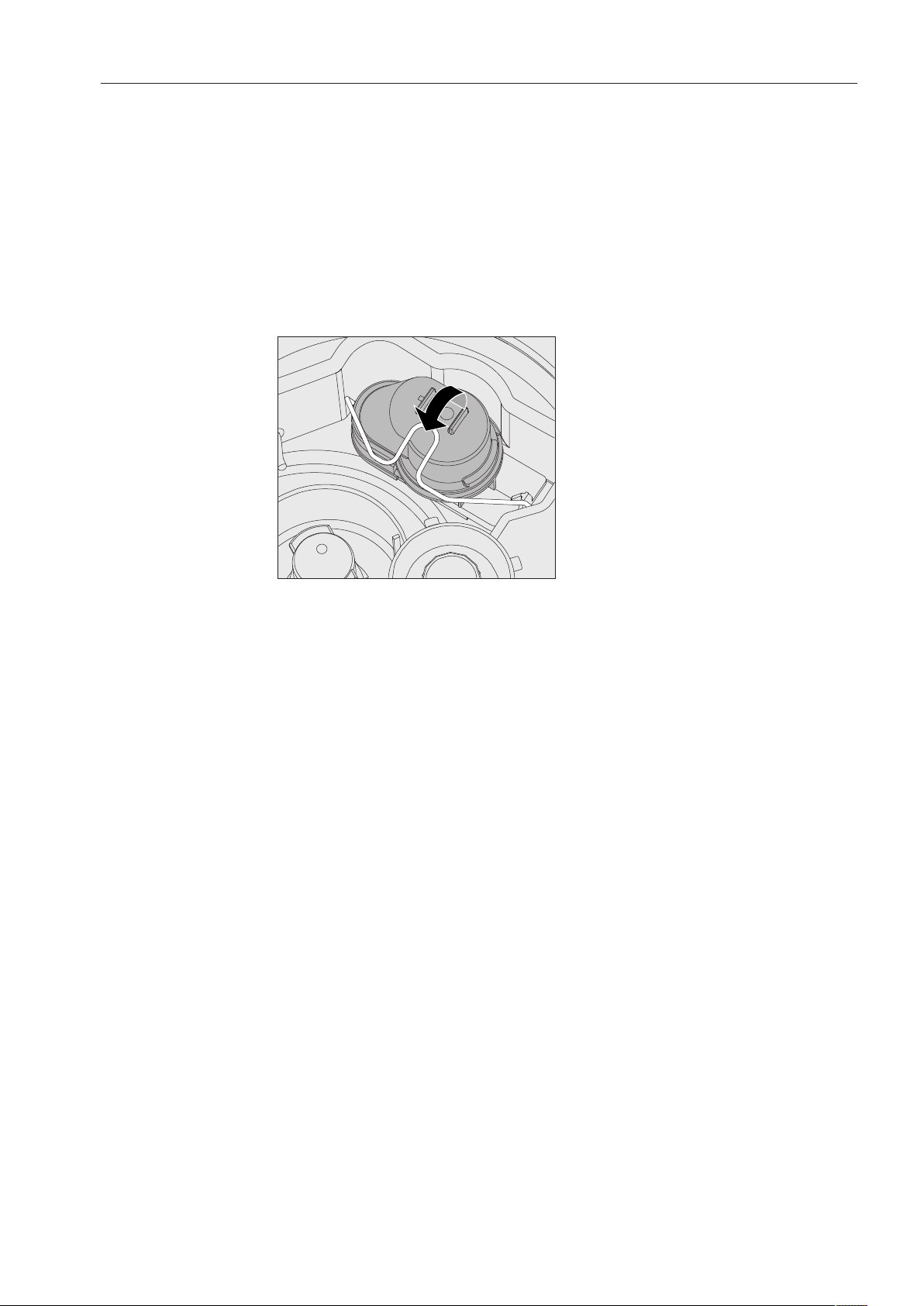
Frequently asked questions
105
Cleaning the drain pump and non-return valve
If water has not pumped out at the end of a program, there may be a
foreign object in the drain pump or blocking the non-return valve.
These are easy to remove.
Disconnect the dishwasher from the water supply and the electrical
supply (turn the dishwasher off, unplug it or disconnect or disable
the fuse).
Take the filter combination out of the wash cabinet (see “Cleaning
and care”).
Lift the locking clamp.
Lift out the non-return valve and rinse well under running water.
Make sure that the vent on the external part of the non-return valve
is not blocked. (This vent is only visible when the non-return valve
has been taken out of the dishwasher). If it is blocked, use a
pointed object to release the blockage.
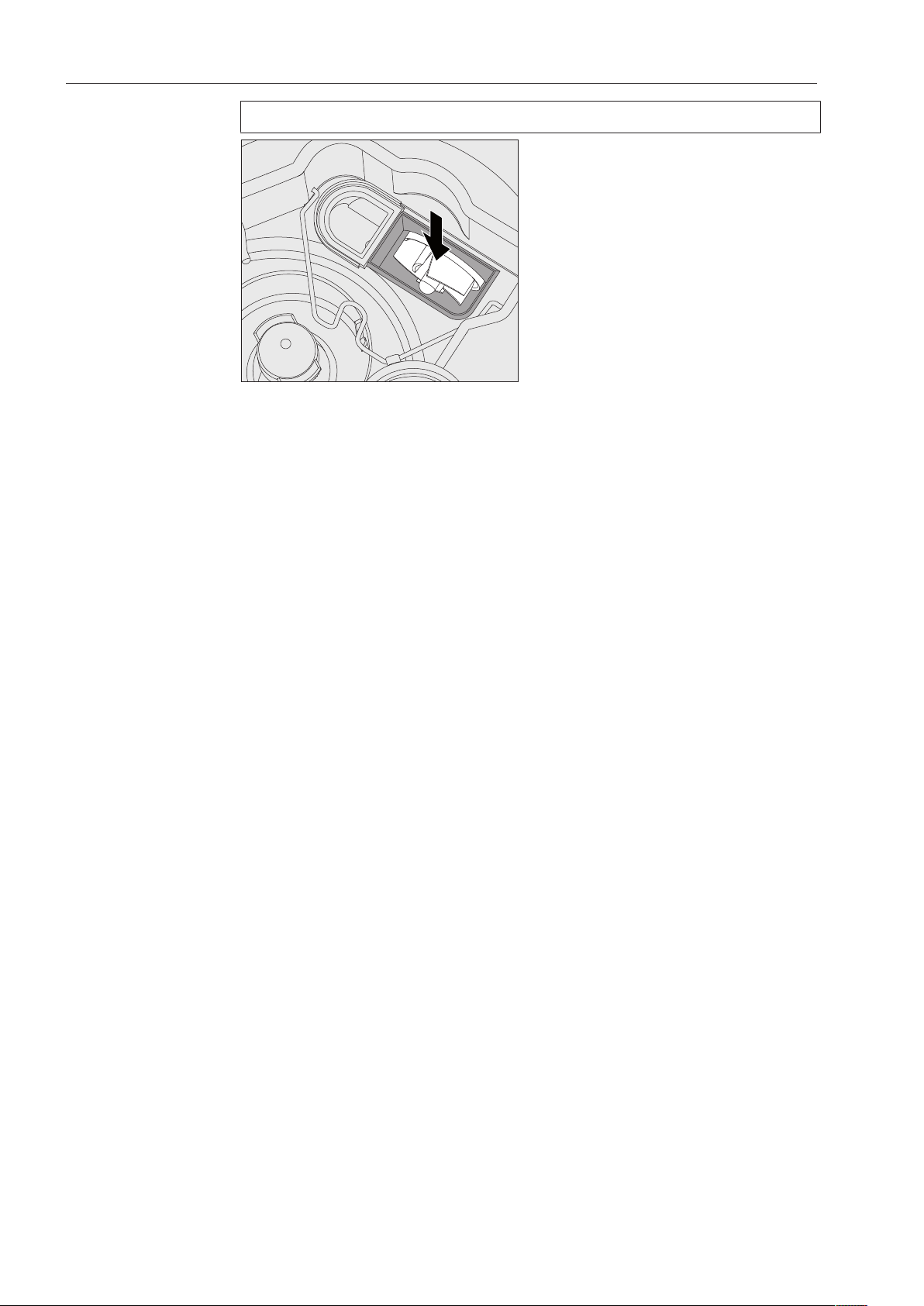
Frequently asked questions
106
The drain pump is situated under the non-return valve (see arrow).
Check the area around the drain pump for foreign objects (watch
out for glass splinters which could cause injury) and remove them
before replacing the non-return valve.
Carefully replace the non-return valve and secure it with the clamp.
After sales service
107
Technical Service
If, despite following the instructions in this manual, you are unable to
rectify a problem, please contact one of the following, quoting the
fault code shown in the display:
- your Miele dealer, or
- Miele Technical Service
Contact details for Miele Technical Service can be found at the
back of this manual.
When contacting Miele Technical Service, you will need the model
number and 8-digit machine number of the Commercial Dishwasher.
The model number and the machine number are both shown on the
data plate, located at the top of the door.
Installation instructions
108
Information is subject to change. Please refer to our website to
obtain the most current product specification, technical & warranty
information.
To prevent accidents and machine damage, read these instructions
before installation or use.
Caring for the environment
109
Disposal of the packing material
The cardboard box and packing materials protect the appliance
during shipping. They have been designed to be biodegradable and
recyclable.
Ensure that any plastic wrappings, bags, etc. are disposed of safely
and kept out of the reach of children. Danger of suffocation!
Disposal of your old appliance
Electrical and electronic appliances contain valuable materials. They
also contain certain substances, compounds and components which
were essential for the proper functioning and safe use of the
equipment. Handling these materials improperly by disposing of them
in your household waste can be harmful to your health and the
environment. Therefore, please do not dispose of your old appliance
with regular household waste and follow local regulations on proper
disposal.
Consult with local authorities, dealers or Miele in order to dispose of
and recycle electrical and electronic appliances. Miele assumes no
responsibility for deleting any personal data left on the appliance
being disposed. Please ensure that your old appliance is kept away
from children until removal. Observe safety requirements for
appliances that may tip over or pose an entrapment hazard.
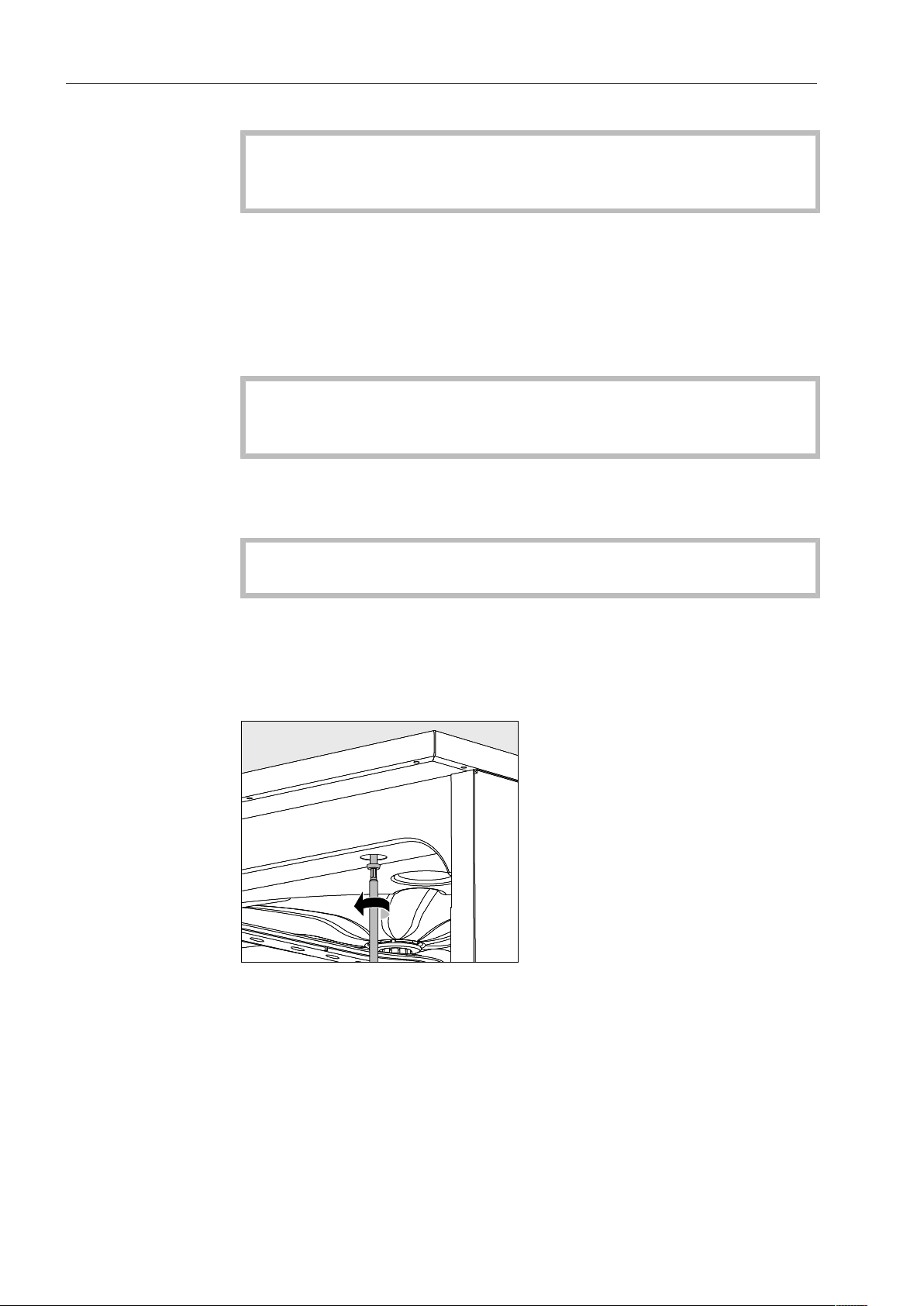
Installation
*INSTALLATION*
110
Installation
In order to reduce the risk of damage from condensation, the
furniture in the area around the Commercial Dishwasher should be
designed for commercial use.
The Commercial Dishwasher must be installed in a secure and level
position. Any unevenness in the floor level and height of the machine
can be compensated for by adjusting the four feet.
If the dishwasher is to be installed next to other machines and
furniture or in a recess, an installation space measuring at least 23
5/8" wide and 23 5/8" deep (60cm wide and 60cm deep) is required.
Undercounter
installation
To ensure the stability of undercounter Commercial
Dishwashers, these units may only be installed beneath a
continuous countertop that is bolted to adjacent cabinetry.
If the dishwasher is to be installed beneath a continuous countertop,
an installation space measuring at least 23 5/8" wide, 23 5/8" deep,
and 32 1/4" high (60cm wide, 60cm deep, 82cm high) is required.
When adjusting the dishwasher height, the feet must not be
unscrewed by more than 2 1/4" (6cm).
If the dishwasher is fitted with a lid, it can be removed as follows:
Remove both securing screws on the back of the Commercial
Dishwasher with a screwdriver.
Open the door.
Unscrew the left and right fastening screws with a screwdriver.
Lift the machine lid upwards to remove.
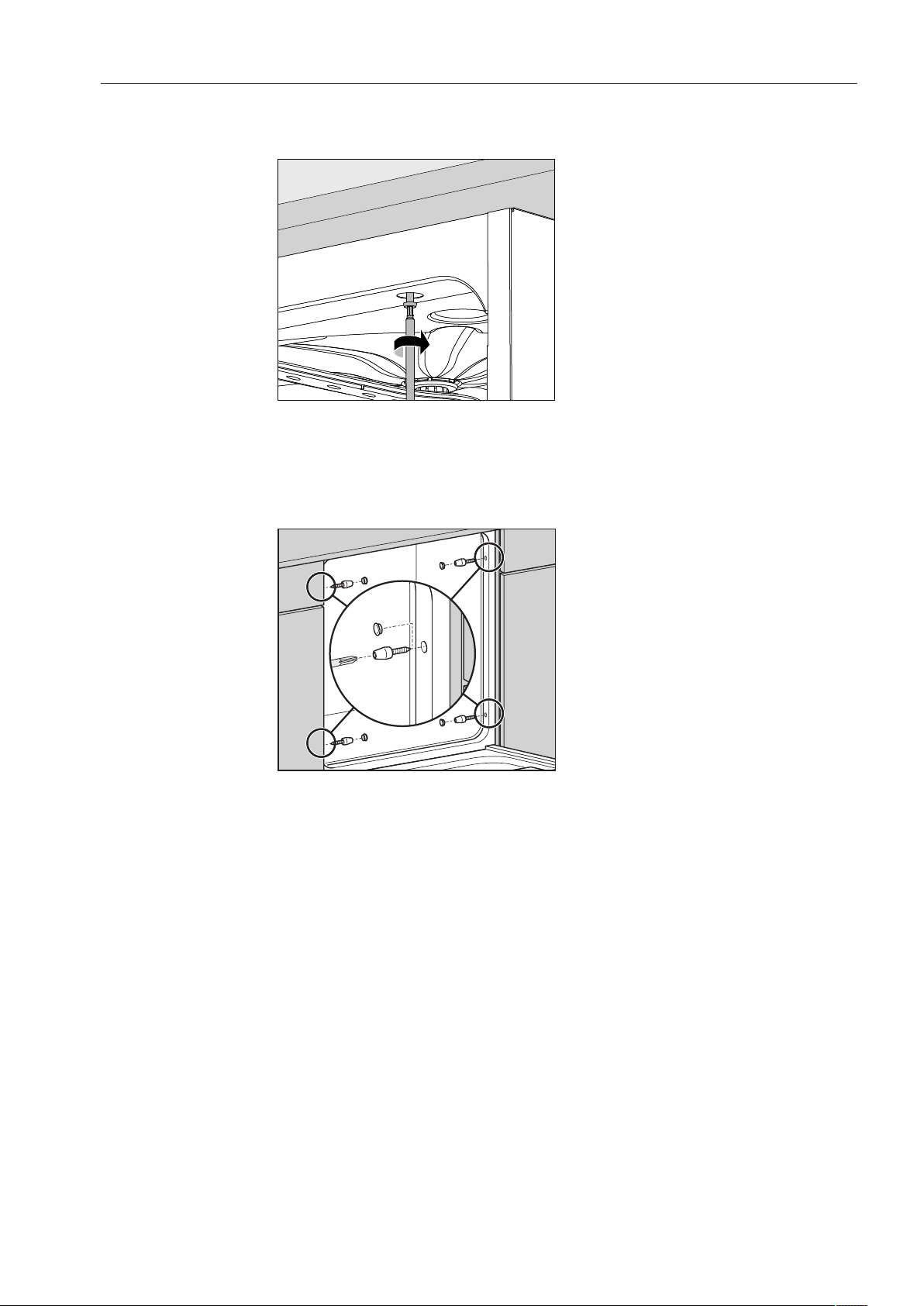
Installation
*INSTALLATION*
111
Leveling and
securing the
dishwasher
To ensure stability, the dishwasher must be secured to the counter
once it has been leveled.
After leveling, securely screw the dishwasher to the continuous
countertop.
With the door open, turn the screws into the countertop through the
holes in the front trim on the left and right hand sides of the
dishwasher.
For countertops made of stainless steel or natural stone, the
dishwasher must be secured to the adjacent cabinetry on the left and
right hand sides using two screws per side.
Special screws (4x27 / TorxT20) are included in the accessories
provided.
For this type of installation, holes must be drilled in the side wall in
front of the door seal.
The gaps between undercounter dishwashers and adjacent cabinetry
or appliances may not be filled with silicone sealant, since this could
impair the ventilation of the circulation pump.
Depending on the specific undercounter installation situation, the
stainless steel cover plate supplied with the dishwasher can be used
to protect the underside of the countertop against damage caused by
steam.

Installation
*INSTALLATION*
112
Moving the dishwasher
Before moving the dishwasher, screw in the adjustable feet fully so
that they do not become damaged.
Do not use protruding parts, e.g. the control panel, to lift the
dishwasher.
These parts could break off.
Only transport the dishwasher in its original packaging using a
hand truck. For subsequent moves, the dishwasher must be placed
on a continuous support base to avoid damage.

Electrical connection
*INSTALLATION*
113
Electrical connection
All electrical work must be performed by a suitably qualified
electrician in accordance with local and national safety codes.
- The electrical system must conform to local and national safety
standards.
- The dishwasher can be plugged into an electrical outlet (the outlet
must be accessible after installation). This will then make it easier to
perform an electrical safety check, e.g. during repair or service
work.
- If the dishwasher is permanently wired to the electricity supply, a
main switch capable of disconnecting the dishwasher at all poles
must be installed. This switch must have a contact gap of at least
3mm and also be lockable in the neutral position.
- For added safety, a ground fault interrupter with a release current of
30mA should be installed upstream of the dishwasher.
- If necessary, equipotential bonding can be carried out.
- The power cord may only be replaced by an original Miele spare
part.
- For technical data, see the data plate or the accompanying wiring
diagram.
The dishwasher may only be operated with the voltage, frequency,
and fuse rating shown on the data plate.
This appliance can be converted to a different type of power
supply in accordance with the accompanying conversion and wiring
diagrams.
The conversion diagram and the data plate are supplied with and
affixed to the appliance, respectively.
Grounding
connection
The ground lead must be connected to the screw connection point
(marked with the ground symbol ) at the back of the machine.
WARNING
THIS APPLIANCE MUST BE GROUNDED

Electrical connection
*INSTALLATION*
114
Peak-load negotiation
The Commercial Dishwasher is suitable for use in an energy
management system. For this purpose, it must be technically adapted
and the controls reset by Miele Technical Service.
Please contact Miele Technical Service for further information.
Peak-load
management
In the event of a peak load cut-out, some components of the
Commercial Dishwasher such as the heater element will be switched
off for a while. The Commercial Dishwasher will remain on during this
period and the current program will not be interrupted. If one of the
components that is switched off is needed during the current
program stage, the program cycle time will simply increase for the
duration of the load cut-out.
The third line of the display will alert you to the peak load cut-out, for
example:
Normal Plus
Temperature
Peak load cut-out
55 °C

Plumbing
*INSTALLATION*
115
Connecting the water supply
The water in the dishwasher is NOT safe to drink!
- The Commercial Dishwasher's connection to the water supply
system must be in compliance with local codes.
- The water used must at least comply with national regulations for
drinking water quality. If the water supply has a high iron content,
there is a danger of corrosion occurring on items being cleaned in
the Commercial Dishwasher, as well as the machine itself. If the
chloride content of the water exceeds 100mg/l, the risk of
corrosion to items being cleaned in the dishwasher will be further
increased.
- In certain regions (e.g., mountainous areas), the typical water
composition can cause precipitates to form, which in turn requires
the use of softened water for the Commercial Dishwasher.
- A device for preventing the return flow of water is not necessary, as
this Commercial Dishwasher conforms to the applicable standards
for the protection of drinking water.
- The water intake pressure must amount to at least 29psi (200kPa)
overpressure. If the pressure is below 29psi (200kPa), the water
intake time is extended automatically. The maximum permissible
static pressure amounts to 145psi (1000kPa) (overpressure). If the
water intake pressure does not lie in the 29-145psi (200-1000kPa)
range, contact Miele Technical Service for advice.
- The Commercial Dishwasher is supplied as standard for connection
to cold water (blue coded hose) and hot water up to 149°F (65°C)
(red coded hose). Connect the intake hoses to the faucets for cold
and hot water.
- If no hot water supply is available, the intake hose with the red
marking must also be connected to the cold water supply.
- A faucet with a 3/4 inch male thread must be provided on site. The
valve should be easily accessible, since the water supply should be
shut off whenever the dishwasher is not in use.
- The DN10 intake hose is approx. 5'7" (1.7m) long, terminating in a
3/4inch female thread. A 4' 11" (1.5m) long flexible metal
extension hose tested to 2,030 psi (14,000kPa) is available as an
optional accessory if required. On no account may the intake filter
in the female thread be removed.
- Install the large-surface filter (included in the accessory pack)
between the faucet and the intake hose
(see “Cleaning and care, Water intake”).
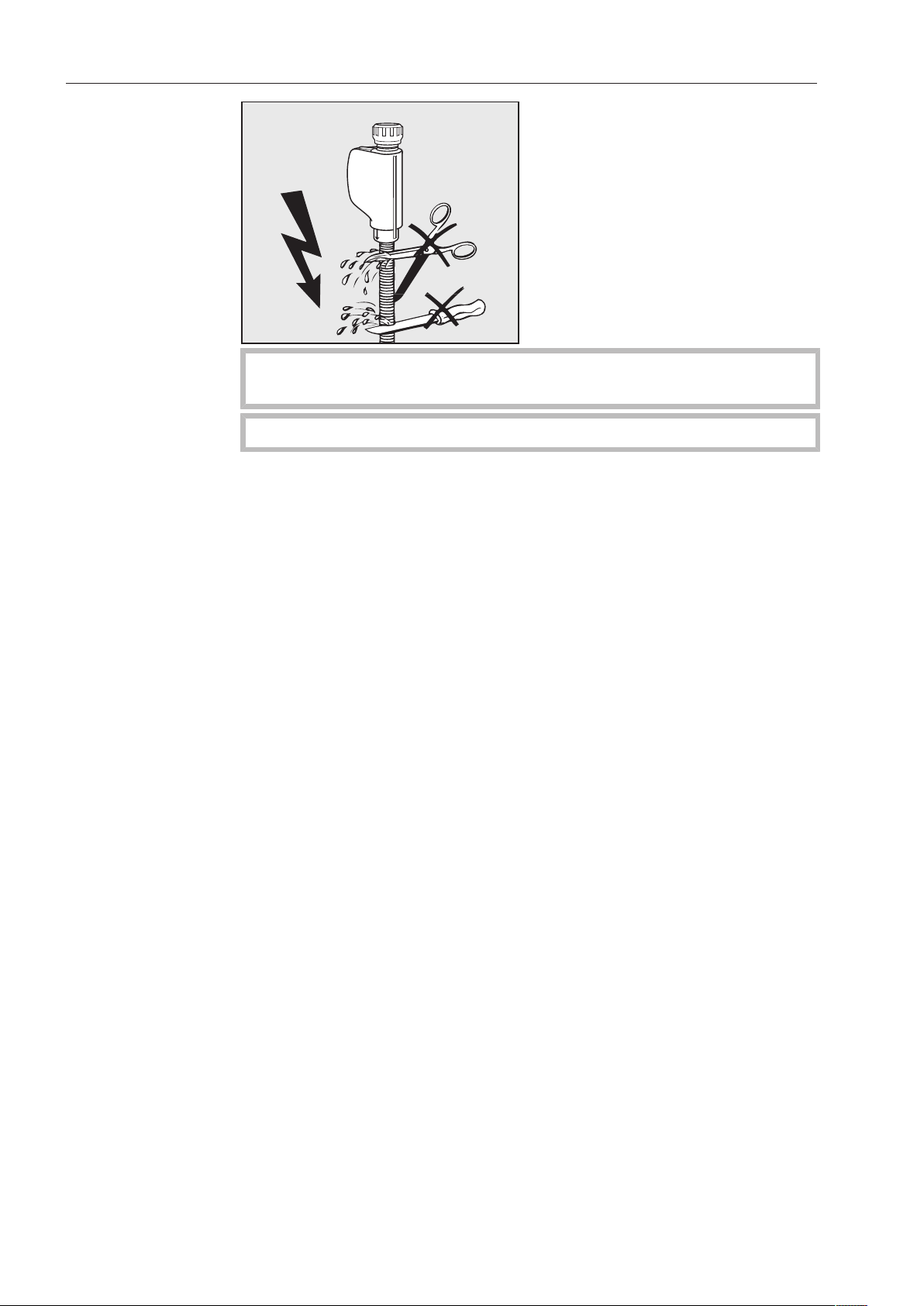
Plumbing
*INSTALLATION*
116
Do NOT shorten or otherwise damage the inlet hoses (see
diagram).
Also refer to the supplied installation diagram!
Plumbing
*INSTALLATION*
117
Connection to the drainage system
- The dishwasher drain contains a built-in non-return valve which
prevents dirty water from flowing back into the dishwasher via the
drain hose.
- Ideally, the dishwasher should be connected to a separate on-site
drainage system. If a separate connection is not available, we
recommend connecting the dishwasher to a dual-chamber trap.
The on-site connection must be positioned between 12“ and
40” (0.3m and 1m) above the bottom edge of the dishwasher. If
the connection is lower than the minimum height, the drain hose
must be bent to maintain a height of 12“ (0.3m).
- The dishwasher is equipped with a 59“ (1.5-m) long flexible drain
hose (clear width of 7/8” (22mm)). Clamps for connecting the hose
are included with the dishwasher.
- Do not shorten the drain hose! The hose can be extended by a
connecting piece and an additional hose. The length of the
drainage line may not exceed 13' (4m).
- The drainage system must be able to handle a discharge rate of at
least 4.2g/min (16l/min).
Make sure that there are no kinks in the hose, and that it is not
crushed or stretched.
Please also refer to the accompanying installation diagram!
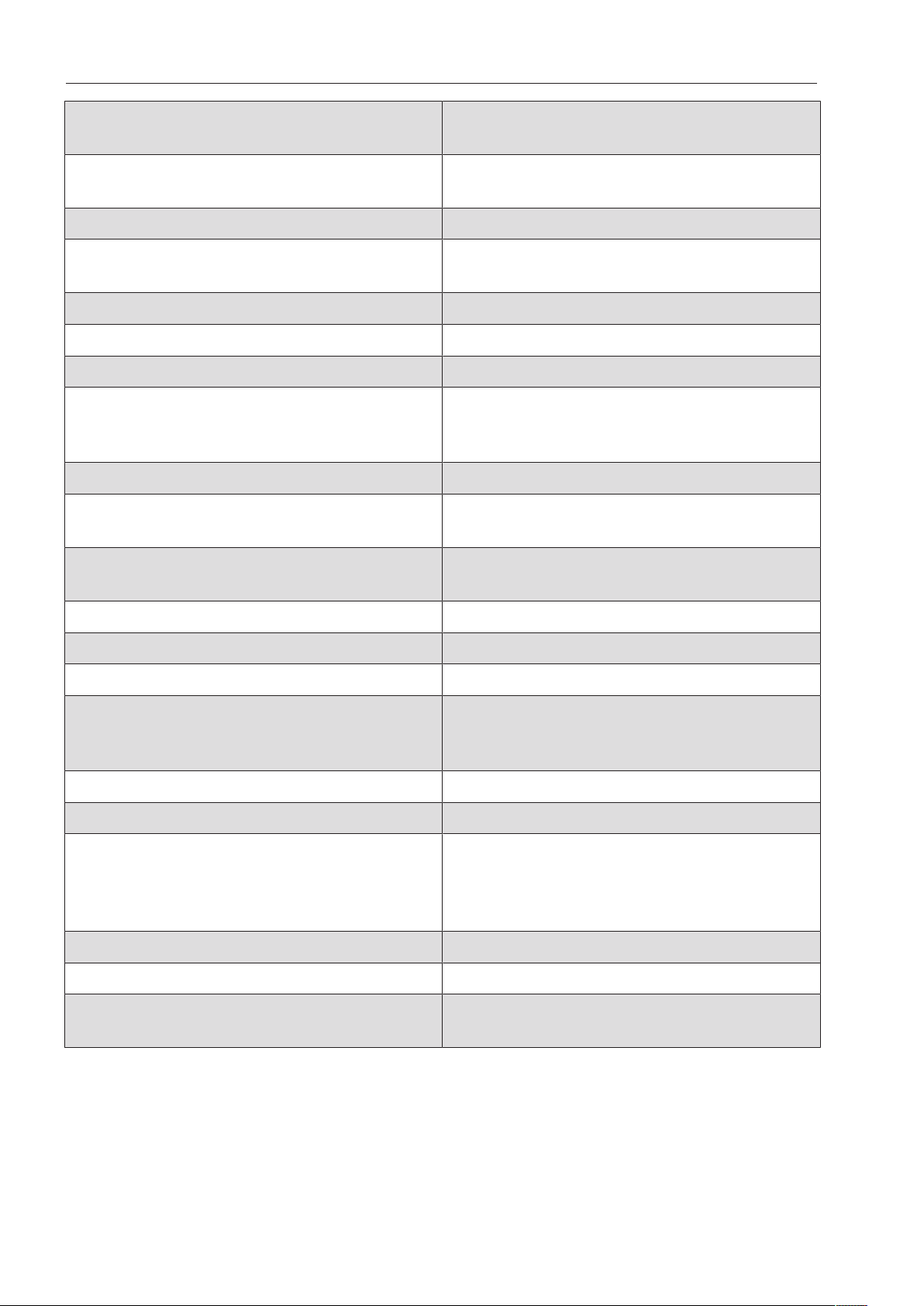
Technical details
118
Height 32 5/16" (820mm) adjustable + 2
1/4" (60mm)
Height with cover 32 7/8" (835mm) adjustable + 2
1/4" (60mm)
Width 23 1/2" (598mm)
Depth
Depth with door open
22 13/16" (580mm)
49 1/2" (1180mm)
Weight (net) 154 lbs (70kg)
Voltage, rated load, fuse rating See data plate
Power cord Approx. 1.7m
Water temperature:
Cold water connection
Hot water connection
Max. 68°F (20°C)
Max. 149°F (65°C)
Static water intake pressure Max. 145 psi (1000kPa) overpressure
Recommended water intake pressure:
Cold and hot water connection
29 psi (200kPa) overpressure
Minimum water intake pressure:
Cold and hot water connection
5.8 psi (40kPa) overpressure
Drain height Min.1' (0.3m), max.3' 3"1.0m
Drain hose length Max. 13' 1" (4.0m)
Ambient temperature 40 - 104°F (5°C - 40°C)
Relative humidity
Maximum
Linear decreasing to
80% for temperatures up to 88°F (31°C)
50% for temperatures up to 104°F (40°C)
Intake hoses Approx. 5' 7" (1.7m)
Drain hose Approx. 4' 9" (1.5m)
Noise emission values
Sound power in LwA
Sound pressure in LpA
Undercounter installation with wooden trim
in front of base, Rapid program
59dB(A)
47dB(A)
Certification marks UL 749
CE mark Machinery Directive 2006/42/EC
Manufacturer's address Miele & Cie. KG, Carl-Miele-Straße 29,
33332 Gütersloh, Germany


Please have the model and serial number
of your machine available when
contacting Technical Service.
U.S.A.
Miele, Inc.
National Headquarters
9 Independence Way
Princeton, NJ 08540
Phone: 800-991-9380
www.mieleusa.com/professional
Technical Service & Support
Phone: 800-991-9380
Miele & Cie. KG
Carl-Miele-Straße 29, 33332 Gütersloh, Germany
Alteration rights reserved / Publication date: 2023-07-24 M.-Nr. 09 981 902 / 04