Operating Instructions
Dishwashers
To prevent accidents and machine damage, read these instructions
before installation or use.
en-US M.-Nr. 11 964 653HG07

Contents
2
IMPORTANT SAFETY INSTRUCTIONS ............................................................ 5
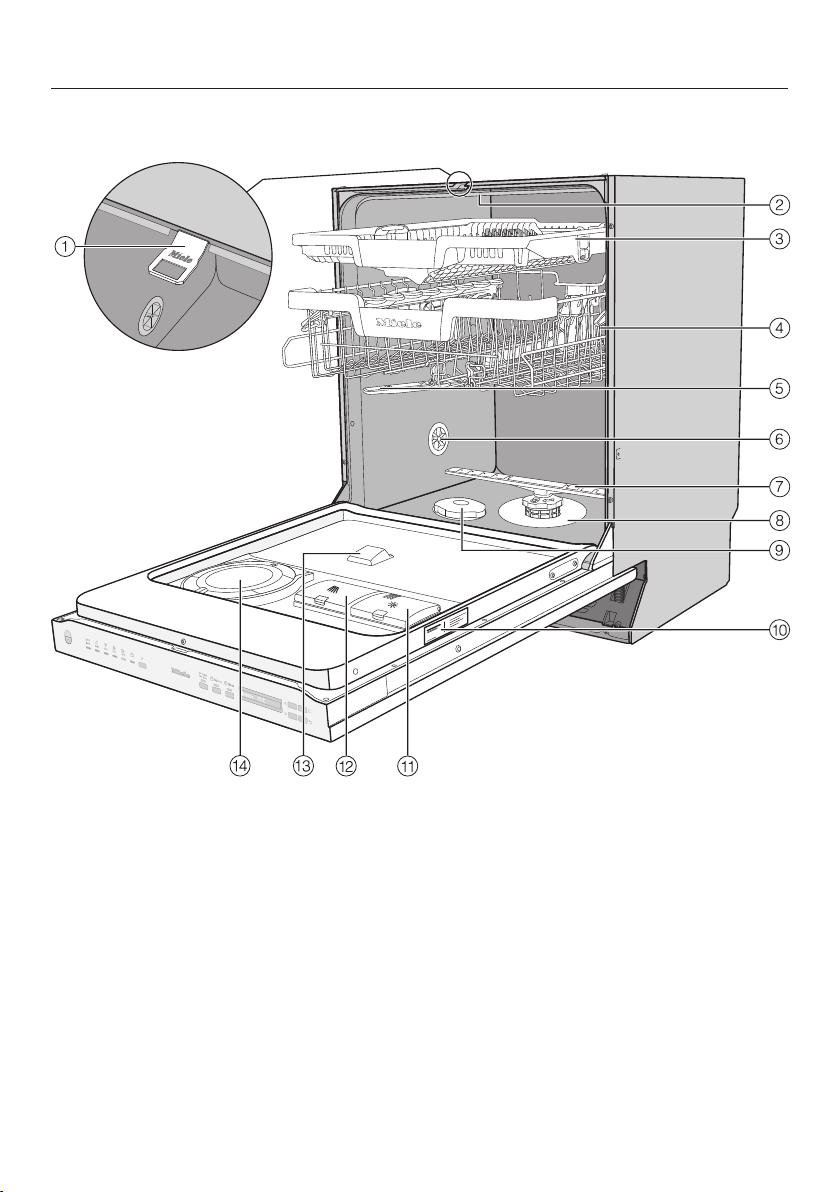
Guide to the appliance...................................................................................... 16
Appliance overview ............................................................................................. 16
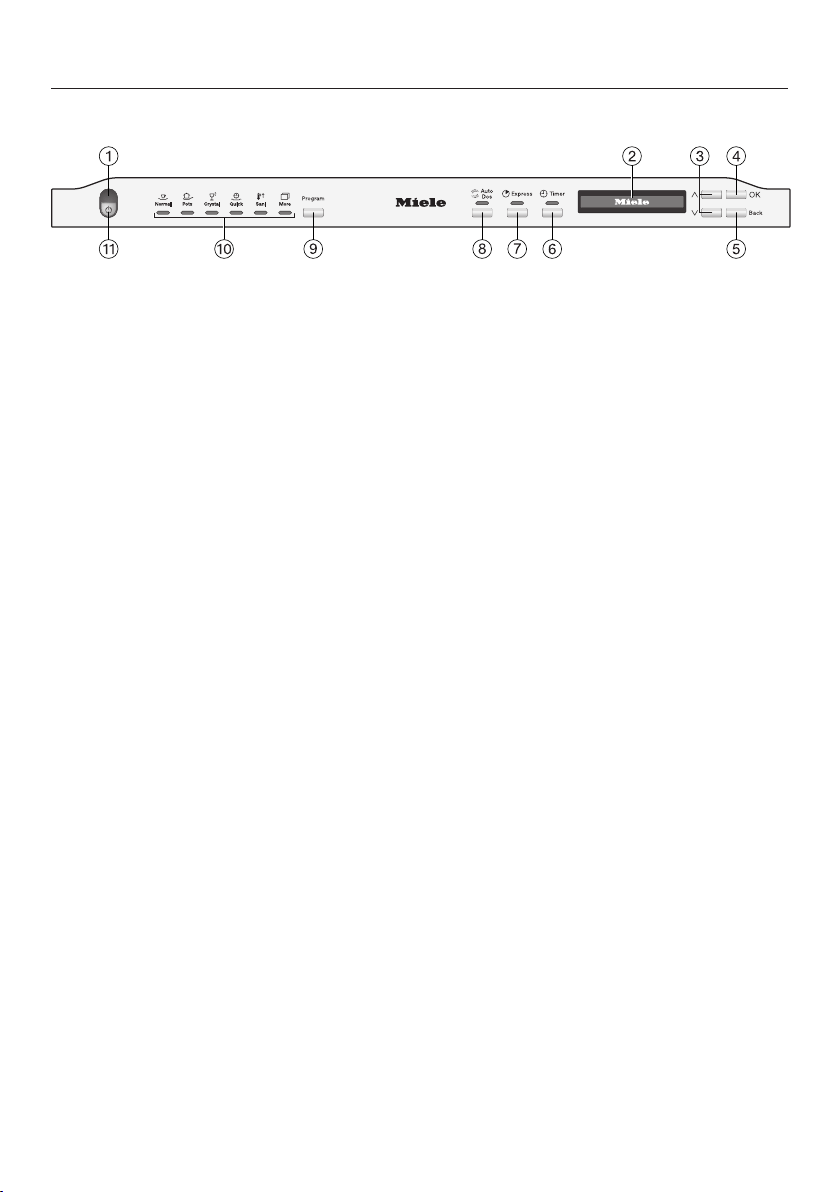
Control field......................................................................................................... 17
Display functions................................................................................................. 18
Caring for the environment .............................................................................. 19
Before using for the first time .......................................................................... 20
Opening the door ................................................................................................ 20
Closing the door.................................................................................................. 20
Miele@home (depending on model).................................................................... 21
Basic settings...................................................................................................... 22
Setting the language ...................................................................................... 22
Setting up Miele@home (depending on model) ............................................. 22
Setting the water hardness ............................................................................ 23
Activating AutoDos......................................................................................... 23
Reactivation salt.................................................................................................. 25
Filling the salt reservoir................................................................................... 26
Refilling the salt .............................................................................................. 27
Rinse aid.............................................................................................................. 28
Adding rinse aid ............................................................................................. 29
Filling the rinse-aid reservoir .......................................................................... 29
Settings .............................................................................................................. 30
Opening the settings menu ................................................................................. 30
Changing settings ............................................................................................... 30
Closing the settings menu................................................................................... 30
Language ......................................................................................................... 31
Water hardness ................................................................................................... 31
AutoDos (AutoDos).............................................................................................. 33
Rinse Aid ............................................................................................................. 33
Miele@home (depending on model).................................................................... 34
Remote update (depending on model)................................................................ 37
Display brightness............................................................................................... 38
Buzzer.................................................................................................................. 38
Refill reminders.................................................................................................... 38
AutoOpen ............................................................................................................ 39
Extra clean........................................................................................................... 39
Extended drying .................................................................................................. 39
2nd interim rinse.................................................................................................. 40
Software version.................................................................................................. 40
Showroom program............................................................................................. 40

Contents
3
Factory default..................................................................................................... 40
Copyrights and licenses for the communication module.................................... 41
Caring for the environment .............................................................................. 42
Energy-saving dishwashing................................................................................. 42
Loading the dishwasher.................................................................................... 43
General information............................................................................................. 43
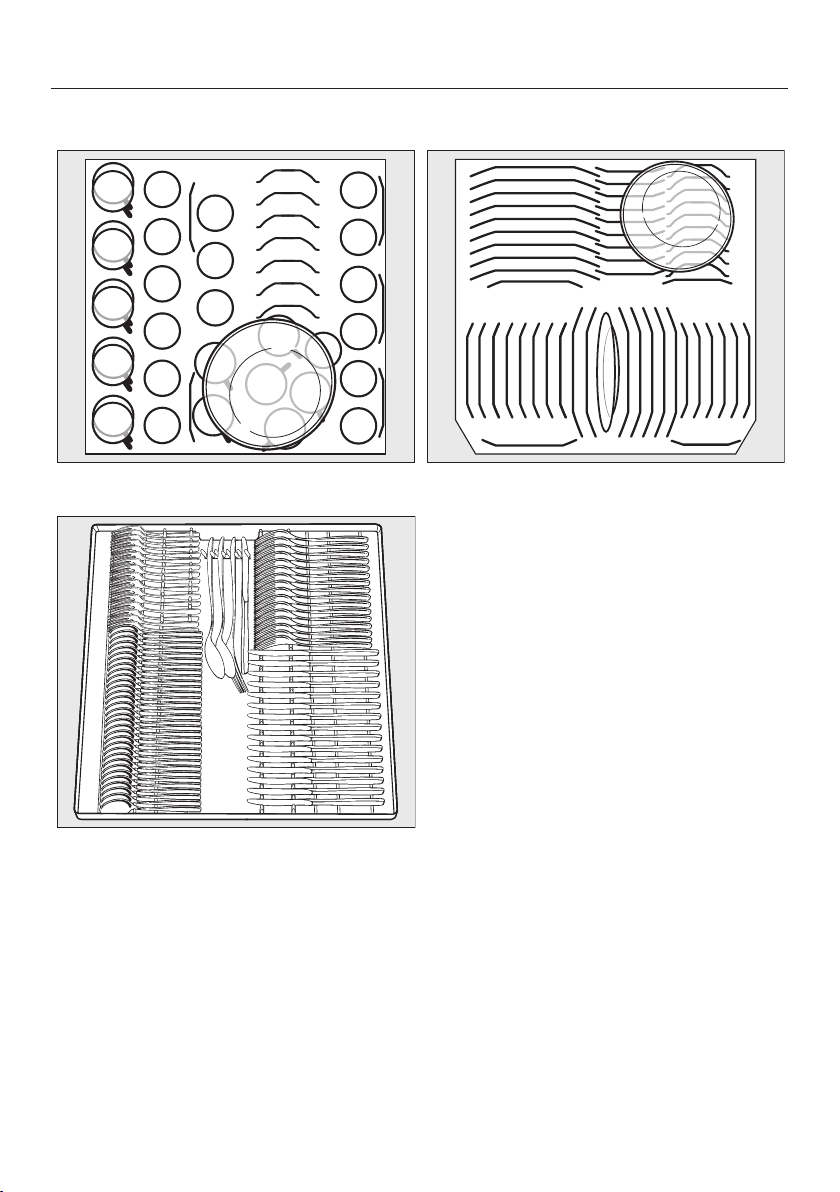
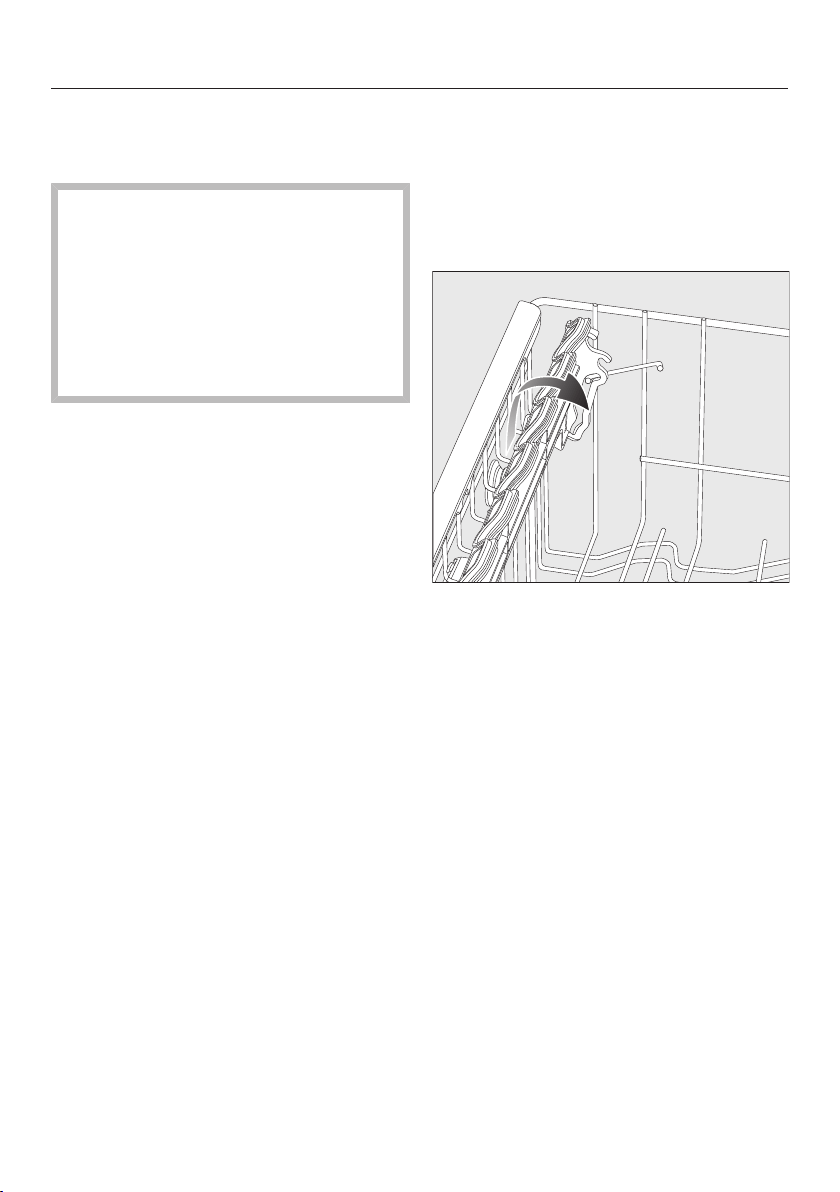
Loading examples ............................................................................................... 45
Upper basket....................................................................................................... 47
Adjusting the upper basket ................................................................................. 50
Lower basket....................................................................................................... 51
Cutlery tray .......................................................................................................... 53
Loading the 3D MultiFlex Tray........................................................................ 53
Detergents ......................................................................................................... 54
Active ingredients ............................................................................................... 54
Detergent dispensing .......................................................................................... 55
Automatic dispensing/AutoDos........................................................................... 56
Activating AutoDos......................................................................................... 56
Inserting a PowerDisk..................................................................................... 57
Manual detergent dispensing .............................................................................. 59
Detergent dispensing ..................................................................................... 59
Adding detergent............................................................................................ 59
Operation............................................................................................................ 61
Turning on the dishwasher .................................................................................. 61
Selecting a program ............................................................................................ 61
Display of program duration................................................................................ 62
Starting a program .............................................................................................. 62
End of program.................................................................................................... 63
Energy management ........................................................................................... 63
Turning off the dishwasher .................................................................................. 64
Unloading the dishwasher................................................................................... 64
Interrupting a program......................................................................................... 65
Canceling or changing a program ....................................................................... 65
Options ............................................................................................................... 66
Timer .............................................................................................................. 66
Program overview ............................................................................................. 68
Program options................................................................................................ 70
Selecting program options .................................................................................. 70
Express...................................................................................................... 70

Contents
4
Cleaning and care ............................................................................................. 71
Cleaning the wash cabinet .................................................................................. 71
Cleaning the door and the door seal................................................................... 72
Cleaning the control panel .................................................................................. 73
Cleaning the reflector panel ................................................................................ 73
Cleaning the front of the machine ....................................................................... 73
Cleaning the AutoDos assembly ......................................................................... 74
Cleaning the spray arms...................................................................................... 76
Checking the filters in the wash cabinet ............................................................. 79
Cleaning the filters............................................................................................... 79
Cleaning the drain pump..................................................................................... 81
Frequently asked questions ............................................................................. 83
Technical faults.................................................................................................... 83
Fault messages ................................................................................................... 84
Door release ........................................................................................................ 85
Water intake fault................................................................................................. 86
Water drainage fault ............................................................................................ 87
Fault in the AutoDos (automatic dispensing)....................................................... 88
General dishwasher problems............................................................................. 91
Noises.................................................................................................................. 93
Poor cleaning results........................................................................................... 94
Customer Service.............................................................................................. 98
Contact in the event of a fault ............................................................................. 98
Appliance warranty and product registration ...................................................... 98
Optional accessories ........................................................................................ 99
Installation.......................................................................................................... 101
Water inlet ........................................................................................................... 101
Water drainage .................................................................................................... 103
Electrical connection ........................................................................................... 105
Sound emission testing .................................................................................... 107
IMPORTANT SAFETY INSTRUCTIONS
5
This dishwasher complies with all current local and national safety
requirements. Inappropriate use can, however, lead to personal in-
jury and material damage.
Please observe the installation sheet and read the operating in-
structions carefully before setting up the dishwasher and using it
for the first time. They both contain important information on the
installation, safety, use, and maintenance of the machine. This pre-
vents both personal injury and damage to the dishwasher.
Miele expressly and strongly advises that you read and follow the
instructions in the section on installing the dishwasher as well as
the IMPORTANT SAFETY INSTRUCTIONS.
Miele cannot be held liable for injury or damage caused by non-
compliance with these instructions.
Keep the installation sheet and the operating instructions in a safe
place and pass them on to any future owner.

IMPORTANT SAFETY INSTRUCTIONS
6
Appropriate use
This dishwasher is intended for use in the home and in similar en-
vironments, for example
–in shops, offices, and similar work settings
–on agricultural estates
–by guests in hotels, motels, bed and breakfasts, and other typical
home settings.
This dishwasher is not suitable for outdoor use.
This dishwasher is intended for use at altitudes of up to 13,000ft
(4,000m) above sea level.
This dishwasher must only be used for cleaning domestic dishes
and cutlery. All other types of use are not permitted.
This appliance is not intended for use by persons (including chil-
dren) with reduced physical, sensory or mental capabilities, or lack
of experience and knowledge.

IMPORTANT SAFETY INSTRUCTIONS
7
Safety with children
Children must be kept away from the dishwasher unless they are
constantly supervised.
Children must not be allowed to clean or maintain the appliance.
Children should be supervised in the vicinity of the dishwasher.
Never allow children to play with the dishwasher. There is a danger
that children might shut themselves in the dishwasher.
If the automatic door opening mechanism is active (depending on
the model), keep young children away from the area in which the
door opens.
Danger of suffocation. While playing, children may become entan-
gled in packaging material (such as plastic wrapping) or pull it over
their head with the risk of suffocation. Keep packaging material away
from children.
Keep children away from detergents. Detergents cause severe
skin burns and severe eye damage. They can cause burning in the
mouth and throat, or inhibit breathing. It is therefore important to
keep children away from the dishwasher when the door is open. De-
tergent residues could still be present in the machine. Seek medical
advice immediately if a child has swallowed or inhaled any deter-
gents.

IMPORTANT SAFETY INSTRUCTIONS
8
Technical safety
Unauthorized installation, maintenance, and repairs can cause
considerable danger for the user. Installation, maintenance, and re-
pairs should only be carried out by a Miele authorized technician.
Damage to the dishwasher can compromise your safety. Before
using the dishwasher and in particular following transport, check it
for any visible damage. Never use a damaged dishwasher.
The electrical safety of the dishwasher can only be guaranteed
when correctly grounded. It is most important that this basic safety
requirement is fulfilled. If in doubt, the electrical installation should
be checked by a qualified service technician.
Miele cannot be held liable for the consequences of an inadequate
or lack of grounding system (e.g., electric shock).
Temporary or permanent operation on an autonomous power sup-
ply system or a power supply system that is not synchronized with
the grid power supply (e.g., island networks, back-up systems) is
possible. A prerequisite for operation is that the power supply sys-
tem complies with national and local codes.
The function and operation of the protective measures provided in
the domestic electrical installation and in this Miele product must
also be maintained in isolated operation or in operation that is not
synchronized with the grid power supply, or these measures must be
replaced by equivalent measures in the installation.
Where the dishwasher is plugged into the electricity supply using
a 3-pin plug with a grounding contact, the electrical socket must be
easily accessible after the dishwasher is installed so that it can be
disconnected from the electricity supply at any time.
There must be no electrical sockets behind the dishwasher be-
cause the building-in niche may be too small. Danger of overheating
and fire risk if the dishwasher were to be pushed up against a plug.

IMPORTANT SAFETY INSTRUCTIONS
9
The dishwasher must not be installed underneath a cooktop. The
high temperatures radiated by cooktops could damage the dish-
washer below. For the same reason, the dishwasher must not be in-
stalled next to open fires or other appliances that give off heat, such
as heaters etc., not normally found in a kitchen.
Ensure that the connection data on the dishwasher’s data plate
(fuse rating, frequency, and voltage) match the electricity supply.
This data must correspond in order to avoid the risk of damage to
the dishwasher. Compare these before connecting the appliance to
the electricity supply. If in any doubt, consult a qualified service
technician.
Do not connect the dishwasher to the electricity supply until it has
been fully installed and any adjustment has been made to the door
springs.
The dishwasher may only be operated if the door opening mecha-
nism is working correctly. Otherwise there could be a risk of danger
while the automatic door opening mechanism (depending on the
model) is active.
To check that the door opening mechanism is working correctly:
- The door springs must be evenly adjusted on both sides. They are
correctly adjusted when the door remains stationary when left half
open (approx. 45° opening angle). It is also important that the
door cannot fall open.
- The door locking pins automatically retract when the door opens
at the end of the drying phase.
Power bars and extension cords do not guarantee the required
safety of the appliance (risk of fire). Do not connect the dishwasher
to the electricity supply using a power bar or an extension cord.
The dishwasher must not be used in a non-stationary location
(e.g., on a ship).

IMPORTANT SAFETY INSTRUCTIONS
10
Do not install the dishwasher in a room where there is a risk of
frost. Frozen hoses are at risk of tearing or bursting. The reliability of
the electronic control unit may be impaired at temperatures below
freezing point.
To avoid any damage to the dishwasher, it must only be operated
when it is connected to a fully vented plumbing system.
The built-in Waterproof system offers reliable protection against
water damage if the following conditions are met:
- Installation has been carried out correctly.
- The dishwasher is properly maintained and parts are replaced in
case of noticeable damage.
- The water-supply faucet is turned off during longer absences from
the home (e.g., while on vacation).
The Waterproof system will work even when the dishwasher is
turned off. However, the dishwasher must remain connected to the
electricity supply.
The water-connection pressure needs to be between 7.25 and
145 psi (50 and 1,000kPa).
A damaged dishwasher could be dangerous. If the dishwasher
gets damaged, turn it off at the electricity supply immediately and
contact your Miele dealer or Miele Customer Service.
The manufacturer’s warranty may be invalidated if the appliance is
not repaired to Miele authorized service standards.
We recommend replacing defective components with original
parts. If original Miele parts are installed correctly, Miele ensures full
compliance with safety requirements and the warranty remains valid.
During installation, maintenance, and repair work, the dishwasher
must be disconnected from the electricity supply (turn it off and with-
draw the plug from the socket).

IMPORTANT SAFETY INSTRUCTIONS
11
If the power cord is damaged, it must only be replaced with a spe-
cific cord of the same type (available from Miele Customer Service).
For safety reasons, this must only be done by Miele Customer Ser-
vice or a service technician authorized by Miele.
Do not place the dishwasher on the water inlet hose. The water in-
let hose must be free of kinks and able to move freely after installa-
tion.
Do not install the water inlet hose or the power cord next to a heat
source, such as a hot water pipe.
Do not expose the water inlet hose or the power cord to household
cleaners, vapors or other corrosive substances (such as chloride).
Damage to the power cord or water inlet hose can lead to electric
shocks or water damage.
Check the water inlet hose or the power cord for leaks and damage
after installation and every 6 months thereafter. Have the water inlet
hose or the power cord replaced if there are signs of damage.
The same applies to the drain hose.
This dishwasher is supplied with a special bulb (depending on the
model) to cope with particular conditions (e.g., in terms of tempera-
ture, moisture, chemical resistance, abrasion resistance, and vibra-
tion). This lamp must only be used for the purpose for which it is in-
tended. The lamp is not suitable for room lighting. Replacement
bulbs may only be installed by a Miele authorized technician or by
Miele Customer Service.
Correct installation
The dishwasher must be installed and connected in compliance
with the supplied installation sheet.
Be careful before and while installing the dishwasher.
Some metal parts pose a risk of injury/being cut. Wear pro-
tective gloves.
The way in which the dishwasher is installed must not cause
doors to be blocked when the door is automatically opened.

IMPORTANT SAFETY INSTRUCTIONS
12
The dishwasher must be correctly aligned horizontally to ensure
problem-free operation.
In order to ensure stability, built-under and integrated dishwashers
must only be installed under a continuous countertop which is se-
cured to adjacent cabinetry.
A sink in the adjacent cabinet of the dishwasher must be carefully
sealed. Regularly check for leaks to avoid damage to the dish-
washer.
The dishwasher must only be built into a tall cabinet if additional
safety precautions are taken. In order to safely install the appliance
in a tall cabinet, please use the tall cabinet installation kit and ob-
serve the installation sheet provided. Otherwise there is the danger
of the cabinet tipping over.
The door springs must be evenly adjusted on both sides. They are
correctly adjusted when the door remains stationary when left half
open (approx. 45° opening angle). It is also important that the door
cannot fall open.
The appliance must only be operated with properly adjusted door
springs.
If the door cannot be adjusted properly, contact the Miele Customer
Service.
The maximum weight of the front panel that can be aligned with the
factory-installed door springs is 22-26.5 lb (10–12kg) depending on
model.
Correct use
Do not use solvents in the dishwasher. There is a danger of explo-
sion.

IMPORTANT SAFETY INSTRUCTIONS
13
Dishwasher detergents can cause burning on the skin and in the
eyes, nose, mouth, and throat. Avoid contact with detergents. Do not
inhale powder detergents. Do not swallow dishwasher detergents.
Seek medical attention immediately if detergent has been swallowed
or inhaled.
Avoid leaving the dishwasher door open unnecessarily. You could
injure yourself on the opened door or trip over it.
Do not sit, stand, or lean on the opened door. The dishwasher
could tip over. This could injure you or damage the dishwasher.
Dishes may be very hot at the end of the program. Allow the
dishes to cool until they are comfortable enough to handle before
unloading them.
Only use detergent and rinse aid formulated for domestic dish-
washers. Do not use liquid dish soap.
Do not use any commercial or industrial detergents. These may
cause material damage, and there is a risk of a severe explosive
chemical reaction (such as an explosive oxyhydrogen gas reaction).
Do not fill the rinse aid reservoir with powder or liquid detergent.
This will cause damage to the rinse aid reservoir.
Do not fill the AutoDos (depending on model) with powder or liq-
uid detergent. Loose detergent will damage the AutoDos.
Do not fill the salt reservoir with powder or liquid detergent. Dish-
washer detergent will damage the softener assembly.
Use only special, coarse-grained reactivation salt. Other types of
salt may contain insoluble components which can cause the water
softener to malfunction.

IMPORTANT SAFETY INSTRUCTIONS
14
In dishwashers with a cutlery basket (depending on model), knives
and forks should be placed with the handles upwards in the basket
for safety reasons. Knives and forks placed with the handles down-
wards pose a danger of injury. However, cutlery placed handle down
in the cutlery basket will come out cleaner and drier.
Plastic items which cannot withstand being washed in hot water,
such as disposable plastic containers or plastic cutlery, should not
be cleaned in the dishwasher. The high temperatures in the dish-
washer may cause them to melt or lose shape.
If you use the timer option, the cleaning agent compartment must
be dry. Wipe dry with a cloth first if necessary. The cleaning agent
will clump together if the cleaning agent compartment is not dry, and
this may mean that it is not fully rinsed out.
Accessories and parts
Only use original Miele accessories. If other parts are used, war-
ranty, performance, and, if applicable, product liability claims will be
invalidated.
Miele will guarantee to supply functional spare parts for a mini-
mum of 10years and up to 15years following the discontinuation of
your dishwasher.
Transport
Damage to the dishwasher can compromise your safety. Before
using the dishwasher, check it for any visible transport damage.
Never use a damaged dishwasher.
Only transport the dishwasher in an upright position so that no
water flows into the electrical controls, as this would cause faults.
If you wish to transport the dishwasher, empty it and securely fas-
ten all loose parts such as baskets, hoses, and power cords.
IMPORTANT SAFETY INSTRUCTIONS
15
Disposal of your old dishwasher
Remove the door of the dishwasher so that children cannot be-
come trapped inside.
California Proposition 65
WARNING
This product can expose you to chemicals mineral oils
1
, Nickel
(Metallic)
1
, Diisononyl phthalate (DINP)
1
and Di-isodecyl phthalate
(DIDP)
2
, which are known to the State of California to cause
1
can-
cer and
2
birth defects or
2
other reproductive harm.
For more information go to www.P65Warnings.ca.gov.
FCC Declaration of Conformity
These devices comply with FCC Rules Part15. This equipment
has been tested and found to be in compliance with the limits for a
ClassB digital device, pursuant to Part15 of the FCC Rules of Oper-
ation and is subject to the following conditions:
These devices may not cause harmful interference.
These devices must accept any interference received, including in-
terference that may cause undesired operation.
FCC Radiation Exposure Statement
This equipment complies with FCC radiation exposure limits set
forth for an uncontrolled environment. This equipment should be in-
stalled and operated with minimum distance 8" (20cm) between the
radiator and your body.
Industry Canada Statement
This digital apparatus does not exceed the ClassB limits for Ra-
dio Noise Emissions from digital apparatus set out in the Radio Inter-
ference Regulations of the Canadian Department of Communica-
tions.
Complies with Canadian ICES-003 ClassB specifications.
Guide to the appliance
16
Appliance overview
a
Door locking pins
b
Top spray arm
c
3D MultiFlex Cutlery Tray (depending
on model)
d
Upper basket (depending on model)
e
Middle spray arm
f
Aeration valve
g
Bottom spray arm
h
Filter combination
i
Salt reservoir
j
Data plate
k
Rinse aid reservoir
l
Detergent compartment
m
AutoDos detergent outlet
n
AutoDos (automatic dispensing)
Guide to the appliance
17
Control field
a
In-operation indicator light
For indicating an ongoing wash pro-
gram when the door is closed.
b
Display
For further information, see “Display
functions” under “Guide to the appli-
ance”.
c
buttons
For program selection.
For changing the values displayed.
For scrolling to other menu pages.
d
OKbutton
To select menu options and values
displayed.
To confirm messages.
e
Backbutton
For navigating back to the previous
menu or deleting values which have
been set previously.
f
Timer button
For selecting a later program start.
g
Express button
For reducing the program cycle time.
h
AutoDos button
For activating/deactivating AutoDos.
i
Program program selection button
For program selection.
j
Program selection
Normal = Normal
Pots = Pots & Pans
Crystal = China & Crystal
Quick = QuickIntenseWash
Sani = SaniWash
More = Additional programs/
settings
k
On/Off button
For turning the dishwasher on and
off.

Guide to the appliance
18
Display functions
The display is used to select or set the
following:
- the program
- the Timer
- the Settings
The display can show the following:
- the program stage
- The estimated time left for the pro-
gram to run
- Any relevant fault messages and in-
formation
To save energy, the dishwasher
switches off after a few minutes if you
do not press any buttons during this
time.
Press the button to switch the dish-
washer back on.
The OKbutton is used to confirm a
message or setting and also to move to
the next menu or another level.
Under More, a scroll bar will ap-
pear in the right of the display. This of-
fers further options. These options can
be shown using the buttons.
You can alter the dishwasher’s controls
to suit changing requirements in the
“Settings” menu (see “Settings”).
The option which is selected will have a
check next to it.
To exit a sub-menu again, press the
Back button.
If you do not press any buttons for sev-
eral seconds, the display will revert to
the previous menu. You will then have
to enter your settings again.
These operating instructions apply to
several different dishwasher models of
different heights.
The specific dishwasher models are
referred to as follows:
Standard = 31 11/16" (80.5cm) high
dishwashers (integrated)
and 33 1/4" (84.5cm) high dishwash-
ers (freestanding)
XXL = 33 1/4" (84.5cm) high dish-
washers (integrated).
Caring for the environment
19
Disposal of the packing mate-
rial
The cardboard box and packing materi-
als protect the appliance during ship-
ping. They have been designed to be
biodegradable and recyclable.
Ensure that any plastic wrappings,
bags, etc. are disposed of safely and
kept out of the reach of children. Dan-
ger of suffocation!
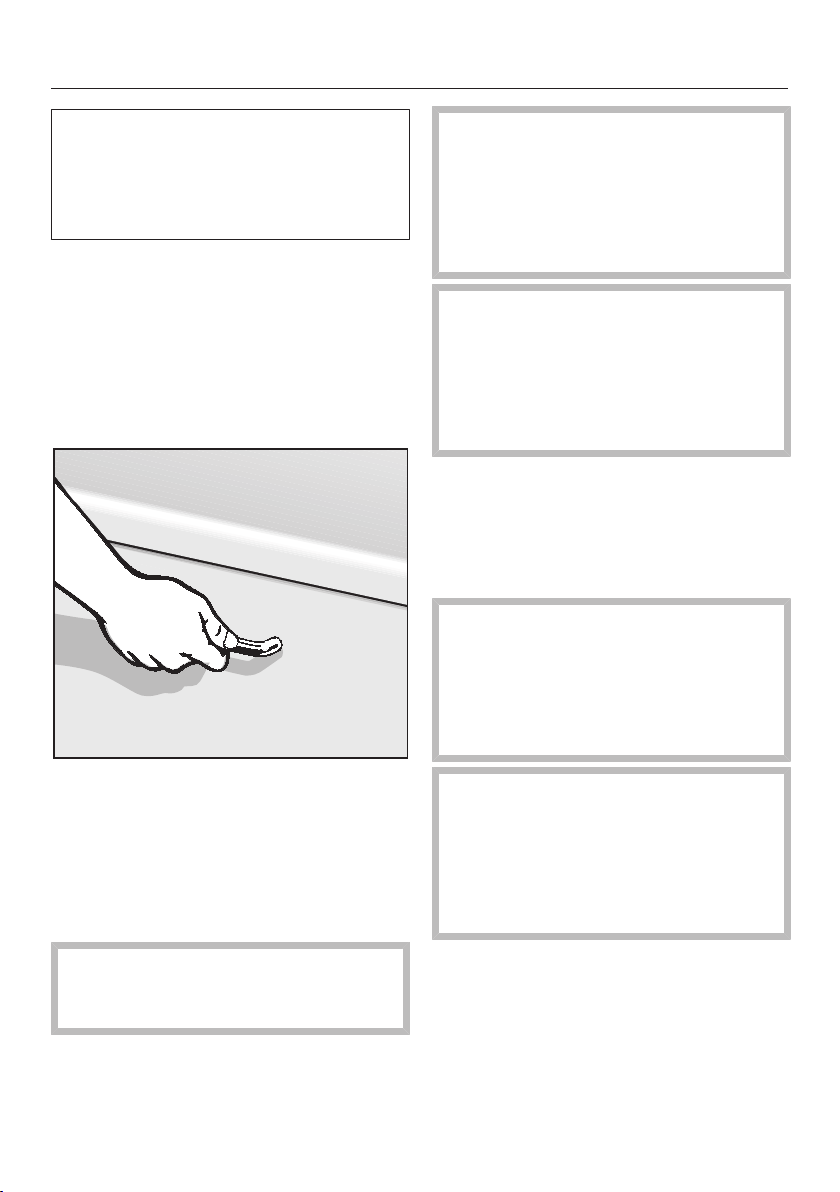
Disposal of your old appliance
Electrical and electronic appliances
contain valuable materials. They also
contain certain substances, compounds
and components which were essential
for the proper functioning and safe use
of the equipment. Handling these mate-
rials improperly by disposing of them in
your household waste can be harmful to
your health and the environment. There-
fore, please do not dispose of your old
appliance with regular household waste
and follow local regulations on proper
disposal.
Consult with local authorities, dealers or
Miele in order to dispose of and recycle
electrical and electronic appliances.
Miele assumes no responsibility for
deleting any personal data left on the
appliance being disposed. Please en-
sure that your old appliance is kept
away from children until removal. Ob-
serve safety requirements for appli-
ances that may tip over or pose an en-
trapment hazard.
Before using for the first time
20
Every dishwasher is tested at the fac-
tory. There will be residual water in the
machine from this test. It is not an in-
dication that the dishwasher has been
used previously.
Opening the door
In some programs the door automati-
cally opens slightly to assist the drying
process.
This function can be deactivated, if pre-
ferred (see “AutoOpen” under “Set-
tings”).
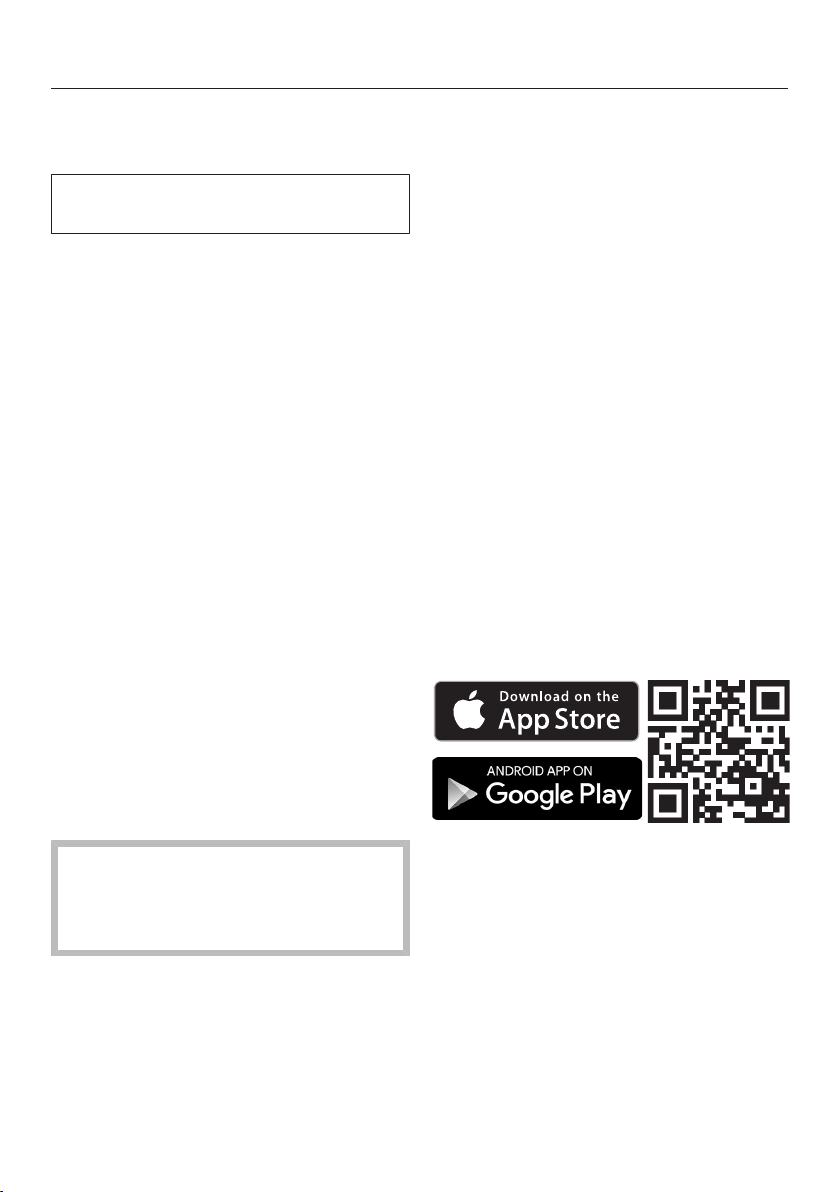
Pull the handle to open the door.
Open the door fully to disengage the
locking mechanism.
At the end of the program, if the Au-
toOpen function is on, the door locking
pins automatically retract.
To prevent a technical fault, do not
hold the door locking pins firmly
when they are retracting.
If the door is opened during operation,
all functions are automatically inter-
rupted.
Risk of scalding due to hot wa-
ter.
During operation, water in the dish-
washer may be very hot.
During operation, only open the door
with extreme caution.
Risk of injury due to door open-
ing automatically.
The door may open automatically at
the end of a program.
Keep the area around the door free
of obstructions.
Closing the door
Push the baskets in.
Raise the door upward until the catch
engages.
At the end of the program, if the Au-
toOpen function is on, the door lock-
ing rail must be fully retracted before
the door is closed. Otherwise, the
door locking rail will cause the door
to reopen.
Risk of crushing due to the door
closing.
When closing the door, you are at
risk of shutting your fingers in it.
Do not put your hand inside the door
as it is closing.
Before using for the first time
21
Miele@home (depending on
model)
Your dishwasher is equipped with an
integrated WiFi module.
To use this feature, you will need:
- A WiFi network
- The Miele app
- A Miele user account. The user ac-
count can be created via the Miele
app
The Miele app will guide you as you
connect your dishwasher to your home
WiFi network.
Once your dishwasher is connected to
your WiFi network, you can use the
app, for example, to carry out the fol-
lowing activities:
- Call up information on the operating
status of your dishwasher
- Call up information on the program
sequence of your dishwasher
Connecting your dishwasher to your
WiFi network will increase energy con-
sumption, even when the dishwasher is
turned off.
Make sure that your WiFi network
signal strength is strong enough at
the installation site of your dish-
washer.
Availability of the WiFi connection
The WiFi connection shares a frequency
range with other appliances (including
microwave ovens and remote control
toys). This can cause sporadic or even
complete connection failures. There-
fore, the availability of featured func-
tions cannot be guaranteed.
Miele@home availability
The ability to use the Miele app de-
pends on the availability of the
Miele@home service in your country.
The Miele@home service is not avail-
able in every country.
For information about availability,
please visit www.miele.com.
Miele App
The Miele App is available to download
free of charge from the Apple App
Store
®
or from the Google Play Store™.
Before using for the first time
22
Basic settings
Turning on the dishwasher
Open the door.
Turn the dishwasher on with the
button.
The welcome screen will appear when
the dishwasher is turned on.
For further information about the dis-
play functionality, see “Display func-
tions” under “Guide to the appliance”.
Setting the language
The display will change automatically to
the screen for setting the language.
Select the language you want as well
as the country, if applicable, using
the buttons and confirm with OK.
For further information on setting the
language, see “Language” under “Set-
tings”.
A check will appear next to the lan-
guage that has been set.
Setting up Miele@home (depending
on model)
The message Set up Miele@home will ap-
pear on the display.
To set up Miele@home now, confirm
by touching OK.
Tip: To postpone setup until later, select
the optionSkip and confirm with OK.
There are 2 ways of connecting your
dishwasher to your WiFi network:
Select the connection method you
want and confirm your choice with
OK.
1. Connect using App
2. Connect using WPS
You will then be guided by the display
and the Miele app.
For further information on
Miele@home, see “Miele@home” un-
der “Settings”.
Before using for the first time
23
Setting the water hardness
The display changes to the screen for
setting the water hardness.
- The dishwasher must be pro-
grammed to the correct water hard-
ness for your area.
- Your local water authority will be able
to advise you of the water hardness
level in your area.
- Where the water hardness fluctuates,
e.g., between 10-16 gpg (10–15°dH),
always program the dishwasher to
the higher value (16 gpg (15°dH) in
this example).
It is useful to know your water hardness
so that you can provide the service
technician with this information in the
event of any service calls.
Enter the water hardness below:
____________gpg (°dH)
The dishwasher is programmed at the
factory for a water hardness level 1 gpg
(1°dH).
Set the water hardness level in your
area and confirm with OK.
See “Water hardness” under “Set-
tings” for more information.
Activating AutoDos
The display changes to the settings
screen for AutoDos (see “Automatic dis-
pensing/AutoDos” under “Detergent”).
Even if you do not wish to use Auto-
Dos, you must remove the transport
locking device from the PowerDisk
compartment before running the first
program (see “Activating AutoDos”
under “Detergent”).
You can activate AutoDos.
If you do not wish to use AutoDos, you
can manually dispense the detergent
via the detergent compartment (see
“Manual detergent dispensing” under
“Detergent”).
Select the setting you want and con-
firm with OK.
This setting applies to all programs and
can be changed at any time using
theAutoDos button.

Before using for the first time
24
Finally, prompts will appear in the dis-
play.
After confirming these prompts with
OK, the messages Refill salt and
Refill rinse aid may appear.
Add salt and rinse aid if necessary
(see “Reactivation salt” and “Rinse
aid” under “Before using for the first
time”).
Select OK to confirm the messages.
The program selected will appear in the
display briefly and the indicator light for
the program selected will come on.
The display will then show the esti-
mated program duration for the pro-
gram selected.
Before using for the first time
25
Reactivation salt
In order to achieve good cleaning re-
sults, the dishwasher needs to operate
with soft water. Hard water results in
the build-up of calcium deposits on
dishes and on the inner surfaces of the
machine.
Domestic water with a hardness level
higher than 5 gpg (5°dH – German
scale) must be softened. This occurs
automatically in the integrated water
softener. The water softener is suitable
for a water hardness level of up to 73
gpg (70°dH – German scale).
In order to be reactivated, the water
softener requires reactivation salt.
Depending on the water hardness level
(<22 gpg, or <21°dH – German scale),
reactivation salt may not be required if
combination detergents are being used
(see “Active ingredients” under “Deter-
gents”).
If the water in your area is very soft
and constantly lower than 5 gpg
(5°dH – German scale), you do not
need to add reactivation salt. The salt
refill indicator will automatically turn
off after the water hardness has been
set accordingly (see “Water hardness”
under “Settings”).
Damage to the water softener
from detergent.
Dishwasher detergent will damage
the softener assembly.
Do not fill the salt reservoir with pow-
der or liquid detergent.
Damage caused by using unsuit-
able salts.
Some types of salt may contain in-
soluble components which can
cause the water softener to malfunc-
tion.
Use only special, coarse-grained re-
activation salt.
If you only ever use combination de-
tergent products in your dishwasher,
you can turn off both refill reminders if
you wish (see “Refill reminders” under
“Settings”).
Please make sure that if you stop us-
ing combination detergents, you refill
the reactivation salt and rinse aid.
Turn the refill reminders back on if re-
quired.
Before using for the first time
26
Filling the salt reservoir
Before filling the salt reservoir for the
first time, you must fill it with approx.
1/2gallon (2l) of water to enable the
salt to dissolve.
Once the dishwasher has been used
once, there is always sufficient water
in the salt reservoir.
Remove the lower basket from the
wash cabinet and unscrew the salt
reservoir cap.
Danger of corrosion due to saline
solution.
Water or saline solution will run out
of the reservoir when the cap is
opened. Salt solution that runs out
can cause corrosion in the wash
cabinet and to the wash items.
The cap should therefore only be re-
moved in order to refill the salt reser-
voir.
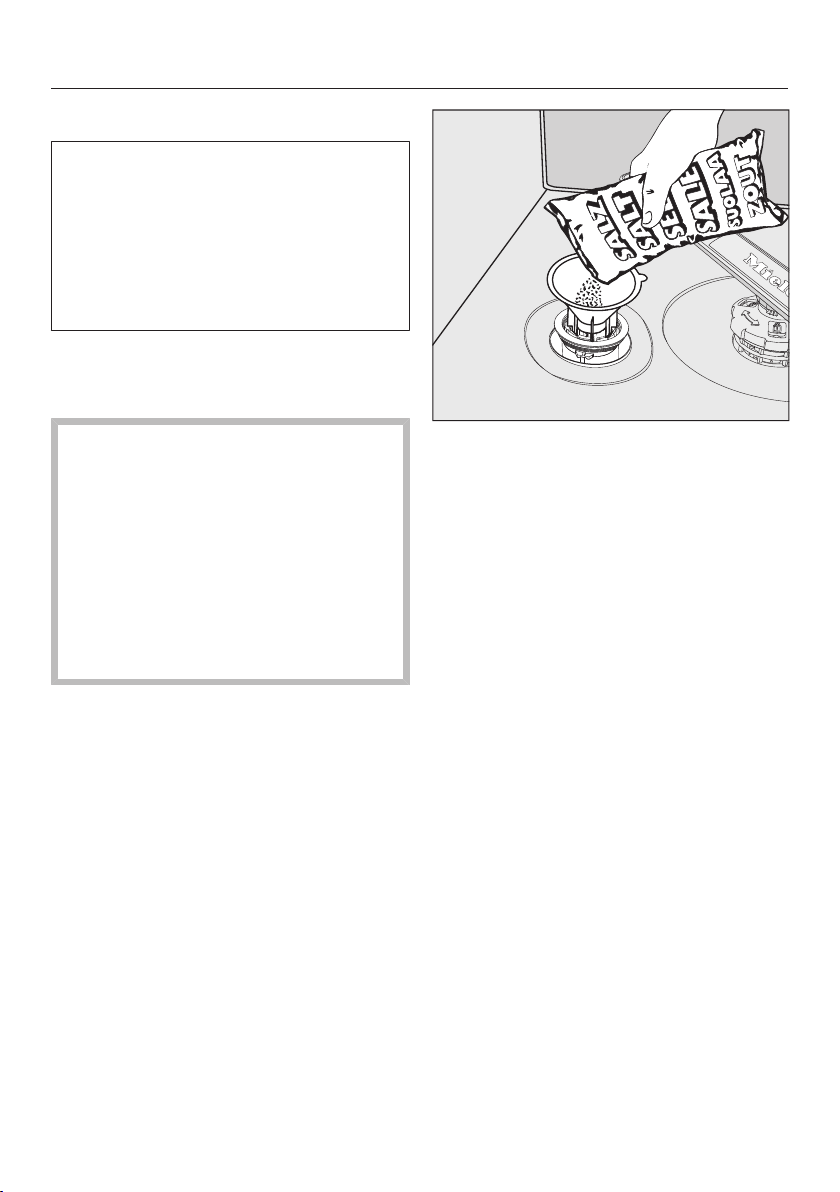
Fill the salt reservoir with approx.
1/2gallon (2l) of water (first use only).
Place the funnel provided over the
salt reservoir and carefully fill with re-
activation salt until the reservoir is
full. The salt reservoir holds up to
4.4lb (2kg) of salt, depending on the
type of salt used.
Clean off salt residues from around
the salt reservoir opening. Next,
screw the salt reservoir cap on again
firmly.
Immediately after filling the salt reser-
voir and each time you remove the
salt reservoir cap, run the Quick-
IntenseWash program with the Ex-
press program option selected with-
out wash items in the dishwasher to
dissolve and remove any traces of
salt from the wash cabinet.

Before using for the first time
27
Refilling the salt
Fill the salt reservoir with reactivation
salt when Refill salt appears in the
display.
Confirm with OK.
The salt refill indicator will go out.
Danger of corrosion due to saline
solution.
Salt solution that runs out can cause
corrosion in the wash cabinet and to
the wash items.
Each time you remove the salt reser-
voir cap, you must run the
QuickIntenseWash program with
the Express program option se-
lected without wash items in the
dishwasher. This will dissolve and re-
move any traces of salt from the
wash cabinet.
After the salt reservoir has been filled,
the refill indicator may still appear in the
display if the salt concentration has not
yet reached the correct level. In this
case, still confirm the message with OK.
The salt refill indicator will be turned off
if you have programmed the dishwasher
for a water hardness below 5 gpg
(5°dH – German scale).
Before using for the first time
28
Rinse aid
Rinse aid is necessary to ensure that
water does not cling and leave marks
on dishes during the drying phase, and
helps dishes dry faster after they have
been washed.
Rinse aid is poured into the container
and the amount set is dispensed auto-
matically.
Liquid dish soap or detergent
can cause damage.
Liquid dish soap and detergent can
damage the rinse aid reservoir.
Only fill it with rinse aid formulated
for domestic dishwashers.
Risk of acid damage.
The dishwasher can be damaged by
high concentrations of acid.
Under no circumstances should you
use citric acid with a higher acid
content.
If you only ever wish to use combina-
tion detergent products in your dish-
washer, you do not need to add rinse
aid.
However, for optimum rinsing and
drying results, use dishwasher deter-
gent and add reactivation salt and
rinse aid separately.
If you only ever use combination de-
tergent products containing salt and
rinse aid in your dishwasher, you can
turn off both refill reminders if you
wish (see “Refill reminders” under
“Settings”).
Please make sure that if you stop us-
ing combination detergents, you refill
the reactivation salt and rinse aid.
Turn the refill reminders back on if re-
quired.
Before using for the first time
29
Adding rinse aid
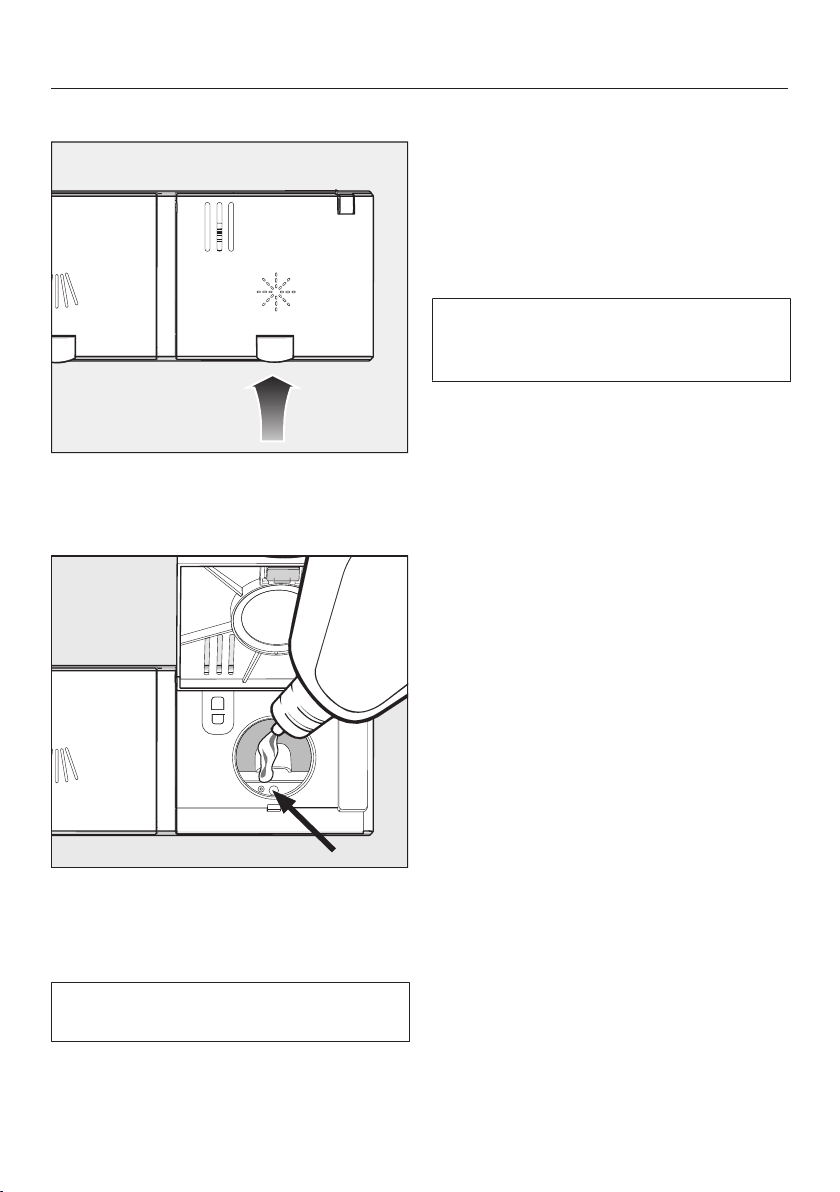
Press the yellow button on the lid
of the rinse aid reservoir.
The lid will spring open.
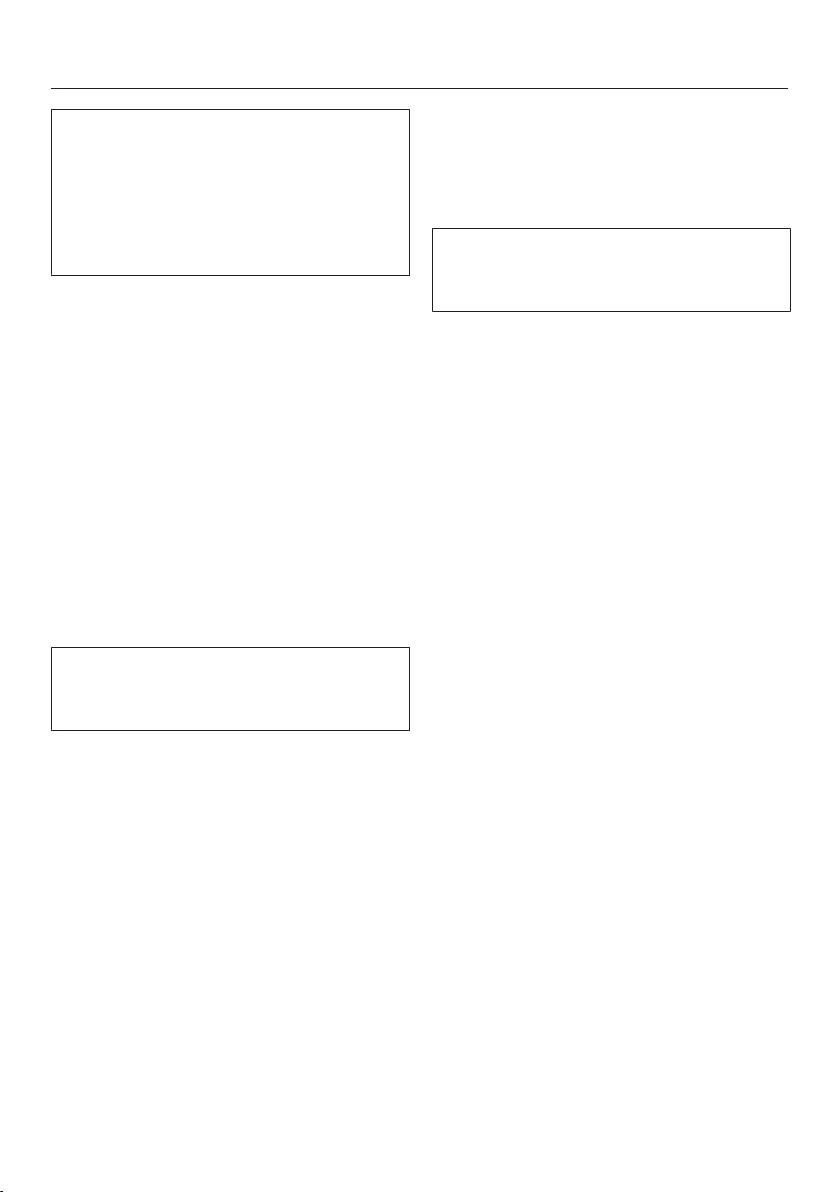
Fill with rinse aid until the filling level
indicator (arrow) changes to a dark
color while the door is horizontally
open.
The rinse aid reservoir holds approxi-
mately 110ml.
Close the lid firmly until you hear it
click into place. Otherwise, water can
enter the rinse aid reservoir during a
program.
Wipe up any spilled rinse aid. This
prevents excess foam developing
during the next program.
You can adjust the rinse aid dosage
for best wash results (see “Rinse aid”
under “Settings”).
Filling the rinse-aid reservoir
When Refill rinse aid appears in the
display, the reservoir contains sufficient
rinse aid for 2–3 programs only.
Add rinse aid in plenty of time.
Confirm with OK.
The rinse-aid refill indicator will go out.
Settings
30
You can alter the dishwasher’s con-
trols to suit changing requirements by
adjusting the settings (depending on
model).
The settings can be altered at any
time.
Opening the settings menu
Turn the dishwasher on with the
button if it is turned off.
Use the Program button to select the
More option.
The first of the additional programs will
appear in the display.
Select the Settings menu option us-
ing the buttons and confirm with
OK.
The first option in the Settings menu will
appear in the display.
For further information about the dis-
play functionality, see “Display func-
tions” under “Guide to the appliance”.
Changing settings
Use the buttons to select the
menu option you want to change and
confirm your selection with OK.
Sub-menu options that have already
been selected will have a check be-
side them.
Use the buttons to select the
setting you want and confirm with
OK.
To exit a sub-menu again, press the
Back button.
The display will revert to the menu
above.
Closing the settings menu
Press the Back button.
The display will change to the More
menu.
Settings
31
Language
The display can be set to appear in one
of several different languages.
You can change the language used in
the display and also the country via the
Language sub-menu.
The flag after the word Language
serves as a guide if a language that
you do not understand has been set.
In this case keep selecting the menu
option that has a flag after it until you
reach the Language sub-menu.
Water hardness
Your dishwasher is fitted with a water
softener.
- The dishwasher must be pro-
grammed to the correct water hard-
ness for your area.
- Your local water authority will be able
to advise you of the water hardness
level in your area.
- Where the water hardness fluctuates,
e.g., between 10-16gpg (10–15°dH),
always program the dishwasher to
the higher value (16gpg (15°dH) in
this example).
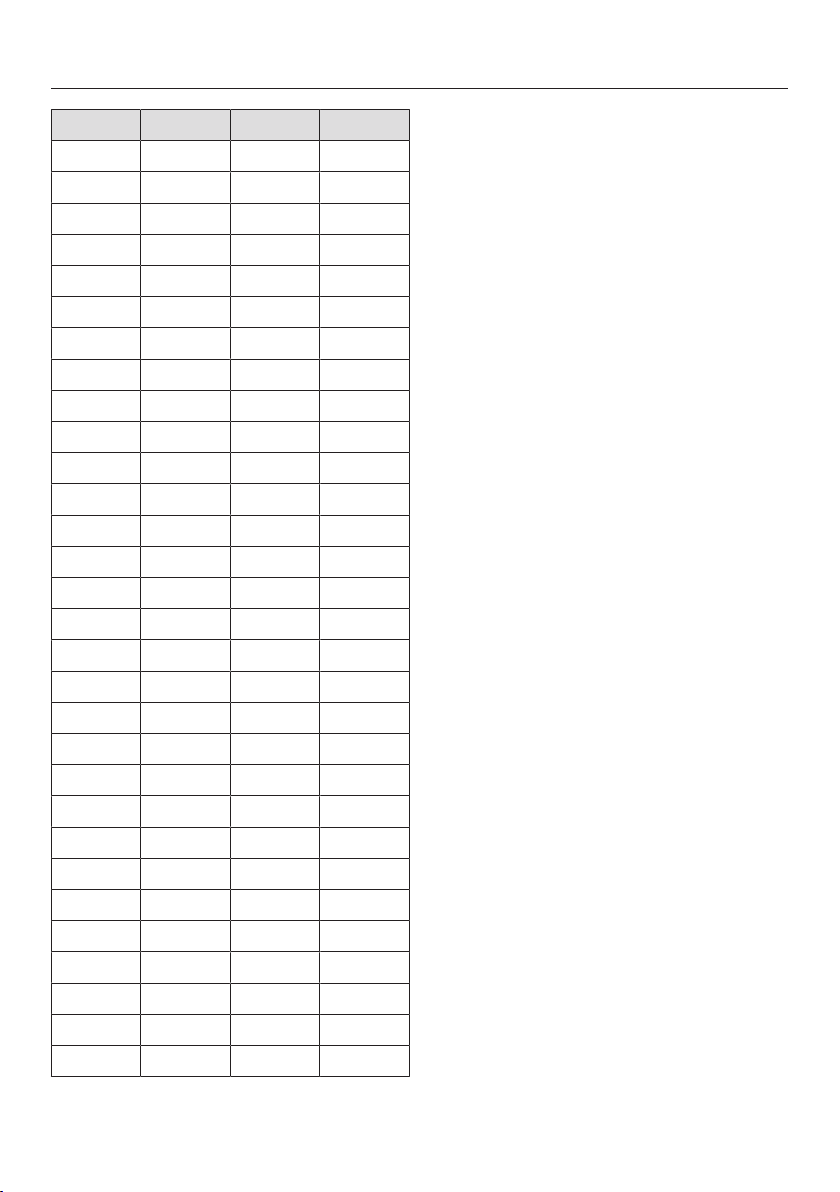
If the water hardness in your area is
available in a unit other than °dH, you
can convert the values as follows:
1°dH = 1.04gpg = 0.18mmol/l =
1.78°fH
°d gr/gal °fH Display
1 1 2 1
2 2 4 2
3 3 5 3
4 4 7 4
5 5 9 5
6 6 11 6
7 7 13 7
8 8 14 8
9 9 16 9
10 10 18 10
Settings
32
°d gr/gal °fH Display
11 11 20 11
12 13 22 12
13 14 23 13
14 15 25 14
15 16 27 15
16 17 29 16
17 18 31 17
18 19 32 18
19 20 34 19
20 21 36 20
21 22 38 21
22 23 40 22
23 24 41 23
24 25 43 24
25 26 45 25
26 27 47 26
27 28 49 27
28 29 50 28
29 30 52 29
30 31 54 30
31 32 56 31
32 33 58 32
33 34 59 33
34 35 61 34
35 36 63 35
36 38 65 36
37-45 39-47 66-80 37-45
46-59 48-62 82-105 46-59
60 63 107 60
61-70 64-73 109-125 61-70
Setting the water hardness
Select the water hardness level in
your area and confirm with OK.

Settings
33
AutoDos (AutoDos)
AutoDos automatically adjusts the
amount of detergent to the selected
program. In the Auto program, the
quantity is adjusted depending on the
degree of soiling of the dishware.
If you want to extend the service life of
the PowerDisk, you can reduce the dis-
pensing quantity. The program’s clean-
ing performance may decrease as a re-
sult.
If you want to improve the cleaning per-
formance, you can increase the dis-
pensing quantity. This reduces the ser-
vice life of the PowerDisk.
Setting theDosage amount
For best results, you can adjust the dis-
pensing quantity of the PowerDisk.
Select the Dosage amount menu op-
tion and confirm with OK.
Select the setting you want and con-
firm with OK.
Rinse Aid
You can adjust the rinse aid dosage for
best results.
The rinse aid dosage can be set from 0
to 6ml.
3ml is the factory default setting.
The rinse aid dosage can turn out to be
higher than the set value due to the au-
tomatic adjustment of the program.
If spots appear on dishes and glass-
ware:
- Increase the rinse aid dosage.
If clouding or smearing appears on
dishes and glassware:
- Decrease the rinse aid dosage.
Settings
34
Miele@home (depending on
model)
Your dishwasher is equipped with an in-
tegrated WiFi module.
You can connect your dishwasher to
your WiFi network.
This will increase the energy consump-
tion, even when the dishwasher is
turned off.
The “Settings” and “Miele@home set-
tings” menus will be added as addi-
tional menu options.
Make sure that your WiFi network
signal strength is strong enough at
the installation site of your dish-
washer.
There are a number of ways of connect-
ing your dishwasher to your WiFi net-
work:
Connect using App
The Miele app is available to download
free of charge from the Apple App
Store
®
or from the Google Play Store™.
Select the Connect using App menu
option and confirm with OK.
Follow the instructions in the app.
Once your dishwasher is connected to
your WiFi network, you can use the app
to carry out the following tasks:
- Call up information on the operating
status of your dishwasher
- Call up information on the program
sequence of your dishwasher
- Set up a Miele@home network with
other WiFi-enabled Miele appliances

Settings
35
Connect using WPS
As an alternative to networking via the
Miele app, you can connect your dish-
washer to your WiFi network using WPS
(Wireless Protected Setup).
Your WiFi router must support WPS.
Confirm the message Press WPS but-
ton with OK.
Activate the WPS function on your
router within 2minutes.
Once the connection has been estab-
lished, confirm the message with OK.
If the connection fails, you have proba-
bly not activated WPS on your router
quickly enough. Repeat the steps
above.
Deactivate
If you do not wish to use the WiFi mod-
ule of your dishwasher, you can turn it
off.
Select the Deactivate menu option
and confirm with OK.
In the Miele@home menu, the menu op-
tion Activate will now be displayed in-
stead of Deactivate.
Activate
If you wish to connect your dishwasher
to your WiFi network, you can turn on
the WiFi module.
Select the Activate menu option and
confirm with OK.
In the Miele@home menu, the menu op-
tion Deactivate will now be displayed in-
stead of Activate.

Settings
36
Displaying Connection status
You can call up the current connection
status of your dishwasher.
Select the Connection status menu op-
tion and confirm with OK.
Use the buttons to consecutively
call up the WiFi signal strength, the
name of your router and the associ-
ated IP address.
Select OK to confirm the messages.
Set up again
This menu option only appears if you
have already connected your dish-
washer to your WiFi network.
Connect using App
Select the Connect using App menu
option and confirm with OK.
Follow the instructions in the app.
Connect using WPS
Select the Connect using WPS menu
option and confirm with OK.
Follow the instructions on the display.
Reset
This menu option only appears if you
have already connected your dish-
washer to your WiFi network.
You can use this menu option to reset
all WiFi module settings to the factory
default settings.
The network configuration should be re-
set whenever a dishwasher is being dis-
posed of or sold, or if a used dish-
washer is being put into operation. This
is the only way to ensure that all per-
sonal data has been removed and the
previous owner will no longer be able to
access the dishwasher.
Select the Reset menu option and
confirm with OK.
Settings
37
Remote update (depending on
model)
The RemoteUpdate menu option is
only displayed and can only be se-
lected if the requirements for using
Miele@home have been met (see
“Miele@home” under “Before using for
the first time”).
The RemoteUpdate function is used for
updating the software in your dish-
washer. If an update is available for
your dishwasher, it will automatically
download it. Updates will not be in-
stalled automatically. They must be initi-
ated manually.
If you do not install an update, you can
continue to use your dishwasher as
usual. However, Miele recommends in-
stalling updates.
Activating/deactivating
The RemoteUpdate function is acti-
vated as standard. Available updates
will be downloaded automatically but
will only be installed if you initiate instal-
lation manually.
Deactivate RemoteUpdate if you do not
want any updates to be downloaded
automatically.
Running RemoteUpdate
Information about the content and
scope of a RemoteUpdate will be pro-
vided in the Miele app.
A message will appear in your dish-
washer display if a software update is
available.
You can install the update immediately
or postpone this until later. When the
appliance is turned on again, you will be
reminded about the update.
Deactivate RemoteUpdate if you do not
want to install the update.
The update may take several minutes.
Please note the following information
about the RemoteUpdate function:
- You will only receive a message when
an update is available.
- Once an update has been installed, it
cannot be undone.
- Do not turn the dishwasher off during
the update. Otherwise, the update
will be aborted and will not be in-
stalled.
- Some software updates can only be
carried out by Miele Customer Ser-
vice.
Settings
38
Display brightness
You can set the display brightness to
one of 7 different levels.
Buzzer
A sequence of audible signals will
sound at the end of the program or if
there is a fault, provided that the audi-
ble signals have been activated.
The audible signals at the end of a pro-
gram and the alarm tone in the event of
a fault will sound 4times at intervals
with a short pause between each set.
You can deactivate the audible signal
that sounds at the end of a program if
you wish.
The alarm tone that sounds when
there is a fault cannot be deacti-
vated.
Refill reminders
If you only ever use combination deter-
gent products or automatic dispensing
using Miele PowerDisks (if available),
you can turn off the refill reminders for
reactivation salt and rinse aid if you
wish.
Please make sure that if you stop us-
ing combination detergents, you refill
the reactivation salt and rinse aid.
Turn the refill reminders back on.

Settings
39
AutoOpen
In some programs the door automati-
cally opens slightly to assist the drying
process.
This function can be deactivated if you
wish.
Risk of damage due to steam.
Steam from the dishwasher could
damage the edges of delicate coun-
tertops when you open the door at
the end of the program if the fan is
no longer running.
If you have deactivated the auto-
matic door opening function but
would still like to open the door at
the end of the program, then make
sure that you open the door fully.
Extra clean
You can choose this function to in-
crease the cleaning performance of the
programs.
If you activate this function, the pro-
gram cycle times and the main wash
temperatures will increase. The water
and energy consumption may increase.
If this function is switched on, it will be
applied to all programs until it is
switched off again (except for the Econ-
omy program).
Extended drying
You can select this function in order to
increase the program drying perfor-
mance.
If you activate this function, the pro-
gram cycle times and final rinse temper-
atures will increase. The energy con-
sumption may increase.
If this function is switched on, it will be
applied to all programs until it is
switched off again (except for the Econ-
omy program).

Settings
40
2nd interim rinse
You can choose this function to in-
crease the cleaning performance of the
programs with a second interim rinse.
When this function is activated, water
consumption may increase.
If this function is switched on, it will be
applied to all programs until it is
switched off again.
Software version
You can display the electronic software
version of your dishwasher for technical
support purposes.
Showroom program
For demonstration purposes only.
The dishwasher is equipped with a
demo mode for showroom use.
Factory default
You can reset all dishwasher settings to
the factory default settings.
WiFi module settings (where applicable)
have to be reset separately (see
“Miele@home” under “Settings”).
Select Reset and confirm with OK.

Settings
41
Copyrights and licenses for the
communication module
For the purpose of operating and con-
trolling the communication module,
Miele uses proprietary or third-party
software that is not covered by open
source licensing terms. This software/
these software components are pro-
tected by copyright. The copyrights
held by Miele and third parties must be
respected.
This communication module contains
software components which are distrib-
uted under open source license condi-
tions. The open source components
contained in the appliance along with
the corresponding copyright notices,
copies of the licensing terms valid at
the time, and any additional information
can be accessed locally via http://<IP
address>/Licenses. The liability and
warranty arrangements for the open
source licenses displayed in this loca-
tion only apply in relation to the respec-
tive rights holders.

Caring for the environment
42
Energy-saving dishwashing
This dishwasher is exceptionally eco-
nomical in its use of water and electric-
ity.
You can make the most of your ma-
chine by following these tips:
- Washing in a dishwasher generally
uses less water and energy than
washing by hand.
- There is no need to pre-rinse items
under running water, and this unnec-
essarily increases water and energy
consumption.
- Make full use of the basket capacity
without overloading the dishwasher.
This results in the most economical
dishwashing in terms of energy and
water consumption.
- Choose a program that best suits the
degree of soiling and the type of
dishes being washed (see “Program
overview”).
- Select the Normal program for en-
ergy-saving dishwashing. This pro-
gram is the most efficient in terms of
its combined energy and water con-
sumption for cleaning dishware with a
normal level of soiling.
- Follow the detergent manufacturer’s
recommendations on detergent
dosage.
- When using powder or liquid deter-
gent, you can use
1
/
3
less detergent if
baskets are only half full.
- You can connect the dishwasher to a
hot-water supply. A hot water con-
nection is particularly suitable with
energy-saving water heating sources,
such as solar energy with a circula-
tion system.
If the water is heated by electricity,
we would recommend connection to
cold water.

Loading the dishwasher
43
General information
Remove coarse food residues from
dishes.
There is no need to pre-rinse items un-
der running water.
Damage can be caused by ash,
sand, wax, lubricating grease, or
paint.
These substances will contaminate
the dishwasher and can then no
longer be removed.
Do not wash items soiled with these
substances in the dishwasher.
Dishes can be loaded anywhere in the
baskets, but the following notes should
be observed:
- Do not place dishes and utensils in-
side other items where they will cover
one another.
- Load the dishes so that water can
access all surfaces. This ensures that
they get properly cleaned.
- Make sure that all items are securely
positioned.
- Hollow items such as cups, glasses,
pans, etc., must be inverted in the
baskets.
- Tall, narrow, hollow items such as
champagne glasses should be
placed in the center of the basket
rather than in the corners. This en-
sures the hollow items are more eas-
ily accessed by the water jets.
- Concave items such as mugs or
bowls should be placed at an angle
so that the water can run off.
- The spray arms must not be blocked
by items which are too tall or hang
through the baskets. Test for free
movement by manually rotating the
spray arms.
- Make sure that small items cannot
fall through the holders in the bas-
kets.
Small items such as lids should
therefore be placed in the 3D Multi-
Flex Tray or cutlery basket (depend-
ing on model).
Some foods such as carrots, toma-
toes, or ketchup may contain natural
dyes. These dyes can discolor plastic
items in the dishwasher if large quanti-
ties of these foods are in contact with
the dishes inside the machine. The
stability of plastic items is not affected
by this discoloration.
Washing silverware can also cause
plastic items to discolor.

Loading the dishwasher
44
Wash items not suitable for dish-
washers:
- Wooden cutlery and dishes or items
with wooden parts. These may dis-
color and fade. The glue used in
these items is not dishwasher-proof
and wooden handles may come
loose after being washed in a dish-
washer.
- Craft items, antiques, valuable vases,
and decorative glassware. Such
items are not suitable for dishwash-
ers.
- Plastic items that are not heat resis-
tant. The high temperatures in the
dishwasher may cause them to melt
or lose shape.
- Copper, brass, tin and aluminum
items. These may discolor or become
dull.
- Colors painted over a glaze. These
may fade after a number of washes.
- Delicate glassware and glassware
containing lead crystal. Clouding may
occur over time.
Silver
Silver that has been in contact with
foods containing sulphur can discolor.
These include egg yolk, onions, mayon-
naise, mustard, fish, and marinades.
Silverware previously cleaned with a
silver polish may still be damp or spot-
ted at the end of a program, where wa-
ter has not run off smoothly.
Tip: Rub the silver dry with a cloth.
Damage due to caustic alkaline
detergents.
Aluminum parts (e.g., the grease fil-
ters of ventilation hoods) can be
damaged by caustic alkaline deter-
gents. In extreme cases, there is a
risk of an explosive chemical reac-
tion (such as an explosive oxyhydro-
gen gas reaction).
Aluminum components must not be
cleaned in the dishwasher with caus-
tic alkaline commercial or industrial
detergents.
Tip: When purchasing new dishes and
cutlery, make sure they are dishwasher-
proof if you want to wash them in the
dishwasher.
Glass care
- Clouding may occur on glasses after
frequent washing in the dishwasher.
When washing delicate glassware in
the dishwasher, ensure that only a
special glass-care program with very
low temperatures is selected (see
“Program overview”). This will reduce
the risk of clouding.
- Purchase glassware that is dish-
washer-safe (e.g., Riedel glassware).
- Use detergents with glass protective
additives.
Loading the dishwasher
45
Loading examples
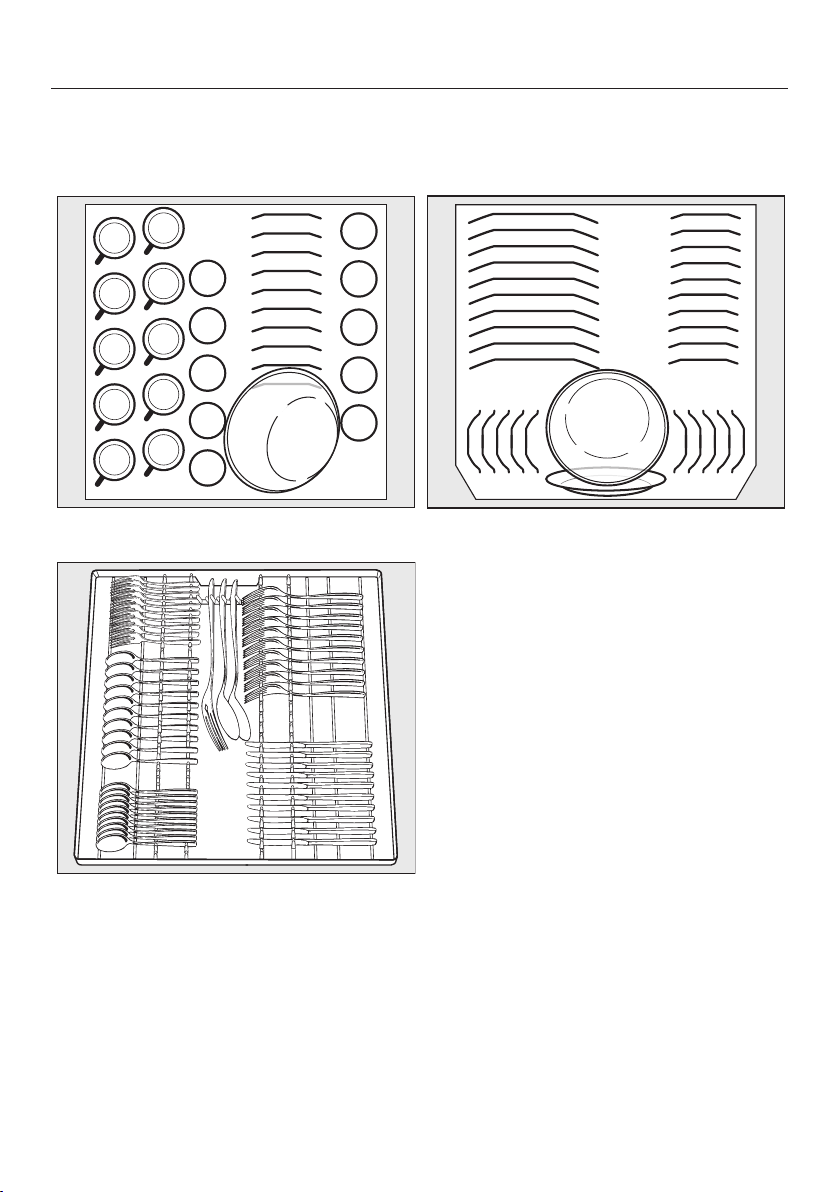
Loading for 10 standard place settings with cutlery tray
Upper basket
Lower basket
Cutlery tray
Loading the dishwasher
46
Loading for 16 standard place settings with cutlery tray
Upper basket
Lower basket
Cutlery tray
Loading the dishwasher
47
Upper basket
Loading the upper basket
Risk of damage due to water
leakage.
If you run the dishwasher without the
upper basket, water can leak out of
the dishwasher.
Only run the dishwasher with the up-
per basket in place (except during
the Tall items program, if available).
Use the upper basket for small, light-
weight, and delicate items such as
cups, saucers, glasses, dessert
bowls, etc.
Shallow pans or casserole dishes can
also be placed in the upper basket.
Long items such as soup ladles and
mixing spoons should be placed lying
down across the front of the upper
basket.
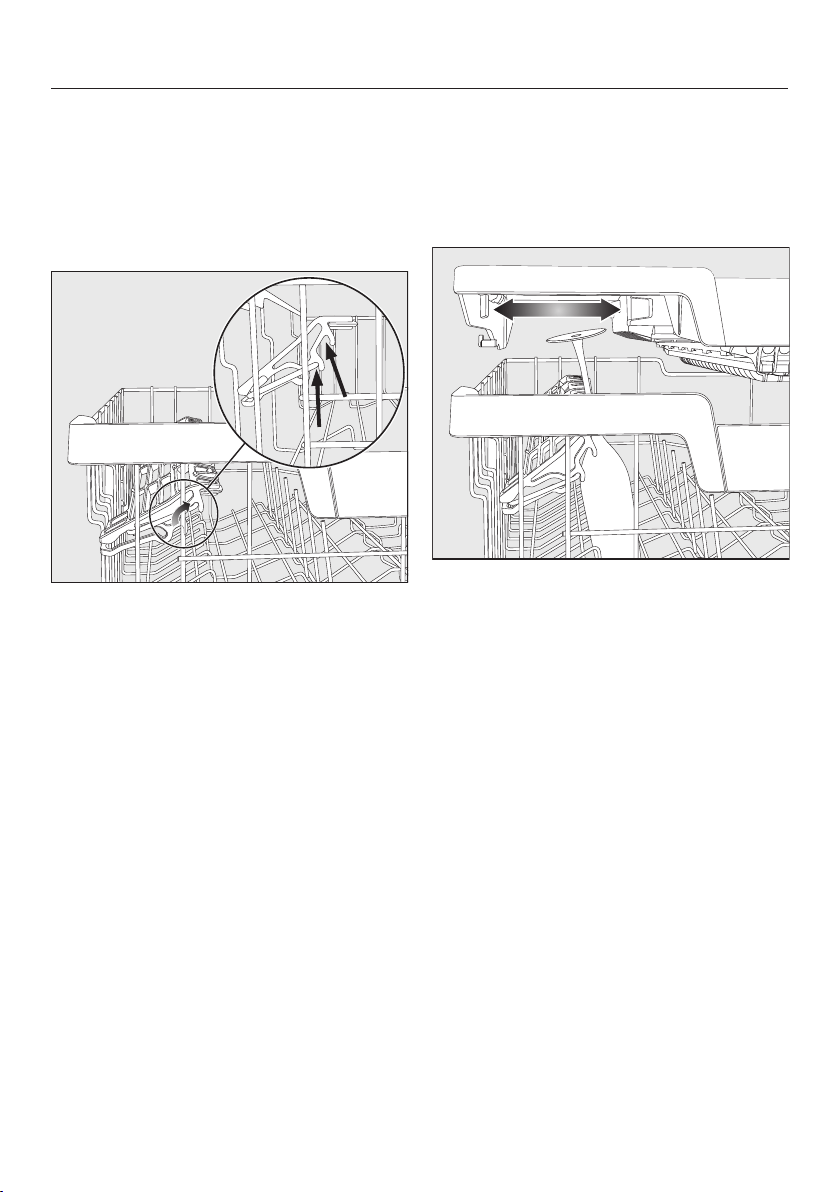
Loading the FlexCare cup rack
You can put cups, small bowls, and flat
dishes on the FlexCare cup rack.
Glasses can be arranged along the cup
rack so they sit securely during the pro-
gram.
Lower the cup rack to do so.
Raise the cup rack upwards to make
room for tall items.
Loading the dishwasher
48
Adjusting the FlexCare cup rack
You can set the height and depth of the
cup rack at 2 different levels so that it
can accommodate larger cups and so
that taller items can be placed under-
neath it.
Pull the cup rack upwards and click it
into the desired position (see arrow).
Loading the silicone elements of the
FlexCare cup rack
The silicone elements in the cup rack
are specially designed to hold tall
glasses with long stems securely.
Lower the cup rack and lean the
glasses against the openings.
If you wish you can adjust the left in-
sert of the 3D MultiFlex Tray to make
space for taller glasses (see “3D Mul-
tiFlex Tray” under “Cutlery”).
Loading the dishwasher
49
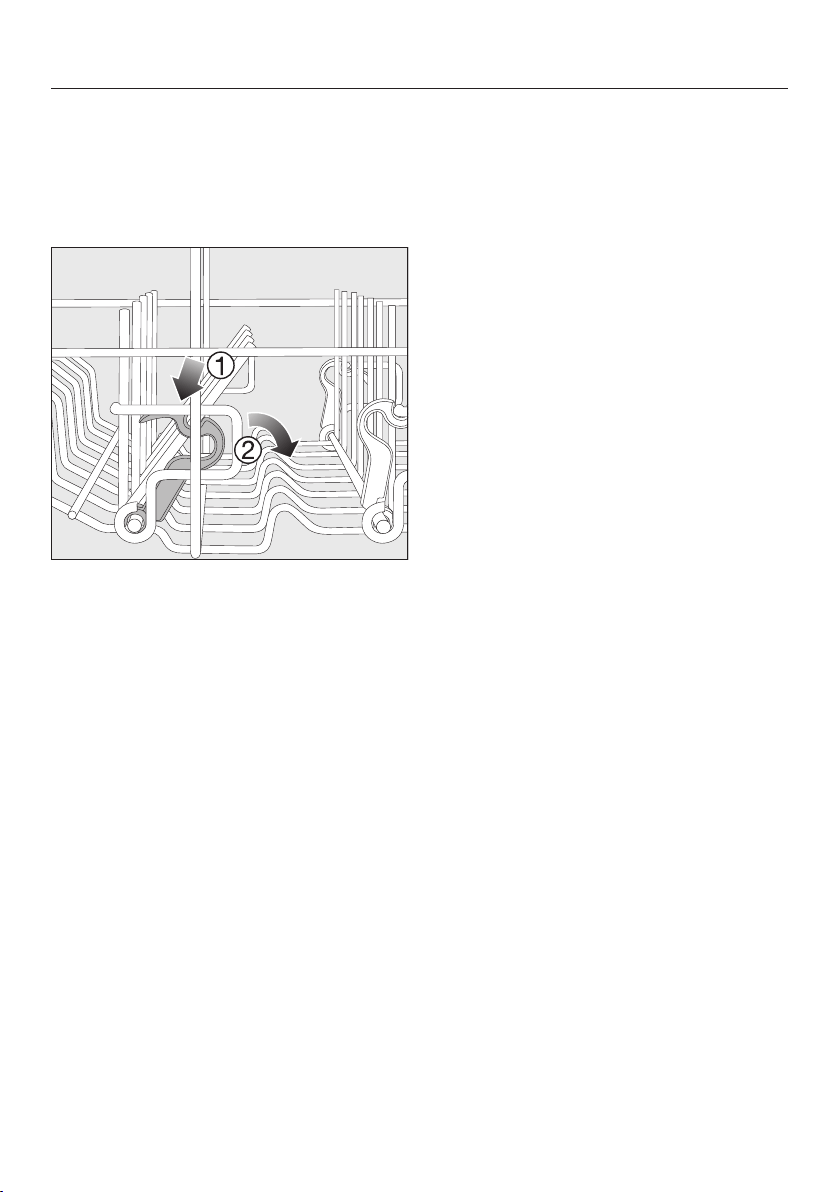
Lowering the spikes
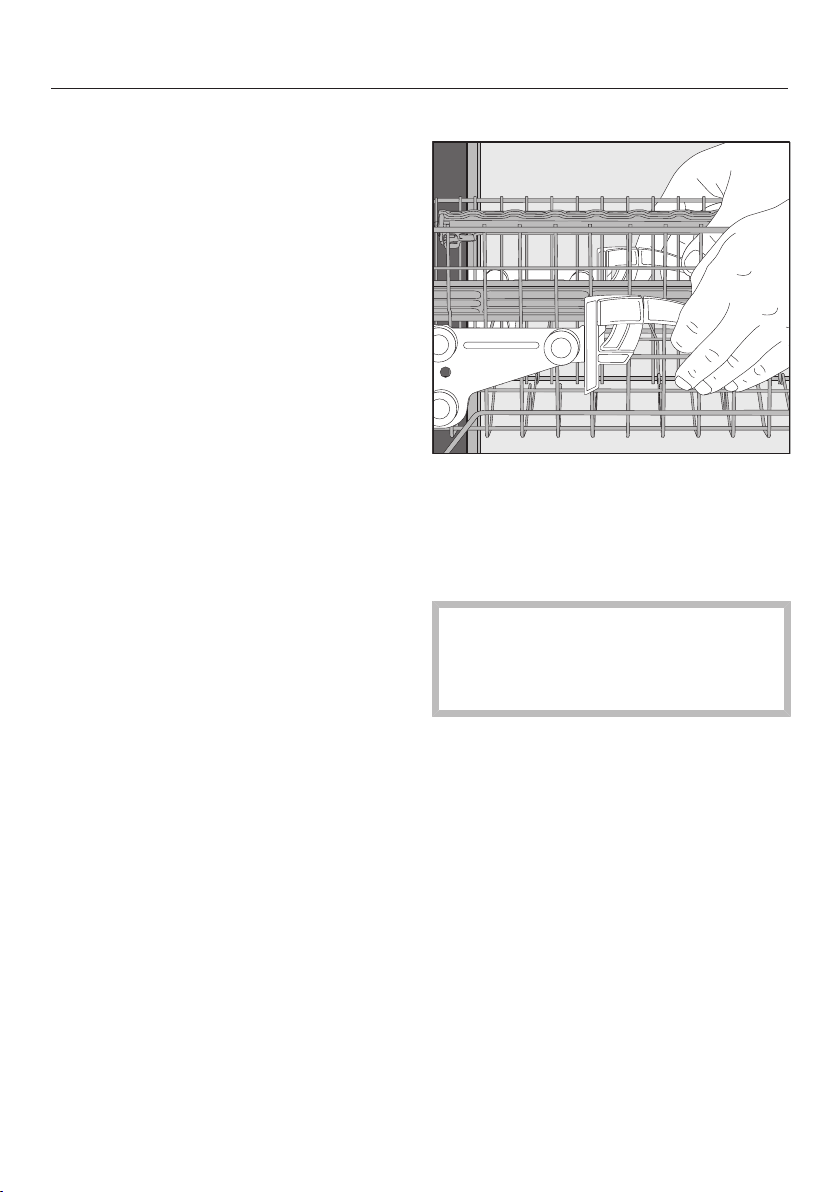
On both right-hand rows of spikes, you
can lower every other spike to make it
easier to arrange larger dishes, like ce-
real bowls.
Press the yellow lever downward,
and then lower the dark gray
spikes.
Place the bowls vertically in the row
of spikes.
Loading the dishwasher
50
Adjusting the upper basket
In order to gain more space for taller
items in the lower basket or upper bas-
ket, the upper basket can be adjusted
on 3 levels with 3/4" (2cm) between
each level.
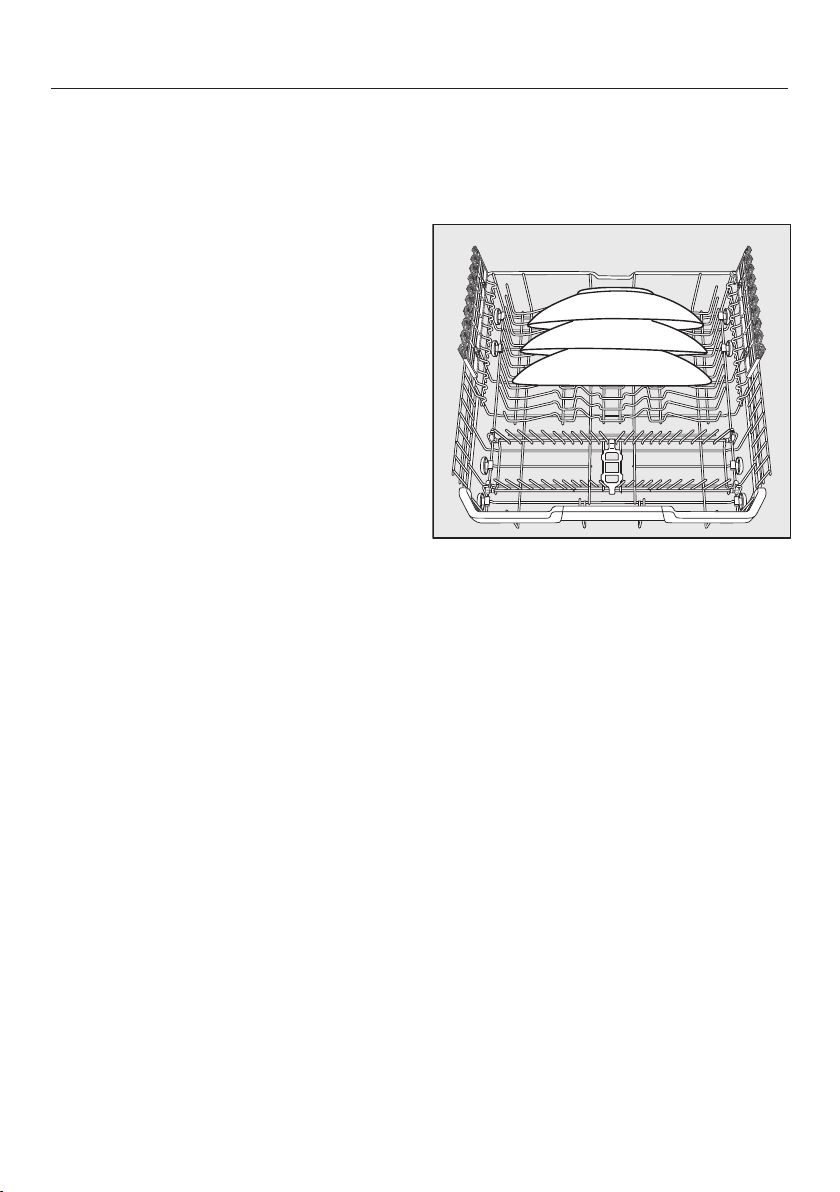
The upper basket can also be set at an
angle so that water can run off freely
from recesses. Make sure, however,
that the basket can slide smoothly in
and out of the wash cabinet.
Pull out the upper basket.
Raise the upper basket:
Lift the basket until it clicks into
place.
Lower the upper basket:
Pull upwards on the levers at either
side of the upper basket.
Adjust the basket to the desired
height and then push the levers se-
curely back down into position.
When adjusting the upper basket,
make sure that tall plates in the lower
basket do not block the middle spray
arm.
Loading the dishwasher
51
Lower basket
Loading the lower basket
Place larger and heavier items such
as plates, serving platters,
saucepans, bowls, etc., in the lower
basket.
Glasses, cups, and small plates and
saucers can also be placed in the
lower basket.
Loading the MultiComfort area
The rear section of the lower basket is
used for washing cups, glasses, plates,
and pots.
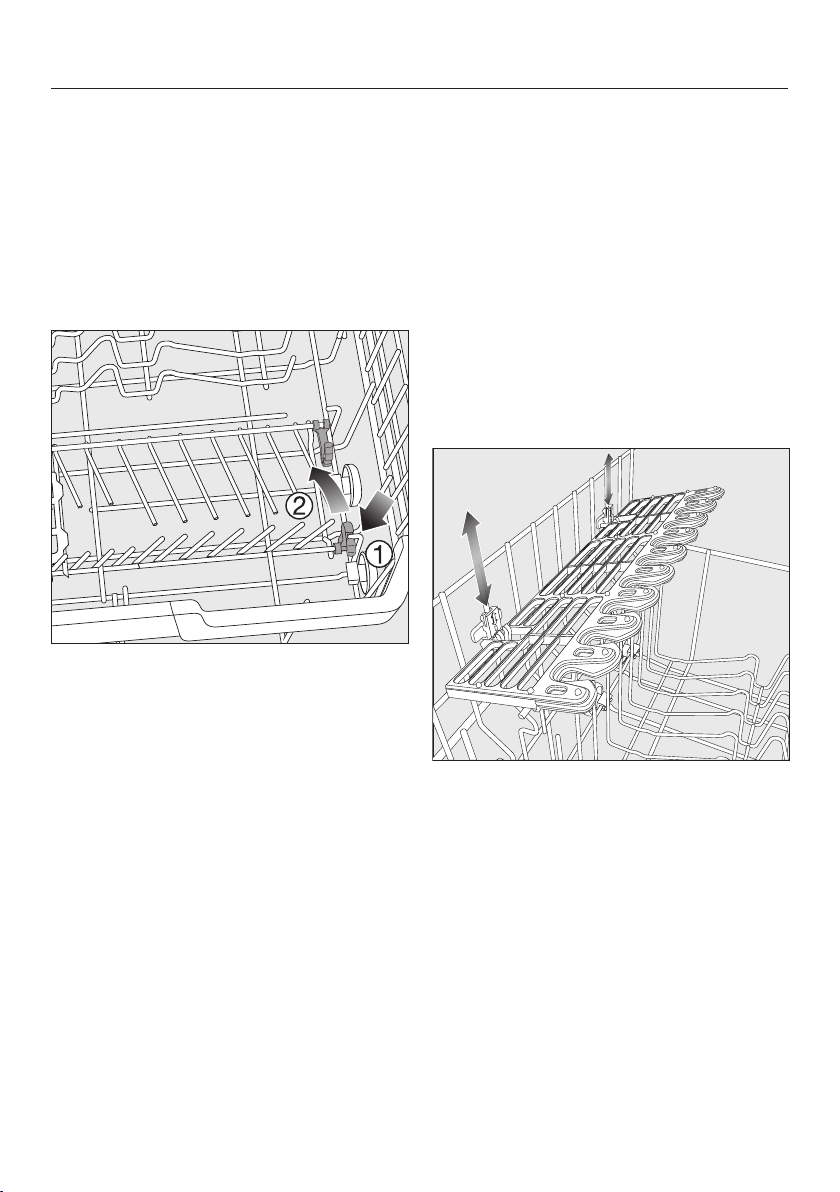
Place very large plates in the center
of the lower basket.
Tip: When tilted, plates up to
133/4" (35cm) in diameter can be ac-
commodated.
Loading the dishwasher
52
Lowering the spikes
The rows of spikes at the front are used
for loading plates, soup bowls, platters,
dessert bowls, and saucers.
Both right-hand rows of spikes can be
lowered to make more room for large
items such as pots, pans, and serving
dishes.
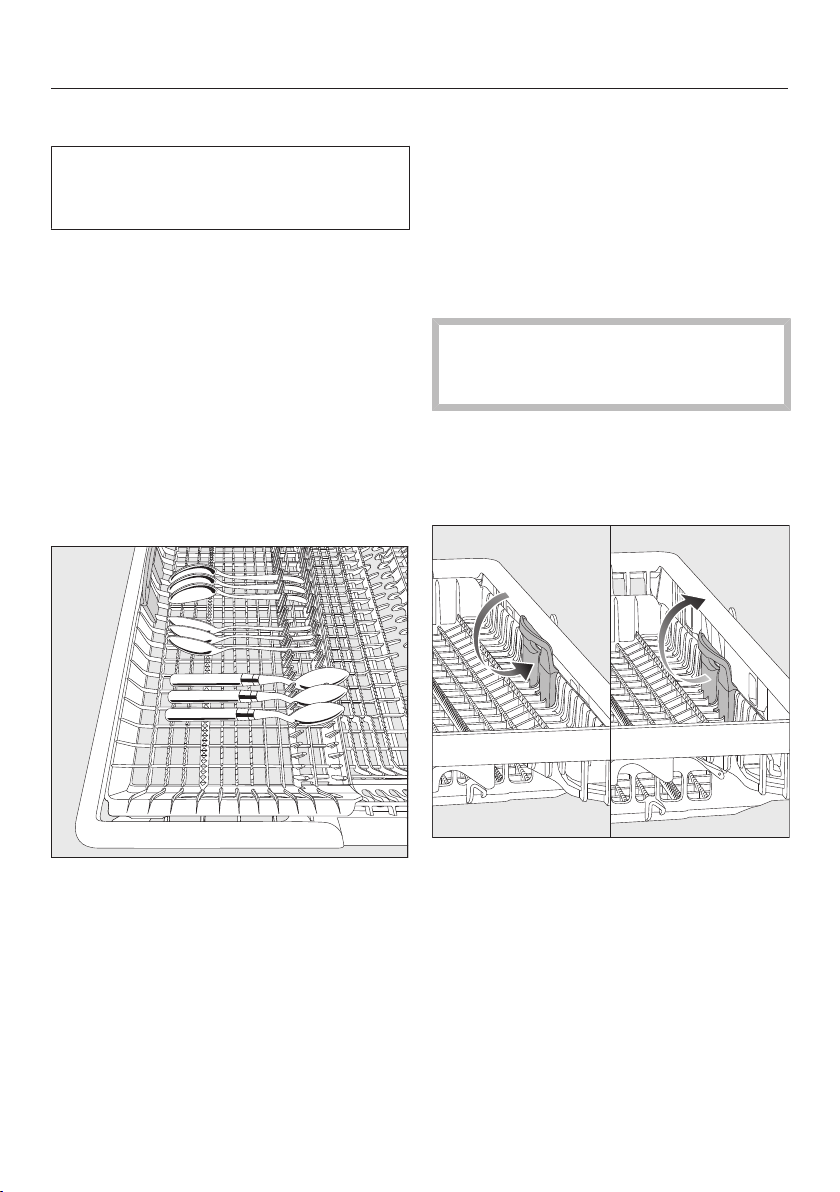
Press the yellow lever downward,
and then lower the spikes.
Loading the FlexCare glass holder
The silicone elements in the glass
holder provide a stable and secure hold
for delicate stemware.
Stemware such as wine glasses,
champagne flutes, and beer glasses
can be leaned against the glass
holder or suspended from it.
The glass holder can be raised to
make more room for tall items.
You can set the glass holder at two dif-
ferent heights.
Slide the glass holder to the desired
height until the catches click into
place at the top or the bottom.
Loading the dishwasher
53
Cutlery tray
See “Loading the dishwasher, Loading
examples” for examples of how to
load dishware and utensils.
Load the utensils into the 3D Multi-
Flex Tray.
Loading the 3D MultiFlex Tray
To make unloading easier, utensils
should be grouped in zones, one for
knives, one for forks, one for spoons,
etc.
Spoon heads should be placed in con-
tact with at least one of the serrated re-
tainers on the base of the cutlery tray to
ensure that water runs off them freely.
If spoon handles do not fit between
the holders, then lay them the other
way round.
You can push the left insert to the mid-
dle in order to accommodate tall items
and long stemmed glasses in the upper
basket (see “Loading the silicone ele-
ments of the FlexCare cup rack” under
“Upper basket”).
You can put large and long utensils in
the recessed center part of the tray.
Arrange tall items (such as cake plat-
ters) so that they do not block the
upper spray arm.
You can adjust the height of the right-
hand insert to create more space in the
right-hand part of the tray for larger
utensil items or smaller dishes.
Pull the insert inward by the yellow
handle and click it into place in one of
the two positions.
Detergents
54
Active ingredients
Damage caused by using unsuit-
able cleaning agents.
Cleaning agents that are not suitable
for domestic dishwashers can cause
damage to the dishwasher or to the
wash items.
Only use cleaning agents formulated
for domestic dishwashers.
Modern cleaning agents contain various
active ingredients, the most important
of which are:
- Water softening complexing agents
to prevent limescale.
- Alkalis to aid removal of dried-on
soiling.
- Enzymes to break down starch and
loosen protein.
- Oxygen-based bleaching agents to
remove colored stains (e.g., tea, cof-
fee, tomato sauce).
Most dishwasher cleaning agents are
mildly alkaline and contain enzymes
and oxygen-based bleaching agents.
There are different types of cleaning
agent:
- Powder and liquid gel cleaning
agents. These cleaning agents allow
you to adjust the amount dispensed
according to the load size and the
level of soiling.
- Tab cleaning agents. These are suit-
able for most levels of soiling.
As well as the usual cleaning agents,
combination products are also avail-
able.
These contain rinse aid and water soft-
ener (reactivation salt).
Only use these combination cleaning
agents for the water hardness levels
recommended by the manufacturer on
the packaging.
The cleaning and drying performance of
these combination cleaning agents can
vary greatly.
Please make sure that if you stop using
combination cleaning agents, you refill
the reactivation salt and rinse aid. Turn
the refill reminders back on if required.
For optimum cleaning and drying re-
sults, use dishwasher cleaning agent
and add salt and rinse aid separately.

Detergents
55
Risk of chemical burns from de-
tergent.
Dishwasher detergents can cause
burning on the skin and in the eyes,
nose, mouth, and throat.
Avoid contact with detergents.
Do not inhale or ingest powder de-
tergents. Do not swallow dishwasher
detergents. Seek medical attention
immediately if detergent has been
swallowed or inhaled.
Keep children away from detergents.
Detergent residues could still be
present in the machine. Keep chil-
dren away from the dishwasher when
the door is open. Do not fill the de-
tergent dispenser until just before
starting the program and activate the
door safety lock (depending on
model).
Detergent dispensing
There are 2 ways of dispensing the de-
tergent.
During automatic dispensing, the Auto-
Dos function will automatically dispense
the required amount of detergent for
each program sequence once a Pow-
erDisk has been inserted (see “Auto-
matic dispensing/AutoDos” under “De-
tergent”).
If you do not wish to use AutoDos, you
can manually dispense the detergent
into the detergent compartment. This
means you will have to fill the required
amount of detergent into the detergent
compartment before each program (see
“Manual detergent dispensing” under
“Detergent”).

Detergents
56
Automatic dispensing/AutoDos
Before you can use AutoDos, you must
insert a PowerDisk containing powder
detergent into the PowerDisk compart-
ment.
One PowerDisk contains enough deter-
gent for approx. 20rinse cycles, de-
pending on the chosen program.
PowerDisks are available to order di-
rectly from Miele’s online store, Miele
Customer Service, or from your Miele
dealer.
Risk of chemical burns from
residual detergent.
Detergents have a caustic effect.
This can cause health problems and
damage to surfaces. If the AutoDos
is used incorrectly or leaks, residual
detergent may drip onto the floor
area in front of the dishwasher.
Always remove residual detergent
from in front of the dishwasher im-
mediately.
Activating AutoDos
Turn the dishwasher on with the
button.
Before you first use AutoDos, remove
the transport lock from the PowerDisk
compartment and dispose of it ap-
propriately.
Insert a PowerDisk (see “Inserting a
PowerDisk” under “Automatic dis-
pensing/AutoDos”).
The AutoDos function will be acti-
vated automatically.
The message AutoDos Activated will ap-
pear on the display.
This setting applies to all programs and
can be changed at any time using
theAutoDos button.
If no program is started for 48hours,
the PowerDisk will automatically be ro-
tated so that the detergent does not
clump together. If this happens, the
message Powder refreshing will be
shown in the display when the dish-
washer is turned on. No detergent will
be dispensed.
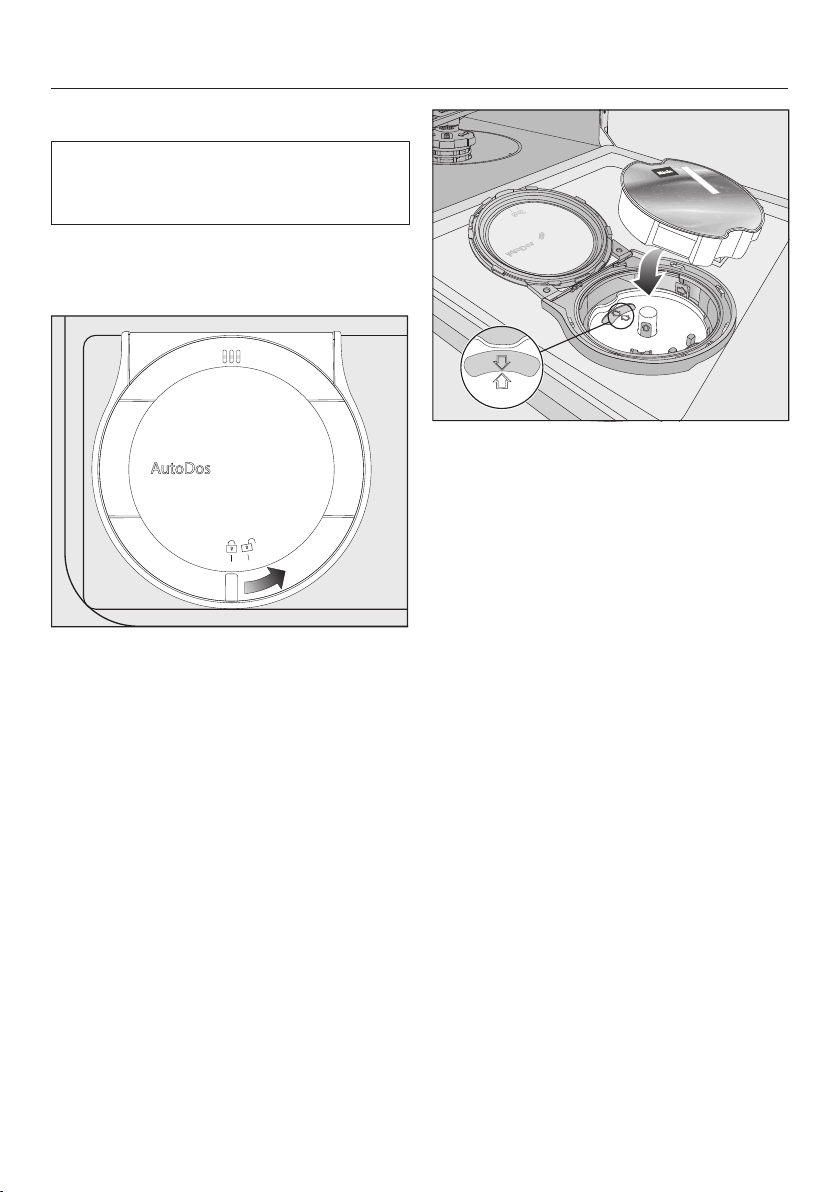
Detergents
57
Inserting a PowerDisk
Turn on the dishwasher before you re-
place the PowerDisk so that the dish-
washer recognizes it.
Only replace the PowerDisk when the
message PowerDisk empty Deactivate
AutoDos with OK. appears.
Turn the AutoDos lid to and open
it.
The message AutoDos lid open will ap-
pear on the display.
Remove the empty PowerDisk.
If the arrows in the PowerDisk holder
and in the viewing window are not
pointing toward each other, remove
the PowerDisk holder (see “Cleaning
the AutoDos” under “Cleaning and
care”).
Put the holder back into place so that
the arrows point toward each other
and the holder lies flat.
When doing this, only touch the Pow-
erDisk holder by the yellow tab in the
middle. Do not touch the side tab.
Insert the new PowerDisk and press it
evenly downward until it sits flush.
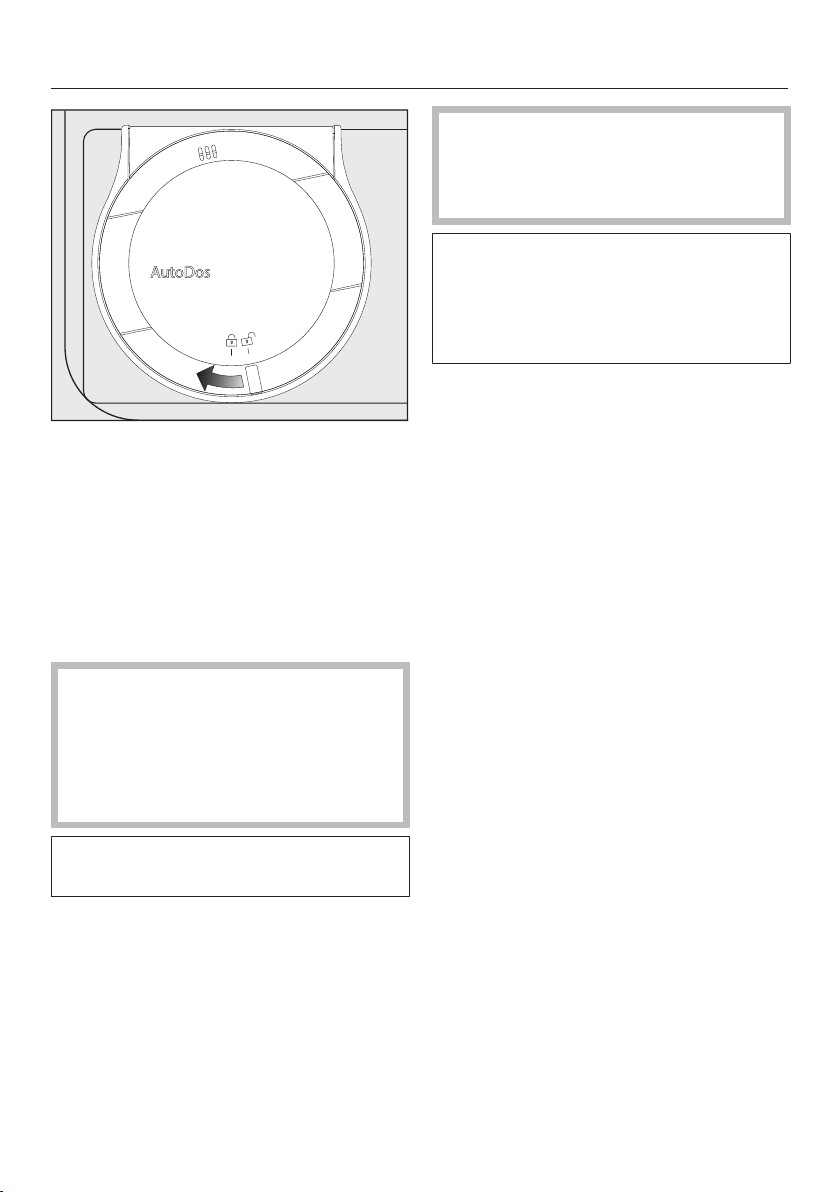
Detergents
58
Close the AutoDos lid and turn it until
the lid handle is directly below the
symbol.
If the PowerDisk is not in the correct
starting position, it will be rotated auto-
matically and the AutoDos function
will be activated.
Wait until this procedure ends before
you start a program.
The AutoDos lid must be closed to
prevent damage to the AutoDos.
Always close the AutoDos lid before
you close the dishwasher door. Oth-
erwise, the AutoDos may become
damaged.
Programs cannot start when the Auto-
Dos lid is open.
The detergent powder must be dry
so that it does not clump together.
Do not fill the AutoDos system with
any type of fluid.
In order to ensure that the AutoDos
works at its best, check it each time
you replace the PowerDisk and clean
it if needed (see “Cleaning the Auto-
Dos” under “Cleaning and care”).
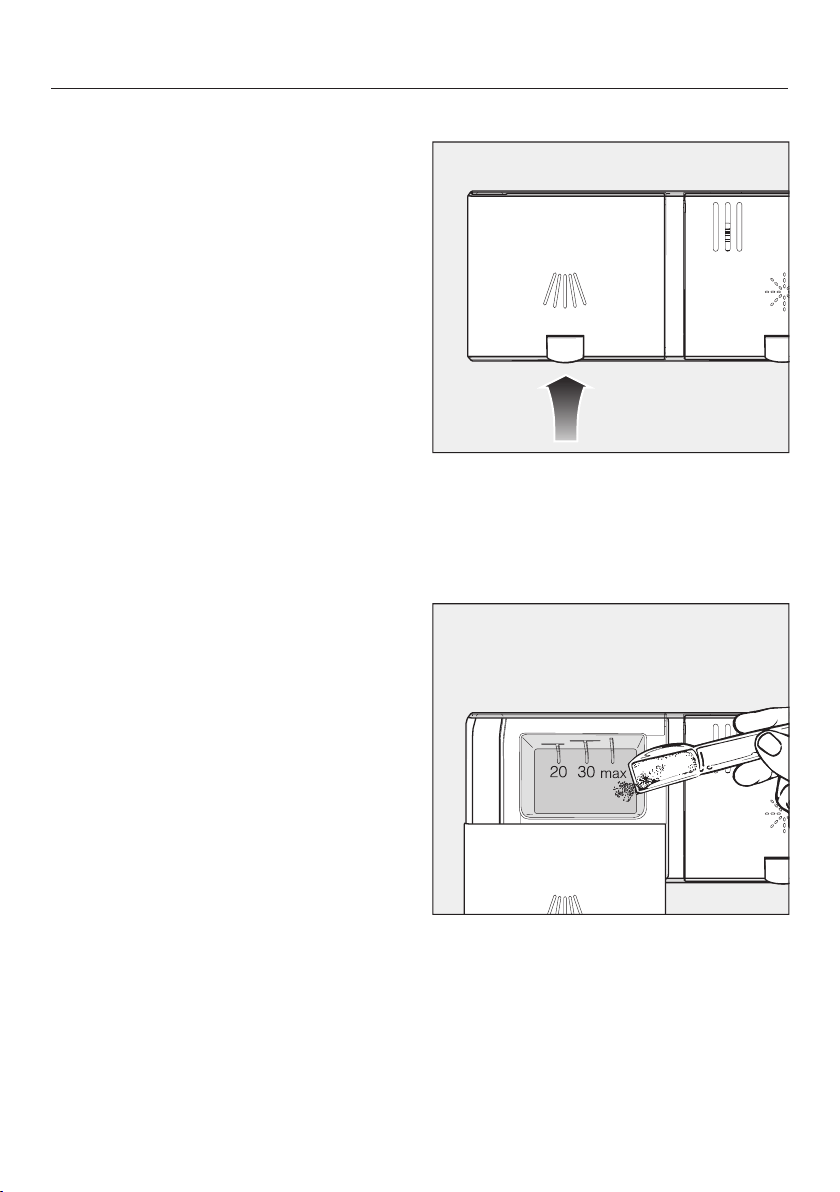
Detergents
59
Manual detergent dispensing
Detergent must be manually dispensed
if you have deactivated automatic dis-
pensing using the AutoDosbutton.
Detergent dispensing
The detergent compartment holds a
maximum of 31/2" tablespoons.
There are marks in the detergent com-
partment to aid with dispensing: 11/4,
2 tablespoons (20, 30ml). When the
door is opened to a horizontal position,
they show the approximate fill level in
ml and the maximum fill height.
Follow the detergent dosage recom-
mended by the manufacturer on the
packaging.
Unless directed otherwise, use one
detergent tab or add 11/4 to 2 table-
spoons (20 to 30ml) of detergent to
the detergent compartment, depend-
ing on the level of soiling of the dish-
ware.
If you use less than the recommended
amount of detergent, the dishware may
not get properly clean.
Some tabs may not dissolve completely
when the program QuickIntenseWash is
used.
Adding detergent
Press the yellow button on the lid
of the detergent compartment.
The lid will spring open.
The lid will also open at the end of a
program.
Add the detergent to the detergent
compartment.
Push the lid shut until you hear it click
into place.
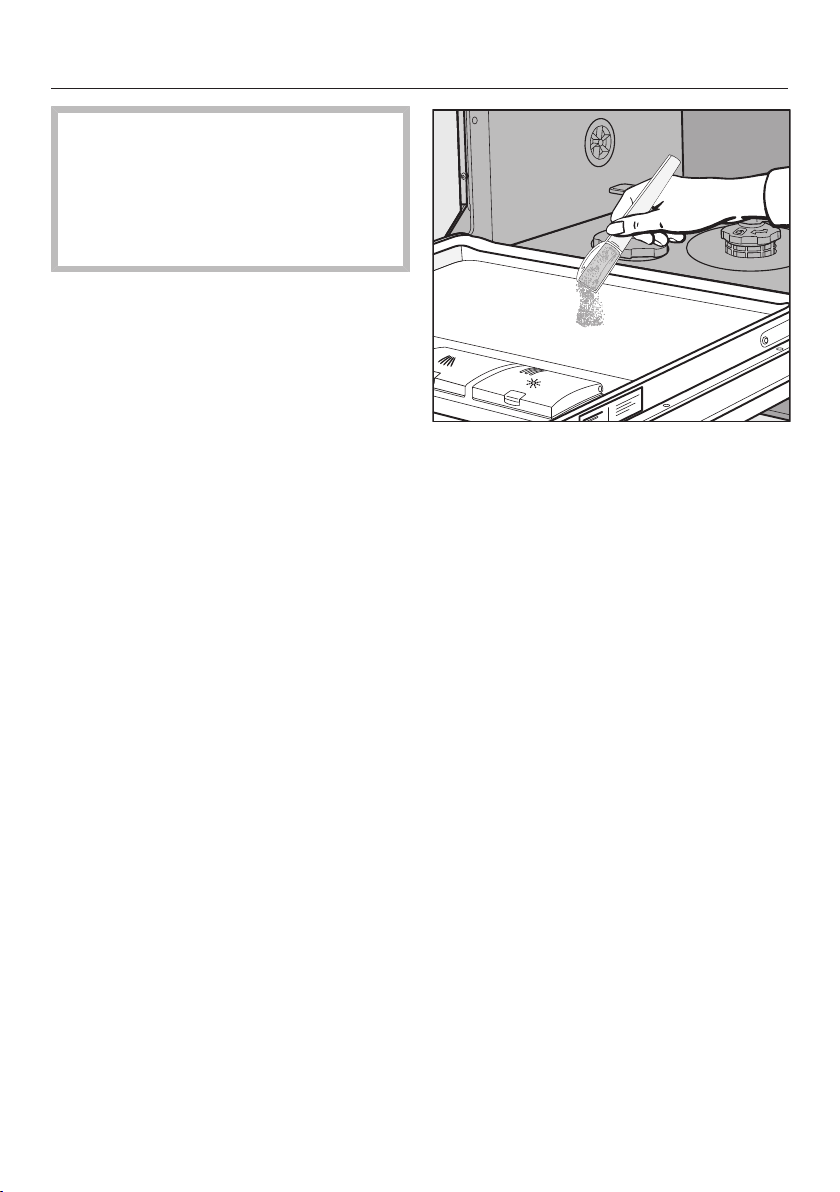
Detergents
60
The detergent must not cause the
detergent-compartment lid to get
stuck. This can prevent the lid from
opening during the program.
Do not overfill the detergent com-
partment.
If you wish, deactivate automatic dis-
pensing/AutoDos.
Ensure that the detergent packaging
is properly closed after use. This pre-
vents the detergent from getting
damp and clumping together.
You can also apply a small amount of
detergent to the inner panel of the
door in programs that have a pre-
rinse stage (see “Program overview”).

Operation
61
Turning on the dishwasher
Turn on the water supply if it is turned
off.
Open the door.
Make sure the spray arms can rotate
freely.
Press the button.
The program selected will appear in the
display briefly and the indicator light for
the program selected will come on.
Then the display will show the esti-
mated duration for the selected pro-
gram.
Selecting a program
Choose your program according to the
type of load and the degree of soiling.
The different programs and their uses
are described under Program over-
view.
Use the Program button to select the
program required.
The indicator light next to the program
selected will come on.
Additional programs can be selected
under More.
Use the Program button to select the
More option.
The first of the additional programs will
appear in the display.
Use the buttons in the display to
select the program you want.
You can now select program options
(see “Options”).
If any program options are selected, the
appropriate indicator lights will also
light up.
Operation
62
Display of program duration
The estimated duration of the selected
program appears on the display before
the program begins. If the door is
opened during the program, the time
left until the end of the program is dis-
played.
Each program phase is indicated by a
symbol:
Pre-rinse/Soak
Main wash
Interim rinse
Final rinse
Drying
Finish
The displayed duration may vary for the
same program. It is influenced by, for
example, the temperature of the incom-
ing water, the reactivation cycle of the
water softener, the detergent type, and
the amount of dishes and how soiled
they are.
When a program is selected for the first
time, the display will show the average
program duration for a cold water con-
nection.
The program durations shown under
“Program overview” refer to standard
test loads and temperatures.
Each time a program is run, the control
module calculates the program duration
required depending on the temperature
of the water taken into the dishwasher
and the amount of dishes.
Starting a program
Start the program by closing the door
within 4seconds of the last press of a
button.
If necessary, confirm the previously
displayed message with OK.
The in-operation indicator light comes
on to show that a program has been
started.
If you do not close the door within
4seconds, the message Continue with
OK will appear in the display.
The program cannot be started until
you confirm the message by press-
ing the OK button and close the door
within 4seconds.
During a program sequence, you can
use OK to display the name of the
program that is currently running when
the door is open.
Risk of scalding due to hot wa-
ter.
During operation, water in the dish-
washer may be very hot.
During operation, only open the door
with extreme caution.
Operation
63
End of program
At the end of a program, the in-opera-
tion indicator light will be flashing slowly
with the door shut. The audible signal
may also be sounding.
The in-operation indicator light will go
out 10minutes after the end of the pro-
gram if the door is closed.
The program has ended when the dis-
play shows the messageReady.
In some programs, if the AutoOpen
function is activated, the door will auto-
matically open slightly (see “AutoOpen”
under “Settings”). This improves the
drying process.
The drying fan may continue to run for
a few minutes at the end of the pro-
gram.
Risk of damage due to steam.
Steam from the dishwasher could
damage the edges of delicate coun-
tertops when you open the door at
the end of the program if the fan is
no longer running.
If you have deactivated the auto-
matic door opening function (see
“AutoOpen” under “Settings”), but
would still like to open the door at
the end of the program, then make
sure that you open the door fully.
Energy management
To save energy, the dishwasher will
switch off automatically 10minutes af-
ter the last time a button is pressed or
after the end of a program.
You can turn the dishwasher back on
again with the button.
The dishwasher will not turn itself off
while a program is running or if there is
a fault.

Operation
64
Turning off the dishwasher
Open the door.
The dishwasher can be turned off at
any time using the button.
Confirm the query Turn appliance off
with OK.
Turning the dishwasher off during a pro-
gram stops the program.
You can also do this to stop an ongoing
timer.
Risk of damage from leaking wa-
ter.
Leaking water can cause damage.
If the dishwasher is not going to be
used for a longer period of time, e.g.,
during vacations, the water shut-off
valve should be turned off.
Unloading the dishwasher
Dishes tend to break and chip more
easily when they are hot. Allow the
dishes to cool until they are comfortable
enough to handle before unloading
them.
The dishes will cool much faster if you
open the door when the program has
ended.
First unload the lower basket, then
the upper basket, and finally the 3D
MultiFlex Tray (if present).
This will prevent water drops from the
upper basket and 3D MultiFlex Tray
from falling onto the dishes in the
lower basket.

Operation
65
Interrupting a program
A program will be interrupted as soon
as the door is opened.
After 4seconds, the indicator light of
the selected program and the time dis-
play will flash.
Press the Program button and close
the door within 4seconds.
The program will continue from the
point at which it was interrupted.
Risk of scalding due to hot wa-
ter.
During operation, water in the dish-
washer may be very hot.
During operation, only open the door
with extreme caution.
Canceling or changing a pro-
gram
If a program is canceled, important
program stages may be missed.
A program should only be canceled
in the first few minutes.
If a program has already started and
you wish to cancel it, proceed as fol-
lows:
Open the door.
Turn the dishwasher off with the
button.
Confirm the query Turn appliance off
with OK.
If you would like to select another pro-
gram:
Turn the dishwasher on again with the
button.
If you have dispensed detergent
manually, check whether the deter-
gent compartment is still closed.
If the lid is already open, fill it with de-
tergent again and close the lid.
Select the program you want, and
then start it by shutting the door.
The in-operation indicator light comes
on to show that a program has been
started.
Options
66
Timer
You can set the start time of a program.
The program start time can be delayed
for between 30minutes and 24hours.
With start-time delays between 30min-
utes and 3hours, the delay can be set
in 30minute stages. It is set in hours for
periods longer than this.
During manual detergent dispensing,
the detergent will clump together if
the detergent compartment is not
dry, and this may mean it is not fully
rinsed out.
When using the timer function, make
sure that the detergent compartment
is dry before adding detergent. Wipe
dry with a cloth first, if necessary.
Do not use any liquid detergents.
These can leak out.
Danger to health due to deter-
gent.
To prevent children coming into con-
tact with dishwasher detergent:
Do not fill the detergent dispenser
until just before starting the pro-
gram, i.e., before you activate the
timer.
Activating the timer
Open the door.
Turn the dishwasher on with the
button.
Select the program you want to use.
Press the Timer button.
The most recently set “Start in” time will
be shown on the display. The Timer
indicator light will light up.
Set the required time after which the
program should start automatically
using the buttons.
Pressing and holding buttons or
will automatically adjust the time.
Confirm with OK.
Close the door.

Options
67
After you have activated the timer, all
the displays will turn off after a few
minutes to save energy.
Press the button to switch the dis-
play back on again for a few minutes.
Open the door if you need to check
how long the timer has left to run.
The time up until the program starts will
count down in the display in hours for
durations above 10hours, and in min-
utes for durations below 10hours.
At the end of the delay period, the pro-
gram selected begins automatically.
The time left will appear in the display
and the Timer indicator light will go
out.
Starting a program before the time
for the timer has elapsed:
A program can be started before the
time for the timer has elapsed.
Proceed as follows:
Open the door.
Turn the dishwasher off with the
button.
Turn the dishwasher on again with the
button.
Select the program you want.
Start the program by closing the
door.
The in-operation indicator light comes
on to show that a program has been
started.

Program overview
68
Program When to use Program sequence
Pre-
wash
Main
wash
Interim
rinse
Final
rinse
Drying
°F/°C °F/°C
Normal
1
Program for regular use to completely
wash a full load of normally soiled
dishes with the ability to adjust energy
and water consumption based on the
soil load of the dishes.
140–
158/60
–70
133–
149/56
–65
Pots &
Pans
For heavily soiled dishes and normally
soiled pots,pans and utensils with dried
on residue; use 20% more detergent
than recommended.
167/75
131–
158/55
–70
China
&Crystal
For temperature sensitive glassware and
lightly soiled dishes, use 50% detergent
recommended. GlassCare program for
temperature-sensitive glasses and
dishes with light soiling.
113/45
131–
158/55
–70
Quick-
Intense-
Wash
“Quick program” for standard dishes
soiling that has not dried on.
- 149/65
140/60
SaniWash To sanitize dishware, e.g. baby bottles,
cutting boards and preparation dishes.
- 167/75
167/75
Rinse&
Hold
To rinse dishes when a complete pro-
gram is not needed.
- - - -
1
This program is used for energy labeling purposes.

Program overview
69
Consumption
2
Duration
2
Energy Water
Cold water Hot water Gallons/Liters Cold water Hot water
50°F/10°C 120°F/49°C 50°F/10°C 120°F/49°C
kWh kWh h:min h:min
1.06 1.20 3.2/12.1 3:04 2:43
1.40 1.55 3.4/13.0 3:29 3:11
0.90 1.05 3.3/12.5 2:45 2:25
1.10 1.15 2.9/11.0 1:13 0:58
1.45 1.55 2.4/9.0 2:43 2:27
0.01 0.15 1.1/4.0 0:21 0:21
2
Values were calculated under standardized testing conditions. In practice there may be
variations to these figures due to variable conditions and data recorded by the sensors.
Durations shown will reflect your household conditions.
Selecting program options will also affect consumption levels and program durations (see
“program options”).
The energy consumption with a hot water supply includes the energy used to heat the
water (exception: EnergySaver, if available).

Program options
70
Selecting program options
You can use program options to adjust
the programs.
To do this, you can select or deselect
the program options before running the
program.
Open the door.
Turn the dishwasher on with the
button.
The indicator light next to the selected
program will come on.
Select a different program as re-
quired.
Press the button for the program op-
tion you want.
The indicator light for the relevant but-
ton will come on if the program option
is available for the program selected.
If the program option is not compatible
with the selected program, a message
to this effect will appear in the display.
In this instance, confirm the message
with OK.
Start the program by closing the
door.
The selected program option will remain
active for that particular program until
the setting is changed.
Express
The Expressoption reduces the pro-
gram cycle time.
In order to achieve optimum cleaning
results, the temperature, and therefore
the energy consumption, will increase
with this option.
The time by which the program cycle
time is shortened varies according to
the selected program.
Selecting the Expressoption may
take precedence over other selected
options.
When used in combination with the
QuickIntenseWash program, the
Express option results in a rinse
designed solely for the purpose of
flushing out the wash cabinet to re-
move salt solution that leaked out af-
ter refilling the salt reservoir.
Cleaning and care
71
Check the condition of your dish-
washer regularly (approx. every 4–
6months). This helps to avoid faults
and problems.
Damage due to unsuitable clean-
ing agents.
All surfaces are susceptible to
scratching. Contact with unsuitable
cleaning agents can alter or discolor
all surfaces.
Only use cleaning agents formulated
for use on the relevant surfaces.
Cleaning the wash cabinet
The wash cabinet is largely self-clean-
ing, provided that the correct amount of
detergent is always used.
If, despite this, limescale or grease de-
posits build up in the cabinet, these can
be removed with a proprietary dish-
washer cleaner (available from the Miele
Customer Service or Miele's online
store). Follow the dosage recom-
mended by the manufacturer on the
packaging.
The frequent use of low-temperature
wash programs increases the risk of
contamination and odors inside the
wash cabinet. Run the Pots & Pans pro-
gram once per month to clean the wash
cabinet and prevent odors from devel-
oping.
Clean the filters in the wash cabinet
regularly.

Cleaning and care
72
Hygiene cycle
The frequent use of low-temperature
wash programs increases the risk of
contamination and odors inside the
wash cabinet. If you repeatedly use
low-temperature programs, you should
regularly run a high-temperature pro-
gram. This is to prevent contamination
and odors.
You can activate or deactivate a Hy-
giene info message (see “Settings – Hy-
giene cycle”).
If you deactivate this message, run the
Intensiveprogram once per month to
clean the wash cabinet and prevent
odors from developing.
Cleaning the door and the door
seal
The door seal and the sides of the dish-
washer door are not accessed and
cleaned by the spray arm jets. As a re-
sult, mold can develop here.
Wipe the door seals regularly with a
damp cloth to remove food deposits.
Wipe off any food or drink residues
which may have dripped onto the
sides of the dishwasher door before
closing it.

Cleaning and care
73
Cleaning the control panel
The control panel should only be
wiped with a damp cloth.
Cleaning the reflector panel
The reflector panel for the in-operation
indicator light is situated on the cover
sheeting underneath the countertop.
The reflector panel should only be
cleaned with a damp cloth if neces-
sary.
Cleaning the front of the ma-
chine
Damage due to soiling.
Soiling that is left too long might be-
come impossible to remove and
could cause the external surfaces to
alter or discolor.
It is therefore best to remove any
soiling immediately.
Clean the appliance front with a clean
soft sponge and a solution of warm
water and liquid dish soap. After
cleaning, wipe the surfaces dry using
a soft cloth.
A clean, damp microfiber cloth with-
out detergent can also be used.
To avoid damaging the external sur-
faces, do not use the following:
- cleaning agents containing soda, am-
monia, acids, or chloride
- cleaning agents containing lime scale
remover
- abrasive cleaning agents, such as
scouring powder, scouring liquid, or
pumice stones
- cleaning agents containing solvents
- stainless-steel cleaning agents
- dishwasher cleaner
- oven cleaner
- glass cleaner
- hard, abrasive brushes or sponges,
e.g., pot scourers, brushes, or
sponges which have been previously
used with abrasive cleaning agents
- eraser sponges
- sharp metal scrapers
- steel wool
- steam cleaners
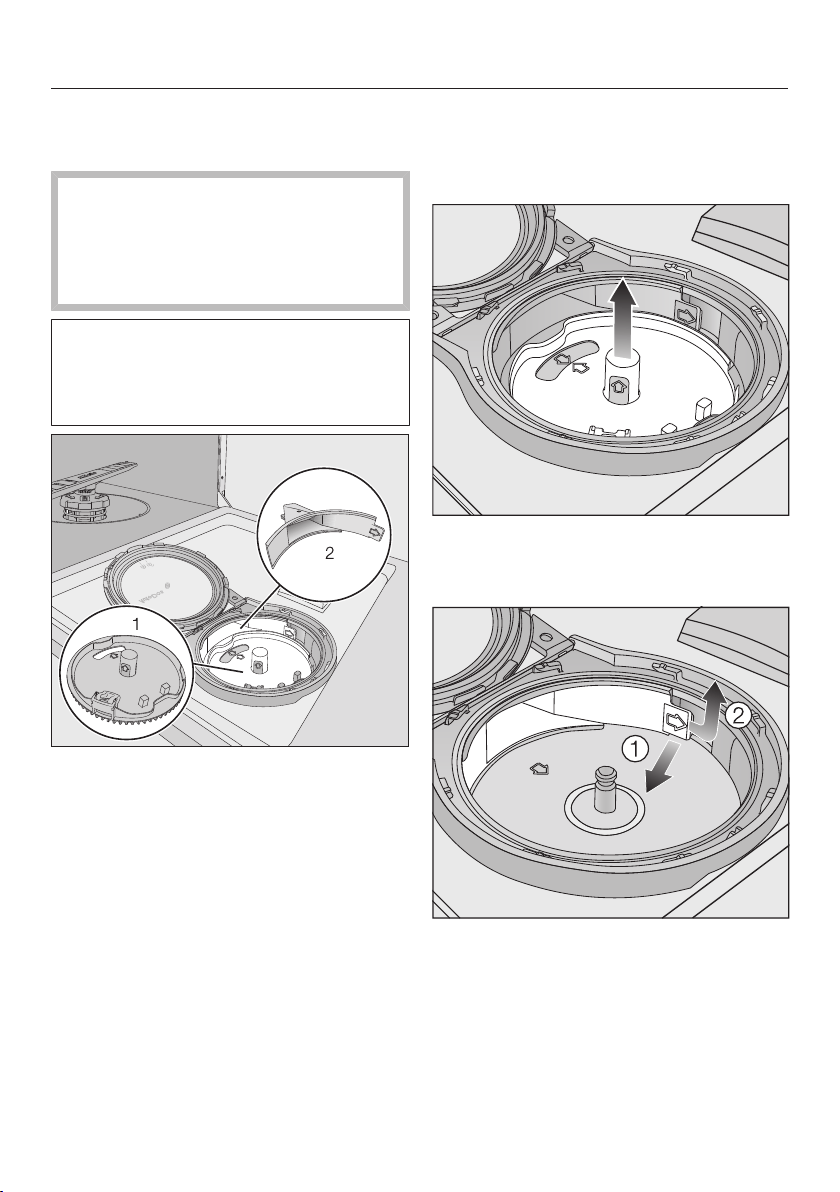
Cleaning and care
74
Cleaning the AutoDos assem-
bly
If the Clean AutoDos message is dis-
played, check that the fill channel is
clean, and clean it if necessary, e.g.,
powder residues. This helps keep the
AutoDos working properly.
In order to ensure that the AutoDos
works at its best, check it each time
you replace the PowerDisk and clean
it if needed.
1 PowerDisk holder
2 Fill channel for dispensing the deter-
gent from the PowerDisk into the wash
cabinet
Turn the AutoDos lid to and open
it.
Remove the PowerDisk if appropriate.
Pull the PowerDisk holder upward by
the yellow tabs and remove it. When
doing so, do not pull on the side tab.
Use the tab (see the arrow) to re-
lease the fill channel and pull it out
.
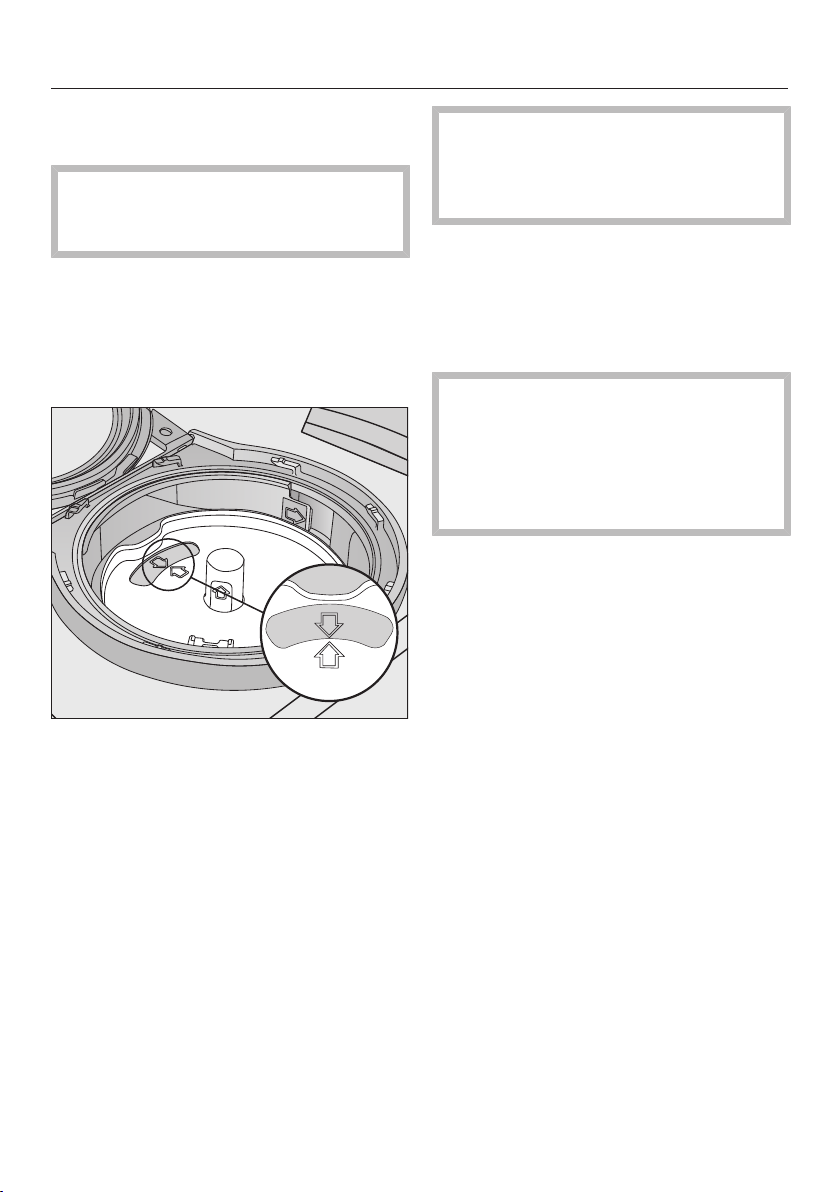
Cleaning and care
75
Clean the fill channel using water and
a soft brush if necessary.
It is very important that no moisture
is able to access the inside of the
AutoDos system during cleaning.
Dry the fill channel well so that the
detergent powder does not clump to-
gether.
Insert the fill channel again until the
tab clicks into place.
Put the holder back into place so that
the arrows in the PowerDisk holder
and in the viewing window point to-
ward each other. The holder must lie
flat.
The AutoDos lid must close tightly so
that the detergent powder does not
get wet and clump together.
Make sure that all seals are clean.
Insert a PowerDisk.
Close the AutoDos lid and turn it until
the lid handle is directly below the
symbol (see “Inserting a Pow-
erDisk” under “Detergent”).
Regularly check the lower spray arm
for any blockages to ensure that the
detergent outlet of the AutoDos can
be fully flushed out (see “Cleaning
the spray arms” under “Cleaning and
care”).
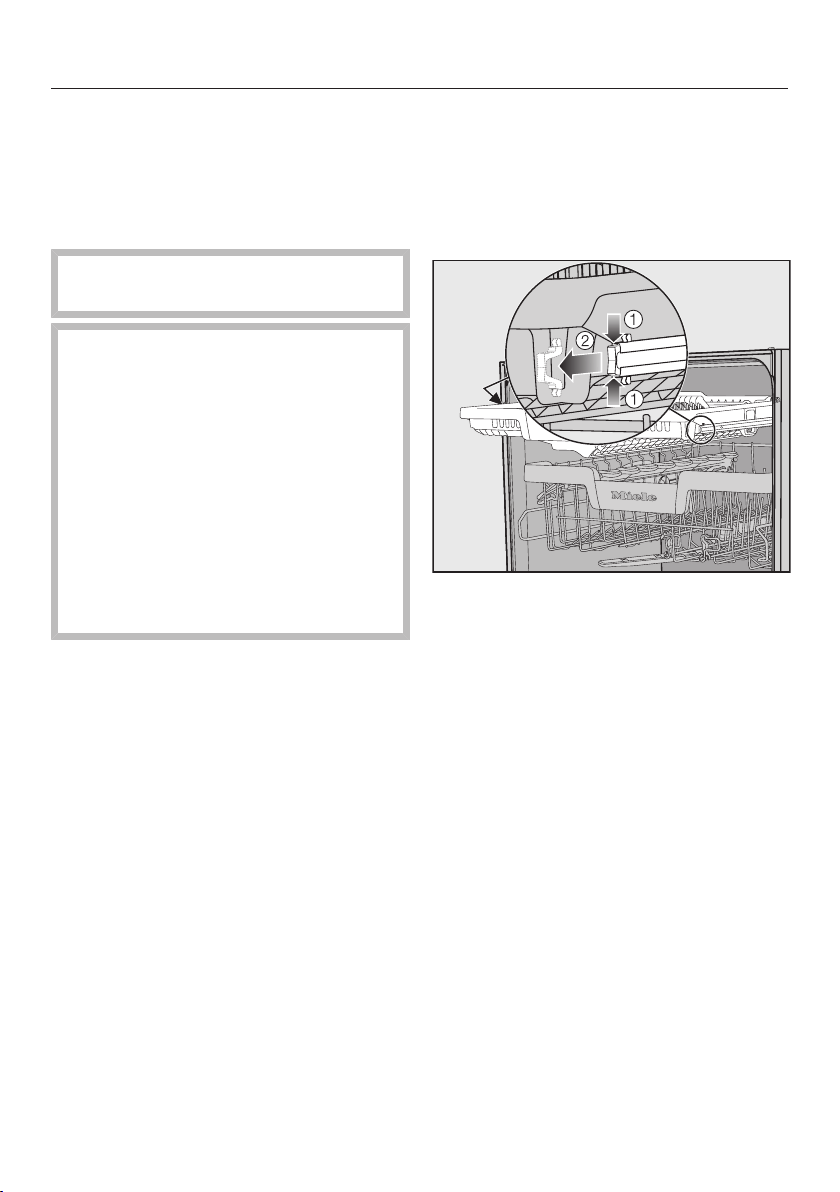
Cleaning and care
76
Cleaning the spray arms
Particles of food can get stuck in the
spray arm jets and bearings. The spray
arms should therefore be inspected reg-
ularly (approx. every 2–4months).
Never run a wash program without
using the spray arms.
Damage due to soiling entering
the circulation system.
Without filters, soiling can enter the
circulation system and cause a
blockage.
Do not run a wash program without
the lower spray arm or without the fil-
ters.
When cleaning the filters and spray
arms, make sure that coarse soiling
cannot get into the circulation sys-
tem.
Turn off the dishwasher.
Removing the cutlery tray (if present)
In order to be able to remove the upper
spray arm, you first have to remove the
cutlery tray (if present).
Pull out the cutlery tray.
Press the rail safety clips on both
sides of the cutlery tray together
and remove the safety clips at the
same time.
Take out the cutlery tray completely.
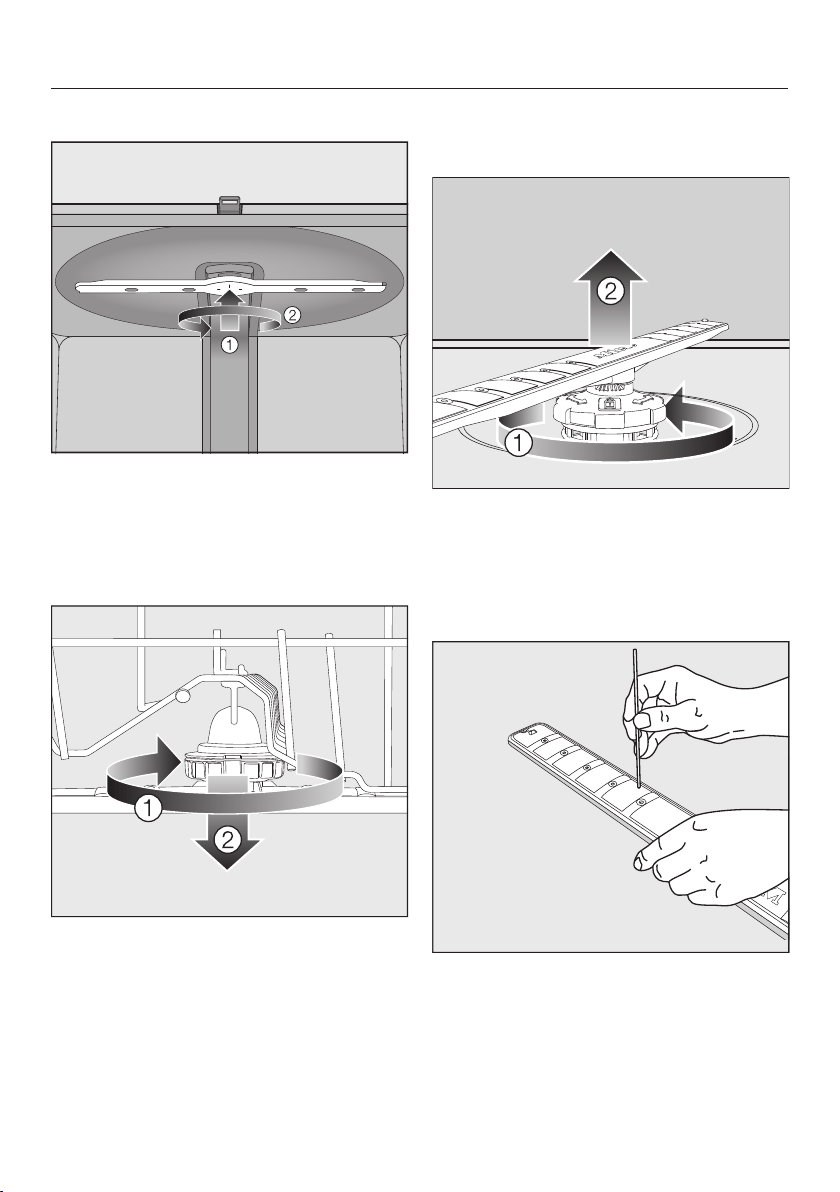
Cleaning and care
77
Removing the upper spray arm
Push the upper spray arm upward
to engage the inner ratchet. Then un-
screw the spray arm by rotating the
screw thread counterclockwise.
Removing the middle spray arm
Rotate the screw thread of the middle
spray arm clockwise and remove
the spray arm.
Removing the lower spray arm
Remove the lower basket.
Rotate the screw thread of the lower
spray arm counterclockwise and
pull the spray arm upward to re-
move.
Cleaning the spray arms
Use a pointed object to push food
particles that are stuck in the spray
arm jets into the spray arm.
Rinse the spray arm thoroughly under
running water.
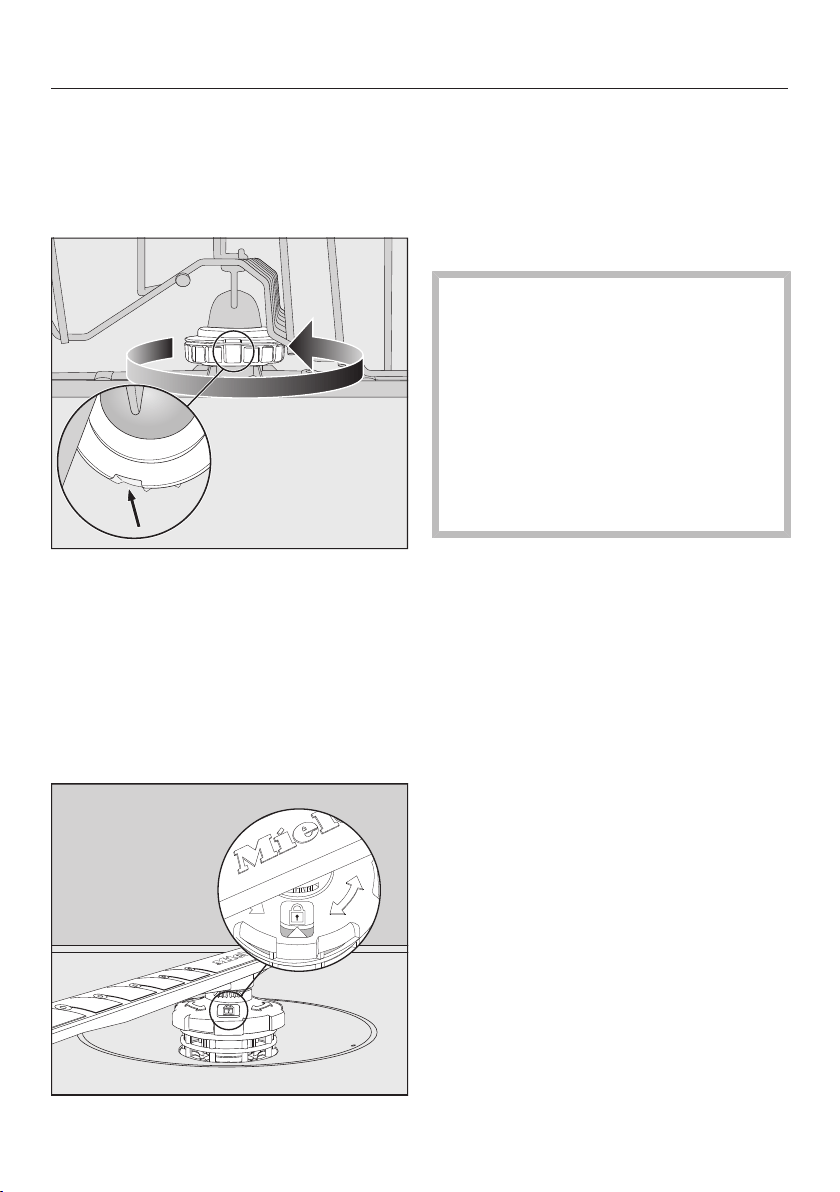
Cleaning and care
78
Inserting the upper spray arm
Reinstall the upper spray arm and
tighten it by hand.
Inserting the middle spray arm
Replace the middle spray arm and
turn the screw thread counterclock-
wise until it engages. Make sure that
the recesses in the lock line up.
Inserting the lower spray arm
Reinstall the lower spray arm and en-
sure that the filter combination lies
flat in the base of the wash cabinet.
Rotate the screw thread of the lower
spray arm clockwise until the arrow in
the viewing window points to the lock
symbol.
Make sure the spray arms can rotate
freely.
Damage due to soiling entering
the circulation system.
The lower spray arm is used to se-
cure the filter combination. Without
filters, coarse soiling can enter the
circulation system and cause a
blockage.
Do not run a wash program without
the lower spray arm or without the fil-
ters.
Inserting the cutlery tray (if present)
Slide the cutlery tray back onto the
rails from the front.
Replace the safety clips in the rails on
both sides of the cutlery tray.
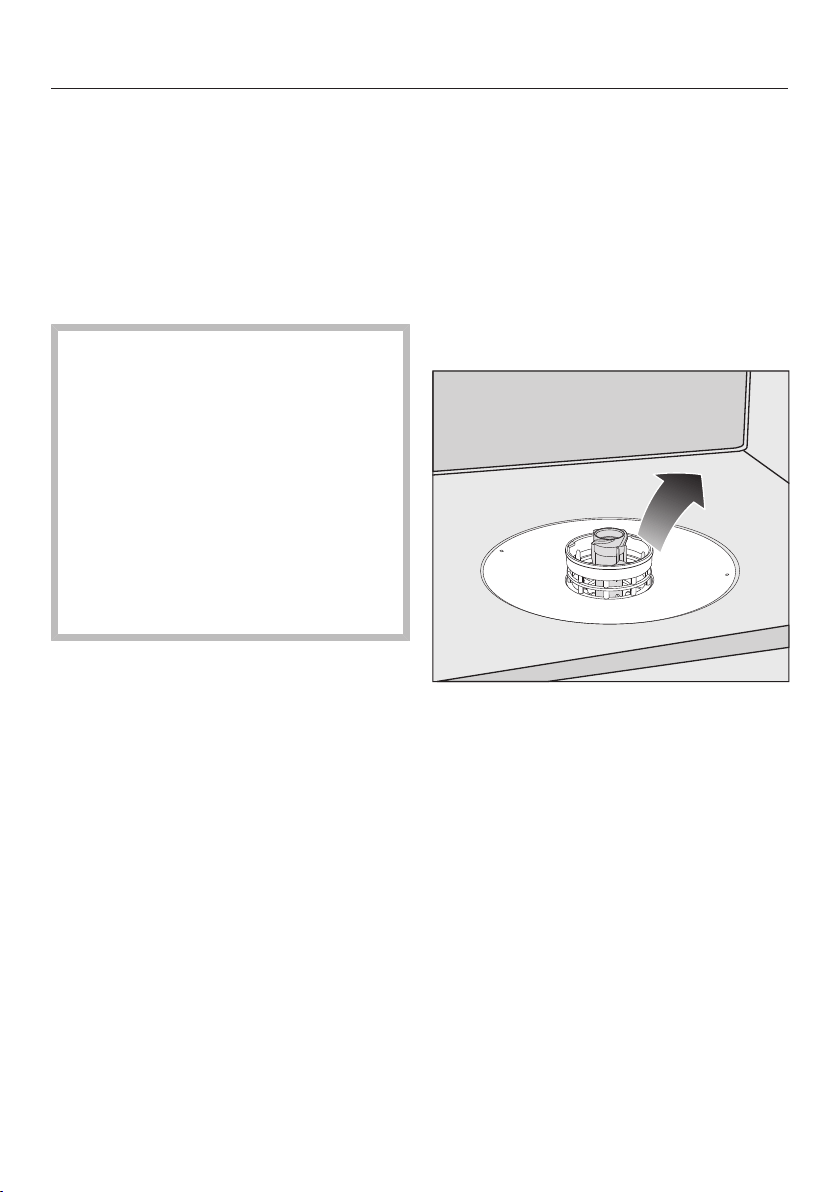
Cleaning and care
79
Checking the filters in the
wash cabinet
The filter combination in the base of the
wash cabinet retains coarse soil from
the suds solution. This prevents soiling
getting into the circulation system and
re-entering the wash cabinet through
the spray arms.
Damage due to soiling entering
the circulation system.
Without filters, soiling can enter the
circulation system and cause a
blockage.
Do not run a wash program without
the lower spray arm or without the fil-
ters.
When cleaning the filters and spray
arms, make sure that coarse soiling
cannot get into the circulation sys-
tem.
The filters can become blocked by soil-
ing that collects over time. The level of
soiling and time it takes before the fil-
ters need cleaning will vary depending
on use.
The message Check filters will appear in
the display after every 50 program se-
quences.
Check the filter combination.
Clean if necessary.
Then confirm the message with OK.
Cleaning the filters
Turn off the dishwasher.
Remove the lower spray arm (see
“Cleaning the spray arms” under
“Cleaning and care”).
Before removing the filter combina-
tion, remove any coarse soiling to
prevent it from entering the circulation
system.
Remove the filter combination.
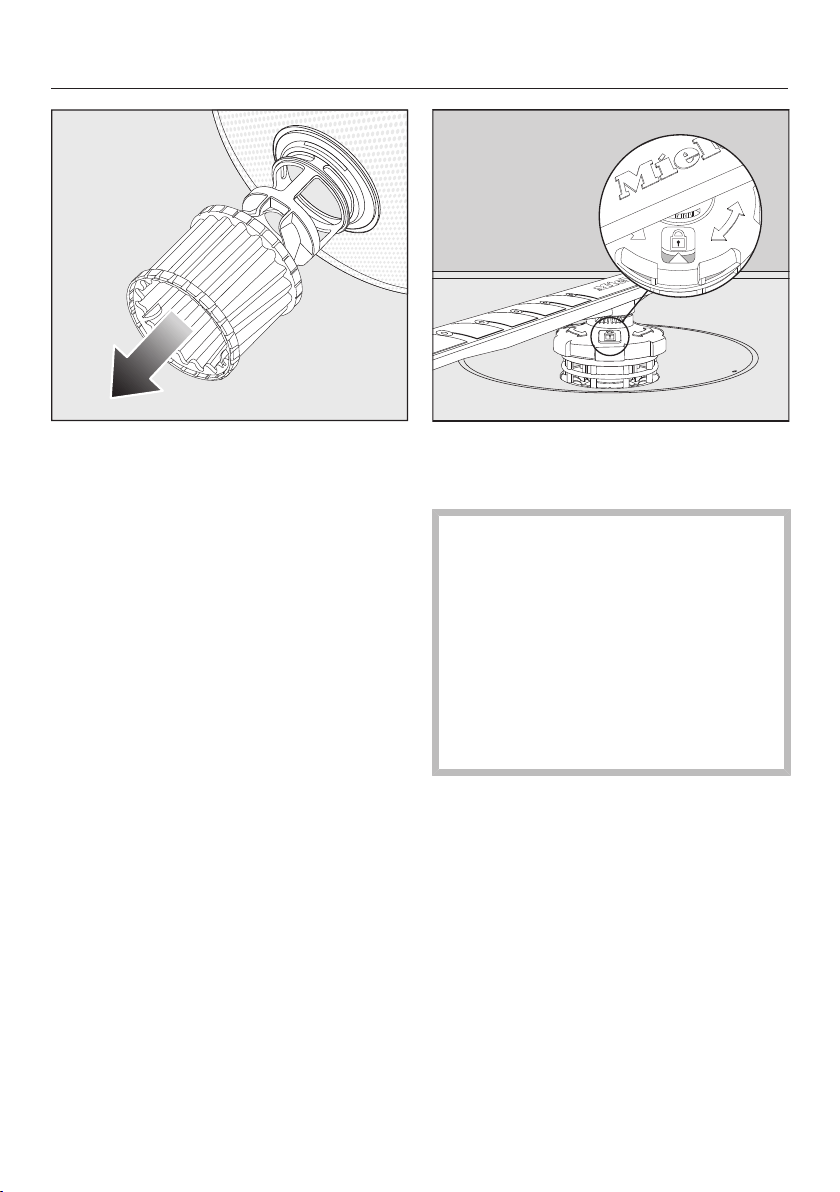
Cleaning and care
80
In order to clean the inside of the fil-
ter, pull the microfilter on the plastic
ring downwards and away from the
filter combination.
Rinse all of the filters under running
water.
If necessary, use a soft cleaning
brush to remove soiling.
Insert the microfilter back into the fil-
ter combination.
Reinstall the filter combination so that
it lies flat in the base of the wash cab-
inet.
Refit the lower spray arm to the filter
combination using the screw thread.
Rotate the screw thread clockwise
until the arrow in the viewing window
points to the lock symbol.
Damage due to soiling entering
the circulation system.
The lower spray arm is used to se-
cure the filter combination. Without
filters, coarse soiling can enter the
circulation system and cause a
blockage.
Do not run a wash program without
the lower spray arm or without the fil-
ters.
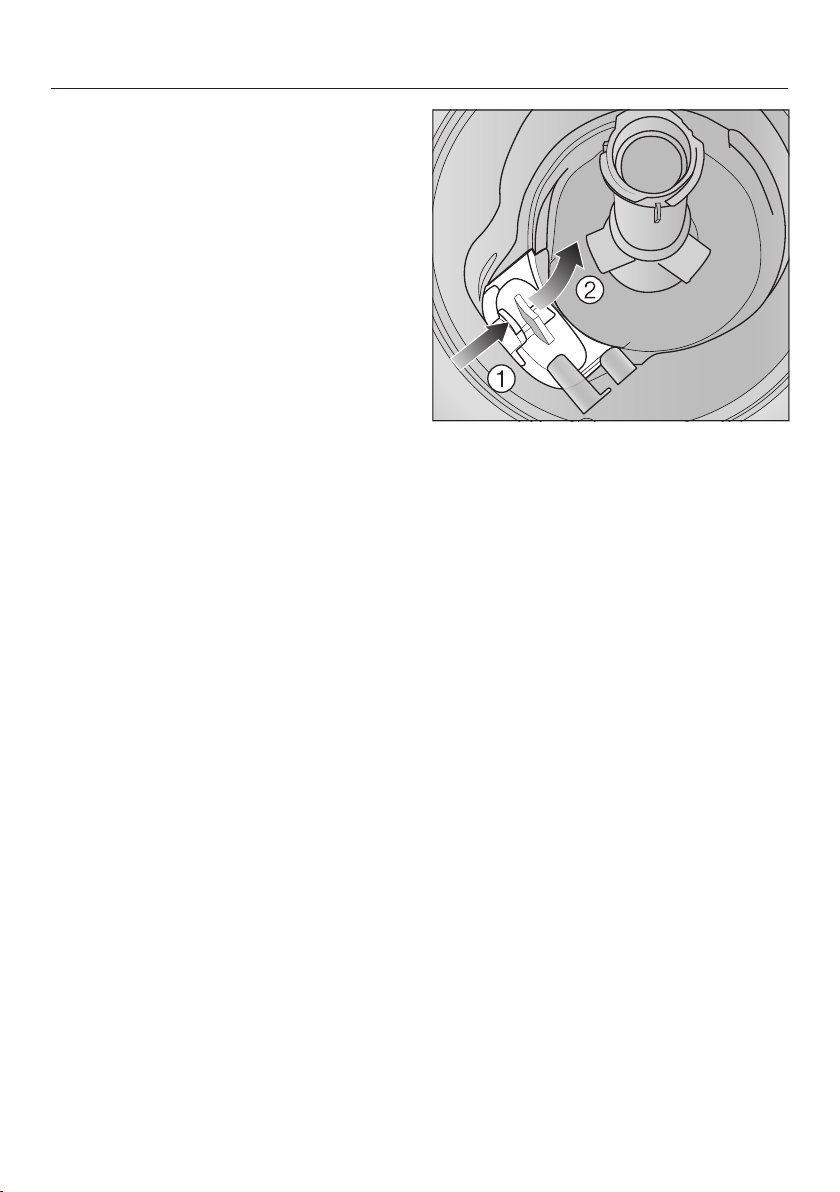
Cleaning and care
81
Cleaning the drain pump
If water remains in the wash cabinet af-
ter the end of a program, the water has
not been pumped away. The drain
pump may be blocked by foreign ob-
jects. These foreign objects are easy to
remove.
Disconnect the dishwasher from the
power supply.
To do this, turn off at the electrical
socket and withdraw the plug.
Take the filter combination out of the
wash cabinet (see “Cleaning the fil-
ters” under “Cleaning and care”).
Scoop the water out of the wash cab-
inet using a suitable small container
or utensil.
Press the catch of the drain pump
cover inwards.
Tip the cover inwards until it is re-
leased.
Rinse the cover thoroughly under run-
ning water and remove all foreign ob-
jects.
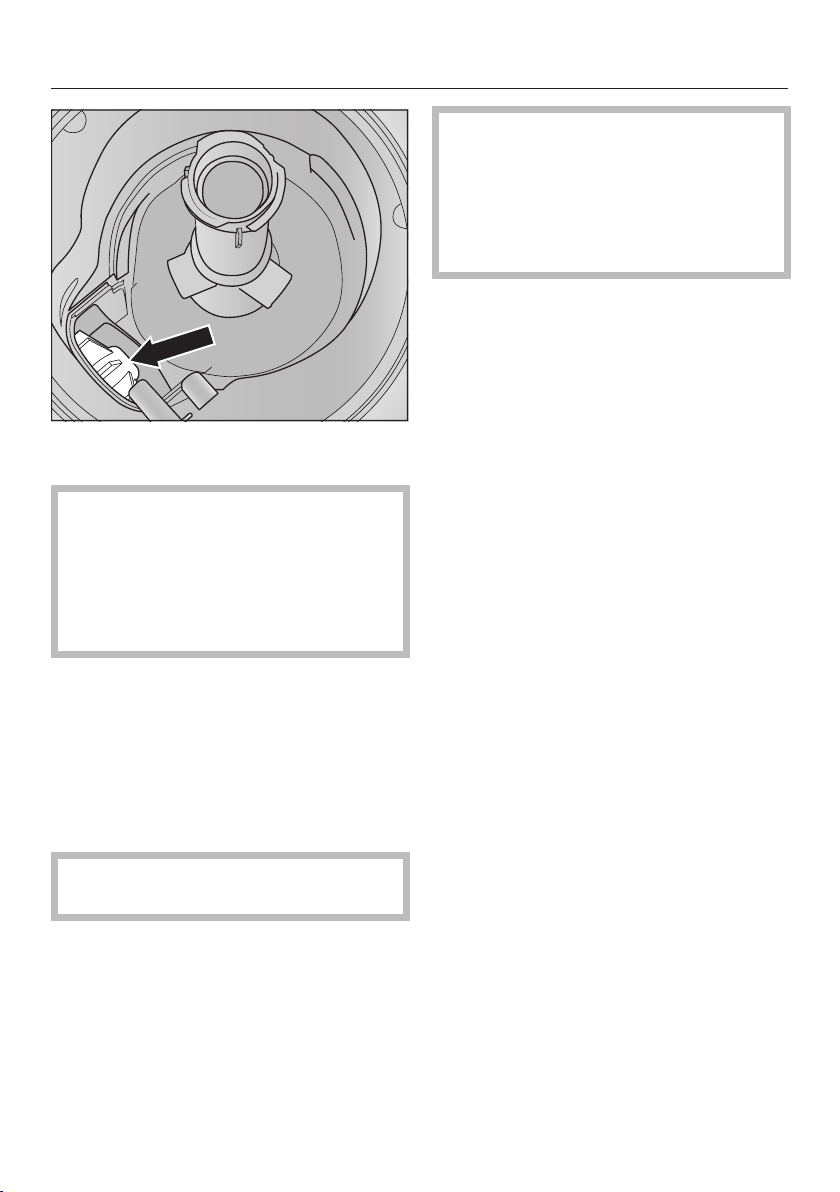
Cleaning and care
82
The drain pump (see arrow) is under-
neath the cover.
Risk of injury from glass splin-
ters.
It is especially difficult to see glass
splinters in the drain pump.
Take care when cleaning the drain
pump.
Carefully remove all foreign objects
from the drain pump. Check the drain
pump impeller by manually turning it.
You will feel a little resistance when
you turn the impeller.
Refit the cover by placing it down
vertically from above.
Ensure that the catch engages cor-
rectly.
Damage due to incorrect clean-
ing.
The components are delicate and
can be damaged during cleaning.
Take care when cleaning the drain
pump.
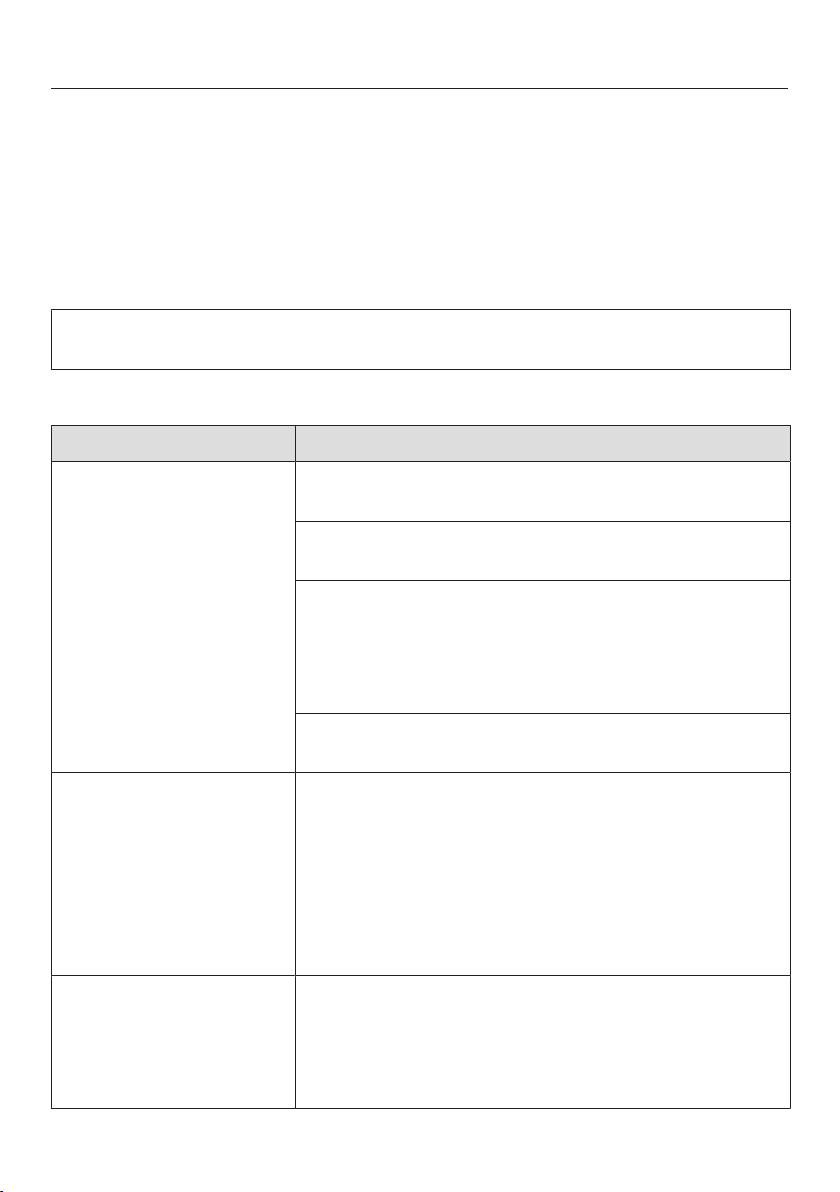
Frequently asked questions
83
Many malfunctions and faults that can occur in daily operation can be easily reme-
died. You can save time and money in many cases, as you do not need to contact
Miele Customer Service.
Information to help you rectify faults yourself can be found at www.miele.com/ser-
vice.
The following tables are designed to help you to find the cause of a malfunction or
a fault and to resolve it.
This section only lists faults that you can remedy yourself. All other faults are
shown in Fault FXX.
Technical faults
Problem Possible cause and solution
The dishwasher does
not start.
The door is not properly closed.
Raise the door upward until the catch engages.
The dishwasher is not plugged in.
Insert the plug.
The circuit breaker has tripped.
Reset the breaker (see data plate for the correct
fuse rating).
If the breaker trips again, contact Miele Customer
Service.
The dishwasher is not turned on.
Turn the dishwasher on with the button.
The button does not
respond immediately or
only responds once it
has been pressed sev-
eral times.
Energy management: the door was opened or closed
shortly before the button was pressed. As a result,
the dishwasher was already switched on. The elec-
tronic module requires a few seconds to be ready for
operation.
Wait a few seconds after opening or closing the
door.
Then press the button.
The dishwasher stops
during a program.
The circuit breaker has tripped.
Reset the circuit breaker (see data plate for the
correct fuse rating).
If the circuit breaker trips again, contact Miele
Customer Service.

Frequently asked questions
84
Fault messages
Problem Possible cause and solution
The in-operation indica-
tor light is flashing
quickly.
The alarm tone is
sounding.
One of the following
faults appears in the
display:
Before remedying the fault:
Turn off the dishwasher.
Fault FXX There may be a technical fault.
Turn the dishwasher back on after a few seconds.
Select the desired program.
Close the door.
If the fault message appears again, there is a techni-
cal fault.
Turn off the dishwasher.
Turn off the water supply.
Contact Miele Customer Service.
Waterproof The Waterproof system has reacted.
Turn off the dishwasher.
Turn off the water supply.
Contact Miele Customer Service.
Fault F78 Circulation pump fault.
Turn off the dishwasher.
Turn the dishwasher back on.
Select the desired program.
Close the door.
If the fault message appears again, there is a techni-
cal fault.
Turn off the dishwasher.
Turn off the water supply.
Contact Miele Customer Service.
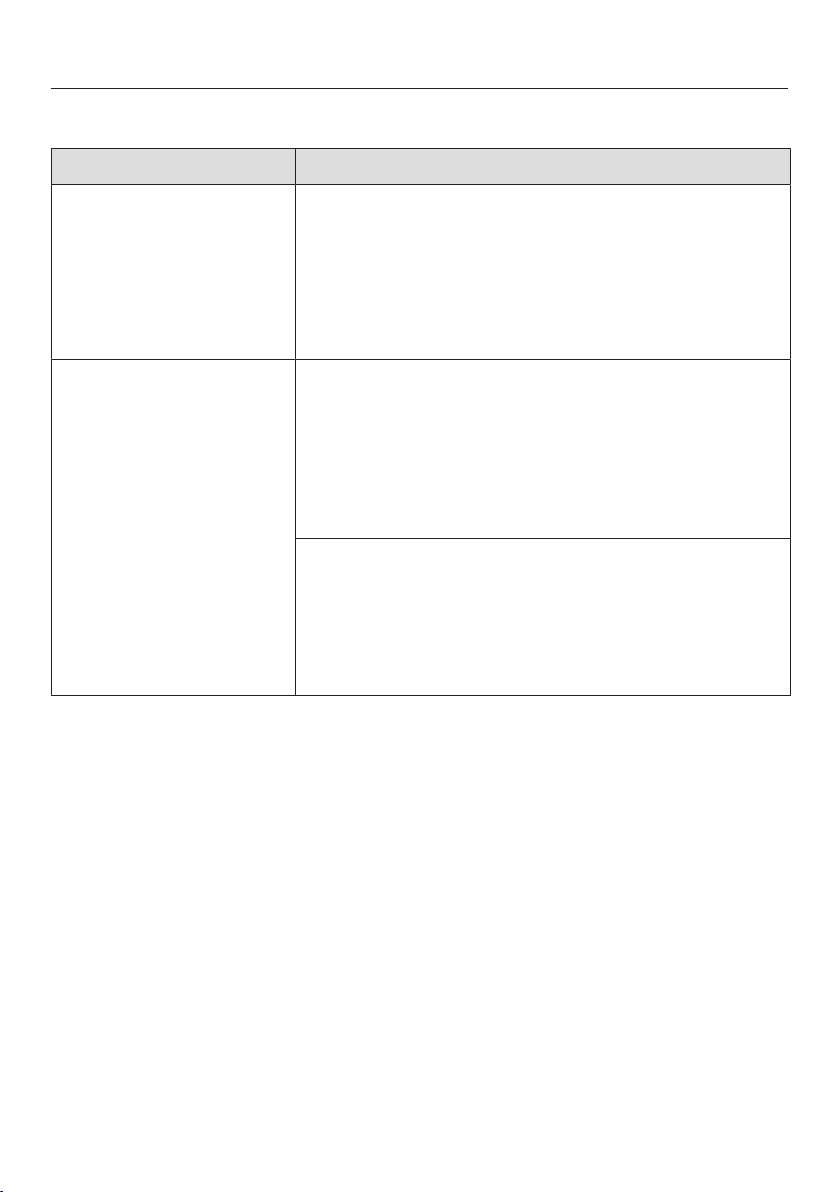
Frequently asked questions
85
Door release
Problem Possible cause and solution
The in-operation indica-
tor light is flashing
quickly.
The alarm tone is
sounding.
The following fault is in-
dicated via the display:
Before remedying the fault:
Turn off the dishwasher.
Door fault The door does not open automatically.
There may be a technical fault.
Open the door manually (see “Opening the door”
under “Before using for the first time”) and turn the
dishwasher back on again.
If the same fault message appears again, contact
Miele Customer Service.
The door locking pins do not retract after the door is
opened.
There may be a technical fault.
Turn the dishwasher back on.
If the same fault message appears again, contact
Miele Customer Service.
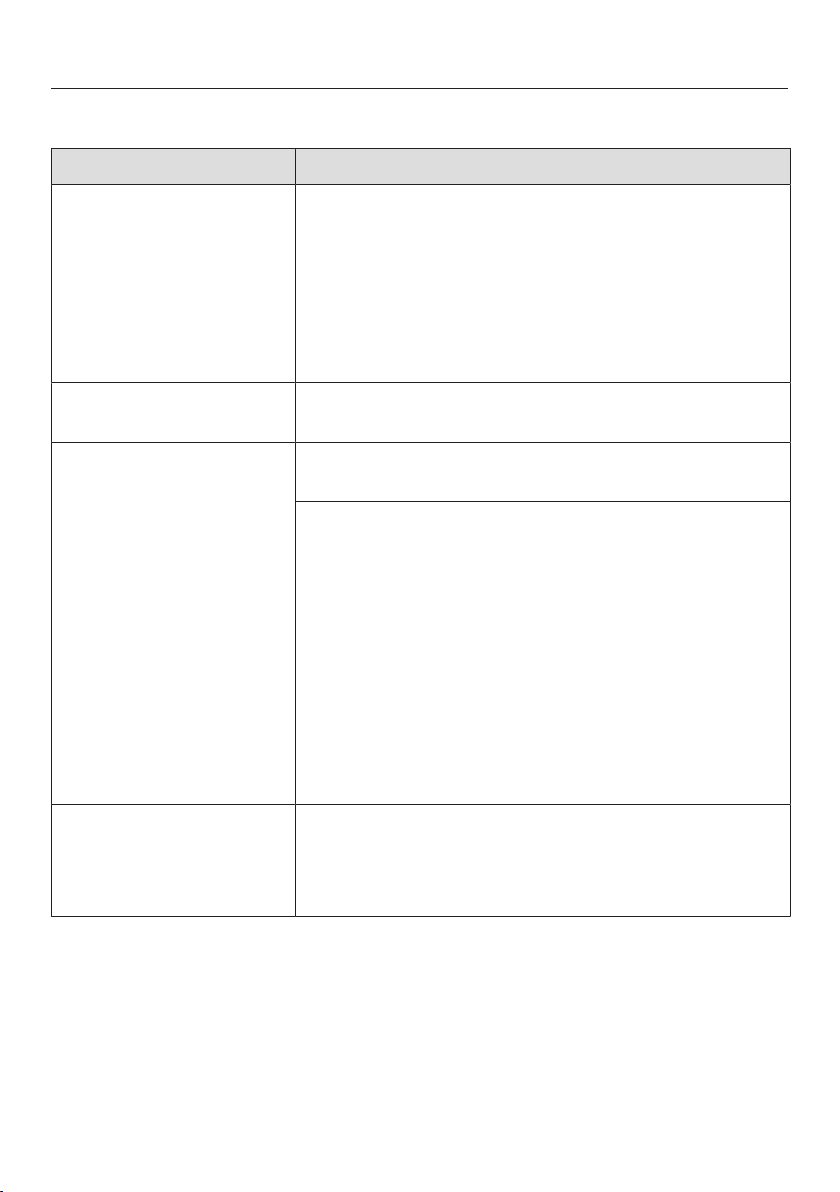
Frequently asked questions
86
Water intake fault
Problem Possible cause and solution
The in-operation indica-
tor light is flashing
quickly.
The alarm tone is
sounding.
One of the following
messages appears in
the display:
Open water supply The water supply is turned off.
Open the shut-off valve all the way.
Intake Before remedying the fault:
Turn off the dishwasher.
Water-intake fault.
Open the shut-off valve all the way and start the
program again.
Clean the water-intake filter (see “Cleaning the wa-
ter-intake filter” under “Cleaning and care”).
The water-connection pressure is lower than
7.25psi (50kPa).
Seek professional advice.
The on-site connection for the water drainage may
be too low and you will need to vent the water
drainage (see “Water drainage” under “Installa-
tion”).
Fault F18 A technical fault has occurred.
Turn off the dishwasher.
Close the shut-off valve.
Contact Miele Customer Service.
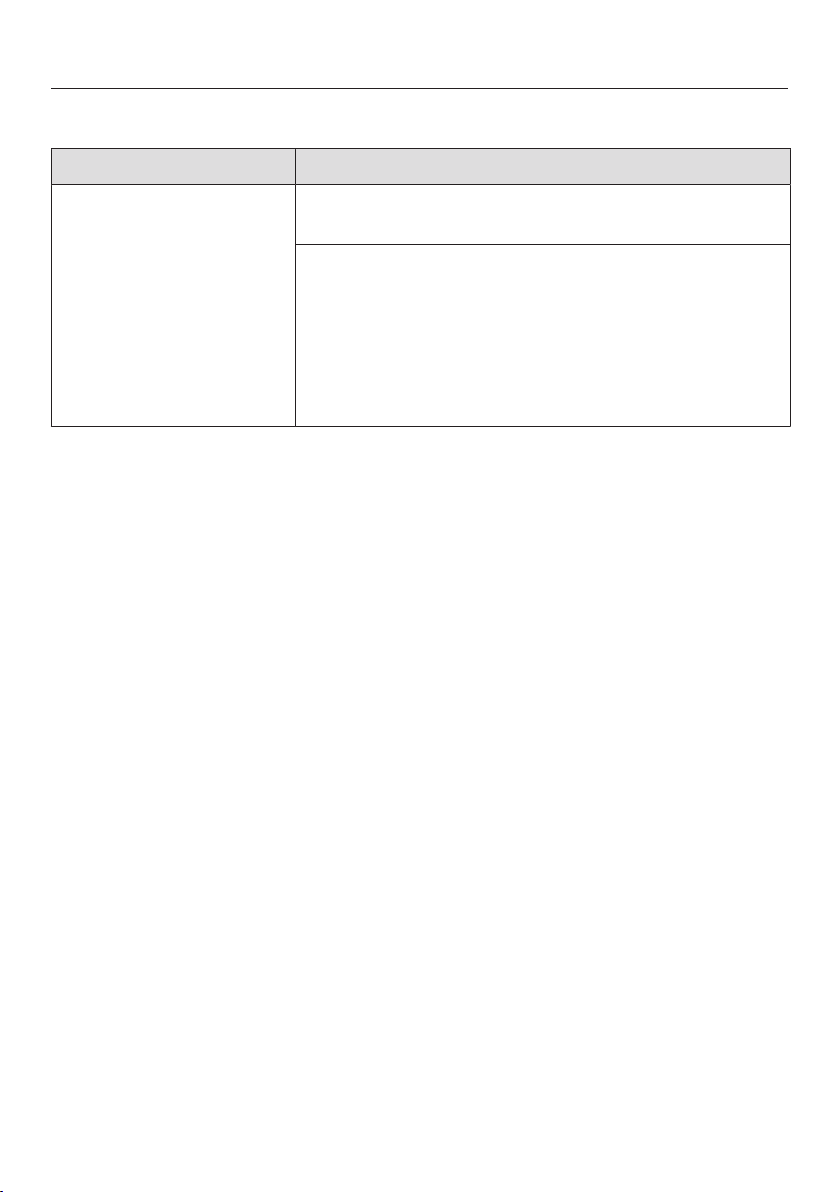
Frequently asked questions
87
Water drainage fault
Problem Possible cause and solution
The in-operation indica-
tor light is flashing
quickly.
The alarm tone is
sounding.
The following message
appears on the display:
Drain
Before remedying the fault:
Turn off the dishwasher.
Water drainage fault.
There might be water in the wash cabinet.
Clean the filter combination (see “Cleaning the fil-
ters” under “Cleaning and care”).
Clean the drain pump (see “Cleaning the drain
pump” under “Cleaning and care”).
Remove any kink or loop in the drain hose.

Frequently asked questions
88
Fault in the AutoDos (automatic dispensing)
Problem Possible cause and solution
The following message
appears on the display:
Insert PowerDisk. or deacti-
vate AutoDos with OK.
The AutoDosfunction is active but no PowerDisk
has been inserted.
Insert a PowerDisk (see “Automatic dispensing/
AutoDos” under “Detergent”).
If you do not wish to use automatic dispensing,
deactivate the function using OK or the Auto-
Dosbutton.
The in-operation indica-
tor light is flashing
quickly.
The alarm tone is
sounding.
The program does not
start or a program that
has already started
stops.
The following message
appears on the display:
AutoDos lid open
The AutoDos lid has not been closed properly.
Close the AutoDos lid and lock it fully (see “Auto-
matic dispensing/AutoDos” under “Detergent”).
If the lid cannot be fully closed, check whether the
PowerDisk holder is lying flat (see “Inserting a
PowerDisk” under “Detergent”).
If the same fault message appears again, contact
Miele Technical Service.
The following message
appears on the display:
PowerDisk empty Deacti-
vate AutoDos with OK.
The AutoDosfunction is active and the PowerDisk
is empty.
Replace the PowerDisk (see “Automatic dispens-
ing/AutoDos” under “Detergent”).
If you do not wish to use automatic dispensing,
deactivate the function using OK or the Auto-
Dosbutton.
The message
PowerDisk empty Deacti-
vate AutoDos with OK. ap-
pears in the display
even though you have
inserted a new Pow-
erDisk.
The dishwasher was turned off when the PowerDisk
was replaced and it has therefore not recognized the
new PowerDisk.
Turn the dishwasher on before replacing the Pow-
erDisk (see “Automatic dispensing/AutoDos” and
“Inserting a PowerDisk” under “Detergent”).

Frequently asked questions
89
Problem Possible cause and solution
The in-operation indica-
tor light is flashing
quickly.
At the end of the pro-
gram, the alarm tone
sounds and the display
shows the following
message:
Fault F601
There is a fault in the AutoDos.
Turn the dishwasher off and back on again.
Check whether the PowerDisk holder and the
PowerDisk have been installed correctly (see “Au-
tomatic dispensing/AutoDos” under “Detergent”).
Activate the AutoDos function and start the pro-
gram again.
If the fault message appears again, there is a techni-
cal fault. You can continue to use your dishwasher by
deactivating AutoDos using the AutoDosbutton
and manually dispensing the detergent via the deter-
gent compartment.
If you wish to use AutoDos again, contact Miele
Customer Service.
The in-operation indica-
tor light is flashing
quickly.
At the end of the pro-
gram, the alarm tone
sounds and the display
shows the following
message:
Maintenance AutoDos
The dishwasher does
not turn off at the end
of the program.
The dishes may not be
clean because an insuf-
ficient amount of deter-
gent was dispensed.
The AutoDos func-
tion is automatically de-
activated during the
program sequence.
An empty PowerDisk has been inserted or the Auto-
Dos is blocked by residual detergent. Detergent
dosage is insufficient.
The AutoDos function was automatically deacti-
vated.
Turn the dishwasher off and back on again.
Multiple messages appear in the display.
Clean the pouring channel of the AutoDos (see
“Cleaning the AutoDos” under “Detergent”).
Clean the lower spray arm (see “Cleaning the
spray arms” under “Cleaning and care”).
Select OK to confirm each message.
Activate the AutoDos function by confirming the
message AutoDos available with OK.
Start the program again.
The program duration will be extended by up to
2.5hours to flush out the AutoDos detergent outlet.
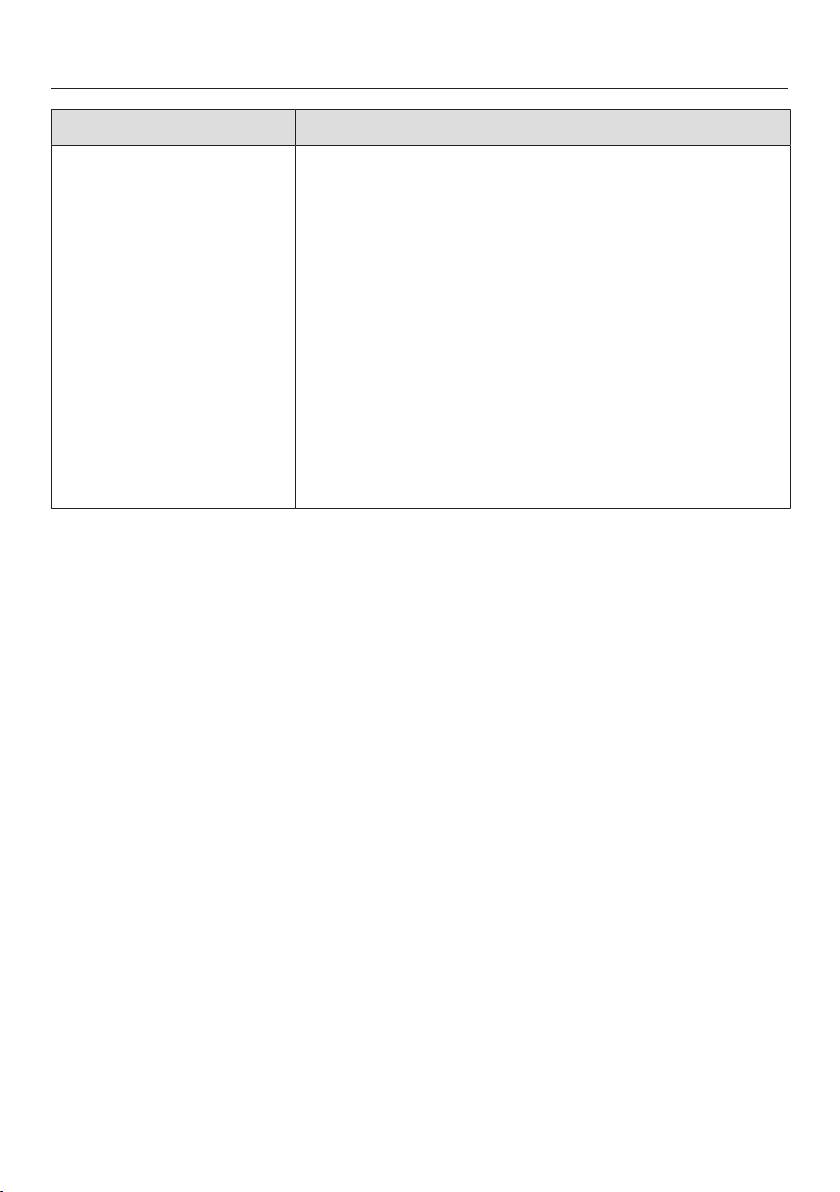
Frequently asked questions
90
Problem Possible cause and solution
During the program and
at the end of the pro-
gram, the display shows
the following message:
Check spray arms
The dishwasher does
not turn off at the end
of the program.
The dishes may not be
clean because no deter-
gent was dispensed.
The AutoDos func-
tion is automatically de-
activated during the
program sequence.
The lower spray arm is blocked or the nozzles of the
lower spray arm are clogged. The AutoDos func-
tion is automatically deactivated during the program
because the AutoDos detergent outlet cannot be
completely flushed out.
Turn the dishwasher off and back on again.
Messages appear in the display.
Perform a rotation check of the lower spray arm
and rearrange the wash items if they are blocking
the spray arm.
Clean the lower spray arm (see “Cleaning the
spray arms” under “Cleaning and care”).
Select OK to confirm each message.
Start the program again.
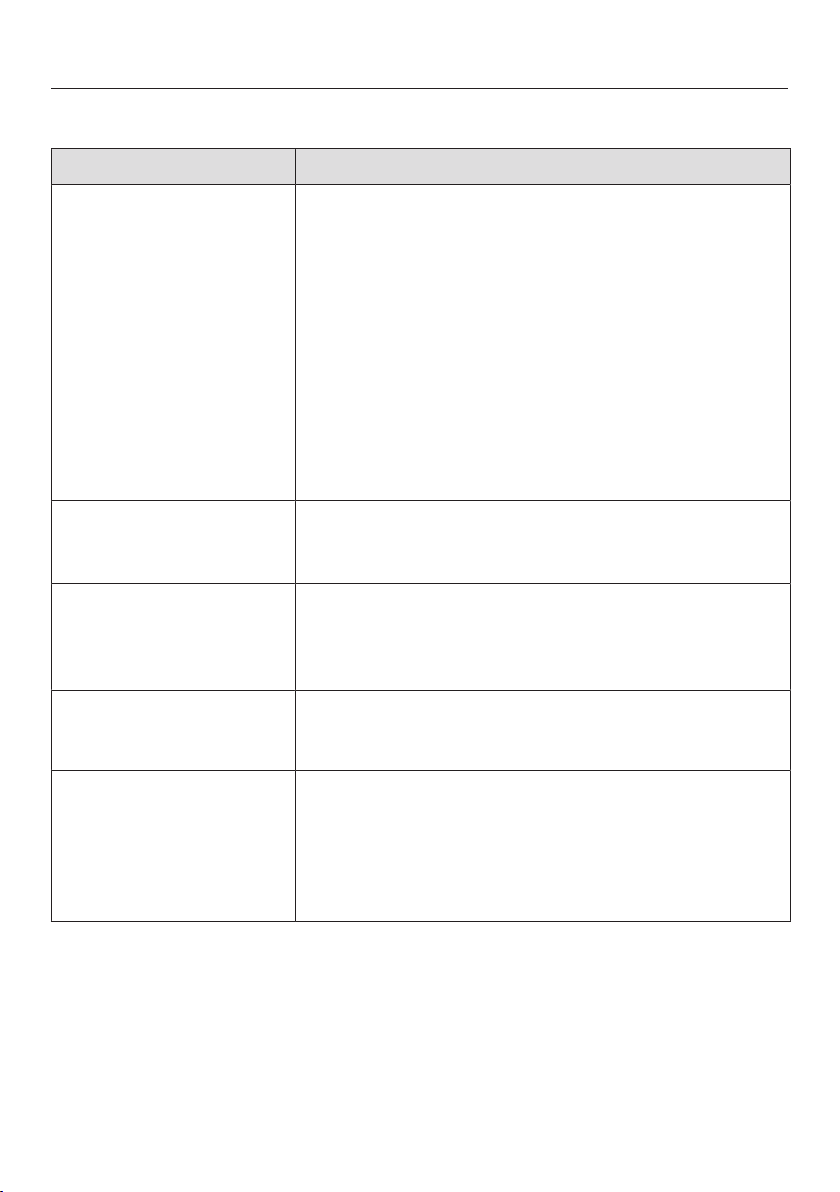
Frequently asked questions
91
General dishwasher problems
Problem Possible cause and solution
The in-operation indica-
tor light is flashing
quickly.
The alarm tone is
sounding.
The indicator light of
the selected program
and the time display will
flash.
The dishwasher does
not start or the delay-
start time stops run-
ning.
The safe mode of the dishwasher was activated.
This takes place in the following instances:
– If you do not close the door within 4seconds of
the last press of a button at program start.
– If the door is open for longer than 4seconds
during a program or within the delay-start time.
Press the program selection button and close the
door within 4seconds.
The indicator lights and
the display are dark.
The dishwasher has turned off automatically to save
energy.
Turn the dishwasher on again with the button.
Detergent residue is left
in the detergent com-
partment at the end of a
program.
The detergent compartment was still damp when de-
tergent was added.
Only add the detergent when the detergent com-
partment is dry.
The detergent compart-
ment lid cannot be
closed.
Residual detergent is blocking the catch.
Remove the residual detergent.
At the end of a program
there is a film of mois-
ture on the inside of the
door and possibly on
the interior cabinet
walls.
This is part of the normal function of the drying sys-
tem. The moisture will dissipate after a short time.
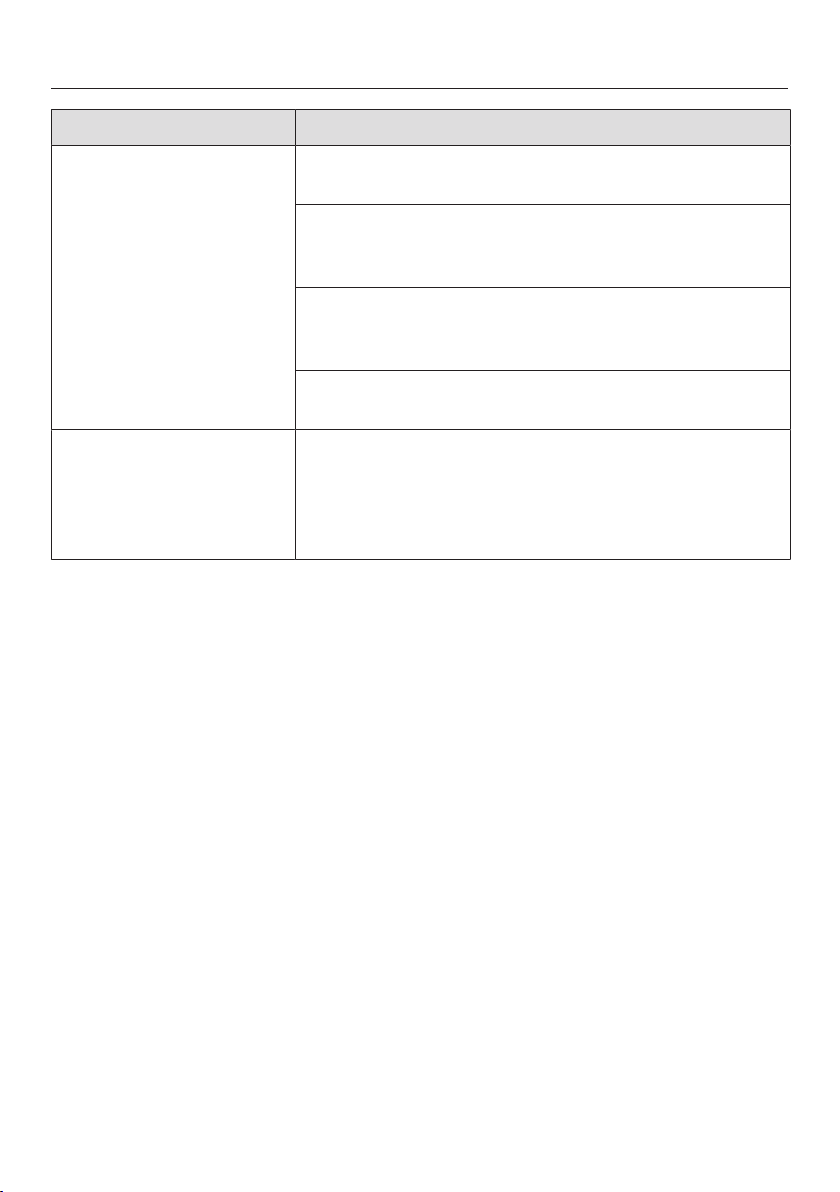
Frequently asked questions
92
Problem Possible cause and solution
Water remains in the
wash cabinet at the end
of a program.
Before remedying the fault:
Turn off the dishwasher.
The filter combination in the wash cabinet is clogged.
Clean the filter combination (see “Cleaning the fil-
ters” under “Cleaning and care”).
The drain pump is blocked.
Clean the drain pump (see “Cleaning the drain
pump” under “Cleaning and care”).
The drain hose is kinked.
Remove any kinks from the drain hose.
Build-up of odors in the
wash cabinet
The frequent use of low-temperature wash programs
(<122°F/50°C) increases the risk of contamination
and odors inside the wash cabinet.
Regularly run a high-temperature program. This is
to prevent contamination and odors.
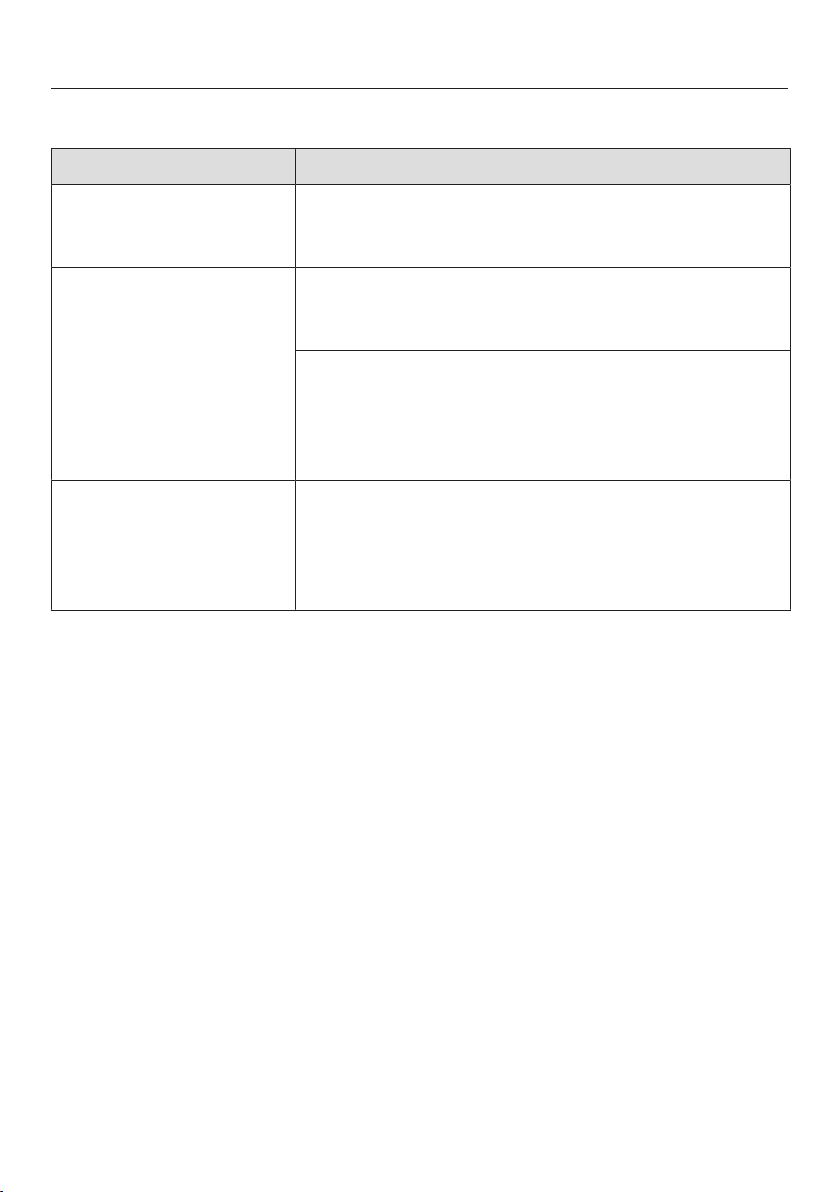
Frequently asked questions
93
Noises
Problem Possible cause and solution
There is a knocking
noise in the wash cabi-
net.
A spray arm is knocking against a wash item.
Carefully open the door and rearrange the wash
items that are obstructing the spray arm.
There is a rattling noise
in the wash cabinet.
Wash items are not secure in the wash cabinet.
Carefully open the door and rearrange the wash
items so that they sit securely.
There is a foreign object (e.g., glass shard) in the
drain pump.
Remove the foreign object from the drain pump
(see “Cleaning the drain pump” under “Cleaning
and care”).
Knocking noise in the
water pipes
This may be caused by the on-site installation or the
cross-section of the piping.
However, this will not affect the functioning of the
dishwasher in any way. If in doubt, contact a suit-
ably qualified plumber.
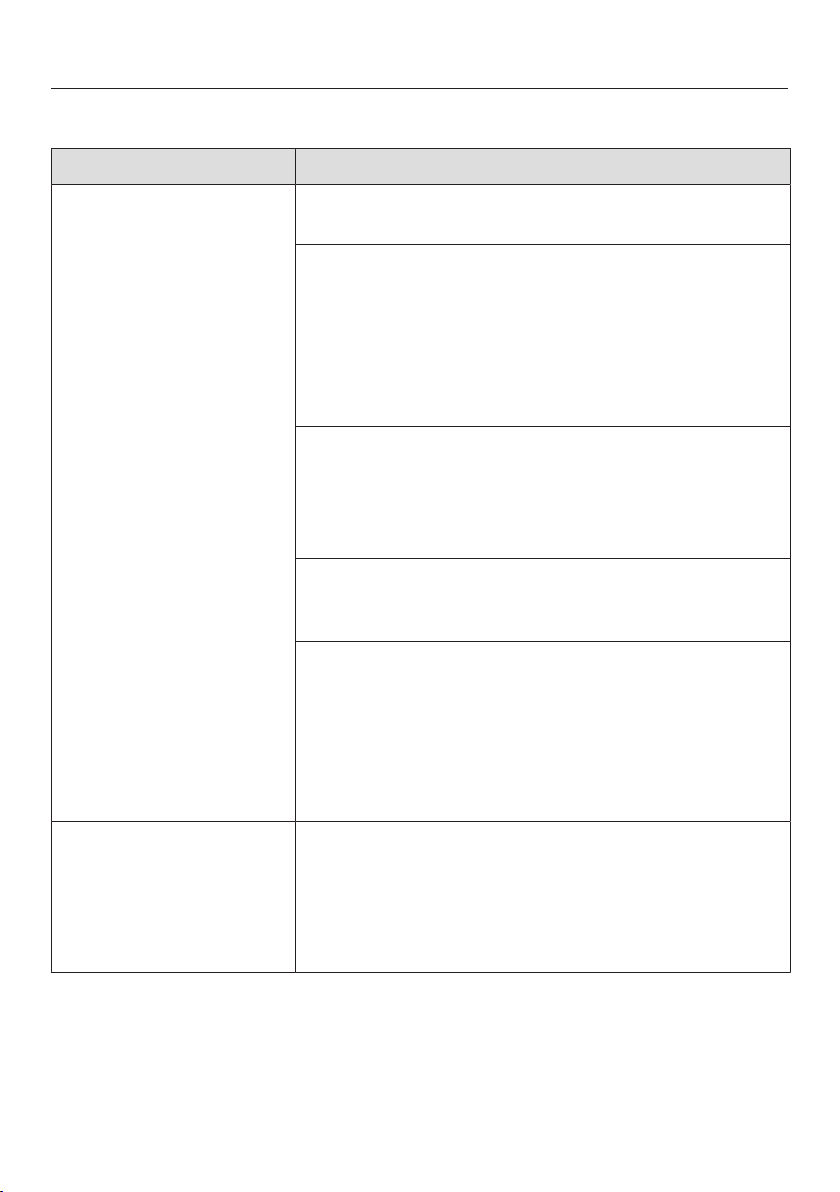
Frequently asked questions
94
Poor cleaning results
Problem Possible cause and solution
The dishware is not
clean.
The dishware was not loaded correctly.
See notes under “Loading the dishwasher”.
The program was not powerful enough.
Select a more powerful program (see “Program
overview”).
Activate the Extra clean function (see “Extra clean”
under “Settings”).
Activate the “Second interim rinse” function (see
“Settings – Second interim rinse”).
Not enough detergent was dispensed.
Use more detergent during manual dispensing or
change the detergent you are using.
Increase the dispensing quantity during automatic
dispensing (if available) (see “Settings – AutoDos”).
Items are blocking the path of the spray arms.
Carry out a rotation check and if needed rearrange
the items so that the spray arms can rotate freely.
The filter combination in the wash cabinet is not
clean or was incorrectly installed.
This may have caused the spray-arm jets to become
blocked.
Clean and/or install the filter combination correctly.
Clean the spray-arm jets if necessary (see “Clean-
ing the spray arms” under “Cleaning and care”).
There are smears on
glassware and cutlery.
There is a bluish sheen
on the surface of glass-
ware. The film can be
wiped off.
The rinse aid dosage is set too high.
Reduce the dosage (see “Rinse aid” under “Set-
tings”).
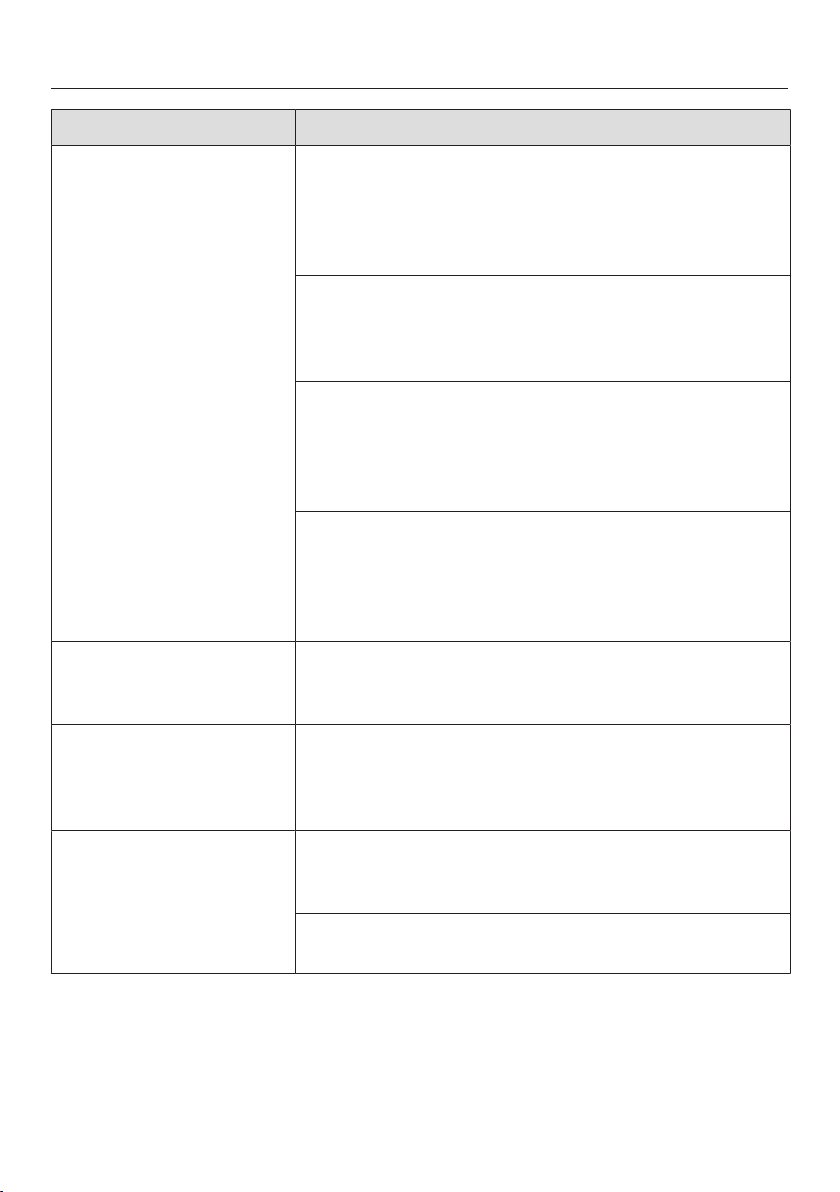
Frequently asked questions
95
Problem Possible cause and solution
The dishware is not dry
or utensils and glasses
are flecked.
The rinse-aid dosage is set too low or the rinse-aid
reservoir is empty.
Replenish the reservoir, increase the dosage, or
change the brand of rinse aid (see “Rinse aid” un-
der “Before using for the first time”).
The dishware was taken out of the wash cabinet too
soon.
Leave the dishware in longer (see “Unloading the
dishwasher” under “Operation”).
The duration of the drying phase for the selected pro-
gram is not sufficient for the dishware (particularly for
plastic dishware).
Select the Extra Dry function (see “Extra Dry” un-
der “Settings”).
You have used combination products that have insuf-
ficient drying performance.
Switch to another detergent or replenish the rinse
aid (see “Rinse aid” under “Before using for the
first time”).
Glassware has a brown
or blue tinge. The film
cannot be wiped off.
Ingredients from the detergent have formed a de-
posit.
Switch to another detergent straight away.
Glassware is dull and
discolored. The film
cannot be wiped off.
The glassware is not dishwasher-safe. The surface
has altered.
No remedy.
Purchase glassware which is dishwasher-safe.
Tea or lipstick stains
have not been com-
pletely removed.
The wash temperature of the selected program was
too low.
Select a program with a higher wash temperature.
The bleaching effect of the detergent is too low.
Switch to another detergent.
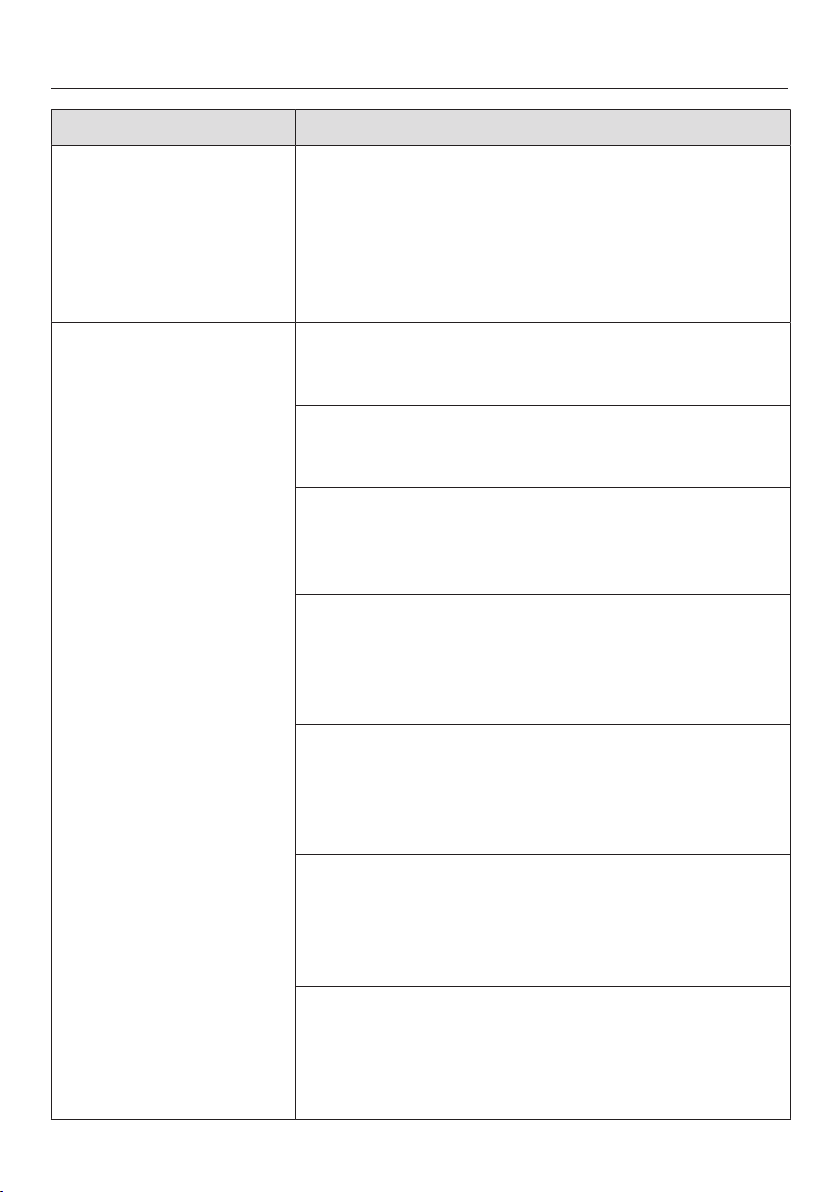
Frequently asked questions
96
Problem Possible cause and solution
Plastic parts are discol-
ored.
Natural dyes, e.g., from carrots, tomatoes, or
ketchup may be the cause. The amount of detergent
used or its bleaching effect was not sufficient to deal
with natural dyes.
Use more detergent (see “Detergent”).
Parts that are already discolored will not revert to
their original color.
White residue is visible
on the dishware. Cloud-
ing has occurred on
glassware and utensils.
The film can be wiped
off.
The rinse-aid dosage is set too low.
Increase the dosage (see “Rinse aid” under “Set-
tings”).
The salt reservoir is empty.
Fill the salt reservoir (see “Reactivation salt” under
“Before using for the first time”).
The salt-reservoir cap has not been screwed on cor-
rectly.
Replace it, making sure that it screws back on cor-
rectly.
Unsuitable combination detergents were used.
Switch to another detergent. If using detergent
tabs or powder detergent, do not choose combi-
nation products and ensure you refill the reactiva-
tion salt and rinse aid.
The water softener is programmed to too low a water
hardness level.
Program the water softener to a higher water hard-
ness level (see “Water hardness” under “Set-
tings”).
Too much detergent was dispensed.
Reduce the dispensing quantity during automatic
dispensing (if available) (see “Settings – AutoDos”).
Activate the “Second interim rinse” function (see
“Settings – Second interim rinse”).
Not enough combination detergent was dispensed.
The water softener performance is not sufficient.
Increase the dispensing quantity during automatic
dispensing (if available) (see “Settings – AutoDos”).
Add more reactivation salt.
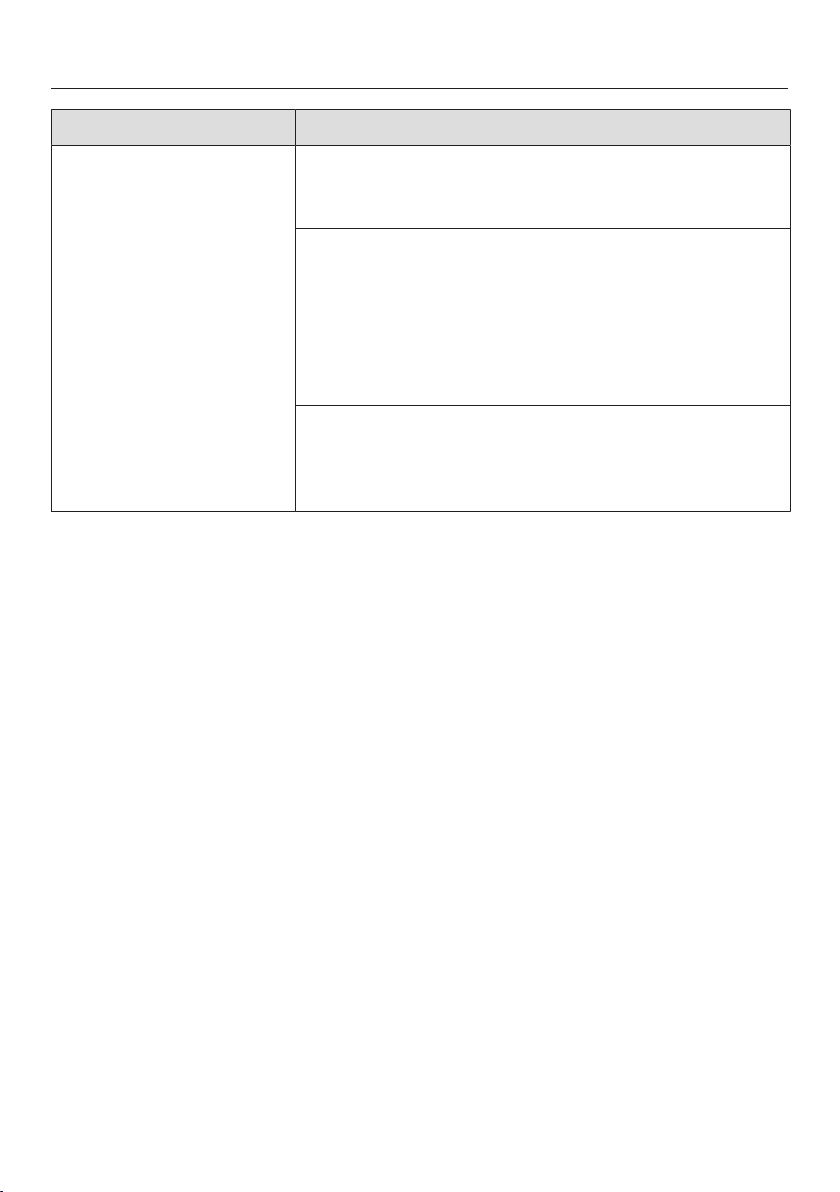
Frequently asked questions
97
Problem Possible cause and solution
There are rust stains on
the cutlery.
The affected items are not corrosion resistant.
No remedy.
Purchase cutlery which is dishwasher-proof.
A program was not run after reactivation salt was
added. Traces of salt have got into the normal wash
cycle.
Always run the QuickIntenseWash program
with the Express program option selected and
without any dishes in the dishwasher after adding
reactivation salt.
The salt reservoir cap has not been screwed on cor-
rectly.
Replace it, making sure that it screws back on cor-
rectly.
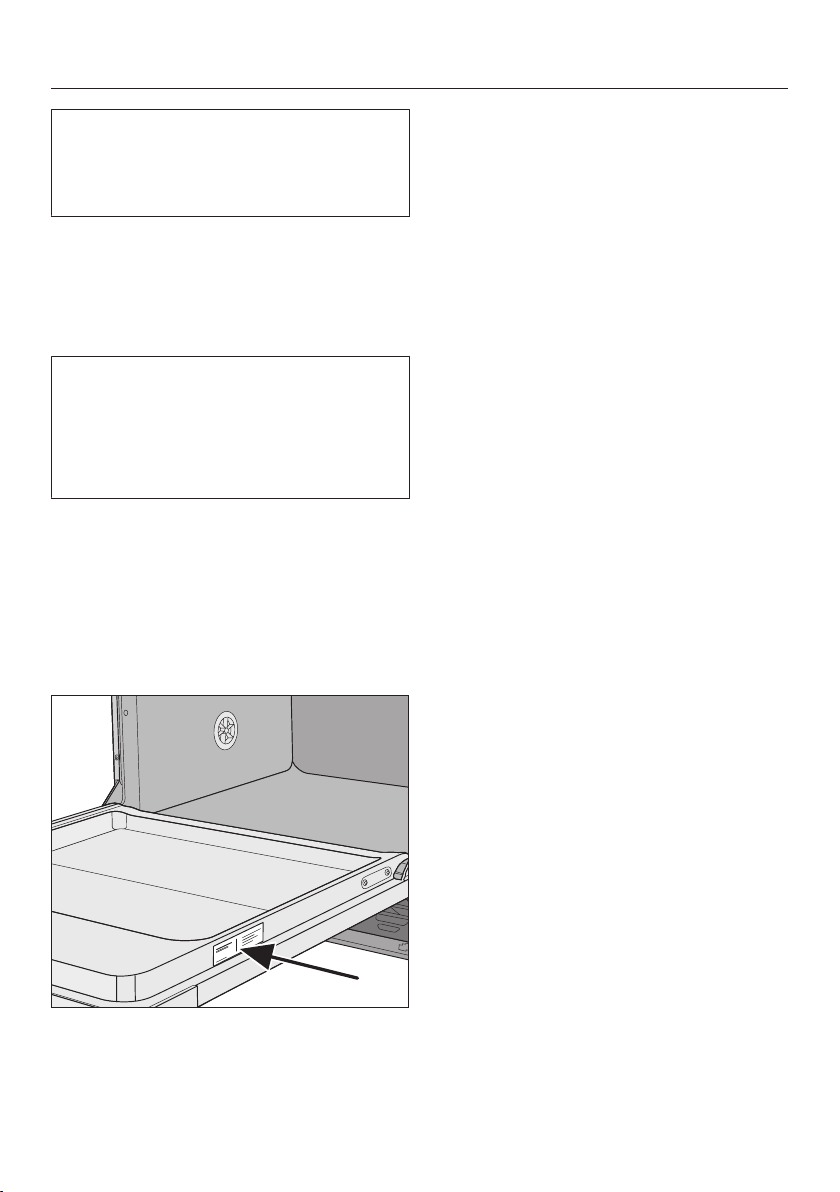
Customer Service
98
Information to help you rectify faults
yourself and about Miele spare parts
can be found at www.miele.com/ser-
vice.
Contact in the event of a fault
In the event of a fault which you cannot
remedy yourself, please contact your
Miele dealer or Miele Customer Service.
You can book a Miele Service Call on-
line at www.miele.com/service.
Contact information for Miele Cus-
tomer Service can be found at the end
of this document.
Please quote the model identifier and
serial number of your appliance (SN)
when contacting Miele Customer Ser-
vice. Both pieces of information can be
found on the data plate.
The data plate is located on the right
side of the door.
Appliance warranty and prod-
uct registration
You can register your product and/or
view the manufacturer´s warranty terms
and conditions for Miele appliances and
vacuum cleaners at
www.mieleusa.com.

Optional accessories
99
Dishwasher detergent, rinse aid, and
cleaning and care products are avail-
able for this dishwasher, as are optional
accessories.
All the products have been designed for
Miele appliances.
These and many other useful products
can be ordered directly from Miele’s on-
line store, Miele Customer Service, or
from your Miele dealer.
Dishwasher detergent, rinse
aid, and salt
You have chosen excellent quality and
performance with your Miele dish-
washer. To achieve optimum results all
the time, it is important to use the right
dishwasher detergents. Not all off-the-
shelf products deliver the same results
in all dishwashers.
For this reason Miele offers dishwasher
products specifically designed for Miele
appliances.
PowerDisk
Special Miele formula – for outstanding
cleaning results in Miele dishwashers
with AutoDos automatic dispensing.
- Exclusive Miele powder granulate
- With rinse aid and salt functions
- With components to protect silver
and glass
- With active oxygen for thorough
cleaning
- With super-active enzymes – effec-
tive even at low temperatures
In hard water areas, we recommend us-
ing the complete Miele system: The
PowerDisk, rinse aid, and salt perfectly
match each other.
Detergent tabs
- Sparkling results even with stubborn
food deposits
- Combination product with other func-
tions such as rinse aid, salt, and
glass protection additives
- Phosphate-free – kind to the environ-
ment
- Water-soluble wrapping – no need to
unwrap
Rinse aid
- For sparkling glasses
- Helps dishes to dry
- With glass-protection formula against
corrosion
- Specially designed cap for accurate
and easy dispensing
Reactivation salt
- Prevents limescale on dishes and in
the appliance
- Extra coarse-grained

Optional accessories
100
Appliance care
Miele cleaning and care products pro-
vide optimum care for your dishwasher.
Dishwasher cleaner
- For use with the Clean Machine pro-
gram without detergent dispensing
- Cleans the dishwasher effectively
and thoroughly
- Removes grease, bacteria, and asso-
ciated unpleasant odors
- Ensures excellent dishwashing re-
sults
Descaling agent
- Removes heavy limescale deposits
- Mild and gentle with natural citric
acid
Dishwasher conditioner
- Removes odors, limescale, and light
deposits
- Maintains the elasticity and leak
tightness of the seals
Dishwasher freshener
- Neutralizes unpleasant odors
- Fresh, pleasant lime and green tea
scent
- Easy and convenient to attach to the
dishwasher basket
- Very economical; lasts for 60rinses

Installation
*INSTALLATION*
101
Water inlet
Risk to health due to wash water.
Water in the dishwasher must not be
used as drinking water.
Do not drink any water from the dish-
washer.
Risk to health and risk of dam-
age due to contaminated incoming
water.
The quality of the incoming water
must correspond to the drinking wa-
ter specification of the country in
which the dishwasher is being oper-
ated.
Connect the dishwasher to a drinking
water supply.
The dishwasher may be connected to
cold or hot water (up to max.
140°F/60°C) supplies.
We recommend connecting to a cold
water supply to reduce energy con-
sumption.
If energy-saving water-heating sources,
such as solar energy circulation sys-
tems, are used, we recommend con-
necting to the hot water. This saves
both time and electrical energy costs.
Hot water is used in all programs.
The EnergySaverprogram (if available)
requires a hot water connection of be-
tween a minimum of 113°F/45°C and a
maximum of 140°F/60°C (intake tem-
perature).
The higher the water intake tempera-
ture, the better the cleaning and drying
results.
The water inlet hose is approx.
5ft/1.5m long. The slightly transparent
corrugated hose around the water inlet
hose provides protection during trans-
portation and can be removed if neces-
sary. However, if desired the corrugated
hose can be left in place to provide ad-
ditional protection during daily use.
Installation
*INSTALLATION*
102
A faucet with a 9/16" male thread must
be provided on site. If this type of
faucet is not available, only a qualified
installer may connect the dishwasher to
the drinking water supply.
A backflow preventer is not required.
The appliance meets the requirements
of the applicable DIN standards.
The water connection pressure needs
to be between 7.25 and 145psi (50 and
1,000kPa). If the water connection
pressure is too high, a pressure reduc-
ing valve must be installed.
Risk of damage from leaking wa-
ter.
The connection point is subject to
water pressure. Water leaking from it
can cause damage.
You should therefore open the faucet
slowly and check for leaks. Correct
the position of the seal and screw
thread if appropriate.
Risk of damage due to excessive
pressure.
A brief increase in the water pressure
can damage components of the
dishwasher.
This dishwasher must only be oper-
ated when it is connected to a fully
primed plumbing system.
Risk of damage from leaking wa-
ter.
The water inlet hose is under water
pressure.
The water inlet hose must not be
shortened or damaged in any way.
Risk to health and risk of dam-
age due to damaged power cord or
water inlet hose
Damage to the power cord or water
inlet hose can lead to electric shocks
or water damage.
Do not place the dishwasher on the
water inlet hose. The water inlet hose
must be free of kinks and able to
move freely after installation. Do not
install the water inlet hose or the
power cord next to a heat source,
such as a hot water pipe. Do not ex-
pose the water inlet hose or the
power cord to corrosive substances
(such as chloride).

Installation
*INSTALLATION*
103
Water drainage
The appliance drainage system has a
non-return valve, which prevents dirty
water from flowing back into the dish-
washer via the drain hose.
The dishwasher is supplied with approx.
5ft (1.5m) of flexible drain hose with an
internal diameter of 7/8" (22mm).
The hose can be extended using a con-
nection piece to attach a further length
of hose. The drainage length must not
be longer than 13ft (4m) and the deliv-
ery head no higher than 3ft (1m).
If the hose is to be directly connected
to the drainage outlet on site, use the
supplied hose clip (see the installation
diagram).
The hose can be directed to the left or
the right of the appliance.
The on-site connector for the drain hose
can be used for various hose diameters.
If the connector extends too far into the
drain hose, it must be shortened. Other-
wise, the drain hose can become
clogged.
Only use a Miele approved connection
piece when extending the drain line.
Only use a Miele extension drain hose.
The drain hose must not be shortened.
Lay the drain hose so that it does not
kink and is not being subjected to
pressure or tugged.
Risk of damage from leaking wa-
ter.
Leaking water can cause damage.
After servicing the appliance, ensure
that the drain does not leak.
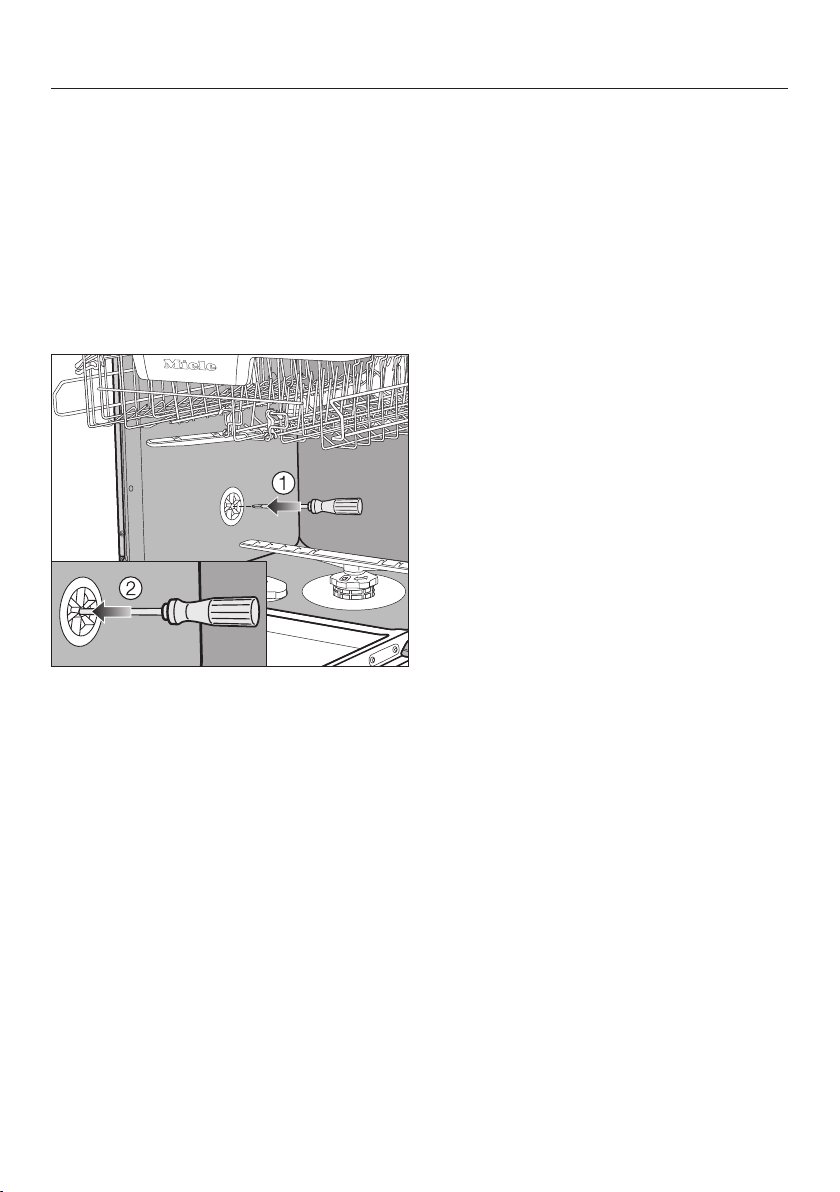
Installation
*INSTALLATION*
104
Venting the water drainage
If the on-site drainage connection is sit-
uated lower than the guide path for the
lower basket rollers in the open door,
the drainage system must be vented.
Otherwise, a siphoning effect during a
program can cause the appliance to
empty itself of water.
Open the dishwasher door fully.
Remove the lower basket.
Insert a screwdriver into the middle
opening of the vent valve in the left
wash cabinet wall.
Press the screwdriver further into the
opening and push it through the
membrane behind.
The vent opening for the water drain is
now open.
Installation
*INSTALLATION*
105
Electrical connection
Installation, repairs and other
work by unqualified persons could
be dangerous.
Check that the voltage, frequency
and fuse rating shown on the data
plate match the household power
supply.
The power outlet must be accessible
after installation. Do not use an ex-
tension cord to connect the dish-
washer to the electrical supply. Dan-
ger of overheating! See data plate on
the right side of the door.
A damaged power cord must only be
replaced with a genuine Miele cord
by a Miele service technician.
Grounding instructions
THIS APPLIANCE MUST BE
GROUNDED.
In the event of a malfunction or break-
down, grounding will reduce the risk of
electric shock by providing a path of
least resistance for the electrical cur-
rent. This appliance is equipped with a
cord having an equipment grounding
conductor and a grounding plug. The
plug must be plugged into an appropri-
ate outlet that is installed and grounded
in accordance with all local codes and
ordinances.
Improper connection of the
equipment grounding conductor can
result in electric shock.
Do not modify the plug provided with
the appliance; if it will not fit the out-
let, have a proper outlet installed by
a qualified electrician.
If there is any question concerning
the proper electrical connection or
grounding of this appliance to the
power supply, please consult a li-
censed electrician or call Miele’s
Customer Service Department:
USA: 1-888-99-MIELE(64353)
CDN: 1-800-565-6435
Specifications
The dishwasher comes equipped with a
4ft (1.2m) power cord (measured from
the rear of the dishwasher) with a
molded plug for connection to 120V,
60Hz, 15A grounded receptacle.
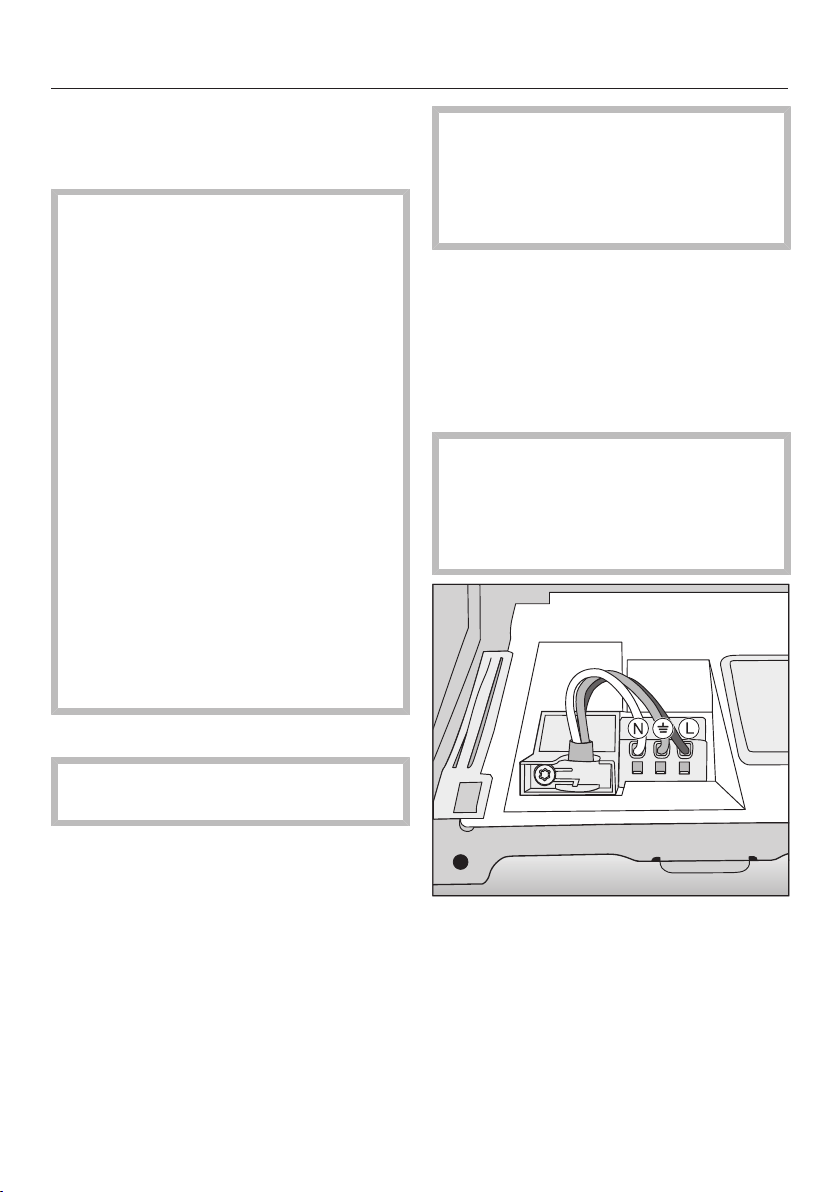
Installation
*INSTALLATION*
106
Hardwired electrical connection
It is possible to hardwire this appliance
to an existing power cable.
CAUTION: Before servicing, dis-
connect the power supply by either
removing the fuse, shutting off the
power main or manually “tripping”
the circuit breaker.
Installation work and repairs should
only be performed by a qualified
technician in accordance with all ap-
plicable codes and standards. Re-
pairs and service by unqualified per-
sons could be dangerous and the
manufacturer cannot be held respon-
sible.
Before connecting the appliance to
the power supply, make sure that the
voltage and frequency listed on the
data plate correspond with the
household electrical supply. This
data must correspond to prevent
machine damage. Consult an electri-
cian if in doubt.
GROUNDING INSTRUCTIONS
THIS APPLIANCE MUST BE
GROUNDED.
This appliance must be connected to a
grounded metal, permanent wiring sys-
tem, or an equipment-grounding con-
ductor must be run with the circuit con-
ductors and connected to the equip-
ment-grounding terminal or lead on the
appliance.
Prior to making a hardwire con-
nection to the terminal, remove the
powercord. Otherwise there will be a
risk of electric shock from the at-
tached plug.
An existing flexible supply cord or cable
shall have a minimum thickness of
AWG14.
120V, 60Hz, 15A fuse rating
Black wire (live): connect to L
White wire (neutral): connect to N
Green wire (ground): connect to
After attaching the permanent
power supply cord, check that all
wires are correctly and securely
placed in the connector and the
strain relief is tightened.
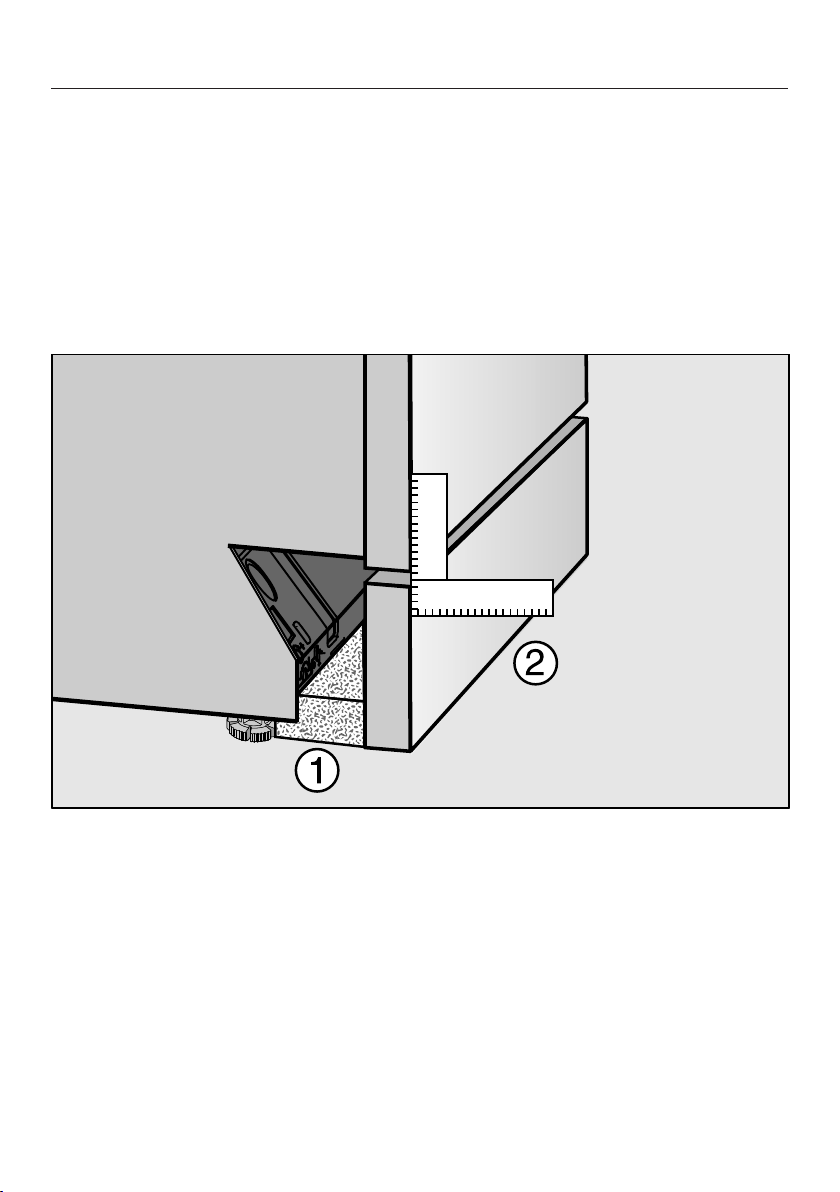
Sound emission testing
107
Prerequisites for sound emission tests
Load the dishwasher with 16 standard place settings and use the Normal pro-
gram.
Setup for sound emission tests
The dishwasher must be set up according to the following specifications.
Install the dishwasher into an analyzing unit.
Secure the front panel.
Push the provided fleece strips (depending on model) under the toe kick until it
is flush with the appliance feet.
Push the toe-kick into place in such a way that it is flush with the door panel .
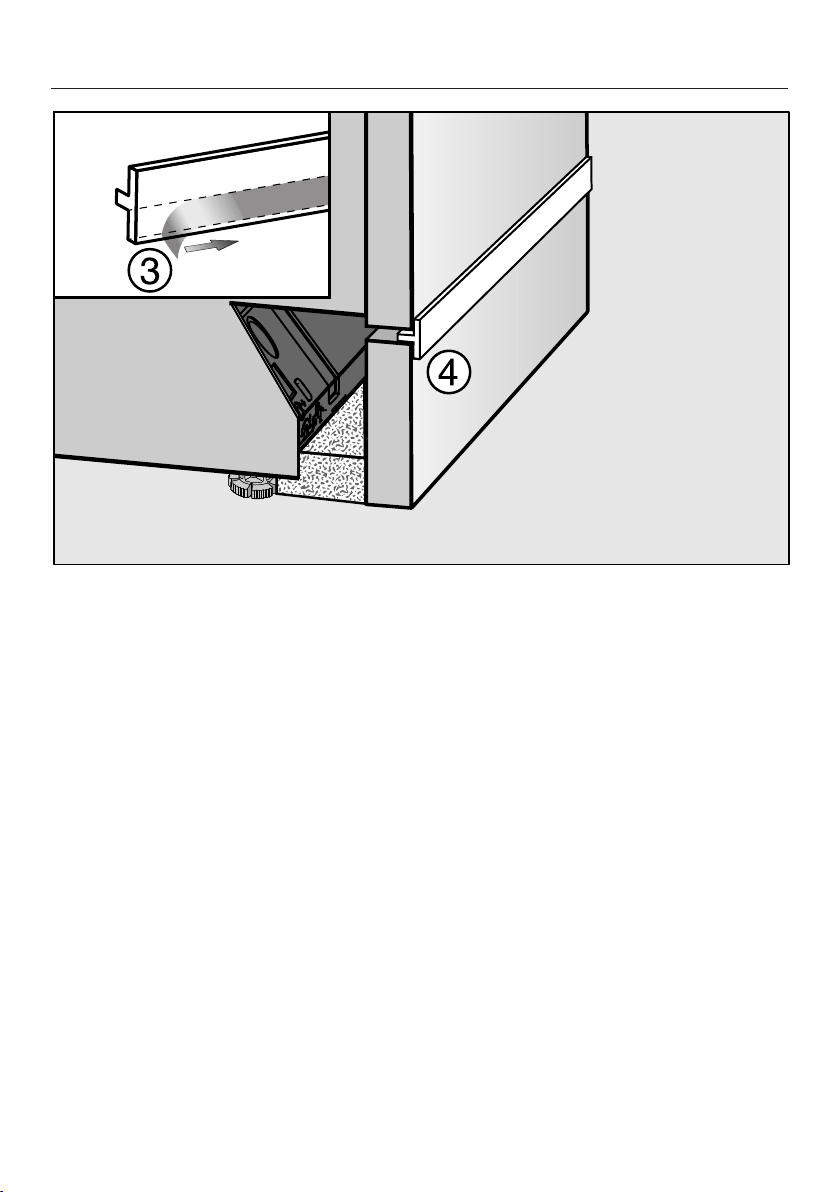
Sound emission testing
108
Remove the protective film from the provided insulating strip (depending on
model) .
Stick the insulating strip onto the front top edge of the toe-kick board .



9 Independence Way
Princeton, NJ 08540
www.mieleusa.com
U.S.A.
Miele, Inc.
National Headquarters
Please have the model and serial number
of your appliance available when
contacting Customer Service.
Canada
Importer
Miele Limited
Headquarters and Miele Centre
Customer Support
Phone: 888-99-MIELE (64353)
161 Four Valley Drive
Vaughan, ON L4K 4V8
www.miele.ca
Customer Care Centre
Phone:
1-800-565-6435
905-532-2272
International Headquarters
Miele & Cie. KG
Carl-Miele-Straße 29
33332 Gütersloh
Germany

M.-Nr. 11 964 653 / 00en-US
G7166, G7176