EN
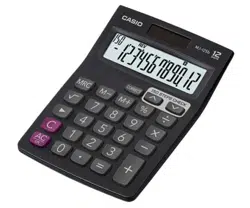
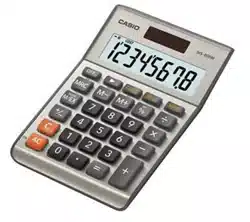
MS-80BM
User’s Guide
HDC463AE0P7 SA1711-A Printed in Philippines
© 2018 CASIO COMPUTER CO., LTD.
• Be sure to keep all user documentation handy for future reference.
Important Precautions
• If you suspect that the calculator is operating abnormally due to static electrical charge or some
other problem, press A to restore normal operation.
• Avoid dropping the calculator and otherwise subjecting it to severe impact.
• Never try to take the calculator apart.
• Wipe the unit with a soft, dry cloth to clean it.
• The contents of these instructions are subject to change without notice.
• CASIO COMPUTER CO., LTD. assumes no responsibility for any loss or claims by third parties
which may arise from the use of this product.
Power Supply
Two-Way Power System provides power even in complete darkness.
• Always leave battery replacement up to an authorized dealer.
• The battery that comes with this unit discharges slightly during shipment and storage. Because of
this, it may require replacement sooner than the normal expected battery life.
k Auto Power Off Function
Auto power off: Approximately 6 minutes after last key operation
Currency Conversion
• To toggle between the Memory Mode (A) and the Conversion Mode (B)
(A) (B)
0.
m
EXCH
0.
• To set conversion rates
Currency 1 (C1) is your home country currency, and so it is always set to 1. Currency 2 (C2) and
Currency 3 (C3) are for two other currencies, and you can change these rates as required.
Example: Conversion rate $1 (C1 home currency) = 0.9025 euro for Currency 2 (C2)
A&(SET) (Hold down until SET appears.) C 0.9025*
1
&(SET)
C2
EXCH
RATE
0.9025
• You can check a currently set rate by pressing A and then C or D.
*
1
For rates of 1 or greater, you can input up to six digits. For rates less than 1 you can input up to
your calculator’s maximum number of digits, including 0 for the integer digit and leading zeros
(though only six significant digits, counted from the left and starting with the first non-zero digit, can
be specified).
Examples: 0.123456, 0.0123456
Clearing Calculations
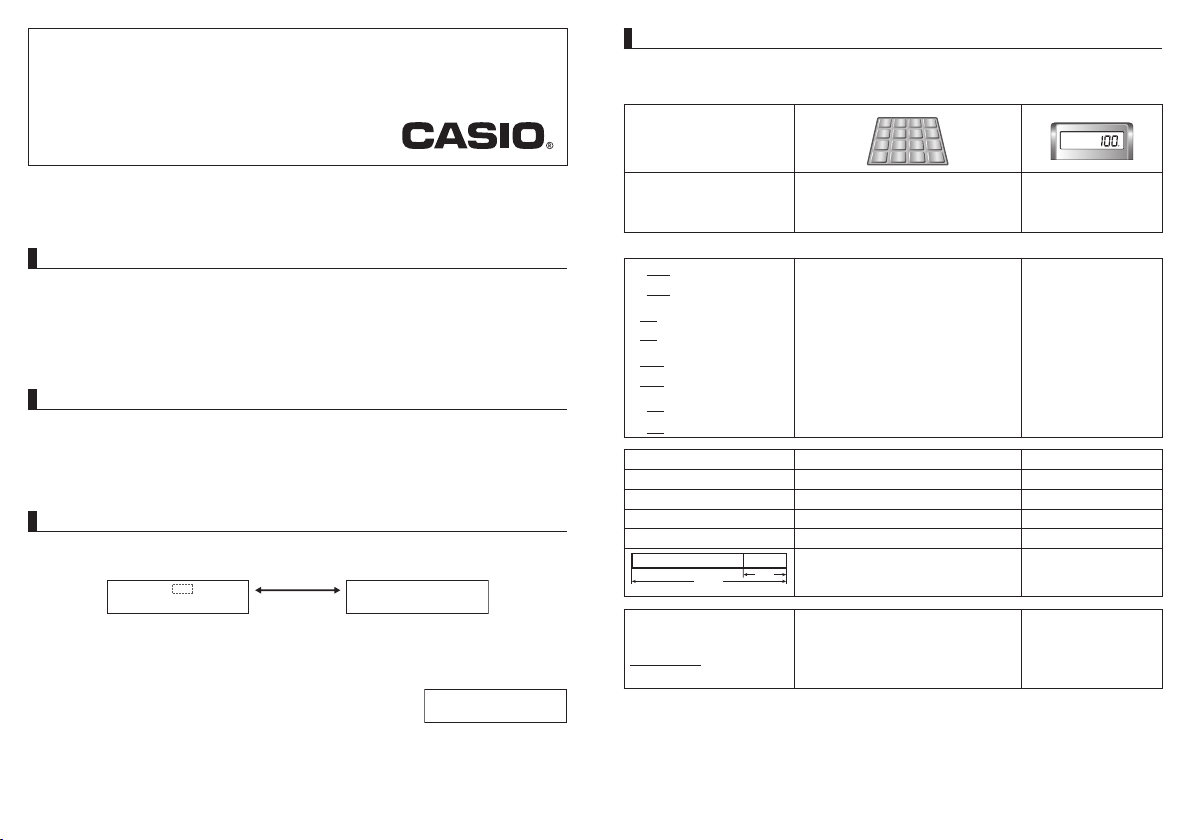
• To clear the calculator except for independent memory, press A.
• To clear independent memory only, press M twice.
A*
2
0.
6 ÷ 3 × 5 + 2.4 – 1 = 11.4
6 /3 *5 +2.4 -1 =
11.4
2 × (– 3) = – 6
2 *3 >=
– 6.
*
2
See “Clearing Calculations”.
12 + 23 =
23 ++12 =
K
35.
45 + 23 =
45 =
K
68.
7 − 5 =
5 --7 =
K
2.
2 − 5 =
2 =
K
– 3.
2 × 12 =
12 **2 =
K
24.
4 × 12 =
4 =
K
48.
45 ÷ 9 =
9 //45 =
K
5.
72 ÷ 9 =
72 =
K
8.
200 × 5% = 10
200 *5 &
10.
100 + (100 × 5%) = 105
100 *5 &+
105.
500 – (500 × 20%) = 400
500 *20 &-
400.
30 = 60 × ?% ? = 50
30 /60 &
50.
12 = 10 + (10 × ?%) ? = 20
12 -10 &
20.
100%
25%
$120
? ($160)
? ($40)
120 +25 &
-
160.
40.
8 × 9 = 72
(m)*
3
MM*
4
8*9l
M
72.
–) 5 × 6 = 30
5*6m
M
30.
2 × 3 = 6
2*3l
M
6.
48
M
M
48.
*
3
See “Currency Conversion”.
*
4
See “Clearing Calculations”.
MS-80BMEN171117.indd1MS-80BMEN171117.indd1 17/11/1716:4017/11/1716:40

2 + 3 = 6
4
2 +3 C4 =
6.
2 + 7 = –5
–
2 +-7 =
– 5.
5 + 77 = 12
5 +77 '=
12.
• “E” (Error) will appear if the calculation result exceeds the upper calculation limit of the calculator. If
this happens, press A.
Conversion Rate Setting
C1 ($) = 1, C2 (EUR) = 0.9025, C3 (GBP) = 0.7509
100 EUR ➞ $? (110.803..)
(m)*
5
A100CB
EXCH
110.80332
C1
C
C2
EXCH
100.
$110 ➞ GBP? (82.599)
( m)*
5
A110 BD
EXCH
82.599
C3
B
EXCH
110.
C1
100 EUR ➞ GBP? (83.202...)
( m)*
5
A100 CD
EXCH
83.202212
C3
C
C2
EXCH
100.
*
5
See “Currency Conversion”.
Conversion Calculation Formulas
C2 ➞ C1 ... A/X
C3 ➞ C1 ... A/Y
C1 ➞ C2 ... A `X
C1 ➞ C3 ... A `Y
C2 ➞ C3 ... (A/X) `Y
C3 ➞ C2 ... (A/Y) `X
A = Input or displayed value, X = C2 rate, Y = C3 rate
k Cost (C), Selling Price (S), Margin (M), Margin Amount (MA)
A800z 2000xv
C ($800)
S ($2000)
M? (60%)
MA? ($1200)
C ($120)
S? ($200)
M (40%)
MA? ($80)
A120z 40vv
x
80.
MAR
200.
SELL
60.
MAR %
C? ($105)
S ($150)
M (30%)
MA? ($45)
A150x30vv
z
45.
MAR
105.
COST
Specifications
Power Supply: Two-Way Power System, with solar cell and one button type battery LR54 (LR1130)
Battery Life: Approximately 3 years (1 hour operation per day)
Operating Temperature: 0°C to 40°C (32°F to 104°F)
Dimensions: 28.8 (H) × 103 (W) × 147 (D) mm (1
1
/8" × 4
1
/16" × 5
13
/16")
Weight: Approximately 115 g (4.1 oz), including battery
CASIO COMPUTER CO., LTD.
6-2, Hon-machi 1-chome, Shibuya-ku, Tokyo 151-8543, Japan
MS-80BMEN171117.indd2MS-80BMEN171117.indd2 17/11/1716:4017/11/1716:40