
To ensure safety while driving
and to comply with laws,
drivers should not watch video or
operate the video device while driving.
Unit Installation
25
26
Wires Connection Description
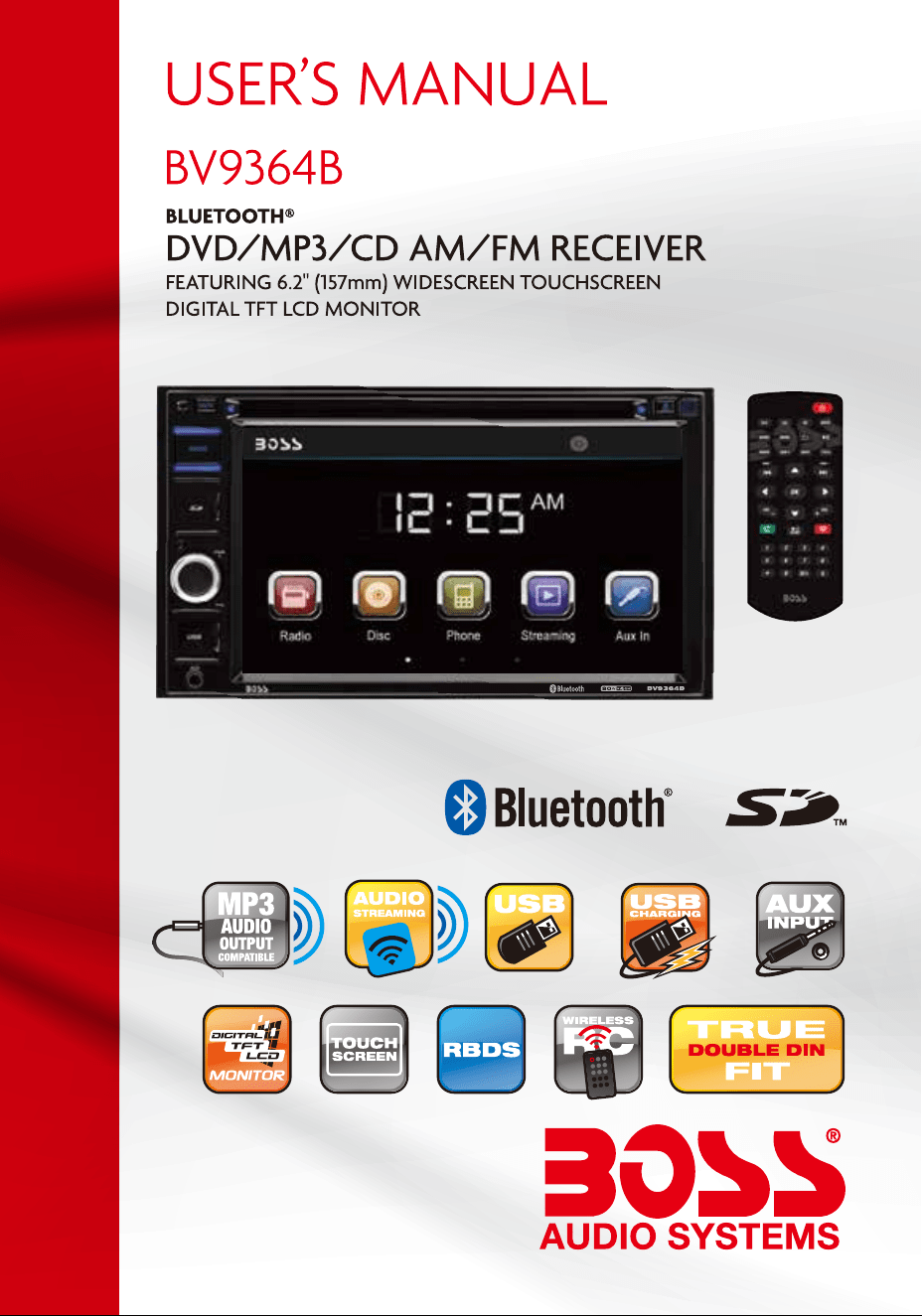
Congratulations on your purchase of a Boss Audio Systems
Multimedia Receiver.
It has been designed, engineered and manufactured to bring you
the highest level of performance and quality, and will offer you
years of entertainment pleasure.
R
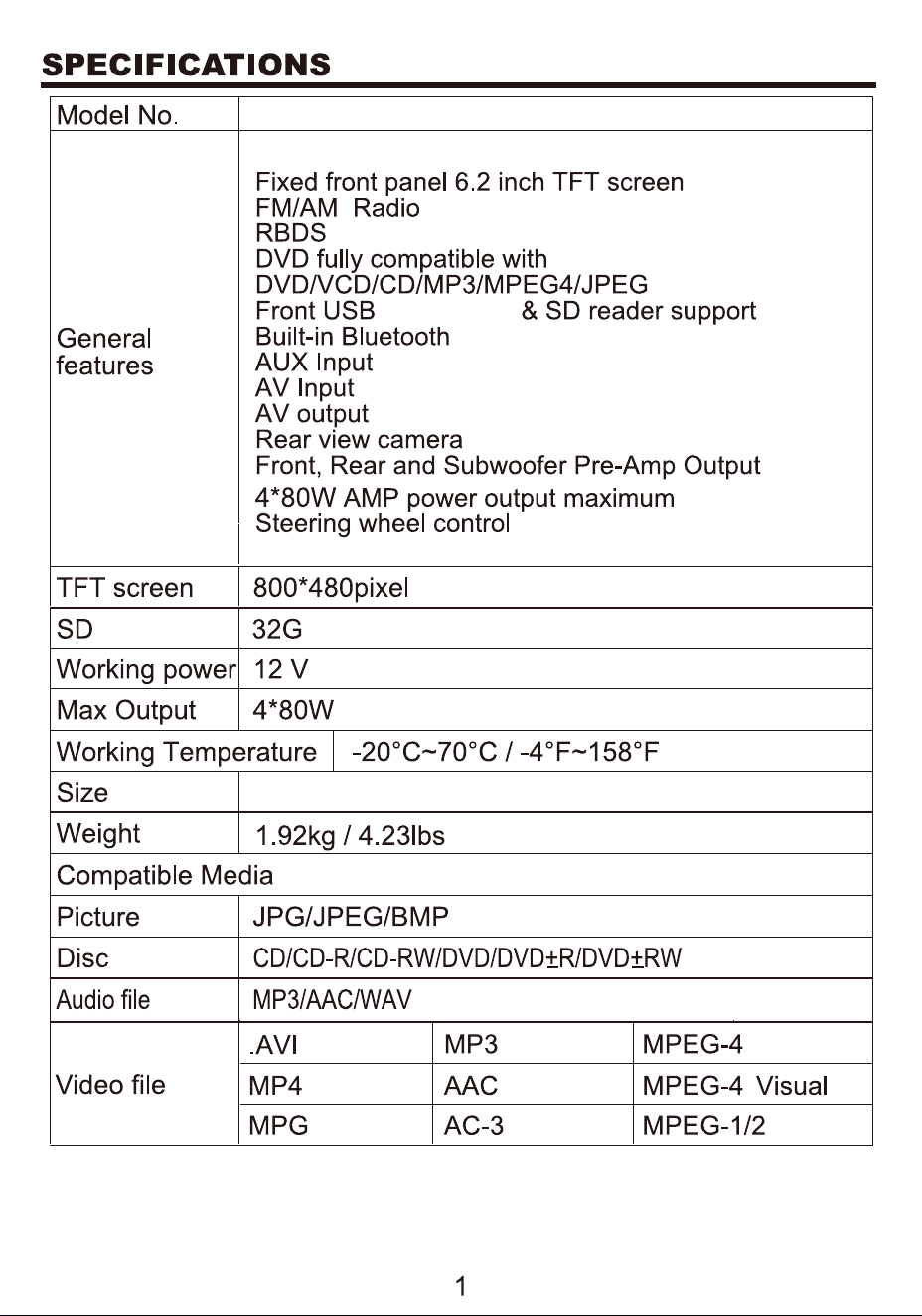
178*100*169.5mm
BV9364B
, Rear USB
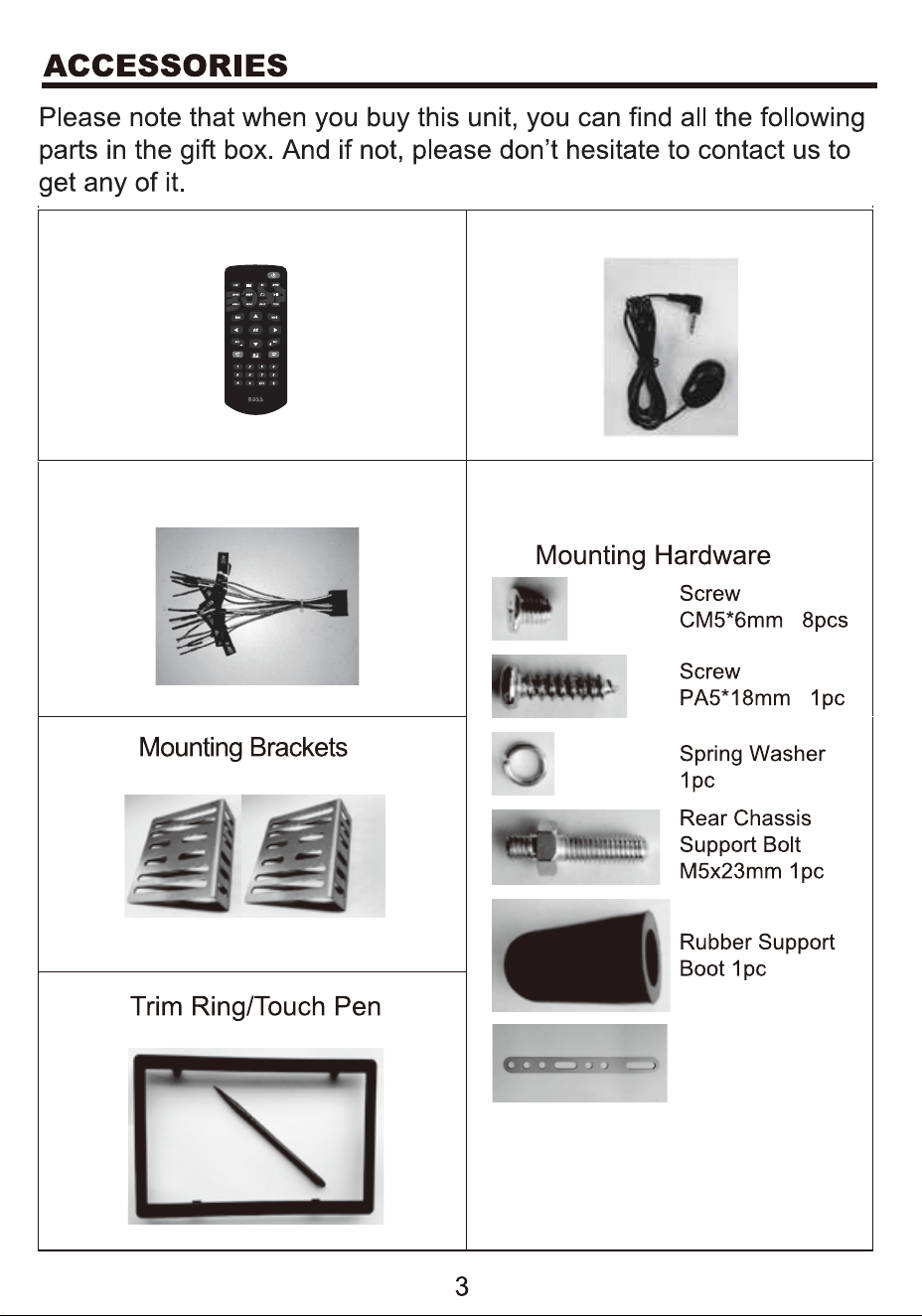
Remote Control
External MIC
Power Cable
Back installation
bracket
UNIT INSTALLATION
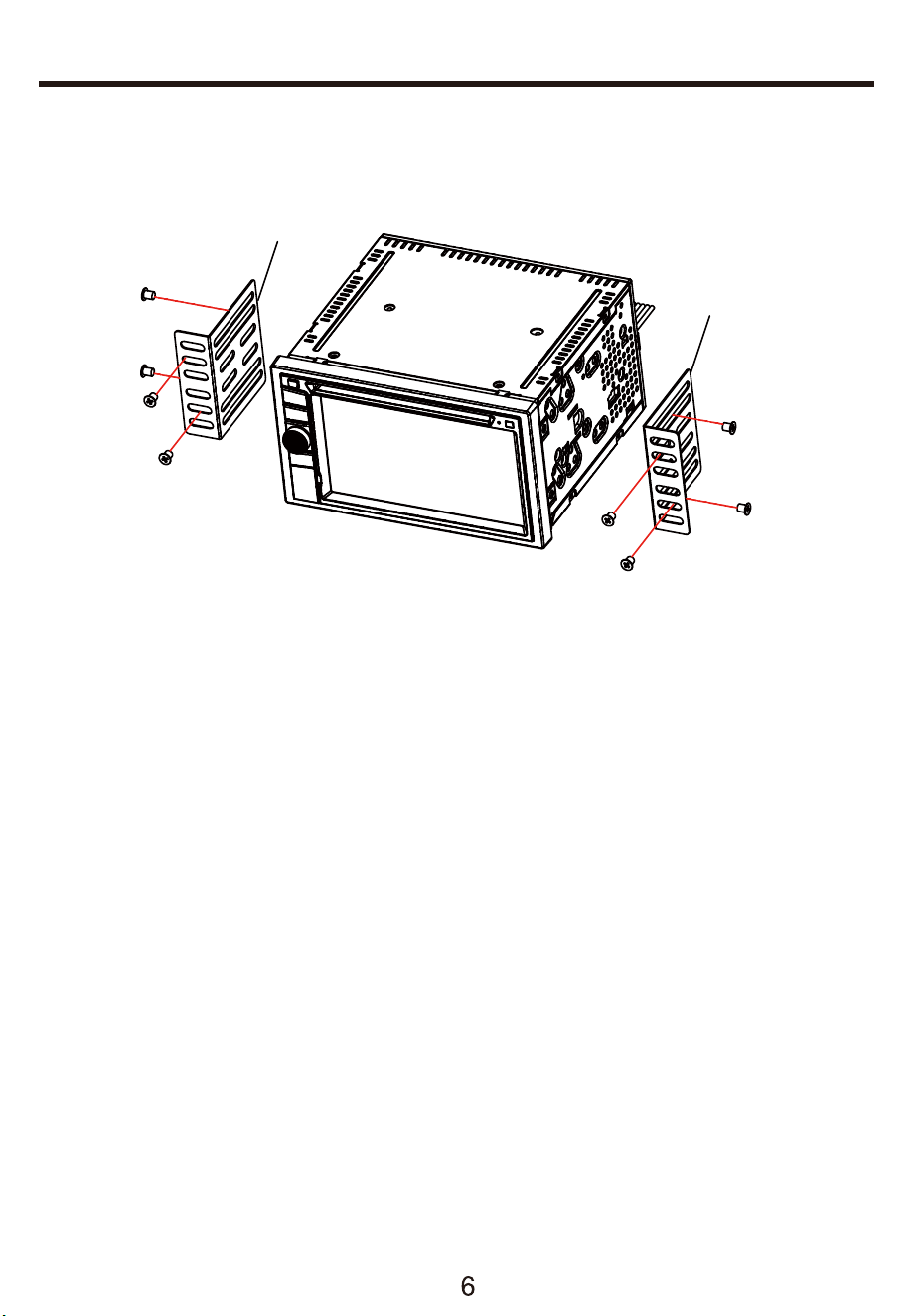
Bracket
1.Put the 2 brackets to the left and right side of the unit;
2.Use screws to fix the brackets to the unit.
3. Once the screws are attached, the brackets can be adjusted
forward or aft depending on the installation requirements.
Bracket
Screw
WIRES CONNECTION DESCRIPTION
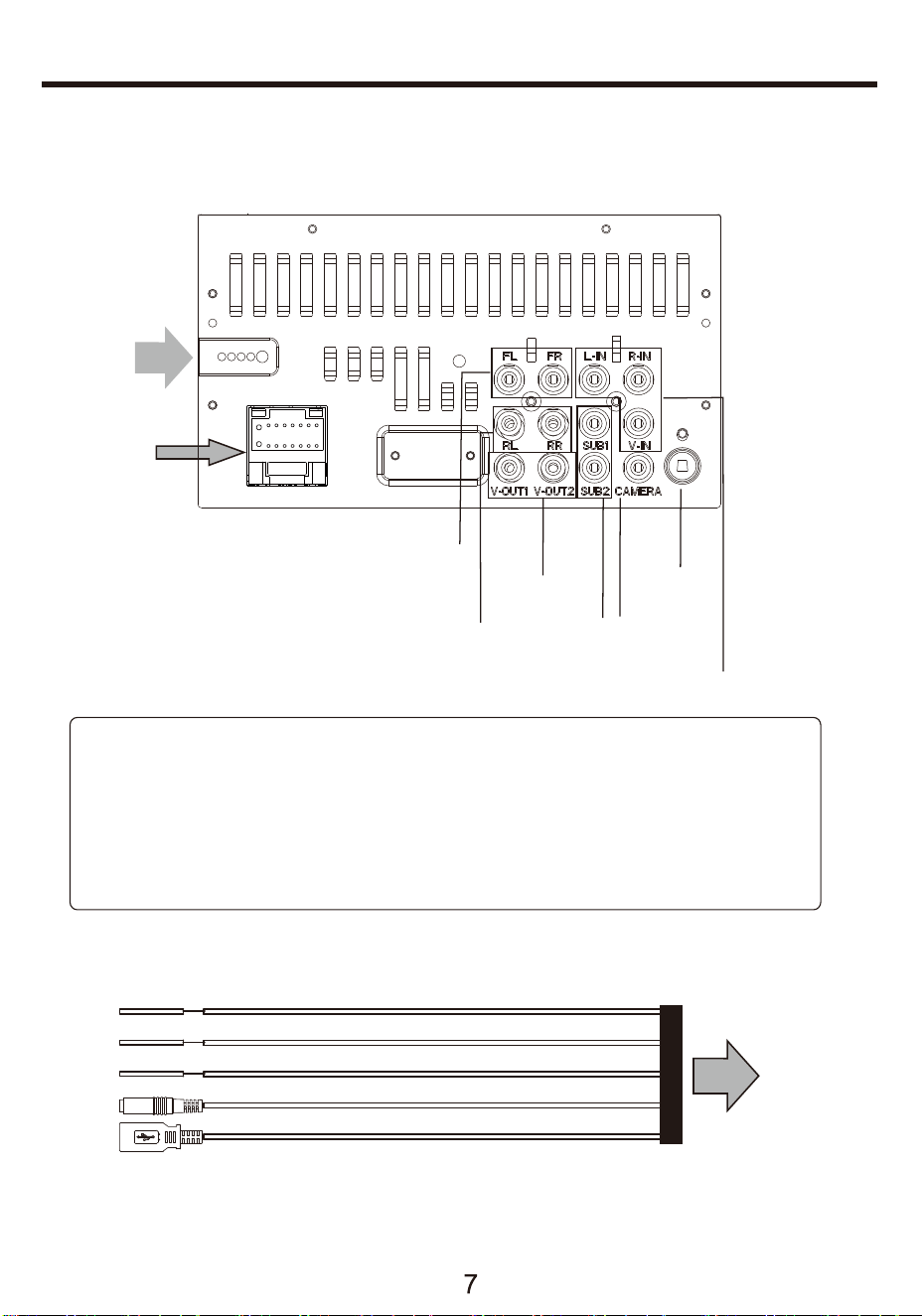
The Description of the Input/Output Interface of the Rear Cabinet
+
B
WHITE KEY A (SWC)
BROWN KEY B (SWC)
B
BLACK Rear USB Plug
BLACK MIC -----> BT MIC
LACK KEY GROUND(SWC)
YELLOW. . .. .. . .. .. . .. . .. .(B )12V
RED. . .. . .. .. . .. . .. . .. . ACC(+12V)
BLUE. . .. .. . .. .. .. . .. .. ANT. CONT
BLACK. . .
.......................BRAKE
..............
. . .. . . .. . . . .. . . GROUND
C onnec tor A
WHITE. .. .. .. ... .. LEFT FRONT(+)
WHITE/ BLACK. .. ... LEFT FRONT(-)
GREEN.. .. .. ... .. ..LEFT REAR(+)
GREEN/ BLACK. .. ... .LEFT REAR(-)
GREY. .. ... .. .. ..RIGHT FRONT(+)
GREY/ BLACK.. .. ..RIGHT FRONT(-)
VIOLET. .. ... .. ... .RIGHT REAR(+)
VIOLET/ BLACK. .. ...RIGHT REAR(-)
LT.GREEN
VIOLET/WHT(+) REV
.SIGNAL
B
A
ANTENNA
VIDEO
OUT
REAR
CAMERA
INPUT
FRONT PRE-AMP
OUTPUT
REAR PRE-AMP
OUTPUT
A/V INPUT
SUBWOOFER
OUTPUT
6
7
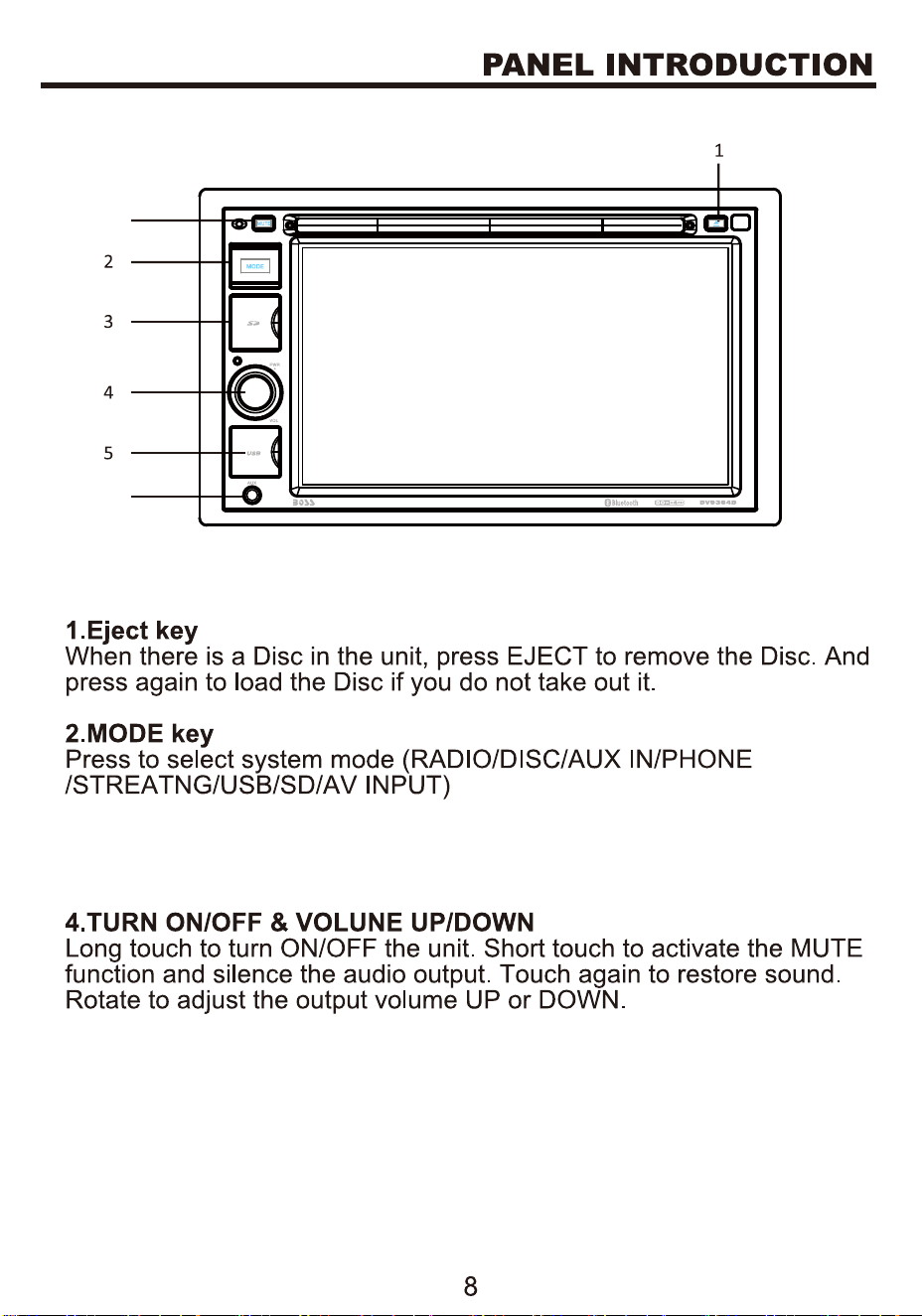
3.SD CARD
Open to see SD card slot.
5.open to see USB jack
6.AUX IN jack
7.Press to mute the unit
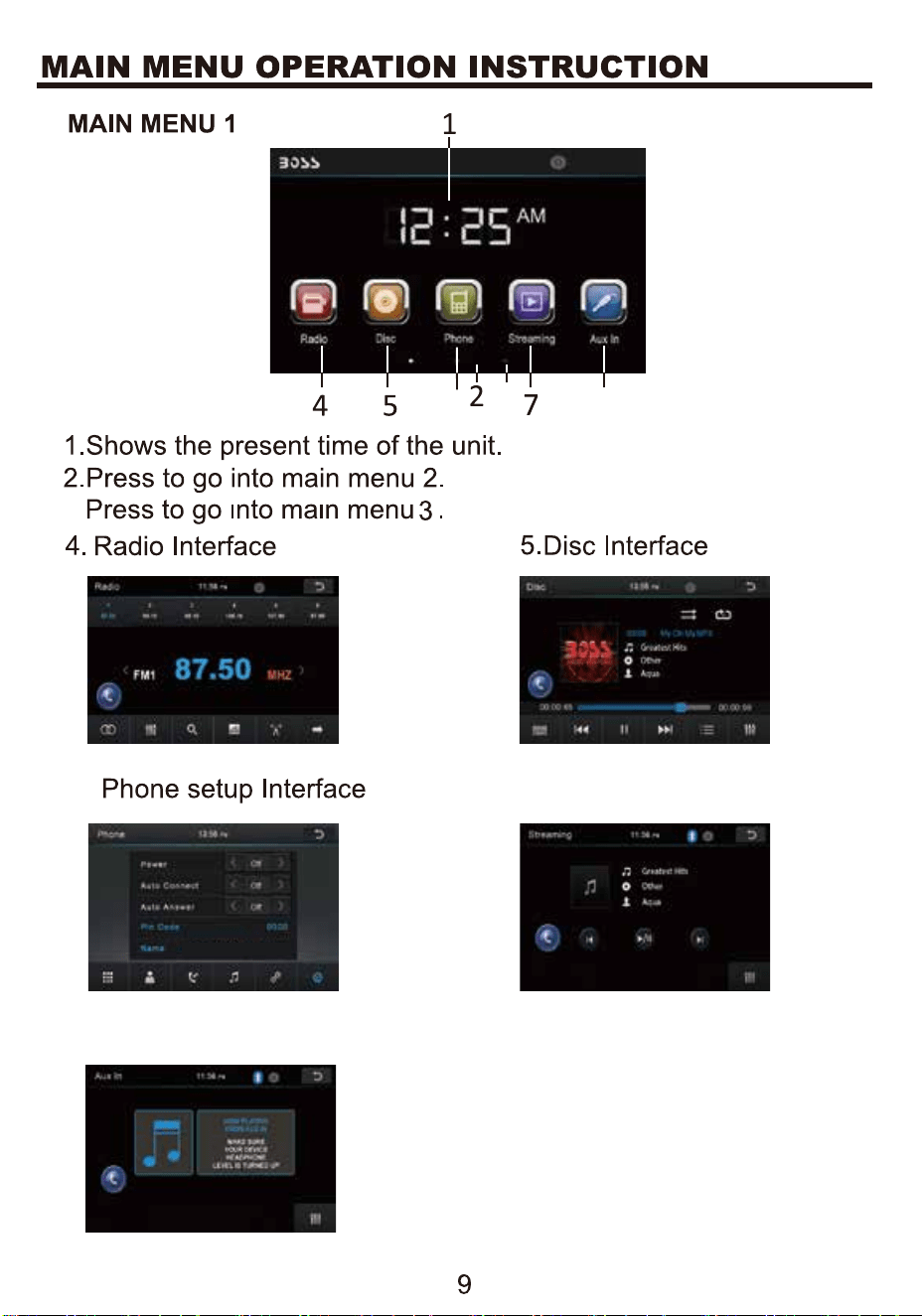
8.AUX IN Interface
6.
6
8
3
3.
7.Streaming Interface
BOSS AUDIO BV9364B
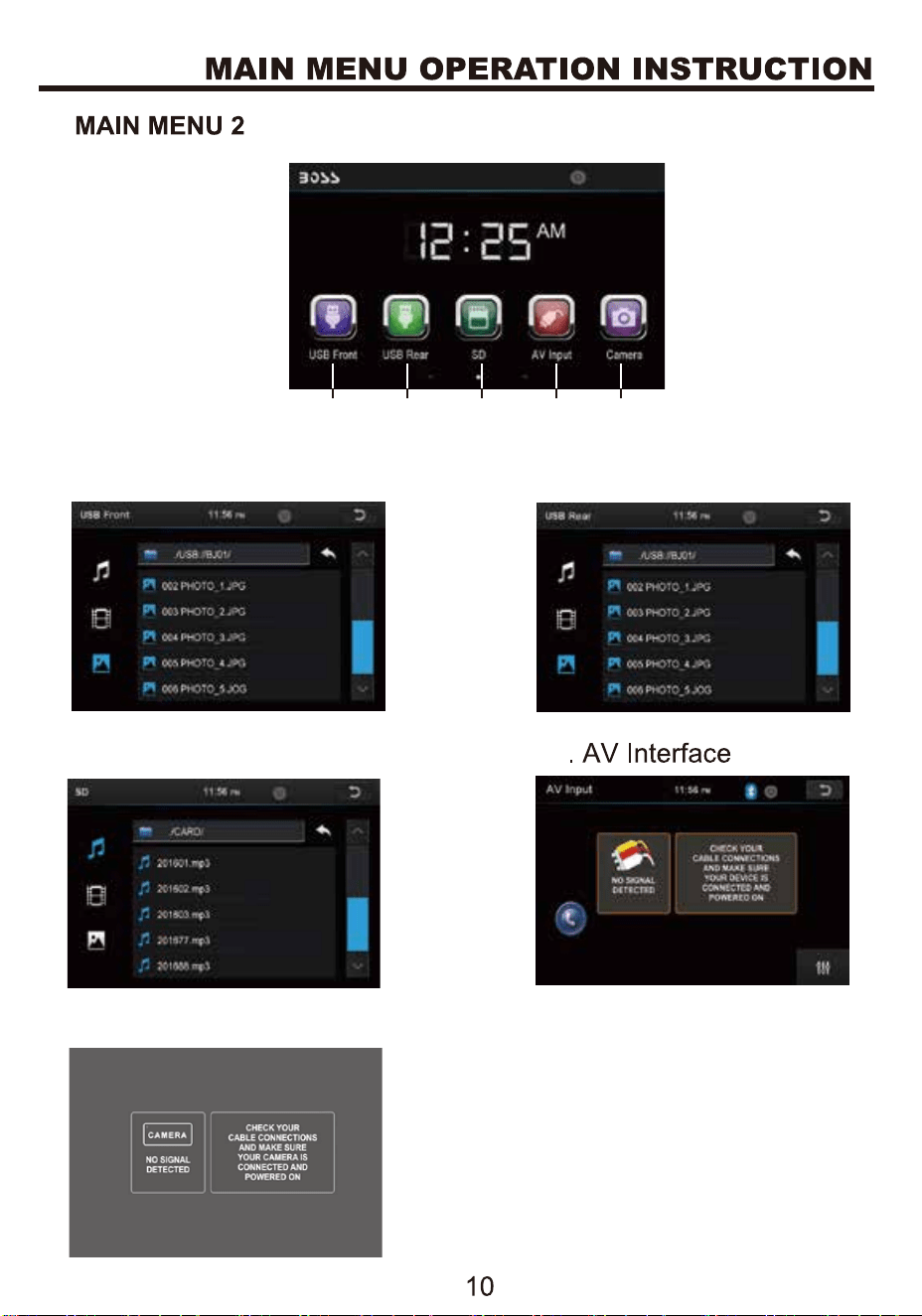
10.USB-R Interface
9.USB-F Interface
12
13.
11.SD Interface
CAMERA Interface
9 10 11 12
13
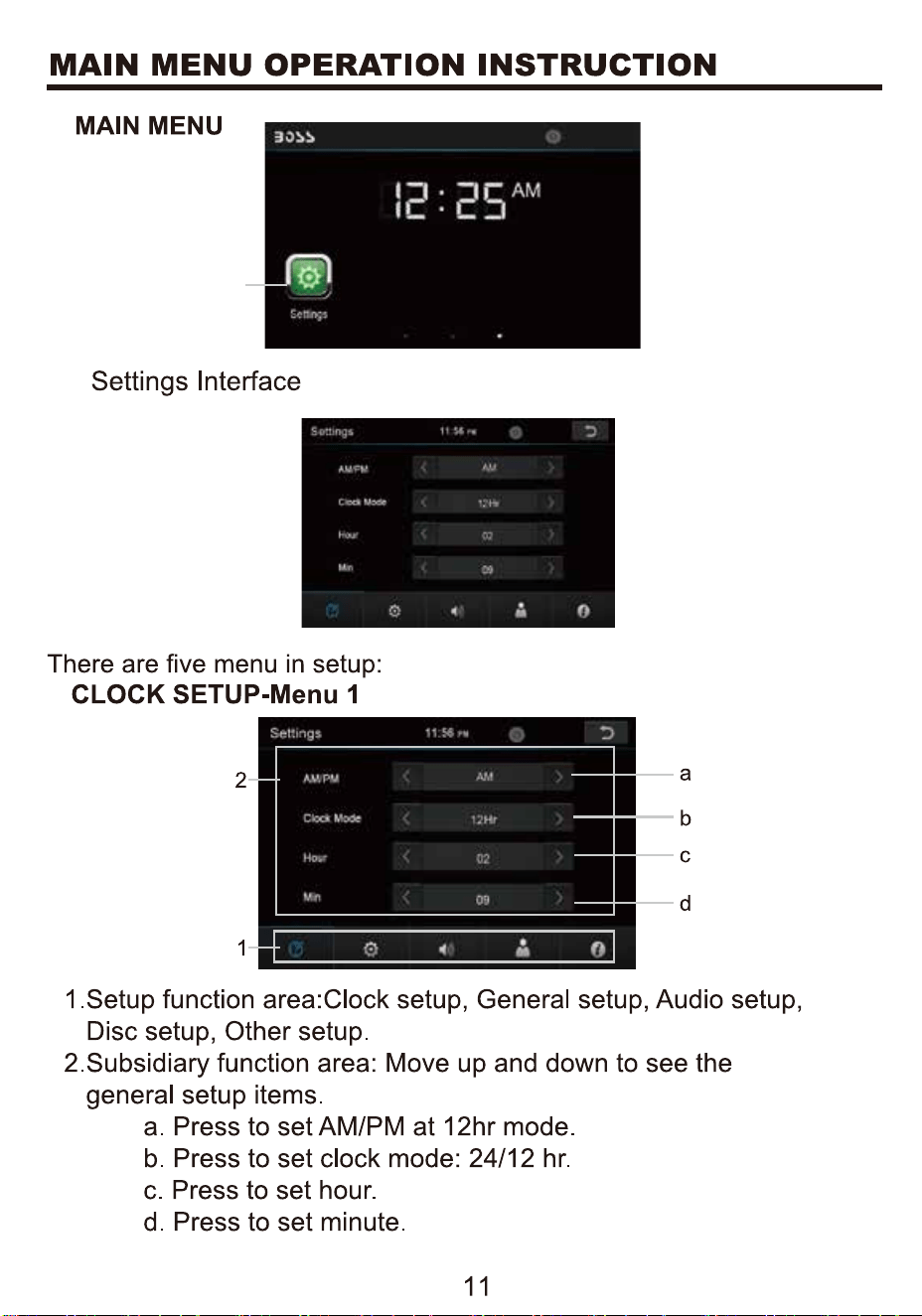
14.
14.
3
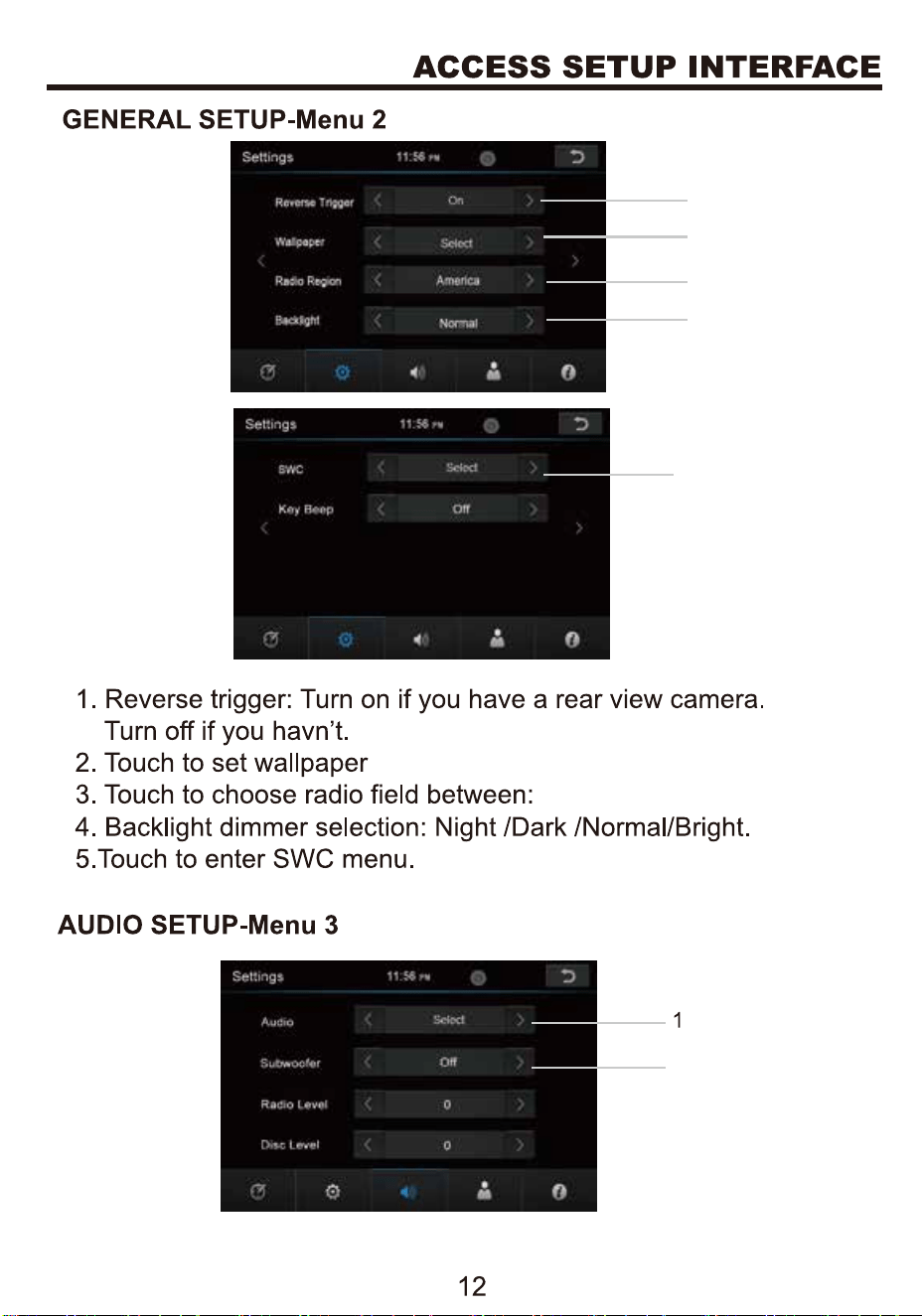
1
2
3
4
5
2
America/EU/Latin.
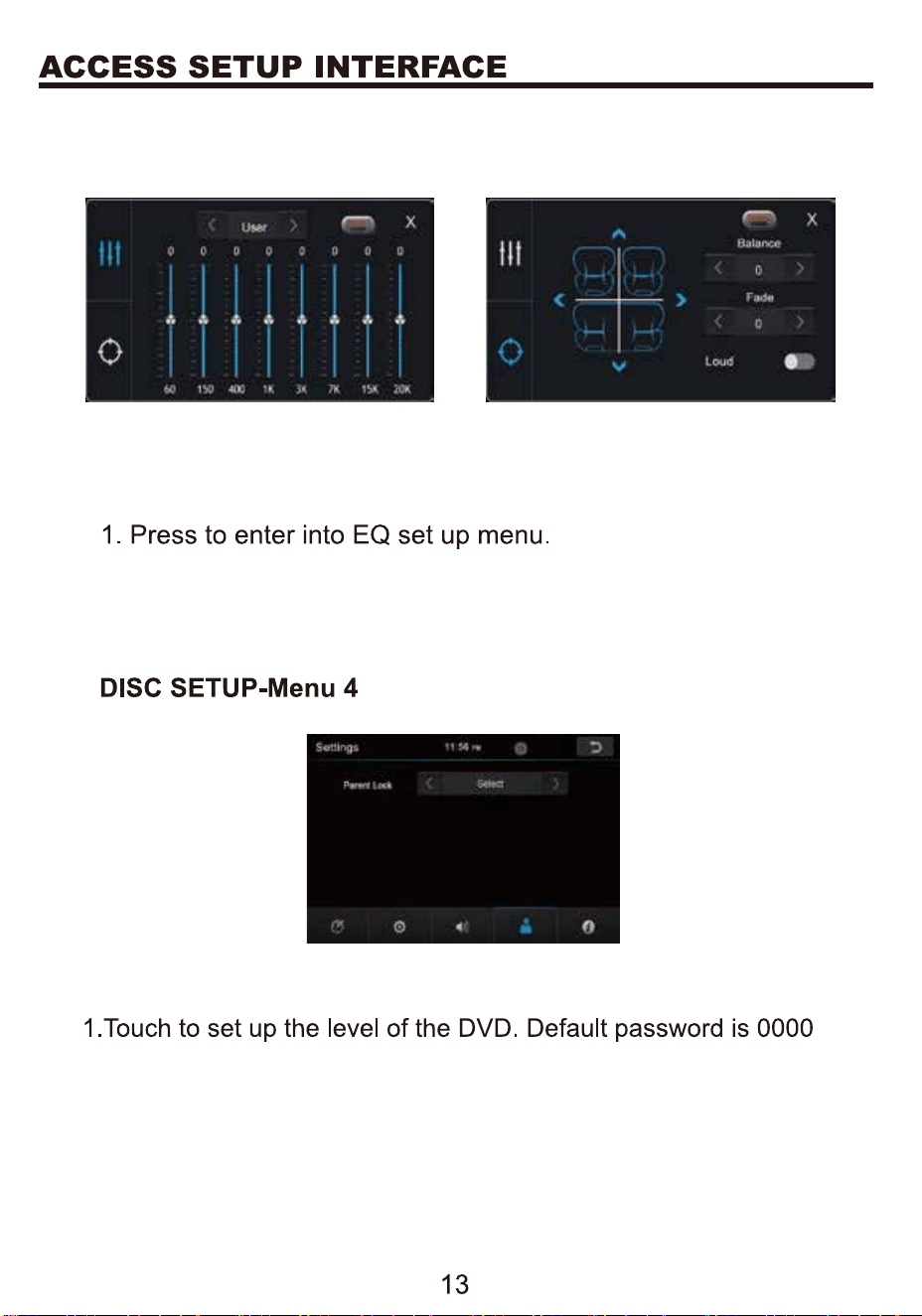
2. The switch of the subwoofer channel output
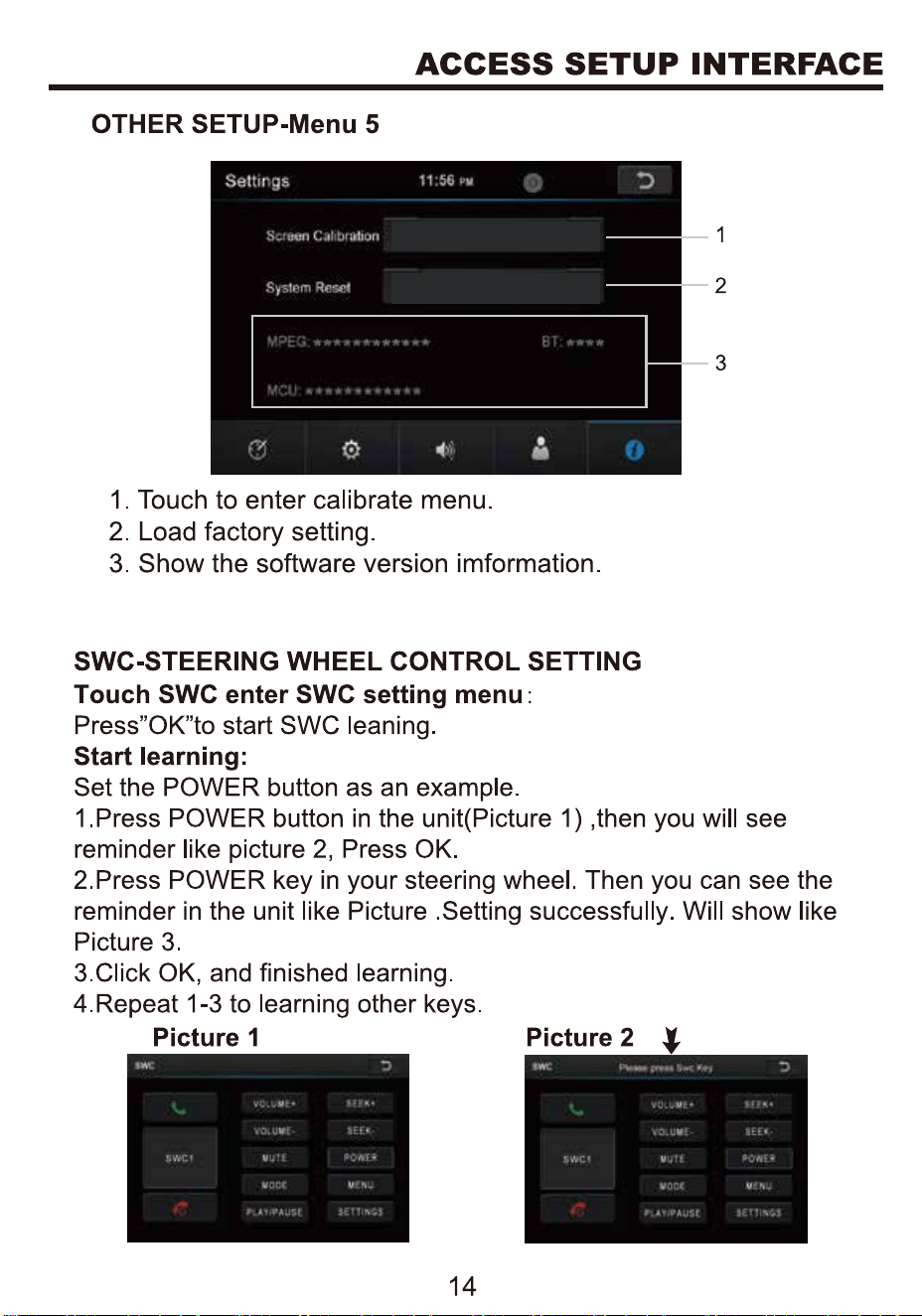
Reset
Reset
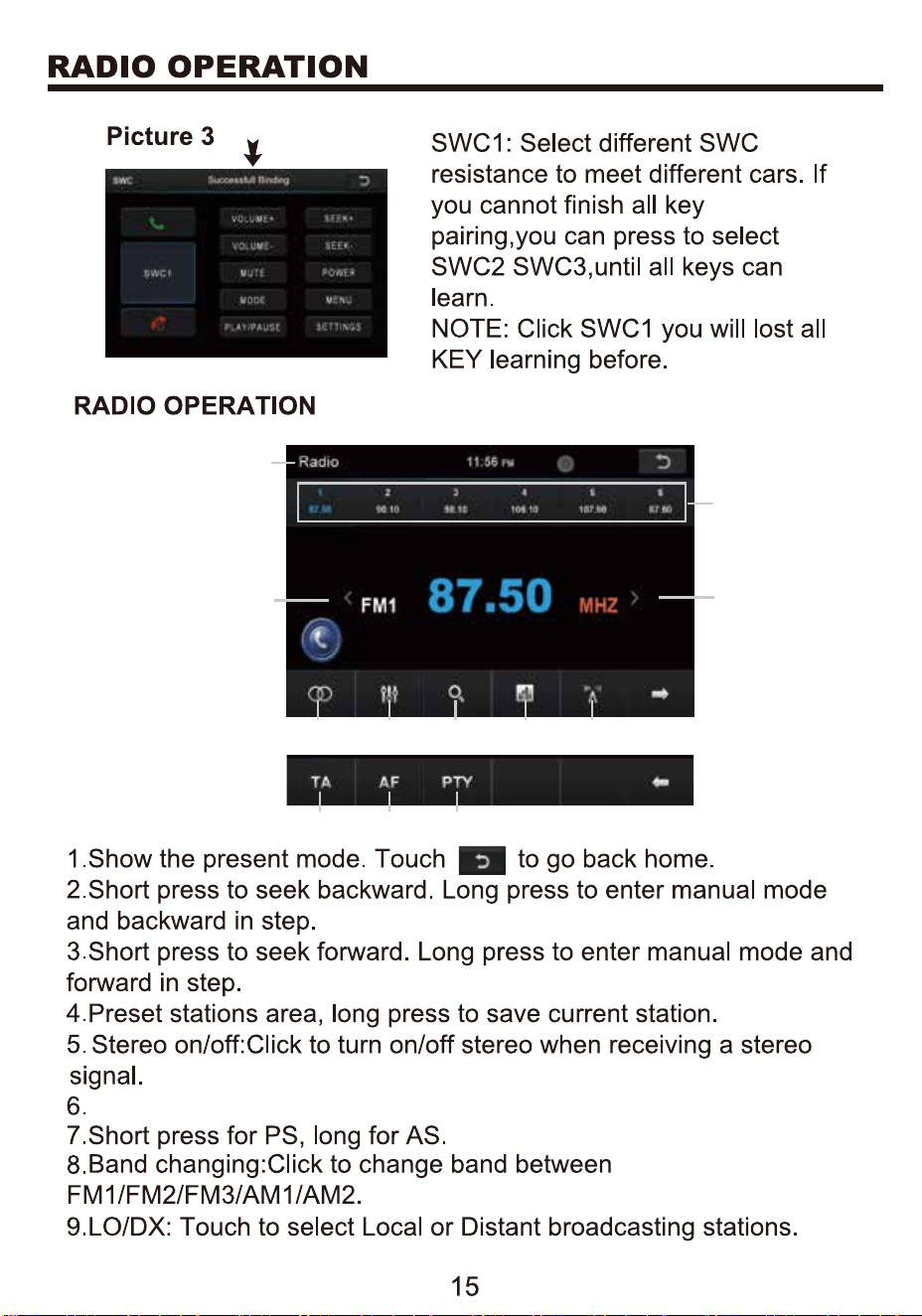
1
2
3
4
5 6 7 8 9
10 11 12
Press to enter into EQ menu.
10
11
12
B
st
SD
BV9364B
BV9364B
f
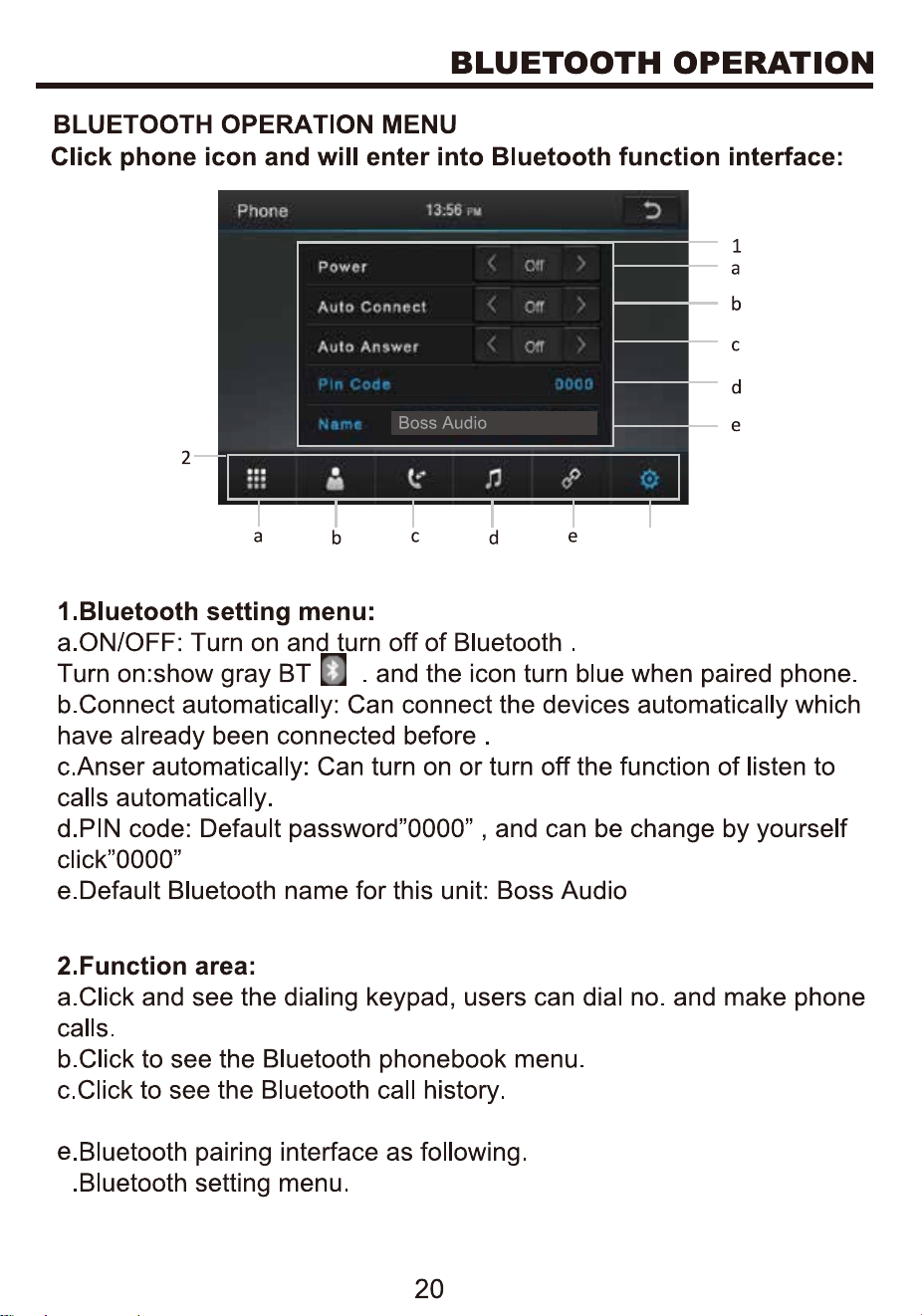
d. Bluetooth music
f
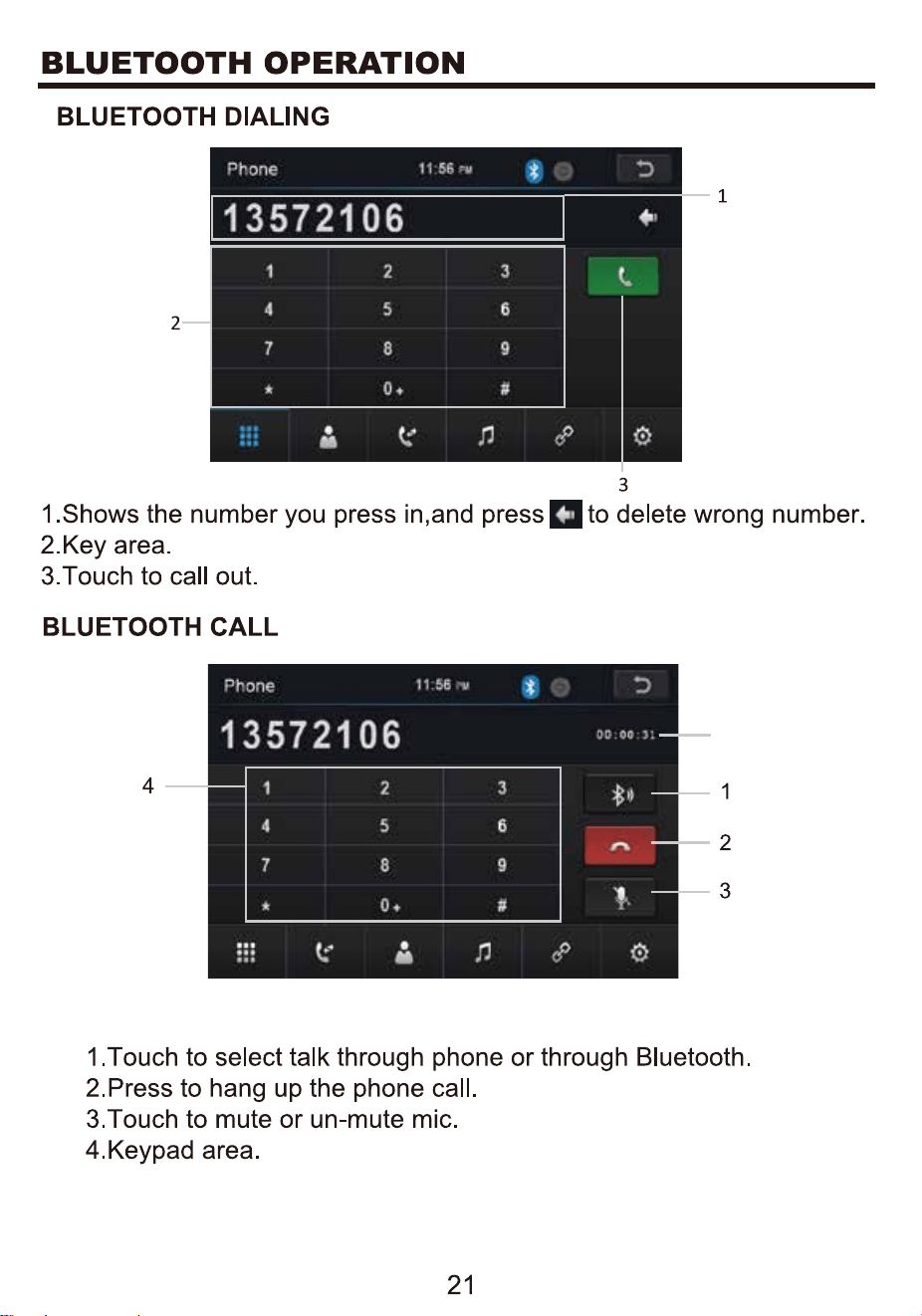
5
5.Show talking time.
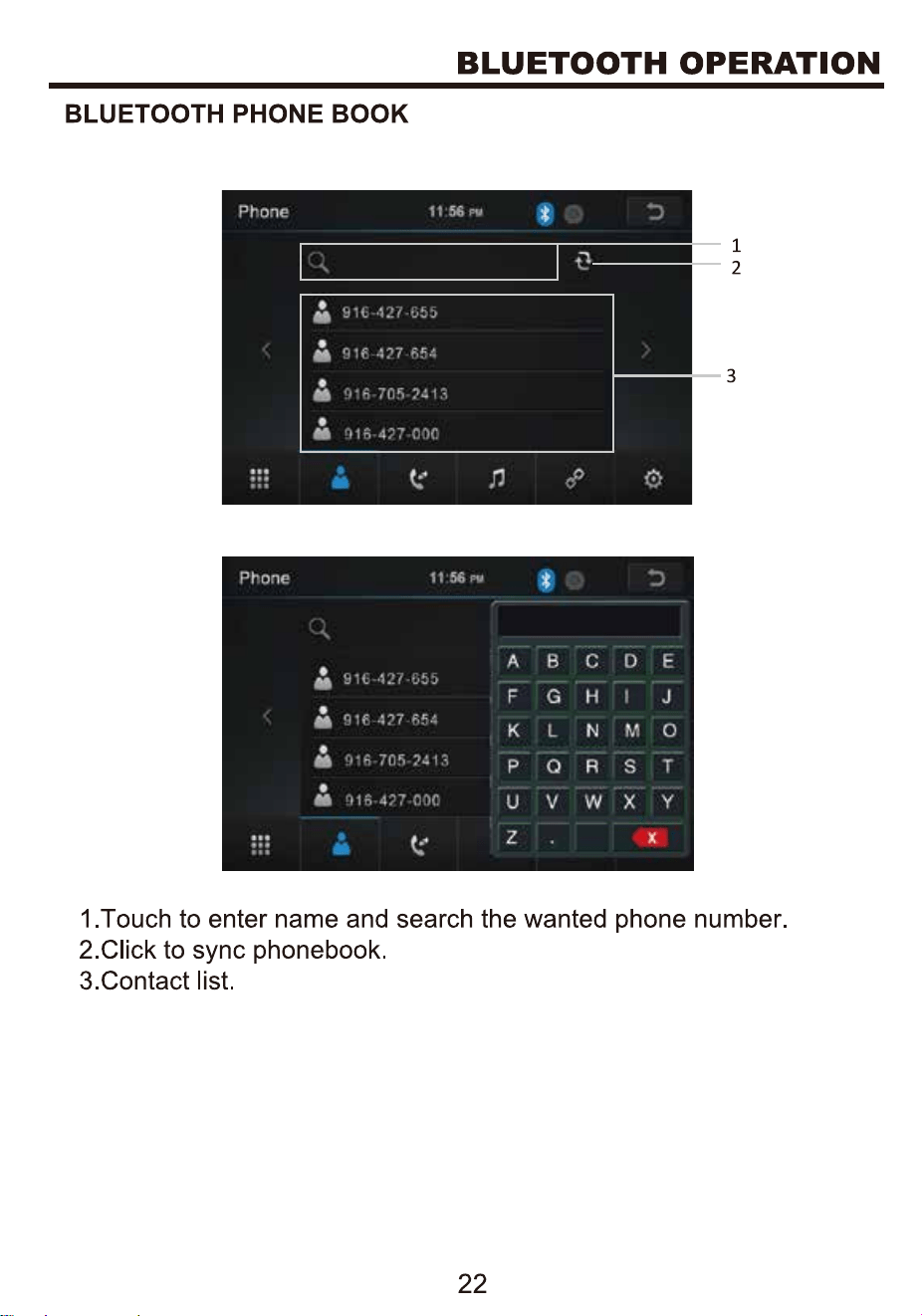
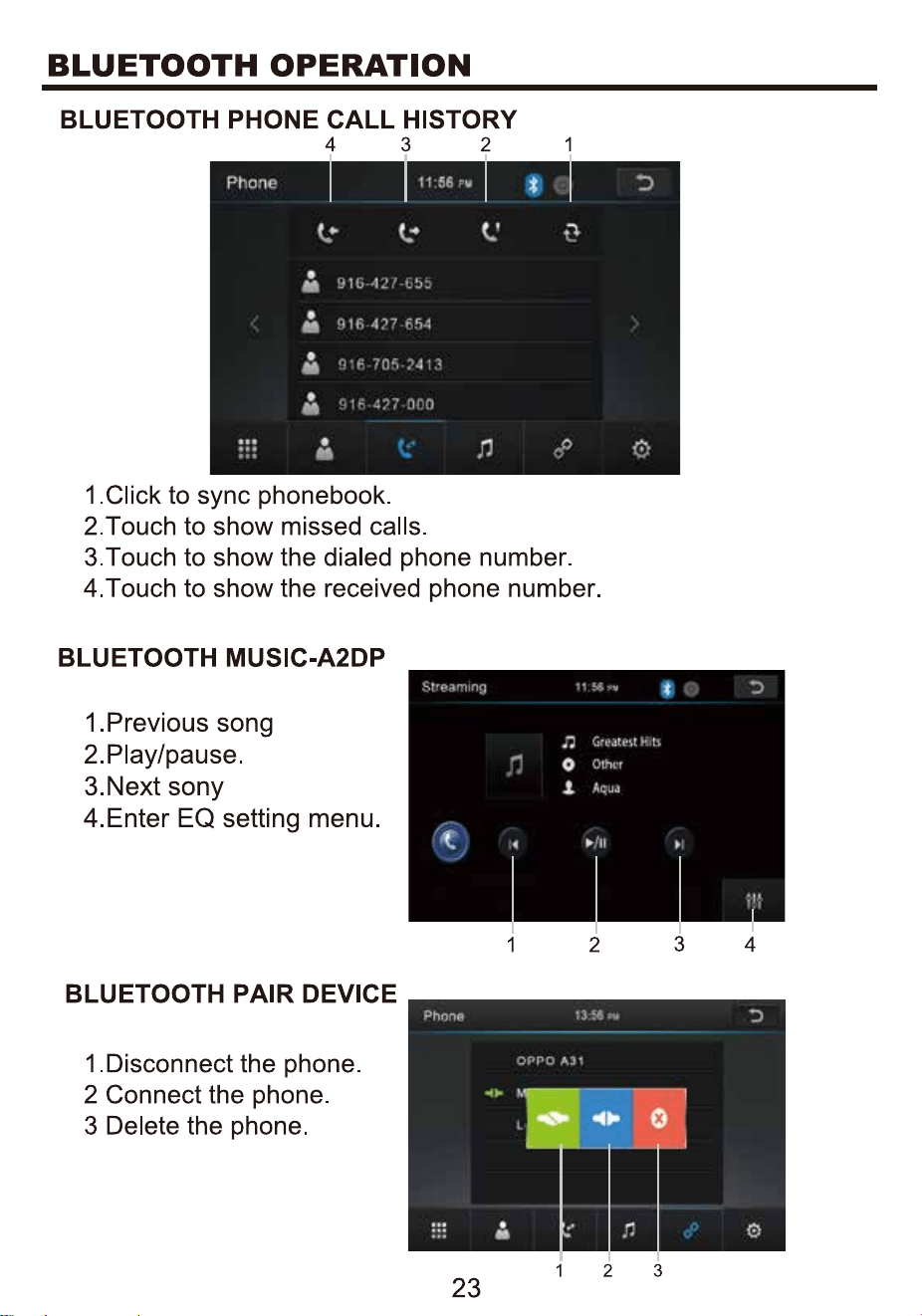
28
29
Table 6:
USB Auto reading function: 1)Auto reading function works only for
Front USB when rear USB is off; 2) Need to click the Front USB icon
on main menu to read the Front USB if rear USB is under working;
Mobile phone charging function: 1)Auto charging function works
when you insert Android cellphone; 2)Connect Iphone in one USB
slot, if can not charge automatically, will need to click USB mode by
hand.