EN
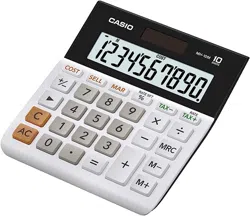
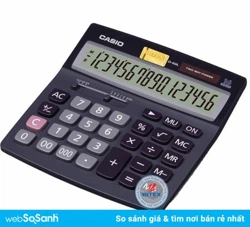
DM-1200BM
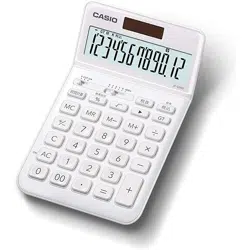
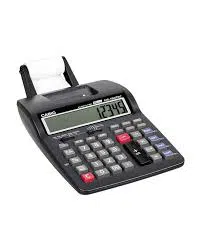
JF-100BM
User’s Guide
• Be sure to keep all user documentation handy for future reference.
Important Precautions
• If you suspect that the calculator is operating abnormally due to static electrical charge or some
other problem, press A to restore normal operation.
• Avoid dropping the calculator and otherwise subjecting it to severe impact.
• Never try to take the calculator apart.
• Wipe the unit with a soft, dry cloth to clean it.
• The contents of these instructions are subject to change without notice.
• CASIO COMPUTER CO., LTD. assumes no responsibility for any loss or claims by third parties
which may arise from the use of this product.
Power Supply
Two-Way Power System provides power even in complete darkness.
• Always leave battery replacement up to an authorized dealer.
• The battery that comes with this unit discharges slightly during shipment and storage. Because
of this, it may require replacement sooner than the normal expected battery life.
k Auto Power Off Function
Auto power off: Approximately 6 minutes after last key operation
Tax Calculations
• To set a tax rate
Example: Tax rate = 5%
A&(RATE SET) (Until TAX and % appear.)
5
*
&(RATE SET)
• You can check the currently set rate by pressing A and then S(TAX RATE).
*
For rates of 1 or greater, you can input up to six digits. For rates less than 1 you can input up
to 10 or 12 digits, including 0 for the integer digit and leading zeros (though only six significant
digits, counted from the left and starting with the first non-zero digit, can be specified).
Examples: 0.123456, 0.0123456, 0.000012345
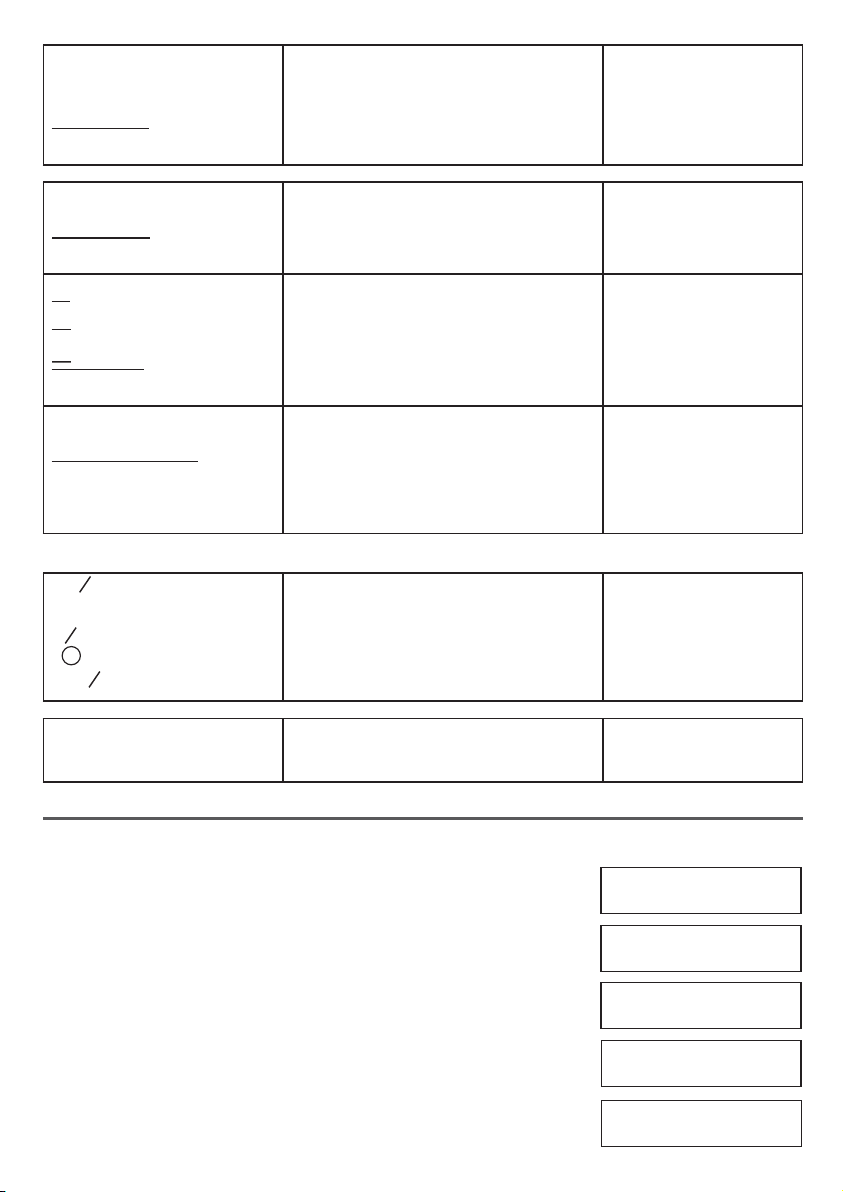
0.
%TAX
0.
%TAX
5.
%TAX
5.
%TAX
“F*
1
” A
0.
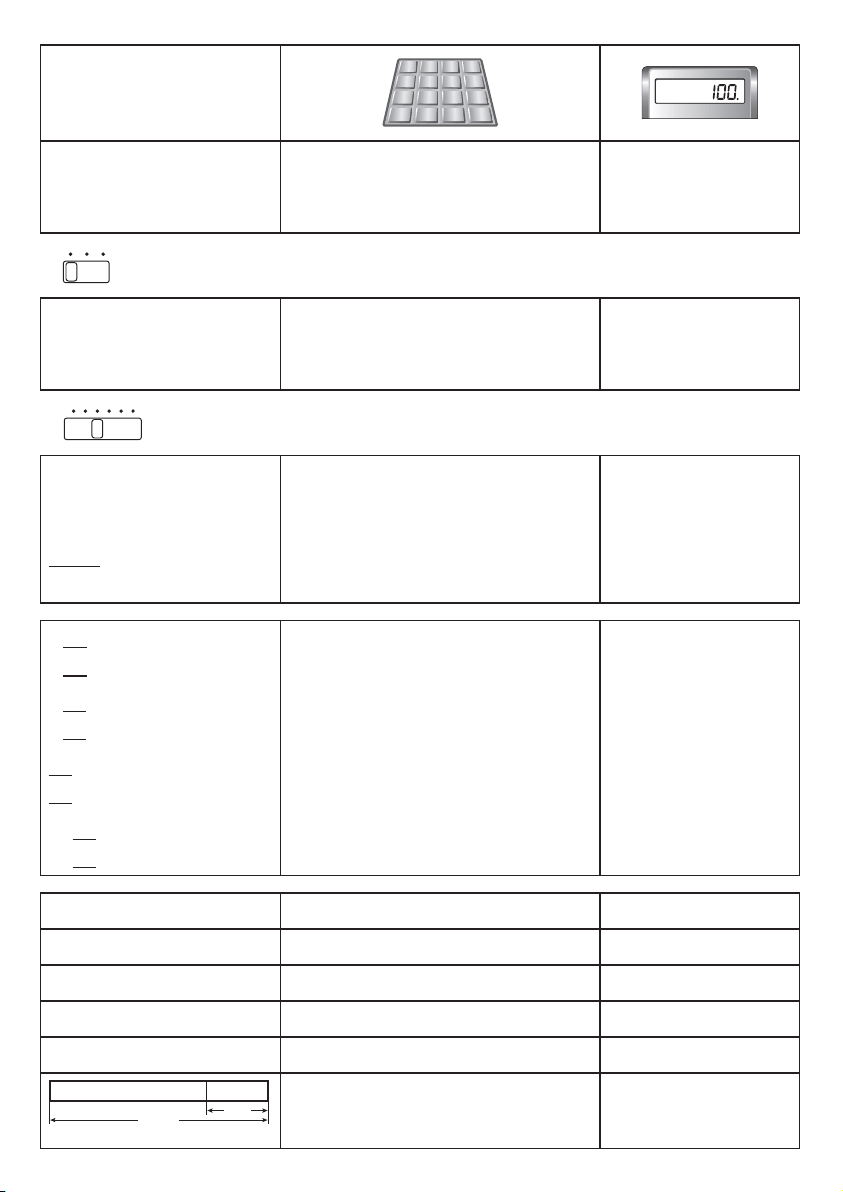
6 ÷ 3 × 5 + 2.4 – 1 = 11.4
6/3*5+2.4-1=
11.4
2 × (– 3) = – 6
2*3>=
– 6.
*
1
FCUT5/4
5 ÷ 3 = 1.66666666…
“F” 5/3=
1.66666666666*
3
“CUT, 2*
2
” 5/3=
1.66
“5/4, 2” 5/3=
1.67
*
2
4 3 2 1 0 ADD
2
*
3
1.666666666 (JF-100BM)
$ 1.23
“CUT, ADD
2
” 123+
1.23
3.21
321-
4.44
– 1.11
111+
3.33
2.00
2.=
5.33
$ 5.33
1 + 5 = 6
“F” 5++1=
K
6.
3 + 5 = 8
3=
K
8.
7 – 6 = 1
6--7=
K
1.
2 – 6 = – 4
2=
K
– 4.
2 × 3 = 6
2**3=
K
6.
2 × 4 = 8
4=
K
8.
15 ÷ 3 = 5
3//15=
K
5.
21 ÷ 3 = 7
21=
K
7.
100 × 5% = 5
“F” 1#*5&
5.
100 + (100 × 5%) = 105
“F” 1#*5&+
105.
10 – (10 × 20%) = 8 “F” 10*20&-
8.
30 = 60 × ?% ? = 50
“F” 30/60&
50.
12 = 10 + (10 × ?%) ? = 20
“F” 12-10&
20.
100%
25%
$120
? ($160)
? ($40)
“F” 120+25&
-
160.
40.
HDC0D336E09 SA1411-A Printed in China
© 2014 CASIO COMPUTER CO., LTD.
EN
DM-1200BM
JF-100BM
User’s Guide
• Be sure to keep all user documentation handy for future reference.
Important Precautions
• If you suspect that the calculator is operating abnormally due to static electrical charge or some
other problem, press A to restore normal operation.
• Avoid dropping the calculator and otherwise subjecting it to severe impact.
• Never try to take the calculator apart.
• Wipe the unit with a soft, dry cloth to clean it.
• The contents of these instructions are subject to change without notice.
• CASIO COMPUTER CO., LTD. assumes no responsibility for any loss or claims by third parties
which may arise from the use of this product.
Power Supply
Two-Way Power System provides power even in complete darkness.
• Always leave battery replacement up to an authorized dealer.
• The battery that comes with this unit discharges slightly during shipment and storage. Because
of this, it may require replacement sooner than the normal expected battery life.
k Auto Power Off Function
Auto power off: Approximately 6 minutes after last key operation
Tax Calculations
• To set a tax rate
Example: Tax rate = 5%
A&(RATE SET) (Until TAX and % appear.)
5
*
&(RATE SET)
• You can check the currently set rate by pressing A and then S(TAX RATE).
*
For rates of 1 or greater, you can input up to six digits. For rates less than 1 you can input up
to 10 or 12 digits, including 0 for the integer digit and leading zeros (though only six significant
digits, counted from the left and starting with the first non-zero digit, can be specified).
Examples: 0.123456, 0.0123456, 0.000012345
0.
%TAX
0.
%TAX
5.
%TAX
5.
%TAX
“F*
1
” A
0.
6 ÷ 3 × 5 + 2.4 – 1 = 11.4
6/3*5+2.4-1=
11.4
2 × (– 3) = – 6
2*3>=
– 6.
*
1
FCUT5/4
5 ÷ 3 = 1.66666666…
“F” 5/3=
1.66666666666*
3
“CUT, 2*
2
” 5/3=
1.66
“5/4, 2” 5/3=
1.67
*
2
4 3 2 1 0 ADD
2
*
3
1.666666666 (JF-100BM)
$ 1.23
“CUT, ADD
2
” 123+
1.23
3.21
321-
4.44
– 1.11
111+
3.33
2.00
2.=
5.33
$ 5.33
1 + 5 = 6
“F” 5++1=
K
6.
3 + 5 = 8
3=
K
8.
7 – 6 = 1
6--7=
K
1.
2 – 6 = – 4
2=
K
– 4.
2 × 3 = 6
2**3=
K
6.
2 × 4 = 8
4=
K
8.
15 ÷ 3 = 5
3//15=
K
5.
21 ÷ 3 = 7
21=
K
7.
100 × 5% = 5
“F” 1#*5&
5.
100 + (100 × 5%) = 105
“F” 1#*5&+
105.
10 – (10 × 20%) = 8 “F” 10*20&-
8.
30 = 60 × ?% ? = 50
“F” 30/60&
50.
12 = 10 + (10 × ?%) ? = 20
“F” 12-10&
20.
100%
25%
$120
? ($160)
? ($40)
“F” 120+25&
-
160.
40.
HDC0D336E09 SA1411-A Printed in China
© 2014 CASIO COMPUTER CO., LTD.
8 × 9 = 72
“F” o*
4
A8*9l
M
72.
–) 5 × 6 = 30
5*6m
M
30.
2 × 3 = 6
2*3l
M
6.
48
n*
5
M
48.
5 × 6 = 30
“F” A5*6=
GT
30.
2 × 8 = 16
2*8=
GT
16.
46
&
GT
46.
12 ÷ 2 = 6
“F” o*
4
A12l/2=
GT M
6.
12 ÷ 5 = 2.4
n*
5
/5=
GT M
2.4
12 ÷ 8 = 1.5
n*
5
/8=
GT M
1.5
9.9
&
GT M
9.9
7.8 × 89 = 694.2
“F” o*
4
A7.8l*89=
GT M
694.2
4.56 × 23 = 104.88 4.56l*23=
GT M
104.88
12.36 799.08
n*
5
GT M
12.36
&
GT M
799.08
*
4
MM(JF-100BM) *
5
M(JF-100BM)
2 + 3 = 6
4
“F” 2+3C4=
6.
2 + 7 = –5
–
2+-7=
– 5.
5 + 77 = 12
5+77'=
12.
999999999999*
6
+ 1 =
1000000000000*
7
“F” 999999999999*
6
+1=
A
E
1.00000000000*
8
0.
*
6
9999999999 (JF-100BM) *
7
10000000000 (JF-100BM) *
8
E1.000000000 (JF-100BM)
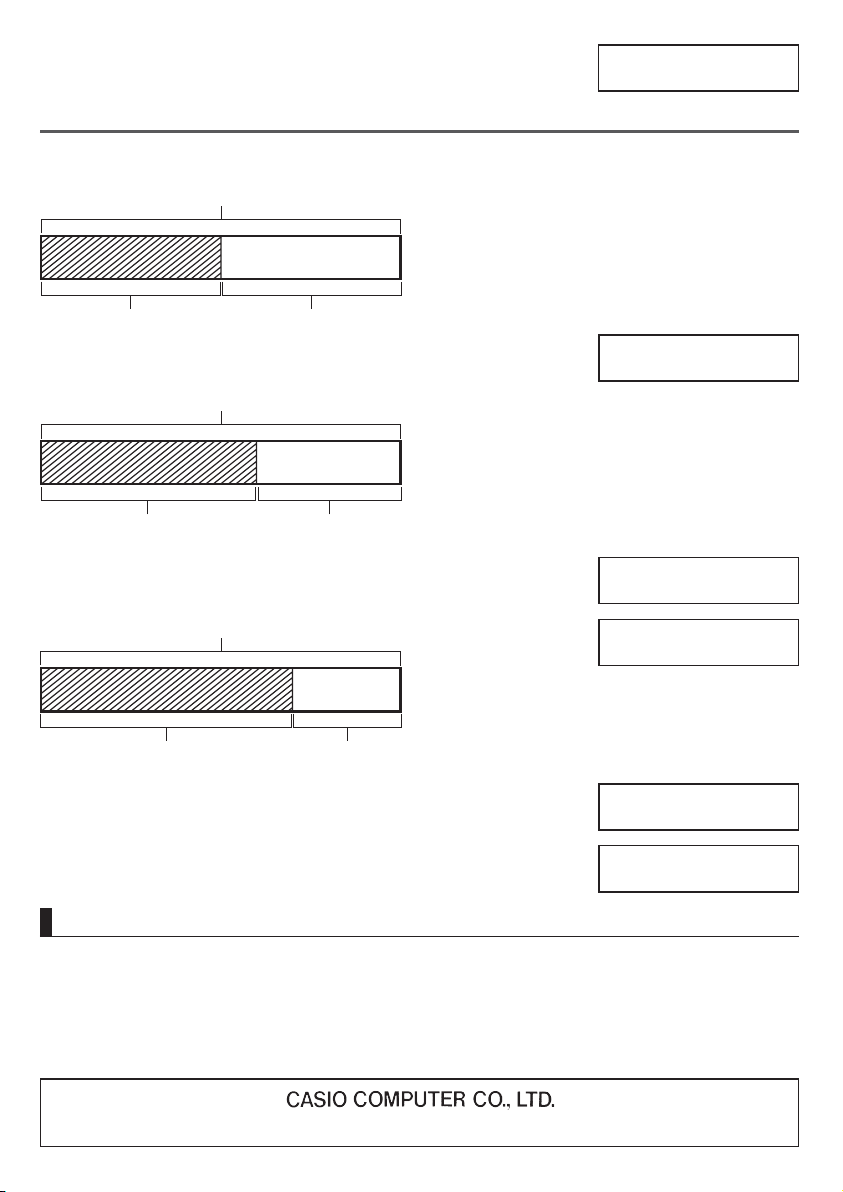
Tax rate = 5%
$150
➞
???
“F” A 150 S
S
S
$105
➞
???
A 105 T
T
*
9
157.5
TAX+
*
9
157.5
TAX+
*
10
7.5
TAX
*
10
7.5
TAX
*
9
157.5
TAX+
*
9
157.5
TAX+
*
11
100.
TAX−
*
11
100.
TAX−
*
10
5.
TAX
*
10
5.
TAX
T
*
9
Price-plus-tax *
10
Tax *
11
Price-less-tax
k Cost (C), Selling Price (S), Margin (M), Margin Amount (MA)
“F”
A
10#
z
20#
xv
C ($1000)
S ($2000)
M? (50%)
C ($120)
S? ($200)
M (40%)
MA? ($80)
“F”
A
120
z
40
vv
x
C? ($105)
S ($150)
M (30%)
MA? ($45)
“F”
A
150
x
30
vv
z
80.
MAR
200.
SELL
50.
MAR %
45.
MAR
105.
COST
Specifications
Power Supply: Two-Way Power System, with solar cell and one button type battery (LR44)
Battery Life: Approximately 3 years (1 hour operation per day)
Operating Temperature: 0°C to 40°C (32°F to 104°F)
Dimensions (H) × (W) × (D) / Approximate weight (including battery)
DM-1200BM: 36.3 × 155 × 209 mm (1
7
/
16
" × 6
1
/
8
" × 8
1
/
4
") / 265 g (9.3 oz)
JF-100BM: 25.4 × 107 × 177.5 mm (1" × 4
3
/
16
" × 7") / 150 g (5.3 oz)
*
11
100.
TAX−
*
11
100.
TAX−
6-2, Hon-machi 1-chome, Shibuya-ku, Tokyo 151-8543, Japan
8 × 9 = 72
“F” o*
4
A8*9l
M
72.
–) 5 × 6 = 30
5*6m
M
30.
2 × 3 = 6
2*3l
M
6.
48
n*
5
M
48.
5 × 6 = 30
“F” A5*6=
GT
30.
2 × 8 = 16
2*8=
GT
16.
46
&
GT
46.
12 ÷ 2 = 6
“F” o*
4
A12l/2=
GT M
6.
12 ÷ 5 = 2.4
n*
5
/5=
GT M
2.4
12 ÷ 8 = 1.5
n*
5
/8=
GT M
1.5
9.9
&
GT M
9.9
7.8 × 89 = 694.2
“F” o*
4
A7.8l*89=
GT M
694.2
4.56 × 23 = 104.88 4.56l*23=
GT M
104.88
12.36 799.08
n*
5
GT M
12.36
&
GT M
799.08
*
4
MM(JF-100BM) *
5
M(JF-100BM)
2 + 3 = 6
4
“F” 2+3C4=
6.
2 + 7 = –5
–
2+-7=
– 5.
5 + 77 = 12
5+77'=
12.
999999999999*
6
+ 1 =
1000000000000*
7
“F” 999999999999*
6
+1=
A
E
1.00000000000*
8
0.
*
6
9999999999 (JF-100BM) *
7
10000000000 (JF-100BM) *
8
E1.000000000 (JF-100BM)
Tax rate = 5%
$150
➞
???
“F” A 150 S
S
S
$105
➞
???
A 105 T
T
*
9
157.5
TAX+
*
9
157.5
TAX+
*
10
7.5
TAX
*
10
7.5
TAX
*
9
157.5
TAX+
*
9
157.5
TAX+
*
11
100.
TAX−
*
11
100.
TAX−
*
10
5.
TAX
*
10
5.
TAX
T
*
9
Price-plus-tax *
10
Tax *
11
Price-less-tax
k Cost (C), Selling Price (S), Margin (M), Margin Amount (MA)
“F”
A
10#
z
20#
xv
C ($1000)
S ($2000)
M? (50%)
C ($120)
S? ($200)
M (40%)
MA? ($80)
“F”
A
120
z
40
vv
x
C? ($105)
S ($150)
M (30%)
MA? ($45)
“F”
A
150
x
30
vv
z
80.
MAR
200.
SELL
50.
MAR %
45.
MAR
105.
COST
Specifications
Power Supply: Two-Way Power System, with solar cell and one button type battery (LR44)
Battery Life: Approximately 3 years (1 hour operation per day)
Operating Temperature: 0°C to 40°C (32°F to 104°F)
Dimensions (H) × (W) × (D) / Approximate weight (including battery)
DM-1200BM: 36.3 × 155 × 209 mm (1
7
/
16
" × 6
1
/
8
" × 8
1
/
4
") / 265 g (9.3 oz)
JF-100BM: 25.4 × 107 × 177.5 mm (1" × 4
3
/
16
" × 7") / 150 g (5.3 oz)
*
11
100.
TAX−
*
11
100.
TAX−
6-2, Hon-machi 1-chome, Shibuya-ku, Tokyo 151-8543, Japan