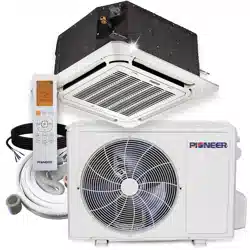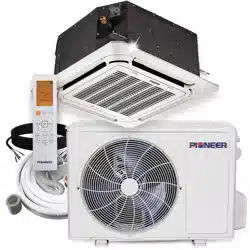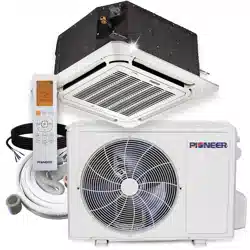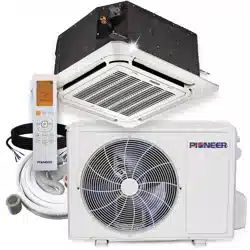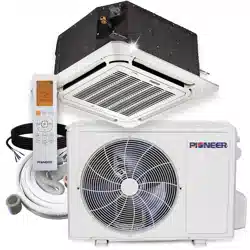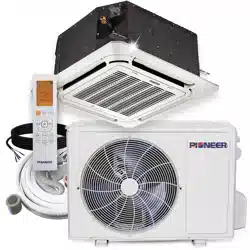

CASSETTE-TYPE AIR CONDITIONER
Owner’s Manual
Compact Four-Way Cassette
IMPORTANT NOTE:
Read this manual carefully before
installing or operating your new air
conditioning unit. Be sure to save this
manual for future reference.
Ceiling Cassette-Type Ductless Split Systems
CB009 - CB012 - CB018 Compact Indoor Units
CYB009 - CYB012 - CYB018 System Sets
Indoor Unit Parts and Major Functions..............5
Manual Operation ..................................................................7
Table of Contents
Owner’s Manual
SAFETY
FIRST
1
Safety Precautions ..................................................................4
2
3
Page 3
Care and Maintenance .......................................8
a.
Unit Maintenance............................................................8
b. How to Clean the Air Filter............................................8
c. Repairing Refrigerant Leaks...........................................8
d.
Preparation for Periods of Non-use..............................9
Troubleshooting ........................................10
a.
Common Pr oblems............................................10
b. Troubleshooting Tips........................................11
European Disposal Guidelines .............................................................................13
4
5
6
Page 4
Thank you for your purchase of this air conditioner. This manual will provide you with information on
how to operate, maintain, and troubleshoot your air conditioner. Following the instructions closely will
ensure the proper function and extended lifespan of your unit.
Please pay attention to the following signs:
Safety Precautions
1
WARNING
•
Have an authorized dealer install this air
conditioner. Inappropriate installation may
cause water leakage, electric shock, or fire.
•
The warranty will be voided if the unit is not
installed by professionals.
•
If abnormal situations arise (such as burning
odors), turn off the power supply, and call
your dealer for instructions to avoid electric
shock, fire, or injury.
•
DO NOT
let the indoor unit or the remote
control get wet. It may cause electric shock or
fire.
•
DO NOT
insert fingers, rods, or other objects
into the air inlet or outlet. This may cause
injury, since the fan may be rotating at high
speeds.
•
DO NOT
use a flammable spray, such as
hair spray, lacquer or paint, near the unit.
This may cause fire or combustion.
CAUTION
•
DO NOT
touch the air outlet while the swing
flap is in motion. Fingers might get caught, or
the unit may break down.
•
DO NOT
inspect the unit by yourself. Ask an
authorized dealer to perform the inspection.
•
To prevent product deterioration, do not use
the air conditioner for preservation purposes
(storage of food, plants, animals, works of art,
etc.).
Failure to observe a warning may result in death. The appliance must be installed by
licensed professionals, in accordance with all local, state, and provincial regulations.
Failure to observe a caution may result in injury or equipment damage.
WARNING
CAUTION
•
DO NOT
place items that might be affected
by moisture damage under the indoor unit.
Condensation can occur at a relative humidity
of 80%.
•
DO NOT
expose heat-producing appliances
to cold air or place them under the indoor unit.
This may cause incomplete combustion or
deformation of the unit, due to the heat.
•
After long periods of usage, check the
indoor unit to see if anything is damaged. If
the indoor unit is damaged, it may fall and
cause injury.
•
If the air conditioner is used together with
other heating devices, thoroughly ventilate
the room to avoid oxygen deficiency.
•
DO NOT
climb onto, or place objects on top
of, the outdoor unit.
•
DO NOT
operate the air conditioner when
using fumigant insecticides. The chemicals may
become layered with the unit and endanger those
who are hypersensitive to chemicals.
•
DO NOT
let children play with the air
•
This air conditioner can be used by children aged
8 years and older, as well as people with reduced
physical, sensory, or mental capabilities, or lack
of
experience and knowledge, if they have been given
instructions on how to properly and safely operate
the system.
•
DO NOT
operate the air conditioner in a wet
room (e.g. bathroom or laundry room). This
can produce electrical shock and cause the
product to deteriorate.
Safety
Precautions
conditioner.
•
DO NOT
operate the air conditioner with
wet hands. It may lead to electric shock.
•
DO NOT
touch the evaporator coils inside
the indoor unit. The evaporator coils are
sharp, and may cause injury.
Page 5
Indoor Unit Parts And Major Functions
2
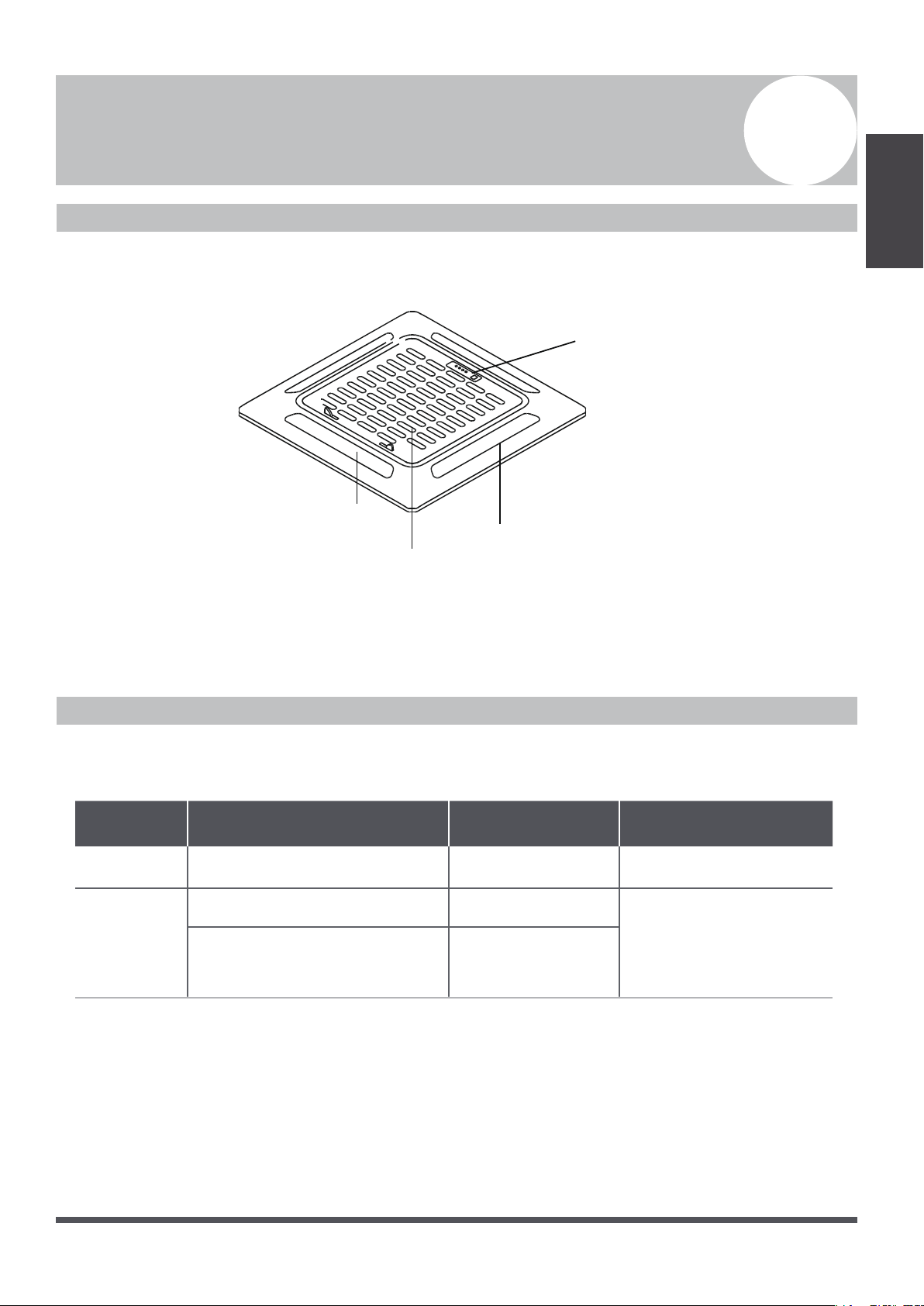
Unit Parts
Fig. 2.1
Operating Conditions
Use the system in the following temperature ranges for safe and effective operation. If the air conditioner
is used outside of the following conditions, it may malfunction or be less efficient.
Indoor Unit
Parts And Major
Functions
Air Inlet
Air Outlet
Louver
Display Panel
COOL Mode HEAT Mode DRY Mode
Indoor
Temperature
17°~32°C (62°~90°F) 0°~30°C (32°~86°F) 17°~32°C (62°-90°F)
Outdoor
Temperature
0°~43°C (32°~109°F)
-25°~24°C (-12°~76°F)
Inverter++ Models
18°~43°C (64° ~109°F)
-7°~43°C (20°~109°F)
(low ambient cooling models)
-15°~24°C (5°~76°F)
Page 6
Features
Indoor Unit
Parts And Major
Functions
Default Setting
When the air conditioner restarts after a power
failure, it will default to the factory settings
(AUTO mode, AUTO fan, 24°C (76°F)). This
may cause inconsistencies on the remote control
and unit panel. Use your remote control to
update the status.
Auto-Restart (some models)
In case of power failure, the system will
immediately stop. When power returns, the
operation light on the indoor unit will flash. To
restart the unit, press the ON/OFF button on the
remote control. If the system has an auto restart
function, the unit will restart using the same
settings.
Energy Saving Tips
•
DO NOT
set the unit to excessive temperature levels.
•
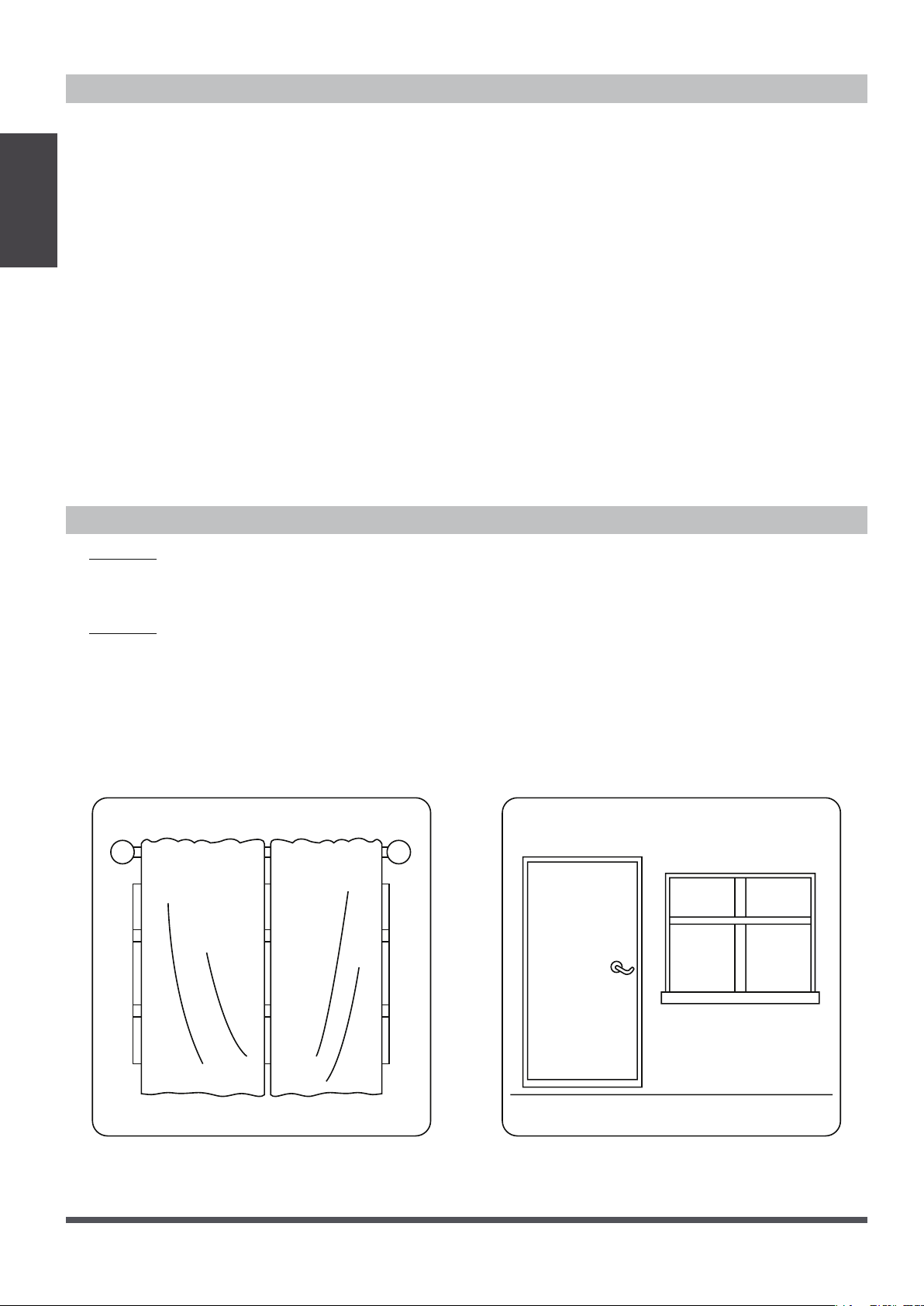
While cooling, close the curtains to avoid direct sunlight.
•
Doors and windows should be kept closed, to keep cool or warm air in the room.
•
DO NOT
place objects near the air inlet and outlet of the unit. This will reduce unit efficiency.
•
Set a timer and use the built-in SLEEP/ECONOMY mode, if applicable.
•
If you don’t plan to use the unit for a long time, remove the batteries from the remote control.
•
Clean the air filter every two weeks. A dirty filter can reduce cooling or heating efficiency.
•
Adjust louvers properly, and avoid direct airflow.
Louver Angle Memory Function (Optional)
Some models are designed with a louver angle
memory function. When the unit restarts after a
power failure, the angle of the horizontal louvers
will automatically return to the previous position.
The angle of the horizontal louver should not be set
too small, as condensation may form and drip into
the machine. To reset the louver, press the manual
button, which will reset the horizontal louver
settings.
Refrigerant Leak Detection System
(some models)
In the event of a refrigerant leak, the LCD screen
will display “EC”, and the LED indicator light will
flash.
Closing the curtains while heating also
helps to keep the heat in
Doors and windows should be kept
closed when not in use
Page 7
Manual Operations
3
Manual
Operations
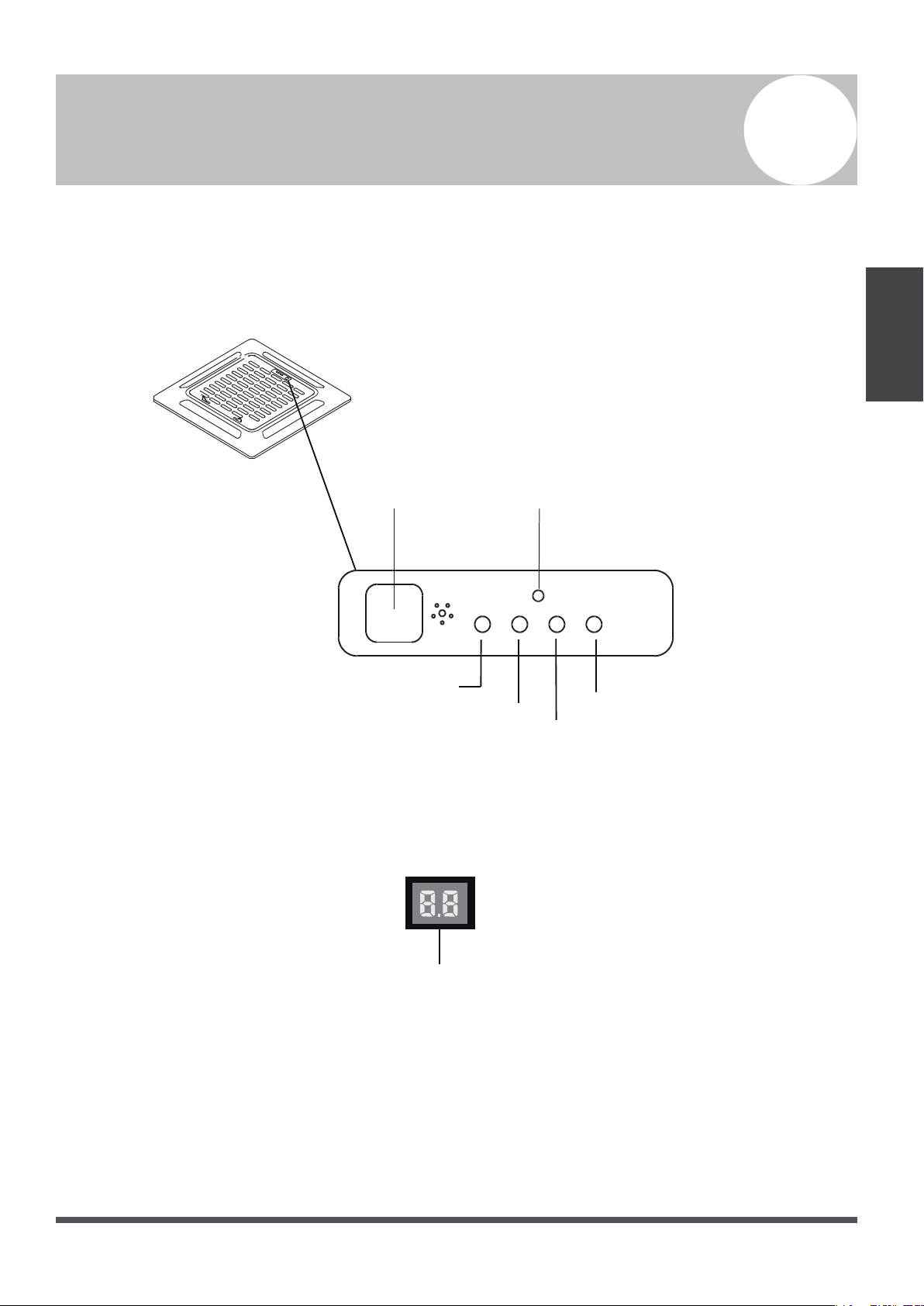
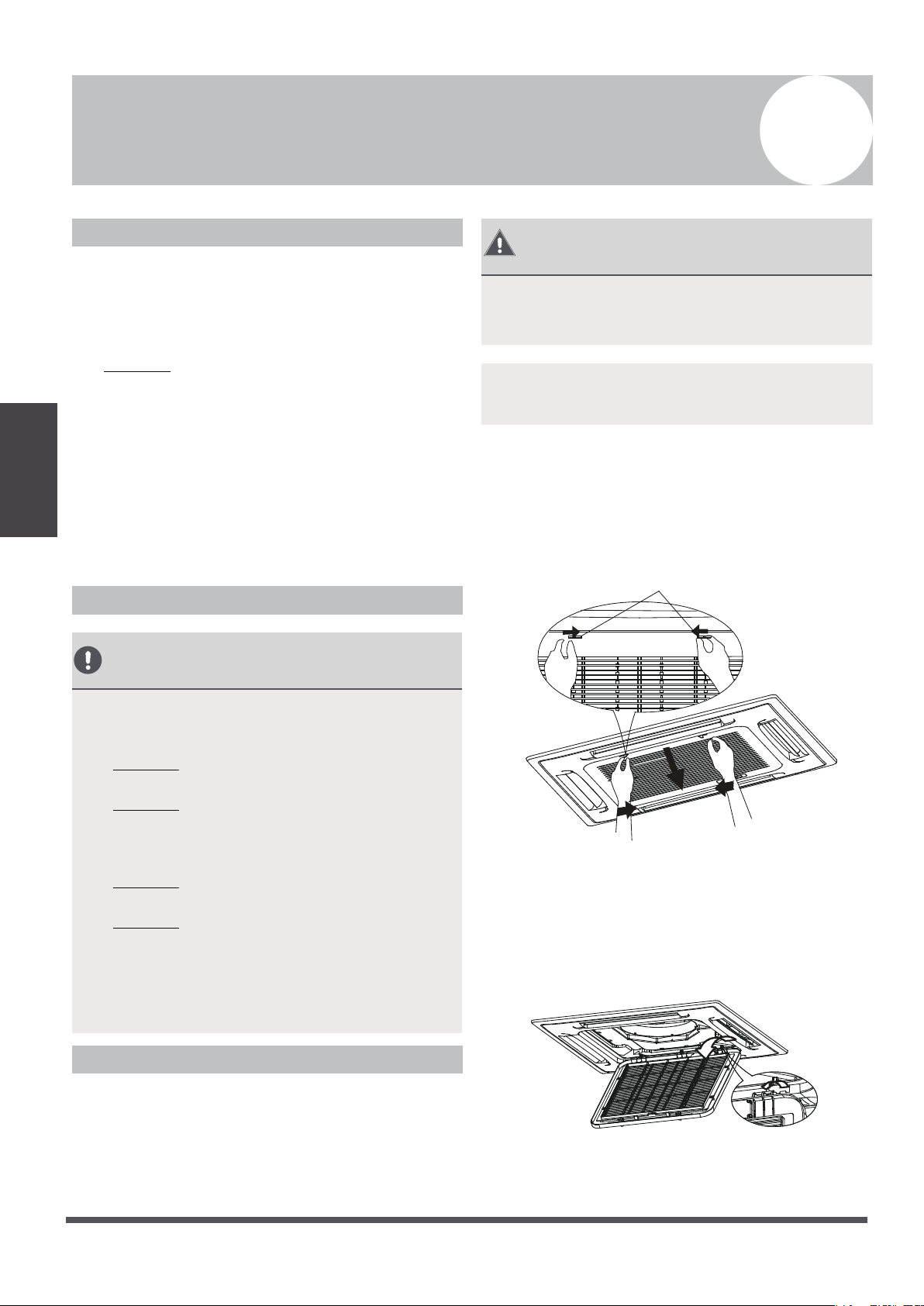
This display panel on the indoor unit can be used to operate the unit in case the remote control has been
misplaced, or is out of batteries.
Infrared Receiver
Fig. 3.1
•
MANUAL Button:
This button selects the mode in the following order: AUTO, FORCED COOL, OFF.
•
FORCED COOL Mode: In FORCED COOL mode, the Operation Light flashes. The system will then
turn to AUTO, after it has cooled with a high wind speed for 30 minutes. The remote control will be
disabled during this operation.
•
OFF Mode: When the panel is turned OFF, the unit turns off, and the remote control is re-enabled.
Timer Indicator
Alarm Indicator
PRE-DEF
(pre-heating/defrost)
Indicator
Manual Button
Operation Indicator
Fig. 3.2
LED Display
Page 8
Care And
Maintenance
1.
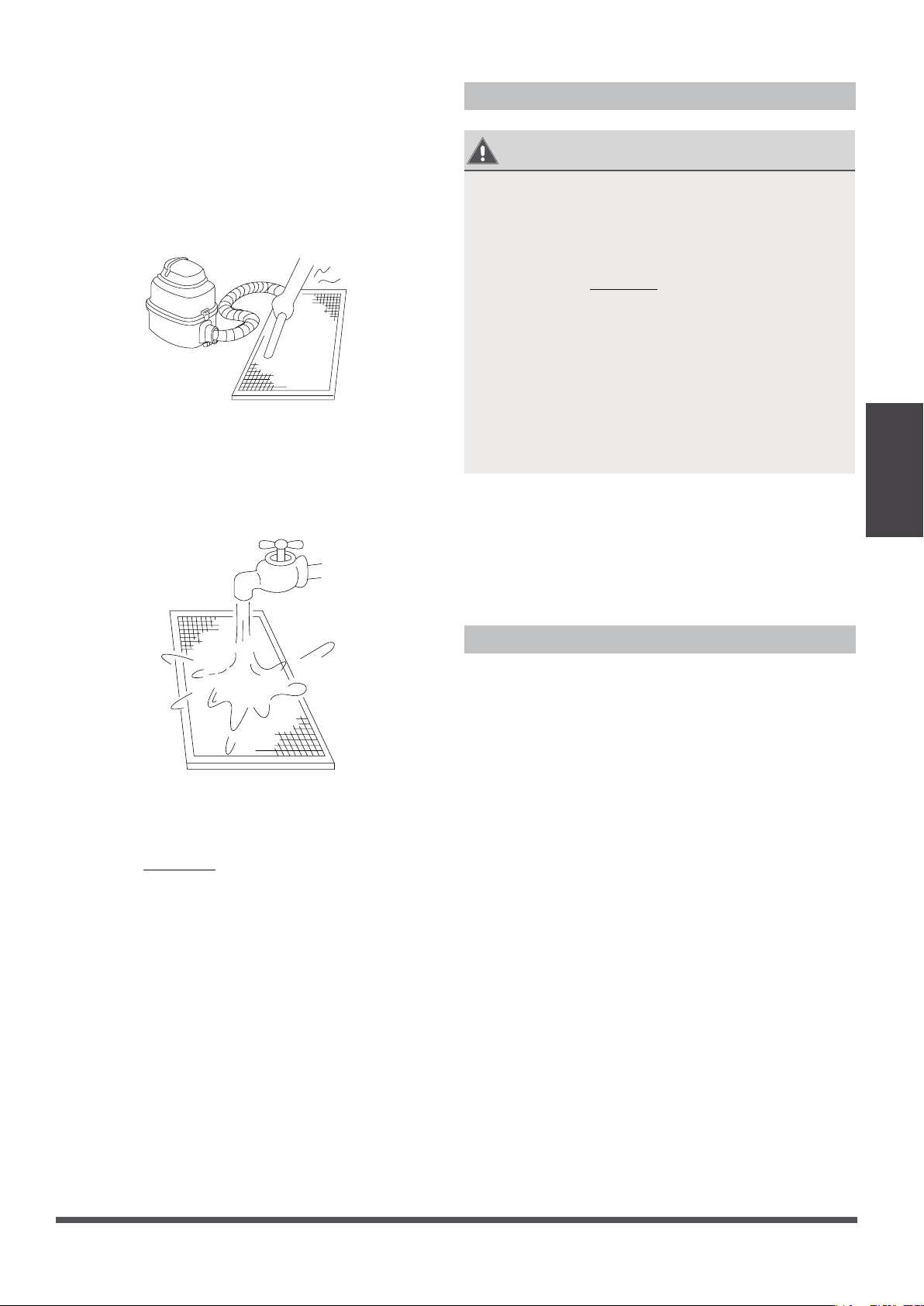
Unlock the grille by pushing the two tabs
towards the middle simultaneously.
2. Unplug the display panel cable from the
control box on the main body.
Press tabs to
release grille
Fig. 4.1
3.
Detach the grille from the main unit by
holding the grille at a 45° angle, lifting it up
slightly and then pulling the grille forward.
Fig. 4.2
Care And Maintenance
4
Safety Precautions
•
Contact an authorized service technician for
repair or maintenance of this unit. Improper
repair and maintenance may cause water
leakage, electrical shock, or fire, and may void
your warranty.
•
DO NOT
substitute a blown fuse with a
higher or lower amperage rating fuse, as this
may cause circuit damage, or an electrical fire.
•
Please make sure the drain hose is set up
according to the instructions. Failure to do so
could cause leakage, and result in personal
property damage, fire, and electric shock.
•
Make sure that all wires are connected
properly. Failure to connect wires according
to instructions can result in electrical shock or
fire.
Unit Maintenance
BEFORE CLEANING
OR MAINTENANCE
•
Always turn off your air conditioning system
and disconnec
t its power supply before
cleaning or maintenance.
•
DO NOT
use chemicals or chemically
treated cloths to clean the unit
•
DO NOT
use benzene, paint thinner,
polishing powder, or other solvents to clean
the unit. They can cause the plastic surface to
crack, or deform.
•
DO NOT
wash the unit under running
water. Doing so causes electrical danger.
•
DO NOT
use water hotter than 40°C (104°F)
to clean the front panel. This can cause the
panel to deform, or become discolored.
•
Clean the unit using a damp, lint-free cloth
and neutral detergent. Dry the unit with a
dry, lint-free cloth.
How To Clean The Air Filter
The filter prevents dust and other particles from
entering the indoor unit. Dust buildup can reduce
the efficiency of the air conditioner. For optimum
efficiency, clean the air filter every two weeks, or
more frequently if you live in a dusty area. Replace
the filter with a new one if it’s heavily clogged and
unable to be cleaned.
WARNING: DO NOT REMOVE OR
CLEAN
THE FILTER BY YOURSELF
Removing and cleaning the filter can be
dangerous. Removal and maintenance must be
performed by a certified technician.
NOTE: In households with animals, you will have
to periodically wipe down the grille, to prevent
blocked airflow due to animal hair.
Page 9
Care And
4. Remove the air filter.
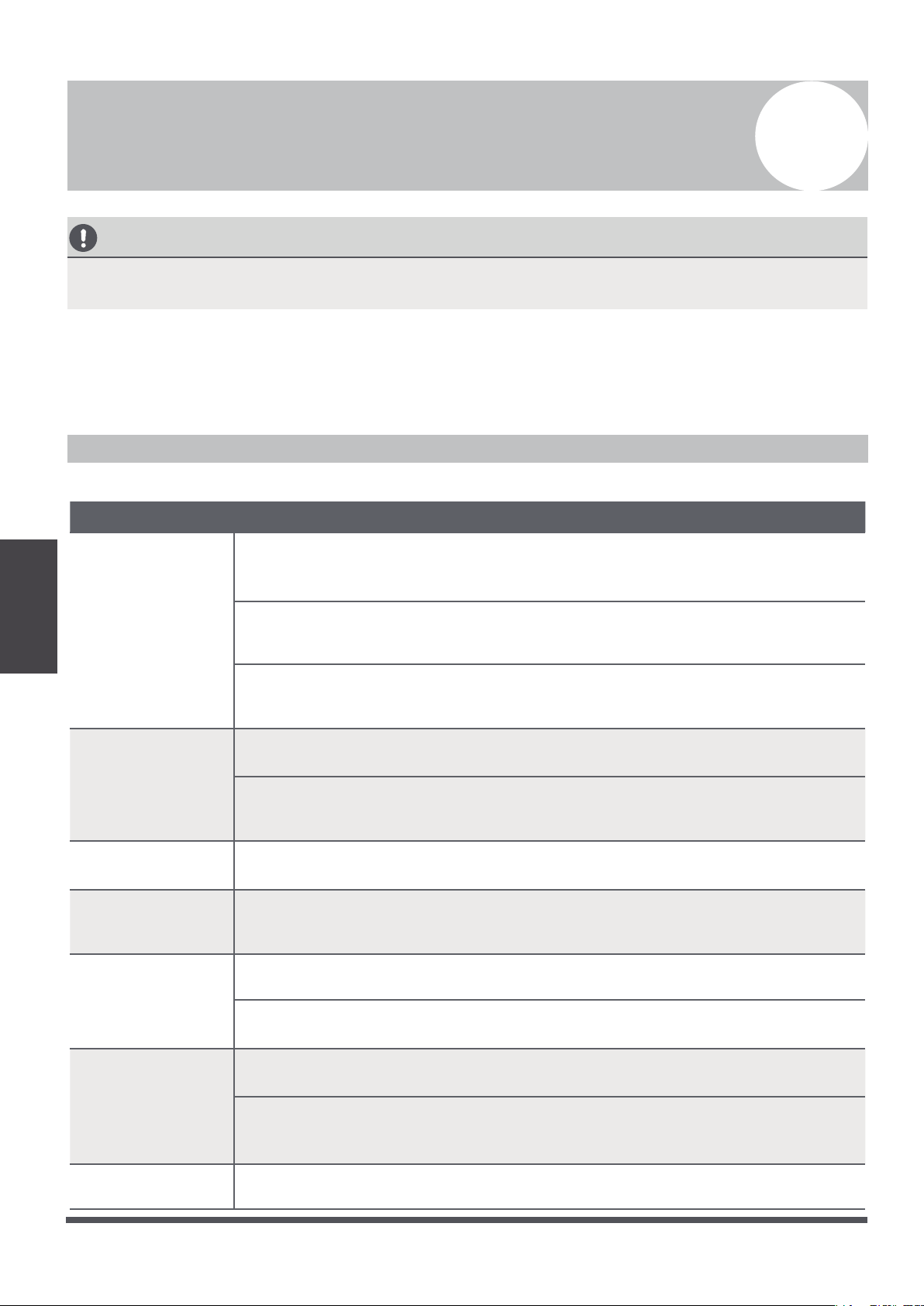
5.
Clean the air filter by vacuuming the surface or
washing it in warm water with mild detergent.
If using a vacuum cleaner, the inlet side
should face the vacuum.
Fig. 4.3
If using water, the inlet side should face
down and away from the water stream.
Fig. 4.4
6.
Rinse the filter with clean water, and allow it to
air-dry.
DO NOT
let the filter dry in direct
sunlight.
7. Reinstall the filter.
8.
Reinstall the front grille, and reconnect the
display panel cable to the control box on the
main body.
Repairing Refrigerant Leaks
WARNING
•
If the refrigerant leaks, turn off the air
conditioner and any combustible heating
devices, ventilate the room and call your dealer
immediately. Refrigerant is both toxic and
flammable.
DO NOT
use the air conditioner
until the leak is repaired.
•
When the air conditioner is installed in a small
room, measures must be taken to prevent the
refrigerant concentration from exceeding the
safety limit in the event of refrigerant leakage.
Concentrated refrigerant causes a severe health
and safety threat.
Refrigerant Leak Detection System
(some models)
•
In the event of a refrigerant leak, the LCD screen
will display “EC”, and the LED indicator light
will flash.
Preparation For Periods Of Non-Use
Maintenance after Extended Non-Use
1. Remove any obstacles blocking the vents of
both the indoor and outdoor units.
2. Clean the air filter and the front grille of the
indoor unit. Reinstall the cleaned, dried air filter
into its original position.
3. Turn on the main power switch at least 12
hours prior to operating the unit.
Storing the Unit While Not In Use
1.
Run the appliance on FAN mode for 12 hours in
a warm room, to dry it and prevent mold.
2.
Turn off the appliance and unplug it.
3.
Clean the air filter according to the instructions in
the previous section. Reinstall the cleaned, dried
filter before storing.
4.
Remove the batteries from the remote control.
Maintenance
Page 10
Troubleshooting
CAUTION
If one of the following conditions occurs, switch off the power supply immediately and contact your
dealer for further assistance.
•
The operation light continues to flash rapidly after the unit has been restarted.
•
The remote control buttons do not work.
•
The unit continually trips fuses or circuit breakers.
•
A foreign object or water enters the air conditioner.
•
The indoor unit leaks.
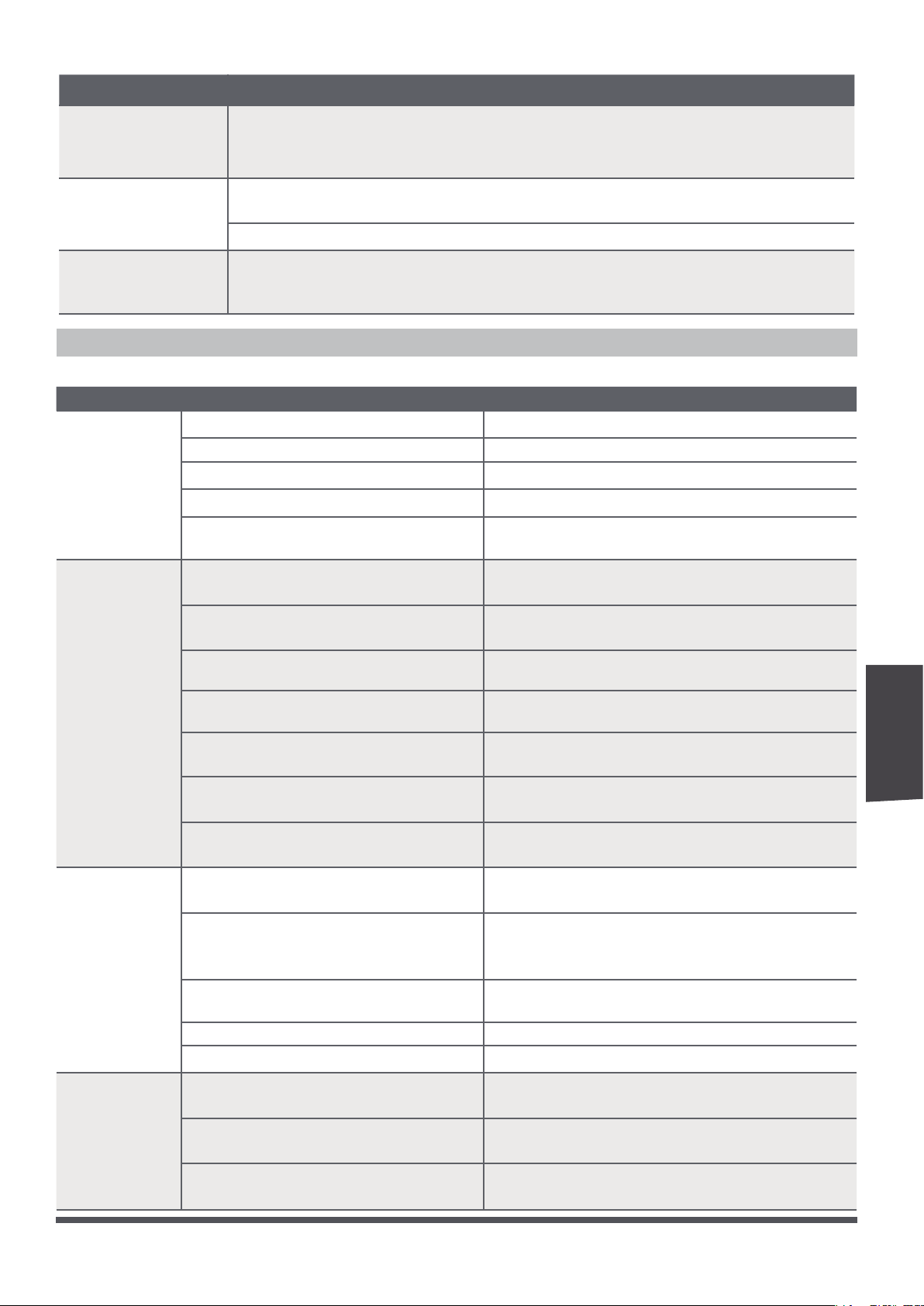
Common Problems
The following symptoms are not a malfunction, and in most situations will not require repairs.
Problem Possible Causes
Unit does not
turn on when
pressing ON/
OFF button
The unit has a 3-minute protection feature that prevents the unit from
overloading. The unit cannot be restarted within three minutes of being
turned off.
Cooling and Heating Models: If the Operation Light and PRE-DEF (pre-heating/
defrost) indicators are lit up, the outdoor temperature is too cold, and the unit’s
anti-cold wind feature is activated in order to defrost the unit.
In Cooling-only Models: If the “Fan Only” indicator is lit up, the outdoor
temperature is too cold and the unit’s anti-freeze protection is activated in
order to defrost the unit.
The unit changes
from COOL mode
to FAN mode
The unit changes its setting to prevent frost from forming onto the unit. Once
the temperature increases, the unit will start operating again.
The set temperature has been reached, at which point the unit turns off the
compressor. The unit will resume operating when the temperature fluctuates
again.
The indoor unit
emits white mist
In humid regions, a large temperature difference between the room’s air and the
conditioned air can cause white mist.
Both the indoor
and outdoor units
emit white mist
When the unit restarts in HEAT mode after defrosting, white mist may be
emitted due to moisture generated from the defrosting process.
The indoor unit
makes noises
A squeaking sound is heard when the system is OFF or in COOL mode. The
noise is also heard when the drain pump (optional) is in operation.
A squeaking sound may occur after running the unit in HEAT mode, due to
expansion and contraction of the unit’s plastic parts.
Both the indoor
unit and outdoor
unit make noises
A low hissing sound may occur during operation. This is normal and is caused by
refrigerant gas flowing through both the indoor and outdoor units.
A low hissing sound may be heard when the system starts, has just stopped
running, or is defrosting. This noise is normal, and is caused by the refrigerant
gas stopping, or changing direction.
The outdoor unit
makes noises
The unit will make different sounds based on its current operating mode.
Troubleshooting
5
Page 11
Troubleshooting
Problem Possible Causes
Dust is emitted from
either the indoor or
outdoor unit
The unit may accumulate dust during extended periods of non-use, which will be
emitted when the unit is turned on. This can be mitigated by covering the unit
during long periods of inactivity.
The unit emits a
foul odor
The unit may absorb odors from the environment (such as furniture, cooking,
cigarettes, etc.), which will be emitted during operations.
The unit’s filters have become moldy, and should be cleaned.
The fan of the
outdoor unit does
not operate
During operation, the fan speed is controlled to optimize product operation.
Troubleshooting Tips
When these troubles occur, please check the following points before contacting a repair company.
Problem Possible Causes Solution
The unit
is not
working
Power failure Wait for the power to be restored
The power switch is off Turn on the power
The fuse is burned out Replace the fuse
Remote control batteries are dead Replace the remote control batteries
The unit’s 3-minute protection has
been activated
Wait three minutes after restarting the unit
Poor cooling
performance
Temperature setting may be higher
than the ambient room temperature
Lower the temperature setting
The heat exchanger on the indoor
or outdoor unit is dirty
Clean the affected heat exchanger
The air filter is dirty
Remove the filter, and clean it according
to instructions
The air inlet or outlet of either unit
is blocked
Turn the unit off, remove the obstruction,
and turn it back on
Doors and windows are open
Make sure that all doors and windows are
closed while operating the unit
Excessive heat is generated by
sunlight
Close windows and curtains during
periods of high heat or bright sunshine
Low refrigerant due to leak or
long-term use
Check for leaks, re-seal if necessary, and
top off refrigerant
The unit
starts and
stops
frequently
There’s too much, or too little,
refrigerant in the system
Check for leaks, and recharge the system
with refrigerant
There is air, incompressible gas, or
foreign material in the refrigeration
system.
Evacuate and recharge the system with
refrigerant
System circuit is blocked
Determine which circuit is blocked and, replace
the malfunctioning piece of equipment
The compressor is broken Replace the compressor
The voltage is too high, or too low
Install a manostat to regulate the voltage
Poor heating
performance
The outdoor temperature is lower
than 7°C (44.5°F)
Check for leaks, and recharge the system
with refrigerant
Cold air is entering through doors
and windows
Make sure that all doors and windows are
closed during use
Low refrigerant due to leak or
long-term use
Check for leaks, re-seal if necessary, and
top off refrigerant
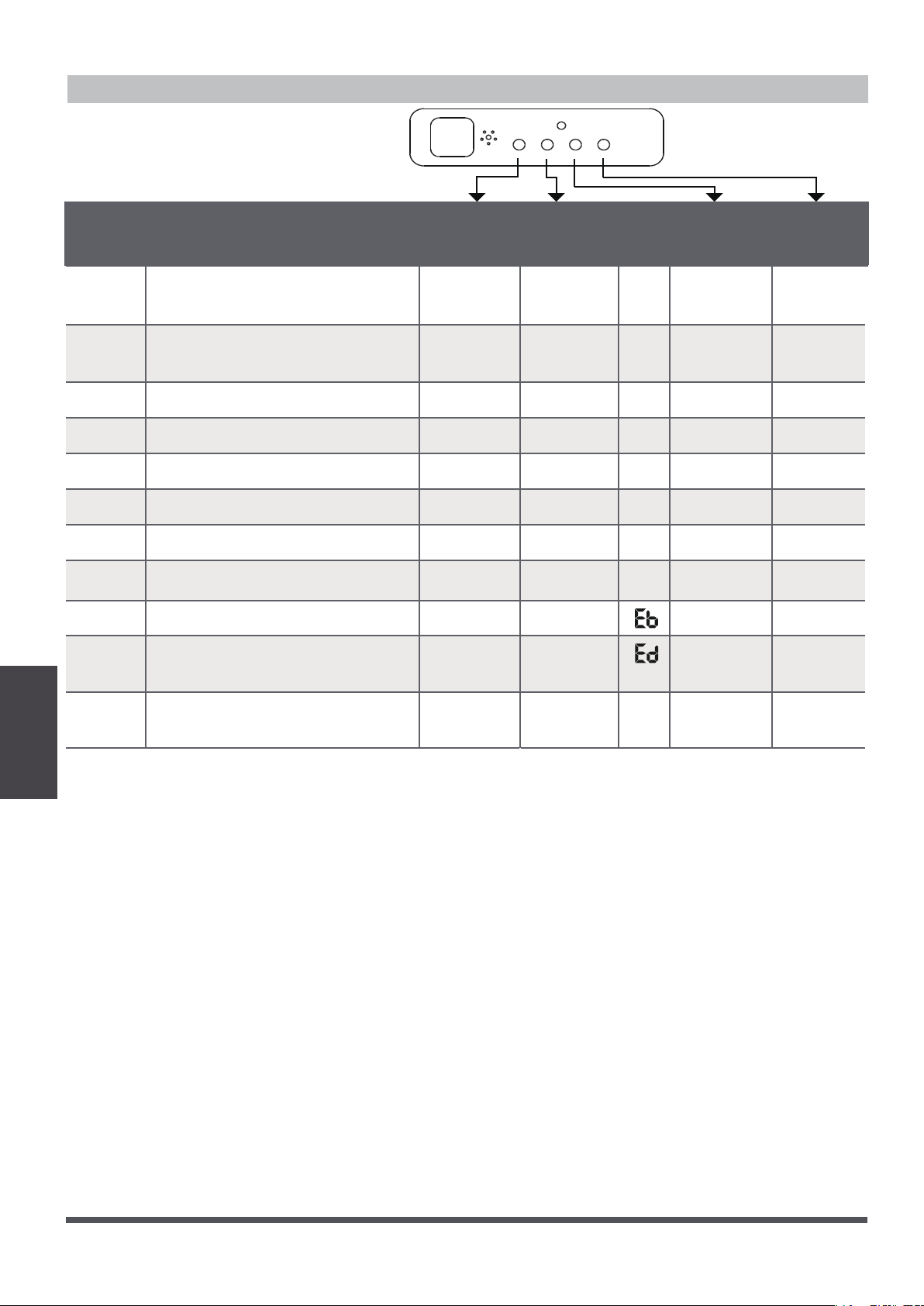
Page 12
Troubleshooting
Error Codes
Number
Cause
Operation
Indicator
Timer
Indicator
PRE-DEF
Indicator
Alarm
Indicator
Error
Code
1
In-outdoor unit communication
checking channel is abnormal
Quick-flash
E 1
2 Room temperature sensor
checking channel is abnormal
Quick-flash
E2
3 Evaporator sensor malfunction Quick-flash
E3
4 Condenser sensor malfunction
E4
5 Water pump temperature sensor
E5
6 Outdoor malfunction Quick-flash Quick-flash
E6
7 EEPROM malfunction Quick-flash Quick-flash
E7
8
Water level alarm malfunction
E8
9 DC motor speed out of control Quick-flash
10 Outdoor unit low pressure
malfunction
Quick-flash
Quick-flash
11
Quick-flash
Refrigerant leak detection
system malfunction
EC
Quick-flash
Quick-flash
Quick-flash
Quick-flash
Quick-flash
Quick-flash
Quick-flash
Quick-flash
Quick-flash
Page 13
European Disposal
Guidelines
European Disposal Guidelines
6
Users in European countries may be required to properly dispose of this unit. This appliance contains
refrigerant and other potentially hazardous materials. When disposing of this appliance, the law requires
special collection and treatment.
DO NOT
dispose of this product as household waste or unsorted
municipal waste.
When disposing of this appliance, you have the following options:
•
Dispose of the appliance at designated municipal electronic waste collection facilities only.
•
When buying a new appliance, the retailer will take back the old appliance free of charge.
•
The manufacturer will also take back the old appliance free of charge.
•
Sell the appliance to certified scrap metal dealers.
NOTE: Disposing of this appliance in the forest or other natural surround
ings endangers your health and
is bad for the environment. Hazardous substances may leak into the ground water and enter the food
chain.

Page 14
QSQ4U-031AEN
16123000000492
20170315
The design and specifications of this product are subject to change without prior notice
as development continues. Consult with the sales agency or manufacturer for details.
Parker Davis HVAC International, Inc.
2250 NW 102 Place, Doral, FL 33172
Phone: (305) 513-4488