iOptron Corporation | 6E Gill Street | Woburn, MA 01801 | www.iOptron.com
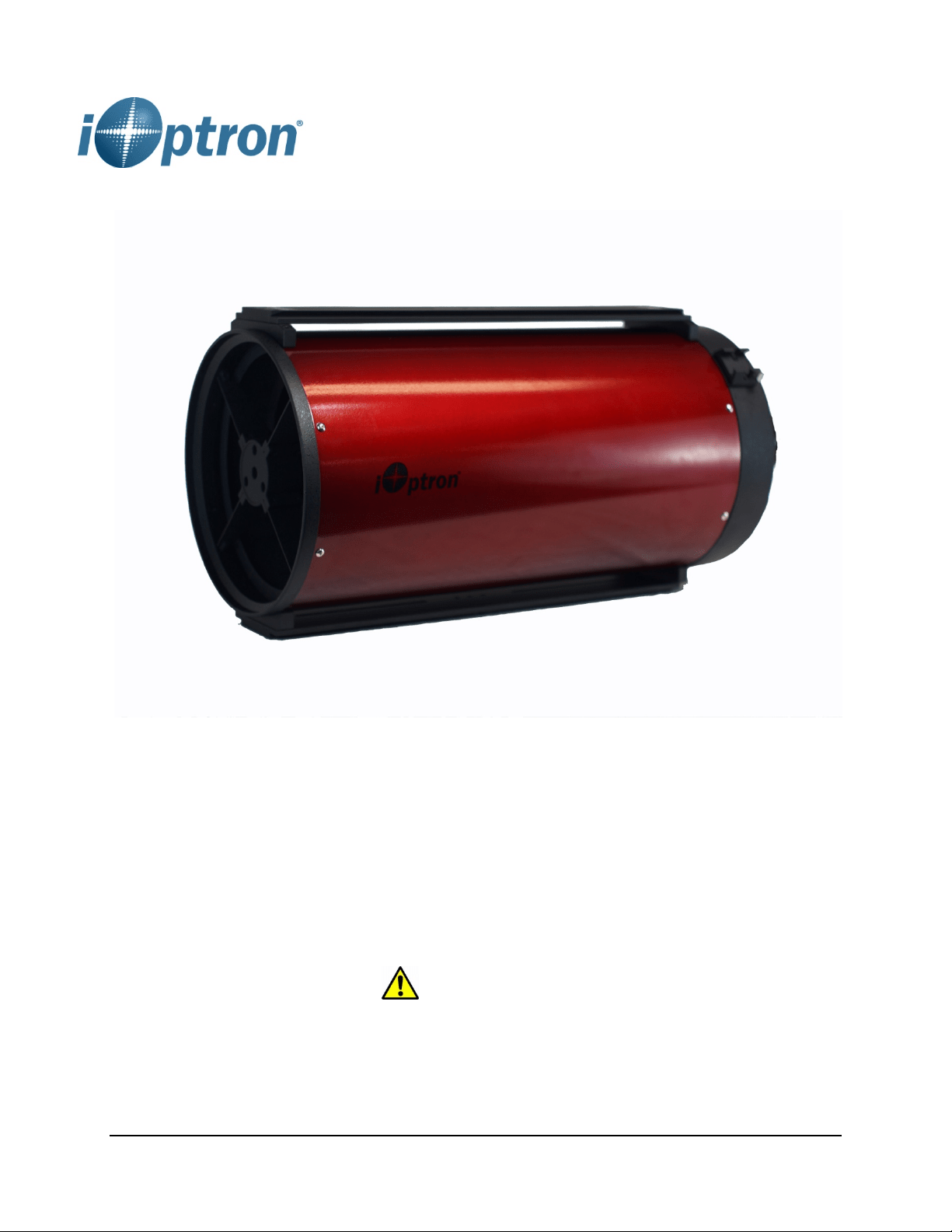
Photron Ritchey-Chrétien Optical Tube Assembly
INSTRUCTION MANUAL
WARNING!
NEVER USE A TELESCOPE TO LOOK AT THE SUN! Looking at or near the Sun will
cause instant and irreversible damage to your eye. Children should always have
adult supervision while observing
2
Welcome to a new world of adventure! The
iOptron
®
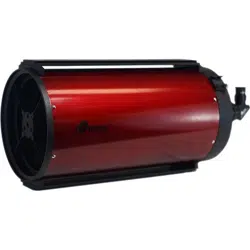
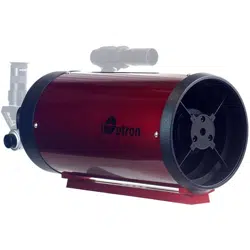
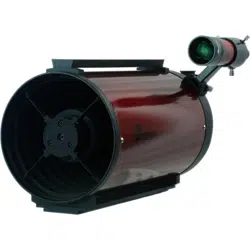
Photron Ritchey-Chrétien design telescopes
feature low thermal expansion quartz primary and
secondary mirrors with ninety-nine percent reflective
dietetic coatings. The RC optical design delivers
coma, spherical and chromatic aberration free results,
perfect for color or monochrome imaging. A fixed
position primary mirror eliminates image shift that
occurs from focusing with other telescope designs.
The telescope comes with a dual-speed
linear-bearing Crayford focuser. Three focuser
extension rings are provided for a “flex-free” solid
extension as a means to take up any unneeded back
focus. Its steel tube is equipped with 10 knife edge
baffles to diminish contrast reducing stray light,
improving the instrument in both visual and imaging
uses.
These instructions will help you set up and properly
use and care for your telescope. Please read them
over thoroughly before getting started.
Parts List
1 Optical tube assembly with dual-speed focuser
1 2” to 1.25” Compression ring adapter (installed)
1 2” extension ring
2 1” extension rings
1 Battery holder (RC10 only)
Getting Started
Your telescope comes fully assembled from the
factory. The optics have been installed and
collimated, so you should not have to make any
adjustments to them. Keep the dust covers on the
telescope when it is not in use.
Mounting the Telescope
The iOptron RC has a preinstalled dovetail rail for
mounting the scope quickly and directly onto an
altazimuth or equatorial mount. The RC6 has a
Vixen-style dovetail bar, while RC8 or RC10 has a
Losmandy-style one.
Selecting an Eyepiece
All RC scopes can accept 2” or 1.25” eyepieces, via a
2” to 1.25” adapter.
Always begin viewing with the lowest power eyepiece.
(Note: a 20 mm focal length eyepiece is lower power
than a 10 mm one.) A formula can be used to
determine the power of each eyepiece: Telescope
focal length divided by eyepiece focal length equals
magnification. For example, a RC8 has 1600mm in
focal length, the magnification with a 20mm lens is:
1600mm ÷ 20mm = 80X
Focusing Telescope
All iOptron RC telescopes come with a dual-speed
Crayford focuser. Each focuser is also equipped with
both a tension adjustment knob for the drawtube and
a drawtube locking knob. We recommend keeping
the tension adjustment knob fairly tight at all times as
this will minimize drawtube flexure and slippage.
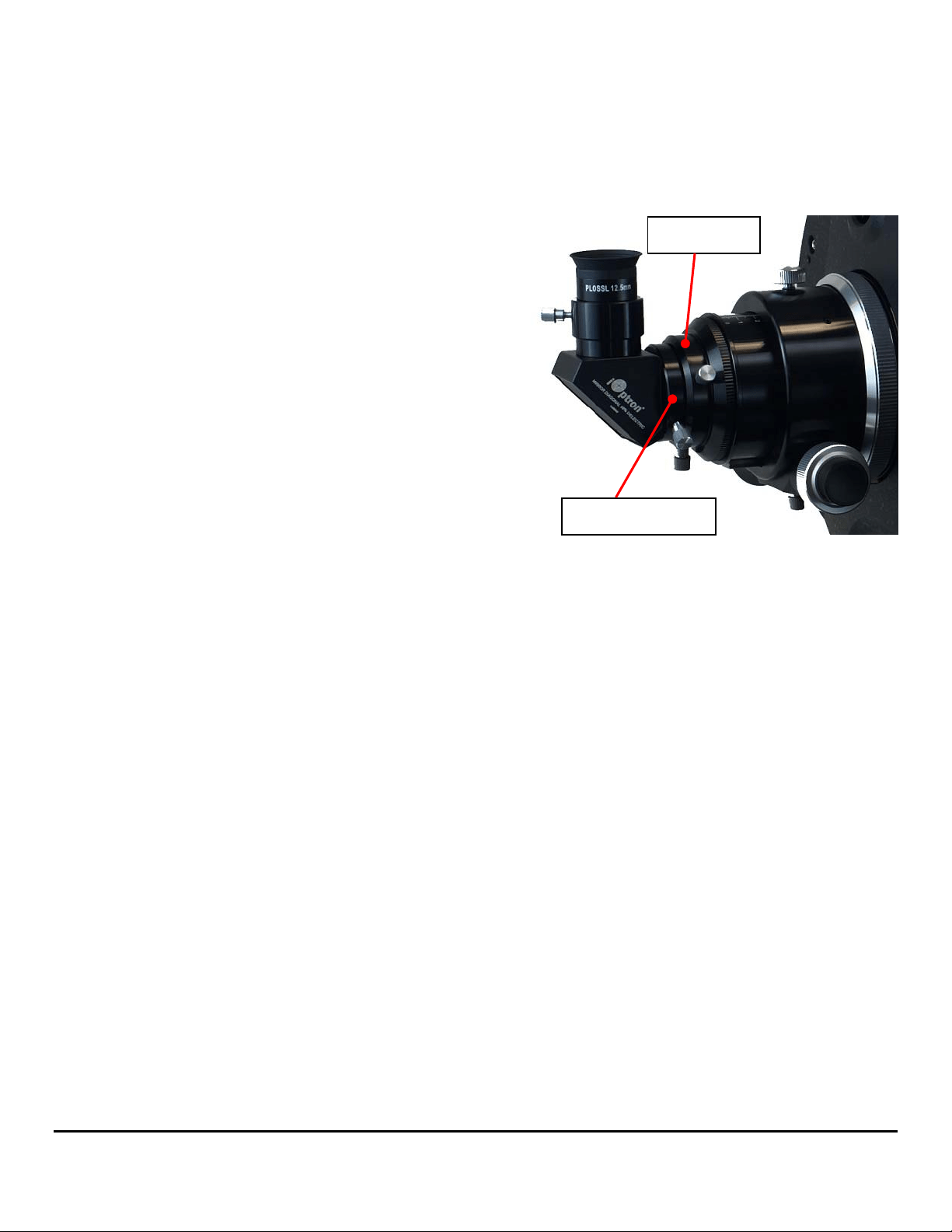
The 6" RC features a 2" Crayford focuser equipped
with a removable 1.25" adapter. The tension
adjustment knob and the drawtube locking knob are
on the underside of the focuser,
2”drawtube
2”to1.25”adapter

3
The 8" RC has a 2" linear-bearing Crayford focuser,
which has a stabilizing track on the underside of the
drawtube that provides extra rigidity for carrying
heavy payloads. The tension adjustment knob is on
the underside of the focuser while the larger locking
knob is on top.
The 10" RC also boasts a linear bearing focuser, but
with an oversized housing and a larger 3.3" drawtube
that terminates in a 2" accessory collar. It has a
stabilizing track, too. The tension adjustment knob is
on the underside of the focuser while the larger
locking knob is on top.
Point the telescope so the front end is aimed in the
general direction of an object you wish to view.
Release drawtube lock knob so the drawtube can
be moved while turning the focus knobs. Select a
proper diagonal and eyepiece if you are doing visual
observation. Adjust the drawtube tension
adjustment knob for a proper tension during adjust
the focus knob. Look through the eyepiece while turn
the coarse focus knob to move the drawtube outward
until you see the image. Turn the fine focus knob until
the image becomes sharp. Go a little bit beyond
sharp focus until the image just starts to blur again.
Then reverse the rotation of the knob just to make
sure you’ve hit the exact focus point. You will have to
readjust the focus when aiming at subjects of varying
distances, or after changing eyepieces.
If the focuser drawtube is fully extended and you are
still unable to achieve focus, you will need to install
one or more extension rings (see next section).
Practice this during daytime by aiming the main
telescope tube at a land-based target at least ½ miles
away.
The focuser can be rotated to a desired angle prior to
Drawtubelockknob
Drawtubetension
adjustmentknob
Drawtubelockknob
Drawtubetension
adjustmentknob
Coarsefocusknob
Finefocusknob
Drawtubetension
adjustmentknob
Drawtubelockknob
Stabilizingtrack
Attachmentcollar

4
final focusing for astrophotographic framing by
slightly loosening the focuser attachment collar
(turning it counterclockwise), then rotating the focuser
to the desired position, then retightening the collar.
Use of Optional Accessories
Your telescope does not come with eyepieces and
diagonal so as to offer the greatest flexibility in
configuring it to your needs.
The 2” compression ring accessory holder accepts 2”
eyepieces, star diagonals, camera adapters, etc.
There are several accessories that come with the RC
OTA. One is a 1.25” compression ring adapter that
slips into the 2” holder. This lets you use optional 1.25”
accessories (eyepiece, star diagonal, camera adapter,
terrestrial image erecting diagonal, CCD/CMOS
camera, etc.)
Also included with the telescope are three
threaded-on extension rings: one 2” long and two 1”
long.
These extension rings are provided to allow multiple
visual or photographic accessories to reach focus,
depending on their backfocus requirements. They are
designed for installation individually or in combination
between the optical tube and the focuser to take up
unneeded backfocus.
If the focuser drawtube is fully extended and you
are still unable to achieve focus you will need to
install one or more extension rings.
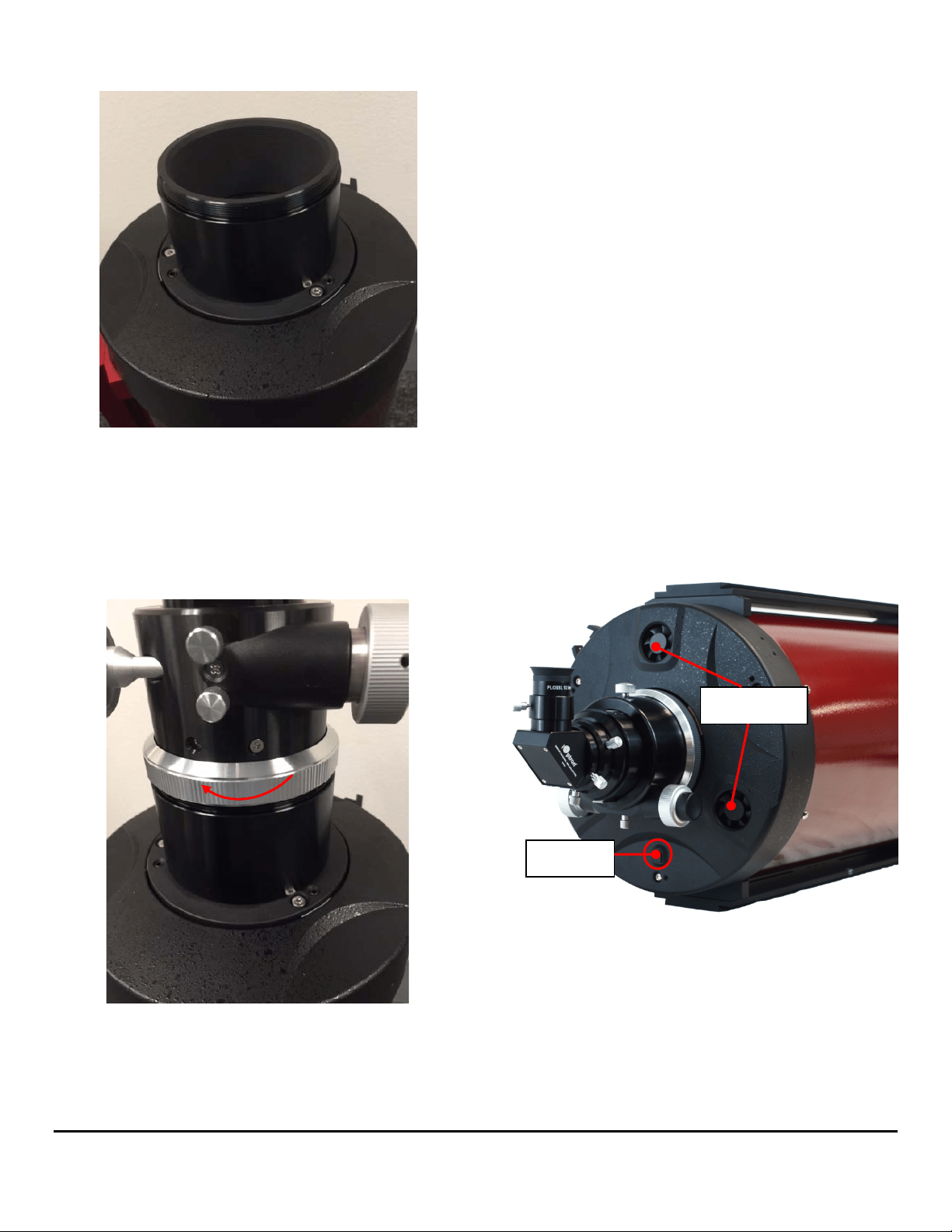
(1) First remove the focuser from the optical tube by
rotating the focuser attachment collar
counterclockwise (a RC8 is shown).
The focuser was removed from the scope.
(2) Install one extension ring, here is a 2” long one.
Thread it onto the telescope firmly. You may add
2”holder
1.25”adapter
5
more than one rings depends on your equipment.
(3) Once you have threaded on the desired number
of extension rings onto the male threads on the
telescope tube, re-attach the focuser by aligning
the silver attachment collar over the exposed
extension ring threads and tighten by carefully
turning clockwise.
Be careful not to cross-thread any of the focuser
components when and if changing them in the
dark.
It may be useful to experiment with different
combinations during the day before heading out into
the field. Choose a target over half a mile away to
ensure you are simulating infinity focus. The goal is to
reach focus with as little extension of the focuser
drawtube as possible, to avoid drawtube flexure.
Depending on what equipment you use to observe or
image with, such as focal reducer or flattener, filter
wheel, or off-axis guider, you may need to add one or
more of the included extension rings.
Cooling the Telescope
Before observing or photographing with your RC, you
should let it equilibrate to the outdoor temperature for
an hour or more. This will reduce thermal air currents
inside the telescope that could soften or blur your
images, whether you’re doing visual observing or
astrophotography. Due to the size of its optics, the
10" RC is equipped with three small DC cooling fans
on its rear cell to help accelerate the cool-down time.
The fans pull outside air in through the rear cell and
blow it onto the back of the primary mirror and out the
front of the telescope. It’s best to point the telescope
upward when the fans are on to allow the heat to
more efficiently escape. The fans require a 12V
power supply; a battery holder using 8 AA batteries is
Coolingfan
12VDCin

6
included with the 10" RC. The cable from the battery
holder plugs into the DC power jack on the rear cell.
The fans can also be powered by other 12V DC
power supply, such as a iOptron PowerWeight
(#8128) or other portable battery. The DC plug is
5mm/2.1mm, center positive. We recommend turning
them off while actively observing or imaging to avoid
any effect on the view from vibration or blowing air.
Aligning Finderscope
The Photron system comes with a straight-through
finderscope, which has a quick-release bracket. The
finderscope mounting ring has three collimating
screws for precise alignment with the main scope
optics. The quick-release bracket slips into a dovetail
mounting base (mounting shoe) at the rear of the
scope during use.
First, look through main telescope tube and establish
a well-defined target (see focusing telescope section).
Tighten all lock knobs of your mount (declination,
right ascension, latitude and azimuth axes) so that
telescope’s aim is not disturbed. Then look through
the finderscope and adjust the three collimation
screws to center the object in the finderscope. Now,
objects located first with the finderscope will be
centered in the field of view of the main telescope.
Collimating the Ritchey-Chrétien
The optics in your new Ritchey-Chrétien optical tube
have been aligned and collimated at the factory.
However, rough handling during transit may cause
them to be knocked out of collimation and periodic
re-adjustments are required. A Cheshire eyepiece is
needed to check and adjust collimation. The rough
adjustments of primary and secondary mirrors can be
done indoors while a more rigorous start test needs
to be performed in the field.
Collimation Check
Get the telescope ready for collimation check in three
steps.
Remove any extension rings and attach the
focuser directly to the optical tube.
Set up the telescope in a well-lit room with the
telescope oriented horizontally, and point it at a
white or light colored wall.
Insert the Cheshire eyepiece into the focuser via
the included adapter and tighten the thumbscrew.
Make sure a bright source of light such as a
ceiling light or flashlight is aimed at the 45°
reflecting surface of the Cheshire.
Look through the Cheshire eyepiece, as shown in the
schematic below, a small black dot and a dark ring
within a larger bright circle can be seen. The dot is
the hole of the Cheshire eyepiece. The dark ring is
the center mark on the secondary mirror. And the
bright circle is the reflective 45-degree surface of the
Cheshire. The larger black circle outside that are the
secondary mirror and its holder.
If the scope is in good collimation, the black dot will
be dead center in the dark ring, which will in turn be
centered in the bright circle. If that’s the case, no
further adjustments to the secondary mirror will be
necessary. The optical axis is denoted by a thin white
circle on the outer edge. If this outline is a perfect
circle of uniform thickness, no further adjustments to
the primary mirror is needed.

7
Secondary Mirror Adjustment
If the view looks something like the following figure
with the dot of the collimation eyepiece NOT centered
in the secondary center ring, the secondary mirror
needs be adjusted.
There are three collimation set-screws at the front of
the secondary mirror holder. This will adjust the tilt of
the secondary, changing the relative position of the
secondary center ring when peering through the
collimation eyepiece.
NOTE: DO NOT adjust the center screw! Only
adjust the three screws around the perimeter of
the holder! Adjusting the center screw can cause
the secondary mirror to fall off and will not be
covered under warranty.
A 4mm hex key is needed to perform collimation on
the secondary mirror. When one of these screws is
adjusted counter-adjustments need to be made to the
other two. In other words, if one screw is loosened
the other two need to be tightened, and vice versa. At
the end of the process all three collimation screws
should be reasonably tight so the secondary mirror
won’t shift while the scope is in use.
Always start by loosening one screw. Adjust the
screws only very slightly—by no more than 1/8 turn at
a time, and one screw at a time before checking the
view through the Cheshire again to see how things
changed. Only tiny adjustments should be required to
achieve collimation. This will also aid in the
prevention of accidently putting the telescope grossly
out of collimation. With each tiny tweak of a screw,
make a mental note of which way and how far the
center dot moved, as that will inform which screw to
turn next and by how much. Experiment with different
combinations of loosening / tightening the three
screws one by one until the collimation eyepiece’s
black dot is centered in the dark ring of the secondary
mirror. The correct alignment of the secondary mirror
is critical in determining if the optical axis requires
alignment. Be sure the secondary mirror is properly
aligned before proceeding to the next step.
Optical Axis (Primary Mirror) Adjustment
After done secondary mirror adjustment, if the optical
axis, which is denoted by a thin outline of light (white)
around the perimeter of the view through the
collimating eyepiece, is not a perfect circle of uniform
thickness, that means the optical axis (primary mirror)
needs adjustment. A 3mm and a 2.5mm hex key are
required for the 6" and 8" telescopes, and a 4mm and
a 2.5mm hex key are required for the 10" telescope.
There are total three pairs of screws on the rear cell
of the optical tube where the focuser attaches. Each
pair consists of a small black screw and a larger
chrome screw.

8
The small black screws are merely locking screws,
which should be loosened before adjusting the
mirror’s tilt. The larger chrome screws are
spring-loaded collimation screws that actually adjust
the tilt of the primary mirror. Turn these collimation
screws only a fraction of a turn at a time, for example,
1/8 turn. Turn one and check the view through the
Cheshire to see if it improved the white optical axis
ring. Keep tweaking the collimation screws, each time
checking the optical axis ring, until it is concentric and
uniform in width. Then tighten the three lock
setscrews to fix the mirror in that position.
After adjusting the optical axis, re-check the
collimation of the secondary mirror and make any
necessary adjustments, then recheck the optical axis
collimation. Generally, optical axis collimation will not
need to be performed very often.
Star Testing
A star test can be used to further improve and confirm
the collimation accuracy of the telescope. It needs to
be performed in the night sky using a real star. Get
the telescope ready for the star test.
Remove the Cheshire eyepiece.
Install all extension rings between the telescope’s
rear cell and the focuser.
Insert an eyepiece directly into the focuser
drawtube by using the 1.25” ring adapter. The
eyepiece should provide moderate to high
magnification.
DO NOT use a star diagonal.
An ideal target is a star close to the zenith (straight
overhead) rather than at the horizon to minimize
atmospheric distortions. Using Polaris as your target
star can be helpful as minimal drift adjustments will
be required. Center the star in the field of view.
Slowly de-focus the image with the focusing knob
until you can see a series of concentric diffraction
rings form around the dark disk in the center. That
dark disk is the shadow of the secondary mirror.
In a well collimated telescope, the diffraction rings
should appear round and concentric, with the dark
disk exactly in the center. If the dark central disk is off
center, the scope is out of collimation. Adjust the
collimation of the secondary mirror and, only if
necessary, the primary mirror while monitoring the
defocused star until the dark central disk is exactly
centered in the diffraction rings. The adjustment
procedure on the telescope mirrors is the same as
described in Part ‘Secondary Mirror Adjustment’ and
‘Optical Axis (Primary Mirror) Adjustment’.
NOTE: It is important when checking or adjusting
the collimation using a star, that the star be
positioned in the center of the eyepiece’s field of
view. If it isn’t, the optics will always appear out
of collimation, even though they may be perfectly
aligned! It is critical to keep the star centered, so
over time you may need to make slight
corrections to the telescope’s position.

9
Specifications:
Photron RC6 RC8 RC10
Opticaldesign Ritchey‐Chretien Ritchey‐Chretien Ritchey‐Chretien
opticaltype Hyperbolic Hyperbolic Hyperbolic
Opticaldiameter 150mm 200mm 250mm
Focallength 1370mm 1624mm 2000mm
Focalratio f/9 f/8 f/8
Resolvingpower 0.76arcsec 0.58arcsec 0.46arcsec
Limitingstellarmagnitude 13.6 14.2 14.7
Lowestusefulmagnification 22X 29X 36X
Highestusefulmagnification 180X 236X 295X
Secondarymirrorsize 67mm 95mm 110mmDia
Eyepieces None None None
Focuser 10:1Crayforddualspeed 10:1Crayforddualspeed 10:1Crayforddualspeed
Focusersize 2" 2" 3.3"
Dovetailbar Vixen‐style Losmandy‐style Losmandy‐style
Mountingbar(Top) None Vixen‐style Losmandy‐style
Finderscopebase Yes Yes Yes
Finderscope None None None
Tubematerial Steel Steel Steel
Tubelength 19.1in 22.0in 28.4in
Weight 12lbs 18lbs 35lbs
OTAcoolingfan No No
Yes(threebuilt‐infan,with
batteryholder)
Otheraccessories
1.25"compressionring
adapter
1"extensiontubeX2
2"extensiontubeX1
1.25"compressionringadapter
1"extensiontubeX2
2"extensiontubeX1
1.25"compressionringadapter
1"extensiontubeX2
2"extensiontubeX1
Warranty Oneyear Oneyear Oneyear
Revised Sept 2017