
IPEVO
cb intelliGo
Quick Start Guide
V4K PRO Ultra HD USB Document Camera
with AI-Enhanced Mic
Customer Service
Email: [email protected]
www.ipevo.com
Tel: +1-408-490-3085 (USA)
Copyright© 2021 IPEVO Corp. All rights reserved.
The Basics
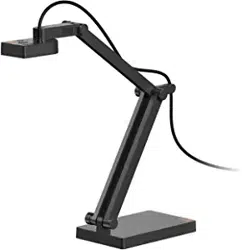
V4K PRO is an Ultra HD document camera with a multi-jointed arm, which allows any position and orientation of its lens.
It is equipped with an innovative AI-Enhanced Voice technology, which reduces background noises during communication,
leaving your voice natural, undisturbed, and easy to hear.
AI-Enhanced Voice technology
V4K PRO is equipped with an IntelliGo chip, which uses AIVC™ noise reduction technology. This noise filter utilizes artificial
intelligence, which was trained with over 500 million distinct data, and is highly effective in maintaining the natural sound of
the human voice while removing disturbing environmental noise with high accuracy.
AI-Enhanced Voice technology
by
0
0
0
0
0
0
0
.
.
.
.
.
.
.
.
---
--
... ····················
I I/ - '\-
0 0
Getting to Know Your V4K PRO
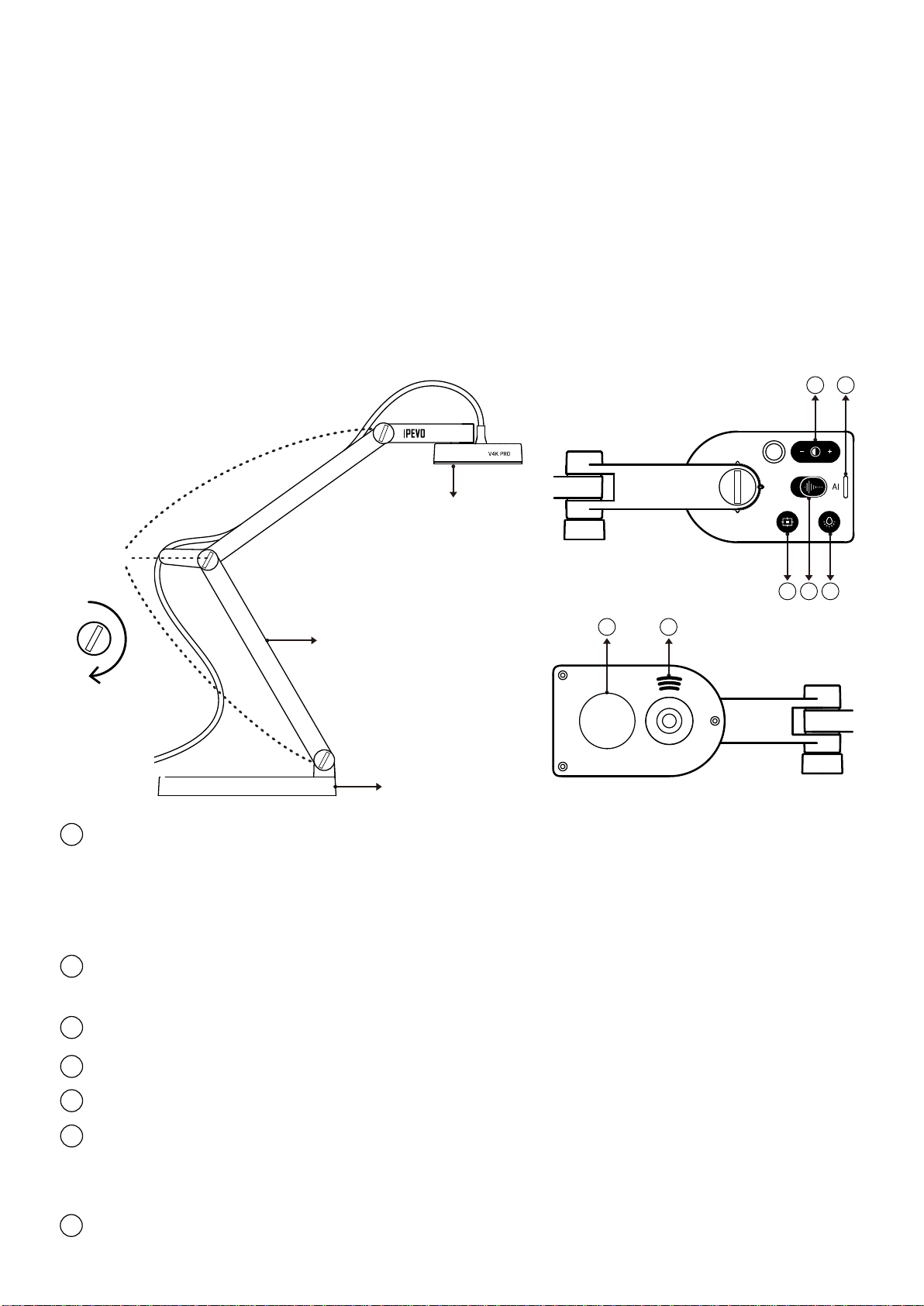
V4K PRO consists of three parts:
An 8 Megapixel camera, a versatile multi-jointed arm, and a weighted base.
・Camera
- The camera's head can be swiveled in order to change the angle or orientation of your shot.
・Multi-jointed stand:
- Quickly and easily change the camera's height and position to capture your materials perfectly.
- Tighten loose joints by turning the connecting bolts clockwise with a coin.
・Weighted base: Provides a stable base for V4K PRO.
Tighten
Bolts
Multi-jointed arm
Weighted base
Camera
4 5
7
6
1 2 3
1
2
7
Focus button: Focuses the camera or changes the focus mode.
・Press once to focus.
・Press and hold until the LED indicator flickers to change the focus mode to AutoFocus-Single (AF-S). By default,
the focus mode is set to AutoFocus-Continuous (AF-C).
・Press again without holding to change the focus mode back to AF-C.
AI-Enhanced Voice ON / OFF
・Activate it by moving the slider to the right (to the side marked by the letters "AI").
LED light ON / OFF
Exposure toggle: Provides exposure customization.
LED indicator: Turns white if V4K PRO is in use and providing video feed.
Microphone:
・Turns on when V4K PRO is in use. You can select it as your audio device.
・Recommended speaking distance for best sound results: 11.8" to 27.6".
LED light
3
4
5
6
1@1
L O)~]i(i, ? 7 AB
1
~llH)Z~fj~]ic9 0 L O)~]i(i, ~)ff~ilc1ffflg 7a, LC.{!: E3 s{_] C. u -Cl,'*
gfi, i:O)~ti1i'71/7.tf-'T
~
l:::'1/ 3 /~ffi~(cJlitl u --C1fffl~n7a> C.' ~f~~l*{!:5 I
~~L
9 L
c.1i® ~J * 9 o ~t&mBJH! lc~tt-:> --C iE u l, '~ ~J f,&l, ,{!: u --C < t.:~ l, 'o
Software Compatibility
V4K PRO is a standard UVC camera and can be used with various software as long as they recognize the video source from a
UVC camera. However, to fully utilize your V4K PRO, we’d recommend using it with IPEVO Visualizer software. IPEVO Visualizer
offers many useful features for your lessons or presentations, such as video recording, snapshot, or picture-in-picture, and
allows you to modify the video feed in real time.
If you’re using V4K PRO with third-party video conferencing software such as Skype, Zoom, GoToMeeting, or Google Meet, you
can also utilize IPEVO CamControl to adjust some basic camera settings like image rotation, exposure, and focus, without
burdening your computer's performance.
IPEVO Visualizer:
https://www.ipevo.com/software/visualizer#download
IPEVO CamControl:
https://www.ipevo.com/software/camcontrol#download
Safety Information
Federal Communications Commission (FCC) Statement
This device complies with Part 15 of the FCC Rules. Operation is subject to the following two conditions: (1) this device
may not cause harmful interference, and (2) this device must accept any interference received, including interference
that may cause undesired operation.
This equipment has been tested and found to comply with the limits for a Class B digital device, pursuant to part 15 of
the FCC Rules. These limits are designed to provide reasonable protection against harmful interference in a residential
installation. This equipment generates, uses, and can radiate radio frequency energy and, if not installed and used in
accordance with the instruction manual, may cause harmful interference to radio communications. However, there is
no guarantee that interference will not occur in a particular installation. If this equipment does cause harmful
interference to radio or television reception, which can be determined by turning the equipment off and on, the user is
encouraged to try to correct the interference by one or more of the following
measures:
- Reorient or relocate the receiving antenna.
- Increase the separation between the equipment and receiver.
- Connect the equipment into an outlet on a circuit different from that to which the receiver is connected.
- Consult the dealer or an experienced radio/TV technician for help.
Any changes or modifications not expressly approved by the party responsible for compliance could void the authority
to operate equipment.
This device and its antenna must not be co-located or operating in conjunction with any other antenna or transmitter.
For product available in the USA/Canada market, only channel 1~11 can be operated. Selection of other channels is not
possible.
VCCI-B
Do not use/store the product in the following places:
Precaution
・Near heat sources
・Near steam or greasy smoke
・Locations with high humidity
・Sandy or dusty places