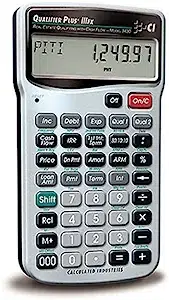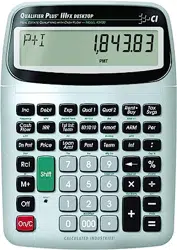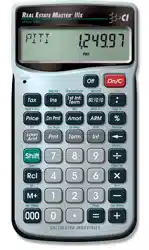

This equipment has been certified to comply
with the limits for a Class B computing device,
pursuant to Subpart J of Part 15 of FCC rules.
Software copyrighted and licensed to
Calculated Industries, Inc. by
Real Estate Master Technologies, LLC, 2004.
Pocket Reference Guide copyrighted by
Calculated Industries, Inc. © 2004.
Real Estate Master® and Calculated Industries® are
registered trademarks of Calculated Industries, Inc.
ALL RIGHTS RESERVED
CALCULATED INDUSTRIES®
4840 Hytech Drive
Carson City, NV 89706 U.S.A.
1-800-854-8075 Fax: 1-775-885-4949
E-mail: [email protected]
www.calculated.com
Designed in the USA
Printed in China
3405PRG-E-B
1/04
R
EAL
E
STATE
M
ASTER
®
III
X
RESIDENTIAL REAL ESTATE
FINANCE CALCULATOR
Model 3405
Pocket Reference Guide

POCKET REFERENCE GUIDE — 1
The
REAL ESTATE MASTER IIIX
calculator
lets you perform mortgage loan and
financing problems with ease!
Quickly Solve:
• Time-Value-of-Money (TVM) Problems:
Find Loan Amount, Term, Interest,
Payment, Future Value
• Property Tax, Homeowner’s Insurance,
Mortgage Insurance
• P&I, PITI & Interest-Only Payments
• Sales Price and Down Payment
• Rent vs. Buy
• Estimated Income Tax Savings/Deduction
• Adjustable Rate Mortgages (ARMs)
• Amortization and Remaining Balance
• Bi-Weekly Loans
• Date Math Problems
• New! APR, including MI
• New! 80:10:10/80:15:5 Combo Loans
REAL ESTATE MASTER
®
IIIX
3405PRG-E-B 1/9/04 8:45 AM Page 1

POCKET REFERENCE GUIDE — 2
KEY DEFINITIONS .................................4
Preference Settings —
How to
Access
...............................................9
EXAMPLES...........................................11
Memory —
Add/Subtract/Multiply
......11
Memory/Storage Registers................12
Finding Commission..........................12
Reduction of Listing Price..................13
Date of Escrow Closing.....................13
Monthly Mortgage (P&I) Payment.....14
Term of a Loan ..................................14
Interest Rate......................................15
Loan Amount .....................................15
Loan Amount Based on Sales Price
and Down Payment.........................16
Loan-to-Value ....................................16
Setting Tax and Insurance.................17
P&I, PITI and Interest-Only
Payments.........................................18
Quarterly Payment.............................19
Estimated Tax Savings......................20
Rent vs. Buy......................................21
ARM Payment —
Increasing and
Decreasing Payments
.....................22
Amortization —
Using “Next” Feature
..24
TABLE OF CONTENTS
3405PRG-E-B 1/9/04 8:45 AM Page 2

POCKET REFERENCE GUIDE — 3
Amortization for Individual Year(s)—
Month Offset, Tax Bracket Change
...26
Balloon Payment/Remaining
Balance............................................28
APR and Total Finance Charges,
Including Mortgage Insurance.........29
Prepaid (Odd-Days) Interest and APR,
Including Mortgage Insurance.........30
Appreciation/Future Value .................32
Bi-Weekly Loans................................33
80:10:10 Combo Loan vs. Fixed-Rate
Loan with Mortgage Insurance........34
80:15:5 Combo Loan vs. Fixed-Rate
Loan with Mortgage Insurance........37
APPENDIX ............................................40
Default Settings.................................40
Decimal Place Setting .......................40
Batteries.............................................41
Reset .................................................41
Legal Notes .......................................41
3405PRG-E-B 1/9/04 8:45 AM Page 3

POCKET REFERENCE GUIDE — 4
: Colon separator (used for
dates, ARMs, Amortization
ranges, and Combo loans)
b Backspace key; for back-
ing up/deleting wrong entry
® Recalls or re-displays a
value when followed by a
chosen key (e.g., ® ˆ
will display current interest
value)
µ Memory Function:
- µ Adds value on dis-
play to Memory
- s µ Subtracts value
on display from Memory
- ® µ Recalls Memory
Total
- ® ® Recalls and
clears Memory Total
s Sets number of displayed
decimal places and acti-
vates 2nd functions
s – Change sign
KEY DEFINITIONS
3405PRG-E-B 1/9/04 8:45 AM Page 4

POCKET REFERENCE GUIDE — 5
s x Clear All
(Note: perform
with caution as it will
clear/reset stored values)
s = Preference mode (see pg.
9 for details)
s ÷ Payments per year
(Default 12, for monthly)
s b Periodic (identifies entry as
periodic instead of yearly)
s ) Month offset
s : Odd-days interest
s + Tax bracket %
s p Estimated tax
savings/after-tax payment
s P Rent vs. buy
l Loan amount
p P&I, PITI and interest-only
payment
T Number of years
ˆ Annual interest rate
s l Future value
3405PRG-E-B 1/9/04 8:45 AM Page 5

POCKET REFERENCE GUIDE — 6
s ˆ APR (annual percentage
rate), including mortgage
insurance, if entered
P Sales price of property
d Down payment
s T Bi-Weekly loan
a Amortization function
s a Remaining balance
A Adjustable-rate mortgage
s A ARM decreasing interest
% adjustment
s % ARM lifetime interest cap
t Property tax (enter as per-
cent or dollar amount)*
I Property/homeowner’s
insurance (enter as per-
cent or dollar amount)*
3405PRG-E-B 1/9/04 8:45 AM Page 6

POCKET REFERENCE GUIDE — 7
s I Mortgage insurance (enter as
percent or dollar amount)*
*Note: Once Tax/Insurance
% (or $) values are entered
— as well as TVM values
— the second press of
t I
, or press of
s
I I
will compute the $
(or %); third press finds
monthly amounts
s d For entering (or finding)
Loan-to-Value ratio and
computing respective
Down Payment and/or
Loan Amount
! Used to enter 1st
TD
interest:term for Combo
Loans
s ! Used to enter 2nd
TD
interest:term for Combo
Loans
3405PRG-E-B 1/9/04 8:45 AM Page 7

POCKET REFERENCE GUIDE — 8
* Combo loan function for an
80:10:10 LTV loan; calcu-
lates 1st/2nd TD values
and compares them to
entered fixed-rate loan
w/mortgage insurance
*You may enter any LTV
prior to pressing this key
(e.g., LTV of 90:5, enter
9 0 : 5 *
)
s * Combo loan function for an
80:15:5 loan; same func-
tion as above key
3405PRG-E-B 1/9/04 8:45 AM Page 8

POCKET REFERENCE GUIDE — 9
Preference Settings —
How to Access
Press
s
, then
=
, then keep pressing
=
to toggle through the main settings.
Press the
+
key to advance within sub-
setting. Use the
–
key to back up. Press
any key to exit mode.
Press s and then:
1st press
of = Decimal Places:
--Off 0.00 (returns to 2
decimal places @ Off)
+ --Permanently holds
decimal place setting
2nd press = Payments Per Year:
--Returns to 12 @ Off)
+ --Holds payments/year
3rd press = Tax/Ins. (Cleared or
Stored):
--Clears T&I ($ or %)
values @ Off
+ --Permanently holds only
T&I %
+ --Permanently holds T&I
($ OR %)
+ --Clears T&I ($ or %) @
o o
(Cont’d)
3405PRG-E-B 1/9/04 8:45 AM Page 9

POCKET REFERENCE GUIDE — 10
(Cont’d)
4th press = Mortgage Insurance
(Cleared or Stored):
--Clears MI ($ or %) @
o o
+ --Clears MI ($ or %) @ Off
+ --Holds only MI % at Off
+ --Holds MI ($ or %)
5th press = Amortization Display
Range:
--ENT-ENT (amortizes for
entered year)*
+ --1-ENT (amortizes from
beginning to entered
year)**
6th press = Qualifying Ratios:
--Display at first press of
q or Q keys
+ --Display at end of qualify-
ing sequence
*e.g.,
5 a
amortizes for payment numbers
49-60 (only 5th year)
**e.g.,
5 a
amortizes for payment numbers
1-60 (years 1-5)
3405PRG-E-B 1/9/04 8:45 AM Page 10

POCKET REFERENCE GUIDE — 11
Memory —
Add/Subtract/Multiply
Add 1,500 and 2,650 to the cumulative
Memory (M+). Compute subtotal, then
subtract 2,000 and find total.
STEPS KEYSTROKES DISPLAY
Clear o o 0.00
Add 1st # 1 5 0 0 µ M 1,500.00
Add 2nd# 2 6 5 0 µ M 2,650.00
Find total ® µ M 4,150.00
Subtract 2 ) s µ
M 2,000.00
Find total and clear
Memory ® ® 2,150.00
Store 55 and multiply by 40. Then recall
Memory Total and multiply it by 60.
STEPS KEYSTROKES DISPLAY
Clear o o 0.00
Store 55 5 5 µ M 55.00
Multiply x 4 0 = M 2,200.00
Recall 55 ® µ M 55.00
Multiply x 6 0 = M 3,300.00
Clear Memory ® ® 55.00
EXAMPLES
3405PRG-E-B 1/9/04 8:45 AM Page 11

POCKET REFERENCE GUIDE — 12
Memory/Storage Registers
Store 10, 20, 30 into Memory Storage
keys M0-M2 and recall each value. Then
clear all stored numbers.
STEPS KEYSTROKES DISPLAY
Clear o o 0.00
Store 1st # 1 0 s ® 0
M-0 10.00
Store 2nd # 2 0 s ® 1
M-1 20.00
Store 3rd # 3 0 s ® 2
M-2 30.00
Recall 1st # ® 0 M-0 10.00
(Repeat for
1
and
2
)
Clear All s x
“All Cleared”
0.00
Note: There are additional Storage Registers
s ® 3
,
4
,
5
and
6
. You cannot store
more than one value in the Storage Registers.
Finding Commission
If a property sells for $535,000 and your
commission rate is 2%, what is your com-
mission in dollars?
STEPS KEYSTROKES DISPLAY
Clear o o 0.00
Enter loan 5 3 5 ) x 2 % =
10,700.00
3405PRG-E-B 1/9/04 8:45 AM Page 12

POCKET REFERENCE GUIDE — 13
Reduction of Listing Price
A seller is anxious to sell his home and
wishes to reduce the listing price by 5%.
What is the new price, if it is now listed at
$346,000?
STEPS KEYSTROKES DISPLAY
Clear o o 0.00
Enter price 3 4 6 ) 346,000.
Subtract 5% – 5 % 17,300.00
Find new listing
price = 328,700.00
Date of Escrow Closing
If a 45-day escrow begins June 15, 2004,
what is the closing date and day?
STEPS KEYSTROKES DISPLAY
Clear o o 0.00
Enter month 6 : 6-
Enter day 1 5 : 6-15-
Enter year 0 4 6-15-04
Add 45 days + 4 5 = FRI 07-30-04
3405PRG-E-B 1/9/04 8:45 AM Page 13

POCKET REFERENCE GUIDE — 14
Monthly Mortgage (P&I) Payment
Find the monthly (P&I) payment on a 30-
year, fixed-rate loan of $265,000 at 6.75%
annual interest:
STEPS KEYSTROKES DISPLAY
Clear o o 0.00
Enter loan 2 6 5 ) l
265,000.00
Enter term 3 0 T 30.00
Enter interest 6 • 7 5 ˆ 6.75
Find payment p 1,718.78
Term of a Loan
How long does it take to pay off a loan of
$15,000 at 10% interest if you make pay-
ments of $200 each month?
STEPS KEYSTROKES DISPLAY
Clear o o 0.00
Enter loan 1 5 ) l 15,000.00
Enter interest 1 0 ˆ 10.00
Enter payment
2 0 0 p 200.00
Find term/years
T 9.85
Number of
months T 118.19
3405PRG-E-B 1/9/04 8:45 AM Page 14

POCKET REFERENCE GUIDE — 15
Interest Rate
Find the interest rate on a mortgage if the
loan amount is $98,500, term is 30 years
and payment is $1,150 a month:
STEPS KEYSTROKES DISPLAY
Clear o o 0.00
Enter loan 9 8 5 0 0 l
98,500.00
Enter term 3 0 T 30.00
Enter payment
1 1 5 0 p 1,150.00
Find annual
interest ˆ 13.78
Find periodic
interest ˆ 1.15
Loan Amount
Approximately how much can you borrow
if the interest rate is 6.5% on a 30-year
loan and you can afford $1,500 in month-
ly payments? What if the interest rate is
lowered to 6%?
STEPS KEYSTROKES DISPLAY
Clear o o 0.00
Enter interest 6 • 5 ˆ 6.50
Enter term 3 0 T 30.00
Enter payment
1 5 0 0 p 1,500.00
Find loan l 237,316.23
Enter new interest
rate 6 ˆ 6.00
Find new loan
amount l 250,187.42
3405PRG-E-B 1/9/04 8:45 AM Page 15

POCKET REFERENCE GUIDE — 16
Loan Amount Based on Sales Price
and Down Payment
Find both down payment dollar amount
and loan amount if the sales price is
$375,500 and you're planning to put 20%
down:
STEPS KEYSTROKES DISPLAY
Clear o o 0.00
Enter price 3 7 5 5 0 0 P
375,500.00
Enter down% 2 0 d* 20.00
Find down$ d 75,100.00
Find loan l 300,400.00
*You do not have to label the value as a percent.
Loan-to-Value
Find the LTV if the sales price is $265,500
and the down payment is $15,000.
STEPS KEYSTROKES DISPLAY
Clear o o 0.00
Enter price 2 6 5 5 0 0 P
265,500.00
Enter down 1 5 ) d 15,000.00
Find down% d 5.65%
Find LTV % s d 94.35%
3405PRG-E-B 1/9/04 8:45 AM Page 16

POCKET REFERENCE GUIDE — 17
Setting Tax and Insurance
Enter an annual property tax rate of 1.5%,
a property/homeowner’s insurance rate of
0.25% and a mortgage insurance rate of
0.50%:
STEPS KEYSTROKES DISPLAY
Set tax%* 1 • 5 t 1.50
Set insurance%
• 2 5 I 0.25
Set mortgage
insurance% • 5 0 s I 0.50
*Note: Do not label as a percent, or use the
%
key; it is automatically registered as a percent.
T
o Enter Tax/Insurance in Dollar Figures: Enter
dollar values for tax/insurance in the same man-
ner — e.g., to enter $5,500 estimated annual
tax, enter
5 5 0 0 t
.
3405PRG-E-B 1/9/04 8:45 AM Page 17

POCKET REFERENCE GUIDE — 18
P&I, PITI and Interest-Only Payments
• Term: 30 years
• Interest: 6.25%
• Sales price: $325,000
• Down payment: 5%
• Property tax: 1.3%
• Property insurance: 0.25%
• Mortgage insurance: 0.45%
STEPS KEYSTROKES DISPLAY
Clear o o 0.00
Enter term 3 0 T 30.00
Enter interest 6 • 2 5 ˆ 6.25
Enter price 3 2 5 ) P
325,000.00
Down% 5 d 5.00
Set tax%* 1 • 3 t 1.30
Set insurance%
• 2 5 I 0.25
Set MI% • 4 5 s I 0.45
Find loan l 308,750.00
Find P&I
payment p “run” 1,901.03
Find PITI
payment p 2,436.60
Find interest-only
payment p 1,608.07
*Note: Perform the same steps when entering $
Tax/Insurance — e.g., $1,625 tax, enter
1 6 2
5 t
.
3405PRG-E-B 1/9/04 8:45 AM Page 18

POCKET REFERENCE GUIDE — 19
Quarterly Payment
Find the quarterly payment on a 10-year
loan of $15,000 with an annual interest
rate of 12%:
STEPS KEYSTROKES DISPLAY
Clear o o 0.00
Set to 4 payments
per year 4 s ÷ 4.00
Enter loan 1 5 ) l 15,000.00
Enter term 1 0 T 10.00
Enter interest 1 2 ˆ 12.00
Find quarterly
payment p 648.94
Return to 12 payments
per year 1 2 s ÷ 12.00
3405PRG-E-B 1/9/04 8:45 AM Page 19

POCKET REFERENCE GUIDE — 20
Estimated Tax Savings
• Loan: $150,000
• Buyer’s tax bracket: 28%
• Term: 30 years
• Interest: 8%
• Property taxes: $1,500
• Property insurance: $250
Note: This is only an estimate.
What is this buyer’s estimated income tax
savings and “after tax” payment?
STEPS KEYSTROKES DISPLAY
Clear o o 0.00
Enter term 3 0 T 30.00
Enter interest 8 ˆ 8.00
Enter tax$ 1 5 0 0 t 1,500.00
Enter insurance$
2 5 0 I 250.00
Enter loan 1 5 0 ) l
150,000.00
Find P&I
payment p “run” 1,100.65
PITI payment p 1,246.48
Enter tax
bracket 2 8 s p 28.00
Find annual tax
savings p 3,767.32
Monthly tax
savings p 313.94
Net payment p 932.54
3405PRG-E-B 1/9/04 8:45 AM Page 20

POCKET REFERENCE GUIDE — 21
Rent vs. Buy
• Term: 30 years Property Tax: 1.25%
• Interest: 7.5% Property Ins: 0.35%
• Down: 10% Tax bracket: 30%
If your client is currently renting at
$1,250/month, find the comparable home
price, loan and estimated income tax sav-
ings (at 30% tax bracket).
STEPS KEYSTROKES DISPLAY
Clear o o 0.00
Enter term 3 0 T 30.00
Enter interest 7 • 5 ˆ 7.50
Enter down 1 0 d 10.00
Enter tax% 1 • 2 5 t 1.25
Enter insurance%
• 3 5 I 0.35
Tax bracket 3 0 s + 30.00
Enter rent to find comparable
home price 1 2 5 0 s P
221,894.90
Find comparable loan
amount P 199,705.41
Find PITI
payment P 1,692.23
Find annual tax
savings P 5,306.75
Monthly tax
savings P 442.23
Reset tax
bracket 2 8 s + 28.00
3405PRG-E-B 1/9/04 8:45 AM Page 21

POCKET REFERENCE GUIDE — 22
ARM Payment —
Increasing and
Decreasing Payments
• Loan: $225,000
• Term: 30 years
• Start interest: 4.25%
• 1st ARM interest adjustment:
increases 1% after 6 months
• 2nd ARM adjustment: decreases 1.5%
at end of 1st year
• 3rd ARM adjustment: increases 1.25%
at end of 2nd year and continues to
increase each year thereafter
• ARM Cap: 4%
Find ARM payments through year six:
STEPS KEYSTROKES DISPLAY
Clear o o 0.00
Enter loan 2 2 5 ) l
225,000.00
Enter term 3 0 T 30.00
Enter interest 4 • 2 5 ˆ 4.25
Find initial monthly P&I
payment p “run” 1,106.86
Enter interest
cap 4 s % CAP 4.00
Enter 1st ARM
parameters 1 : • 5 A 1.00 - 0.50
(Cont’d)
3405PRG-E-B 1/9/04 8:45 AM Page 22

POCKET REFERENCE GUIDE — 23
(Cont’d)
STEPS KEYSTROKES DISPLAY
Find “adjusted” higher payment for next
6 months A “run” 1 1,240.73
Enter 2nd ARM
parameters 1 • 5 : 1 s A
-1.50 - 1.00
Find Year 2 “adjusted” lower
payment A 1 1,047.42
Enter 3rd ARM
parameters 1 • 2 5 : 1 A
1.25 - 1.00
Find Year 3 “adjusted” increased
payment A 1 1,202.78
Find Year 4 “adjusted” increased
payment A 2 1,364.24
Find Year 5 “adjusted” increased
payment A 3 1,530.54
Find Year 6 “adjusted” increased
payment A 4 1,631.68 M*
Find principal at start
of year
® l 205,673.16
Recall current interest
rate ® ˆ 8.25
Recall remaining
term ® T 24.50
Clear Cap 0 s % CAP 0.00
*The “M” means the lifetime cap is reached and
the payment will no longer increase.
3405PRG-E-B 1/9/04 8:45 AM Page 23

POCKET REFERENCE GUIDE — 24
Amortization —
Using “Next” Feature
• Loan: $300,000
• Term: 30 years
• Interest: 7.5%
• Start Month: January
• Tax Bracket: 28% (Default)
STEPS KEYSTROKES DISPLAY
Clear o o 0.00
Enter loan 3 0 0 ) l
300,000.00
Enter interest 7 • 5 ˆ 7.50
Enter term 3 0 T 30.00
Find payment p 2,097.64
Find # payments
a 1-360
Find total
interest a 455,151.67
Find total
principal a 300,000.00
Find total
payments
a 755,151.67
Find all values for the first year:
Enter Year 1 1 a 1-12
Find total
interest a 22,406.22
Find total
principal a 2,765.50
(Cont’d)
3405PRG-E-B 1/9/04 8:45 AM Page 24

POCKET REFERENCE GUIDE — 25
(Cont’d)
STEPS KEYSTROKES DISPLAY
Find total
payments
a 25,171.72
Find balance a 297,234.50
Remaining term
a 29.00
Tax deduction a 6,273.74*
*estimated – mortgage interest only; doesn’t
include property tax.
Find all values for the second year:
STEPS KEYSTROKES DISPLAY
Display Year 2 a 13-24
Find total
interest a 22,191.53
Find total
principal a 2,980.20
Find total
payments
a 25,171.72
Find balance a 294,254.30
Remaining term
a 28.00
Tax deduction a 6,213.63
(etc.—sequence repeats for each year)
Note
: Based on default 28% tax bracket & loan
start in January. To change these values, see
next example.
3405PRG-E-B 1/9/04 8:45 AM Page 25

POCKET REFERENCE GUIDE — 26
Amortization for Individual Year(s) —
Month Offset, Tax Bracket Change
• Loan: $300,000
• Term: 30 years
• Interest: 7.5%
• Start Month: March
• Income Tax Bracket: 30%
Amortize & find mortgage interest deduc-
tion for Year 1, if loan starts in March:
STEPS KEYSTROKES DISPLAY
Clear o o 0.00
Set Month Start to
March 3 s ) 3.00
Enter tax
bracket 3 0 s + 30.00
Enter loan 3 0 0 ) l
300,000.00
Enter interest 7 • 5 ˆ 7.50
Enter term 3 0 T 30.00
Find P&I
payment p 2,097.64
Find Year 1 1 a 1-10
Find Year 1
interest a 18,686.33
Find principal a 2,290.11
Find total
payments a 20,976.44
(Cont’d)
3405PRG-E-B 1/9/04 8:45 AM Page 26

POCKET REFERENCE GUIDE — 27
(Cont’d)
STEPS KEYSTROKES DISPLAY
Remaining
balance a 297,709.89
Remaining term
a 29.17
Mortgage interest deduction/Year 1 (@30%
tax bracket) a 5,605.90
Find all values for the 2nd year:
Display Year 2 a 11-22
Find total
interest a 22,228.43
Note: Keep pressing
a
for Year 3, 4, etc. —
With “Next” feature, sequence automatically
repeats for next year.
Return Month Offset
to 1* 1 s ) 1.00
Return tax bracket to
to 28% 2 8 s + 28.00
*Note: Remember to reset Month Offset to 1
and tax bracket to 28 (the calculator’s default
settings) for performing other examples within
this guide. Check these settings by pressing
® )
and
® +
.
3405PRG-E-B 1/9/04 8:45 AM Page 27

POCKET REFERENCE GUIDE — 28
Balloon Payment/Remaining Balance
• Loan: $300,000
• Term: 30 years
• Interest: 7.5%
Find remaining balance after 10 years:
STEPS KEYSTROKES DISPLAY
Clear o o 0.00
Enter loan 3 0 0 ) l
300,000.00
Enter interest 7 • 5 ˆ 7.50
Enter term 3 0 T 30.00
Find payment p 2,097.64
Find balloon payment, or remaining
balance 1 0 s a
260,384.96
3405PRG-E-B 1/9/04 8:45 AM Page 28

POCKET REFERENCE GUIDE — 29
APR and Total Finance Charges,
Including Mortgage Insurance
• Loan: $250,000
• Term: 30 years
• Interest: 7%
• Cost: 1.5 points + $550
• Mortgage insurance (MI): $1,200/year
STEPS KEYSTROKES DISPLAY
Clear o o 0.00
Enter loan 2 5 0 ) l
250,000.00
Enter term 3 0 T 30.00
Enter interest 7 ˆ 7.00
Find payment p 1,663.26
Enter MI 1 2 0 0 s I
1,200.00
Find Loan Costs:
Recall loan ® l 250,000.00
Find points x 1 • 5 % = 3,750.00
Add fees and
find total + 5 5 0 = 4,300.00
Find APR s ˆ 7.77
Find total
charges ˆ 389,072.25
Amt. financed ˆ 245,700.00
Total cost ˆ 634,772.25
P&I payment ˆ 1,663.26
Monthly MI ˆ 100.00
PIMI payment ˆ 1,763.26
3405PRG-E-B 1/9/04 8:45 AM Page 29

POCKET REFERENCE GUIDE — 30
Prepaid (Odd-Days) Interest and APR,
Including Mortgage Insurance
• Loan: $350,000
• Term: 30 years
• Interest: 6%
• Cost: 1.5 points + $750
• Mortgage insurance (MI): $2,200/year
• Escrow Closes: 7/21/03
• 1st Payment Due: 8/1/03
STEPS KEYSTROKES DISPLAY
Clear o o 0.00
Enter loan 3 5 0 ) l
350,000.00
Enter term 3 0 T 30.00
Enter interest 6 ˆ 6.00
Find P&I
payment p 2,098.43
Enter MI 2 2 0 0 s I
2,200.00
Find days between escrow
closing and date of 1st
payment 8 : 1 : 0 3 – 7 :
2 1 : 0 3 = 11.00
Find prepaid interest/ODI* due
at closing s : 641.67
Store prepaid interest
in Memory µ M 641.67
*This is based on a 360-day year, as most banks
use this method for computing prepaid interest.
(Cont’d)
3405PRG-E-B 1/9/04 8:45 AM Page 30

POCKET REFERENCE GUIDE — 31
(Cont’d)
Find Loan Costs:
STEPS KEYSTROKES DISPLAY
Recall loan ® l 350,000.00
Find points x 1 • 5 % = 5,250.00
Add fees and
find total + 7 5 0 = 6,000.00
Add prepaid interest stored
in memory + ® µ = 6,641.67
Find APR s ˆ 6.99
Find total
charges ˆ 478,075.33
Amount financed
ˆ 343,358.33
Total cost ˆ 821,433.66
P&I payment ˆ 2,098.43
Monthly MI ˆ 183.33
PIMI payment ˆ 2,281.76
Clear All s x
“All Cleared”
0.00
*APR includes points/fees, prepaid interest, and,
like the previous example, it also includes the
cost of mortgage insurance (an optional entry).
3405PRG-E-B 1/9/04 8:45 AM Page 31

POCKET REFERENCE GUIDE — 32
Appreciation/Future Value
What will a $350,000 home be worth in 3
years, figuring an inflation or appreciation
rate of 6%?
STEPS KEYSTROKES DISPLAY
Clear o o 0.00
Set to 1 payment
per year 1 s ÷ 1.00
Enter PV 3 5 0 ) l
350,000.00
Enter term 3 T 3.00
Enter approximate
rate 6 ˆ 6.00
Find FV s l 416,855.60
Reset payments
per year 1 2 s ÷ 12.00
3405PRG-E-B 1/9/04 8:45 AM Page 32

POCKET REFERENCE GUIDE — 33
Bi-Weekly Loans
• Loan: $212,500
• Term: 30
• Interest: 7.85%
Find the Bi-Weekly term, savings, interest
savings, total cost, and Bi-Weekly payment:
STEPS KEYSTROKES DISPLAY
Clear o o 0.00
Enter loan 2 1 2 5 0 0 l
212,500.00
Enter term 3 0 T 30.00
Enter interest 7 • 8 5 ˆ 7.85
Find P&I
payment p 1,537.09
Find Bi-Weekly
term s T 22.97
Find total interest
savings T 94,305.23
Find total interest
paid T 246,545.97
Find total
principal T 212,500.00
Find total principal plus
interest T 459,045.97
Bi-Weekly
payment p 768.54
Clear o o 0.00
3405PRG-E-B 1/9/04 8:45 AM Page 33

POCKET REFERENCE GUIDE — 34
80:10:10 Combo Loan vs. Fixed-Rate
Loan with Mortgage Insurance
Compare an 80:10:10 Combo Loan vs. a
Fixed-Rate loan w/mortgage insurance.
The loan parameters are:
FIXED COMBO
w/PMI (1st/2nd)
Loan 250,000 250,000
Interest 6.50% 6.00% –
8.50%
Term 30 30 year–
15 year
PMI 0.62% --
LTV 95% 80% –
10%
STEPS KEYSTROKES DISPLAY
1. Enter Fixed-Rate Loan Values and
Find Total Payment:
Clear o o 0.00
Enter loan 2 5 0 ) l
250,000.00
(Cont’d)
3405PRG-E-B 1/9/04 8:45 AM Page 34

POCKET REFERENCE GUIDE — 35
(Cont’d)
STEPS KEYSTROKES DISPLAY
Enter interest
6 • 5 ˆ 6.50
Enter term 3 0 T 30.00
Enter MI% • 6 2 s I 0.62
Clear Tax 0 t 0.00
Clear
Insurance 0 I 0.00
Solve for
payment p 1,580.17
Solve for PITI (including
PMI) p 1,709.34
2. Enter Combo Loan Values:
Enter 1st TD Interest
and Term 6 : 3 0 !
6.00-30.00
Enter 2nd TD Interest
and Term 8 • 5 : 1 5 s
! 8.50-15.00
3. Find Combo Loan Values:
Find blended interest rate for
1st/2nd TD ** 6.18
Find equivalent interest rate for
fixed-rate loan with mortgage
insurance * 7.27
(Cont’d)
3405PRG-E-B 1/9/04 8:45 AM Page 35

POCKET REFERENCE GUIDE — 36
(Cont’d)
STEPS KEYSTROKES DISPLAY
Find 1st/2nd TD combined monthly
payment * 1,605.87
Find equivalent payment for
fixed-rate loan with mortgage
insurance * 1,709.34
Display monthly savings over
fixed-rate loan with mortgage
insurance * 103.46
Display adjusted 2nd term
(if savings applied to
2nd TD) * 8.71
Find 1st TD loan
amount * 222,222.22
Find 2nd TD loan
amount * 27,777.78
Find 1st TD
payment * 1,332.33
Find 2nd TD
payment * 273.54
Redisplay
LTV * 80.00-10.00
*Use the
*
key to enter another LTV; e.g., to
enter 90:5, enter
9 0 : 5 *
and continue
as above.
3405PRG-E-B 1/9/04 8:45 AM Page 36

POCKET REFERENCE GUIDE — 37
80:15:5 Combo Loan vs. Fixed-Rate
Loan with Mortgage Insurance
Compare an 80:15:5 Combo Loan vs. a
Fixed-Rate loan w/mortgage insurance.
The loan parameters are:
FIXED COMBO
w/PMI 1st/2nd)
Loan 350,000 350,000
Interest 6.00% 5.25% –
7.0%
Term 30 30 year–
15 year
PMI 0.62% --
LTV 95% 80% –
15%
STEPS KEYSTROKES DISPLAY
1. Enter Fixed-Rate Loan Values and
Find Total Payment:
Clear o o 0.00
Enter loan 3 5 0 ) l
350,000.00
Enter interest
6 ˆ 6.00
Enter term 3 0 T 30.00
Enter MI% • 6 2 s I 0.62
Clear Tax* 0 t 0.00
(Cont’d)
3405PRG-E-B 1/9/04 8:45 AM Page 37

POCKET REFERENCE GUIDE — 38
(Cont’d)
STEPS KEYSTROKES DISPLAY
Clear Insurance*
0 I 0.00
Solve for
payment p 2,098.43
Solve for total payment (including
PMI) p 2,279.26
*Skip to
p
if continuing from the last example,
as rates are already cleared.
2. Enter Combo Loan Values:
Enter 1st TD Interest
and Term 5 • 2 5 : 3 0
! 5.25 - 30.00
Enter 2nd TD Interest
and Term 7 : 1 5 s
! 7.00-15.00
3. Find Combo Loan Values:
Find blended interest rate for
1st/2nd TD
s ** 5.43
Find equivalent interest rate for
fixed-rate loan with mortgage
insurance * 6.79
Find 1st/2nd TD combined monthly
payment * 2,124.27
(Cont’d)
3405PRG-E-B 1/9/04 8:45 AM Page 38

POCKET REFERENCE GUIDE — 39
(Cont’d)
STEPS KEYSTROKES DISPLAY
Find equivalent payment for
fixed-rate loan with mortgage
insurance * 2,279.26
Display monthly savings over
fixed-rate loan with mortgage
insurance * 154.99
Display adjusted 2nd term
(if savings applied to
2nd TD) * 9.78
Find 1st TD loan
amount * 294,736.84
Find 2nd TD loan
amount * 55,263.16
Find 1st TD
payment * 1,627.55
Find 2nd TD
payment * 496.72
Redisplay
LTV * 80.00-15.00
*Use the
s *
keys to enter another LTV;
e.g., to enter 90:5, enter
9 0 : 5 s *
and continue as above.
3405PRG-E-B 1/9/04 8:45 AM Page 39

POCKET REFERENCE GUIDE — 40
Default Settings
Performing a Reset will return your calcu-
lator to the default settings below:
• 12 Periods per Year
• Property Tax/Ins. = % Rates Not
Permanently Stored/Clears Upon O
• Mortgage Ins. = % Rates Not Permanently
Stored/Clears upon o o
• Month Offset of January (1)
• Two Fixed Decimal Places
• Amortization Range = Specified Year
(Ent-Ent)
Decimal Place Setting
To set the no. of decimal places displayed:
s 6 0.000000
s 5 0.00000
s 4 0.0000
s 3 0.000
s 2 0.00
s 1 0.0
s 0 0.
s • floating point
APPENDIX
3405PRG-E-B 1/9/04 8:45 AM Page 40

POCKET REFERENCE GUIDE — 41
Batteries
Replacing the Batteries: Slide open and
remove the battery door (located on upper
backside of calculator). Remove the old
batteries. Insert two new LR-44 button-cell
batteries, making sure they’re facing posi-
tive-side (+) up. Close the battery door.
Reset
You may at times want to reset your cal-
culator to its factory settings (i.e., reset all
registers and Preference Settings to their
original default values). To do this, turn off
the calculator, hold down the x key, and
then turn it back on.
Legal Notes
This equipment has been certified to com-
ply with the limits for a Class B computing
device, pursuant to Subpart J of Part 15
of FCC rules.
Software copyrighted and licensed to
Calculated Industries, Inc., by Real Estate
Master Technologies, LLC, 2004.
User's Guide copyrighted by Calculated
Industries, Inc., 2004.
3405PRG-E-B 1/9/04 8:45 AM Page 41

POCKET REFERENCE GUIDE — 42
REAL ESTATE MASTER
®
and
CALCULATED INDUSTRIES
®
are
registered trademarks of Calculated
Industries, Inc.
ALL RIGHTS RESERVED
CALCULATED INDUSTRIES
®
4840 Hytech Drive
Carson City, NV 89706 U.S.A.
1-800-854-8075 Fax: 1-775-885-4949
E-mail: [email protected]
www.calculated.com
3405PRG-E-B
12/03
3405PRG-E-B 1/9/04 8:45 AM Page 42