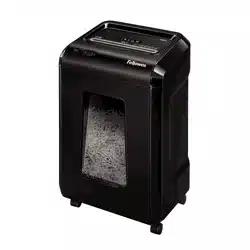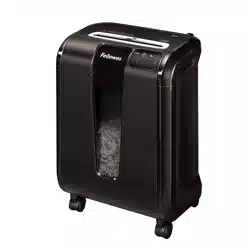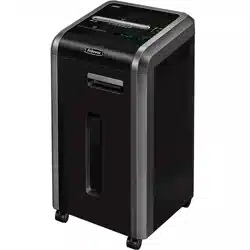

Powershred
®
225Ci/225i
The World's Toughest Shredders
®
PLEASE READ THESE INSTRUCTIONS BEFORE USE.
DO NOT DISCARD: KEEP FOR FUTURE REFERENCE.
FACTORY SERVICE

2
Will shred: Paper, plastic credit cards, CD/DVD, staples, small paper clips and
junk mail
Will not shred: Adhesive labels, continuous form paper, transparencies, newspaper,
cardboard, large paper clips, folders, X-rays or plastic other than noted above
Paper shred size:
Cross-Cut (225Ci) ............................................. 5/32 in. x 1-1/2 in. (4mm x 38mm)
Strip Cut (225i) .............................................................................. 7/32 in. (5.8mm)
Maximum:
Sheets per pass (Cross-Cut) .............................................................................22*
Sheets per pass (Strip Cut) ..............................................................................22*
CDs/Cards per pass ................................................................................................ 1*
Paper entry width ............................................................................9.5 in. (240mm)
* 8.5”x11”, 20lb., (75g) paper at 120V, 60 Hz, 225Ci 8Amps, 225i 6Amps; heavier
paper, humidity or other than rated voltage may reduce capacity. Maximum
recommended .....daily usage rates: 5500 (225Ci)/5000 (225i) sheets; 200 cards;
10 CDs.
Fellowes SafeSense
®
shredders are designed to be operated in office environments ranging
between 50 – 80 degrees Fahrenheit (10 – 26 degrees Celsius) and 40 – 80% relative humidity.
CAPABILITIES
ENGLISH
Models 225Ci/225i
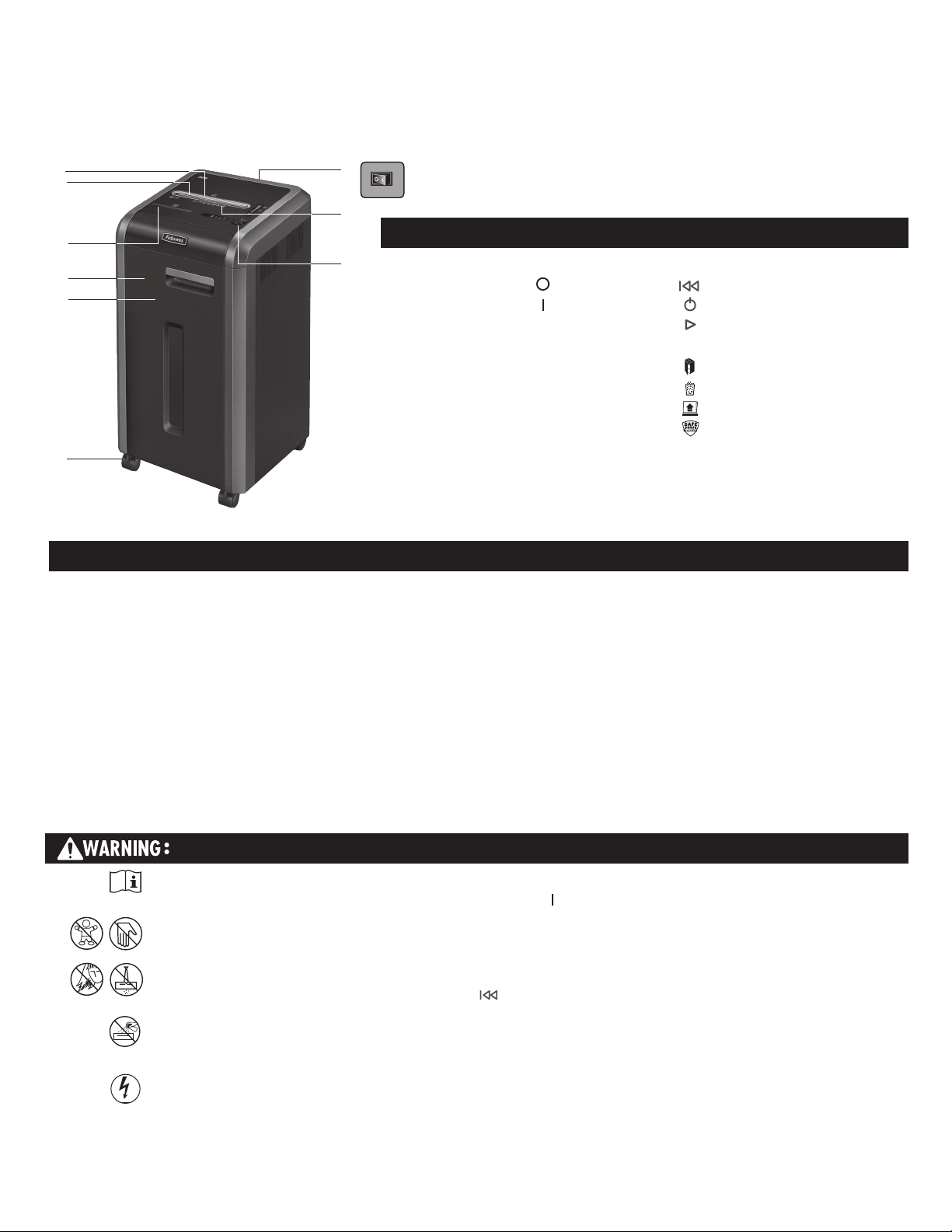
I. Control Panel and LEDs
1. Reverse
2. ON/OFF
3. Forward
4. Auto
5. Door open (red)
6. Bin full (red)
7. Remove paper (red)
8. SafeSense
®
indicator (yellow)
KEY
A. SafeSense
®
Technology
B. Paper/card entry
C. CD entry
D. Door
E. Basket
F. Casters (4)
G. Disconnect power switch
1. OFF
2. ON
H. See safety instructions
IMPORTANT SAFETY INSTRUCTIONS — Read Before Using!
15
15
• Operation, maintenance, and service requirements are covered in the
instruction manual. Read the entire instruction manual before operating
shredders.
• Keep away from children and pets. Keep hands away from paper entry.
Always set to off or unplug when not in use.
• Keep foreign objects – gloves, jewelry, clothing, hair, etc. – away from
shredder openings. If object enters top opening, switch to Reverse ( )
to back out object.
• Never use aerosol products, petroleum based lubricants or other
flammable products on or near shredder. Do not use canned air on
shredder.
• Do not use if damaged or defective. Do not disassemble shredder.
Do not place near or over heat source or water.
• This shredder has a Disconnect Power Switch (G) that must be in the ON
( )position to operate shredder. In case of emergency, move switch to
OFF (O) position. This action will stop shredder immediately.
• Avoid touching exposed cutting blades under shredder head.
• Shredder must be plugged into a properly grounded wall outlet or socket
of the voltage and amperage designated on the label. The grounded
outlet or socket must be installed near the equipment and easily
accessible. Energy converters, transformers, or extension cords should
not be used with this product.
• FIRE HAZARD – Do NOT shred greeting cards with sound chips or
batteries.
• For indoor use only.
• Unplug shredder before cleaning or servicing.
15
15
A.
B.
D.
C.
H.
I.
G.
F.
E.
3
*100% Jam Proof when used in accordance with user manual
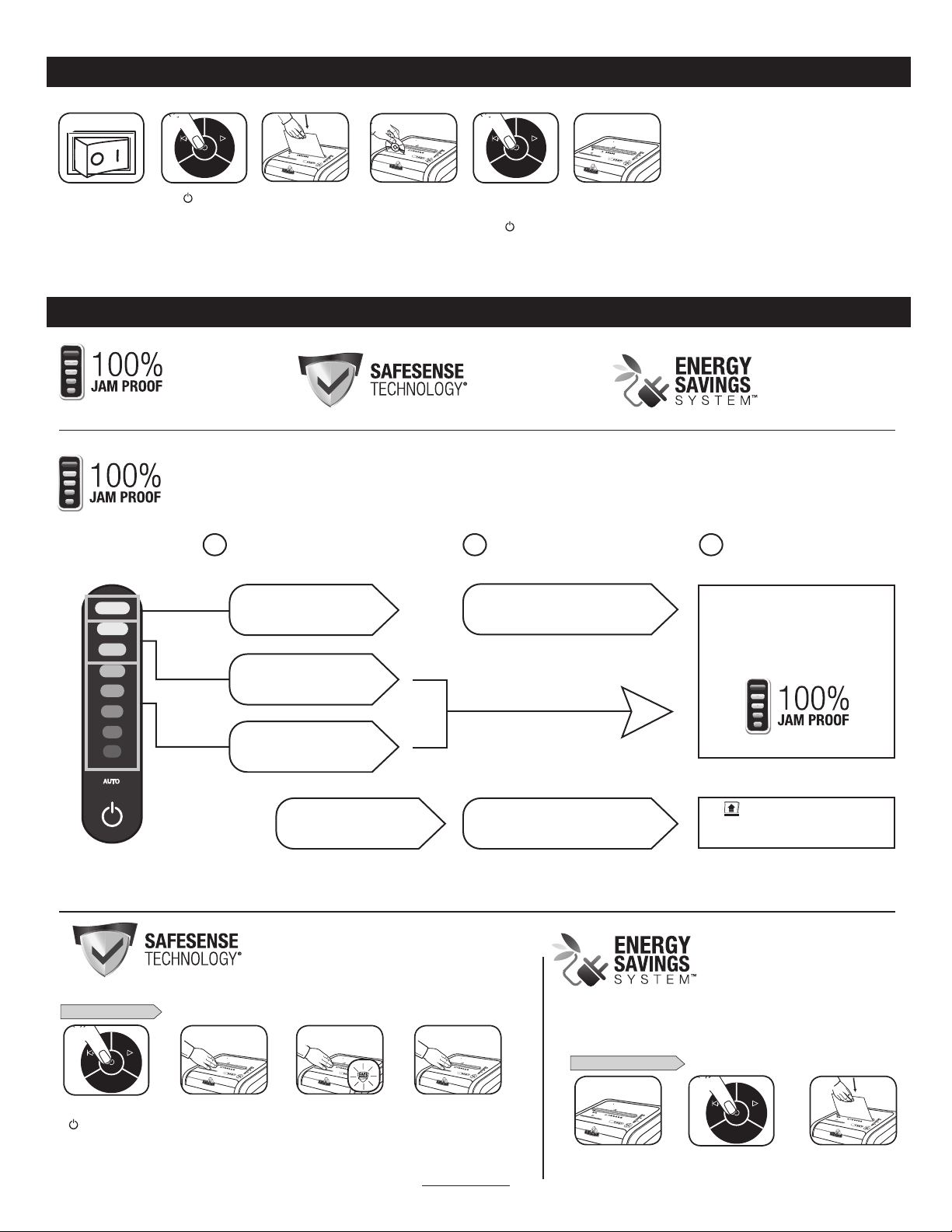
BASIC SHREDDING OPERATION
Advanced Jam Prevention- Electronically
measures paper thickness to prevent paper jams:
Remove several sheets until
indicator is below red.
If a misfeed
occurs:
If
illuminates after paper has been
reversed, press reverse and remove paper.
Otherwise, regular shredding will resume.
1 2 3
Up to RED: Too many
sheets have been inserted.
Up to GREEN: More sheets
can be added.
Up to YELLOW: Productivity
is optimized.
All indicators light up and
shredder pauses for 3-6 seconds
Wait for flashing to stop after automatic correction
is complete. Regular shredding will resume.
ADVANCED PRODUCT FEATURES
or
SET-UP AND TESTING
225C
225C
1
3
AUTO
2
225C
225C
3 4
Turn the shredder ON
( ) to activate SafeSense
®
Touch test area and
look for the SafeSense
®
indicator to illuminate
SafeSense
®
is active and
working properly
If hand is held on SafeSense
®
area more than 3 seconds
shredder will shut off
AUTO
1
225C
2
Do nothing and shredder
will go automatically
to sleep mode after 2
minutes of inactivity
Press ( ) ON to activate
1
Feed paper/card straight
into paper entry and
release
Plug in and put disconnect
power switch in ON
(I) position
When finished
shredding set to
OFF (
)
AUTO
2
Hold CD/card at edge,
and feed into center of
entry and release
or
or
AUTO
5
C-225
6
225C
4
C-225
3
WHEN IN SLEEP MODE
In sleep mode
To get out of sleep mode
touch control panel
insert paper
For more information about all of Fellowes Advanced Product Features go to www.fellowes.com
• Saves energy in four ways: energy-efficient electronics, jam prevention,
standby mode and sleep mode.
• Sleep Mode shuts down shredder after 2 minutes of inactivity.
Jam Proof System
Eliminates paper jams and
powers through tough jobs
SafeSense
®
Technology
Stops shredding immediately when
hands touch the paper entry
Energy Savings System
Optimal energy efficiency 100% of the
time – in use and out of use.
Eliminates paper jams and powers through tough jobs.
JAM PROOF SYSTEM OPERATION*
Continue 100% Jam
Proof Shredding
Optimal energy efficiency 100% of
the time – in use and out of use.
ENERGY SAVINGS SYSTEM
SAFESENSE
®
TECHNOLOGY OPERATION
Stops shredding immediately when hands touch the
paper opening.
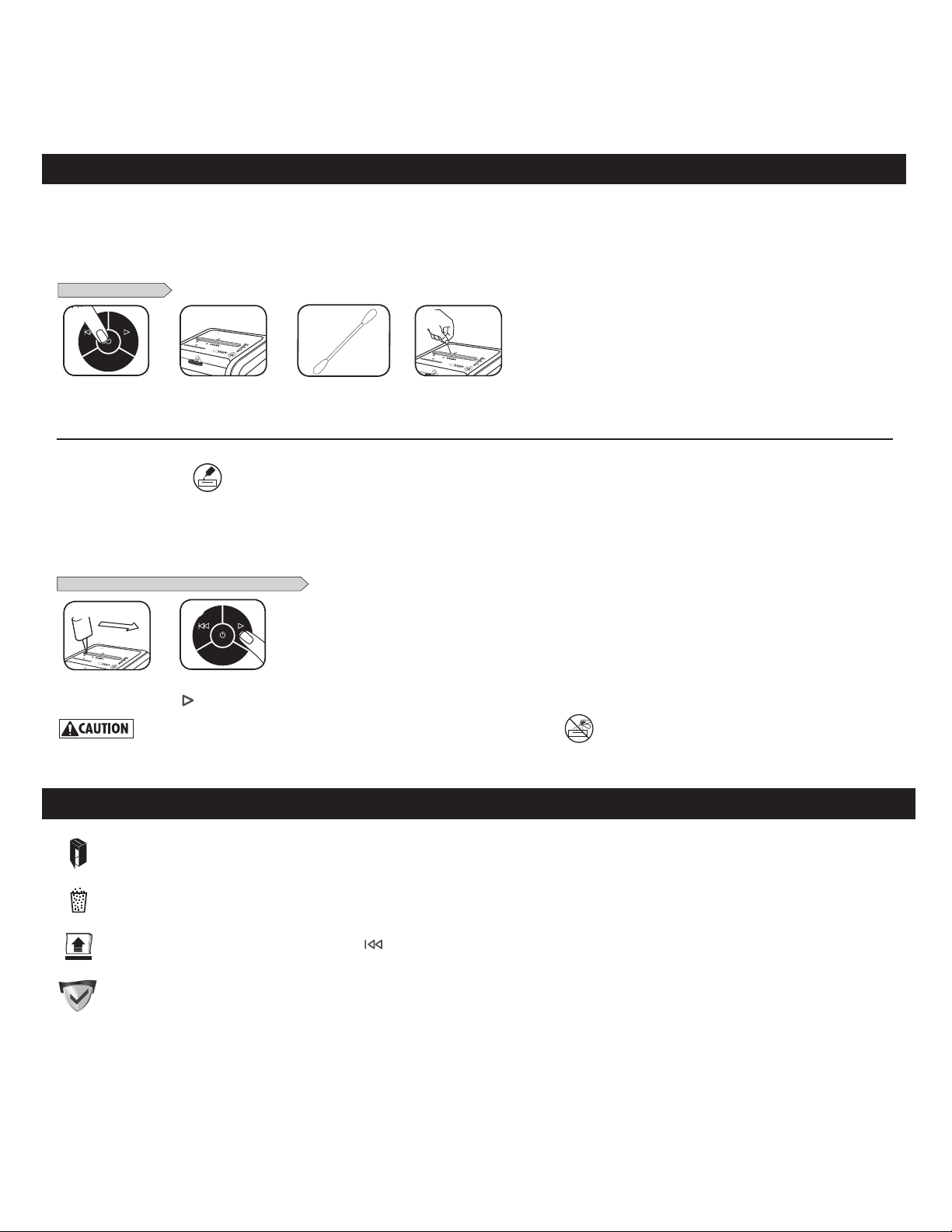
CLEANING AUTO-START INFRARED SENSORS
PRODUCT MAINTENANCE
Paper detection sensors are designed for maintenance free operation. However, on rare occasions, the sensors may become blocked by paper dust causing the motor to run
even if there is no paper present.
(Note: two paper detection sensors are located in the center of the paper entry).
TO CLEAN THE SENSORS
Turn off and unplug
shredder
Locate Auto-start
infrared sensor
Using cotton swab, wipe
away any contamination
from the paper sensors
Dip cotton swab in
rubbing alcohol
AUTO AUTO AUTO
1
ENGLISH
Models 225Ci/225i
All cross-cut shredders require oil for peak performance. If not oiled, a machine may experience diminished sheet capacity, intrusive
noise when shredding and could ultimately stop running. To avoid these problems, we recommend you oil your shredder each time you
empty your waste bin.
OILING SHREDDER
15
15
*Only use a non-aerosol vegetable oil in long nozzle container such as Fellowes 35250
FOLLOW OILING PROCEDURE BELOW AND REPEAT TWICE
*Apply oil across entry
4
Press and hold forward
( ) 2-3 seconds
AUTO AUTO AUTO
2
3
C-225
C - 2 2 5
2 4
C-225
1
TROUBLESHOOTING
Bin Full: When illuminated, the shredder waste bin is full and needs to be emptied. Use Fellowes waste bag 36054.
Bin Open: The shredder will not run if the bin is open. When illuminated, close the bin to resume shredding.
Remove Paper Indicator: When illuminated, press reverse ( ) and remove paper. Reduce paper quantity to an acceptable amount and refeed into paper entry.
SafeSense
®
Indicator: If hands are too close to the paper entry, the SafeSense
®
indicator will illuminate and the shredder will stop shredding. If SafeSense
®
is active for 3 seconds, the shredder will automatically turn off and the user must press the power button on the control panel to resume shredding.
Self Cleaning Cycle: Shredder periodically cycles in forward and reverse lasting 3-6 seconds (225Ci only).

LIMITED PRODUCT WARRANTY
Limited Warranty: Fellowes, Inc. (“Fellowes”) warrants the parts of the machine to be free of
defects in material and workmanship and provides service and support for 1 year from the date
of purchase by the original consumer. Fellowes warrants the cutting blades of the machine to
be free from defects in material and workmanship for 1 year from the date of purchase by the
original consumer. If any part is found to be defective during the warranty period, your sole and
exclusive remedy will be repair or replacement, at Fellowes’ option and expense, of the defective
part. This warranty does not apply in cases of abuse, mishandling, failure to comply with product
usage standards, shredder operation using an improper power supply (other than listed on the
label), or unauthorized repair. Fellowes reserves the right to charge the consumers for any
additional costs incurred by Fellowes to provide parts or services outside of the country where the
shredder is initially sold by an authorized reseller. ANY IMPLIED WARRANTY, INCLUDING THAT OF
MERCHANTABILITY OR FITNESS FOR A PARTICULAR PURPOSE, IS HEREBY LIMITED IN DURATION
TO THE APPROPRIATE WARRANTY PERIOD SET FORTH ABOVE. In no event shall Fellowes be liable
for any consequential or incidental damages attributable to this product. This warranty gives you
specific legal rights. The duration, terms, and conditions of this warranty are valid worldwide,
except where different limitations, restrictions, or conditions may be required by local law. For
more details or to obtain service under this warranty, please contact us or your dealer.
5


1789 Norwood Avenue, Itasca, Illinois 60143
•
1-800-955-0959
•
www.fellowes.com
Brands
© 2017 Fellowes, Inc. | Part #410822
United States: 1-800-955-0959
Canada: 1-800-665-4339
Mexico: 001-800-514-9057
CUSTOMER SERVICE & SUPPORT
www.fellowes.com