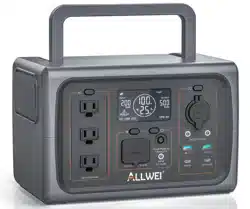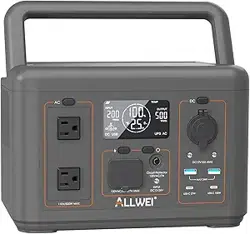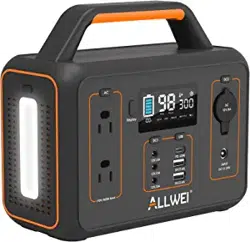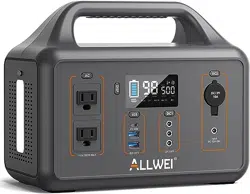
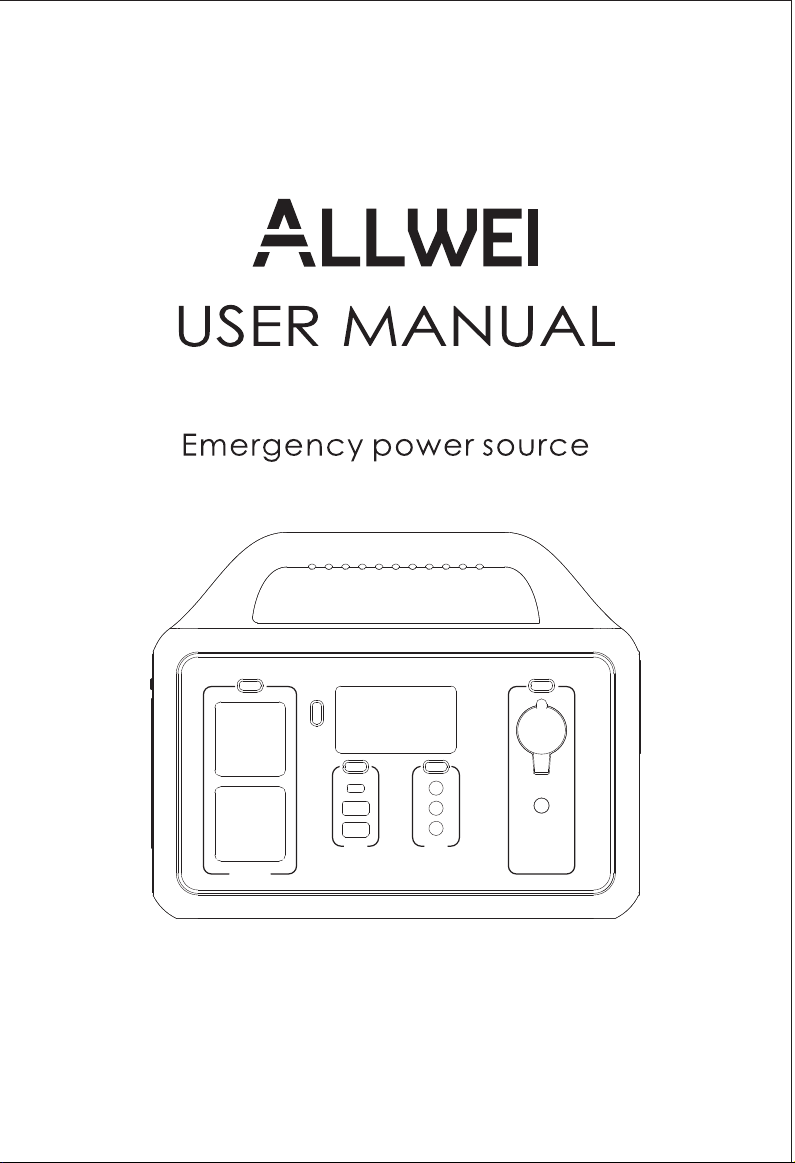
Model : SGR-PPS500-4
500W Portable Power Station
Thanks for purchasing our 500W portable emergency power station.
If you have any questions about it, please feel free to contact us.
Your valuable opinions and suggestions are highly appreciated.
Welcome to leave your real and objective reviews to help other
buyers for reference.
The SGR-PPS500-4 is covered a warranty of 5 Years from the date
of its original purchasing.
1. Do not overcharge the internal battery. See instruction manual.
2. Do not smoke, strike a match, or cause a spark in the vicinity
of the power station.
3. Only charge the power station in a well-ventilated area.
4. Risk of electric shock. Connect only to properly grounded outlets.
5. Risk of injury to persons. Do not use this product if the power cord
or the battery cables are damaged in any way.
6. Keep away from moisture or water. Do not use outdoors on rainy
days.
Warranty & Customer Service Support
— 11 —

Warnings
Thank you for purchasing this 500W Portable Power Station.
This portable power station can connect to AC wall outlets, solar panels,
and DC power sources and is designed to keep your electronic devices
powered during an emergency and while on the go.
It comes equipped with AC outlets, 12V DC output ports, a car port,
USB-C port and fast charging USB ports for your convenience. Perfect for
outdoor adventures, it is compatible with most electronic devices such as
drone, laptop, projector, mini cooler, TV and camera. You can also
charge your devices with this unit in case of a power failure.
Before using the power station, please carefully read the following instructions:
1. The power station has a built-in lithium battery that is highly sensitive to high
temperatures. It should be kept away from high heat sources.
2. Keep away from moisture or water.
3. Do not disassemble, microwave, puncture, incinerate or insert foreign
objects into the power station.
4. Do not crush, drop or place heavy objects on top of the device.
5. Do not use the product if damaged or punctured.
6. If not in regular use, charge the power station every other month to remain
fully prepared for an emergency.
(1) AC Power Adapter
(1) AC Power Cord
(1) DC Cable
(1) User Manual
Package Contents
— 1 —
Unit can not charging from
AC wall outlets
Unit can not charging from
solar panel
LCD Screen icon flash
"AC"
"DC"
"USB
High-temperature icon
continuous appears
Failure Description
AC charging fault
1.Please ensure to use
original AC adapter.
2.Please check if the AC
wall plug is correct
connection.
If not solved,Please
contact our after-sales
service.
1.Please ensure solar charging connection
is correct under user manual.
2.Please ensure connected solar panel
specification is meet specified standard.
3.Please ensure solar panel charging
under sunlight environment.
4.If not solved,Please contact our
after-sales service.
Resolve the problem by pulling out
plug or remove electrical devices,
the product can recover itself
after re-start.
If not solved,Please contact our
after-sales service.
DC solar charging fault
Over-current protection
Short circuit protection
Over-voltage protection
Low-voltage protection
Over-Load protection
High-temperature warning
Power station can recover itself
after battery cooled.
Types Solutions
Common Trouble Shooting
— 10 —
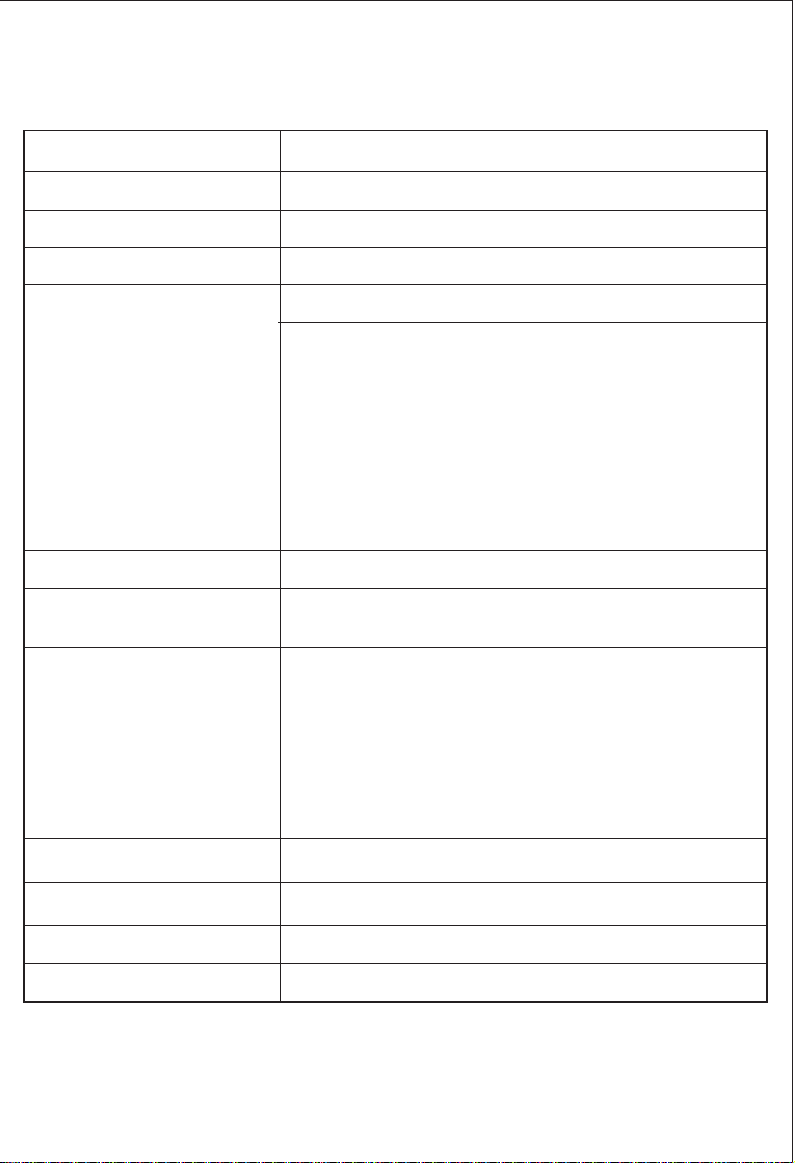
Battery Capacity
AC Input charging
Car Input charging
Solar Input charging
AC Output waveform
LED Lights
Safety Protections
Safety Protections 0~40℃(32~104℉)
Lifecycles
Pass-Through Charging
Weight&Size
1000 cycles to 80%+ capacity
Supported
5kg / 11lbs / 11.42in x 6.46in x 9.25in
Short-Circuit
Over-Current
Over-Voltage
Low-Voltage
Over-Load
Over-Temperature
Pure sine wave
2W MAX, 3 Levels(L/M/H adjustable)with SOS
function
Output Ports 2*AC Output: 110V.60Hz,500W,Peak 1000W
2x USB-A:Blue 2*QC18W Max, 5V3A&9V2A
&12V1.5A QC3.0
1x USB-C:PD60W Max, 5V3A&9V3A&12V3A
&15V3A&20V3A PD3.0
3x DC Rated Output: Total 10A Max, Single port 12V/3A
1x Cigarette Lighter: 12V/10A Max Output Regulated
Lithium-ion 461Wh(20.8Ah/22.2V)
External 90W adapter
DC12V~24V/7A Max
DC12V~24V/7A Max
Technical Specification
— 2 —
1. Which electronic appliances can be used with the power station?
All electronics devices of up to 500 Watts.
2. Which solar panel can be used with the power station?
A 60W~100W solar panel with a Voltage at Maximum Power (Vmp) of
13V~24V DC is recommended. Do not use higher than 24V DC to recharge
the power station.
3. Why is the power station have the Auto-Sleep mode?
To avoid forgetting to turn off the output during use that results in battery
consumption,the power station will turns to Auto-Sleep mode when detects
no device is connected or the connected device is less than or equal to
a certain value (AC Output≤2W, USB Output≤2W, Car Port≤2W), the unit will
automatically shut off after 12 hours.
4. What size mini-cooler or mini-fridge could this unit power?
The power station's AC continuous output is 500W and the battery capacity
is 461Wh. It can power any device that requires less than 500W. However, the
usage time depends on the power of the fridge and the fridge compressor.
5. Is the power station water/weather resistant?
NO. Do not expose the unit to water.
6. Are the batteries replaceable or upgradeable?
NO. The batteries are built-in and the opening of the unit will void your
warranty.
7. Is there a way to disable a port group?
YES. Clicking a port's group button will disable/enable it. When enabled,
an icon appears on the LCD screen.
8. How long will a single charge last without using the unit?
3-5 months. However, we suggest you charge the power station every two
months if not in regular use to remain fully prepared for an emergency.
9. Does the power station support pass-through charging?
YES. The power station can simultaneously charge other devices while
recharging the power station.
10. Can I use this battery to jump start your car battery?
NO.
FAQS and Solutions
— 9 —
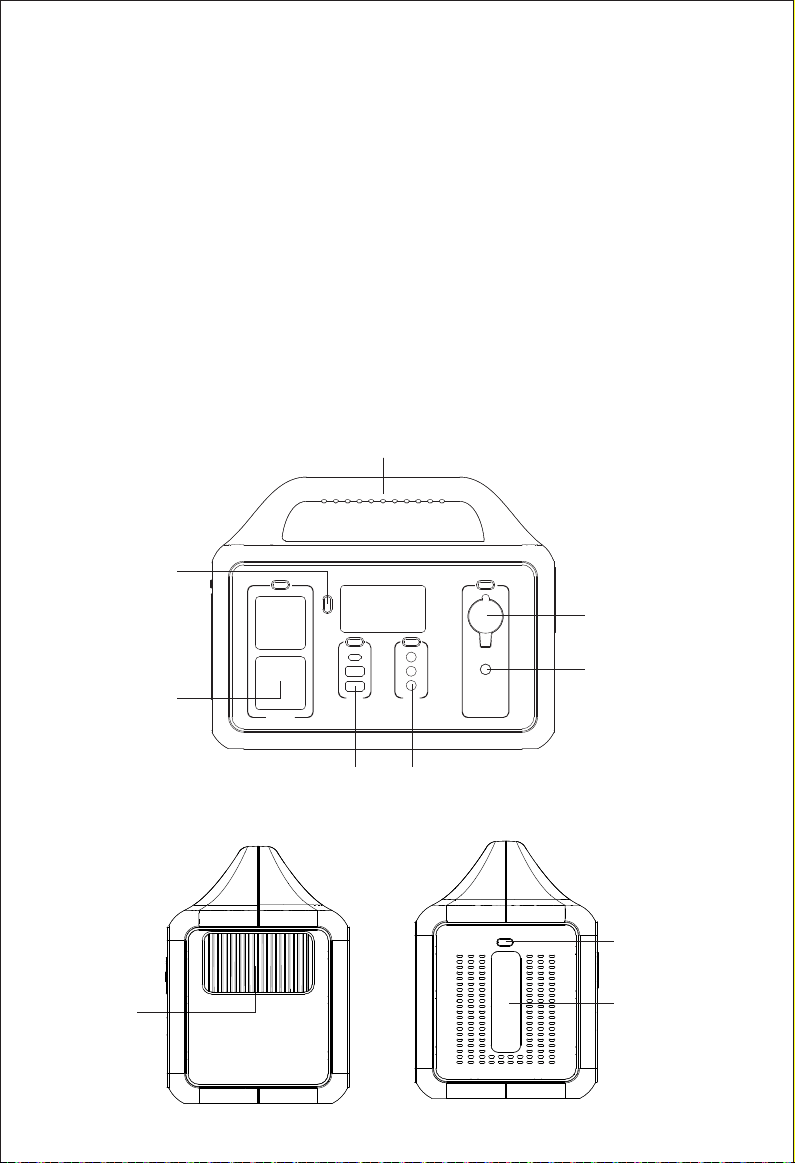
LED Button
LED
DC Input
12-24V
Car lighter
DC12V/10A
FAN
AC output
500W Max
DC output
12V/3A*3
LCD display
LCD
ON/OFF
Type-C PD 60W
&USB QC3.0*2
Handle
1. Press the power button or any other port button to turn on the unit.
When not using certain ports,it is best to turn them off to conserve
power.
2. Read the LCD screen to know which port is turned on.
3. Plug in your gear.
4. Your unit supports full pass-through charging so you can charge your
power station and run your gear at the same time.
Use Instructions
Product Diagram
— 3 —
Usage
Emergency:
Used as an emergency power supply, the unit is especially suitable for
locations that are prone to severe weather patterns and natural disaster
related power failures including typhoons, floods, hurricanes, earthquakes,
forest fires, snowstorms and low-temperature disaster prone areas.
Outdoor Activities:
Road trips, camping, outdoor celebrations, fishing, climbing, outdoor
photography enthusiasts, RC helicopter drone charging, farming and bird
watching.
Home Backup:
Home&office electrical device charging, energy-saving lamps, television,
mini refrigerators, Christmas decoration lights, printers, laptops, fans and
smart mobile phones.
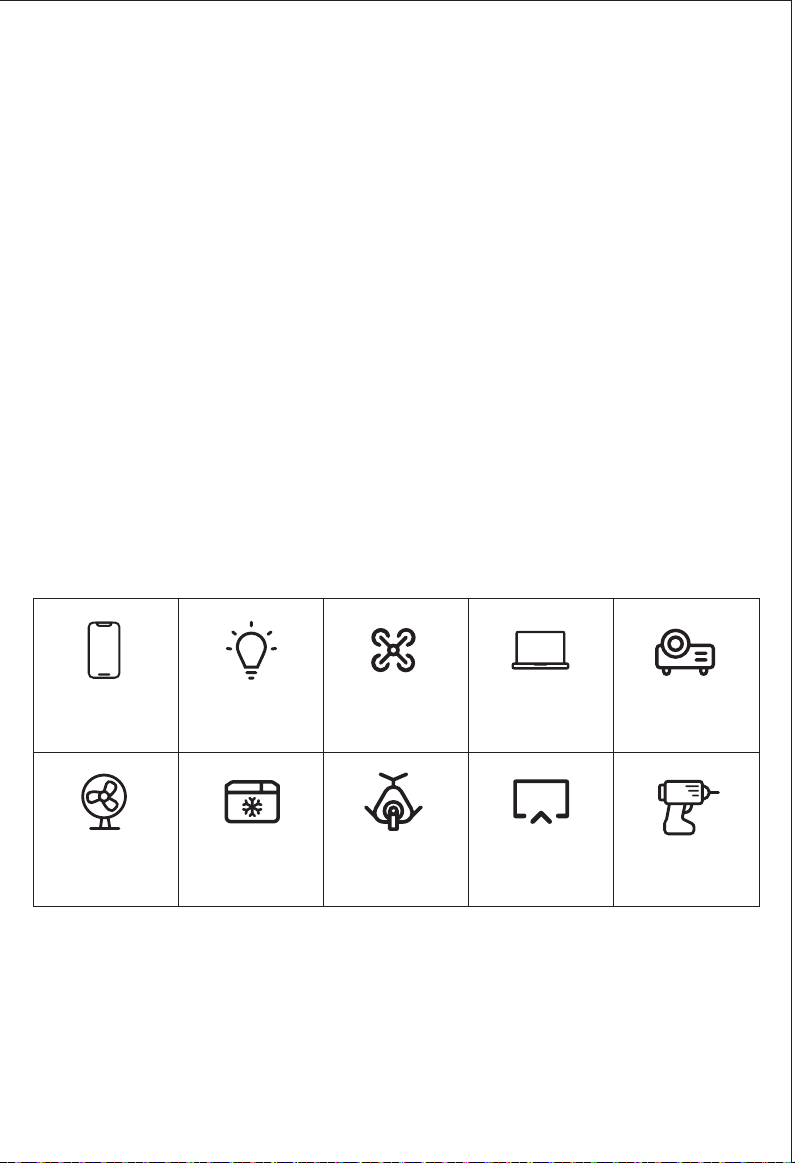
Usage time of devices
iPhone
80+ Times
Laptop 13”
6 Hrs
50W Fan
8 Hrs
32” LCD TV
3.7 Hrs
Projector
4 Hrs
Hand Drill
6.9 Hrs
10W Lamp
41+ Hrs
DRONE
13+ Recharge
*Mini Cooler
24 Hrs
CPAP
10 Hrs
NOTES:
1.Run time=461Wh*90%(conversion rate)/Your device's power(Watts).
2.Support all electronic devices less than 500 Watts.
3.It is recommended to use a DC port instead of an AC outlet to power your CPAP machine.
4.*The usage time for refrigeration machines with compressors mainly depends on temperature
setting and start frequency of compressors,it’s usually lasting longer time than certain reference
time.
5.The above charging times are calculated as a reference guide only. The actual usage time will
depend on the power of the connected devices.
— 8 —
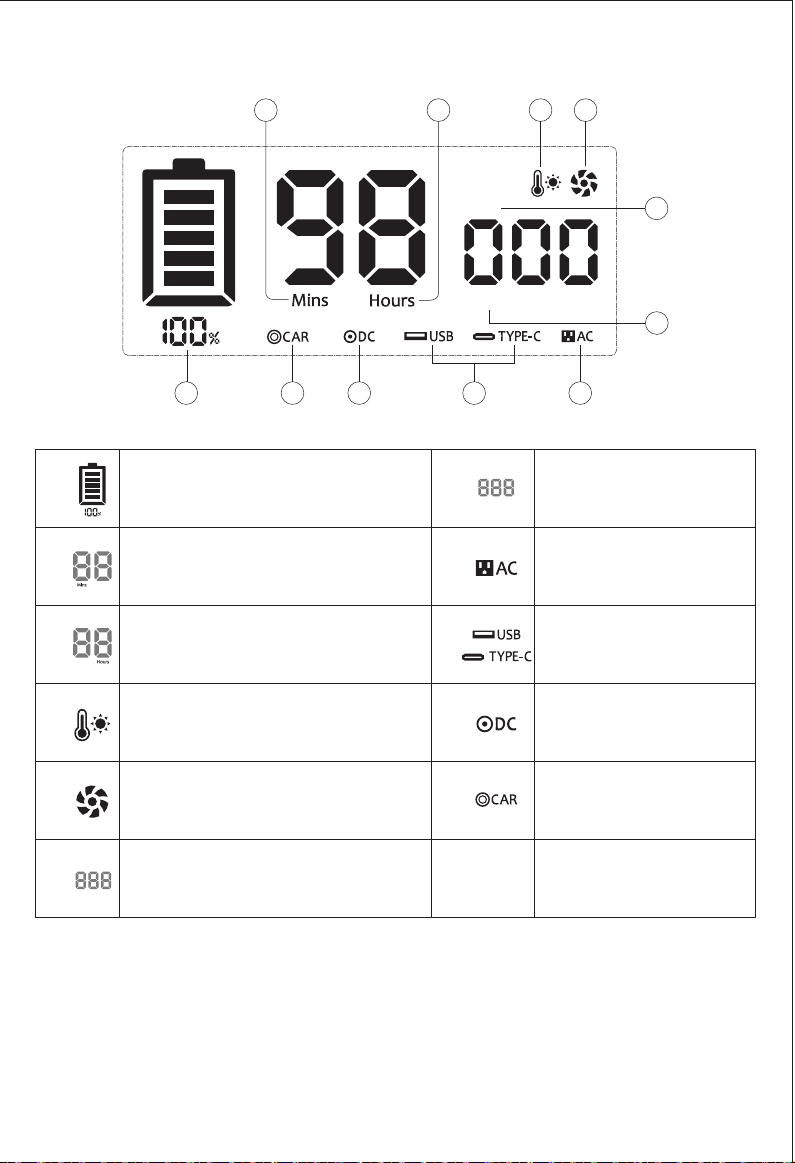
LCD Display
1. Remaining usage time is dependent on output wattage and what
item(s) are being charged.
2. Remaining wattage and time will priority to display output power
and usage time while charging and discharging simultaneously.
Please Note
Car lighter Output
Indicator
Remaining Battery
Percentage
Cooling Fans
Output Power
Input Power
DC Output Indicator
Temperature warning
Remaining Usage Time or
Remaining Charging Time(Minute)
Remaining Usage Time or
Remaining Charging Time(Hour)
AC Output Indicator
OUTPUT
Watts
INPUT
Watts
USB Output Indicator
Type-C Output Indicator
①
②
③
④
⑤
⑥
⑦
⑧
⑨
⑩
⑪
OUTPUT
INPUT
Watts
1 11 10 9 8
2 3 4 5
6
7
— 4 —
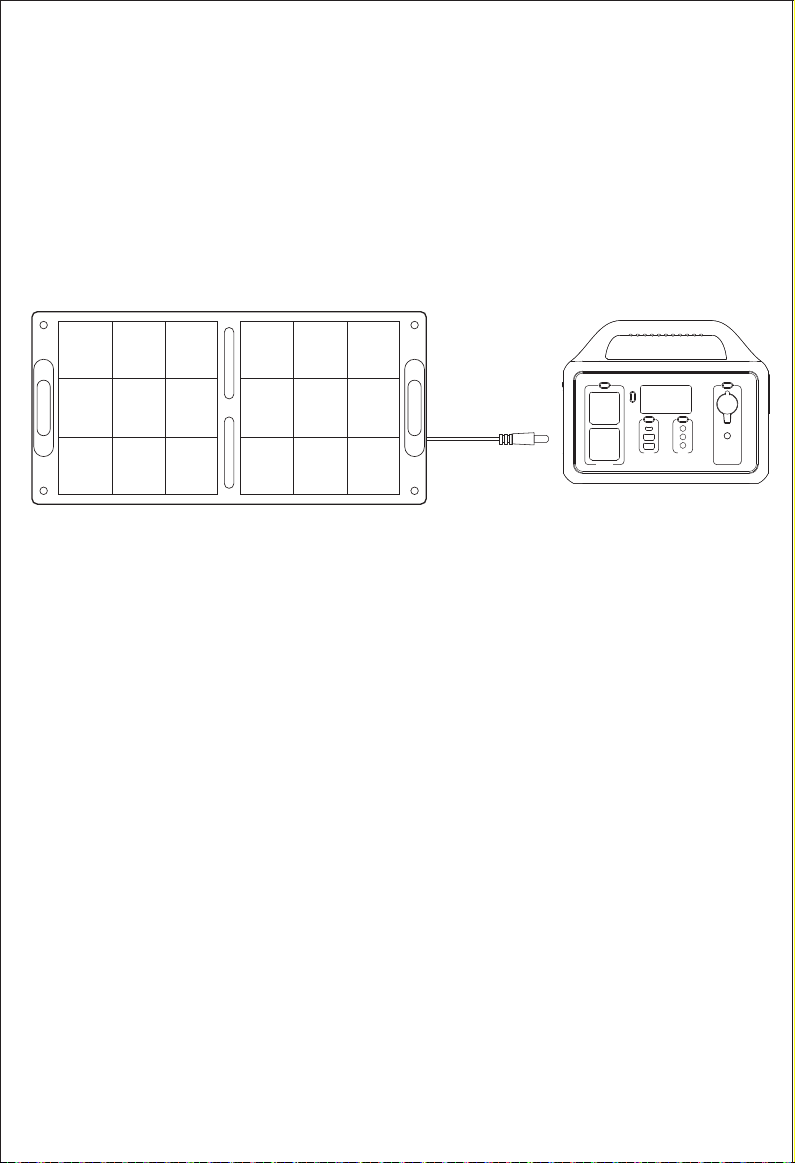
3. Solar Panel Charging
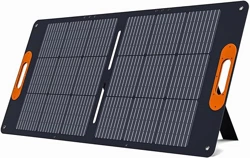
We recommend a 100W solar panel with the voltage of DC 13V-24V.
Never use higher than DC 24V to recharge this power station.
6-7 hours
fully charged
(in full sun)
1*100W Solar Panel
1.Do not charge from car charger and solar panel at the same time,
otherwise,it will damage the car fuse.
2.Please don't put the power station in direct sunlight while charging in
the high temperature environment.
Safety Precautions When Charging
— 7 —

To avoid forgetting to turn off the output during use that results in
battery consumption,this product will turns to Auto-Sleep mode when
detects no device is connected or the connected device is less than
or equal to a certain value,the unit will automatically shut off after
12 hours.
Refer to the table below for more details:
*Press any of the port buttons to restart the power station will work
normally.
Output
AC Output
USB Output
Car Output
≤2W
≤2W
≤2W
The device will automatically
shut down after 12 hours
The device will automatically
shut down after 12 hours
The device will automatically
shut down after 12 hours
Output Power Defaults
Auto-Sleep Mode:
— 5 —
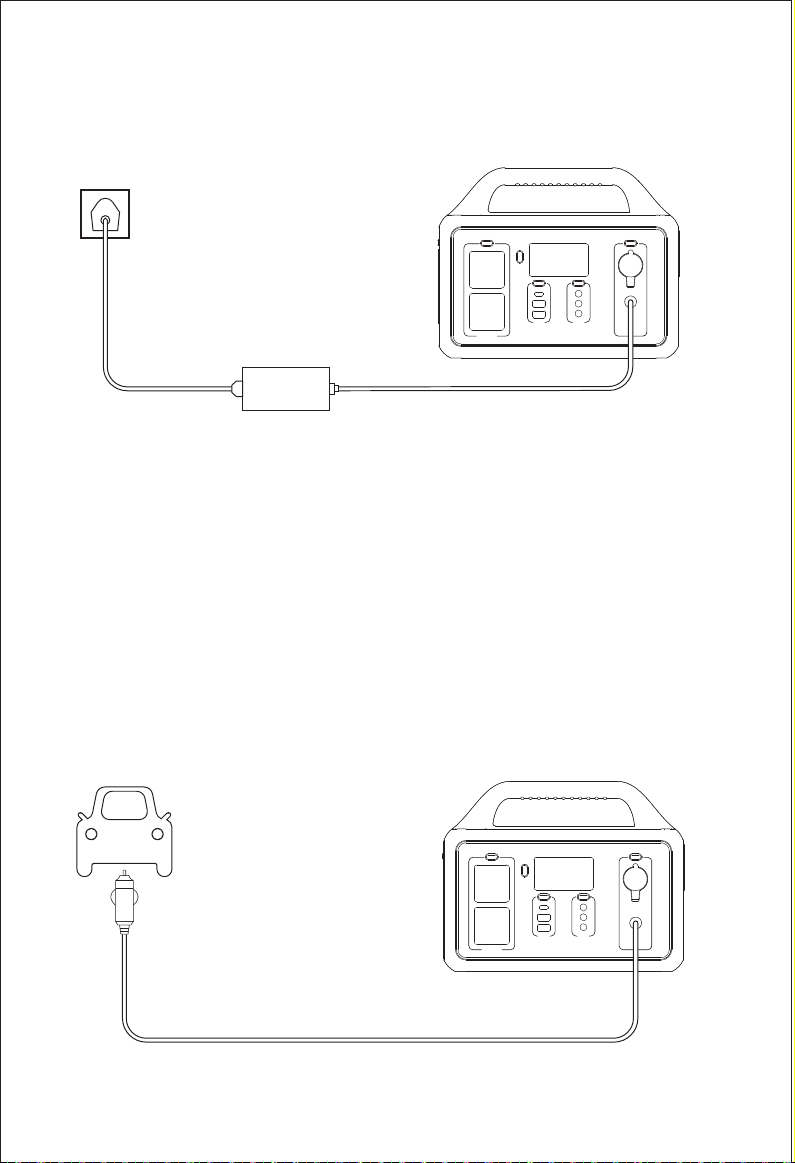
Ways to Recharge
1. AC Wall Charging
2. DC Vehicle Charging
NOTE:
1. Only support the original charger to recharge the power station,
DO NOT USE generic chargers, they could overheat or burn you.
2. The surface of AC Adapter heats up when charging,This is a normal
phenomenon, please rest assured use. The AC adapter working
temperature range is strictly comply with safety certification.
Please do not cover the surface while charging.
5.5-6.5 Hours
fully charged
12V Car Charging
5-6 Hours
fully charged
24V Car Charging
4.5-5.5 Hours
fully charged
AC Adapter
— 6 —
To avoid forgetting to turn off the output during use that results in
battery consumption,this product will turns to Auto-Sleep mode when
detects no device is connected or the connected device is less than
or equal to a certain value,the unit will automatically shut off after
12 hours.
Refer to the table below for more details:
*Press any of the port buttons to restart the power station will work
normally.
Output
AC Output
USB Output
Car Output
≤2W
≤2W
≤2W
The device will automatically
shut down after 12 hours
The device will automatically
shut down after 12 hours
The device will automatically
shut down after 12 hours
Output Power Defaults
Auto-Sleep Mode:
— 5 —
Ways to Recharge
1. AC Wall Charging
2. DC Vehicle Charging
NOTE:
1. Only support the original charger to recharge the power station,
DO NOT USE generic chargers, they could overheat or burn you.
2. The surface of AC Adapter heats up when charging,This is a normal
phenomenon, please rest assured use. The AC adapter working
temperature range is strictly comply with safety certification.
Please do not cover the surface while charging.
5.5-6.5 Hours
fully charged
12V Car Charging
5-6 Hours
fully charged
24V Car Charging
4.5-5.5 Hours
fully charged
AC Adapter
— 6 —
LCD Display
1. Remaining usage time is dependent on output wattage and what
item(s) are being charged.
2. Remaining wattage and time will priority to display output power
and usage time while charging and discharging simultaneously.
Please Note
Car lighter Output
Indicator
Remaining Battery
Percentage
Cooling Fans
Output Power
Input Power
DC Output Indicator
Temperature warning
Remaining Usage Time or
Remaining Charging Time(Minute)
Remaining Usage Time or
Remaining Charging Time(Hour)
AC Output Indicator
OUTPUT
Watts
INPUT
Watts
USB Output Indicator
Type-C Output Indicator
①
②
③
④
⑤
⑥
⑦
⑧
⑨
⑩
⑪
OUTPUT
INPUT
Watts
1 11 10 9 8
2 3 4 5
6
7
— 4 —
3. Solar Panel Charging
We recommend a 100W solar panel with the voltage of DC 13V-24V.
Never use higher than DC 24V to recharge this power station.
6-7 hours
fully charged
(in full sun)
1*100W Solar Panel
1.Do not charge from car charger and solar panel at the same time,
otherwise,it will damage the car fuse.
2.Please don't put the power station in direct sunlight while charging in
the high temperature environment.
Safety Precautions When Charging
— 7 —
LED Button
LED
DC Input
12-24V
Car lighter
DC12V/10A
FAN
AC output
500W Max
DC output
12V/3A*3
LCD display
LCD
ON/OFF
Type-C PD 60W
&USB QC3.0*2
Handle
1. Press the power button or any other port button to turn on the unit.
When not using certain ports,it is best to turn them off to conserve
power.
2. Read the LCD screen to know which port is turned on.
3. Plug in your gear.
4. Your unit supports full pass-through charging so you can charge your
power station and run your gear at the same time.
Use Instructions
Product Diagram
— 3 —
Usage
Emergency:
Used as an emergency power supply, the unit is especially suitable for
locations that are prone to severe weather patterns and natural disaster
related power failures including typhoons, floods, hurricanes, earthquakes,
forest fires, snowstorms and low-temperature disaster prone areas.
Outdoor Activities:
Road trips, camping, outdoor celebrations, fishing, climbing, outdoor
photography enthusiasts, RC helicopter drone charging, farming and bird
watching.
Home Backup:
Home&office electrical device charging, energy-saving lamps, television,
mini refrigerators, Christmas decoration lights, printers, laptops, fans and
smart mobile phones.
Usage time of devices
iPhone
80+ Times
Laptop 13”
6 Hrs
50W Fan
8 Hrs
32” LCD TV
3.7 Hrs
Projector
4 Hrs
Hand Drill
6.9 Hrs
10W Lamp
41+ Hrs
DRONE
13+ Recharge
*Mini Cooler
24 Hrs
CPAP
10 Hrs
NOTES:
1.Run time=461Wh*90%(conversion rate)/Your device's power(Watts).
2.Support all electronic devices less than 500 Watts.
3.It is recommended to use a DC port instead of an AC outlet to power your CPAP machine.
4.*The usage time for refrigeration machines with compressors mainly depends on temperature
setting and start frequency of compressors,it’s usually lasting longer time than certain reference
time.
5.The above charging times are calculated as a reference guide only. The actual usage time will
depend on the power of the connected devices.
— 8 —

Battery Capacity
AC Input charging
Car Input charging
Solar Input charging
AC Output waveform
LED Lights
Safety Protections
Safety Protections 0~40℃(32~104℉)
Lifecycles
Pass-Through Charging
Weight&Size
1000 cycles to 80%+ capacity
Supported
5kg / 11lbs / 11.42in x 6.46in x 9.25in
Short-Circuit
Over-Current
Over-Voltage
Low-Voltage
Over-Load
Over-Temperature
Pure sine wave
2W MAX, 3 Levels(L/M/H adjustable)with SOS
function
Output Ports 2*AC Output: 110V.60Hz,500W,Peak 1000W
2x USB-A:Blue 2*QC18W Max, 5V3A&9V2A
&12V1.5A QC3.0
1x USB-C:PD60W Max, 5V3A&9V3A&12V3A
&15V3A&20V3A PD3.0
3x DC Rated Output: Total 10A Max, Single port 12V/3A
1x Cigarette Lighter: 12V/10A Max Output Regulated
Lithium-ion 461Wh(20.8Ah/22.2V)
External 90W adapter
DC12V~24V/7A Max
DC12V~24V/7A Max
Technical Specification
— 2 —
1. Which electronic appliances can be used with the power station?
All electronics devices of up to 500 Watts.
2. Which solar panel can be used with the power station?
A 60W~100W solar panel with a Voltage at Maximum Power (Vmp) of
13V~24V DC is recommended. Do not use higher than 24V DC to recharge
the power station.
3. Why is the power station have the Auto-Sleep mode?
To avoid forgetting to turn off the output during use that results in battery
consumption,the power station will turns to Auto-Sleep mode when detects
no device is connected or the connected device is less than or equal to
a certain value (AC Output≤2W, USB Output≤2W, Car Port≤2W), the unit will
automatically shut off after 12 hours.
4. What size mini-cooler or mini-fridge could this unit power?
The power station's AC continuous output is 500W and the battery capacity
is 461Wh. It can power any device that requires less than 500W. However, the
usage time depends on the power of the fridge and the fridge compressor.
5. Is the power station water/weather resistant?
NO. Do not expose the unit to water.
6. Are the batteries replaceable or upgradeable?
NO. The batteries are built-in and the opening of the unit will void your
warranty.
7. Is there a way to disable a port group?
YES. Clicking a port's group button will disable/enable it. When enabled,
an icon appears on the LCD screen.
8. How long will a single charge last without using the unit?
3-5 months. However, we suggest you charge the power station every two
months if not in regular use to remain fully prepared for an emergency.
9. Does the power station support pass-through charging?
YES. The power station can simultaneously charge other devices while
recharging the power station.
10. Can I use this battery to jump start your car battery?
NO.
FAQS and Solutions
— 9 —

Warnings
Thank you for purchasing this 500W Portable Power Station.
This portable power station can connect to AC wall outlets, solar panels,
and DC power sources and is designed to keep your electronic devices
powered during an emergency and while on the go.
It comes equipped with AC outlets, 12V DC output ports, a car port,
USB-C port and fast charging USB ports for your convenience. Perfect for
outdoor adventures, it is compatible with most electronic devices such as
drone, laptop, projector, mini cooler, TV and camera. You can also
charge your devices with this unit in case of a power failure.
Before using the power station, please carefully read the following instructions:
1. The power station has a built-in lithium battery that is highly sensitive to high
temperatures. It should be kept away from high heat sources.
2. Keep away from moisture or water.
3. Do not disassemble, microwave, puncture, incinerate or insert foreign
objects into the power station.
4. Do not crush, drop or place heavy objects on top of the device.
5. Do not use the product if damaged or punctured.
6. If not in regular use, charge the power station every other month to remain
fully prepared for an emergency.
(1) AC Power Adapter
(1) AC Power Cord
(1) DC Cable
(1) User Manual
Package Contents
— 1 —
Unit can not charging from
AC wall outlets
Unit can not charging from
solar panel
LCD Screen icon flash
"AC"
"DC"
"USB
High-temperature icon
continuous appears
Failure Description
AC charging fault
1.Please ensure to use
original AC adapter.
2.Please check if the AC
wall plug is correct
connection.
If not solved,Please
contact our after-sales
service.
1.Please ensure solar charging connection
is correct under user manual.
2.Please ensure connected solar panel
specification is meet specified standard.
3.Please ensure solar panel charging
under sunlight environment.
4.If not solved,Please contact our
after-sales service.
Resolve the problem by pulling out
plug or remove electrical devices,
the product can recover itself
after re-start.
If not solved,Please contact our
after-sales service.
DC solar charging fault
Over-current protection
Short circuit protection
Over-voltage protection
Low-voltage protection
Over-Load protection
High-temperature warning
Power station can recover itself
after battery cooled.
Types Solutions
Common Trouble Shooting
— 10 —

Model : SGR-PPS500-4
500W Portable Power Station
Thanks for purchasing our 500W portable emergency power station.
If you have any questions about it, please feel free to contact us.
Your valuable opinions and suggestions are highly appreciated.
Welcome to leave your real and objective reviews to help other
buyers for reference.
The SGR-PPS500-4 is covered a warranty of 5 Years from the date
of its original purchasing.
1. Do not overcharge the internal battery. See instruction manual.
2. Do not smoke, strike a match, or cause a spark in the vicinity
of the power station.
3. Only charge the power station in a well-ventilated area.
4. Risk of electric shock. Connect only to properly grounded outlets.
5. Risk of injury to persons. Do not use this product if the power cord
or the battery cables are damaged in any way.
6. Keep away from moisture or water. Do not use outdoors on rainy
days.
Warranty & Customer Service Support
— 11 —