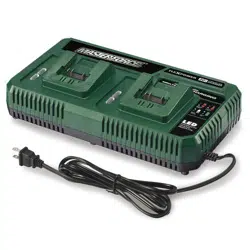
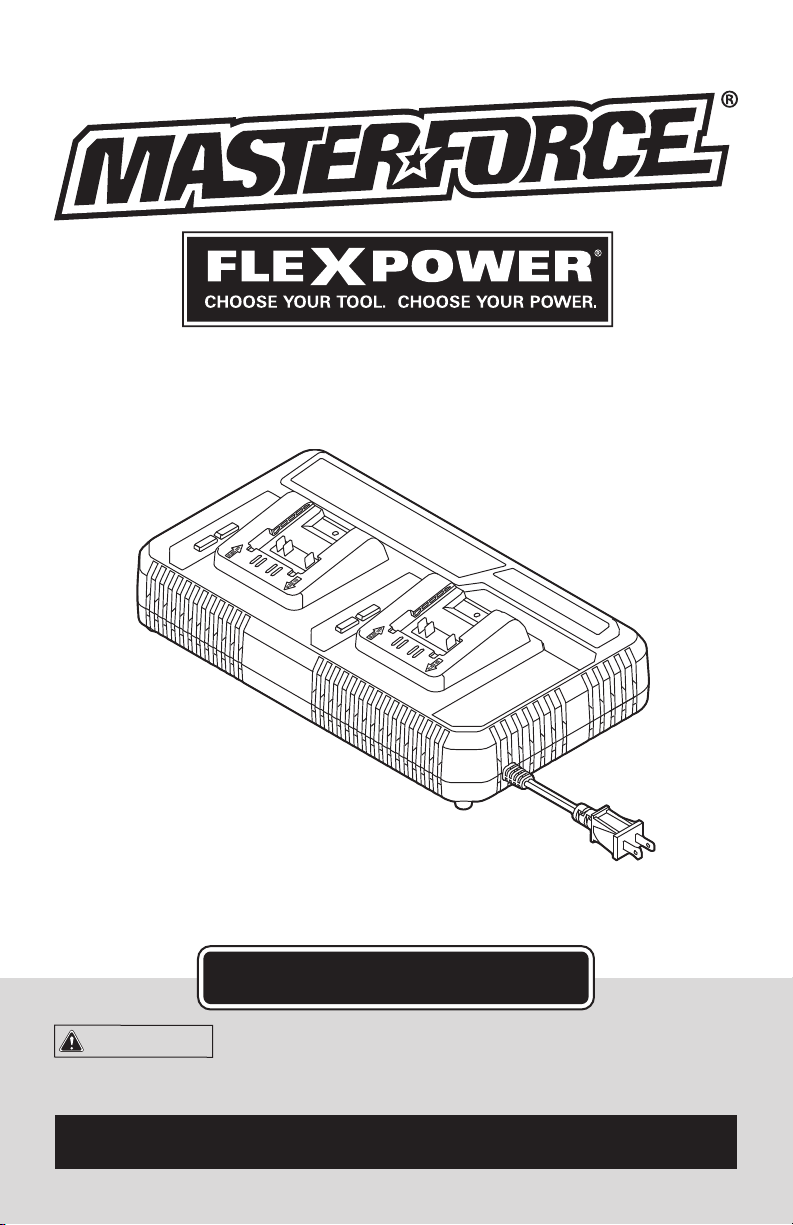
DUAL PORT CHARGER
252-8043
For questions / comments, technical assistance or repair parts –
Please Call Toll Free: 1-866-917-4374. (M-F 8:30am-5:00pm Est.)
OPERATOR’S MANUAL
CAUTION:
To Reduce The Risk Of Injury, User Must
Read And Understand Operator’s Manual. Save These In-
structions For Future Reference.

TABLE OF CONTENTS
Safety Symbols ......................................................... Page 2
Safety Instructions ...................................................... Page 3
Overview/Specications ................................................. Page 7
Assembly ............................................................. Page 8
Operation ............................................................. Page 9
Maintenance .......................................................... Page 11
Troubleshooting ....................................................... Page 11
Warranty ............................................................. Page 14
Page 2
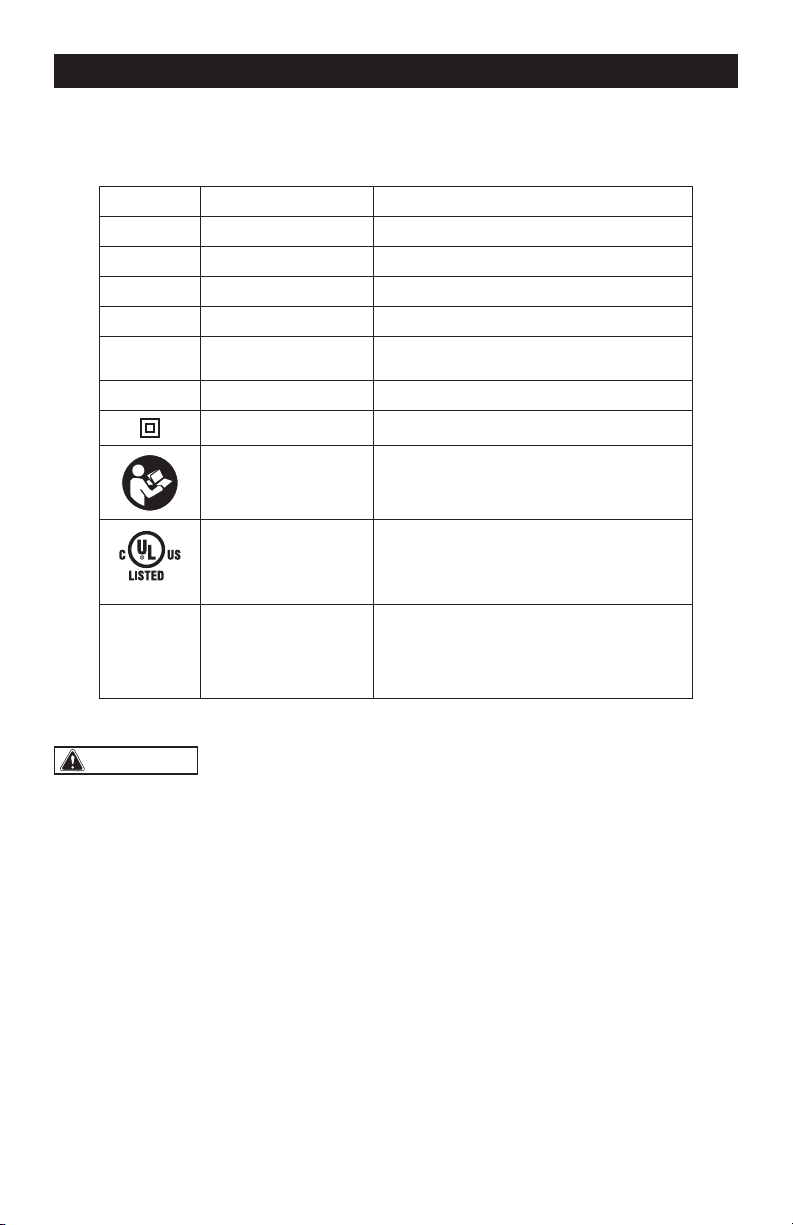
SAFETY SYMBOLS
Some of these following symbols may be used on this tool. Please study them and learn their
meaning. Proper interpretation of these symbols will allow you to operate the tool better and
more safely.
Symbol
Name
Designation / Explanation
V Volts Voltage
A Amperes Current
Hz Hertz Frequency (cycles per second)
W Watts Power
∿
Alternating current Type of current
lbs Pounds Weight
Class II construction Double insulated construction
Read the instructions Alerts user to read manual
E502035
UL Mark
This symbol designates that this tool is
listed by Underwriters Laboratories.
BFP Backfeed protection
It is a protection required by the safety
regulation, which function is to avoid the
current owing from the battery to the
charger to bring safety risks.
WARNING:
To ensure safety and reliability, all repairs should be performed by a
qualified service technician.
Page 3
SAFETY INSTRUCTIONS
The purpose of safety symbols is to attract your attention to possible dangers. The safety
symbols, and the explanations with them, deserve your careful attention and understanding.
The symbol warnings do not, by themselves, eliminate any danger. The instructions and warn-
ings they give are no substitutes for proper accident prevention measures.
WARNING:
Be sure to read and understand all safety instructions in this manual,
including all safety alert symbols such as “DANGER,” ”WARNING,” and “CAUTION”
before using this tool. Failure to follow all instructions listed below may result in electric
shock, fire, and/or serious personal injury.
SYMBOL MEANING
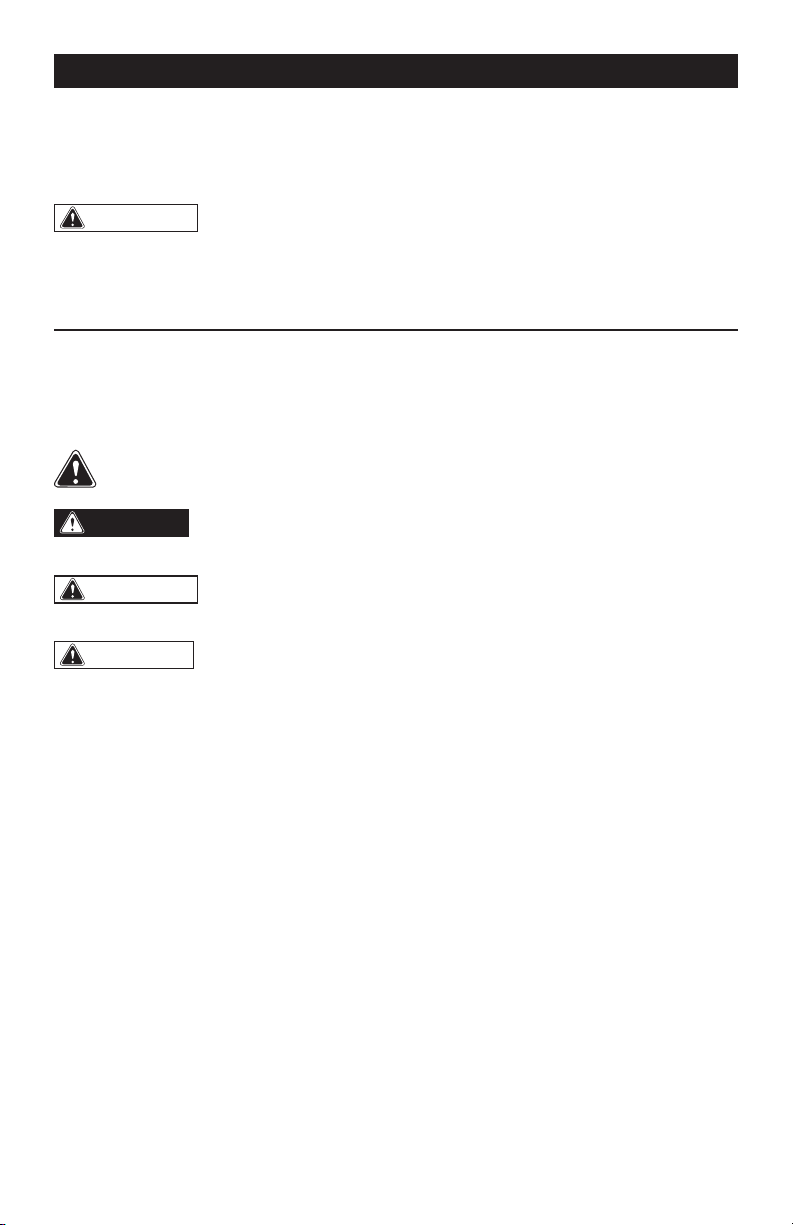
SAFETY ALERT SYMBOL: Indicates DANGER, WARNING, OR CAUTION.
May be used in conjunction with other symbols or pictographs.
DANGER:
Indicates an imminently hazardous situation, which, if not avoided,
will result in death or serious injury.
WARNING:
Indicates a potentially hazardous situation, which, if not avoided,
could result in death or serious injury.
CAUTION:
Indicates a potentially hazardous situation, which, if not avoided, could
result in minor or moderate injury.
NOTICE: (Without Safety Alert Symbol) Indicates a situation that may result in property
damage.
SAVE THESE INSTRUCTIONS!
Page 4
SAFETY INSTRUCTIONS
1. This device complies with Part 15 of the
FCC Rules. Operation is subject to the
following two conditions:
1) This device may not cause harmful
interference.
2) This device must accept any interference
received, including interference that
may cause undesired operation.
2. Changes or modications not expressly
approved by the party responsible
for compliance could void the user’s
authority to operate the equipment.
NOTICE: This equipment has been tested
and found to comply with the limits for a
Class B digital device, pursuant to Part
15 of the FCC Rules. These limits are
designed to provide reasonable protection
against harmful interference in a residential
installation. This equipment generates, uses,
and can radiate radio frequency energy and,
if not installed and used in accordance
with the instructions, may cause harmful
interference to radio communications.
However, there is no guarantee that
interference will not occur in a particular
installation. If this equipment does cause
harmful interference to radio or television
reception, which can be determined by
turning the equipment off and on, the user is
encouraged to try to correct the interference
by one or more of the following measures:
• Reorient or relocate the receiving
antenna.
• Increase the separation between the
equipment and receiver.
• Connect the equipment into an outlet
on a circuit different from that to which the
receiver is connected.
• Consult the dealer or an experienced
radio/TV technician for help.
WARNING:
Read all safety
warnings and instructions!
Failure to follow the warnings and
instructions may result in electric shock, re
and/or serious injury. Save all warnings and
instructions for future reference.
WARNING:
Risk of fire and
electric shock. Dry location use only. Do
not expose to rain. Risk of injury.
GENERAL SAFETY RULES
WARNING:
Read all safety
warnings and instructions. Failure to
follow the warnings and instructions may
result in electric shock, fire and/or serious
injury.
IMPORTANT SAFETY
INSTRUCTIONS
1. For indoor use only.
2. Dry location use only.
3. Risk of re and electric shock.
4. SAVE THESE INSTRUCTIONS – This
manual contains important safety
and operating instructions for battery
charger model 252-8043.
5. Before using battery charger, read all
instructions and cautionary markings
on (1) battery charger, (2) battery, and
(3) product using battery.
6. Charge battery pack within the
required temperature range. Store
charger and battery pack in locations
where temperature is within the
recommended storage temperature
range. This is important to prevent
serious damage to the battery cells.
7. Do not recharge battery in damp or wet
environment. Do not expose charger
to rain or snow. Water entering battery
charger may result in electric shock or
re.

Page 5
SAFETY INSTRUCTIONS
8. Battery leakage may occur under
extreme usage or temperature
conditions. Avoid contact with skin
and eyes. The battery liquid is caustic
and could cause chemical burns to
tissues. If liquid comes in contact with
skin, wash quickly with soap and water.
If the liquid contacts your eyes, ush
them with water for a minimum of 10
minutes and seek medical attention.
9. Place charger on flat nonflammable
surfaces and away from flammable
materials when recharging battery
pack. Carpeting and other heat
insulating surfaces block proper
air circulation which may cause
overheating of the charger and battery
pack. If smoke or melting of the charger
or battery pack is observed, unplug the
charger immediately and do not use
the battery pack or charger. Contact
customer service immediately.
10. Keep the cord and charger from heat
to prevent damage to housing or
internal parts.
11. Do not allow gasoline, oils, petroleum-
based products, etc. to come in
contact with plastic parts. These
materials contain chemicals that can
damage, weaken, or destroy plastic.
12. Make sure cord is located so that it
will not be stepped on, tripped over,
or otherwise subjected to damage or
stress. Damaged plug and cord may
result in electric shock or re.
13. Disconnect the charger by pulling
the plug rather than the cord. Do not
operate charger with damaged cord or
plug; have them replaced immediately.
Damaged plug or cord may result in
electric shock or re.
14. Do not insert battery pack in charger
if battery pack case is cracked. Using
damaged battery pack may result in
electric shock or re.
15. Do not disassemble charger or operate
the charger if it has received a sharp
blow, been dropped or otherwise
damaged in anyway. Incorrect
reassembly or damage may result in
electric shock or re.
16. Before each use, check the battery
charger, cable and plug. If damage
is detected, do not use the battery
charger. Never open the battery
charger yourself, take it to a qualified
serviceman only using original spare
parts. Incorrect reassembly may result
in electric shock or re.
17. Do not touch the uninsulated portion
of output connector or uninsulated
battery terminal. There is a risk of
electric shock.
18. Do not use attachment not
recommended or sold by Masterforce
®
Flexpower
®
. Using attachments not
recommended may result in electric
shock or re.
19. Do not store battery pack in charger.
Battery pack stored in charger over a
long period of time could lead to battery
pack damage and re.
20. Unplug charger from outlet before
storage, attempting any maintenance
or cleaning. Such preventive safety
measures reduce the risk of electric
shock or re.
21. Keep the battery charger clean by
blowing compressed air on charger
vents and wiping the charger housing
with a damp cloth. Contamination may
result in electric shock or re.
22. Replace battery pack if a substantial
drop in operating time per charge is
observed. Battery pack may be nearing
the end of its life.
23. To reduce the risk of injury, close
supervision is necessary when the
charger is used near children.
24. Do not use outdoors.
25. Save these instructions. Refer to them
frequently and use them to instruct
others who may use this charger. If
you lend this charger to someone else,
also lend these instructions to them
to prevent misuse of the product and
possible injury.
Page 6
SAFETY INSTRUCTIONS
CAUTION:
To reduce risk of injury,
charge only Masterforce
®
Flexpower
®
20V Li-Ion rechargeable batteries listed
below. Other types of batteries may burst,
causing personal injury and damage. Do
not attempt to recharge non-rechargeable
batteries with the charger.
Charger Battery pack
252-8043 252-8029 (1.5 Ah)
252-8031 (2.0 Ah)
252-8030 (2.5 Ah)
252-8003 (2.5 Ah)
252-8034 (4.0 Ah)
252-8013 (4.0 Ah)
252-8035 (5.0 Ah)
252-8005 (5.0 Ah)
252-8007 (7.5 Ah)
DANGER:
People with electronic
devices, such as pacemakers, should
consult their physician(s) before using this
product. Operation of electrical equipment
in close proximity to a heart pacemaker
could cause interference or failure of the
pacemaker.
SAVE THESE INSTRUCTIONS!
Page 7
OVERVIEW
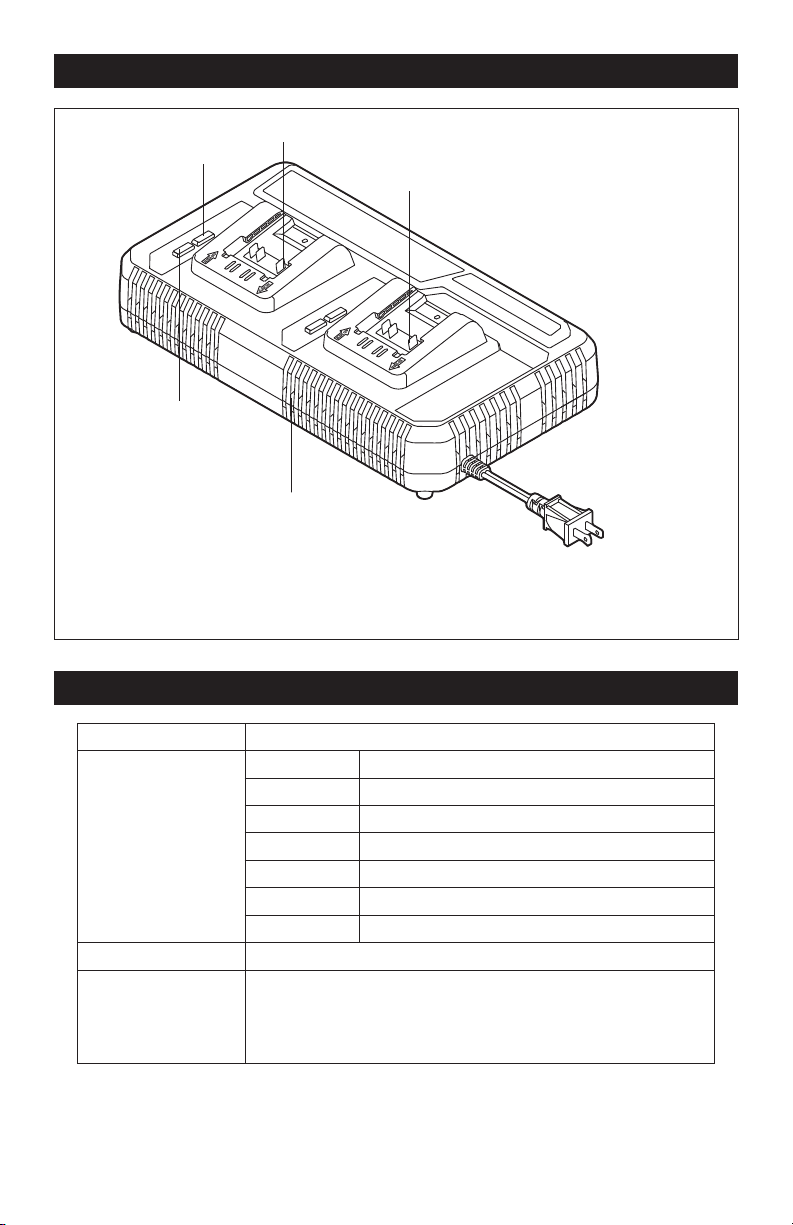
Charging Bay 1
Charging Bay 2
Air Vents
Green LED
Red LED
SPECIFICATIONS
Charger Input 120 V~, 60 Hz, 2x150 W
Charging Time for
Batteries
20 minutes 20V 1.5Ah Li-Ion (252-8029)
25 minutes 20V 2.0Ah Li-Ion (252-8031)
35 minutes 20V 2.5Ah Li-Ion (252-8030, 252-8003)
45 minutes 20V 4.0Ah Li-Ion (252-8034)
55 minutes 20V 4.0Ah Li-Ion (252-8013)
60 minutes 20V 5.0Ah Li-Ion (252-8035, 252-8005)
85 minutes 20V 7.5Ah Li-Ion (252-8007)
Charger Weight 3 lbs. (1.4 Kg)
Recommended
Charging
and Storage
Temperature
41 °F (5 °C) –104 °F (40 °C)
Page 8
ASSEMBLY
WARNING:
If any part is broken
or missing, do not attempt to plug in the
power cord until the broken or missing part
is replaced. Failure to do so could result in
possible serious injury.
WARNING:
Do not attempt to
modify the charger or create accessories
not recommended for use with this
charger. Any such alteration or modication
is misuse and could result in a hazardous
condition leading to possible serious injury.
WARNING:
To reduce the risk of
fire, personal injury, and product damage
due to a short circuit, never immerse your
charger or battery pack in fluid or allow a
fluid to flow inside them. Corrosive or con-
ductive uids, such as seawater, certain
industrial chemicals, and bleach or bleach-
containing products, etc. can cause a short
circuit.
PACKING LIST
- Dual port charger
- Operator’s manual.
UNPACKING
1. This product has been shipped
completely assembled.
2. Carefully remove the charger from the
box. Make sure that all items listed in
the packing list are included.
3. Inspect the charger carefully to make
sure that no breakage or damage
occurred during shipping.
4. Do not discard the packing material
until you have carefully inspected and
satisfactorily operated the charger.
Page 9
OPERATION
CHARGING THE BATTERY PACK
(FIG. 1)
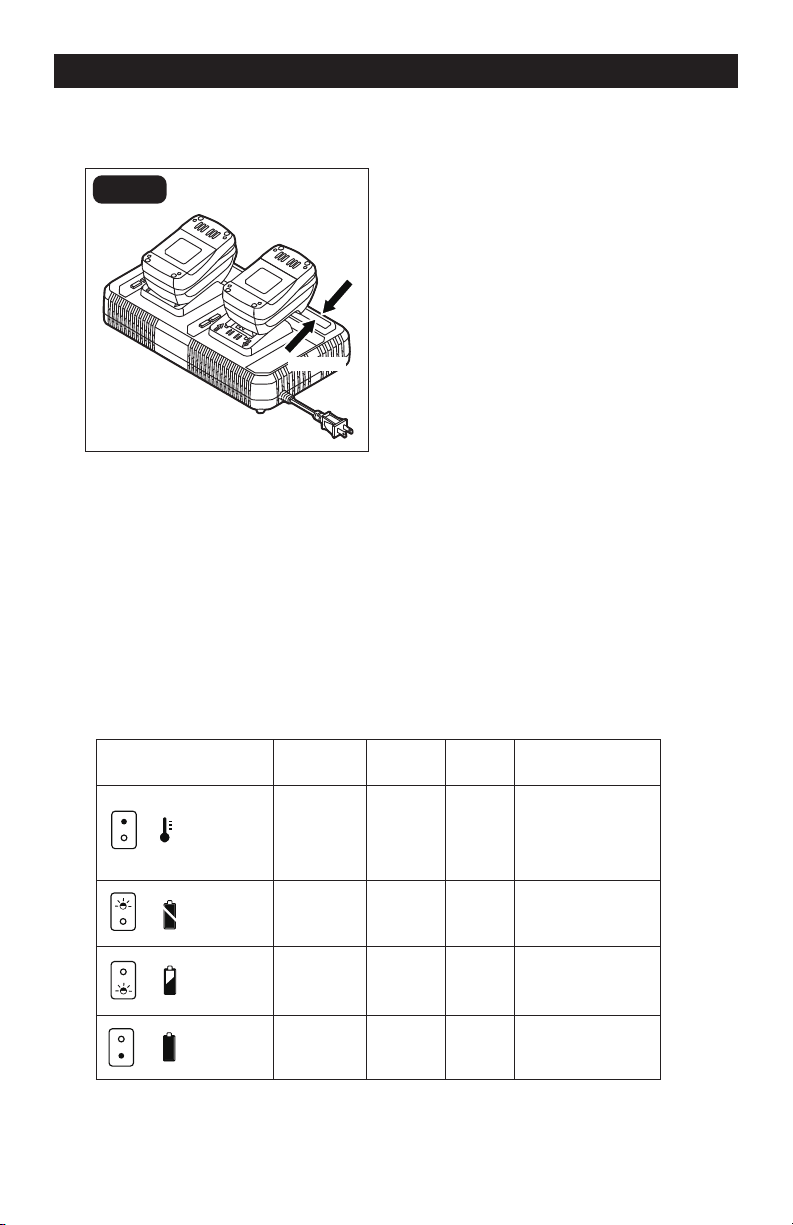
FIG. 1
Attach
Detach
A fully discharged battery pack will charge
about 20-85 minutes (depending on battery
type) at the recommended surrounding
temperature. Refer to chart in section
“Specications”
1. Charge the battery pack with the correct
charger.
2. Connect the charger to a power supply.
LED lights on the charger will ash
once, indicating that the charger’s self-
inspection is completed.
3. Attach the battery pack to the charger
by aligning the raised ribs of the battery
pack with the slots in the charger. Slide
the battery pack into one of the battery
bays.
4. The charger will communicate with the
battery pack’s circuitry to evaluate the
condition of the battery pack.
5. During normal charging, the green
LED light on the charger will ash
continuously, and the green LED lights
on the battery pack will ash one by one
from left to right.
6. After charging is complete, the green
LED light on the charger will be on, the
green LED lights on the battery pack will
remain on for approximately 30 minutes
and then turn off.
7. The battery pack will fully charge, but
will not overcharge, if left on the charger.
LED FUNCTIONS OF CHARGER
LED INDICATOR
BATTERY
PACK
RED LED
GREEN
LED
ACTION
Hot/Cold
battery
On Off
Fast charge will
begin when battery
returns to 41°F (5°C)
and 104°F (40°C).
Defective Flashing Off
Battery pack
or charger is defective.
Charging Off Flashing Charging
Fully
charged
Off On
Charging is
complete.
High/Low
(See Manual)
Defective
Battery
Battery
Full
Battery
Charging

Page 10
OPERATION
BATTERY FULL
After the battery is fully charged, the green
LED light on the charger will be on and the
red LED light will be off; the green LED lights
on the battery will shine for approximately
30 minutes and then turn off.
NOTICE: The battery pack will fully charge,
but will not overcharge, if left on the
charger.
NOTICE: Charger may get warm with
several continuous charge cycles. This is
part of the normal operation of the charge.
Charge in a well ventilated area.
WALL-MOUNT HOLES
The charger has hanging holes for
convenient storage. Install screws in the
wall 7.87 in. (200 mm) apart. Use screws
sufciently strong to hold the combined
weight of the charger and battery packs.
CHARGING A HOT
BATTERY PACK
If the battery pack is above the normal
temperature range, the red LED light will
illuminate and the green LED light will be
off. When the battery pack cools down to
approximately 104 °F (40 °C), the charger
will automatically begin charging.
CHARGING A COLD
BATTERY PACK
If the battery pack is below the normal
temperature range, the red LED light will
illuminate and the green LED light will be off.
When the battery warms to a temperature
of more than 41 °F (5 °C), the charger will
automatically begin charging.
BATTERY ERROR
If the charger detects a problem, the red
LED light will begin ashing and the green
LED light will be off.
1. Remove and reinsert the battery pack in
the charger. If the LED lights still signal
an error, try to charge a different battery
pack.
2. If a different battery pack charges
normally, dispose of the faulty battery
pack (see “Maintenance” section in the
battery’s manual).
3. If a different battery pack also indicates
an error, the charger may be faulty.
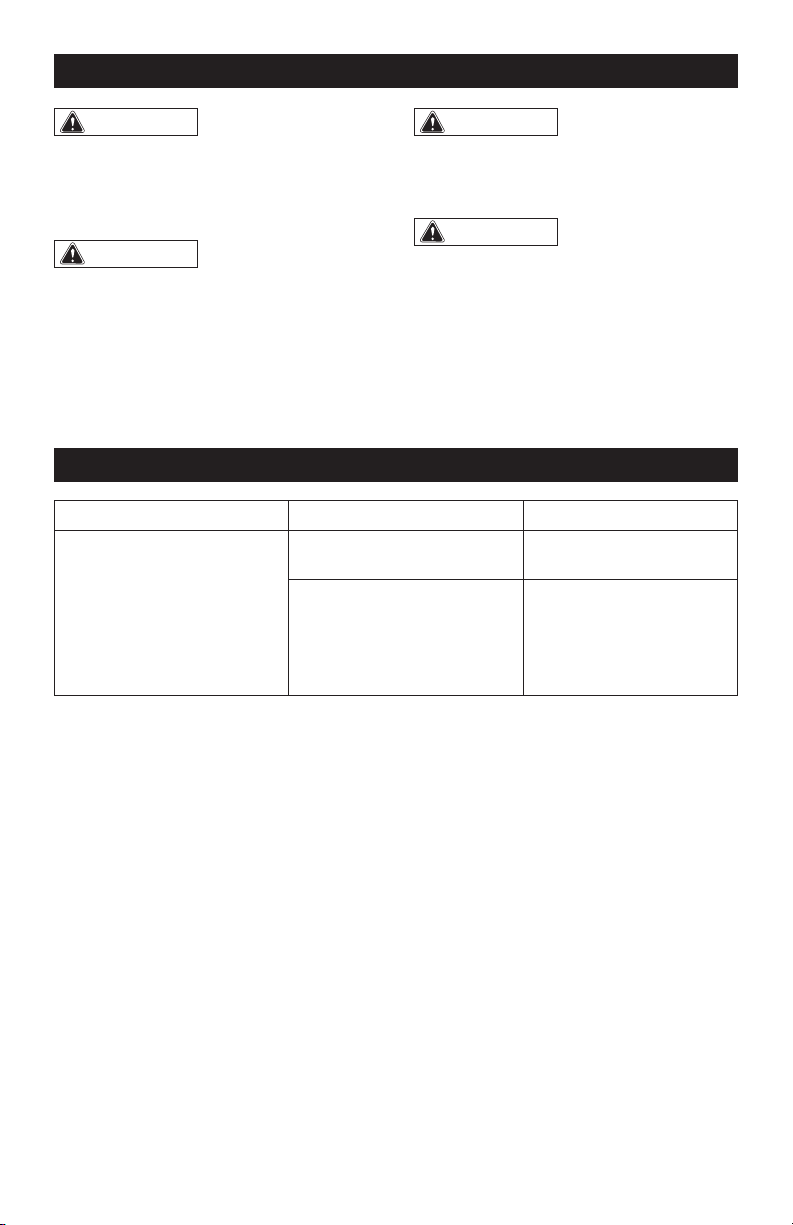
BATTERY CHARGING
If the battery pack is within the normal
temperature range, the green LED light will
begin ashing and the red LED light will be off,
and the four green LED lights on the battery
pack will ash one by one from left to right.
Page 11
TROUBLESHOOTING
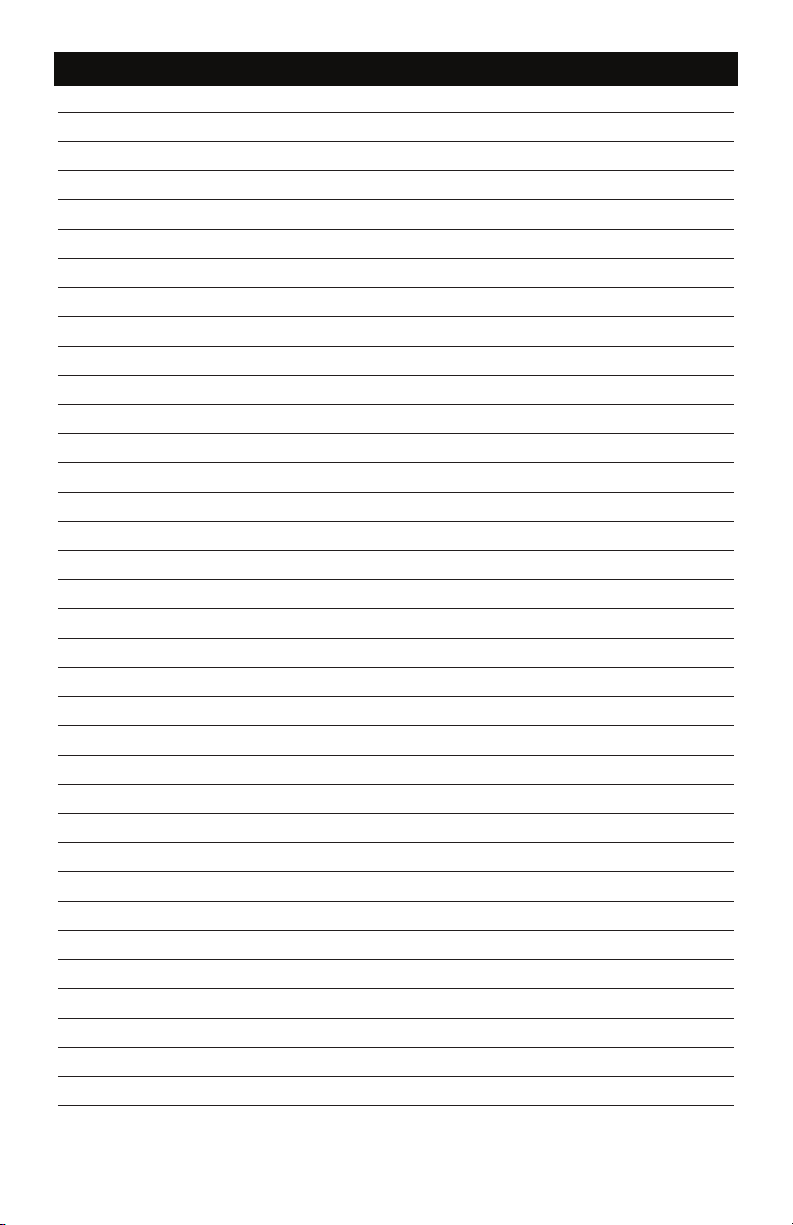
PROBLEM CAUSE SOLUTION
The battery pack isn’t
charging.
The battery pack is not
connected to the charger.
Attach the battery pack to
the charger again.
Battery pack or charger are
too cold or too hot.
Allow the charger and
battery pack to reach the
recommended charging
temperature range and try
charging again.
WARNING:
To avoid serious
personal injury, always disconnect the plug
from the power source when cleaning or
performing any maintenance. Contact a
qualified service technician for ALL repairs.
WARNING:
Avoid using solvents
when cleaning plastic parts. Most plastics
are susceptible to damage from various
types of commercial solvents and may be
damaged by their use. Use a clean cloth to
remove dirt, dust, oil, grease, etc.
MAINTENANCE
WARNING:
If the power cord is
damaged, it must be replaced by a specially
prepared cord available through the service
organization.
WARNING:
When servicing, use
only identical replacement parts. Use
of any other parts may create a hazard
or cause product damage. To ensure
safety and reliability, all repairs should
be performed by a qualified service
technician.
Page 12
Page 17
NOTES
Page 13
Page 17
NOTES
Page 14
SAVE YOUR RECEIPTS
THIS WARRANTY IS VOID WITHOUT THEM
DUAL PORT CHARGER
WARRANTY
90-DAY MONEY BACK GUARANTEE:
This MASTERFORCE
®
brand power tool carries our 90-DAY Money Back
Guarantee. If you are not completely satised with your MASTERFORCE
®
brand
power tool for any reason within ninety (90) days from the date of purchase, return
the tool with your original receipt to any MENARDS
®
retail store, and we will provide
you a refund – no questions asked.
3-YEAR LIMITED WARRANTY:
This MASTERFORCE
®
brand power tool carries our famous No Hassle 3-Year Limited
Warranty to the original purchaser. If, during normal use, this MASTERFORCE
®
power
tool breaks or fails due to a defect in material or workmanship within three (3) years
from the date of original purchase, simply bring this tool with the original sales receipt
back to your nearest MENARDS
®
retail store. At its discretion, MASTERFORCE
®
agrees
to have the tool or any defective part(s) repaired or replaced with the same or similar
MASTERFORCE
®
product or part free of charge, within the stated warranty period,
when returned by the original purchaser with original sales receipt. Not withstanding
the foregoing, this limited warranty does not cover any damage that has resulted from
abuse or misuse of the Merchandise. This warranty: (1) excludes expendable parts
including but not limited to blades, brushes, belts, bits, light bulbs, and/or batteries;
(2) shall be void if this tool is used for commercial and/or rental purposes; and (3) does
not cover any losses, injuries to persons/property or costs. This warranty does give you
specic legal rights and you may have other rights, which vary from state to state. Be
careful, tools are dangerous if improperly used or maintained. Seller’s employees are
not qualied to advise you on the use of this Merchandise. Any oral representation(s)
made will not be binding on seller or its employees. The rights under this limited
warranty are to the original purchaser of the Merchandise and may not be transferred
to any subsequent owner. This limited warranty is in lieu of all warranties, expressed
or implied including warranties or merchantability and tness for a particular purpose.
Seller shall not be liable for any special, incidental, or consequential damages. The
sole exclusive remedy against the seller will be for the replacement of any defects
as provided herein, as long as the seller is willing or able to replace this product or is
willing to refund the purchase price as provided above. For insurance purposes, seller
is not allowed to demonstrate any of these power tools for you.
For questions / comments, technical assistance or repair parts – Please Call Toll
Free: 1-866-917-4374 (M-F 8:30am-5:00pm EST).

01/2023
© 2023 Menard, Inc., Eau Claire, WI 54703