
USER GUIDE
NZ AU
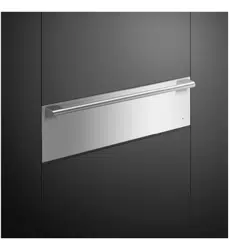
WARMING DRAWER
PROFESSIONAL
WB76SPEX1


3
CONTENTS
Safety and warnings 5
Before you begin 9
Using your Warming Drawer 11
Functions 12
Delayed Start 14
Sabbath mode 15
Loading your appliance 16
Using the wire shelf 17
Cooking charts 18
Care and troubleshooting 20
Manufacturer’s Warranty and Service guide 21
Registration
To register your product visit our website: fisherpaykel.com/register

5
SAFETY AND WARNINGS
WARNING!
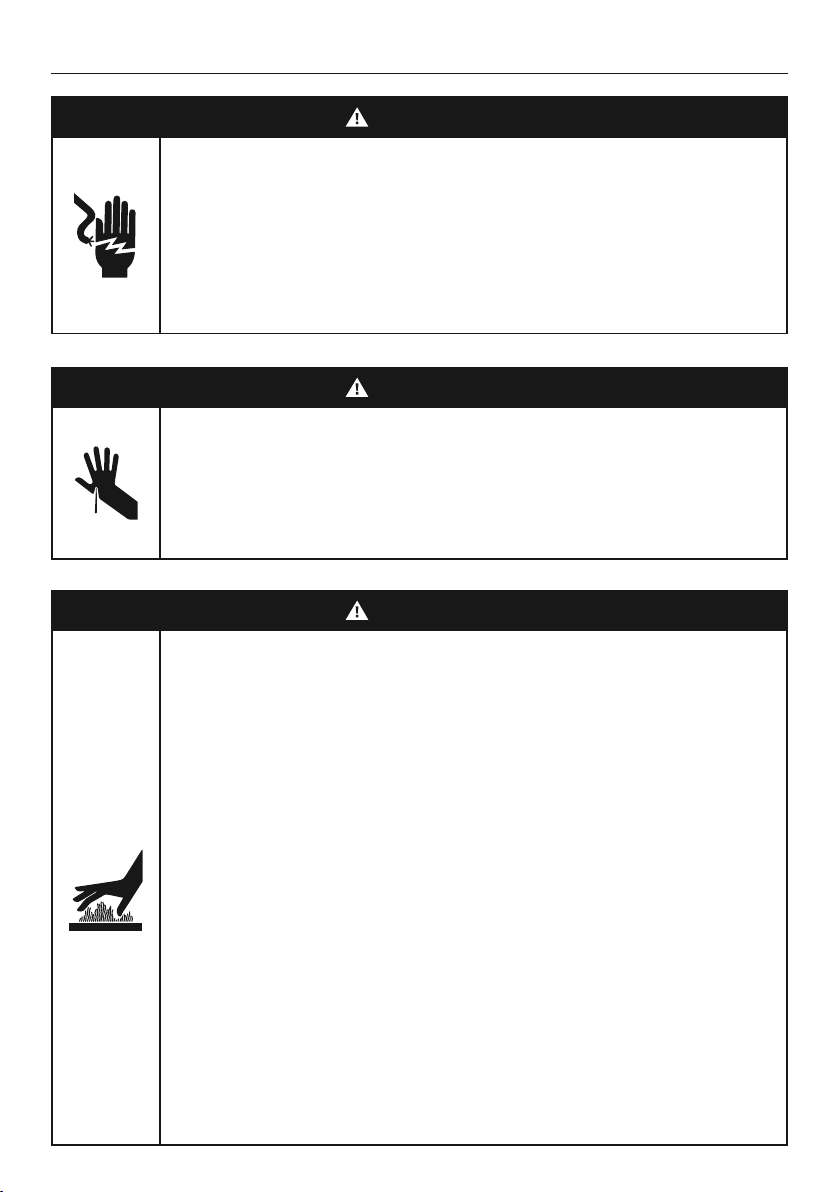
Cut Hazard
Failure to use caution could result in injury.
• Take care: some edges may be sharp.
• Do not put fingers in the drawer when closing.
WARNING!
Electric Shock Hazard
Failure to follow this advice may result in
electric shock or death.
• If the product is damaged, switch the appliance
off and disconnect it from the power supply to
avoid possible electric shock.
WARNING!
Hot Surface Hazard
Failure to follow this advice could result in
burns and scalds.
• To avoid burns and scalds, keep children away
from this appliance.
• Surfaces of the appliance may become hot
enough to cause burns.
• Do not touch heating elements or interior
surfaces of the appliance. Heating elements may
be hot, even when they are dark in colour.
• Use protective gloves when handling hot
surfaces.
• During and after use, do not touch or let
clothing or other flammable materials contact
heating elements or interior surfaces of the
appliance until they have cooled.

6
SAFETY AND WARNINGS
WARNING!
Tipping Hazard
This product may tip. Keep children away
and take care. Failure to follow this advice
may result in injury.
• The drawer must be secured in place by
supplied screws.
• Ensure there is a fixed shelf directly above
the drawer if it is not installed under
another product.
WARNING!
Fire Hazard
Failure to follow this advice may result in
overheating, burning, and injury.
• Flammable materials should not be stored in the
appliance or near its surface
.

7
SAFETY AND WARNINGS
READ AND SAVE THIS GUIDE
WARNING!
To reduce the risk of fire, electrical shock, injury to persons or damage when using the
appliance, follow the important safety instructions listed below. Read all the instructions
before using the appliance. Use the appliance only for its intended purpose as described
in these instructions.
General Use
z
This appliance has been designed for use in a normal domestic (residential)
environment.
z
Do not use the appliance outdoors.
z
Children should be supervised to ensure that they do not play with the appliance.
z
This appliance can be used by children aged from 8 years and above and persons with
reduced physical, sensory or mental capabilities or lack of experience and knowledge
if they have been given supervision or instruction concerning use of the appliance in a
safe way and understand the hazards involved.
z
To avoid hazard due to instability of the appliance, it must be fixed in accordance with
installation instructions.
z
Keep the operating panel clean and dry. Wash and dry your hands before operating the
drawer to ensure the buttons will respond properly.
z
Avoid drying food types with high moisture content e.g. tomatoes or pineapple.
Installation
z
Ensure your appliance is properly installed and earthed by a qualified technician.
z
Ensure this appliance is connected to a circuit which incorporates an isolating switch
providing full disconnection from the power supply.
z
Do not install or operate the appliance if it is damaged or not working properly. If you
receive a damaged product, contact your local dealer or installer immediately.
z
Do not install the appliance near a hot gas or electric burner or in a heated oven.
Servicing
z
Check the appliance for any damage inside or outside surface of the appliance. Do
not use damaged cord or plug. If there is any damage, do not operate the appliance.
Contact a Fisher & Paykel trained and supported service technician.
z
Do not repair or replace any part of the appliance unless specifically recommended in
this user guide. All other servicing must be done by a qualified person or Fisher and
Paykel trained and supported service technician.
Cleaning and maintenance
z
Ensure the appliance is turned off or set in STANDBY mode before cleaning the drawer.
z
Unplug from the power outlet and allow the appliance to cool down after use before
cleaning the drawer.
z
Cleaning and user maintenance shall not be undertaken by children without supervision.
z
Use a moderately damp cloth for cleaning. Do not spray water outside or inside the
appliance. Water can cause damage inside the appliance.
z
Do not use aggressive or abrasive detergent or sharp metal scrapers for cleaning the
glass base of the appliance.

8
SAFETY AND WARNINGS
Safety
z
Do not touch hot surfaces. Use handles or knobs.
z
Do not sit or lean on the appliance. Damage to the surface of the glass may cause it to
shatter.
z
Do not store hazardous objects that can explode like containers with gas or air
chambers (e.g spray cans).
z
Do not immerse cord, plug or other parts in water or other liquid to protect against
electrical shock. Do not let the cord hang over the edge of table or counter, or in a
heated oven.
z
Do not use accessory attachments that are not recommended.
Packaging disposal
z
Remove packaging and recycle materials that can be reused.
z
Dispose packaging materials in accordance with local regulations on waste disposal.

9
BEFORE YOU BEGIN
z
Ensure the installer has completed the final checklist in the installation instructions.
z
Read this guide, taking special note of the Safety and warnings section.
Drawer features & accessories
1 Control panel
2 Indicator light
3 Handle
4 Serial plate*
5 Heated glass base
6 LED internal lighting
7 Wire shelf
8 Fan Plate
9 Ventilation slots
* Located inside the chassis of the drawer
2
3
9
1
6
5
7
4
8
10
All layers
printed and illuminated (locking layer)
printed only
1. ALL ARTWORK MUST BE APPROVED PRIOR TO MANUFACTURE
2. ALL ARTWORK HIGHLIGHTED YELLOW REPRESENTS LEDS:
750329 WHITE QTBRIGHTEK 3.5x3.2x1.9
GFX_UI_WB60
576754
1 LEP
15/03/19
Release to order sample glass
3 1:1 1/1
PANTONE COOL GRAY 2 - THAT CAN BE BACKLIT WHITE
GRAPHIC IS CORRECT IN SIZE AND SCALE WHEN LINE LENGTH IS CORRECT
ACM
2 PDF
28/05/19
LED notes added
ACM
3 PDF
22/10/19
Slow Cook & Rapid Proof added
ACM
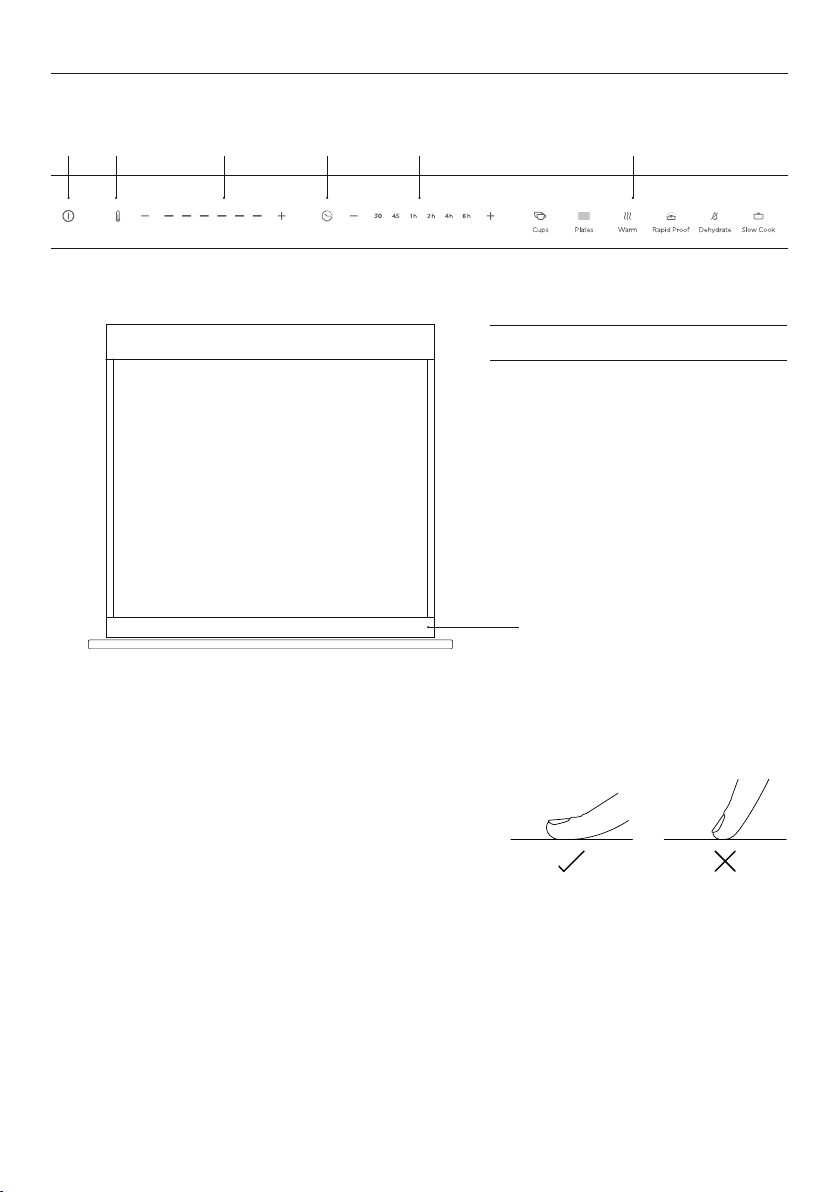
Control panel features
1 Power On/Off
2 Temperature indicator
3 Temperature controls
4 Duration indicator
5 Duration controls
6 Heat modes
Using the touch controls
Your Warming Drawer is operated using a touch control
panel. To operate the control panel, use the ball of your
finger, not its tip. The controls respond to touch, so
pressure is not needed.
Keep the operating panel clean and dry. Wash and dry
your hands before operating the drawer to ensure the
buttons will respond properly.
Control panel
2 3 5 61 4
BEFORE YOU BEGIN
control panel
11
USING YOUR WARMING DRAWER
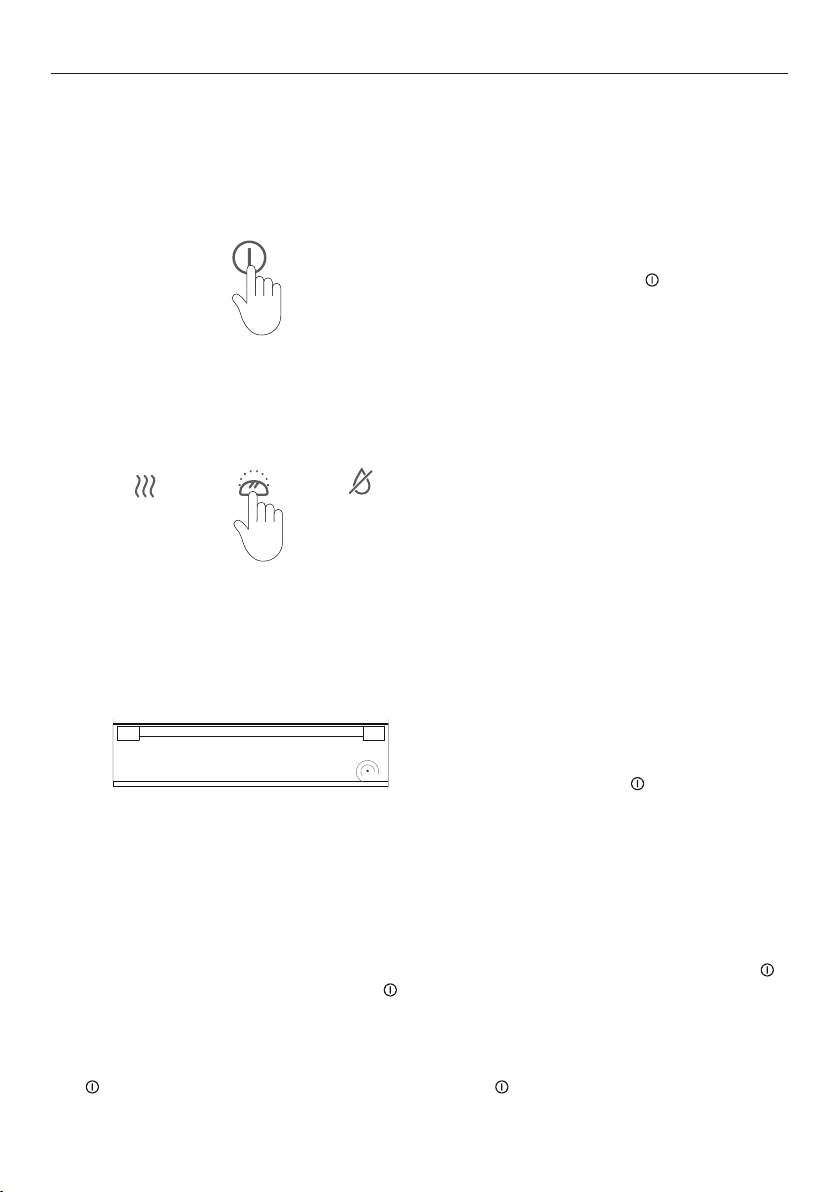
Open the drawer and touch to switch the
drawer ON.
Select the desired heating function. If no
function is selected, the drawer will start at
default setting.
Close the drawer. The indicator light will flash
if the drawer is not closed.
At the end of a cycle:
A tone will sound and the
symbol will dim.
Use caution when unloading the drawer, the
heated glass base and its contents will be hot.
1
2
3
During a cycle
The drawer can be opened at any point during operation. This will pause the programme
and the indicator light will flash until the drawer is closed again. To cancel a cycle, touch
at any time. To turn off the drawer, touch for two to three seconds and release.
Standby mode
After 12 hours of continuous use, the drawer automatically switches to standby mode.
The button is dimmed when in standby mode. Touch button to resume drawer use.
Do not leave the Warming Drawer unattended for long periods of continuous operation.
First time use
If using the Warming Drawer for the first time, three LEDs in temperature controls are
illuminated at start up.

12
FUNCTIONS
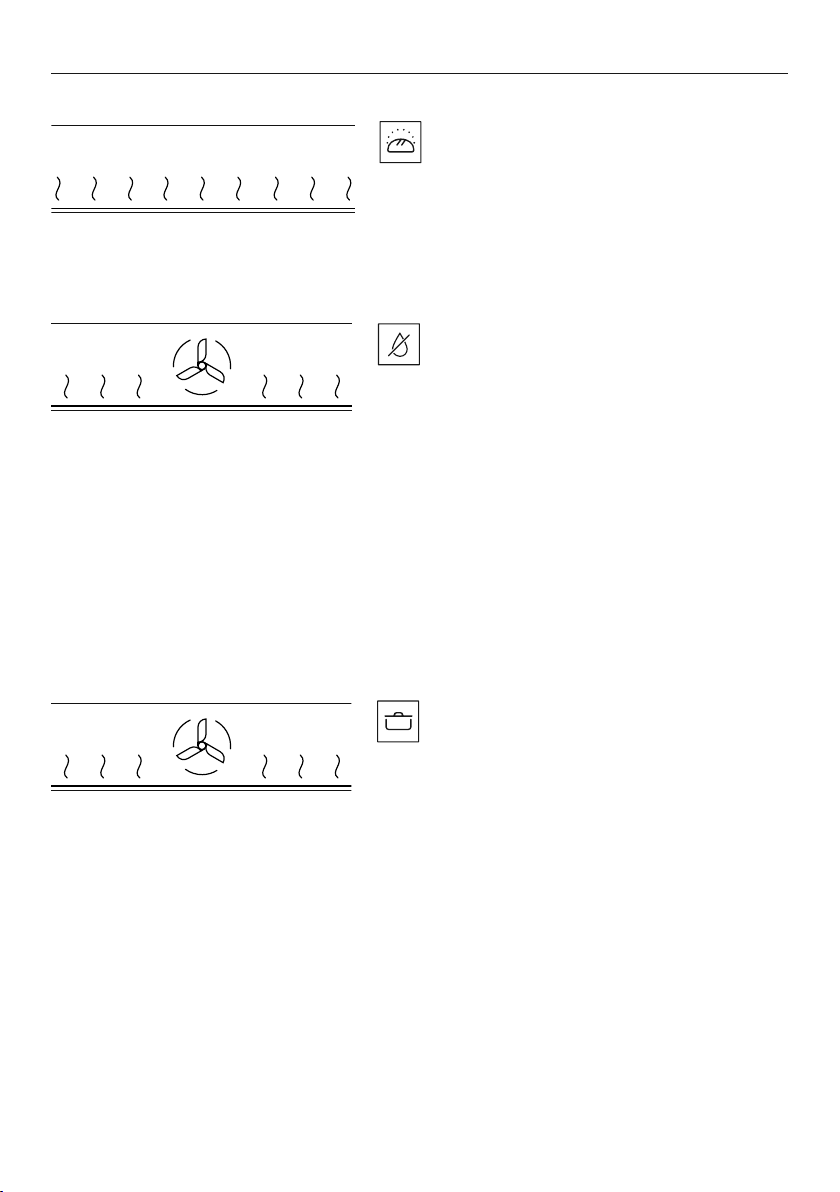
CUPS
Heat circulates from the heated glass base
z
Heat is circulated for 30 minutes.
z
Heating duration depends on material and
thickness of the cups including quantity, height
and arrangement.
z
Do not place any cups and/or glasses in front of
the ventilation slots. This will block the airflow
and cause uneven heating.
PLATES
Heat circulates from the heated glass base
z
Heat is circulated for 45 minutes.
z
Heating duration depends on material and
thickness of the plates including quantity, height
and arrangement.
z
Do not place any large plates in front of the
ventilation slots. This will block the airflow and
cause uneven heating.
Your Warming Drawer is designed to utilise the heated glass base and rear fan in differing
heat levels and durations to provide optimal performance. Each function has a default time
and temperature setting that illuminates upon selection. These settings can be customised
by manually adjusting the duration and temperature controls in place of a pre-set function.
WARM
Heat circulates from the heated glass base
and rear fan
z
Preheat the drawer for at least 15 minutes
before use.
z
Heat is produced for 60 minutes.
z
Provides constant low heat to keep cooked
food hot.
z
Do not overfill the drawer to avoid spillage.
Cover the food with a heat-resistant lid or
aluminum foil to prevent food from drying out.
z
This function is not suitable for reheating
refrigerated food.
13
FUNCTIONS
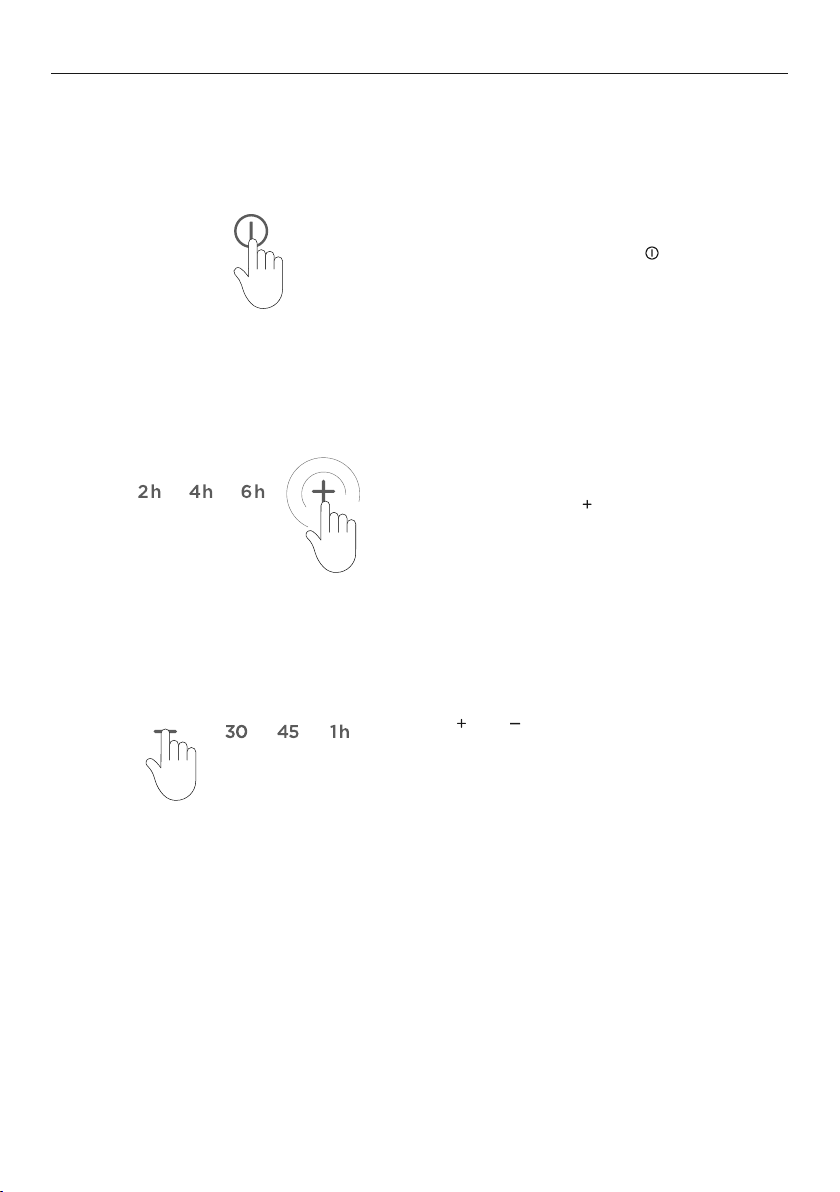
RAPID PROOF
Gentle heat is generated from heated glass
base
z
Heat is produced for 30 minutes.
z
Provides a warm and draft-free enviroment for
proofing dough for bread making or pizza.
DEHYDRATE
Heat circulates from the heated glass base
and rear fan
z
Heat is circulated for four hours.
z
Provides constant low heat for dehydrating
and drying food eg meat, fruit, vegetables and
herbs.
z
Ideal for preserving food and creating healthy
snacks, such as beef jerky, and fruit leather.
z
For best results, lay the food flat on a wire shelf
and do not overlap.
z
If dehydrating meat, turn over halfway through
the cooktime to ensure even drying.
z
Store dehydrated food in an airtight container
after it’s completely cooled.
SLOW COOK
Heat circulates from the heated glass base
and rear fan
z
Heat is circulated for six hours until food is
cooked accordingly.
z
Ideal for finishing off seared meat at low
temperature eg roast meats, casseroles, stews
and braises.
z
Resting the meat before serving is not
necessary since this function uses low
temperature. Meat can be carved and served
straight from the drawer.
14
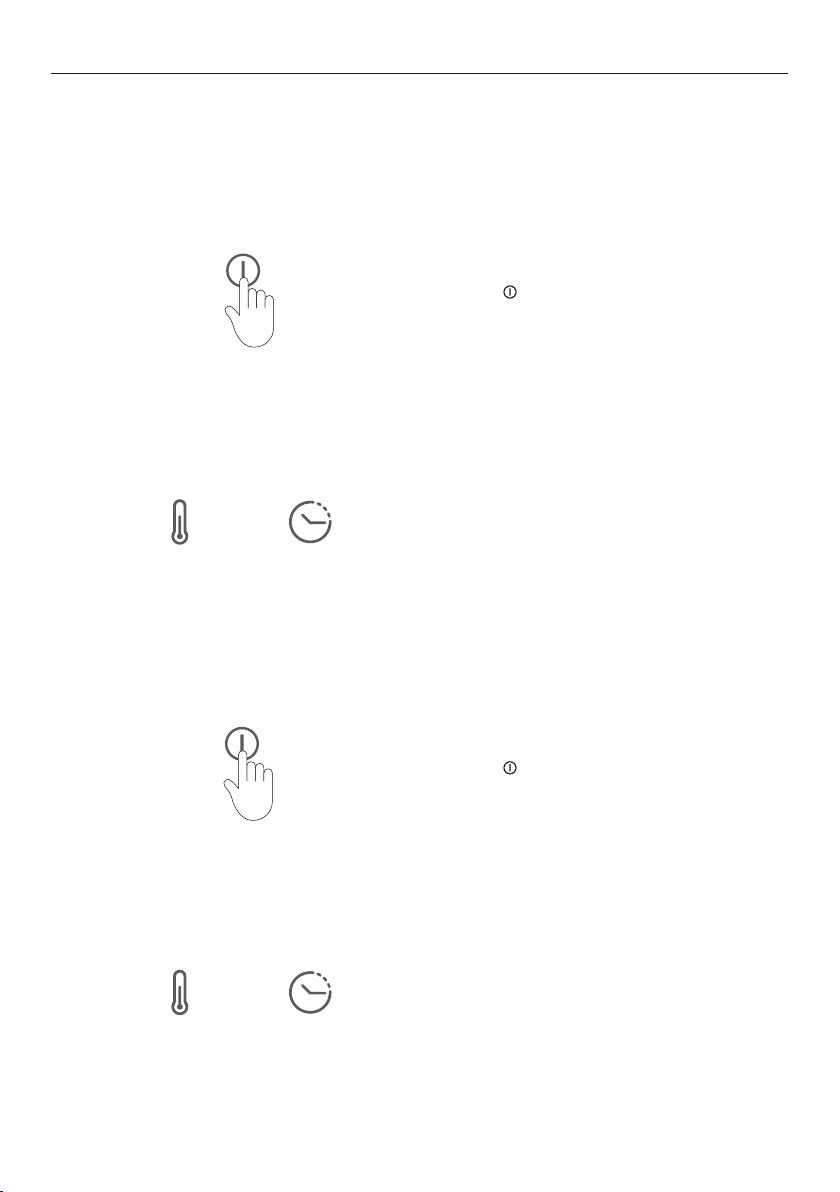
DELAYED START
Open the drawer and touch then select the
desired function.
Touch and hold the
button for five seconds
to activate DELAYED START.
Use and to increase or decrease the
desired DELAYED START time.
Push the drawer closed to start the
countdown
When using Delayed Start, the Warming Drawer will automatically switch on at a set time
and turn off at the end of a cycle.
1
2
3
During delayed start:
The indicator light will flash until the selected cycle starts. The indicator light will illuminate
consistently once the cycle begins
15
SABBATH MODE
Touch the button for 10 seconds to
activate SABBATH MODE.
Touch the button for 10 seconds to
deactivate SABBATH MODE.
The temperature and duration indicators
will illuminate briefly three times to indicate
SABBATH MODE has been enabled.
The temperature and duration indicators
will illuminate briefly three times to indicate
SABBATH MODE has been disabled.
This setting is designed for religious faiths that observe a ‘no work’ requirement on the
Sabbath. While your drawer is in SABBATH MODE, operation of up to 72 hours can be set and
the safety shut-off and illumination features are deactivated.
1
1
2
2
Activating SABBATH MODE:
Deactivating SABBATH MODE:

16
LOADING YOUR APPLIANCE
Maximum load
Do not load more than 25kg to prevent damage to the appliance.
24 Cappuccino cups
Diameter guide
20x 92 mm
54 Espresso cups
Diameter guide
48x 58mm
Mixed loadPlate settings
Diameter guide
16x 250mm Dinner
16x 230mm Soup
16x 180mm Bread & Butter
16x 165mm Saucer
Unloading the dishes
Keep dishes in the Warming Drawer until you need to take them out as heated dishes cool
down quickly. Always use protective gloves or oven cloths to remove the dishes.

17
Use the wire shelf to increase the loading surface.
USING THE WIRE SHELF
Insert the wire shelf in the left or right
hand side of the Warming Drawer.
wire shelf

18
COOKING CHARTS
The information in these charts is for guidance only. Refer to your recipe or the packaging
and be prepared to adjust the cooking times and settings accordingly.
FOOD TYPE
FUNCTION g/kg
SEAR TIME
(mins/side)
INTERNAL
TEMP
(°C)
TIME
MEAT, BEEF STEAK
Rare
Slow
Cook
100-
300g
1-2
50
30-60
mins
Medium rare
Slow
Cook
100-
300g
2-3
55
30-60
mins
Medium
Slow
Cook
100-
300g
3
60
30-60
mins
Medium well
Slow
Cook
100-
300g
3-4
65
30-60
mins
Well done
Slow
Cook
100-
300g
4-5
70
30-60
mins
BEEF FILLET
Medium
Slow
Cook
1-2kg 5-8 55 4-6 hrs
LAMB SHOULDER
Medium
Slow
Cook
1-3kg 5-8 55 4-6 hrs
BONED HAM/
GAMMON
Slow
Cook
1-3kg 5-8 65 4-6 hrs
PULLED PORK
Slow
Cook
1-3kg 8-10 65 4-6 hrs

19
FOOD TYPE
FUNCTION g/kg
SEAR TIME
(mins/side)
INTERNAL
TEMP
(°C)
TIME
MEAT, BEEF STEAK
Rare
Slow
Cook
100-
300g
1-2
50
30-60
mins
Medium rare
Slow
Cook
100-
300g
2-3
55
30-60
mins
Medium
Slow
Cook
100-
300g
3
60
30-60
mins
Medium well
Slow
Cook
100-
300g
3-4
65
30-60
mins
Well done
Slow
Cook
100-
300g
4-5
70
30-60
mins
BEEF FILLET
Medium
Slow
Cook
1-2kg 5-8 55 4-6 hrs
LAMB SHOULDER
Medium
Slow
Cook
1-3kg 5-8 55 4-6 hrs
BONED HAM/
GAMMON
Slow
Cook
1-3kg 5-8 65 4-6 hrs
PULLED PORK
Slow
Cook
1-3kg 8-10 65 4-6 hrs
COOKING CHARTS
WELLNESS
FUNCTION
TEMPERATURE
SETTING
DURATION RECOMMENDATIONS TIPS
HEATING WHEAT BAG
Slow
Cook
Max (6)
45-60
mins
Place directly
on Glass
Slow heating
reduces risk
of wheat
deterioration
or burning
HEATING TOWELS Plates Medium (3)
45-60
mins
Place directly
on Glass
Moisten
and roll
FOOD TYPE
FUNCTION TIME
FRUIT
Apple, Pear, Banana, Peach,
Pineapple, Apricots
Dehydrate 4-8 hrs
VEGETABLES
Ginger Dehydrate 4-6 hrs
Carrots, Peas, Beans,
Mushrooms, Tomatoes
Dehydrate 4-6 hrs
HERBS
Rosemary, Dill, Thyme,
Bay leaves, Oregano
Dehydrate 2-4 hrs
BREAD DOUGH Rapid Proof 30 mins
PIZZA DOUGH Rapid Proof 30 mins
OTHER USES
FUNCTION
TEMPERATURE
SETTING
DURATION
RECOMMENDED
COOKWARE
TIPS
YOGHURT
Rapid
Proof
Low (1) 5-8 hrs Glass Jars/Ramekins Covered
MELTING CHOCOLATE Cups Low (2) 30 mins Heatproof Cookware Uncovered
DISSOLVING GELATINE
Rapid
Proof
Low (1) 30 mins Heatproof Cookware Uncovered
BATCH COOKING
Toast, Pancakes,
Tortillas
Warm Medium (3) 1 hr Heatproof Cookware Covered
20
CARE AND TROUBLESHOOTING
Cleaning the drawer exterior and interior
z
Ensure that the appliance is turned off or set in STANDBY MODE before cleaning. Do not
use high pressure or steam cleaners.
z
Remove any soiling or excess cleaning solution immediately.
z
Clean the surfaces with a soft cloth dampened with water and detergent.
z
Rub in the direction of the polish lines and dry immediately with a soft cloth.
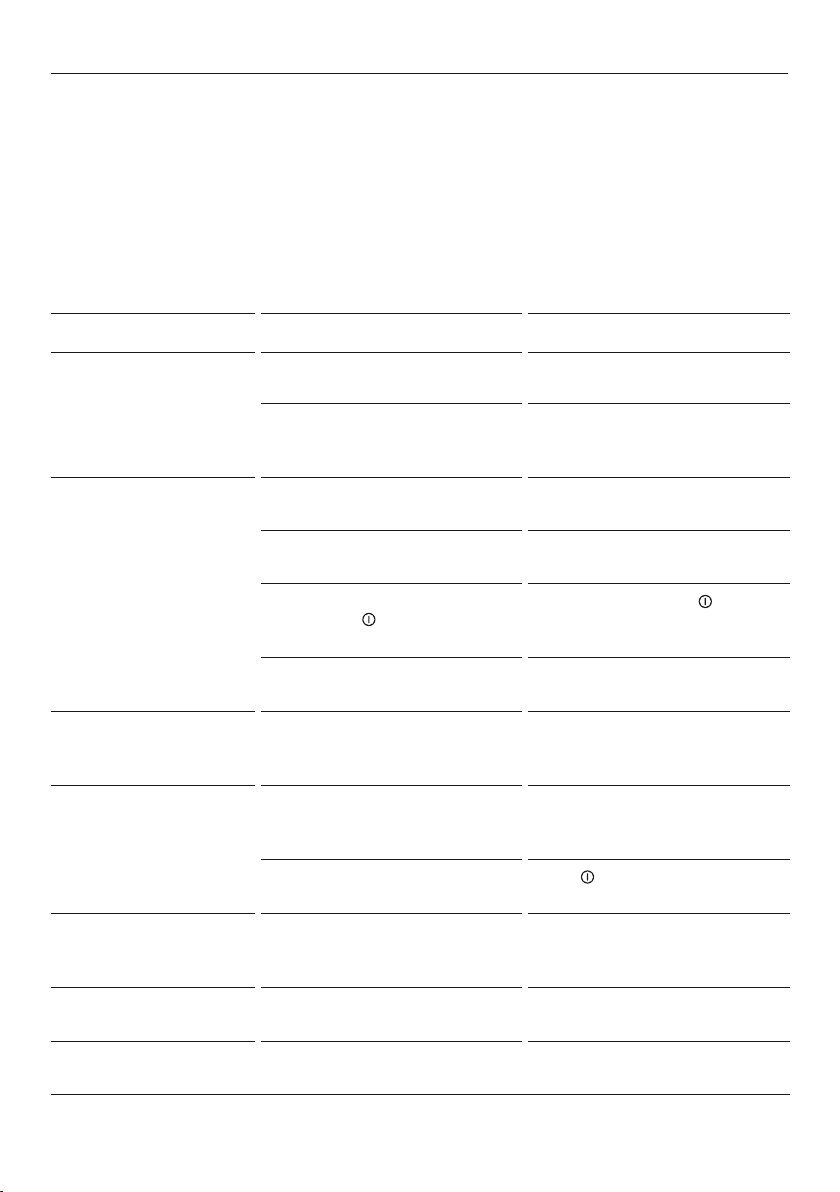
PROBLEM POSSIBLE CAUSES SOLUTION
Dishes and/or food remain
cold
The appliance is not switched on Check the power supply
The drawer has not been closed Check that the indicator light is
not flashing, if the lamp is flashing
ensure the drawer is closed.
Dishes and/or food are
not warm enough
Warming duration too short. Lengthen the warming duration.
The drawer is not closed properly. Close the drawer.
Appliance is in Sabbath mode,
from holding
button for 10
seconds.
To deactivate, hold the
button
for 10 seconds .
Temperature is too low. Select a higher temperature
setting.
The indicator light flashes
regularly and the drawer
is closed
DELAYED START has been set If not required, cancel function.
The indicator light flashes
rapidly and the drawer is
open/closed
DELAYED START has been set If not required, cancel function.
Warming Drawer was not switched
off.
Touch
button.
The indicator light does
not illuminate when the
drawer is in operation.
Indicator light is defective. Call Customer Services.
The drawer cannot be
opened or closed.
Push-pull mechanism is damaged Contact customer support
Internal LED lighting does
not illuminate
Drawer is not switched ON.
LED is defective.
Contact customer support
Troubleshooting

21
MANUFACTURER’S WARRANTY AND SERVICE GUIDE
To access your Warranty and Service Guide
Scan the QR code with your smartphone to access your warranty
and book a service, or view online at https://www.fisherpaykel.
com/nz/help-and-support/warranty-information
This product has been designed for use in a domestic (residential) environment. This
product is not designed for any commercial use. Any commercial use by the customer will
affect this products Manufacturer’s Warranty.
To access your Warranty and Service Guide
Scan the QR code with your smartphone to access your warranty
and book a service, refer to your separate warranty and service
book or view online at https://www.fisherpaykel.com/au/help-and-
support/warranty-information
NZ
AU
Complete and keep for safe reference:
Model
Serial No.
Purchase Date
Purchaser
Dealer
Suburb
Tow n
Country

592846A 01.22
FISHERPAYKEL.COM
© Fisher & Paykel Appliances 2021. All rights reserved.
The models shown in this guide may not be available in all markets
and are subject to change at any time.
The product specifications in this guide apply to the specific products and
models described at the date of issue. Under our policy of continuous product
improvement, these specifications may change at any time.
For current details about model and specification availability in your country,
please go to our website or contact your local Fisher&Paykel dealer.

