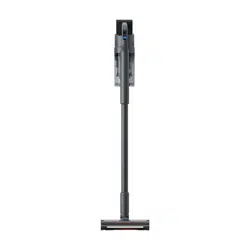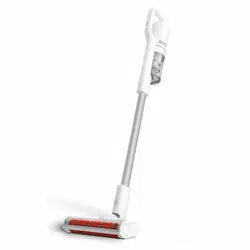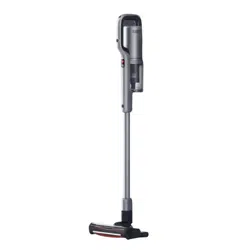
Cordless Vacuum Cleaner
Operation Manual
Read manual before use. Keep it well for future reference.
Pictures are for reference only, actual product may vary.
Scan the QR code for manuals
in multiple languages
READ AND SAVE THESE INSTRUCTIONS
WARNINGS
Failure to comply with the warnings listed below may
result in electric shock or serious injury.
This product should be used only in accordance with the specifications outlined in this
manual. Usage other than what has been specified here may result in serious injury.
This vacuum components contain electrical connections, electrical wiring, and moving parts that
potentially present risk to the user.
Before each use, carefully inspect all parts for any damage. If a part is damaged, discontinue use.
Use only identical replacement parts.
DO NOT use the vacuum for any purpose other than those described in this manual.
With the exception of the filters and dust bucket, DO NOT expose any parts of the vacuum to
water or other liquids.
Keep the appliance and its cord out of reach of children. DO NOT allow the appliance to be used by
children. DO NOT allow to be used as a toy. Close supervision is necessary when used near children.
GENERAL USE
This appliance can be used by persons with reduced physical, sensory, or mental capabilities or lack
of experience or knowledge if they have been given supervision or instruction concerning use of the
appliance in a safe way and understand the hazards involved. Cleaning and user maintenance shall
not be done by children.
Always turn off the vacuum before connecting or disconnecting any current
DO NOT handle plug or vacuum with wet hands.
DO NOT use without dust bucket, filters, and connected parts in place.
Only use Original filters and accessories.
DO NOT use with any opening blocked; keep free of dust, lint, hair, and anything that may reduce airflow.
DO NOT use if accessory airflow is restricted. If the air paths or the motorized floor brush become
blocked, turn the vacuum off. Remove all obstructions before you turn on the unit again.
Keep all vacuum part’s openings away from hair, face, fingers, uncovered feet, or loose clothing.
DO NOT use if vacuum is not working as it should, or has been dropped,damaged, left outdoors,
or dropped into water.
Use extra care when cleaning on stairs.
DO NOT leave the vacuum unattended while powered on.
When powered on, keep the vacuum moving over the carpet surface at all times to avoid damaging
the carpet fibers.
DO NOT place vacuum on unstable surfaces such as chairs or tables.
DO NOT use to pick up:
1)
Liquids
2)
Large objects
3)
Hard or sharp objects (glass, nails, screws, or coins)
4)
Large quantities of dust (including drywall, fireplace ash, or embers).
DO NOT use as an attachment to power tools for dust collection.
5)
Smoking or burning objects (hot coals, cigarette butts, or matches)
1
6)
Flammable or combustible materials (lighter fluid, gasoline, or kerosene)
DO NOT use in the following areas:
1)
Poorly lit areas
2)
Wet or damp surfaces
3)
Outdoor areas
4)
Spaces that are enclosed and may contain explosive or toxic fumes or vapors
(lighter fluid, gasoline, kerosene, paint, paint thinners, mothproofing substances, or flammable dust)
Turn off the vacuum before plugging in or unplugging the charger.
Turn off the vacuum before any adjustment, cleaning, maintenance, or troubleshooting.
During cleaning or routine maintenance, DO NOT cut anything other than hair, fibers, or string
wrapped around the brushroll.
Allow all filters to air-dry completely before replacing in the vacuum to prevent liquid from being
drawn into electric parts.
DO NOT modify or attempt to repair the vacuum or the battery yourself, except as indicated in
this manual.
DO NOT use the battery or vacuum if it has been modified or damaged.
Damaged or modified batteries may exhibit unpredictable behavior resulting in fire, explosion, or
risk of injury.
Turn off all controls before unplugging.
BATTERY PACK
The battery is the power source for the vacuum. Carefully read and follow all charging instructions.
To prevent unintentional starting, ensure the vacuum is powered off before picking up or carrying
the vacuum. DO NOT carry the appliance with your finger on the power switch.
Use original battery pack only.
Keep the battery away from all metal objects such as paper clips, coins, keys, nails, or screws.
Shorting the battery terminals increases the risk of fire or burns.
Under abusive conditions, liquid may be ejected from the battery. Avoid contact with this liquid,
as it may cause irritation or burns. If contact occurs, flush with water. If liquid contacts eyes, seek
medical help.
Store the appliance indoors. Battery should be stored at temperatures -5°C~ 35°C maintain long- term
battery life.
ONLY charge battery at temperatures 10°C~45°C.
Ensure the appliance is at room temperature before operating.
DO NOT expose the battery to fire or high temperature as it may cause explosion.
2
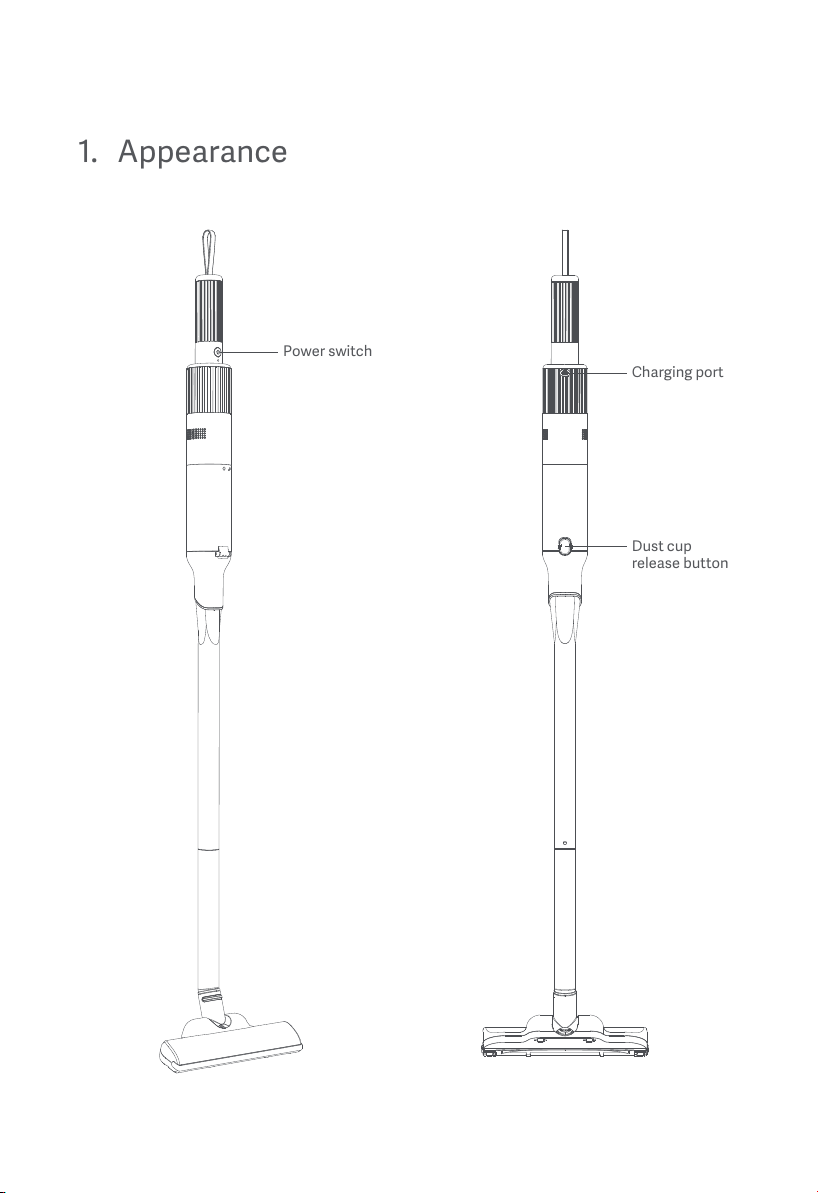
1.
Appearance
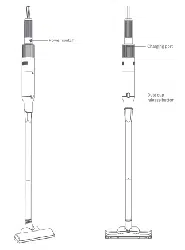
Power switch
Cordless Vacuum Cleaner
3
Charging port
Dust cup
release button
2.
Introduction
VC-C1220 is Cordless Vacuum Cleaner with high suction, long endurance, portable products, USB
charging and many other advantages; VC-C1220 adopt flash MCU, repeatable writing and using online
programming design, convenient to update the program; At the same time, SMT process is adopted to
improve the degree of machine acer operation, reduce labor cost and improve product quality.
2.1
Operating principle
The working principle of the cordless vacuum cleaner is that the motor of the vacuum cleaner rotates
at a high speed, inhales air from the suction inlet, and generates a certain vacuum in the dust bucket.
The dust enters the dust bag or the dust bucket through the brush head accessories and the main straw.
The dust is left in the dust bag or the dust bucket, and the filtered air enters the motor through the filter,
and then flows out through the motor. Filter material generally adopts the non-woven way, filter cleaner
and easier to clean.
2.2
Function
innovative designs
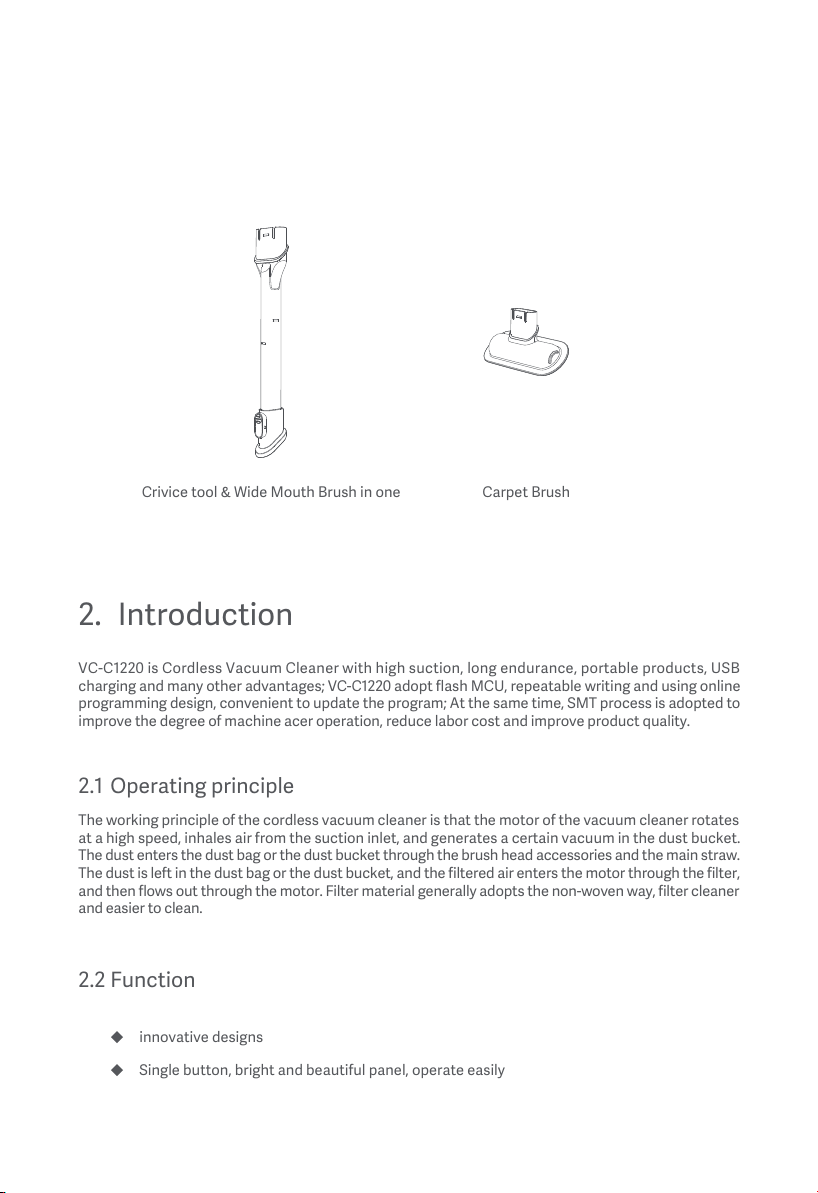
Crivice tool & Wide Mouth Brush in one
Carpet Brush
Single button, bright and beautiful panel, operate easily
Accessories
4
Three-color LED lights for indication.
automatic reminder when full of dust
With high speed brush-less dc motor drive(≥12kPa), suction, high efficiency, and long lifetime
2.3
Button introduction
Power:1st press to turn on and it’s low setting,the indicator light is white;
2nd is high setting and indicator light turns blue; 3rd press to turn off.
2.4
Low power reminder and protection:
2.4.1
Low power reminder
The indicator will turn to red when the power is lower than 20% during operation. If pressing the setting
button, the indicator light will first show the low/high indicator light, and then show the low power
indicator light after 1s.
When the battery run out of power, and the machine is shut down, if press the power button, and the
red light will be cycled quickly for three times before the machine is shut down, and the product stop
running.
2.4.2
Charging indication
The product don’t support working while charging. When the charger is inserted in the process of working,
the product will stop working and turns to charging mode.
During charging, when the electric quantity is less than 60%, the red indicator light flashing; when the
electric quantity is more than 60%, the white indicator light flashing; When full of electric quantity, the
white light is on. After removing the charging device, all the indicators go out.
2.4.3 HEPA Cleanup reminder
When the HEPA dust collection is full, the product will shut down after 5 seconds of operation, and the
indicator will turn to red and flash for 5 times before shutting down.
5
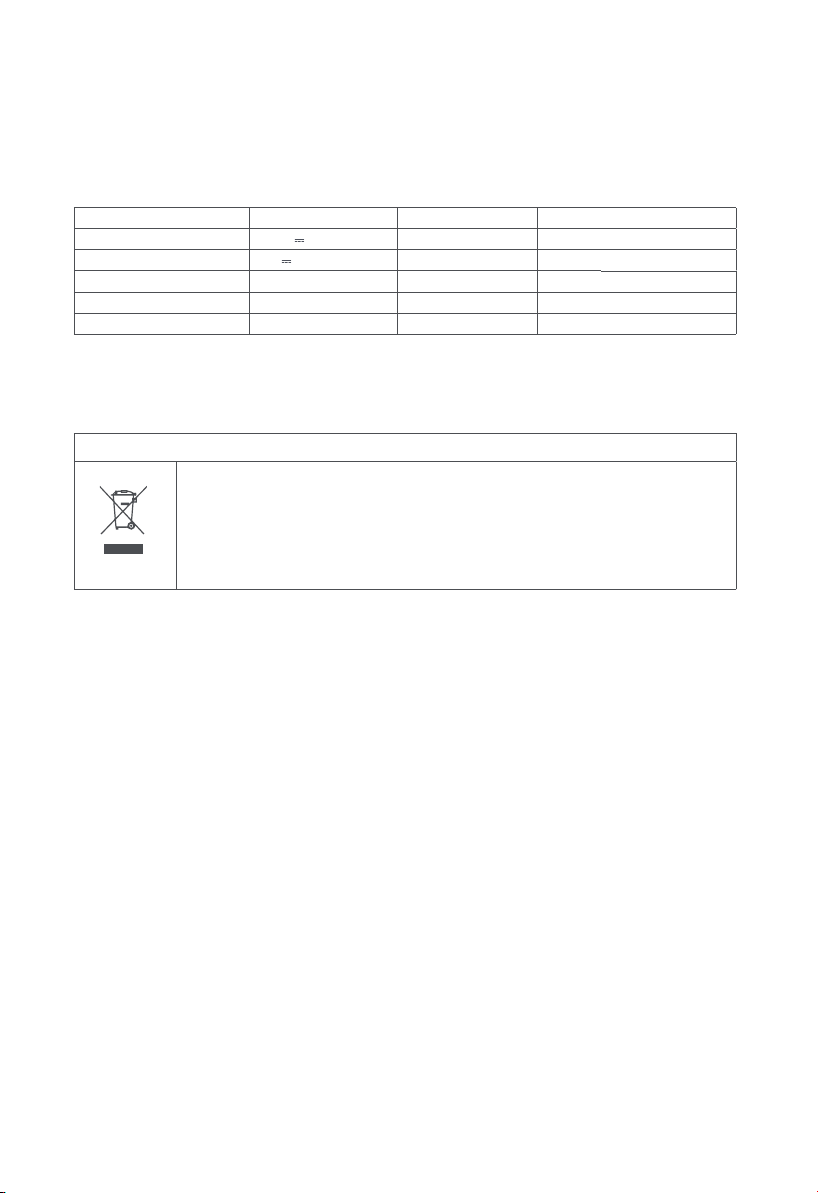
3. Technical data
Cordless Vacuum Cleaner
Product model XCQ41RM approx. 28min (Low speed)
approx. 15min (High speed)
Rated operating voltage 11.1 V
Rated charging voltage 5 V
approx. 0.3 L
Lithium battery capacity 2500 mAh / 27.75Wh ≤83dB(A)
Rated power 110W 220 × 92× 1060mm
Running time
Running time
Dust cup capacity
Noise
Dimensions
Weight (net) approx. 0.86kg
Charging time approx. 4 hours
5. Warranty and limitations of liability
This product is guaranteed for a period of 24 months (defined by local law) from the date of purchase
against any failure resulting from manufacturing or material defects.
This warranty does not cover damage caused by improper installation, improper use, or normal wear
and tear of the product.
More specifically, the warranty does not cover:
• Damage or problems caused by improper use, accident, alteration or electrical connection of improper
intensity or voltage.
•
Modified products, those whose warranty seal or serial number have been damaged, altered, removed
or oxidized.
•
Failure of the battery due to overcharging or failure to observe the safety instructions explained in
the instruction manual.
• Cosmetic damage, including scratches, dents, or any other element.
• Damage caused by any intervention carried out by an unauthorised person.
• Defects caused by normal wear and tear or due to normal ageing of the product.
• Software updates due to a change in network settings.
• Product failures due to the use of third party software to modify, change or adapt the existing software.
• Product failures caused by use without accessories approved by the manufacturer.
• Oxidised products.
4. Disposal
Correct disposal of this product
This marking indicates that this product should not be disposed with other household
wastes throughout the EU. To prevent possible harm to the environment or human
health from uncontrolled waste disposal, recycle it responsibly to promote the
sustainable reuse of material resources. To return your used device, please use the
return and collection systems or contact the retailer where the product was purchased.
They can take this product for environmental safe recycling.
6
Made in China
Manufacturer: ROIDMI Information Technology Co., Ltd.
Address: 4F, C8 BUILDING, NO. 1699 HUISHAN ROAD, LIFE SCIENCE AND TECHNOLOGY PARK, HUISHAN DISTRICT, WUXI, JIANGSU, PRC
Executive standards:
EN IEC 55014-1:2021
EN IEC 55014-2:2021
EN IEC 61000-3-2:2019+A1:2021
EN 61000-3-3:2013+A1:2019+A2:2021
Illustrations may differ from actual product. We are constantly striving to improve our products; therefore the specifications
contained herein are subject to change without notice.
Service email: service@roidmi.com
Corporate website: www.roidmi.com/en
For product sales information, please check the website: www.roidmi.com/en
No.08.2023
www.roidmi.com/en
Terms and conditions of implementation:
To obtain a warranty service, you are requested to return your product to the customer service desk of
your retail outlet with your proof of purchase (receipt, invoice, …),the product and its supplied accessories,
with its original packaging.
It is important to have the date of purchase, the model and the serial or IMEI number on hand as information
(this information usually appears on the product, the packaging or your proof of purchase).
Failing this, you must return the product with the accessories necessary for its proper operation (power
supply, adaptor, etc.).
In the event that your claim is covered by the warranty, the after-sales service may, within the limits of
local law, either:
• Repair or replace defective parts.
• Exchange the returned product with a product that has at least the same functionality and that is
equivalent in terms of performance.
• Refund the product at the purchase price of the product mentioned on the proof of purchase.
If one of these 3 solutions is used, this does not give rise to the extension or renewal of the warranty period.
7