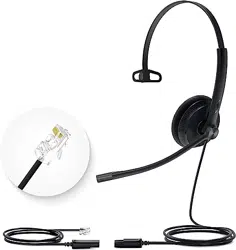
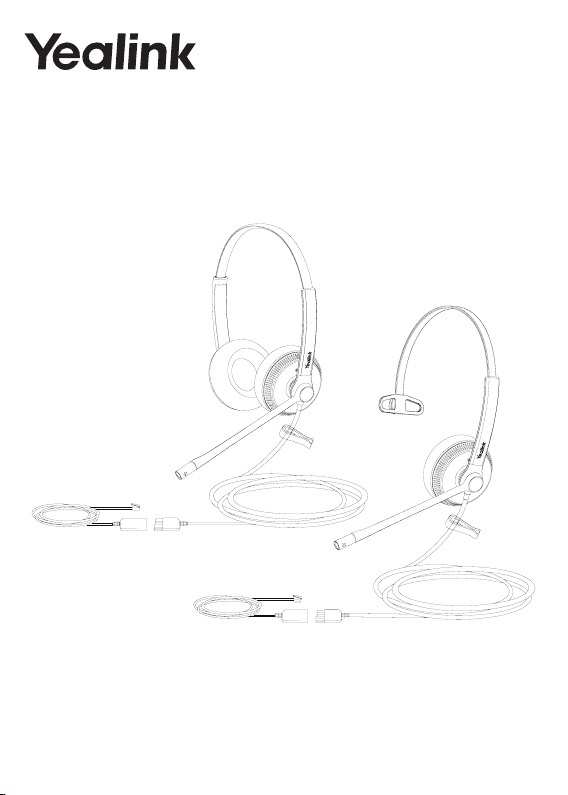
YHS34 (Lite) Mono & YHS34 (Lite) Dual
Wired Headset Quick Start Guide V1.3
Technical Support Email:
1
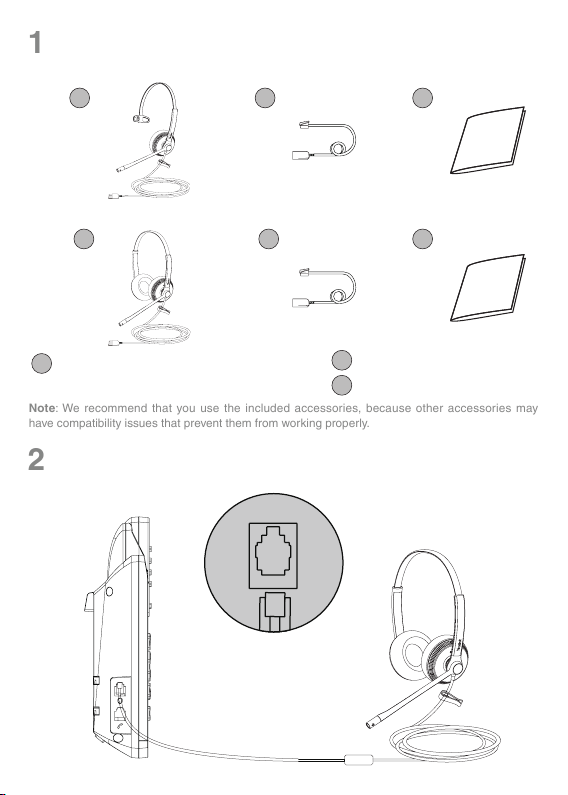
Package List
1
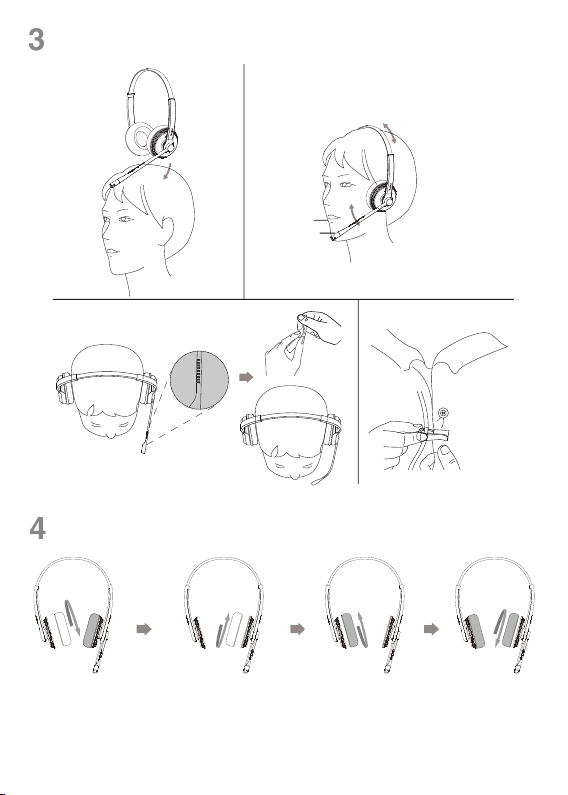
Connection
2
21
1
1
3
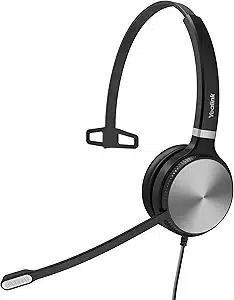
YHS34 (Lite) Mono Headset /
YHS34
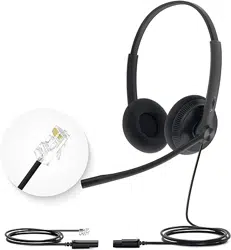
(Lite) Dual Headset
QD to RJ9 Straight Cord
Quick Start Guide
YHS34 (Lite) Mono
YHS34 (Lite) Dual
2
Quick Start Guide
Quick Start Guide
2
3
3
Note: We recommend that you use the included accessories, because other accessories may
have compatibility issues that prevent them from working properly.
Yealink IP phone
2
3
Wear the Headset
Replace Ear Cushions
4
1/2’’
12mm

3
Regulatory Notices
Operating Ambient Temperatures
• Operating temperature: +32 to 104°F (0 to 40°C)
•
Relative humidity: 5% to 90%, noncondensing
•
Storage temperature:
-22 to +160°F (-30 to +70°C)
Warranty
Our product warranty is limited only to the unit itself, when used normally in accordance with the operating instructions and the sys-
tem environment. We are not liable for damage or loss resulting from the use of this product, or for any claim from a third party. We
are not liab
le for problems with Yealink device arising from the use of this product; we are not liable for nancial damages, lost prots,
claims from third parties, etc., arising from the use of this product.
Explanation of the symbols
•
DC symbol
is the DC voltage symbol.
• WEEE Warning symbol
To avoid the potential effects on the environment and human health as a result of the presence of hazardous substances in
electrical and electronic equipment, end users of electrical and electronic equipment should understand the meaning of the
crossed-out wheeled bin symbol. Do not dispose of WEEE as unsorted municipal waste and have to collect such WEEE
separately.
Restriction of Hazardous Substances Directive (RoHS)
This device complies with the requirements of the EU RoHS Directive. Statements of compliance can be obtained by contacting sup-
Safety Instructions
Save these instructions. Read these safety instructions before use!
General Requirements
•
Before you install and use the de
vice, read the safety instructions carefully and observe the situation during operation.
•
During the process of stor
age, transportation, and operation, please always keep the device dry and clean, avoid collision and
crash.
•
Please attempt not to dismantle the device by y
ourself. In case of any discrepancy, please contact the appointed maintenance
center for repair.
•
Please refer to the relev
ant laws and statutes while using the device. Legal rights of others should be respected as well.
Environmental Requirements
•
Place the device at a well-v
entilated place. Do not expose the device under direct sunlight.
•
Keep the device dr
y and free of dust.
• Do not place the device on or near any inammable or re-vulnerable object, such as rubber-made materials.
•
Keep the device a
way from any heat source or bare re, such as a candle or an electric heater.
Operating Requirements
•
Do not let a child operate the device without guidance
.
•
Do not let a child play with the device or an
y accessory in case of accidental swallowing.
• Please use the accessories provided or authorized by the manufacturer only.
•
The power supply of the de
vice shall meet the requirements of the input voltage of the device. Please use the provided surge
protection power socket only.
•
Before plugging or unplugging any cab
le, make sure that your hands are completely dry.
•
Do not spill liquid of any kind on the product or use the equipment near water
, for example, near a bathtub, washbowl, kitchen
sink, wet basement or near a swimming pool.
•
During a thunderstorm, stop using the de
vice and disconnect it from the power supply. Unplug the power plug and the Asymmet-
ric Digital Subscriber Line (ADSL) twisted pair (the radio frequency cable) to avoid lightning strike.
•
If the device is left unused f
or a rather long time, disconnect it from the power supply and unplug the power plug.
•
When there is smoke emitted from the device
, or some abnormal noise or smell, disconnect the device from the power supply,
and unplug the power plug immediately.
•
Contact the specied maintenance center for repair.
•
Do not insert any object into equipment slots that is not part of the product or auxiliary product.
•
Before connecting
a cable, connect the grounding cable of the device rst. Do not disconnect the grounding cable until you dis-
connect all other cables.
Cleaning Requirements
•
Before cleaning the device
, disconnect it from the power supply.
•
Use a piece of soft, dry and anti-static cloth to clean the device
.
• Keep the power plug clean and dry.

4
Troubleshooting
The unit cannot supply power to Yealink device.
There is a bad connection with the plug.
1.
Clean the plug with a dry cloth.
2
.
Connect it to another wall outlet.
The usage en
vironment is out of operating temperature range.
1. Use in the operating temperature range.
The cable between the unit and the Yealink device is connected incorrectly.
1.
Connect the cable correctly
.
You cannot connect the cable properly.
1.
You ma
y have connected a wrong Yealink device.
2. Use the correct power supply.
Some dust, etc., may be in the port.
1.
Clean the port.
Contact y
our dealer or authorized service facility for any further questions.
FCC Statement
This device complies with part 15 of the FCC Rules. Operation is subject to the following two conditions: (1) this device
may not cause harmful interference, and (2) this device must accept any interference received, including interference that
may cause undesired operation.
Any Changes or modications not expressly approved by the party responsible for compliance could void the user’s au-
thority to operate the equipment.
IC Statement
This device complies with Industr
y Canada’s licence-exempt RSSs. Operation is subject to the following two conditions:
(1) this device may not cause interference; and
(2) this device must accept any interference, including interference that may cause undesired operation of the device. CAN
ICES-3(B)
Le présent appareil est conforme aux CNR d’Industrie Canada applicables aux appareils radio exempts de licence. L’ex-
ploitation est autorisée aux deux conditions suivantes :
(1) l’appareil ne doit pas produire de brouillage;
(2) l’utilisateur
de l’appareil doit accepter tout brouillage radioélectrique subi, même si le brouillage est susceptible d’en
compromettre le fonctionnement.NMB-3(B)
Contact Information
YEALINK NETWORK TECHNOLOGY CO.,LTD.
309, 3rd Floor, No.16, Yun Ding North Road, Huli District,
Xiamen City, Fujian, P.R.C
YEALINK (EUROPE) NETWORK TECHNOLOGY B.V.
Strawinskylaan 3127, Atrium Building, 8th oor, 1077ZX
Amsterdam, The Netherlands
YEALINK (USA) NETWORK TECHNOLOGY CO., LTD.
999 Peachtree Street Suite 2300, Fulton, Atlanta, GA, 30309, USA
Made in China
Need more help?
Yealink Documentation
YEALINK(XIAMEN) NETWORK TECHNOLOGY CO.,LTD.
Web: www.yealink.com
Copyright©2021 YEALINK(XIAMEN) NETWORK
TECHNOLOGY CO.,LTD. All rights reserved.
Technical Support
Visit Yealink WIKI (http://support.yealink.com/) for the latest rmware, guides, FAQ, Product docu-
ments, and more. For better service, we sincerely recommend you to use Yealink Ticketing system
(https://ticket.yealink.com) to submit all your technical issues.
430104001584