1、Introduction
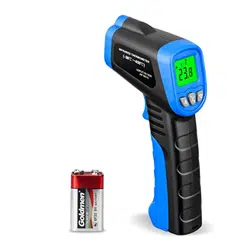
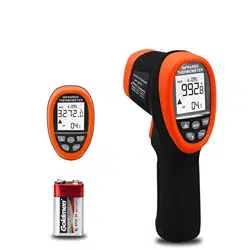
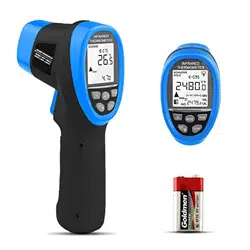
Compact, rugged and easy to use. Just aim and push the button, read current surface
temperatures in less than a second. Safely measure surface temperatures of hot,
hazardous or hard-to-reach objects without contact.Color LCD display, clear and
beautiful.
How it works
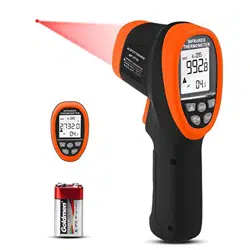
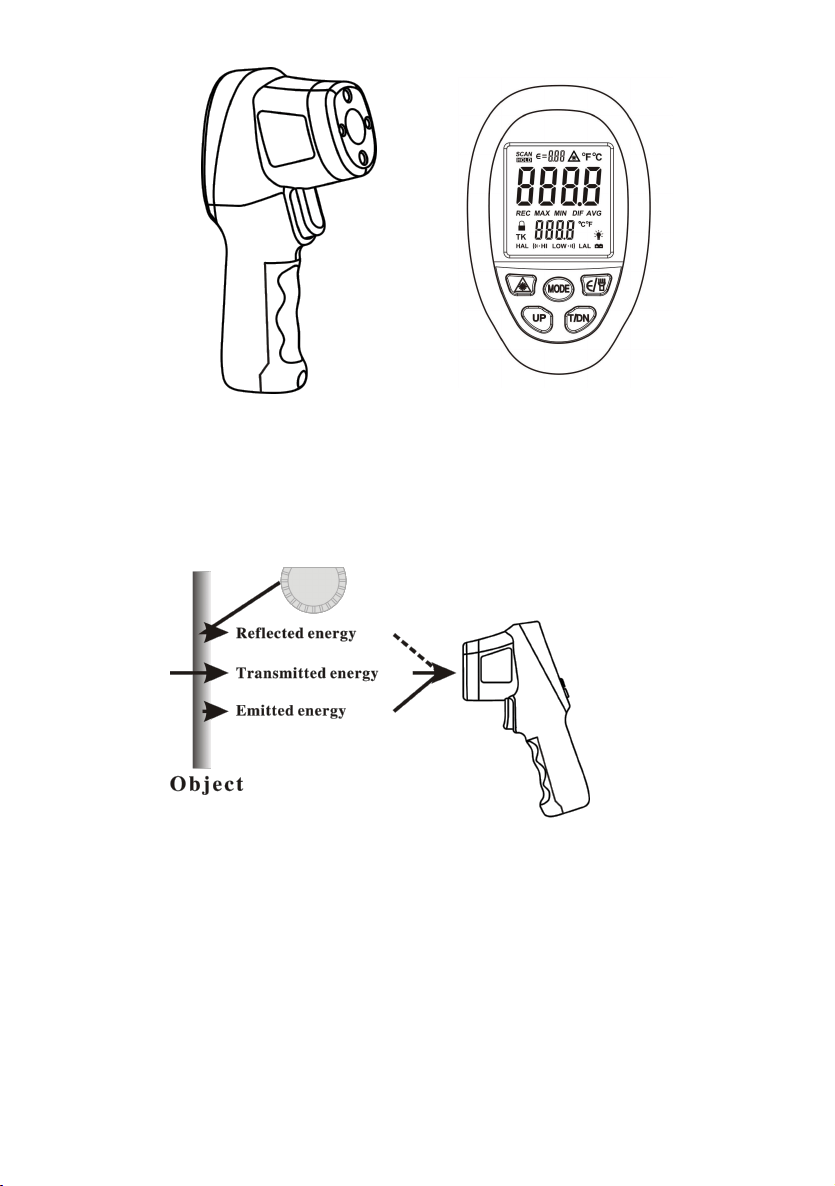
Infrared thermometer measures the surface temperature of an object. The unit’s optics
sense emitted, reflected, and transmitted energy which is collect and focused onto a
detector. The unit’s electronics transmitted energy which is display on the unit. For
increased ease and accuracy the laser pointer makes aiming even more precise.
Cautions
Infrared thermometer should be protected for the following:
--EMF(electro-magnetic fields) from arc welders, induction heaters.
--Thermal shock(cause by large or abrupt ambient temperature changes allow 1 hours
for unit to stabilize before use).
1
--Do not leave the unit on or near objects of high temperature.
Warning
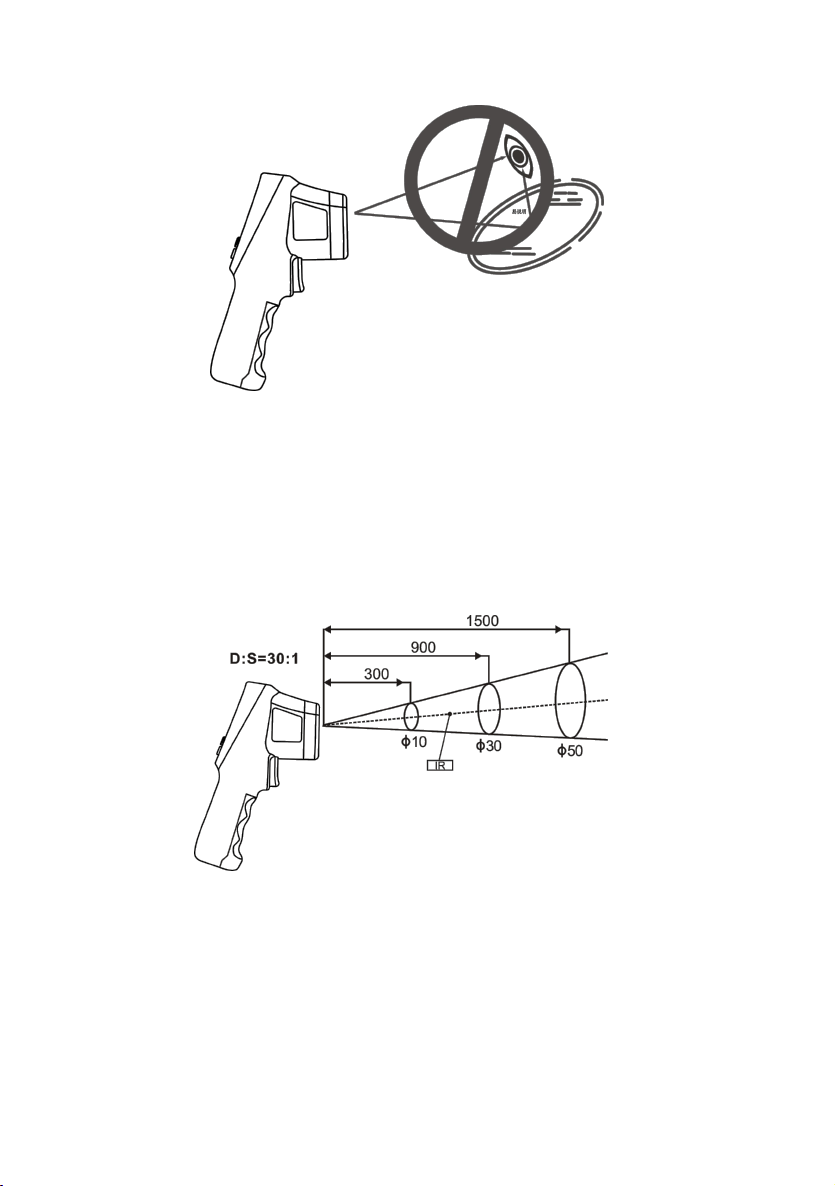
Do not point laser at eye or indirectly off reflective surfaces.
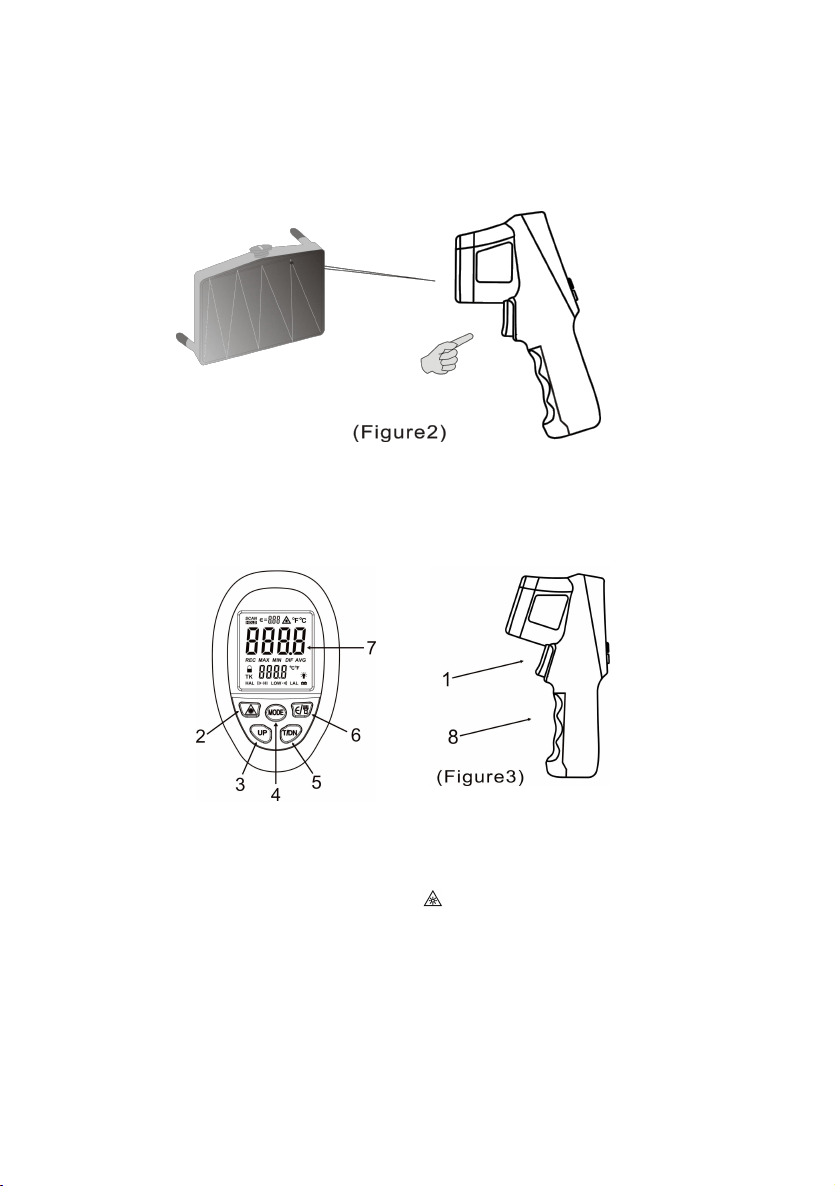
1. When take measurement, point thermometer toward the object to be measured and
hold the yellow trigger. The object under test should be large than the spot size
calculated by the field of view diagram.
2. Distance & spot size: As the distance from the object increase, the spot size of
measuring area becomes large.
3. Field of view: Make sure the target is larger than the unit’s spot size. The smaller
the target the close measure distance. When accuracy is critical, make sure the
target is at least twice as large as the spot size.
4. Emissivity: Most organic materials and painted or oxidized surfaces have an
emissivity of 0.95. Inaccurate readings will result from measuring shiny or polished
metal surfaces. To compensate, cover the surface to be measured with masking tape
or flat black paint. Measure the tape or painted surface when the tape or painted
2
reach the same temperature as the material underneath.
5. When changing from low temperature environment to high temperature
environment or from high temperature environment to low temperature
environment, please wait for 30 minutes, and then measure after the
temperature of the machine is balanced with the ambient temperature.
2、Quick start instruction
1. Remove the battery cover screw with a screwdriver, and then slide out the battery
door, install battery correctly. And Put back to the battery door screws.Pull the
trigger, LCD display reading & battery icon. Release the trigger and the reading
will hold for 30 seconds.
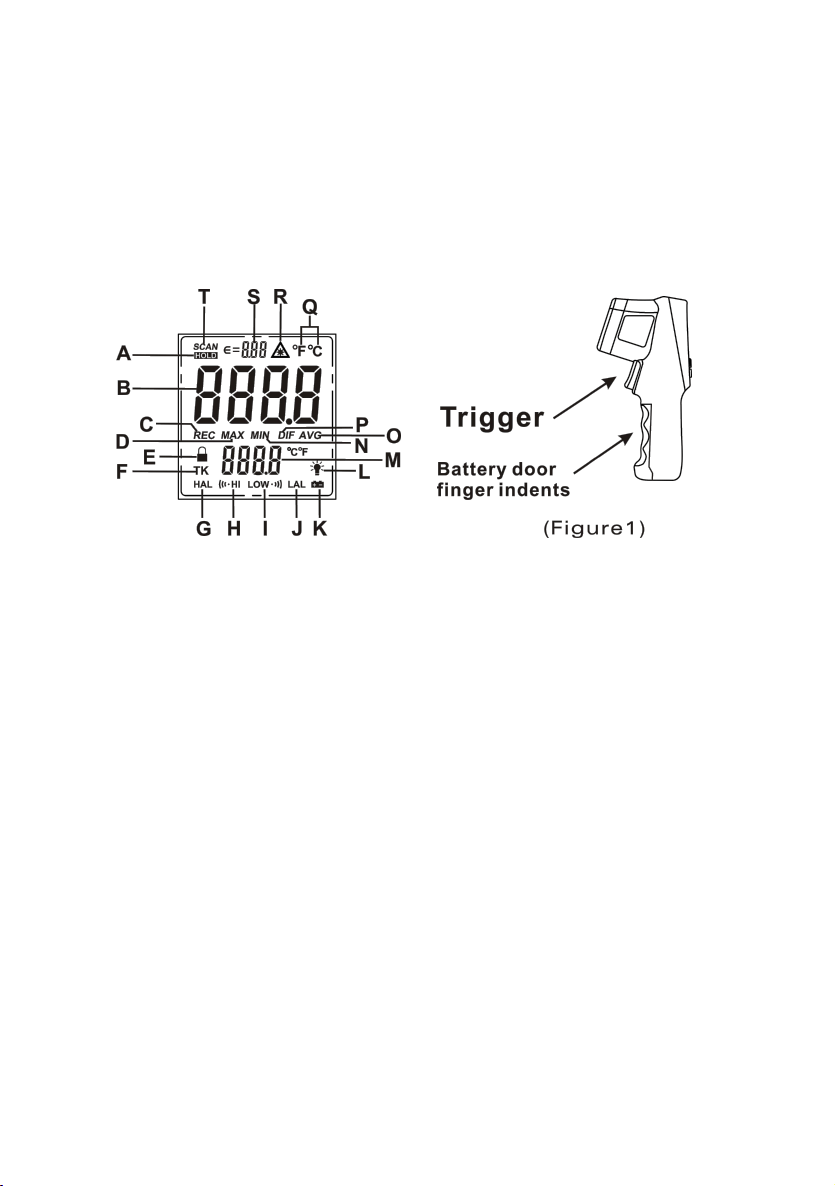
LCD display:
Display area:36.4×34.6(mm),character 13.3mm high.
A Data Hold
B Main dislplay value
C Memory storage
D Maximum
E Continuous measurement
F K type temperature symbol (this unit Without this feature)
G High temperature alarm temperature
H Alarm of high temperature prompt
I Alarm of Low temperature prompt
J Low temperature alarm temperature
K Battery voltage Low
L Headlamp display symbol
M Additional features
N Minimum
O Average
3
P The maximum and the minimum difference
Q Temperature of the unit
R Laser pointer turn on prompt
S Emissivity symbol
T Measuring the symbol
2. Locating a hot spot aim the thermometer outside the area of interest, then scan
across with up and down motions until you locate the hot spot.(please turn on the
laser to for accurate measuring)
3. Diagram description
(1) Trigger : Press for turn on, and then display test result and hold data
automatically(display HOLD) after unclamping switch. Trun off automatically after
30 seconds without operate.
(2) Laser pointer button :press it display “ ” for turn on laser pointer, press again for
turn off.
(3) UP button :function please see (4) .
(4) MODE button:Press MODE button for cycle options MAX – MIN-DIF- AVG -
HAL– LAL mode.
A、MAX:Measure maximum data current;
B、MIN:Measure minimum data current;;
4
C、AVG:Calculate the average of all measure data;
D、DIF:The maximum and the minimum difference;
E、HAL/LAL:HAL is Alarm of high temperature. LAL is Alarm of low temperature.
Option Alarm of temperature mode, press“UP”button for up alarm temperature.
press“T/DN”button for down alarm temperature. When LCD display ” HI”
means measure result exceeded the alarm temperature;When LCD display ” LOW
” means measure result under the alarm temperature
(5) T/DN button:When product working, press direct for℃/℉ select. second function
please see (4).
(6) E/ button:When product working, press direct into set Emissivity mode, press
“UP”button for up Emissivity . press“T/DN”button for down Emissivity. Long
press the button, the head lamp lighted.
(7) LCD
(8) Battery door: When replace battery ,take off the scrrew ,then slide open the
battery door.
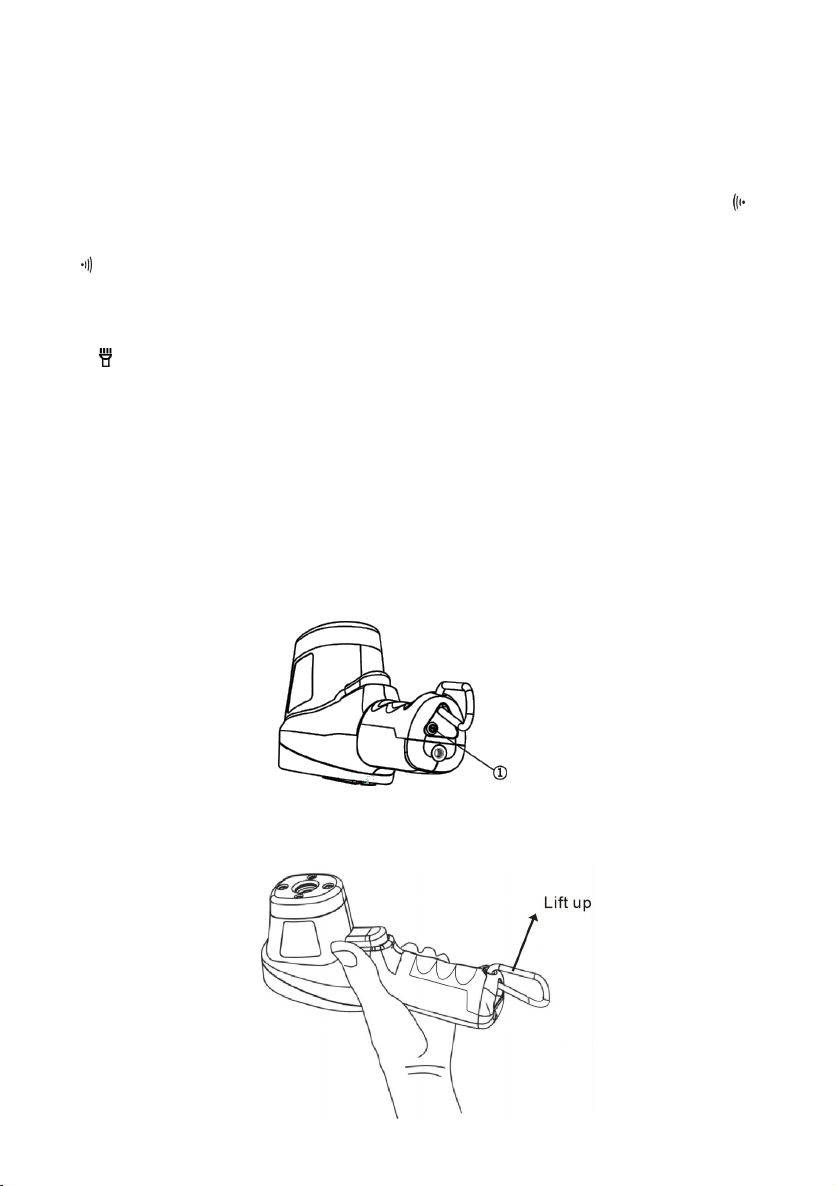
The diagram below operation:
1. Use the screwdriver to unscrew the bottom screw;
2. Catch the hook and lift up the battery cover;
5

3、Maintenance
1) Lens cleaning: Blow off lose particles using clean compressed air. Gently brush
remaining debris away with a moist cotton cloth.
2) Case cleaning: Clean the case with a damp sponge/cloth and mild soap.
3) Please take out the battery when not using for a long time.
Note:
1) Do not use solvent to clean lens.
2) Do not submerge the unit in water.
3) Emissivity will back to the initial value (0.95) after replacing battery,. Should adjust
again when use.
4、specifications
Temperature range
-50℃ to 1500℃(-58 to 2732
0
F)
Accuracy
±4℃/7.2
0
F, -50℃ to 0℃(-58 to 32
0
F)
±(2% reading +2℃/3.6
0
F), 0℃ above
distance spot ratio
30:1
Emissivity
0.1~1.0 adjustable
Resolution
0.1℃(0.1
0
F)<1000, 1℃(1
0
F)>1000
Repeatability
1% of reading or 1℃
Response time
<250msec, 95%response
Spectral response
8-14um
Operating temperature
0℃ to ~40℃(32 to 104
0
F)
Storage temperature
-20~60℃(-4~140
0
F) without battery
Relative humidity
Operating :10-95%RH; Storage: 10-95%RH
Ambient temp range of
guarantee for accuracy
23℃~28℃
Weight/dimensions
160g; 192×95×63mm
Power
9V battery, 6F22 or NEDA 1604
Battery life
Laser models:12hrs
6

Attached list :Applicable Emissivity for Different Material ( For
reference only )
Material Emissivity Material Emissivity
Asphaltum 0.90 to 0.98 Textile(Black) 0.98
Beton 0.94 Human Skin 0.98
Cement 0.96 Soap bubble 0.75 to 0.80
Sand 0.90 Charcoal(powder) 0.96
Soil 0.92 to 0.96 Lacquer 0.80-0.95
Water 0.92 to 0.96
Lacquer (reluster)
0.97
Ice 0.96 to 0.98 Rubber(Black) 0.94
Snow 0.83 Plastic 0.85-0.95
Glass 0.90 to 0.95 Timber 0.90
Ceramic 0.90 to 0.94 Paper 0.70-0.94
Marble 0.94 Chromic oxide 0.81
Gypsum 0.80 to 0.90 Copper Oxide 0.78
Compo 0.89 to 0.91 Iron Oxide 0.78 to 0.82
Brick 0.93 to 0.96 Stainless steel 0.2-0.3
Above picture and content just for your reference. Please be subject to the actual
products if anything different or updated. Please pardon for not informing in
advance.
CONTACT US
For any problem or concern, welcome to email us for prompt response.
✉ AFTERSALES1010@HOTMAIL.COM
P.S.
To make sure you can receive immediate solution and your requests processed quickly,
please email us with information below:
1. Order Number
2. Platform of Your Purchase
3. Full Model Number
4. Description of the Problem
(Attaching videos or photos can help us troubleshoot the problems even faster)
7
Color display infrared thermometer
Instruction manual

1. Instroduction..................................................................................................................1
2.
Quick start instruction...................................................................................................3
3. Maintenance..................................................................................................................6
4. Specifications................................................................................................................6
TABLE OF CONTENTS