
PACKAGE CONTENTS
• Hard Shell Case
• Quick Setup Guide
FEATURES
• Case ts the MacBook with full access to
ports, buttons, card slots, and lights
• Light-weight, hard-shell plastic helps
prevent damage from bumps and scratches
• Snap-on design makes installation quick
and easy
• Rubberized feet keep your MacBook from
slipping and sliding
• Bottom ventilation openings prevent
over-heating
• Soft-touch nish provides an elegant look
and feel
• Semi-clear frosted nish allows for some
color of your laptop to show through
PRODUCT OVERVIEW
INSTALLING THE CASE
1 Clean the outside of your MacBook with a
soft, lint-free cloth to remove any dust or
debris.
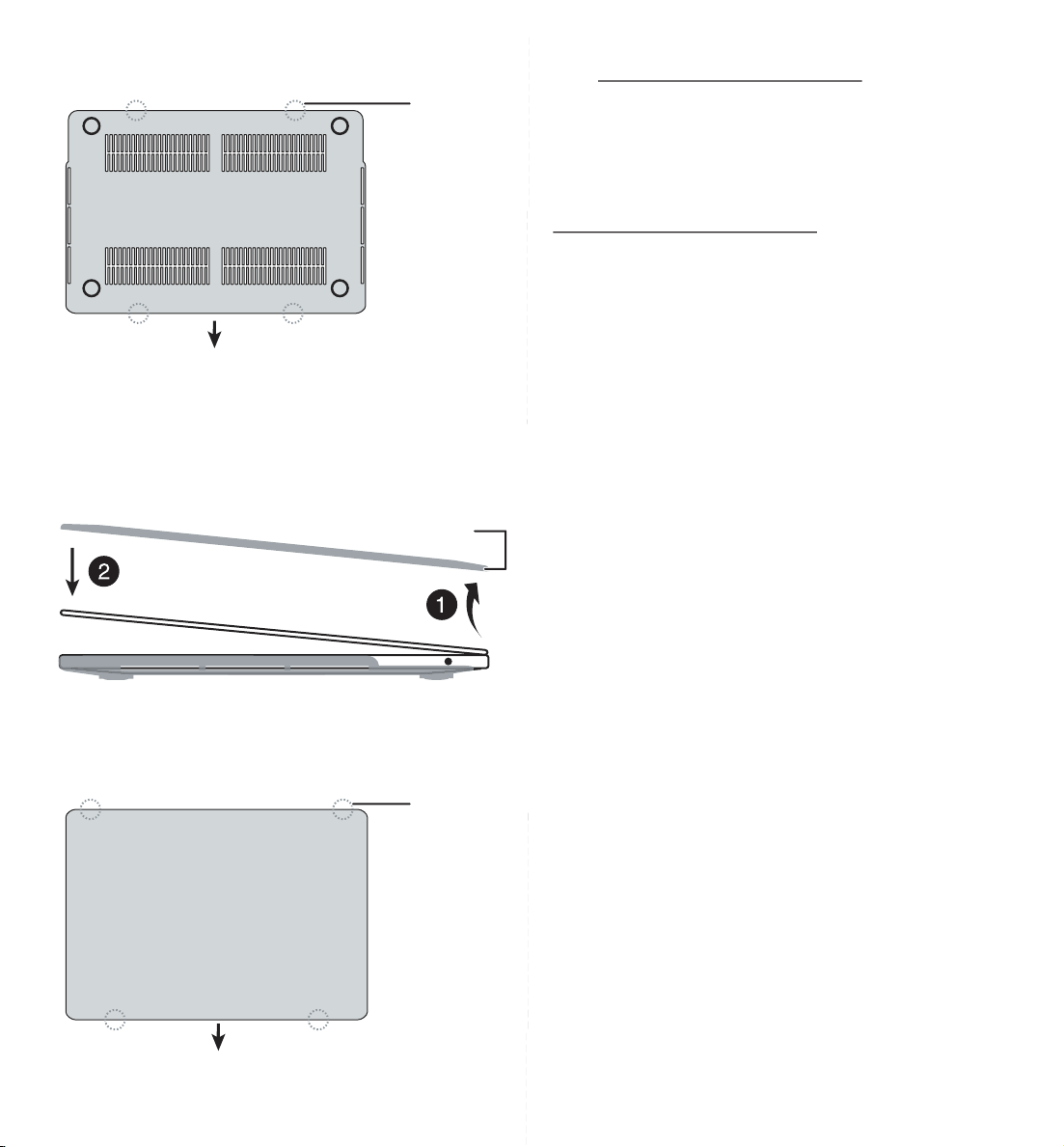
2 Align your MacBook with the tabs on the
bottom case cover. Make sure that the slots
on the cover t over the ports and buttons
on your MacBook.
Before using your new product, please read these instructions to prevent any damage.
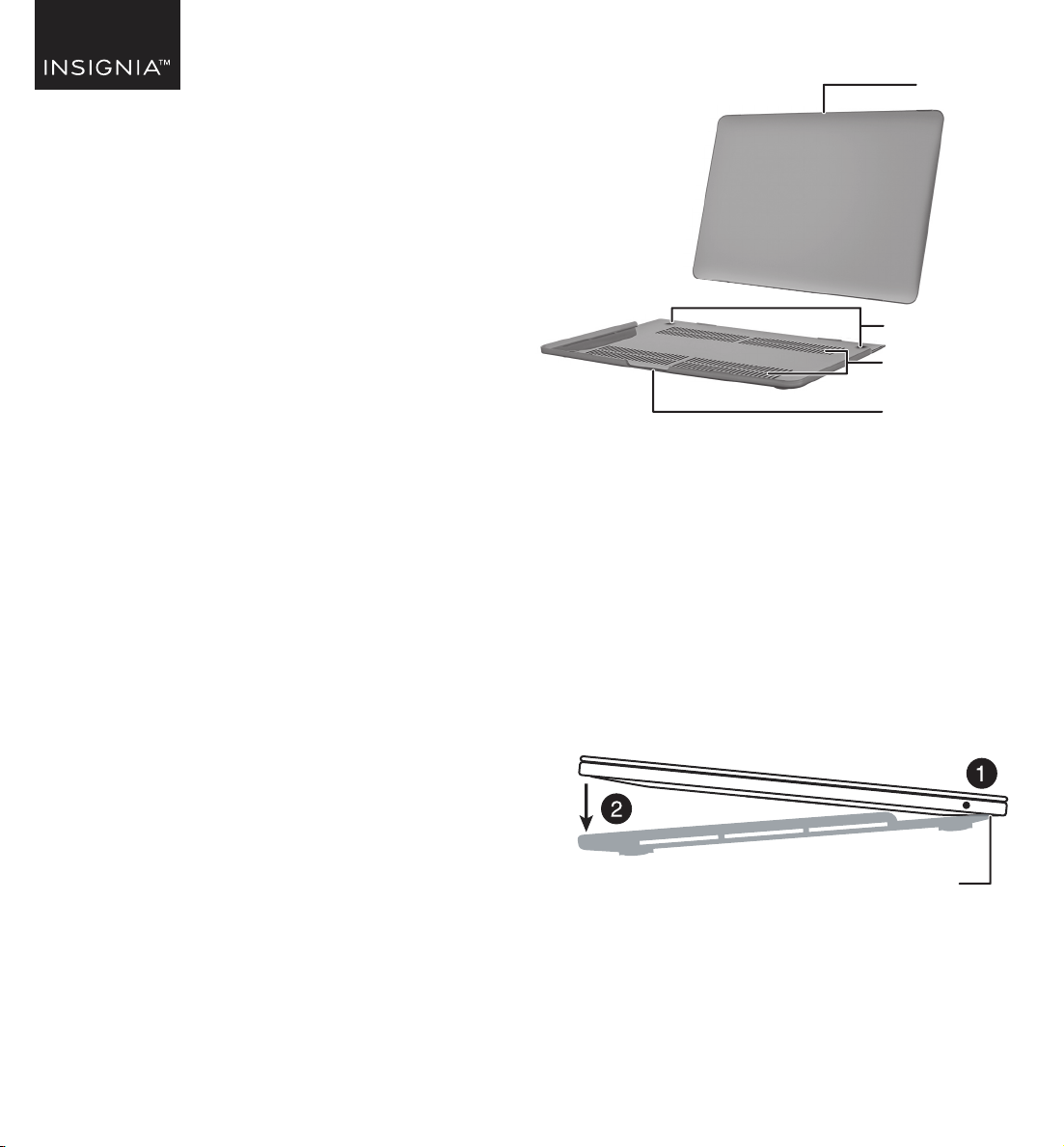
Feet
Ventilation
holes
Bottom case
(front)
Top case
Bottom tabs
QUICK SETUP GUIDE
MacBook
Hard-Shell
Case
‘Generic MacBook Case_22-0389_QSG_V2_EN Final.ai 1 5/12/2022 2:56:03 PM
V2 ENGLISH 22-0389
ONE-YEAR LIMITED WARRANTY
Visit www.insigniaproducts.com for details.
CONTACT INSIGNIA:
For customer service, call 1-877-467-4289
(U.S. and Canada)
www.insigniaproducts.com
INSIGNIA is a trademark of Best Buy and its aliated companies.
Registered in some countries.
Distributed by Best Buy Purchasing, LLC
7601 Penn Ave South, Richeld, MN 55423 U.S.A.
©2022 Best Buy. All rights reserved.
3 Press the tabs on the bottom cover to snap the
bottom cover onto your MacBook.
4 Open your MacBook about half way and make
sure that the tabs on the top cover are placed
near the bottom of the screen.
5 Press the tabs on the cover to snap the top
cover onto your MacBook.
Front
Tabs
Top tabs
Front
Tabs
‘Generic MacBook Case_22-0389_QSG_V2_EN Final.ai 2 5/12/2022 2:56:03 PM