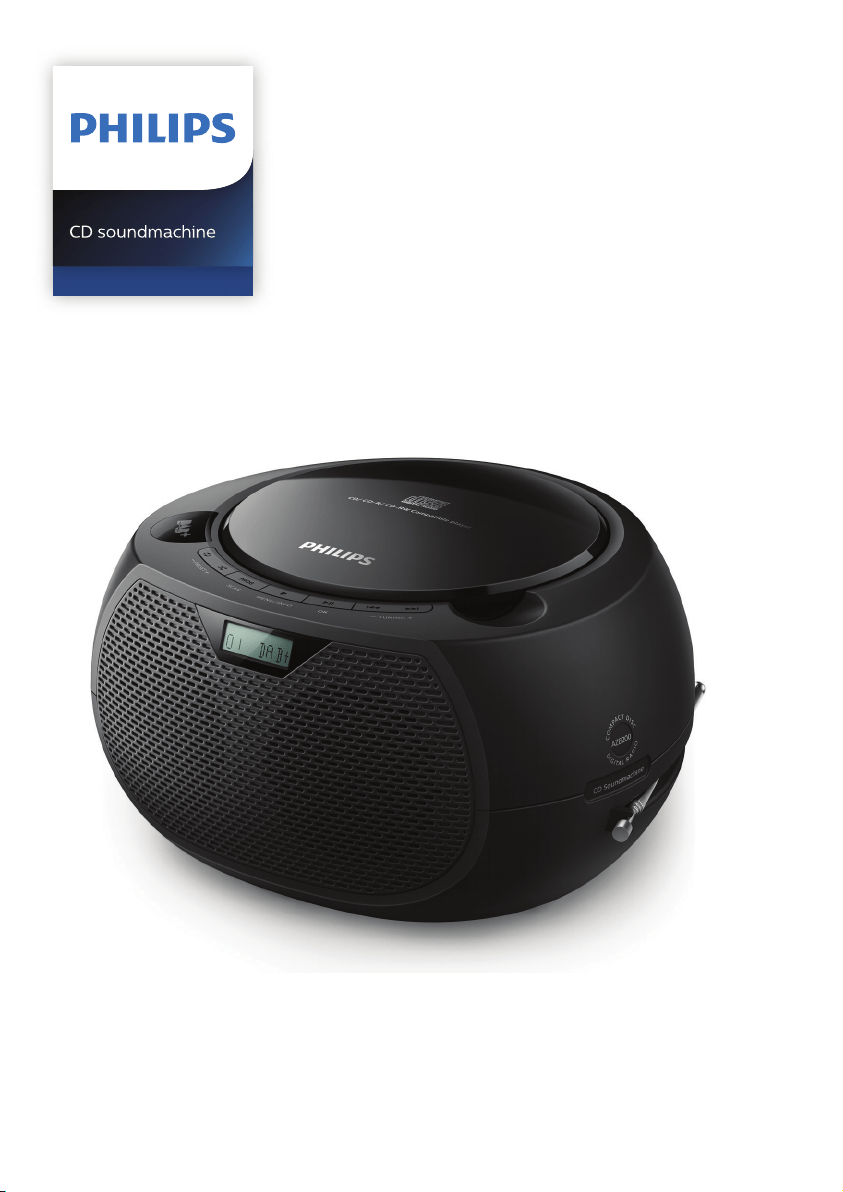
Register your product and get support at
www.philips.com/support
User manual
AZB200

1EN
Contents
1 Important 2
Safety 2
Notice 3
2 Your CD Soundmachine 4
Introduction 4
What's in the box 4
Overview of the main unit 5
3 Get started 6
Connect power 6
Power on 7
4 Play 8
Play from disc 8
Control play 8
Skip tracks 8
Program tracks 8
5 Listen to the radio 9
Listen to DAB+ radio 9
Listen to FM radio 10
6 Other features 11
Listen to an external device 11
7 Product information 12
Specications 12
8 Trouble shooting 13
2 EN
1 Important
Safety
Read and understand all instructions
before you use this micro music system.
If damage is caused by failure to follow
the instructions, the warranty does not
apply.
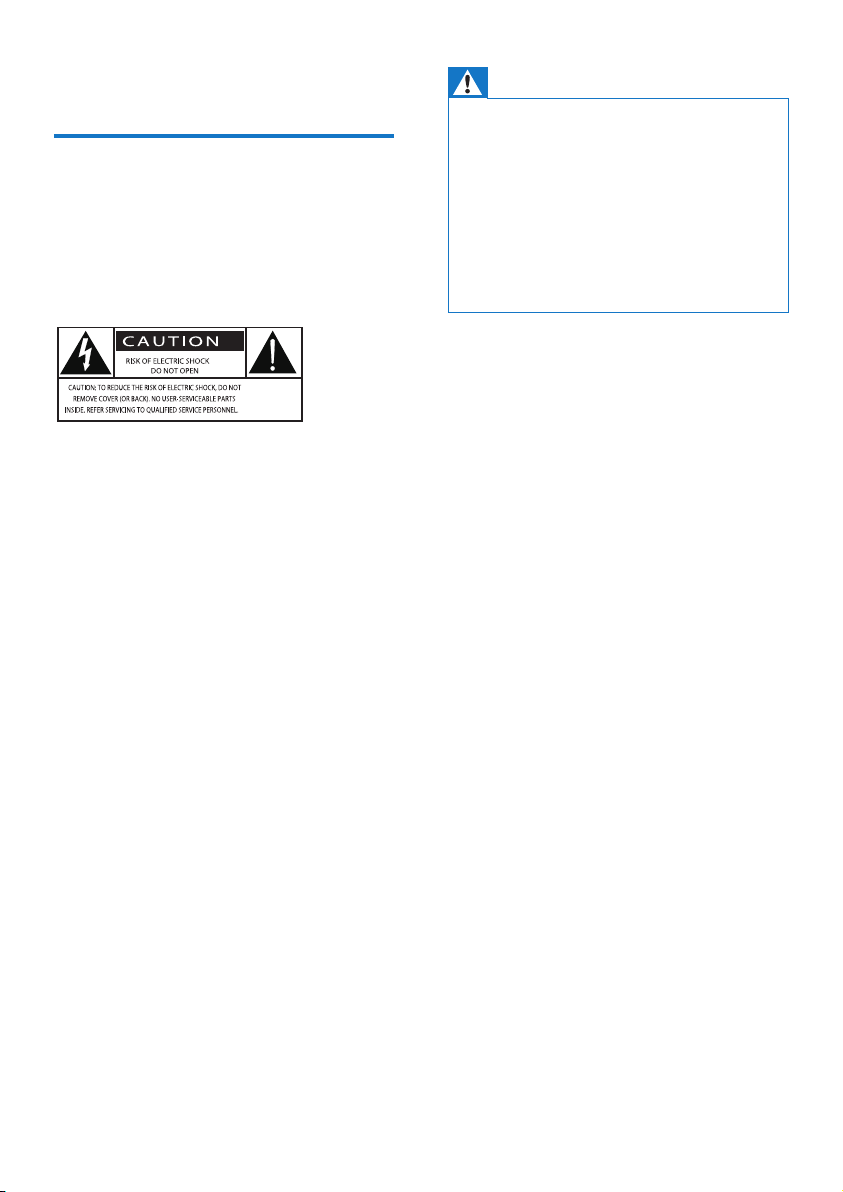
This 'bolt of lightning' indicates
uninsulated material within the device
may cause an electrical shock. For the
safety of everyone in your household,
please do not remove the covering.
The 'exclamation mark' calls attention to
features for which you should read the
enclosed literature closely to prevent
operating and maintenance problems.
WARNING: To reduce the risk of re or
electric shock, the device should not be
exposed to rain or moisture and objects
lled with liquids, such as vases, should
not be placed on the device.
CAUTION: To prevent electric shock,
fully insert the plug. (For regions with
polarized plugs: To prevent electric
shock, match wide blade to wide slot.)
Warning
•
Never remove the casing of this apparatus.
• Never lubricate any part of this apparatus.
• Never look into the laser beam inside this
apparatus.
• Never place this apparatus on other
electrical equipment.
• Keep this apparatus away from direct
sunlight, naked ames or heat.
• Ensure that you always have easy access
to the power cord, plug or adaptor to
disconnect the apparatus from the power.
• Make sure that there is enough
free space around the product for
ventilation.
• Only use attachments/accessories
specied by the manufacturer.
• Battery usage CAUTION – To
prevent battery leakage which may
result in bodily injury, property
damage, or damage to the product:
• Install all batteries correctly, +
and - as marked on the unit.
• Batteries (packed or installed)
shall not be exposed to
excessive heat such as sunshine,
re or the like.
• Remove batteries when the unit
is not used for a long time.
• The product shall not exposed to
dripping or splashing.
• Do no place any source of danger
on the product (e.g. liquid lled
objects. lit candles).
• Where the MAINS plug or an
appliance coupler is used as the
disconnect device, the disconnect
device shall remain readily
operable.
3EN
Notice
to this device that are not expressly
approved by MMD Hong Kong Holding
Limited may
void the user’s authority to
operate the equipment.
Compliance
Hereby, MMD Hong Kong Holding Limited
declares
that this product is in compliance
with the essential requirements
and other relevant provisions of
Declaration of Conformity on www.
philips.com/support.
Care of the environment
Disposal of your old product and
battery
Your product is designed and
manufactured with high quality
materials and components, which can
be recycled and reused.
This symbol on a product means that
the product is covered by European
Directive 2012/19/EU.
This symbol means that the product
contains batteries covered by European
Directive 2013/56/EU which cannot be
disposed of with normal household
waste.
Inform yourself about the local separate
collection system for electrical and
electronic products and batteries.
Follow local rules and never dispose of
the product and batteries with normal
household waste. Correct disposal
of old products and batteries helps
prevent negative consequences for the
environment and human health.
Removing the disposable batteries
To remove the disposable batteries, see
battery installation section.
Environmental information
All unnecessary packaging has been
omitted. We have tried to make the
packaging easy to separate into three
materials: cardboard (box), polystyrene
protective foam sheet.)
Your system consists of materials
which can be recycled and reused
if disassembled by a specialized
company. Please observe the local
regulations regarding the disposal
of packaging materials, exhausted
batteries and old equipment.
The making of unauthorized copies
of copy-protected material, including
and sound recordings, may be an
infringement of copyrights and
equipment should not be used for such
purposes.
Care for your product
• Do not insert any objects other than
discs into the disc compartment.
• Do not insert warped or cracked
discs into the disc compartment.
4 EN
• Remove the discs from the disc
compartment if you are not using
the product for an extended period
of time.
• Only use microber cloth to clean
the product.
This apparatus includes this label:
Note
•
The type plate is located on the back of the
product.
2 Your CD
Soundmachine
Congratulations on your purchase,
and welcome to Philips! To fully
benet from the support that Philips
oers, register your product at
www.philips.com/support.
Introduction
With this unit, you can:
• enjoy audio from CDs, and other
external devices;
• listen to FM and and Digital Audio
Broadcasting+ (DAB+) radio
The unit supports these media formats:
What's in the box
Check and identify the contents of your
package:
• Main unit
• 1 x AC power adapter
• Printed materials
5EN
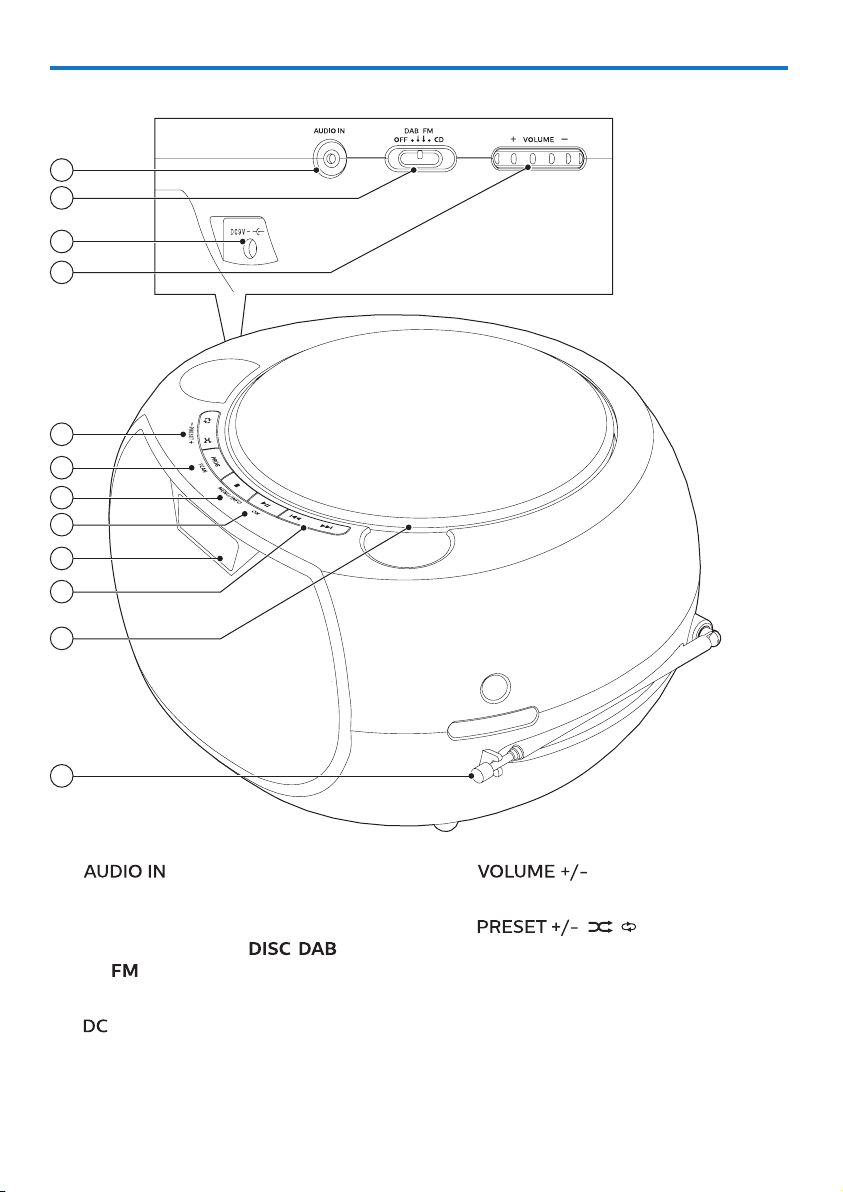
a
• Connect external audio devices.
b Source selector
• Select a source:
, , or
.
• Switch this product o.
c
jack
• Connect to the supplied power
adapter.
d
• Adjust volume.
e
( / )
• Select a preset radio station.
• Select shue mode to play
tracks randomly.
• Select repeat mode to play a
track or all tracks repeatedly.
Overview of the main unit
5
3
1
2
4
6
7
8
10
11
9
12
6 EN
f
• Program tracks.
• Program radio stations.
• Auto store radio stations.
g
• Stop play or erase a program.
• Enter or exit DAB+ menu.
• Display playback information, or
radio service information.
h
• Press to start, pause, or resume
play.
• Conrm or select a DAB+ option.
i Display panel
• Display current status.
j
• Skip to the previous/next track.
• Search within a track/disc.
• Tune to an FM station.
• Select a DAB+ station.
k Battery compartment
l Radio antenna
• Improve radio reception.
3 Get started
Caution
•
Use of controls or adjustments or
performance of procedures other than
herein may result in hazardous radiation
exposure or other unsafe operation.
Always follow the instructions in this
chapter in sequence.
Connect power
This product can be powered by either
AC power or batteries.
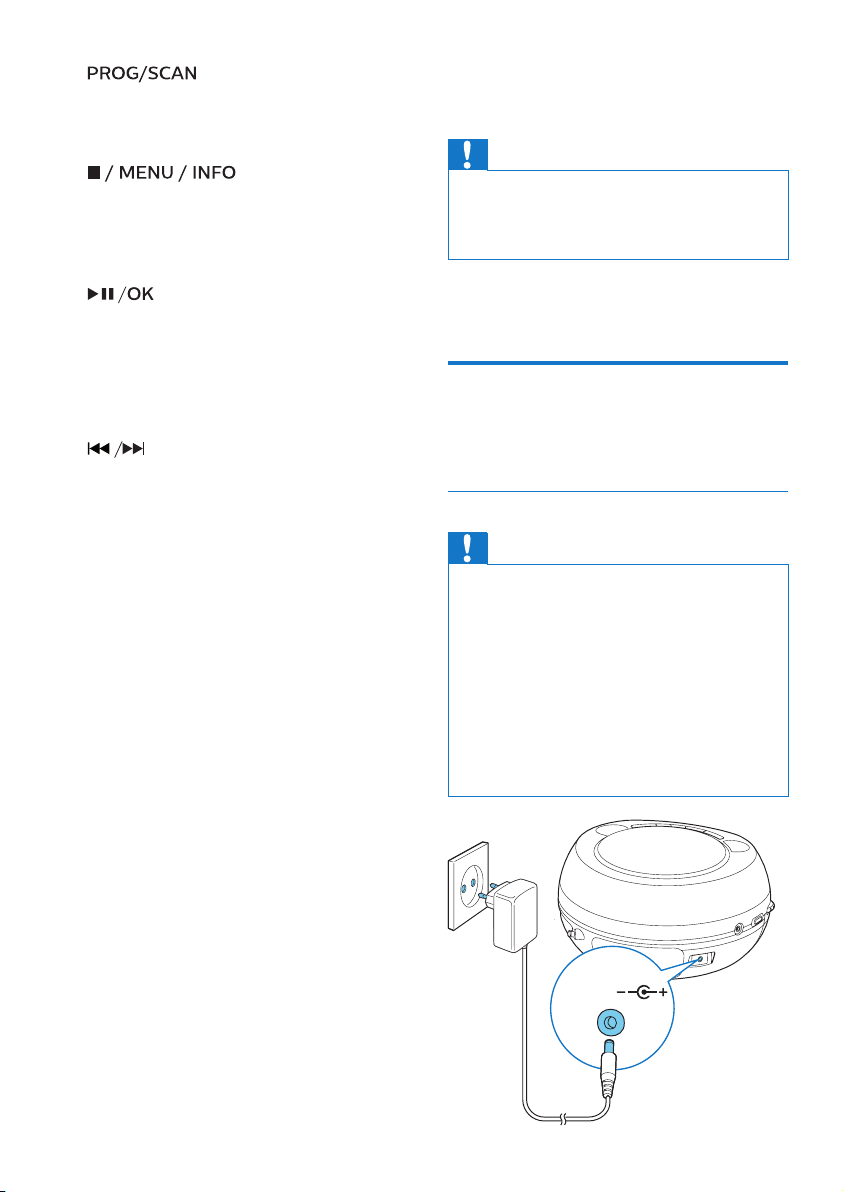
Option 1: AC power
Caution
•
Risk of product damage! Ensure that the
power supply voltage corresponds to
the voltage printed on the back or the
underside of the unit.
• Risk of electric shock! Before you plug
the AC power adaptor, make sure that the
adaptor plug converter is xed securely.
When you unplug the AC power adaptor,
always pull the plug, never the cord.
• Before you connect the AC power adaptor,
make sure that you have completed all the
other connections.
DC 9V
7EN
Connect the power cable to the wall
socket.
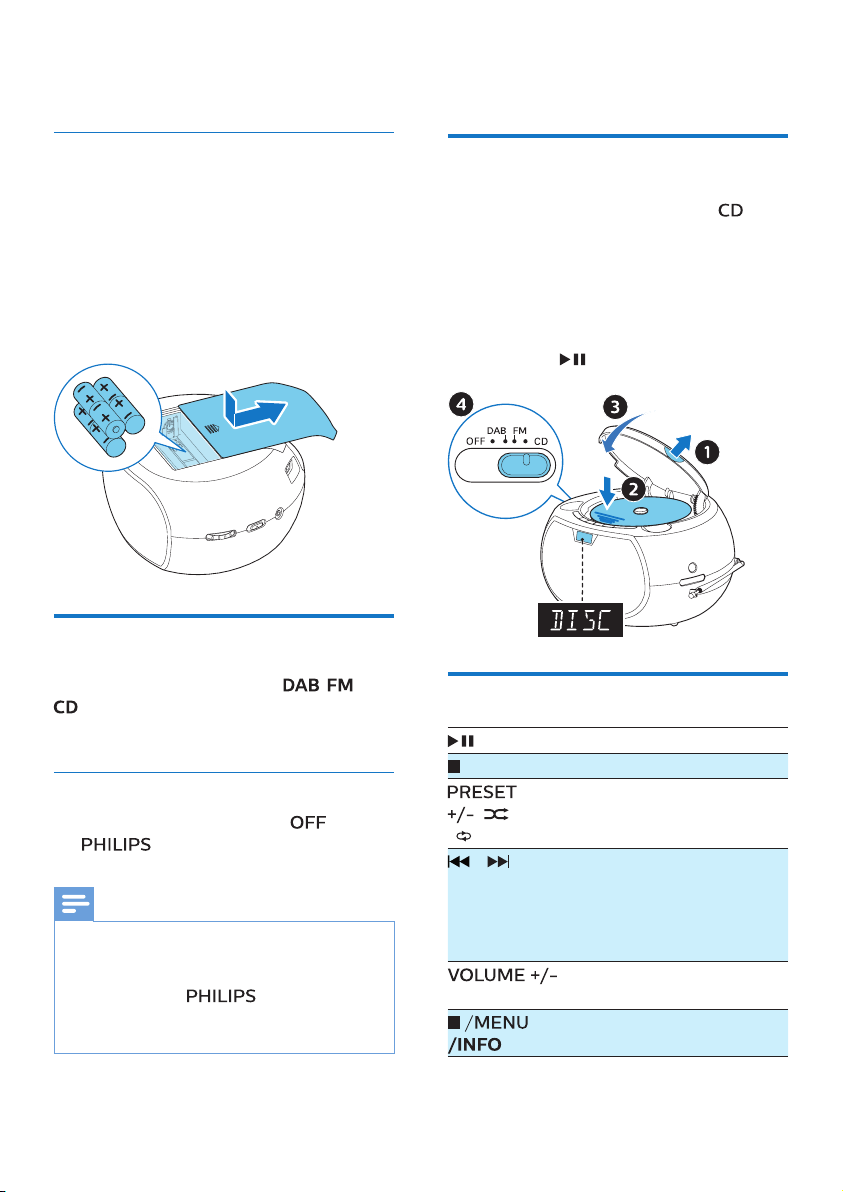
Option 2: Battery power
Batteries are not supplied with the
accessories.
1 Open the battery compartment.
2 Insert 6 batteries (type: R-14 or C
CELL) with correct polarity (+/-) as
indicated.
3 Close the battery compartment.
Power on
Push the source selector to , , or
.
» The selected source is displayed.
Switch o
Push the source selector to .
»
is displayed briey.
Note
•
The product switches to standby mode
after 15 minutes inactive.
• To power on again after switch-o,
make sure that
is no longer
displayed.
4 Play
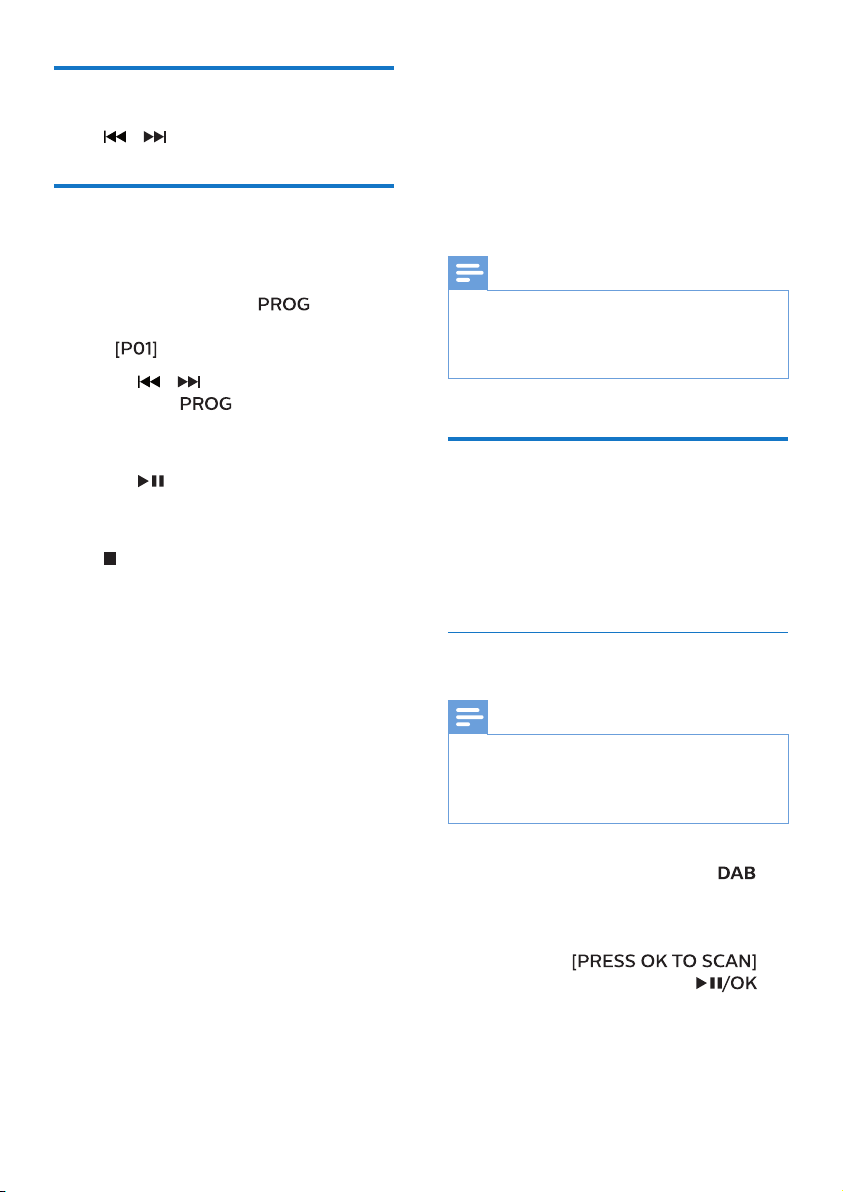
Play from disc
1
Push the source selector to .
2 Lift up the cover to open the disc
compartment.
3 Insert a disc with the label side up.
4 Close the disc compartment.
• Play starts automatically. If not,
press
.
Control play
Start, pause, or resume play.
Stop play.
(
/ )
Play a track or all tracks
repeatedly.
Play tracks randomly.
/ Press to skip to the previous
or next track.
Press and hold to search
backward/forward within a
track.
Increase or decrease the
volume.
Show playback information.
8 EN
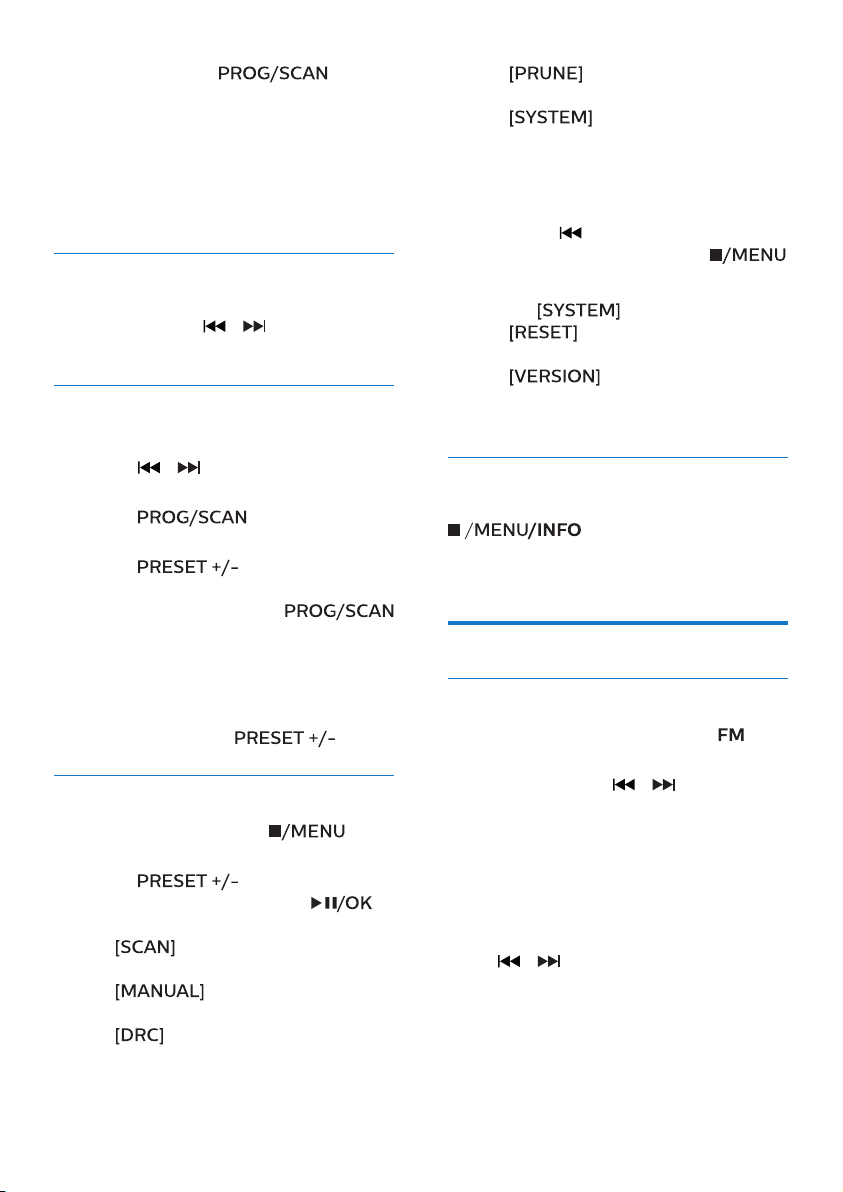
Skip tracks
Press / to select tracks.
Program tracks
This function allows you to program
20 tracks in the desired sequence.
1 In stop mode, press to
activate the program mode.
»
is displayed.
2 Press / to select a track, and
then press
to conrm.
3 Repeat steps 2 to 3 to program
more tracks.
4 Press to play the programmed
tracks.
To erase the program
Press
twice.
5 Listen to the
radio
With this product, you can listen to DAB
+ radio and FM radio.
Note
•
Position the antenna as far as possible
from TV, or other radiation source.
• For optimal reception, fully extend and
adjust the position of the antenna.
Listen to DAB+ radio
Digital Audio Broadcasting+ (DAB+) is
a way of broadcasting radio digitally
through a network of transmitters. It
provides you with more choice, better
sound quality and more information.
Store DAB+ radio stations
automatically
Note
•
New stations and services are added in
DAB+ broadcast from time to time. To make
new DAB+ stations and services available,
perform scan regularly.
1 Push the source selector to to
select DAB+ source.
• If you enter DAB+ source for the
rst time or no DAB+ service is
stored,
is
prompted, then press
to trigger scan, and skip step 2
below.
9EN
2 Press and hold for
more than 2 seconds.
» The product scans and
stores all DAB+ radio stations
automatically.
» After scan, the rst available
station is broadcast.
Select a DAB+ radio station
After DAB+ radio stations are scanned
and stored, press
/ to select a
DAB+ station.
Store DAB+ radio stations
manually
1 Press / to select a DAB+ radio
station.
2 Press to activate
program mode.
3 Press to allocate a
number from 1–20 to this radio
station, and then press
to conrm.
4 Repeat steps 1-3 to program more
stations.
To select a preset DAB+ radio station:
In DAB+ mode, press
.
Use DAB+ menu
1 In DAB+ mode, press to
access DAB+ menu.
2 Press to toggle the
menu options, then press
to
select an option.
•
(scan): Scan and store all
available DAB+ radio stations.
•
(manual): Tune to a
DAB+ station manually.
•
(dynamic range control):
Compress sound dynamics in
dierent levels.
• (prune): Remove invalid
stations from the station list.
•
(system): Adjust
system settings.
3 If a sub-option is available, repeat
step 2.
• To return to the previous menu,
press
.
• To exit the menu, press
again.
Under
(system) menu
•
(reset): reset all settings
to factory default.
•
(software version):
show the software version of this
unit.
Display DAB+ information
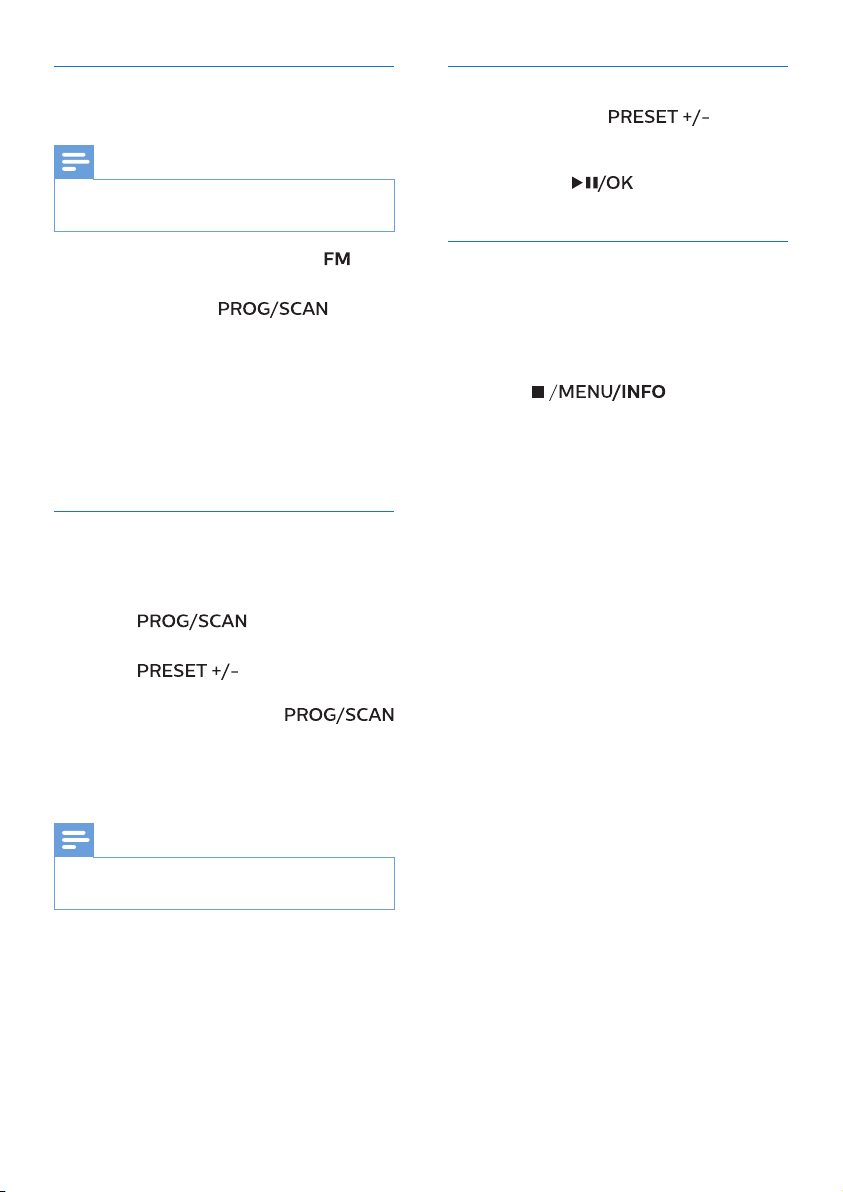
While listening to DAB+ radio, press
repeatedly to display
various information (if available), such
as frequency, signal strength, time, etc.
Listen to FM radio
Tune to an FM radio station
1 Push the source selector to to
select FM source.
2 Press and hold / for more
than 2 seconds.
» The radio tunes to a station with
strong reception automatically.
3 Repeat step 2 to tune to more
stations.
To tune to a weak station:
Press
/ repeatedly until you nd
optimal reception.
10 EN
Store FM radio stations
automatically
Note
•
You can store a maximum of 20 FM radio
stations.
1 Push the source selector to to
select FM source.
2 Press and hold for
more than 2 seconds.
» All available stations are
programmed in the order of
waveband reception strength.
» The rst programmed
radio station is broadcast
automatically.
Store FM radio stations
manually
1 Tune to an FM radio station.
2 Press to activate
program mode.
3 Press to allocate a
number from 1–20 to this radio
station, and then press
to conrm.
4 Repeat steps 1-3 to program more
stations.
Note
•
To overwrite a programmed station, store
another station in its place.
Select a preset FM radio station
In FM mode, press to select
a preset number.
• While listening to FM radio, you
may press
to toggle stereo
and mono sound.
Display RDS information
RDS (Radio Data System) is a service
that allows FM stations to show
additional information.
1 Tune to an FM radio station.
2 Press repeatedly
to display various RDS information
(if available), such as station name,
program type, time, etc.
11EN
6 Other features
Listen to an external
device
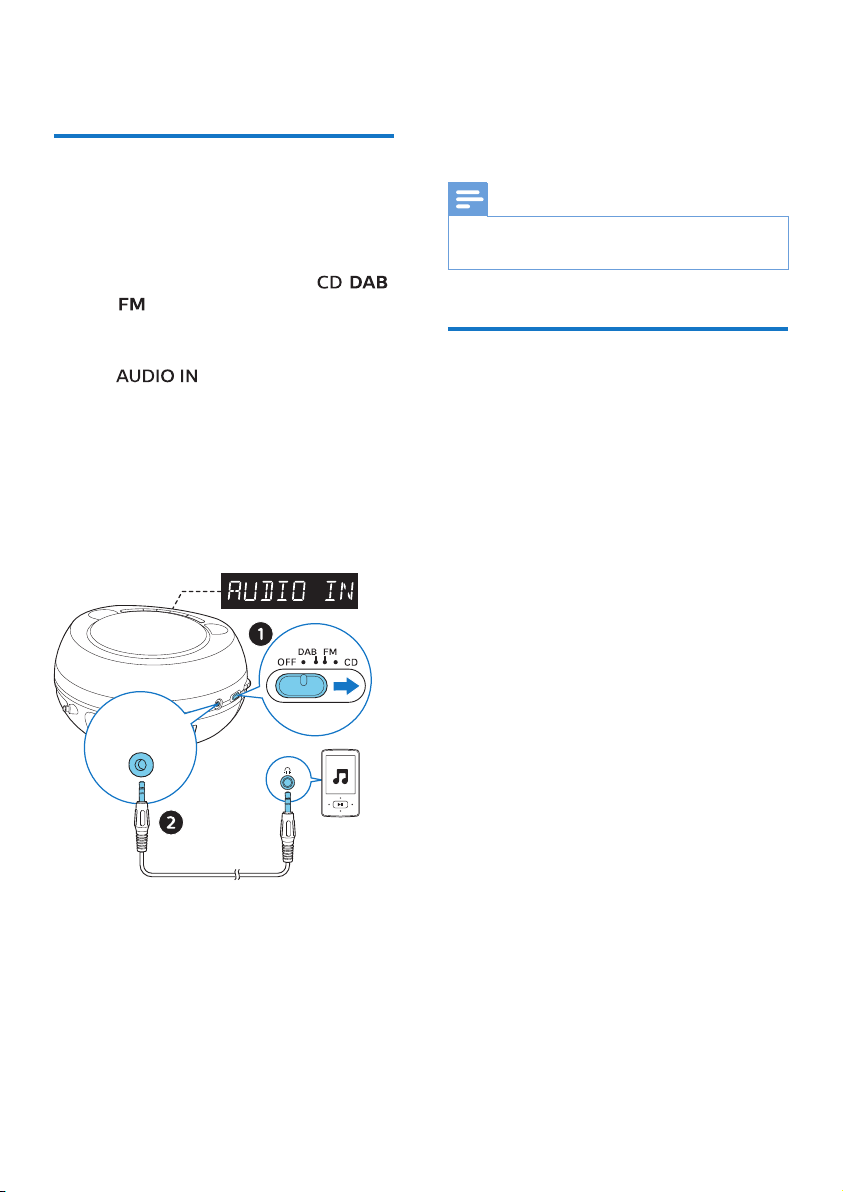
You can listen to an external device
through this unit with an MP3 link cable.
1 Push the source selector to ,
, or .
2 Connect an MP3 link cable (not
supplied) between:
•
jack (3.5 mm) on the
product,
• and the headphone jack on an
external device.
3 The product automatically switches
to AUDIO IN source.
4 Start to play the device (see the
device user manual).
AUDIO IN
7 Product
information
Note
•
Product information is subject to change
without prior notice.
Specications
• Rated output power (Amplier):
2W RMS (10% THD)
• Acoustic frequency response:
70Hz - 20kHz
• Speaker driver: 2 x 3” full range
• Support disc type: CD, CD-R,
CD-RW
• Tuner frequency range: FM 87.5 -
108MHz; DAB 170MHz - 240MHz
• Preset stations: 20
• AUDIO IN input level:
650mV ±100mV RMS
• Power:
• Model (Philips branded
AC power adapter):
HB18-090100SPA
• Input: 100-240 V~, 50/60 Hz,
0.5A
• Output: DC 9V, 1000mA
• Operation power consumption:
< 7W
• Standby power consumption:
< 0.5W
• Dimensions (W x H x D):
245 x 131 x 212 mm
• Weight: 1.1 kg

12 EN
8 Troubleshooting
Warning
•
Never remove the casing of this device.
To keep the warranty valid, never try to
repair the system yourself.
If you encounter problems when using
this device, check the following points
before requesting service. If the problem
remains unsolved, go to the Philips Web
page (www.philips.com/support). When
you contact Philips, make sure that the
device is nearby and the model number
and serial number are available.
No power
• Make sure that the AC power cord
of the device is connected properly.
• Make sure that there is power at the
AC outlet.
• Insert the batteries with their
polarities (+/– signs) aligned as
indicated.
• Replace the batteries.
No sound
• Adjust the volume.
No response from the unit
• Disconnect and reconnect the AC
power plug, then turn on the unit
again.
• As a power-saving feature, the
system switches o automatically
15 minutes after track play reaches
the end and no control is operated.
No disc detected
• Insert a disc.
• Check if the disc is inserted upside
down.
• Wait until the moisture
condensation at the lens has
cleared.
• Replace or clean the disc.
• Use a nalized CD or correct format
disc.
Poor radio reception
• Increase the distance between the
unit and your TV or other radiation
sources.
• Fully extend the radio antenna.

13EN

14 EN

15EN

AZB200_12_UM_V2.0
Philips and the Philips Shield Emblem are registered trademarks of Koninklijke
Philips N.V. and are used under license.
This product has been manufactured by and is sold under the responsibility of
MMD Hong Kong Holding Limited.or one of its aliates, and MMD Hong Kong
Holding Limited.is the warrantor in relation to this product.