
Safety Instructions ............................... 2–4
Operating Instructions
Broiling .........................................................................8
Clock, Kitchen Timer and
Control Lock ............................................................11
Convection Oven ........................................13–17
Roasting Guide .................................................17
Timed Features ........................................15, 16
Lower Oven ...............................................................7
Oven Controls ..........................................................5
Probe .......................................................................... 10
Sabbath Feature .................................................24
Self-Cleaning .................................................20, 21
Slow Cook, Pizza, Warming
and Proofing Features ............................18, 19
Special Features ..........................................22, 23
7KHUPRVWDW$GMXVWPHQW³
Do It Yourself .........................................................12
Timed Baking and
Roasting Features .................................................9
Upper Oven ...............................................................6
Care and Cleaning ......................... 25–28
Troubleshooting Tips .................. 29–31
Accessories...................................................... 32
Consumer Support
Consumer Support ........................................... 34
Warranty ................................................................. 33
GEAppliances.com
PT925
Owner’s Manual
49-80714 04-14 GE
Write the model and serial
numbers here:
Model # ______________
Serial # ______________
You can find them on a label
on the front of the lower oven
behind the oven door.
Built-In Oven
Electric Self-Cleaning Convection
Printed in the United States

2
Use this appliance only for its intended purpose as
described in this Owner’s Manual.
Be sure your appliance is properly installed and
grounded by a qualified technician in accordance with
the provided installation instructions.
Do not attempt to repair or replace any part of your
oven unless it is specifically recommended in this
manual. All other servicing should be referred to a
qualified technician.
Have the installer show you the location of the circuit
breaker or fuse. Mark it for easy reference.
Before performing any service, disconnect the oven
power supply at the household distribution panel by
removing the fuse or switching off the circuit breaker.
'RQRWOHDYHFKLOGUHQDORQH³FKLOGUHQVKRXOGQRWEHOHIW
alone or unattended in an area where an appliance is
in use. They should never be allowed to sit or stand on
any part of the appliance.
Do not allow anyone to climb, sit, stand or hang on
the oven door. They could damage the oven, or cause
severe personal injury.
Be sure the oven is securely installed in a cabinet that is
firmly attached to the house structure.
Never leave the oven door open when you are not
watching the oven.
Always keep combustible wall covering, curtains or
drapes a safe distance from your oven.
Always keep dish towels, dishcloths, pot holders and
other linens a safe distance from your oven.
Always keep wooden and plastic utensils and canned
food a safe distance away from your oven.
Teach children not to play with the controls or any other
part of the oven.
Large scratches or impacts to glass doors can lead to
broken or shattered glass.
Do not store flammable materials in an oven.
CAUTION: Items of interest to children
should not be stored in cabinets above an oven;
children climbing on the oven to reach items could be
seriously injured.
When using electrical appliances, basic safety precautions should be followed, including the following:
SAFETY PRECAUTIONS
IMPORTANT SAFETY INFORMATION.
READ ALL INSTRUCTIONS BEFORE USING.
WARNING!
For your safety, the information in this manual must be followed to minimize the risk of fire or explosion, electric shock, or
to prevent property damage, personal injury, or loss of life.
IMPORTANT SAFETY NOTICE
The California Safe Drinking Water and Toxic Enforcement Act requires the Governor of California to publish a list of
substances known to the state to cause cancer, birth defects or other reproductive harm, and requires businesses to warn
customers of potential exposure to such substances.
The fiberglass insulation in self-clean ovens gives off a very small amount of carbon monoxide during the cleaning cycle.
Exposure can be minimized by venting with an open window or using a ventilation fan or hood.

Never wear loose-fitting or hanging garments while
using the appliance. Be careful when reaching for items
stored in cabinets over the oven. Flammable material
could be ignited if brought in contact with hot surfaces
or heating elements and may cause severe burns.
8VHRQO\GU\SRWKROGHUV³PRLVWRUGDPSSRWKROGHUVRQ
hot surfaces may result in burns from steam. Do not let
pot holders touch hot heating elements. Do not use a
towel or other bulky cloth.
For your safety, never use your appliance for warming
or heating the room.
Do not let cooking grease or other flammable materials
accumulate in or near the oven.
Do not use water on grease fires. Never pick up a
flaming pan. Turn the controls off.
aFlame in the oven can be smothered completely by
closing the oven door and turning the oven off or by
using a multi-purpose dry chemical or foam-type fire
extinguisher.
Do not touch the heating elements or the interior
surface of the oven. These surfaces may be hot enough
to burn even though they are dark in color. During
and after use, do not touch, or let clothing or other
flammable materials contact any interior area of the
oven; allow sufficient time for cooling first.
aPotentially hot surfaces include oven vent openings,
surfaces near the openings, crevices around the oven
door, the edges of the window and metal trim parts
above the door.
aREMEMBER: The inside surface of the oven and door
may be hot when the door is opened.
Never leave jars or cans of fat drippings in or near your
oven.
Do not store or use combustible materials, gasoline or
other flammable vapors and liquids in the vicinity of this
or any other appliance.
Stand away from the oven when opening the oven
door. Hot air or steam which escapes can cause burns
to hands, face and/or eyes.
Do not heat unopened food containers. Pressure could
build up and the container could burst, causing an
injury.
Keep the oven vent unobstructed.
Keep the oven free from grease buildup.
Place the oven rack in the desired position while the
oven is cool. If racks must be handled when hot, do not
let pot holder contact the heating elements.
When using cooking or roasting bags in the oven, follow
the manufacturer’s directions.
Pulling out the rack to the stop-lock is a convenience in
lifting heavy foods. It is also a precaution against burns
from touching hot surfaces of the door or oven walls.
Do not use the oven to dry newspapers. If overheated,
they can catch on fire.
Do not use the oven for a storage area. Items stored in
an oven can ignite.
Do not leave paper products, cooking utensils or food in
the oven when not in use.
After broiling, always take any broiler pan out of the
oven and clean it. Leftover grease in a broiler pan can
catch fire next time you use the pan.
Clean only parts listed in this Owner’s Manual.
Do not use any type of foil or liner to cover the oven
bottom or anywhere in the oven, except as described in
this manual. Oven liners can trap heat or melt, resulting in
damage to the product and risk of shock, smoke or fire.
Never place cooking utensils, pizza or baking stones,
or any type of foil or liner on the oven floor. These
items can trap heat or melt, resulting in damage to the
product and risk of shock, smoke or fire.
WARNING!
SAFETY PRECAUTIONS
GEAppliances.com
3

4
&RRNPHDWDQGSRXOWU\WKRURXJKO\³PHDWWRDWOHDVWDQ,17(51$/WHPSHUDWXUHRI)DQGSRXOWU\WRDWOHDVWDQ
,17(51$/WHPSHUDWXUHRI)&RRNLQJWRWKHVHWHPSHUDWXUHVXVXDOO\SURWHFWVDJDLQVWIRRGERUQHLOOQHVV
&22.0($7$1'328/75<7+2528*+/<«
Do not clean the door gasket. The door gasket is
essential for a good seal. Care should be taken not to
rub, damage or move the gasket.
Do not use oven cleaners. No commercial oven cleaner
or oven liner protective coating of any kind should be
used in or around any part of the oven. Residue from
oven cleaners will damage the inside of the oven when
the self-clean cycle is used.
Before self-cleaning the oven, remove the probe and
any broiler pan, grid and other cookware.
Be sure to wipe up excess spillage before starting the
self-cleaning operation.
If the self-cleaning mode malfunctions, turn the oven
off and disconnect the power supply. Have it serviced
by a qualified technician.
6(/)&/($1,1*29(1
5($'$1')2//2:7+,66$)(7<,1)250$7,21&$5()8//<
SAVE THESE INSTRUCTIONS
IMPORTANT SAFETY INFORMATION.
READ ALL INSTRUCTIONS BEFORE USING.
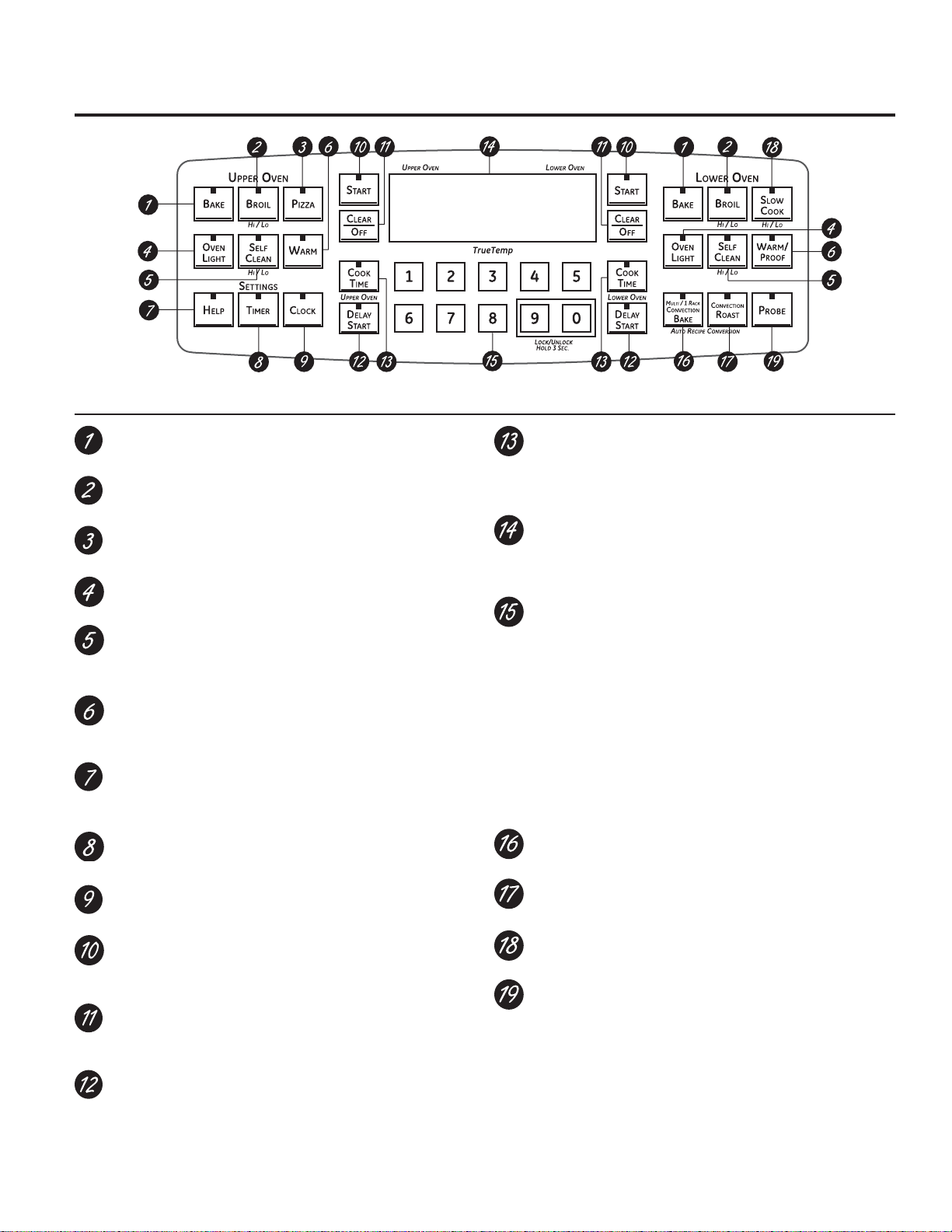
BAKE Pad
Touch to select the bake function.
%52,/+,/23DG
Touch to select the broil function.
PIZZA Pad
Touch to select the Pizza function.
29(1/,*+73DG
Touch to turn the oven light on or off.
6(/)&/($1+,/23DG
Touch to select self-cleaning function. See the Using
the self-cleaning upper and lower ovens section.
:$503522)3DG
Touch to keep cooked foods warm. See the +RZWR6HW
WKH/RZHUDQG8SSHU2YHQVIRU:DUPLQJ section.
+(/33DG
Touch to get help on a specific function or to change
options.
TIMER Pad
Touch to select the timer feature.
&/2&.3DG
Touch to set the clock.
START Pad
Must be touched to start any cooking or cleaning
function.
&/($52))3DG
Touch to cancel ALL oven operations except the clock
and timer.
'(/$<67$573DG
Use along with COOK TIME or SELF CLEAN HI/LO pads
to set the oven to start and stop automatically at a
time you set.
COOK TIME Pad
Touch this pad and then touch the number pads to set
the amount of time you want your food to cook. The
oven will shut off when the cooking time has run out.
Display
Shows the time of day, oven temperature, whether the
oven is in the bake, broil or self-cleaning mode and the
times set for the timer or automatic oven operations.
Number Pads
Use to set any function requiring numbers such as
the time of day on the clock, the timer, the oven
temperature, the internal food temperature, the start
time and length of operation for timed baking and self-
cleaning.
If your oven was set for a timed oven operation and a
power outage occurred, the clock and all programmed
functions must be reset.
The time of day will flash in the display when there has
been a power outage.
&219(&7,21%$.(3DG
Touch to select baking with the convection function.
&219(&7,2152$673DG
Touch to select roasting with the convection function.
6/2:&22.3DG
Touch to select the Slow Cook function.
PROBE Pad
Touch when using the probe to cook food.
NOTE: When setting times, you are setting hours and minutes
only. The lowest time you can set is one minute.
Oven Control, Clock and Timer Features and Settings
Features and appearance
may vary.
Using the oven controls.
NOTE: Throughout this manual, features and appearance may vary from your model.
GEAppliances.com
5
6
Preheating and Pan Placement
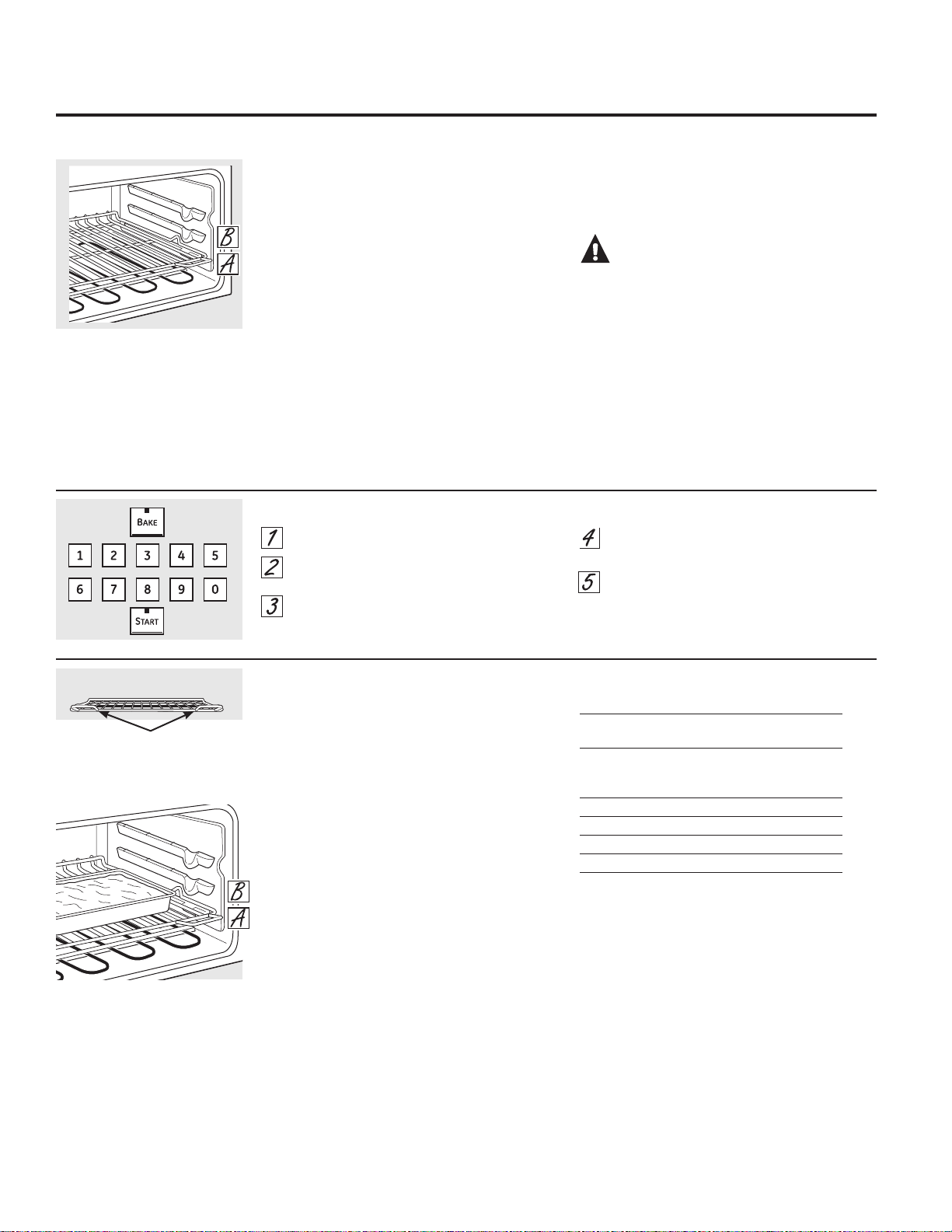
Preheat the oven if the recipe calls for it.
Preheating is necessary for good results when
baking cakes, cookies, pastry and breads.
To preheat, set the oven at the correct
temperature. The control will beep when the
oven is preheated and the display will show your
set temperature. This will take approximately
²PLQXWHVDW)
Baking results will be better if baking pans are
centered in the oven as much as possible. If
baking with more than one pan, place the pans
so each has at least 1sto 11ø2sof air space
around it.
Type of Food Rack Position
Fresh or frozen pies A
(on cookie sheet)
Biscuits, muffins, A
brownies, cookies,
cupcakes, layer cakes
Casseroles A
Pizza – Fresh supplied w/ baking tray B
Pizza – Frozen, placed directly on rack B
Pizza – Frozen, on metal tray A
NOTE: To bake angel food cake and Bundt cake,
it is recommended that you only use the lower
oven.
Before you begin…
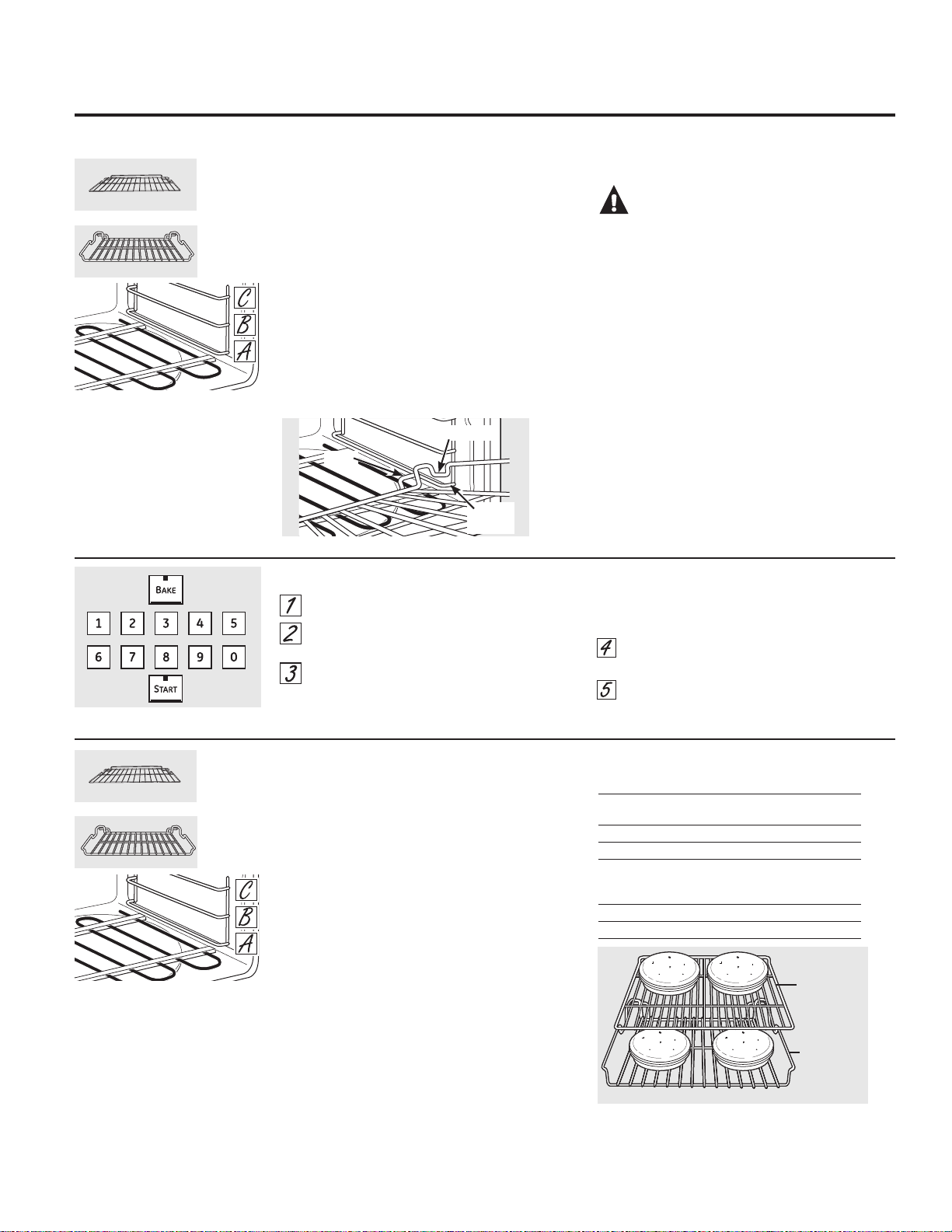
The upper rack, with two front handles, has
stops, so that when placed correctly on the
supports, it will stop before coming completely
out, and will not tilt.
NOTE: Use the rack with the two front handles in
the upper oven.
When placing and removing cookware, pull the
rack out until it stops.
To remove a rack, pull it toward you, tilt the
front end up and pull it out.
To replace, place the end of the rack (stop-
locks) on the support, tilt up the front and push
the rack in.
CAUTION:When you are using
a rack in the lowest position (A), you will need to
use caution when pulling the rack out. (Be sure
to use the handles on the rack.) We recommend
that you pull the rack out several inches and
then, using two pot holders, pull the rack out by
holding the sides of it. The rack is low and you
could be burned if you place your hand in the
middle of the rack and pull all the way out. Be
very careful not to burn your hand on the door
when using the rack in the lowest position (A).
The oven has 2 rack positions.
How to Set the Upper Oven for Baking
Touch the BAKE pad.
Touch the number pads to set the desired
temperature.
Touch the START pad.
Check food for doneness at minimum
time on recipe. Cook longer if necessary.
Touch the CLEAR/OFF pad when cooking
is complete.
Using the upper oven.
To avoid possible burns, place the racks in the desired position before you turn the oven on.
Flat rack
Handles
Use the rack with the two front
handles in the upper oven.
7
Preheating and Pan Placement
Preheat the oven if the recipe calls for it.
Preheating is necessary for good results when
baking cakes, cookies, pastry and breads.
To preheat, set the oven at the correct
temperature. The control will beep when the
oven is preheated and the display will show your
set temperature. This will take approximately
10–15 minutes.
Baking results will be better if baking pans are
centered in the oven as much as possible. If
baking with more than one pan, place the pans
so each has at least 1sto 11ø2sof air space
around it.
Type of Food Rack Position
Fresh or frozen pies A – Flat
(on cookie sheet)
Angel food cake A – Offset
Bundt or pound cakes B – Offset
Biscuits, muffins, brownies, B – Flat
cookies, cupcakes,
layer cakes
Casseroles B – Flat
Turkey A – Offset
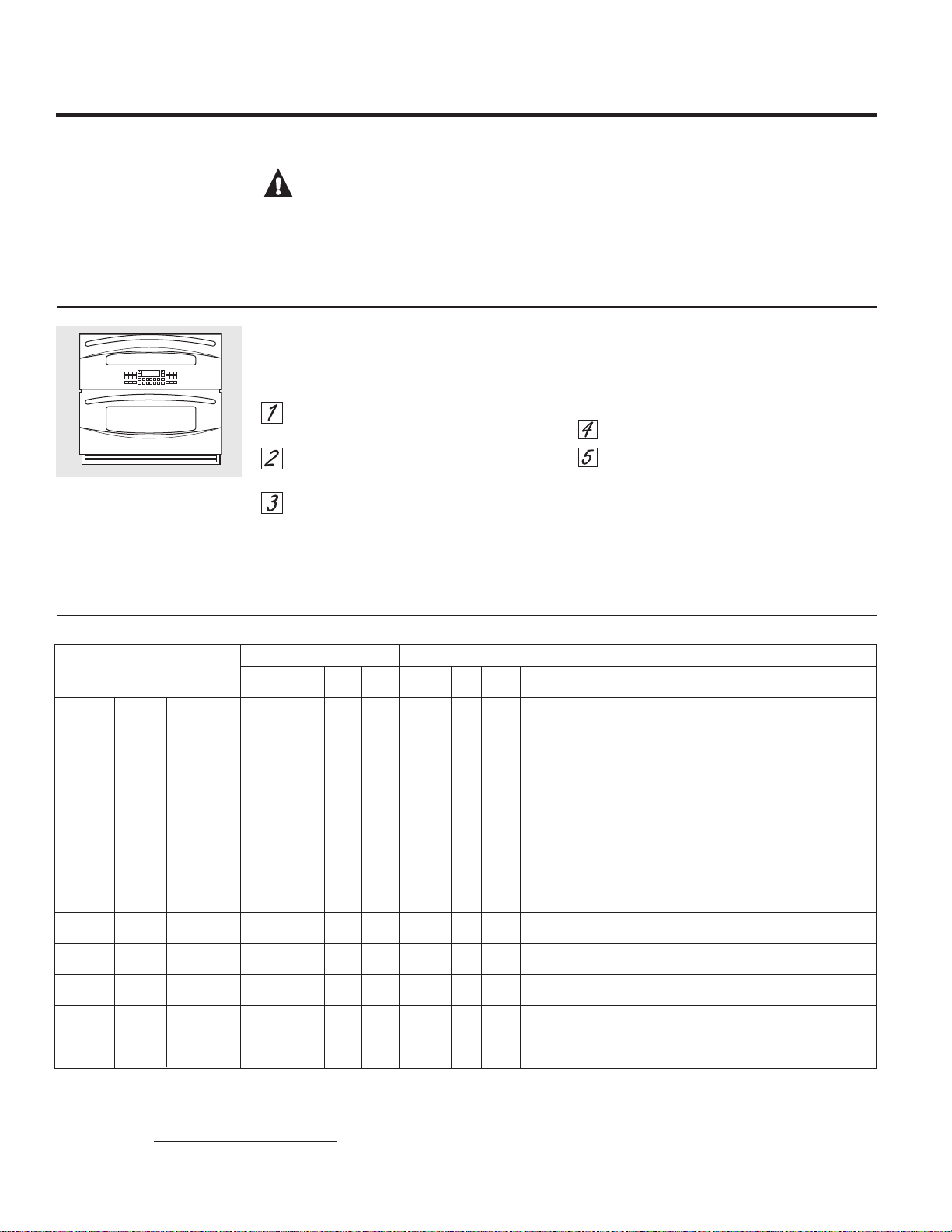
If baking four cake layers at the same time, place two
layers on the flat rack in position C and two layers on
the offset rack in position B. Stagger pans on the rack so
one is not directly above the other.
Before you begin…
The racks have stops, so that when placed
correctly on the supports, they will stop before
coming completely out, and will not tilt.
When placing and removing cookware, pull the
rack out until it stops.
To remove a rack, pull it toward you, tilt the
front end up and pull it out.
To replace, tilt the front of the rack up, hook
the rear locating posts under the rack supports,
push the rack back (past the stop-locks) and
lower it into position. Push the rack all the way in.
CAUTION:
When you are using
a rack in the lowest position (A), you will need
to use caution when pulling the rack out. We
recommend that you pull the rack out several
inches and then, using two pot holders, pull the
rack out by holding the sides of it. The rack is low
and you could be burned if you place your hand
in the middle of the rack and pull all the way out.
Be very careful not to burn your hand on the door
when using the rack in the lowest position (A).
The oven has 3 rack positions and
2 rack styles, allowing for 6 rack
setting combinations.
How to Set the Lower Oven for Baking or Roasting
Touch the BAKE pad.
Touch the number pads to set the desired
temperature.
Touch the START pad.
NOTE: You will hear the convection fan while the
oven is preheating. The fan will stop after the
oven is preheated and the display shows your set
temperature. This is normal.
Check food for doneness at minimum
time on recipe. Cook longer if necessary.
Touch the CLEAR/OFF pad when cooking
is complete.
Using the lower oven. GEAppliances.com
To avoid possible burns, place the racks in the desired position before you turn the oven on.
Flat Rack
Offset Rack
The oven has 3 rack positions and
2 rack styles, allowing for 6 rack
setting combinations.
Flat Rack
Offset Rack
Post
Stop-lock
Rack
Support
Flat Rack
Position C
Offset Rack
Position B
Upper Oven Lower Oven
Rack Time Time Rack Time Time
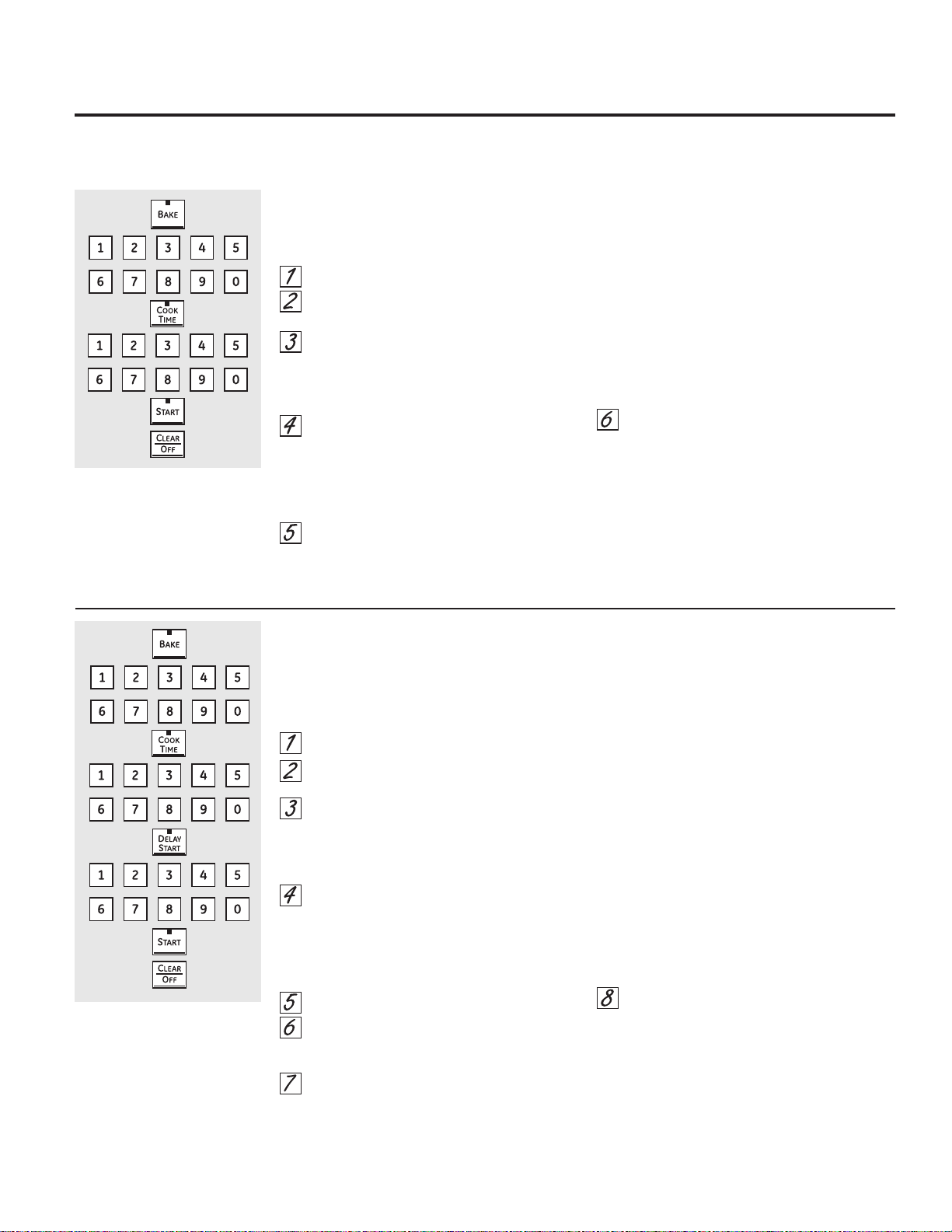
Food Position Broil Side 1 Side 2 Position Broil Side 1 Side 2 Comments
Ground Well Done 8 patties A HI 12 6 B – Flat HI 10 6–7 Space evenly. Up to 8 patties takes about the same time.
Beef (3/4s thick)
Beef Steaks Rare† 1s thick 1 lb. A HI 9 4–6 7 4–6 Steaks less than 1s thick cook through before browning.
Medium 1s thick 1 lb. A HI 11 5–7 9 5–7 Pan frying is recommended. Slash fat.
Well Done 1s thick 1 lb. A HI 13 6–8 B – Flat HI 11 6–8
Rare† 11ø2s thick 1 lb. A HI 15 5–7 13 5–7
Medium 11ø2s thick 1 lb. A HI 17 6–8 15 6–8
Well Done 11ø2s thick 1 lb. A HI 19 7–9 17 7–9
Chicken Well Done 1 whole 3–4 lbs A HI 25 13–18 B – Offset HI 25 13–18 Brush each side with melted butter. Broil skin-side-down first.
split lengthwise
8 pieces A HI 20 10–12 B – Offset HI 20 10–12
Lobster 2–4 A LO 20–22 Do not 18–20 Do not Cut through back of shell. Spread open.
Tails
10 to 12 oz. each
turn. B – Flat LO turn. Brush with melted butter before broiling and after
half of broiling time, if desired.
Fish Fillets Well Done 1/4 to 1/2s thick B LO 5 4–5 C – Flat LO 5 4–5 Handle and turn very carefully. Brush with lemon butter
1s thick B LO 6 6–7 C – Flat LO 6 6–7 before and during cooking, if desired.
Ham Slices 1s thick A HI 8 7–9 B – Flat HI 7 7–9 Increase time 2–5 minutes per side for 11ø2sthick ham.
(precooked)
Pork Chops Well Done 2 (1/2s thick) A HI 9 6–7 B – Flat HI 8 5–6 Slash fat.
Well Done 2 (1s thick) A HI 13 8–10 B – Flat HI 12 7–9
Lamb Chops
Medium 2 (1s thick) A HI 10 5–7 9 4–6 Slash fat.
Well Done 2 (11ø2s thick) A HI 12 6–8 B – Flat HI 11 5–7
Medium 2 (11ø2s thick) A HI 13 7–9 12 6–8
Well Done 2 (11ø2s thick) A HI 15 8–10 14 7–9
8
The size, weight, thickness, starting temperature and your preference of doneness will affect broiling times.
This guide is based on meats at refrigerator temperature.
† The U.S. Department of Agriculture says “Rare beef is popular, but you should know that cooking it to only 140°F means some food poisoning organisms may
survive.” (Source: Safe Food Book. Your Kitchen Guide. USDA Rev. June 1985.)
How to Set the Upper and Lower Ovens for Broiling
Close the doors. Always broil with
the doors closed.
If your oven is connected to 208
volts, rare steaks may be broiled
by preheating the broiler and
positioning the oven rack one
position higher.
Using the upper and lower ovens.
Broiling Guide
Close the doors. Always broil with the doors
closed.
Place the meat or fish on a broiler grid in
a broiler pan.
Follow suggested rack positions in the
Broiling Guide.
Touch the BROIL HI/LO pad once for
HI Broil.
To change to LO Broil, touch the
BROIL HI/LO pad again.
Use LO Broil to cook foods such as poultry or
thick cuts of meat thoroughly without over-
browning them.
Touch the START pad.
When broiling is finished, touch the
CLEAR/OFF pad.
NOTE: Broil and self-clean settings will not work
if the temperature probe is plugged in.
Aluminum Foil and Oven Liners
CAUTION:Do not use any type of
foil or oven liner to cover the oven bottom. These
items can trap heat or melt, resulting in damage
to the product and risk of shock, smoke or fire.
Damage from improper use of these items is not
covered by the product warranty.
Foil may be used to catch spills by placing a
sheet on a lower rack, several inches below the
food. Do not use more foil than necessary and
never entirely cover an oven rack with aluminum
foil. Keep foil at least 1-1/2” from oven walls to
prevent poor heat circulation.
How to Set an Immediate Start and Automatic Stop
The oven will turn on immediately and cook for a
selected length of time. At the end of the cooking
time the oven will turn off automatically.
Touch the BAKE pad.
Touch the number pads to set the desired
oven temperature.
Touch the COOK TIME pad.
NOTE: If your recipe requires preheating, you
may need to add additional time to the length of
the cooking time.
Touch the number pads to set the desired
length of cooking time. The minimum
cooking time you can set is 1 minute.
The oven temperature that you set and
the cooking time that you entered will be
in the display.
Touch the START pad.
NOTE: An attention tone will sound if you are using
timed baking and do not touch the START pad.
The oven will turn ON, and the display will
show the cooking time countdown and the
changing temperature starting at 100°F. (The
temperature display will start to change once
the oven temperature reaches 100°F.) When
the oven reaches the temperature you set, 3
beeps will sound.
The oven will continue to cook for the set
amount of time, then turn off automatically,
unless the WARM feature was set. See the +RZ
to Set the Oven for Warming section.
Touch the CLEAR/OFF pad to clear the
display if necessary. Remove the food
from the oven. Remember, even though
the oven turns off automatically, food left
in the oven will continue cooking after the
oven turns off.
How to Set a Delayed Start and Automatic Stop
The oven will turn on at the time of day you set,
cook for a specific length of time and then turn
off automatically.
Make sure the clock shows the correct time of
day.
Touch the BAKE pad.
Touch the number pads to set the desired
oven temperature.
Touch the COOK TIME pad.
NOTE: If your recipe requires preheating, you
may need to add additional time to the length of
the cooking time.
Touch the number pads to set the desired
length of cooking time. The minimum
cooking time you can set is 1 minute.
The oven temperature that you set and
the cooking time that you entered will be
in the display.
Touch the DELAY START pad.
Touch the number pads to set the time of
day you want the oven to turn on and
start cooking.
Touch the START pad.
NOTE: An attention tone will sound if you are using
timed baking and do not touch the START pad.
NOTE: If you would like to check the times
you have set, touch the DELAY START pad to
check the start time you have set or touch the
COOK TIME pad to check the length of cooking
time you have set.
When the oven turns ON at the time
of day you set, the display will show
the cooking time countdown and the
changing temperature starting at 100°F.
(The temperature display will start to
change once the oven temperature
reaches 100°F.) When the oven reaches
the temperature you set, beeps will sound.
The oven will continue to cook for
the set amount of time, then turn off
automatically, unless the WARM feature
was set. See the +RZWR6HWWKH2YHQIRU
Warming section.
Touch the CLEAR/OFF pad to clear the
display if necessary. Remove the food
from the oven. Remember, even though
the oven turns off automatically, food left
in the oven will continue cooking after the
oven turns off.
Using the timed baking and roasting features. GEAppliances.com
NOTE: )RRGVWKDWVSRLOHDVLO\³VXFKDVPLONHJJVILVKVWXIILQJVSRXOWU\DQGSRUN³VKRXOGQRWEHDOORZHGWRVLWIRUPRUH
than 1 hour before or after cooking. Room temperature promotes the growth of harmful bacteria. Be sure that the oven
light is off because heat from the bulb will speed harmful bacteria growth.
9
Insert the probe fully into the food.
Plug the probe into the outlet in the oven.
Make sure it’s pushed all the way in. Close
the oven door. Make sure the probe cable
is not touching the broil element.
Touch the PROBE pad. Display will show
“Set Probe Temperature.”
Touch the number pads to set the desired
internal food or meat temperature. The
maximum internal temperature for the
food that you can set is 200ºF.
Touch the BAKE pad.
Touch the number pads to set the desired
oven temperature.
Touch the START pad.
After the internal temperature of the food
reaches 100°F, the changing internal
temperature will be shown in the display.
When the internal temperature of the
food reaches the number you have set,
the probe and the oven turn off and the
oven control signals. To stop the signal,
touch the CLEAR/OFF pad. Use hot pads
to remove the probe from the food. Do
QRWXVHWRQJVWRSXOORQLW³WKH\PLJKW
damage it.
If the probe is removed from the oven
while probe cooking, the oven will not
automatically turn off.
To change the oven temperature during the
Bake/Roast cycle, touch the BAKE pad and then
the number pads to set the new temperature.
You can use the Kitchen Timer even though
you cannot use timed oven operations while
using the probe.
Use of probes other than the one provided with
this product may result in damage to the probe
or oven control.
Use the handles of the probe and plug when
inserting and removing them from the food and
outlet.
To avoid damaging your probe, do not use
tongs to pull on the cable when removing it.
To avoid breaking the probe, make sure food
is completely defrosted before inserting.
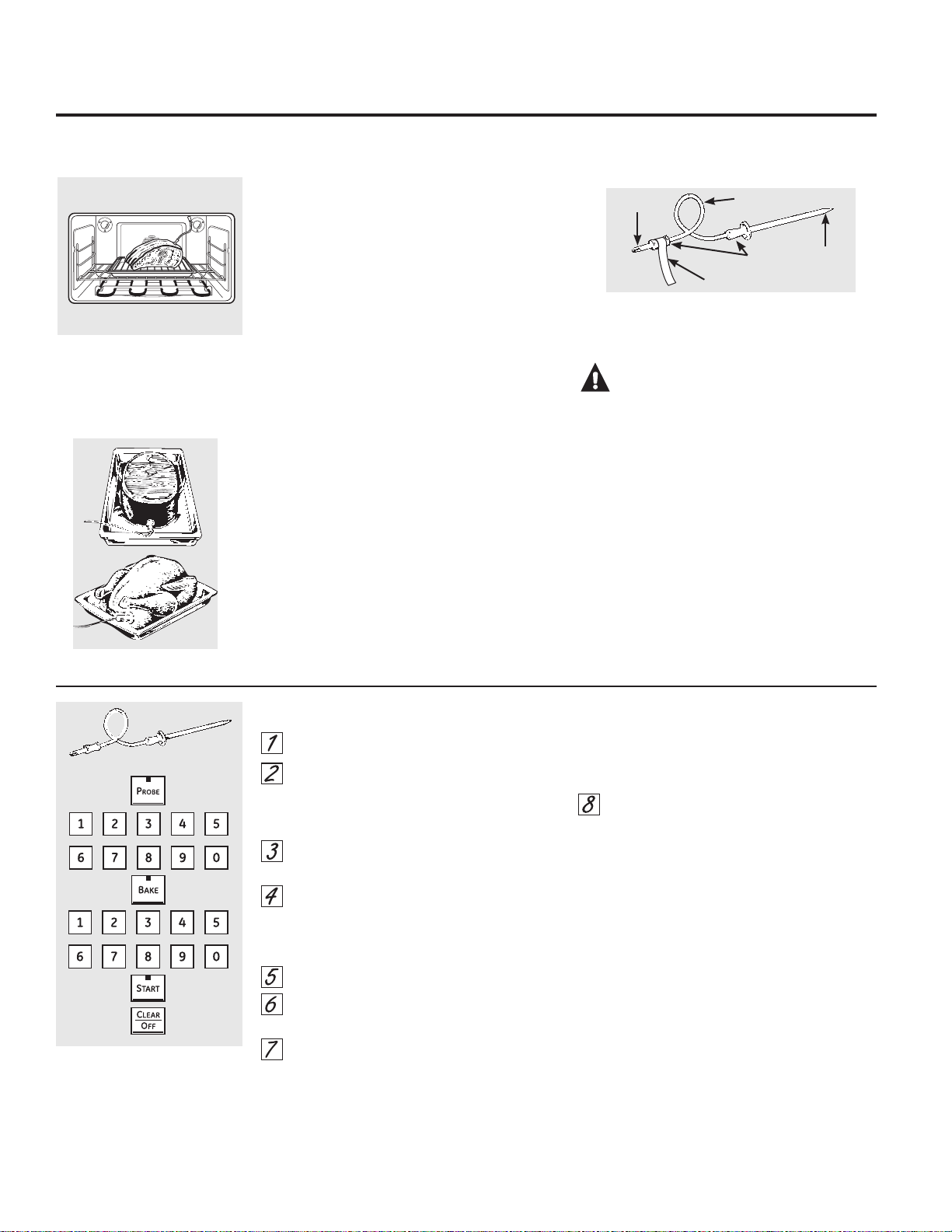
After preparing the meat and placing it on
a trivet or a broiler pan grid, follow these
directions for proper probe placement.
Insert the probe completely into the meat. It
should not touch bone, fat or gristle.
NOTE: Failure to fully insert the probe into the
meat may result in poor cooking performance
because the probe will sense the oven air vs. the
food temperature.
Never leave your probe inside the oven
during a self-cleaning or broil cycle.
Do not store the probe in the oven.
CAUTION:To prevent possible
burns, use an oven mitt to unplug the probe
from the oven outlet.
For roasts with no bone, insert the probe into
the meatiest part of the roast. For bone-in ham
or lamb, insert the probe into the center of the
lowest large muscle.
Insert the probe into the center of dishes such
as meat loaf or casseroles.
Insert the probe into the meatiest part of the
inner thigh from below and parallel to the leg of
a whole turkey.
NOTE: Self-clean and Broil settings will not work
if the temperature probe is plugged in.
The temperature probe has a
skewer-like probe at one end and
a plug at the other end that goes
into the outlet in the oven.
How to Set the Lower Oven For Baking/Roasting When Using the Probe
Using the probe on the lower convection oven.
For many foods, especially roasts and poultry, internal food temperature is the best test for doneness. The temperature
probe takes the guesswork out of roasting by cooking foods to the exact doneness you want.
10
Plug Cable
Handles Probe
Read and remove label
Your control will allow you to lock out the touch
pads so they cannot be activated when touched.
To lock/unlock the controls:
Touch and hold the 9 and 0 pads for 3
seconds.
The oven display will show “Oven controls
locked” for several seconds, then “Locked.”
To unlock the control, touch and hold the
9 and 0 pads for 3 seconds.
The CONTROL LOCK mode affects all touch
pads. No touch pads will work when this
feature is activated.
11
To Set the Clock
The clock must be set to the correct time of day
for the automatic oven timing functions to work
properly. The time of day cannot be changed
during a timed baking or self-cleaning cycle.
Touch the CLOCK pad.
Touch the number pads.
Touch the START pad.
To Set the Kitchen Timer
Touch the TIMER pad.
Touch the number pads until the amount
of time you want shows in the display. For
example, to set 2 hours and 45 minutes,
touch 2, 4 and 5 in that order. If you
make a mistake touch the TIMER pad
and begin again.
Touch the START pad.
After touching the START pad, SET disappears;
this tells you the time is counting down, although
the display does not change until one minute
has passed. Seconds will not be shown in the
display until the last minute is counting down.
When the Kitchen Timer reaches :00, the
control will beep 3 times followed by one
beep every 6 seconds until the TIMER
pad is touched.
7KHVHFRQGWRQHFDQEHFDQFHOHGE\IROORZLQJ
the steps in the Special features of your oven
control section under Tones at the End of a
Timed Cycle.
The Kitchen Timer is in hours and
minutes.
The Kitchen Timer does not control
oven operations. The maximum
setting on the Kitchen Timer is 9
hours and 59 minutes.
To Reset the Kitchen Timer
If the display is still showing the time remaining,
you may change it by touching the TIMER pad,
then touch the number pads until the time you
want appears in the display.
If the remaining time is not in the display (clock,
delay start or cooking time are in the display),
recall the remaining time by touching the
TIMER pad and then touching the number pads
to enter the new time you want.
To Cancel the Kitchen Timer
Touch the TIMER pad twice.
Control Lock
Using the clock, kitchen timer and control lock. GEAppliances.com
Make sure the clock is set to the
correct time of day.
Press and hold for 3 seconds.
To Adjust the Thermostat
Touch the BROIL HI/LO and BAKE pads at
the same time until the display shows SF.
Touch the BAKE pad. A two digit number
shows in the display.
Touch BAKE again to alternate between
increasing and decreasing the oven
temperature.
To adjust the upper oven thermostat,
touch the upper Oven BAKE pad. To
adjust the lower oven thermostat, touch
the lower Oven BAKE pad.
The oven temperature can be adjusted up
to (+) 35ºF hotter or (-) 35ºF cooler. Touch
the number pads the same way you read
them. For example, to change the oven
temperature 15ºF, touch 1 and 5.
When you have made the adjustment,
touch the START pad to go back to the
time of day display. Use your oven as you
would normally.
$GMXVWWKHXSSHURUORZHURYHQWKHUPRVWDW³'RLW\RXUVHOI
You may find that your new oven cooks differently than the one it replaced. Use your new oven for a few weeks to become
more familiar with it. If you still think your new oven is too hot or too cold, you can adjust the thermostat yourself.
Do not use thermometers, such as those found in grocery stores, to check the temperature setting of your oven. These
thermometers may vary 20–40 degrees.
NOTE: This adjustment will only affect baking and roasting temperatures; it will not affect broiling or self-cleaning
temperatures. The adjustment will be retained in memory after a power failure.
The type of margarine will affect baking performance!
0RVWUHFLSHVIRUEDNLQJKDYHEHHQGHYHORSHGXVLQJKLJKIDWSURGXFWVVXFKDVEXWWHURUPDUJDULQHIDW,I\RX
decrease the fat, the recipe may not give the same results as with a higher fat product.
Recipe failure can result if cakes, pies, pastries, cookies or candies are made with low fat spreads. The lower the fat content
of a spread product, the more noticeable these differences become.
Federal standards require products labeled “margarine” to contain at least 80% fat by weight. Low fat spreads, on the other hand,
contain less fat and more water. The high moisture content of these spreads affects the texture and flavor of baked goods. For best
results with your old favorite recipes, use margarine, butter or stick spreads containing at least 70% vegetable oil.
12
+
Because heated air is circulated evenly
throughout the oven, foods can be baked with
excellent results using multiple racks.
Multi-rack baking may increase cook times
slightly for some foods but the overall result
is time saved. Cookies, muffins, biscuits and
other quickbreads give very good results with
multi-rack baking.
To cook food on more than one rack in
convection bake, use CONVECTION BAKE MULTI.
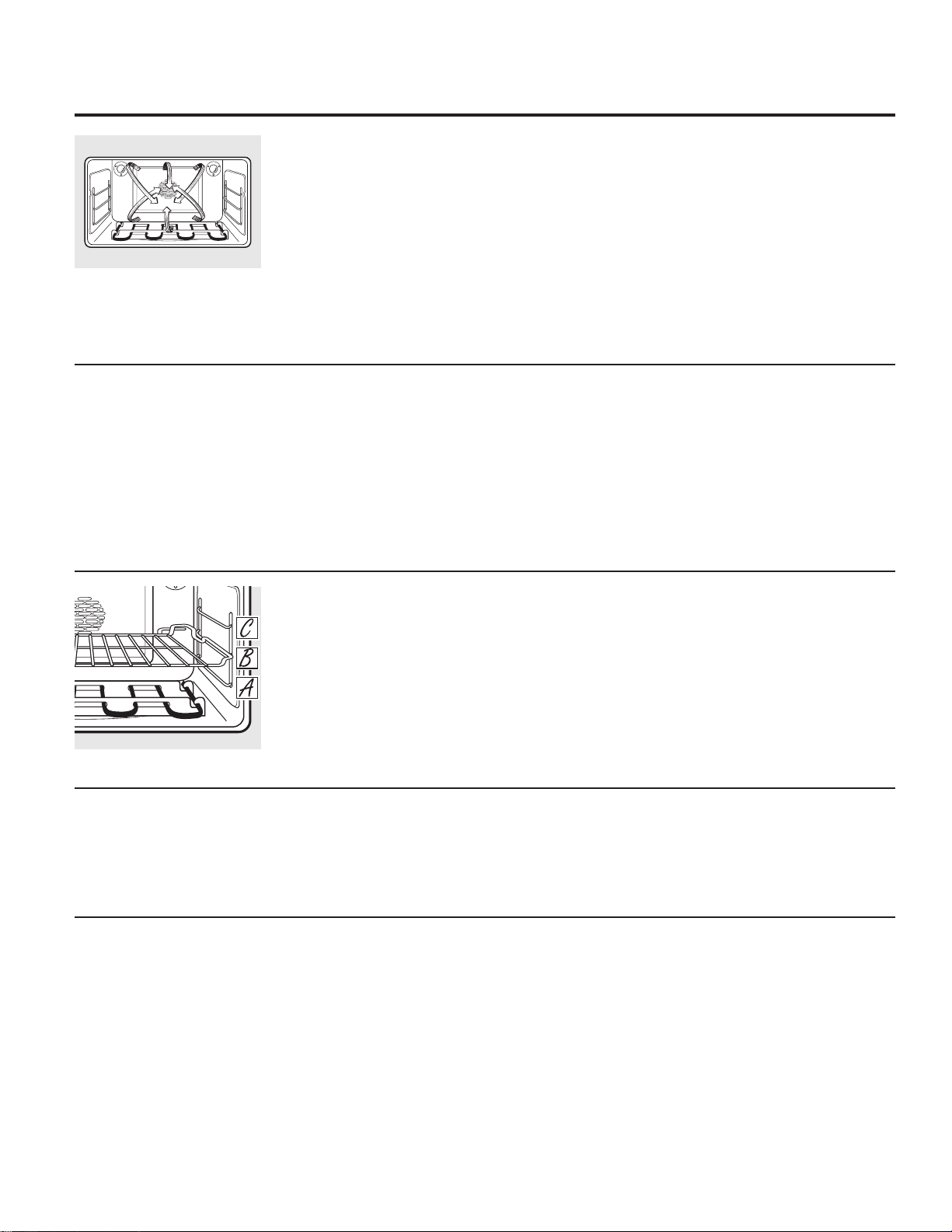
For multi-rack baking, place the flat rack in the
highest (C) position and the offset rack in the
middle (B) position.
Multi-Rack Convection Baking
Multi-rack position.
When convection baking with only 1 rack, use
CONVECTION BAKE 1 RACK and follow the rack
positions recommended in the Using the oven
section.
Ideal for baked foods cooked on 1 rack.
1 Rack Convection Baking
The convection oven comes with two
convection baking modes:
Multi and 1 Rack:
08/7,³for convection cooking on more than
one rack. Touch the CONVECTION BAKE pad
and then the 2 pad. See the Multi-Rack
Convection Baking section below.
5$&.³for convection cooking on one rack
only. Touch the CONVECTION BAKE pad and
then the 1 pad. See the 1 Rack Convection
Baking section below.
Introduction
Convection Fan Operation
In a convection oven, a fan circulates hot air
over, under and around the food.
This circulating hot air is evenly distributed
throughout the oven. As a result, foods are
HYHQO\FRRNHGDQGEURZQHG³RIWHQLQOHVVWLPH
with convection heat.
NOTE: To maximize cooking evenness, the fan
is designed to rotate in both directions, with a
pause in between. This is normal.
The convection fan shuts off when the oven
door is opened. DO NOT leave the door open
for long periods of time while using convection
cooking or you may shorten the life of the
convection heating element.
Using the convection oven. GEAppliances.com
Adapting Recipes…
You can use your favorite recipes in the
convection oven.
When convection baking, the Auto Recipe™
Conversion feature automatically reduces
the set regular baking temperature by the
recommended 25°F. See Auto Recipe™ Conversion
in the Special Features section.
Use pan size recommended.
Some package instructions for frozen
casseroles or main dishes have been
developed using commercial convection ovens.
For best results in this oven, preheat the oven
and use the temperature on the package.
13
Cookware for Convection Cooking
Before using your convection oven, check
to see if your cookware leaves room for air
circulation in the oven. If you are baking
with several pans, leave space between
them. Also, be sure the pans do not touch
each other or the walls of the oven.
Paper and Plastic
Heat-resistant paper and plastic containers
that are recommended for use in regular
baking can also be used for convection baking,
but should not be used at temperatures higher
than the temperature recommended by the
cookware manufacturer. Plastic cookware that
is heat-resistant to temperatures of 400°F can
also be used.
Metal and Glass
Any type of cookware will work in your
convection oven. However, metal pans
heat the fastest and are recommended for
convection baking.
Darkened or matte-finished pans will bake
faster than shiny pans.
Glass or ceramic pans cook more slowly.
For recipes like oven-baked chicken, use a pan
with low sides. Hot air cannot circulate well
around food in a pan with high sides.
When baking cookies, you will get
the best results if you use a flat
cookie sheet instead of a pan with
low sides.
14
Using the convection oven.
Good for large tender cuts of meat,
uncovered.
The convection fan circulates the heated air
evenly over and around the food. Meat and
poultry are browned on all sides as if they were
cooked on a rotisserie. The heated air seals in
juices quickly for a moist and tender product
while, at the same time, creating a rich golden
brown exterior.
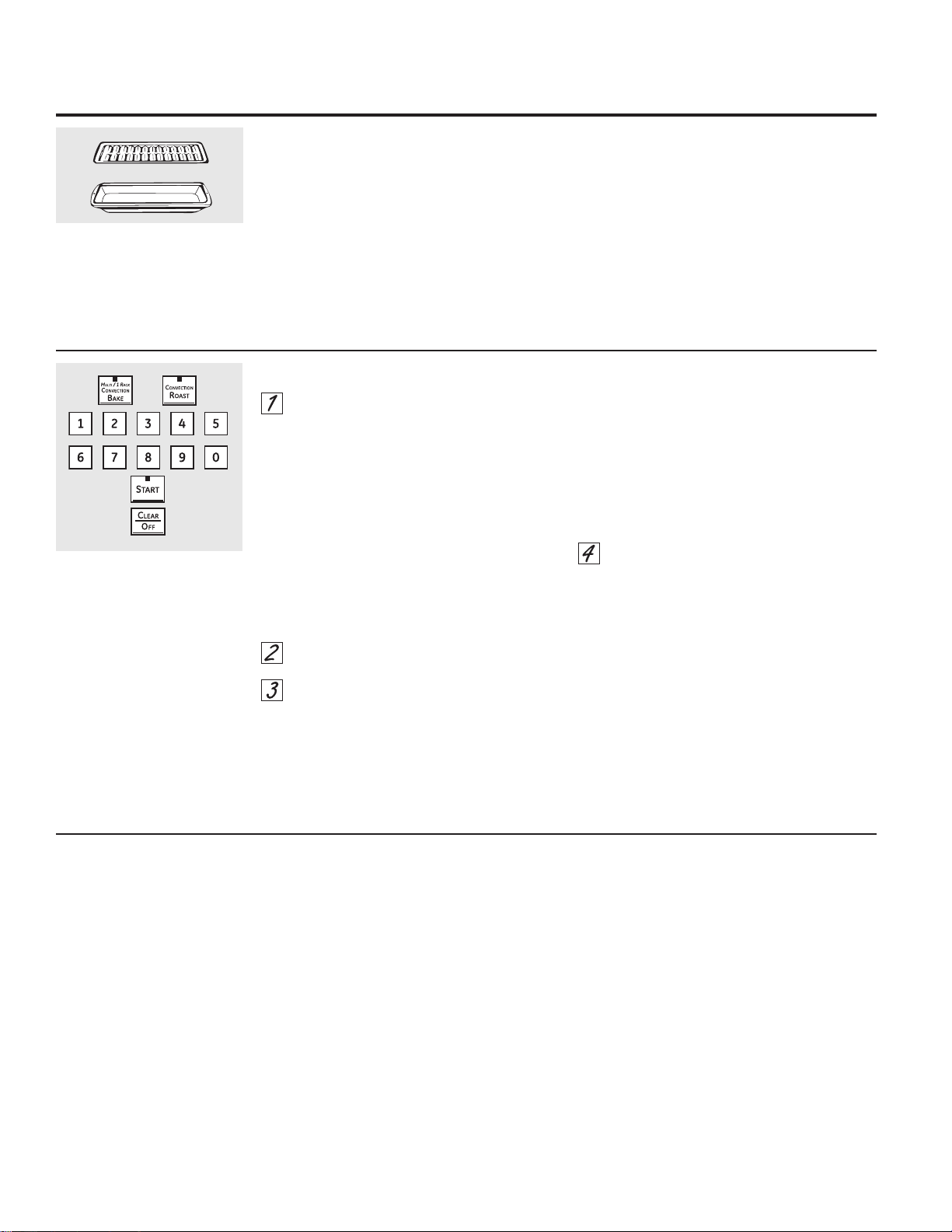
When you are convection roasting it is
important that you use a broiler pan and grid
for best convection roasting results. The pan is
used to catch grease spills
and the grid is used to prevent grease spatters.
Convection Roast
Touch the CONVECTION BAKE pad and
then the 2pad for multi-rack convection
baking. This mode is used for cooking food
items on more than one rack (i.e., 2, 3 or
more racks) at the same time in convection
bake. See the Multi-Rack Convection Baking
section for more information.
Touch the CONVECTION BAKE pad and
then t
he 1pad
for one-rack convection
baking. This mode is used for cooking food
items on only one rack in convection bake.
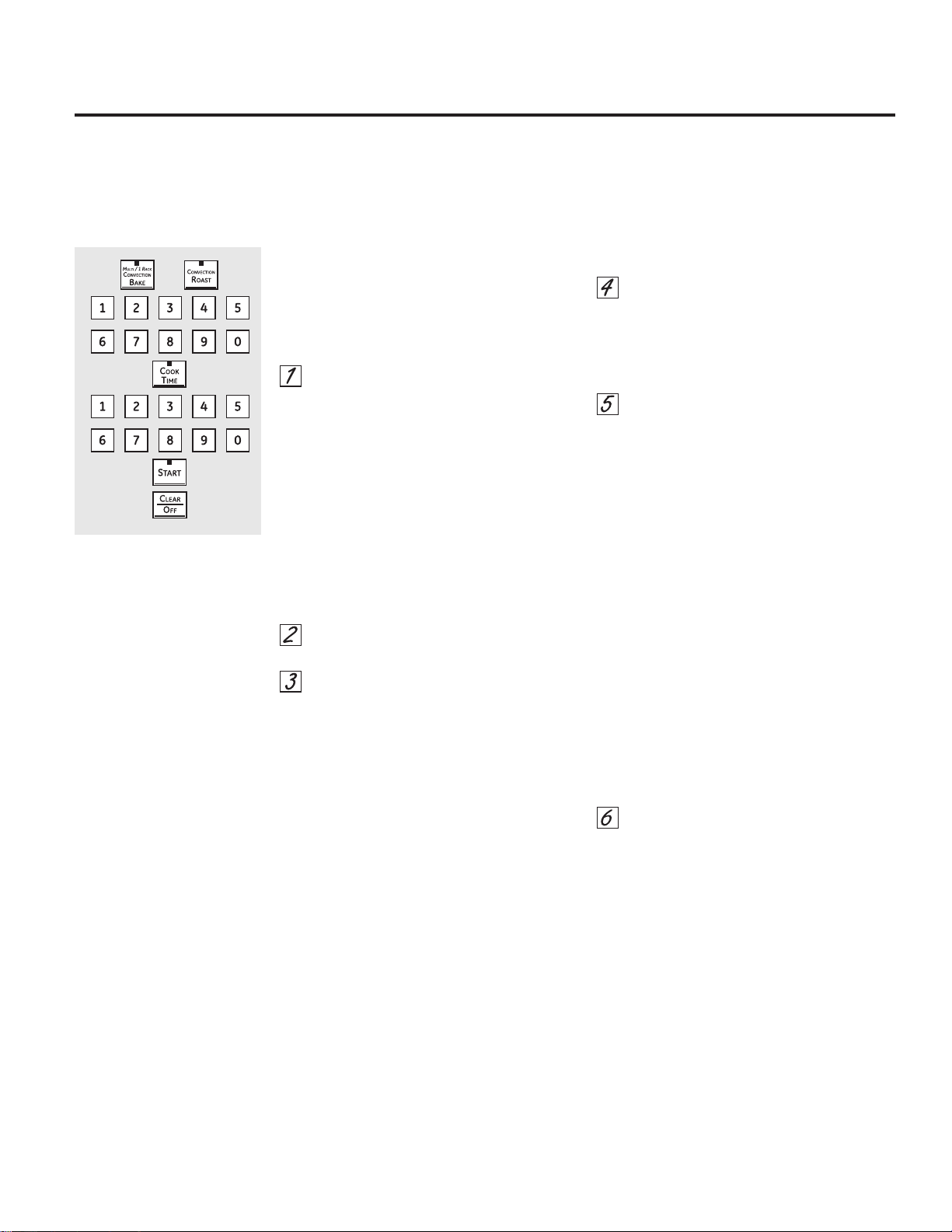
Touch the CONVECTION ROAST pad for
convection roasting.
Touch the number pads to set the oven
temperature.
Touch the START pad.
NOTE: If the Auto Recipe™ Conversion Feature
is on, it will automatically reduce the set regular
EDNLQJWHPSHUDWXUHE\)WRWKHDSSURSULDWH
convection temperature in convection bake
mode. See Auto Recipe™ Conversion in the
Special Features section.
To change the oven temperature, touch the
CONVECTION BAKE or CONVECTION ROAST
pad and then the number pads to set the new
temperature.
When the oven starts to heat, the changing
temperature, starting at 100°F, will be displayed.
When oven reaches the temperature you set, 3
beeps will sound.
Touch CLEAR/OFF pad when finished.
You will hear a fan while cooking with
convection. The fan will stop when the door is
opened, but the heat will not turn off.
You may hear the oven clicking during
baking. This is normal.
In convection bake modes, for maximum
cooking evenness, the fan is designed to
rotate in both directions, with a pause in
between. This is normal.
How to Set the Lower Oven for Convection Baking or Roasting
OR
Grid
Broiler pan
15
How to Set an Immediate Start and Automatic Stop
The lower oven will turn on immediately and cook
for a selected length of time. At the end of the
cooking time, the oven will turn off automatically.
Make sure the clock shows the correct time of day.
Touch the CONVECTION BAKE pad and
then the 2pad for multi-rack convection
baking. This mode is used for cooking
food items on more than one rack (i.e., 2,
3 or more racks) at the same time in
convection bake. See Multi-Rack Baking
section for more information.
Touch the CONVECTION BAKE pad
and then
the 1pad
for one-rack convection
baking. This mode is used for cooking food
items on only one rack in convection bake.
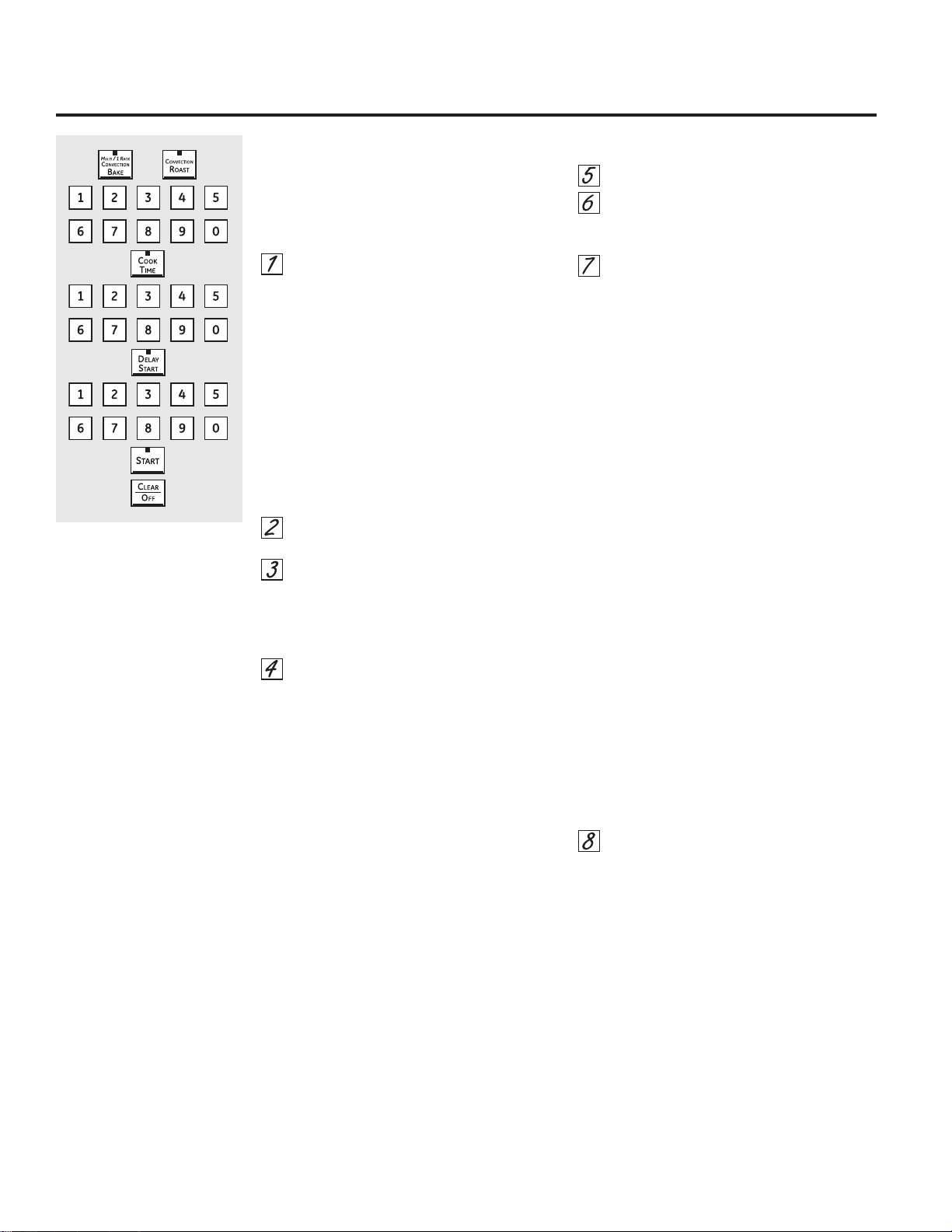
Touch the CONVECTION ROAST pad for
convection roasting.
T
ouch
the number pads to set the oven
temperature.
T
ouch
the COOK TIME pad.
NOTE: If your recipe requires preheating, you may
need to add additional time to the length of the
cooking time.
Touch the number pads to set the desired
length of cooking time. The minimum
cooking time you can set is 1 minute. The
oven temperature that you set and the
cooking time that you entered will be in
the display.
Touch the START pad.
The oven will turn ON, and the display will
show the cooking time countdown and the
changing temperature starting at 100°F. (The
temperature display will start to change once
the oven temperature reaches 100°F.) When
the oven reaches the temperature you set, 3
beeps will sound.
NOTE: If the Auto Recipe™ Conversion Feature
is on, it will automatically reduce the set regular
EDNLQJWHPSHUDWXUHE\)WRWKHDSSURSULDWH
convection temperature in convection bake
mode. See Auto Recipe™ Conversion in the
Special Features section.
The oven will continue to cook for the set amount
of time, then turn off automatically, unless the
WARM
feature was set. See the +RZWR6HWWKH
Oven for Warming section.
After the oven turns off, the end-of-cycle tone will
sound.
Touch the CLEAR/OFF pad to clear the
display if necessary. Remove the food from
the oven. Remember, even though the
oven turns off automatically, food left in
the oven will continue cooking after the
oven turns off.
Using the timed features for convection cooking. GEAppliances.com
You will hear a fan while cooking with these features. The fan will stop when the door is opened, but the heat will
not turn off.
NOTE: )RRGVWKDWVSRLOHDVLO\³VXFKDVPLONHJJVILVKVWXIILQJVSRXOWU\DQGSRUN³VKRXOGQRWEHDOORZHGWRVLWIRUPRUH
than 1 hour before or after cooking. Room temperature promotes the growth of harmful bacteria. Be sure that the oven
light is off because heat from the bulb will speed harmful bacteria growth.
OR
16
How to Set a Delayed Start and Automatic Stop
The lower oven will turn on at the time of day you
set, cook for a specific length of time and then turn
off automatically.
Make sure the clock shows the correct time of day.
Touch the CONVECTION BAKE pad and
then the 2pad for multi-rack convection
baking. This mode is used for cooking
food items on more than one rack (i.e., 2,
3 or more racks) at the same time in
convection bake. See Multi-Rack Baking
section for more information.
Touch the CONVECTION BAKE pad and
then
the 1pad
for one-rack convection
baking. This mode is used for cooking food
items on only one rack in convection bake.
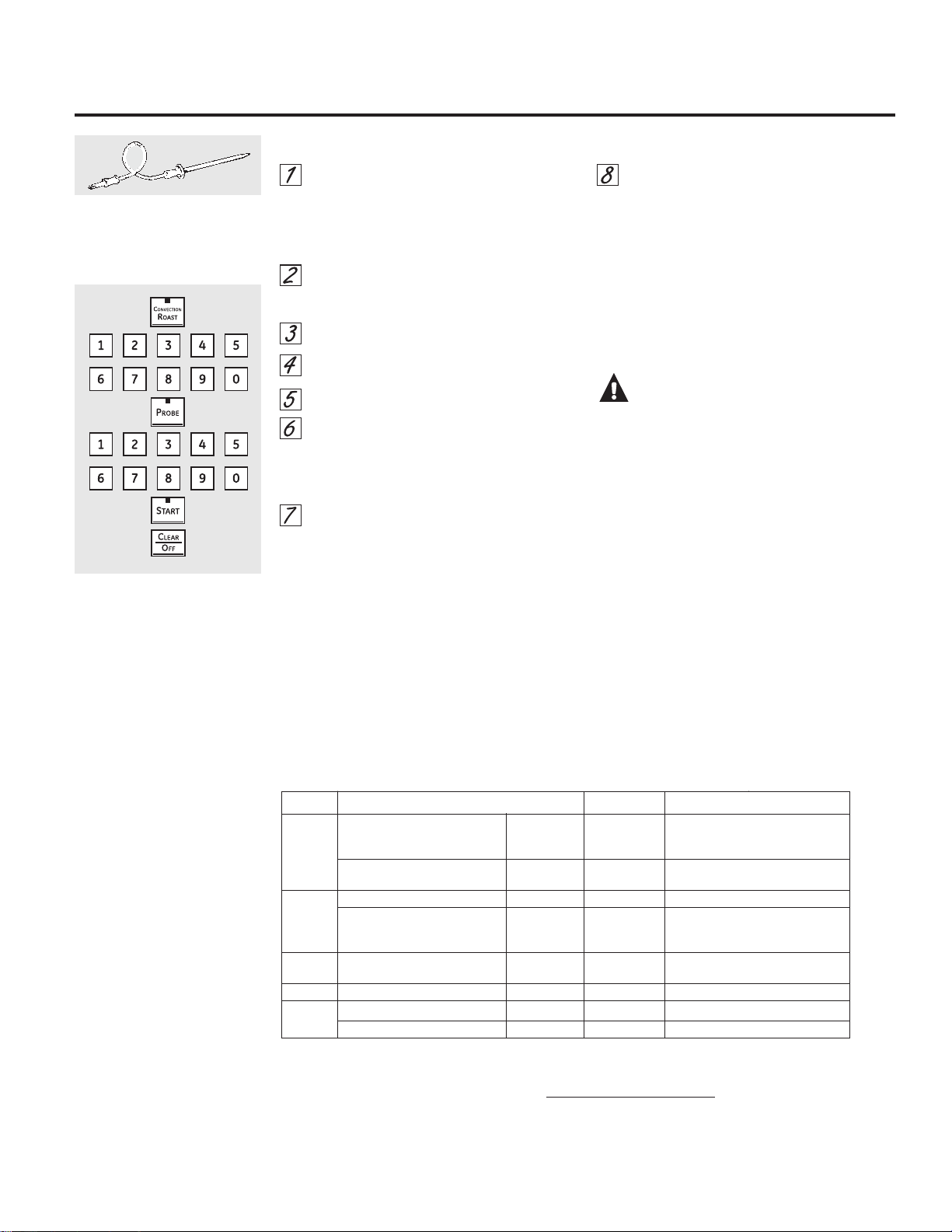
Touch the CONVECTION ROAST pad for
convection roasting.
Touch the number pads to set the oven
temperature.
Touch the COOK TIME pad.
NOTE: If your recipe requires preheating, you may
need to add additional time to the length of the
cooking time.
Touch the number pads to set the desired
length of cooking time. The minimum
cooking time you can set is 1 minute.
The oven temperature that you set and the
cooking time that you entered will be in the
display.
Touch the DELAY START pad.
Touch the number pads to set the time of
day you want the oven to turn on and start
cooking.
Touch the START pad.
NOTE: An attention tone will sound if you are using
timed baking or roasting and do not touch the
START pad.
NOTE: If you would like to check the times you
have set, touch the DELAY START pad to check
the start time you have set, or touch the COOK
TIME pad to check the length of cooking time you
have set.
When the oven turns ON at the time of day
you set, the display will show the cooking time
countdown and the changing temperature
starting at 100°F. (The temperature display will
start to change once the oven temperature
reaches 100°F.) When the oven reaches the
temperature you set, 3 beeps will sound.
NOTE: If the Auto Recipe™ Conversion Feature
is on, it will automatically reduce the set regular
EDNLQJWHPSHUDWXUHE\)WRWKHDSSURSULDWH
convection temperature in convection bake
mode. See Auto Recipe™ Conversion in the
Special Features section.
The oven will continue to cook for the
programmed amount of time, then shut off
automatically, unless the WARM feature was set.
See the +RZWR6HWWKH2YHQIRU:DUPLQJ section.
After the oven turns off, the end-of-cycle tone will
sound.
Touch the CLEAR/OFF pad to clear the
display if necessary. Remove the food from
the oven. Remember, even though the
oven shuts off automatically, food left in
the oven will continue cooking after the
oven turns off.
Using the timed features for convection cooking.
OR
How to Set the Lower Oven for Convection Roasting when Using the Probe
Place the oven rack in the position that
centers the food between the top and
bottom of the oven. Insert the probe into
the meat. Make sure it is pushed all the
way in.
Plug the probe into the outlet in the oven.
Make sure it is pushed all the way in.
Close the oven door.
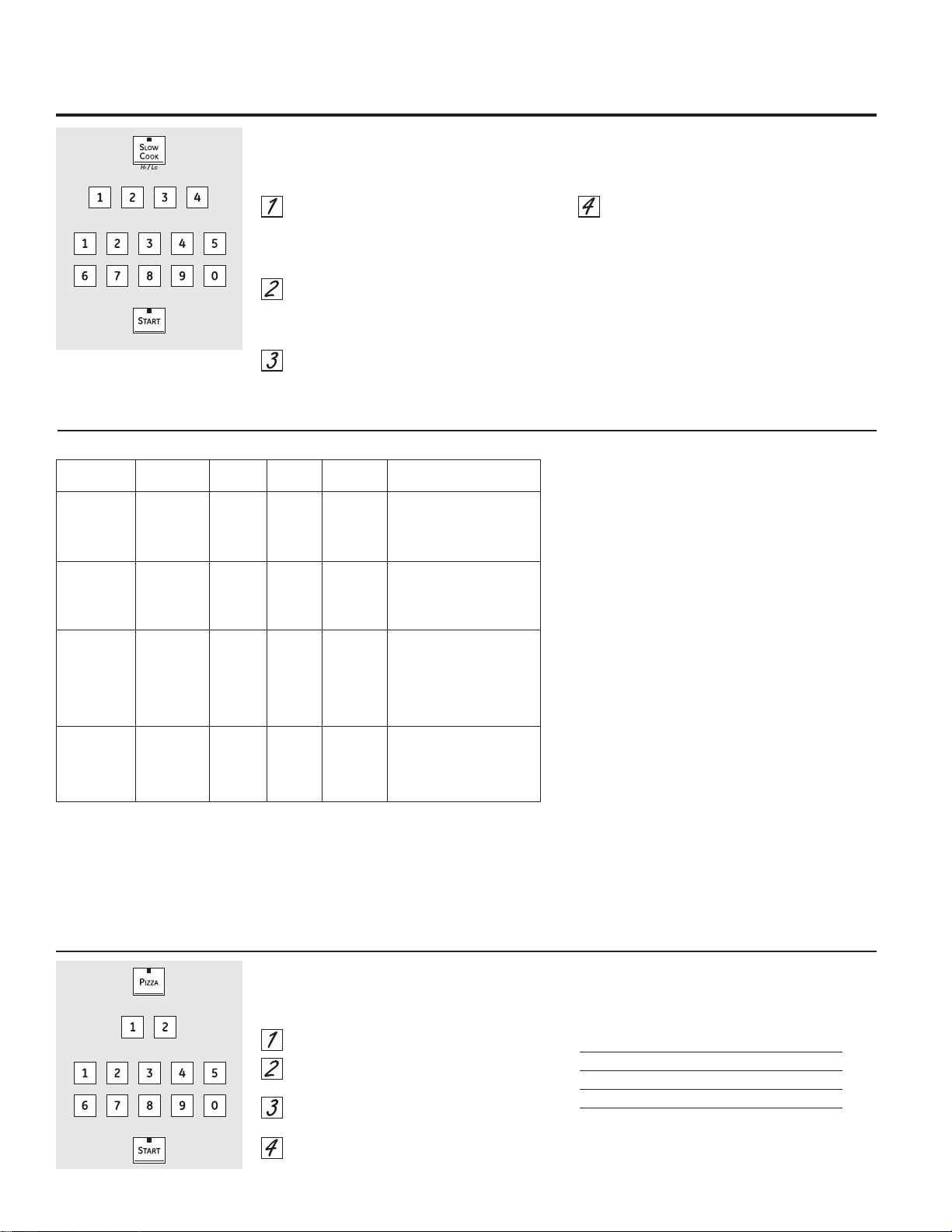
Touch the CONVECTION ROAST pad.
Touch the number pads to set the desired
oven temperature.
Touch the PROBE pad.
Touch the number pads to set the desired
internal meat temperature.
NOTE: The maximum internal temperature for
the food that you can set is 200°F.
Touch the START pad.
The display will flash PROBE and the oven
control will signal if the probe is inserted into the
outlet, and you have not set a probe temperature
and pressed the START pad.
When the oven starts to heat, the word LO will
be in the display.
After the internal temperature of the meat
reaches 100°F, the changing internal
temperature will be shown in the display.
When the internal temperature of the
meat reaches the number you have set,
the probe and the oven turn off and the
oven control signals. To stop the signal,
touch the CLEAR/OFF pad. Use an oven
mitt to remove the probe from the food.
'RQRWXVHWRQJVWRSXOORQLW³WKH\PLJKW
damage it.
NOTE: If the probe is removed from the
oven while probe cooking, the oven will not
automatically turn off.
CAUTION:To prevent possible
burns, use an oven mitt to unplug the probe
from the oven outlet.
NOTE:
You will hear a fan while cooking with this
feature. The fan will stop when the door is
opened, but the heat will not turn off.
You can use the Kitchen Timer even though
you cannot use timed oven operations.
Never leave your probe inside the oven
during a self-cleaning cycle.
Do not store the probe in the oven.
Probe not for use in Broil or Self-Clean
functions.
Fan only rotates in one direction.
For best results when roasting
large turkeys and roasts, we
recommend using the probe
included in the convection oven.
To change the oven temperature
during the Convection Roast cycle,
touch the CONVECTION ROAST
pad and then touch the number
pads to set the new desired
temperature.
Using the convection oven. GEAppliances.com
17
Meat Minutes/Lb. Oven Temp. Internal Temp.
Beef Rib, Boneless Rib, Rare 25–29 325°F 140°F†
Top Sirloin Medium 29–33 325°F 160°F
(3 to 5 lbs.) Well 33–37 325°F 170°F
Beef Tenderloin Rare 12–16 325°F 140°F†
Medium 16–20 325°F 160°F
Pork Bone-In, Boneless (3 to 5 lbs.) Well 30–34 325°F 170°F
2 Chops (1/2 to 1s thick) Well 37–42 total 325°F 170°F
4 Chops (1/2 to 1s thick) Well 42–47 total 325°F 170°F
6 Chops (1/2 to 1s thick) Well 47–52 total 325°F 170°F
Ham Canned, Butt, Shank 13–19 325°F 140°F
(3 to 5 lbs. fully cooked)
Seafood Lobster Tails (6 to 10 oz. each) 20–25 total 350°F
Poultry Whole Chicken (21ø2 to 31ø2 lbs.) 24–30 350°F 180°–185°F
Turkey (18 to 20 lbs.)* 7–10 350°F 180°–185°F
* Stuffed birds generally require 30–45 minutes additional roasting time. Shield legs and breast with foil to prevent
overbrowning and drying of skin.
† The U.S. Department of Agriculture says “Rare beef is popular, but you should know that cooking it to only 140°F means
some food poisoning organisms may survive.” (Source: Safe Food Book. Your Kitchen Guide. USDA Rev. June 1985.)
Convection Roasting Guide
How to Set the Lower Oven For Slow Cook
Slow Cook is designed for long hours of
unattended cooking.
Touch the SLOW COOK pad once for HI
Slow Cook.
To change to LO Slow Cook, touch the
SLOW COOK pad again.
Touch the number pads to select the
desired setting – 1 for Beef, 2 for Poultry, 3
for Pork or 4 for Stews. Use 1–Beef if you
are unsure which setting to use.
Touch the number pads to set the desired
length of cooking time. For the HI setting,
the cooking time must be between 3 and
8 hours. For the LO setting, the cooking
time must be between 3 and 12 hours.
Touch the START pad.
When the Slow Cook function has completed,
the oven will go into the Warm mode. Display
will say “Cooking Complete Keeping Warm.” The
total time the oven will be on (Slow Cook time
plus Warm time) is 12 hours. This is because of
the safety 12-Hour Shutdown feature described
on page 22.
NOTE: If a power outage occurs while the oven
is in Slow Cook, the oven will shut off.
Using the slow cook, pizza, warming and proofing features.
Rack Food Time
Food Quantity Position Setting (Hours) Comments
Beef
Chuck Roast 3–31ø2 lbs A – Offset 1-Beef HI 5–6 hrs. Add 1/2 cup liquid.
LO 8–10 hrs.
Beef Ribs 31ø2–4 lbs A – Offset 1-Beef HI 3–4 hrs. Place ribs in a single layer.
LO 6–8 hrs.
Poultry
Whole Chicken 4 lbs A – Offset 2-Poultry HI 4–5 hrs. Add 1/2 cup liquid.
LO 7–9 hrs.
Chicken Pieces 8 pieces B – Flat 2-Poultry HI 3–4 hrs. Best submerged under a sauce
(approx. 3 lbs.) LO 5–6 hrs. to prevent surface drying.
Pork
Boneless Blade 3–4 lbs A – Offset 3-Pork HI 5–6 hrs. Add 1/2–1 cup liquid.
Roast LO 8–10 hrs.
Country Style 31ø2–4 lbs A – Offset 3-Pork HI 3–4 hrs. Place ribs in a single layer.
Pork Ribs LO 6–8 hrs.
Pork Chops 4 –8 lbs A – Offset 3-Pork HI 3–4 hrs. Place chops in a single layer.
LO 6–8 hrs.
Soup
Vegetable Beef 4 quarts A – Offset 4-Stew HI 4–5 hrs. Make sure beef chunks
Soup LO 8–10 hrs. are submerged.
Chili 4 quarts A – Offset 4-Stew HI 3–4 hrs. Submerge beans
LO 6–8 hrs. to prevent surface drying.
Slow Cook Guide Guideline Tips
The slow cook program uses a complex series of
temperature cycling to obtain the best results. For this
reason, it is recommended that the slow cook program
be allowed to run without canceling or restarting.
Restarting the slow cook feature while it is in progress
may result in overcooked meat.
For juicy and tender meat, choose cuts of meat such
as chuck roast or a boneless blade roast. Leaner cuts
of meat, such as top round, are drier and may need
additional liquid.
Use only glass and ceramic dishes. Metal pots and
pans tend to transfer the heat into the foods
too quickly.
Match the quantity of food to the size pan. Fill the pan
about 3/4 full for best results. Too large a pot allows
the steam to escape, causing foods to dry out.
Always cover the pot with a lid or aluminum foil.
A wide range of recipes may be used in the slow
cook feature. For best results some adjustments
may need to be made. For smaller sized recipes,
begin checking at minimum time. For large recipes
or when doubling recipes, foods may be cooked for
longer periods of time.
When the slow cook feature completes, the oven will
automatically switch to “warm” mode. If additional
slow cook time is desired, this warm mode may be
used to obtain the extra time.
How to Set the Upper Oven For Pizza
Adjust rack position for type of pizza tray being
used (see chart).
Touch the PIZZA pad.
Touch the number pads to select
1 for fresh or 2 for frozen pizza.
Touch the number pads to set
the baking temperature.
Touch the START pad.
Baking time is determined by package
directions.
Type of Pizza Tray Rack Position
Tray supplied with fresh pizza B
Pizza placed directly on rack B
Metal tray A
18
How to Set the Lower and Upper Ovens For Warming
The WARM feature keeps cooked foods hot.
This feature is not designed to reheat cold food.
To use the WARM feature, touch the WARM
pad or the WARM/PROOF pad once and then
the START pad.
To use the WARM feature after Timed Baking or
Roasting, follow these steps:
Touch the mode of cooking that you want
to use (BAKE, CONVECTION BAKE MULTI,
CONVECTION BAKE 1 RACK or
CONVECTION ROAST).
Touch the number pads to set the oven
temperature.
Touch the COOK TIME pad.
Touch the number pads to set the desired
length of cooking time.
Touch the WARM or the WARM/PROOF
pad once.
Touch the START pad.
To Crisp Stale Items
Place food in low-sided dishes or pans.
For best results, place the food items in a
single layer. Do not stack.
Leave them uncovered.
Check crispness after 20–30 minutes. Add
time as needed.
IMPORTANT NOTES:
Food should be kept hot in its cooking
container or transferred to a heat-safe
serving dish.
For moist foods, cover them with an
oven-safe lid or aluminum foil.
Fried or crisp foods do not need to be
covered, but can become too dry if warmed
for too long.
Repeated opening of the door allows the hot
air to escape and the food to cool.
Allow extra time for the temperature inside
the oven to stabilize after adding items.
With large loads it may be necessary to cover
some of the cooked food items.
Remove serving spoons, etc., before placing
containers in the oven.
Do not use plastic containers, lids or plastic
wrap.
CAUTION:Plastic containers, lids
or plastic wrap will melt if placed in the oven.
Melted plastic may not be removable and is not
covered under your warranty.
GEAppliances.com
How to Set the Lower Oven for Proofing
The proofing feature maintains a warm environment useful for rising yeast-leavened products.
Place the covered dough in the oven on
rack B or C.
NOTE: For best results, cover the dough with a
cloth or with greased plastic wrap (the plastic
may need to be anchored underneath the
container so the oven fan will not blow it off).
Touch the WARM/PROOF pad twice.
The display will read PrF (proof).
The oven interior light turns on and remains on
during proofing.
The proofing feature automatically provides the
optimum temperature for the proofing process,
and therefore does not have a temperature
adjustment.
Set the TIMER for the minimum
proof time.
When proofing is finished, touch
the CLEAR/OFF pad.
To avoid lowering the oven temperature
and lengthening proofing time, do not
open the oven door unnecessarily.
Check bread products early to avoid
over-proofing.
NOTE:
Do not use the proofing mode for warming
food or keeping food hot. The proofing oven
temperature is not hot enough to hold foods at
safe temperatures. Use the Warm feature to keep
hot food warm.
Proofing will not operate when oven is above
)´+27µZLOOVKRZLQWKHGLVSOD\
OR
19
20
How to Set the Upper/Lower Oven for Cleaning
The oven doors must be closed and all controls
set correctly for the cycle to work properly.
Touch the SELF CLEAN HI/LO pad once
for a 5-hour clean time or twice for a
3-hour clean time.
A 3-hour self-clean time is recommended
for use when cleaning small, contained
spills. A self-clean time of 5 hours is
recommended for a dirtier oven.
If a time other than 5 hours or 3 hours is
needed, use the number pads and enter
the desired clean time.
You can change the clean time to any time
between 3 hours and 5 hours, depending on
how dirty your oven is.
Touch the START pad.
The upper and lower oven doors lock
automatically. The display will show the clean
time remaining. It will not be possible to open
the oven doors until the temperature drops
below the lock temperature and LOCKED goes
off in the control display.
When LOCKED goes off, you will be able to
open the doors.
The word LOCKED will flash and the word
door will display if you set the clean cycle
and forget to close the oven doors.
To stop a clean cycle, touch the CLEAR/OFF
pad. When LOCKED goes off, indicating
the ovens have cooled below the locking
temperature, you will be able to open the
doors.
You can set a clean cycle in both ovens at the
same time; however, they will not self-clean
at the same time. The last oven set will
automatically delay its start until the end of the
first oven’s clean cycle.
When either oven is set to self-clean, both oven
doors will lock. The ovens cannot be used when
one of the ovens is set to self-clean.
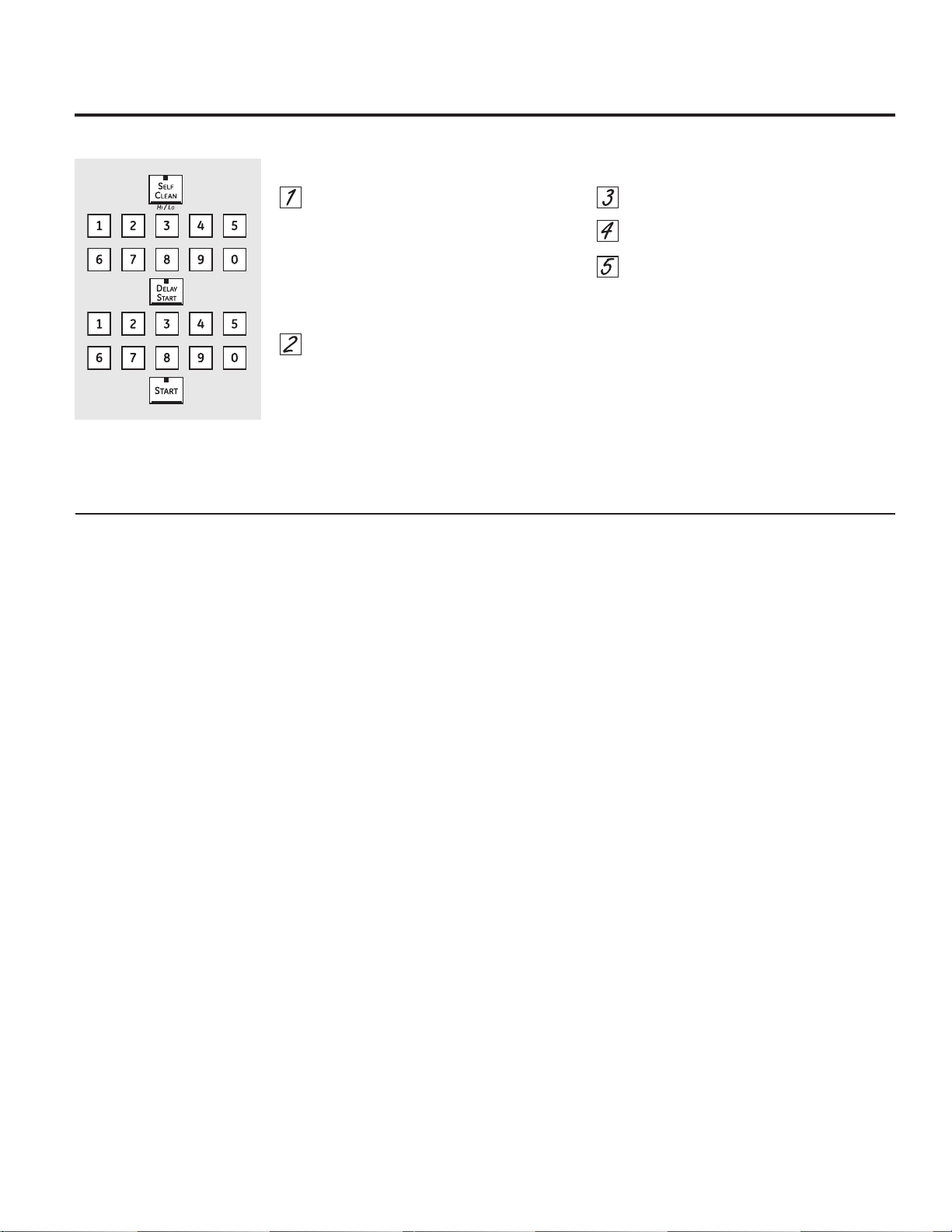
Wipe up heavy soil on the oven
bottom.
NOTE: Do not attempt to lift the
heating element. Doing so could
damage the element.
Before a Clean Cycle
We recommend venting your kitchen with an
open window or using a ventilation fan or hood
during the first self-clean cycle.
Remove any broiler pan, broiler grid, probe, all
cookware and any aluminum foil from the oven.
NOTE:
If your oven is equipped with shiny, silver-
colored oven racks, remove them before you
begin the self-clean cycle.
If your oven is equipped with gray porcelain-
coated oven racks, they may be left in the
oven during the self-clean cycle.
Soil on the front frame of the oven and outside
the gasket on the door will need to be cleaned
by hand. Clean these areas with hot water,
soap-filled steel-wool pads or cleansers such as
Soft Scrub®
. Rinse well with clean water and dry.
Do not clean the gasket. The fiberglass material
of the oven door gasket cannot withstand
abrasion. It is essential for the gasket to remain
intact. If you notice it becoming worn or frayed,
replace it.
Wipe up any heavy spillovers on the oven
bottom.
Make sure the oven light bulb cover is in place
and the oven light is off.
IMPORTANT: The health of some birds is
extremely sensitive to the fumes given off
during the self-cleaning cycle of any oven. Move
birds to another well-ventilated room.
Using the self-cleaning upper and lower ovens.
After a Clean Cycle
You may notice some white ash in the oven.
Wipe it up with a damp cloth after the
oven cools.
If white spots remain, remove them with a
soap-filled steel wool pad and rinse thoroughly
with a vinegar and water mixture.
These deposits are usually a salt residue that
cannot be removed by the clean cycle.
If the oven is not clean after one clean cycle,
repeat the cycle.
You cannot set the oven for cooking or
another self-clean cycle until the oven is cool
enough for the door to unlock.
While the oven is self-cleaning, you can
touch the CLOCK pad to display the time of
day. To return to the clean countdown, touch
the SELF CLEAN HI/LO pad.
If the racks become hard to slide, apply a
small amount of cooking oil to a paper towel
and wipe the edges of the oven racks with
the paper towel.
How to Delay the Start of Cleaning
Touch the SELF CLEAN HI/LO pad once
for a 5-hour clean time or twice for a
3-hour clean time.
A 3-hour self-clean time is recommended
for use when cleaning small, contained
spills. A self-clean time of 5 hours is
recommended for a dirtier oven.
If a time other than 5 hours or 3 hours is
needed, use the number pads and enter
the desired clean time.
You can change the clean time to any time
between 3 hours and 5 hours, depending on
how dirty your oven is.
Touch the DELAY START pad.
Using the number pads, enter the time of
day you want the clean cycle to start.
Touch the START pad.
The upper and lower oven doors lock
automatically. The display will show the start
time. It will not be possible to open the oven
doors until the temperature drops below the
lock temperature and LOCKED goes off in the
control display.
When LOCKED goes off, you will be able to
open the doors.
GEAppliances.com
The oven doors must be closed and all controls set correctly for the cycle to work properly.
21
22
12-Hour Shutdown
With this feature, should you forget and leave
the oven on, the control will automatically
turn off the oven after 12 hours during baking
IXQFWLRQVRUDIWHUKRXUVGXULQJDEURLOIXQFWLRQ
If you wish to turn OFF this feature, follow the
steps below.
Touch the upper oven BROIL HI/LO and
BAKE pads at the same time until the
display shows SF.
Touch the DELAY START pad until no
shdn (no shut-off) appears in the display.
Touch the START pad to activate the no
shut-off and leave the control set in this
special features mode.
Fahrenheit or Celsius Temperature Selection
Your oven control is set to use the Fahrenheit
temperature selections, but you may change this
to use the Celsius selections.
Touch the upper oven BROIL HI/LO and
BAKE pads at the same time until the
display shows SF.
Touch the COOK TIME and BROIL HI/LO
pads at the same time. The display will
show F (Fahrenheit).
Touch the COOK TIME and BROIL HI/LO
pads again at the same time. The display
will show C (Celsius).
Touch the START pad.
Tones at the End of a Timed Cycle
$WWKHHQGRIDWLPHGF\FOHVKRUWEHHSVZLOO
VRXQGIROORZHGE\RQHEHHSHYHU\VHFRQGV
until the CLEAR/OFF pad is touched. This
FRQWLQXDOVHFRQGEHHSPD\EHFDQFHOHG
To cancel the 6-second beep:
Touch the upper oven BROIL HI/LO and
BAKE pads at the same time until the
display shows SF.
Touch the BROIL pad. The display shows
CONTI BEEP (continuous beep). Touch
the BROIL pad again. The display shows
SINGLE BEEP. (This cancels the one beep
every 6 seconds.)
Touch the START pad.
Special features of your oven control.
Your new touch pad control has additional features that you may choose to use. The following are the features and how
you may activate them.
The special feature modes can only be activated while the display is showing the time of day. They remain in the control’s
memory until the steps are repeated.
To enter a special feature for either oven, you must first touch the upper oven BROIL HI/LO and BAKE pads at the same
time. The lower oven BROIL HI/LO and BAKE pads will not activate special features.
When the display shows your choice, touch the START pad. The special features will remain in memory after a power
failure, except for the Sabbath feature, which will have to be reset.
+
Help Function
Touch this pad to get additional information on
the keypad of your choice.
Touch the HELP pad and the display will show
“Press keypad for help on that feature or 1 for
options.”
The options on pages 22 and 23 can be
adjusted using the method described here or
through HELP.
+
+
+
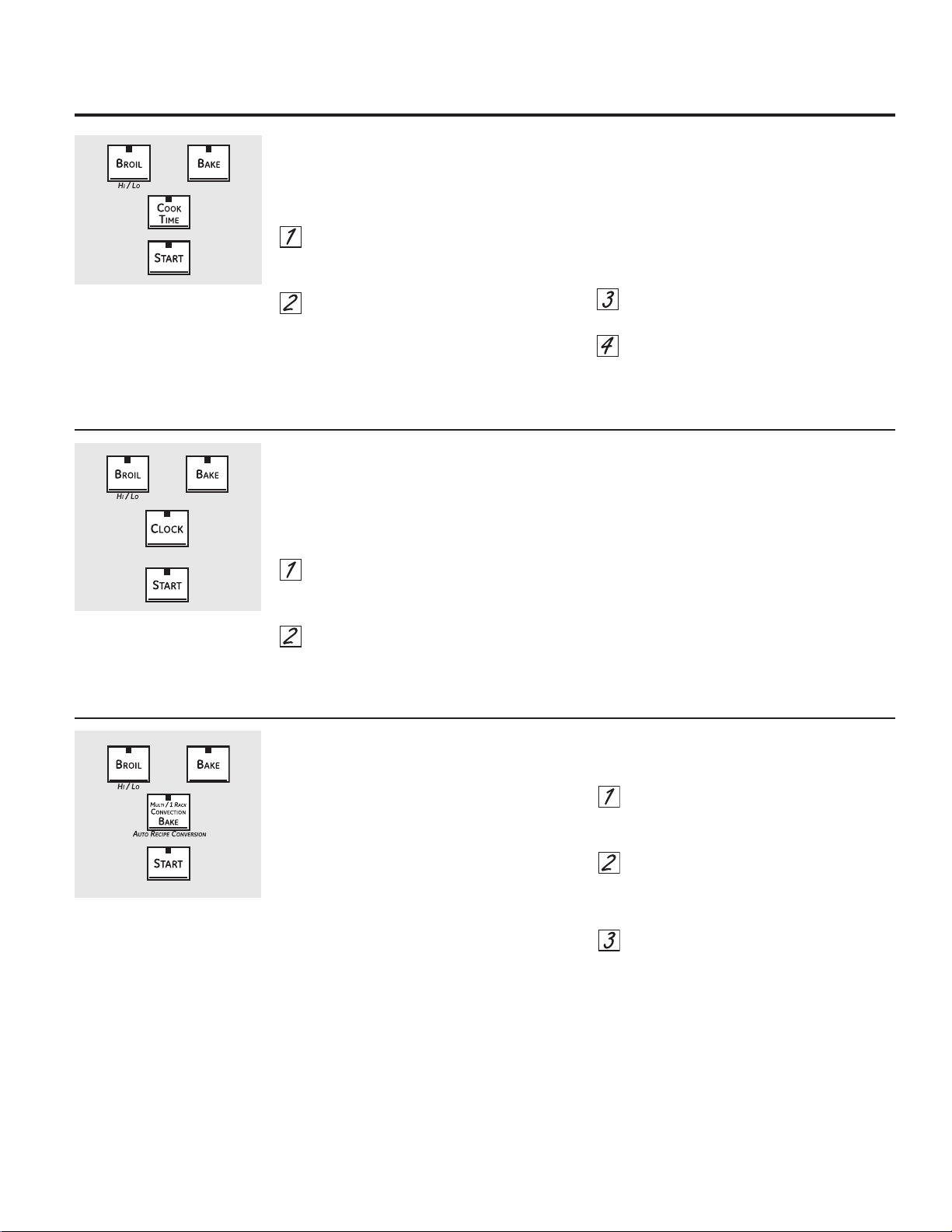
23
Auto Recipe™ Conversion
When using convection bake, the Auto Recipe™
Conversion feature will automatically convert
entered regular baking temperatures to
convection baking temperatures.
This feature is activated so that the display
will show the actual converted (reduced)
temperature. For example, if you enter a regular
UHFLSHWHPSHUDWXUHRI)DQGWRXFKWKH
START pad, the display will show CON and the
FRQYHUWHGWHPSHUDWXUHRI)
To deactivate the feature:
Touch the upper oven BAKE and BROIL
HI/LO pads at the same time until the
display shows SF.
Touch the CONVECTION BAKE pad.
The display will show CON ON. Touch
the CONVECTION BAKE pad again. The
display will show CON OFF.
Touch the START pad.
To reactivate the feature, repeat steps 1–3
above but touch the START pad when CON ON
is in the display.
12-Hour, 24-Hour or Clock Blackout
Your control is set to use a 12-hour clock.
If you would prefer to have a 24-hour military
time clock or black out the clock display, follow
the steps below.
Touch the upper oven BROIL HI/LO and
BAKE pads at the same time until the
display shows SF.
Touch the CLOCK pad once. The display
will show 12 hr. If this is the choice you
want, touch the START pad.
Touch the CLOCK pad again to change
to the 24 hour military time clock. The
display will show 24 hr. If this is the
choice you want, touch the START pad.
Touch the CLOCK pad again to black out
the clock display. The display will show
OFF. If this is the choice you want, touch
the START pad.
NOTE: If the clock is in the black-out mode you
will not be able to use the Delay Start function.
Tone Volume
This feature allows you to adjust the tone
volumes to a more acceptable volume. There are
three possible volume levels.
Touch the upper oven BROIL HI/LO and
BAKE pads at the same time until the
display shows SF.
Touch the COOK TIME pad. The display
will show 2 BEEP. This is the middle
volume level.
Touch the COOK TIME pad again. The
display will show 3 BEEP. This is the
loudest volume level.
Touch the COOK TIME pad again. The
display will show 1 BEEP. This is the
quietest volume level.
For each time the level is changed, a tone
will sound to provide an indication of the
volume level.
Choose the desired sound level (1 BEEP, 2
BEEP, 3 BEEP).
Touch the START pad to activate the level
shown.
GEAppliances.com
+
+
+
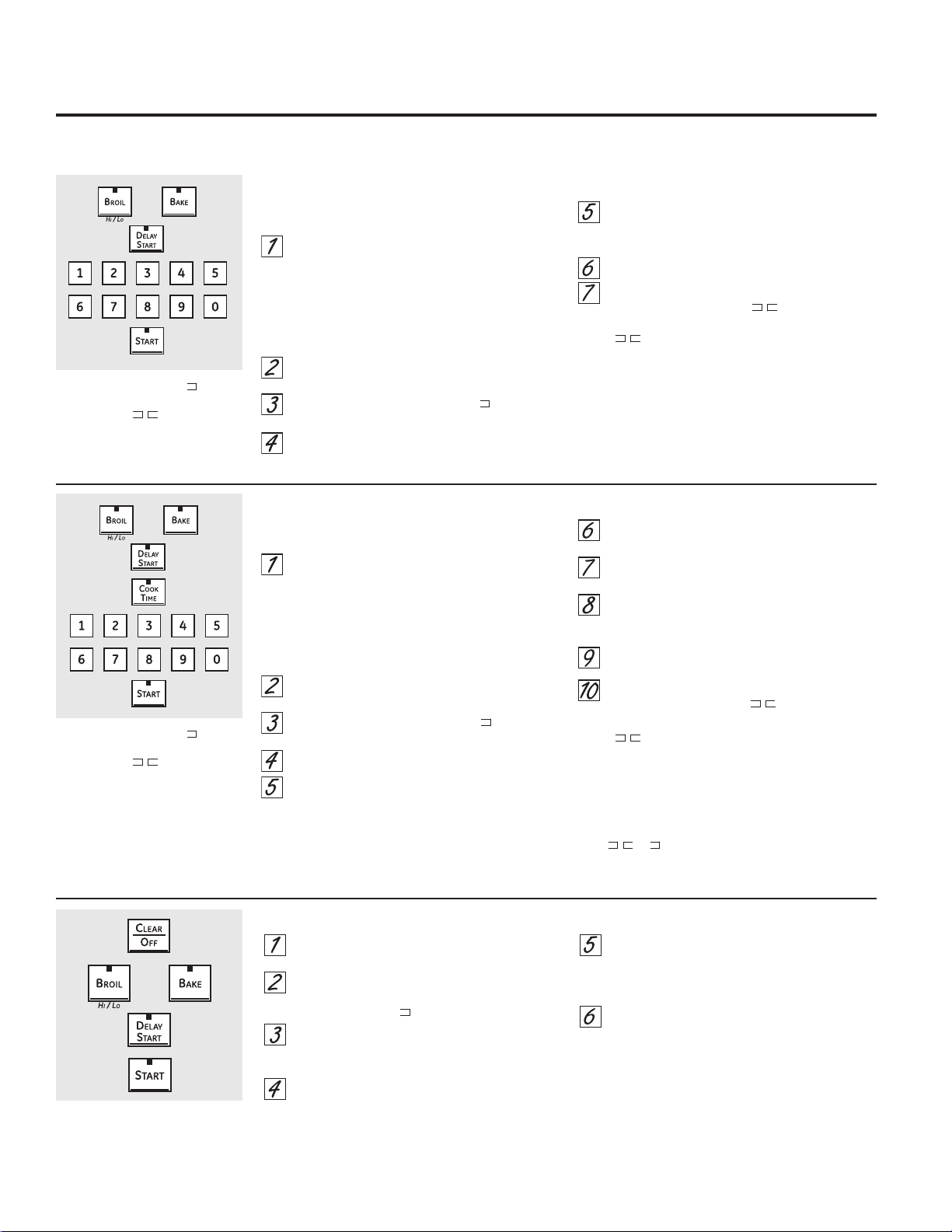
Touch the lower oven CLEAR/OFF pad.
If the oven is cooking, wait for a random delay
period of approximately 30 seconds to 1
minute, until only is in the display.
On the upper oven, touch and hold both the
BROIL HI/LO and BAKE pads, at the same
time, until the display shows SF.
Tap the DELAY START pad until 12 shdn or no
shdn appears in the display.
Choose 12 shdn, indicating that the oven
will automatically turn off after 12 hours or
no shdn, indicating that the oven will not
automatically turn off after 12 hours.
Press START twice when the option that you
want is in the display (12 shdn or no shdn).
NOTE: If a power outage occurred while the oven
was in Sabbath, the oven will automatically turn off
and stay off even when the power returns. The oven
control must be reset.
The Sabbath feature can be used for baking only. It cannot be used for convection, broiling, self-cleaning or Delay Start cooking.
How to Set for Regular Baking
Make sure the clock shows the correct time
of day and both ovens are off.
On the upper oven, touch and hold both the
BROIL HI/LO and BAKE pads, at the same
time, until the display shows SF.
NOTE: If bake or broil appears in the display,
the BROIL HI/LO and BAKE pads were not
touched at the same time. Touch the upper
oven CLEAR/OFF pad and begin again.
Tap the DELAY START pad until SAb bAtH
appears in the display.
Touch the START pad twice and will appear
in the display.
Touch the lower oven BAKE pad. No signal will
be given.
Using the number pads, enter the desired
temperature between 170°F and 550°F. No
signal or temperature will be given.
Touch the lower oven START pad.
After a random delay period of approximately
30 seconds to 1 minute, will appear in the
display indicating that the oven is baking. If
doesn’t appear in the display, start again
at Step 4.
To adjust the oven temperature, touch the lower
oven BAKE pad, enter the new temperature using the
number pads and touch the START pad.
NOTE: The CLEAR/OFF and COOK TIME pads of the
lower oven are active during the Sabbath feature.
+RZWR6HWIRU7LPHG%DNLQJ³,PPHGLDWH6WDUWDQG$XWRPDWLF6WRS
Make sure the clock shows the correct time
of day and both ovens are off.
On the upper oven, touch and hold both the
BROIL HI/LO and BAKE pads, at the same
time, until the display shows SF.
NOTE: If bake or broil appears in the display,
the BROIL HI/LO and BAKE pads were not
touched at the same time. Touch the upper
oven CLEAR/OFF pad and begin again.
Tap the DELAY START pad until SAb bAtH
appears in the display.
Touch the START pad twice and will appear
in the display.
Touch the lower oven COOK TIME pad.
Touch the number pads to set the desired
length of cooking time between 1 minute and
9 hours and 59 minutes. The cooking time that
you entered will be displayed.
Touch the lower oven START pad.
Touch the lower oven BAKE pad. No signal will
be given.
Using the number pads, enter the desired
temperature. No signal or temperature will be
given.
Touch the lower oven START pad.
After a random delay period of approximately
30 seconds to 1 minute, will appear in
the display indicating that the oven is
baking.
If
doesn’t appear in the display, start again
at Step 7.
To adjust the oven temperature, touch the lower
oven BAKE pad, enter the new temperature using the
number pads and touch the START pad.
When cooking is finished, the display will change
from to and 0:00 will appear, indicating that
the oven has turned OFF but is still set in Sabbath.
Remove the cooked food.
How to Exit the Sabbath Feature
When the display shows the
oven is set in Sabbath. When the
display shows the oven is
baking.
When the display shows the
oven is set in Sabbath. When the
display shows the oven is
baking.
Using the Sabbath feature.
(lower oven only)
'HVLJQHGIRUXVHRQWKH-HZLVK6DEEDWKDQG+ROLGD\V
24
+
+
+
Care and cleaning of the oven. GEAppliances.com
Be sure all controls are off and all surfaces are cool before cleaning any part of the oven.
How to Remove Protective Shipping Film and Packaging Tape
Carefully grasp a corner of the protective
shipping film with your fingers and slowly peel
it from the appliance surface. Do not use any
sharp items to remove the film. Remove all of the
film before using the appliance for the first time.
To assure no damage is done to the finish
of the product, the safest way to remove
the adhesive from packaging tape on new
appliances is an application of a household
liquid dishwashing detergent. Apply with a soft
cloth and allow to soak.
NOTE: The adhesive must be removed from all
parts. It cannot be removed if it is baked on.
Control Panel
If desired, the touch pads may be deactivated
before cleaning.
See the &RQWURO/RFNinformation in the Using
the clock, kitchen timer and control lock section
in this manual.
Clean up splatters with a damp cloth.
You may also use a glass cleaner.
Remove heavier soil with warm soapy water.
Do not use abrasives of any kind.
Reactivate the touch pads after cleaning.
'RQRWUXERUFOHDQWKHGRRUJDVNHW³
it has an extremely low resistance
to abrasion.
If you notice the gasket becoming
worn, frayed or damaged in any way
or if it has become displaced on the
door, you should have it replaced.
Cleaning the Upper and Lower Oven Doors
To clean the inside of the doors:
Because the area inside the gasket is
cleaned during the self-clean cycle, you do
not need to clean this by hand.
The area outside the gasket and the door
liner can be cleaned with a soap-filled steel
wool or plastic pad, hot water and detergent.
Rinse well with a vinegar and water solution.
To clean the outside of the doors:
Use soap and water to thoroughly clean the
top, sides and front of the oven door. Rinse
well. You may also use a glass cleaner to
clean the glass on the outside of the door.
Do not let water drip into the vent openings.
Spillage of marinades, fruit juices, tomato
sauces and basting materials containing
acids may cause discoloration and should
be wiped up immediately. When surface is
cool, clean and rinse.
Do not use oven cleaners, cleaning powders
or harsh abrasives on the outside of the door.
25
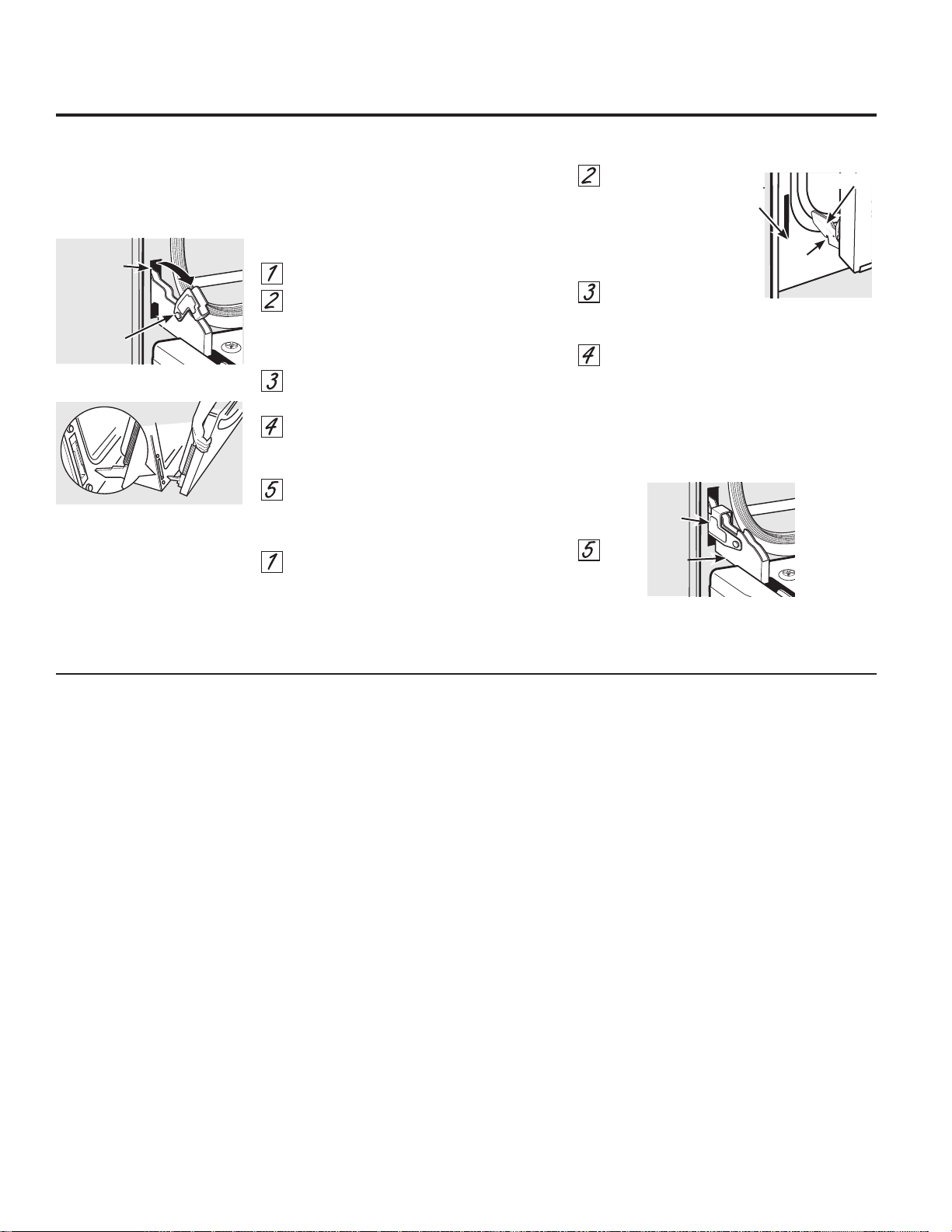
The upper door contains many of the
electronics and controls for the oven. It is
recommended that the upper door be removed
only by a trained service technician.
Upper Oven Door
Lift-Off Lower Oven Door
The door is very heavy. Be careful when
removing and lifting the door.
Do not lift the door by the handle.
To remove the door:
Fully open the door.
Pull the hinge locks down toward the door
frame, to the unlocked position. A tool,
such as a small flat-blade screwdriver,
may be required.
Firmly grasp both sides of the door at the
top.
Close door to the door removal position,
which is halfway between the broil stop
position and fully closed.
Lift door up and out until the hinge arm is
clear of the slot.
To replace the door:
Firmly grasp both sides of the door at the
top.
With the door at the same angle as the
removal position, seat the indentation of
the hinge arm into the bottom edge of
the hinge slot. The notch in the hinge arm
must be fully seated into the bottom of
the slot.
Fully open the door. If the door will not
fully open, the indentation is not seated
correctly in the bottom edge of the slot.
Push the hinge locks up against the front
frame of the oven to the locked position.
Close the oven door.
Indentation
Bottom
edge of
slot Hinge arm
Removal position
Hinge
lock
Pull hinge locks down to unlock.
Slot
Care and cleaning of the oven.
26
Hinge
lock
Push hinge locks up to lock.
Hinge
arm
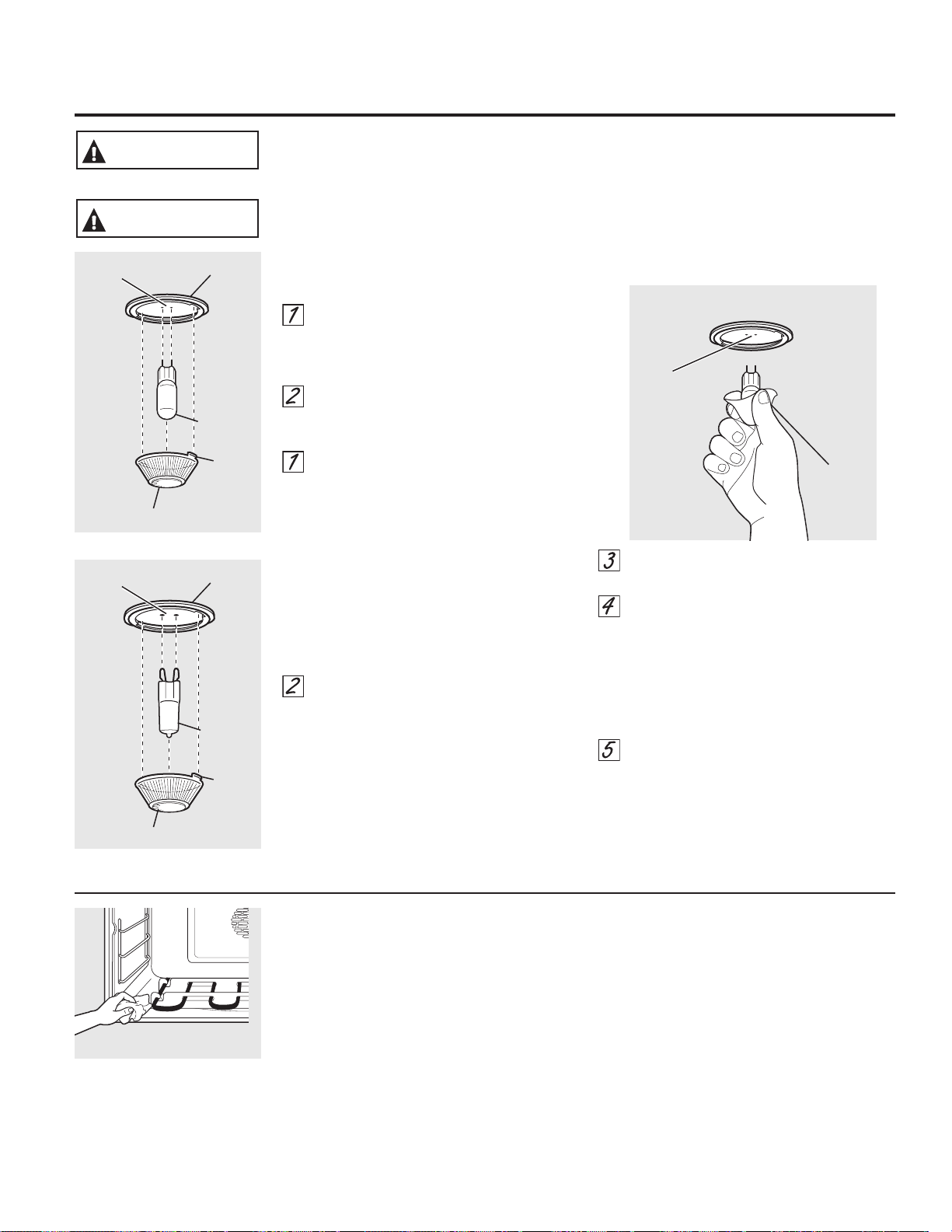
27
GEAppliances.com
Oven Heating Elements
Do not clean the heating elements. Any soil will
burn off when the elements are heated. Clean
the oven floor with warm, soapy water.
Wipe up heavy soil on the oven
bottom.
NOTE: Do not attempt to lift the
heating element. Doing so could
damage the element.
Oven Light Replacement (on some models)
To remove:
Turn the glass cover counterclockwise
1/4 turn until the tabs of the glass cover
clear the grooves of the socket. Wearing
latex gloves may offer a better grip.
Using gloves or a dry cloth, remove the
bulb by pulling it straight out.
To replace:
Use a new 120/130-volt halogen bulb,
not to exceed 50 watts. Replace the
bulb with the same type of bulb that
was removed. Your model will have one
of the two types shown on the left. To
determine the correct replacement bulb,
check the bulb terminals. Bulbs with 2
straight pin terminals are G6.35 bulbs.
Bulbs with 2 looped terminals are G9
bulbs. (Do not interchange.) Be sure the
replacement bulb is rated 120 volts or
130 volts (NOT 12 volts).
Using gloves or a dry cloth, remove the
bulb from its packaging. Do not touch the
bulb with bare fingers. Oil from skin will
damage the bulb and shorten its life.
Push the bulb straight into the receptacle
all the way.
Place the tabs of the glass cover into
the grooves of the socket. Turn the glass
cover clockwise 1/4 turn.
For improved lighting inside the oven,
clean the glass cover frequently using a
wet cloth. This should be done when the
oven is completely cool.
Reconnect electrical power to the oven.
Use
gloves or
cloth
Receptacle
G6.35 Bulb
Socket
Tab
Glass cover
Receptacle
(on some models)
G9 Bulb
Socket
Tab
Glass cover
Receptacle
(on some models)
6+2&.25%851+$=$5' Before replacing oven light bulb, disconnect the electrical
power to the oven at the main fuse or circuit breaker panel. Failure to do so may result
in electric shock or burn.
WARNING
%851+$=$5'7KHJODVVFRYHUDQGEXOEVKRXOGEHUHPRYHGZKHQFRRO7RXFKLQJKRW
glass with bare hands or a damp cloth can cause burns.
CAUTION
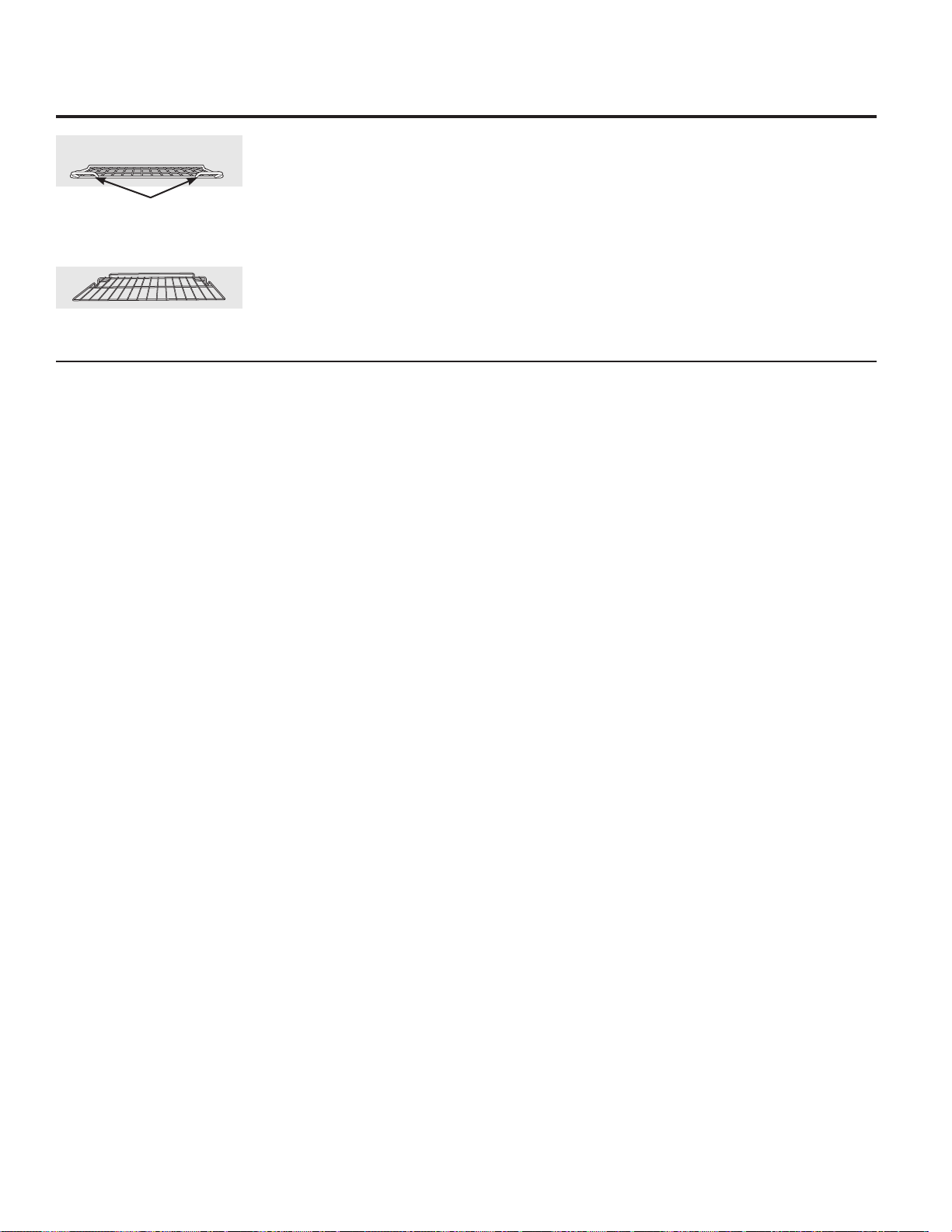
Stainless Steel Surfaces
Oven Racks
All oven racks may be cleaned by hand with an
abrasive cleaner or steel wool. After cleaning,
rinse the racks with clean water and dry with
a clean cloth. Gray porcelain-coated oven
racks may remain in the oven during the self-
cleaning cycle without being damaged. The
shiny, silver-colored oven racks may remain in
the oven during the self-cleaning cycle, but they
will lose their luster and become hard to slide.
It will be necessary to grease all oven rack side
edges with a light coating of vegetable oil after
cleaning them by hand or in the oven. This will
help maintain the ease of sliding the racks in
and out of the oven.
Do not use a steel wool pad;
it will scratch the surface.
To clean the stainless steel surface, use warm
sudsy water or a stainless steel cleaner or
polish. Always wipe the surface in the direction
of the grain. Follow the cleaner instructions for
cleaning the stainless steel surface.
To inquire about purchasing stainless steel
appliance cleaner or polish, or to find the
location of a dealer nearest you, please call our
toll-free number:
National Parts Center 1.800.626.2002
GEAppliances.com
Care and cleaning of the oven.
28
Flat rack
Handles
Use the rack with the two front
handles in the upper oven.
Use the rack without the two front
handles in the lower oven.
29
Troubleshooting Tips
Save time and money! Review the charts on the following
pages first and you may not need to call for service.
Problem Possible Causes What To Do
Oven light does Light bulb is loose. • Tighten or replace the bulb.
not work
Oven will not work A fuse in your home • Replace the fuse or reset the circuit breaker.
may be blown or the circuit
breaker tripped.
Oven controls improperly set. • See the Using the oven section.
Oven too hot. • Allow the oven to cool to below locking temperature.
Food does not bake Oven controls improperly set. • See the Using the oven section.
or roast properly Rack position is incorrect • See the Using the oven section.
or the rack is not level.
Incorrect cookware or • See the Using the oven section.
cookware of improper
size being used.
Oven thermostat needs • See the $GMXVWWKHRYHQWKHUPRVWDW³'RLW\RXUVHOI
adjustment. section.
Food does not Oven controls improperly set. • Make sure you touch the BROIL HI/LO pad.
broil properly Improper rack position • See the Broiling Guide.
being used.
Cookware not suited • For best results, use a pan designed for broiling.
for broiling.
The probe is plugged into • Unplug and remove the probe from the oven.
the outlet in the oven.
In some areas the power • Preheat the broil element for 10 minutes.
(voltage) may be low. • Broil for the longest period of time recommended
in the Broiling Guide.
Oven temperature Oven thermostat • See the $GMXVWWKHRYHQWKHUPRVWDW³'RLW\RXUVHOI
too hot or too cold needs adjustment. section.
Clock and timer A fuse in your home • Replace the fuse or reset the circuit breaker.
do not work may be blown or the
circuit breaker tripped.
Oven controls improperly set. • See the Using the clock and timer section.
Oven will not self-clean The oven temperature is • Allow the oven to cool and reset the controls.
too high to set a self-clean
operation.
Oven controls improperly set. • See the Using the self-cleaning oven section.
The probe is plugged into • Remove the probe from the oven.
the outlet in the oven.
Before you call for service… GEAppliances.com
Before you call for service…
30
Problem Possible Causes What To Do
“Crackling” or This is the sound of the • This is normal.
“popping” sound metal heating and cooling
during both the cooking and
cleaning functions.
Excessive smoking Excessive soil. • Touch the CLEAR/OFF pad. Open the windows to
during a clean cycle rid the room of smoke. Wait until LOCKED goes off.
Wipe up the excess soil and reset the clean cycle.
Oven door will not Oven too hot. • Allow the oven to cool below locking temperature.
open after a clean cycle
Oven not clean after Oven controls not properly set. • See the Using the self-cleaning oven section.
a clean cycle Oven was heavily soiled. • Clean up heavy spillovers before starting the clean
cycle. Heavily soiled ovens may need to self-clean
again or for a longer period of time.
“LOCKED” flashes The self-clean cycle has been • Close the oven door.
in the display selected but the door is not
closed.
“LOCKED” is on The oven door is locked • Touch the CLEAR/OFF pad. Allow the oven to cool.
when you want because the temperature
to cook inside the oven has not
dropped below the
locking temperature.
´)³DQGDQXPEHU You have a function error code. • Disconnect all power to the oven for
or letter” flash at least 30 seconds and then reconnect power.
in the display If the function error code repeats, call for service.
“LOCKED” appears The controls have • See the &RQWURO/RFN section to unlock.
in the oven display been locked.
Control signals after You forgot to enter a • Touch the BAKE pad and desired temperature or
entering cooking time bake temperature or the SELF CLEAN HI/LO pad and desired clean time.
or start time cleaning time.
Display goes blank A fuse in your home may be • Replace the fuse or reset the circuit breaker.
blown or the circuit breaker
tripped.
The clock is in the • See the Special features of your oven control section.
black-out mode.
Display flashes Power failure. • Reset the clock.
Unable to get the Oven control pads were • The BROIL HI/LO and BAKE pads must be touched
display to show “SF” not touched properly. at the same time and held for 3 seconds.
“Probe” appears This is reminding you to • Enter a probe temperature.
in the display enter a probe temperature
after plugging in the probe.
Troubleshooting Tips
31
Problem Possible Causes What To Do
Power outage, Power outage or surge. • Reset the clock. If the oven was in use, you must reset
clock flashes it by touching the CLEAR/OFF pad, setting the clock
and resetting any cooking function.
Steam from the vent When using the ovens, • This is normal.
it is normal to see steam
coming out of the oven
vents. As the number of racks
or amount of food being
cooked increases, the amount
of visible steam will increase.
“Burning” or “oily” This is normal in a new oven • To speed the process, set a self-clean cycle for a
odor emitting from and will disappear in time. minimum of 3 hours. See the Using the self-cleaning
the vent oven section.
Strong odor An odor from the insulation • This is temporary.
around the inside of the oven
is normal for the first few times
the oven is used.
Fan noise A convection fan may • This is normal. To maximize cooking evenness,
automatically turn on the fan is designed to operate in both directions,
and off. with a pause in between.
• The convection fan will operate during preheat
of the bake cycle. The fan will turn off after the oven
is heated to the set temperature. This is normal.
Oven racks are The racks were cleaned • Apply a small amount of vegetable oil to a paper
difficult to slide in a self-clean cycle. towel and wipe the edges of the oven racks with
the paper towel. Do not spray with Pam® or other
lubricant sprays.
GEAppliances.com
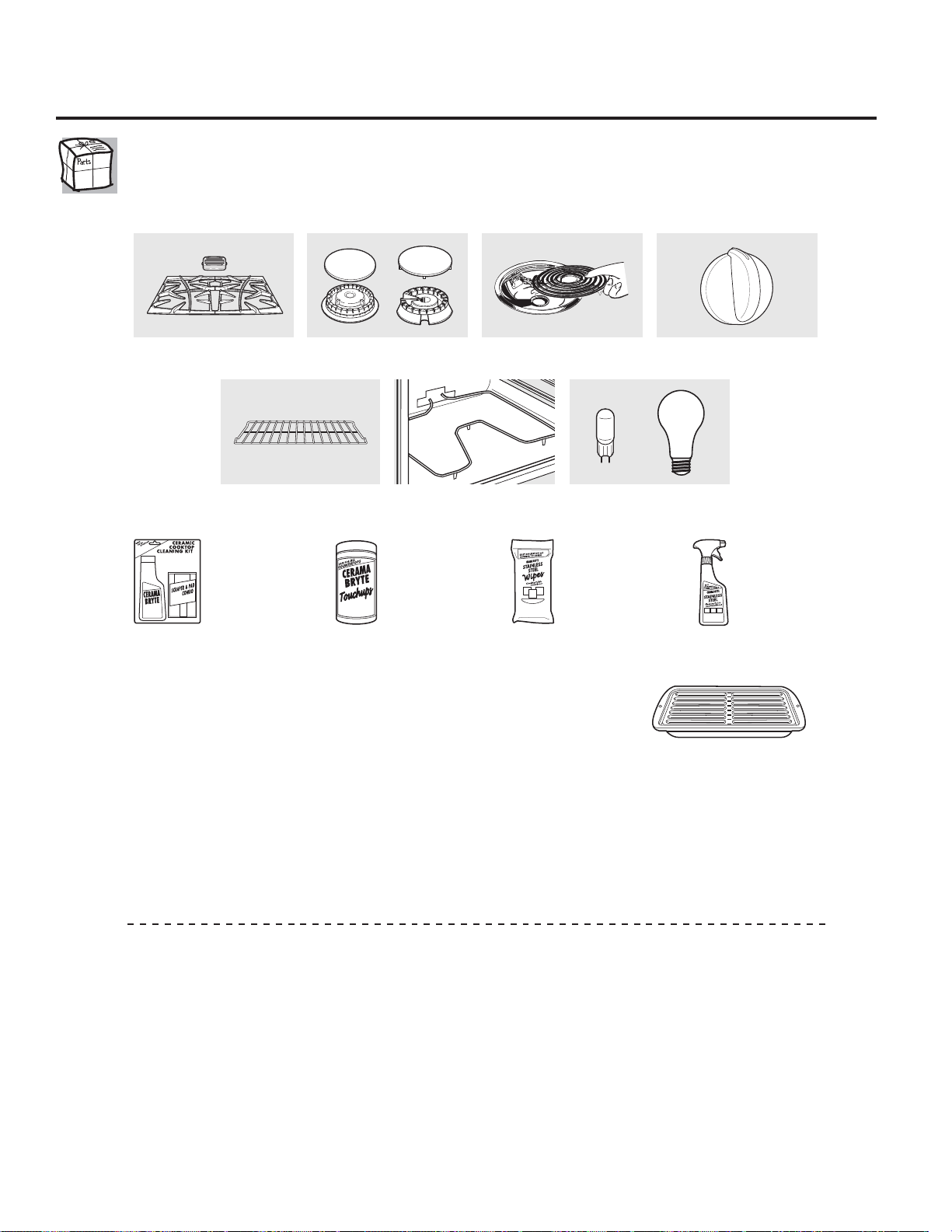
32
Accessories.
Looking For Something More?
You can find these accessories and many more at GEAppliances.com (U.S.) or www.GEAppliances.ca
(Canada), or call 800.626.2002 (U.S.) or 800.661.1616 &DQDGDGXULQJQRUPDOEXVLQHVVKRXUV+DYH\RXU
model number ready.
Experience these other great products to keep your kitchen looking great!
Get the most out of your Broiler Pan! (Not for use with Broiler Drawer models.)
Use your pan and grid cover to broil hamburgers, seafood, steaks, vegetables,
bacon, chops and so much more! The pan below catches the excess fats and oils.
• Genuine GE Part
• Easy To Clean
• One-Year Warranty
Limited Time Offer! Free Shipping!
When you order your broiler pan within 30 days of purchasing your GE cooking product.
Small Large* XL**
Part # :%; :%; :%;
Dimensions
µ:[µ+[µ' µ:[µ+[µ' µ:[µ+[µ'
7KHODUJHVWDQGDUGEURLOSDQGRHVQRWILWLQµµUDQJHV
7KH;/SDQGRHVQRWILWLQµZDOORYHQVµGURSLQVRUµµUDQJHV
To place your order, call 800.626.2002 (U.S.), 800.661.1616 (Canada) or mail this form to:
In the U.S.: *(3DUWV32%R[0HPSKLV71. In Canada: *(3DUWV)DFWRU\/DQH0RQFWRQ1%(&0
Broiler Pan Order Form
Quantity ____________________ Part Number __________________________________________________
____________________ ______________________________________________________________
____________________ ______________________________________________________________
Model Number ______________ Serial Number __________________ Brand _______________ Date of Purchase __________
First Name ____________________________________________ Last Name ______________________________________________
Address__________________________________________________________________________________________________________
City __________________________________________________ State ___________ Zip Code _____________________________
Phone ________________________________________________ E-Mail __________________________________________________
Check ______ Money Order ______
Call 800.626.2002 in the U.S. or 800.661.6161 in Canada for current pricing. All credit card orders must be called in.
Surface Elements and Drip
Pans
Grates Surface Burner Heads and Caps
Oven Elements Light Bulbs
Knobs
Oven Racks
WX10X117GCS WX10X305 WX10X10001 PM10X311
Ceramic Cooktop
Cleaning Kit:
Includes cleaner,
scraper and pad
Ceramic Cooktop
Cleaning Wipes Stainless Steel
Appliance Polish
Wipes
Stainless Steel
Appliance
Cleaner
or
33
GE Built-In Electric Oven Warranty.
Service trips to your home to teach you how to use
the product.
Improper installation, delivery or maintenance.
Failure of the product if it is abused, misused,
or used for other than the intended purpose
or used commercially.
Replacement of house fuses or resetting of circuit breakers.
Damage to the product caused by accident, fire, floods or
acts of God.
Incidental or consequential damage caused by possible
defects with this appliance.
Damage caused after delivery.
Product not accessible to provide required service.
Service to repair or replace light bulbs, except for LED
lamps.
What GE Will Not Cover:
This warranty is extended to the original purchaser and any succeeding owner for products purchased for home
use within the USA. If the product is located in an area where service by a GE Authorized Servicer is not available, you
may be responsible for a trip charge or you may be required to bring the product to an Authorized GE Service location for
service. In Alaska, the warranty excludes the cost of shipping or service calls to your home.
Some states do not allow the exclusion or limitation of incidental or consequential damages. This warranty gives
you specific legal rights, and you may also have other rights which vary from state to state. To know what your
legal rights are, consult your local or state consumer affairs office or your state’s Attorney General.
Warrantor: General Electric Company. Louisville, KY 40225
All warranty service provided by our Factory Service Centers, or
an authorized Customer Care® technician. To schedule service,
YLVLWXVRQOLQHDW*($SSOLDQFHVFRPRUFDOO*(&$5(6
3OHDVHKDYHVHULDOQXPEHUDQGPRGHOQXPEHU
availa ble when calling for service.
Staple your receipt here.
Proof of the original purchase
date is needed to obtain service
under the warranty.
(;&/86,212),03/,(':$55$17,(6³<RXUVROHDQGH[FOXVLYHUHPHG\LVSURGXFWUHSDLUDVSURYLGHGLQWKLV/LPLWHG
Warranty. Any implied warranties, including the implied warranties of merchantability or fitness for a particular
purpose, are limited to one year or the shortest period allowed by law.
For The Period Of: GE Will Replace:
One Year Any part of the oven which fails due to a defect in materials or workmanship.
From the date of the During this limited one-year warranty, GE will also provide, free of charge, all labor
original purchase and in-home service to replace the defective part.
GE Appliances Website GEAppliances.com
Have a question or need assistance with your appliance? Try the GE Appliances Website 24 hours a day, any day of
the year! For greater convenience and faster service, you can now download Owner’s Manuals, order parts or even
schedule service on-line.
Schedule Service GEAppliances.com
Expert GE repair service is only one step away from your door. Get on-line and schedule your service at your
convenience any day of the year! Or call 800.GE.CARES (800.432.2737) during normal business hours.
5HDO/LIH'HVLJQ6WXGLR GEAppliances.com
*(VXSSRUWVWKH8QLYHUVDO'HVLJQFRQFHSW³SURGXFWVVHUYLFHVDQGHQYLURQPHQWVWKDWFDQEHXVHGE\SHRSOHRI
all ages, sizes and capabilities. We recognize the need to design for a wide range of physical and mental abilities
and impairments. For details of GE’s Universal Design applications, including kitchen design ideas for people with
disabilities, check out our Website today. For the hearing impaired, please call 800.TDD.GEAC (800.833.4322).
Extended Warranties GEAppliances.com
Purchase a GE extended warranty and learn about special discounts that are available while your warranty is still in
effect. You can purchase it on-line anytime, or call 800.626.2224 during normal business hours. GE Consumer Home
Services will still be there after your warranty expires.
Parts and Accessories GEAppliances.com
Individuals qualified to service their own appliances can have parts or accessories sent directly to their homes (VISA,
MasterCard and Discover cards are accepted). Order on-line today, 24 hours every day or by phone at 800.626.2002
during normal business hours.
Instructions contained in this manual cover procedures to be performed by any user. Other servicing generally
should be referred to qualified service personnel. Caution must be exercised, since improper servicing may
cause unsafe operation.
Contact Us GEAppliances.com
If you are not satisfied with the service you receive from GE, contact us on our Website with all the details including
your phone number, or write to: General Manager, Customer Relations
GE Appliances, Appliance Park
Louisville, KY 40225
Register Your Appliance GEAppliances.com
5HJLVWHU\RXUQHZDSSOLDQFHRQOLQH³DW\RXUFRQYHQLHQFH Timely product registration will allow for enhanced
communication and prompt service under the terms of your warranty, should the need arise. You may also mail in
the preprinted registration card included in the packing material.
Consumer Support

Instrucciones de seguridad ........ 2–4
Instrucciones de operación
Ajuste del Termostato –
Hágalo Usted Mismo ......................................12
Asado ...........................................................................8
Auto Limpieza ..............................................20, 21
Controles del Horno ...........................................5
Funciones de Cocción Lenta,
Pizza, Calentamiento y Prueba .........18, 19
Funciones de Horneado
y Asado por Tiempo .............................................9
Funciones Especiales ..............................22, 23
Horno a Convección ...............................13–17
Funciones por Tiempo .......................15, 16
Guía para Asar ................................................17
Horno Inferior .........................................................7
Horno Superior ......................................................6
Modo Sabático ....................................................24
Reloj, Temporizador de Cocina
y Control de Bloqueo .........................................11
Sonda ......................................................................10
Cuidado y limpieza ........................ 25–28
Consejos para resolución
de problemas ....................................... 29–31
Accesorios ........................................................ 32
Soporte al consumidor
Garantía .................................................................. 33
Soporte al consumidor .................................. 34
GEAppliances.com
PT925
Manual del propietario
Escriba los números de modelo
y serie aquí:
Nº de modelo __________
Nº de serie ___________
Puede encontrar esta información
en una etiqueta en la parte
delantera del horno inferior,
detrás de la puerta del horno.
Horno empotrado
a convección autolimpieza eléctrico
Impreso en los Estados Unidos 49-80714 04-14 GE

2
Use este aparato únicamente para los fines descritos
en este Manual del propietario.
Asegúrese de que su aparato sea instalado y
conectado a tierra correctamente por un técnico
calificado, de acuerdo con las instrucciones de
instalación suministradas.
No intente reparar o reemplazar ninguna parte de
su horno a menos que este manual lo recomiende
de manera específica. Todos los demás servicios
de mantenimiento deberán derivarse a un técnico
calificado.
Pida al instalador que le muestre la ubicación del
cortacircuitos o fusible. Márquelo para una referencia
fácil.
Antes de realizar cualquier servicio de mantenimiento,
desconecte el suministro de energía del horno en el
panel de distribución doméstico quitando el fusible o
apagando el cortacircuitos.
No deje a los niños sin supervisión; los niños no deben
estar solos o sin supervisión en un área en la que un
aparato está en uso. No se les debe permitir sentarse o
pararse sobre ninguna de las partes del aparato.
No deje que nadie se suba, se pare o se cuelgue de
la puerta. Podrían dañar el horno o sufrir lesiones
personales graves.
Asegúrese de que el horno esté instalado
correctamente en un armario que esté bien sujeto a la
estructura de la casa.
Nunca deje la puerta del horno abierta cuando no esté
observándolo.
Siempre mantenga tapices, cortinas o paños que
puedan prenderse fuego a una distancia segura del
horno.
Siempre mantenga los paños de cocina, repasadores,
guantes para cacerolas y todo tipo de tela a una
distancia segura de su horno.
Siempre mantenga los utensilios de madera y plástico,
así como alimentos enlatados, a una distancia segura
de su horno.
Enseñe a los niños que no deben jugar con los
controles ni con ninguna otra parte del artefacto.
Los rayones o impactos severos sobre las puertas de
vidrio podrían romper o astillar el vidrio.
No guarde materiales inflamables en un horno.
PRECAUCIÓN:Los artículos e interés
para los niños no deben guardarse en armarios arriba
de un horno; ya que los niños podrían sufrir lesiones
graves al intentar treparse sobre él para alcanzar los
objetos.
Cuando se utilizan aparatos eléctricos, se deben seguir las precauciones de seguridad básicas, incluyendo las siguientes:
PRECAUCIONES DE SEGURIDAD
INFORMACIÓN IMPORTANTE DE SEGURIDAD.
LEA TODAS LAS INSTRUCCIONES ANTES DE USAR.
¡ADVERTENCIA!
Si no se sigue exactamente la información de este manual, puede ocurrir un incendio, una explosión o un cortocircuito que
podría causar daños a la propiedad, lesiones personales o la muerte.
AVISO IMPORTANTE DE SEGURIDAD
La Ley de tóxicos y agua potable segura de California (California Safe Drinking Water and Toxic Enforcement Act) exige
al gobernador de California publicar una lista de las sustancias conocidas en el estado que causan cáncer, defectos
de nacimiento u otros daños, y exige a las empresas que alerten a los clientes sobre la exposición potencial a dichas
sustancias.
El aislamiento de fibra de vidrio en los hornos de autolimpieza emite una pequeña cantidad de monóxido de carbono
durante el ciclo de limpieza. Puede minimizarse la exposición permitiendo la ventilación con una ventana abierta o
utilizando un ventilador.

Nunca use vestimenta floja o que cuelgue mientras
hace uso del aparato. Tenga cuidado al intentar
alcanzar artículos guardados en armarios sobre
el horno. Los materiales inflamables podrían
encenderse si entran en contacto con superficies
calientes o elementos calefactores y podrían provocar
quemaduras graves.
Use únicamente guantes para cacerolas que estén
secos; los guantes húmedos o mojados sobre
superficies calientes podrían causar quemaduras
debido al vapor. No permita que los guantes entren en
contacto con los elementos calefactores calientes. No
use una toalla u otro tipo de tela voluminosa.
Por su seguridad, nunca use su aparato para calentar
la habitación.
No permita que la grasa de la cocción u otros materiales
inflamables se acumulen dentro o cerca del horno.
No use agua para apagar incendios con grasa. Nunca
tome una cacerola que se esté quemando. Apague los
controles.
Las llamas en el horno pueden apagarse por completo
al cerrar la puerta del horno y apagarlo o al utilizar un
producto químico multiuso seco o un extintor de tipo
espuma.
No toque los elementos calefactores ni la superficie
interna del horno. Estas superficies podrían estar lo
suficientemente calientes como para quemar aún
si están oscuras. Durante el uso y luego de éste, no
toque ni permita que las prendas u otros materiales
inflamables entren en contacto con ningún área interna
del horno; deje que se enfríe primero.
Las superficies que pueden estar calientes incluyen:
orificios de ventilación del horno, superficies cercanas
a los orificios, grietas alrededor de la puerta del horno,
los bordes de la ventana y los ribetes metálicos sobre la
puerta.
RECUERDE: La superficie interna del horno puede estar
caliente al abrir la puerta.
Nunca deje frascos o latas con grasa de carne asada
dentro o cerca de su horno.
No guarde ni use materiales combustibles, gasolina
u otros líquidos y vapores inflamables cerca de este
aparato ni ningún otro.
Aléjese del horno cuando abra la puerta. El aire o vapor
caliente que sale puede causar quemaduras en las
manos, la cara y los ojos.
No caliente recipientes de alimentos sin abrir. La
presión podría acumularse y el recipiente podría
explotar y provocar una lesión.
Mantenga libre la ventilación del horno.
No permita que se acumule grasa en el horno.
Coloque la parrilla del horno en la posición que desee
mientras el horno esté frío. Si es necesario manipular
las parrillas cuando están calientes, no permita que
los guantes para cacerolas entren en contacto con los
elementos calefactores.
Cuando utilice bolsas para cocinar o asar en el horno,
siga las indicaciones del fabricante.
Sacar la parrilla hasta el tope resulta útil para levantar
comidas pesadas. También es una precaución para
evitar quemarse al tocar las superficies calientes de la
puerta o las paredes del horno.
No utilice el horno para secar periódicos. Si se
sobrecalientan, pueden incendiarse.
No utilice el horno como área de almacenamiento.
Los elementos almacenados en un horno pueden
incendiarse.
No deje objetos hechos de papel, utensilios de cocina o
alimentos en el horno mientras no esté en uso.
Luego de asar a la parrilla, siempre retire una asadera
del horno y límpiela. La grasa que quede en una
asadera puede incendiarse la próxima vez que utilice la
bandeja.
Únicamente limpie las partes enlistadas en este Manual
del propietario.
No use ningún tipo de aluminio o cobertor para cubrir
el fondo del horno o cualquier parte del horno, excepto
como se describe en este manual. Los cobertores de
horno pueden atrapar el calor o derretirse, ocasionando
daños sobre el producto y el riesgo de descargas, humo
o incendios.
Nunca coloque los utensilios de cocina, piedras para
pizza u horneado o cualquier otro tipo de aluminio
o cobertor en la base del horno. Estos ítems pueden
atrapar el calor o derretirse, ocasionando daños sobre
el producto y el riesgo de descargas, humo o incendios.
¡ADVERTENCIA!
PRECAUCIONES DE SEGURIDAD
GEAppliances.com
3

4
Cueza la carne roja y de ave por completo: la carne roja a una temperatura INTERNA de al menos 160 °F y la de ave a una
temperatura INTERNA de al menos 180 °F. La cocción a estas temperaturas ofrece protección contra enfermedades de
transmisión por alimentos.
CUEZA LAS CARNES Y EL POLLO COMPLETAMENTE…
No limpie el empaque de la puerta. El empaque de la
puerta es esencial para un buen cierre. Debe tenerse
cuidado de no desgastar, dañar o mover el empaque.
No utilice limpiadores. Ningún limpiador comercial
para hornos ni ninguna cubierta protectora para
hornos debe utilizarse dentro o alrededor de las partes
del horno. Los residuos de los limpiadores de hornos
dañarán el interior del horno cuando se utilice el ciclo
de autolimpieza.
Antes de la autolimpieza del horno, remueva la sonda,
cualquier cacerola para asar, parrilla y otros utensilios
de cocina.
Antes de comenzar un ciclo de autolimpieza, asegúrese
de limpiar con un trapo los derrames.
Si el modo de autolimpieza no funciona bien, apague
el horno y desconecte el suministro de corriente. Haga
que un técnico calificado realice la reparación.
AUTOLIMPIEZA DEL HORNO
LEA Y SIGA ESTA INFORMACIÓN DE SEGURIDAD CUIDADOSAMENTE.
GUARDE ESTAS INSTRUCCIONES
INFORMACIÓN IMPORTANTE DE SEGURIDAD.
LEA TODAS LAS INSTRUCCIONES ANTES DE USAR.
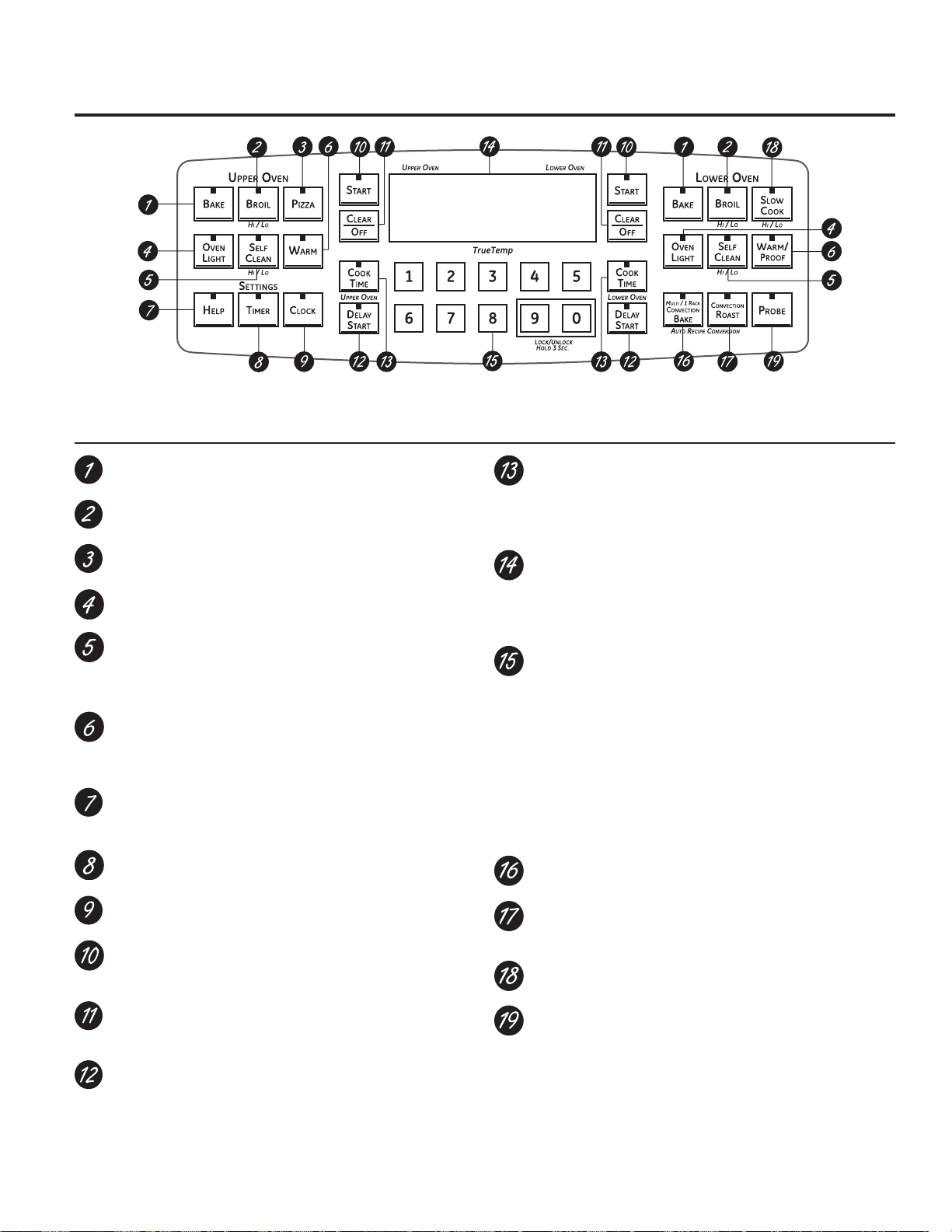
Botón Bake (Horneado)
Presione para seleccionar la función horneado.
Botón Broil Hi/Lo (Asar a la Parrilla Alto/Bajo)
Presione para seleccionar la función asar a la parrilla.
Botón PIZZA
Presione para seleccionar la función de pizza.
Botón Oven Light (Luz del horno)
Presione para encender o apagar la luz del horno.
Botón Self Clean HI/LO (Limpieza automática Alto/Bajo)
Presione para seleccionar la función de autolimpieza.
Consulte la sección Uso de la fonción auto limpieza de los
hornos superior e inferior.
Botón WARM/PROOF (CALENTAR/PRUEBA)
Presione para mantener calientes las comidas ya cocinadas.
Consulte la sección Cómo Configurar los hornos inferior y
superior para calentar.
Botón HELP (AYUDA)
Presione para obtener ayuda sobre una función específica o
para cambiar opciones.
Botón Timer (Temporizador)
Presione para seleccionar la característica del temporizador.
Botón Clock (Reloj)
Presione antes de configurar el reloj.
Botón Start (Inicio)
Debe presionarse para iniciar cualquier función de cocción o
limpieza.
Botón Clear/Off
Presione para cancelar TODAS las operaciones del horno
excepto el reloj y el temporizador.
Botón Delay Start (Inicio postergado)
Utilice junto con los botones COOK TIME o SELF CLEAN HI/
LO para configurar el horno para que inicie y se detenga
automáticamente en el momento que usted programe.
Botón Cook Time (Tiempo de cocción)
Presione y luego presione los botones numéricos para
establecer la cantidad de tiempo que desea cocinar sus
alimentos. El horno se apagará automáticamente cuando se
haya agotado el tiempo de cocción.
Pantalla
Muestra la hora del día, la temperatura del horno, si el horno
está en el modo de horneado, de asar a la parrilla o de
autolimpieza y las horas establecidas para el temporizador o
las operaciones automáticas del horno.
Botones numéricos
Utilice para configurar cualquier función que necesite
números como la hora del día en el reloj, el temporizador,
la temperatura del horno, la temperatura interna de la
comida, la hora de inicio y la duración de la operación para
el horneado cronometrado y la autolimpieza.
Si su horno fue configurado para una operación cronometrada
del horno y se presentó una interrupción en el fluido eléctrico, el
reloj y todas las funciones programadas deben restablecerse.
La hora del día parpadeará en la pantalla cuando se haya
presentado una interrupción en el fluido eléctrico.
Botón Convection Bake (Horneado por convección)
Presiónelo para seleccionar la función de convección.
Botón Convection Roast (Asado por convección)
Presiónelo para seleccionar el asado con la función de
convección.
Botón SLOW COOK (COCCIÓN LENTA)
Presione para seleccionar la función de Cocción Lenta.
Botón Probe (Sonda)
Presione cuando utilice la sonda para cocinar alimentos a
una temperatura interna deseada.
NOTA: Al configurar los tiempos, sólo se realizan ajustes de horas y
minutos. El tiempo mínimo que se puede configurar es de un minuto.
Control del horno, características y configuraciones
del reloj (Clock) y del temporizador (Timer)
Las funciones y apariencia
pueden variar.
Uso de los controles del horno.
NOTA: A lo largo de este manual, las características y apariencia pueden variar con los de su modelo.
GEAppliances.com
5
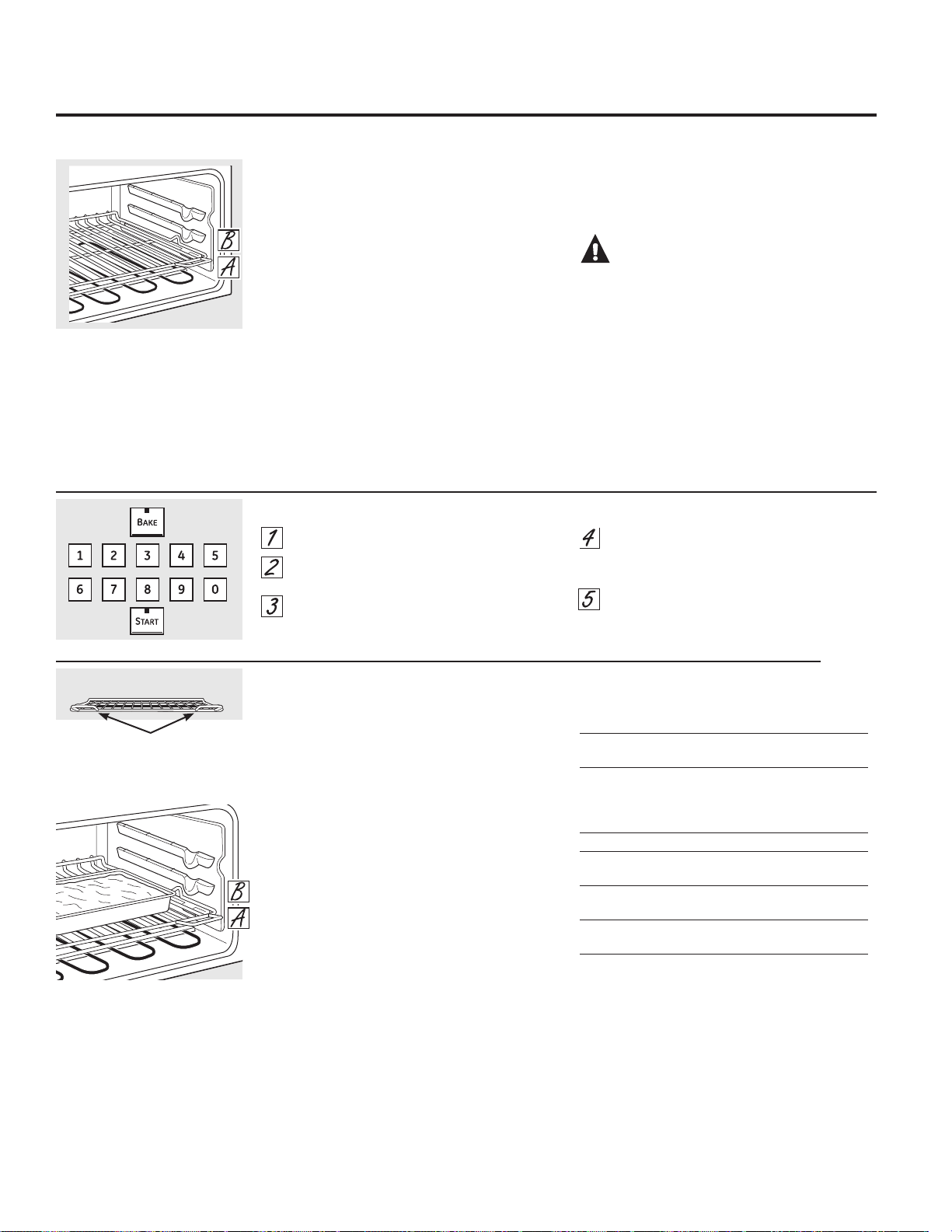
6
Precalentamiento y ubicación de la cacerola
Precaliente el horno si la receta así lo indica. El
precalentamiento es necesario para obtener
buenos resultados cuando hornee tortas,
dulces, pastelitos y panes.
Para calentar el horno previamente, ajuste la
temperatura correcta. El control hará un pitido
cuando el horno esté caliente y la pantalla
mostrará la temperatura que configuró. Esto
tomará aproximadamente entre 4 y 6 minutos
a 350º F.
Los resultados del horneado serán mejores si
las cacerolas de horneado se encuentran en el
centro del horno la mayor cantidad de tiempo
posible. Si horneará con más de una cacerola,
coloque las mismas de modo que cada una
posea un espacio de aire alrededor de la
misma de por lo menos entre 1sto 11ø2s.
Posición
Tipo de comida de la parrilla
Pasteles frescos o congelados A
(sobre una bandeja para hornear)
Bizcochos, muffins, A
brownies, galletas,
pasteles individuales
en capa, bizcochos
Guiso A
Pizza – A temperatura natural B
con la bandeja de horneado
Pizza – Congelada, colocada B
directamente en la parrilla
Pizza – Congelada, en la bandeja
de metal A
NOTA: Para hornear un pastel de ángel y un
pastel de molde, se recomienda que use sólo el
horno inferior.
Antes de comenzar…
La parrilla superior, con dos manijas frontales,
posee bloqueadores, de modo que al colocarla
de forma correcta sobre los soportes, se
detendrá antes de salir completamente y no
se inclinará.
NOTA: Use la parilla con las dos manijas
frontales en el horno superior.
Al colocar y retirar utensilios de cocina, empuje
la parrilla hasta que se detenga.
Para quitar una parrilla, tírelo hacia usted,
incline el frente hacia arriba y tire de él hacia
afuera.
Para reemplazar, coloque el extremo de la
parrilla (topes de cierre) en el apoyo, incline el
frente y empuje de la parrilla hacia adentro.
PRECAUCIÓN:Cuando use
una parilla en la posición más baja (A), será
necesario que tenga cuidado al empujar hacia
afuera. (Asegúrese de usar la manijas de la
parrilla.) Recomendamos que empuje la parrilla
varias pulgadas hacia afuera y que luego,
utilizando dos agarraderas de cacerolas, retire la
parrilla sosteniendo la misma sobre los laterales.
La parrilla está en una posición baja y usted
podría sufrir una quemadura si coloca la mano
en medio de la misma al empujar hacia afuera.
Deberá evitar quemar su mano sobre la puerta
al usar la parrilla en la posición más baja (A).
Cómo configurar el horno superior para hornear
Uso del horno superior.
Para prevenir posibles quemaduras, coloque las parrillas en la posición deseada antes de encender el horno.
Parrilla horizontal
Manijas
Use la parilla con las dos manijas
frontales en el horno superior.
El horno tiene 2 parrillas en posición.
Presione el botón BAKE.
Presione los botones numéricos para
establecer la temperatura deseada.
Presione el botón START.
Revise los alimentos para el punto de
cocción al mínimo tiempo en la receta.
Cocine durante más tiempo si es necesario.
Presione el botón CLEAR/OFF cuando
esté completa la cocción.
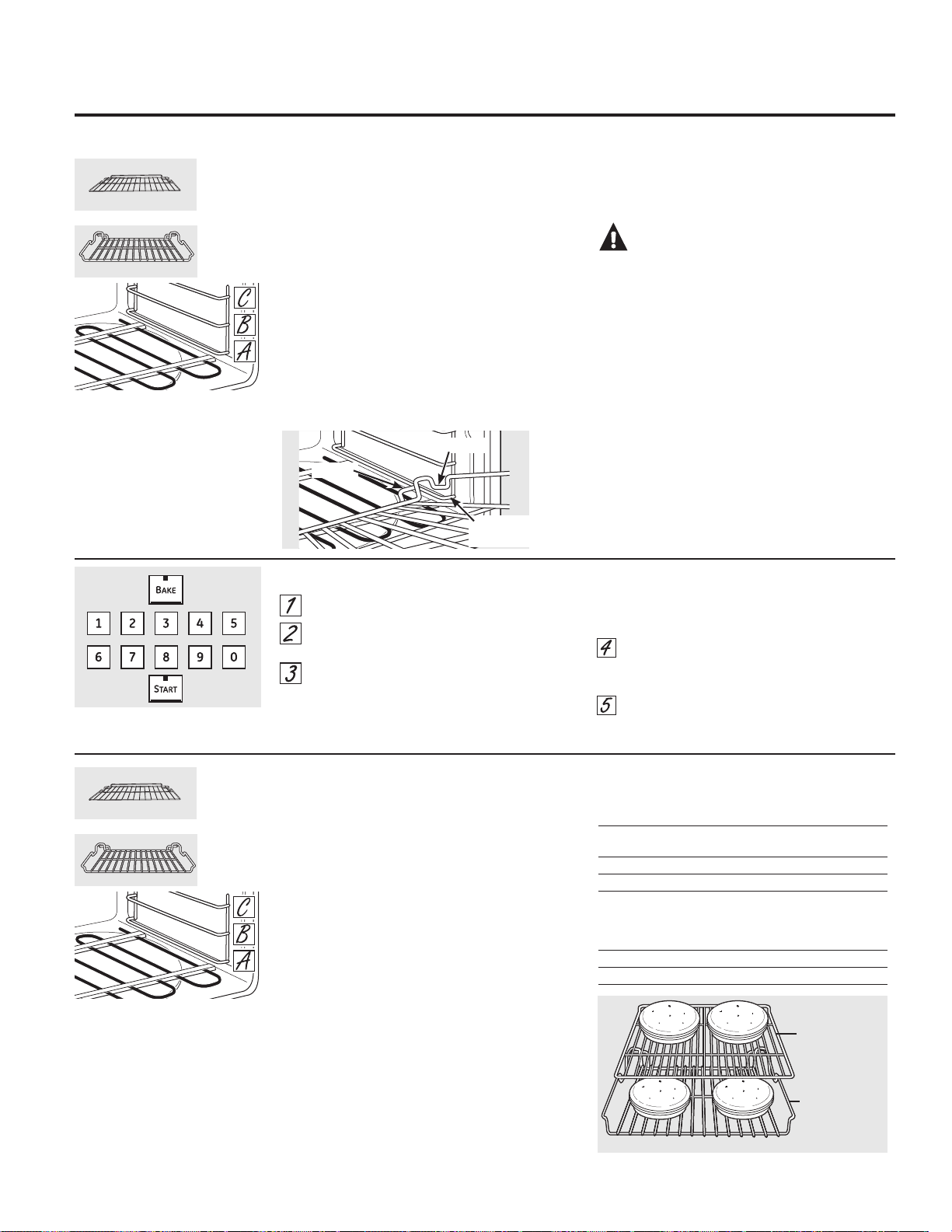
Precalentamiento y ubicación de la cacerola
Precaliente el horno si la receta así lo indica. El
precalentamiento es necesario para obtener
buenos resultados cuando hornee tortas,
dulces, pastelitos y panes.
Para calentar el horno previamente, ajuste la
temperatura correcta. El control hará
un pitido cuando el horno esté caliente
y la pantalla mostrará la temperatura que
configuró. Esto tomará aproximadamente entre
10 y 15 minutos.
Los resultados del horneado serán mejores si
las cacerolas de horneado se encuentran en el
centro del horno la mayor cantidad de tiempo
posible. Si horneará con más de una cacerola,
coloque las mismas de modo que cada una
posea un espacio de aire alrededor de la
misma de por lo menos entre 1sy 11ø2s.
Si horneará cuatro capas de torta al mismo tiempo,
coloque dos capas en la parrilla horizontal en la posición
C y dos capas en la parrilla de desplazamiento lateral
en la posición B. Escalone las cacerolas en la parrilla de
modo que no queden una directamente encima de la
otra.
Posición
Tipo de comida de la parrilla
Pasteles frescos o congelados A – Horizontal
(sobre una bandeja para hornear)
Torta ligera (angel cake) A – Lateral
Tarta de libra o Bundt B – Lateral
Bizcochos, muffins, B – Horizontal
brownies, galletas,
pasteles individuales
en capa, bizcochos, pasteles
Guiso B – Horizontal
Carne de Ave A – Lateral
Antes de comenzar…
Las parrillas poseen bloqueadores, de modo
que al colocarlas correctamente sobre los
soportes se detendrán antes de salirse
completamente y no se inclinarán.
Al colocar y retirar utensilios de cocina, empuje
la parrilla hasta que se detenga.
Para quitar una parrilla, tírelo hacia usted,
incline el frente hacia arriba y tire de él hacia
afuera.
Para reemplazarla, incline el frente de la
parrilla hacia arriba, cuelgue la parte trasera
ubicando los enlaces debajo de los soportes de
la parrilla, empuje la parrilla hacia atrás (hasta
trabarla
en los bloqueadores) y haga que descienda
hasta su posición. Empuje la parrilla hasta que
quede introducida correctamente.
PRECAUCIÓN:Cuando use
una parilla en la posición más baja (A), será
necesario que tenga cuidado al empujar hacia
afuera. Recomendamos que empuje la parrilla
varias pulgadas hacia afuera y que luego,
utilizando dos agarraderas de cacerolas, retire la
parrilla sosteniendo la misma sobre los laterales.
La parrilla está en una posición baja y usted
podría sufrir una quemadura si coloca la mano
en medio de la misma al empujar hacia afuera.
Deberá evitar quemar su mano sobre la puerta
al usar la parrilla en la posición más baja (A).
El horno cuenta con 3 posiciones
de parrilla y 2 estilos de parrillas,
permitiendo combinar las mismas
de 6 maneras diferentes.
Uso del horno inferior. GEAppliances.com
Para prevenir posibles quemaduras, coloque las parrillas en la posición deseada antes de encender el horno.
Parrilla
horizontal
Parrilla de
desplazamiento
lateral
7
Enlace
Bloqueador
Soporte de
la parrilla
Cómo configurar el horno inferior para hornear o asar
Presione el botón BAKE.
Presione los botones numéricos para
establecer la temperatura deseada.
Presione el botón START.
NOTA: Escuchará el ventilador de convección
mientras el horno se está calentando. El ventilador
se detendrá cuando el horno esté caliente y la
pantalla mostrará la temperatura que configuró.
Esto es normal.
Revise los alimentos para el punto de
cocción al mínimo tiempo en la receta.
Cocine durante más tiempo si es necesario.
Presione el botón CLEAR/OFF cuando
esté completa la cocción.
El horno cuenta con 3 posiciones
de parrilla y 2 estilos de parrillas,
permitiendo combinar las mismas
de 6 maneras diferentes.
Parrilla
horizontal
Parrilla de
desplazamiento
lateral
Parrilla
horizontal
en la
Posición C
Parrilla de
desplazamiento
lateral en
la Posición B
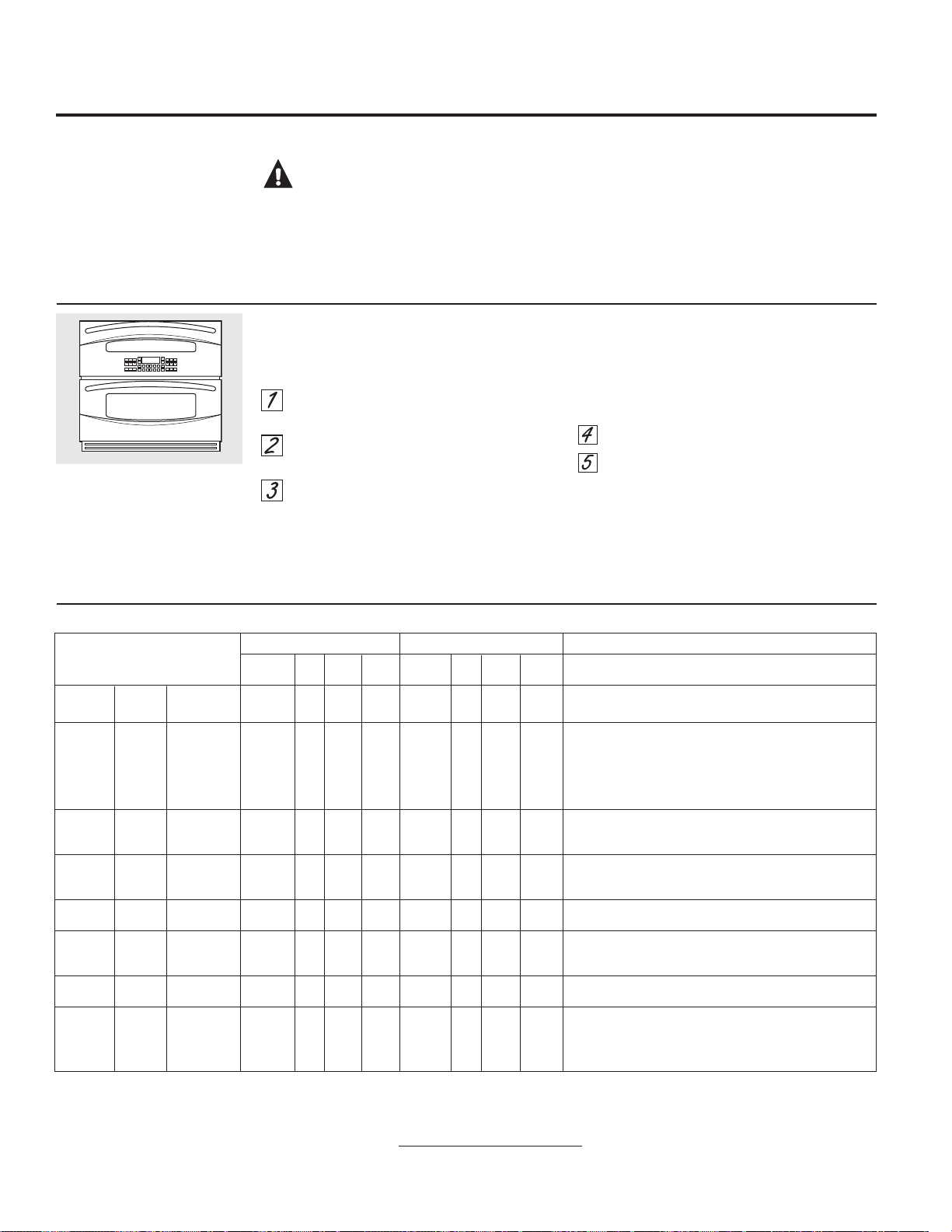
Horno superior Horno inferior
Posición Tiempo Tiempo Posición Tiempo Tiempo
Alimento Parrilla Asar Lado 1 Lado 2 Parrilla Asar Lado 1 Lado 2 Comentarios
Carne Bien cocido 8 croquetas A HI 12 6
B – Horizontal
HI 10 6 a 7 Distribuya uniformemente. Hasta 8 croquetas toman
molida (3/4s de espesor) aproximadamente el mismo tiempo.
Filetes
Poco cocido† 1s de espesor 1 lb
A HI 9 4 a 6 7 4 a 6 Los filetes de menos de 1 pulgada de espesor e cocinan por
de carne Medio
1s de espesor 1 lb
A HI 11 5 a 7 9 5 a 7 completo antes de dorarse. Recomendamos freír en el sartén.
Bien cocido
1s de espesor 1 lb
A HI 13 6 a 8
B – Horizonta
lHI 11 6 a 8 Corte la grasa.
Poco cocido†
1
1ø2s de espesor 1 lb
A HI 15 5 a 7 13 5 a 7
Medio
11ø2s de espesor 1 lb
A HI 17 6 a 8 15 6 a 8
Bien cocido
11ø2s de espesor 1 lb
A HI 19 7 a 9 17 7 a 9
Pollo Bien cocido
1 completo 3 a 4 lb
A HI 25 13 a 18 B –Lateral HI 25 13 a 18 Esparza manteca derretida en cada lado. Ase del lado de la piel
dividido longitudinalmente
hacia abajo primero.
8 presas A HI 20 10 a 12 B –Lateral HI 20 10 a 12
Colas de 2 a 4 A LO 20 a 22 No dé 18 a 20 No dé Corte a través de la parte posterior del caparazón. Deje
langosta
10 a 12 oz cada una
vuelta.
B – Horizontal
LO vuelta. las colas bien separadas. Unte con mantequilla derretida antes
de asar y después de la mitad del tiempo de cocción, si lo desea.
Filetes de Bien cocido
1/4 a 1/2s de espesor
B LO 5 4 a 5
C – Horizontal
LO 5 4 a 5 Manipule y voltee con cuidado. Unte con mantequilla de limón
pescado 1s de espesor B LO 6 6 a 7
C – Horizonta
l LO 6 6 a 7 antes y durante la cocción, si lo desea.
Rodajas 1s de espesor A HI 8 7 a 9 B – Horizontal HI 7 7 a 9 Aumente el tiempo de 2 a 5 minutos por lado para 11ø2s
de jamón de espesor.
(precocido)
Chuletas Bien cocido
2 (1/2s de espesor)
A HI 9 6 a 7
B – Horizontal
HI 8 5 a 6 Corte la grasa.
de cerdo Bien cocido 2 (1s de espesor) A HI 13 8 a 10
B – Horizonta
l HI 12 7 a 9
Chuletas Medio 2 (1s de espesor) A HI 10 5 a 7 9 4 a 6 Corte la grasa.
de cordero Bien cocido
2 (11ø2s de espesor)
A HI 12 6 a 8
B – Horizontal
HI 11 5 a 7
Medio
2 (11ø2s de espesor)
A HI 13 7 a 9 12 6 a 8
Bien cocido
2 (11ø2s de espesor)
A HI 15 8 a 10 14 7 a 9
8
El tamaño, peso, grosor, temperatura inicial y su preferencia sobre el punto de cocción de los alimentos afectarán los tiempos de cocción.
Esta guía está basada en carnes a temperatura de refrigerador.
† El Departamento de Agricultura de EE.UU. indica que: “la carne a poco cocida es popular, pero usted debe saber que cocinarla a solamente 140 °F significa
que algunos organismos venenosos podrían sobrevivir”. (Fuente: Safe Food Book. Your Kitchen Guide. USDA Rev. Junio 1985.)
Cómo configurar los hornos superior e inferior para asar a la parrilla
Cierre la puerta. Siempre ase a la parrilla con
la puerta cerrada.
Coloque la carne o el pescado sobre una
rejilla para asar en una bandeja para asar.
Siga las posiciones en la parrilla sugeridas
en la Guía para asar a la parrilla.
Presione el botón BROIL HI/LO una vez
para asar a la parrilla HI (Alto).
Para cambiar a Asar a la parrilla LO
(Bajo), presione el botón BROIL HI/LO
nuevamente.
Use Asado BAJO (LO Broil) para cocinar
comidas como carne de ave o cortes gruesos
de carne en forma completa sin que se doren
en exceso.
Presione el botón START.
Cuando el asado a la parrilla esté
terminado, presione el botón CLEAR/OFF.
NOTA: Las funciones de asado y auto limpieza
no funcionarán si la sonda de temperatura está
enchufada.
Cierre la puerta. Siempre ase a la
parrilla con la puerta cerrada.
Si su horno está conectado
a 208 voltios, los filetes poco
cocidos pueden asarse a la
parrilla precalentando la parrilla y
posicionando la parrilla del horno
en una posición más alta.
Uso de los hornos superior e inferior.
Guía para asar a la parrilla
Papel de Aluminio y Cobertores del Horno
PRECAUCIÓN:
No use ningún
tipo de aluminio o cobertor de horno para cubrir el
fondo del horno. Estos ítems pueden atrapar el calor
o derretirse, ocasionando daños sobre el producto
y el riesgo de descargas, humo o incendios. Los
daños por uso inadecuado de estos ítems no están
cubiertos por la garantía del producto.
Se podrá usar aluminio para evitar derrames,
colocando una hoja sobre un estante inferior
varias pulgadas debajo de la comida. No use
más aluminio que el necesario y nunca cubra
totalmente el estante de un horno con papel de
aluminio. Mantenga el aluminio a por lo menos
1 1/2” de las paredes del horno, para evitar una
circulación deficiente del calor.
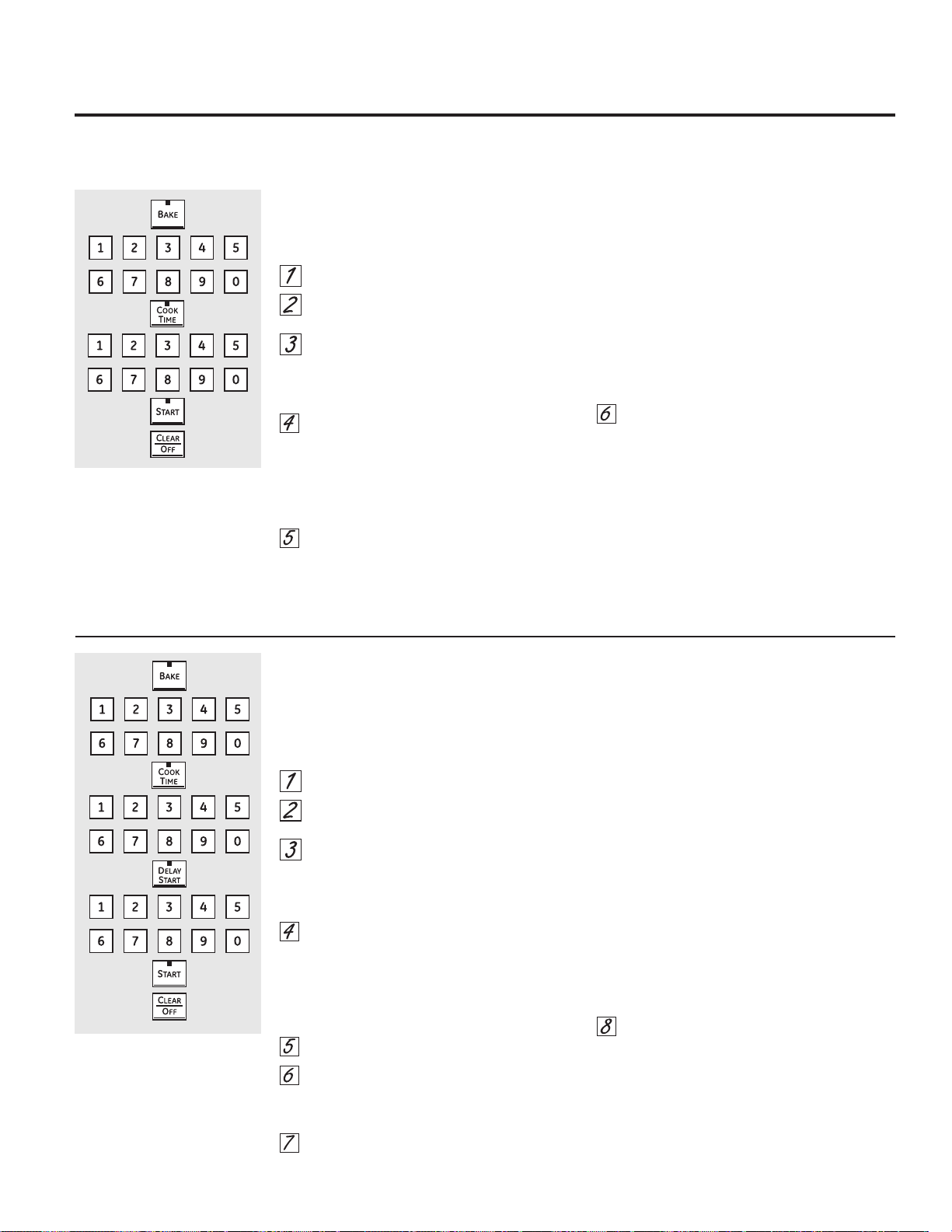
Cómo configurar un Inicio inmediato y una Parada automática
El horno se encenderá inmediatamente y cocinará
durante el tiempo seleccionado. Al final del tiempo de
cocción, el horno se apagará automáticamente.
Presione el botón BAKE.
Presione los botones numéricos para
programar la temperatura del horno deseada.
Presione el botón COOK TIME.
NOTA: Si su receta requiere calentar en forma previa,
es posible que necesite tiempo adicional sobre el
tiempo de cocción.
Presione los botones numéricos para
configurar el tiempo de cocción deseado.
El tiempo mínimo de cocción que puede
configurar es de 1 minuto.
La temperatura del horno que configure y el
tiempo de cocción que ingresó aparecerán en
la pantalla.
Presione el botón START.
NOTA: Un tono de atención sonará si está usando
el horneado por tiempo y no se debe presionar el
botón START.
El horno estará en la posición ON (ENCENDIDO) y en la
pantalla aparecerá el conteo de la cocción y el cambio
de temperatura a partir de los 100°F. (La pantalla de
temperatura comenzará a cambiar una vez que la
temperatura del horno alcance los 100ºF). Cuando el
horno alcance la temperatura que programó, sonarán
3 pitidos.
El horno continuará la cocción durante la cantidad
de tiempo programada, luego se apagará
automáticamente, a menos que la función WARM
(CALENTAR) esté programada. Lea la sección Cómo
configurar los hornos inferior y superior para calentar.
Presione el botón CLEAR/OFF para apagar
la pantalla si es necesario. Retire la comida
del horno. Recuerde que aunque el horno
se apague de forma automática, la comida
que permanezca dentro de éste continuará
cocinándose cuando el horno esté apagado.
Cómo configurar un Inicio postergado y una Parada automática
El horno se encenderá en el horario del día
que configure, cocinará durante un período
de tiempo específico y luego se apagará
automáticamente.
Asegúrese que el reloj marque la hora correcta del
día. Presione el botón BAKE.
Presione los botones numéricos para
programar la temperatura del horno deseada.
Presione el botón COOK TIME.
NOTA: Si su receta requiere calentar en forma previa,
es posible que necesite tiempo adicional sobre el
tiempo de cocción.
Presione los botones numéricos
para configurar el tiempo de cocción deseado.
El tiempo mínimo de cocción
que puede configurar es de 1 minuto.
La temperatura del horno que configure
y el tiempo de cocción que ingresó
aparecerán en la pantalla.
Presione el botón DELAY START.
Presione los botones numéricos para
configurar la hora del día en que desea que el
horno se encienda y comience
a cocinar.
Presione el botón START.
NOTA: Un tono de atención sonará si está usando el
horneado por tiempo y no se debe presionar
el botón START.
NOTA: Si desea controlar los horarios configurados,
presione el botón DELAY START para controlar la
hora de inicio que configuró
o presione el botón COOK TIME para controlar
el período de tiempo de cocción que programó
Cuando el horno esté en ON (ENCENDIDO)
a la hora del día que configuró, en la pantalla
aparecerá el conteo de la cocción y el cambio de
temperatura a partir de los 100°F. (La pantalla de
temperatura comenzará a cambiar una vez que la
temperatura del horno alcance los 100ºF). Cuando el
horno alcance la temperatura
que programó, sonarán varios pitidos.
El horno continuará la cocción durante
la cantidad de tiempo programada, luego
se apagará automáticamente, a menos
que la función WARM (CALENTAR) esté programada.
Lea la sección Cómo configurar
los hornos inferior y superior para calentar.
Presione el botón CLEAR/OFF para apagar
la pantalla si es necesario. Retire la comida
del horno. Recuerde que aunque el horno se
apague de forma automática,
la comida que permanezca dentro
de éste continuará cocinándose
cuando el horno esté apagado.
Uso de las características cronometradas de horneado
y asado del horno. GEAppliances.com
NOTA: 1RGHEHSHUPLWLUVHTXHORVDOLPHQWRVTXHVHHFKDQDSHUGHUIiFLOPHQWH³FRPROHFKHKXHYRVSHVFDGRUHOOHQRVDYHV\FHUGR³UHSRVHQ
por más de 1 hora antes o después de la cocción. La temperatura ambiente promueve el crecimiento de bacterias peligrosas. Asegúrese de que
la luz del horno esté apagada ya que el calor de la bombilla aceleraría el crecimiento de bacterias peligrosas.
9
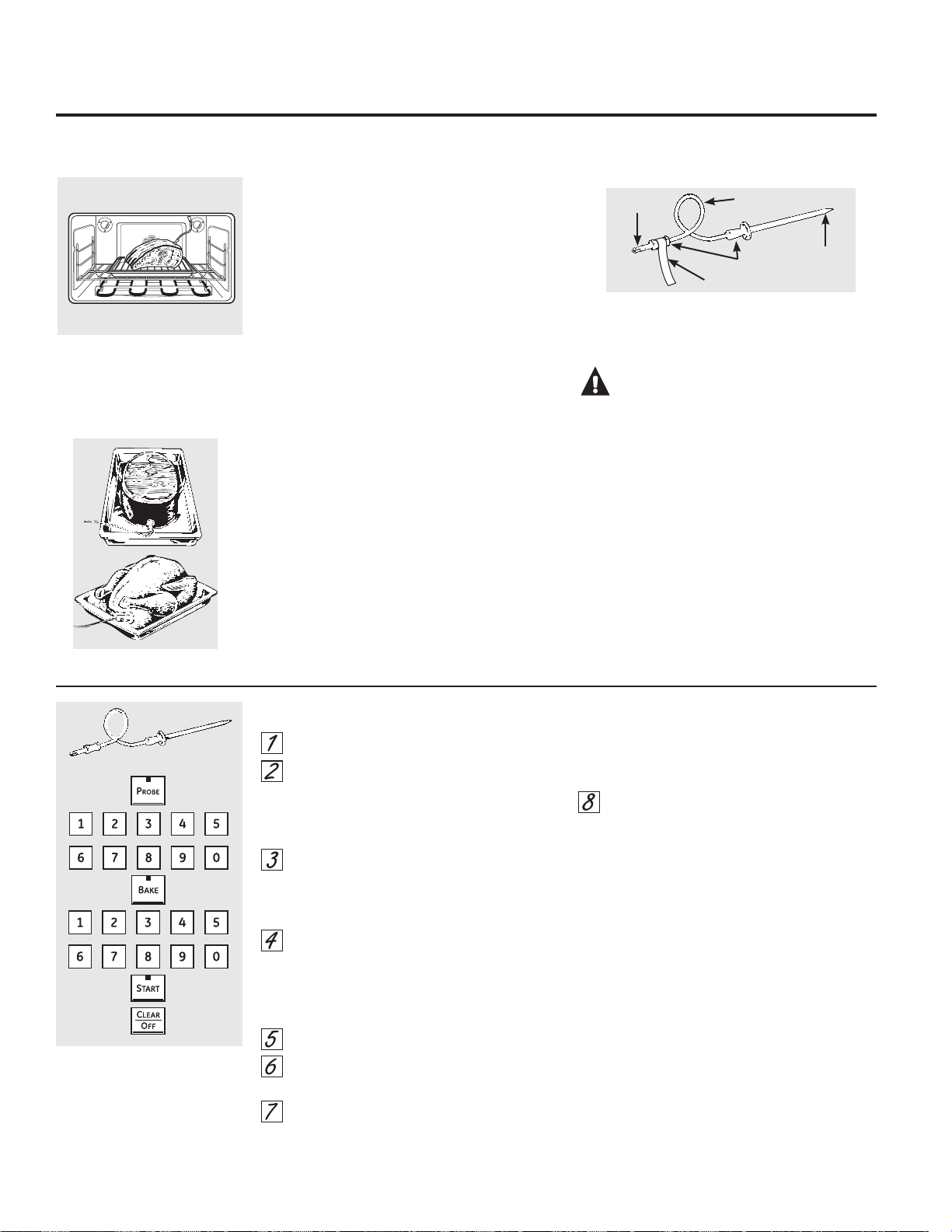
Inserte la sonda totalmente en la comida.
Conecte la sonda en la toma dentro del
horno. Asegúrese de que quede bien
conectada en la toma. Cierre la puerta del
horno. Asegúrese que el cable de la sonda
no esté tocando el elemento de asado.
Presione el botón PROBE La pantalla
mostrará la “Set Probe Temperature”
(“Configuración de la Temperatura de la
Sonda”)
Presione los botones numéricos para
establecer la temperatura interna
deseada para los alimentos o la carne. La
temperatura interna máxima para los
alimentos que puede establecer es 200 °F
.
Presione el botón BAKE.
Presione los botones numéricos para
establecer la temperatura deseada.
Presione el botón START.
Después que la temperatura interna de la carne
alcance 100 °F, en la pantalla se mostrarán los
cambios de la temperatura interna.
Cuando la temperatura interna de la carne
alcance la temperatura que configuró, la
sonda y el horno se apagarán y el control
del horno dará la señal. Para detener la
señal, presione el botón CLEAR/OFF. Utilice
almohadillas con aislamiento térmico para
quitar la sonda de la comida. No utilice
tenazas para extraerla: las tenazas
pueden dañarla.
Si la sonda es retirada del horno mientras se
cocina con la misma, el horno no se apagará
de forma automática.
Para cambiar la temperatura del horno durante
el ciclo de Horneado/Asado, presione el botón
BAKE y luego los botones numéricos para
establecer la nueva temperatura.
Puede usar el Kitchen Timer (Temporizador de
Cocina) aunque no puede usar operaciones
del horno por tiempo al usar la sonda.
Si se usa una sonda que no sea la provista con este
producto se podrán producir daños sobre la misma y
sobre el control del horno.
Utilice las agarraderas de la sonda y el enchufe
cuando la inserte y la remueva de la carne y del
enchufe.
Para evitar daños a su sonda, no utilice tenazas
para tirar del cable cuando la remueva.
Para evitar rupturas de la sonda, asegúrese
de que los alimentos estén completamente
descongelados antes de insertarla.
Después de preparar la carne, colocarla sobre un
posafuentes o sobre una parrilla para asados, siga
estas instrucciones para la ubicación apropiada de
la sonda.
Inserte la sonda completamente dentro de la
carne. La sonda no debe tocar el hueso, la grasa o
el cartílago.
NOTA: Si no se introduce la sonda en la carne de
forma completa, se podrá producir una mala cocción
debido a que la sonda sentirá el aire del horno y no la
temperatura de la comida.
Nunca deje su sonda dentro del horno durante
un ciclo de autolimpieza o de asar a la parrilla.
No almacene la sonda en el horno.
PRECAUCIÓN:A fin de prevenir
posibles quemaduras, use un guante para horno al
desenchufar la sonda del enchufe del horno.
Para bistecs sin hueso, inserte la sonda dentro de
la parte carnosa del bistec. Para jamón o cordero
con hueso, inserte la sonda dentro del centro del
músculo grande más interno o la articulación.
Inserte la sonda dentro del centro de platos como
rollos de carne o cacerolas.
Inserte la sonda en la parte más carnosa de la parte
interna del muslo desde abajo y en paralelo a la
pierna de un pavo completo.
NOTA: Las funciones de asado y auto limpieza
no funcionarán si la sonda de temperatura está
enchufada.
La sonda de temperatura tiene
un detector en forma de pincho
en un extremo y un enchufe en el
otro extremo; dicho enchufe va
dentro del enchufe en el horno.
Cómo configurar el horno inferior para hornear/asar cuando se utiliza la sonda
Uso de la sonda en el horno de convección inferior.
Para muchos alimentos, especialmente la carne asada y las aves, la temperatura interna del alimento es la mejor prueba para el punto de cocción. La
sonda de temperatura elimina las conjeturas acerca de los asados al cocinar los alimentos en el punto de cocción exacto que usted desea.
10
Enchufe Cable
Agarraderas Sonda
Lea y quite la etiqueta
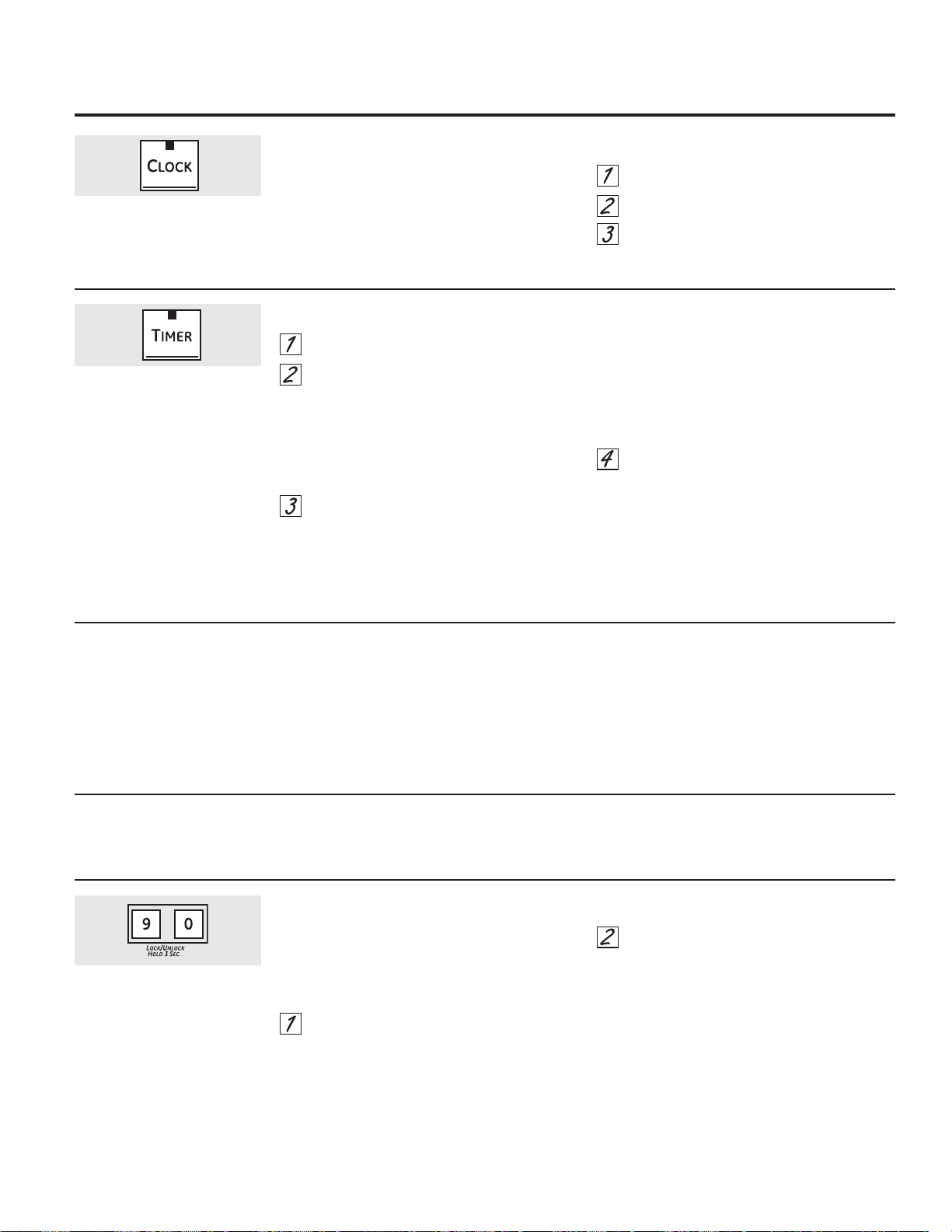
11
Uso del reloj, el temporizador de la cocina
y el bloqueo de controles. GEAppliances.com
Su control le permitirá que bloquee los botones
táctiles para que no puedan activarse al
presionarlos.
Para bloquear/desbloquear los controles::
Presione los botones 9 y 0
simultáneamente durante 3 segundos.
La pantalla del horno mostrará “Oven controls
locked” (“Controles del horno bloqueados”)
durante varios segundos, y luego “Locked”
(“Bloqueado”).
Para desbloquear el control, mantenga
presionadas los botones 9 y 0 durante 3
segundos.
El modo de BLOQUEO DE CONTROLES
afecta a todos los botones táctiles. Ningún
botón táctil funcionará cuando esta función
esté activada.
Para ajustar el reloj
El reloj debe ser ajustado en la hora correcta
del día para que las funciones automáticas
cronometradas del horno funcionen
apropiadamente. La hora del día no puede
cambiarse durante un ciclo de horneado
cronometrado o autolimpieza.
Presione el botón CLOCK.
Presione los botones numéricos.
Presione el botón START.
To Set the Kitchen Timer
Presione el botón TIMER.
Presione los botones numéricos hasta
que en la pantalla aparezca la cantidad
de tiempo deseada. Por ejemplo, para
establecer 2 horas y 45 minutos, presione
2,4 y 5 en dicho orden. Si comete
un error, presione el botón TIMER y
comience nuevamente.
Presione el botón START.
Después de presionar el botón START,SET
desaparece; esto le indica que el tiempo está
en cuenta regresiva, aunque la pantalla no
cambie hasta que haya pasado un minuto. En
la pantalla no se mostrarán los segundos hasta
que el último minuto esté en cuenta regresiva.
Cuando el temporizador alcance :00, el
control pitará 3 veces seguidas por un
pitido cada 6 segundos hasta que se
presione el botón TIMER.
El tono de 6 segundos puede cancelarse siguiendo
los pasos en Las características especiales de su
sección de control del horno bajo la sección Tonos
al final de un ciclo cronometrado.
El Temporizador de la Cocina cuenta
en horas y minutos.
El temporizador no controla
las operaciones del horno. La
configuración máxima en el
temporizador es de 9 horas y 59
minutos.
Para reiniciar el temporizador
Si la pantalla todavía está mostrando el tiempo
restante, puede cambiarla presionando el
botón TIMER, luego presione los botones
numéricos hasta que en la pantalla aparezca el
tiempo que desea.
Si el tiempo restante no está en la pantalla
(en la pantalla está reloj, inicio postergado
o tiempo de cocción), recuerde el tiempo
restante presionando el botón TIMER y luego
presionando los botones numéricos hasta
ingresar el nuevo tiempo que desea.
Para cancelar el temporizador
Presione el botón TIMER dos veces.
Bloqueo de controles
Asegúrese de que el reloj sea
ajustado en la hora correcta del día.
Mantenga presionado durante 3
segundos.
Para ajustar el termostato
Presione los botones BAKE y BROIL HI/LO
al mismo tiempo durante 3 segundos
hasta que la pantalla muestre SF.
Presione el botón BAKE. En la pantalla se
muestra un número de dos dígitos.
Presione BAKE nuevamente para alternar
entre el aumento y la disminución de la
temperatura del horno.
Para ajustar el termostato del horno
superior, presione el botón BAKE del
horno superior. Para ajustar el termostato
del horno inferior, presione el botón BAKE
del horno inferior.
La temperatura del horno pueda ajustarse
hasta (+) 35 °F más caliente o (-) 35 °F más
fría. Presione los botones numéricos en el
mismo sentido que aparecen. Por
ejemplo, para cambiar la temperatura del
horno a 15 °F, presione 1 y 5.
Cuando haya realizado el ajuste, presione
el botón START para volver a la pantalla de
la hora del día. Utilice su horno como lo
haría normalmente.
Ajuste el termostato superior o inferior del horno :
¡Hágalo usted mismo!
Usted se puede percatar que su horno nuevo cocina distinto al que reemplazó. Use su horno nuevo por varias semanas
para familiarizarse con él. Si aún piensa que su horno nuevo es demasiado caliente o demasiado frío, ustedpuede ajustar
el termostato usted mismo.
No use termómetros, como los que se venden en tiendas de aprovisionamiento para inspeccionar la temperatura de su
horno. Estos termómetros podrían variar de 20 a 40 grados.
NOTA: Este ajuste sólo afectará la temperatura de horneado y asado; no afecta las temperaturas de asado
a la parrilla o autolimpieza. El ajuste se almacenará en la memoria después de una falla eléctrica.
¡El tipo de margarina afectará el desempeño del horneado!
La mayoría de las recetas para hornear se han desarrollado usando productos de alto contenido en grasa como
mantequilla o margarina (80% de grasa). Si disminuye la grasa, es posible que la receta no tenga los mismos resultados
que con un producto de mayor contenido de grasa.
Las recetas pueden fallar si las tortas, pasteles, galletas o dulces se preparan con productos bajos en grasa. Mientras
menos sea el contenido de grasa de un producto tipo mantequilla, más se notarán estas diferencias.
Los estándares federales exigen que los productos marcados como margarinas, contengan por lo menos un 80% de grasa por
peso. Por otra parte, los productos tipo mantequilla bajos en grasa contienen menos grasa y más agua. El alto contenido de
humedad de estos productos afecta la textura y el sabor de los alimentos horneados. Para mejores resultados con sus viejas
recetas favoritas, use margarina, mantequilla u otros productos que contengan por lo menos sun 70% de aceite vegetal.
12
+
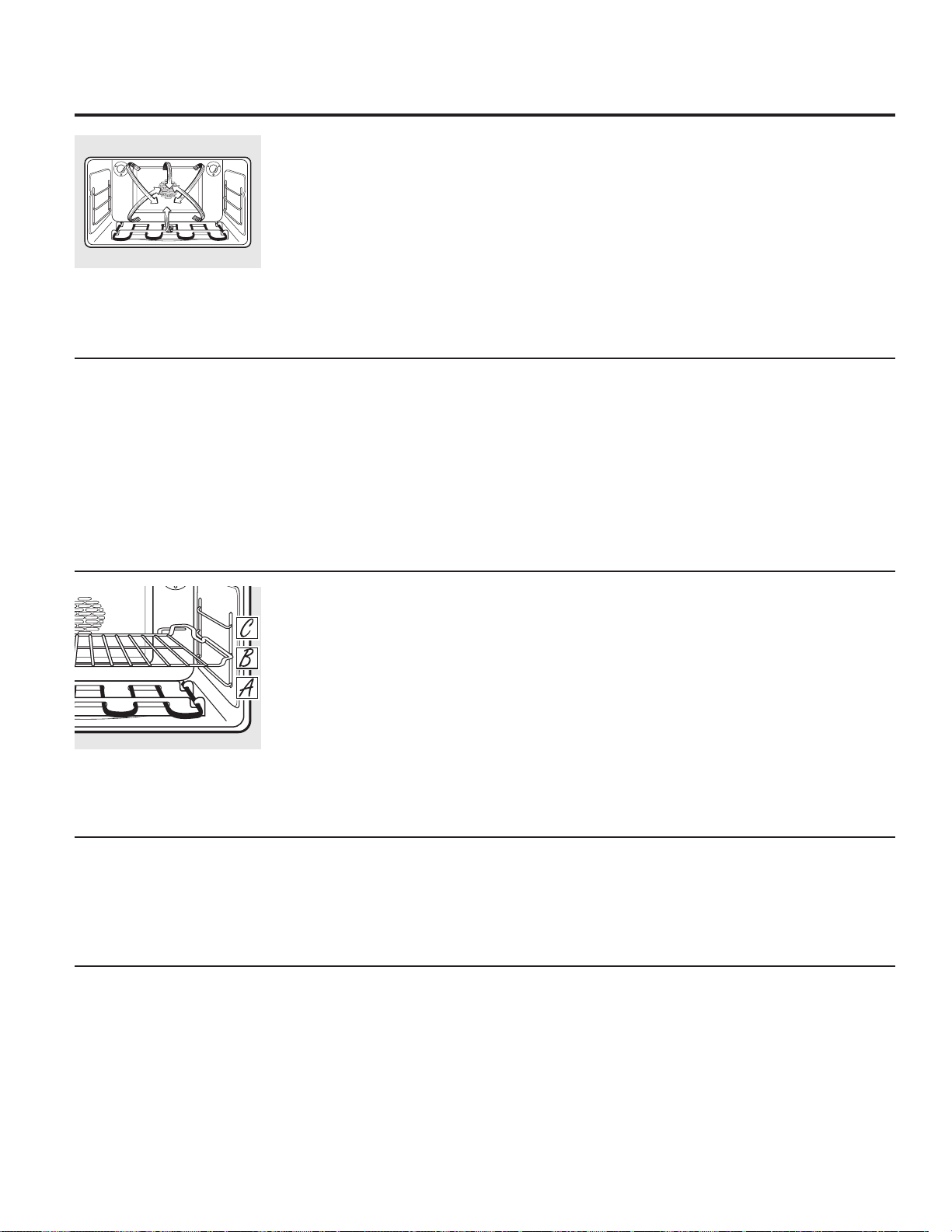
Ya que se circula aire caliente uniformemente
a lo largo del horno, los alimentos pueden
hornearse con excelentes resultados utilizando
múltiples parrillas.
La cantidad de tiempo requerida para
el horneado de múltiples parrillas puede
aumentar ligeramente para algunos alimentos,
pero se ahorra el tiempo general ya que
muchos alimentos se cocinan al mismo tiempo.
Galletas, muffins, bizcochos y otros panecillos
rápidos dan buenos resultados con el horneado
de múltiples parrillas.
Para cocinar comida en más de una parrilla
en el horno por convección, use CONVECTION
BAKE MULTI (HORNEADO POR CONVECCIÓN
MÚLTIPLE).
Para horneados con múltiples parrillas, coloque
la parrilla horizontal en la posición más alta
(C) y la parrilla de desplazamiento lateral en la
posición intermedia (B).
Horneado por convección en múltiples parrillas
Posición de múltiples parrillas.
Al hornear por convección con 1 sola parrilla,
use el CONVECTION BAKE 1 RACK y siga las
posiciones de parrillas recomendadas en la
sección de Uso del horno.
Ideal para comidas horneadas en 1 parrilla.
Horneado por Convección con 1 Parrilla
El horno por convección cuenta con dos modos
de horneado por convección: multi parrilla y 1
parrilla:
08/7,³Para cocciones por convección en más
de una parrilla. Presione el botón CONVECTION
BAKE y luego las 2 teclas. Lea la sección de
Horneado por Convección con Múltiples Parrillas
que aparece a continuación.
5$&.³Para cocción por convección en una
sola parrilla. Presione el botón CONVECTION
BAKE y luego el botón 1. Lea la sección de
Horneado por Convección con 1 Parrilla que
aparece a continuación.
Introducción
Horneado por convección
En un horno a convección, un ventilador hace
circular aire caliente sobre, debajo y alrededor
de los alimentos.
Este aire caliente en circulación se distribuye
de manera uniforme por la cavidad del horno.
Como resultado, los alimentos se cocinan y
se doran de manera uniforme; a menudo, en
menor tiempo con calor
de convección.
NOTA: A fin de maximizar una cocción pareja,
el ventilador fue diseñado para rotar en ambas
direcciones, con una pausa intermedia. Esto es
normal.
El ventilador de convección se apaga cuando
la puerta del horno se abre. NO deje la puerta
abierta durante largos períodos de tiempo al
usar la cocción por convección, ya que podrá
acortar la vida útil del elemento para calentar
el horno.
Uso del horno de convección. GEAppliances.com
Cómo adaptar recetas…
Usted puede utilizar sus recetas favoritas en el
horno por convección.
Al hornear por convección, la función de
Conversión con Auto Recipe reduce de forma
automática la temperatura de horneado regular
configurada en los 25° F recomendados. Lea
Conversión con Auto Recipe™ en la sección de
Funciones Especiales.
Utilice los tamaños de cacerola
recomendados.
Algunas instrucciones del paquete para
cacerolas congeladas o platos principales
han sido desarrolladas utilizando hornos
comerciales por convección. Para mejores
resultados en este horno, precaliente el horno
y utilice la temperatura indicada en el paquete.
13
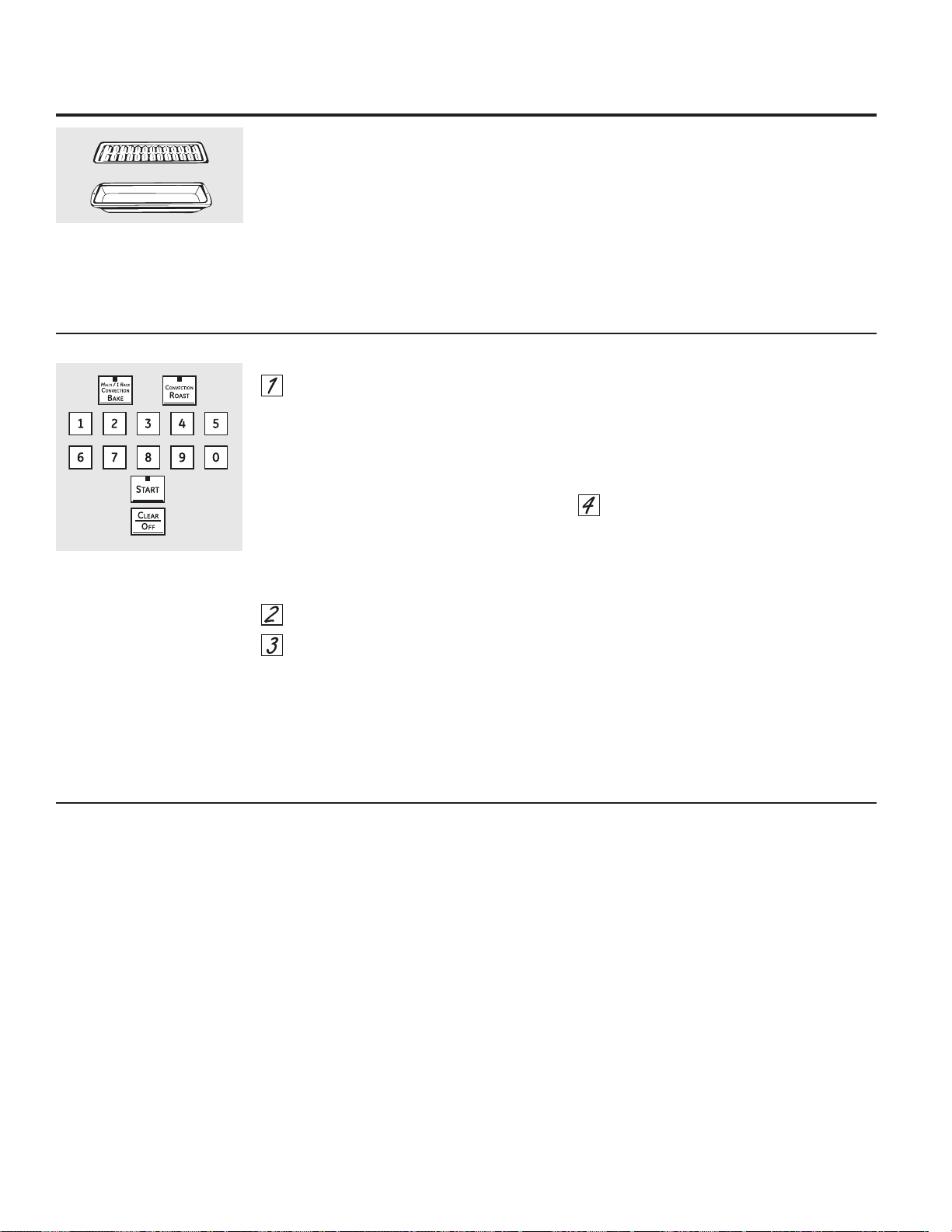
Utensilios de cocina para la cocción por convección
Antes de utilizar su horno por convección, verifique
si sus utensilios de cocina permiten que el aire
circule dentro del horno. Si está horneando con
varias bandejas, deje espacio entre ellas. También,
asegúrese de que las bandejas no entren en contacto
unas con otras ni con las paredes del horno.
Papel y plástico
El papel resistente al calor y los envases de plástico
que se recomiendan para su uso en horneados
regulares también se pueden usar durante el
horneado por convección, pero no se deberían
usar con temperaturas superiores a la temperatura
recomendada por el fabricante de la cocina.
También pueden utilizarse los utensilios de cocina
plásticos resistentes al calor hasta temperaturas
de 400 °F.
Metal y vidrio
Cualquier tipo de utensilio de cocina funcionará
en su horno por convección. Sin embargo, las
bandejas metálicas se calientan más rápido y están
recomendadas para el horneado por convección.
Las bandejas oscurecidas o con acabado mate
hornearán más rápido que las bandejas brillantes.
Las bandejas de vidrio o cerámica cocinarán más
lentamente.
Para recetas como el pollo al horno, utilice una
bandeja con lados bajos. El aire caliente no puede
circular bien alrededor de los alimentos en una
bandeja con lados altos.
Al hornear galletas, obtendrá
mejores resultados si utiliza una
bandeja de horno plana en vez de
una fuente con lados bajos.
14
Uso del horno de convección.
Rejilla
Bandeja para asar a la parrilla
Bueno para grandes cortes de carne tierna,
destapada.
El ventilador de convección circula el aire calentado
uniformemente sobre y alrededor de los alimentos.
La carne roja y aves se doran por todos los lados
como si fueran cocinados sobre un rotisserie. El aire
calentado atrapa los jugos rápidamente para un
producto más húmedo y tierno mientras, al mismo
tiempo, crea un rico exterior dorado.
Al asar por convección, es importante usar
una asadera y una rejilla para obtener mejores
resultados. La asadera se usa para recoger los
derrames de grasa y la rejilla se usa para evitar las
salpicaduras de grasa.
Asado por convección
Presione el botón CONVECTION BAKE y luego el
botón 2 para hornear por convección con
parrillas múltiples. Este modo se utiliza para
cocinar comidas en más de una parrilla (es
decir: 2, 3 o más parrillas) al mismo tiempo
durante el horneado por convección. Para más
información, lea la sección Horneado con
convección con varias parrillas.
Presione
el botón
CONVECTION BAKE y luego
el botón 1
para hornear por convección con
una parrilla. Este modo se utiliza para cocinar
comidas con una sola parrilla en el horno de
convección.
Presione el botón CONVECTION ROAST para
dorar por convección.
Presione los botones numéricos para
programar la temperatura del horno.
Presione el botón START.
NOTA: Si la Función de Conversión con Auto
Recipe™ Conversion se encuentra activada, de forma
automática reducirá la temperatura de horneado
regular en 25º F hasta la temperatura de convección
apropiada en el modo de horneado por convección.
Lea Conversión con Auto Recipe™ en la sección de
Características Especiales.
Para cambiar la temperatura del horno, presione el
botón
CONVECTION BAKE
o el botón
CONVECTION
ROAST
y luego los botones numéricos para configurar
la nueva temperatura.
Cuando el horno se empiece a calentar, se exhibirá
el cambio de temperatura, que comenzará en los
100º F. Cuando el horno alcance la temperatura que
programó, sonarán 3 pitidos.
Presione el botón CLEAR/OFF una vez
finalizado.
Escuchará un ventilador al cocinar por convección.
El mismo se detendrá cuando se abra la puerta,
pero el calentador no se apagará.
Es posible que escuche que el horno produzca
sonidos de chasquido durante el horneado. Esto es
normal.
En los modos de horneado por convección, para
una cocción lo más pareja posible, el ventilador
fue diseñado para rotar en ambas direcciones, con
una pausa intermedia. Esto es normal.
Cómo configurar el horno inferior para horneado o dorado por convección
OR

15
Cómo configurar un Inicio inmediato y una Parada automática
El horno se encenderá inmediatamente y cocinará
durante el tiempo seleccionado. Al final del tiempo
de cocción, el horno se apagará automáticamente.
Asegúrese de que el reloj muestre la hora correcta
del día.
Presione le botón CONVECTION BAKE y
luego
el botón 2
para hornear por
convección con parrillas múltiples. Este
modo se utiliza para cocinar comidas en
más de una parrilla (es decir: 2, 3 o más
parrillas) al mismo tiempo durante el
horneado por convección. Para más
información, lea la sección Horneado con
convección con múltiples parrillas.
Presione el botón CONVECTION BAKE
y luego el botón 1 para hornear por
convección con una parrilla. Este modo se
utiliza para cocinar comidas con una sola
parrilla en el horno de convección.
Presione
el botón CONVECTION ROAST
para dorar por convección.
Presione los botones numéricos para
establecer la temperatura del horno
deseada.
Presione el botón COOK TIME.
NOTA: Si su receta requiere de precalentamiento,
es posible que necesite añadir más tiempo al
tiempo de cocción.
Presione los botones numéricos para
configurar el tiempo de cocción deseado. El
mínimo tiempo de cocción que puede
configurar es de 1 minuto. En la pantalla
aparecerá la temperatura del horno que
usted configure y el tiempo de cocción que
haya ingresado.
Presione el botón START.
El horno estará en la posición ON (ENCENDIDO) y
en la pantalla aparecerá el conteo de la cocción
y el cambio de temperatura a partir de los 100°
F. (La pantalla de temperatura comenzará a
cambiar una vez que la temperatura del horno
alcance los 100° F). Cuando el horno alcance la
temperatura que programó, sonarán 3 pitidos.
NOTA: Si la Función de Conversión Auto
Recipe™ Conversion se encuentra activada,
automáticamente reducirá la temperatura de
horneado regular en 25º F hasta la temperatura
de convección apropiada en el modo de
horneado por convección. Lea Conversión con
Auto Recipe™ en la sección de Características
especiales.
El horno continuará la cocción durante la
cantidad de tiempo programada, luego se
apagará automáticamente, a menos que la
función WARM (CALENTAR) esté programada. Lea
la sección Cómo configurar los hornos inferior y
superior para calentar.
Luego de que el horno se apague, sonará el tono
de fin del ciclo.
Presione el botón CLEAR/OFF para borrar
la pantalla si es necesario. Retire la
comida del horno. Recuerde, aunque el
horno se apague automáticamente, los
alimentos que se dejan en el horno
continuarán cocinándose después que el
horno se apague.
Uso de las características cronometradas
para cocinar por convección. GEAppliances.com
Escuchará un ventilador mientras esté cocinando con estas características. El ventilador se detendrá cuando la puerta se
abra, pero el calor permanecerá.
NOTA: 1RGHEHSHUPLWLUVHTXHORVDOLPHQWRVTXHVHHFKDQDSHUGHUIiFLOPHQWH³FRPROHFKHKXHYRVSHVFDGRUHOOHQRV
DYHV\FHUGR³UHSRVHQSRUPiVGHKRUDDQWHVRGHVSXpVGHODFRFFLyQ/DWHPSHUDWXUDDPELHQWHSURPXHYHHO
crecimiento de bacterias peligrosas. Asegúrese de que la luz del horno esté apagada ya que el calor de la bombilla
aceleraría el crecimiento de bacterias peligrosas.
OR
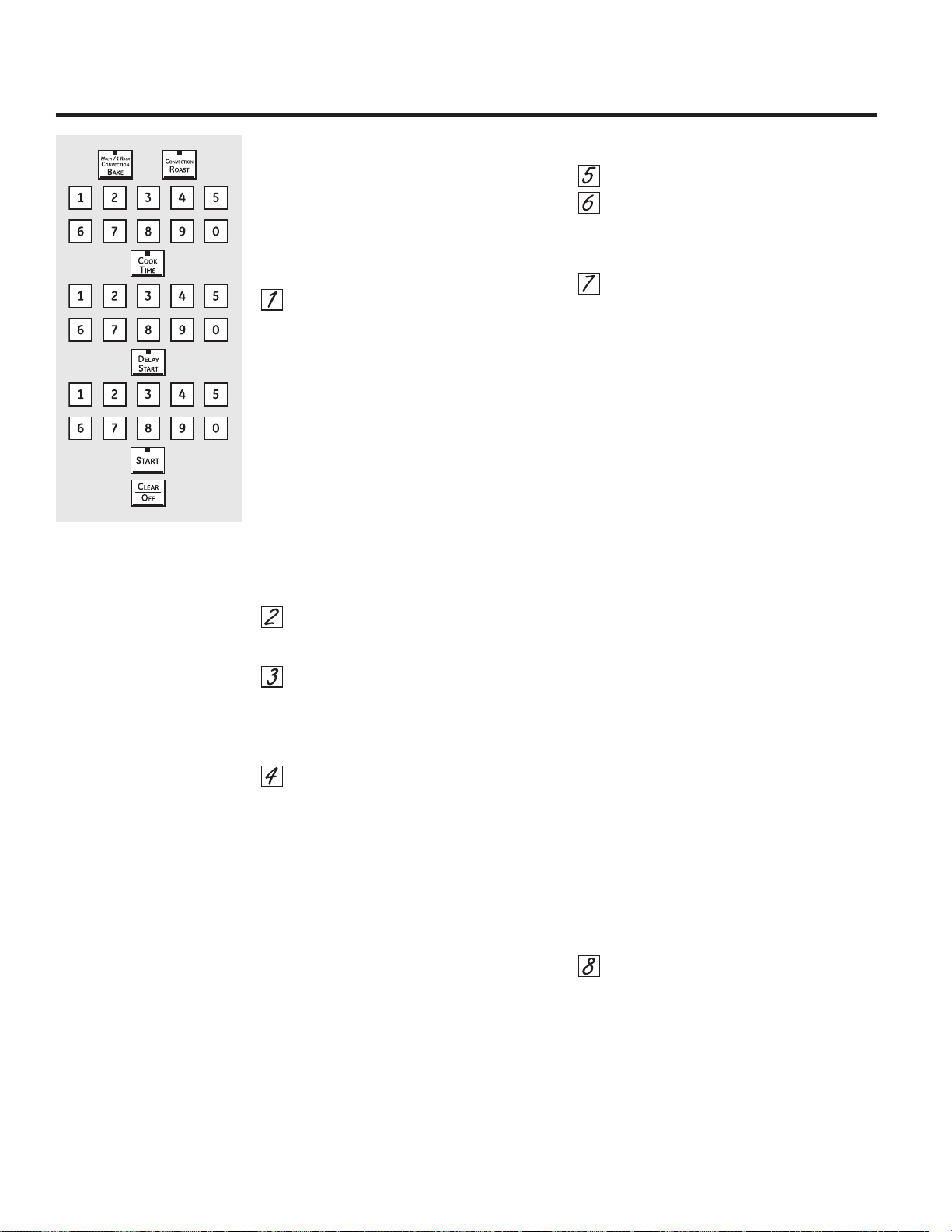
16
Cómo configurar un Inicio postergado y una Parada automática
El horno inferior se encenderá en el horario
del día que configure, cocinará durante un
período de tiempo específico y luego se apagará
automáticamente.
Asegúrese de que el reloj muestre la hora correcta
del día.
Presione el botón CONVECTION BAKE y
luego el botón 2 para hornear por
convección con parrillas múltiples. Este
modo se utiliza para cocinar comidas en
más de una parrilla (es decir: 2, 3 o más
parrillas) al mismo tiempo durante el
horneado por convección. Para más
información, lea la sección Horneado con
Convección con Múltiples Parrillas.
Presione el botón CONVECTION BAKE
y luego el botón 1 para hornear por
convección con una parrilla. Este modo
se utiliza para cocinar comidas con una
sola parrilla en el horno de convección
Presione la tecla de CONVECTION ROAST
para dorar por convección.
Presione los botones numéricos para
establecer la temperatura del horno
deseada.
Presione el botón COOK TIME.
NOTA: Si su receta requiere de precalentamiento,
es posible que necesite añadir más tiempo al
tiempo de cocción.
Presione
los botones numéricos para
configurar el tiempo de cocción deseado. El
tiempo mínimo de cocción que puede
configurar es 1 minuto.
La temperatura del horno que configure y el
tiempo de cocción que ingresó aparecerán
en la pantalla.
Presione el botón DELAY START.
Presione los botones numéricos para
establecer la hora del día a la cual desea
que el horno se encienda y comience a
cocinar.
Presione el botón START.
NOTA: Sonará un tono de atención si está
utilizando el horneado o el asado cronometrado y
no presiona el botón START.
NOTA: Si desea verificar el tiempo que
ha configurado, presione el botón DELAY
START para verificar la hora de inicio que ha
configurado o presione el botón COOK TIME
para verificar la duración del tiempo de cocción
que ha configurado.
Cuando el horno esté en ON (ENCENDIDO) a
la hora del día que configuró, en la pantalla
aparecerá el conteo de la cocción y el cambio de
temperatura a partir de los 100° F. (La pantalla
de temperatura comenzará a cambiar una vez
que la temperatura del horno alcance los 100°
F). Cuando el horno alcance la temperatura que
programó, sonarán 3 pitidos.
NOTA: Si la Función de Conversión Auto
Recipe™ Conversion se encuentra activada,
automáticamente reducirá la temperatura
de horneado regular en 25º F hasta la
temperatura de convección apropiada en
el modo de horneado por convección. Lea
Conversión con Auto Recipe™ en la sección de
Características especiales.
El horno continuará la cocción durante la
cantidad de tiempo programada, luego se
apagará automáticamente, a menos que la
función WARM (CALENTAR) esté programada. Lea
la sección Cómo configurar los hornos inferior y
superior para calentar.
Luego de que el horno se apague, sonará el tono
de fin del ciclo.
Presione el botón CLEAR/OFF para borrar
la pantalla si es necesario. Retire la
comida del horno. Recuerde, aunque el
horno se apague automáticamente, los
alimentos que se dejan en el horno
continuarán cocinándose después que el
horno se apague.
Uso de las características cronometradas
para cocinar por convección.
O
Temperatura Temperatura
Carnes Minutos/Lb del horno interna
Carne Costillas, Costillas deshuesadas, Poco cocido 25 a 29 325°F 140°F†
Top Sirloin Medio 29 a 33 325°F 160°F
(3 a 5 lb) Bien asado 33 a 37 325°F 170°F
Lomo de res Poco cocido 12 a 16 325°F 140°F†
Medio 16 a 20 325°F 160°F
Cerdo Con hueso, Deshuesado (3 a 5 lb) Bien asado 30 a 34 325°F 170°F
2 Chuletas
(1/2 a 1pulg. de espesor)
Bien asado 37 a 42 total 325°F 170°F
4 Chuletas
(1/2 a 1pulg. de espesor)
Bien asado 42 a 47 total 325°F 170°F
6 Chuletas
(1/2 a 1pulg. de espesor)
Bien asado 47 a 52 total 325°F 170°F
Jamón Enlatado, Butt, Shank 13 a 19 325°F 140°F
(3 a 5 lb totalmente cocinado)
Mariscos Colas de langosta
(6 a 10 oz cada una)
20 a 25 total 350°F
Aves Pollo completo (21ø2 a 31ø2 lb) 24 a 30 350°F 180° a 185°F
Pavo (18 a 20 lb)* 7 a 10 350°F 180° a 185°F
* Las aves rellenas requieren generalmente 30 a 45 minutos de tiempo adicional de cocción. Cubra las patas y la pechuga con papel
aluminio para evitar un sobredorado y la desecación de la piel.
† El Departamento de Agricultura de los EE.UU. indica que: “la carne a poco cocida es popular, pero usted debe saber que cocinarla a solamente
140 °F significa que algunos organismos venenosos podrían sobrevivir”. (Fuente: Safe Food Book.Your Kitchen Guide. USDA Rev. Junio 1985.)
Cómo configurar el horno para asar por convección cuando se utiliza la sonda
Coloque la parrilla del horno en una
posición que centre la comida entre
la parte superior y la parte inferior del
horno. Inserte la sonda en la carne.
Asegúrese que entre hasta el final.
Conecte la sonda en la toma dentro
del horno. Asegúrese de que esté bien
conectada. Cierre la puerta del horno.
Presione el botón CONVECTION ROAST.
Presione los botones numéricos para
establecer la temperatura del horno
deseada.
Presione el botón PROBE.
Presione los botones numéricos para
configurar la temperatura interna de la
carne que desea.
NOTA: La temperatura interna máxima que se
puede programar para la comida es de 200° F.
Presione el botón START.
La pantalla parpadeará mostrando PROBE y
el control del horno indicará si la sonda está
insertada dentro del enchufe, y usted no ha
establecido una temperatura de sonda y ha
presionado el botón START.
Cuando el horno comienza a calentar,
aparecerá en pantalla la palabra LO.
Después que la temperatura interna de la carne
alcanza 100 °F, se mostrará en la pantalla el
cambio de la temperatura interna.
Cuando la temperatura interna de
la carne alcance la temperatura que
configuró, la sonda y el horno se
apagarán y el control del horno dará la
señal. Para detener la señal, presione
el botón CLEAR/OFF. Use un guante de
cocina para retirar la sonda de la comida.
No utilice tenazas para extraerla: las
tenazas pueden dañarla.
NOTA: Si la sonda es retirada del horno mientras
se cocina con la misma, el horno no se apagará
de forma automática.
PRECAUCIÓN:
A fin de prevenir posibles quemaduras, use un
guante para horno al desenchufar la sonda del
enchufe del horno.
NOTA:
Escuchará un ventilador mientras está
cocinando con esta característica. El
ventilador se detendrá cuando la puerta se
abra, pero el calor permanecerá.
Usted puede utilizar el temporizador pero no
puede utilizar las operaciones cronometradas
del horno.
Nunca deje la sonda dentro del horno
durante un ciclo de auto limpieza.
No guarde la sonda dentro del horno.
La sonda no se debe usar para las funciones
de Dorar o Auto limpieza.
El ventilador sólo gira en una dirección.
Para mejores resultados cuando
ase pavos o filetes grandes,
recomendamos utilizar la
sonda incluida en el horno por
convección.
Para cambiar la temperatura
del horno durante el ciclo de
asado por convección, presione
el botón CONVECTION ROAST y
luego presione los botones del
número para configurar la nueva
temperatura deseada.
Guía para asar por convección
Uso del horno de convección. GEAppliances.com
17
Configuración del horno bajo para una cocción lenta
La Cocción Lenta se diseñó para largas horas de cocción
sin prestar atención a la misma.
Presione el botón SLOW COOK una vez para HI
Slow Cook (Cocción Lenta ALTA).
Para cambiar a LO Slow Cook (Cocción Lenta BAJA),
presione el botón SLOW COOK nuevamente.
Presione los botones numéricos para seleccionar la
configuración deseada – 1 para Bife, 2 para Carne
de Ave, 3 para Cerdo o 4 para Guisados. Use 1–Bife
si no está seguro sobre qué configuración usar.
Presione los botones numéricos para configurar el
tiempo de cocción deseado. Para la configuración
HI (ALTA), el tiempo de cocción debe ser de entre 3
y 8 horas. Para la configuración LO (BAJA), el tiempo
de cocción debe ser de entre 3 y 12 horas.
Presione el botón START.
Cuando la función de Slow Cook (Cocción Lenta) se
haya completado, el horno se iniciará en el modo Warm
(Caliente). En la pantalla aparecerá “Cocción Completa,
Manteniéndolo Caliente”. El tiempo total durante el cual
el horno estará encendido (el tiempo de Cocción Lenta
más el tiempo Caliente) es de 12 horas. Esto se debe a lo
descripto en la página 22 sobre la función de seguridad de
Apagado a las 12 Horas (12-Hour Shutdown).
NOTA: Si se produce un corte de suministro de electricidad
mientras el horno se encuentra en la Slow Cook (Cocción
Lenta), el horno se apagará.
Uso de las funciones de cocción lenta, pizza, calentar y probar.
Cómo programar el horno para cocinar pizza
Ajuste la posición de la parrilla para el tipo de bandeja de
pizza que usará (lea el cuadro).
Presione el botón PIZZA.
Presione los botones numéricos de selección 1 para
pizza a temperatura ambiente y 2 para pizza
congelada.
Presione los botones numéricos para programar la
temperatura del horneado.
Presione el botón START.
El tiempo de horneado figura en las instrucciones del
paquete.
Tipo de Bandeja Posición
de Pizza de la Parrilla
Bandeja suministrada para pizza B
a temperatura natural
Pizza colocada directamente B
en la parrilla
Bandeja metálica A
Posición Configuración Tiempo
Comida Cantidad de la Parrilla de la Comida (horas) Comentarios
Bife
Corte de Aguja 3 a 31ø2 lbs A – Lateral 1-Bife ALTO 5 a 6 hrs. Agregue 1/2 taza de líquido.
BAJO 8 a 10 hrs.
Costillas 31ø2 a 4 lbs A – Lateral 1-Bife ALTO 3 a 4 hrs. Coloque las costillas en una sola capa.
de Cerdo BAJO 6 a 8 hrs.
Carne de ave
Pollo Entero 4 lbs A – Lateral 2-Carne ALTO 4 a 5 hrs. Agregue 1/2 taza de líquido.
de ave BAJO 7 a 9 hrs.
Trozos de Pollo 8 trozos B – Horizontal 2-Carne ALTO 3 a 4 hrs. Mejor sumergido bajo una salsa para
(approx. 3 lbs.) de ave BAJO 5 a 6 hrs. evitar que se seque la superficie.
Cerdo
Corte Deshuesado 3 a 4 lbs A – Lateral 3-Cerdo ALTO 5 a 6 hrs. Agregue 1/2 taza de líquido.
Dorado BAJO 8 a10 hrs.
Estilo Campo 31ø2 a 4 lbs A – Lateral 3-Cerdo ALTO 3 a 4 hrs. Coloque las costillas en una sola capa.
Costillas de cerdo BAJO 6 a 8 hrs.
Chuletas 4 a 8 lbs A – Lateral 3-Cerdo ALTO 3 a 4 hrs. Coloque las costillas en una sola capa.
de Cerdo BAJO 6 a 8 hrs.
Sopa
Bife de Verduras 4 cuartos A – Lateral 4-Cocido ALTO 4 a 5 hrs. Asegúrese que los trozos de bife
Sopa BAJO 8 a 10 hrs. se sumerjan.
Chili 4 cuartos A – Lateral 4-Cocido ALTO 3 a 4 hrs. Sumerja las habas para evitar que la
BAJO 6 a 8 hrs. superficie se seque.
Guía de cocción lenta Pautas y consejos
El programa de cocción baja utiliza una serie
compleja de ciclos de temperatura a fin de
obtener los mejores resultados. Por esta razón, se
recomienda el uso del programa de cocción lenta sin
cancelaciones ni reinicios. Si se reinicia la función de
cocción lenta mientras se encuentra en proceso, es
posible que la carne se cocine en exceso.
Para que luego de la cocción la carne quede jugosa
y tierna, elija cortes de carne tales como corte aguja
o corte deshuesado. Los cortes de carne magra,
tales como tapa de nalga, son más secos y necesitan
líquido adicional.
Use sólo platos de vidrio y cerámica. Las ollas y
cacerolas metálicas tienden a transferir el calor a la
comida con demasiada rapidez.
La cantidad de comida debe ser acorde al tamaño de
la cacerola. Para obtener mejores resultados, llene la
cacerola hasta los 3/4. Una olla demasiado grande
permite que el vapor se escape, haciendo que las
carnes se sequen.
Siempre cubra la cacerola con una tapa u hoja de
aluminio.
Una amplia variedad de recetas se pueden usar en la
función de cocción lenta. Para un mejor resultado, es
posible que se necesite realizar algunos ajustes. Para
recetas de tamaños reducidos, comience a controlar
con el tiempo mínimo. Para las recetas grandes o
al duplicar las recetas, es posible que deba realizar
cocciones por períodos de tiempo más largos.
Una vez completada la función de cocción, el horno
cambiará automáticamente al modo “caliente”. Si se
desea un tiempo de cocción lenta, se podrá usar el
modo de cocción caliente para contar con tiempo
adicional.
18
GEAppliances.com
Cómo configurar el leudado en el horno inferior
La función de leudado mantiene un ambiente tibio útil para levar los productos con levadura.
Coloque la masa cubierta en el horno en la
parrilla B o C.
NOTA: Para obtener mejores resultados, cubra
la masa con un paño o con película adherente
engrasada (el plástico deberá asegurarse debajo del
recipiente para que el ventilador de la estufa no lo
quite).
Presione el botón WARM/PROOF dos veces.
En la pantalla aparecerá PrF (proof [leudar]).
La luz del interior del horno se encenderá y
permanecerá encendida durante el leudado.
La función de leudado proporciona
automáticamente la temperatura óptima para el
proceso de leudado y, por lo tanto, no posee un
ajuste de temperatura.
Configure el TEMPORIZADOR en el tiempo de
leudado.
Cuando haya finalizado el leudado, presione
el botón CLEAR/OFF.
Para evitar reducir la temperatura del horno y
extender el tiempo de leudado, no abra la puerta
del horno sin necesidad.
Controle los productos de pan con anticipación
para evitar que leuden demasiado.
NOTA:
No utilice el modo de leudado para calentar
alimentos o mantenerlos calientes. La
temperatura de leudado del horno no es lo
suficientemente alta como para mantener los
alimentos a temperaturas seguras. Utilice la
función Warm (Calentar) para mantener los
alimentos calientes.
La función de leudado no funcionará cuando
el horno esté a más de 125 °F. En la pantalla,
aparecerá “HOT” (Caliente).
19
Cómo configurar los hornos inferior y superior para calentar
La función WARM (CALENTAR) mantiene calientes
las comidas cocinadas.
Esta función no fue diseñada para volver a calentar
comida fría.
Para usar la función WARM (CALENTAR), presione
el botón WARM o el botón WARM/PROOF una vez y
luego el botón START.
Para usar la función WARM (CALENTAR) luego del
Tiempo de Horneado o Dorado, siga los siguientes
pasos:
Presione el modo de cocción que desee usar
(BAKE, CONVECTION BAKE MULTI,
CONVECTION BAKE 1 RACK oCONVECTION
ROAST).
Presione los botones numéricos para
programar la temperatura del horno.
Presione el botón COOK TIME.
Presione los botones numéricos para
configurar el tiempo de cocción deseado.
Presione el botón WARM o el botón WARM/
PROOF una vez.
Presione el botón START.
Para cocinar elementos que no son frescos hasta
que estén crocantes
Coloque los alimentos en fuentes o bandejas de
lados bajos.
Para obtener mejores resultados, coloque los
alimentos en una única capa. No los apile.
No los cubra.
Verifique si están crocantes luego de 20 a 30
minutos. Agregue el tiempo que sea necesario.
NOTAS IMPORTANTES:
Los alimentos deben mantenerse calientes en su
recipiente de cocción o deben transferirse a una
fuente resistente al calor.
Con respecto a los alimentos húmedos, cúbralos
con una tapa segura para horno o con papel de
aluminio.
Los alimentos fritos o crocantes no deben cubrirse,
pero pueden secarse en exceso si se los calienta
demasiado.
Al abrir la puerta repetidamente, el aire caliente se
escapa y los alimentos se enfrían.
Deje que la temperatura dentro del horno se
estabilice durante un tiempo adicional después de
agregar alimentos.
Con cargas grandes, puede ser necesario cubrir
parte de los alimentos cocinados.
Retire las cucharas para servir, etc., antes de
colocar los recipientes en el horno.
No utilice recipientes, tapas o películas adherentes
plásticas.
PRECAUCIÓN:Los recipientes,
las tapas o las películas adherentes plásticas se
derretirán si se colocan en el horno. Es posible que el
plástico derretido no pueda quitarse y éste no está
cubierto por su garantía.
O
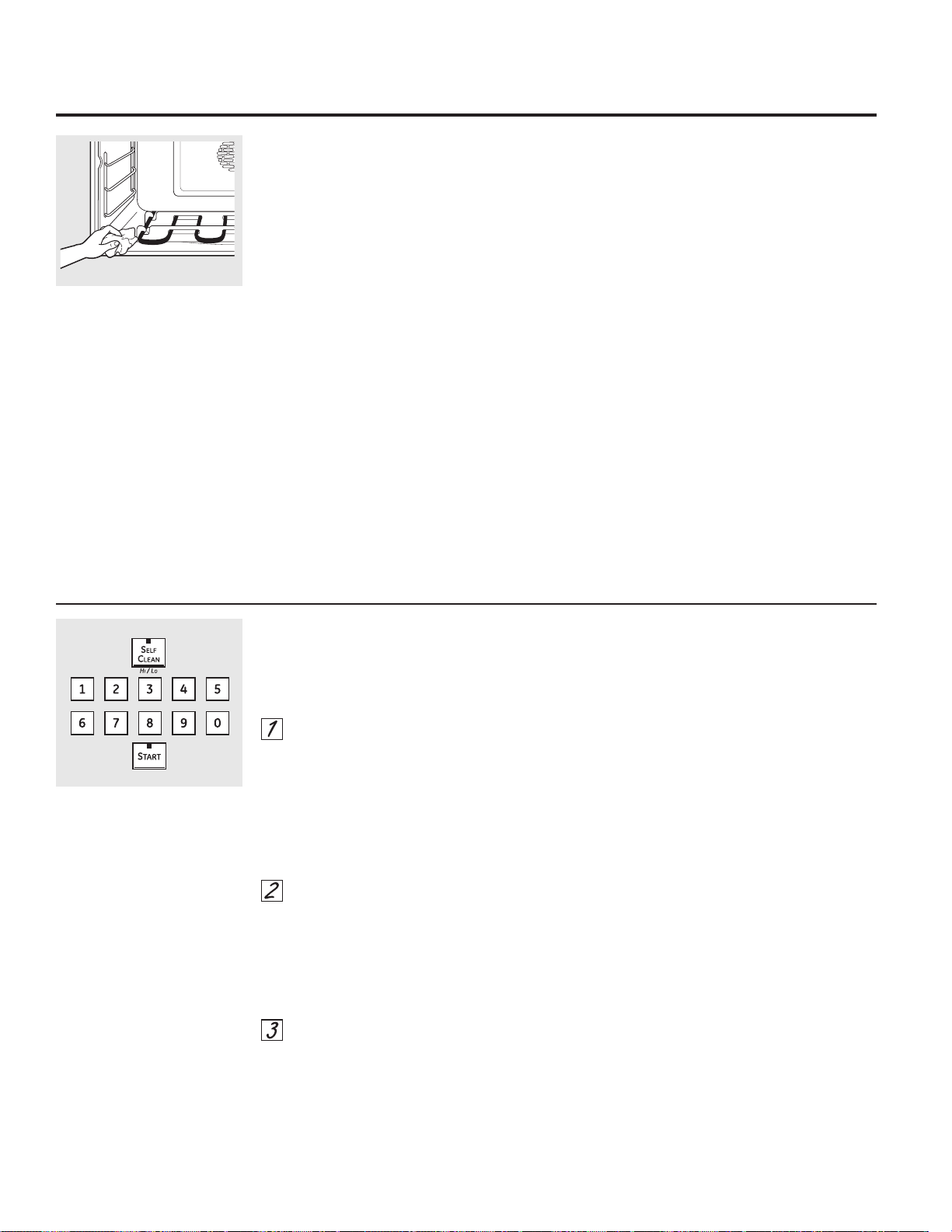
20
Cómo programar el horno superior/inferior para su limpieza
Las puertas del horno deberán estar cerradas
y todos los controles configurados de
forma correcta para que el ciclo funcione
adecuadamente.
Presione el botón SELF CLEAN HI/LO
una vez para un tiempo de limpieza de
5 horas o dos veces para un tiempo de
limpieza de 3 horas.
Se recomienda un tiempo de
autolimpieza de 3 horas para limpiar
pequeños derrames contenidos. Para un
horno sucio se recomienda un tiempo de
autolimpieza de 5 horas o más.
Si se necesita un tiempo distinto a las 5
horas o a las 3 horas, utilice los botones
numéricos e ingrese el tiempo de limpieza
deseado.
Usted puede cambiar el tiempo de
limpieza en cualquier momento entre 3
y 5 horas, dependiendo de qué tan sucio
esté su horno.
Presione el botón START.
La puerta (superior e inferior) se bloquea
automáticamente. La pantalla mostrará
el tiempo restante de limpieza. No será
posible abrir la puerta del horno hasta que
la temperatura sea inferior a la temperatura
de bloqueo y se apague la luz LOCKED en la
pantalla de control.
Cuando se apague la luz LOCKED, podrá abrir
las puertas del horno.
La palabra BLOCKED (BLOQUEADO) titilará
y la palabra door (puerta) aparecerá si
configura el ciclo de limpieza y olvida cerrar
las puertas del horno.
Para detener un ciclo de limpieza, presione
el botón CLEAR/OFF. Cuando se apague la
luz LOCKED indicando que el horno se ha
enfriado a una temperatura inferior a la de
bloqueo, podrá abrir las puertas del horno.
Puede configurar un ciclo de limpieza en ambos
hornos al mismo tiempo; sin embargo, dichos
ciclos no se realizarán al mismo tiempo. El
último horno retrasará de forma automática su
comienzo hasta el final del ciclo de limpieza del
primer horno.
Cuando cualquiera de los hornos se configure
para su auto limpieza, ambas puertas se
bloquearán. Los hornos no se podrán usar
cuando uno de los mismos se haya configurado
para su auto limpieza.
Limpie el suelo pesado sobre la
parte inferior del horno.
NOTA: No intente elevar el
elemento para calentar. Realizar
dicha acción podría dañar el
elemento.
Antes de un ciclo de limpieza
Recomendamos ventilar su cocina dejando una
ventana abierta o utilizando un ventilador o
campana extractora durante el primer ciclo de
autolimpieza.
Remueva del horno cualquier bandeja para
parrilla, rejilla para parrilla, sonda, todos los
utensilios de cocina y cualquier residuo de
papel aluminio.
NOTA:
Si el horno se encuentra equipado con
parrillas para horno brillosas y de color
plateado, retire las mismas antes de
comenzar con el ciclo de auto limpieza.
Si su horno está equipado con parrillas
para horno gris y cubiertas de porcelana,
se podrán dejar dentro del horno durante el
ciclo de auto limpieza.
La suciedad en la estructura frontal del horno
y la parte externa de la junta de la puerta se
deberán limpiar en forma manual. Limpie estas
áreas con agua caliente, almohadillas de viruta
y jabón o limpiadores tales como Soft Scrub®.
Enjuague bien con agua caliente y seque.
No limpie la junta. El material de fibra de vidrio
de la junta del horno no resiste la abrasión.
Es esencial que la junta permanezca intacta.
Si observa que comienza a gastarse o
deshilacharse, reemplace la misma.
Limpie cualquier derrame importante sobre el
fondo del horno.
Asegúrese de que el cobertor de la lámpara de
luz del horno se encuentre en su lugar y que la
luz del mismo esté apagada.
IMPORTANTE: La salud de algunas aves es
extremadamente sensible a las emanaciones
nocivas despedidas durante el ciclo de
autolimpieza de cualquier horno. Mueva las
aves a otro cuarto bien ventilado.
Uso de la función de auto limpieza de los hornos superior e inferior.
Después de un ciclo de limpieza
Es posible que observe algunas cenizas blancas
en el horno. Límpielas con un paño húmedo
después de que el horno se enfríe.
Si las manchas blancas permanecen,
remuévalas con un estropajo de acero lleno
de jabón y enjuague generosamente con una
mezcla de vinagre y agua.
Estos depósitos son usualmente residuos de sal
que el ciclo de limpieza no puede eliminar.
Si el horno no queda limpio después de un ciclo
de limpieza, repita el ciclo.
No se puede configurar el horno para la
cocción u otro ciclo de auto limpieza, hasta
que el horno esté lo suficientemente frío
como para que la puerta se desbloquee.
Mientras el horno esté en autolimpieza,
usted puede presionar el botón CLOCK para
mostrar en pantalla la hora del día. Para
volver a la cuenta regresiva de limpieza,
presione el botón SELF CLEAN HI/LO.
Si resulta difícil deslizar las parrillas, aplique
una cantidad reducida de aceite de cocina
a una toalla de papel y frote la misma sobre
los extremos de las parrillas del horno.
Cómo posponer el inicio de la limpieza
Presione el botón SELF CLEAN HI/LO
una vez para un tiempo de limpieza de
5 horas o dos veces para un tiempo de
limpieza de 3 horas.
Se recomienda un tiempo de
autolimpieza de 3 horas para limpiar
pequeños derrames contenidos. Para un
horno sucio se recomienda un tiempo de
autolimpieza de 5 horas o más.
Si se necesita un tiempo distinto a las 5
horas o a las 3 horas, utilice los botones
numéricos e ingrese el tiempo de limpieza
deseado.
Usted puede cambiar el tiempo de limpieza
en cualquier momento entre 3 y 5 horas,
dependiendo de cuán sucio esté su horno.
Presione el botón DELAY START.
Utilizando los botones numéricos, ingrese
la hora del día a la cual desea que
comience el ciclo de limpieza.
Presione el botón START.
Las puertas del horno superior e inferior se
cierran de forma automática. La pantalla
mostrará la hora de inicio. No será posible abrir
las puertas del horno hasta que la temperatura
sea inferior a la temperatura de bloqueado y
que el LOCKED (BLOQUEADO) se desactive en
la pantalla de control.
Cuando se apague la luz LOCKED, podrá abrir
las puertas del horno.
GEAppliances.com
Las puertas de los hornos deben estar cerrada y todos los controles deben estar configurados correctamente para que el
ciclo funcione apropiadamente.
21
22
Apagado después de 12 horas
Con esta característica, si se olvida y deja el
horno encendido, el control apagará el horno
después de 12 horas automáticamente durante
las funciones de horneado o después de 3 horas
durante una función de asado a la parrilla.
Si desea apagar esta característica, siga los
pasos a continuación.
Presione los botones BROIL HI/LO en el
horno superior y BAKE al mismo tiempo
hasta que la pantalla muestre SF.
Presione el botón DELAY START hasta
que no shdn (no apagado) aparezca en
la pantalla.
Presione el botón START para activar “no
apagado” y dejar la configuración del
control en este modo de característica
especial.
Selección de temperatura en grados Fahrenheit o Centígrados
Su control del horno está configurado para
utilizar las selecciones de temperatura en grados
Fahrenheit, pero se puede cambiar utilizando las
selecciones en grados Centígrados.
Presione los botones BROIL HI/LO en el
horno superior y BAKE al mismo tiempo
hasta que la pantalla muestre SF.
Presione los botones COOK TIME yBROIL
HI/LO al mismo tiempo. La pantalla
mostrará F (Fahrenheit).
Presione los botones COOK TIME yBROIL
HI/LO nuevamente al mismo tiempo. La
pantalla mostrará C (Centígrado).
Presione el botón START.
Tonos al final de un ciclo cronometrado
Al final de un ciclo cronometrado, sonarán
3 pitidos cortos seguidos por un pitido cada
6 segundos hasta que se presione el botón
CLEAR/OFF. Este pitido continuo cada 6
segundos puede cancelarse.
Para cancelar el pitido cada 6 segundos:
Presione los botones BROIL HI/LO en el
horno superior y BAKE al mismo tiempo
hasta que la pantalla muestre SF.
Presione el botón BROIL. La pantalla
muestra CONTI BEEP (PITIDO CONTINUO).
Presione nuevamente el botón BROIL.
En la pantalla aparece SINGLE BEEP (UN
SOLO PITIDO). (Esto cancela un pitido cada
6 segundos.)
Presione el botón START.
Características especiales de control de su horno.
Su nuevo control con botones sensibles tiene características adicionales que puede elegir utilizar. A continuación se
describen las características y cómo puede activarlas.
Los modos de característica especial sólo pueden activarse mientras la pantalla esté mostrando la hora del día. Dichos
modos permanecen en la memoria del control hasta que los pasos sean repetidos.
Para ingresar una característica especial en cualquier horno, usted debe primero presionar los botones BROIL HI/LO (asar
alto/bajo) y BAKE (hornear) del horno superior al mismo tiempo. Los botones BROIL HI/LO (asar alto/bajo) y BAKE
(hornear) del horno inferior no activan características especiales.
Cuando la pantalla muestre su elección, presione el botón START. Las características especiales permanecerán en la
memoria después de una falla en el suministro de electricidad, excepto para el modo Sabbath, que deberá reestablecerse.
+
Función de Ayuda
Presione este botón para obtener información
adicional sobre el botón que elija.
Presione el botón HELP y en la pantalla
aparecerá “Press keypad for help on that
feature or 1 for options” (“Presione el botón
numérico para solicitar ayuda sobre la
función o 1 para opciones”).
Las opciones en las páginas 22 y 23 se pueden
ajustar utilizando el método descripto aquí o en
HELP.
+
+
+
Conversión Auto Recipe™ (Conversión automática de la recetas)
Cuando utilice el horneado por convección,
la característica Conversión Auto Recipe™
convertirá automáticamente las temperaturas
de horneado regular ingresadas en las
temperaturas de horneado por convección.
Esta función se activa de modo que la pantalla
exhibe la conversión (reducida) de temperatura
actual. Por ejemplo, si usted ingresa una
temperatura de una receta normal de 350 °F y
presiona el botón START, la pantalla mostrará
CON y la temperatura convertida de 325 °F.
Para desactivar la función:
Presione los botones BAKE yBROIL HI/
LO en el horno superior al mismo tiempo
hasta que la pantalla muestre SF.
Presione el botón CONVECTION BAKE.
La pantalla mostrará CON ON. Presione
nuevamente el botón CONVECTION
BAKE. La pantalla mostrará CON OFF.
Presione el botón START.
Para volver a activar la función, repita los pasos
1 al 3 anteriores pero presione el botón START
cuando CON ON esté en la pantalla.
Reloj de 12 horas, 24 horas o supresión del reloj
Su control está configurado para utilizar un reloj
de 12 horas.
Si usted preferiría tener un reloj de 24 horas o
suprimir el reloj de la pantalla, siga los pasos a
continuación.
Presione los botones BROIL HI/LO y BAKE
en el horno superior al mismo tiempo
hasta que la pantalla muestre SF.
Presione una vez el botón CLOCK. La
pantalla mostrará 12 hr. Si ésta es la
elección que desea, presione el botón
START.
Presione nuevamente el botón CLOCK
para cambiar al reloj de 24 horas. La
pantalla mostrará 12 hr. Si ésta es la
elección que desea, presione el botón
START.
Presione nuevamente el botón CLOCK.
para suprimir el reloj de la pantalla. La
pantalla mostrará OFF. Si ésta es la
elección que desea, presione el botón
START.
NOTA: Si el reloj está en el modo suprimido, no
podrá utilizar la función Delay Start.
Volumen del Tono
Esta función le permite ajustar los volúmenes
del tono en un volumen más aceptable. Hay tres
niveles de volumen posibles.
Presione los botones BROIL HI/LO y BAKE
en el horno superior al mismo tiempo
hasta que la pantalla muestre SF.
Presione el botón COOK TIME. En la
pantalla aparecerán 2 BEEP (2 PITIDOS).
Éste es el nivel de volumen intermedio.
Presione nuevamente el botón COOK
TIME. En la pantalla aparecerán 3 BEEP
(3 PITIDOS). Éste es el nivel de volumen
más alto.
Presione nuevamente el botón COOK
TIME. En la pantalla aparecerá 1 BEEP
(1 PITIDO). Éste es el nivel de volumen
más bajo.
Cada vez que se cambie el nivel de
volumen, sonará un tono que dará la
indicación del nivel de volumen.
Elija el nivel de sonido deseado (1 BEEP,
2 BEEP, 3 BEEP [1 PITIDO, 2 PITIDOS, 3
PITIDOS]).
Presione el botón START para activar el
nivel mostrado.
GEAppliances.com
+
+
+
23

Presione el botón CLEAR/OFF del horno
inferior.
Si el horno está cocinando, espere durante
un periodo aleatorio de aproximadamente 30
segundos a 1 minuto, hasta que solo esté
en la pantalla.
En el horno superior, presione y sostenga
los botones BAKE y BROIL HI/LO, al mismo
tiempo, hasta que la pantalla muestre SF.
Presione el botón DELAY START hasta que
aparezca en la pantalla 12 shdn o no shdn.
Seleccione 12 shdn, indicando que el horno
se apagará de forma automática luego de 12
horas o no shdn, indicando que el horno no
se apagará de forma automática luego de 12
horas.
Presione START dos veces cuando la opción
que desee aparezca en la pantalla (12 shdn o
no shdn).
NOTA: Si se presentó un corte en el suministro
eléctrico mientras el horno estaba en Sabbath, el
horno se apagará automáticamente y permanecerá
apagado aunque el suministro eléctrico regrese. El
control del horno debe ser reiniciado.
La característica Sabbath puede utilizarse únicamente para horneado. No puede utilizarse para convección, asado a la parrilla,
autolimpieza o Delay Start. Cómo configurar el horneado regular
Asegúrese de que el reloj muestre la hora correcta del
día y que ambos hornos estén apagados.
En el horno superior, presione y mantenga
sostenidos los botones BAKE y BROIL HI/
LO,al mismo tiempo, hasta que la pantalla
muestre SF.
NOTA: Si en la pantalla aparece bake o broil,
los botones BAKE y BROIL HI/LO no fueron
presionados al mismo tiempo. Presione
el botón CLEAR/OFF del horno superior y
comience de nuevo.
Presione el botón DELAY START hasta que
SAb bAtH aparezca en la pantalla.
Presione dos veces el botón START y
aparecerá en la pantalla.
Presione el botón BAKE del horno inferior. No
se dará ninguna señal.
Utilizando los botones numéricos, ingrese la
temperatura deseada entre 170 °F y 550 °F.
No se dará ninguna señal o temperatura.
Presione el botón START del horno inferior.
Después de un periodo aleatorio de espera de
aproximadamente 30 segundos a 1 minuto,
aparecerá en la pantalla indicando que el
horno está horneando. Si no aparece en
la pantalla, comience de nuevo en el Paso 4.
Para ajustar la temperatura del horno, presione
el botón BAKE del horno inferior, ingrese la nueva
temperatura utilizando los botones numéricos, y
presione el botón START.
NOTA: Los botones CLEAR/OFF y COOK TIME del
horno inferior están activos durante la función
Sabática.
Cómo configurar un horneado cronometrado: Inicio inmediato y Parada automática
Asegúrese que el reloj marque la hora correcta del día
cuando ambos hornos estén apagados.
En el horno superior, presione y mantenga
sostenidos los botones BAKE y BROIL HI/
LO,al mismo tiempo, hasta que la pantalla
muestre SF.
NOTA: Si en la pantalla aparece Bake o Broil,
los botones BAKE y BROIL HI/LO no fueron
presionados al mismo tiempo. Presione
el botón CLEAR/OFF del horno superior y
comience de nuevo.
Presione el botón DELAY START hasta que
SAb bAtH aparezca en la pantalla.
Presione dos veces el botón START y
aparecerá en la pantalla.
Presione el botón COOK TIME del horno
inferior.
Presione los botones numéricos para
configurar el tiempo de cocción deseado entre
1 minuto y 9 horas y 59 minutos. El tiempo de
cocción que ingresó aparecerá en la pantalla.
Presione el botón START del horno inferior.
Presione el botón BAKE del horno inferior. No
se dará ninguna señal.
Utilizando los botones numéricos, ingrese la
temperatura deseada. No se dará ninguna
señal o temperatura.
Presione el botón START del horno inferior.
Después de un periodo aleatorio de espera de
aproximadamente 30 segundos a 1 minuto,
aparecerá en la pantalla indicando que el
horno está horneando. Si no aparece en
la pantalla, comience de nuevo en el Paso 7.
Para ajustar la temperatura del horno, presione
el botón BAKE del horno inferior, ingrese la nueva
temperatura utilizando los botones numéricos, y
presione el botón START.
Cuando la cocción esté terminada, la pantalla cambiará
de a y aparecerá 0:00, indicando que el horno
se ha apagado pero todavía está configurado en
Sabbath. Remueva la comida cocinada.
Cómo salir de la característica Sabbath
Cuando la pantalla muestra
el horno está configurado en
Sabbath. Cuando la pantalla
muestra el horno está
horneando.
Cuando la pantalla muestra
el horno está configurado en
Sabbath. Cuando la pantalla
muestra el horno está
horneando.
Uso de la característica Sabbath.
(horno inferior solamente)
(Diseñada para utilizarse en el Sabbath judío y días festivos).
24
+
+
+
Cuidado y limpieza del horno. GEAppliances.com
Asegúrese que todos los controles estén apagados y que todas las superficies se enfríen antes de limpiar cualquier parte
del horno.
Cómo retirar la película protectora y la cinta adhesiva de empaque
Tome cuidadosamente una esquina de la
película protectora y despéguela lentamente de
la superficie del aparato. No use ningún objeto
puntiagudo para retirar la película. Retire toda la
película antes de usar el aparato por primera vez.
Para asegurarse de no dañar el acabado del
producto, la manera más segura de retirar
el adhesivo de la cinta de empaque sobre
aparatos nuevos es la aplicación de un
detergente doméstico líquido para lavar platos.
Aplique conun paño suave y moje.
NOTA: Debe retirar el adhesivo de todas las
partes. No puede retirarse si se quema.
Panel de control
Si lo desea, las teclas táctiles se pueden
desactivar antes de la limpieza.
Lea la información del Bloqueo del Control
(Control Lock) en la sección de Uso del reloj,
temporizador de la cocina y bloqueo del control
en este manual.
Limpie cualquier sapicadura con una tela
húmeda.
También puede usar un limpiador de vidrios.
Retire la suciedad importante con agua
caliente y jabón. No use ningún tipo de material
abrasivo.
Vuelva a activar las teclas táctiles luego de la
limpieza.
No frote ni limpie la junta de la puerta;
ésta tiene muy poca resistencia a la
abrasión.
Si observa que la junta se está
desgastando o dañando de alguna
manera o si se ha movido de lugar en la
puerta, hágala reparar.
Limpieza de las puertas del horno superior e inferior
Para limpiar el interior de las puertas:
Debido a que el área dentro de la junta
se limpia durante el ciclo de limpieza
automática, no es necesario que la limpie de
manera manual.
El área fuera de la junta y el revestimiento
interior de la puerta pueden limpiarse con
una viruta con jabón o soporte plástico,
agua caliente y detergente. Enjuague bien
con una solución de vinagre y agua.
Para limpiar el exterior de las puertas:
Use agua y jabón para limpiar bien la parte
superior, los costados y la parte delantera de
la puerta del horno. Enjuague bien. También
puede usar un limpiavidrios para limpiar el
vidrio en el exterior de la puerta. No permita
que se derrame agua en los orificios de
ventilación.
El derrame de adobos, jugos de frutas,
salsas de tomate y materiales para rociar
que contengan ácidos puede provocar
decoloración y deberá limpiarse de
inmediato. Cuando la superficie esté fría,
límpiela y enjuáguela.
No use limpiadores para hornos, polvos de
limpieza ni abrasivos fuertes en el exterior de
la puerta.
25
En la puerta superior se encuentran muchos de
los componentes electrónicos y controles del
horno. Se recomienda que la puerta superior
sólo sea retirada por un empleado calificado
del servicio técnico.
Puerta del horno superior
Puerta extraíble del horno inferior
La puerta es muy pesada. Tenga cuidado al
quitar y levantar la puerta.
No levante la puerta de la manija.
Para quitar la puerta:
Abra la puerta por completo.
Tire hacia abajo los seguros de la bisagra
hacia el marco de la puerta, y colóquelos
en la posición de desbloqueo. Podrá ser
necesario utilizar una herramienta, como
un destornillador pequeño de hoja plana.
Sujete con firmeza ambos lados de la
puerta en la parte superior.
Cierre la puerta hasta la posición de
extracción de la puerta, que se encuentra
entre la posición de detenimiento de la
función de asado y totalmente cerrado.
Levante la puerta hasta que el brazo de
la bisagra se libere de la ranura.
Para volver a colocar la puerta
Sujete con firmeza ambos lados
de la puerta en la parte superior.
Con la puerta en
el mismo ángulo
que la posición
de extracción,
coloque la
muesca del brazo
de la bisagra en
el borde inferior
de la ranura de
la bisagra. La muesca en el brazo de la
bisagra debe estar bien asentada en la
parte inferior de la ranura.
Abra la puerta por completo. Si la puerta
no se abre completamente, la muesca no
está asentada correctamente en el borde
inferior de la ranura.
Empuje los seguros de la bisagra hacia
arriba contra el marco delantero de la
cavidad del horno y colóquelos en la
posición de bloqueo.
Cierre la puerta del horno.
Posición de extracción
Seguro
de la
bisagra
Empuje los seguros de la bisagra
hacia arriba para bloquearlos.
Brazo de
la bisagra
Cuidado y limpieza del horno.
26
Seguro de
la bisagra
Tire los seguros de la bisagra hacia
abajo para desbloquearlos
Ranura
Borde
inferior
de la
ranura
Brazo de
la bisagra
Muesca
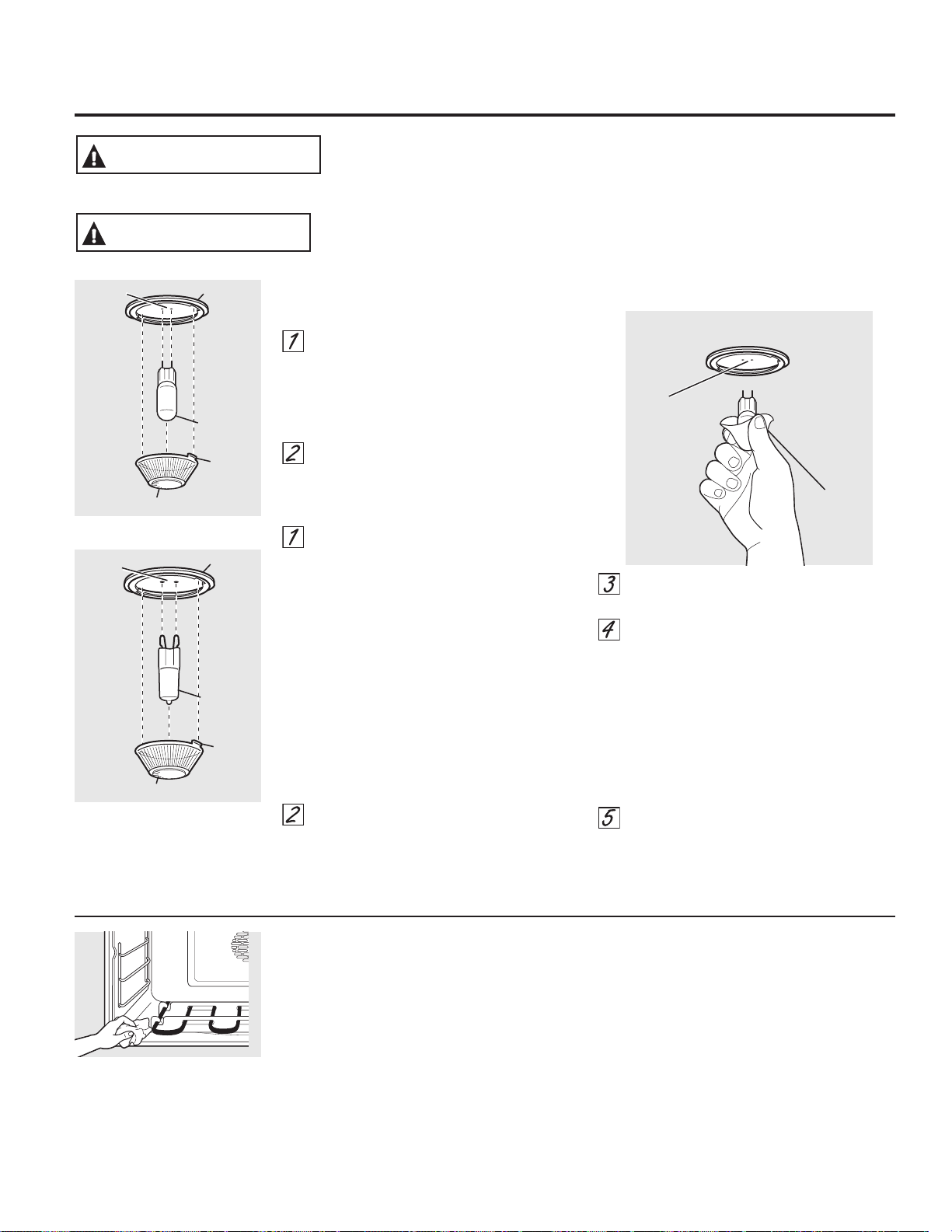
27
GEAppliances.com
Elementos para calentar el horno
No limpie los elementos para calentar.
Cualquier suciedad desaparecerá una vez
calentados los elementos. Limpie la superficie
del horno con agua caliente y jabón.
Limpie cualquier suciedad importante
acumulada en el fondo del horno.
NOTA: No intente elevar el elemento
para calentar. Realizar dicha acción
podría dañar el elemento.
Bombilla eléctrica del horno inferior
Para retirar:
Gire la cubierta de vidrio en sentido
contrario a las manecillas del reloj 1/4
de vuelta hasta que las lengüetas de la
cubierta de vidrio liberen los surcos del
portalámparas. El uso de guantes de
látex puede ofrecer un mejor agarre.
Utilizando guantes o un paño seco,
remueva la bombilla jalándola en línea
recta.
Para reemplazar:
Utilice una nueva bombilla halógena de
120/130 voltios, no exceda 50 vatios.
Reemplace la lámpara de luz con el
mismo tipo de lámpara que se retiró.
En su modelo corresponderá uno de los
dos tipos que figuran a la izquierda. Para
determinar cuál es la lámpara correcta,
controle las terminales de la lámpara. Las
lámparas con 2 terminales con clavijas
rectas son lámparas de G6.35. Las
lámparas con 2 terminales con clavijas
con curvas son lámparas de G9. (No las
intercambie.) Asegúrese al reemplazar la
lámpara que sea de 120 volts o 130 volts
(NO de 12 volts).
Utilizando guantes o un paño seco,
remueva la bombilla de su paquete. No
toque la bombilla con los dedos desnudos.
El aceite para piel dañará la lámpara y
acortará su tiempo de duración
.
Empuje la bombilla en línea recta dentro
del receptáculo hasta el tope.
Coloque las lengüetas de la cubierta
de vidrio dentro de los surcos del
portalámparas. Gire la cubierta de vidrio
en sentido de las manecillas del reloj 1/4
de vuelta.
Para una mejor iluminación dentro del
horno, limpie frecuentemente la cubierta
de vidrio utilizando un paño húmedo.
Esto debería hacerse cuando el horno
está completamente frío.
Conecte nuevamente el suministro
eléctrico al horno.
Use
guantes
o un
paño
Receptáculo
Bombilla
de G6.35
Portalámpara
Lengüeta
Cubierta de vidrio
Receptáculo
(en algunas modelos)
Bombilla
de G9
Bulb
Portalámpara
Lengüeta
Cubierta de vidrio
Receptáculo
(en algunas modelos)
DESCARGA O PELIGRO DE QUEMADURAS: Antes de reemplazar la lámpara de
luz del horno, desconecte la conexión eléctrica del horno del fusible principal o
del panel del disyuntor. Si esto no se cumple se podrá producir una descarga
eléctrica o quemadura.
ADVERTENCIA
RIESGO DE INCENDIO: La tapa de vidrio y la lámpara de luz se deberán retirar
cuando estén frías. Tocar el vidrio caliente sin protección en las manos o con un
trapo húmedo puede ocasionar quemaduras.
PRECAUCIÓN
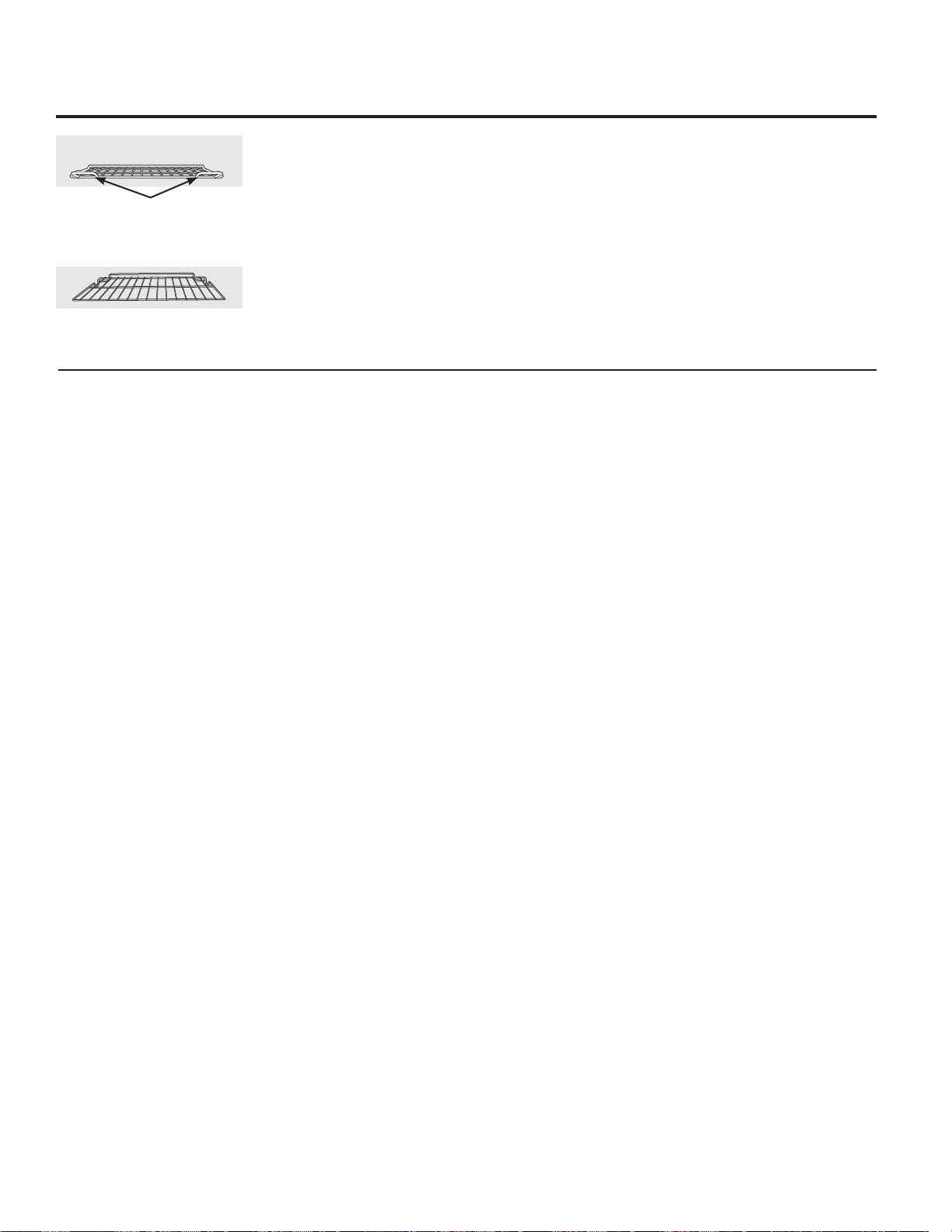
Parrillas de horno
Todas las parrillas del horno se podrán limpiar a
mano con un limpiador abrasivo o viruta. Luego
de la limpieza, enjuague las parrillas con agua
limpia y seque con una tela limpia. Las parrillas
del horno grises y cubiertas de porcelana
podrán permanecer en el mismo durante el
ciclo de auto limpieza sin sufrir ningún tipo
de daños. Las parrillas del horno brillantes y
de color planteado podrán permanecer en el
horno durante el ciclo de auto limpieza, pero
perderán su lustre y luego será difícil deslizarlas.
Será necesario engrasar todos los costados
de la parrilla del horno con una capa suave de
aceite vegetal luego de limpiarlas a mano o
en el horno. Esto ayudará a que las parrillas se
puedan deslizar con facilidad fuera de horno.
Cuidado y limpieza del horno.
28
Parrilla horizontal
Manijas
Use la parilla con las dos manijas
frontales en el horno superior.
Use la parilla sin las dos manijas
frontales en el horno inferior.
Superficies de acero inoxidable
No use una almohadilla de lana de acero;
rayará la superficie.
Para limpiar la superficie de acero inoxidable,
use agua jabonosa con poca espuma o bien un
limpiador o abrillantador para acero inoxidable.
Siempre limpie la superficie en la dirección de
las vetas. Siga las instrucciones del limpiador
para limpiar la superficie de acero inoxidable.
Para averiguar acerca de la compra de un
limpiador o un lustrador de acero inoxidable, o
para encontrar la ubicación de su distribuidor
más cercano, por favor llame a nuestro
número gratuito:
Centro Nacional de Refacciones
(National Parts Center) 1.800.626.2002
GEAppliances.com
29
¡Los consejos para resolución de problemas ahorran tiempo y dinero!
Revise primero las gráficas en las siguientes páginas y es posible que
no tenga que llamar para solicitar servicio de mantenimiento.
Problema Causas posibles Qué hacer
La luz del horno La bombilla está floja. • Apriete o reemplace la bombilla.
no funciona
El horno no funciona Un fusible en su casa puede • Reemplace el fusible o reinicie el disyuntor.
estar fundido o el disyuntor
activado.
Los controles del horno están • Consulte la sección Uso del horno.
configurados inadecuadamente.
El horno está demasiado • Permita que el horno se enfríe por debajo
demasiado caliente. de la temperatura de bloqueo.
Los alimentos Controles del horno no • Consulte la sección Uso del horno.
no se hornean o configurados apropiadamente.
asan apropiadamente La posición de la parrilla es • Consulte la sección Uso del horno.
incorrecta o la parrilla no
está nivelado.
Uso del utensilio incorrecto • Consulte la sección Uso del horno.
o de un utensilio de tamaño
incorrecto.
El termostato del horno • Consulte la sección Ajuste del termostato del horno:
necesita ajuste. ¡Hágalo usted mismo!
Los alimentos no Los controles del horno están • Asegúrese de presionar el botón BROIL HI/LO.
se asan a la parrilla configurados inadecuadamente.
apropiadamente Se está utilizando una posición • Consulte la Guía para asar a la parrilla.
inadecuada de la parrilla.
Los utensilios de cocina • Para mejores resultados, utilice una bandeja diseñada
no son adecuados para asar para asar a la parrilla.
a la parrilla.
La sonda está conectada • Desconecte y retire la sonda del horno.
a la salida en el horno.
En algunas áreas • Precaliente el elemento de asado a la parrilla durante
el voltaje puede ser bajo. 10 minutos.
• Ase a la parrilla durante un periodo más prolongado
que el recomendado en la Guía para asar a la parrilla.
La temperatura El termostato del horno • Consulte la sección Ajuste del termostato del horno:
del horno es necesita un ajuste. ¡Hágalo usted mismo!.
demasiado alta
o demasiado baja
El reloj y el temporizador
Un fusible en su casa • Reemplace el fusible o reinicie el disyuntor.
no funcionan puede estar fundido o
el disyuntor activado.
Los controles del horno están • Consulte la sección Uso del reloj y el temporizador.
configurados incorrectamente.
El horno no se auto La temperatura del horno es • Permita que el horno se enfríe y reinicie los controles.
limpiará demasiado alta para establecer
una operación de autolimpieza.
Los controles del horno están • Consulte la sección Uso del horno autolimpieza.
configurados incorrectamente.
La sonda está enchufada • Retire la sonda del horno.
en la toma dentro del horno.
Antes de llamar para solicitar
un servicio de mantenimiento… GEAppliances.com
Antes de llamar para solicitar un servicio de mantenimiento…
Problema Causas posibles Qué hacer
Se escucha un “crujido” Este es el sonido del metal • Esto es normal.
o “estallido” calentándose y enfriándose
durante las funciones de cocción
y limpieza.
Humo excesivo Exceso de mugre. • Presione el botón CLEAR/OFF. Abra las ventanas para
durante el ciclo dejar salir el humo de la habitación. Espere hasta que
de limpieza la luz LOCKED se apague. Limpie el exceso de mugre
y reinicie el ciclo de limpieza.
La puerta del horno El horno está demasiado • Permita que el horno se enfríe por debajo de la
no se abrirá después caliente. temperatura de bloqueo.
de un ciclo de limpieza
El horno no está Los controles del horno están • Consulte la sección Uso del horno autolimpieza.
limpio después de configurados inadecuadamente.
un ciclo de limpieza El horno tiene mugre difícil • Limpie las sobras pesadas antes de comenzar
de eliminar. el ciclo de limpieza. Es posible que los hornos que tienen
una mugre muy pesada necesiten de autolimpieza
nuevamente o durante un periodo más prolongado.
“LOCKED” parpadea Se ha seleccionado el ciclo • Cierre la puerta del horno.
en la pantalla autolimpieza pero la puerta
no está cerrada.
La luz LOCKED está La puerta del horno • Presione el botón CLEAR/OFF. Deje enfriar el horno.
encendida cuando está bloqueada porque
desea cocinar la temperatura dentro
del horno no ha caído por
debajo de la temperatura
de bloqueo.
´)³\XQQ~PHUR Tiene un código de error • Desconecte la corriente del horno durante
o letra” parpadean de la función. 30 segundos y conecte nuevamente la corriente.
en la pantalla Si el función se repite, llame para solicitar servicio
de mantenimiento.
“LOCKED” Los controles fueron • Consulte la sección Bloqueo del control para desbloquear.
(“BLOQUEADO”) bloqueados.
aparece en la pantalla
del horno
Señales de control Olvidó ingresar • Presione el botón BAKE y la temperatura deseada
luego de ingresar una temperatura de horneado o el botón SELF CLEAN HI/LO y el tiempo de limpieza
el tiempo de cocción o tiempo de limpieza. deseado.
o el tiempo de inicio
La pantalla se pone Se ha fundido un fusible • Reemplace el fusible o reajuste el cortacircuitos.
en blanco en su hogar o bien
el cortacircuitos no está
funcionando correctamente.
El reloj está en el modo • Consulte la sección Características especiales de control
de apagado. de su horno.
La pantalla parpadea Falla en el suministro • Reinicie el reloj.
de electricidad.
Imposible lograr Los botones de control del • Los botones BAKE y BROIL HI/LO deben ser presionados
la pantalla muestre “SF”
horno no fueron presionados que al mismo tiempo y sostenidos durante 3 segundos.
apropiadamente.
¡Los consejos para resolución de problemas ahorran tiempo y dinero!
30
31
Problema Causas posibles Qué hacer
Aparece “Probe” Esto le recuerda ingresar • Ingrese una temperatura de sonda.
en la pantalla una temperatura de sonda
después de enchufar la sonda.
Corte en el suministro Pico o corte del suministro • Reinicie el reloj. Si el horno estaba en uso,
eléctrico, el reloj eléctrico. debe reiniciarlo presionando el botón CLEAR/OFF,
parpadea configurando el reloj y reestableciendo cualquier
función de cocción.
Sale vapor
Cuando se utiliza la característica
• Esto es normal.
del respiradero por convección, es normal
ver vapor saliendo
del respiradero del horno.
Conforme aumenta
el número de parrillas o
la cantidad de alimentos
que están siendo cocinados,
así mismo aumentará
la cantidad de vapor visible.
Olor a “quemado” o Esto es normal en un horno • Para acelerar el proceso, configure un ciclo de
“aceitoso” saliendo nuevo y desaparecerá con autolimpieza durante un mínimo de 3 horas.
del respiradero el tiempo. Consulte la sección Uso del horno autolimpieza.
Olor fuerte Un olor del aislamiento • Esto es temporal.
alrededor del interior del horno
es normal las primeras veces
que se utiliza el horno.
Suena un ventilador Un ventilador de convección • Esto es normal. A fin de maximizar una cocción pareja,
se puede apagar o encender el ventilador fue diseñado para rotar en ambas
de forma automática. direcciones, con una pausa intermedia.
• El ventilador de convección funcionará durante
el precalentamiento del ciclo de horneado.
El ventilador se apagará una vez que el horno
alcance la temperatura configurada. Esto es normal.
Las parrillas del horno Las parrillas se limpiaron • Aplique una cantidad reducida de aceite vegetal
son difíciles de deslizar en un ciclo de auto limpieza. a una toalla de papel y limpie los extremos
de las parrillas del horno con dicha toalla de papel.
No rocíe con Pam® o cualquier otro lubricante
en espray.
GEAppliances.com
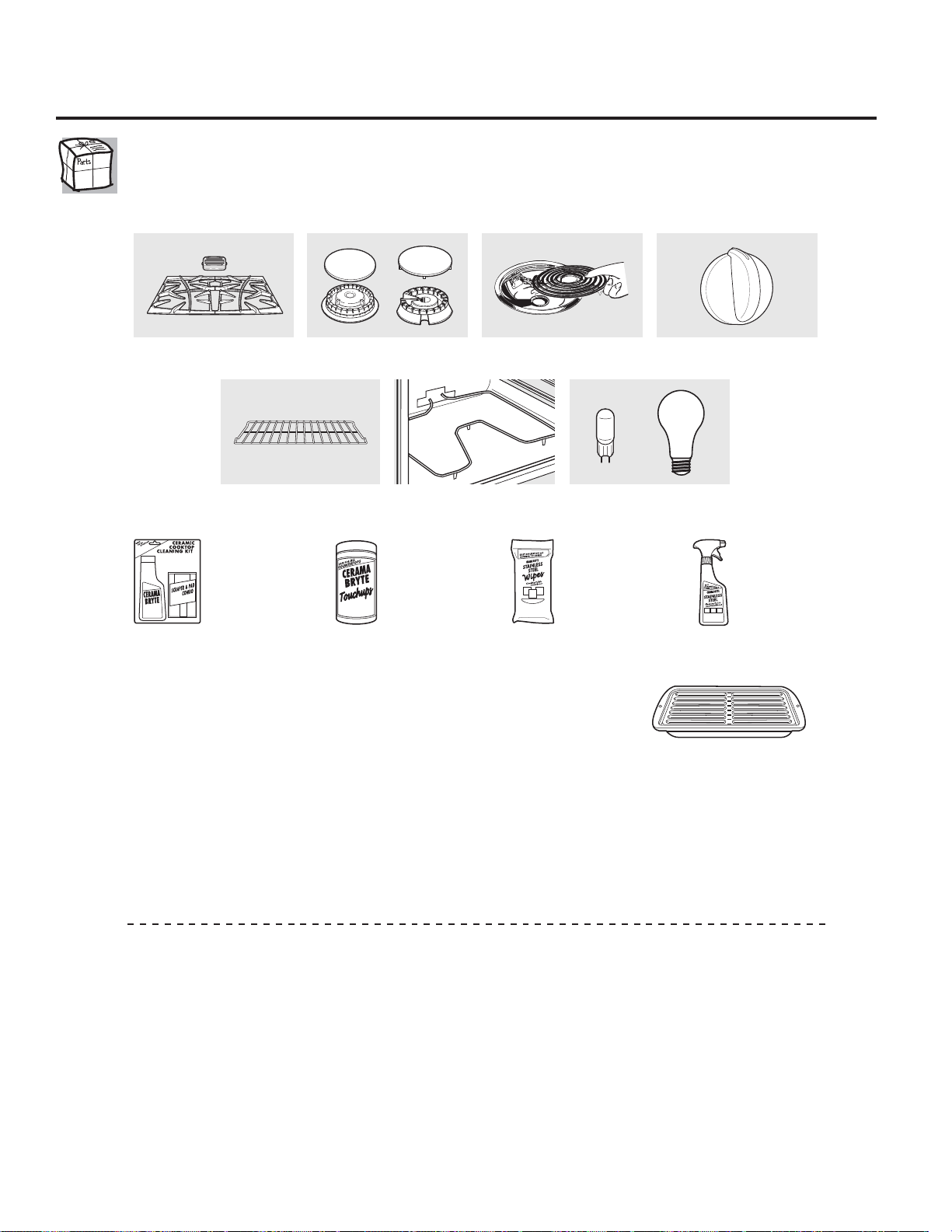
32
Accesorios.
¿Desea algo más?
Usted puede encontrar estos accesorios y muchos más en GEAppliances.com, o llame al 800.626.2002
(en horario de trabajo normal). Tenga listo el número de modelo.
¡Pruebe estos otros excelentes productos para que su cocina se vea estupenda!
¡Aproveche al máximo su bandeja para asar! (No para usar con modelos de cajón asador.)
¡Utilice su bandeja y tapa de rejilla para asar hamburguesas, frutos de mar, filetes, vegetales, panceta,
costillas y mucho más! La bandeja inferior retiene el exceso de grasas y aceites.
• Pieza GE genuina
• Fácil de limpiar
• Garantía de un año
¡Oferta de tiempo limitado! ¡Envío sin cargo!
Cuando solicite la bandeja para asar dentro de los 30 días de haber adquirido su producto de cocina GE.
Pequeña Grande* Extra grande**
N° de pieza WB48X10055 WB48X10056 WB48X10057
Dimensiones
8-3/4” A x 1-1/4” A x 13-1/2” P 12-3/4” A x 1-1/4” A x 15-1/4” P 15-1/2” A x 1-1/4” A x 19” P
* La bandeja para asar grande (estándar) no entra en cocinas de 20/24 pulgadas.
** La bandeja extra grande no entra en hornos de paredes de 24 pulgadas, empotradas de 27 pulgadas o cocinas de 20/24 pulgadas.
Llame al 800.626.2002 o utilice este formulario para enviar su solicitud por correo:
GE Parts, P.O. Box 221027, Memphis, TN 38122-1027.
Formulario de solicitud de la bandeja para asar
Cantidad ___________________ Número de pieza _____________________________________________________________
____________________ ______________________________________________________________
____________________ ______________________________________________________________
Número de modelo ____________ Número de serie ________________ Marca ______________ Fecha de compra _________
Nombre ______________________________________________ Apellido _________________________________________________
Dirección ________________________________________________________________________________________________________
Ciudad _______________________________________________ Estado __________ Código Postal _________________________
Teléfono ______________________________________________ Correo electrónico ________________________________________
Check ______ Giro postal ______
Para consultar sobre los precios actuales llame al 800.626.2002. Todas las órdenes con tarjeta de crédito se deberán realizar en
forma telefónica.
Elementos de superficie y
bandejas colectoras
Rejillas Cabezales o tapas de
quemadores de superficie
Elementos del horno Bombillas de luz
Perillas
Bandejas del horno
WX10X117GCS WX10X305 WX10X10001 PM10X311
Kit de limpieza
de anafes
vitrocerámicos:
Incluye limpiador,
rasqueta y paño
Toallitas
de limpieza
de anafes
vitrocerámicos
Toallitas para
pulir artefactos
de acero
inoxidable
Limpiador
de artefactos
de acero
inoxidable
or
33
Por el período de: GE reemplazará:
Un año Cualquier parte del horno que falle debido a defectos en los materiales o en la fabricación.
A partir de la fecha Durante este garantía limitada de un año, GE también proporcioná, sin costo alguno,
de la compra original toda la mano de obra y los servicios internos para reemplazar partes defectuosas.
Viajes de servicio a su casa para enseñarle cómo usar
el producto.
Instalación, entrega o mantenimiento inapropiada.
Fallas del producto si hay abuso, mal uso, o uso para
otros propósitos que los propuestos, o uso para fines
comerciales.
Reemplazo de fusibles de su casa o reajuste
de interruptores de circuito.
Daño al producto causado por accidente, fuego,
inundaciones o actos de Dios.
Daño incidental o consecuencial causado por posibles
defectos con el aparato.
Daño causado después de la entrega.
Producto no accesible para facilitar el servicio requerido.
Solicite el servicio técnico para reparar o reemplazar las
lámparas, excepto las lámparas LED.
Lo que no está cubierto por GE:
Esta garantía se extiende al comprador original y cualquier comprador posterior de productos comprados para uso
residencial dentro des Estados Unidos. Si el producto está situado en un área que no dispone de servicio por parte de un
proveedor de servicio autorizado de GE, podría tener que hacerse cargo de los costes de envío o bien podría solicitársele
que lleve el producto a un centro de servicio de GE autorizado para realizar la reparación. En Alaska, la garantía excluye el
costo de envío o las visitas de servicio a su casa.
Algunos estados no permiten la exclusión o las limitaciones de daños incidentales o consecuenciales. Esta garantía da
derechos legales específicos, y usted podría tener otros derechos que variarán de estado a estado. Para saber cuáles son
sus derechos legales, consulte a la oficina de asuntos del consumidor local o la oficina del Prucurador (Attorney General)
en su localidad.
Garante: General Electric Company. Louisville, KY 40225
Garantía de GE para su horno eléctrico empotrado.
Todos los servicios de garantía los proporcionan nuestros Centros
de Reparación de Fábrica o nuestros técnicos Customer Care®
autorizados. Para concertar una cita de reparación, visítenos en
línea en GEAppliances.com, o llame al 800.GE.CARES (800.432.2737).
Cuando llame para solicitar servicio, por favor tenga a mano el
número de serie y el número de modelo.
Pegue aquí su recibo.
Se requiere facilitar prueba
de la fecha de compra original
para obtener un servicio
bajo la garantía.
(;&/86,Ï1'(*$5$17Ë$6,03/Ë&,7$6³6X~QLFR\H[FOXVLYRGHUHFKRHVODUHSDUDFLyQGHO
producto, tal y como se indica en esta Garantía limitada. Cualquier garantía implícita, incluyendo
las garantías implícitas de comerciabilidad o adecuación para un fin determinado, están limitadas
a un año o el período de tiempo más breve permitido por la ley.
Soporte al consumidor.
Página Web de GE Appliances GEAppliances.com
¿Tiene alguna pregunta sobre su electrodoméstico? ¡Pruebe la página Web de GE Appliances 24 horas al día,
cualquier día del año! Para mayor conveniencia y servicio más rápido, ya puede descargar los Manuales de los
Propietarios, pedir piezas o incluso hacer una cita en línea para que vengan a realizar una reparación.
Solicite una reparación GEAppliances.com
El servicio de expertos GE está a tan sólo un paso de su puerta. ¡Entre en línea y solicite su reparación cuando le
venga cualquier día del año! O llame al 800.GE.CARES (800.432.2737) durante horas normales de oficina.
Real Life Design Studio (Estudio de diseño para la vida real) GEAppliances.com
*(DSR\DHOFRQFHSWRGH'LVHxR8QLYHUVDO³SURGXFWRVVHUYLFLRV\DPELHQWHVTXHSXHGHQXVDUJHQWHGHWRGDVODV
edades, tamaños y capacidades. Reconocemos la necesidad de diseñar para una gran gama de habilidades y
dificultades físicas y mentales. Para más detalles cobre las aplicaciones de GE Diseño Universal, incluyendo ideas
de diseño para la cocina para personas con discapacidades, mire nuestra página Web hoy mismo. Para personas
con dificultades auditivas, favor de llamar al 800.TDD.GEAC (800.833.4322).
Garantías ampliadas GEAppliances.com
Compre una garantía ampliada y obtenga detalles sobre descuentos especiales disponibles mientras su garantía
está aún activa. Puede comprarla en línea en cualquier momento, o llamar al 800.626.2224 durante horas
normales de oficina. GE Consumer Home Services estará aún ahí cuando su garantía termine.
Piezas y accesorios GEAppliances.com
Aquellos individuos con la calificación necesaria para reparar sus propios electrodomésticos pueden pedir que
se les manden las piezas o accesorios directamente a sus hogares (aceptamos las tarjetas VISA, MasterCard y
Discover). Haga su pedido en línea hoy, 24 horas cada día o llamar por teléfono al 800.626.2002 durante horas
normales de oficina.
Las instrucciones descritas en este manual cubren los procedimientos a seguir por cualquier usuario. Cualquier
otra reparación debería, por regla general, referirse a personal calificado autorizado. Debe ejercerse precaución
ya que las reparaciones incorrectas pueden causar condiciones de funcionamiento inseguras.
Póngase en contacto con nosotros GEAppliances.com
Si no está satisfecho con el servicio que recibe de GE, póngase en contacto con nosotros en nuestra página Web
indicando todos los detalles así como su número de teléfono o escríbanos a:
General Manager, Customer Relations
GE Appliances, Appliance Park
Louisville, KY 40225
Registre su electrodoméstico GEAppliances.com
£5HJLVWUHVXQXHYRHOHFWURGRPpVWLFRHQOtQHD³FXDQGRXVWHGSUHILHUDEl registrar su producto a tiempo le
proporcionará, si surgiera la necesidad, una mejor comunicación y un servicio más rápido bajo los términos de su
garantía. También puede enviar su tarjeta de registro pre-impresa que se incluye en el material de embalaje.