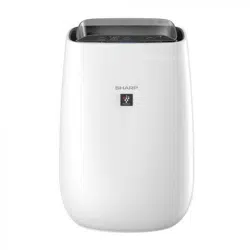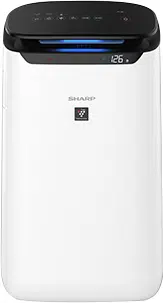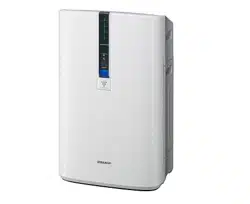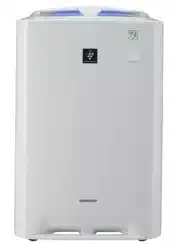
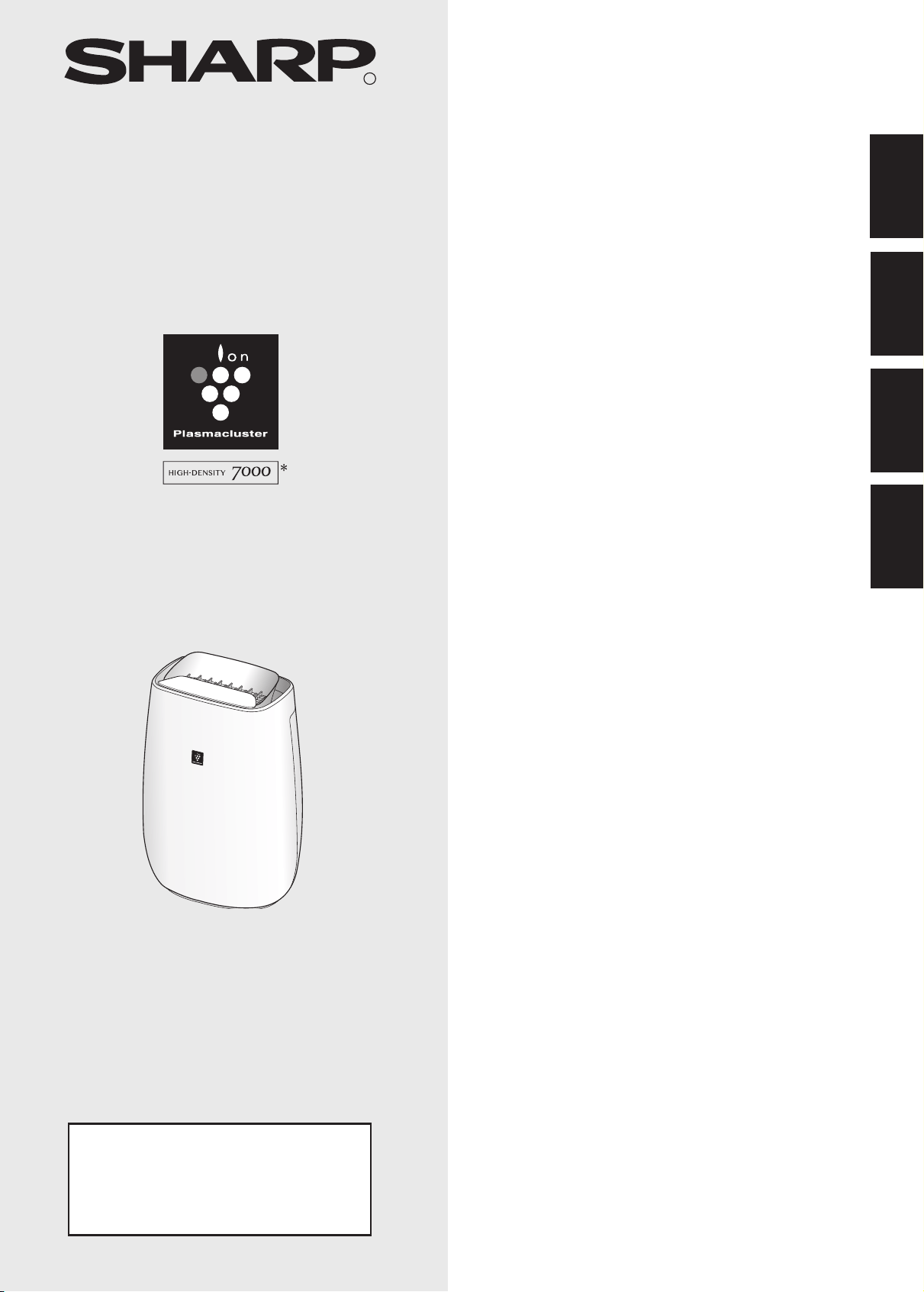
Free standing type
Jenis berdiri sendiri
Kiểu máy có chân tự đứng
站立式
R
FP-J40E
FP-J40L
FP-J40M
“Plasmacluster” and “Device of a cluster of grapes”
are registered trademarks of Sharp Corporation in
Japan, Philippines and elsewhere.
*The number in this technology mark indicates an
approximate number of ions supplied into air of 1 cm
3
,
which is measured around the center of a room with
the “high-density plasmacluster 7000” applicable oor
area (at 1.2 m height above the oor) at the medium
wind volume in air purifying mode, when an air purier
using the high-density plasmacluster ion evolving
device is placed close to a wall. This product is
equipped with a device corresponding to this capacity.
AIR PURIFIER
OPERATION MANUAL
ENGLISHMALAYSIA
PEMBERSIH UDARA
BUKU PANDUAN OPERASI
HƯỚNG DẪN SỬ DỤNG MÁY
NĂNG BẮT MUỖI
TIẾNG VIỆT
空气净化器操作手册
中文
OM_FP-J40E_40L_EN.indd 1 2018/06/25 11:42:52

Pre-Filter
HEPA Filter
Deodorizing Filter
NOTE
The air purifier draws in room air from the air intake, passes the air through a Pre-Filter, a
Deodorizing Filter and a HEPA Filter inside of the main unit, then discharges the air through the
air outlet. The HEPA Filter can remove 99.97% of dust particles as small as 0.3 microns that pass
through the lter and also helps absorb odors.
The Deodorizing Filter gradually absorbs odors as they pass through the lter.
Some odors absorbed by the filters may break down over time, resulting in additional odor.
Depending on the usage environment, especially when the product is used in extreme environments
(signicantly more severe than normal household use), this odor may become strong in a shorter
period than expected. If the odor persists, the lters should be replaced.
• The air purier is designed to remove air-suspended dust and odor, but not harmful gases (for example, carbon
monoxide contained in cigarette smoke). If the source of the odor still exists, the air purier may not completely
remove the odor.
Please read before operating your new Air Purier
OM_FP-J40E_40L_EN.indd 2 2018/06/25 11:42:53

EN-1
ENGLISH
ENGLISH
Thank you for purchasing the SHARP
Air Purier. Please read this manual carefully.
Before using this product, be sure to read the
section: “Important Safety Instructions.”
After reading this manual, keep it in a convenient
location for future reference.
For your reference, we recommend to keep this
manual in the place where you can read at any time.
IMPORTANT SAFETY INSTRUCTIONS
.............EN-2
PART NAMES ...................................................EN-4
FILTER INSTALLATION ...................................EN-5
OPERATION .....................................................EN-6
CARE AND MAINTENANCE ............................EN-8
REPLACEMENT ...............................................EN-9
TROUBLESHOOTING ....................................EN-10
SPECIFICATIONS ........................................... EN-11
CONTENTS
FEATURES
Unique Combination of Air Treatment
Technologies
Triple Filtration System + Plasmacluster
TRAPS DUST*
Pre-Filter traps dust and other large airborne
particles.
DECREASES ODORS
Deodorizing lter absorbs many common
household odors.
REDUCES POLLEN & MOLD*
HEPA lter traps 99.97% of particles as small as
0.3 microns.
FRESHENS
Plasmacluster treats the air similar to the way
nature cleans the environment by emitting a
balance of positive and negative ions.
*When air is drawn through the lter system.
Sensor Technology continuously monitors air
quality, and automatically adjusting operation
based on detected air purity.
OM_FP-J40E_40L_EN.indd 1 2018/06/25 11:42:55

EN-2
IMPORTANT SAFETY INSTRUCTIONS
When using electrical appliances, basic safety precautions should be followed, including the
following:
WARNING
- To reduce the risk of electrical shock, re or injury to persons:
• Read all instructions before using the main unit.
• Use only a 220-240 volt outlet.
• Do not use the main unit if the power cord or plug is damaged or the connection to the wall
outlet is loosened.
• Periodically remove dust from the power plug.
• Do not insert ngers or foreign objects into the intake or air outlet.
• When removing the power plug, always hold the plug and never pull the cord.
Electrical shock and/or re from short circuit may occur as a result.
• Be careful not to damage the power cord, it may cause electric shock, excess heat or res.
• Do not remove the plug when your hands are wet.
• Do not use this unit near gas appliances or replaces.
• Remove the power plug from the wall outlet before cleaning the main unit and when not using
the main unit.
Electrical shock from bad insulation and/or re from short circuit may occur as a result.
• When cleaning the main unit, or when the main unit is not in use, be sure to unplug the main unit.
Electrical shock and/or re from a short circuit may result.
• If the power cord is damaged, it must be replaced by the manufacturer, its service agent, Sharp
Approved Service Center or similarly qualied person in order to avoid a hazard.
• Do not operate when using aerosol insecticides or in rooms where there is oily residue, incense, sparks
from lit cigarettes, chemical fumes in the air or in very high humidity conditions, such as a bathroom.
• Be cautious when cleaning the main unit. Corrosive cleansers may damage the exterior.
• Only a Sharp Authorized Service Center should service this air purier. Contact the nearest Service
Center for any problems, adjustments, or repairs.
• This appliance is not intended for use by persons (including children) with reduced physical,
sensory or mental capabilities, or lack of experience and knowledge, unless they have been
given supervision or instruction concerning use of the appliance by a person responsible for
their safety. Children should be supervised to ensure they do not play with the appliance.
NOTE
- Radio or TV Interference
If this air purier should cause interference to radio or television reception, try to correct the interference by
one or more of the following measures:
• Reorient or relocate the receiving antenna.
• Increase the separation between the main unit and radio/TV/wave-clock receiver.
• Connect the equipment into an outlet on a circuit different from that to which the receiver is connected.
• Consult the dealer or an experienced radio/TV technician for help.
OM_FP-J40E_40L_EN.indd 2 2018/06/25 11:42:56

EN-3
ENGLISH
CAUTIONS CONCERNING OPERATION
• Do not block the intake and/or air outlet.
• Do not use the unit near or on hot objects, such as stoves or heaters or where it may come into contact
with steam.
• Do not lay the unit down when using.
• Always hold the handle on the back of the unit when moving it.
• Do not use without the lters inside the unit.
• Do not wash and reuse the HEPA lter and the deodorizing lter.
Not only does it not improve lter performance, it may cause electric shock or malfunction.
INSTALLATION GUIDELINES
• When using the unit, place it away from equipment utilizing electric waves such as televisions or
radios to avoid electrical interference.
• Avoid use in locations where furniture, fabrics or other items may come in contact with and
restrict the air intake and/or air outlet.
• Avoid use in locations where the unit is exposed to condensation or drastic temperature
changes. Appropriate conditions are when room temperature is between 0 – 35 ºC.
• Place on a stable surface with sufcient air circulation.
When placing the unit on a heavily carpeted area, the unit may vibrate slightly.
• Avoid locations where grease or oily smoke is generated.
The unit surface may crack as a result.
• The dust collecting ability of the unit is effective even when the unit is as close to 3 cm from the wall,
the surrounding walls and oor may get dirty. Please place the unit at a distance from the wall.
The wall directly behind the air outlet may become dirty over time. When using the unit for an extended
period of time at the same location, periodically clean the walls adjacent to it.
FILTER GUIDELINES
• Follow the instructions in this manual for correct care and maintenance of the lter.
OM_FP-J40E_40L_EN.indd 3 2018/06/25 11:42:56

EN-4
PART NAMES
18
17
2
1
1
Main Unit
10
Cleanliness Monitor
2
Air Outlet
11
Handle
3
OFF TIMER Button, Indicator Light (white)
(Press 3 sec.) Filter Reset Button, Indicator Light (orange)
12
Dust Sensor Filter
13
HEPA Filter
4
MODE Button, Indicator Light (white)
(Press 3 sec.) Plasmacluster Ion ON/OFF Button
14
Deodorizing Filter
15
Back Panel (Pre-Filter)
5
HAZE Button, indicator Light (white)
16
Bottom Tabs
6
POWER ON/OFF Button
17
Plug
(Shape of plug depends on country.)
7
Light Sensor
8
Odor Sensor
18
Power Cord
9
Plasmaclustor Ion Light (blue)
FRONT
BACK
16
13
14
10
11
12
15
Cleanliness Monitor
Indicates the air purity of the room
in 3 levels with color changes.
Blue
Orange
Red
Clean
Impure
8
7
3
4 5
6
9
OM_FP-J40E_40L_EN.indd 4 2018/06/25 11:43:03

EN-5
ENGLISH
FILTER INSTALLATION
To maintain the quality of the lter, it is installed in the main unit and packed in plastic bag.
Be sure to the remove plastic bag from the lter before using the unit.
• Do not operate the unit without the lter.
Be sure to remove the power plug
from the wall outlet.
3
Place the Filter within the main unit.
Do not install the lter backwards or the unit
will not operate properly.
4
Replace the Back Panel to the main
unit.
HEPA Filter
Deodorizing Filter
1
Remove the Back Panel.
2
Remove the plastic bag from the
Filter.
Click
Pull
OM_FP-J40E_40L_EN.indd 5 2018/06/25 11:43:14

EN-6
OPERATION
AUTO SLEEP MED
MAX
The unit operates at HIGH fan speed for 60 minutes and then alternates between Low and High level for 20 minutes
each.
START
• Select the desired fan speed.
•When the main unit starts operation, the operation
starts in the previous mode it was operated in.
STOP
HAZE
START
10 minutes: Max High fan level
50 minutes: High fan level
20 minutes: Low fan level
20 minutes: High fan level
• The Plasmacluster Ion can not be turnes ”OFF”.
• It is possible to switch this mode to another while
operating. However, the HAZE mode will not func-
tion after switching mode.
FAN SPEED
OFF TIMER
Select the length of time you want, with the main unit on. The main unit automatically stops once the selected time is
reached.
START/STOP
NOTE
NOTE
AUTO
The fan speed is automatically switched depending on the amount of
impurities in the air.
The sensors detect impurities for efcient air purcation.
SLEEP
The unit will operate very quietly, and the fan speed is automatically
switched depending on the amount of impurities in the air.
Cleanliness Monitor/Plasmaclustor Ion Light go off automatically.
Even though the indicator is off, Plasmacluster Ion is dispersed into air
unless Plasmacluster Ion is turned off by
2h 4h 8h OFF
(with the main unit ON)
2hour 4hour 8hour CANCELLATION
OM_FP-J40E_40L_EN.indd 6 2018/06/25 11:43:41

EN-7
ENGLISH
Light Control
Plasmacluster Ion ON/OFF
You can set the Cleanliness Monitor / Plasmaclustor Ion Light to OFF when their SIGN is bright.
more than 3 sec.
• When the main unit starts operation, the
operation starts in the previous mode it
was operated in.
NOTE
When Plasmacluster Ion is ON, the Plasmaclustor Ion Light will turn on. (blue)
ON OFF
ADJUSTMENT OF SENSOR DETECTION SENSITIVITY
You can change the sensitivity of the Dust sensor / Odor sensor and the Light sensor .
• If the power OFF Button is not pushed within 8 seconds of
adjusting sensor sensitivity, the setting will be saved automatically.
• The sensor sensitivity setting will be saved even if the main unit is
unplugged.
NOTE
1
2
3
(with the main unit OFF)
more than 3 sec.
more than 3 sec.
more than 3 sec.
AUTO
DIM
OFF
1
2
Standard High Low
4h 8h 2h
Standard
High
Low
Dust sensor / Odor sensor Light sensor
(with the main unit ON)
• When the main unit starts operation, the
operation starts in the previous mode it
was operated in.
NOTE
(with the main unit ON)
OM_FP-J40E_40L_EN.indd 7 2018/06/25 11:44:13

EN-8
Gently remove dust from the back panel, using a vacuum cleaner
attachment or
similar tool.
BACK PANEL
(Pre- lter)
To maintain optimum performance of this air puri er, please clean the unit including the lter periodically.
Be sure to disconnect the power cord from the wall outlet before performing any maintenance.
CARE AND MAINTENANCE
Be sure to remove the power plug from the wall outlet.
SENSORS
1. Remove the Back Panel.
2. Remove the Dust Sensor Filter.
3. If it is very dirty, wash it with water and dry it thoroughly.
Dust sensor
lter
Do not apply excessive pressure, when scrubbing the back panel.
Gently remove dust from the odor sensor,
using a vacuum cleaner attachment or
similar tool.
Dust sensor
Odor sensor
FILTERS
Tag
HEPA Filter
Deodorizing Filter
CAUTION
Gently remove dust from HEPA Filter and Deodorizing Filter with a vacuum
cleaner attachment or similar tool.
Do not WASH in water and DRY in the sun.
The lters are fragile, be careful not to apply too much force.
• HEPA Filter
Apply the maintenance only on the side with the tag.
Do not clean the opposite side; otherwise, the lter will be damaged.
• Deodorizing Filter
The maintenance can be applied to the both sides.
NOTE How to clean hard to remove dirt
1. Add a small amount of kitchen detergent to water and soak for about 10
minutes.
2. Rinse off the kitchen detergent with clean water.
3. Completely dry the lter in a well-ventilated area.
Back
Panel
Odor sensor
Back Panel
CAUTION
OM_FP-J40E_40L_EN.indd 8 2018/06/25 11:44:22

EN-9
ENGLISH
UNIT
Disposal of Filters
Please dispose of the replaced lter according to the local disposal laws and regulations.
Replacement timing
When Replace Filter Indicator light turn on
*
Filter
Filter replacement indicator
Replace the Filter according to the instructions provided
with the replacement lter.
After the exchange, insert the plug in socket and press the
POWER ON/OFF button, and OFF TIMER button 3 seconds.
Deodorizing Filter
Model : FZ-F50HFE
Model : FZ-F50DFE
HEPA Filter
Life of Filters
The lter life and replacement period are based on the condition of smoking 5 cigarettes per day and the dust collection
power is reduced by half compared with that of new lter. Filter life varies depending on the room
environment, usage, and location of the unit.We recommend to replace the lter more frequently if the product is used in a
condition signicantly severer than normal household use.
•
HEPA Filter : About 2 years after opening
•
Deodorizing Filter : About 2 years after opening
*
The Replace Filter indicator light will turn on after approximately 17,500 hours ( 2 years × 24 hours = 17,500).
Conditions: Mode:sleep , Light: Dark ,Dirt: small
Filter life varies depend on the operation mode.
HEPA Filter materials:
• Polypropylene
• Polyethylene
Deodorizing Filter materials:
• Polypropylene •
Polyester
•
Activated carbon
Wipe with a dry, soft cloth
For stubborn stains or dirt, use a soft cloth dampened with warm water.
•Do not use volatile uids
Benzine, paint thinner, polishing powder, etc., may damage the surface.
•Do not use detergents
Detergent ingredients may damage the unit.
CAUTION
REPLACEMENT
HEPA
Filter
Deodorizing
Filter
OM_FP-J40E_40L_EN.indd 9 2018/06/25 11:44:27

EN-10
TROUBLESHOOTING
SYMPTOM REMEDY (not a malfunction)
Odors and smoke are not removed.
• Replace the lters if they appear to be heavily soiled.
(page 9)
The Cleanliness Monitor illuminates blue
even when the air is impure.
• The air could be impure at the time the main unit was plugged in.
Unplug the main unit, wait one minute, and plug the main unit in again.
The Cleanliness Monitor illuminates
orange or red even when the air is
c
lean.
• Sensor operation is affected if the dust sensor openings are dirty or
clogged. Gently clean the dust sensor openings. (page 8).
A clicking or ticking sound is heard from
the main unit.
• Clicking or ticking sounds may be audible when the main unit is
generating ions.
The discharged air has an odor.
• Check to see if the lters are heavily soiled.
• Clean or replace the lters.
• Plasmacluster Air Puriers emit small traces of ozone which may produce
an odor.
The unit does not operate properly when
cigarette smoke is in the air.
• Is the unit installed in a location that is difcult for the sensor to detect
cigarette smoke?
• Is the dust sensor opening blocked or clogged?
(In this case, clean the opening.) (page 8)
The
Cleanline
ss Monitor is turned off.
• Check to see if the Lights OFF Mode selected.
Press
for 3 seconds to light On. (page 7)
• Check to see if the SLEEP mode is selected.
The Cleanliness Monitor/ Plasmaclustor Ion Light are turned off
automatically after the SLEEP mode is selected.
The Cleanliness Monitor lights change
color frequently.
• The Cleanliness Monitor lights automatically change colors as impurities
are detected by the dust sensor.
The SLEEP lamp is ashing.
• Fan motor error. Turn the power OFF.
Wait one minute, and then turn the power ON.
AUTO RESTART
After a power failure, automatically
resume the operation when the power
recovers.
Auto Restart can be set.
•
Even when the plug is unplugged or the breaker is thrown during the
operation, the operation resumes at the previous operation mode and
settings if the power recovers.
Before calling for service, please review the Troubleshooting chart below, since the problem may not be a unit
malfunction.
ON
OFF
(with the main unit OFF) (with the main unit OFF)
If the , , , lamp Lights up
for 8 seconds, the setting is completed.
(simultaneously for
more than 3 sec.)
(simultaneously for
more than 3 sec.)
OM_FP-J40E_40L_EN.indd 10 2018/06/25 11:44:41

EN-11
ENGLISH
Power supply
Fan
Speed
Operation
Fan Speed Adjustment
MAX MED SLEEP
*1
Rated Power
25W 14W 4.0~7.0W
Fan Speed
240m
/hour 186m
/hour 48~120m
/hour
Recommended Room Size
~30m
*2
High density Plasmacluster ion recommended room size
~23m
*3
Cord Length
2.0m
Dimensions
Weight
6.2kg
*1 The fan speed is automatically switched depending on the amount of impurities in the air.
*2 Size of a room which is appropriate for operating the unit at maximum fan speed.
•
*3 Size of a room in which approximately 7000 ions can be measured per cubic centimeter in the center of the room (at a
-
tion position.
Standby Power
In order to operate the electrical circuits while the power plug is inserted in the wall outlet,
this product consumes about 0.8W of standby power.
For energy saving, unplug the power cord when the unit is not in use.
SPECIFICATIONS
OM_FP-J40E_40L_EN.indd 11 2018/06/25 11:44:41

Printed in Thailand
TINS-B147KKRZ 18G- 1
OSAKA, JAPAN
SHARP CORPORATION
OM_FP-J40E_40L_EN.indd 12 2018/06/25 11:44:42