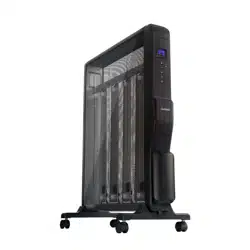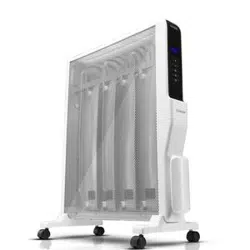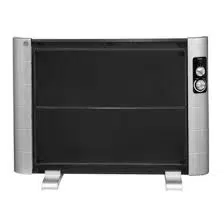
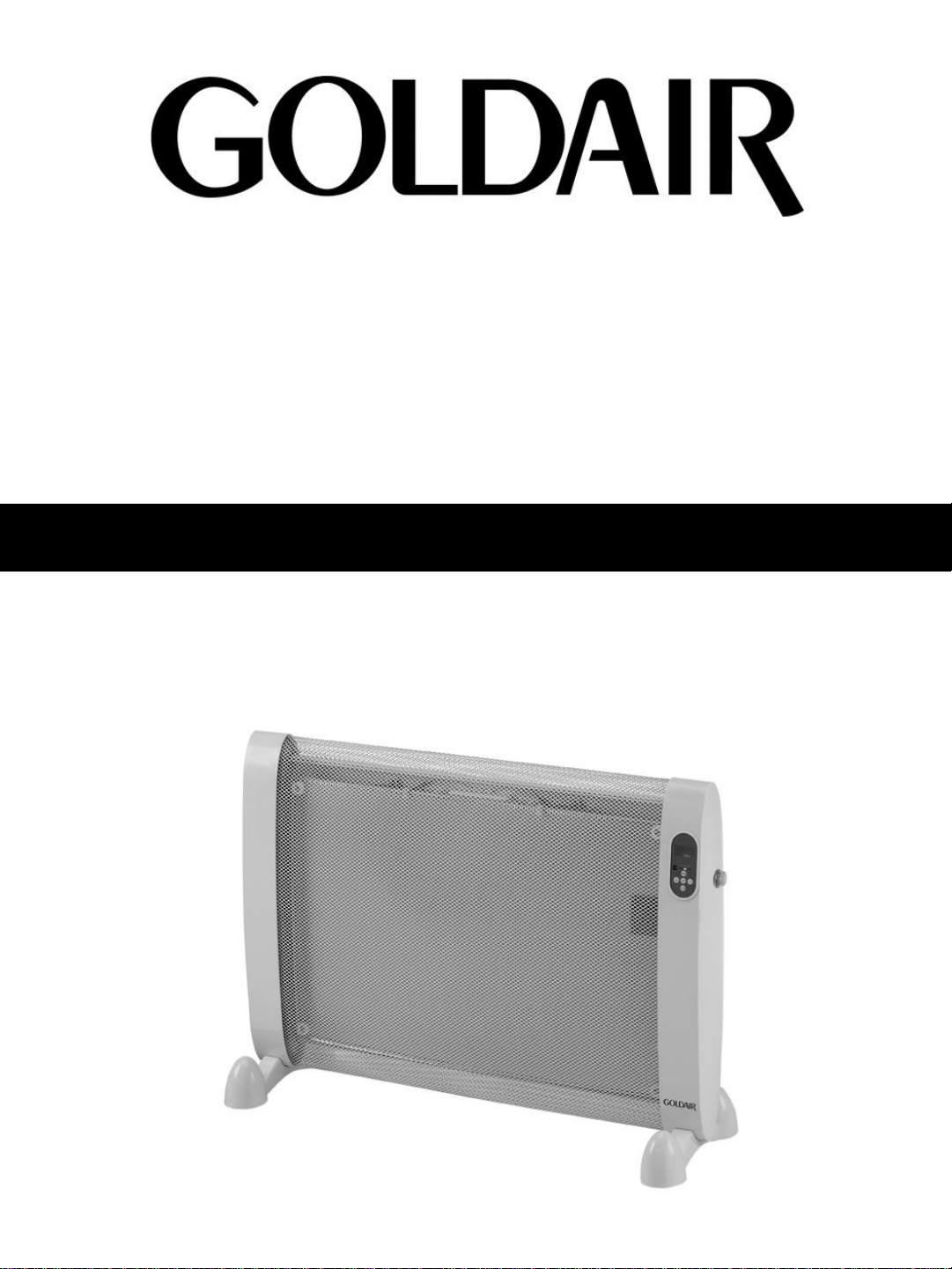
For models: GMH200
MICATHERMIC HEATER
OPERATING INSTRUCTIONS

1. Use only the voltage specified on the rating
plate of the appliance.
2. Keep all objects at least 1 metre from the
front, sides and rear of the appliance. Do not
place appliance close to radiant heat source.
3. Do not operate in areas where petrol, paint or
other flammable liquids are used or stored.
4. Do not insert or allow foreign objects to enter
any ventilation or exhaust opening, as this
may cause an electric shock, fire or damage
to the appliance.
5. Do not operate this appliance with a
damaged cord, plug or after the appliance
malfunctions or has been dropped or
damaged in any manner. Return to a
qualified electrical person for examination,
electrical service or repair.
6. This appliance is intended for household use
only and not for commercial or industrial use.
7. Use this appliance only as described in this
manual. Any other use is not recommended
by the manufacturer and may cause fire,
electrical shock or injury.
8. The common cause of overheating is
deposits of dust or fluff in the appliance.
Ensure these deposits are removed regularly
by unplugging the appliance and vacuum
cleaning the air vents and grills.
9. Do not use abrasive cleaning products on
this appliance. Clean with a damp cloth (not
wet) rinsed in hot soapy water only. Always
removed plug from the mains supply before
cleaning.
10.Do not connect the appliance to mains
voltage until completely assembled and
adjusted.
11.Switch off and use handles provided when
moving.
12.Do not operate with cord set coiled up as a
heat build up is likely, which could be
sufficient to become a hazard.
13.The use of an extension cord with this
appliance is not recommended.
14. Do not remove plug from power socket until the
appliance has been switched off.
15. Do not remove plug from power socket by
pulling cord – always grip plug.
16. The heater must not be located immediately
below a socket outlet.
17. Always unplug appliance when not in use.
18. Do not twist, kink or wrap the cord around the
appliance, as this may cause the insulation to
weaken and split. Always ensure that all cord
has been removed from any cord storage area
and is unrolled before use.
19. This appliance is not intended for use by young
children or infirm persons unless they have been
adequately supervised by a responsible person
to ensure that they can use the appliance safely.
20. If installed in a bathroom, it is to be installed so
that the switches and other control cannot be
touched by a person in the bath or shower.
21. When the appliance has been unpacked, check
if for transport damage and ensure all parts have
been delivered. If parts are missing or the
appliance has been damaged, contact the
Goldair Customer Services Team. (refer to
details on back page)
22. If your appliance does not work, or is not
working properly, contact the place of purchase
or the Goldair Customer Services Team. (refer
to details on back page). Repair work on the
appliance by unqualified persons can cause
serious risk to the user.
23. There are no user serviceable parts installed in
the unit.
24. Do not put your fingers or other articles into or
near the air inlet or outlet. Do not sit on the unit.
25. Do not place the unit in wardrobes or other
enclosed spaces as this may cause fire hazards.
26. This unit is not supposed to be used in or around
locations where foodstuffs, works of art or
delicate articles of science, etc are stored.
27. Indoor use only.
28. Children should be supervised to ensure that
they do not play with the appliance.
WARNINGS AND SAFEGUARDS
OVERVIEW OF GOLDAIR MICATHERMIC HEATER
Your Goldair Micathermic Heater is designed to provide instant personal and background heating. The
Micathermic heating panel self regulates energy consumption thereby minimizing power usage. Micathermic
heating uses both radiant and convection heating technology. Natural convection currents distribute the
heat evenly throughout the room, while radiant heat from the heating surface warms people and objects in
the room. Micathermic heating is extraordinarily safe and reliable as it produces no odours, doesn't burn
oxygen or stir up dust; and has no glowing elements. This heater is equipped with two manual heat settings
and a auto function which allows you to set the desired room temperature and the heat will adjust its output
to maintain this. In addition the heater has a programmable timer so you can set how long you require the
heater to operate for or a delayed start time function.
INDICATION LIGHTS & CONTROL BUTTONS
ASSEMBLY INSTRUCTIONS
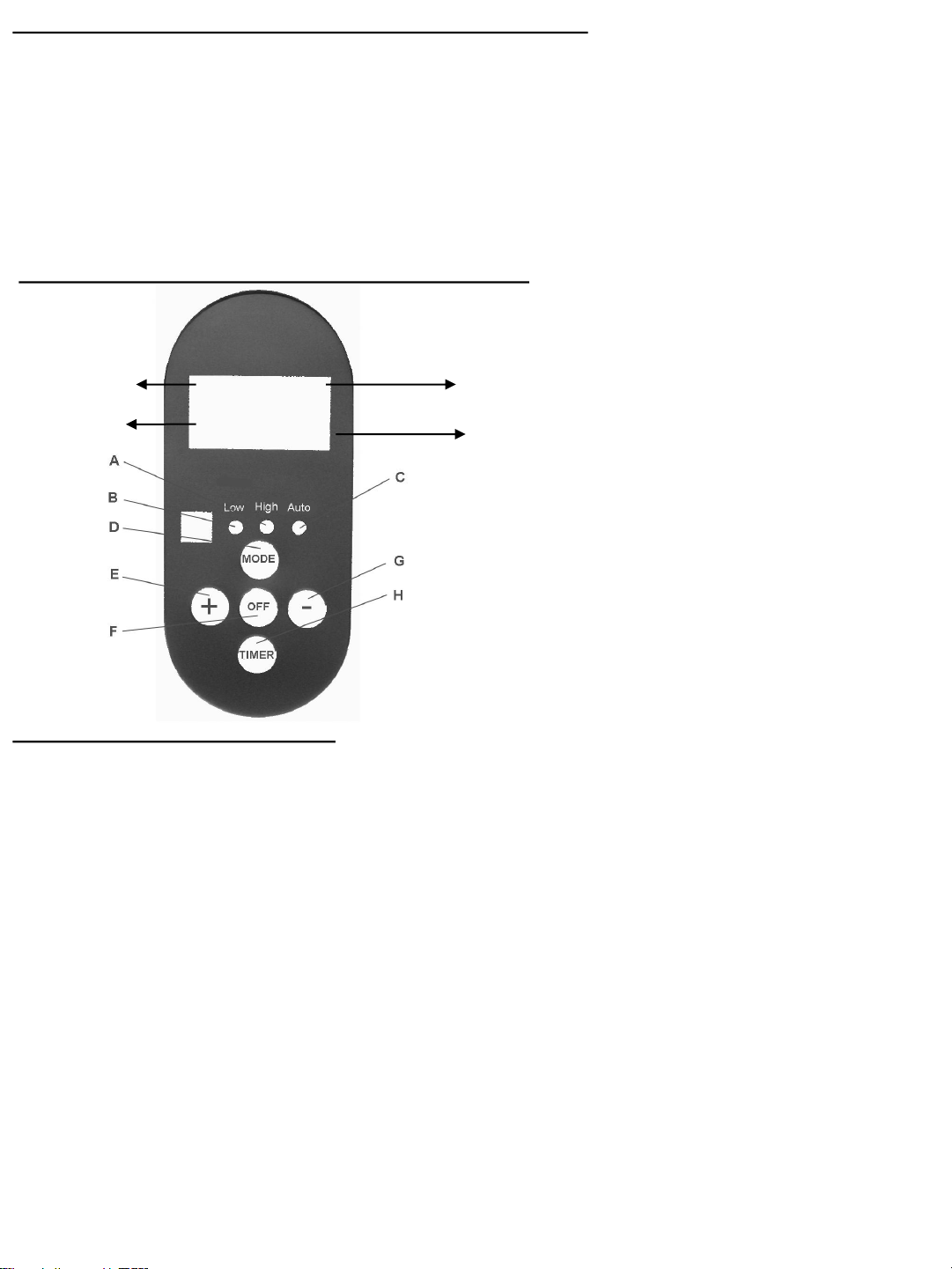
A. High Heat Indicator Light
B. Low Heat Indicator Light
C. Auto Heat Indicator Light
D. Mode Button
E. Increase Button
F. OFF Button
G. Decrease Button
H. Timer Button
20°C
28°C
4h
00:00
Current Room
Temperature
Timer
Selected Room
Temperature
Duration
Remove all product pieces from the packaging remembering to keep all plastic bags away from children or
animals.
Freestanding:
1. Carefully turn the heater upside down, attach the feet to the base ensuring they click into place.
2. Return the heater to the its upright position and operate as per the operating instructions.
Wall mounting:
1. Check you have 1 bracket, 2 screws and 2 toggles in a separate plastic bag. (Mounting screw and
toggle provided is for masonry walls only (brick, stone, cement). When mounting onto gib you will need
to purchase gib toggles and follow the instructions provided with those fastenings.)
2. Position the heater within two metres of a wall socket.
3. Position the mounting bracket between 570mm and 720mm from the floor.
4. Use a nail to mark out the two holes onto the wall and remove the bracket.
5. Drill the holes with a 6mm drill bit to sufficient depth to allow the toggle to be inserted.
6. Gently tap the toggles into place.
7. Place the flat side of the mounting bracket against the wall and insert the screws.
8. Screw in until fastening is firm, do not over tighten.
9. Fit the micathermic heater onto the bracket, push the heater to the right, and lower again to secure in
position. Plug heater into wall socket and operate as per the operating instructions.

OPERATING INSTRUCTIONS
HEATER SPECIFICATION
Model No: GMH200
Power Supply: 230-240V, 50Hz AC only
Power: 2000W
TIMER
•There is a countdown timer and a delayed start timer on the GMH200 heater.
Operating the countdown timer:
•The timer on this heater is a countdown timer and can be used in any of the three heating modes.
•Press the Timer button and the time setting will flash, increase or decrease the amount of time by
pressing the ‘+’ or ‘-’ buttons. The timer can be set anywhere between one and sixteen hours in one hour
increments. Once set, press the timer button again and the time will stop flashing.
•The heater will countdown the length of time and automatically turn the heater off when the time reaches
zero.
•The time or heat settings can be adjusted at any time during operation.
Operating the delayed start timer:
•To set the heater to come on in a at a particular time, select the operating mode and press the Mode
button and the Timer button simultaneously for at least 5 seconds.
•The heater will stop operating, and you can increase or decrease the delayed start time for the heater by
pressing the ‘+’ or ‘-’ buttons. You can delay the start time for the heater for up to eight hours in one hour
increments. The heater will remain off until it reaches the delayed start time entered. When the heater
reaches the delayed start time the heater will revert to the operating mode it was on prior to setting the
timer.
• Connect the heater to the power supply and switch the heater on at the side.
• Press the MODE Button to switch on the heater and select the desired heat setting:
• Low heat (1000W) – the ambient room temperature is displayed on screen.
• High heat (2000W) – the ambient room temperature is displayed on screen.
• Auto heat setting.
• The Auto heat setting works in conjunction with the desired temperature you have selected and will
adjust between the low and high heat settings to maintain that temperature. You can adjust the desired
room temperature at any time by pressing ‘+’ or ‘-’.
• When setting the desired temperature, the Low heat will operate when the desired temperature exceeds
the ambient temperature by 1°C-5°C. The Low heat indicator light and Auto indicator light are
working at the same time. However, during operation the Low heat will operate when the desired
temperature is within 1°C-3°C.
• When setting the desired temperature, the High heat will operate when the desired temperature
exceeds the ambient temperature by 6°C or more. The High heat indicator light and Auto indicator
light are working at the same time. However, during operation the Low heat will operate when the
desired temperature is within 4°C or more.
• The ambient room temperature is displayed on the left hand side of the screen, and the desired room
temperature is displayed on the right hand side of the screen.
• When the ambient room temperature meets the desired room temperature the heater turns itself off and
the Low heat indicator switches off. If the ambient room temperature falls below the desired room
temperature the heater will automatically turn itself back on and the Low heat indicator light will turn on.
The auto indicator light will remain on during this time indicating that the heater is in standby.
SUPPORT AND TECHNICAL ADVICE
North Shore City, Auckland, New Zealand
Monday – Friday 8am-5pm
Phone: 0800 232 633
Website: www.goldair.co.nz
PROOF OF PURCHASE
To receive warranty retain reciept as proof of purchase refer to back of booklet.
SAFETY DEVICE ~ This appliance has two protection devices:
The first device, automatically disconnects & reconnects the appliance at a preset temperature,
The second safety device disconnects the appliance permanently in case of overheating, by means of a
thermal fuse. (It is non resettable)
IMPORTANT! ~ NEVER COVER THIS HEATER!
Covering the heater will cause activation of the non resettable safety fuse.
Your Goldair product has been inspected and tested and is guaranteed subject to the
following for a period to two years from the date of purchase against defects in
workmanship and materials. During this period, such defects will be rectified by
repair or replacement of the product purchased. Your product contains no user
serviceable components and this warranty becomes invalid if in our opinion the
product has been misused, abused, incorrectly installed, tampered with, connected
to an electrical supply not corresponding with the name plate specification, or
subjected to power surges. The warranty does not include any labour or other
associated expense that may be involved in removal or installation of the product.
Normal wear and tear is expressly excluded.
If your Goldair product fails to operate satisfactorily, please return it to the retailer
from whom it was purchased. To obtain a repair or replacement product under this
warranty, you will need to produce satisfactory evidence of date of purchase. The
completed warranty and purchase receipt must be presented with the product. The
warranty should be filled out at the time of purchase. It is in your interest to make
sure this is done.
If the product is to be replaced (cannot be repaired) then that replacement will be of
the same or similar product or accessory excluding packaging, instruction card etc.
Where a replacement product is supplied, this shall be guaranteed for the balance of
the original warranty period.
Any model that is no longer available will be replaced by a model of a value and with
such features as we consider appropriate in the circumstances. Goldair Ltd is not
responsible for freight forwarding charges, losses or damage in transit.
If service is required after the warranty period has expired, the product should be
returned to a qualified electrical technician. Service outside of the warranty period
will be at your cost.
Consumers Guarantee Act (1993).
In accordance with the above act consumers are advised that: The manufacturer
does not undertake that repair facilities and parts are necessarily available for this
product.
If any of the provisions of the foregoing are contrary to any relevant legislation, then
that provision shall be deemed to be excluded from the warranty and the rest of the
provisions will continue to apply.
TWO YEAR WARRANTY
IMPORTANT: PLEASE RETAIN THIS WARRANTY CARD
NAME:
ADDRESS:
PURCHASED FROM:
SUBURB:
DATE OF PURCHASE:
NAME OF PRODUCT:
MODEL No:
.