13rlDRYEROPE.ATING,NSTRUCTIONS
I m
I
i
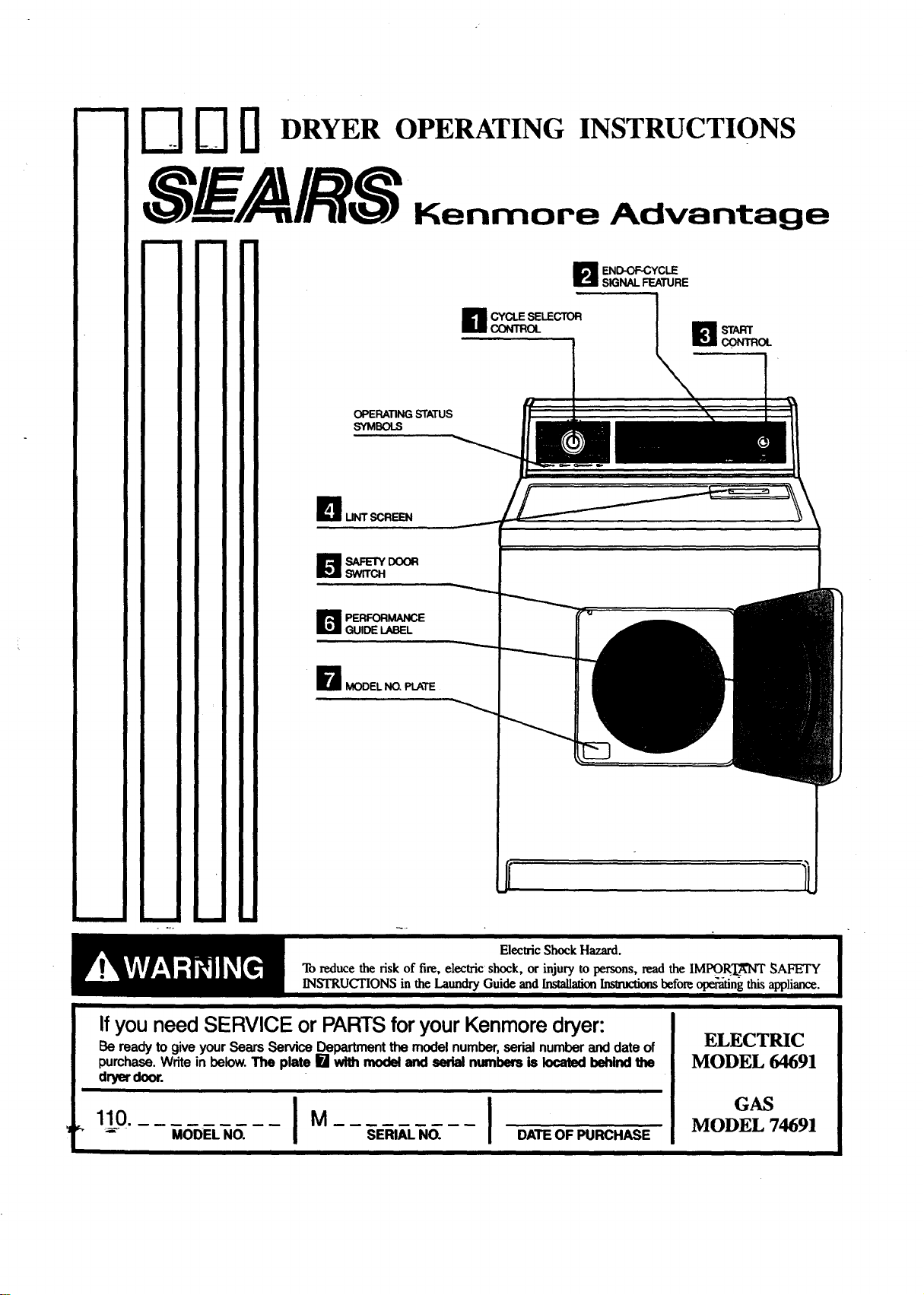
END-OF-CYCLE
SIGNALFEATURE
CYCLE SELECTOR
CI_TROL
OPERATINGSTATUS
SYMBOLS
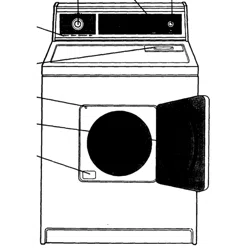
I UNTSCREEN
B ERFORMANCE
GUIDE LABEL
_1 MODEL NO, PLATE
m m
If you need SERVICE or PARTS for your Kenmore dryer:
Be ready to give your Sears Service Department the model number, serial number and date of
purchase. Write in below. The plate [] with model and serial numbers is located behind the
dryer door.
1,0. IM I
_ MODEL NO. SERIAL NO. DATE OF PURCHASE
i i
ELECTRIC
MODEL 64691
GAS
MODEL 74691
How to dry a load of laundry
_ Clean lint screen before each load. (_ SetCycleSelectorControll!
_'I Put laundryinto dryerand shut [-_ Push the Start Control Ill to start
the door. _ your dryer.
-_ Remove load when dry.
J OUl"f _ 14L(IT
!!
man
tri'_Llrf
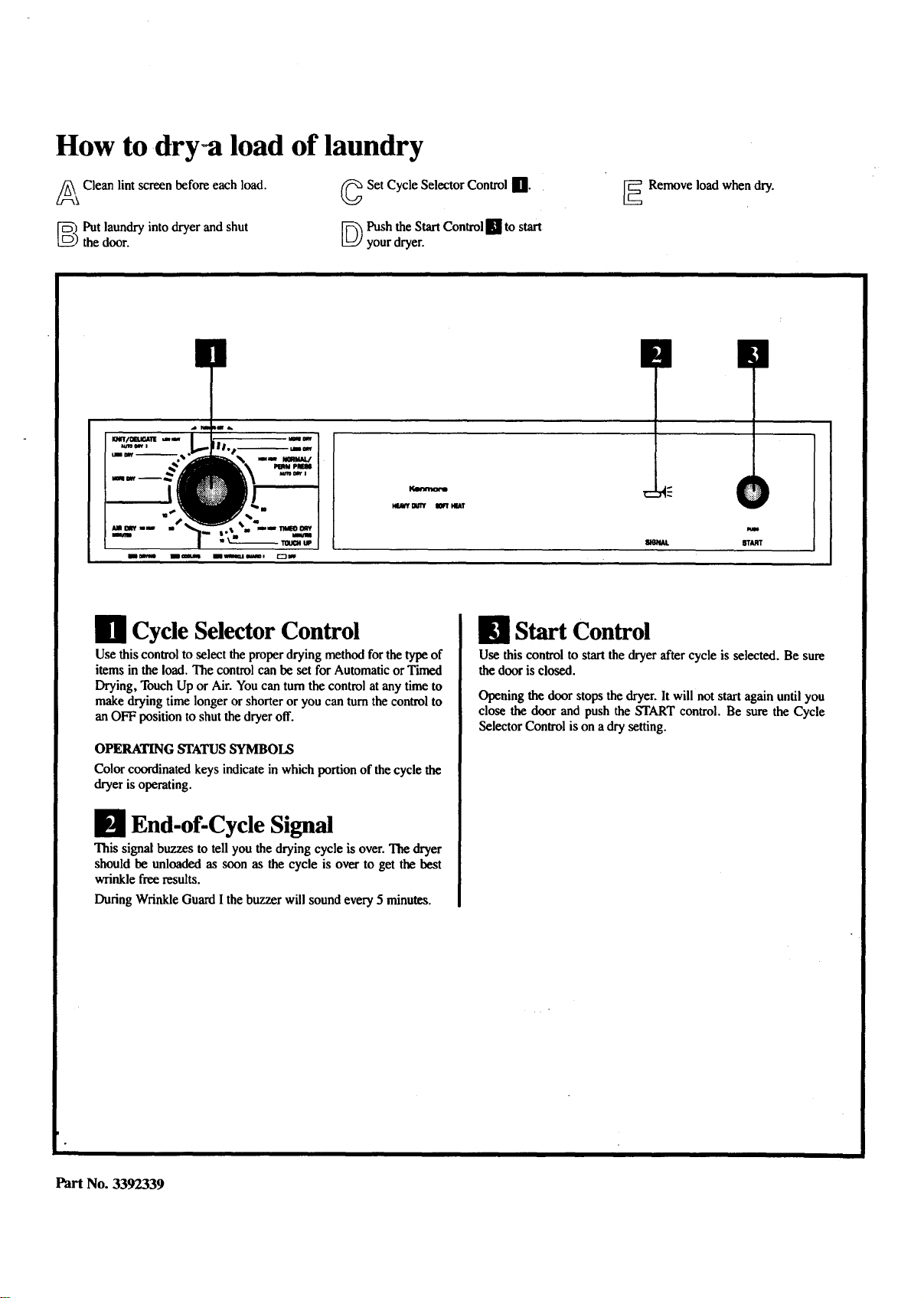
Ill Cycle Selector Control
Use this controlto select the properdrying method for thetype of
items in the load. The control can be set for Automatic or Timed
Drying, Touch Up or Air. You can turnthe control atany time to
make drying time longer or shorteror you can turnthe control to
an OFF position to shutthe dryeroff.
OPERATING STATUS SYMBOLS
Color coordinated keys indicate in which portion of the cycle the
dryer is operating.
El End-of-Cycle Signal
This signal buzzes to tell you the drying cycle is over. The dryer
should be unloaded as soon as the cycle is over to get the best
wrinkle free results.
During Wrinkle Guard I the buzzer will sound every 5 minutes.
E1 Start Control
Use this control to start the dryer after cycle is selected. Be sure
the door is closed.
Opening the door stops the dryer. It will not start again until you
close the door and push the START control. Be sure the Cycle
Selector Control is on a dry setting.
Part No. 3392339
CYCLE SELECTOR CONTROL
AUTO DRY I Normal/Permanent Press
Cycle
Use this cycle for most loads of sturdy clothes or synthetic, permanent
press items. Clothes are dried at high heat followed by a 10 minute
(approx.) cooldown.
When the dryness selected is reached the dryer goes in(o cooldown then
a buzzer sounds. If you do not unload the dryer,it goes into Wrinkle Guard
I automatically.
• Set the Cycle Selector Control to the ($) which is good for most fabrics.
You can set the control for MORE DRY if clothes are still damp at the
end of the cycle or LESS DRY for clothes that are too dry or are to be
ironed.
• PushtheStart Control.
AUTO DRY I Knit/Delicate Cycle
Use this cycle for most loads of knitted, delicate or sheer fabrics. Clothes
are dried at low heat followed by a 5 minute (approx.) cooldown.
When dryness selected is reached, the dryer goes into cooldown then turns
off and a buzzer sounds.
• Set the Cycle Selector Control to the ($) which is good for most fabrics.
You can set the control for MORE DRY if clothes are still damp at the
end of the cycle or LESS DRY for clothes that are too dry or are to be
ironed.
• Pushthe StartControl.
This cycle gives the best drying in the shortest time. Drying time varies
according to type of fabric, size of load and dryness setting. Dryness is
determined by thermostats that react to the amount of moisture in the air
exhausted from the dryer. Moist air indicates clothes are still damp, dry air
indicates moisture has been removed.
AIR DRY Cycle
Use this cycle to get up to 20 minutes of dryingtime in room temperature
air. Use this setting for items that will not tolerate heat, such as plastics,
foam rubber, etc. and for airing and fluffing items such as pillows.
• Do not dry these items with heat.
• Set the Cycle Selector Control for the number of minutes you want in the
Air Cycle.
• Push the Start Control.
TIMED DRY Cycle
Use this cycle to get upto 50 minutes of drying time at high heat, followed
by a 10 minute (approx.) cooldown.
• Set the Cycle Selector Control to the amount of time you want in the
Timed Cycle.
• Push the StartControl.
TOUCH-UP Cycle
Usethiscycle to "smooth" syntheticandpermanentpressclothesthat are
cleanbutwrinkledfrombeingcrowdedinaclosetorsuitcase.Thissetting
provides about 15 minutesof tumblingat high heat followed by a lO-
minute(approx.)cooldown.
• Putjusta fewgarmentsintothedryer.
• SettheCycleSelectorControltoTOUCH-UP.
• PushtheStartControl.
• Remove clothes immediately when tumbling stops.
SOFT-HEAT ®
In the AUTOMATIC and TIMED DRY Cycles, clothes are dried at the
selected temperature until the last few minutes of the cycle when the dryer
switches to low heat. This helps prevent overdrying.
Cooldown
Approximately five or ten minutes before the end of the AUTOMATIC and
TIMED DRY Cycles, clothes are tumbled without heat to help reduce
wrinkles and make clothes more comfortable to handle.
Wrinkle Guard I
Wrinkle Guard I helps keep permanent press items wrinkle free when you
cannot unload the dryer promptly at the end of the Automatic Cycle. If you
do not open the door at the end of the NORMAL/PERM PRESS AUTO
DRY 1Cycle, Wrinkle Guard Iwill tumble the clothes without heat for 30
minutes unless you open the door sooner. During Wrinkle Guard Ithe End-
of-Cycle Signal will sound every 5 minutes.
FEATURES
[[1 Lint Screen
Keep the lint screen clean. A lint-clogged screen will slow down the flow
of air. This makes drying time longer and wastes energy. Clean the lint
screen before each load as follows:
1. With dryer off, remove the screen by pulling straight up.
2. Roll the dry lint off the screen. Do not wet the screen or lint; wet lint is
hard to remove.
3. Replace the cleaned lint screen.
Fire Hazard.
Do not use your dryerwhile the lint screen is removed.
It could cause overheating and possible damage to fabrics and dryer
parts or create a fire hazard. Lint screen must be pushed firmly into
place.
NOTE: If lint screen gets clogged by detergent orfabric softener build-up,
remove and clean it with a nylon brush, hot water and liquid detergent.
Dry and replace screen.
Safety Door Switch
For safety, the switch shutsoff dryer when door is opened. Dryer will not
start until door is closed and START is pushed. Be sure the Cycle Selector
Control is on a dry setting.
Performance Guide Label
Located inside the dryer door. Gives information on what to do if dryer
does not perform normally.
Model No. Plate
Shows model and serial numbers. Have these ready if you ever call for
service.
NOTE: If dryer drum is stained, clean it with a damp cloth and mild
detergent.
For more detailed drying times, rules for safe operation,fabric care,
maintenance and installation information, refer to the LAUNDRY
GUIDE and INSTALLATION INSTRUCTIONS you received with
yourdryer.
Part No. 3392339 Printed in U.S.A.

