™
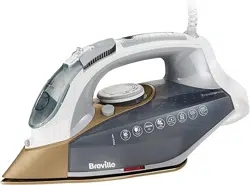
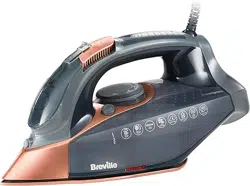
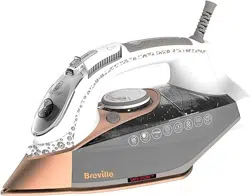
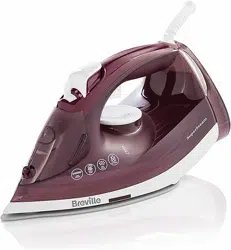
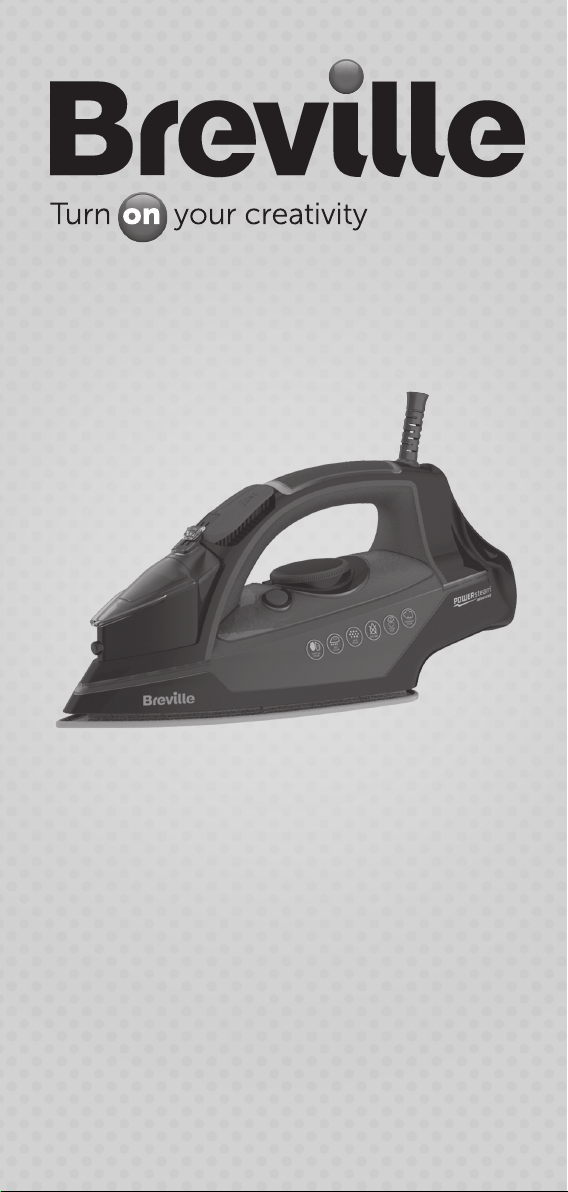
2400W power steam
steam iron
®

2
Important safety information
READ CAREFULLY AND KEEP FOR FUTURE REFERENCE
This appliance can be used by children aged from 8
years and above and persons with reduced physical,
sensory or mental capabilities or lack of experience
and knowledge if they have been given supervision or
instruction concerning use of the appliance in a safe
way and understand the hazards involved. Children
shall not play with the appliance. Cleaning and user
maintenance shall not be made by children without
supervision.
Keep the appliance and its cord out of reach of
children less than 8 years old when it is switched on or
cooling down.
The appliance must not be left unattended when it is
connected to the mains supply.
The appliance must be unplugged from the mains
supply socket before lling the water tank with water.
Always use the appliance on a stable, secure, dry and
level surface. When placing the appliance on its stand,
ensure that the surface on which the stand is placed is
stable.
Do not use the appliance if it has been dropped, if
there are any visible signs of damage or if it is leaking.
If the supply cord is damaged, it must be replaced
by the manufacturer, its service agent or similarly
qualied persons in order to avoid a hazard.
! Never use this appliance for anything other than its intended use. This appliance is
for household use only. Do not use this appliance outdoors.
! Always ensure that hands are dry before handling the plug or switching on the
appliance.
! Do not touch the metal parts of the appliance during use as they may become very
hot.
! This appliance must not be placed on or near any potentially hot surfaces (such as
a gas or electric hob).
! Always allow the appliance to cool before cleaning or storing.
! Never immerse any part of the appliance or power cord and plug in water or any
other liquid.
! Never let the power cord hang over the edge of a worktop, touch hot surfaces or
become knotted, trapped or pinched.

3
Before using for the rst time
Warning: Remove all packaging including any soleplate protection before using
your iron.
Wipe over the soleplate with a cloth moistened with methylated spirit. Wipe off the
methylated spirit with a damp cloth then dry the soleplate thoroughly.
Before connecting your iron to the mains supply, make sure your supply voltage is the
same as the one indicated on your iron.
When you rst use your iron, there may be a slight odour and it may smoke slightly for
the rst few minutes of operation. This is quite normal and will disappear.
Cleaning your iron before use
Follow these simple steps to remove any impurities or residues inside your steam iron
that may be left over from the manufacturing process.
1. Follow the instructions under lling your iron and ll the water tank as described.
2. Empty the water tank to rinse out any foreign particles then rell it.
3. Follow the instructions under steam ironing. Set the temperature to the MAX
setting and the steam control to the high steam setting.
4. Iron an old piece of cloth (cotton or towelling is ideal) for a few minutes. While
ironing, press the steam button 4 or 5 times.
5. Any impurities will be ushed from your iron by the steam and absorbed by the
cloth. Your iron is now ready for use.
1. Sure-Fill water tank inlet cover
2. Steam control
3. Shot of steam button
4. Spray button
5. Temperature indicator light
6. Temperature control
7. Power light
8. Ceramic soleplate
9. Water tank
10. Temperature control index mark
11. Self-clean button
12. Water level maximum indicator
13. Spray nozzle
MAX
wertq
s
y
a
o
u
d
f

4
Filling your iron
1. Unplug your iron
2. Set the steam control
w
to the no steam position (0).
3. Open the Sure-Fill water tank inlet cover
q
.
4. Fill the water tank with ordinary tap water.
5. Don’t ll above the MAX level mark. Check the level by standing your iron on its
heel.
6. Close the Sure-Fill water tank inlet cover.
Ironing without steam
Important: Your iron takes time to heat up and cool down. If you change the
temperature setting on your iron, you must give it time to adjust to the new setting.
1. Set the steam control to the no steam position (0).
2. Plug your iron in.
3. Rotate the temperature control
y
until the desired setting is aligned with the
index mark
a
.
4. When the temperature indicator light
t
comes on, your iron is ready to use.
Ironing with steam
Warning: During steam ironing, if you do not allow your iron to reach the selected
temperature water may drip from the soleplate.
1. Fill your iron with water.
2. Plug your iron in.
3. The temperature control
y
must be set within the
ll
and
lll
setting. The
hotter your iron, the more steam is generated.
4. When the temperature indicator light
t
comes on your iron is ready to use. The
temperature indicator light will turn on and off during ironing.
5. Adjust the steam control
w
to select the desired steam output.
6. The steam can be shut off at any time by setting the steam control to the no
steam position (0).
Vertical ironing
Warning: Never iron garments when they are being worn.
1. Prepare your iron as for steam ironing.
2. Hold your iron 15cm from the fabric.
3. Press the shot of steam button
e
as required. Wait several seconds between
each press of the button.

5
Shot of steam
Press the shot of steam button
e
whenever you have a stubborn crease that needs
extra steam. Steam will burst from the holes in the soleplate of your iron into the fabric.
The temperature control
y
must be set within the
ll
and
lll
setting. Wait
several seconds between each press of the steam button.
Spray feature
The water spray can be used to help iron heavy fabrics or difcult areas (collars,
pockets, sleeves, creases, etc). It can also be used when ironing delicate fabrics which
cannot be steam ironed.
Make sure there is water in the tank. Press the spray button
r
to produce a spray of
water.
Care and cleaning
Warning: Do not use harsh abrasives, chemical cleaners or solvents to clean the
exterior of your iron.
Allow your iron to completely cool down and wipe the soleplate with a soft damp cloth. If
polyester has burnt to the soleplate, iron a damp cotton cloth while your iron is still hot.
Wipe over the rest of your iron with a soft damp cloth then wipe dry.
Self clean feature
Use the self-clean function once every two weeks. If the water in your area is very hard,
the self clean function should be used more frequently.
1. Unplug your iron then set the steam control
w
to the no steam position (0).
2. Fill your iron with water to the MAX mark.
3. Plug your iron in then set the temperature control
y
to the highest (MAX) setting.
Allow your iron to heat up until the temperature indicator light
t
comes on.
4. Unplug your iron and hold it over a sink with the soleplate facing downwards.
5. Press and hold the self-clean button
s
. Hot water and steam will be ejected from
the holes in the soleplate along with any impurities.
6. Release the self-clean button after one minute or when the water tank is empty.
7. Iron an old piece of cloth to allow any remaining water to escape.
8. After use, unplug your iron and allow it to fully cool. Empty out any remaining
water.
Cleaning the steam holes
Use a cotton wool tip moistened with methylated spirits. Wipe off the methylated spirits
with a damp cloth then dry the soleplate.
Storing
Warning: Allow your iron to completely cool before storing. Always store your iron
on its heel rest. Do not store your iron resting on its soleplate.
Never wrap the power cord around the soleplate. The cord can be neatly wrapped
around the heel of your iron.

6
After sales service
To return a faulty appliance to our Customer Service Department:
1. Pack it carefully (preferably in the original carton). Ensure the unit is clean.
2. Enclose your name and address and quote the model number on all
correspondence. Give the reason why you are returning it.
3. If within the guarantee period, state when and where it was purchased and include
proof of purchase (e.g. till receipt).
4. Send it to our Customer Service Department at the address below:
Customer Service Department
Jarden Consumer Solutions (Europe) Limited
Middleton Road, Royton, Oldham OL2 5LN, UK.
Telephone: 0800 525 089 Fax: 0161 626 0391
e-mail: [email protected]
Replacement parts
For additional or replacement parts, please visit www.breville.co.uk or call us on
0161 621 6900.
Troubleshooting
For troubleshooting and FAQs visit www.breville.co.uk/faqs
Turn on your Creativity™
Let the Breville
®
team help you turn on your creativity with a gateway to a world of food
and drinks without limits. You don’t have to travel far—just to your computer, tablet or
mobile—where you will discover our FREE website with top tips and recipes to inspire
your imagination. Join us now at www.turnonyourcreativity.com
Electrical safety
This appliance must be earthed.
This appliance is tted with either a moulded or rewirable BS1363, 13 amp plug. The
fuse should be rated at 13 amps and be ASTA approved to BS1362. If the fuse in a
moulded plug needs to be changed, the fuse cover must be retted. The appliance must
not be used without the fuse cover tted.
If the plug is unsuitable, it should be dismantled and removed from the supply cord
and an appropriate plug tted as detailed below. If you remove the plug it must not be
connected to a 13 amp socket and the plug must be disposed of immediately.
If any other plug is used, a 13 amp fuse must be tted either in the plug or adaptor or at
the distributor board.
13A
™

7
Guarantee
Please keep your receipt as this will be required for any claims under this guarantee.
This appliance is guaranteed for 1 year after your purchase as described in this
document.
During this guaranteed period, if in the unlikely event the appliance no longer functions
due to a design or manufacturing fault, please take it back to the place of purchase,
with your till receipt and a copy of this guarantee.
The rights and benets under this guarantee are additional to your statutory rights,
which are not affected by this guarantee. Only Jarden Consumer Solutions (Europe)
Limited (“JCS (Europe)”) has the right to change these terms.
JCS (Europe) undertakes within the guarantee period to repair or replace the appliance,
or any part of appliance found to be not working properly free of charge provided that:
• you promptly notify the place of purchase or JCS (Europe) of the problem; and
• the appliance has not been altered in any way or subjected to damage, misuse,
abuse, repair or alteration by a person other than a person authorised by JCS
(Europe).
Faults that occur through improper use, damage, abuse, use with incorrect voltage, acts
of nature, events beyond the control of JCS (Europe), repair or alteration by a person
other than a person authorised by JCS (Europe) or failure to follow instructions for use
are not covered by this guarantee. Additionally, normal wear and tear, including, but not
limited to, minor discoloration and scratches are not covered by this guarantee.
The rights under this guarantee shall only apply to the original purchaser and shall not
extend to commercial or communal use.
If your appliance includes a country-specic guarantee or warranty insert please refer
to the terms and conditions of such guarantee or warranty in place of this guarantee or
contact your local authorized dealer for more information.
Waste electrical products should not be disposed of with Household waste. Please
recycle where facilities exist. E-mail us at enquiries [email protected] for further
recycling and WEEE information.
Jarden Consumer Solutions (Europe) Limited
5400 Lakeside
Cheadle Royal Business Park
Cheadle
SK8 3GQ
UK

VIN349_Iss_1 09/14 93770-0 UKPUL
P.N. 178989
Jarden Consumer Solutions (Europe) Limited
Cheadle Royal Business Park, Cheadle, SK8 3GQ, United Kingdom
e-mail: [email protected]
Telephone: 0161 621 6900
For Customer Service details, please see the website.
www.breville.co.uk
© 2014 Jarden Consumer Solutions (Europe) Limited
All rights reserved. Imported and distributed by Jarden Consumer Solutions (Europe) Limited,
Cheadle Royal Business Park, Cheadle, SK8 3GQ, United Kingdom.
The product supplied may differ slightly from the one illustrated due to continuing product
development.
Printed in China
®