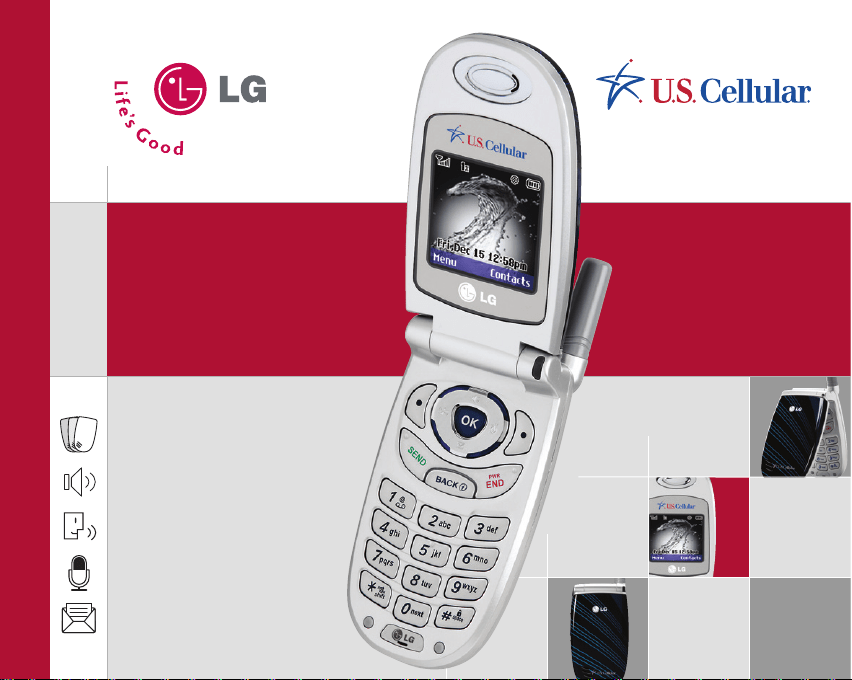
UX3300
Quick Start Guide
www.LGUSA.com
Changeable Faceplates
Speakerphone
Voice-Activated Dialing
Voice Memo Recorder
Text Messaging
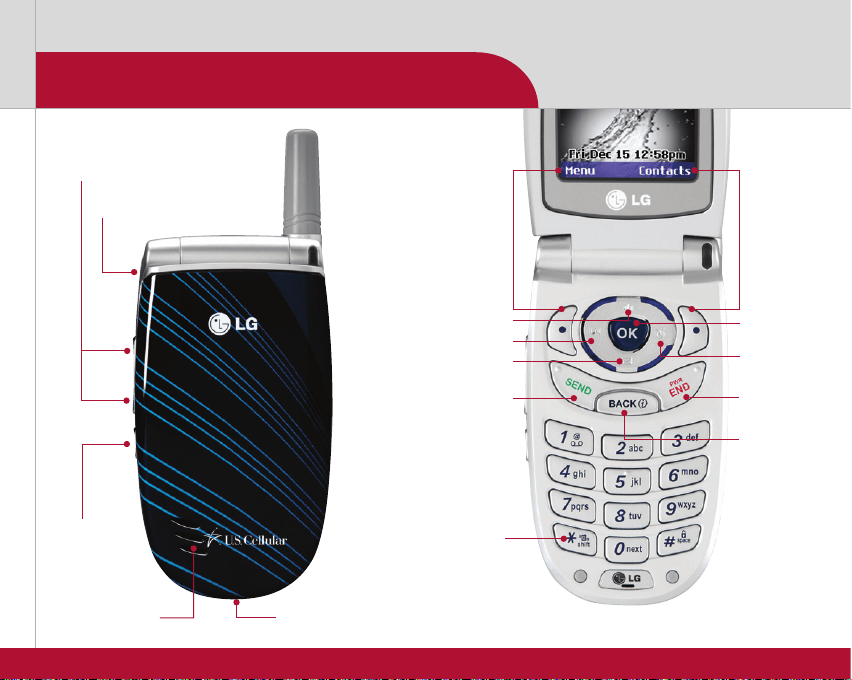
Volume Up/Down
Charging Port
Headset Jack
Getting to Know Your Phone
Left
Soft
Key
Right
Soft
Key
Voice Dial/
Memo Key
Speakerphone
Schedule*
*Customizable
Messages
Sounds
Send Key
Vibrate Mode Key
Power/
End Key
Clear &
Back Key
OK Key
Speaker
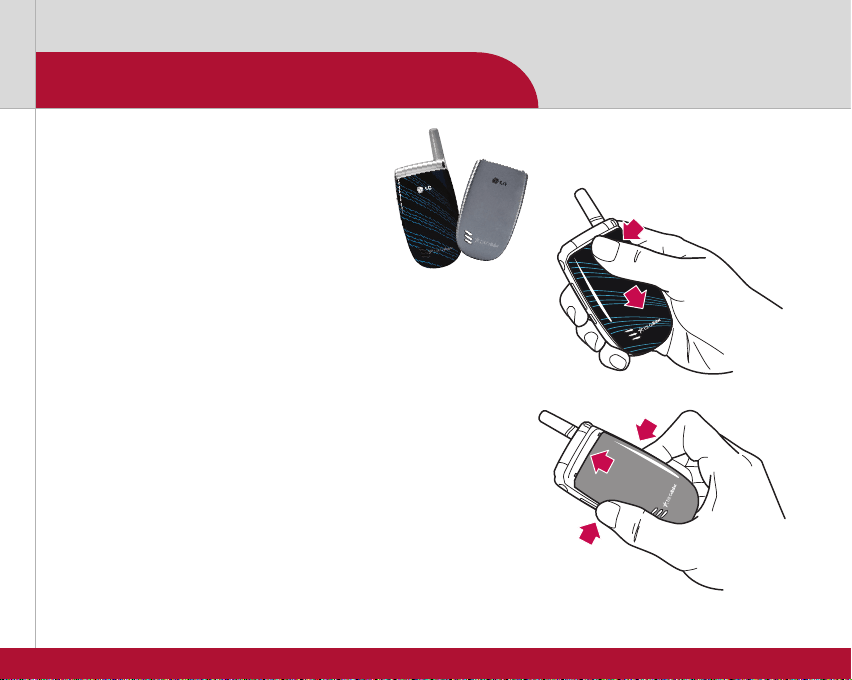
Changeable Faceplates
Get a great new look for your phone
in just seconds! The UX3300 comes
with one striped blue and one silver
faceplate in the box.
Removing a faceplate:
1. Press firmly at the top center of the faceplate.
2. Push down until the faceplate pops out.
3. Remove faceplate.
Replacing a faceplate:
1. Place desired faceplate approximately
1⁄4 inch from the top of the phone.
2. Press down to lock sides in place.
3. Push up to lock tabs in place.
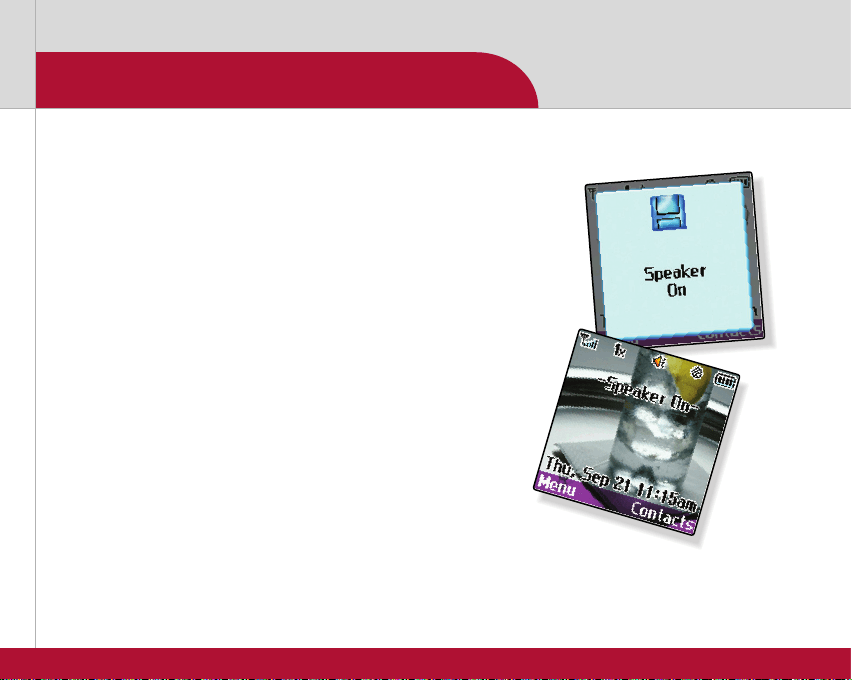
Speakerphone
Enjoy the convenience of hands-free conversation with
a simple touch of one key.
1. From standby mode, press up on the Navigation Key.
2. “Speaker On” will appear and remain on the screen.
3. Press up on the key again to deactivate.
4. “Speaker Off” will appear on the screen.
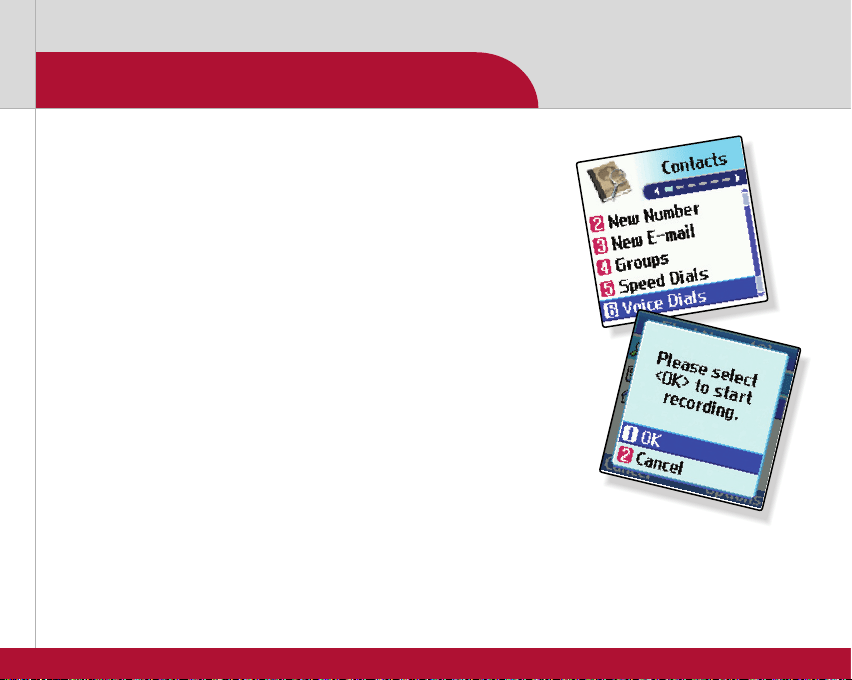
Voice-Activated Dialing
Note: From standby mode,
voice-activated dialing can
be initiated by pressing the
Voice Dial Key on the left
side of the phone.
You'll appreciate the safety and convenience of placing
calls without dialing.
1. Press the Left Soft Key for Menu and select Contacts (1).
2. Select Voice Dials (6).
3. Press the Left Soft Key for New, select a contact and
press OK.
4. Select the desired phone number and press OK.
5. Press OK to record the voice dial tag by following the
phone’s prompts.
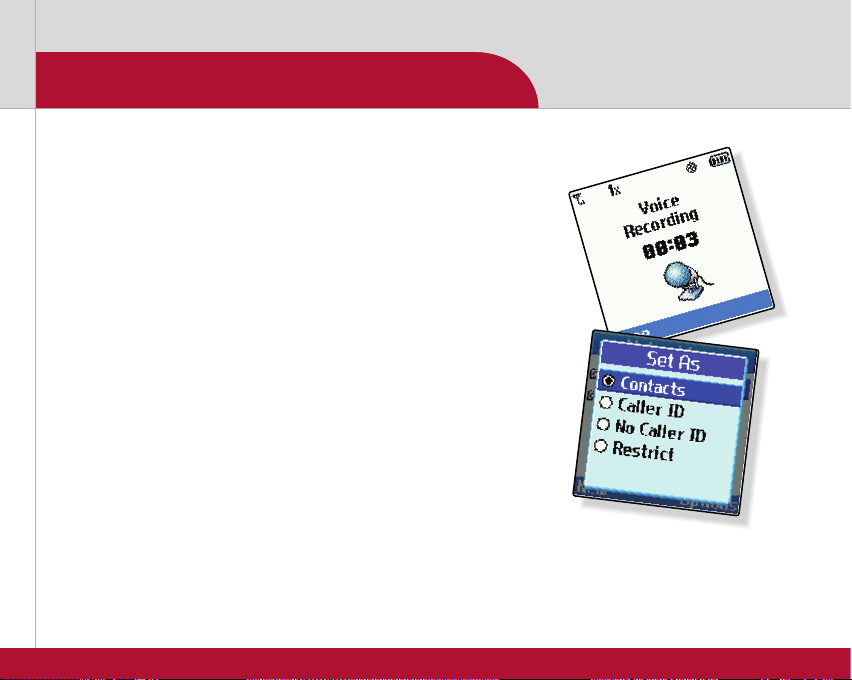
Voice Memo Recorder
Keep track of important personal information by recording
up to 30 voice memos totaling 4 minutes.
1. From standby mode, press and hold the side Voice
Memo Key.
2. Start recording after the tone.
3. Press the Left Soft Key for Done to stop recording.
By default, your message will be listed by date and time.
4. To play message, highlight the voice memo and press OK.
5. Press the Left Soft Key to Play.
Note: Recorded voice memos
are stored in Tools (4) under
Voice Memo (3). You can even
set voice memos as ringtones!
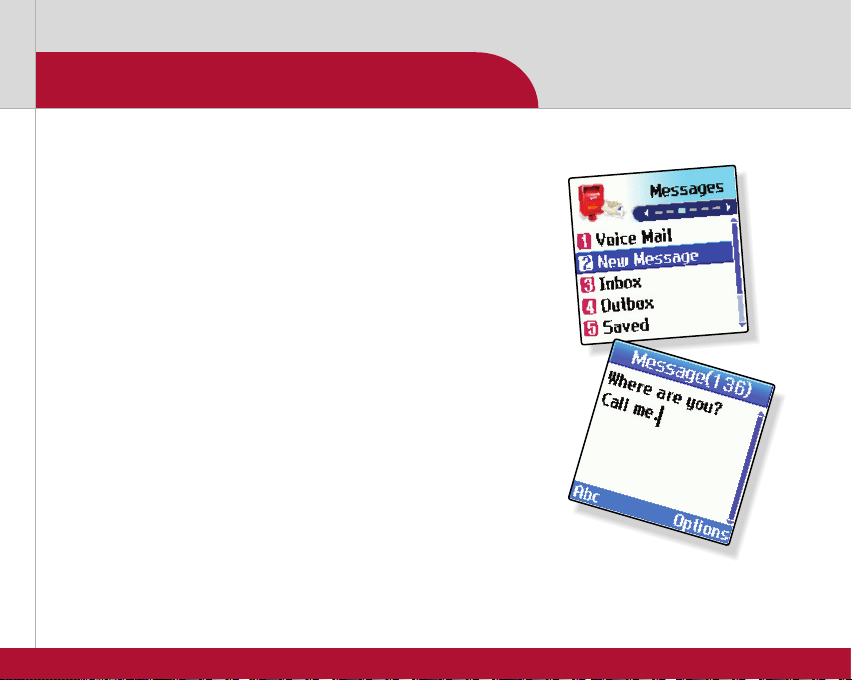
Text Messaging
Communicate discreetly with text messaging.
1. From standby mode, press down on the Navigation Key
and select New Message (2).
2. Press the Left Soft Key for Contacts and select a
recipient from the Contacts (1), Recent Calls (2) or
Recent Addresses (3) menu, or use the keypad to enter
a new e-mail address or phone number and press OK.
3. Select Message and press OK.
4. Enter the message using the keypad.
5. Press the Right Soft Key to insert quick-text.
6. Press OK once your message is complete.
7. Press the Left Soft Key to send.
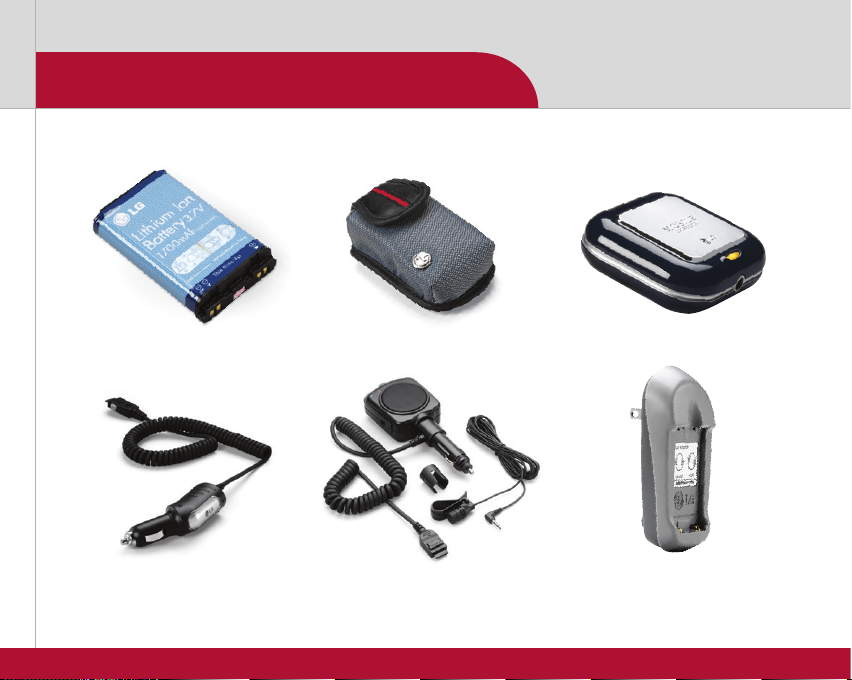
Optional Accessories
©2006 LG Electronics, Inc. All rights reserved. All other trademarks are property of their respective owners. All phone images are simulated.
UX3300QSG/USCELLULAR
Vehicle Power Charger
Carrying Case
Extended Li-Ion Battery
(1,700 mAh)
Mobile Charger
Battery Wall ChargerPortable Hands-Free Kit
Accessories for productivity, convenience and fashion are available at www.LGUSA.com.