EdenPURE
®
Airdog
®
X5 Manual
©2018 EdenPURE® I-5506 BR11729R-1
Packing List
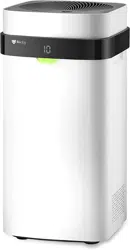
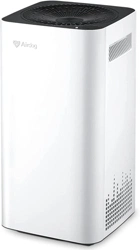
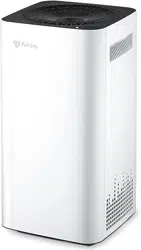
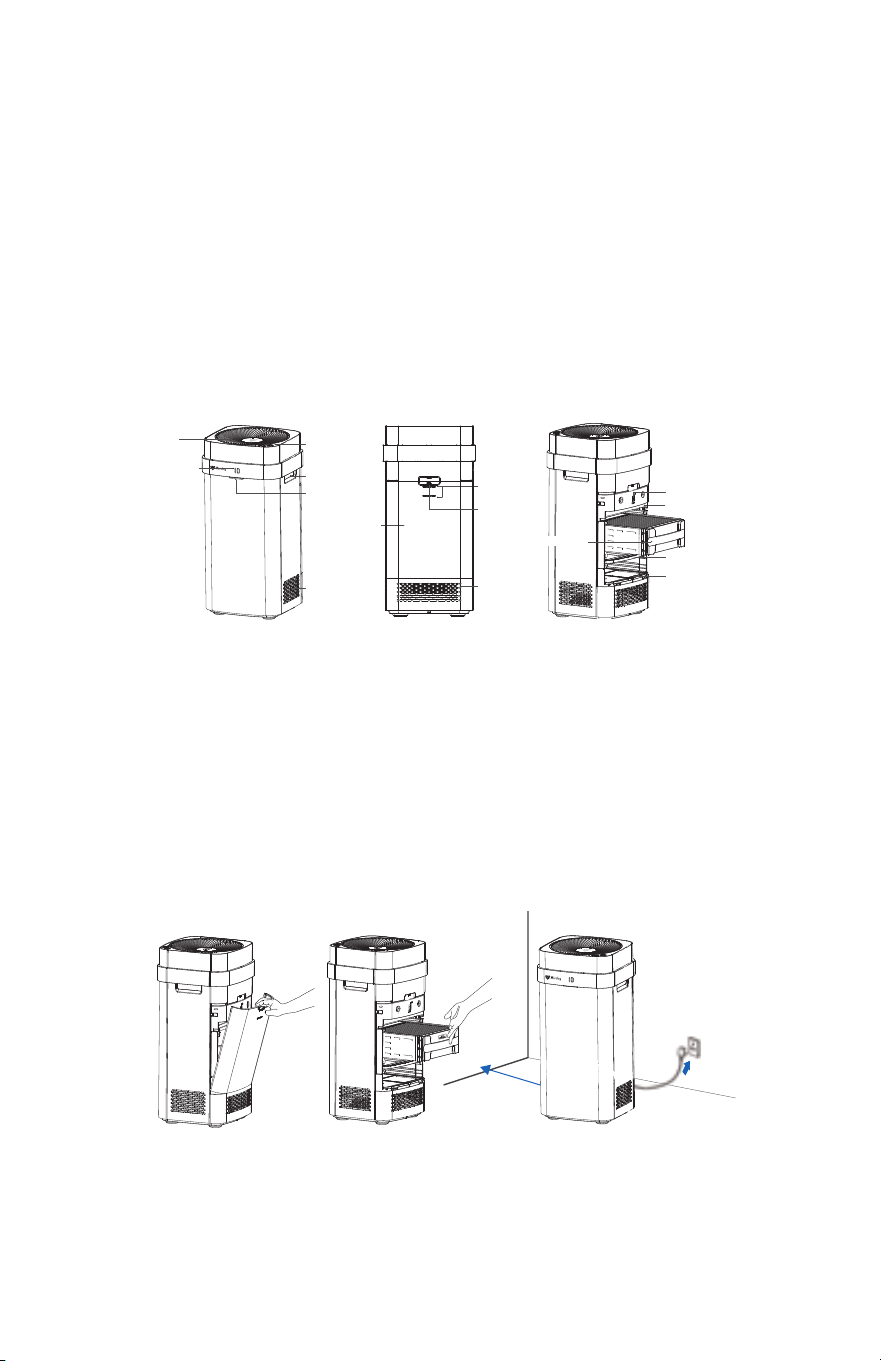
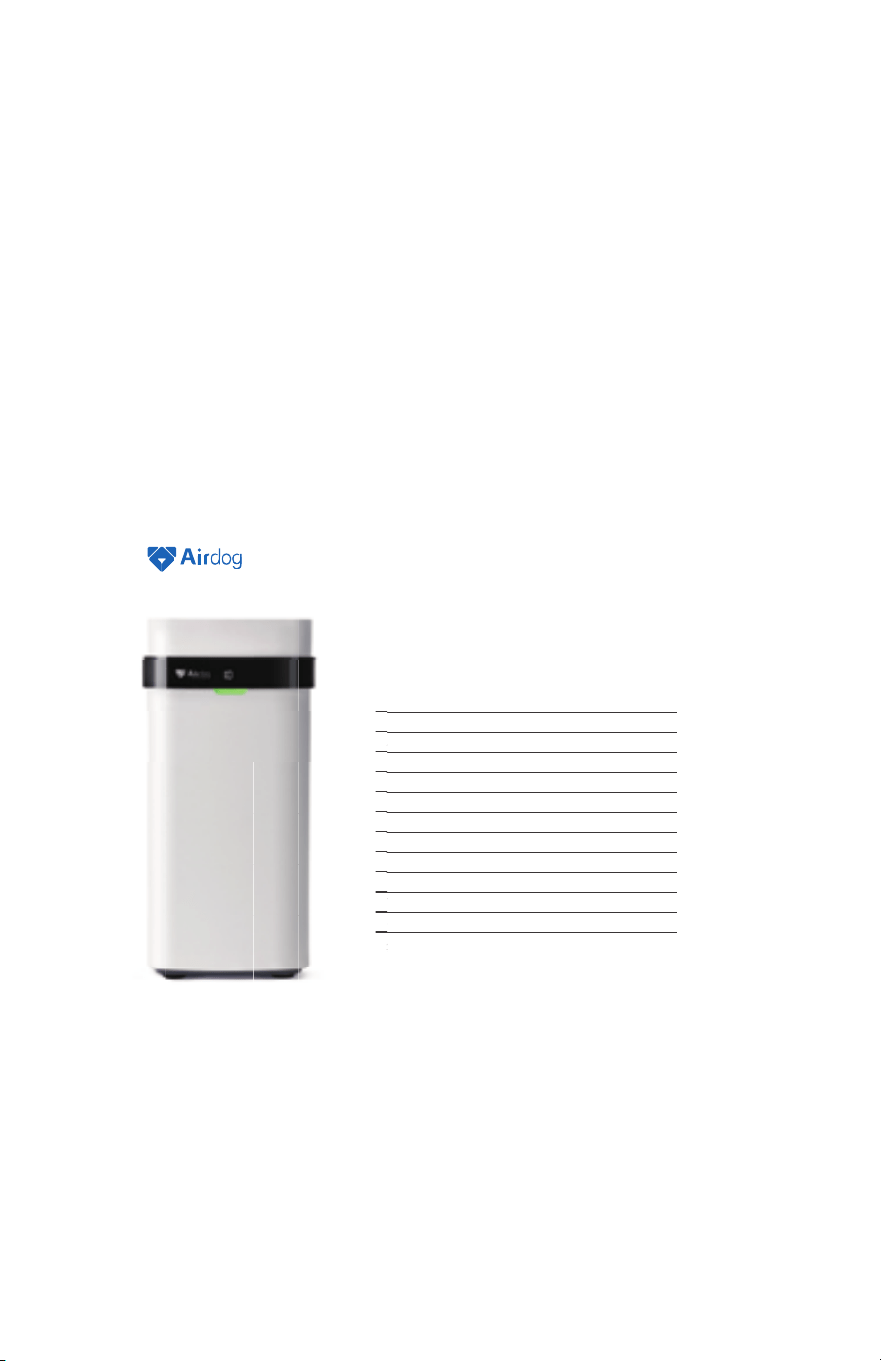
Components
Front/Side Back Internal Structure
Air Purifier Main Body × 1 Collecting Plates × 1 Remote Control × 1
Air Outlet
Operation Panel
Handle
Indicator Light
Back Cover
Sensor
AQI Sensor
Composite Catalyst
Ionization Wire Frame
Pre-Filter
Pull Handle
Air Inlet
Air Inlet
Display
Collecting Plates
Installation Guide
1. Take the collecting plates out of the foam box
��f any styrofoam packaging pieces are on the plates, blow or brush them out before installing the collecting
plates
2. Use the pull handle to open the back cover (Pic 1)
3. Insert the collecting plates in the orientation described on the label (Pic 2)
4. Place the air pur��er in an open location to achieve the best cleaning ef�ciency (Pic 3)
Power Supply
�����������������
>��cm
Pic 1 Pic 2 Pic 3
1
�������������������������������������������������������������������������������������������������������
����������������������������������������������������������������������������
���y����av�����������������y�������������r��������������������������������r�����������������������������
Customer Service
W�������
����������������������������������������������������������������������������������������������������������������
����������������������������������������������������������������������������������������������������������������
�����������������������������������������������������������������������������������������������������������������
�����������������������
����������
���������������
40 *
340
100
P4/F4
������������������������
���
��
��������������������
����
�����
(
�
)
�������
(
L
)
�������
(
W
)
�����
���������������
����
Particle �m³/h�
����
F����������� �m³/h�
���
Particle����F������������
������(���)
Noise ( ���A��
���������������
�����
�����������
��������
���������������������������������������������������������������������
�������������������������������������������������������
EdenPURE
®
Airdog
®
X5
Specifications
6
Air Purifier
Operating Instructions
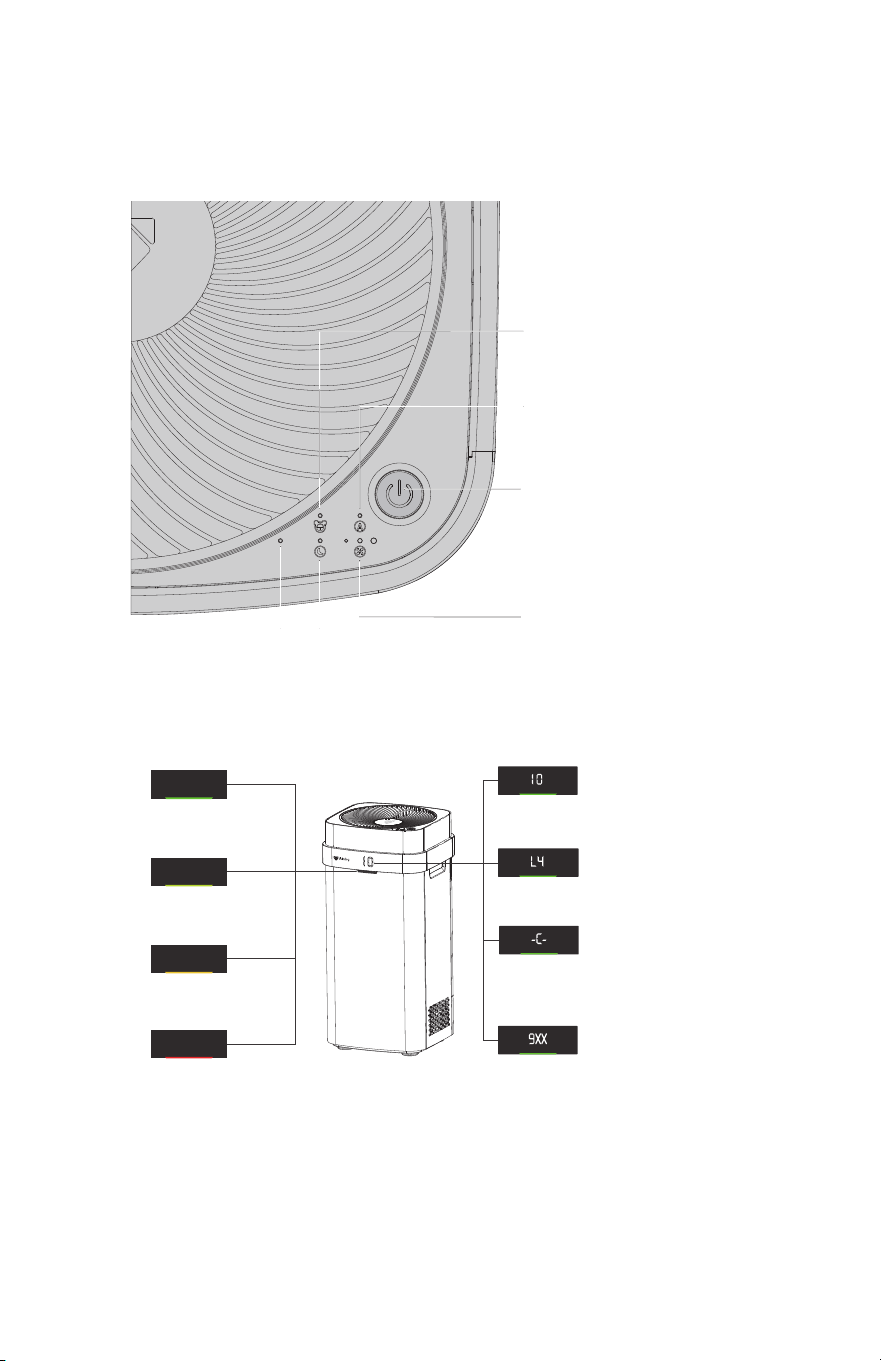
Child Lock Indicator
To prevent childrens playful operation, under this mode the
operation button is locked. The air pur��er could only be
controlled or unlocked by the remote control or APP. Use
remote control or APP to turn on the child lock mode. (Power
Swtich has higher priority than Child Lock).
Auto Mode Indicator
When this light is on, the air pur��er is running under automatic
mode. It automatically senses the air quality and adjusts its
running speed according to the air quality level. This is the
most energy ef�cient mode and we recommend keeping the
pur��er in this mode most of time.
Power Switch
A short press (approximately 1 second) turns the power
ON. A long press (over 3 seconds) turns the power OFF.
When power is ON, each short press cycles through
auto-mode ON/OFF, different fan speeds, sleep mode,
etcCheck indicator lights to understand each operation
mode.
Wind Speed Indicator Light
Left Light ; Slow Mode
Middle Light ; Mid-speed Mode
Right Light; High Speed Mode
ALL Lights ; Turbo Mode
Sleep Mode Indicator
In sleep mode, your air pur��er is still cleaning
your air but in quieter low-speed mode. Also to
avoid light disturbance, all display lights are OFF.
WIFI Light
(
Blue Light
)
When the indicator is flashing
the pur��er is in pairing mode.
Display and Air Quality Indicator Instructions
Green:
Excellent
A�������
AQI (Air Quality Index)
This is a calculated air quality index based on the
particle numbers that the sensor measures in the air.
Ranges fr���������
Wind Speed Indicator
L1-L4, slow to fast.
Cleaning reminder
When C appears on the display instead of AQI numbers, it
reminds you to wash the collecting plates. Press and hold
the Reset button for 6 seconds to cancel the reminder
once the collecting plates are washed or cleaned.
Fault Display
When 9XX appears on the display instead of AQI
numbers, clean the unit and make sure to put all parts
back correctly. Please move to the Full Cleaning Cycle
section for more cleaning details. If 9XX is still on the
display after cleaning, please contact Customer Service
at www.edenpuresupport.com for further help.
Yellow Green:
Good
������A��������
Yellow:
Moderately Polluted
������A��������
Red:
Hazardous
A���������
Notes:
1. Results based on the real-time monitoring about particles by using built-in sensors.
2. Results affected by the position and height even it is nearby areas.
2
App Authorization
The �rst succes��ul paire� user is the a���n���ther users nee� t� �e aut��ri�e� �y the a�����t��c�ntr�l the machine�
�������������
���������������Pair
��������������P������������pr�������c���������������������������������������r�����
����������������r�������������������������������r�������������re Device����������������������
������r����������������������������������������������rectly�
F����������������������������������������r������
������������evice����������������
�����������������r
��������������������������rectly shar������������
Appr�v��
��������������������r�����������������������������������
Why : Large particles ar������������������������������������������������������������������
���������������������������������r����������������������������������������������������������������res
����������av�����r�������������
���������a�������������������������������
Why : �����������������������������������������
�����������������������������������������������������cleaning r������r������������������������
�������������v�������a��������������������������
�������������������������������r������������������������������r��
�������������������������r����������r������������������������������������������rvice at
�����������������������
���������������������������f���
�����������������������������������������v���������������������r��������������������
��������������������������������������v�����������������������������������r����r���������������r�
������������������������������������������
�����������������������������������������
������������������������������������������
��������������������������������������������������r����
�����������������������������r��������������������������������
Q&A
5
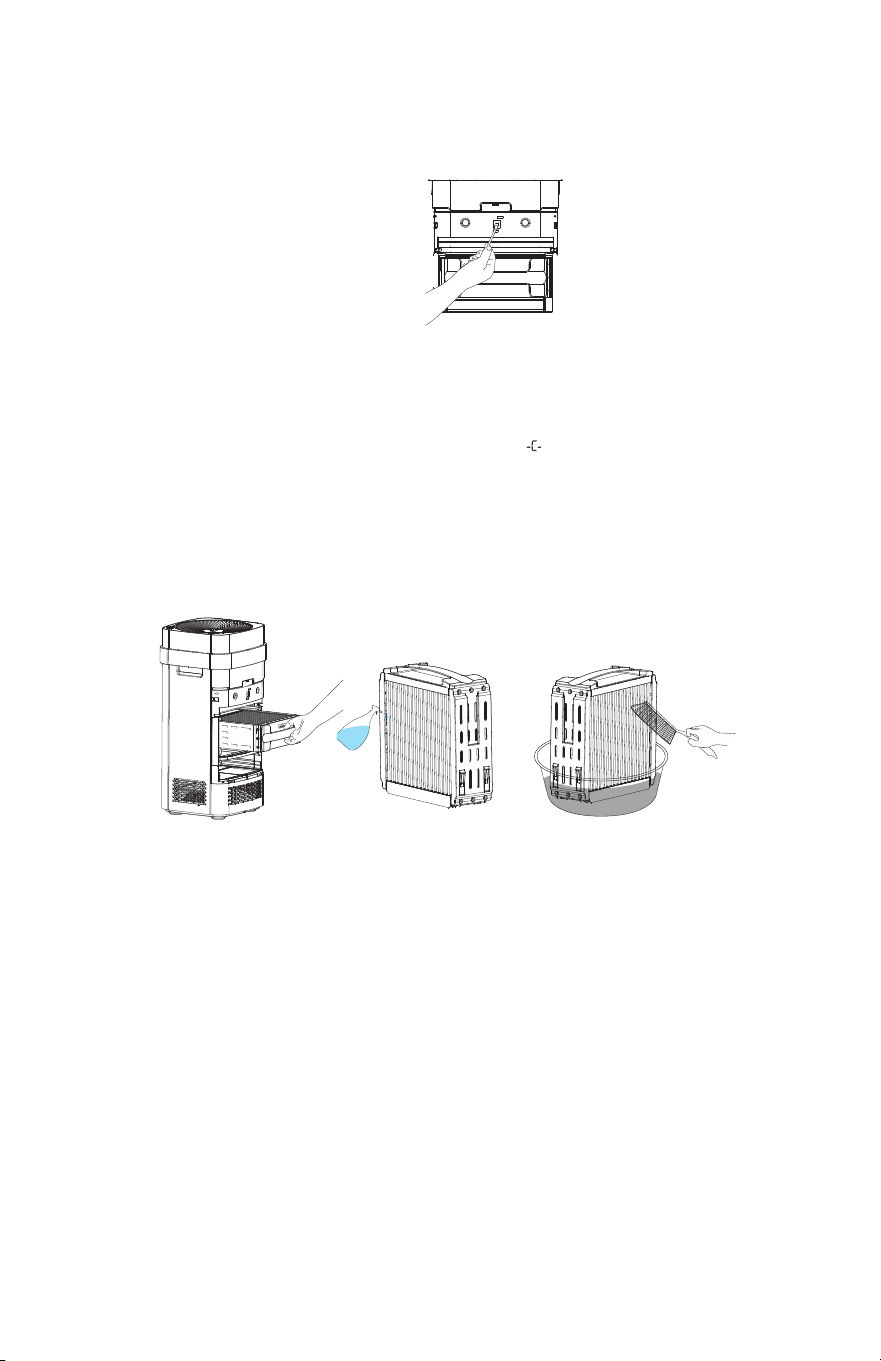
Air quality sensor cleaning
The EdenPURE
®
Airdog
®
air ������� has an embedded
air quality sensor. To keep the air quality sensor
reading correctly, please clean the sensor as
illustrated every 6 months, using dry cotton swabs
as illustrated.
Pic 1
Collecting Electrode Cleaning
1. We recommend you clean the collecting electrode when the air pur��er displays .
2. Turn the unit off, open the back cover and pull out the collecting electrode ( Pic 1 ) .
3. Put collecting electrode into a container and use a cleaning brush to clean external sheet me�����nishing with water ( Pic 3 ).
Remarks: a. It is better to use detergent and soak for around �� mins before brushing the collecting electrode. Do not soak for too long in
order to protect the normal functions of collecting electrode ( Pic 2 ).
b. Choose a gentle detergent. DO NOT USE corrosive detergents, such as daily laundry powder.
c. Ignore the small stains on the surface of the sheet metal as they will not seriously affect the use of the air pur��er.
4. Dry the collecting electrode after cleaning, using either a hair dryer or natural sunlight (recommend over 24 hrs ).
����ut back the collecting electrode in the direction of labeling.
Pic 1 Pic 2 Pic 3
Cleaning
Products
3
Cleaning and Maintenance
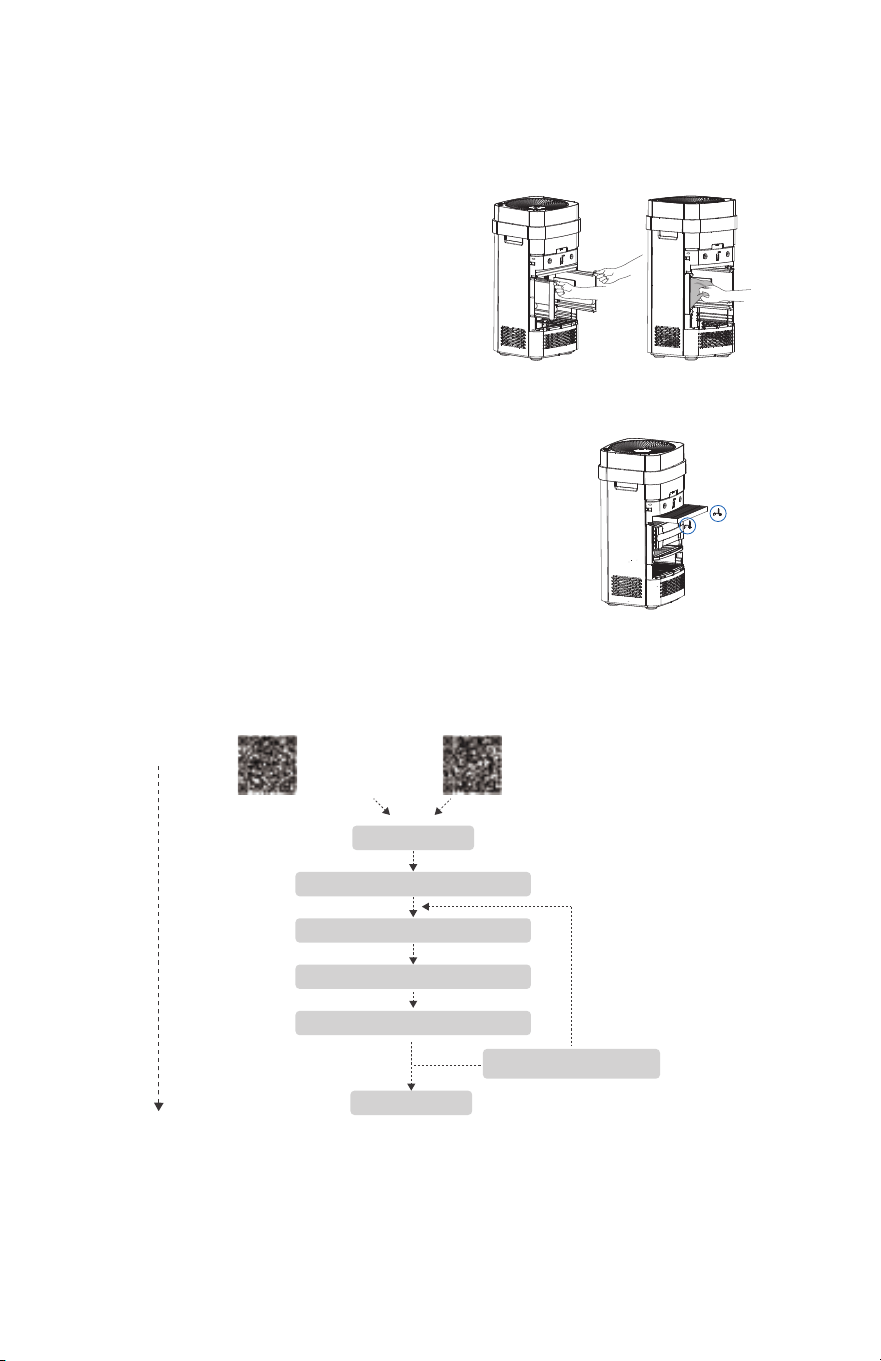
Catalytic Gauze Cleaning
�� We r���������a�����lete cleaning ever����������ths�
�� First�����lug the ���er supply� Open t����ac�����������ll���t the
i������������r����ame a�����llecting plate����ull���t the pr�tective
������ sleeve as illustrat���in Pic 1�
����lean the i������������re ��ame a�� ��llecting plates pr����ly
a���r�ing t��the previ��s instructi��s�
�� ��e a �et cl�th t����������n all sur�aces ���the pr�tectiv��������
sleev���as illustrat��������������lean the sleev������letely��incl��ing
t�����tche��
����lean the inner ���������the air pur��er ���h a �et cl�t��
������������������������������������������������������
�� Dry the parts ����letely��then put t�����ack in �r��r�
The �����site ���er is������s�� �� a������site catalyst��a ����al���y���rem��al
catalyst��a���active ca����� �n principle the catalyst is���t inv�lv�� in the reacti�� a��
s���l����t �����a����� ���ever� i� the catalyst�������s ��at����������st a��
��isture then the catalyti�����ect ��������rease� Pr�tect the �evice ���h the pr�vi���
c�ver��henever it is ��t����er����� t� help ext��� the catalyst li�e� A peri��ic
s���at����� 1-2 �������ay als� help t��r����� t�����istur����il�-up a���reactivate the
catalyti�����ect��
The shel� li�e �� t��������site ���er ������s��� ��� much y����se the pur��er�
��ange t��������site every year ������� ����henever y�����tice a sign��cant
���rease in the pur��ers a�ility t��rem�v������s �r�� the air�
��te:
Please make sure t������er has������������ ��������re any cleaning a����aintenanc��
Pic 1
Pic 1
Pic 2
CL:20170510-01
App Setting
iOS
Scan t�����nl�a� Scan t�����nl�a�
���r�i�
Please keep y�����������������������y����������y�����������������
Open App
�������������
����������������evice "
������������������������������r����������r��
��������������������������r���������r���������
��������������������k�����������������ve
����������������������������ry again
����
4
Air quality sensor cleaning
The EdenPURE
®
Airdog
®
air ������� has an embedded
air quality sensor. To keep the air quality sensor
reading correctly, please clean the sensor as
illustrated every 6 months, using dry cotton swabs
as illustrated.
Pic 1
Collecting Electrode Cleaning
1. We recommend you clean the collecting electrode when the air pur��er displays .
2. Turn the unit off, open the back cover and pull out the collecting electrode ( Pic 1 ) .
3. Put collecting electrode into a container and use a cleaning brush to clean external sheet me�����nishing with water ( Pic 3 ).
Remarks: a. It is better to use detergent and soak for around �� mins before brushing the collecting electrode. Do not soak for too long in
order to protect the normal functions of collecting electrode ( Pic 2 ).
b. Choose a gentle detergent. DO NOT USE corrosive detergents, such as daily laundry powder.
c. Ignore the small stains on the surface of the sheet metal as they will not seriously affect the use of the air pur��er.
4. Dry the collecting electrode after cleaning, using either a hair dryer or natural sunlight (recommend over 24 hrs ).
����ut back the collecting electrode in the direction of labeling.
Pic 1 Pic 2 Pic 3
Cleaning
Products
3
Cleaning and Maintenance
Catalytic Gauze Cleaning
�� We r���������a�����lete cleaning ever����������ths�
�� First�����lug the ���er supply� Open t����ac�����������ll���t the
i������������r����ame a�����llecting plate����ull���t the pr�tective
������ sleeve as illustrat���in Pic 1�
����lean the i������������re ��ame a�� ��llecting plates pr����ly
a���r�ing t��the previ��s instructi��s�
�� ��e a �et cl�th t����������n all sur�aces ���the pr�tectiv��������
sleev���as illustrat��������������lean the sleev������letely��incl��ing
t�����tche��
����lean the inner ���������the air pur��er ���h a �et cl�t��
������������������������������������������������������
�� Dry the parts ����letely��then put t�����ack in �r��r�
The �����site ���er is������s�� �� a������site catalyst��a ����al���y���rem��al
catalyst��a���active ca����� �n principle the catalyst is���t inv�lv�� in the reacti�� a��
s���l����t �����a����� ���ever� i� the catalyst�������s ��at����������st a��
��isture then the catalyti�����ect ��������rease� Pr�tect the �evice ���h the pr�vi���
c�ver��henever it is ��t����er����� t� help ext��� the catalyst li�e� A peri��ic
s���at����� 1-2 �������ay als� help t��r����� t�����istur����il�-up a���reactivate the
catalyti�����ect��
The shel� li�e �� t��������site ���er ������s��� ��� much y����se the pur��er�
��ange t��������site every year ������� ����henever y�����tice a sign��cant
���rease in the pur��ers a�ility t��rem�v������s �r�� the air�
��te:
Please make sure t������er has������������ ��������re any cleaning a����aintenanc��
Pic 1
Pic 1
Pic 2
CL:20170510-01
App Setting
iOS
Scan t�����nl�a� Scan t�����nl�a�
���r�i�
Please keep y�����������������������y����������y�����������������
Open App
�������������
����������������evice "
������������������������������r����������r��
��������������������������r���������r���������
��������������������k�����������������ve
����������������������������ry again
����
4

Air Purifier
Operating Instructions
Child Lock Indicator
To prevent childrens playful operation, under this mode the
operation button is locked. The air pur��er could only be
controlled or unlocked by the remote control or APP. Use
remote control or APP to turn on the child lock mode. (Power
Swtich has higher priority than Child Lock).
Auto Mode Indicator
When this light is on, the air pur��er is running under automatic
mode. It automatically senses the air quality and adjusts its
running speed according to the air quality level. This is the
most energy ef�cient mode and we recommend keeping the
pur��er in this mode most of time.
Power Switch
A short press (approximately 1 second) turns the power
ON. A long press (over 3 seconds) turns the power OFF.
When power is ON, each short press cycles through
auto-mode ON/OFF, different fan speeds, sleep mode,
etcCheck indicator lights to understand each operation
mode.
Wind Speed Indicator Light
Left Light ; Slow Mode
Middle Light ; Mid-speed Mode
Right Light; High Speed Mode
ALL Lights ; Turbo Mode
Sleep Mode Indicator
In sleep mode, your air pur��er is still cleaning
your air but in quieter low-speed mode. Also to
avoid light disturbance, all display lights are OFF.
WIFI Light
(
Blue Light
)
When the indicator is flashing
the pur��er is in pairing mode.
Display and Air Quality Indicator Instructions
Green:
Excellent
A�������
AQI (Air Quality Index)
This is a calculated air quality index based on the
particle numbers that the sensor measures in the air.
Ranges fr���������
Wind Speed Indicator
L1-L4, slow to fast.
Cleaning reminder
When C appears on the display instead of AQI numbers, it
reminds you to wash the collecting plates. Press and hold
the Reset button for 6 seconds to cancel the reminder
once the collecting plates are washed or cleaned.
Fault Display
When 9XX appears on the display instead of AQI
numbers, clean the unit and make sure to put all parts
back correctly. Please move to the Full Cleaning Cycle
section for more cleaning details. If 9XX is still on the
display after cleaning, please contact Customer Service
at www.edenpuresupport.com for further help.
Yellow Green:
Good
������A��������
Yellow:
Moderately Polluted
������A��������
Red:
Hazardous
A���������
Notes:
1. Results based on the real-time monitoring about particles by using built-in sensors.
2. Results affected by the position and height even it is nearby areas.
2
App Authorization
The �rst succes��ul paire� user is the a���n���ther users nee� t� �e aut��ri�e� �y the a�����t��c�ntr�l the machine�
�������������
���������������Pair
��������������P������������pr�������c���������������������������������������r�����
����������������r�������������������������������r�������������re Device����������������������
������r����������������������������������������������rectly�
F����������������������������������������r������
������������evice����������������
�����������������r
��������������������������rectly shar������������
Appr�v��
��������������������r�����������������������������������
Why : Large particles ar������������������������������������������������������������������
���������������������������������r����������������������������������������������������������������res
����������av�����r�������������
���������a�������������������������������
Why : �����������������������������������������
�����������������������������������������������������cleaning r������r������������������������
�������������v�������a��������������������������
�������������������������������r������������������������������r��
�������������������������r����������r������������������������������������������rvice at
�����������������������
���������������������������f���
�����������������������������������������v���������������������r��������������������
��������������������������������������v�����������������������������������r����r���������������r�
������������������������������������������
�����������������������������������������
������������������������������������������
��������������������������������������������������r����
�����������������������������r��������������������������������
Q&A
5
Packing List
Components
Front/Side Back Internal Structure
Air Purifier Main Body × 1 Collecting Plates × 1 Remote Control × 1
Air Outlet
Operation Panel
Handle
Indicator Light
Back Cover
Sensor
AQI Sensor
Composite Catalyst
Ionization Wire Frame
Pre-Filter
Pull Handle
Air Inlet
Air Inlet
Display
Collecting Plates
Installation Guide
1. Take the collecting plates out of the foam box
��f any styrofoam packaging pieces are on the plates, blow or brush them out before installing the collecting
plates
2. Use the pull handle to open the back cover (Pic 1)
3. Insert the collecting plates in the orientation described on the label (Pic 2)
4. Place the air pur��er in an open location to achieve the best cleaning ef�ciency (Pic 3)
Power Supply
�����������������
>��cm
Pic 1 Pic 2 Pic 3
1
�������������������������������������������������������������������������������������������������������
����������������������������������������������������������������������������
���y����av�����������������y�������������r��������������������������������r�����������������������������
Customer Service
W�������
����������������������������������������������������������������������������������������������������������������
����������������������������������������������������������������������������������������������������������������
�����������������������������������������������������������������������������������������������������������������
�����������������������
����������
���������������
40 *
340
100
P4/F4
������������������������
���
��
��������������������
����
�����
(
�
)
�������
(
L
)
�������
(
W
)
�����
���������������
����
Particle �m³/h�
����
F����������� �m³/h�
���
Particle����F������������
������(���)
Noise ( ���A��
���������������
�����
�����������
��������
���������������������������������������������������������������������
�������������������������������������������������������
EdenPURE
®
Airdog
®
X5
Specifications
6