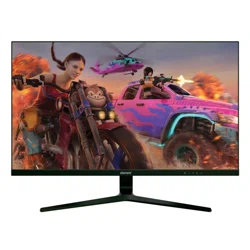

Element EM3FGAB27BS 27” 1440P 165HZ FRAMELESS GAMING MONITOR

Product's Documents

Below are documents related to this product, you can read online or download:
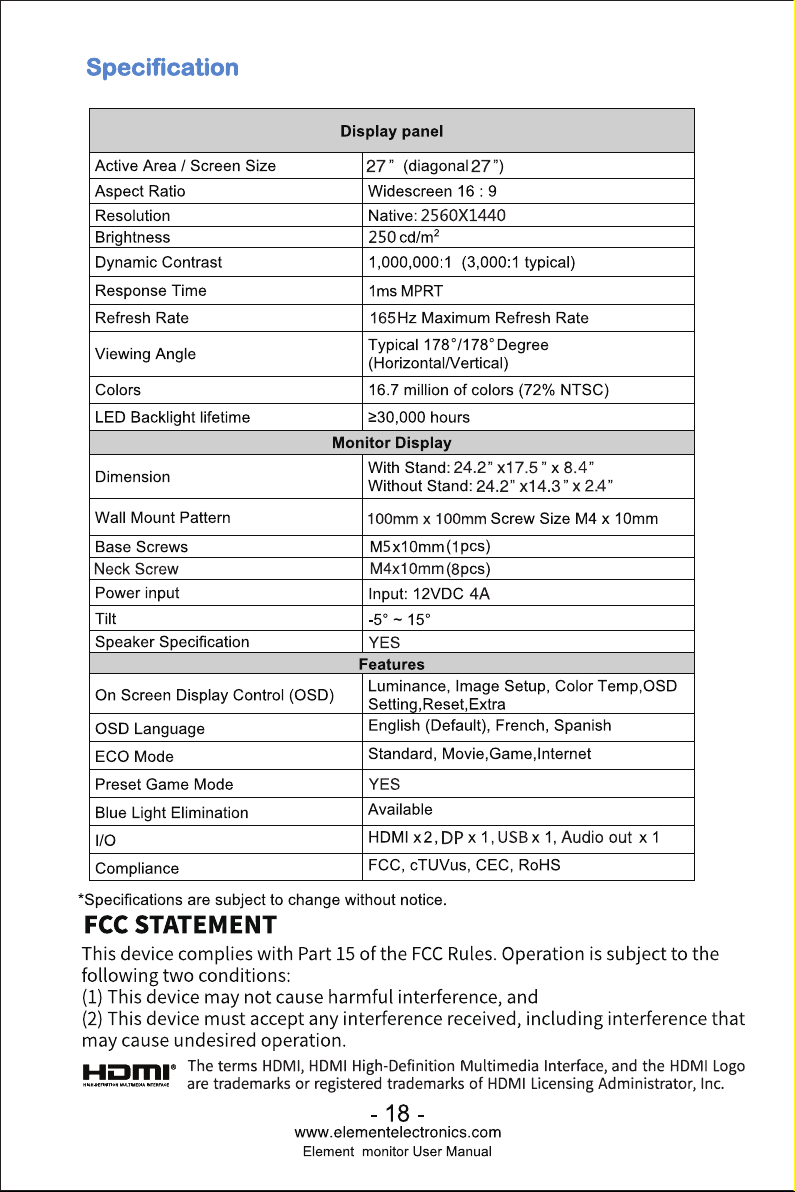
User Manual Specification
EM3FGAB27BS photo

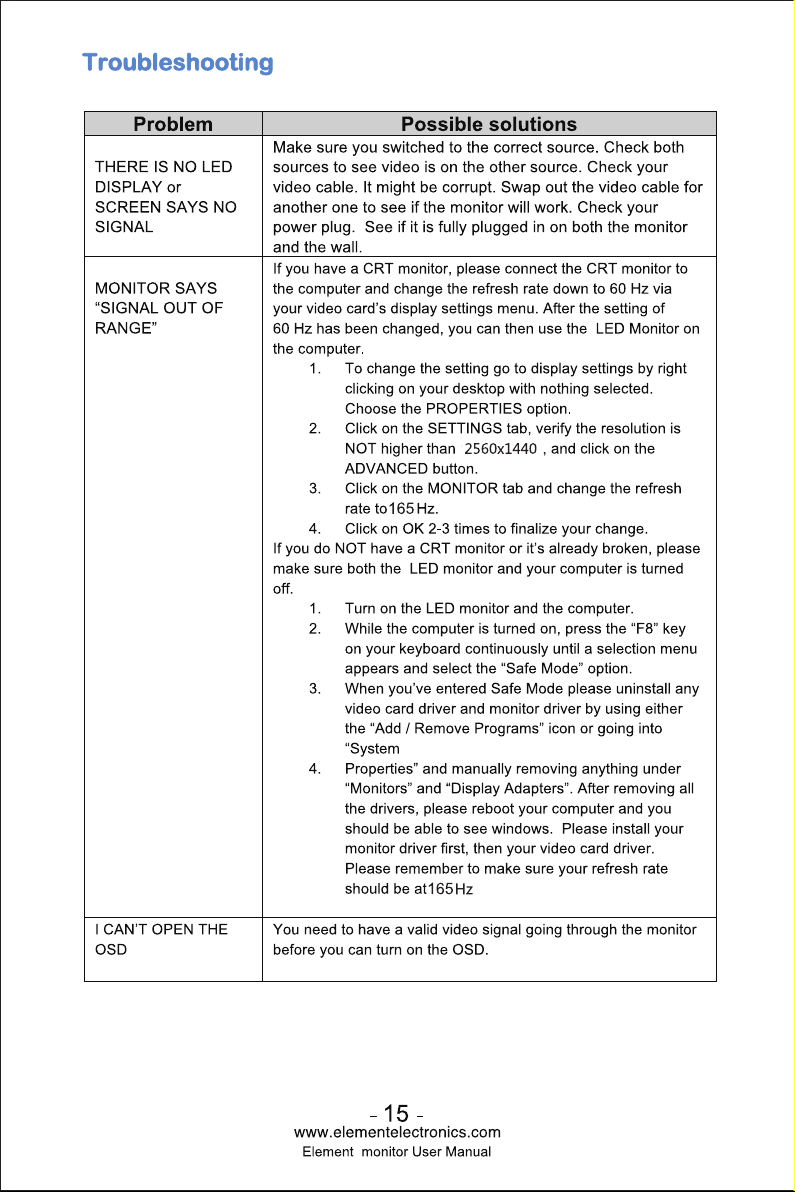
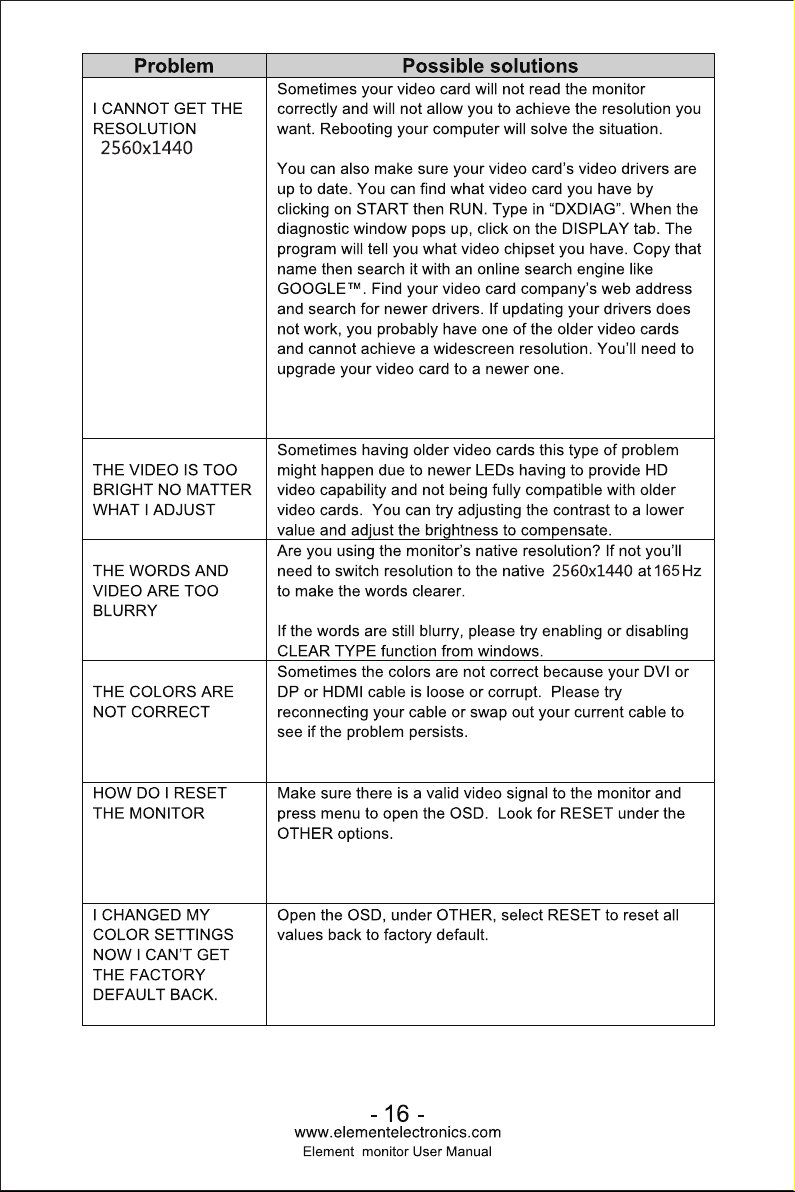
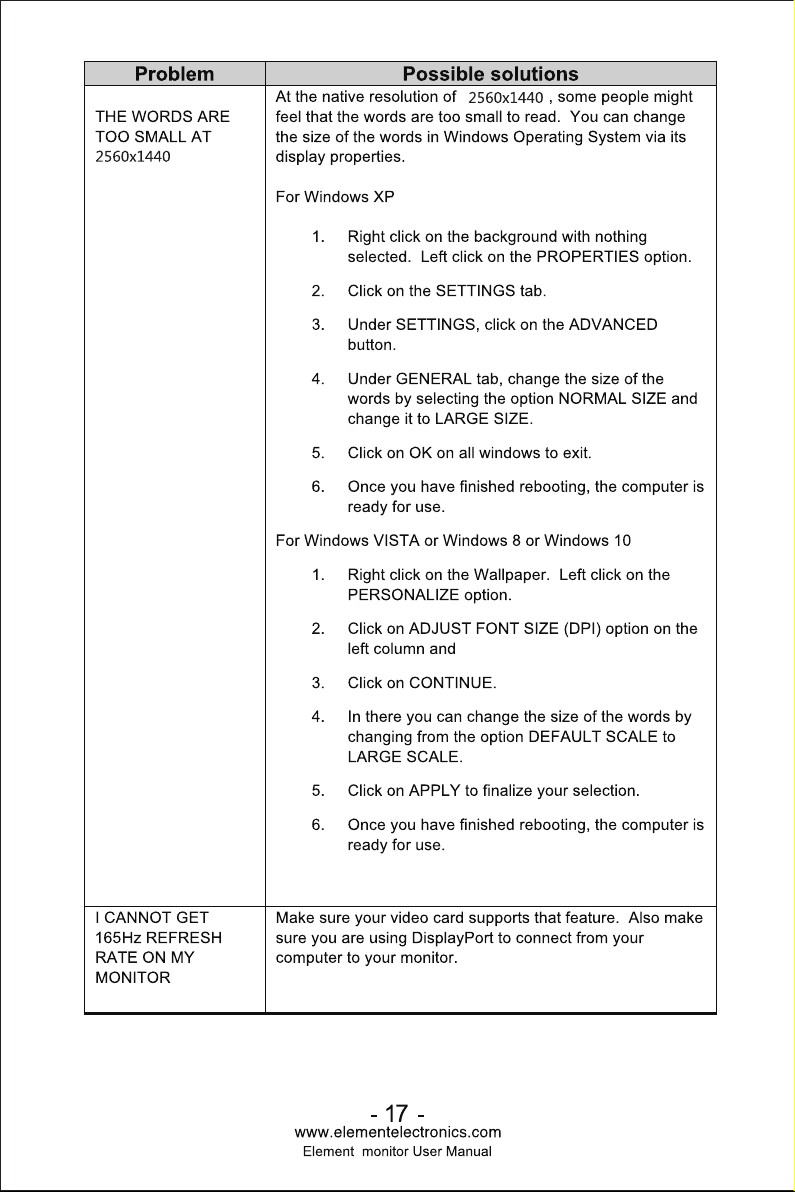
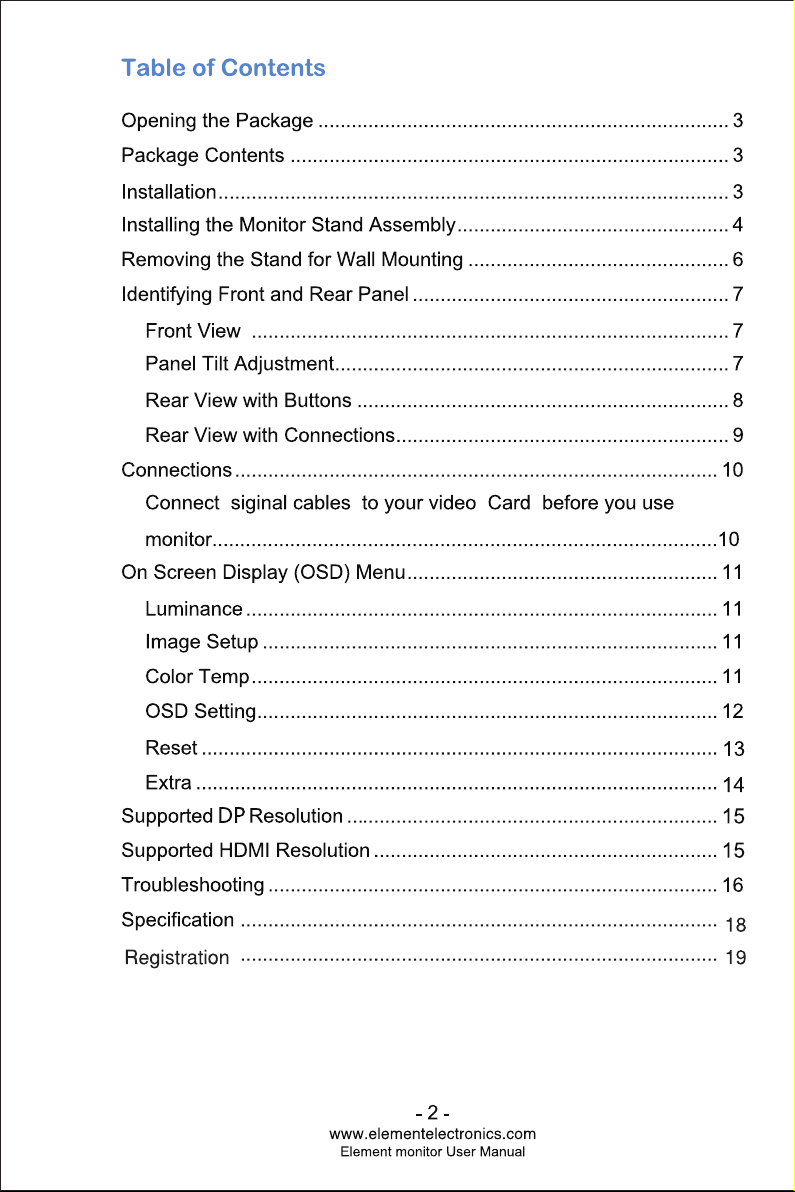
USER MANUAL

This is the main product document for model EM3FGAB27BS.

The file format is pdf, 19 pages, you can download this manual here .

background
background
background
12
12
background
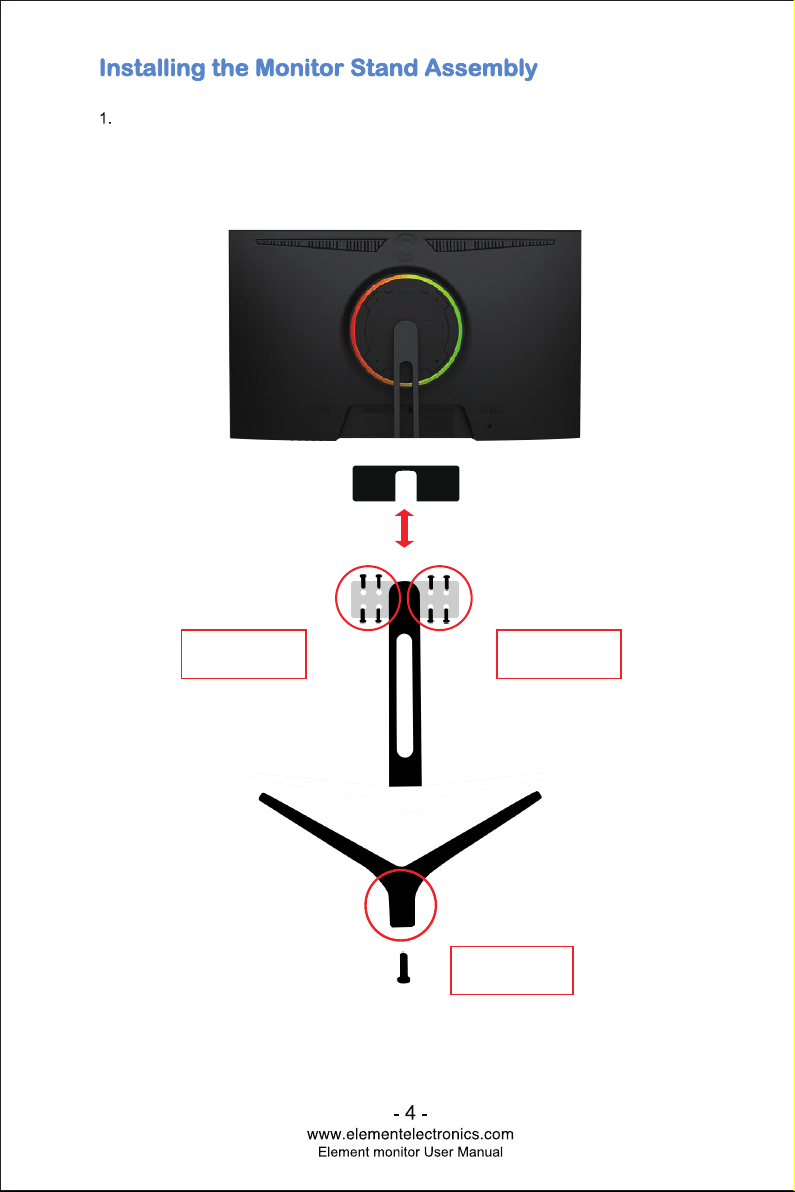
4 SCREWS
M4*12mm
4 SCREWS
M4*12mm
1 SCREW
M5*12mm
With the packing foam still on, lay the monitor screen facing down on a table and
open the top half of the packing foam. Install the neck to the base and insert the 1
base screw from the bottom. Install the assembled stand to the back of the monitor
by screwing in 8pcs M4*12mm neck screws into the 4 outermost screw holes on
both the left and right side. Tighten the screws to secure the base.
background
background
background
background
background
background
background
background
background
background
background
background
background
background
background

Specifications

Indexed Terms: Monitor

Element EM3FGAB27BS Questions and Answers