WARMING DRAWER CUSTOM PANEL
ACCESSORY KIT - ZXD27B and ZXD30B
For installation of 27” and 30” wide warming drawer
custom panel and custom handle.
Installation
Instructions
Questions? Call 800.GE.CARES (800.432.2737) or Visit our Website at: www.GEAppliances.com.
149-8969-3 07-14 GE
BEFORE YOU BEGIN
Read these in struc tions care ful ly and completely.
• IMPORTANT ³ Save these instructions for
local in spec tor’s use.
• IMPORTANT ³ Observe all governing codes
and ordinances.
• Note to Installer – Be sure to leave these instructions
with the consumer.
• Note to Consumer – Keep these instructions for future
reference.
• Skill level – Installation of this custom panel kit requires
a qualified installer or service technician.
• Proper installation is the responsibility of the installer.
• Product failure due to improper installation is NOT
covered under the warranty.
TOOL AND MATERIALS REQUIRED
• Safety Glasses
• Phillips screwdriver
• Drill and appropriate bits (Brad point recommended for
drilling through wood panels)
• Custom panel
• Custom handle (optional)
• Adhesive recommended for metal to wood
• Adhesive recommended for plastic to wood
PARTS SUPPLIED
• Lamp Jewel
• Metal mounting panel
• Bag of #6 size screws
This kit contains a mounting panel to support a trimless
custom drawer front up to 3/4” thick. The tubular handle
can be reinstalled onto the custom panel with longer
screws (not provided). Or, the original handle can be
replaced with a custom handle of your choice. (Handle
is not supplied.) Choose a custom handle to match or
complement cabinetry hardware.
IMPORTANT: The warming drawer should be installed
according to the installation instructions packed with the
product. The original drawer front will be removed and
replaced with a custom panel.
• Cut edges of the drawer panel will be seen and must be
finished for best appearance.
• The custom drawer front panel, both raised and flat
design, should be constructed in the same manner as
typical cabinet doors.
• Order the custom drawer panel from the cabinet
manufacturer. Be sure to provide the exact dimensions
so that the panel is constructed accurately.
• Order the optional custom handle to complement or
match surrounding cabinetry handles.
PREPARE DRAWER FOR PANEL
INSTALLATION
• Open the drawer fully.
• Turn the warming drawer off.
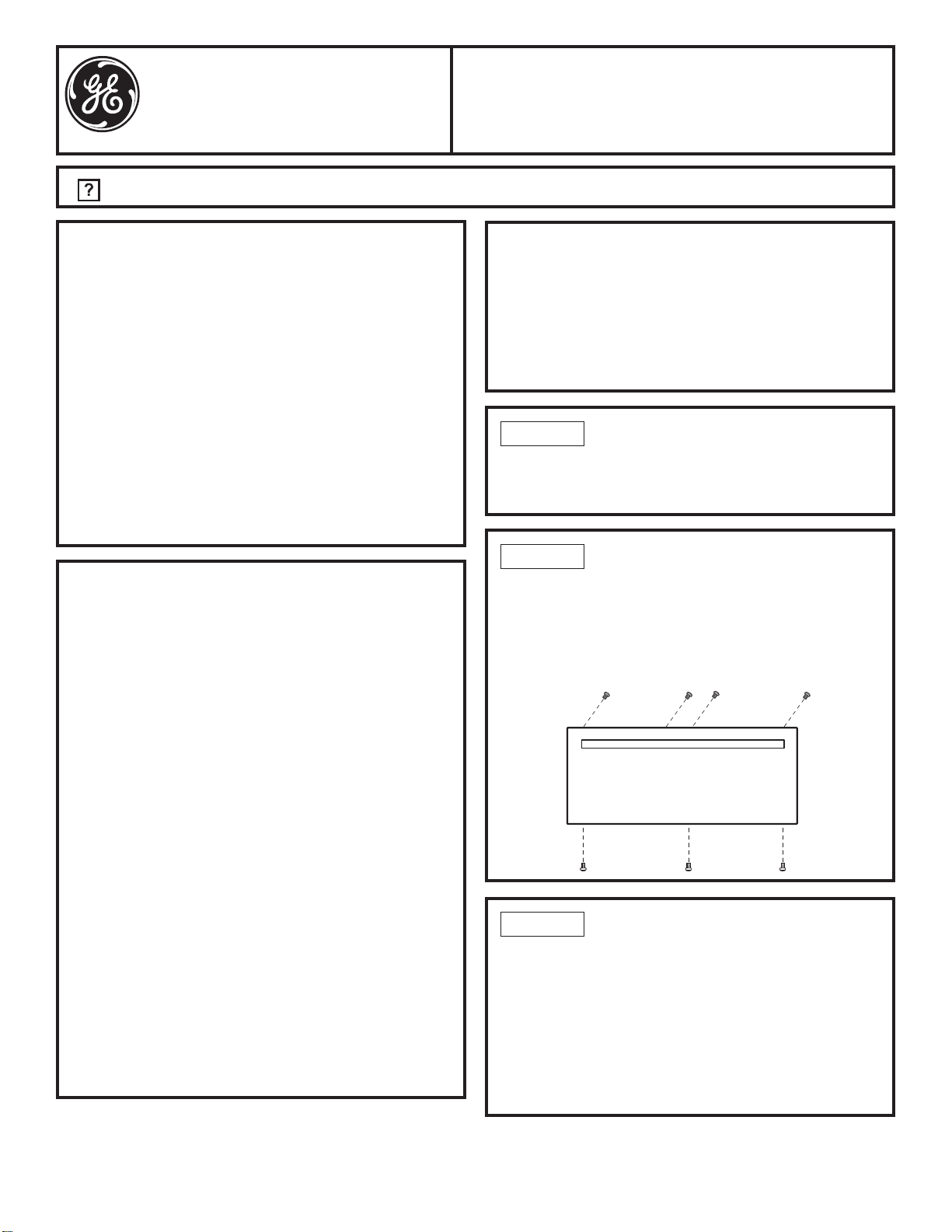
REMOVE ORIGINAL DRAWER
FRONT
• Remove seven #8 screws. Remove four from top inside
and three from bottom. Set these screws aside – they
are no longer needed.
– Support the drawer front as you remove screws to
prevent the possibility of falling.
PREPARE CUSTOM PANEL
• The custom panel size is determined by the cabinetry
dimensions and spacings.
• Once the custom panel size is determined, place
the metal panel on the custom panel and check the
squareness and correct placement of the metal panel,
and mark the hole for the indicator light. Confirm that
the hole marking provides the indicator light to the right
side of the custom panel appearance side.
• Drill a 5/16” hole. A Brad point drill bit is recommended.
STEP 1
STEP 2
STEP 3
Installation Instructions
249-8969-3 07-14 GE
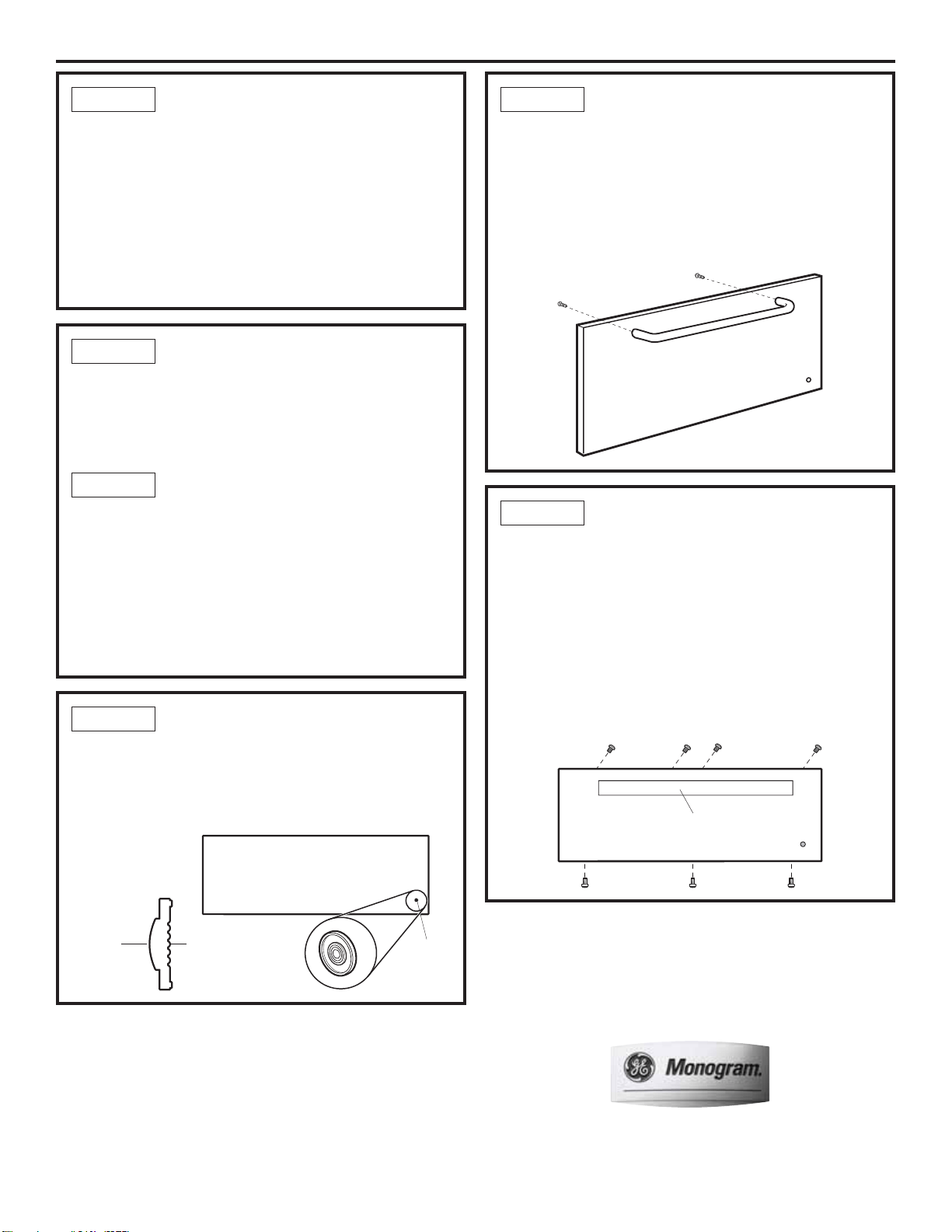
SECURE CUSTOM PANEL TO
METAL MOUNTING PANEL
• Lay the custom panel, appearance side down, on a
clean surface.
• Remove all tape and packing material from the metal
panel.
• Place the flat side of the metal panel onto the back side of
the custom panel, with the mounting flanges facing up.
• Align the lamp hole in the panel with the mounting panel.
• Confirm squareness and correct position of the metal
panel to the custom panel.
REINSTALL ORIGINAL HANDLE
OR OPTIONAL CUSTOM HANDLE
• A custom handle (not supplied) may be installed.
• Drill pilot holes through the front of the custom panel
and through the metal panel to match the chosen
handle.
NOTE: The handle screws should be installed through the
metal panel, the custom panel and into the custom or
original handle.
INSTALL ASSEMBLED PANEL TO
THE DRAWER
• Determine which holes in the metal panel line up with
the holes in the exposed drawer front and marked the
screw hole locations onto the custom panel.
• Drill 1/8” deep holes into the custom panel for clearance
to the #6 screws. The #6 screws will extend into the
custom panel slightly.
• Using the #6 screws supplied in the bag, install the
custom panel assembly to the exposed drawer front
with seven screws.
• The original #8 screws are not needed.
INSTALL LAMP JEWEL
• Turn the assembly appearance side up.
• Use plastic to wood adhesive to secure the lamp jewel to
the front of the wood panel. On the side with the bulge,
(see illustration) apply a small bead of adhesive around
the outside edge. Place the jewel into the drilled hole.
FOR PANELS LESS THAN
3/4” THICK
• Separate the custom panel and metal panel.
• Apply a few horizontal beads of adhesive to the metal
panel. Avoid adhesive within 1” of lamp hole area and
outer edges.
FOR 3/4” (OR GREATER)
THICK PANELS
• 3/4” thick panels may be secured to the metal panel
with screws.
• Use the metal panel as a template. Position the metal
panel over the back side of the custom panel and drill
pilot holes. Drill pilot holes sized to match screws being
used (screws not provided).
NOTE: Select screw length carefully to avoid penetration
of the finished side.
STEP 4 STEP 7
STEP 8
STEP 6
STEP 5
STEP 5A
Insert
Jewel
Appearance
Side
This Side
Against
Wood
Custom Handle
or Original Handle
NOTE: Product improvement is a continuing endeavor at General Electric.
Therefore, materials, appearance and specifications are subject to change
without notice.