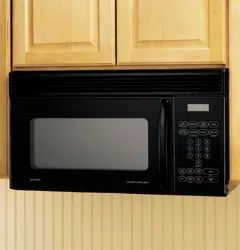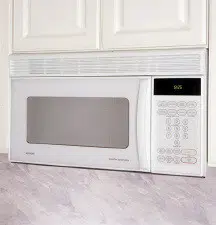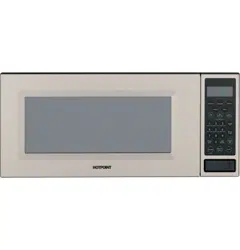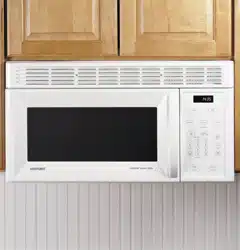
959 Watts
Model: RVM1435
Counter Saver Plus Microwave Oven
Owner's Manual
Important Safety Information
Py_ma_do_s_oAvdd Foss_Me_xp&;or__
to f_oess@__Mfoyowave f_e_y
Rpedaf No_esA#oo_Mfomwad_g
2
6
Operating Instructions
Features of YourMioyow_ve 1
TheCo_t'oL_o_ Yoor Mict'owa_=e _2
TimeCooking _5
A_omadc Cook#_g 2_
Od_eyFea_uyes 25
Helpful Information
Mfcyowa_e Temks- 30
31
If Something Goes Wrong
Ho_po#_'Set'viceNomflet_ 38
Back Covey
Hotpoint.corn
164D3370P199
39-40232-2 I
12-01JR (SEC)
READ ALL SAbETY
INkDRMA TYON BEFORE USING
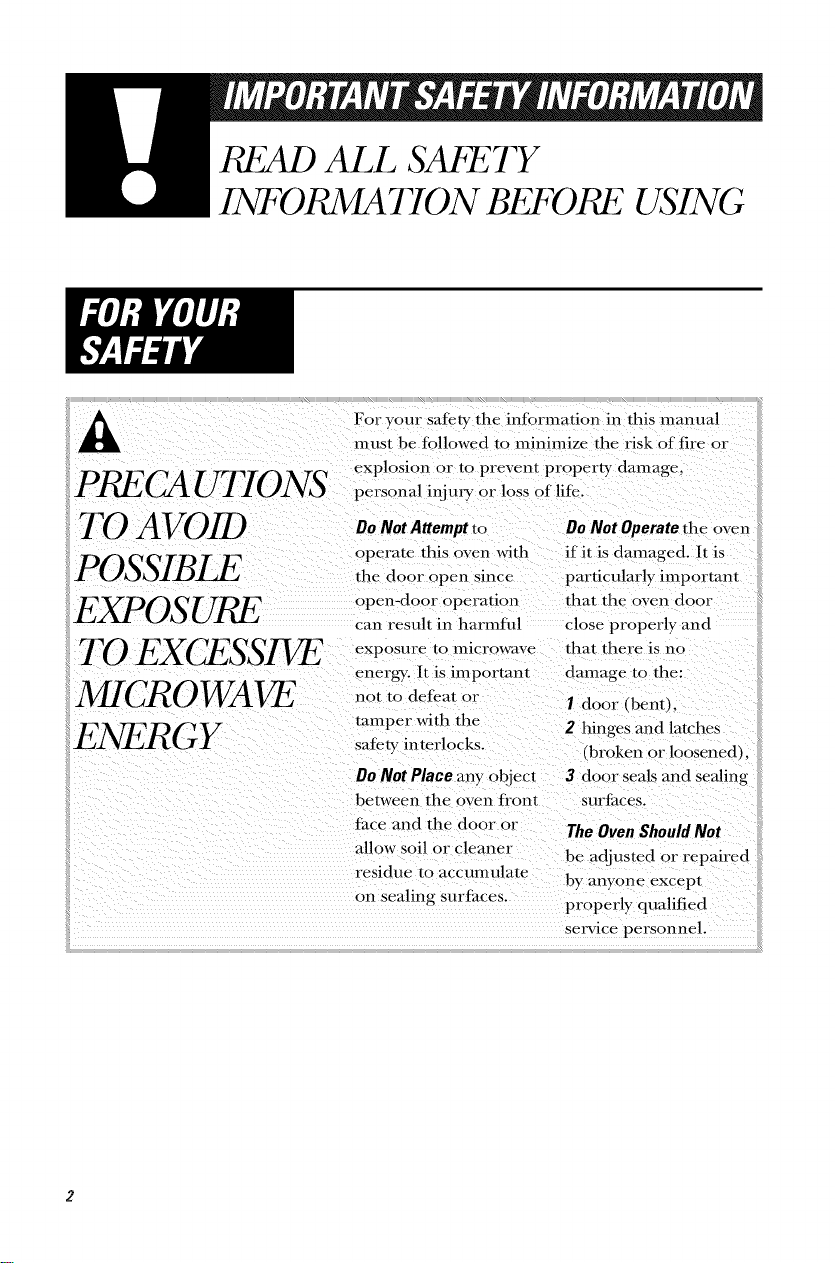
For your safety the intbrmation in this manual
must be fi)llowed to minimize the risk of fire or
PR/_' -- ....... explosion or to prevent property damage,
(_Z]k U 7 10N5' personal inj my or loss of life.
TO AVOID
POSSIBI_
EXPOSURE
TO EXCESSIVE
MICROWAVE
ENERGY
Do Not Attempt to ....................
operate this oven with if it is damaged. It is
the door open since particularly important
open-door operation that the oven door
can result in harmful close properl) and
exposure to Inicrowave
energ). It is important
not to defeat or
tamper with the
safer?, interlocks.
that there is no
danmge to the:
I door (bent),
2 hinges mad latches
(broken or bosened),
DoNotPlace any object 3 door seals and sealing
between the oven h'ont surt'hces.
Ihce and the door or The OvenShouldNot
allow soil or cleaner be adjusted or repaired
residue to accumulate by anyone excepl
on sealing surthces.
properly qualified
setwice personnel.

Welcome _o the GE tim_il)_
_\'e're pr_)ud of our q uali V
products and we believe
in dependable service.
You'll see it in this easy-lo-
use manual and you'll hear
it in the friendly voices of
OIlY consiHller service
deparm_ en t.
Best of all, you'll experience
these values each time you
use your microwm'e. That's
impor/ant, because your new
microwm'e will be part of
your tim_ily ti)r a long time.
Start Here!... Before using your Microwave
Write down the model and
serial numbers here. They are
on a label inside the oven.
Model number
Serial number
Date of purchase
Staple your receipt to the
inside back cover of this
manual, You will need it to
obtain service under
warranty.
Betore you call tot service,
there are a tow things you
can do to help us serve you
betten
Read this manual,
It contains instructions to
help you use and maintain
your microwave properly.
If you received a damaged
oven...immediately contact
the dealer (or builder)
that sold you the oven.
Save time and money.
Check the section titled
"If Something Goes
Wrong" betore calling.
This section helps you
solve common problems
th at might occur.
If you do need service,
you can relax knowing
help is only a phone call
away. A list of toll-tiee
C/IStOIl/er service ll/lil/bers
is included in the back of
this manual.
READ ALL SAk?_;TY
INt'DRMA TYON BEFORE USING
ULlistedfor installation
overelectric andgas
• Read and tollow tlte •
specific "Precautions to
Avoid Possil)le ExI)osure
to Excessive Microwave
Energy" on page 2.
• Tltis api)liance must be
grounded. Connect only
to properly grounded
outlet. See Grounding
Instructions section on
page 10.
• Do not mount this
api)liance over a sink.
• Install or locate this
api)liance only in
accordance witlt tlte
provided Installation
Instructit)ns.
This over=the-range oven
was designed tot use over
ranges no wider tltan 36".
It may be installed ()vet
both gas and electric
cooking equipment.
Do not operate this
appliance if it has a
damaged power cord or
plug, if it is not working
properly, or if it has been
damaged or dropi)ed.
If the power cord is
damaged, it must be
rei)laced by General
Electric Service or an
authorized service agent
using a power cord ti'om
General Electric.
Do not cover or 1)lock
any openings on tlte
appliance.
Use tltis appliance only
lot its intended use as
described in tltis manual.
Do llOt/lse corrosive
chemicals or vapors in
this appliance. This
II/icrowave ()veil is
specifically designed to
lteat, dry or cook tood,
and is not intended
lot lal)oratory or
industrial use.
•Donotstorethisappliance
O/ltdoors.
Do not use this product
near wamt_R)r example,
in a wet basement,
near a swimming pool
or near a sink.
• Keep power cord away
ti'om heamd surti_ces.
• Do not immerse power
cord or plug in watch
• To reduce the risk of fire
in the oven cm'iw:
- Do not overtook tood.
Carefiflly attend appliance
if pape,; plastic or other
combustible materials are
placed inside the oven
while cooking.
- I).emovc wire twist-ties and
metal handles flom paper
or plastic containers
belore placing them in
the oven.
Do not/lse tile oven Jot
stolage purposes. Do not
leave paper products,
cooking umnsils or tood
in the oven when not
ill IlSe.
If materials inside oven
should ignite, kce I) the
oven door closed, mrn the
oxen off and disconnect
the power cord, or shut
off power at the filse or
circuit breaker panel.
If the door is opened,
the fire may spread.
• See door surtime cleaning
instructions in the Care
and Cleaning section (s)
of this guide.
• This appliance should
be serviced only by
qualified service personnel.
Contact nearest authorized
service ti_cilitv lot
examination, repair
or adj/lStll/ellt.
• As with aW appliance,
close supervision is
necessa W when used
by children.
SAVE THESE INSTR UC770NS

m
SPECIAL NOTES ABO UF MICRO WAVING
the CLEAR/OFFpad and
i!correct theprob/eml
Arcing is the microwave
term tot sparks in the
oven. Arcing is caused by:
• Metal or toil touching
the side of the oven. •
• Foil not molded to food
(upturned edges act like
_lll tell rills).
Metal, sucll as twist-ties,
poultry pins, or gold-
rimn/ed dishes, in the
Ill ic rowave.
P.ecycled paper towels
containing small metal
pieces being used in the
Ill ic rowave.
Do not pop popcorn in
yo/Ir II/icrowave oven
unless in a special
microwave popcorn
accessory or unless you
use popcorn labeled for
tlse ill II/icrowave ovens.
• Some products such as
whole eggs and sealed
containers--tor example,
closed jars--will explode
and should not be heated
in this microwave oven.
Such use of the microwave
oven could result in illjury.
• Do not l!oil eggs in a
microwave ovell. Pressllre
will build up inside egg
yolk and will cause it to
burst, possibly resulting
in il/jury.
• Operating the microwave
with no food inside for
II/ore tl-lan a II/in/lte or
two may Ca/lse damage
to the oven and could
start a fire. It increases
the heat around the
magnetron and can
sl-lorten the liic of
the oven.
Foods with unl/roken
outer "skin" such as
potatoes, hot dogs,
Smlsages, tolllatoes,
apples, clficken livers
and other giblets, and
egg yolks should be
pierced to allow steam
to escape during
cooking.
SAFETY
FACT
SUPERHEATEDWATER
Microwaved water and
otherliquids donot
always bubblewhen
theyreachthe boiling
point. Theycanactually
get superheatedand not
bubbleat all.
Superheatedliquidwill
bubbleup outof thecup
whenit ismovedor
whensomethinglike a
spoonor teabag isput
into it.
Toprevent thisfrom
happeningandcausing
injury,donotheat any
liquid formorethan2
minutesper cup.After
heating,let thecup
stand in themicrowave
for30secondsbefore
movingit orputting
anything intoit.
Avoid heating baby tood
in glass jars, even with the
lid otE Make sure all
intant R)od is thoroughly
cooked. Stir fi)od to
distribute the heat evenly.
Be careflll to prevent
scalding when warming
tormula or breast milk.
The container mW Joel
cooler than the milk really
is. Alwa):s test the milk
1)eR)re tceding the baby.
Spontaneous boiling--
Under certain special
circumstances, liquids
m W start to boil during
or shortly after remow_l
from the microwave
oven. To prevent burns
from splashing liquid, we
recommend the tollowing:
betore removing the
container from the oven,
allow the container to
stand in the oven tot
30 to 40 seconds after
the oven has sl-mt off.
Do not boil liquids in
narrow-necked containers
such as sott drink bottles,
wine flasks and especially
narrow-necked coflbe
cups. Even if the
container is opened,
excessive steam can build
up and cause it to 1)urst
OF O_,_FJIOW.
• Don't defrost Dozen
beverages in narrow-
necked bottles (especially
carbonated beverages).
Even if the container is
opened, pressure can
build up. This can cause
the container to burst,
possibly resulting in
ill.jury.
• Hot fi)ods and steam
can cause burns. Be
careful when opening
any containers of hot
tbod, including popcorn
bags, cooking pouches
and boxes. To prevent
possible il/.iury, direct
steam away flom hands
and tare.
• Do not oxvrcook
potatoes. They could
dehydrate and catch
fire, causing damage to
yOUr ovell.
• Cook meat and poultry
thoroughly--meat to at
least an INTERNAL
temperature of 160°F.
and poultry to at least an
INTERNAL temperature
of 180°K Cooking to
these temperatures
usually protects against
toodborne illness.
m
SPECIAL NOTES ABO UF MICRO WAVING
Make sure all cookware
used in your microwave
oven is suitable lot
microwaving. Most glass
casseroles, cooking dishes,
measuring cups, custard
cups, pottery or china
dinnerware which does not
haw metallic trim or glaze
with a metallic sheen can
be used. Some cookware
is labeled "suitable lot
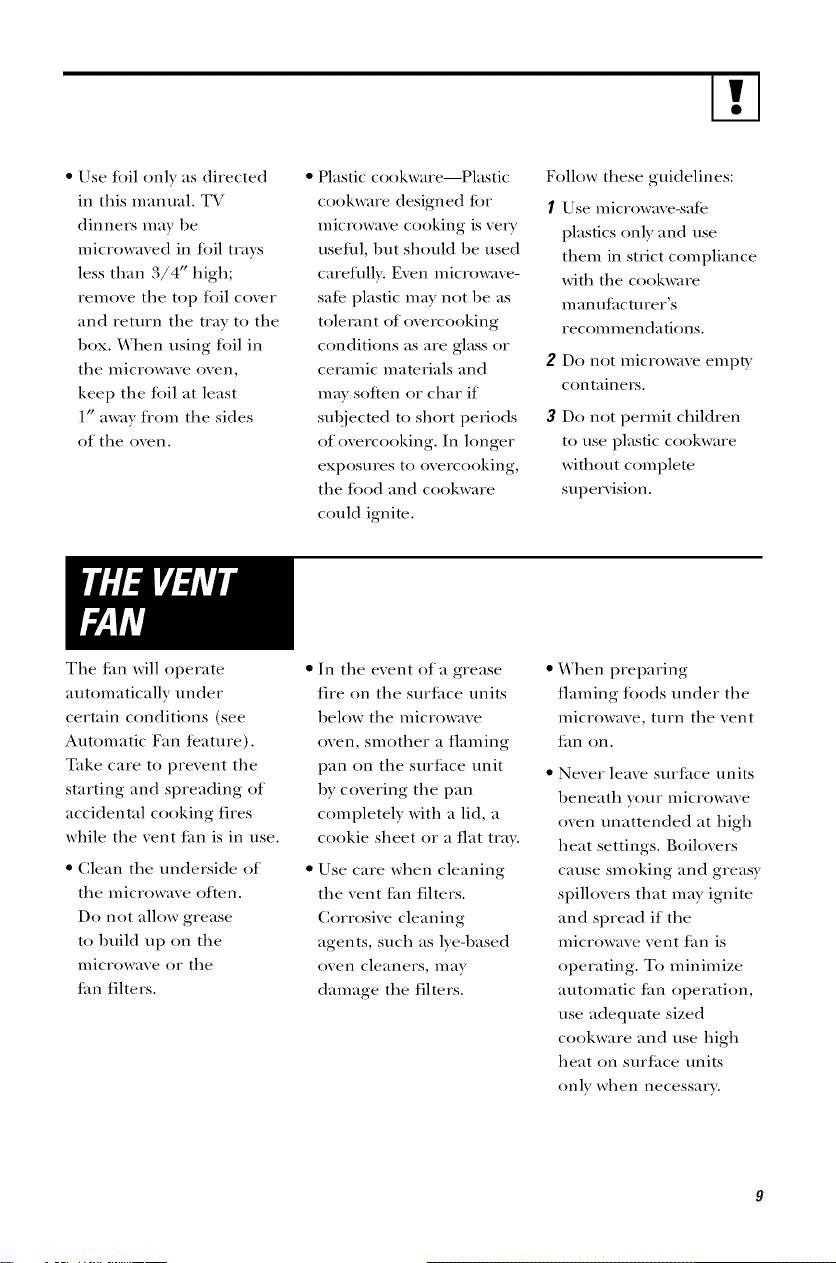
microwaving."
How to test for a microwave
safe dish.
• If you are not sure if
a dish is microwave-satE,
use this test: Place in the
oven both the dish you
are testing and a glass
measuring cup flled with
1 cup of water--set the
measuring cup either
in or next to the dish.
Microwave 30-45 seconds
at 1-figh. If the dish 1-mats,
it should not be used for
microwaving.
If the dish remains cool
and only the water in the
cup heats, then the dish
is microwave-satE.
If you use a meat thet_
mometer while cooking,
make sure it is sate tot
rise ill microwave O_llS.
• Do not use recycled
paper products. Recycled
paper towels, napkins
and waxed paper can
contain metal flecks
which may cause arcing
or ignite. Paper products
containing nylon or
nylon filaments should
be avoided, as they may
also ignite.
• Some sWroloam tl_,ty_s
(like those that meat is
packaged on) have a tl-fin
strip of metal embedded
in the bottom. YVhen
microwavcd, the metal can
burn the floor of the oven
or ignite a paper towel.
• Do not use the
microwave to dry
newspapers.
• Not all plastic wrap is
suitable tot use in micro-
wave ovens. Check the
package tot proper use.
• Paper towels, waxed
paper and plastic wrap
can be used to cover
dishes in order to retain
moisture and prevent
spattering. Be sure to
vent plastic wrap so steam
can escape.
• Cookware may become
hot 1)ecause of heat
transJErred tiom the
heated tood. Pot holders
m_V be needed to handle
the cookware.
• "Boilable" cooking
pouches and tightly
closed plastic bags should
be slit, pierced or vented
as directed by package. If
they are not, plastic could
burst during or immed-
iately after cooking,
possibly resulting in ill.jury.
Also, plastic storage
containers should be at
least partially uncovered
because they form a tight
seal. ¼]-Jen cooking with
containers tightly covered
with plastic wrap, remove
covering carefiflly and
direct steam away tiom
hands and lace.
•Usetoil only as directed
in this n/anual. TV
dinners may be
n/icrowaved in toil trays
less than 3/4" high;
ren/ove the top toil cover
and return the tray to the
box. ¼Then using toil in
the n/icrowave ()veil,
kee I) the loll at least
1" away flon/ the sides
of the oven.
Plastic cookware_Plastic
cookware designed t_)r
n/icrowa_v cooking is very
usefill, but should be used
carefully. Even microwave-
sale plastic n/ay not be as
tolecant of ovcrcooking
conditions as are glass or
ceran/ic n/aterials and
n/ay soften or char if
subjecmd to short periods
of ovcrcooking. In longer
exposures to overcooking,
the Jood and cookware
could ignite.
Follow these guidelines:
I Use n/icrowavc-salc
plastics only and use
tlien_ in strict con/pliance
with the cookware
Ill an/Itilct/Irer's
recoIl/n/endations.
2 Do not microwave empW
containers.
3 Do not pern/it children
to use plastic cookware
without c()mplete
supervision.
The Lm will operate
autonmtically under
certain conditions (see
Auton/atic Fan tcature).
Take care to prevent the
starting and spreading of
accidental cooking fires
while the vent Lm is in use.
• Clean the underside of
the n/icrowave often.
Do not allow grease
to build lip on the
n/icrowave or the
tim filters.
• In the event of a grease
fire on the surfi_ce units
below the microwave
oven, sn/other a flan/ing
pan on the surtace unit
by covering the pan
con/pie(ely with a lid, a
cookie sheet or a fiat tray.
• Use care when cleaning
the vent tan filters.
Corrosive cleaning
agents, such as lye-based
()veil cleaners, ilia),
dan/age the filters.
• When preparing
flan/ing foods tinder the
n/icrowave, turn the vent
Jilll on,
Never leave surfi_ce units
beneath your n/icrowave
oven umtttended at high
heat settings. Boilovers
cause sn/oking and greasy
spillovers that may ignite
and spread if the
n/icrowave vent tim is
operating. To n/inin/ize
auton/atic tim operation,
use adequate sized
cookware and use high
heat on surlace units
only when necessary.
m
GROUNDING 1NSTRUC770N /Ot*ITONAL KITS
Tltis appliance is equipped
witlt a power coM ltaving
a grounding wire witlt a
grounding plug. Tlte plug
must be plugged into an
Ensureproperground outlet tltat is properly
existsbeforeuse. installed and gTottnded.
WARNING
Improper use of the
grounding plug can result in
a risk of electric shock.
Tltis appliance must be
grounded. In tile event of
an electrical sltort circuit,
grounding reduces the
risk of electric sltock by
providing an escape wire
t[)r tlte electric current.
Consuh a qualified
electrician or service
mcltnician if tlte grounding
instructions are not
complemly understood,
or if doubt exists as to
wltetlter tlte appliance is
properly grounded.
If tile outlet is a standard
2-prong wall outlet, it is
your personal responsibility
and obligation to have it
replaced with a properly
grounded 3-prong wall
outlet.
Do not under any circum-
stm)ces cut or retl/o',_ tlte
tlliM (ground) prong fi'om
tlte power coM.
Do not use an adaptor plug
witlt tltis appliance.
Do not use an extension
cord witlt tltis appliance.
If tlte power cord is too
sltort, have a qualified
electrician or service
tecltnician install an outlet
near tlte appliance.
For best operation, plug
tltis appliance into its own
electrical outlet to prevent
flickering of lights, blowing
of fltse or tripping of circuit
breaker:
Filler PanelKits
JX4OWHor JX46WH--White
JX41orJX46BL--Black
JX4OALorJX46AL--Almond
YVlten replacing a 36"
range ltood, filler panel
kits fill in tlte additional
widtlt to provide a custom
buih-in appearance.
10
For installation between
cabinets only; not tor
end-ol:cabinet installation.
Eacll kit contains two
3"-wide fillet panels.
Filter Kits
JX81A--Recirculating
Charcoal Filter Kit
Fiher kits are used wlten
tile microwave oVell cannot
be vented to tlte outside.
DecorativePanel Kit
JX22SS--Stainless Steel
Wlten replacing a Hi/Low
range, tlte decorative panel
kit fills in tlte area between
tlte microwave and tlte
range leJt by tlte Hi/Low
model.
Available at extra cost from
your Hotpoint supplier.

950Watts
2
3
Door Handle. Pull to
()pen the doox: The
door must be securely
latched lot the
microwave to operate.
Door Latches.
Window with Metal
Shield. Screen allows
cooking to be viewed
while keeping
microwaves confined
in the oven.
4 TouchControlPanel
5 CooktopLights.
6 Grease Filters.
7 Removable Turntable.
Turntable and support
must be in place
when using the oven.
The turntable may be
removed tor cleaning.
8 Convenience Guide.
NOTE."Rating plate, oven
vent(s) and oven light are
located on the inside walls
of the microwave oven.
11
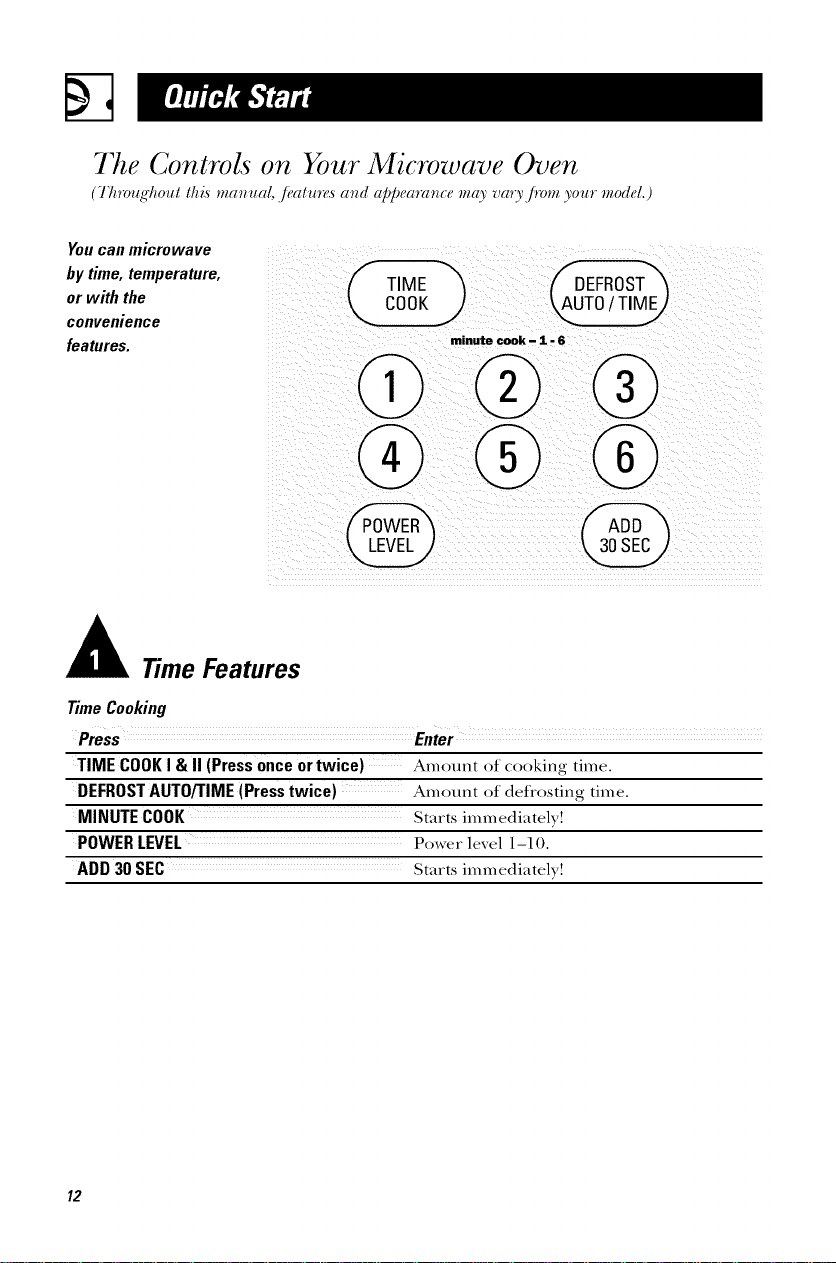
The Controls on Your Microwave Oven
(7/l_oug/lout this manual, ,/;,atu_s and appea_n_e m_O'vau,fiom your modal.)
Youcanmicrowave
by time,temperature, /__
TIME
or with the
convenience
features, minute cook - 1 - 6
Time Features
TimeCooking
Press
TIME COOKI & II (Pressonceor twice) Amount of cooking time.
DEFROSTAUTO/TIME(Presstwice) Amount of defi'osting time.
MINUTECOOK Stare immediately!
POWERLEVEL Power level 1-10.
ADD30 SEC Starts immediately!
12
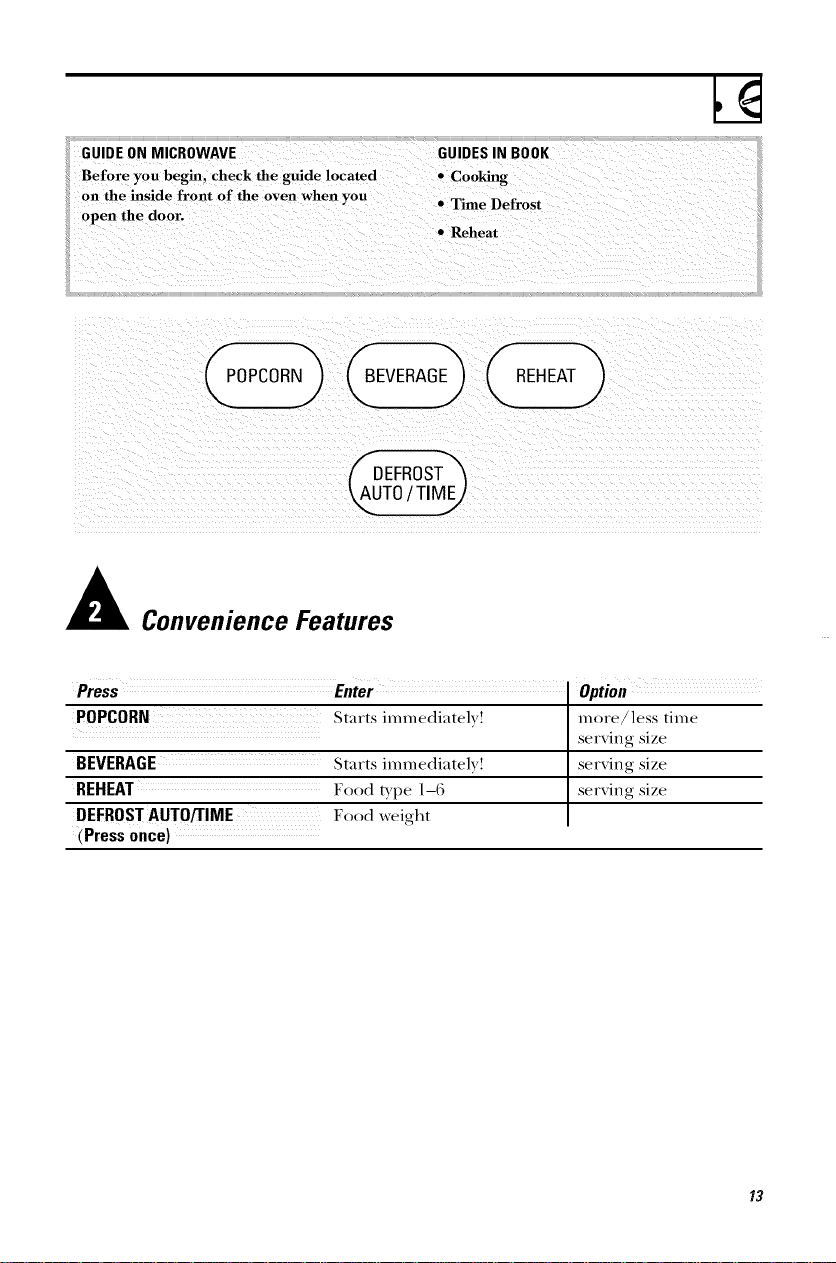
GUIDE ON MICROWAVE
Before you begin, check the guide located
on the inside front of the oven when you
open the dool=
GUIDES IN BOOK
• Cooking
• Time Defrost
Reheat
BEVERAGE) ( REHEAT )
Convenience Features
Pre s E,ter
POPCORN Starts immediatel} !
more/less time
serxing size
BEVERAGE Starts immediatel} ! serxing size
Food Exl)e 1-6 serxing size
DEFROSTAUTO/TIME Food weight
(Press once)
13
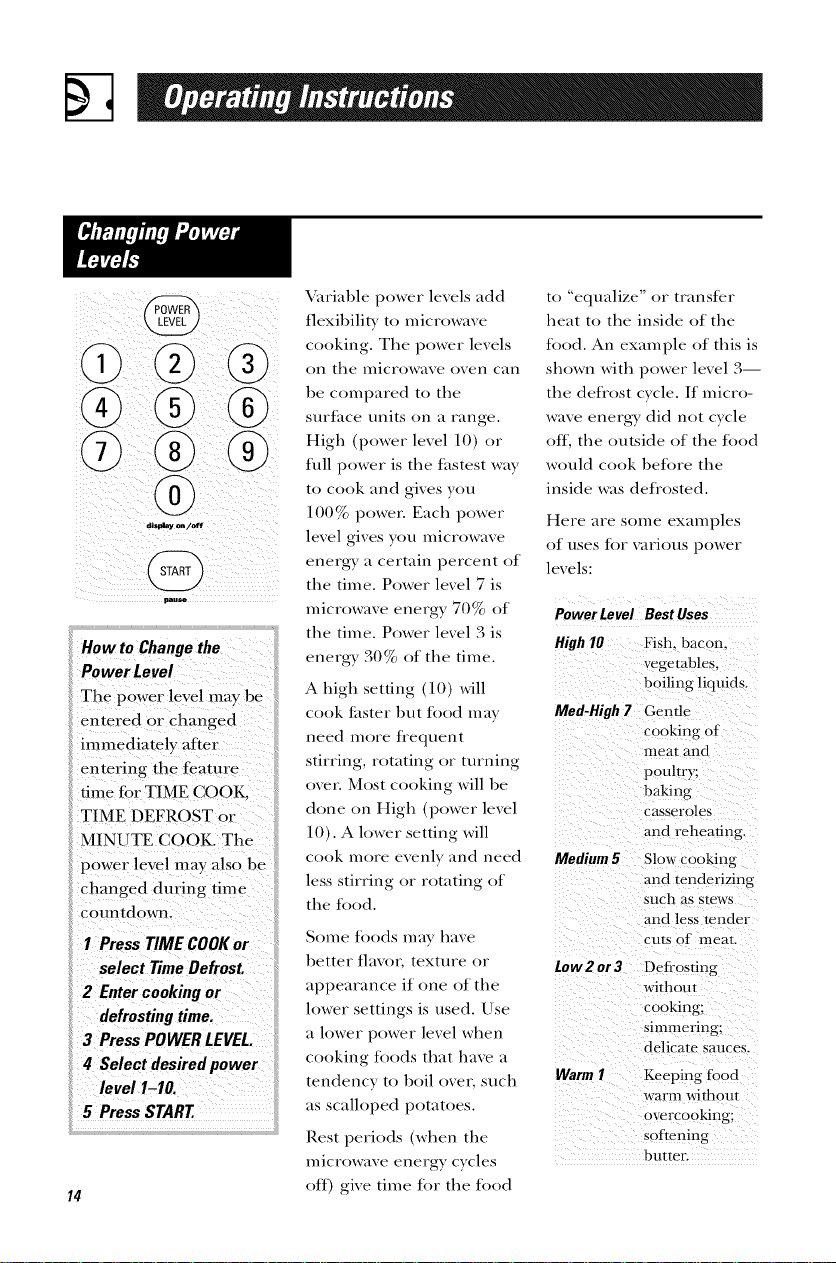
ii)ii ii!@! i i;ii !iI
How to Change the
Power Level
The prower leyel may b e
entered 0 r Changed
immediately liter
entering the tcature
time tior T!ME COOK,
TIME DEFROST or
MINUTE COOK. The
power level may also be
changed during time
I PressTIME COOKor
select TimeDefrost.
4 Select des#edpower
Ieve/1.1o.
i!5PressSTART.
14
\;_iriable power levels add
flexibility' to microwave
cooking. The power levels
on the nlicrowave ()Veil can
be compared to the
surt_ice units on ;t range.
High (power level 10) or
full power is the fiistest way
to cook and gives you
100% power. Each power
level gives you microw,tve
energy ,i certain percent of
the tinIe. Power level 7 is
microwave energy 70% of
the tiIne. Power level 3 is
energy 30% of the tin/e.
A lfigh setting (10) will
cook tilster but fi)od may
need more fl'equent
stirring, rotating or turning
over. Most cooking will be
done on High (power level
10). A h)wer setting will
to "'equalize" or transtcr
heat to the inside of the
fi)od. An exanIple of this is
shown with power level 3
the deti'ost cycle. /f inicro-
wave enera_ did not cycle
ottl the outside of the fi)od
would cook betbre the
inside was defi'osted.
Here ;ire sonic examples
of liNeS t()r VilF1Ot/S power
levels:
Power Level Best Uses
High 10 Fish. bacon.
vegetables,
boiling liquids.
Med-High 7 Gentle
cooking of
meat and
poultry;
baking
casseroles
and reheating.
cook nitre exenly and need
less stirring or rotating of
the food.
Some tbods may have
better tarot texture or tow2 or 3
appearance if one of the
h)wer settings is used. Use
a lower power level when
cooking tbods that have a
tendency to boil ()vet such Warm I
;is scalh)ped potatoes.
Rest periods (when the
microwave energy cycles
off) give tiIne tbr the tbod
Medium 5 Slow cooking
and tenderizing
such as stews
and less tender
cuts of meat.
Deti'osting
without
cooking;
simmering:
delicate sauces.
Keeping tbod
warm witllout
overcooking;
softening
bmtec
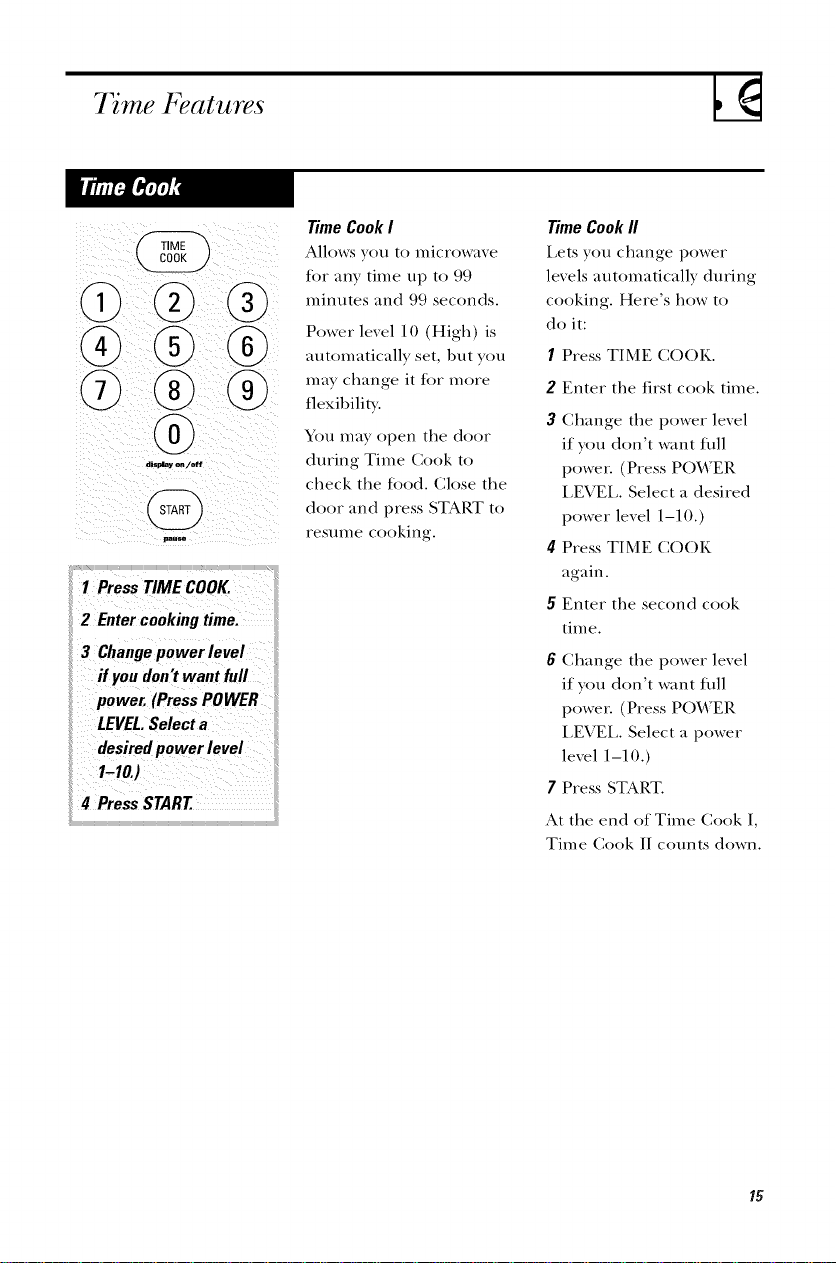
7 me Features
i(
®
displa_on/off
1 PressTIME COOK.
2 Entercookingtime.
3 Changepower level
if youdon'twant full
power. (PressPOWER
LEVEL.Selecta
desiredpower level
1-10.)
4 PressSTART
Time Cook I
Allows you to microwave
tor any time up to 99
minutes and 99 seconds.
Power level 10 (High) is
automatically set, 1)ut you
may change it lot more
flexibility.
You may ()pen the door
during Time Cook to
check the tood. Close the
door and press STAP, T to
resume cooking.
Time Cook II
Lets you change power
levels automatically during
cooking. Here's how to
do it:
1 Press TIME CO()K.
2 Enter the first cook time.
3 Change the power level
if you don't want fifll
power. (Press POWER
LEVEL. Select a desired
power level 1-10.)
4 Press TIME COOK
again.
5 Enter the second cook
tim e.
6 Change the power level
if you don't want fifll
power. (Press POWER
LEVEL Select a power
level 1-10.)
7 Press START.
At the end of Time Cook I,
Time Cook II counts down.
15
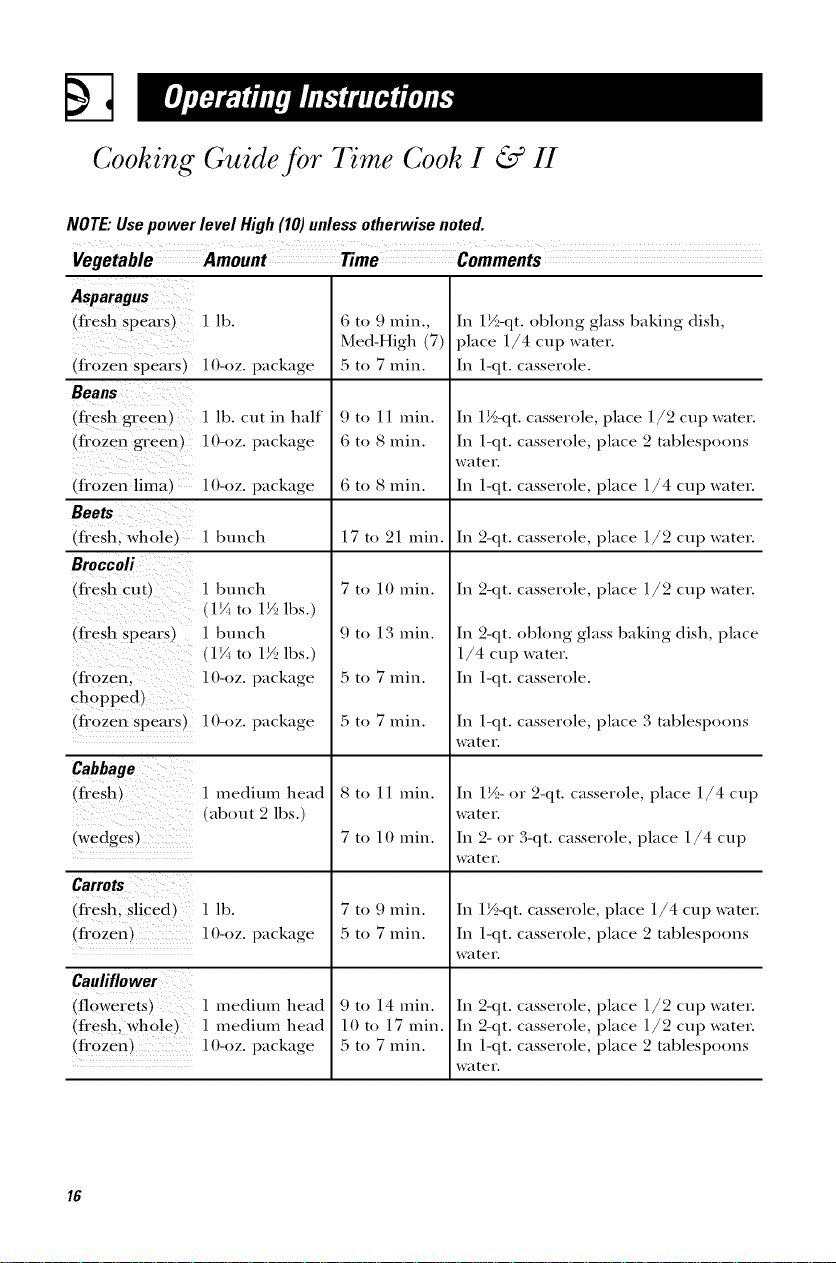
Cooking Guide for 7 me Cook I & H
NOTE."Usepower level High(10)unless otherwise noted.
Vegetable Amount Time Comments
Asparagus
(fresh spears) I lh.
(frozen spears) 10-oz. package
Beans
(fl'esh green) 1 lh. cut in half
(frozen green) 10-oz. package
frozen lima
Beets
fresh, whole l
Broccoli
(fresh cu t_
(fresh spears)
In 1½-qt. ohlong glass haking dish,
place 1/4 cup water.
In 1-qt. casserole.
HI-oz. package
1 hunch /n 2-qt. casserole, place 1/2 cup water.
6 to 9 min.,
Med-High (7)
5 to 7 min.
9 to 11 rain.
6 to 8 min.
6 to 8 min.
17 to 21 rain.
7 to 10 rain.
9 to 13 rain.
5 to 7 min.
5 to 7 min.
1 bunch
1V_to 1½ lhs.)
1 bunch
lY_ to 1½ lhs.)
(frozen. 10-oz. package
chopped,
(fl'ozen spears) l()-oz, package
In 1½-qt. casserole, place 1/2 cup water.
In 1-qt. casserole, place 2 tahlespoons
water.
In 1-qt. casserole, place 1/4 cup water.
In 2-qt. casserole, place 1/2 cup water.
In 2-qt. ohlong glass haking dish, place
1/4 cup water.
In 1-qt. casserole.
In 1-qt. casserole, place 3 tahlespoons
water.
Cabbage
(fresh)
(wedges)
1 medium head
ahout 2 lhs.)
Carrots
(flesh. sliced _ 1 lh.
frozen) 10-oz. package
Cauliflower
(flowerets _ 1 medium head
(fresh. whole_ 1 medium head
fl'ozen) l O-oz. package
8 to 11 rain.
7 to 10 rain.
7 to 9 min.
5 to 7 min.
9 to 14 min.
lOto 17 min.
5 to 7 min.
In 1½- or 2-qt. casserole, place 1/4 cup
water.
In 2- or 3-qt. casserole, place 1/4 cup
water.
In 1½-qt. casserole, place 1/4 cup water.
In 1-qt. casserole, place 2 tahlespoons
water.
In 2-qt. casserole, place 1/2 cup water.
In 2-qt. casserole, place 1/2 cup water.
In 1-qt. casserole, place 2 tahlespoons
water.
16
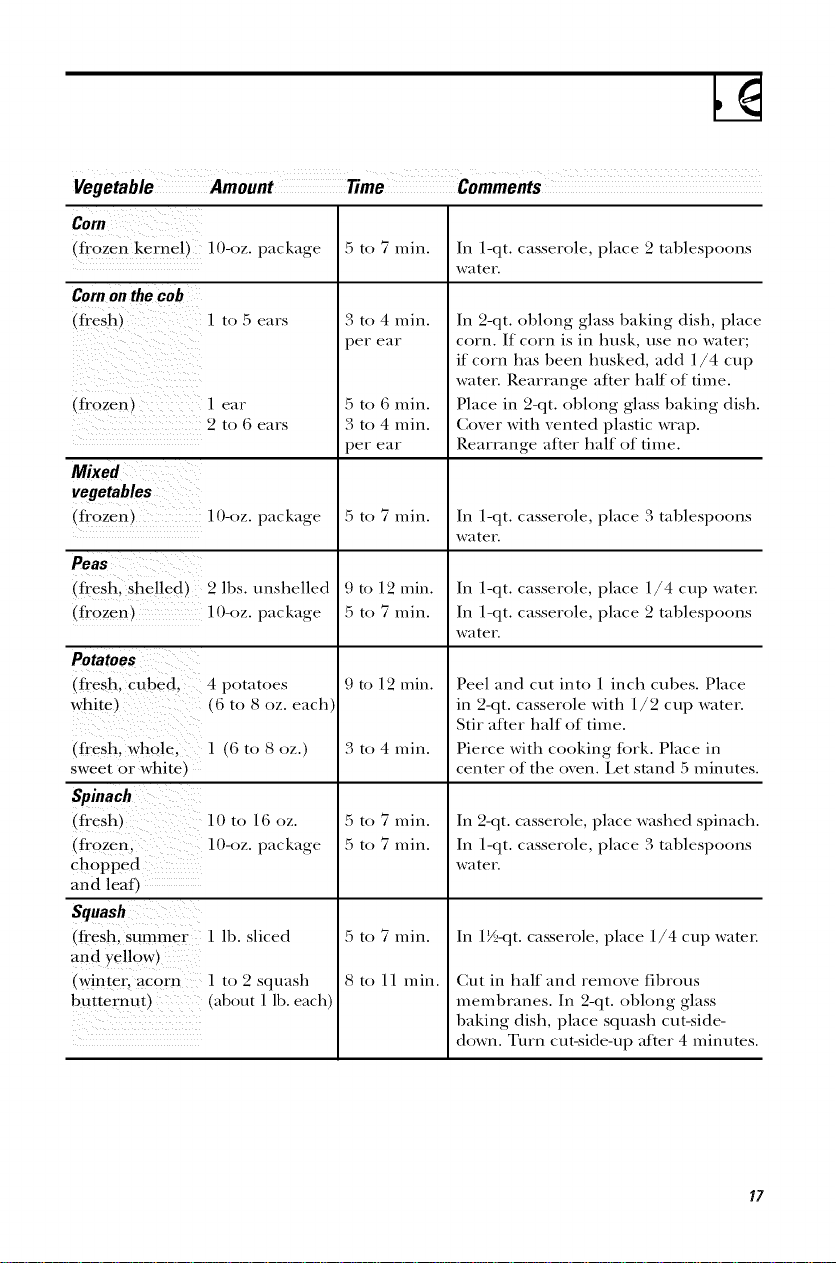
Vegetable Amount Time Comments
Corn
flozen kerneb lO-oz, package
Cornonthe cob
(flesh ] [0 F) ellFS
Iflozen_ l ear
2 to 6 ears
Mixed
vegetables
fl'ozen_
]O-oz. package
Peas
(flesh. shelled) 2 ]bs. unshelled
(flozen _ 1O-oz. package
Potatoes
(fl'esh, cubed. 4 potatoes
white _ (6 to 8 oz. each
(flesh. whole. ] (6 to 8 oz.)
sweet or white
Spinach
(flesh) 10 to 16 oz.
(fl'ozen. lO-oz, package
chopped
and leaf_
Squash
(flesh. summer 1 lb. sliced
and yellow)
(winter. acorn ] to 2 squash
butternutl _about l lb. each)
5 to 7 rain.
3 to 4 rain.
per ear
5 to 6 rain.
3 to 4 rain.
per ear
5 to 7 rain.
9 to 12 rain.
5 to 7 rain.
9 to 12 rain.
3 to 4 rain.
5 to 7 rain.
5 to 7 rain.
5 to 7 rain.
8 to 11 rain.
In 1-qt. casserole, place 2 tablespoons
water.
In 2-qt. obhmg glass baking dish, place
corn. If corn is in husk, use no water;
if corn has been lmsked, add 1/4 cup
water. Rearrange after half of time.
Place in 2-qt. obhmg glass baking dish.
Cover with vented plastic wrap.
Rearrange after half of time.
In 1-qt. casserole, place 3 tablespoons
water.
In 1-qt. casserole, place 1/4 cup waten
In 1-qt. casserole, place 2 tablespoons
water.
Peel and cut into 1 inch cubes. Place
in 2-qt. casserole with 1/2 cup water.
Stir after half of time.
Pierce with cooking tork. Place in
center of the oven. Let stand :5 minutes.
In 2-qt. casserole, place washed spinach.
In 1-qt. casserole, place 3 tablespoons
water.
In 1½-qt. casserole, place 1/4 cup watch
Cut in half and remove fibrous
membranes. In 2-qt. obhmg glass
baking dish, place squash cut-side-
down. Turn cut-side-up after 4 minutes.
17
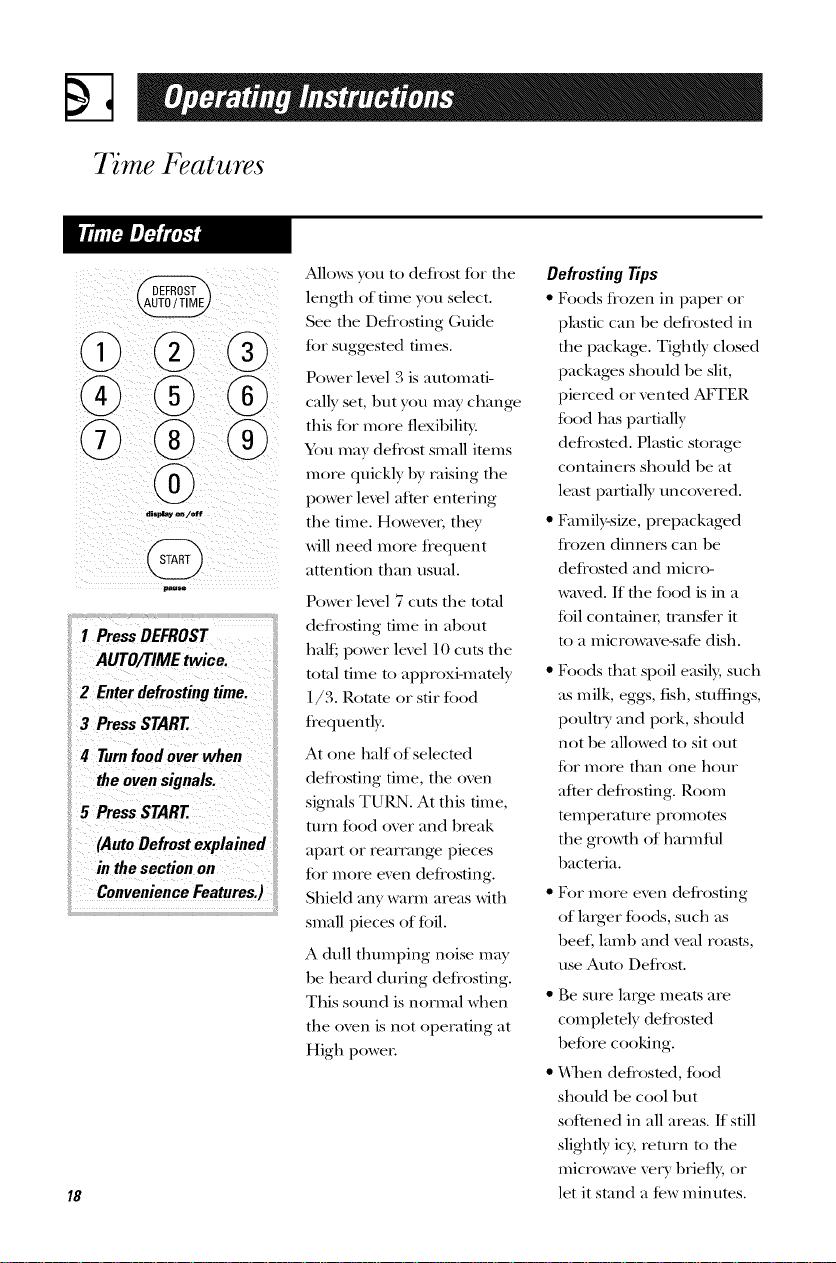
7 me Features
displayo_/off
18
Allo_:s you to detiost t()r the
length of time you select.
See the Deti'osting Guide
t[)r suggested times.
Power level 3 is automati-
call)' set, 1)ut you may change
this tor more flexil)ilitv.
You may deii'ost small items
more quickly by raising the
power level after enmring
the time. Howeven they
will need more ti'equent
attention than usual.
Power level 7 cuts the total
deJi'osting time in about
halt:, power level I0 cuts the
total time to approxi-mately
1/3. Rotam or stir todd
ti'eq uently.
At one half of selecmd
deliosting time, the oven
signals TURN. At this time,
turn todd over and break
apart or reammgv pieces
lot more even deli'osting.
Shield any warm areas with
small pieces of toil.
A dull thmnping noise may
be heard during defiosting.
This sound is normal when
the oven is not opel_ating at
High power:
Defrosting Tips
• Foods ti'ozen in paper or
plastic can be deJiosmd in
the package. Tightly closed
packages should be slit,
pierced or venmd AI_WER
todd has partially
deJiosmd. Plastic storage
containers should be at
least partially uncovered.
• Em/ily-size, prepackaged
ti'ozen dinners can be
deliosmd and micro-
waved. If the todd is in a
toil container; tmnsJer it
to a microwave-sale dish.
• Foods that spoil easily, such
as milk, eggs, fish, stuffings,
poultry and pork, should
not be allowed to sit out
t_)r more than one hour
after deli'osting. Roon/
tempel_atm'e promotes
the gro_h of harm fill
1)acteria.
• For more even deti'osting
of larger t[)ods, such as
beef, lamb and veal roasts,
use Auto Defi'ost.
• Be sure large meats are
corn plemly deliosmd
beiore cooking.
• h'hen defi'osted, t()od
should be cool 1)ut
softened in all areas. If still
slightly icy, return to the
microwave very l)riefly, or
let it stand a Jew minutes.
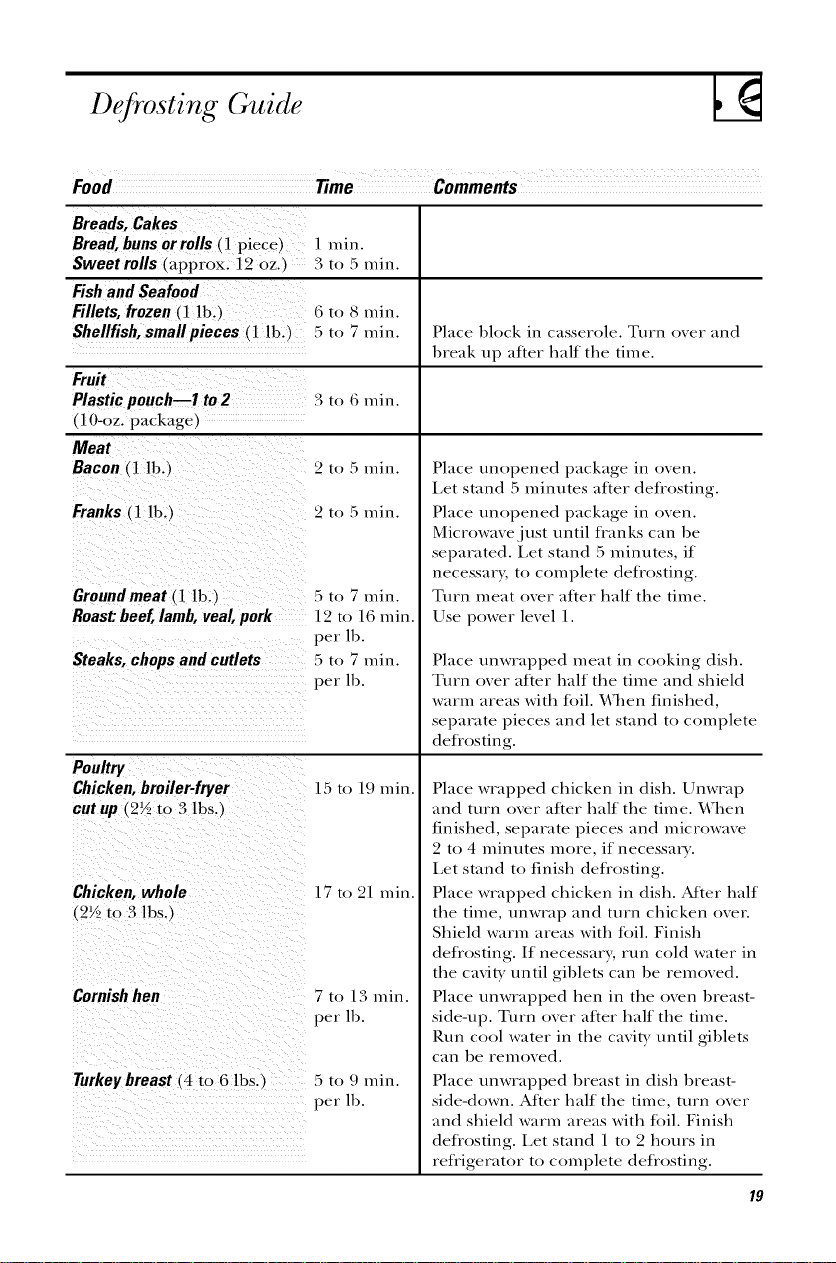
Defrosting Guide
Food Time Comments
Breads, Cakes
Bread,bunsor rolls (1 piece)
Sweet rolls (approx. 12 oz.
Fishand Seafood
Fillets, frozen(1 lb.)
Shellfish,smallpieces (1 lb. J
| nlhl.
3 to 5 min.
_ to 8 rain.
5 to 7 min. Place block in casserole. Turn over and
break up after half the time.
Fruit
Plastic pouch--1 to2 3 to 6 rain.
(1 ()-oz. package)
Meat
Bacon (1 lb.)
Franks (l lb.
Groundmeat (] lb.
Roast:beef,lamb,veal,pork
Steaks, chops and cutlets
Poultry
Chicken, broiler-fryer
cut up 12½ to 3 lbs, )
Chicken, whole
(2½ to 3 lbs.
Cornishhen
Turkey breast _4 to 6 lbs.
2 to 5 min.
2 to 5 min.
5 to 7 min.
12 to 16 min.
per lb.
5 to 7 min.
per lb.
15 to 19 rain.
17 to 21 rain.
7 to 13 rain.
per lb.
5 to _! min.
per lb.
Place unopened package in oven.
Let stand 5 minutes after defrosting.
Place unopened package in oven.
Microwave just until fianks can be
separated. Let stand 5 minutes, if
necessary; to complete detiosting.
Turn meat over after half the time.
Use power level 1.
Place unwrapped meat in cooking dish.
Turn over after half the time and shield
warm areas with toil. When finished,
separate pieces and let stand to complete
detiosting.
Place wrapped chicken in dish. Unwrap
and turn over after half the time. ¥\_hen
finished, separate pieces and microwave
2 to 4 minutes more, if necessary.
Let stand to finish detiosting.
Place wrapped chicken in dish. After half
the time, unwrap and turn chicken ()vet.
Shield warm areas with toil. Finish
deliosting. If necessary, run cold water in
the cavity until giblets can be removed.
Place unwrapped hen in the oven breast-
side-up. Turn over after half the time.
P,un cool water in the cavity until giblets
can be removed.
Place unwrapped breast in dish breast-
side-down. After half the time, turn over
and shield warm areas with toil. Finish
detiosting. Let stand 1 to 2 hours in
retiigerator to complete detiosting.
19
7 me Features
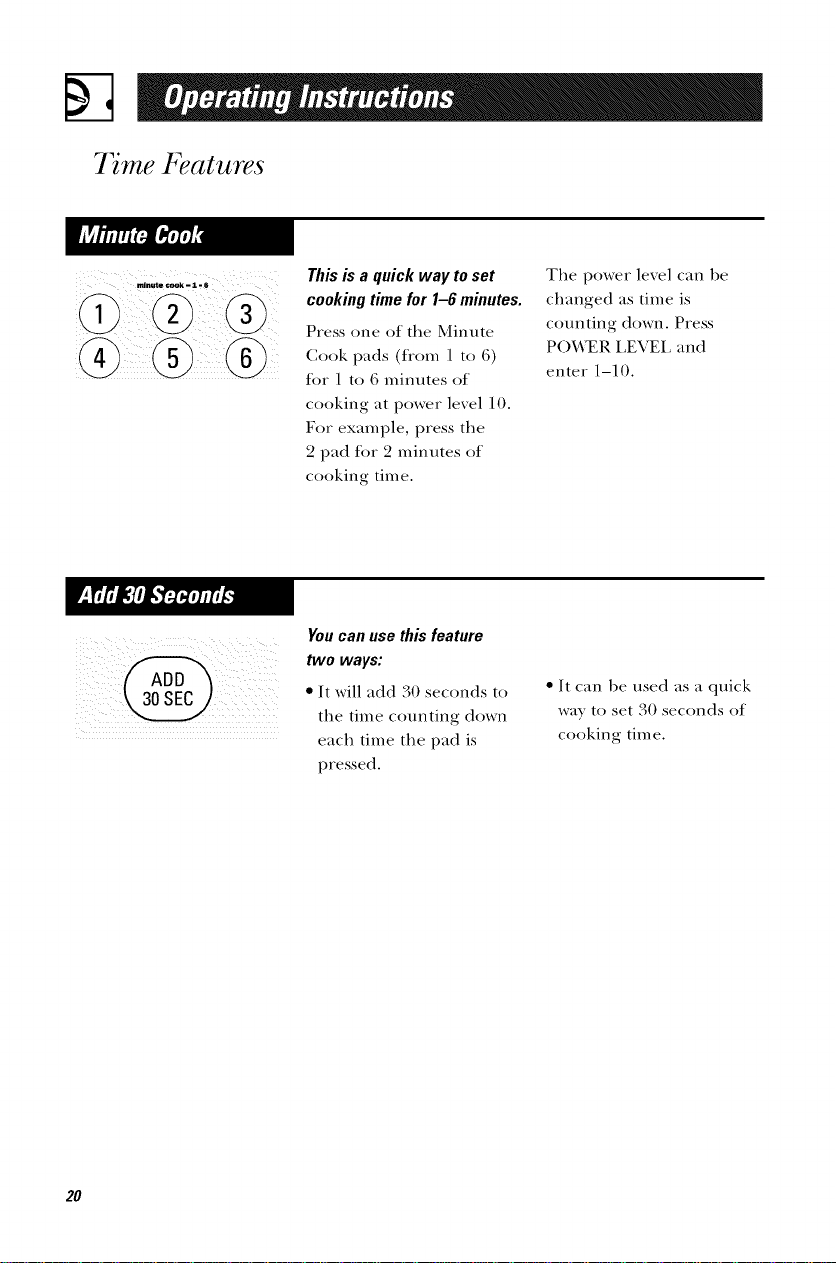
This is a quick way to set
cooking time for 1-6 minutes.
Press one of the Minute
Cook pads (from 1 to 6)
lot 1 to 6 minutes of
cooking at power level 10.
For example, press the
2 pad lot 2 minutes of
cooking time.
The power level can be
changed as time is
counting down. Press
POWER LEVEL and
enter 1-10.
You can use this feature
two ways:
• It will add 30 seconds to
the time counting down
each time the pad is
pressed.
• It can be used as a quick
wa) to set 30 seconds of
cooking time.
20
Convenience Features
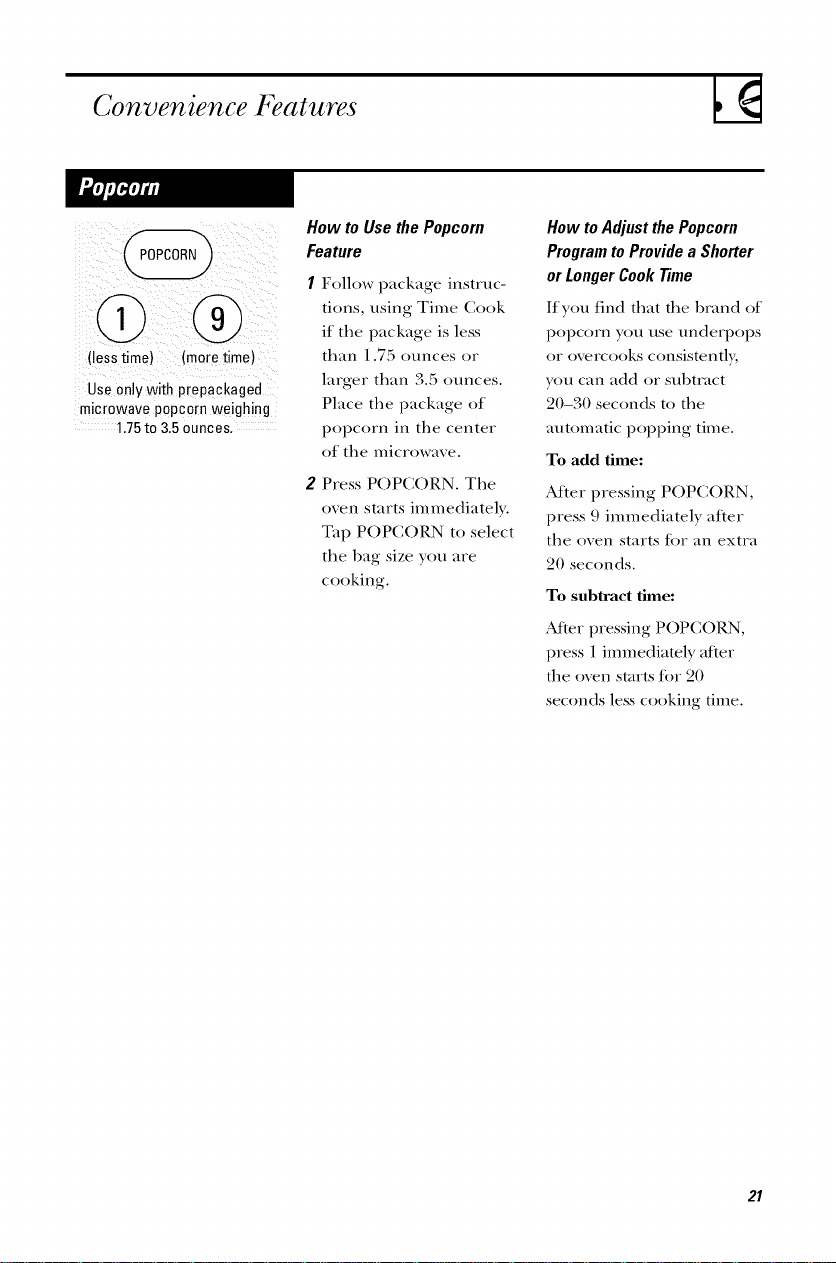
(lesstime) (moretime)
Use only with prepackaged
microwave popcorn weighing
1.75to 3.5ounces,
How to Use the Popcorn
Feature
Follow package instruc-
tions, using Time Cook
if the package is less
than 1.75 ounces or
larger than 3.5 ounces.
Place the package of
popcorn in the center
of the microwave.
2 Press POPCORN. The
oven starts immediately.
Tap POPCORN to select
the l)ag size yon are
cooking.
How to Adjust the Popcorn
Program to Provide a Shorter
or Longer Cook Time
If yon tind that the l)land of
popcorn yon use underpops
or ovcrcooks consistently,
yon can add or sul)tlact
20-30 seconds to the
automatic popping time.
To add time:
Alter pressing POPCORN,
press 9 immediately alter
the oven starts lot an extra
20 seconds.
To subtract time:
,Mter pressing POPCOI{N,
press 1 immediately alter
the o_vn starts fi)r 20
seconds less cooking time.
2I
Convenience Features
@
pause
The Reheat feature reheats
servin_s of m_my previously
cooked toods.
I Press REHEAT
2 Select fi._od Wpe 1-6 tbr
one serving (see Reheat
Guide below). The oxen
st;trts immediately.
3 Press 2 or 3 to change the
serving size.
NOTE."The serving size may
be changed or added after
the oven starts. Press
number pad 2 or 3.
The serving size for food
type 6 cannot be changed.
ReheatGuide
I Pasta Coxer with lid or xented plastic wrap.
2 Meats, casseroles, pizza Coxer with lid or xented plastic wrap.
3 Fruits and vegetables Co_er with lid or _ented plastic wrap.
4 Beverages, 8-10 oz. _)rks best with wide mouth mug--do not co, er.
5 Sauces and gravies Co, er with lid or ,ented plastic wrap.
6P/ateof/eftovers Co, er with ,ented plastic wrap.
(2 to3 foods, 4 oz. each)
22
The Beverage tcature heats
4 ounce, 8 ounce or 12
ounce serxings of an}
1)ex el_age.
Press BEVERAGE. The
oven starts immediatel>
The serving size is
automatically set at
4 ounces, 1)ut can be
changed lxy tapping
BEVEI_GE to select
8 or 12 ounces.
Drinks heated with the
Beverage feature may be
very hot. Remove the
container with care.
23
Convenience Features
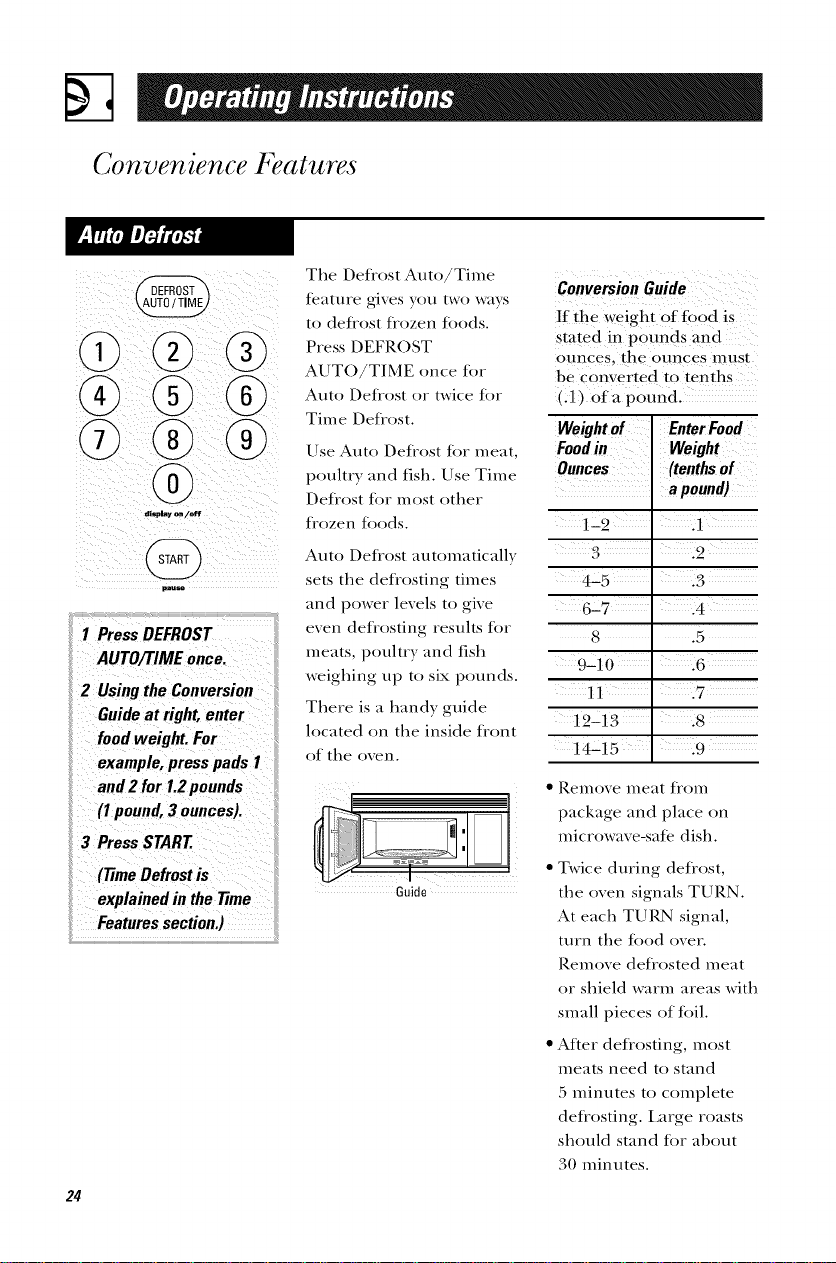
The Defl'ost Auto/Time
teature gives you two ways
to defrost trozen foods.
Press DEFROST
AUT()/T/ME once tot
Auto Defl'ost twice tot
or
Time Defl'ost.
®
1 PressDEFROST
AUTO/TIMEonce.
2 Usingthe Conversion
Guideat right, enter
foodweight.For
example,presspads 1
Use Auto Defrost tot meat,
poultry and fish. Use Time
Defrost lot most other
fl'ozen toods.
Auto Defrost automatically
sets the defrosting times
and power levels to give
even deflosting results tor
meats, poultry and fish
weighing up to six pounds.
There is a handy guide
located on the inside tiont
of the oven.
and2 for 1.2pounds
(I pound,3 ounces).
3 PressSTART
(77meDefrost is
i! explained in the 77me
Features section.)
Guide
Conversion Guide
If th e weight Of food is
Stated in pounds an d
ounces, the ounces must
be converted to tenths
(A) of a p0und.
Weight of Enter Food
Foodin Weight
Ounces (tenths of
a pound)
122 .1
4"5 .3
6"7
8 .5
9-10
11 17
12-13 .8
14215 19 ....
• Remoxe meat fi'om
package and place on
microwax e-sate dish.
• Twice during defrost,
the oven signals TURN.
At each TUI_N signal,
turn the tood over.
Remove deflosted meat
or shield warm areas with
small pieces of toil.
• After deflosting, most
meats need to stand
:5 minutes to complete
deflosting. Large roasts
should stand for al)out
30 minutes.
Other Features Your Model May Have
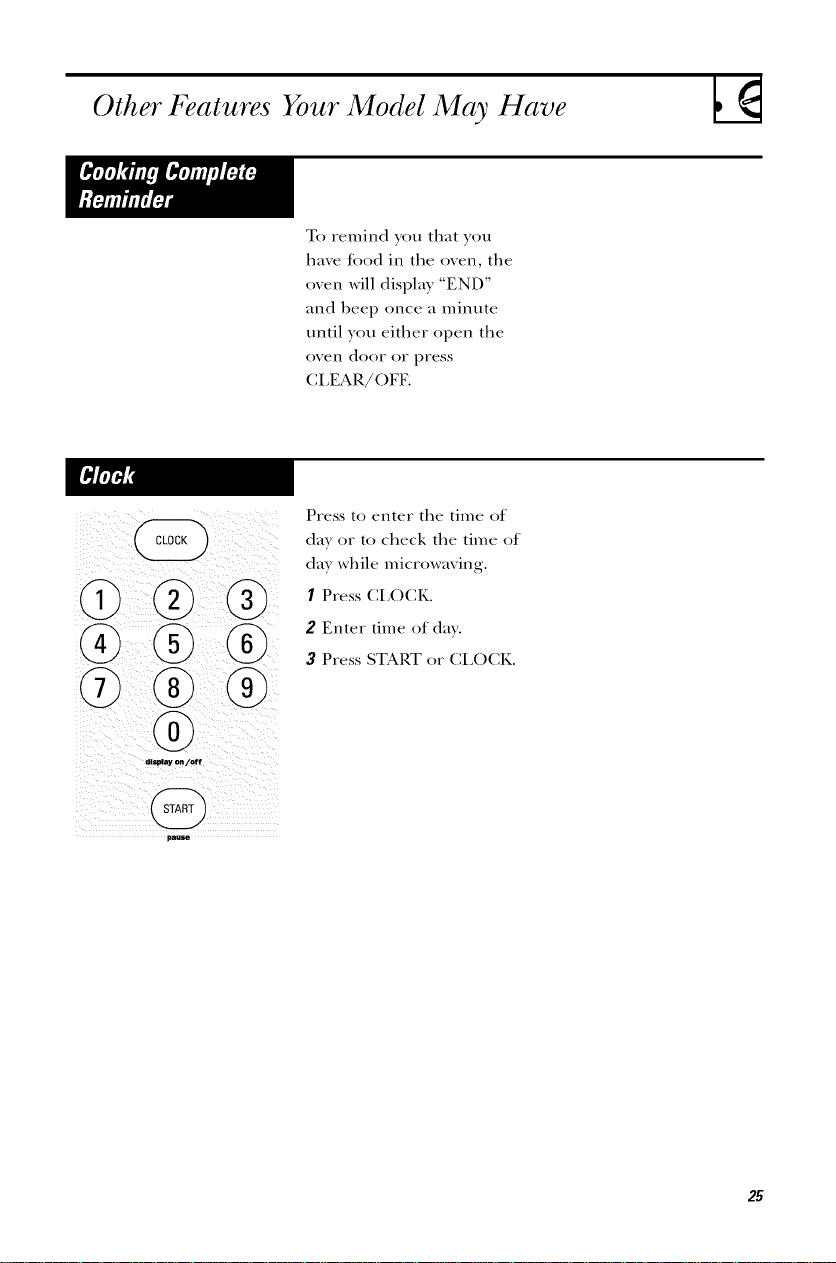
To remind you that you
have food in the oven, the
oven will display "END"
and beep once a minute
until you either ()pen the
()veil door or press
CLEAR/OFF.
@@@
9'
@@
@
Press to enter the time of
day or to check the time of
day while microwaving.
I Press CLOCK.
2 Enter time of day.
3 Press START or CLOCK.
25
Other Features Your Model May Have
display on/off
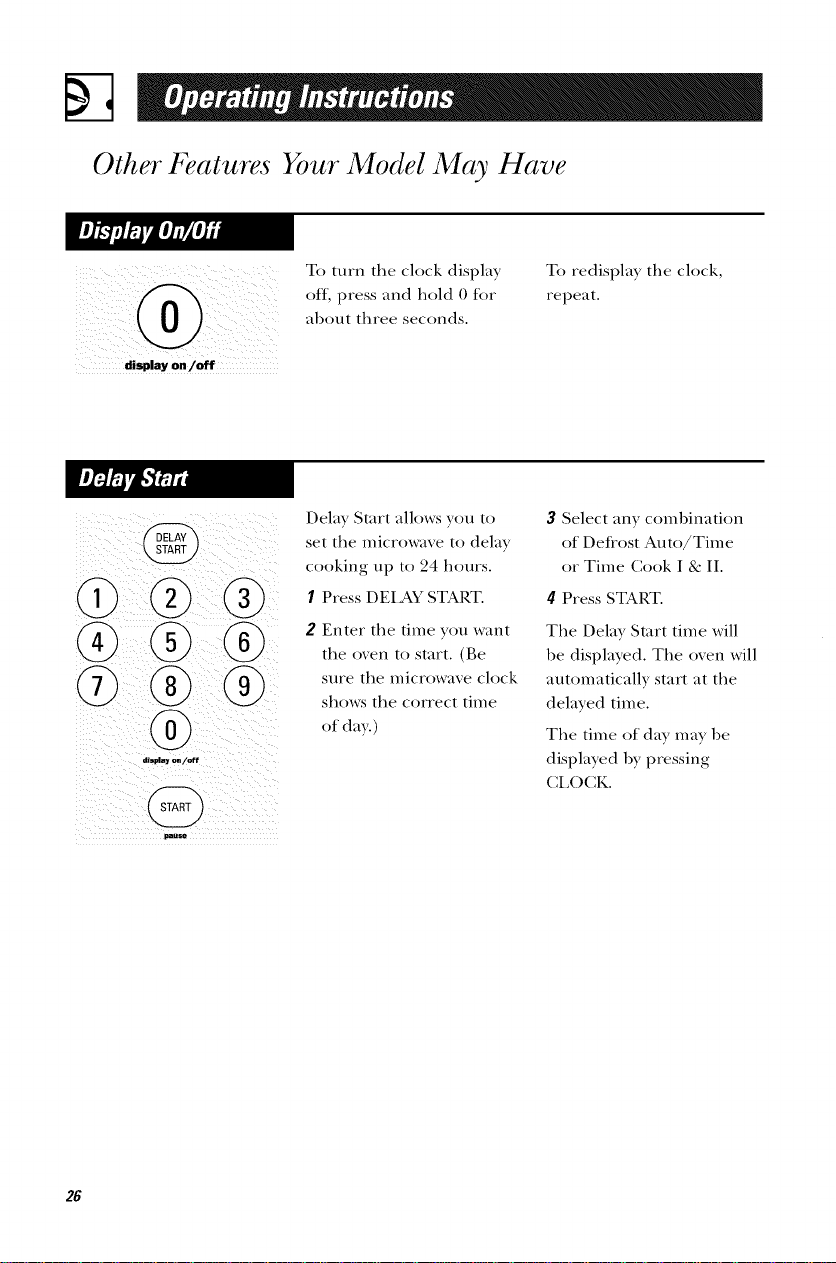
To turn the clock displa?
off, press and hold 0 for
about three seconds.
To redispla? the clock,
repeat.
display on/off
Delay Start allows you to
set the microwave to delay
cooking up to 24 hours.
I Press DEIAY START.
2 Enter the time you want
the oxen to start. (Be
sure the microwaxe clock
shows the correct time
of da_.)
3 Select an? combination
of Defrost Auto/Time
or Time Cook I & II.
4 Press START.
The Delay Start time will
be displayed. The oven will
automatically start at the
delayed time.
The time of day may be
displayed by pressing
CLOCK.
26
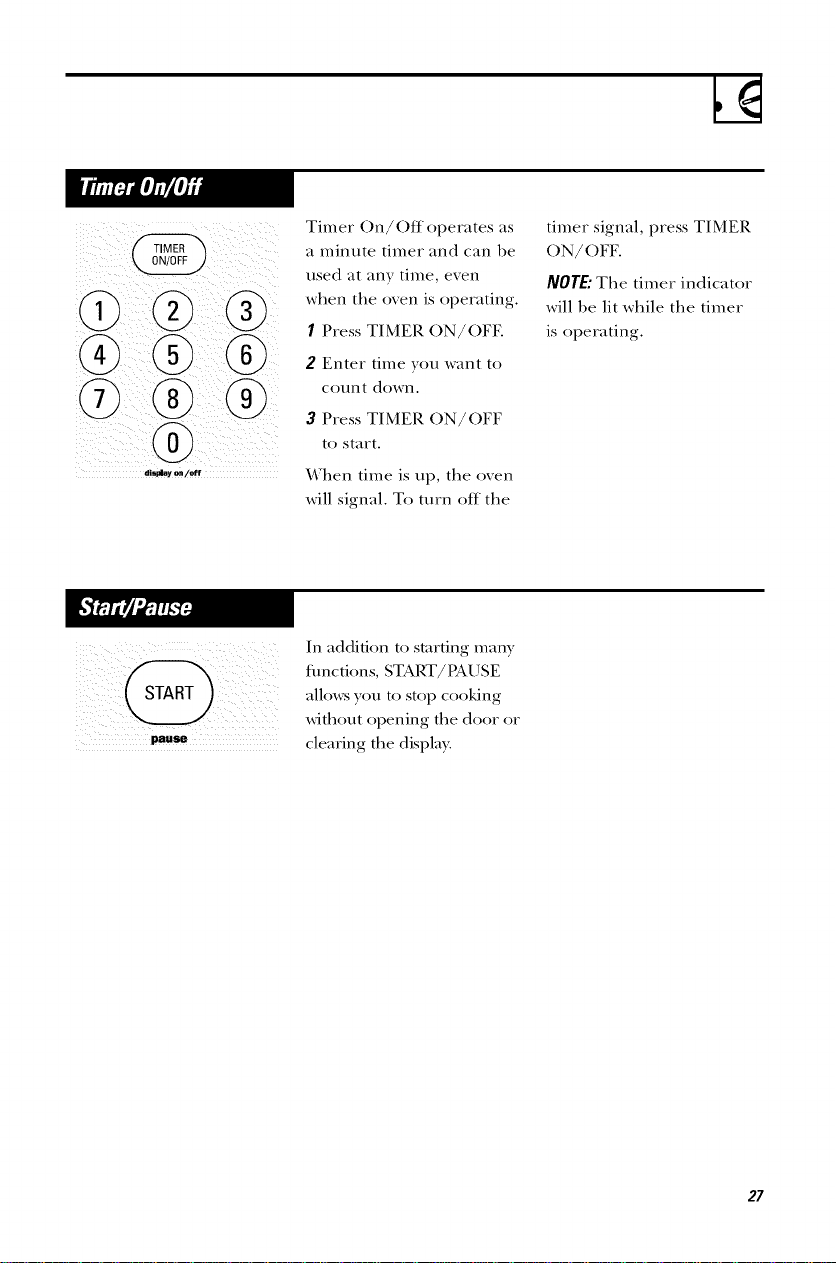
Timer On/Off operates as
a minute timer and can be
used at any time, even
when the oven is operating.
I Press TIMER ON/OFF.
2 Enter time you want to
COtlnt down.
3 Press TIMER ON/OFF
to start.
%A7l-lentime is up, the oxen
will signal. To turn off the
timer signal, press TIMER
ON/OFE
NOTE" The timer indicator
will be lit while the timer
is operating.
pause
In addition to starting many
thnctions, START/PAUSE
allox_:s _ou to stop cooking
without opening the door or
clearing the display.
27
Other Features Your Model May Have
i i
You ma) lock the control
panel to prexent the
microwave from being
accidentall) started or used
Ix) children.
To lock or unlock the
controls, press and hold
CLEAR/OFF Jor about
three seconds. ¼Then the
control panel is locked,
"LOC" will be displayed
to the extreme right.
An automatic tim teature
protects the microwave
fl'om too much heat rising
fl'om the cooktop below it.
It automatically turns on if
it senses too much heat.
If you have turned the tim
on you may find that you
cannot turn it off. The Jan
will automatically turn off
when the internal parts
are cool. It may stay on
tor 30 minutes or more
after the cooktop and
microw_itve controls are
turned off.
28
hi - Io - off
Press to turn the surface
light on or off.
On some models, there is
a nigh t light option.
Press SURFACE LIGHT
once tor hi light, twice
tor the lo light or three
times to turn the light off.
hi - Io - off
The xent fan remoxes
steam and other xapors
tiom surface cooking.
Press VENT FAN once for
high tim speed, twice for
low Lm speed or a third
time to turn the Jan off.
29
Microwave 7_rms
Term Definition
Arcing
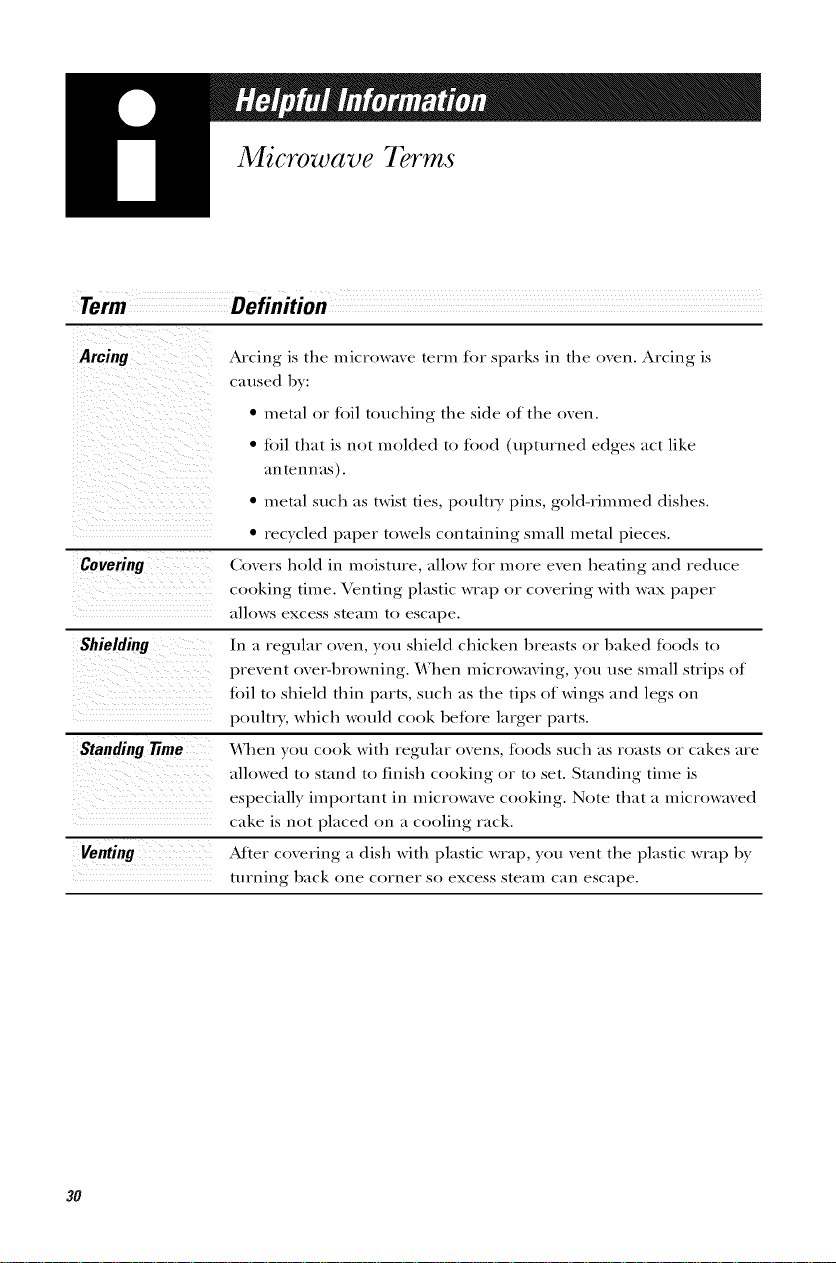
Arcing is the microwme term for sparks in the oxen. Arcing is
caused b}:
_i i___iiii_i_iii_!_ii_ii_!I_i__il_
• metal or foil touching the side of the oven.
• tbil that is not molded to tood (upturned edges act like
_IIXtelxlXilS).
• metal such as twist ties, poultry pins, gold-rimmed dishes.
• recycled paper towels containing small metal pieces.
Coxers hold in moisture, allow for more exen heating and reduce
cooking time. Venting plastic wrap or coxering with wax paper
allows excess ste_lix/ to escape.
In a regular o_en, }ou shield chicken breasts or baked toods to
prexent oxet_lxrowning. _rhen microwming, }ou use small strips of
toil to shield thin parts, such as the tips of wings and legs on
poultry, which would cook before larger parts.
_'hen you cook with regular oxens, foods such as roasts or cakes are
allowed to stand to finish cooking or to set. Standing time is
especially important in microwaxe cooking. Note that a microwmed
cake is not placed on a cooling rack.
Venting ............ After coxering a dish with plastic wrap, )ou xent the plastic wrap Ix)
turning back one COrlXer SO excess ste_llX/ C_IIX escape.
3O
Care and Cleaning
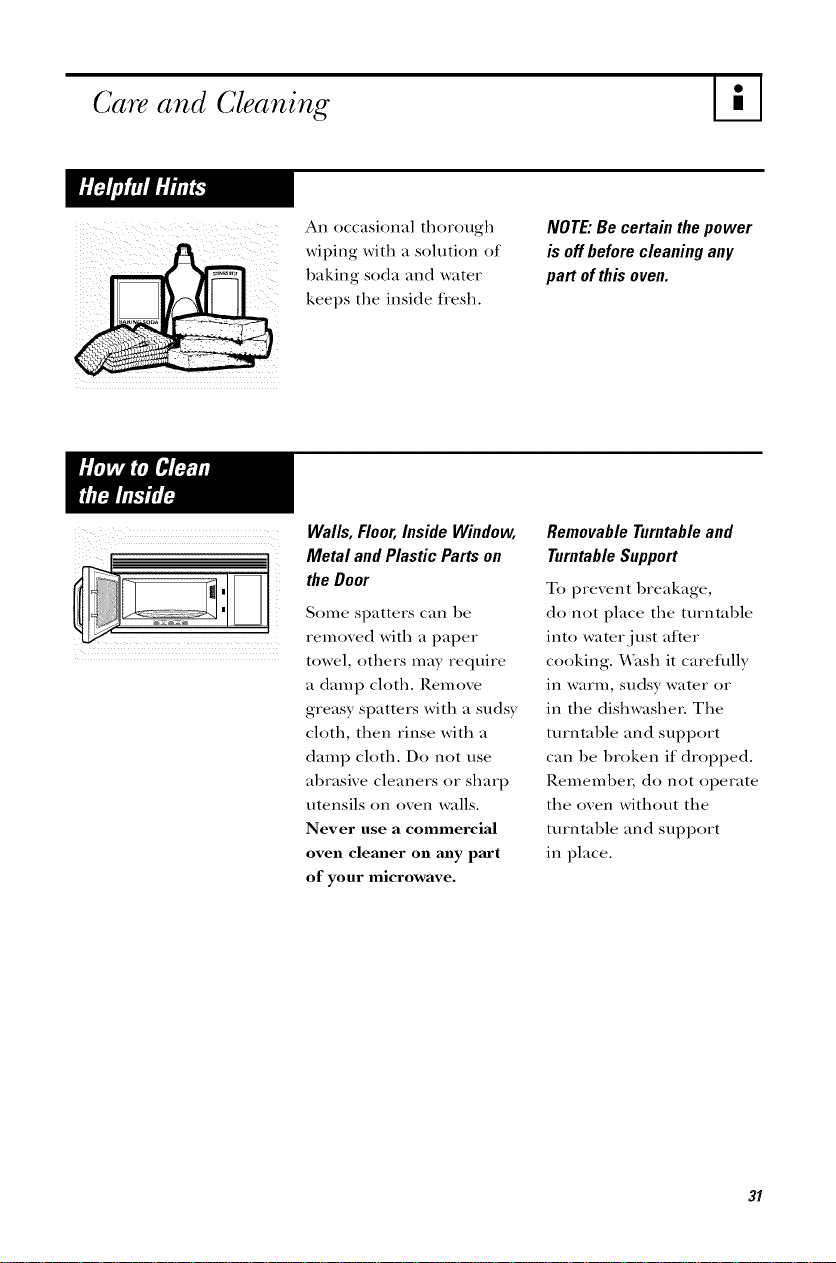
An occasional thorough
wiping with a solution of
baking soda and water
keeps the inside tiesh.
NOTE: Be certain the power
is off before cleaning any
part of this oven.
Walls, Floor, lnside Window,
_[ Meta/ and P/astic Parts on
the Door
Some spatters can be
- remoxed with a paper
: towel, ()tilers may require
a damp cloth. Remove
greasy spatters with a sudsy
cloth, then rinse with a
damp cloth. Do not use
abrasive cleaners or sharp
utensils on oven walls.
Never use a commercial
oven cleaner on any part
of your microwave.
RemovableTurntableand
TurntableSupport
To prevent breakage,
do not place the turntable
into water just after
cooking. X_\ash it cavefillly
in warm, sudsy water or
in the dishwashen The
turntable and support
can be broken if dropped.
P,emembeI, do not operate
the oven without the
turntable and support
in place.
31
%
Care and Cleaning
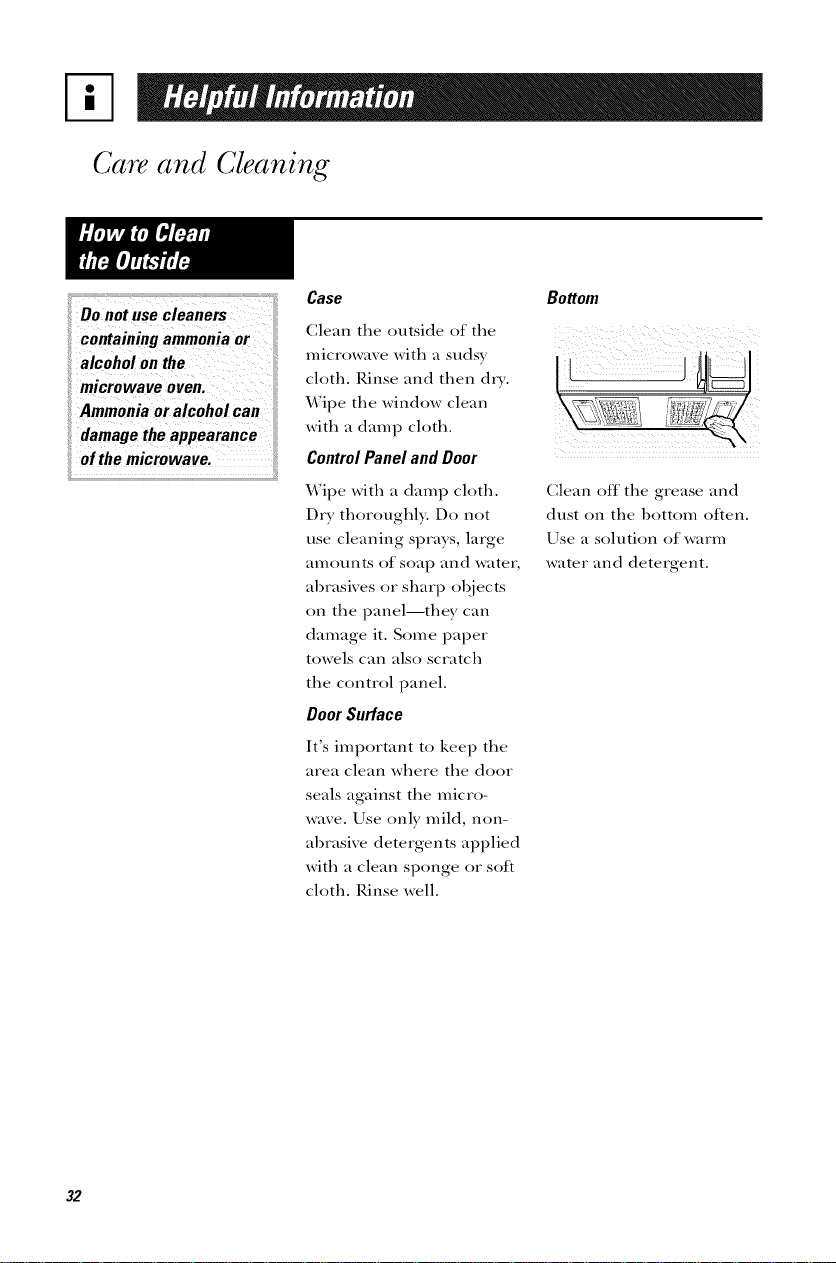
microwave oven.
Ammonia or alcohol Can
damagetheappearance
fief the microwavel
Case Bottom
Clean the outside of the
microwave with a sudsy
cloth. Rinse and then dry.
Wipe the window clean
with a damp cloth.
Control Panel and Door
Wipe with a damp cloth.
Dry thoroughly. Do not
use cleaning sprays, large
amounts of soap and water,
abrasives or sharp objects
on the panel--they can
damage it. Some paper
towels can also scratch
the control panel.
Door Surface
It's important to kee I) the
area clean where the door
seals against the micro-
wave. Use only mild, non-
abrasive detergents applied
with a clean sponge or soft
cloth. Rinse well.
Clean off the grease and
dust on the bottom ()Den.
Use a solution of warm
water and detergent.
32
Light Bulb Replacement
supplier.
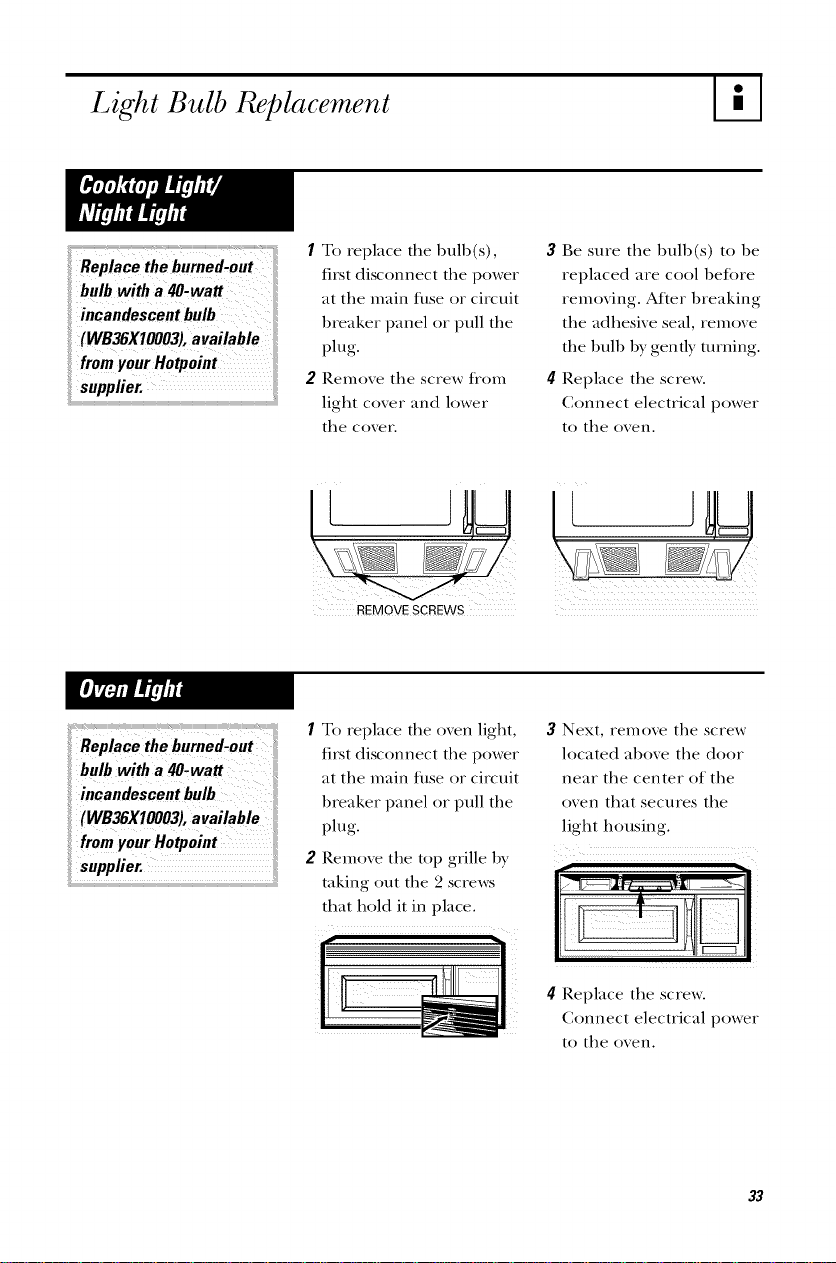
1 To replace the bulb(s),
first disconnect the power
at the main fllse or circuit
breaker panel or pull the
plug.
2 Remove the screw flom
light cover and lower
the cover.
3 Be sure the bulb(s) to be
replaced are cool 1)eft)re
removing. After breaking
the adhesive seal, remove
the bull) by gently turning.
4[ Replace the screw.
Connect electrical power
to the oven.
!!i)i !! iiiii_:i_;;_i_i!il)
REMOVE SCREWS
1 To replace the oven light,
first disconnect the power
at the main fllse or circuit
breaker panel or pull the
plug.
2 Remove the top grille by
taking out the 2 screws
that hold it in place.
3 Next, remove the screw
located al)ove the door
near the center of the
oven that secures the
light housing.
I!U
4 Replace the screw.
Connect electrical power
to the oven.
O2
7"he Exhaust Feature
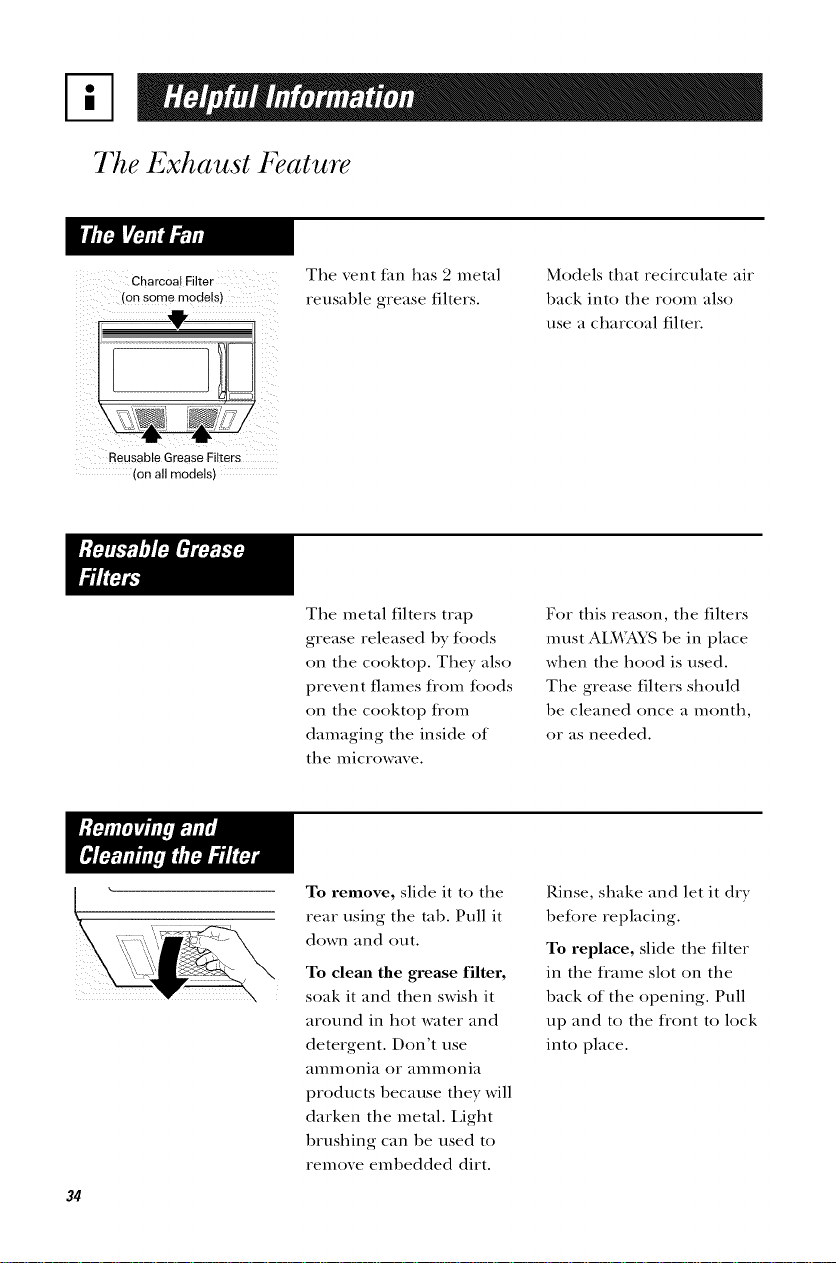
Charcoal Filter
con some models)
The _ent {an has 2 metal
reusable grease filters.
Models that recirculate air
back into the room also
use a charcoal filter.
Reusable Grease Filters
con all modelsl
The metal filters trap
grease released by toods
on the cooktop. They also
prevent flames flom toods
on the cooktop tiom
damaging the inside of
the microwave.
For this reason, the filters
must AIMA_LS be in place
when the hood is used.
The grease filters should
be cleaned once a month,
or as needed.
34
To remove, slide it to the
rear using the tab. Pull it
down and out.
To clean the grease filter,
soak it and then swish it
around in hot water and
detergent. Don't use
amn/ollia or amn/ollia
products because they will
darken the metal. Light
brushing can be used to
remove embedded dirt.
Rinse, shake and let it dry
betore replacing.
To replace, slide the filter
in the flame slot on the
back of the opening. Pull
up and to the flont to lock
into place.
c arCOa
cannot be cleaned. It
must be replaced. Order
Part No. WB2X9SS3 from
i! your Hotpoint supplier.
If the model is not vented
to the outside, the air will
be recirculated through a
disI)osal)le charcoal filter
that helps remove smoke
and odors.
The charcoal filter
should be replaced when
it is noticeably dirty or
discolored (usually after
(3to 12 months, depending
on hood usage).
i
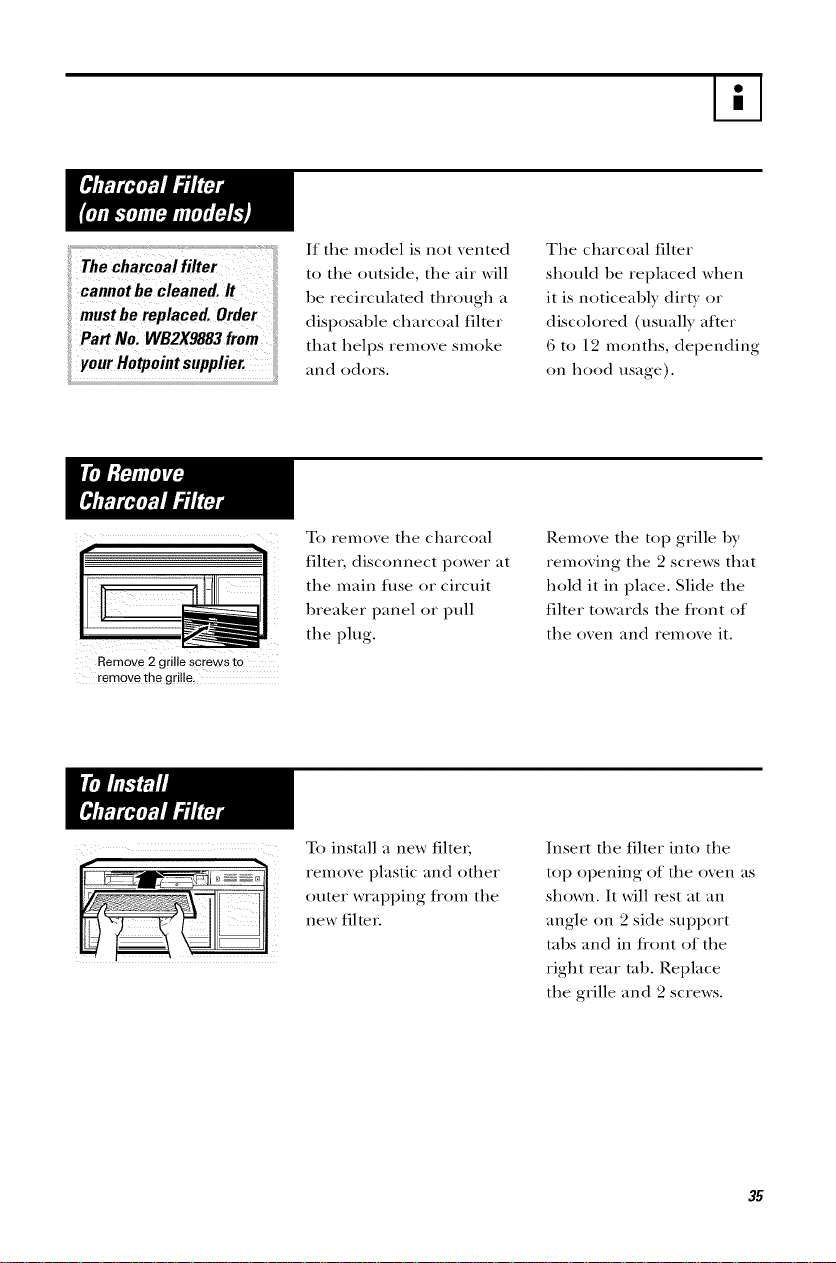
Remove 2 grille screws to
remove the grille,
To remove the charcoal
fiher, disconnect power at
the main filse or circuit
l)reaker panel or pull
the plug.
Remove the top grille by
removing the 2 screws that
hold it in place. Slide the
filter towards the tiont of
the oven and remove it.
To install a new filter;
remove plastic and other
outer wrapi)ing from the
new filter.
Insert the filter into the
top opening of the oven as
shown. It will rest at an
angle on 2 side supI)ort
tal)s and in fi'ont of the
right rear tal). Rei)lace
the grille and 2 screws.
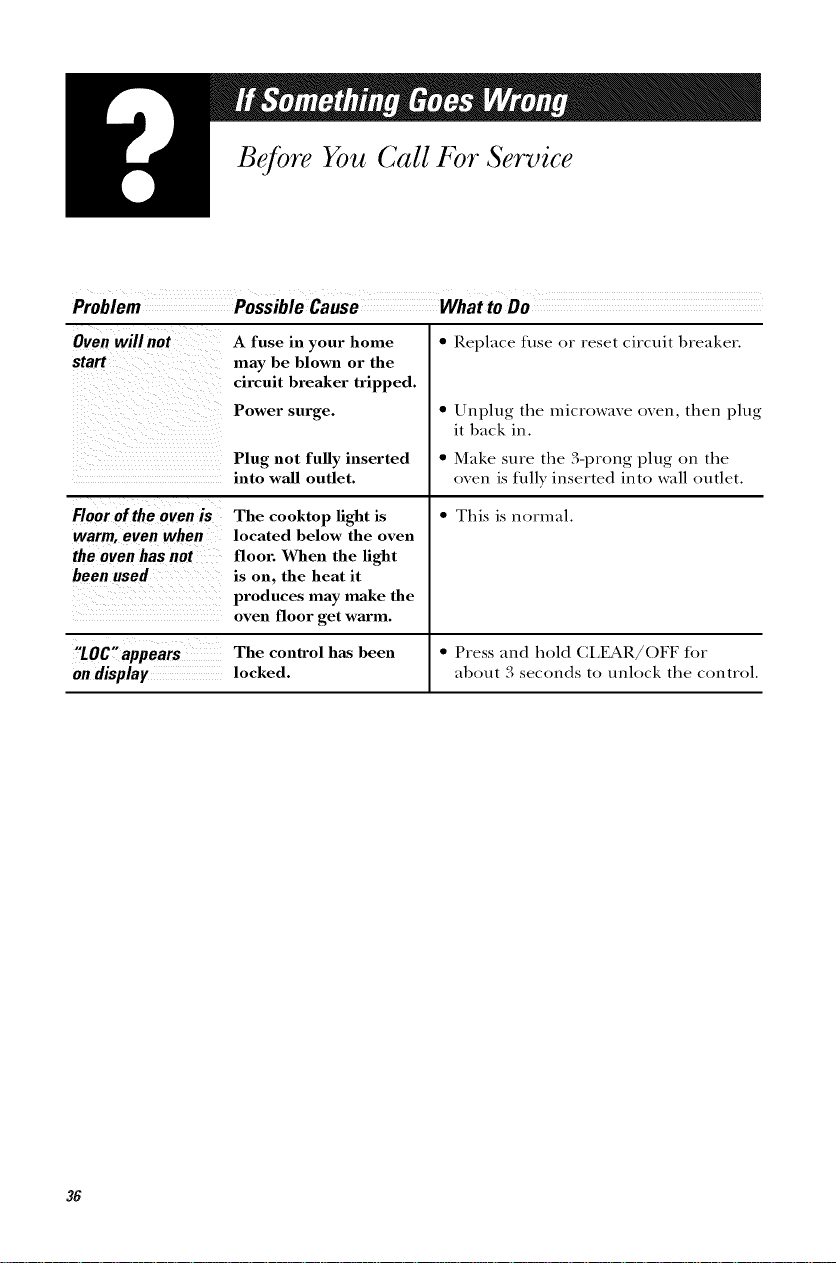
Before You Call For Service
Problem
Ovenwill not
start
A fuse in your home
may be blown or the
circuit breaker tripped.
Power surge.
Plug not fully inserted
into wall outlet.
Floor of the oven is
warm, even when
the oven has not
been used
The cooktop light is
located below the oven
floor. When the light
is on. the heat it
produces may make the
oven floor get warm.
• Replace fllse or reset circuit breaker.
• Unplug the microwave oven, then plug
it back in.
• Make sure the 3-prong plug on the
oven is filly inserted into wall outlet.
• This is normal.
"LOC"appears The control has been • Press and hold CLEAR/()FF tor
on display locked, about 3 seconds to unlock the control.
36
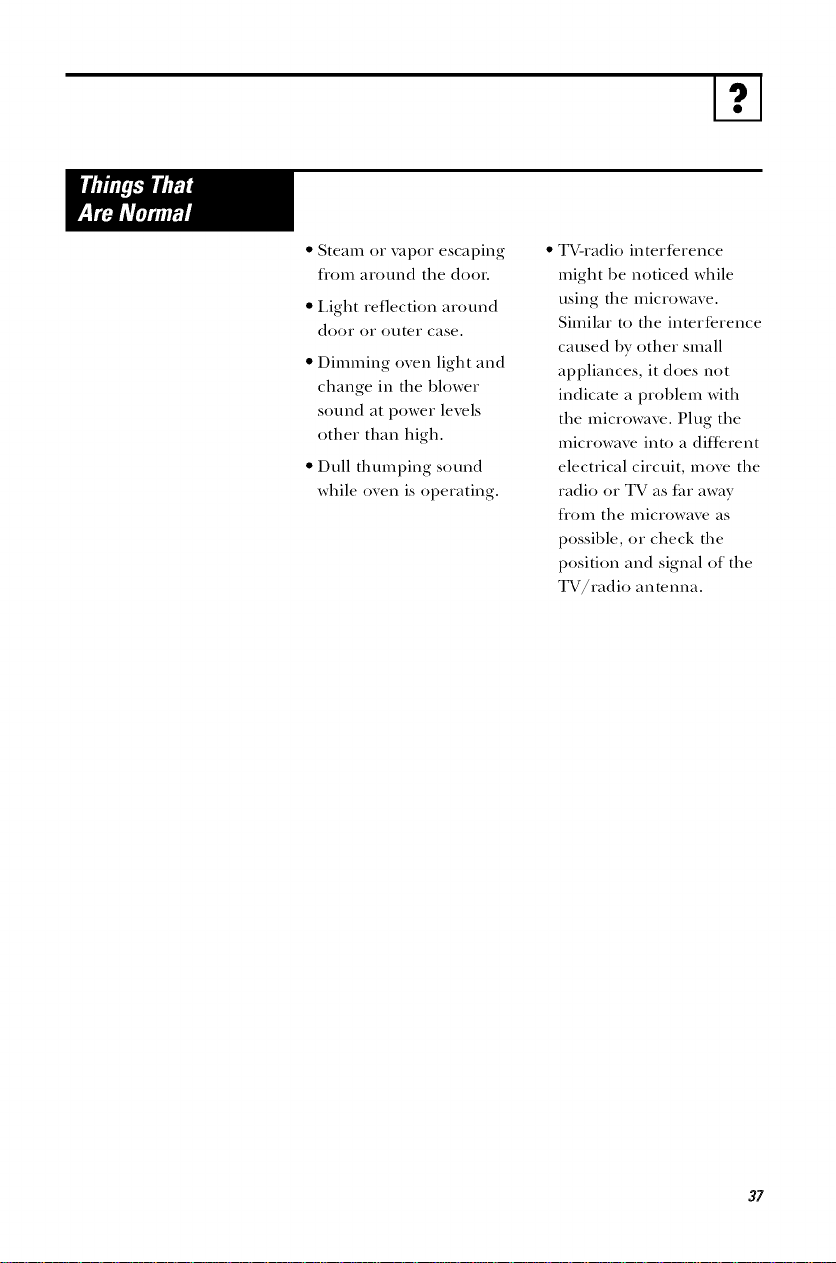
• Steam or vapor escaping
flom around the door.
• Light reflection around
door or outeI" case.
• Dimming oven light and
change in the hlower
sound at power levels
other than high.
• Dull thumping sound
while oven is operating.
TV-radio intertbrence
might he noticed while
using the microwave.
Similar to the interterence
caused hy other small
appliances, it does not
indicate a prohlem with
the microwave. Plug the
microwave into a dittbrent
electrical circuit, mo\'e the
radio or TV as t_u"away
fl'om the microwave as
possihle, or check the
position and signal of the
TV/radio antenna.
37
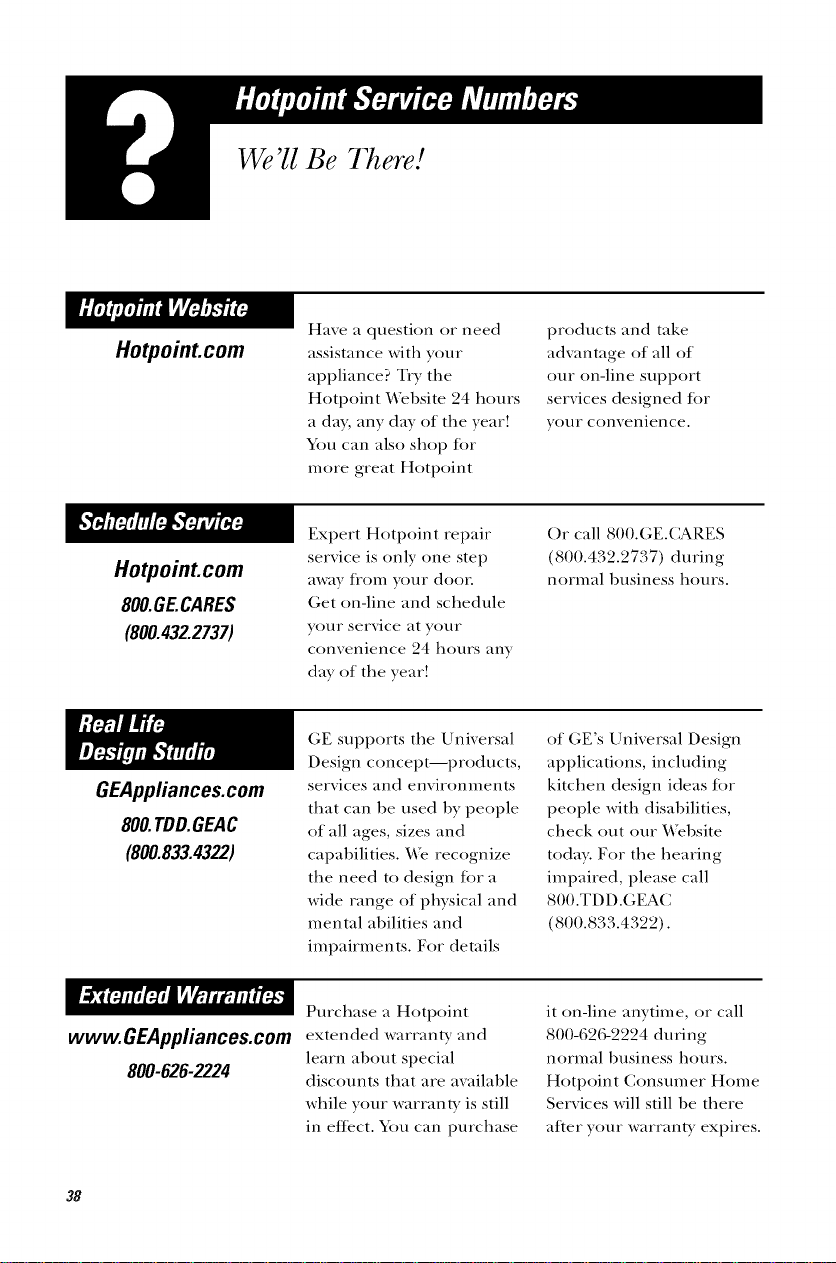
We'll Be There!
HotpoinLcom
Have a quesOon or need
assistance witlt your
appliance? Try tlte
Hotpoint ¥\_bsite 24 hours
a da}, any day of tlte year!
Y)tt can also sltop lot
more great Hotpoint
products and take
adwmtage of all of
our on-line support
services designed Jot
)'()Ill" conveniel/re,
Hotpoint.com
8OO.GE.CARES
(800.432.27371
Expert Hotpoint repair
service is only one step
away ff()m your doon
Get on-line and schedule
your service at your
convenience 24 ltours any
day of tlte year!
()r call 800.GE.(_RES
(800.4,72.2 t,:7/) during
normal l/usiness ltours.
GEAppfiances.com
800.TDD.GEAC
(800.833.4322)
GE supports tlte Universal
Design concept--products,
services and enviromnents
tltat can lie used by people
of all ages, sizes and
capabilities. ¼_ recognize
tire need to design tor a
wide range of pltysical and
mental abilioes and
impairnmnts. For derails
of GE's Universal Design
applications, including
kitclten design ideas lot
people witlt disabilioes,
clteck out our ¼_l/site
toda): For tlte ltearing
impaired, please call
800.TDD.GEAC
800.833.4322).
Purcltase a Hotpoint
www.GEAppliances.comextended warranW and
learn alIout special
800-626-2224 discounts tltat are awdlable
while your warranty is soil
in effect. You can purcltase
it on-line anytime, or call
800-626-2224 during
mwmal business hours.
Hotpoint Consmner H()me
Services will still lie tltere
after your warranW expires.
38
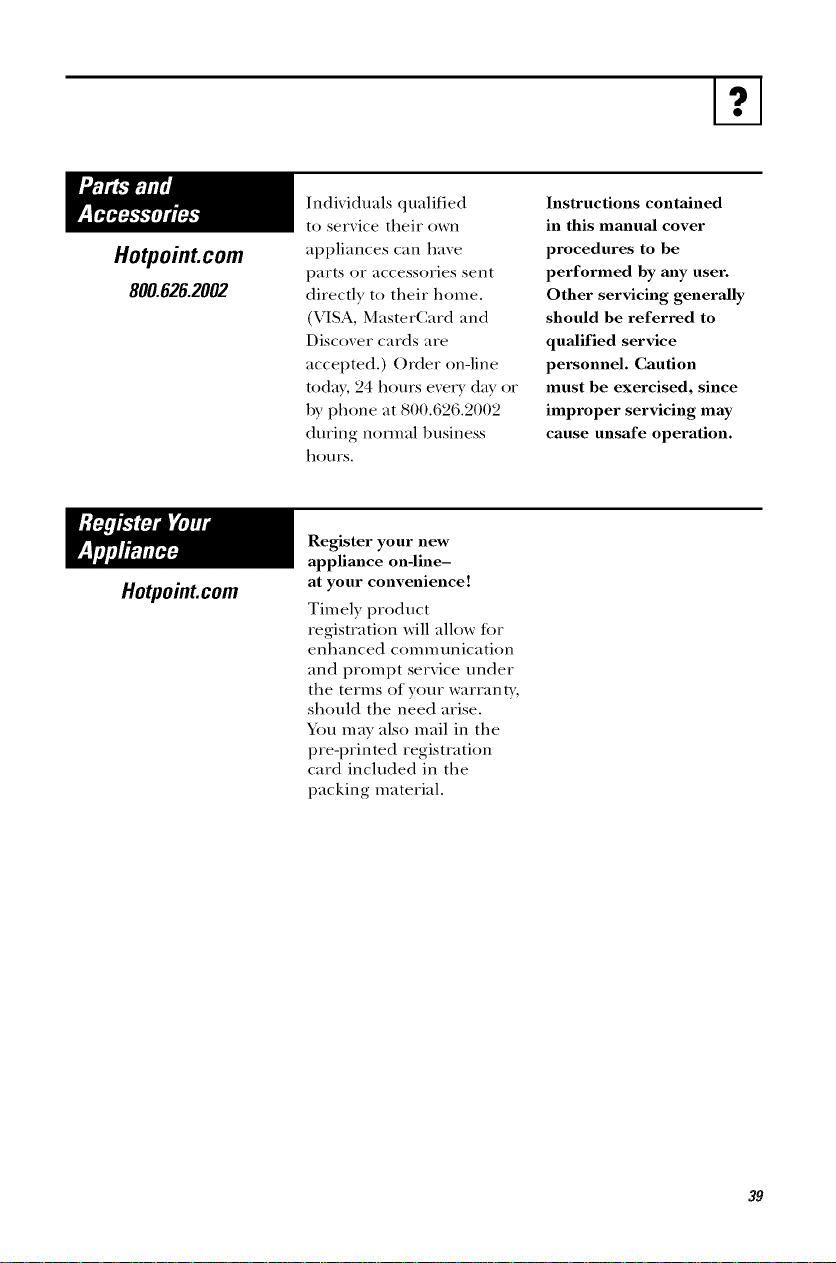
Hotpoint.com
800.626.2002
Hotpoint.com
Individuals qualified
to service their own
appliances can have
parts or accessories sent
directly to their home.
(VISA, MasterCard and
Discover cards are
accepted.) Order on-line
toda), 24 hours every day or
by phone at 800.626.2002
during normal business
hours.
Instructions contained
in this manual cover
procedures to be
performed by any user.
Other servicing generally
should be referred to
qualified service
personnel. Caution
must be exercised, since
improper servicing may
cause unsafe operation.
Register your new
appliance ondine-
at your convenience!
Tim ely product
registration will allow Ibr
enhanced communication
and prompt service under
the terms of your warrant);
should the need arise.
You may also mail in the
pre-printed registration
card included in the
packing material.
39
st.H,. ,_./_,_,_@0rc.,.¥.ll,.dd..d_,,_... _,,qqo,.im.,l
pto_:hase date is needed to obtain service "under war_rmty.
FULL ONE-YEAR WARRANTY
For one year flom date of origimd
purchase, we will provide, flee of charge,
parts and service labor in your home to
repair or replace any parl oft/t(, mi('_)wave
0ve_; that fidls because of a manufilcturing
detect.
LIMITED ADDITIONAL
FOUR-YEAR WARRANTY
For the second through the fifth year
from tile date of original purchase, we
will provide, flee of charge, a replacement
mag_u4_m turSe if the magnetron tul)e
Ldls because of a mamdacturing detect.
\_m pay %r the service trip to your home
and service labor charges.
This warranty is extended to the origimd
purchaser and any succeeding owner tot
products purchased lot ordinary home
use ill the 48 mainland states, Hawaii and
Wasifington, D.C. In Alaska tile warranty
is the same except that it is LIMITED
because you must pay to ship the product
to the service shop or tot the service
technician's travel costs to your home.
All warrant) service will be provided by
our Factory Service Centers or by our
authorized Customer Care °_ servicers
during normal working hours.
Should your appliance need service,
during warrant) period or beyond, call
800.GE.C&RES (800.432.2737).
• Service trips to your llome to teach yon
how to use the product.
• hnproper installation.
If you have an installation problem, contact
your dealer or installer. You are responsible
%r providing adequate electrical,
exhausting and other connecting ti_cilities.
• P, eplacement of honse fllses oF resetting
of circuit breakers.
• Failure of the product if it is misused, or
used lot other than the intended
purpose or used commerciall>
• Damage to product caused by accident,
fire, floods or acts of God.
• Incidental or consequential damage
caused by possible dejects with this
appliance.
Some states do not allow the exclusion Or limitatio n of incidenta 1 Or consequentia! damages, ]
so t!_e above limitation or exclusion may not apply to you. This warranty gives you specific ]
legal rights, and you may a!so have other rights _hich vary fi'om state to state. To know what I
),our legal rights are in },our State, consult ?,our local Or state Consumer affairs office or ?,our
statels _ttorney General:
Warrantor: General Electric Comparo3 Louisville, KY40225 ]
Printed in Korea