Write the model and serial numbers here:
Model # __________________________
Serial # __________________________
Find these numbers on a label inside
the oven.
Owner’s
Manual
Advantium
®
120V Speedcook Oven
For Models:
ZSC1201
ZSC1202
49-40591
MFL38211606
11-08 JR
monogram.com

2
Advantium Oven
PRECAUTIONS TO AVOID POSSIBLE EXPOSURE TO
EXCESSIVE MICROWAVE ENERGY
(a) Do Not Attempt to operate this oven with the
door open since open-door operation can result
in harmful exposure to microwave energy. It is
important not to defeat or tamper with the
safety interlocks.
(b) Do Not Place any object between the oven
front face and the door or allow soil or cleaner
residue to accumulate on sealing surfaces.
(c) Do Not Operate the oven if it is damaged.
It is particularly important that the oven
door close properly and that there is no
damage to the:
(1) door (bent),
(2) hinges and latches (broken or loosened),
(3) door seals and sealing surfaces.
(d) The Oven Should Not be adjusted or repaired
by anyone except properly qualified service
personnel.
IMPORTANT SAFETY INSTRUCTIONS
Contents
Advantium
Advantium Quick Start . . . . . . . . . . . . . . . . . . . . . .15
Cooking controls . . . . . . . . . . . . . . . . . . . . . . . . . . . .18
Oven features . . . . . . . . . . . . . . . . . . . . . . . . . . . . . . .17
Safety . . . . . . . . . . . . . . . . . . . . . . . . . . . . . . . . . . . .2–13
What is Advantium? . . . . . . . . . . . . . . . . . . . . . . . . .14
Speedcooking
Convection Baking, Broiling
and Toasting . . . . . . . . . . . . . . . . . . . . . . . . . . . . . . . .26
Cooking tips . . . . . . . . . . . . . . . . . . . . . . . . . . . . . . . .20
Favorite recipes . . . . . . . . . . . . . . . . . . . . . . . . .23, 24
Power level . . . . . . . . . . . . . . . . . . . . . . . . . . . . . . . . .21
Proofing . . . . . . . . . . . . . . . . . . . . . . . . . . . . . . . . . . . .27
Repeat last . . . . . . . . . . . . . . . . . . . . . . . . . . . . . . . . .20
Resume feature . . . . . . . . . . . . . . . . . . . . . . . . . . . . .20
Speedcook cookware . . . . . . . . . . . . . . . . . . . . . . . .22
Speedcook menu guide . . . . . . . . . . . . . . . . . . . . .16
Speedcook-safe cookware . . . . . . . . . . . . . . . . . . . .5
Things that are normal . . . . . . . . . . . . . . . . . . . . . .25
Using a preset speedcook menu . . . . . . . . . . . . .19
Warming . . . . . . . . . . . . . . . . . . . . . . . . . . . . . . . . . . .27
Microwaving
Cooking by time . . . . . . . . . . . . . . . . . . . . . . . . . . . .29
Cooking tips . . . . . . . . . . . . . . . . . . . . . . . . . . . . . . . .29
Defrost by food type . . . . . . . . . . . . . . . . . . . . . . . .30
Defrost by time . . . . . . . . . . . . . . . . . . . . . . . . . . . . .30
Defrosting tips . . . . . . . . . . . . . . . . . . . . . . . . . . . . . .31
Express . . . . . . . . . . . . . . . . . . . . . . . . . . . . . . . . .15, 29
Favorite recipes . . . . . . . . . . . . . . . . . . . . . . . . . . . . .29
Microwave power level(s) . . . . . . . . . . . . . . . . . . . .29
Microwave-safe cookware . . . . . . . . . . . . . . . . . . . .6
Precautions to avoid possible
exposure to excessive
microwave energy . . . . . . . . . . . . . . . . . . . . . . . . . . .2
Sensor cooking . . . . . . . . . . . . . . . . . . . . . . . . . .32, 33
Things that are normal . . . . . . . . . . . . . . . . . . . . . .33
Using preset microwave selections . . . . . . . . . .28
Other Features
Automatic fan . . . . . . . . . . . . . . . . . . . . . . . . . . . . . . .36
Beeper volume . . . . . . . . . . . . . . . . . . . . . . . . . . . . . .34
Child lockout . . . . . . . . . . . . . . . . . . . . . . . . . . . . . . . .36
Clock . . . . . . . . . . . . . . . . . . . . . . . . . . . . . . . . . . . .15, 34
Delay Start . . . . . . . . . . . . . . . . . . . . . . . . . . . . . . . . .34
Display ON/OFF . . . . . . . . . . . . . . . . . . . . . . . . . . . . .34
Help . . . . . . . . . . . . . . . . . . . . . . . . . . . . . . . . . . . . . . . .35
Reminder . . . . . . . . . . . . . . . . . . . . . . . . . . . . . . . . . . .34
Review . . . . . . . . . . . . . . . . . . . . . . . . . . . . . . . . . . . . . .34
Scroll speed . . . . . . . . . . . . . . . . . . . . . . . . . . . . . . . . .34
Timer . . . . . . . . . . . . . . . . . . . . . . . . . . . . . . . . . . . . . . .36
Care and Cleaning
Cleaning the inside . . . . . . . . . . . . . . . . . . . . . . . . . .37
Cleaning the outside . . . . . . . . . . . . . . . . . . . . . . . .38
Cooking trays and baking sheet . . . . . . . . . . . . .38
Removable turntable . . . . . . . . . . . . . . . . . . . . . . . .37
Troubleshooting
Problem Solver . . . . . . . . . . . . . . . . . . . . . . . . . .39, 40
Customer Service
Service phone numbers . . . . . . . . . . . . . . . . . . . . .43
Warranty . . . . . . . . . . . . . . . . . . . . . . . . . .Back Cover

■ Read all instructions before using
this appliance. When using electrical
appliances, basic safety precautions
should be followed, including the
following:
■ Read and follow the specific precautions
in the PRECAUTIONS TO AVOID POSSIBLE
EXPOSURE TO EXCESSIVE MICROWAVE
ENERGY section on page 2.
■ Be sure your appliance is properly installed
and grounded by a qualified technician in
accordance with the provided installation
instructions.
■ Install or locate this appliance only
in accordance with the provided installation
instructions.
■ Some products such as whole eggs and
sealed containers—for example, closed
jars—are able to explode and should not be
heated in this oven. Such use of the oven
could result in injury.
■ Do not mount this appliance over
a sink.
■ Do not store anything directly on top
of the microwave oven surface when
the microwave oven is in operation.
■ This oven is not approved or tested for
marine use.
■ This oven is UL listed for standard wall
installation.
■ Do not operate this appliance if it has
been damaged or dropped.
■ As with any appliance, close supervision
is necessary when used by children.
■ Use this appliance only for its intended
use as described in this manual.
■ Do not use corrosive chemicals or vapors
in this appliance.
■ This oven is specifically designed to heat,
dry or cook food, and is not intended for
laboratory or industrial use.
■ This appliance must only be serviced
by qualified service personnel. Contact
nearest authorized service facility for
examination, repair or adjustment.
■ Do not cover or block any openings on
the appliance.
■ Do not store this appliance outdoors.
Do not use this product near water—
for example, in a wet basement, near a
swimming pool, near a sink or in similar
locations.
■ It is important to keep the area clean where
the door seals against the microwave. Use
only mild, non-abrasive detergents applied
with a clean sponge or soft cloth. Rinse well.
■ To reduce the risk of fire in the oven cavity:
— Do not overcook food. Carefully attend
appliance when paper, plastic or other
combustible materials are placed inside
the oven while microwave cooking.
— Remove wire twist-ties and metal handles
from paper or plastic containers before
placing them in the oven.
— Do not use the oven for storage purposes.
Do not leave paper products, cooking utensils
or food in the oven when not in use.
— If materials inside the oven ignite, keep the
oven door closed, turn the oven off and shut
off power at the fuse or circuit breaker
panel. If the door is opened, the fire may
spread.
— Do not use the Sensor Features twice
in succession on the same food portion.
If food is undercooked after the first
countdown, use COOK BY TIME for
additional cooking time.
■ If installing the Advantium 120V Oven below
36", you must use the plastic bottom trim
due to burn risk to children. The plastic trim
acts as insulation and will help prevent
burns to children from hot surfaces.
■ If installing the Advantium 120V Oven
below 36", do not remove the door’s plastic
bottom trim due to burn risk to children.
The plastic trim acts as insulation and will
help prevent burns to children from hot
surfaces.
3
WARNING!
SAFETY PRECAUTIONS
To reduce the risk of burns, electric shock, fire, injury to persons,
or exposure to excessive microwave energy:
Advantium Oven
IMPORTANT SAFETY INSTRUCTIONS
SAVE THESE INSTRUCTIONS

4
WARNING!
■ Do not operate the oven without
the turntable in place. The turntable
must be unrestricted so it can turn.
■ During and after use, do not touch,
or let clothing or other flammable
materials contact any interior area
of the oven; allow sufficient time
for cooling first.
■ Keep the oven free from grease buildup.
■ Cook meat and poultry thoroughly—
meat to at least an INTERNAL
temperature of 160°F, and poultry to
at least an INTERNAL temperature of
180°F. Cooking to these temperatures
usually protects against foodborne
illness.
■ Potentially hot surfaces include the
oven door, floor, walls, oven rack and
turntable.
SAFETY PRECAUTIONS
Arcing is the microwave term for sparks
in the oven. Arcing is caused by:
■ Metal or foil touching the side of
the oven.
■ Foil not molded to food (upturned edges
act like antennas).
■ Use foil only as recommended in
this manual.
■ Metal cookware used during either
speedcook or microwave cooking (except
for the pans provided with
the oven).
■ Metal, such as twist-ties, poultry pins,
or gold-rimmed dishes, in the oven.
■ Recycled paper towels containing small
metal pieces being used in the oven.
ARCING
Arcing can occur during both speedcooking and microwave cooking. If you see arcing,
press the CLEAR/OFF pad and correct the problem.
Advantium Oven
IMPORTANT SAFETY INSTRUCTIONS
■ When microwaving, place all foods and
containers on the clear glass tray.
■ Do not pop popcorn in your oven unless in
a special microwave popcorn accessory or
unless you use popcorn labeled for use in
microwave ovens.
■ Do not boil eggs in this oven. Pressure will
build up inside egg yolk and will cause it to
burst, possibly resulting
in injury.
■ Do not operate the oven without food
inside. This may cause damage to the
oven. It increases the heat around the
magnetron and can shorten the life of the
oven.
■ Foods with unbroken outer “skin”
such as potatoes, hot dogs, sausages,
tomatoes, apples, chicken livers and other
giblets, and egg yolks should be pierced to
allow steam to escape during cooking.
■ SUPERHEATED WATER
Liquids, such as water, coffee or tea, are
able to be overheated beyond the boiling
point without appearing to be boiling. Visible
bubbling or boiling when the container is
removed from the microwave oven is not
always present. THIS COULD RESULT IN
VERY HOT LIQUIDS SUDDENLY BOILING
OVER WHEN THE CONTAINER IS DISTURBED
OR A SPOON OR OTHER UTENSIL IS
INSERTED INTO THE LIQUID.
To reduce the risk of injury to persons:
— Do not overheat the liquid.
— Stir the liquid both before and halfway
through heating it.
— Do not use straight-sided containers with
narrow necks.
— After heating, allow the container to stand
in the microwave oven for a short time
before removing the container.
— Use extreme care when inserting a spoon
or other utensil into the container.
FOODS
SAVE THESE INSTRUCTIONS

5
WARNING!
■ The oven and door will get very hot
when speedcooking.
■ Cookware will become hot because of
heat transferred from the heated food.
Oven mitts will be needed to handle
the cookware.
■ Do not use coverings, containers or
cooking/roasting bags made of foil,
plastic, wax or paper when
speedcooking.
■ Do not cover the turntable, wire oven
rack, trays or any part of the oven with
metal foil. This will cause arcing in the
oven.
■ Use the nonstick metal tray in the same
way you would use a shallow baking pan
or baking tray.
■ Place food directly on the trays when
cooking unless prompted by the oven
to do otherwise.
■ Any oven-safe dish can be used in
your oven. Recipes in the Advantium
Cookbook were tested in Pyrex
®
glass
cookware and Corningware
®
ceramic
casseroles. Cook times and results
may vary when using other types of
oven-safe dishes. Place them directly
on the trays.
■ Do not use the oven to dry newspapers.
■ Use of the clear glass tray when
speedcooking will result in inferior
cooking performance.
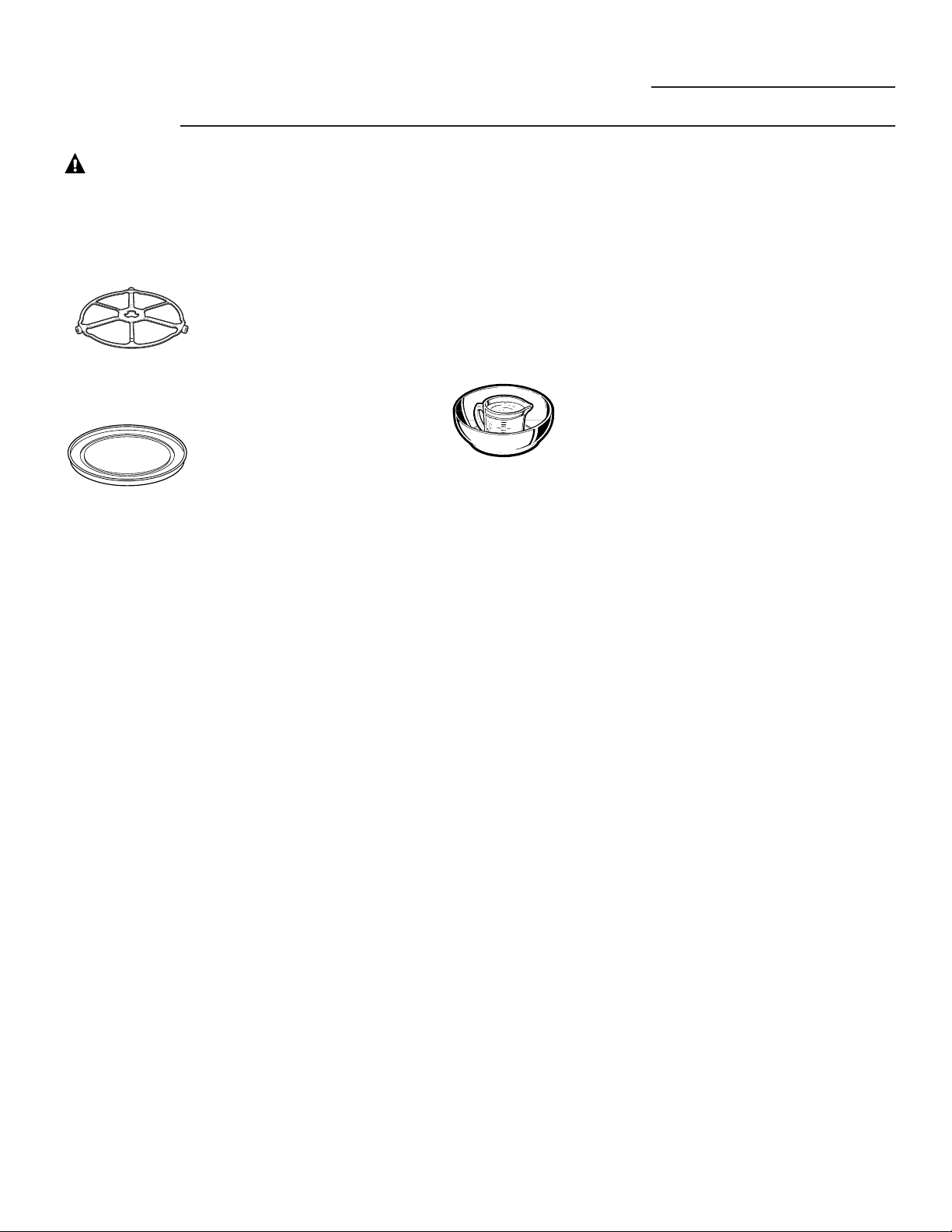
Speedcook
oven-safe
cookware
The turntable must
always be in place when
using the oven.
Put food directly on the
nonstick metal tray
to speedcook.
Advantium Oven
IMPORTANT SAFETY INSTRUCTIONS
■ The oven and door will get very hot
when baking, broiling, warming,
proofing or toasting.
■ Cookware will become hot. Oven mitts
will be needed to handle the cookware.
■ Do not use coverings, containers or
cooking/roasting bags made of foil,
plastic, wax or paper when
speedcooking.
■ Do not cover the turntable, wire oven
rack, trays or any part of the oven with
metal foil. This will cause arcing in the
oven.
■ Use the nonstick metal tray in the same
way you would use a shallow baking pan
or baking tray.
■ Use the aluminum baking sheet on the
wire oven rack, and place them on the
nonstick metal tray when baking on two
levels, broiling or toasting foods.
■ Place food directly on the trays when
cooking unless prompted by the oven
to do otherwise.
■ Any oven-safe dish can be used in
your oven. Recipes in the Advantium
Cookbook were tested in Pyrex
®
glass
cookware and Corningware
®
ceramic
casseroles. Cook times and results
may vary when using other types of
oven-safe dishes. Place them directly
on the trays.
■ Do not use the oven to dry newspapers.
■ Use of the clear glass tray when
baking, broiling, warming, proofing or
toasting will result in inferior cooking
performance.
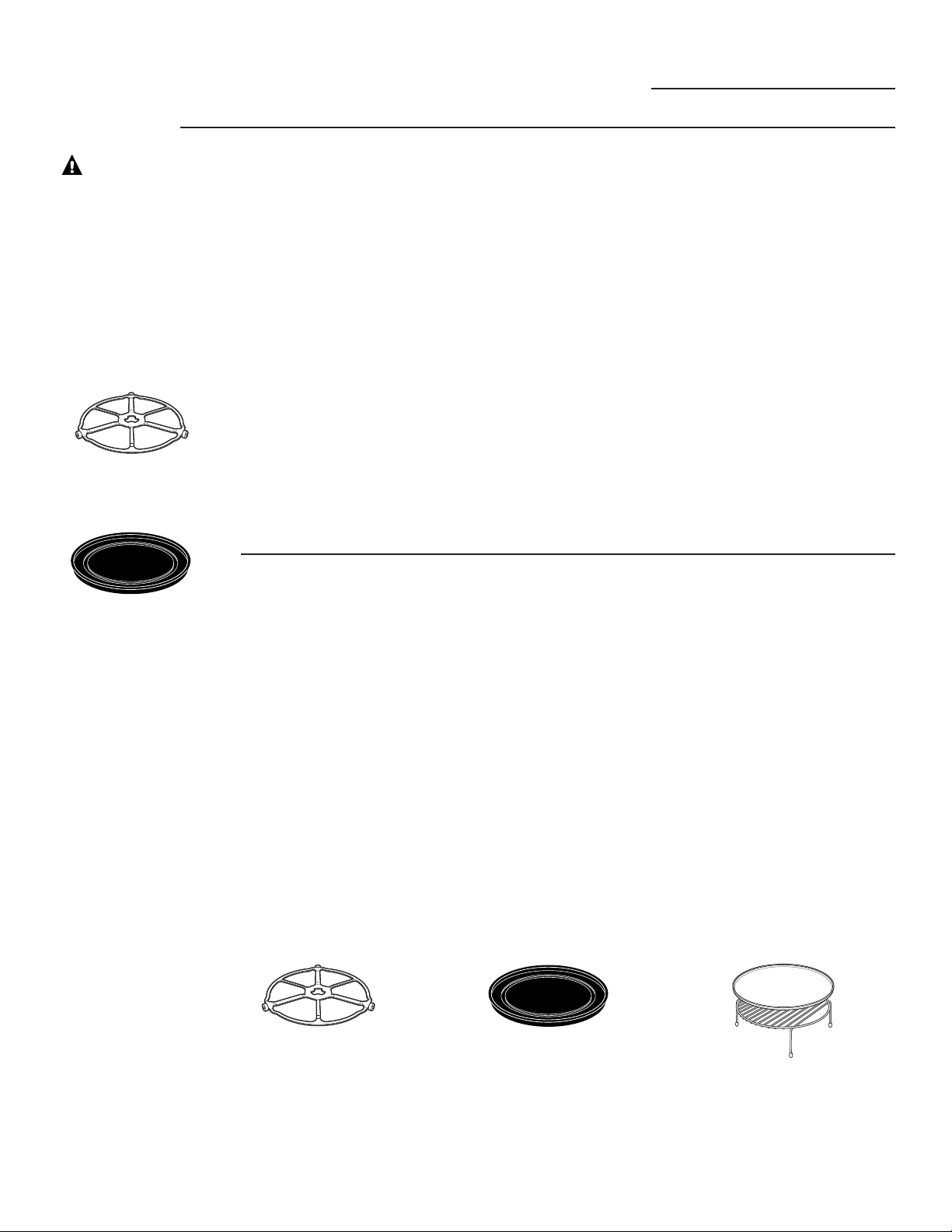
Oven-safe
cookware
for
Baking,
Broiling,
Warming,
Proofing &
Toasting
The turntable must
always be in place when
using the oven.
Put food directly on the
nonstick metal tray
to bake on one level.
Put food directly on the aluminum
baking sheet on the wire oven rack,
and place them on the nonstick
metal tray, when baking on two
levels, broiling or toasting foods.
SAVE THESE INSTRUCTIONS
6
WARNING!
■ Place food or microwavable container
directly on the clear glass tray to cook
your food.
■ Use of the nonstick metal tray during
microwave cooking will result in inferior
cooking performance.
■ If you are not sure if a
dish is microwave-safe,
use this test: Place in the
oven both the dish you
are testing and a glass
measuring cup filled
with 1 cup of water—set the measuring
cup either in or next to the dish.
Microwave 30–45 seconds at high.
If the dish heats, it should not be
used for microwaving.
If the dish remains cool and only the
water in the cup heats, then the dish
is microwave-safe.
■ Cookware may become hot because
of heat transferred from the heated food.
Oven mitts may be needed to handle
the cookware.
■ Do not use recycled paper products.
Recycled paper towels, napkins and
waxed paper can contain metal flecks
which may cause arcing or ignite.
Paper products containing nylon or
nylon filaments should be avoided,
as they may also ignite.
■ Use foil only as directed in this manual.
When using foil in the oven, keep the foil
at least 1" away from the sides of the
oven.
■ Do not use the oven to dry newspapers.
■ If you use a meat thermometer while
cooking, make sure it is safe for use
in microwave ovens.
■ Some styrofoam trays (like those that
meat is packaged on) have a thin strip
of metal embedded in the bottom. When
microwaved, the metal can burn the floor
of the oven or ignite a paper towel.
■ Paper towels, waxed paper and plastic
wrap can be used to cover dishes in
order to retain moisture and prevent
spattering. Be sure to vent plastic wrap
so steam can escape.
■ Not all plastic wrap is suitable for use
in microwave ovens. Check the package
for proper use.
■ “Boilable” cooking pouches and tightly
closed plastic bags should be slit, pierced
or vented as directed by package. If they
are not, plastic could burst during or
immediately after cooking, possibly
resulting in injury. Also, plastic storage
containers should be at least partially
uncovered because they form a tight
seal. When cooking with containers
tightly covered with plastic wrap, remove
covering carefully and direct steam
away from hands and face.
■ Plastic cookware—Plastic cookware
designed for microwave cooking is very
useful, but should be used carefully. Even
microwave-safe plastic may not be as
tolerant of overcooking conditions as
are glass or ceramic materials and
may soften or char if subjected to
short periods of overcooking. In longer
exposures to overcooking, the food
and cookware could ignite.
Follow these guidelines:
1. Use microwave-safe plastics only
and use them in strict compliance
with the cookware manufacturer’s
recommendations.
2. Do not microwave empty containers.
3. Do not permit children to use plastic
cookware without complete supervision.
Microwave-
safe
cookware
The turntable must
always be in place when
using the oven.
The clear glass tray
should always be in place
when microwaving.
Make sure to use suitable cookware during microwave cooking. Most glass casseroles,
cooking dishes, measuring cups, custard cups, pottery or china dinnerware which does not
have metallic trim or glaze with a metallic sheen can be used. Some cookware is labeled
“suitable for microwaving.”
Advantium Oven
IMPORTANT SAFETY INSTRUCTIONS
How to test for a
microwave-safe dish.
SAVE THESE INSTRUCTIONS

7
WARNING!
■ Don’t defrost frozen beverages in
narrow-necked bottles (especially
carbonated beverages). Even if the
container is open, pressure can build up.
This can cause the container to burst,
possibly resulting in injury.
■ Foods cooked in liquids (such as
pasta) may tend to boil more rapidly
than foods containing less moisture.
Should this occur, refer to the Care
and Cleaning of the oven section for
instructions on how to clean the
inside of the oven.
■ Hot foods and steam can cause
burns. Be careful when opening any
containers of hot food, including popcorn
bags, cooking pouches and boxes. To
prevent possible injury, direct steam
away from hands and face.
■ Do not overcook potatoes. They could
dehydrate and catch fire, causing
damage to your oven.
■ Avoid heating baby food in glass jars,
even with the lid off. Make sure all infant
food is thoroughly cooked. Stir food to
distribute the heat evenly. Be careful to
prevent scalding when warming formula.
The container may feel cooler than the
formula really is. Always test the formula
before feeding the baby.
■ Do not attempt to deep fry in the oven.
SAFETY PRECAUTIONS
Advantium Oven
IMPORTANT SAFETY INSTRUCTIONS
SAVE THESE INSTRUCTIONS
■ Most pacemakers are shielded from
interference from electronic products,
including microwaves. However, patients
with pacemakers may wish to consult their
physicians if they have concerns.
Notice—
Pacemakers

Four Advantium
PRÉCAUTIONS POUR ÉVITERUNE ÉVENTUELLE
EXPOSITION EXCESSIVE AUX MICRO-ONDES
(a) N’essayez pas de faire fonctionner le four à
micro-ondes lorsque la porte est ouverte,
puisque cela pourrait entraîner une
exposition nocive aux micro-ondes. Il est
important de ne jamais essayer de forcer
ou modifier le système de verrouillage de
sécurité.
(b) Ne placez pas d’objets entre la porte et la
surface avant du four. Ne laissez pas de
saleté ou de résidus de produits nettoyants
s’accumuler sur les surfaces d’étanchéité.
(c) Ne faites pas fonctionner le four s’il est
endommagé. Il est très important que la
porte ferme bien et que les pièces suivantes
ne soient pas endommagées :
(1) La porte (tordue),
(2) Les charnières et loquets (cassés ou
desserrés),
(3) Les joints et surfaces d’étanchéité.
(d) Seul un technicien qualifié doit réparer
ou régler votre four à micro-ondes.
MESURES DE SÉCURITÉ IMPORTANTES
8
CONSERVEZ CES DIRECTIVES

■ Veuillez lire les mesures de sécuritié
avant d’utiliser le four. Lors de l’utilisation
d’appareils électriques, il faut observer
des mesures de sécurité élémentaires,
et en particulier :
■ Veuillez lire et observer les « Précautions pour
éviter une éventuelle exposition excessive aux
micro-ondes » à la page 8.
■ Assurez-vous que l’appareil soit installé et mis à
la terre correctement par un technicien qualifié
conformément aux directives d’installation
fournies.
■ Installez et placez cet appareil seulement selon
les directives d’installation fournies.
■ Certains aliments comme les oeufs dans leur
coquille et les récipients scellés–par exemple,
des pots en verre fermés–peuvent éclater s’ils
sont chauffés dans le four à micro-ondes et
risquent de vous blesser.
■ N’installez pas cet appareil au-dessus d’un évier.
■ Ne mettez rien directement sur la surface
de votre four à micro-ondes pendant qu'il
fonctionne.
■ Ce four à micro-ondes n’a pas été approuvé
ou mis à l’essai pour être utilisé en mer.
■ Ce four est homologué UL pour une installation
murale standard.
■ N’utilisez pas cet appareil s’il a été endommagé
ou s’il est tombé.
■ Comme avec tout appareil, il est important de
surveiller étroitement lorsque le four est utilisé
par des enfants.
■ N’utilisez cet appareil que pour l’usage auquel
il est destiné, tel que décrit dans le présent
manuel.
■ N’utilisez pas de substances chimiques
ou corrosives dans cet appareil.
■ Ce four à micro-ondes a été conçu
spécifiquement pour chauffer, sécher ou
cuire des aliments et non pour être utilisé
en laboratoire ou à des fins industrielles.
■ Seul un technicien qualifié doit réparer cet
appareil. Communiquez avec le bureau de
service après-vente le plus près si votre
appareil doit être vérifié, réparé ou réglé.
■ Ne couvrez pas ou ne bloquez pas les
ouvertures de l’appareil.
■ Ne rangez pas cet appareil à l’extérieur. N’utilisez
pas ce four à proximité de l’eau, par exemple,
dans un sous-sol mouillé, près d’une piscine d’un
évier ou dans des emplacements semblables.
■ Il est important que la surface de contact entre
la porte et le four à micro-ondes soit toujours
bien propre. Utilisez un détergent doux, non-
abrasif sur une éponge propre ou un linge
souple. Rincez bien.
■ Pour réduire les risques d’incendie à l’intérieur
du four :
— Ne faites pas trop cuire les aliments. Surveillez
la cuisson de près quand vous utilisez du papier,
du plastique ou d’autres matières inflammables
dans votre four pendant la cuisson.
— Enlevez les attaches métalliques et les poignées
en métal des contenants de papier ou de
plastique avant de les mettre dans le four.
— Ne rangez rien dans le four. Ne laissez pas de
produits en papier, ustensiles de cuisson ou
aliments dans le four lorsqu’il n’est pas utilisé.
— Si un feu éclate dans votre four, laissez la porte
fermée, éteignez le four et débranchez le cordon
d’alimentation ou coupez le courant en enlevant
le fusible ou en déclenchant le disjoncteur. Si
vous ouvrez la porte, les flammes risquent de
se propager.
— N’utilisez pas les fonctions de capteur deux fois
de suite sur la même section de nourriture. Si la
nourriture n’est pas assez cuite après le premier
passage, utilisez COOK BY TIME (TEMPS DE
CUISSON) pour ajouter du temps de cuisson.
■ Ne faites pas fonctionner le four sans plateau
tournant. Le plateau doit pouvoir tourner sans
restriction.
■ Durant et après l’usage, ne touchez pas ou ne
laissez pas de vêtements ou autres matériaux
inflammables entrer en contact avec l’intérieur
du four. Prévoyez suffisamment de temps pour
le refroidissement.
■ Si vous installez le four Advantium 120V sous
36 po (91 cm), vous devez utiliser la garniture
inférieure en plastique étant donné le risque
de brûlure couru par les enfants. La garniture
en plastique agit en tant qu’isolation et
contribuera à protéger les enfants contre
le risque de brûlure au contact des surfaces
chaudes.
■ Si vous installez le four Advantium 120V sous
36 po (91 cm), n’enlevez pas la garniture
inférieure en plastique de la porte étant donné
le risque de brûlure couru par les enfants.
La garniture en plastique agit en tant
qu’isolation et contribuera à protéger les
enfants contre le risque de brûlure au
contact des surfaces chaudes.
MISE EN
GARDE!
MESURES DE SÉCURITÉ
Pour réduire le risque de brûlures, de choc électrique, d’incendie,
de blessures à autrui ou d’exposition excessive aux micro-ondes :
Four Advantium
MESURES DE SÉCURITÉ IMPORTANTES
9
CONSERVEZ CES DIRECTIVES

La formation d’un arc est la façon qu’ont
les micro-ondes de produire des étincelles
dans le four. Ceci est imputable aux causes
suivantes :
■ Un article de métal ou du papier
d’aluminium est en contact avec les
parois du four.
■ Le papier d’aluminium n’épouse pas bien
la forme de l’aliment (les bords relevés
agissent comme des antennes).
■ Utilisez de papier d’aluminium sauf
comme il est décrit dans le présent
manuel.
■ Les ustensiles de cuisson de métal
utilisés durant la cuisson rapide ou la
cuisson à micro-ondes (sauf les
casseroles fournies avec le four).
■ Des articles en métal, comme des
attaches, les broches utilisées pour la
volaille ou les garnitures dorées des
assiettes se trouvent dans le four.
■ Des essuie-tout en papier recyclé
contenant de petites particules de métal
sont employés dans le four.
ARC
D’ÉTINCELLES
Un arc peut apparaître durant la cuisson rapide et la cuisson à micro-ondes. Si vous voyez
un arc, appuyez sur la touche annulation/arrêt (CLEAR/OFF) et corrigez le problème.
MISE EN GARDE!
MESURES DE SÉCURITÉ
Four Advantium
MESURES DE SÉCURITÉ IMPORTANTES
■ Pour la cuisson à micro-ondes, placez tous
les aliments et contenants sur le plateau de
verre transparent.
■ Ne préparez pas de maïs éclaté dans
votre four à micro-ondes, à moins
d’utiliser un grille-maïs spécialement
conçu à cette fin ou du maïs éclaté pour
la cuisson aux micro-ondes.
■ Il n’est pas recommandé de faire bouillir
des oeufs dans le four. La pression qui se
crée dans le jaune fera éclater l’oeuf et
pourrait causer des blessures.
■ Le fait de laisser fonctionner le four à
micro-ondes sans placer d’aliment à
l’intérieur peut endommager le four. Cela
augmente la températureautour du
magnétron et peut affecter la durée de
vie de votre four.
■ Percez la « peau » qui recouvre certains
aliments, comme les pommes de terre,
les saucisses fumées, les saucissons, les
tomates, les pommes, le foie de poulet et
autres abats, les jaunes d’oeuf, pour
permettre à la vapeur de s’échapper
pendant la cuisson.
■ EAU SURCHAUFFÉE
Les liquides, tels que l'eau, le café ou le thé
peuvent être surchauffés au-delà du point
d'ébullition sans avoir l'air de bouillir. Une
ébullition ou formation de bulles n'est pas
toujours visible lorsque le récipient est sorti
du four à micro-ondes. CECI PEUT
ENTRAÎNER DES DÉBORDEMENTS SOUDAINS
DE LIQUIDES BRÛLANTS LORSQUE LE
RÉCIPIENT EST DÉPLACÉ OU SI UNE CUILLER
OU TOUT AUTRE USTENSILE EST INTRODUIT
DANS LE LIQUIDE.
Pour réduire le risque de blessures pour
autrui :
— Ne surchauffez pas le liquide.
— Mélangez le liquide avant son
réchauffement et au milieu de celui-ci.
— N'utilisez pas de récipient à bords
verticaux et à col étroit.
— Après avoir réchauffé, laissez un peu
le récipient dans le four à micro-ondes
avant de sortir le récipient.
— Faites preuve de grande prudence lors
de l'introduction d'une cuiller ou de tout
autre ustensile dans le récipient.
ALIMENTS
■
Gardez le four libre de toute accumulation
de graisse.
■
Faites bien cuire la viande et la volaille—la
viande doit avoir une température INTERNE
de 160° F (71° C), et la volaille une
température INTERNE d
’
au moins 180° F
(83° C). Une préparation à ces niveaux de
température protège normalement des
maladies alimentaires.
■ Les surfaces chaudes peuvent inclure
la porte du four, le plancher, les parois,
le plateau de cuisson et le plateau
tournant.
10
CONSERVEZ CES DIRECTIVES
MISE EN GARDE!
■ Le four et la porte deviennent très
chauds pendant la cuisson rapide.
■ Les ustensiles de cuisson deviennent
chauds à cause du transfert de chaleur
des aliments. Il faut porter des gants
thermorésistants pour manipuler les
ustensiles de cuisson.
■
N
’
utilisez pas de couvercles, de contenants
ou de sacs de cuisson/rôtisserie fabriqués
d
’
aluminium, de papier ciré ou de papier
pour la cuisson rapide.
■ Ne couvrez pas le plateau tournant,
le plateau de cuisson métallique, les
plateaux ou toute partie du four de
papier métallique. Ceci provoquera
la formation d’un arc dans le four.
■ Utilisez le plateau de métal anti-adhésif
de la même manière qu’un plat peu
profond ou qu’un moule.
■ Placez la nourriture directement sur les
plateaux pendant la cuisson à moins
d’indication contraire du four.
■ Vous pouvez utiliser tout plat convenant
au four dans votre four à micro-ondes.
Les recettes du livre de cuisine
Advantium ont été testées dans des plats
de verre Pyrex
®
et des casseroles de
céramique Corningware
®
. Les temps de
cuisson et les résultats peuvent varier en
utilisant d’autres types de plats pouvant
aller au four. Placez-les directement sur
les plateaux.
■ N’utilisez pas le four pour faire sécher
les journaux.
■ Utiliser le plateau de verre transparent
pour la cuisson rapide produira une
performance de cuisson inférieure.
Ustensiles
de cuisson
sans danger
pour le four
à cuisson
rapide
Le plateau tournant
doit toujours être en
place lorsque vous
utilisez le four.
Placez les aliments
directement sur le
plateau de métal
anti-adhésif pour une
cuisson rapide.
Four Advantium
MESURES DE SÉCURITÉ IMPORTANTES
■
Le four et la porte deviennent très
chauds pendant que vous cuisinez, grillez,
réchauffez ou rôtissez les aliments.
■
Les ustensiles de cuisson deviennent
chauds. Il faut porter des gants
thermorésistants pour manipuler les plats.
■
N
’
utilisez pas de couvercles, de contenants
ou de sacs de cuisson/rôtisserie fabriqués
d
’
aluminium, de papier ciré ou de papier
pour la cuisson rapide.
■ Ne couvrez pas le plateau tournant,
le plateau de cuisson métallique, les
plateaux ou toute partie du four de
papier métallique. Ceci provoquera la
formation d’un arc dans le four.
■ Utilisez un plateau de métal anti-adhésif
de la même manière qu’un plat peu
profond ou qu’un moule.
■ Utilisez la plaque de cuisson d’aluminium
sur le plateau de cuisson métallique et
placez-les sur le plateau
métallique anti-adhésif en cuisinant à
deux niveaux : griller ou rôtir.
■ Placez la nourriture directement sur les
plateaux pendant la cuisson à moins
d’indication contraire du four.
■
Vous pouvez utiliser tout plat convenant
au four dans votre four à micro-ondes.
Les recettes du livre de cuisine Advantium
ont été testées dans des plats de verre
Pyrex
®
et des casseroles de céramique
Corningware
®
. Les temps de cuisson et
les résultats peuvent varier en utilisant
d
’
autres types de plats pouvant aller au
four. Placez-les directement sur les
plateaux.
■ N’utilisez pas le four pour faire sécher
les journaux.
■ Utiliser le plateau de verre transparent
pour cuisiner, griller, réchauffer ou rôtir
produira une performance de cuisson
inférieure.
Ustensiles
de cuisson
convenant
au four
pour
cuisiner,
griller,
réchauffer
et rôtir.
Le plateau tournant
doit toujours être en
place lorsque vous
utilisez le four.
Placez les aliments
directement sur le
plateau de métal
anti-adhésif pour
préparer les aliments
à un niveau.
Mettez les aliments directement sur
la plaque de cuisson d'aluminium sur
le plateau de cuisson métallique et
placez-les sur le plateau métallique
anti-adhésif en cuisinant à
deux niveaux : griller ou rôtir.
11
CONSERVEZ CES DIRECTIVES
■ Placez les aliments ou les contenants
pour la cuisson à micro-ondes
directement sur le plateau de verre
transparent pour les faire cuire.
■ Utiliser le plateau de métal anti-adhésif
pour la cuisson à micro-ondes produira
une performance de cuisson inférieure.
■
Si vous n
’
êtes pas certain qu
’
un plat puisse
aller au micro-ondes, utilisez ce test : placez
dans le four le plat à tester et une tasse à
mesurer de verre remplie d
’
une tasse d
’
eau.
Placez cette dernière dans ou près du plat.
Faites fonctionner le four de 30 à 45
secondes à température élevée. Si le plat se
réchauffe, il ne doit pas être utilisé pour la
cuisson à micro-ondes.
S’il reste frais et si seulement l’eau se
réchauffe, alors il convient pour le four.
■
Les ustensiles de cuisson deviennent
chauds en raison du transfert de chaleur
des aliments. Il faut porter des gants
thermorésistants pour manipuler les plats.
■ N’utilisez pas de produits de papier
recyclé. Les essuie-tout en papier
recyclé, les serviettes et le papier ciré
peuvent contenir de petites particules de
métal qui pourraient provoquer un arc
ou s’enflammer. Vous devez éviter les
produits de papier contenant du nylon
ou des filaments de nylon car ils peuvent
aussi s’enflammer.
■
Utilisez le papier aluminium seulement
selon les indications de ce guide. Les
plateaux télés peuvent être préparés au
micro-ondes si les plateaux d
’
aluminium
sont de moins de 3/4 po (1,9 cm) de
hauteur et si vous retirez la pellicule
couverture et remettez le plateau dans la
boîte. Lorsque vous utilisez du papier
aluminium dans le four, gardez-le à au
moins 1 po (2,54 cm) des parois du four.
■ N’utilisez pas le four pour faire sécher les
journaux.
■
Si vous utilisez un thermomètre à viande
pour la cuisson, assurez-vous qu
’
il
convienne aux fours à micro-ondes.
■
Certains plateaux de styromousse (comme
ceux pour l
’
emballage de la viande) ont une
mince bande de métal incorporée dans la
partie inférieure. Au cours de la cuisson au
micro-ondes, le métal peut brûler le bas du
four ou enflammer un essuie-tout.
■
Les essuie-tout, le papier ciré et la pellicule
de plastique peuvent servir à couvrir les
plats pour conserver l
’
humidité et éviter les
éclaboussures. Assurez-vous d
’
avoir des
ouvertures dans la pellicule pour laisser la
vapeur s
’
échapper.
■ Toutes les pellicules de plastique ne
conviennent pas aux fours à micro-
ondes. Vérifiez l’emballage.
■
Les sachets de cuisson et les sacs de
plastique bien fermés doivent être fendus,
percés ou aérés selon les indications sur
l
’
emballage. Sinon, le plastique pourrait
éclater durant ou immédiatement après
la cuisson pouvant ainsi mener à des
blessures. De même, les contenants de
plastique devraient être partiellement
découverts parce qu
’
ils forment une
fermeture étanche. Lorsque vous cuisinez
avec des contenants bien recouverts d
’
une
pellicule de plastique, retirez avec soin la
pellicule et dirigez la vapeur loin des mains
et du visage.
■
Ustensiles de cuisson de plastique—Les
ustensiles de cuisson de plastique conçus
pour la cuisson à micro-ondes sont très
utiles, mais doivent être utilisés avec soin.
Même le plastique convenant pour ce type
de cuisson pourrait ne pas supporter la
« sur cuisson » comme les matériaux de
verre et de céramique et alors le plastique
pourrait amollir ou se carboniser s
’
il est
soumis à de courtes périodes de sur
cuisson. Pour les expositions plus longues,
les aliments et les ustensiles de cuisson
pourraient s
’
enflammer.
Suivez ces directives :
1. Utilisez seulement des plastiques pour
les fours à micro-ondes et utilisez-les
en vous conformant aux directives du
fabricant.
2. Ne mettez pas de contenants vides dans
le four à micro-ondes.
3. Ne laissez pas les enfants utiliser des
ustensiles de cuisson de plastique sans
une étroite surveillance.
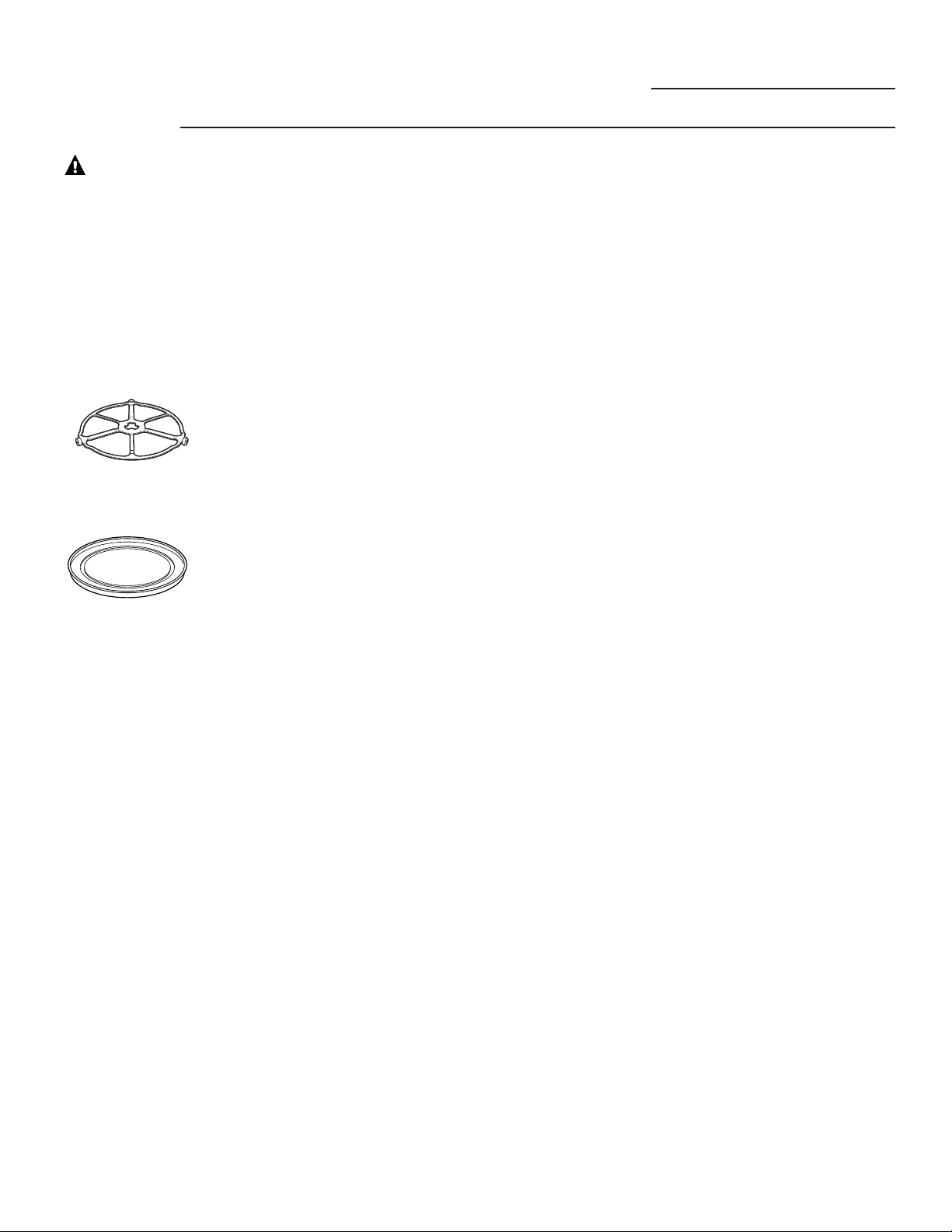
Ustensile
de cuisson
convenant
au four à
micro-ondes
Le plateau tournant
doit toujours être en
place lorsque vous
utilisez le four.
Le plateau de verre
transparent devrait
toujours être en place
pour la cuisson à
micro-ondes.
Four Advantium
MESURES DE SÉCURITÉ IMPORTANTES
12
Assurez-vous d'utiliser des ustensiles de cuisson appropriés pour la cuisson à micro-ondes.
La plupart des casseroles de verre, des plats de cuisson, des tasses à mesurer, des ramequins, de
vaisselle de la poterie ou de la porcelaine sans bordure ou glaçure de métal à patine métallique
peuvent être utilisés. Certains ustensiles de cuisson portent la mention « convient au four à
micro-ondes ».
CONSERVEZ CES DIRECTIVES
MISE EN GARDE!

MISE EN GARDE!
■ Ne décongelez pas de boissons
surgelées dans des bouteilles au col
étroit (tout particulièrement les boissons
gazeuses). Même si le contenant est
ouvert, il pourrait y avoir une
accumulation de pression. Le contenant
pourrait alors éclater, menant à des
blessures possibles.
■ Les aliments préparés dans des liquides
(comme les pâtes) ont tendance à bouillir
plus rapidement que les aliments
contenant moins d’humidité. Si ceci se
produit, reportez-vous aux directives
concernant le nettoyage de l’intérieur
du four dans la section « Entretien et
nettoyage du four à micro-ondes ».
■ Les aliments chauds et la vapeur
peuvent provoquer des brûlures.
Attention en ouvrant des contenants
d’aliments chauds, y compris les sacs de
maïs éclaté, les sachets de cuisson et les
boîtes. Pour éviter les blessures possibles,
dirigez la vapeur loin des mains et du
visage.
■ Ne faites pas trop cuire les pommes de
terre. Elles pourraient se déshydrater et
s’enflammer, provoquant des dommages
à votre four.
■ Évitez de réchauffer la nourriture de
bébé dans des contenants en verre,
même après avoir retiré le couvercle.
Assurez-vous que la nourriture de
bébé soit bien cuite. Mélangez-la pour
répartir la chaleur uniformément.
Attention à l’échaudage en réchauffant
la préparation des nourrissons. Le
contenant peut être plus frais au toucher
que la préparation elle-même. Testez
toujours la préparation avant de nourrir
le bébé.
■ N’essayez pas de grande friture dans
le four.
MESURES DE SÉCURITÉ
CONSERVEZ CES DIRECTIVES
Four Advantium
MESURES DE SÉCURITÉ IMPORTANTES
13
La plupart des stimulateurs cardiaques
sont protégés contre les interférences de
produits électroniques, en particulier de
fours à micro-ondes. Néanmoins, les
personnes ayant un stimulateur cardiaque
peuvent consulter leur médecin en cas
d'inquétude.
Avis—
stimulateurs
cardiaques
What is Advantium?
Advantium Oven
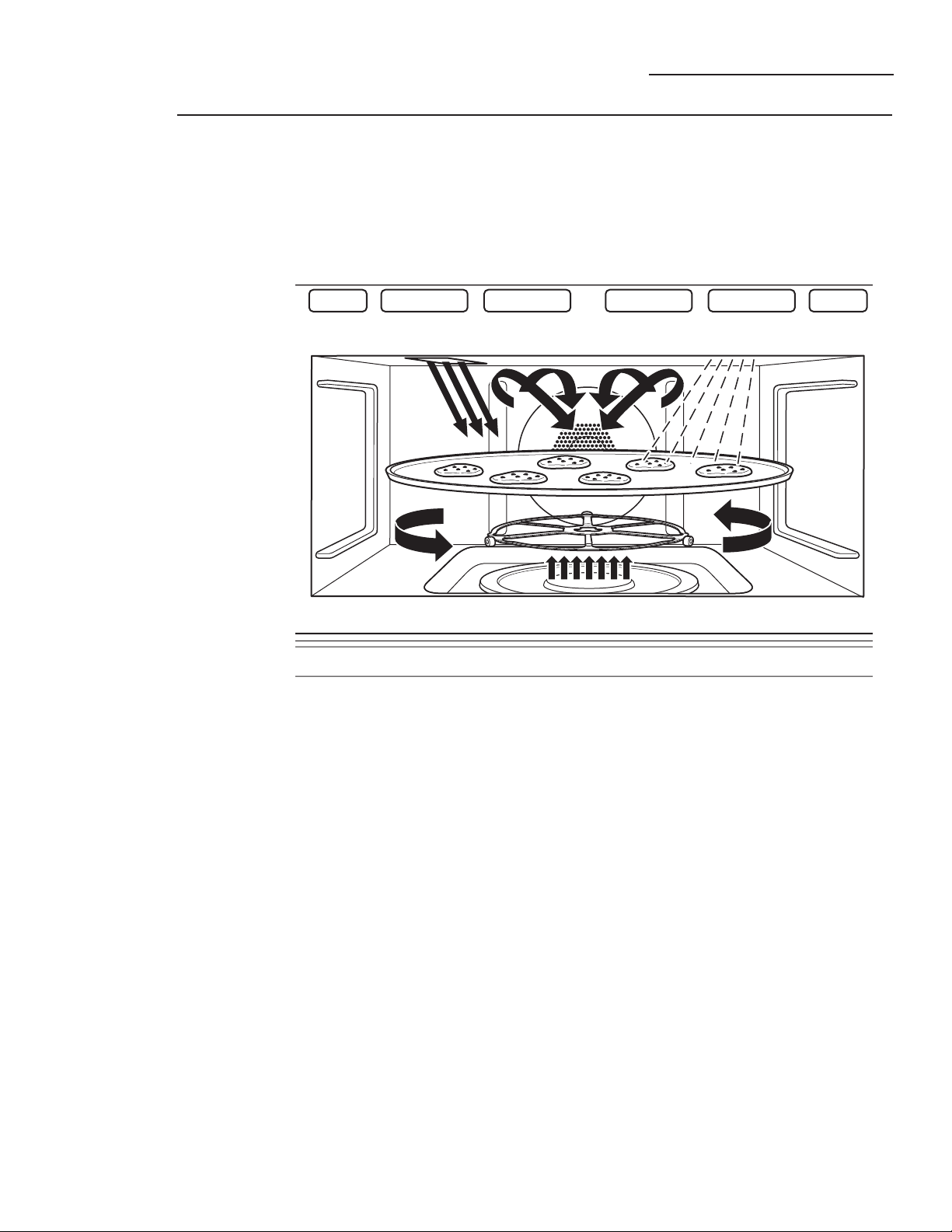
The new Advantium oven uses
breakthrough Speedcook technology
to harness the power of light. The
Advantium oven cooks the outside
of foods much like conventional
radiant heat, while also penetrating
the surface so the inside cooks
simultaneously. While halogen light
is the primary source of power, a
“microwave boost” is added with
certain foods. Foods cook evenly and
fast, retaining their natural moisture.
Getting to know
Advantium
Turntable
■ The turntable rotates to ensure even cooking.
Controls
■ The oven control contains preset recipes.
■ Turn-and-press dial makes menu selection easy.
Halogen Lamp and Ceramic Heaters
■ One 500-watt halogen bulb and one 700-watt ceramic heater cook food
from above.
■ One 375-watt ceramic heater cooks food from below.
Rear Convection Heat Element
■ Operates when using bake.
Microwave
■ A microwave “boost” is automatically added with certain foods.
■ The oven can also be used as a 975-watt microwave oven.
14
Advantium Quick Start
Advantium Oven
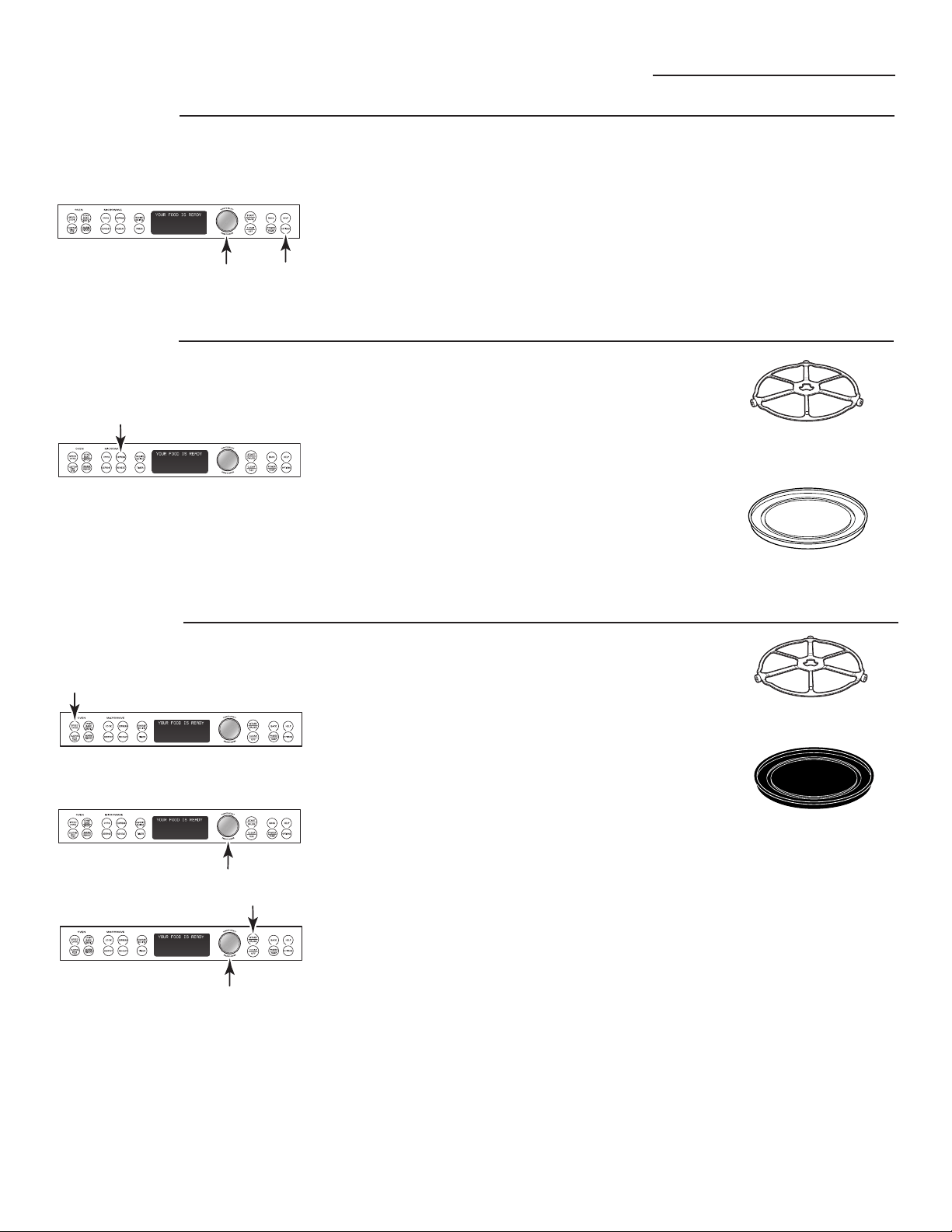
Set the
clock
When you first plug in the oven or
after a power outage:
1. Turn the selector dial to set
the hour. Press the dial to enter.
2. Turn the dial to set the minute.
Press the dial to enter.
3. Turn the dial to select AM or PM.
Press the dial to enter.
To change the time:
1. Press the OPTIONS pad.
2. Turn the dial to SET CLOCK.
Press the dial to enter and follow
the display directions to set.
Begin
speedcooking
1. Press the SPEEDCOOK pad.
2. Turn the dial to FOOD MENU. Press
the dial to enter.
3. Turn the dial to select the type of
food category you want. Press the
dial to enter it.
4. Turn the dial to select the specific
food. Press the dial to enter it.
5. Turn the dial to select the amount,
size, and/or doneness (if required,
the oven will prompt you). Press
the dial after each selection.
6. Once the display shows ADJUST
TIME OR START, either press the
dial or start pad to start cooking.
■ Press CLEAR/OFF at any time to
stop cooking.
Microwaving
with Express
Press EXPRESS repeatedly for
30-second increments of microwave
cooking time.
The oven starts immediately.
The turntable must always be in
place when using the oven.
Put food directly on the
nonstick metal tray to
speedcook.
The turntable must always be in
place when using the oven.
The clear glass tray should
always be in place when
microwaving.
15
Speedcook Menu Guide
Advantium Oven
Display
prompts
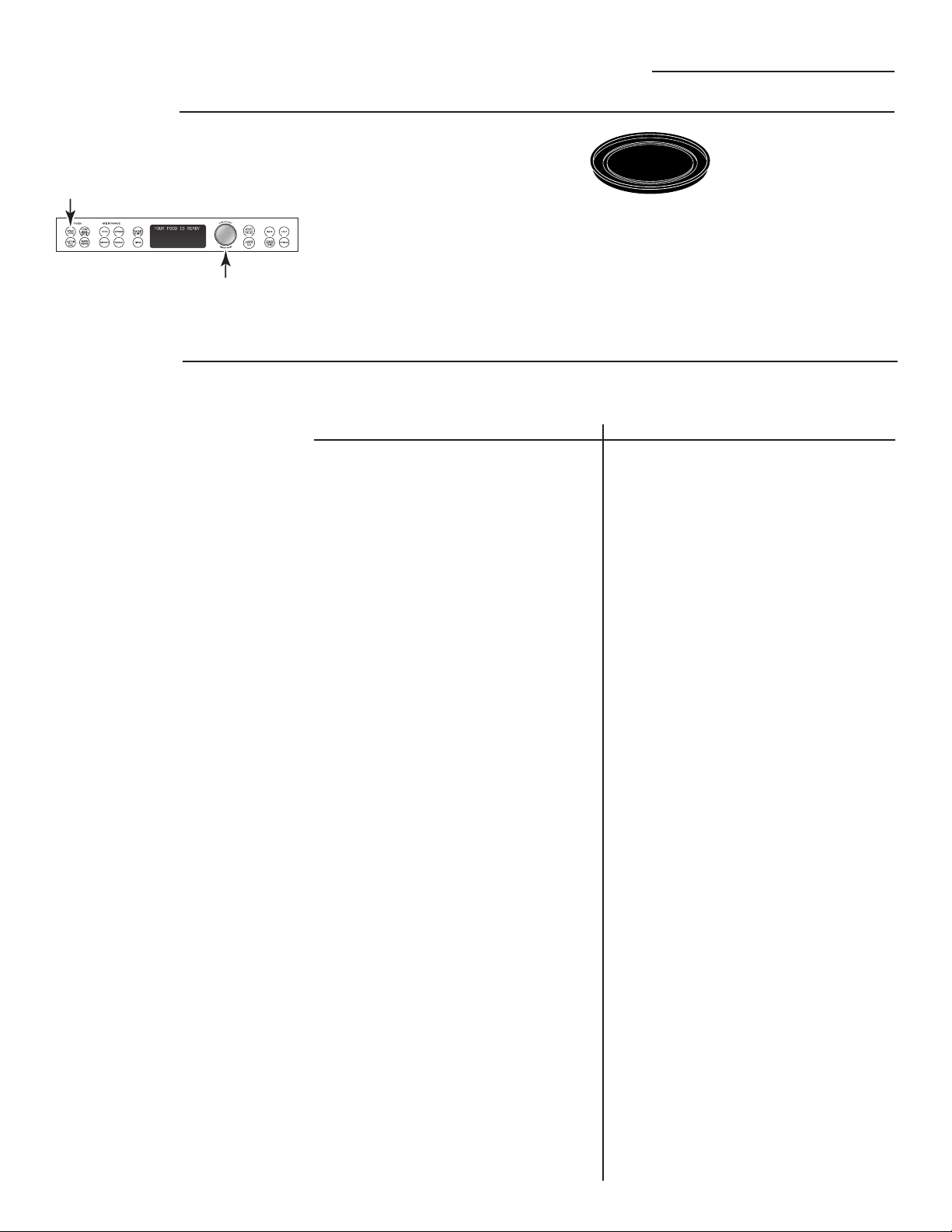
1. Turn the dial until FOOD
MENU appears. Press
the dial to enter.
2. Turn the dial until
POULTRY appears.
Press the dial to enter.
3. Turn the dial until
CHICKEN, BONELESS
appears.
Press the dial to enter.
4. Turn the dial to
Select SIZE:
MEDIUM (7–9 oz each)
Press the dial to enter.
5. Turn the dial to
Select amount:
1–2 pieces
Press the dial to enter.
6. Use NON-STICK METAL
TRAY is displayed.
NOTE: When speedcooking, use
the nonstick metal tray.
After pressing the SPEEDCOOK pad,
the oven will prompt you to make
several selections, such as the
example below.
Food Category Menu Selection
Appetizers Bagel Bites
Cheese Sticks
Egg Rolls (Frozen)
Hot Dip (2–4 Cups)
Jalapeno Poppers
Meat Balls (Frozen)
Nachos
Nuts Roasted
Onion Rings
Pizza Rolls
Soft Pretzels (Frozen)
Breads Bagels (frozen)
Biscuits
Bread Sticks
Cheese Bread
Crescent Rolls
Dinner Rolls
Garlic Bread
Quick Bread (9x5)
Sweet Rolls/Danish
Taco Shells (boxed)
Texas Toast
Breakfast Bagels (frozen)
Belgian Waffles
Breakfast Pizza
Casserole (egg 7x11)
Coffee Cake
French Toast
Pancakes (frozen)
Hashbrown Patties
Rolls (refrigerated)
Sausage Biscuit
Sausage
Strudel (frozen)
Sweet Rolls/Danish
Turnovers
Waffles (frozen)
Desserts Brownies
Cakes (mix 9x13)
Cobbler (fresh 7x11)
Coffee Cake
Cookies
Pie (fresh fruit)
Rolls (refrigerated)
Turnovers
Entree Burritos (frozen)
Chimichanga
Casserole
Egg Rolls (frozen)
Enchilada (fresh)
Lasagna
Meatloaf (9x5)
Quesadillas (fresh)
Stuffed Peppers (6)
Food Category Menu Selection
Meats Filet Mignon
Hamburger
Lamb Chops
Pork Chops
Roast – Pork
Roast – Beef
Ribeye Steak
Sirloin Steak
Strip Steak
T-Bone Steak
Tenderloin
Pizza Deli/Fresh
Use Precooked Crust
Frozen Pizza
Potatoes Baked Potato
Hashbrown Patties
Frozen Fries
Frozen Nugget
Sweet Potato/Yam
Poultry Chicken, Bone-In
Chicken, Boneless
Chicken Fillet (frozen)
Chicken Finger (frozen)
Chicken, Fried (frozen)
Chicken Nugget (frozen)
Chicken Patty (frozen)
Chicken Tender (frozen)
Chicken Wings (frozen)
Chicken, Whole
Turkey
Sandwich Corn Dog (frozen)
Crescent Roll Hot Dog
Grilled Sandwich
Hot Dog in a Bun
Pocket Sandwich
Taquitos (frozen)
Seafood Cod Fillets
Fish Sticks (frozen)
Frozen Breaded
Lobster Tails
Orange Roughy Fillet
Salmon
Sea Bass
Shellfish
Swordfish Steak
Talapia
Tuna Steaks
Whitefish
Side Dish Refried Beans (16 oz)
Roasted Asparagus
Roasted Bell Pepper
Roasted Chilis (6)
Roasted Corn
Roasted Garlic
Roasted Mixed Vegetables
Stuffing (mix)
Stuffed Mushrooms
Stuffed Tomatoes
Preset
speedcook
menu
selections
■ After a cooking cycle has been
completed, use the Resume feature
to cook for additional time.
■ To review settings during cooking,
press the selector dial.
16
17
Oven Features
Advantium Oven
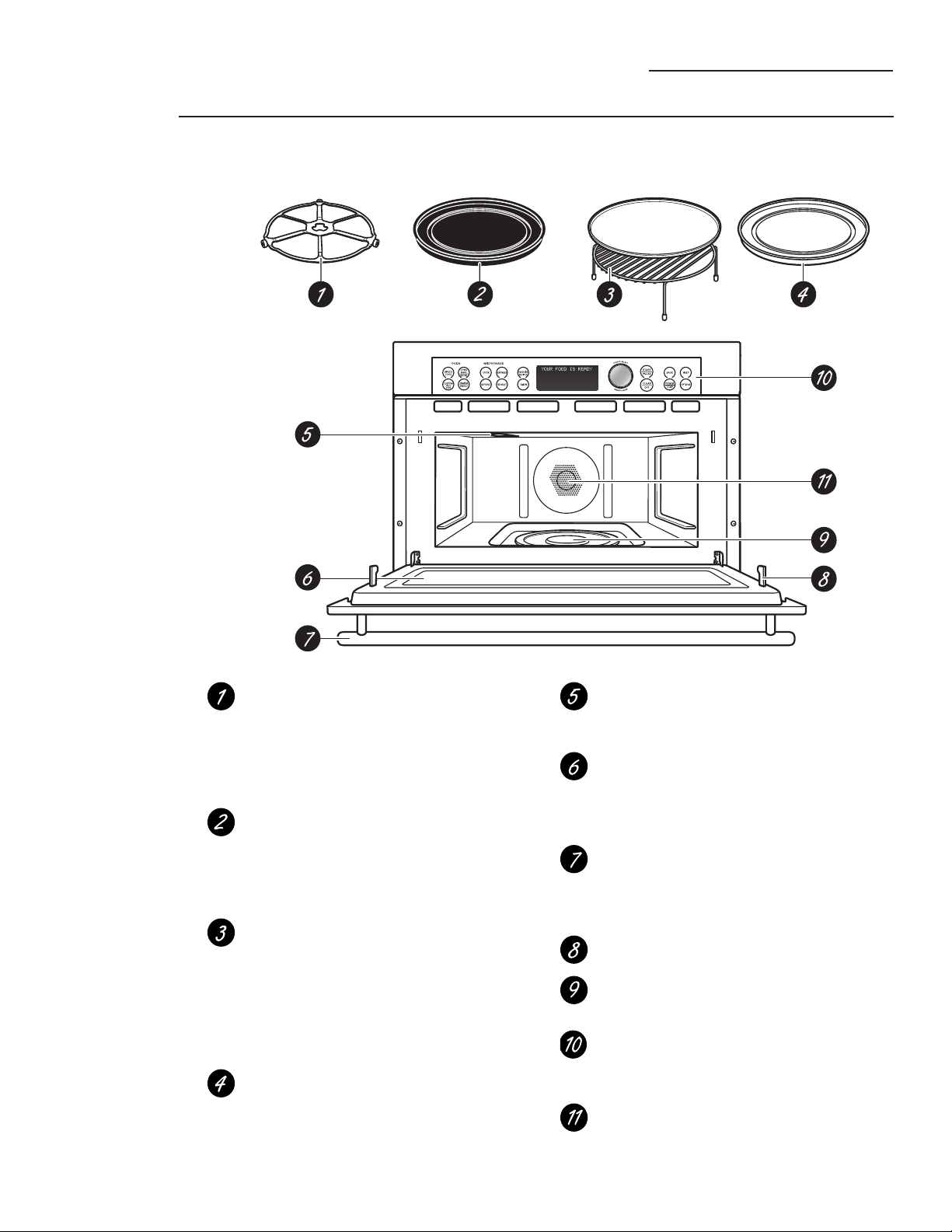
Oven
features
Throughout this manual, features and appearance may vary from your model.
Turntable
The turntable must always be in
place, on the oven floor, for all
cooking. Be sure the turntable is
seated securely over the spindle
in the center of the oven.
Nonstick Metal Tray
Put food directly on the nonstick metal
tray and place on the turntable when
using the speedcook and bake
features.
Wire Oven Rack and Aluminum
Baking Sheet
Put food directly on the aluminum
baking sheet on the wire oven rack,
and place them on the nonstick metal
tray, when baking on two levels,
broiling or toasting foods.
Clear Glass Tray
Place on the turntable when using
the microwave features. Place food
or microwave-safe cookware directly
on the tray.
Upper Halogen Lamp/Ceramic Heater
Operates when using speedcook or
broil.
Window
Allows cooking to be viewed while
keeping microwaves confined in
the oven.
Door Handle
Pull to open the door. The door
must be securely latched for the
oven to operate.
Door Latches
Lower Ceramic Heater
Operates when using speedcook.
Control Panel
The pads used to operate the oven
are located on the control panel.
Rear Convection Heat Element
Operates when using bake.
Advantium Oven
Cooking
controls
Oven Features
MICROWAVE
OVEN
EXPRESS
COOK
CONV
BAKE
BROIL
SPEED
COOK
REHEAT
FAVORITE
RECIPES
TIMER
START
PAUS E
CLEAR
OFF
DEFROST
HELPBACK
OPTIONS
POWER
TEMP
WARM
PROOF
CUSTOM
SPEED
COOK
T
U
R
N
T
O
S
E
L
E
C
T
P
R
E
S
S
T
O
E
N
T
E
R
LOCK/UNLOCK
HOLD 5 SECONDS
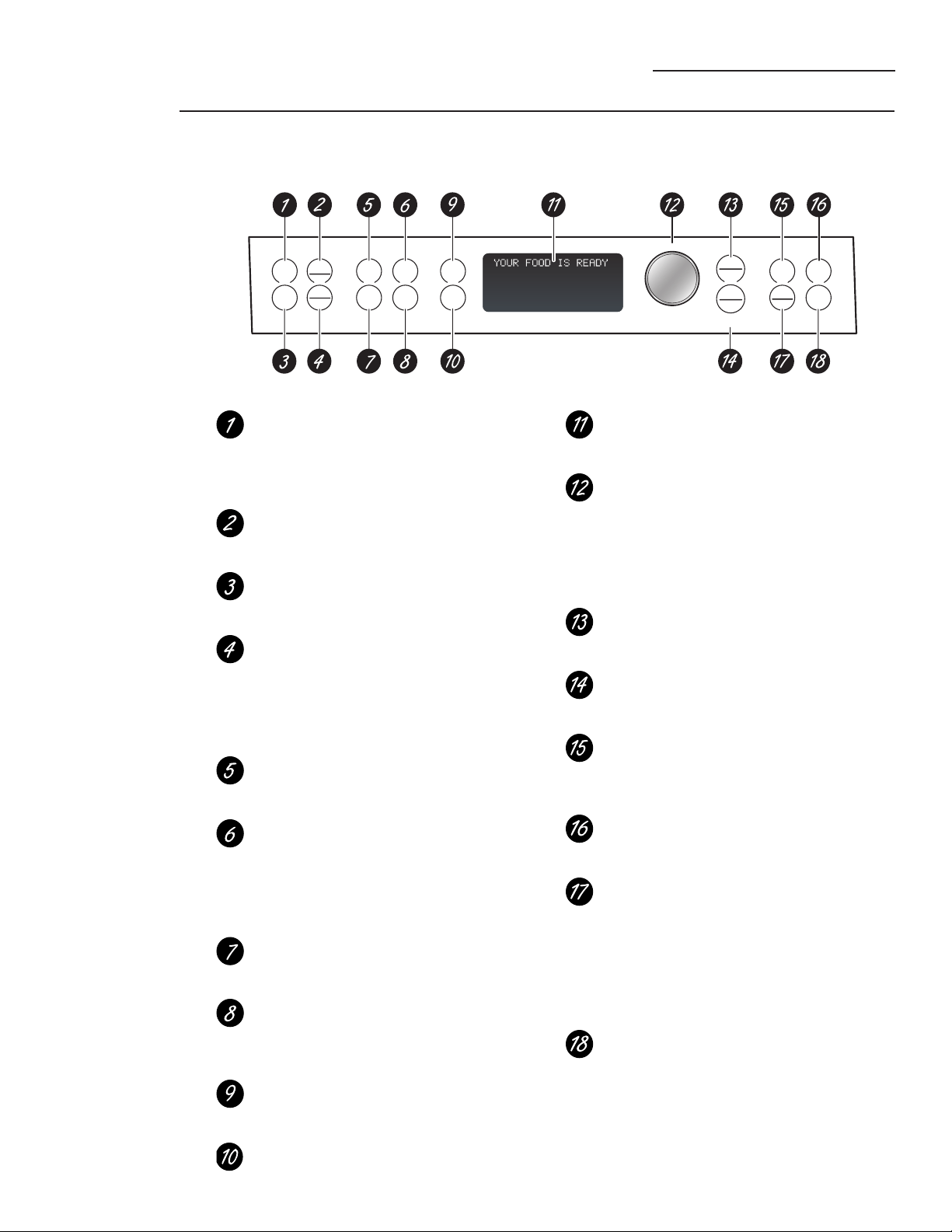
With your Advantium oven, you can cook with high-intensity halogen lights, ceramic heaters and convection
heating elements, and/or conventional microwave energy.
SPEEDCOOK/Repeat Last
Press this pad to access the preset
speedcook menu. Press and hold for
3 seconds to repeat the last cooking
selection.
CONV BAKE/BROIL
Press this pad to convection bake,
broil or toast.
CUSTOM SPEEDCOOK
Press this pad to set your own
speedcook program.
WARM/PROOF
Select WARM to keep hot, cooked
foods at serving temperature.
Select PROOF to set for a warm
environment useful for rising
yeast-leavened products.
COOK (Microwave)
Press this pad to microwave food that
is not in the FAVORITE RECIPES section.
EXPRESS (Microwave)
Press for 30 seconds of microwave
cooking time. Each time the pad
is pressed adds an additional 30
seconds to the remaining cooking
time. The oven starts immediately.
DEFROST (Microwave)
Press this pad to defrost, soften or
melt frozen foods.
REHEAT (Microwave)
Press this pad to reheat servings of
previously cooked foods or a plate
of leftovers.
FAVORITE RECIPES
Press this pad to add, edit (change) or
remove a recipe from the memory.
TIMER
Press this pad to set the minute timer.
Display
Shows and instructs the use of all
features on the oven.
SELECTOR DIAL
Turn to select, Press to enter. First turn,
then press the dial to make option,
food power level or temperature
selections. Also use the dial to increase
(turn clockwise) or decrease (turn
counterclockwise) cooking times.
START/PAUSE
Press this pad to start or pause any
cooking function.
CLEAR/OFF
Press this pad to cancel ALL oven
programs except the clock and timer.
BACK
Press this pad to step back one or
more levels in the program process,
such as when entering custom recipes.
HELP
Press this pad to find out more about
your oven’s features.
POWER/TEMP
During cooking, press this pad and
turn/press the selector dial to change
the microwave power level, the
convection bake temperature or the
speedcook temperature by adjusting
the upper and lower lamp and heater
settings.
OPTIONS
Press this pad to set the Clock and
access the Beeper Volume, Clock
Display ON/OFF, Display Scroll Speed,
Delay Start and Reminder features.
18
Advantium Oven
Speedcooking
Advantium is already preset to cook
over 175 popular dishes.
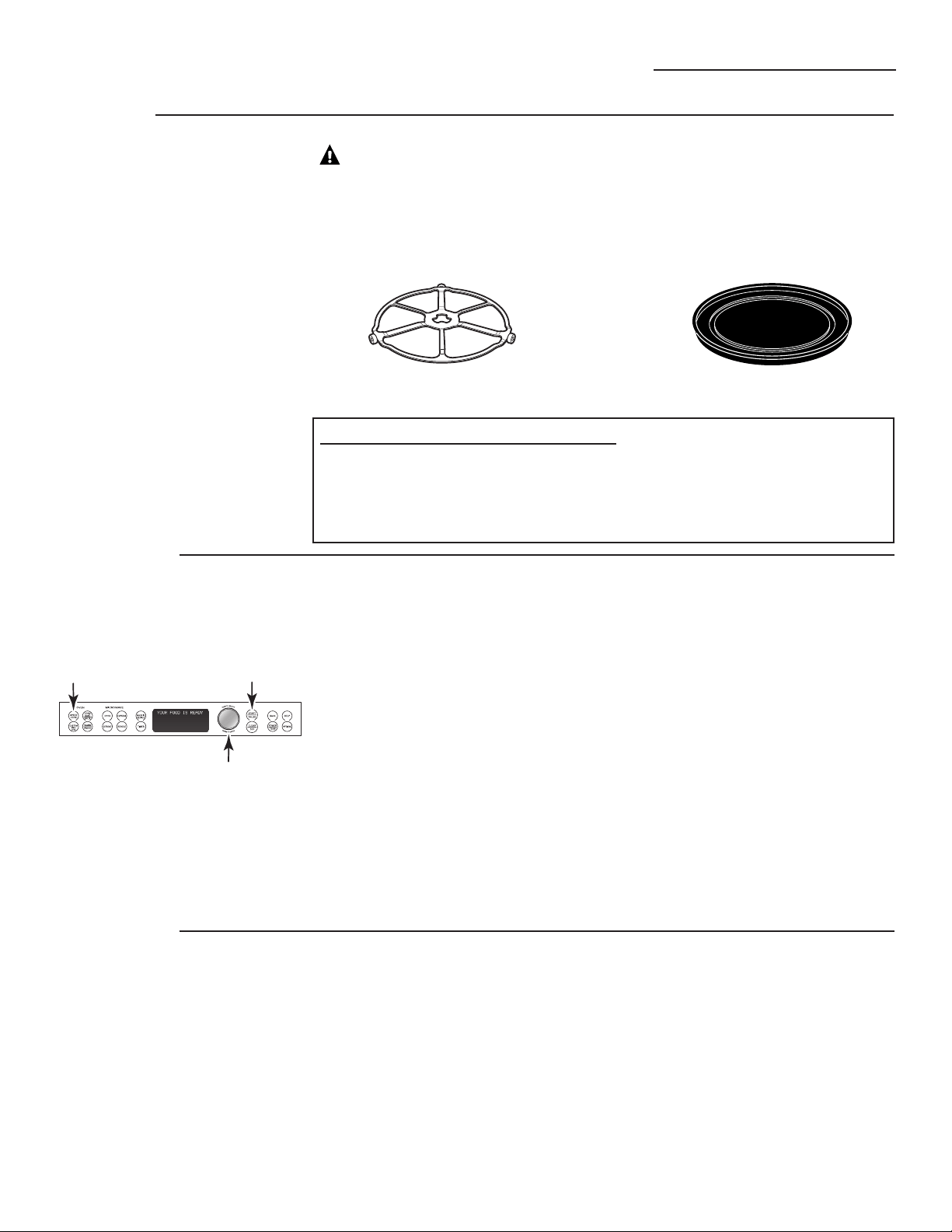
1. Press the speedcook pad.
If no selection is made within
15 seconds, the display will revert
back to the time of day.
2. Turn the selector dial to select
the type of food category you
want. Press the dial to enter.
3. Turn the selector dial to select the
specific food (menu selection).
Press the dial to enter.
4. Turn the selector dial to select
amount, size and/or doneness
(if required, the oven will prompt
you). Press the dial after each
selection.
5. Once the display shows ADJUST
TIME or START, either press start or
the selector dial to start cooking.
Turn the food over when the oven
signals TURN FOOD OVER (for certain
foods).
When the oven signals CHECK for
DONENESS, check to see if your food is
done to your liking (for certain foods).
To review settings during cooking,
press the selector dial.
If you enter an undesired selection at
any time, simply press the BACK pad
and reenter the desired selections.
Using
speedcook
features
CAUTION: When using speedcook programs, remember that the
oven, door and dishes will be very hot!
Prior to the first use of your oven, the clock must be set. See the Advantium
Quick Start section.
Before you begin, make sure the turntable is in place. Use the nonstick metal tray
and your own glass or ceramic cookware, if needed.
The turntable must always be in place
when using the oven.
Put food directly on the nonstick metal
tray to speedcook.
SPEEDCOOK PRESET FOOD SELECTIONS:
■ Appetizers ■ Desserts ■ Pizza ■ Sandwich
■ Breads ■ Entrees ■ Potatoes ■ Seafood
■ Breakfast ■ Meats ■ Poultry ■ Side Dish
To use a
preset
speedcook
menu
■ Early in a speedcook program, you
will see OPTIMIZING COOK TIME on
the display. The oven automatically
senses the electrical voltage level in
your home and adjusts the cooking
time up or down for proper cooking.
■ If the door is opened during cooking,
the oven will stop and PAUSE will
appear in the display. Close the door
and press the START/PAUSE pad
to resume cooking.
■ At anytime during cooking you can
turn the selector dial to change the
cooking time. You can change power
levels by pressing POWER/TEMP.
■ To ensure consistent cooking results,
the oven may adjust power levels
downward if the oven is hot at the
beginning of a program.
■ At the end of cooking, the automatic
fan may continue to run for a short
time to cool internal components.
■ To cook for additional time after a
cooking cycle has been completed,
use the resume feature.
19
Speedcooking
Advantium Oven
Cooking tips
for great
tasting
results
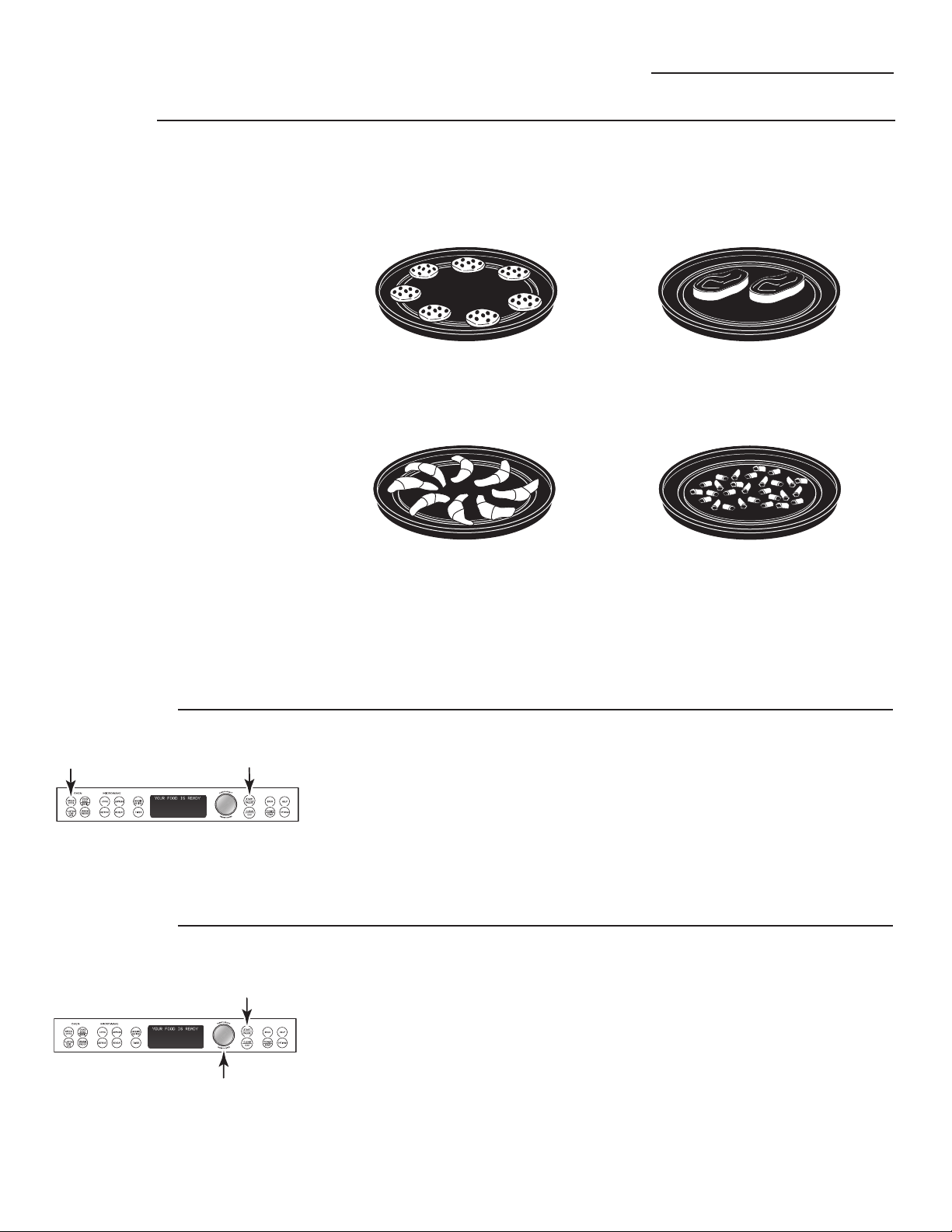
To ensure consistent and even
browning when cooking foods directly
on the nonstick metal tray, arrange
food as shown below.
Foods can touch but should not
overlap.
Circular pattern
(Example: biscuits, cookies)
Spoke pattern
(Example: crescent rolls, breadsticks)
Single layer
(Example: appetizers)
Side by side pattern
(Example: meats and poultry)
Repeat last
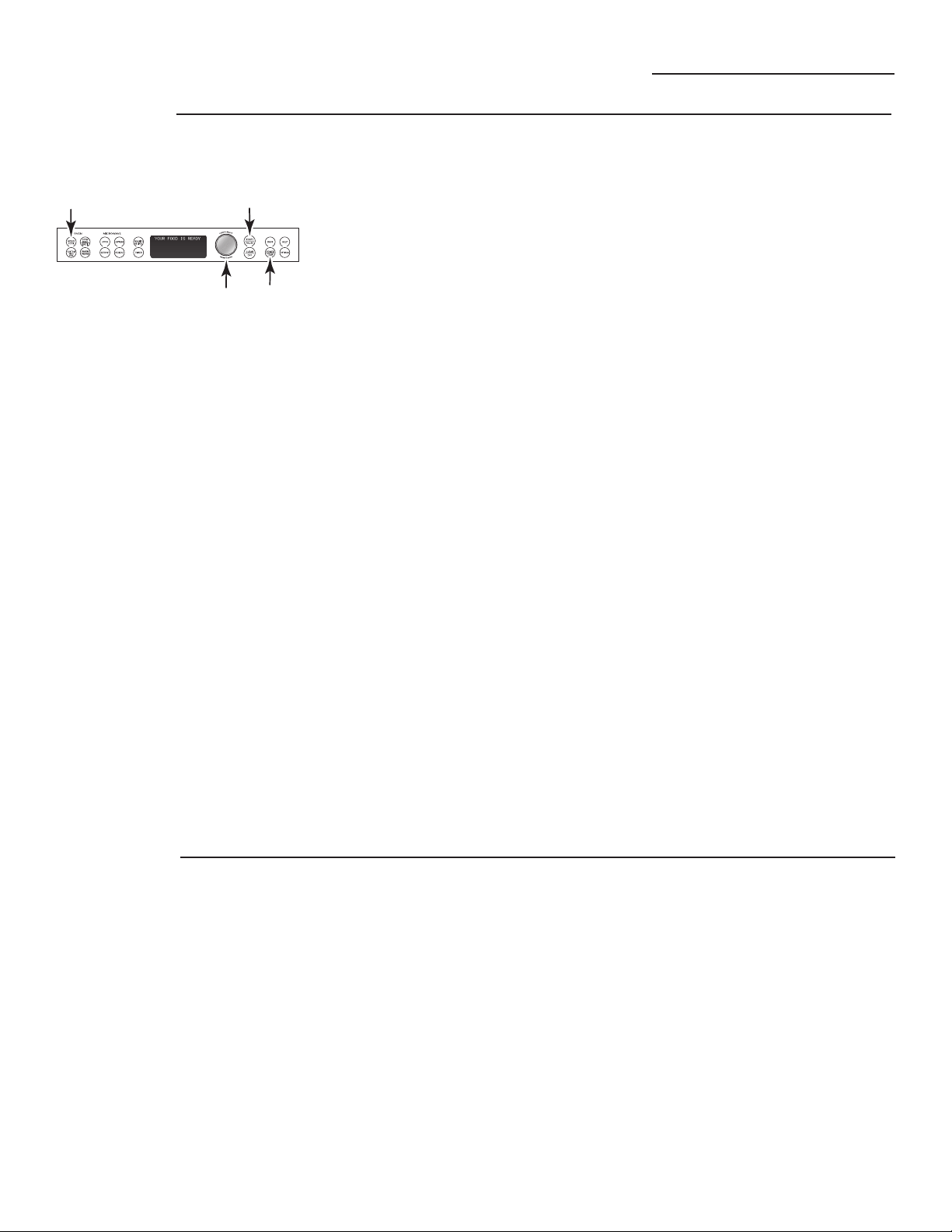
1. Press and hold the SPEEDCOOK pad
for 3 seconds.
2. The last preset food will be
displayed.
3. Press the START/PAUSE pad or the
selector dial to start cooking.
Use this time saving feature for
cooking repetitive items like cookies or
appetizers.
NOTE: The last program used is stored
for two hours.
Resume
feature
1. If your food needs to cook a bit
longer, you can restart the oven
by pressing the START/PAUSE pad
or selector dial.
2. RESUME COOKING will be displayed
and the oven will restart immediately
at 10% of the original time.
The program stays in memory for
10 minutes. After that you will
need to begin the program again.
See To use a preset speedcook menu.
Fresh meat, chicken, fish or seafood that has been frozen should be thawed
before cooking (the microwave defrost feature can be used). For other frozen
prepackaged foods, follow package directions.
20
21
Speedcooking
Advantium Oven
Speedcook
power level
Advantium uses power from a
high intensity halogen light, ceramic
heaters and microwaves to cook food
from the top, bottom and interior
simultaneously to seal in moisture
and flavor.
When using the preset speedcook
recipes on the food menu, the power
levels are already selected for you.
However, these power levels can be
adjusted before or during cooking. See
POWER/TEMP in the Cooking Controls
section. The custom speedcook
feature allows you to speedcook
items not on the preset food menu
by selecting your own cook time
and power level settings.
Each power level gives you heater
power and microwave energy for
a certain percentage of the time.
UPPER POWER (U) controls both the
upper heater and microwave power.
A higher UPPER POWER setting will
utilize more upper heater power,
browning food faster on top. A lower
UPPER POWER setting utilizes more
microwave power, causing food to
cook more evenly throughout.
Select a higher setting for foods such
as pizza and baked goods. Select a
lower setting for foods such as
casseroles, meat and fish.
LOWER POWER (L) controls the lower
heater.
Select a higher setting to brown foods
more on the bottom. Select a lower
setting for less browning on the
bottom.
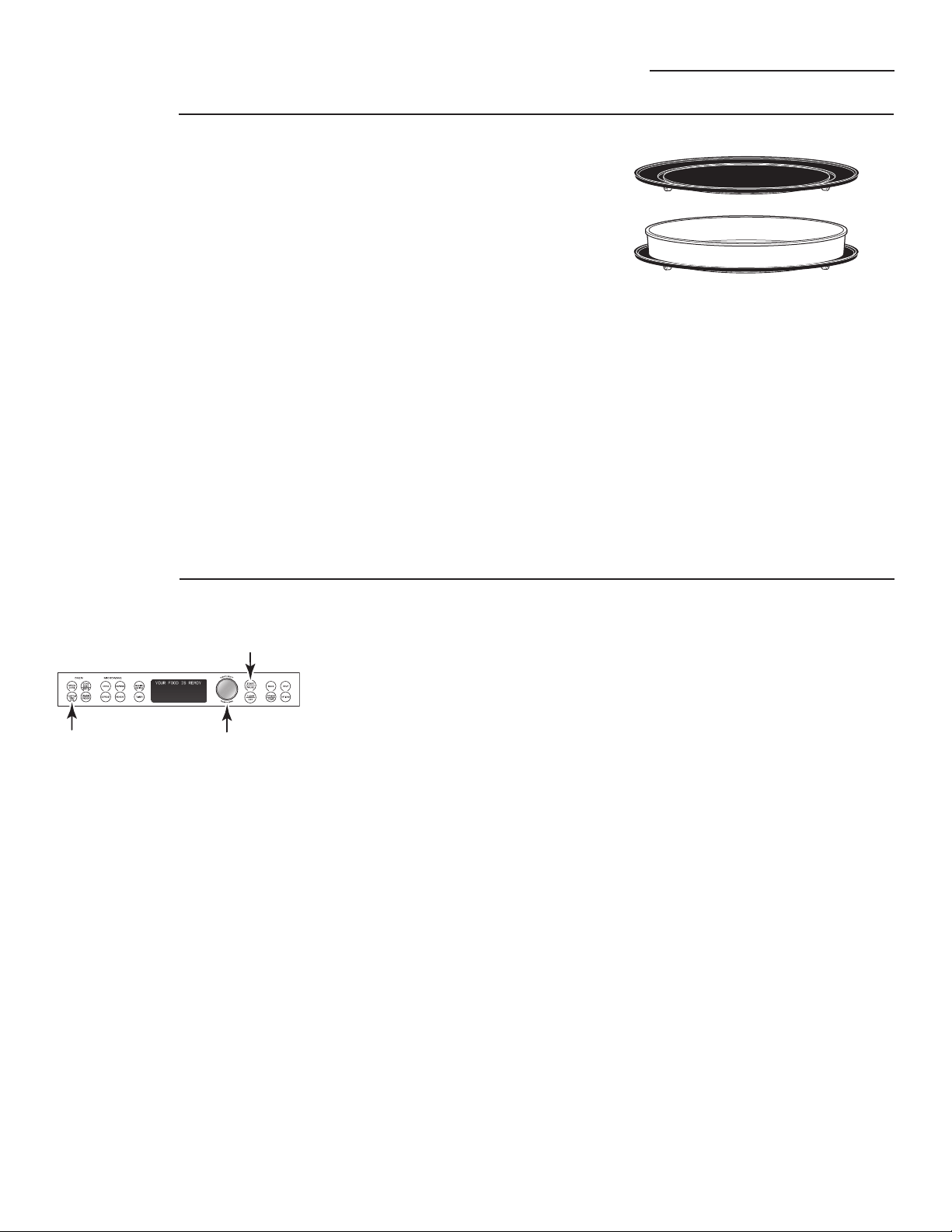
1. Press the SPEEDCOOK pad and
turn the dial to select FOOD MENU
or FAVORITE RECIPES, or press
CUSTOM SPEEDCOOK to manually
set power level and timer. Press the
dial to enter.
2. Turn the dial to select a food, time
or power level as prompted. Press
the dial to enter.
3. To change the power level when
prompted by the display, turn
the dial clockwise to increase or
counterclockwise to decrease the
upper power level. Press the dial to
enter.
4. Microwave levels are set
automatically based on the upper
and lower lamp settings.
5.
Press the START/PAUSE
pad
or
the selector dial to start cooking.
If you do not want to change one of
the settings, just press the dial to move
to the next selection.
NOTE: Be careful when adjusting
power levels so that you do not
over- or undercook food.
U = Select a higher setting for
thin foods requiring a golden
brown top (example: fish fillets,
toast, boneless chicken breasts).
Select a lower setting for thicker
foods and foods with high sugar
or fat content (example: cakes,
roasts).
L = Select a higher setting for thick
or dense foods that may not
cook quickly in the center
(example: casseroles). Select
a lower setting for thin foods
(example: cookies) and foods
containing high fat or sugar
content (example: pastry, cakes).
Follow these general guidelines when selecting the best U and L settings for your
favorite recipes:
Speedcooking
Advantium Oven
Custom
speedcook
Advantium gives you the flexibility
to cook your favorite dishes.
If you want to cook a food item that is
not among the preset selections, use
custom speedcook.
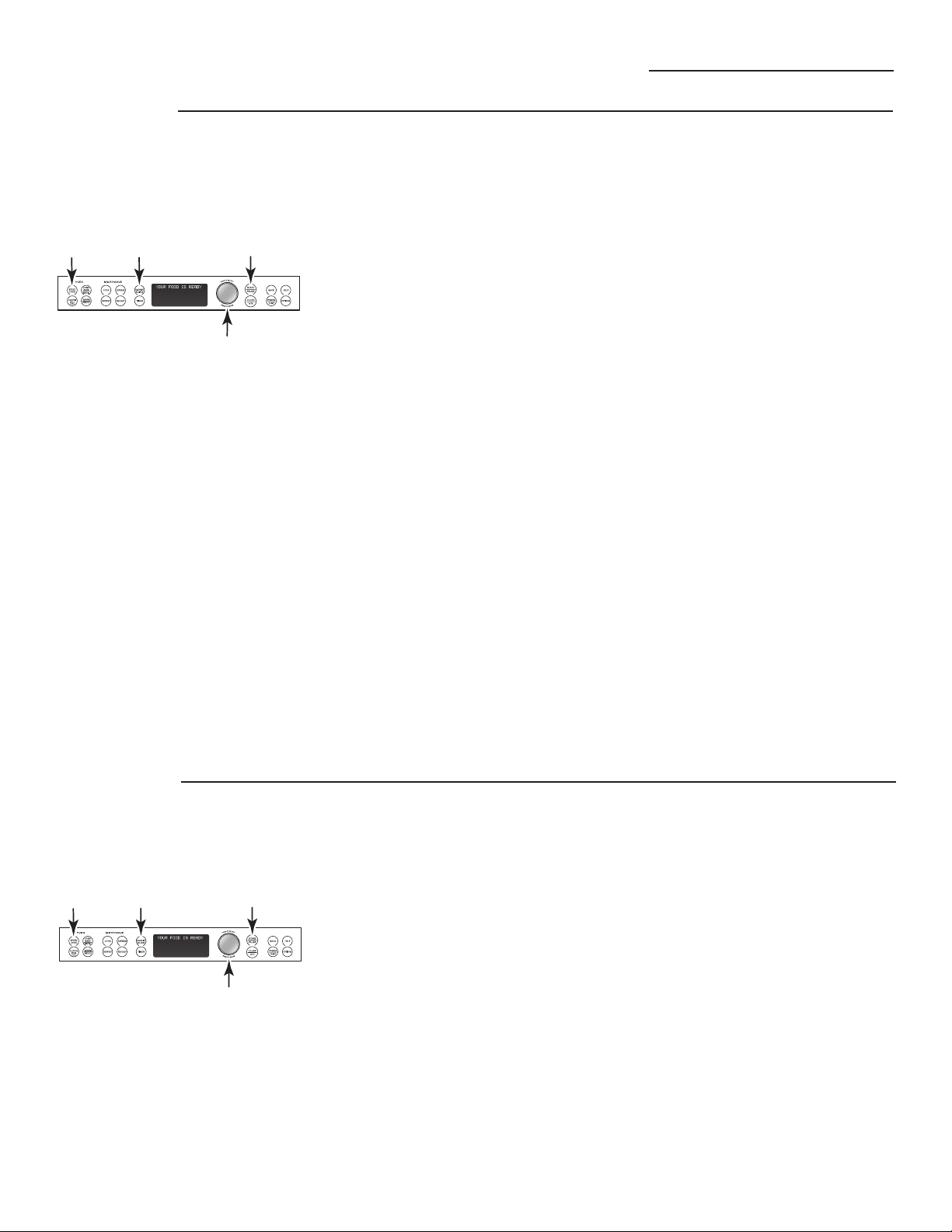
1. Press the CUSTOM SPEEDCOOK
pad.
If no entries are made within 15
seconds, the display will revert back
to the time of day.
2. Turn the selector dial to select
the cooking time. Press the dial
to enter.
The display will prompt you to
select the power level(s).
3. Turn the dial clockwise to increase
or counterclockwise to decrease
the upper power level. Press the
dial to enter.
4. Turn the dial to change the
lower power level. Press the
dial to enter.
5. Press the START/PAUSE pad or press
the selector dial to start cooking.
For power level and cooking time
suggestions, use your cooking guide
or cookbook.
Speedcook
cookware
■ Follow cookware suggestions on the
oven display or in the cookbook or
cooking guide.
■ Cookware will become hot because
of heat transferred from the heated
food. Oven mitts will be needed to
handle the cookware.
■ Place food directly on the nonstick
metal tray when cooking, unless
prompted by the oven to do
otherwise.
■ Use the nonstick metal tray in the
same way you would use a shallow
baking pan or baking tray.
■ In addition to the cookware
provided, you can use non-metal
casserole dishes, pie plates and
other heat-safe cookware. Place
them directly on the turntable.
■ Be sure to select a size that will
rotate easily.
■ Place the nonstick metal tray
on the turntable. Place glass or
ceramic cookware on the tray.
■ Do not use cookware or coverings
made of paper, plastic or foil when
cooking during a speedcook cycle.
22
23
Speedcooking
Advantium Oven
Favorite
recipe—
to enter
and save
Add and save up to 30 of your own
Speedcook or microwave recipes, or
preset Speedcook menu recipes as a
favorite recipe. Once it’s done, you
can quickly recall your favorite so
that your food cooks just the way
you want it every time!
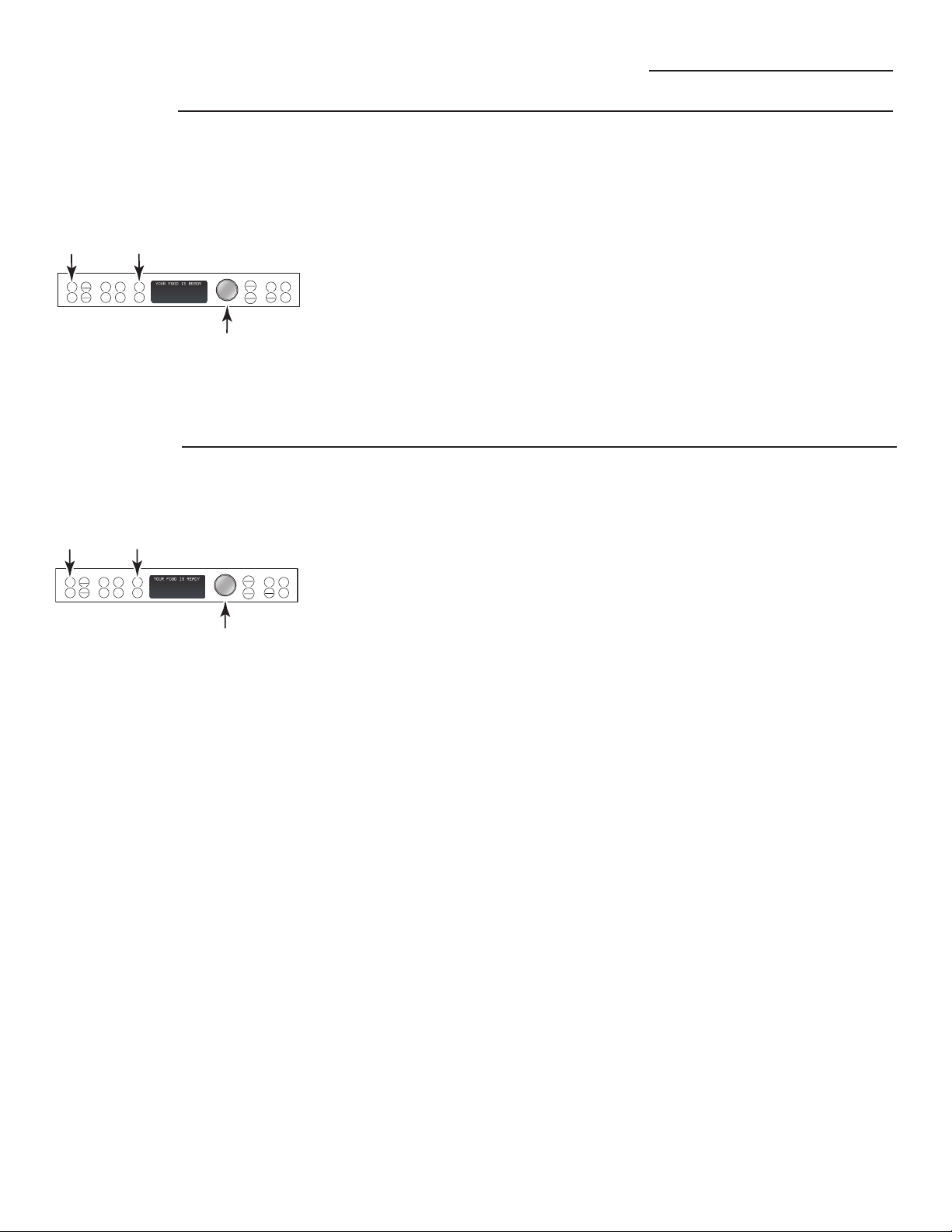
1. Press the FAVORITE RECIPES or
the SPEEDCOOK pad.
2. Turn the dial until FAVORITE
RECIPES appears. Press the dial
to enter. (Skip this step if the
FAVORITE RECIPES pad was
pressed in step 1.)
3. Turn the dial until ADD RECIPE
appears. Press the dial to enter.
4. Turn the dial to COPY SPEED
RECIPE or to ADD NEW RECIPE.
Press the dial to enter.
If COPY SPEED RECIPE was
selected, turn dial to food
type(s) and press the FAVORITE
RECIPES pad to enter and save
the recipe.
If ADD NEW RECIPE was selected,
turn the dial to select SPEEDCOOK
or MICROWAVE recipe. Press the
dial to enter and continue with
these steps.
5. SELECT COOK TIME appears. Turn
the dial to select the cooking time.
Press the dial to enter.
The display will prompt you to select
the power level(s).
6. Turn the dial clockwise to increase
or counterclockwise to decrease
the power level(s). Press the dial
to enter.
For power level and cooking time
suggestions, use your cooking guide
or cook book.
7. SPELL THE FOOD NAME appears.
Turn the dial to the first letter of
your food description and press
the dial to enter. Continue this
process to spell the rest of the food
name. Press the START/PAUSE pad
to save the recipe and its name.
To find and use stored favorite
recipes:
1. Press the FAVORITE RECIPES
or the SPEEDCOOK pad.
2. Turn the dial until FAVORITE
RECIPES appears. Press the dial
to enter.
3. Turn dial to USE FAVORITE RECIPE
and press to enter.
4. The recipe names you entered will
appear.
5. Turn dial until the recipe you want
is displayed and press the dial to
enter.
6. Press the START/PAUSE pad or
press the selector dial to start
cooking.
Favorite
recipe—
to find
and use
Speedcooking
Advantium Oven
Favorite
recipe—
to adjust
or change
To adjust or change stored custom
speedcook recipes:
1. Press the FAVORITE RECIPES or
the SPEEDCOOK pad.
2. Turn the dial until FAVORITE
RECIPES appears. Press the dial
to enter.
3. Turn the dial until EDIT RECIPE
appears. Press the dial to enter.
4. Turn the dial to the recipe you
want to change. Press the dial
to enter. Current settings appear.
5. Press the dial to edit.
6. The display will prompt you to
select the power level(s) and edit
the name. Turn the dial and press
to enter the appropriate settings.
For power level and cooking time
suggestions, use your cooking guide
or cook book.
To delete stored custom speedcook
recipes:
1. Press the FAVORITE RECIPES or
the SPEEDCOOK pad.
2. Turn the dial until FAVORITE
RECIPES appears. Press the dial
to enter.
3. Turn the dial until DELETE RECIPE
appears and press the dial to
enter.
4. Turn dial to the recipe you
want to delete and press
the dial to enter.
Favorite
recipe—
to delete
MICROWAVE
OVEN
EXPRESS
COOK
CONV
BAKE
BROIL
SPEED
COOK
REHEAT
FAVORITE
RECIPES
TIMER
START
PAUSE
CLEAR
OFF
DEFROST
HELPBACK
OPTIONS
POWER
TEMP
WARM
PROOF
CUSTOM
SPEED
COOK
T
U
R
N
T
O
S
E
L
E
C
T
P
R
E
S
S
T
O
E
N
T
E
R
MICROWAVE
OVEN
EXPRESS
COOK
CONV
BAKE
BROIL
SPEED
COOK
REHEAT
FAVORITE
RECIPES
TIMER
START
PAUSE
CLEAR
OFF
DEFROST
HELPBACK
OPTIONS
POWER
TEMP
WARM
PROOF
CUSTOM
SPEED
COOK
T
U
R
N
T
O
S
E
L
E
C
T
P
R
E
S
S
T
O
E
N
T
E
R
24

25
Speedcooking
Advantium Oven
Things that
are normal
Cooking Times
■ When speedcooking preprogrammed foods,
you may see OPTIMIZING COOK TIME in the
display several seconds after you press
START/PAUSE. The oven automatically
senses the electrical voltage level in your
home and adjusts the cooking time up or
down for proper cooking.
Fan/Vent
■ The fan will be on during cooking. At the
end of cooking, the automatic fan may
continue to run for a short time, and the
display will read Oven is Cooling. The fan
will automatically shut off when the internal
parts of the oven have cooled.
■ The oven vent will emit warm air while
the oven is on.
Lights
■ When the oven is on, light may be visible
around the door or outer case.
■ The halogen lights will dim and cycle
on and off during a speedcook cycle,
sometimes even at full power levels.
This is normal. The oven senses the
heat level and adjusts automatically.
Oven Heat
■ No preheating time is required during
Speedcook cycles. The oven begins cooking
immediately.
■ The door and inside of the oven will be very
hot. Use caution when opening the door
and removing food.
■ Do not use cookware or coverings made
of paper, plastic or foil when cooking during
a speedcook cycle.
■ When cooking for an extended period
of time, the oven may automatically
reduce the power levels to maintain the
appropriate level of oven heat.
Sounds
■ Clicks and a fan blowing are normal sounds
during cooking. The relay board is turning
components on and off.
26
Baking, Broiling and Toasting
Advantium Oven
1. Press the CONV BAKE/BROIL pad.
2. Press the dial to select BAKE.
3. Turn the dial to set the oven temperature
and press to enter.
To bypass preheating:
1. When the prompt shows PREHEAT THE
OVEN? turn the dial to NO. Press the dial
or press START/PAUSE to begin cooking.
2. Place the food in the oven, turn the dial
to set the cook time and press to enter.
The oven starts cooking immediately.
When cooking is complete, the oven
will signal and turn off.
To preheat:
1. When the prompt shows PREHEAT THE
OVEN? turn the dial to YES. Press the dial
or press START/PAUSE to begin cooking.
The oven starts preheating immediately.
Do not place the food in the oven. (You will
be prompted to enter the cook time, after
the oven is preheated.)
2. When the oven is finished preheating,
it will signal. If you do not open the door
within 1 hour, the oven will turn off
automatically. Open the oven door and,
using caution, place the food in the oven.
3. Close the oven door. Turn the dial to set
the cook time and press to enter and start
cooking. When cooking is complete, the
oven will signal and turn off.
You may change the oven temperature during
preheating by pressing the POWER/TEMP pad
and turning the dial to select the new
temperature.
If the oven door is opened during cooking,
PAUSE will appear in the display. Close the
door and press START/PAUSE.
Cook times are shown in minutes and can
be a maximum of 179 minutes. Time can be
changed during cooking by turning the dial.
1. Press the CONV BAKE/BROIL pad.
2. Turn the dial to BROIL or TOAST and press
to enter.
To bypass preheating:
1. When the prompt shows PREHEAT THE
OVEN? turn the dial to NO. Press the dial
or press START/PAUSE to begin cooking.
2. Place the food in the oven, turn the dial
to set the cook time and press to enter.
Press the dial to start cooking. When
cooking is complete, the oven will signal
and turn off.
To preheat:
1. When the prompt shows PREHEAT THE
OVEN? turn the dial to YES. Press the dial
or press START/PAUSE to begin cooking.
The oven starts preheating immediately.
Do not place the food in the oven. (You will
be prompted to enter the cook time, after
the oven is preheated.)
2. When the oven is finished preheating, it
will signal. If you do not open the door
within 1 hour, the oven will turn off
automatically. Open the oven door and,
using caution, place the food in the oven.
3. Close the oven door. Turn the dial to
set the cook time and press to enter
and start cooking. When cooking is
complete, the oven will signal and
turn off.
If the oven door is opened during cooking,
PAUSE will appear in the display. Close the door
and press START/PAUSE.
How to
Convection Bake
How to
Broil or
Toast
Convection
Baking,
Broiling
and
Toasting
Convection baking allows you to cook foods the same
way as a conventional oven, using a heating element
to raise the temperature of the air inside the oven. Any
oven temperature from 250°F to 450°F may be set.
Broiling allows you to broil foods in the same way as
a conventional oven.
Toasting allows you to toast foods the same way as
a conventional oven.
A fan gently circulates heated air throughout the oven,
over and around the food. Because the heated air is
kept constantly moving, not permitting a layer of
cooler air to develop around the food, some foods cook
slightly faster than in regular oven cooking.
Before you begin, make sure the turntable is in place.
Use the nonstick metal tray at all times when baking.
CAUTION:When baking, remember that
the oven, door and dishes will be very hot!
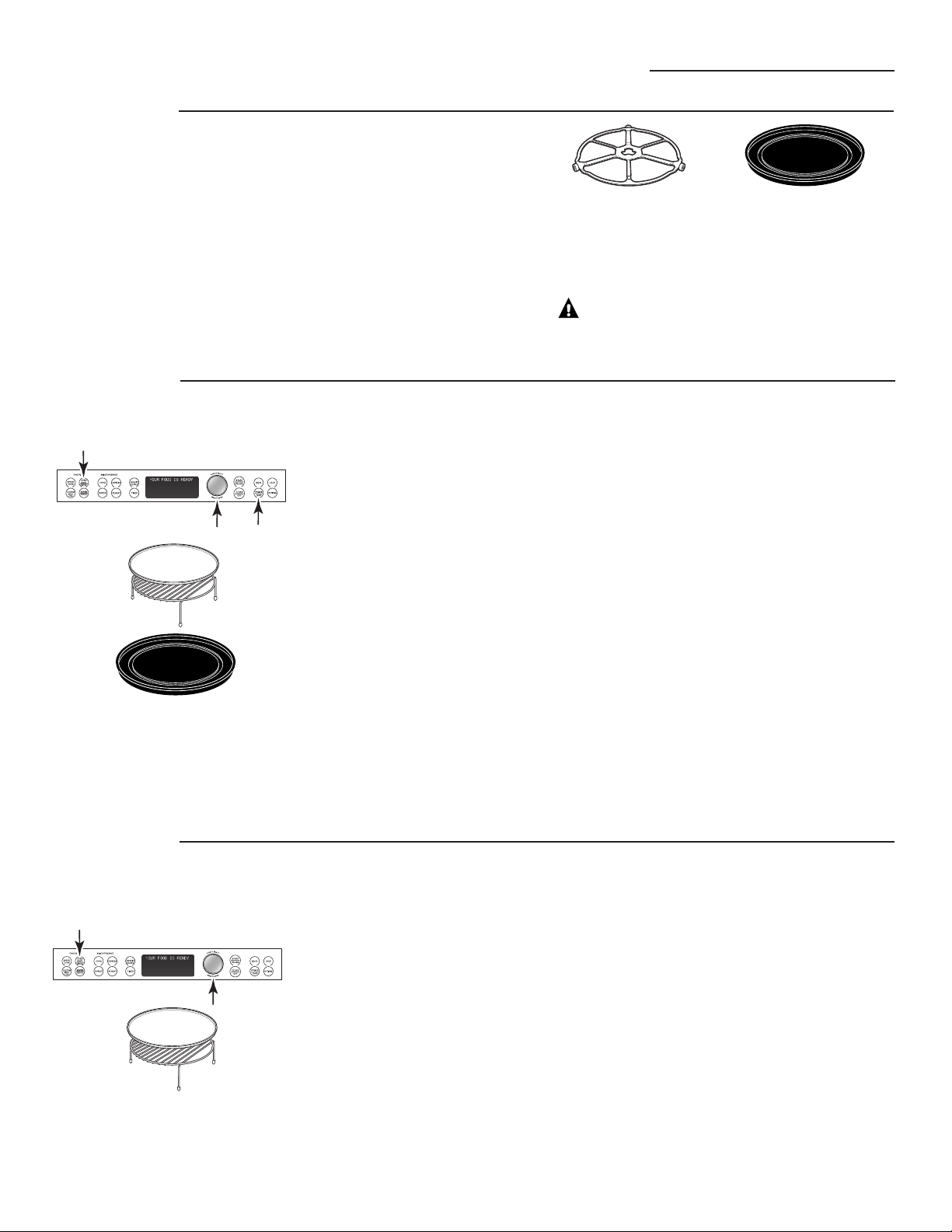
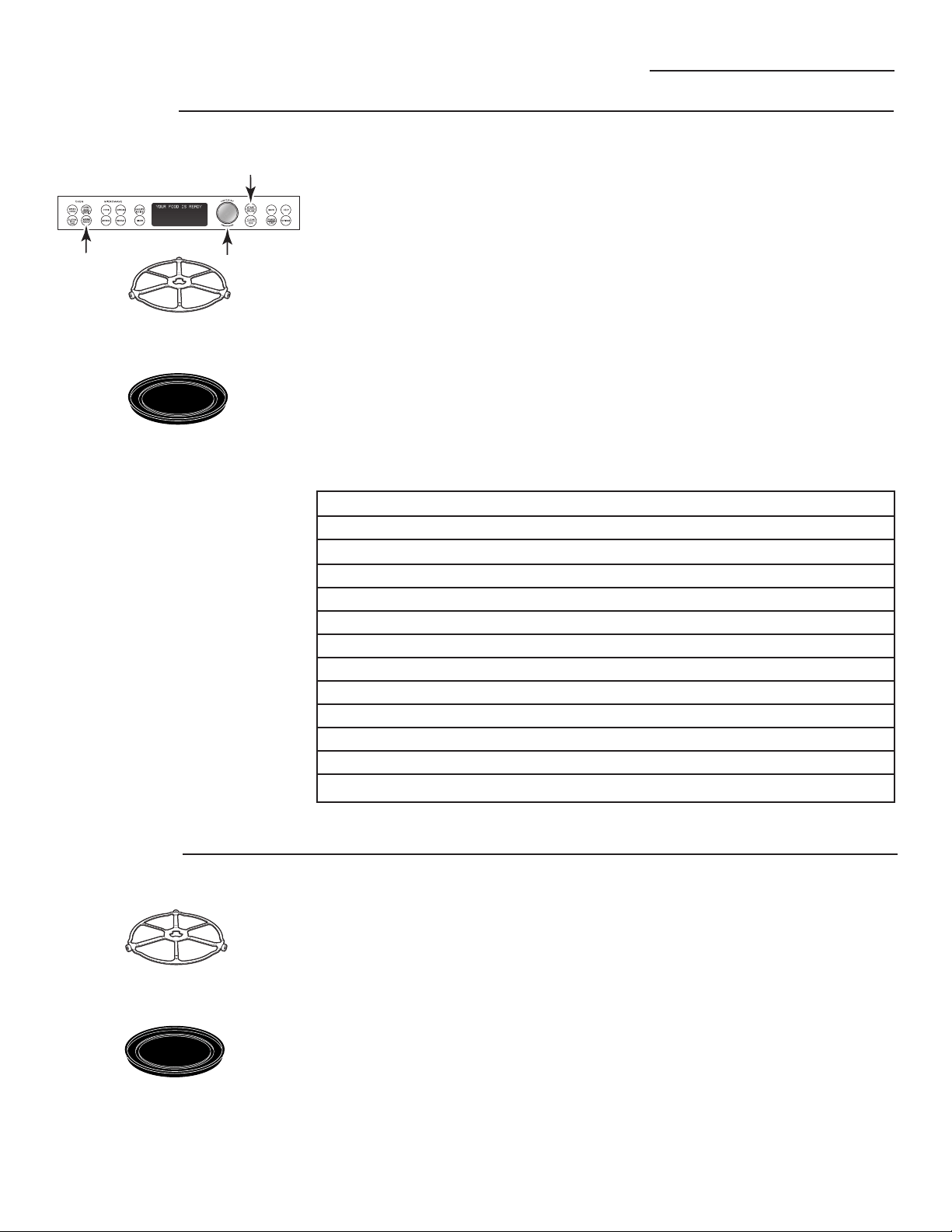
The turntable must
always be in place when
using the oven.
Put food or oven-safe
cookware directly on the
nonstick metal tray to bake.
Put food directly on the aluminum
baking sheet on the wire oven rack,
and place them on the nonstick metal
tray, when broiling or toasting foods.
For two-level baking, place food in a
metal baking dish or directly on the
nonstick metal tray. Place the aluminum
baking sheet or your baking dish with
food on top of the wire rack. Stand the
rack with food on the metal tray.
The proofing feature automatically
provides the optimum temperature
for the proofing process, and therefore
does not have a temperature adjustment.
1. Press the WARM/PROOF pad.
2. Turn the dial to select PROOF
BREAD. Press the dial to enter. The
oven starts proofing immediately
and shows the amount of proofing
time completed.
■ To avoid lowering the oven
temperature and lengthening
proofing time, do not open the
oven door unnecessarily.
■ Check bread products early
to avoid over-proofing.
NOTES:
■ Do not use the proofing mode for
warming food or keeping food hot.
The proofing oven temperature is
not hot enough to hold foods at
safe temperatures. Use the WARM
feature to keep food warm.
■ Proofing will not operate if the
oven is too hot. Allow the oven
to cool before proofing.
27
Warming and Proofing
Advantium Oven
Tips for Crisp Foods:
■ Leave food uncovered.
■ Do not use plastic containers
or plastic wrap.
■ Preheat prior to use according
to recommended times.
Tips for Moist Foods:
■ Cover food with lid or
aluminum foil.
■ Do not use plastic containers
or plastic wrap.
■ Preheat prior to use according
to recommended times.
Food Type Control Setting Moisture Setting
Bread, hard rolls MEDIUM CRISP
Bread, soft rolls MEDIUM MOIST
Casseroles MEDIUM MOIST
Fried foods HIGH CRISP
Meats* and fish MEDIUM CRISP
Pancakes, waffles HIGH CRISP
Pizza HIGH CRISP
Potatoes, baked HIGH CRISP
Potatoes, mashed MEDIUM MOIST
Poultry HIGH MOIST
Tortilla Chips LOW CRISP
Vegetables MEDIUM MOIST
* USDA/FSIS recommends an internal temperature of 145°F as the minimum doneness for beef. Use a
portable meat thermometer to check internal temperatures.
Temperature and Moisture Selection Chart
Warming
The WARM feature will keep hot, cooked
foods at serving temperature. Always start
with hot food. Use cookware and utensils
that can withstand temperatures up to
230˚F.
1. Press the WARM/PROOF pad.
2. Turn the dial to select HOLD FOOD
WARM. Press the dial to enter.
3. Turn the dial to select the oven
temperature. See the chart and
tips below. Press the dial to enter.
LOW ......................................140°–160°F
MEDIUM ..............................160°–195°F
HIGH ......................................195°–230°F
4. Turn the dial to select the level of
moisture you want. See the chart
and tips below. Press the dial to
enter.
If the oven door is opened during
warming, PAUSE will appear in the display.
Close the door and press START/PAUSE.
To Crisp Stale Items:
■ Place food or dishes directly on
the black metal tray.
■ Preheat on LOW setting and select
CRISP.
■ Check crispness after 45 minutes.
Add time as needed.
Proofing
The turntable must always be in
place when using the oven.
Put food directly on the
nonstick metal tray to warm.
The turntable must always be in
place when using the oven.
Put bread dough in a bowl/bread
pan and place on the nonstick
metal tray to proof.
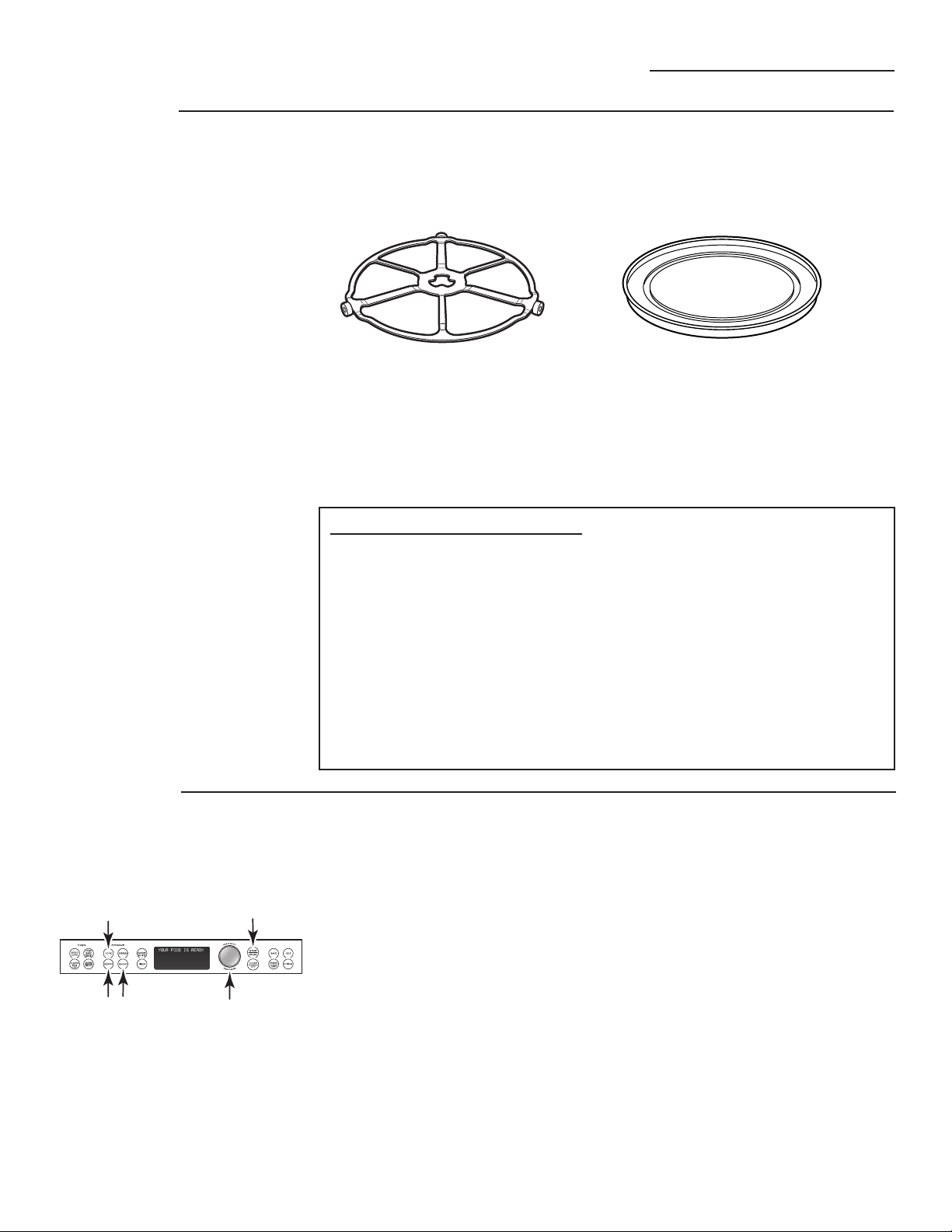
Microwaving
Advantium Oven
Using the
microwave
features
Make sure the turntable and clear glass tray are in place.
Place food or microwavable container directly on the clear glass tray
to cook your food.
■ Cook
–By Food Type
–By Time
–By Time 1 & 2
–Delay Start
–Heat/Reheat
–Beverage
–Melt
–Slow Cook
–Soften
■ Defrost
–1.0 lb Quick
–By Time
–By Food Type
–By Weight
–Delay Start
–Melt
–Soften
■ Reheat
–Beverage
–Casserole
–Chicken
–Pasta
–Pizza
–Plate of Food
–Rice
–Soup
–Steaks/Chops
–Vegetables
MICROWAVE PRESET SELECTIONS:
The turntable must always
be in place when using the oven.
The clear glass tray should always
be in place when microwaving.
How to
use preset
microwave
selections
1. Press the microwave COOK,
DEFROST or REHEAT pad.
If no selection is made within 15
seconds, the display will revert back
to the time of day.
2. Turn the dial to find the food you
want to cook, defrost or reheat.
Press the dial to enter.
3. Turn the selector dial to select the
type, amount, weight and/or size.
(As required, the oven will prompt
you.) Press the dial after each
selection.
4. Press the dial or the START/PAUSE
pad to start cooking.
To review settings during cooking,
press the selector dial.
If the door is opened during cooking,
the oven will stop and PAUSE will
appear in the display. Close the door
and press START/PAUSE to resume
cooking.
If you enter an undesired selection at
any time, simply press the BACK pad
and reenter the desired selections.
28
Cookware
■ Make sure that cookware is suitable
for microwaving.
■ Place food or microwavable container
directly on the clear glass tray to cook
your food.
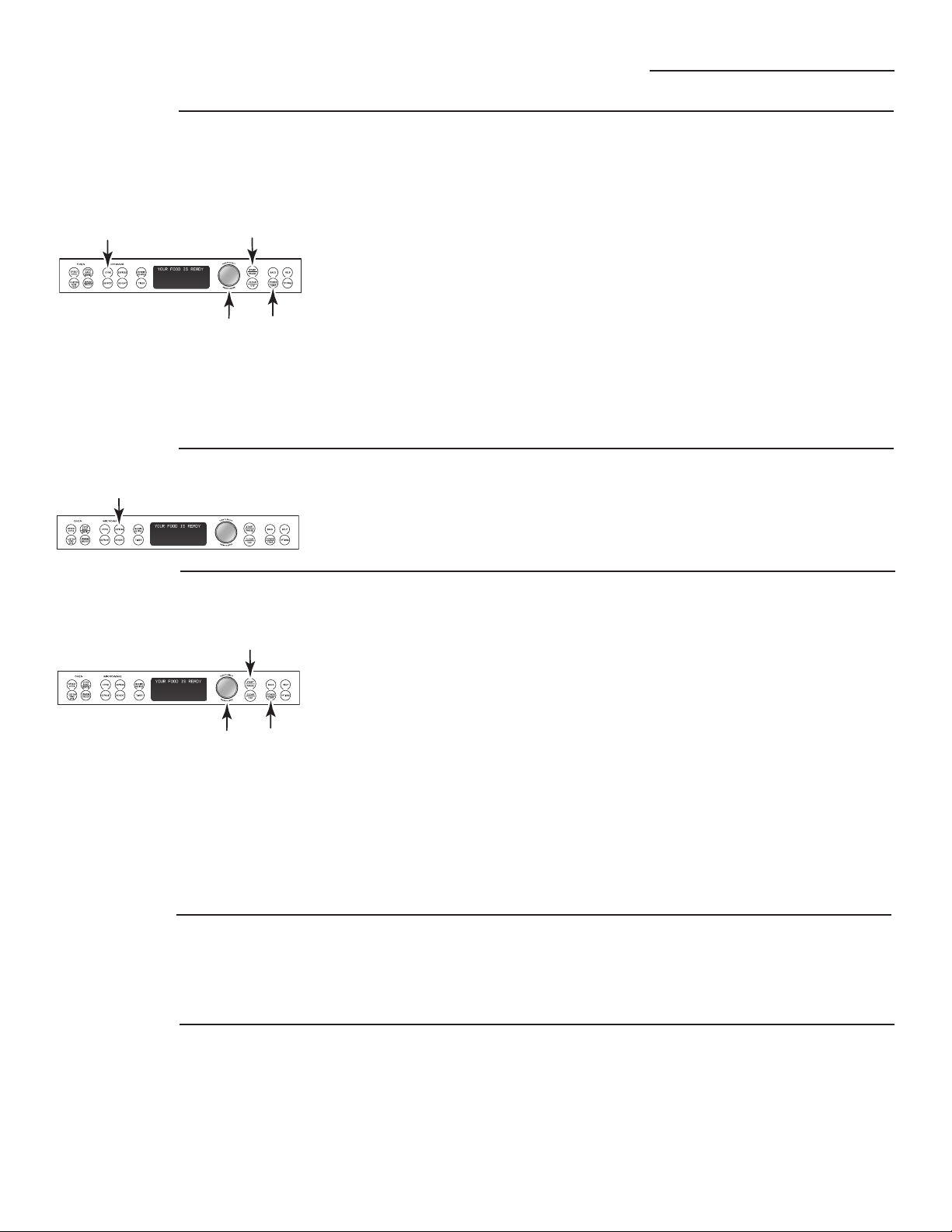
Microwaving
Advantium Oven
Cook By Time
and Cook By
Time 1 & 2
Use COOK BY TIME and COOK BY TIME
1 & 2 to microwave food that is not in
the recipe section and at the time(s)
you set.
■ The power level is automatically set
at high, but you can change it for
more flexibility.
1. Press the COOK pad.
2. Turn the dial to select COOK BY
TIME or COOK BY TIME 1 & 2
and press the dial to enter.
3. Turn the dial to set the cook time
and press the dial to enter.
If you selected COOK BY TIME 1 & 2,
turn the dial to set the second cook
time and press the dial to enter.
NOTE: To change the power level
if you don’t want full power, press the
POWER/TEMP pad after entering the
time(s). Turn the dial to select and press
the dial to enter.
4. Press the dial or the START/PAUSE
pad to start cooking.
You may open the door during COOK
BY TIME and COOK BY TIME 1 & 2 to
check the food. Close the door and
press START/PAUSE to resume cooking.
Press EXPRESS repeatedly for
30 second increments of microwave
cooking time. Oven starts
immediately.
Express
Microwave
power level(s)
1. First, follow directions for COOK
BY TIME, COOK BY TIME 1 & 2,
DEFROST BY TIME or EXPRESS.
2. Press the POWER/TEMP pad.
3. Turn the dial clockwise to increase
and counterclockwise to decrease
the power level. Press the dial to
enter.
4. Press the dial or the START/PAUSE
pad to start cooking.
■ You can change the power level
before or during a cooking program.
Here are some examples of uses for
various power levels:
High 10: Fish, bacon, vegetables,
boiling liquids.
Med-High 7: Gentle cooking of meat
and poultry; baking casseroles and
reheating.
Medium 5: Slow cooking and
tenderizing for stews and less
tender cuts of meat.
Low 2 or 3: Defrosting, simmering,
delicate sauces.
Warm 1: Keeping food warm,
softening butter.
■ When cooking bacon, layer strips
on a plate. Cover each layer with
a paper towel.
■ When cooking vegetables, use a
microwave-safe casserole or bowl.
Cover with a microwave-safe lid
or vented plastic wrap.
■ For frozen vegetables, follow the
package instructions for adding
water.
■ For fresh vegetables, add
2 tablespoons of water for
each serving.
Cooking
tips
29
See the Favorite recipe sections in the
Speedcook section of this book for
instructions on how to save, use,
change or delete a favorite recipe.
Favorite
recipes
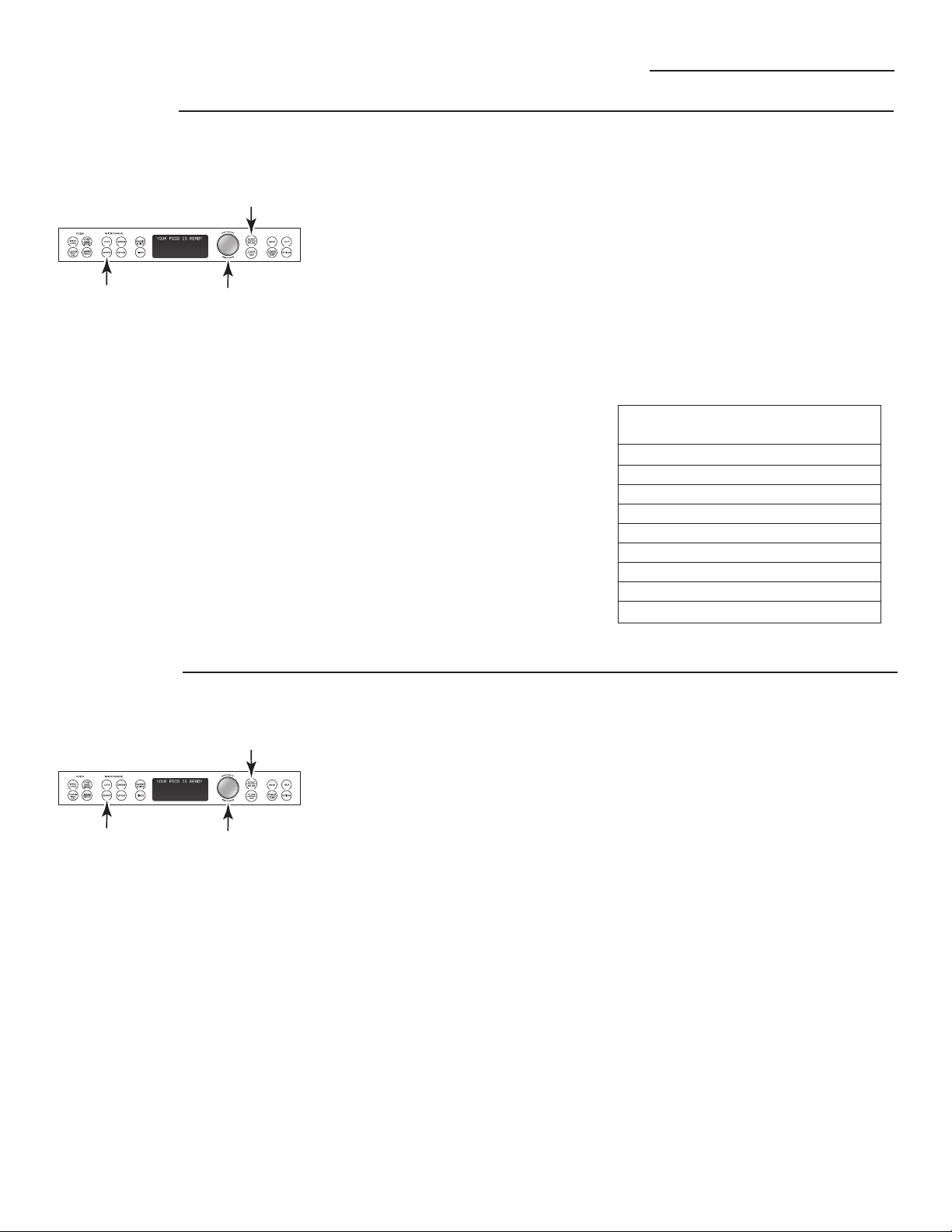
Microwaving
Advantium Oven
Defrost by
food type
Auto Defrost automatically sets the
defrosting times and power levels
to give even defrosting results for
meats, poultry and fish weighing
up to 6 pounds.
1. Remove food from the package
and place it on a microwave-safe
dish.
2. Press the DEFROST pad.
3. Turn the dial to DEFROST BY FOOD
TYPE. Press the dial to enter.
4. Turn the dial to select food type.
Press the dial to enter.
5. Turn the dial to the food weight,
using the Conversion Guide
at right. For example, dial 1.2
for 1.2 pounds (1 pound, 3 oz.)
Press the dial to enter.
6. Press the dial or START/PAUSE pad
to start defrosting.
7. Turn the food over when the oven
signals TURN FOOD OVER.
■ Remove defrosted meat or shield
warm areas with small pieces of
foil for even defrosting.
■ After defrosting, most meats need
to stand 5 minutes to complete
defrosting. Large roasts should
stand for about 30 minutes.
Conversion Guide
If the weight of food is stated in
pounds and ounces, the ounces must
be converted to tenths (.1) of a pound.
Weight of Food Enter Food Weight
in Ounces (tenths of a pound)
1–2 .1
3.2
4–5 .3
6–7 .4
8.5
9–10 .6
11 .7
12–13 .8
14–15 .9
Use Time Defrost to defrost for a
selected length of time.
1. Press the DEFROST pad.
2. Turn the selector dial to DEFROST
BY TIME. Press the dial to enter.
3. Turn the dial to select the time you
want. Press the dial to enter.
4. Press the dial or START/PAUSE pad
to start defrosting.
5. Turn the food over when the oven
signals TURN FOOD OVER.
Power level is automatically set at 3,
but can be changed. To change the
power levels, see the Microwave Power
Level(s) section. You can defrost small
items quickly by raising the power
level after entering the time. Power
level 7 cuts the total defrosting time in
about half; power level 10 cuts the
total time to about 1/3. When
defrosting at high power levels,
food will need more frequent attention
than usual.
Defrost
by time
30

Microwaving
Advantium Oven
Defrosting
tips
Use DEFROST BY FOOD TYPE for meat,
poultry and fish.
Use DEFROST BY TIME
for most other frozen foods.
■ Foods frozen in paper or plastic can
be time defrosted in the
package,
but foods should be taken out of the
package when using
DEFROST BY
FOOD TYPE
. Closed packages
should be slit, pierced or vented
after food has partially defrosted.
Plastic storage containers should be
partially uncovered.
■ Family-size, prepackaged frozen
dinners can be defrosted and
microwaved. If the food is in
a foil container, transfer it to
a microwave-safe dish.
■ Foods that spoil easily should not
be allowed to sit out for more than
one hour after defrosting. Room
temperature promotes the growth
of harmful bacteria.
■ For more even defrosting of
larger foods, such as roasts, use
DEFROST BY TIME. Be sure large
meats are completely defrosted
before cooking.
■ When defrosted, food should be
cool but softened in all areas.
If still slightly icy, return to the
microwave very briefly, or let
it stand a few minutes.
31
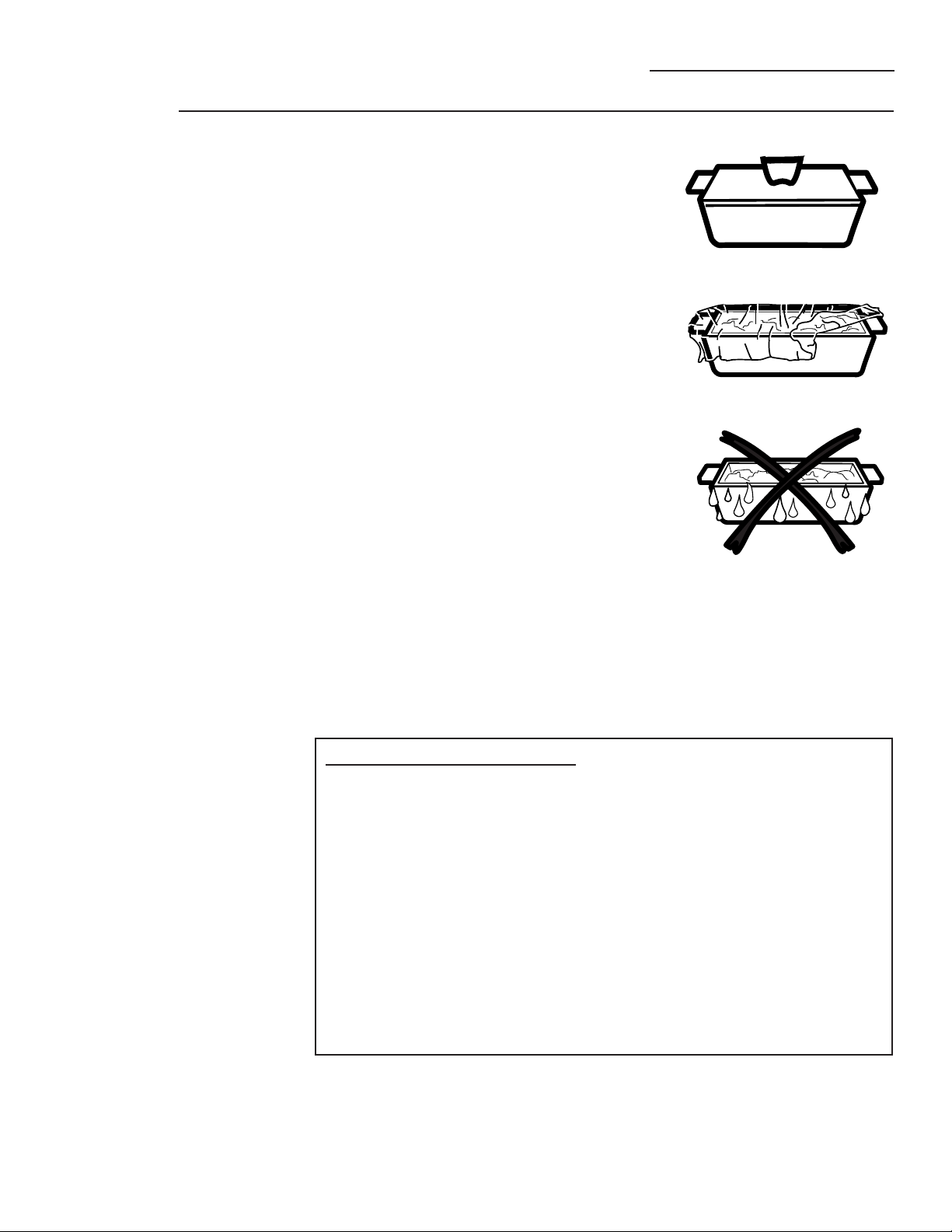
The sensor feature detects the
increasing humidity released during
cooking. The oven automatically adjusts
the cooking time to various types and
amounts of food.
Do not use the Sensor Features twice in
succession on the same food portion—
it may result in severely overcooked or
burnt food. If food is undercooked after
the first countdown, use COOK BY TIME
for additional cooking time.
The proper containers and covers are
essential for best sensor cooking.
■ Always use microwave-safe
containers and cover them with lids
or vented plastic wrap.
Never use tight sealing plastic
containers—they can prevent
steam from escaping and cause
food to overcook.
■ Be sure the outside of the cooking
containers and the inside of the
oven are dry before placing food
in the oven. Beads of moisture
turning into steam can mislead
the sensor.
■ Beverages are best heated
uncovered.
Microwaving
Advantium Oven
Microwave
sensor
cooking
32
Covered
Vented
Dry off dishes so they don’t
mislead the sensor.
MICROWAVE SENSOR PROGRAMS:
■ Ground Meat
■ Popcorn – Prepackaged microwave popcorn, 3.0 oz. to 3.5 oz.
■ Soup
■ Rice
■ Vegetables (Canned, Fresh, Frozen)
■ Chicken Reheat
■ Pasta Reheat
■ Plate of Food Reheat
■ Soup Reheat
■ Vegetable Reheat
Microwaving
Advantium Oven
To use all
sensor
programs
33
Advantium’s microwave mode
features sensor cooking. The oven
automatically senses when food is
done and shuts itself off—eliminating
the need to program cook times and
power levels.
1. Press the COOK pad and turn the
dial to COOK BY FOOD TYPE. Press
the dial to enter. Or press the
REHEAT pad.
2. Turn the dial to select the food you
want. Press the dial to enter.
3. Press the dial or press the START/
PAUSE pad to start cooking.
Do not open the oven door until time
is counting down in the display.
If the door is opened, close it and
press START/PAUSE immediately.
If the food is not done enough, use
COOK BY TIME in the microwave
selector to cook for more time.
NOTE: Do not use the Sensor Features
twice in succession on the same food
portion—it may result in severely
overcooked or burnt food.
■ If you have been speedcooking and
the oven is already hot, it may
indicate that it is too hot for sensor
cooking. Of course, you can always
continue with COOK BY TIME or
SPEEDCOOK.
NOTE: If the oven is too hot then it will
automatically change to time cooking.
■ To shorten or lengthen the
cook time, wait until the time
countdown shows in the display.
Then turn the dial to add or
subtract time.
■ If you open the door while Sensor
Cooking, SENSOR ERROR will
appear. Close the door, press
START/PAUSE to begin again.
Notes about the Reheat program:
Reheated foods may have wide
variations in temperature. Some
areas may be extremely hot.
It is best to use COOK BY TIME and
not REHEAT for these foods:
■ Bread products.
■ Food that must be reheated
uncovered.
■ Foods that need to be stirred
or turned.
■ Foods calling for a dry look or crisp
surface after reheating.
Things that
are normal
Interference
■ TV/radio interference might be noticed
while using the microwave. Similar to
the interference caused by other small
appliances, it does not indicate a problem
with the microwave. Move the radio or TV as
far away from the microwave as possible, or
check the position of the TV/radio antenna.
Lights
■ The oven cavity light will come on
during a microwave cooking cycle.
Oven Heat
■ Cookware may become hot because of
heat transferred from the heated food.
Oven mitts may be needed to handle
the cookware.
■ Steam or vapor may escape from around
the door.
Other Advantium Features
Advantium Oven
“COOK TIME
COMPLETED”
To remind you that you have food
in the oven, the oven will display
COOK TIME COMPLETED and beep
once a minute until you either
open the oven door or press the
CLEAR/OFF pad.
Features
under the
OPTIONS
pad
Clock:
The clock must be set before you can
use your oven for the first time (see
Quick Start for instructions).
1. To change the clock time, press
the OPTIONS pad and turn the dial
to CLOCK. Press the dial to enter.
2. Turn the dial to set hours. Press
the dial to enter.
3. Turn the dial to set minutes.
Press the dial to enter.
4. Turn the dial to select AM or PM.
Press the dial to enter.
Clock Display ON/OFF:
Use this feature to turn your clock
display on or off. Press the OPTIONS
pad, turn the dial to select CLOCK
DISPLAY ON/OFF. Turn the dial to
select ON or OFF. Press the dial to
enter.
Delay Start:
Delay Start allows you to set the
oven to delay cooking up to 24 hours.
Press the OPTIONS pad, turn the dial
to select DELAY START and press the
dial to enter. Follow the display
directions to set the Delay Start time
and feature you wish to delay.
Beeper Volume:
Use this feature to adjust the volume
of the beeper. You can even turn it off.
Press the OPTIONS pad, turn the dial
to select BEEPER VOLUME, press the
dial to enter, and follow
the display directions.
Scroll Speed:
Is the message scroll too slow or too
fast? Change it! Press the OPTIONS
pad, turn the dial to select DISPLAY
SCROLL SPEED, press the dial to enter,
and follow the display directions.
Reminder:
Use this feature to set an alarm beep
to sound at a specific time of day.
Press the OPTIONS pad, turn the dial
to SET/CLEAR REMINDER and press the
dial to enter. Turn the dial to select the
hour and press to enter. Turn the dial
to select the minute and press to
enter. Turn the dial to select AM or
PM and press to enter.
To review the setting, turn the dial
to SET/CLEAR REMINDER and press the
dial to enter. Turn the dial to REVIEW
and press to enter.
To cancel the setting, turn the dial
to SET/CLEAR REMINDER and press
the dial to enter. Turn the dial to
CLEAR and press to enter.
Use this feature to review the current
cooking selections you have set.
Press the selector dial during
speedcooking or microwave cooking.
Review
34
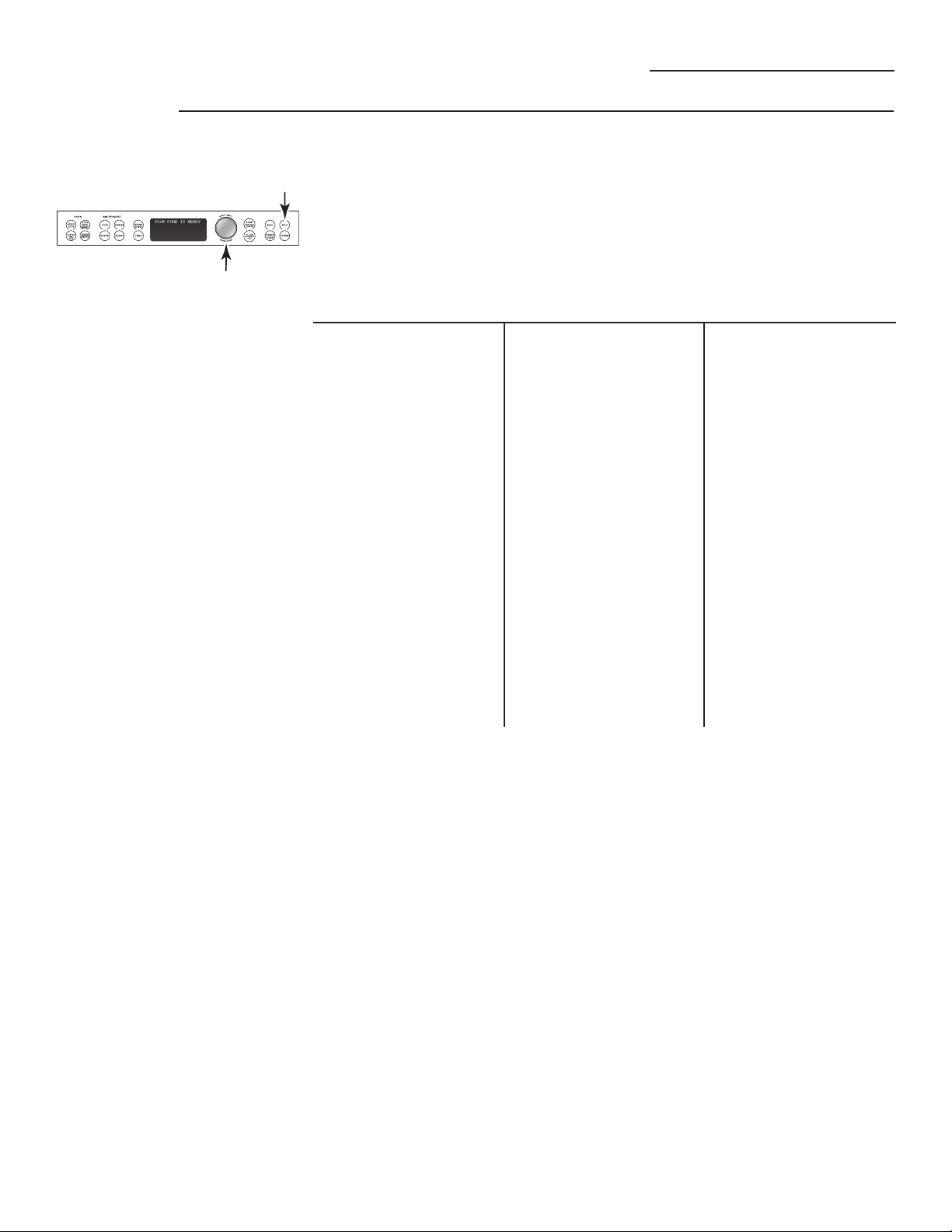
Other Advantium Features
Advantium Oven
Help
Use this feature to find out more about
your oven and its features.
1. Press the HELP pad.
2. Turn the dial to select the feature
name. Press the dial to enter.
The display will show a description for
the program you have chosen.
Adding Time
Back
Bake
Beverage Reheat
Broil
Child Lockout
Clear/Off
Cook
Cook by Time
Cook/Heat by Food
Custom Speed Cook
Defrost
Defrost by Food Type
Defrost by Time
Defrost by Weight
Delay Start
Express Cook
Favorite Recipes
Help
Hold Food Warm
Options
Power/Temp
Proof Bread
Reheat
Repeat Last
Resume
Review
Sensor Cooking
Set Beeper Volume
Set Clock
Set Display On/Off
Set Display Speed
Set Reminder
Slow Cook
Soften/Melt
Speed Cook
Start/Pause
Time Cook 1 & 2
Timer On/Off
Toast
Warm/Proof
Features found in the HELP function.
35
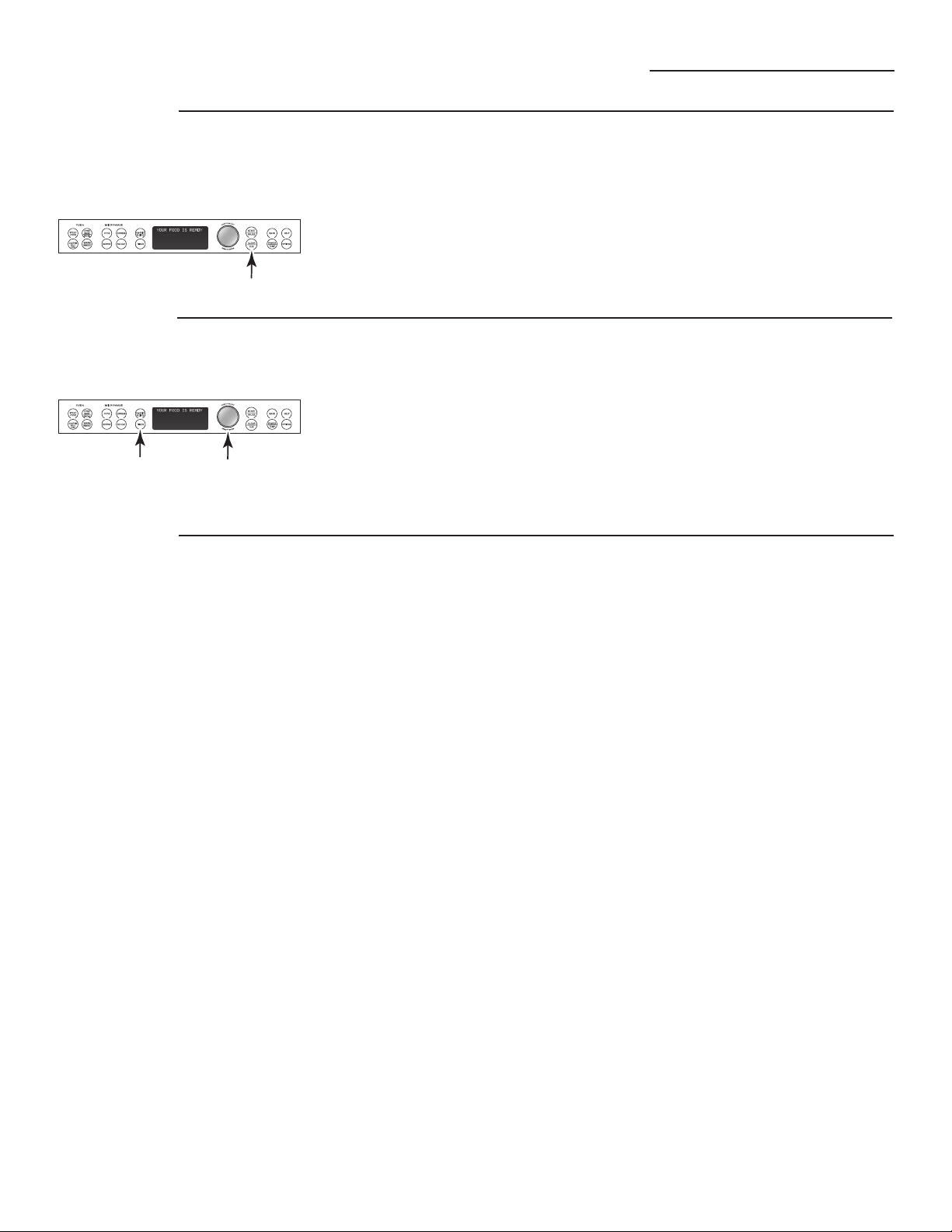
Other Advantium Features
Advantium Oven
Use this feature anytime you need a
general purpose timer. It can even be
used while cooking in the oven.
1. Press the TIMER pad.
2. Turn the dial to select the hours.
Press the dial to enter.
3. Turn the dial to select the minutes.
Press the dial to enter.
To cancel, press TIMER.
Timer
An automatic fan protects the oven
from too much heat inside the oven
cavity.
It automatically turns on at low speed
if it senses too much heat.
The fan will automatically turn off
when the internal parts are cool. It
may stay on for 30 minutes or more
after the oven control is turned off.
Automatic
fan
36
You may lock the control panel
to prevent the oven from being
accidentally started or used
by children.
Press and hold CLEAR/OFF for
5 seconds to lock and unlock.
When the control panel is locked,
Control is LOCKED will be displayed
briefly anytime a pad or dial is
pressed.
Child
lockout
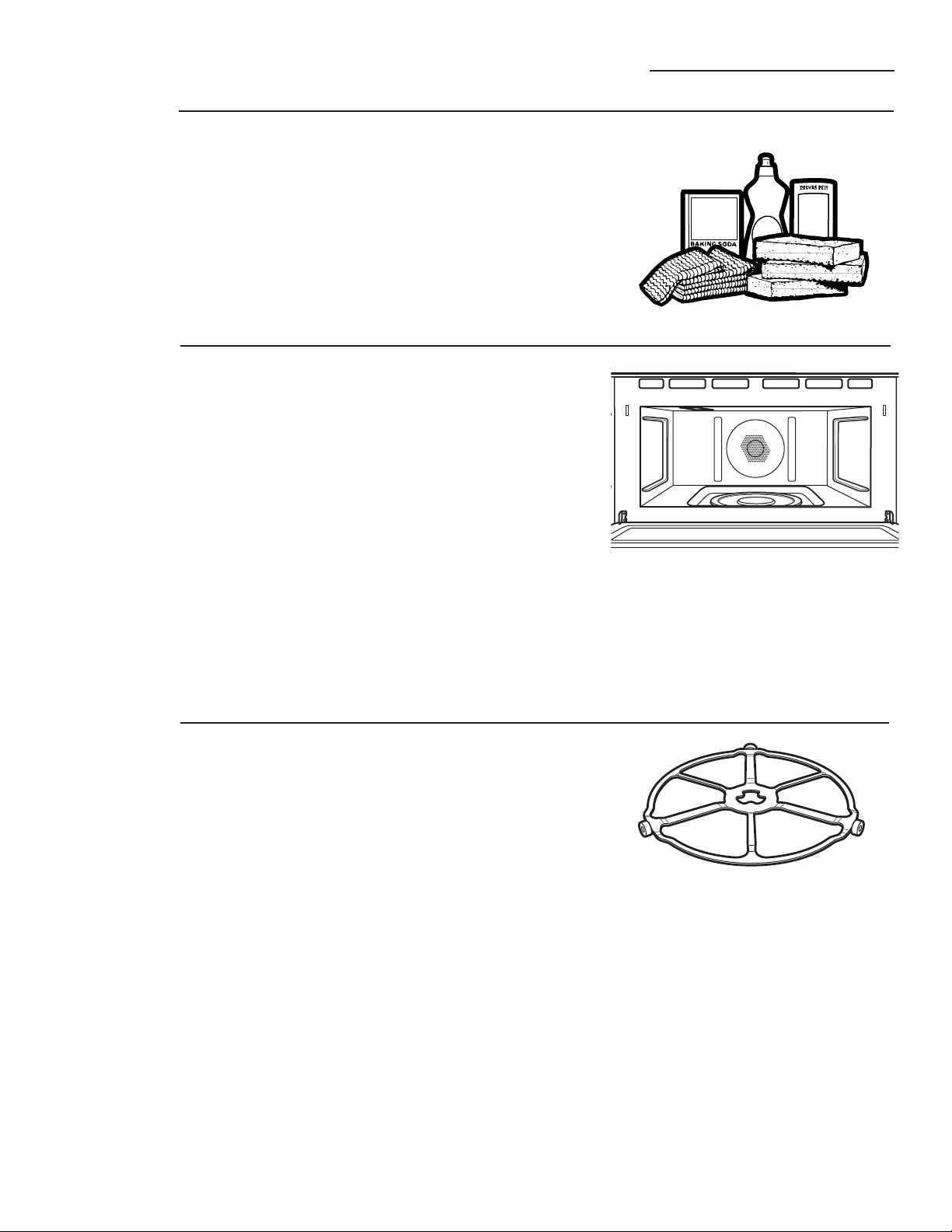
The area underneath the turntable
should be cleaned frequently to avoid
odors and smoking during a cooking
cycle.
The turntable can be broken if
dropped. Wash carefully in warm,
sudsy water. Dry completely and
replace.
To replace the turntable, place its
center over the spindle in the center of
the oven and turn it until it seats into
place. (Make sure the smooth side of
the turntable is facing up and that its
center seats securely on the spindle.)
Care and Cleaning
Advantium Oven
Helpful
hints
Clean the inside of the oven often for
proper heating performance.
Some spatters can be removed with
a paper towel, others may require
a warm soapy cloth. Remove greasy
spatters with a sudsy cloth, then
rinse with a damp cloth.
Do not use abrasive cleaners or sharp
utensils on oven walls.
Never use a commercial oven
cleaner on any part of your oven.
Do not clean the inside of the oven
with metal scouring pads. Pieces can
break off the pad, causing electrical
shock.
An occasional thorough wiping with
a solution of baking soda and water
keeps the inside fresh.
Be certain the oven control is
turned off before cleaning any
part of this oven.
Walls, Floor, Inside Window, Metal and
Plastic Parts on the Door
Do not use the oven without the
turntable in place.
How to
clean the
inside
Removable
turntable
Turntable
37
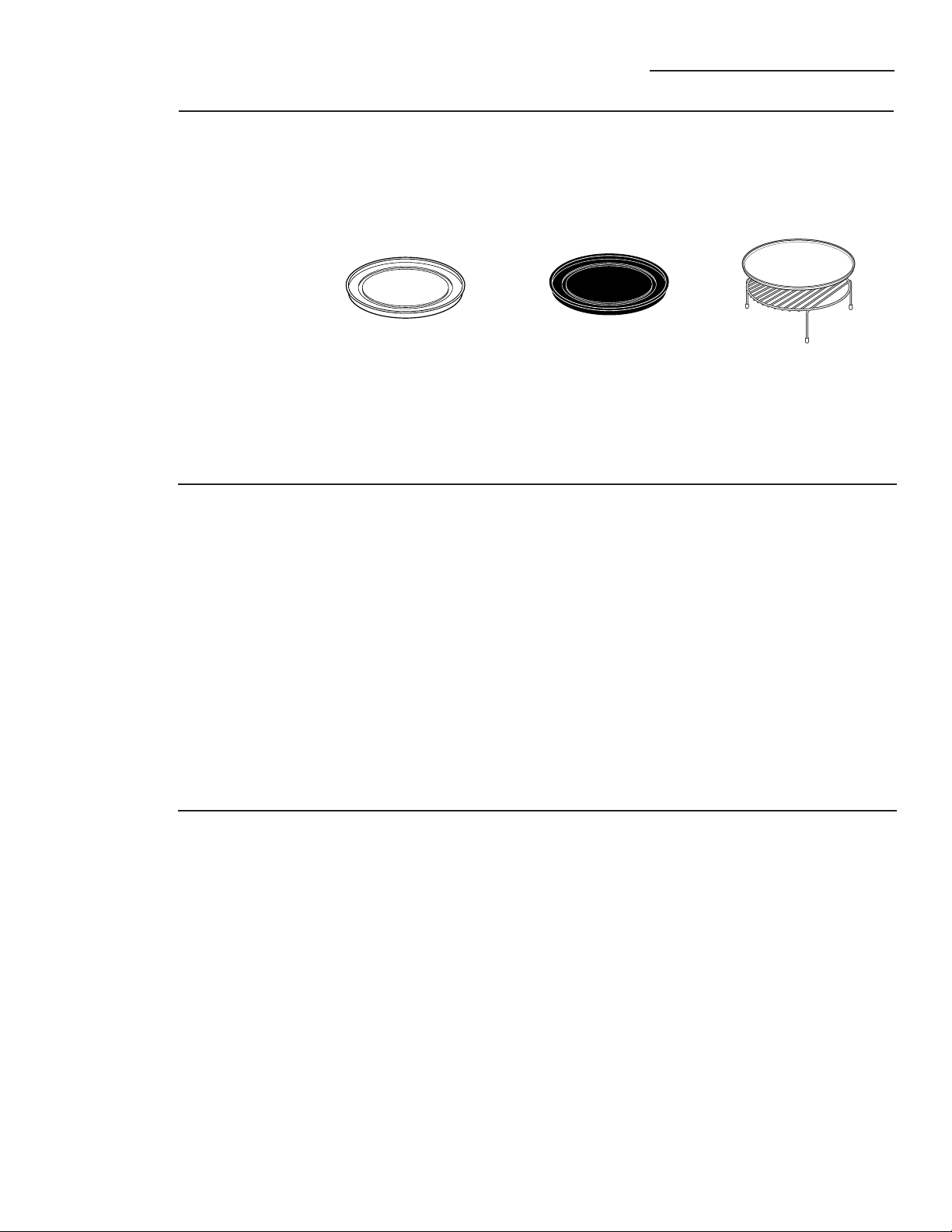
We recommend against using
cleaners with ammonia or alcohol,
as they can damage the appearance
of the oven. If you choose to use a
common household cleaner, first
apply the cleaner directly to a clean
cloth, then wipe the soiled area.
Case
Clean the outside with a sudsy cloth.
Rinse and then dry. Wipe the window
clean with a damp cloth.
Glass Control Panel and Door
(on some models)
Wipe with a clean damp sponge.
Dry thoroughly. Do not use cleaning
sprays, large amounts of soap and
water, abrasives or sharp objects on
the panel—they can damage it.
Door Seal
It’s important to keep the area
clean where the door seals against
the oven. Use only mild, non-abrasive
detergents applied with a clean
sponge or soft cloth. Rinse well.
Care and Cleaning
Advantium Oven
Put food directly on the
aluminum baking sheet on the
wire oven rack, and place them
on the nonstick metal tray,
when baking on two levels,
broiling or toasting foods.
Clear glass tray for
microwaving
Nonstick metal tray for
speedcooking
Cooking trays
and baking
sheet
To prevent breakage, allow the trays to
cool completely before cleaning. Wash
carefully in warm, sudsy water or in
the dishwasher.
Do not use metal scouring pads
or abrasives, as they may damage
the finish. A soap-filled scouring
pad may be used to clean the trays.
How to clean
the outside
38
Do not use a steel-wool pad; it will
scratch the surface.
To clean the stainless steel surface,
use warm, sudsy water or a stainless
steel cleaner or polish. Always wipe
the surface in the direction of the
grain. Follow the cleaner instructions
for cleaning the stainless steel surface.
To inquire about purchasing stainless
steel appliance cleaner or polish, or to
find the location of a dealer nearest
you, please call our toll-free number,
800.626.2002 or visit ge.com.
Stainless steel
(on some
models)

39
Troubleshooting
Advantium Oven
Questions?
Use this
problem
solver
Problem Possible Causes What To Do/Explanation
LIGHTS
Light during a This is normal. • This is normal. The oven senses the
speedcook cycle Power level has been heat level and adjusts automatically.
dims and cycles on automatically reduced
and off, even at full because the oven is hot.
power levels
Light visible around This is normal. • When the oven is on, light may
the door and outer be visible around the door and
case while outer case.
speedcooking
FAN
Fan continues to run The oven is cooling. • The fan will automatically shut off
after cooking stops when the internal parts of the oven
have cooled.
Oven vent emits This is normal.
warm air while
oven is on
Fan comes on This is normal.
automatically when
using the microwave
COOKING
The oven makes Clicks and fans blowing • These sounds are normal.
unusual sounds are normal. The relay
while cooking board is turning the
components on and off.
Smoke comes out Food is high in fat • Smoke is normal when cooking
of the oven when content. Aerosol spray high-fat foods.
I open the door used on the pans.
Food is not fully Programmed times • Increase or decrease time for
cooked or browned may not match the size doneness or adjust the upper or
at the end of a or amount of food you lower lamps for browning and cooking
program are cooking. doneness.
SENSOR ERROR Food amount or type • Press the CLEAR/OFF pad. Set the
displayed along with placed in the oven does oven program to match the food or
an oven signal not match the program liquid to be cooked or heated.
that was set.
Steam was not sensed by • Vent plastic wrap, use a looser lid
the oven because plastic or uncover liquids when cooking or
wrap was not vented, a lid heating.
too tight was on the dish
or a liquid was covered.

Questions?
Use this
problem
solver
Advantium Oven
Problem Possible Causes What To Do/Explanation
DISPLAY
The display is blank The clock display has • Check the OPTIONS menu for clock
been turned off. display settings. Turn the display on.
“Control is LOCKED” The control has • Press and hold CLEAR/OFF for
appears in display been locked. 5 seconds to unlock the control.
Control display is Clock is not set. • Set the clock.
lighted yet oven
Door not securely closed. • Open the door and close securely.
will not start
START/PAUSE pad • Press START/PAUSE.
not pressed after entering
cooking selection.
Another selection already • Press CLEAR/OFF.
entered in oven and
CLEAR/OFF pad not
pressed to cancel it.
Size, quantity or cooking • Make sure you have entered cooking
time not entered after time after selecting.
final selection.
CLEAR/OFF was pressed • Reset cooking program and press
accidentally. START/PAUSE.
OTHER PROBLEMS
The door and inside The heat lamps • This is normal.
of the oven feels hot produce intense heat • Use oven mitts to remove food when
in a small space. when ready.
Oven will not start A fuse in your home • Replace fuse or reset circuit breaker.
may be blown or the
circuit breaker tripped.
The door is not closed. • Open and close the door securely.
Troubleshooting
40

41
Advantium Oven
Notes

42
Advantium Oven
Notes
43
With the purchase of your new Monogram appliance, receive
the assurance that if you ever need information or assistance
from GE, we’ll be there. All you have to do is call—toll- free!
GE Answer Center
®
In the USA:
800.626.2000
Whatever your question about any Monogram major appliance, GE Answer Center
®
information service is available to help. Your call—and your question—will be answered
promptly and courteously. Call the GE Answer Center
®
Monday to Friday, 8 a.m. to 10 p.m. EST,
and Saturday, 8 a.m. to 7 p.m. EST.
OR
Visit our Website at: monogram.com
In Canada, call 800.561.3344.
Repair Service
In the USA:
800.444.1845
In Canada:
800.561.3344
A GE consumer service professional will provide expert repair service, scheduled at a time that’s
convenient for you. To schedule service, call Monday to Friday, 7 a.m. to 10 p.m. EST, or Satur day
and Sunday, 8 a.m. to 6 p.m. EST. Many GE Consumer Service company- operated locations offer
you service today or tomorrow, or at your con venience. Our factory-trained technicians know
your appliance inside and out—so most repairs can be handled in just one visit.
In Canada: Monday to Friday, 7 a.m. to 8 p.m. and Saturday, 8 a.m. to 5 p.m. EDST.
Service Contracts
In the USA:
800.626.2224
In Canada:
800.561.3344
You can have the secure feeling that GE Consumer Service will still be there after your
warranty expires. Purchase a GE contract while your warranty is still in effect and you’ll
receive a substantial discount. With a multiple -year contract, you’re assured of future
service at today’s prices.
Parts and
Accessories
In the USA:
800.626.2002
In Canada:
800.561.3344
Individuals qualified to service their own appliances can have parts or accessories sent directly
to their home. The GE parts system provides access to over 47,000 parts…and all GE Genuine
Renewal Parts are fully warranted. VISA, MasterCard and Discover cards are accepted.
User maintenance instructions contained in this manual cover procedures intended to be
performed by any user. Other servicing generally should be referred to qualified service
personnel. Caution must be exercised, since improper servicing may cause unsafe operation.
For Customers With
Special Needs…
In the USA:
800.626.2000
GE offers, free of charge, a brochure to assist in planning a barrier-free
kitchen for persons with limited mobility.
Consumers with impaired hearing or speech who have access to a TDD
or a conventional teletypewriter may call 800.TDD.GEAC (800.833.4322)
to request information or service.
Consumer Services
Advantium Oven
GE Consumer & Industrial
Appliances
General Electric Company
Louisville, KY 40225
ge.com
Warranty for Customers in the USA
Advantium Oven
YOUR MONOGRAM ADVANTIUM OVEN WARRANTY
Staple sales slip or cancelled check here. Proof of original
purchase date is needed to obtain service under warranty.
WHAT IS
COVERED
From the Date
of the Original
Purchase
LIMITED ONE-YEAR WARRANTY
For one year from the date of the original purchase, GE will replace any part of the microwave oven which
fails due to a defect in materials or workmanship. During this limited one-year warranty, GE will also provide,
free of charge, all labor and related service to replace the defective part.
FIVE-YEAR LIMITED WARRANTY
For five years from the date of the original purchase, GE will replace the magnetron tube, if the magnetron
tube fails due to a defect in materials or workmanship. During this five-year limited warranty, you will be
responsible for any labor or in-home service costs.
All warranty service will be provided by our Factory Service Centers or by our authorized
Customer Care
®
servicers during normal working hours.
Should your appliance need service, during warranty period or beyond, in the U.S.A call 800.444.1845.
Please have serial and model numbers availa ble when calling for service.
This warranty is extended to the original purchaser and any succeeding owner for products purchased
for home use within the USA. If the product is located in an area where service by a
GE Authorized Servicer is not available, you may be responsible for a trip charge or you may be
required to bring the product to an Authorized GE Service Location for service. In Alaska, the warranty
excludes the service calls to your home.
Some states do not allow the exclusion or limitation of incidental or consequential damages, so the
above limitation or exclusion may not apply to you. This warranty gives you specific legal rights, and
you may also have other rights which vary from state to state. To know what your legal rights are in
your state, consult your local or state consumer affairs office or your state’s Attorney General.
Warrantor: General Electric Company, Louisville, KY 40225
WHAT IS NOT
COVERED
• Service trips to your home to teach you how
to use the product.
• Improper installation, delivery or
maintenance.
• Product not accessible to provide required service.
• Failure of the product or damage to the product if
it is abused, misused (for example, cavity arcing
from wire rack or metal/foil), or used for other
than the intended purpose or used commercially.
• Replacement of house fuses or resetting of
circuit breakers.
• Damage to the product caused by accident,
fire, floods or acts of God.
• Incidental or consequential damage caused
by possible defects with this appliance.
• Damage caused after delivery.
Printed in Korea
EXCLUSION OF IMPLIED WARRANTIES—Your sole and exclusive remedy is product
repair as provided in this Limited Warranty. Any implied warranties, including the
implied warranties of merchantability or fitness for a particular purpose, are
limited to one year or the shortest period allowed by law.