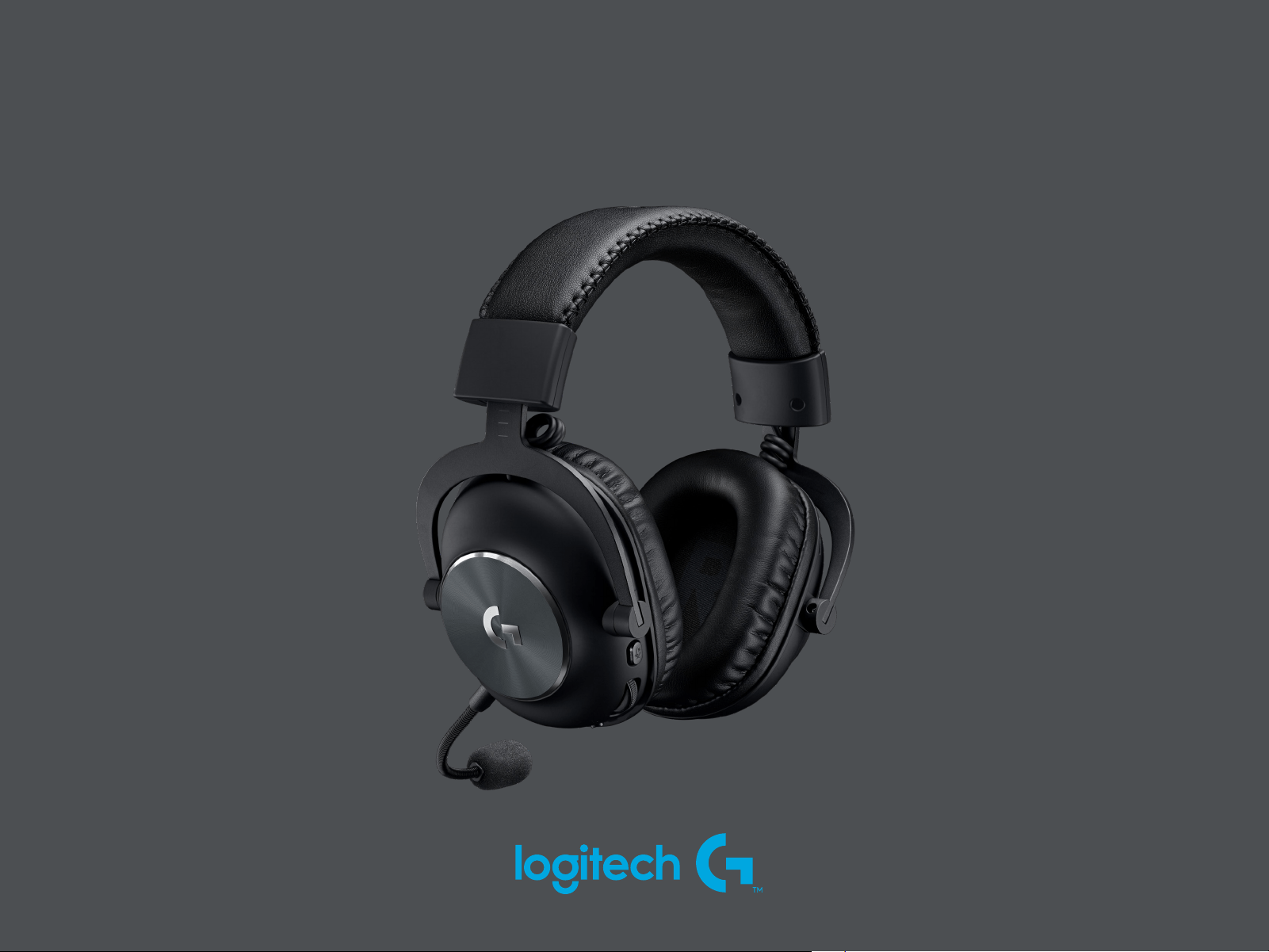
PRO X WIRELESS
SETUP GUIDE
|
GUIDE D’INSTALLATION
3 ENGLISH
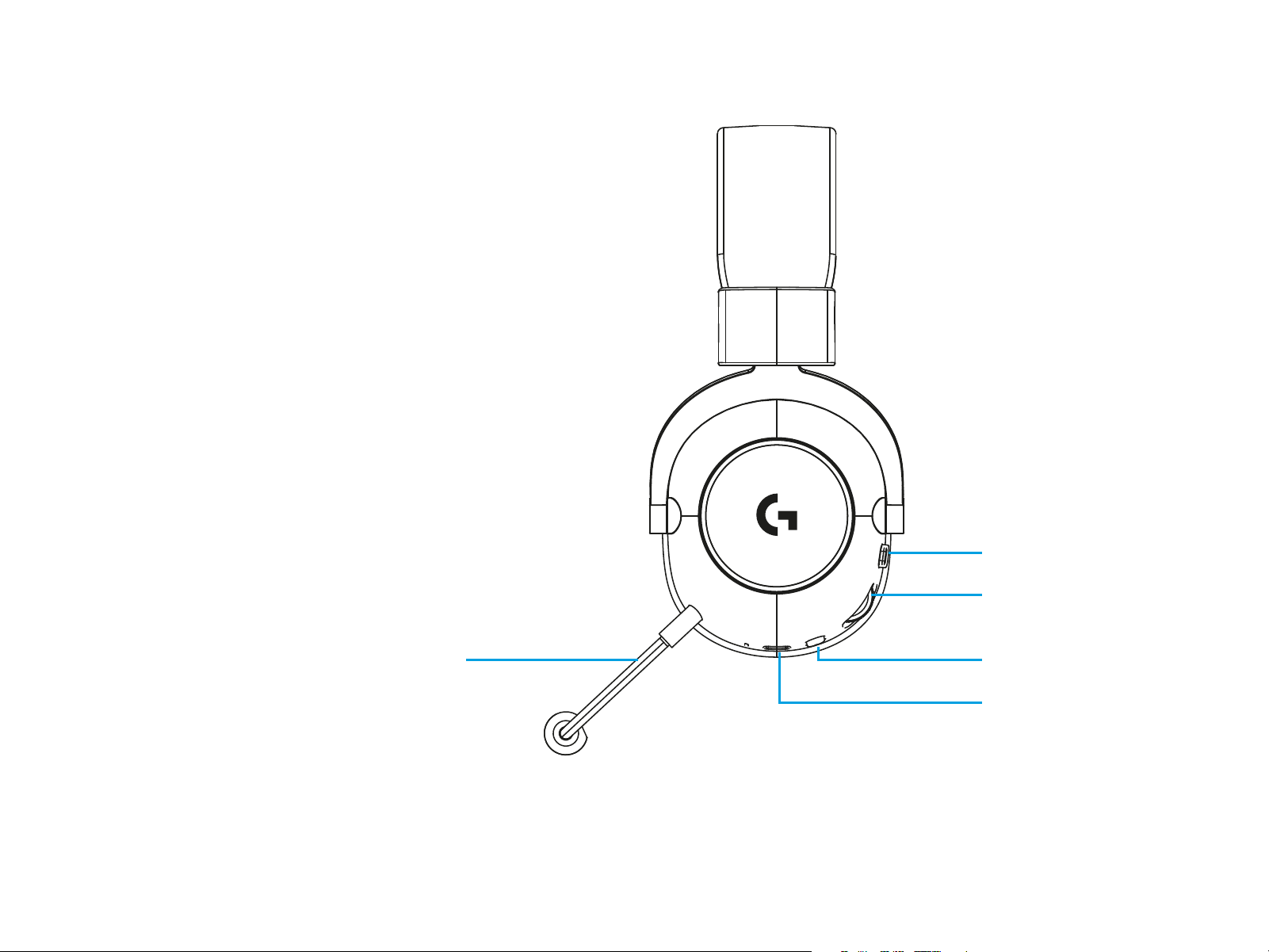
FEATURES
1 Microphone mute toggle
2 Volume wheel
3 Power switch
4 USB C charging port
5 Microphone
5 3
4
1
2
4 ENGLISH
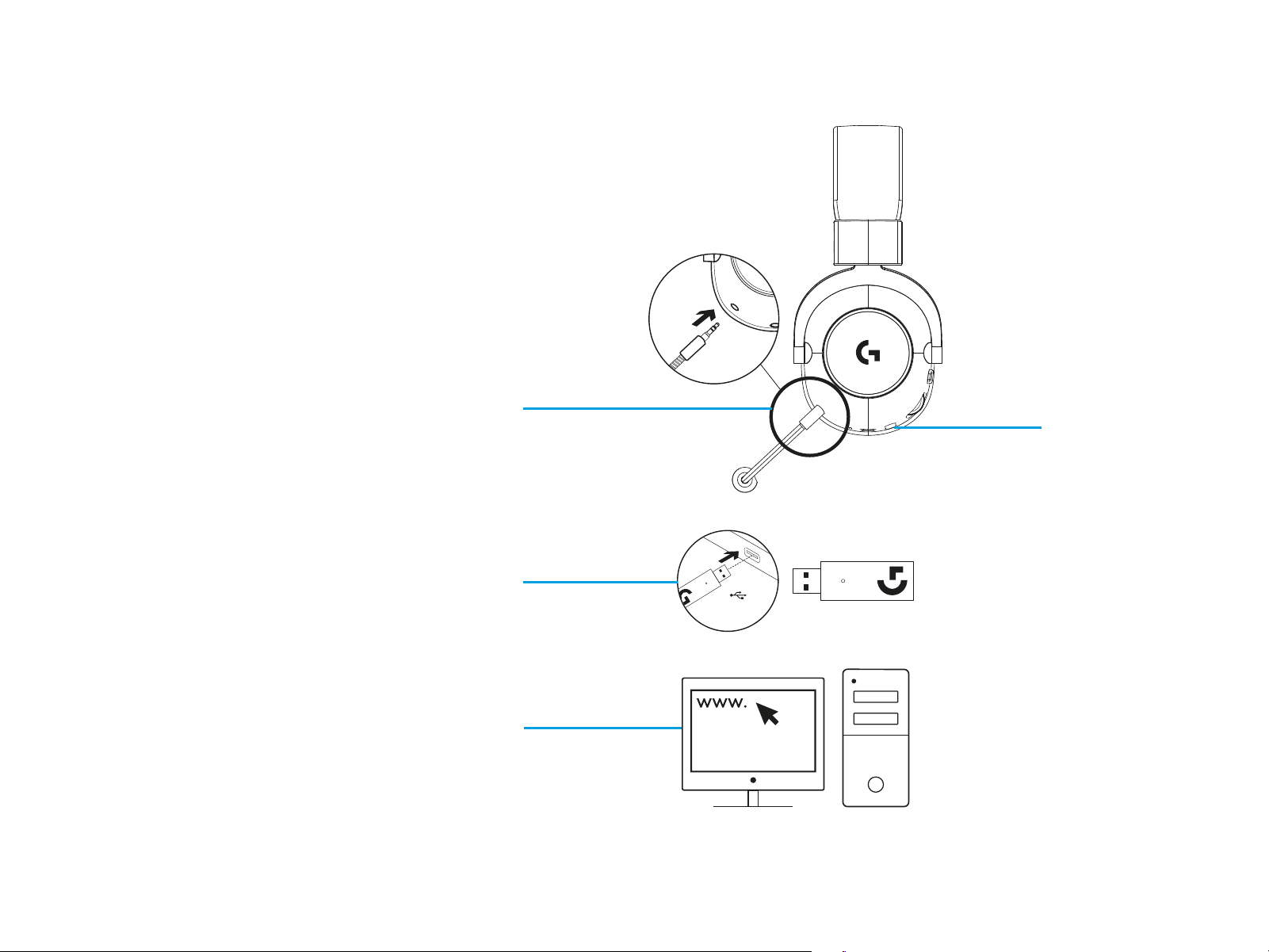
HEADSET SETUP
1 Connect microphone to headset
2 Plug receiver into USB port
3 Turn on power switch
4 Download and install optional software
USB
logitechG.com/ghub
logitechG.com/support
1
4
3
2

5 ENGLISH
HEADSET OPERATION
Microphone mute toggle
• Microphone is active when red is not visible. Microphone is muted when red is visible.
Volume wheel
• Rotate up to increase OS volume.
Rotate down to decrease OS volume.
Power switch
• Power is on when cyan is visible. Power is o when red is visible. Headset will power down
automatically after 30 minutes of no audio to save battery life. To resume use, turn the power o,
then back on again. Timeout value can be adjusted in G HUB.
USB C charging port
• Use provided USB A to USB C charging cable to charge headset by plugging into USB port on PC.
Cable is for charging and rmware update only audio will not play over wired connection.
Microphone
• For optimal voice pickup, place foam ball approximately two ngers’ width from the corner
ofyourmouth. Blue VO!CE functionality can be enabled using G HUB software.