Get started
Erste Schritte
Prise en main
Get started
•
Erste Schritte
•
Prise en main
1
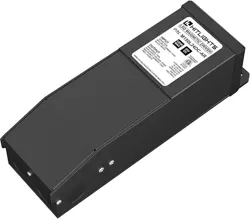
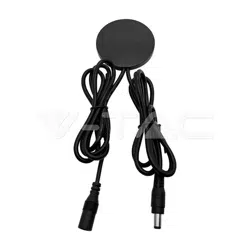
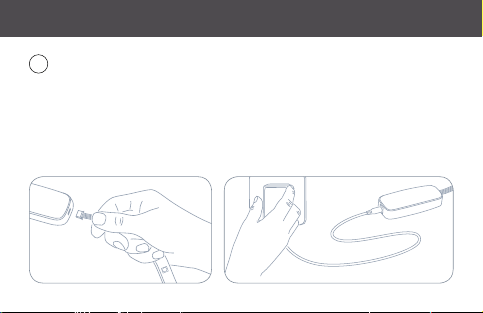
First, connect Eve Light Strip to the controller. Then connect the controller to
the power supply and plug it into a power outlet.
Schließe zunächst Eve Light Strip an den Controller an. Verbinde dann das Netzteil.
Commencez par brancher Eve Light Strip au contrôleur. Connectez ensuite celui-ci à
l‘adaptateur secteur, puis branchez ce dernier sur une prise.
(2)
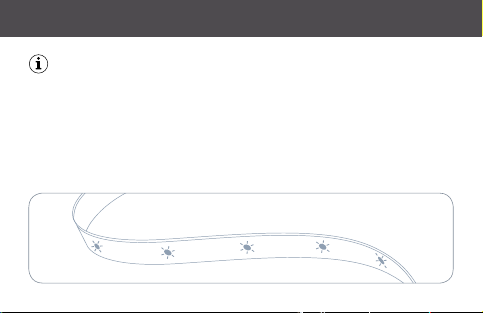
As Eve Light Strip powers up, it will perform a quick test by cycling through
each color.
Sobald Eve Light Strip mit Strom versorgt ist, wird ein automatischer Selbsttest durch alle
Farben durchgeführt.
Lors de la mise sous tension, Eve Light Strip effectue un test rapide en faisant défiler chaque
couleur.
Get started
•
Erste Schritte
•
Prise en main
(3)
Get started
•
Erste Schritte
•
Prise en main
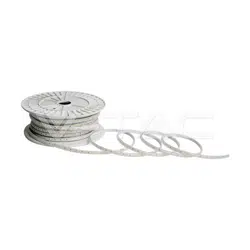
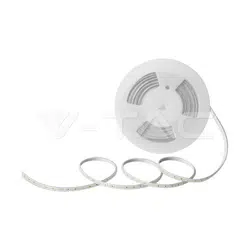
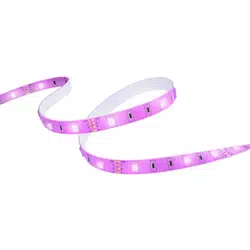
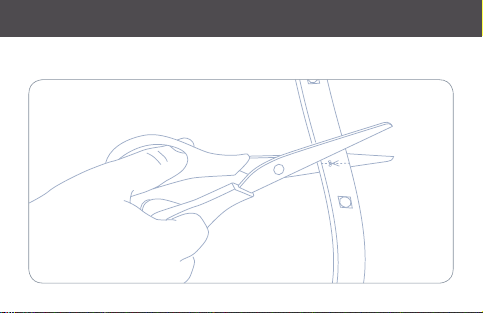
The length of Eve Light Strip can be adjusted to accommodate your chosen
application. To shorten Eve Light Strip, use a pair of scissors to cut along an
indicated trim line (approximately every 30 cm).
Die Länge von Eve Light Strip kann ganz nach deinen Wünschen angepasst werden. Um
Eve Light Strip zu kürzen, schneide einfach mit einer Schere an einer der den vorgegebenen
Schnittmarken (circa alle 30 cm).
Vous pouvez ajuster la longueur d‘Eve Light Strip en fonction de vos besoins.
Pour le raccourcir, coupez Eve Light Strip le long d‘un trait de découpe (tous les 30 cm
environ) avec une paire de ciseaux.
(4)
Get started
•
Erste Schritte
•
Prise en main
(5)
2
Get started
•
Erste Schritte
•
Prise en main
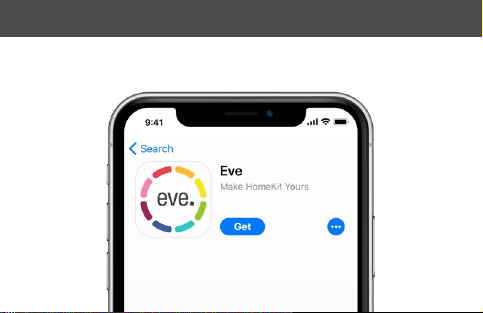
Download the Eve app from the App Store.
Lade die Eve-App aus dem App Store herunter.
Téléchargez l‘app Eve sur l‘App Store.
(6)
Get started
•
Erste Schritte
•
Prise en main
(7)
4
Get started
•
Erste Schritte
•
Prise en main
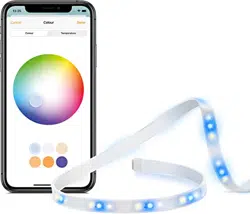
Open the Eve app and tap Add Accessory. Eve will now guide you through
the setup process.
Öffne die Eve-App und tippe auf Zubehör hinzufügen. Eve wird dich nun durch den
Installationsprozess leiten.
Ouvrez l‘app Eve et touchez Ajouter un accessoire. Eve va maintenant vous guider à
travers le processus de configuration.
(8)
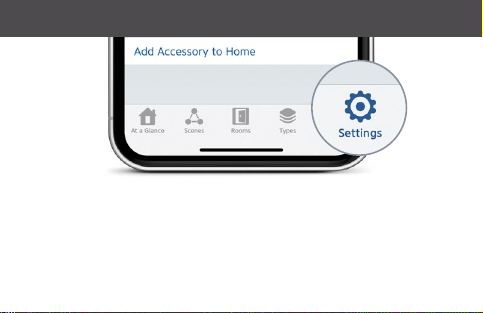
If you have already set up another accessory, go to Settings in Eve to add
Eve Light Strip to your home.
Wenn du Eve bereits zuvor eingerichtet hast, öffne die Eve-Einstellungen und füge
Eve Light Strip hinzu.
Si vous avez déjà configuré un autre accessoire, accédez aux réglages d‘Eve pour ajouter
Eve Light Strip à votre domicile.
Get started
•
Erste Schritte
•
Prise en main
(9)
Legal Information
•
Rechtliche Hinweise
•
Informations légales
This device complies with part 15 of the FCC Rules and Industry Canada licence-exempt RSS standard(s). Operati-
on is subject to the following two conditions: (1) This device may not cause interference, and (2) this device must
accept any interference received, including interference that may cause undesired operation.
This equipment has been tested and found to comply with the limits for a Class B digital device, pursuant to part
15 of the FCC Rules. These limits are designed to provide reasonable protection against harmful interference
in a residential installation. This equipment generates, uses and can radiate radio frequency energy and, if not
installed and used in accordance with the instructions, may cause harmful interference to radio communications.
However, there is no guarantee that interference will not occur in a particular installation. If this equipment does
cause harmful interference to radio or television reception, which can be determined by turning the equipment off
and on, you are encouraged to try to correct the interference by one or more of the following measures: reorient
or relocate the receiving antenna; increase the separation between the equipment and receiver; consult the
dealer or an experienced radio/TV technician for help. • This Class B digital apparatus complies with Canadian
ICES-003.
This equipment complies with FCC RF and IC RSS-102 radiation exposure limits set forth for an uncontrolled
environment. This equipment should be installed and operated with a minimum distance of 0.2 centimeters bet-
ween the radiator and your body. This transmitter must not be co-located or operating in conjunction with any
other antenna or transmitter. The antennas used for this transmitter must be installed to provide a separation
distance of at least 0.2 cm from all persons and must not be co-located or operating in conjunction with any other
antenna or transmitter.
Changes or modifications not expressly approved by Eve Systems could void your authority to operate this device.
(10)
Purpose of control: operating control; construction of control: plug-in operating control; type 1 action, operating
time: continuous.
Le présent appareil est conforme aux CNR d‘Industrie Canada applicables aux appareils radio exempts de licence.
L‘exploitation est autorisée aux deux conditions suivantes : (1) l‘appareil ne doit pas produire de brouillage, et (2)
l‘utilisateur de l‘appareil doit accepter tout brouillage radioélectrique subi, même si le brouillage est susceptible
d‘en compromettre le fonctionnement. Cet appareil numérique de la classe B est conforme à la norme NMB-003
du Canada.
Cet équipement est conforme aux CNR-102 d‘Industrie Canada. Cet équipement doit être installé et utilisé avec
une distance minimale de 20 centimètres entre le radiateur et votre corps. Cet émetteur ne doit pas être co-loca-
lisée ou opérant en conjonction avec autre antenne ou émetteur. Les antennes utilisées pour cet émetteur doivent
être installés et fournir une distance de séparation d‘au moins 20 centimètre de toute personne et doit pas être
co-située ni fonctionner en conjonction avec une autre antenne ou émetteur.
Fo r question s abou t Eve pr oduc t comp liance wit h FCC r egula tions, please cont act: Com plianc e Of ficer, Ev e Systems,
900 Kearny St. #750, San Francisco, CA 94133. Product: 10EAS8301 / 10EAS4101 • Model: 20EAS9901 &
30EAS9901 • Part: 51EAS9901 • FCC ID: SNE-LST-001 • IC: 11192A-LST001
Hereby, Eve Systems declares that this device is in compliance with the essential requirements and other rele-
vant provisions of Directive 2014/53/EC. The declaration of conformity is available at www.evehome.com/doc
Frequency range: 2412 - 2472 MHz (2462 for FCC, ISED),
Max RF e.i.r.p power < 20 dBm, Temperature range: 0 °C - 45 °C
Legal Information
•
Rechtliche Hinweise
•
Informations légales
(11)
Extend
•
Erweitern
•
Étendre
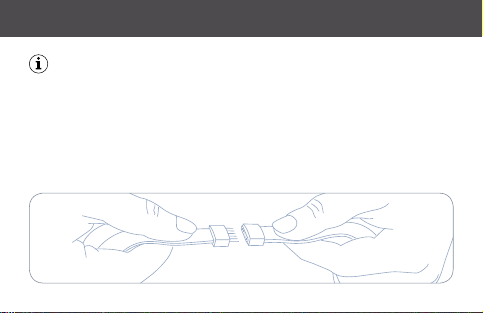
To extend Eve Light Strip, simply connect another strip. Eve Light Strip can be
daisy-chained to a maximum length of 10 m.
Um Eve Light Strip zu verlängern, verbinde einfach ein zusätzliches Element. Eve Light Strip
kann auf bis zu 10 m Gesamtlänge erweitert werden.
Pour allonger Eve Light Strip, il vous suffit de connecter un autre bandeau lumineux. Vous
pouvez brancher plusieurs Eve Light Strip en série, jusqu‘à une longueur maximale de 10 m.
(12)
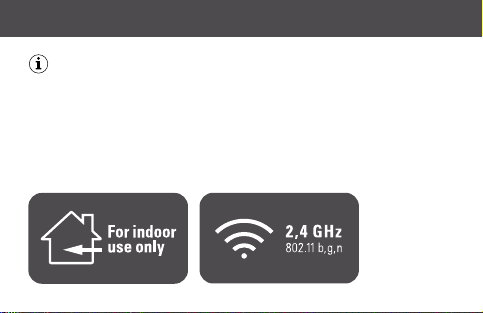
The light source of this accessory is non-replaceable. When the light source
reaches its end of life, the entire light strip should be replaced.
Die Lichtquelle dieses Produkts ist nicht austauschbar. Wenn die Lichtquelle ihr Lebensende
erreicht hat, muss der gesamte Lichtstreifen ersetztwerden.
La source lumineuse de cetaccessoiren‘est pas remplaçable. Une foiscelle-ci arrivée en fin de
vie, vousdevezremplacer intégralement le bandeau lumineux .
Extend
•
Erweitern
•
Étendre
(13)
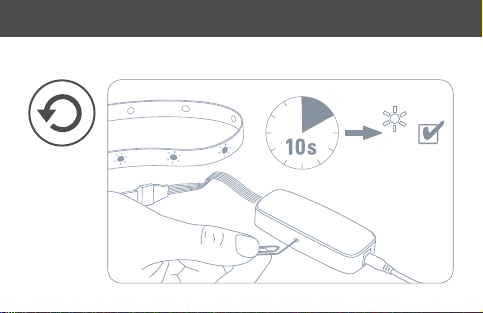
Reset • Réinitialisation
2x
Reset
•
Zurücksetzen
•
Réinitialisation
(14)
Please keep your HomeKit Setup Code in a safe place. You need it
to securely add Eve to your home, and nobody but you has a copy.
Bewahre deinen HomeKit-Code an einem sicheren Platz auf. Du benötigst ihn, um
Eve zu deinem Zuhause hinzuzufügen. Niemand außer dir kennt diesen Code.
Conservez en lieu sûr votre code de configuration HomeKit. Ce code est indispensable pour
ajouter Eve au réseau de votre domicile, et personne d’autre que vous ne connaît ce code.
(15)
Room • Zimmer • Pièce :
Notes • Notizen • Remarques :