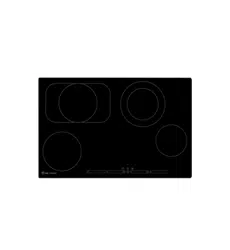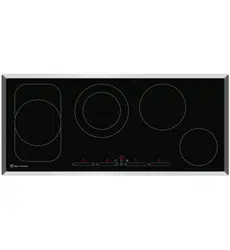
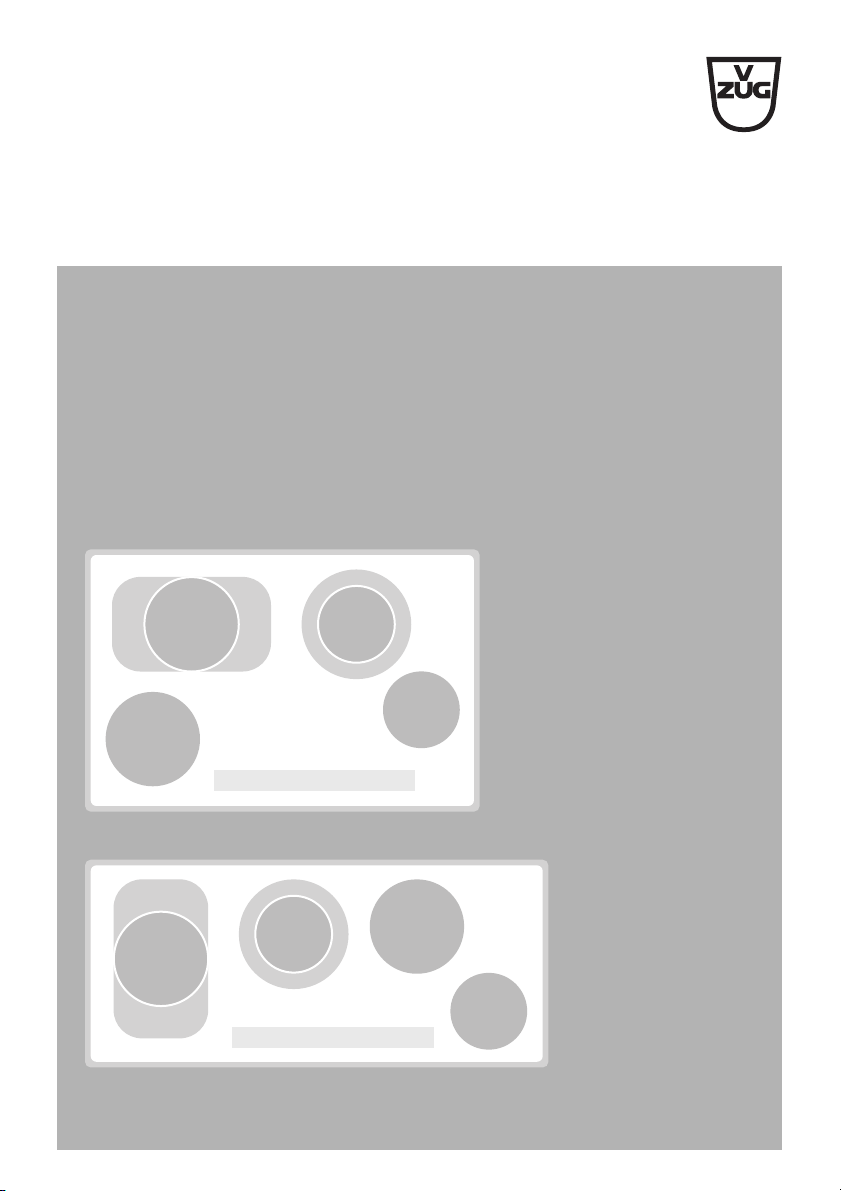
Glass ceramic hob
Induction with multi-slider
Operating instructions
V-ZUG Ltd

2
Thank you for choosing to buy one of our products. Your appliance is made
to high standards and is easy to use. Nevertheless, please take the time to
read these operating instructions in order to familiarize yourself with the
appliance and get the best use out of it.
Please follow the safety precautions.
Modifications
Text, diagrams and data correspond to the technical standard of the appli-
ance at the time these operating instructions went to press. The right to make
technical modifications for the purpose of the further development of the
appliance is reserved.
Validity
The model number corresponds to the first 3 digits on the identification plate.
These operating instructions apply to the models:
Deviations depending on the model are noted in the text.
© V-ZUG Ltd, CH-6301 Zug, 2011
Type Model no.
GK45TEPS/C/F 976
GK45TEAS/C/F/U 977

3
Contents
1 Safety precautions 4
1.1 Symbols used . . . . . . . . . . . . . . . . . . . . . . . . . . . . . . . . . . . . . . . . . . . . . . 4
1.2 General safety precautions . . . . . . . . . . . . . . . . . . . . . . . . . . . . . . . . . . . . 5
1.3 Appliance-specific safety precautions . . . . . . . . . . . . . . . . . . . . . . . . . . . . 6
1.4 Disclaimer . . . . . . . . . . . . . . . . . . . . . . . . . . . . . . . . . . . . . . . . . . . . . . . . 8
1.5 Instructions for use . . . . . . . . . . . . . . . . . . . . . . . . . . . . . . . . . . . . . . . . . . 8
1.6 Disposal . . . . . . . . . . . . . . . . . . . . . . . . . . . . . . . . . . . . . . . . . . . . . . . . . 10
2 Using for the first time 11
2.1 Where is the identification plate? . . . . . . . . . . . . . . . . . . . . . . . . . . . . . . 11
3 Your appliance 12
3.1 Appliance overview . . . . . . . . . . . . . . . . . . . . . . . . . . . . . . . . . . . . . . . . 12
3.2 Operating and display elements . . . . . . . . . . . . . . . . . . . . . . . . . . . . . . . 13
3.3 Cookware . . . . . . . . . . . . . . . . . . . . . . . . . . . . . . . . . . . . . . . . . . . . . . . . 14
4 Operating the appliance 15
4.1 Switching the appliance on and off . . . . . . . . . . . . . . . . . . . . . . . . . . . . 15
4.2 Selecting a cooking zone . . . . . . . . . . . . . . . . . . . . . . . . . . . . . . . . . . . . 15
4.3 Overview of power levels . . . . . . . . . . . . . . . . . . . . . . . . . . . . . . . . . . . . 16
4.4 Switching a cooking zone off . . . . . . . . . . . . . . . . . . . . . . . . . . . . . . . . . 16
4.5 Residual heat indicator . . . . . . . . . . . . . . . . . . . . . . . . . . . . . . . . . . . . . . 16
4.6 Switching the dual ring cooking/frying zone on and off . . . . . . . . . . . . . 17
4.7 Automatic boost . . . . . . . . . . . . . . . . . . . . . . . . . . . . . . . . . . . . . . . . . . . 18
4.8 Operating time . . . . . . . . . . . . . . . . . . . . . . . . . . . . . . . . . . . . . . . . . . . . 19
4.9 Timer . . . . . . . . . . . . . . . . . . . . . . . . . . . . . . . . . . . . . . . . . . . . . . . . . . . 21
4.10 Childproof lock . . . . . . . . . . . . . . . . . . . . . . . . . . . . . . . . . . . . . . . . . . . . 22
4.11 Restore function . . . . . . . . . . . . . . . . . . . . . . . . . . . . . . . . . . . . . . . . . . . 23
4.12 Pause cooking . . . . . . . . . . . . . . . . . . . . . . . . . . . . . . . . . . . . . . . . . . . . 23
4.13 Wipe protection . . . . . . . . . . . . . . . . . . . . . . . . . . . . . . . . . . . . . . . . . . . 24
5 User settings 25
5.1 Changing user settings . . . . . . . . . . . . . . . . . . . . . . . . . . . . . . . . . . . . . . 26
5.2 Cancelling user settings . . . . . . . . . . . . . . . . . . . . . . . . . . . . . . . . . . . . . 26
6 Care and maintenance 27
6.1 Cleaning . . . . . . . . . . . . . . . . . . . . . . . . . . . . . . . . . . . . . . . . . . . . . . . . . 27
7 Trouble-shooting and error messages 28
7.1 What to do if … . . . . . . . . . . . . . . . . . . . . . . . . . . . . . . . . . . . . . . . . . . . . 28
8Notes 31
9Index 34
10 Repair service 35

4
1 Safety precautions
1.1 Symbols used
Denotes important safety precautions. Failure to observe said
precautions can result in injury or in damage to the appliance or
fittings!
Information and precautions that should be observed.
Information on disposal.
Information about the Operating Instructions.
➤ Indicates step-by-step instructions.
– Describes how the appliance reacts to the steps taken.
• Indicates a list.

1 Safety precautions
5
1.2 General safety precautions
• Read the operating instructions before using
the appliance for the first time!
• This appliance is not intended for use by
persons (including children) with reduced
physical, sensory or mental capabilities, or
lack of experience and/or knowledge, unless
they are supervised or have been given
instruction concerning use of the appliance by
a person responsible for their safety.
• Children should be supervised to ensure that
they do not play with the appliance.
• If the mains cable of this appliance is
damaged, it must be replaced by the
manufacturer or its Customer Services or a
similarly qualified person in order to avoid
hazard.

1 Safety precautions
6
1.3 Appliance-specific safety precautions
• WARNING: If the surface is cracked, switch
the appliance off and disconnect it from the
mains to avoid possible electric shock.
• WARNING: The appliance and its accessible
parts get hot during use. Be careful not to
touch the heating elements. Children under 8
must be kept away unless constantly
supervised.
• Do not use a steam cleaner.
• Do not place metal objects such as knives,
forks, spoons, lids and aluminium foil on the
hob as they can get hot.

1 Safety precautions
7
• WARNING: It can be dangerous to leave the
hob unattended when cooking with fat or oil,
as this can lead to fires. NEVER attempt to
extinguish a fire with water. Instead, switch the
appliance off and then carefully smother the
flames with a lid or a fire blanket.
• WARNING: Never store objects on top of the
hob because of fire hazard.
• Do not operate the appliance using an
external time switch or a separate remote
control system.

1 Safety precautions
8
1.4 Disclaimer
• Any repairs, modifications or manipulations to the appliance, especially
any live parts, may only be carried out by the manufacturer, its Customer
Services or similarly qualified persons. Repairs if carried out incorrectly
may cause serious injury, damage to the appliance and fittings, as well as
affect the functioning of the appliance. If the appliance is not working
properly or in case of a repair order, follow the instructions given in the
REPAIR SERVICE section. If necessary, please contact Customer Services.
• Make sure no water gets inside the appliance: Do not spray the appliance
with water. If water gets inside it can damage the appliance.
• Retain these operating instructions for future reference. If you sell or pass
the appliance on to a third party, please ensure these operating
instructions accompany the appliance, together with the instructions on
installation.
• The appliance is designed for use in the home for preparing food. No
liability is assumed for any damage caused by improper or incorrect use.
1.5 Instructions for use
• The appliance corresponds to recognised technology standards and the
relevant safety regulations. Proper use of the appliance is however
essential to avoid damage and accidents. Please therefore follow the
precautions given in these operating instructions.
• The heated surface remains hot for some time after it is switched off and
cools down only slowly to room temperature. Please allow sufficient time
for the appliance to cool down before, for instance, cleaning it.
• In case of overheating, switch the appliance off and allow it to cool down
completely. Under no circumstances use cold water to cool it down quickly!
• If the appliance can no longer be operated, remove the fuse or switch the
circuit breaker off.

1 Safety precautions
9
• Do not climb onto the appliance.
• Do not put hot cookware on the hob frame in order not to damage the
silicon joints.
• Always ensure that the base of the cookware and the surface of the hob
are clean and dry before use.
• Do not cut or prepare food on the surface. Avoid impact with hard objects.
Do not drag cookware across the surface.
• Take particular care that sugary foods or juices do not get onto the hot
cooking zones as they can damage the surface. If sugary foods or juices
do get onto hot cooking zones, clean away immediately (while still hot) with
a scraper for glass ceramic hobs.
• Do not leave the appliance unattended when in use.
• Keep animals away from the appliance.
1 Safety precautions
10
1.6 Disposal
Packaging
Disconnection
➤ Pull the plug out of the mains socket or have the appliance disconnected
from the mains supply by an electrician. Then cut off the mains cable.
➤ Disable the appliance after disconnecting it.
Appliance disposal
• The symbol on the identification plate warns that the appliance may
not be disposed of in normal household waste.
• The appliance must be disposed of in accordance with local regulations
on waste disposal. For more information on the handling, disposal and
recycling of the product, please contact the local authorities, the local
recycling facilities for household waste or the retailer from whom you
purchased the appliance.
Danger of suffocation! Packaging materials (e.g. plastic,
polystyrene) can be dangerous for children. Keep packaging
materials away from children.
All packaging material is marked and should be collected for
recycling and disposed of in an environmentally friendly way.
11
2 Using for the first time
• The appliance must be installed and connected to the mains supply in
accordance with the separate installation instructions. Have a qualified
fitter/electrician carry out the necessary work.
• A cooking zone can give off an unpleasant smell during the first few hours
of use. This is normal for brand new appliances. Ensure that the room is
well ventilated.
2.1 Where is the identification plate?
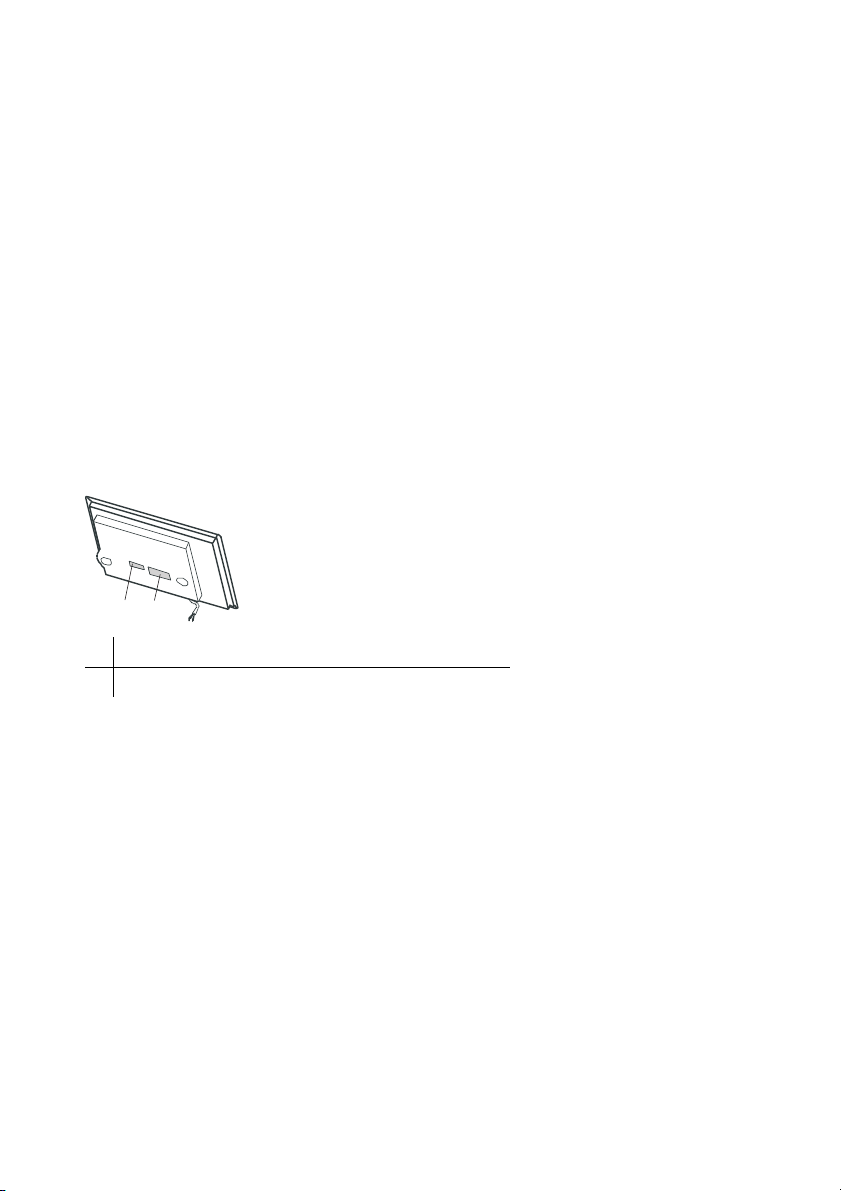
The identification plate and the connection plate are located on the underside
of the hob element.
A second identification plate is supplied and should be affixed in the fitted unit
underneath the hob.
Note down the serial number (FN) of your appliance on the back page of
these operating instructions.
1 Identification plate with serial number (FN)
2 Connection plate
1
2

12
3 Your appliance
3.1 Appliance overview
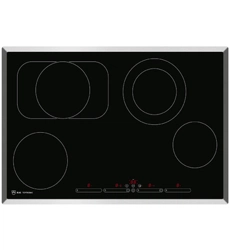
GK45TEAS, GK45TEASC, GK45TEASF, GK45TEASU
• 1 frying zone ø 170/290 mm
• 1 dual ring cooking zone ø 140/210 mm
• 1 cooking zone ø 180 mm
• 1 cooking zone ø 140 mm
GK45TEPS, GK45TEPSC, GK45TEPSF
• 1 frying zone ø 170/290 mm
• 1 dual ring cooking zone ø 140/210 mm
• 1 cooking zone ø 180 mm
• 1 cooking zone ø 140 mm
3 Your appliance
13
3.2 Operating and display elements
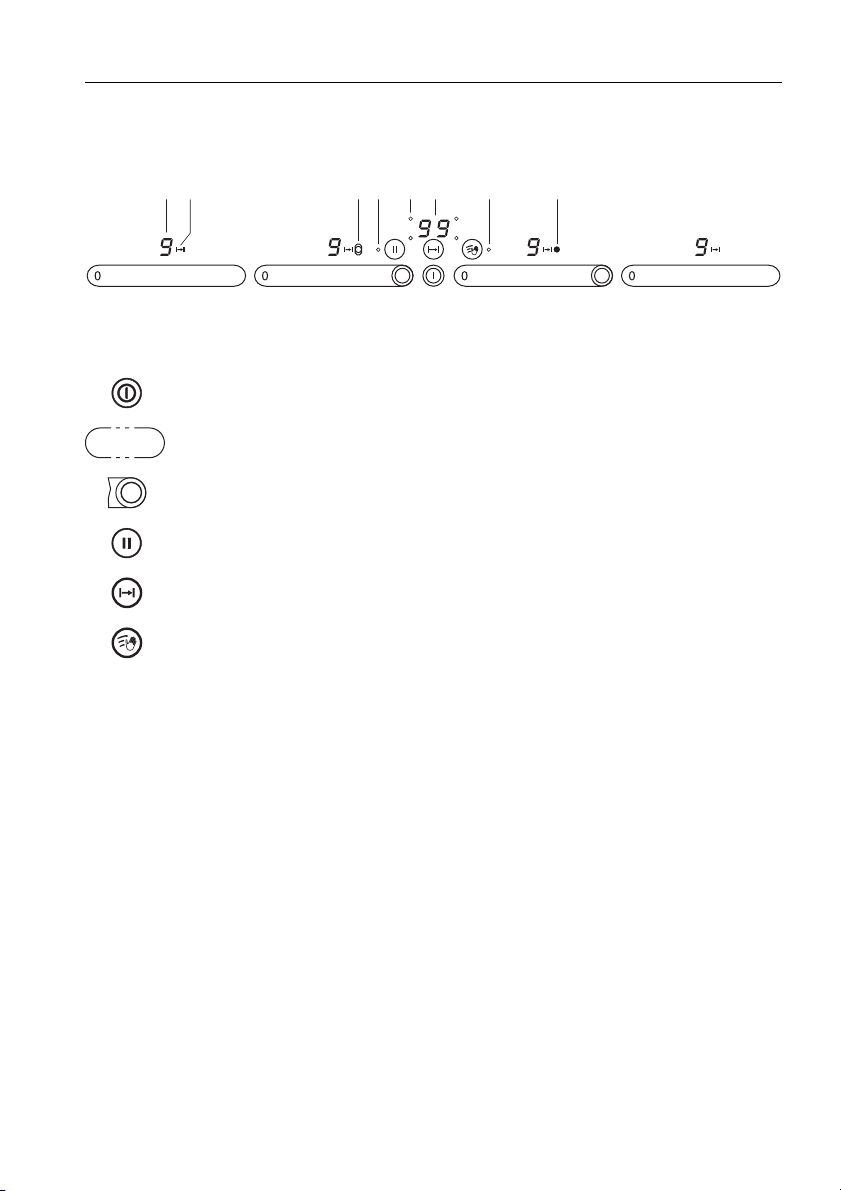
Touch buttons
Displays
Appliance ON/OFF
Slider (for setting the power levels)
Dual ring cooking zone ON/OFF and frying zone ON/OFF
Pause cooking ON/OFF and restore function
Operating time/timer
Wipe protection ON/OFF
1 Cooking zone power level
2 Operating time activated
3 Frying zone/dual ring cooking zone activated
4 Pause activated/possibility for restoring saved settings
5 Cooking zone indicator lights for the operating time
6 Operating time/timer
7 Wipe protection activated
1 3 4 75 362
0

3 Your appliance
14
3.3 Cookware
Suitable cookware
Cookware should have a stable base. When heated, the base of the
cookware must lie flat on the surface of the cooking zone.
Cookware made of metal is more suitable than that made of glass or ceramic
as with metal the heat is distributed evenly quicker.
Cookware bases made of aluminium or aluminium alloys can leave stubborn
abrasion marks on the glass ceramic surface that are very difficult to remove.
Energy-efficient cooking
For maximum energy efficiency and even heat distribution note the following:
• The base of the cookware must be clean, dry and smooth.
• The diameter of the base of the cookware should as far as possible cor-
respond to the diameter of the cooking zone.
• Centre the cookware in the middle of the cooking zone.
•Use a well-fitting lid.
• Match the diameter of the cookware to the quantity of food to be cooked.

15
4 Operating the appliance
The individual cooking zones are all operated in the same way. When the
appliance is switched off, all the displays are dark (stand-by mode), except
for the residual heat indicator should any cooking zone still be hot.
4.1 Switching the appliance on and off
➤ Switch the appliance on: Press and hold the touch button for about
1second.
– flashes in all the power level displays.
– If no other entry is made, the appliance switches off after about
10 seconds for safety reasons.
➤ Switch the appliance off: Press the touch button.
4.2 Selecting a cooking zone
➤ Press the slider for the required cooking zone or slide your finger along it
to set the power level.
4 Operating the appliance
16
4.3 Overview of power levels
4.4 Switching a cooking zone off
➤ Press on the slider.
– If no other entry is made and none of the other cooking zones are in use,
the appliance switches off automatically after 10 seconds.
4.5 Residual heat indicator
After the cooking zone is switched off, remains illuminated in the display
as long as a burn hazard exists.
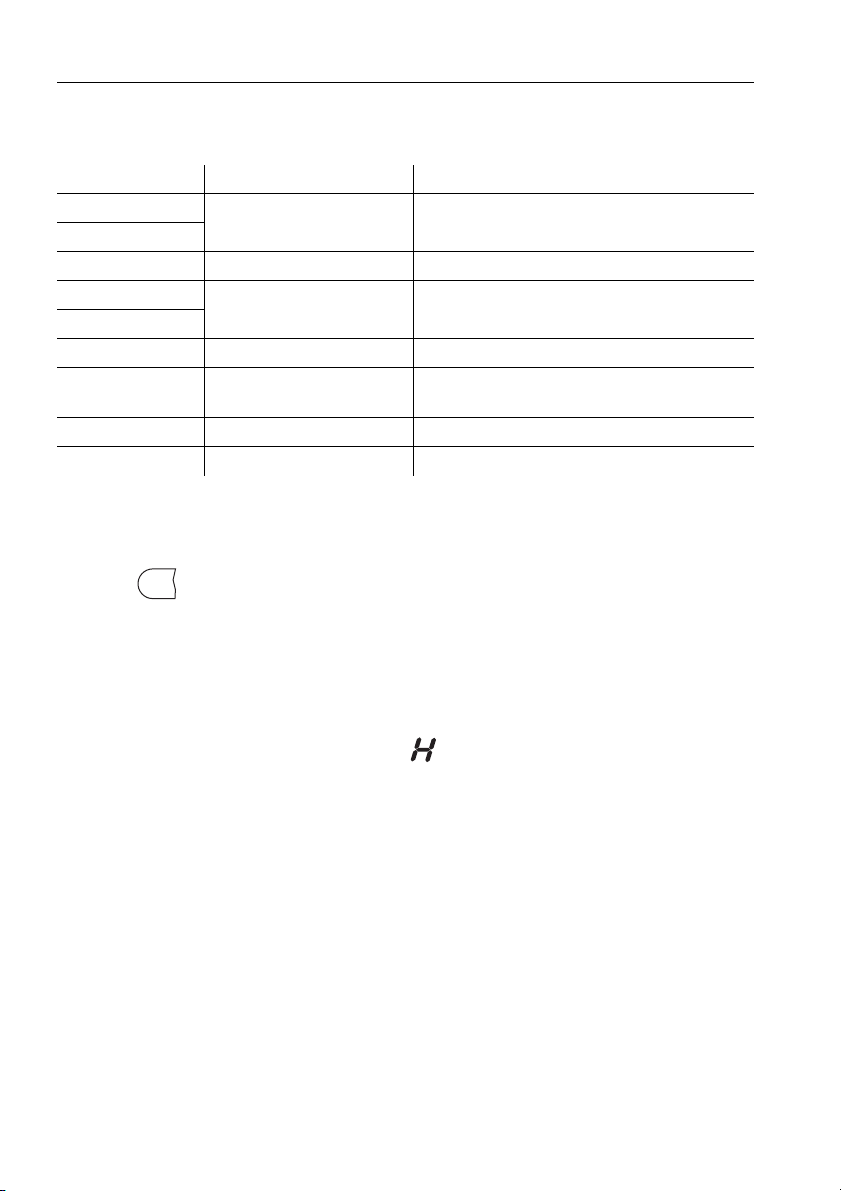
Power level Cooking method Use
1
Melting, gentle warming Butter, chocolate, gelatine, sauces
2
3 Swelling Rice
4
Simmering, reducing, stewing Vegetables, potatoes, sauces, fruit, fish
5
6 Simmering, braising Pasta, soup, braised meat
7 Gentle frying
Rösti (hash browns), omelettes, breaded food,
sausages
8 Frying, deep frying Meat, chips
9 Flash frying, fast heating Steak, boiling water
0
4 Operating the appliance
17
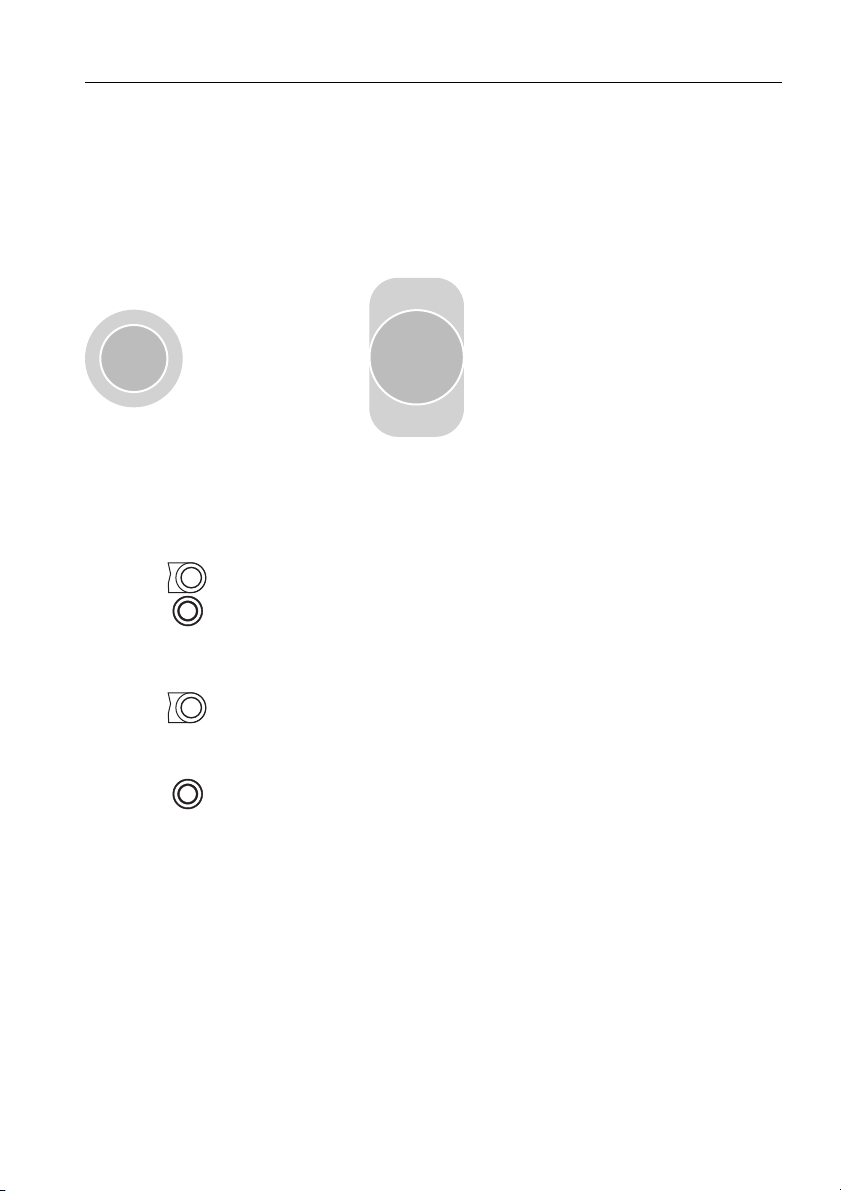
4.6 Switching the dual ring cooking/frying zone on and off
When the dual ring cooking/frying zone is switched on, only the inner cooking
zone A or C comes on. The outer cooking ring B or the additional heating
element D can be switched on if required.
Switching the outer cooking ring/additional heating element on
➤ Press the slider for the required dual ring cooking/frying zone or slide your
finger along it to set the power level.
➤ Press on the slider.
– The symbol next to the corresponding power level illuminates.
Switching the outer cooking ring/additional heating element off
➤ Press on the slider.
– The outer cooking ring B or additional heating element D switches off
and the inner cooking zone A or C remains switched on.
– The symbol next to the cooking zone goes out.
A
B
C
D
4 Operating the appliance
18
4.7 Automatic boost
All the cooking zones are equipped with a selectable automatic boost. With
this function, a cooking zone works at power level 9 for a certain length of
time (see table). Then it automatically goes back to the power level set.
Switching the automatic boost on
➤ Press and hold the required power level on the slider for 3 seconds.
– and the power level illuminate alternately in the display while the
automatic boost is activated.
– After the automatic boost, the power level is reduced back to the level
selected.
Switching the automatic boost off before time
➤ Using the slider, set a lower power level.
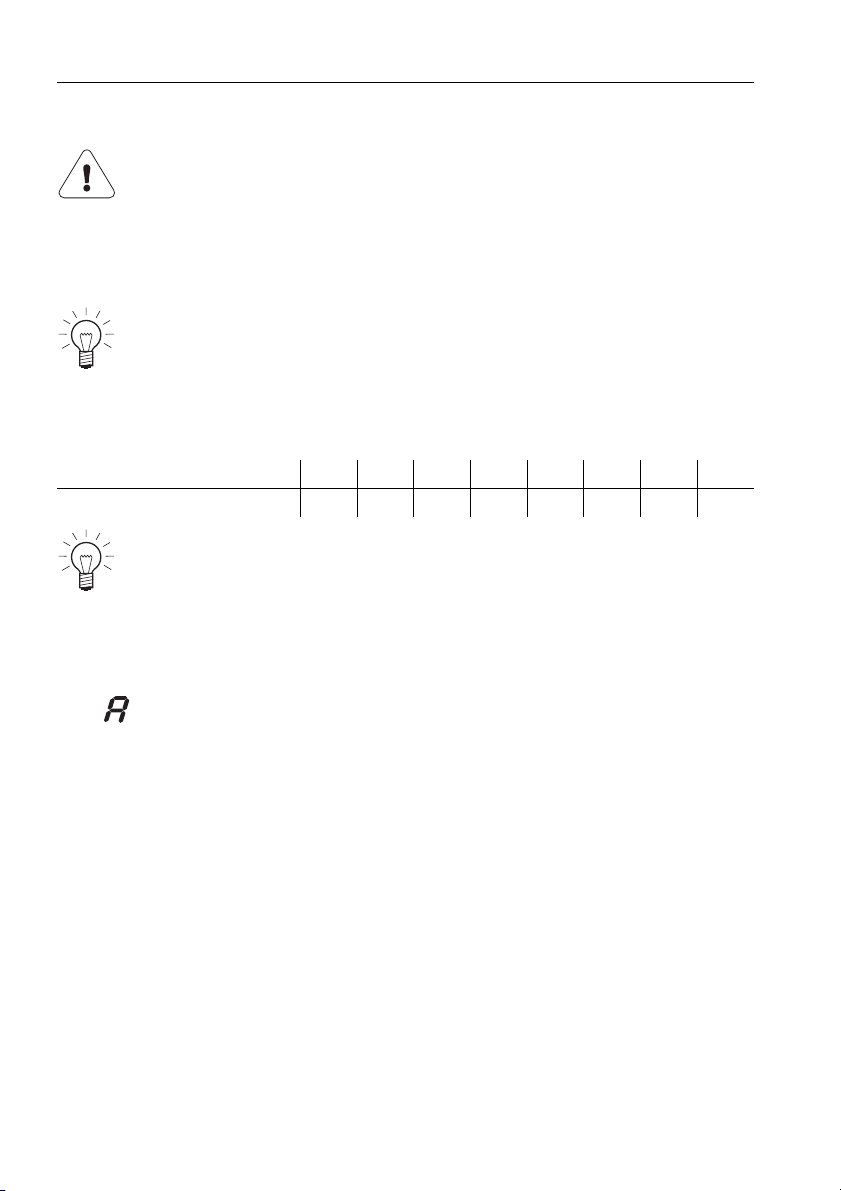
Do not leave the hob unattended while using the automatic boost.
Risk of boiling over, burning on and igniting!
Whenever a cooking zone is switched on, the automatic boost must
be activated anew.
When the appliance is delivered from the factory, the automatic boost
is switched off. If required, the P3 user setting must be changed from
0 to 1, see the
USER SETTINGS section.
Power level 12345678
Boost in mins:secs 1:00 3:00 4:45 6:30 8:30 2:30 3:30 4:30
If during the automatic boost a higher power level is selected, the
duration of the boost will change automatically.
4 Operating the appliance
19
4.8 Operating time
With the operating time function, a cooking zone switches off automatically
after a set time (between 1–99 minutes).
Setting the operating time
➤ Select the required cooking zone.
➤ Press the touch button.
– flashes in the display.
– The cooking zone indicator lights flash.
➤ Press the slider for the required cooking zone and slide your finger along
it to set the operating time.
– The symbol illuminates.
– The cooking zone indicator light illuminates.
Changing the operating time
➤ Press the touch button.
– flashes in the display.
➤ Press the slider for the required cooking zone.
– The remaining operating time for the cooking zone selected is displayed.
– The indicator light for the cooking zone flashes.
➤ Using the slider, change the operating time.
Do not leave the hob unattended during use. Risk of boiling over,
burning on and igniting!
To change the operating time, press and hold .
4 Operating the appliance
20
Switching the operating time function off before time
➤ Press the touch button.
➤ Press on the slider for the required cooking zone.
– illuminates in the display for the operating time/timer.
– The cooking zone continues to run.
End of the operating time
When the operating time is up
– the relevant cooking zone switches off
– an acoustic signal is emitted
– and the power level flash.
➤ Press any touch button to switch off the acoustic signal and the displays.
Several operating times
If operating times are set for several cooking zones,
– the shortest operating time illuminates in the display
– the corresponding cooking zone indicator light illuminates
– the symbol illuminates with a set operating time for each cooking
zone.
To display another operating time:
➤ Press the touch button.
➤ Press the slider for the required cooking zone.
– The operating time is displayed and can be changed.
While the power level flashes, a new operating time can be set and
the cooking zone resumes operation using the previous settings.
0
4 Operating the appliance
21
4.9 Timer
The timer functions like an egg timer (1–99 minutes). It can be used at any
time and independently of all other functions.
Setting the timer
➤ Switch the appliance on.
➤ Press the touch button 2×.
– flashes in the display.
➤ Using any slider, set the required duration of the timer.
Changing the timer
If no cooking zone is in use, first switch the appliance on.
➤ Press the touch button 2×.
– The time left on the timer flashes.
➤ The duration of the timer can be changed using any slider.
Switching the timer off before time
If no cooking zone is in use, first switch the appliance on.
➤ Press the touch button 2×.
➤ Press on any slider.
– flashes in the display.
To change the duration of the timer, press and hold .
As soon as the operating time/timer display illuminates, the power
level can be set again using the sliders.
If the hob is switched off an active timer is retained.
0
4 Operating the appliance
22
4.10 Childproof lock
The childproof lock is to prevent the appliance from being accidentally
switched on.
Switching the childproof lock on
➤ Switch the appliance on.
Ensure all cooking zones are switched off.
➤ Press the and touch buttons at the same time.
– An acoustic signal is emitted.
➤ Press the touch button again.
– An acoustic signal is emitted.
– illuminates in all the power level displays for 10 seconds.
Operating the appliance with the childproof lock activated
➤ Switch the appliance on.
➤ Press the and touch buttons at the same time.
– An acoustic signal is emitted.
– The childproof lock is overridden. The appliance can now be used as
normal.
The childproof lock is automatically reactivated 10 minutes after the hob has
been switched off.
Switching the childproof lock off
➤ Switch the appliance on.
Ensure all cooking zones are switched off.
➤ Press the and touch buttons at the same time.
– An acoustic signal is emitted.
➤ Press the touch button again.
– A double acoustic signal is emitted.
– flashes in all the power level displays for 10 seconds.
4 Operating the appliance
23
4.11 Restore function
If the appliance has been inadvertently switched off, the settings can be
restored within 6 seconds.
➤ Switch the appliance on.
– The indicator light at the touch button flashes.
➤ Press the touch button.
4.12 Pause cooking
With this function, the power level of all cooking zones that are switched on
can be temporarily reduced to for a maximum of 10 minutes. Thereafter,
the appliance can continue to be operated using the previous settings.
➤ Press the touch button.
– The indicator light for the touch button illuminates.
– The power levels of the cooking zones that are switched on change
to .
– The operating time is interrupted.
– The timer continues to run.
– All touch buttons are inactive except for , and .
➤ To resume cooking, press the touch button again.
– The cooking zones resume operation using the previous settings.
If the pause cooking function is not turned off within 10 minutes, the
appliance switches off completely.
4 Operating the appliance
24
4.13 Wipe protection
This function prevents inadvertently changing the power level, e.g. when
wiping the control panel with a cloth.
➤ Press the touch button.
– The indicator light for the touch button illuminates.
➤ Wipe protection is switched off by pressing the touch button again or
automatically after 30 seconds.
Press the touch button to switch the appliance off at any time.
25
5 User settings
The following user settings can be set and stored individually.
User setting Setting value Factory setting
P0
Loudness of
acoustic signal
0 No acoustic signal
7
1–8 Adjustable in steps (1 = low, 8 = high)
P1
Acoustic signal
at end of
operating time/timer
0 No acoustic signal
21 Off automatically after 10 secs.
2 Off automatically after 1 min.
P3 Automatic boost
0 Automatic boost off
0
1 Automatic boost on
P4
Default operating time/
timer
0Default duration 0mins.
1
1–9 Adjustable in steps from 10–90 mins.
P6
Acoustic signal
when touch button
is pressed
0 Acoustic signal off
1
1 Acoustic signal on
P7
Restore
factory settings
0
To restore factory settings:
Press the
touch button 2×.
5 User settings
26
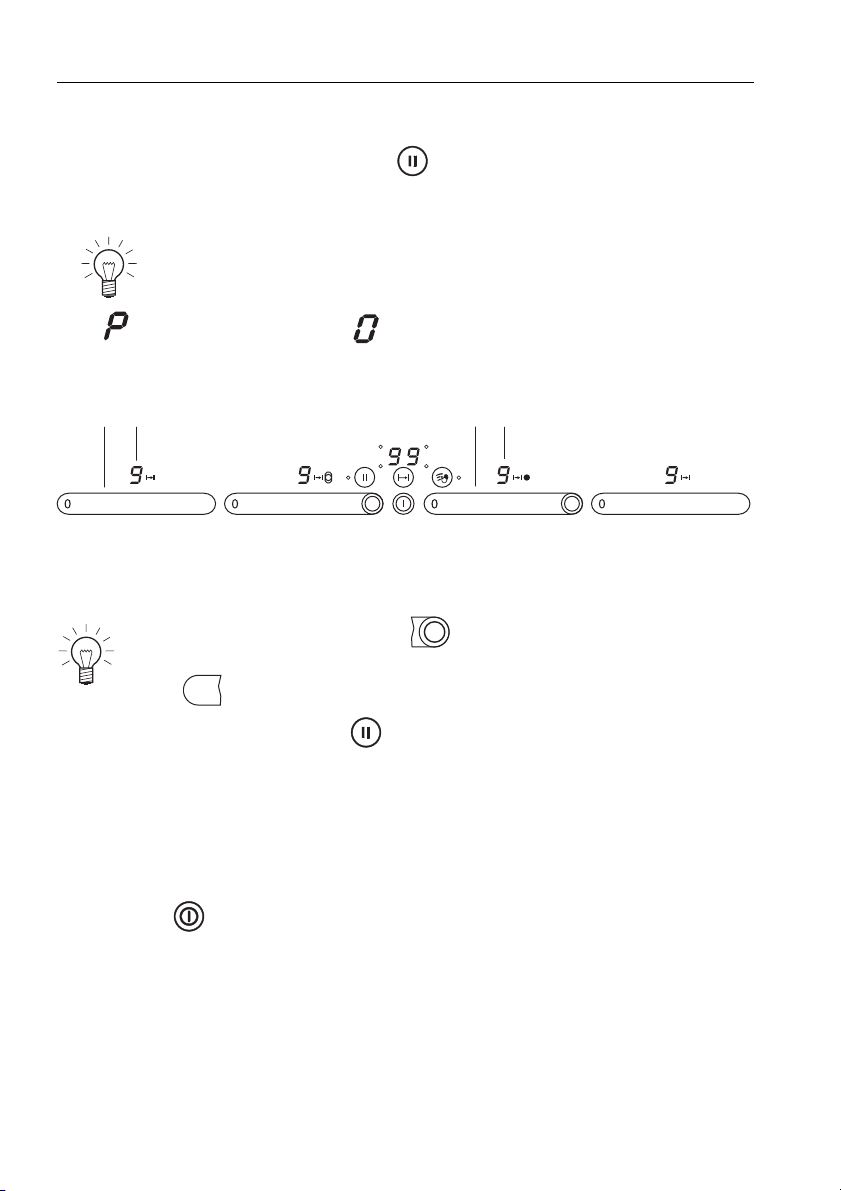
5.1 Changing user settings
➤ With the hob switched off, hold the touch button depressed and touch
3 slider fields from left to right within 1 second.
– An acoustic signal is emitted each time a slider field is touched.
– flashes alternately with in display 2.
– The current setting value for the user settings appears in display 4.
➤ Use slider 1 to select a user setting.
➤ Use slider 3 to change the setting value.
➤ To save the entries: Hold the touch button depressed for 2 seconds.
– An acoustic signal is emitted.
– The «User settings» mode is ended.
5.2 Cancelling user settings
➤ Press the touch button.
– Any changes made to setting values are not saved.
– The «User settings» mode is ended.
A double acoustic signal is emitted in the case of an erroneous
entry.
Press immediately to the left of to select the next user setting or
a higher setting value.
Press to select the previous user setting or a lower setting value.
1 2
3
4
0

27
6 Care and maintenance
6.1 Cleaning
Always clean the hob after use. This prevents food residues from burning on.
Dried-on or burned-on food residue is harder to clean off.
Use of improper cleaning techniques can result in damage to the markings
or surface.
➤ Use only a soft cloth or sponge with water and a suitable detergent for
cleaning everyday soiling. Always follow the detergent manufacturer's
instructions for use. Using a detergent with a protective additive is
recommended.
➤ Remove stubborn soiling, e.g. boiled-over milk, while still warm using a
glass ceramic hob scraper.
Always follow the scraper manufacturer's instructions for use.
➤ Foods with a high sugar content, e.g. marmalade, that boil over should be
removed while still hot using a glass ceramic hob scraper. The surface of
the glass ceramic hob could otherwise become damaged.
➤ Remove melted plastic while still warm using a glass ceramic hob scraper.
The surface of the glass ceramic hob could otherwise become damaged.
➤ Remove limescale stains when cool with a small amount of limescale
remover (e.g. vinegar, lemon juice, descaler). Then wipe clean with a damp
cloth.
To avoid risk of burns, allow the appliance to cool down before
cleaning.
Avoid cleaning the surface of the glass ceramic hob with abrasive
cleaning agents, scouring pads, wire wool, etc. which can damage the
surface.

28
7 Trouble-shooting and error messages
7.1 What to do if …
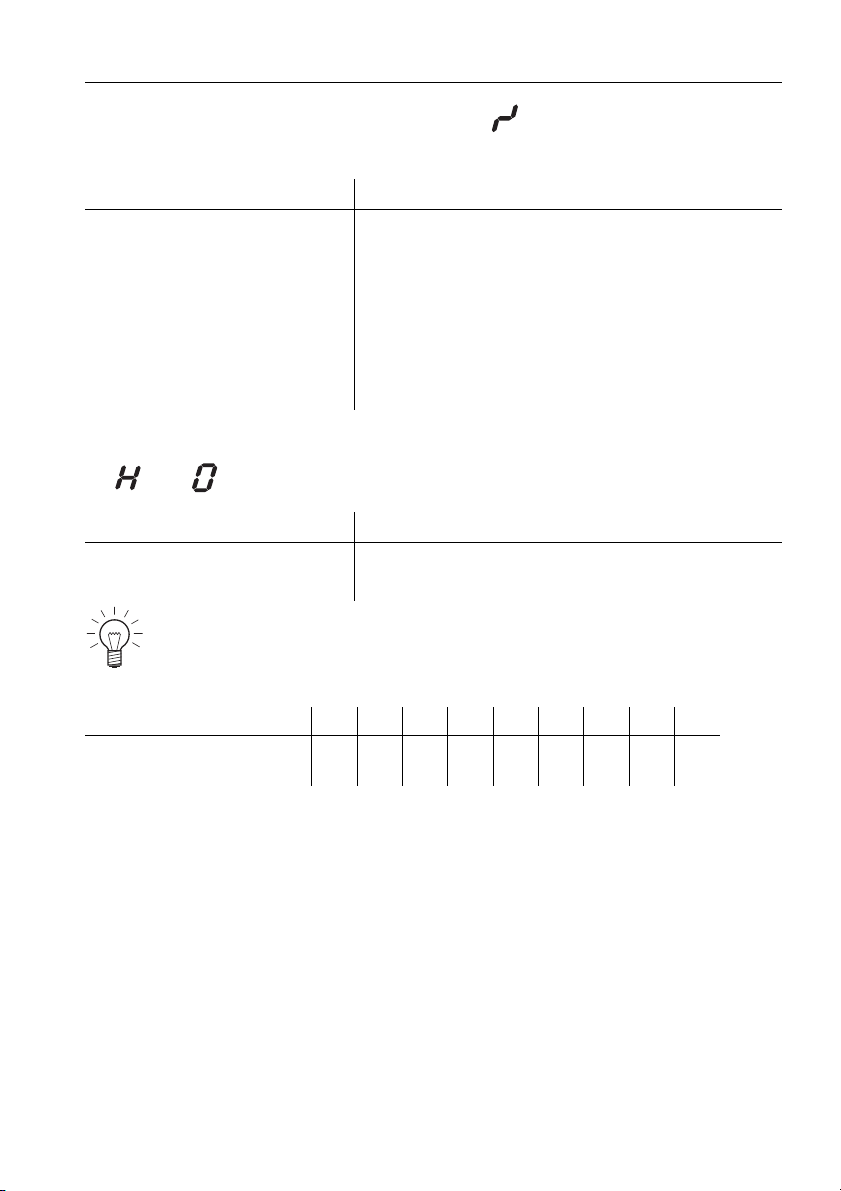
… the appliance is not working and the displays are not illuminated
… illuminates in the displays
Possible cause Solution
• The fuse or circuit breaker
for electrical installations
in the home is defective.
➤ Change the fuse.
➤ Reset the circuit breaker.
• The fuse or circuit breaker
keeps blowing.
➤ Call Customer Services.
• An interruption in the
power supply.
➤ Check the power supply.
Possible cause Solution
• The childproof lock is
activated.
➤ For operating the appliance with the child-
proof lock activated, see the section on
OPERATING THE APPLIANCE.
➤ Switch the childproof lock off.
7 Trouble-shooting and error messages
29
… a continuous acoustic signal is emitted, flashes in a display and the
appliance switches off
… and flash alternately in the display
Possible cause Solution
• A touch button or slider
was touched for longer
than 10 seconds.
➤ Remove object or food that has boiled over.
➤ The appliance can be used again as
normal.
• Object (e.g. pan, dish) on
the control panel.
• Food boiled over onto the
control panel.
Possible cause Solution
• The automatic safety
shut-off was triggered.
➤ Switch the cooking zone back on again if
required.
If a cooking zone has been running for longer without any settings
being changed, the appliance switches the cooking zone off automat-
ically, after how much time depends on the power level set.
Power level 123456789
Safety shut-off after
hrs:mins
8:30 6:30 5:30 4:30 3:30 3:00 2:30 2:00 1:30
7 Trouble-shooting and error messages
30
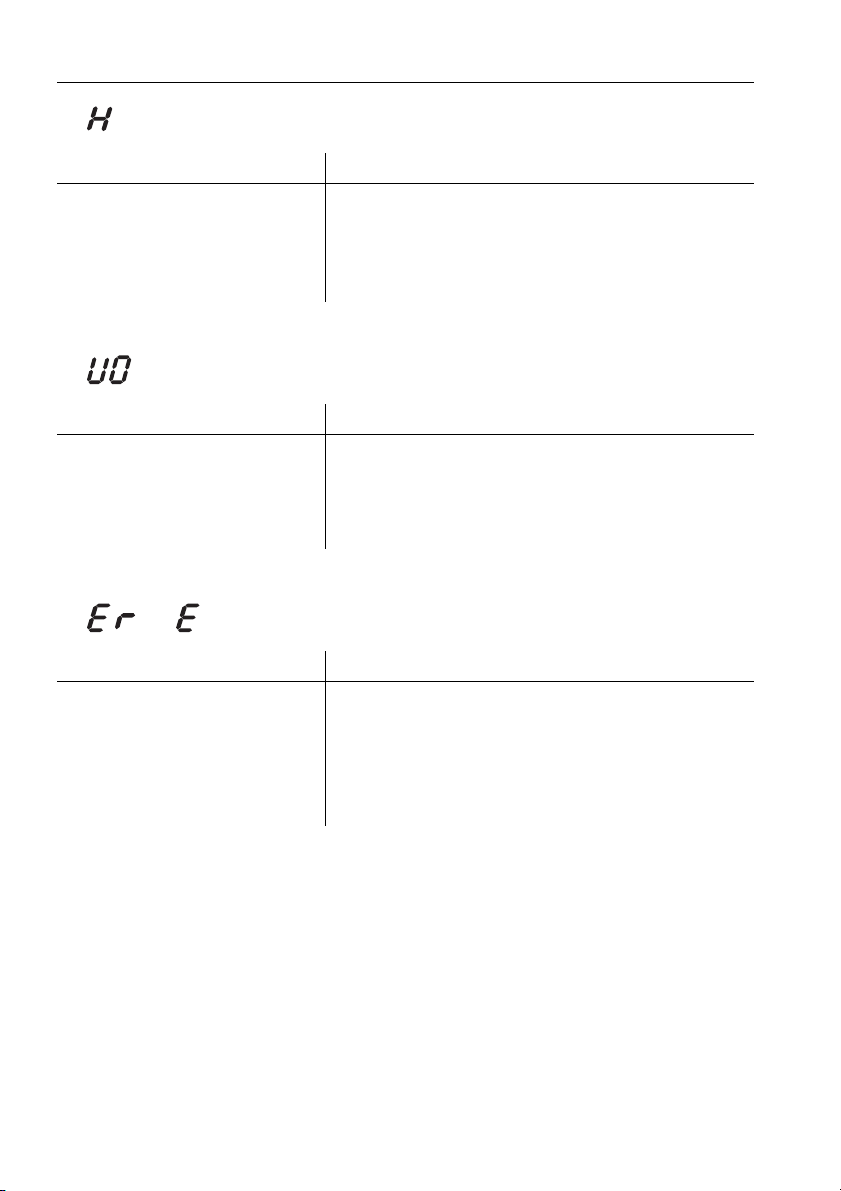
… flashes in the display
… flashes in the display
… or and a number illuminate in the display
Possible cause Solution
• The excess temperature
protection of a cooking
zone was triggered.
➤ Allow the cooking zone to cool down.
➤ Resume cooking on a different cooking
zone.
➤ Check the cookware.
Possible cause Solution
• An interruption in the
power supply.
➤ Press any touch button to cancel the error
message.
➤ The appliance can be used again as
normal.
Possible cause Solution
• Internal error occurred. ➤ Note down the error number.
➤ Note down the serial number (FN) of the
appliance. See the identification plate for
this.
➤ Call Customer Services.

31
8Notes

8 Notes
32

8 Notes
33

34
9Index
A
Additional heating element . . . . . . 17
Appliance
Switching off . . . . . . . . . . . . . 15, 36
Switching on . . . . . . . . . . . . . 15, 36
Appliance overview . . . . . . . . . . . . 12
Automatic boost . . . . . . . . . . . . . . 18
C
Care . . . . . . . . . . . . . . . . . . . . . . . 27
Childproof lock . . . . . . . . . . . . . . . 22
Cleaning . . . . . . . . . . . . . . . . . . . . 27
Cooking zone . . . . . . . . . . . . . 15, 36
Cookware . . . . . . . . . . . . . . . . . . . 14
D
Disclaimer . . . . . . . . . . . . . . . . . . . . . 8
Displays . . . . . . . . . . . . . . . . . . . . 13
Disposal
Appliance disposal . . . . . . . . . . . 10
Disconnection . . . . . . . . . . . . . . . 10
Packaging. . . . . . . . . . . . . . . . . . 10
Dual ring cooking zone . . . . . . . . . 17
E
Energy-efficient cooking . . . . . . . . 14
Error messages. . . . . . . . . . . . . . . 28
F
Frying zone . . . . . . . . . . . . . . . . . . 17
I
Identification plate . . . . . . . . . . 11, 35
Instructions for use . . . . . . . . . . . . . . 8
M
Maintenance . . . . . . . . . . . . . . . . . 27
Malfunction . . . . . . . . . . . . . . . . . . 35
Model no. . . . . . . . . . . . . . . . . . . . . . 2
O
Operating elements. . . . . . . . . . . . 13
Operating the appliance . . . . . . . . 15
Operating time . . . . . . . . . . . . . . . 19
Outer cooking ring . . . . . . . . . . . . 17
P
Pause cooking . . . . . . . . . . . . . . . . 23
Power levels
Overview. . . . . . . . . . . . . . . . . . . . 16
Q
Quick instructions . . . . . . . . . . . . . . 36
R
Repair service. . . . . . . . . . . . . . . . . 35
Residual heat indicator . . . . . . 15, 16
Restore function . . . . . . . . . . . . . . . 23
S
Safety precautions . . . . . . . . . . . . . . 4
Appliance-specific. . . . . . . . . . . . . . 6
General. . . . . . . . . . . . . . . . . . . . . . 5
Safety shut-off
Overview. . . . . . . . . . . . . . . . . . . . 29
Serial number (FN) . . . . . . . . . 11, 35
Symbols . . . . . . . . . . . . . . . . . . . . . . 4
T
Timer. . . . . . . . . . . . . . . . . . . . . . . . 21
Touch buttons . . . . . . . . . . . . . . . . . 13
Trouble-shooting . . . . . . . . . . . . . . . 28
Type . . . . . . . . . . . . . . . . . . . . . . . . . 2
U
User settings. . . . . . . . . . . . . . . . . . 25
Using for the first time. . . . . . . . . . . 11
V
Validity . . . . . . . . . . . . . . . . . . . . . . . 2
W
Wipe protection. . . . . . . . . . . . . . . . 24

35
10 Repair service
Whether you contact us about a malfunction or an order, please always state
the serial number (FN) and the model type of your appliance. Enter these
details below and also on the service sticker which comes with the appliance.
Stick it in a conspicuous place or in your telephone or address book.
You will also find the same details on the certificate of guarantee, the original
sales invoice and the identification plate of the appliance.
The
Trouble-shooting and error messages section will help you to
carry out small repairs yourself, saving you the time and trouble of
calling out a service technician and the cost that goes along with it.
FN
Appliance

Quick instructions
Please first read the safety precautions in the Operating instructions!
To switch appliance on
➤ Hold the touch button depressed for about 1 second.
To select cooking zone
➤ Press the slider for the required cooking zone or slide your finger along it
to set the power level.
To switch cooking zone off
➤ Press on the slider.
To switch appliance off
➤ Press the touch button.
0
V-ZUG Ltd
Industriestrasse 66, CH-6301 Zug
[email protected], www.vzug.com
J976.360-0