Operating and installation
instructions
Wine conditioning unit/freezer
combination (NoFrost)
To avoid the risk of accidents or damage to the appliance it is essen-
tial to read these instructions before it is installed and used for the
first time.
en-GB M.-Nr. 10 999 990
Contents
2
Warning and Safety instructions...................................................................... 5
Caring for the environment .............................................................................. 14
Saving energy .................................................................................................... 15
Guide to the appliance...................................................................................... 17
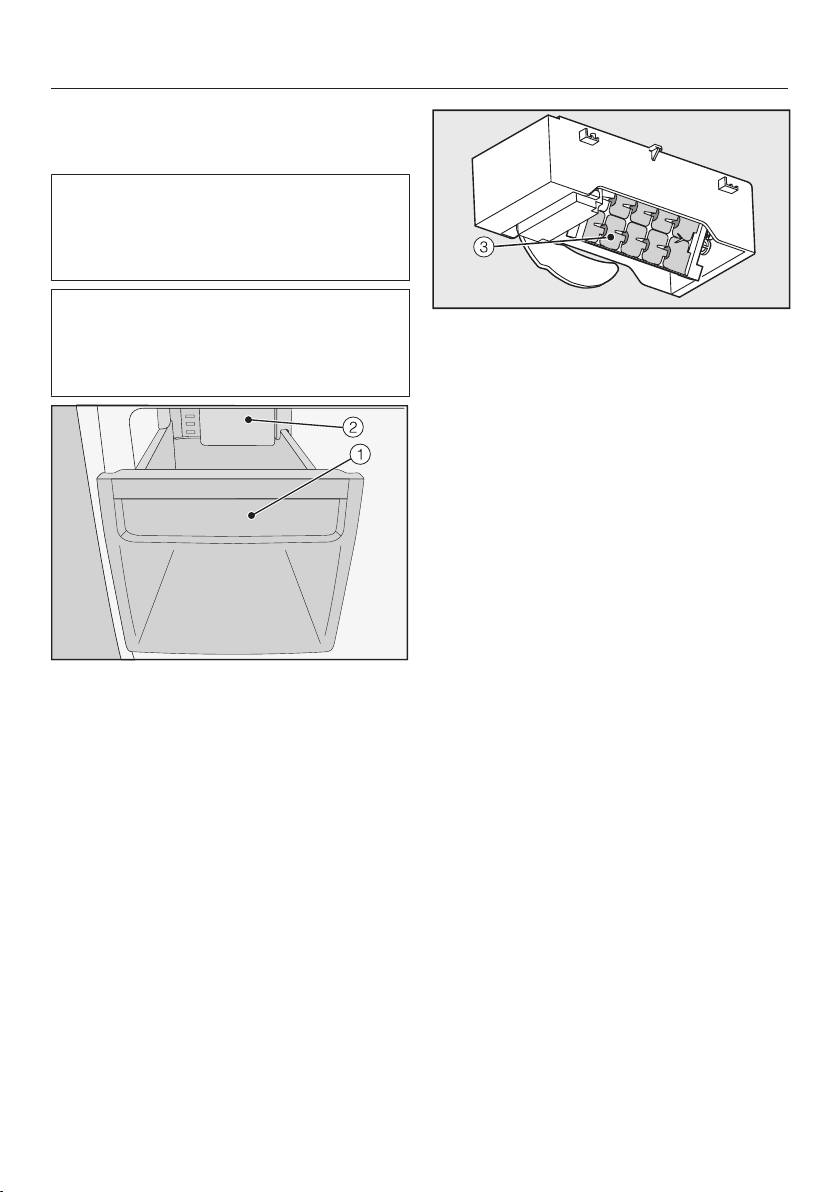
Ice cube maker with integrated ice cube tray ..................................................... 18
Accessories ....................................................................................................... 20
Accessories supplied .......................................................................................... 20
Side-by-side fitting kit .................................................................................... 20
Optional accessories........................................................................................... 21
Before using for the first time .......................................................................... 22
Before using for the first time.............................................................................. 22
Cleaning the appliance................................................................................... 22
Connecting the appliance ................................................................................... 22
Switching on and off ......................................................................................... 23
Touch display ...................................................................................................... 23
Switching the appliance on ................................................................................. 23
Start screen ......................................................................................................... 24
Switching the refrigeration appliance off............................................................. 25
Switching off for longer periods of time .............................................................. 27
The optimum temperature and air quality....................................................... 28
The optimum temperature................................................................................... 28
Setting the temperature.................................................................................. 29
Temperature display ....................................................................................... 30
Air quality and humidity....................................................................................... 30
DynaCool (constant humidity) ................................................................... 31
Air filtration with the Active AirClean filters .................................................... 31
Using Super freeze ............................................................................................ 32
Super freeze function ..................................................................................... 32
Switching SuperFreeze on and off ................................................................. 32
Displaying a selected function ....................................................................... 32
Temperature and door alarm............................................................................ 33
Door alarm........................................................................................................... 34
Selecting further settings ................................................................................. 36
Settings overview ................................................................................................ 36
Contents
3
Explanation of the different Settings ................................................................... 39
Switching Party mode on or off .................................................................. 39
Using the minute minder (QuickCool timer) .............................................. 39
Switching the ice cube maker on and off................................................. 41
Switch the feature lighting on and off, or the duration it is on.................. 42
Switching/ on and off ............................................................................ 42
Switching the wine conditioning unit off.................................................... 43
Switching Sabbath mode on/off ................................................................. 43
Setting the time before the door alarm is triggered ................................... 44
Switching the sensor tone on / off....................................................... 45
Setting the volume/Switching alarms and audible tones on/off ............... 45
Setting the display brightness ................................................................... 45
Setting the temperature unit°C/°F ................................................................. 45
Switching Demo mode off........................................................................... 45
Resetting to the factory default settings .................................................. 46
Accessing information................................................................................. 46
Reminder to replace the Active AirClean filters......................................... 46
Clean ventilation grille reminder ................................................................ 47
Storing wine bottles .......................................................................................... 48
Wooden shelves.................................................................................................. 49
Moving the wooden shelves........................................................................... 49
Annotating wooden shelves ........................................................................... 49
Maximum capacity .............................................................................................. 50
Freezing and storing food................................................................................. 51
Maximum freezing capacity ................................................................................ 51
Freezing fresh food.............................................................................................. 51
Storing frozen food.............................................................................................. 51
Home freezing ..................................................................................................... 52
Before placing food in the appliance ............................................................. 52
Storage time for frozen food........................................................................... 53
Defrosting frozen goods ................................................................................. 53
Making ice cubes ................................................................................................ 54
Switching the ice cube maker on and off....................................................... 54
Adjusting the interior fittings................................................................................ 55
Using accessories ............................................................................................... 55
Defrosting........................................................................................................... 56
Cleaning and care ............................................................................................. 57
Cleaning agents................................................................................................... 57
Cleaning the ice cube tray................................................................................... 58
Preparing the refrigeration appliance for cleaning .............................................. 59
Contents
4
Cleaning the interior and accessories ................................................................. 59
Cleaning the front of the appliance and the side panels..................................... 60
Cleaning the ventilation grille .............................................................................. 61
Cleaning the door seal ........................................................................................ 61
Replacing the Active AirClean filters ................................................................... 62
After cleaning ...................................................................................................... 63
Problem solving guide ...................................................................................... 64
Noises................................................................................................................. 76
Service................................................................................................................ 77
Contact in the event of a fault ............................................................................. 77
–Displaying licence agreements.................................................................... 77
EPREL database ................................................................................................. 77
Warranty .............................................................................................................. 77
Installation.......................................................................................................... 78
Installation ........................................................................................................... 78
Location.......................................................................................................... 78
Ventilation....................................................................................................... 79
Fitting supplied wall spacers.......................................................................... 80
Limiting the opening angle of the appliance door.......................................... 80
Installing the refrigeration appliance .............................................................. 83
Levelling the appliance door .......................................................................... 84
Installing the refrigeration appliance in a run of kitchen units ........................ 84
Appliance dimensions .................................................................................... 86
Installing in a side-by-side combination.............................................................. 87
Changing the door hinging.................................................................................. 97
Aligning the appliance doors............................................................................... 110
Mains water connection ...................................................................................... 112
Information about the mains water connection.............................................. 112
Water supply .................................................................................................. 113
Electrical connection ........................................................................................... 115
Warning and Safety instructions
5
This refrigeration appliance complies with current safety require-
ments. Inappropriate use can, however, lead to personal injury and
material damage.
Please read the operating and installation instructions carefully be-
fore using the refrigeration appliance for the first time. They con-
tain important information on safety, installation, use and mainten-
ance. This is to protect yourself from injury, and from damaging
your refrigeration appliance.
In accordance with standard IEC60335-1, Miele expressly and
strongly advises that you read and follow all information provided
on installing the refrigeration appliance, as well as the safety notes
and warnings.
Miele cannot be held liable for injury or damage caused by non-
compliance with these instructions.
Keep these operating and installation instructions in a safe place
and pass them on to any future owner.
Danger of injury from broken glass.
If installed at altitudes above 1500m there is a risk of the glass in
the door breaking because of changes in air pressure.
Shards of glass can cause severe injury.
Correct application
This refrigeration appliance is intended for use in the home and in
similar environments, for example
– in shops, offices and similar work settings
– by the guests in hotels, motels, bed & breakfasts and other typical
home settings.
This refrigeration appliance is not intended for outdoor use.
Warning and Safety instructions
6
This appliance is intended exclusively for domestic use to store
wine and deep-frozen food, freeze fresh food, and to make ice.
Any other usage is not permitted.
This refrigeration appliance is not suitable for storing and keeping
cool medicines, blood plasma, laboratory preparations or similar
substances or products that are subject to the Medical Device Dir-
ective. Incorrect use of the refrigeration appliance for such purposes
may cause deterioration of the items stored. The refrigeration appli-
ance is also not suitable for use in areas where there is a risk of ex-
plosion.
Miele cannot be held liable for damage caused by improper or incor-
rect use or operation of the appliance.
The appliance can only be used by people with reduced physical,
sensory or mental capabilities, or lack of experience and knowledge,
if they are supervised whilst using it, or have been shown how to use
it in a safe way and recognise and understand the consequences of
incorrect operation.
Safety with children
Children under 8 years of age must be kept away from the refri-
geration appliance unless they are constantly supervised.
Children 8 years and older may only use the appliance unsuper-
vised if they have been shown how to use it in a safe way and recog-
nise and understand the consequences of incorrect operation.
Children must not be allowed to clean or maintain the appliance
unsupervised.
Please supervise children in the vicinity of the appliance and do
not let them play with it.
Danger of suffocation! Whilst playing, children could become en-
tangled in packaging (such as plastic wrapping) or pull it over their
head and suffocate. Keep packaging material away from children.
Warning and Safety instructions
7
Technical safety
The coolant circuit has been checked for leaks. The refrigeration
appliance complies with statutory safety requirements and the ap-
propriate EU directives.
This refrigeration appliance contains the refrigerant isobutane
(R600a), a natural gas which is environmentally friendly but flam-
mable. The refrigerant does not damage the ozone layer and does
not contribute to the greenhouse effect.
The use of this refrigerant has, however, led to a slight increase in
the noise level of the appliance. In addition to the noise of the com-
pressor, you might be able to hear the refrigerant flowing around the
cooling circuit. Unfortunately, this cannot be avoided, but it does not
affect the performance of the refrigeration appliance.
When transporting and installing the refrigeration appliance, ensure
that no parts of the cooling circuit are damaged. Splashes of refri-
gerant can damage the eyes.
In the event of damage:
- Avoid naked flames or anything which creates a spark.
- Disconnect the refrigeration appliance from the mains electricity
supply.
- Ventilate the room where the refrigeration appliance is located for
several minutes.
- Contact the Miele Customer Service Department.
The more coolant there is in a refrigeration appliance, the larger
the room it should be installed in. In the event of a leakage, if the ap-
pliance is in a small room, there is the danger of a combustible gas/
air mixture building up. For every 11g of coolant at least 1m
3
of
room space is required. The amount of coolant in the refrigeration
appliance is stated on the data plate inside the appliance.
Warning and Safety instructions
8
To avoid the risk of damage to the appliance, make sure that the
connection data (fuse rating, frequency and voltage) on the data
plate corresponds to the household supply.
Check that this is the case before connecting the appliance. Consult
a qualified electrician if in any doubt.
The electrical safety of this appliance can only be guaranteed
when correctly earthed. It is essential that this standard safety re-
quirement is met. If in any doubt please have the electrical installa-
tion tested by a qualified electrician.
Reliable and safe operation of this appliance can only be assured
if it has been connected to the mains electricity supply.
If the electrical connection cable supplied is damaged, it must
only be replaced by an original spare part to prevent a hazard for the
user. Miele can only guarantee the safety of the appliance when ori-
ginal Miele spare parts are used.
Do not connect the appliance to the mains electrical supply by a
multi-socket adapter or extension lead. These are a fire hazard and
do not guarantee the required safety of the appliance.
If moisture gets into electrical components or into the mains con-
nection cable, it could cause a short circuit. Therefore, do not oper-
ate this refrigeration appliance in areas which are exposed to mois-
ture (e.g in a garage or utility room).
This appliance must not be used in a non-stationary location (e.g.
on a ship).
Do not use a damaged appliance. It could be dangerous. Check
the appliance for visible signs of damage.
This refrigeration appliance is not intended for use as a built-in ap-
pliance.
Warning and Safety instructions
9
The appliance must be disconnected from the power supply dur-
ing installation, maintenance and repair work, and during installation
work on the mains water connection. It is only completely isolated
from the power supply when:
- the mains fuses are switched off, or
- the screw-out fuse is removed (where applicable), or
- the mains cable has been unplugged. Pull on the plug and not the
cable when disconnecting it from the power supply.
Unauthorised installation, maintenance and repairs, or a faulty
mains water connection can cause considerable danger for the user.
Installation, maintenance and repairs, installation work on the mains
water connection, and all repairs on the ice/water outlet must only
ever be carried out by a Miele-authorised technician.
The ice-cube maker must only be connected to a cold water sup-
ply.
Miele cannot be held liable for damage caused by a faulty mains
water connection.
While the appliance is under warranty, repairs should only be un-
dertaken by a Miele authorised service technician. Otherwise the
warranty is invalidated.
Faulty components must only be replaced with genuine Miele ori-
ginal spare parts. Miele can only guarantee the safety standards of
the appliance when Miele replacement parts are used.
This refrigeration appliance is supplied with a special lamp to
cope with particular conditions (e.g. temperature, moisture, chemical
resistance, abrasion resistance and vibration). This lamp must only
be used for the purpose for which it is intended. The lamp is not suit-
able for room lighting. Replacement lamps may only be fitted by a
Miele authorised technician or by the Miele Customer Service De-
partment. This refrigeration appliance contains several light sources
with at least energy efficiency classG.
Warning and Safety instructions
10
Correct use
This refrigeration appliance is designed for use within specific am-
bient temperatures (climate range). Do not use in ambient temperat-
ures for which it is not designed. The climate range is stated on the
data plate in the interior cabinet of the refrigeration appliance. A
lower ambient temperature will cause the compressor to switch off
for longer periods, meaning that the refrigeration appliance is unable
to maintain the required temperature.
Do not cover or block the air vents as this could impair the effi-
ciency of the appliance, increase the electricity consumption and
could cause damage to the components.
If storing food which contains a lot of fat or oil in the appliance or
the door, make sure that it does not come into contact with plastic
components as this could cause stress cracks or break the plastic.
Risk of fire and explosion. Do not store explosive materials in the
refrigeration appliance or any products containing propellants (e.g.
spray cans). Electrical components can cause flammable mixes of
gases to ignite.
Danger of explosion. Do not operate any electrical equipment (e.g.
an electric ice-cream maker) inside the refrigeration appliance.
Danger of sparking and explosion.
Danger of injury and damage to the appliance. Do not store cans
or bottles containing carbonated drinks or liquids which could freeze
in the freezer zone. Otherwise they could burst.
Danger of injury and damage to the appliance. When cooling
drinks quickly in the freezer zone, make sure bottles are not left in for
more than one hour. Otherwise they could burst.
Danger of injury. Never handle frozen food or the metal parts of
the appliance with wet hands. Your hands may freeze to the frozen
food or to the metal.
Warning and Safety instructions
11
Danger of injury. Do not take ice cubes out with your bare hands
and never place ice cubes or ice lollies in your mouth straight from
the freezer zone. The very low temperature of the frozen food can
cause frost burn to the lips and tongue.
Do not refreeze partially or fully defrosted food. Consume defros-
ted food as soon as possible, as it will lose its nutritional value and
spoil if left for too long. Defrosted food may only be re-frozen after it
has been cooked.
Observe the manufacturer's “use-by” dates and storage instruc-
tions given on food to avoid the risk of food poisoning. Storage times
will depend on several factors, including the freshness and quality of
the food, as well as the temperature at which it is stored.
Stainless steel appliances
Adhesives will damage the stainless steel surface and cause it to
lose its dirt-repellent protective coating. Do not use sticky notes,
transparent adhesive tape, masking tape or other types of adhesive
on the stainless steel surface.
The surface is susceptible to scratching. Even magnets can cause
scratching.
Accessories and spare parts
Only use genuine original Miele accessories and spare parts with
this appliance. Using accessories or spare parts from other manu-
facturers will invalidate the warranty, and Miele cannot accept liabil-
ity.
Miele will guarantee to supply functional spare parts for a min-
imum of 10years and up to 15years following the discontinuation of
your refrigeration appliance.
Warning and Safety instructions
12
Cleaning and care
Throw away the first 3 batches of ice to rinse the ice cube maker
and the water pipes. Do this:
- before using for the first time
- if the ice cube maker has not been used for a long time
- regularly when in continuous use (at least once a month) to re-
move ice residues from the system (to avoid a blockage of the
water supply)
- before switching off the ice cube maker for a long period of time
Do not use any oils or grease on the door seals, as these will
cause the seals to deteriorate and become porous with time.
Do not use a steam cleaning appliance to clean or defrost this ap-
pliance.
Steam could reach electrical components and cause a short circuit.
Sharp edged or pointed objects will damage the evaporator, caus-
ing irreversible damage to the appliance. Do not use sharp edged or
pointed objects to
- remove frost and ice,
- separate frozen food or remove ice trays.
Do not place electric heaters or candles in the appliance to de-
frost it. These can damage the plastic parts.
Do not use defrosting sprays or de-icers, as they could contain
substances which could damage the plastic parts or which might
cause the build-up of gases and pose a danger to health.
Warning and Safety instructions
13
Transport
Always transport the appliance in an upright position and in its ori-
ginal transport packaging to avoid damage in transit.
Danger of injury and damage to the appliance. The refrigeration
appliance is very heavy and must be transported by two people.
Disposal of your old appliance
If your old refrigeration appliance has a door lock, destroy it. This
will prevent the risk of children playing accidentally locking them-
selves in and endangering their lives.
Splashes of coolant can damage the eyes. Be careful not to dam-
age any part of the pipework whilst awaiting disposal, e.g. by
- puncturing the coolant channels in the condenser,
- bending any pipework, or
- scratching the surface coating.
Caring for the environment
14
Disposal of the packing mater-
ial
The packaging is designed to protect
the appliance from damage during
transportation. The packaging materials
used are selected from materials which
are environmentally friendly for disposal
and should be recycled.
Recycling the packaging reduces the
use of raw materials in the manufactur-
ing process and also reduces the
amount of waste in landfill sites.
Disposing of your old appli-
ance
Electronic and electrical appliances
contain many valuable materials. They
also contain certain materials, com-
pounds and components which were
essential for their correct functioning
and safety. These could be hazardous
to your health and to the environment if
disposed of with general waste or if
handled incorrectly. Please do not,
therefore, dispose of your old appliance
with general waste.
Instead, please make use of officially
designated collection and disposal
points to dispose of and recycle elec-
trical and electronic appliances in your
local community, with your dealer or
with Miele. By law, you are solely re-
sponsible for deleting any personal data
from the appliance prior to disposal.
Take care not to damage your refrigera-
tion appliance’s pipework before or dur-
ing transportation to an authorised col-
lection depot.
This is to ensure that coolant in the
cooling circuit and oil in the compressor
is contained, and will not leak into the
environment.
Please ensure that your old appliance
poses no risk to children while being
stored prior to disposal. For further in-
formation, see “Warning and Safety in-
structions” in these operating and in-
stallation instructions.
Saving energy
15
Normal energy consump-
tion
Increased energy con-
sumption
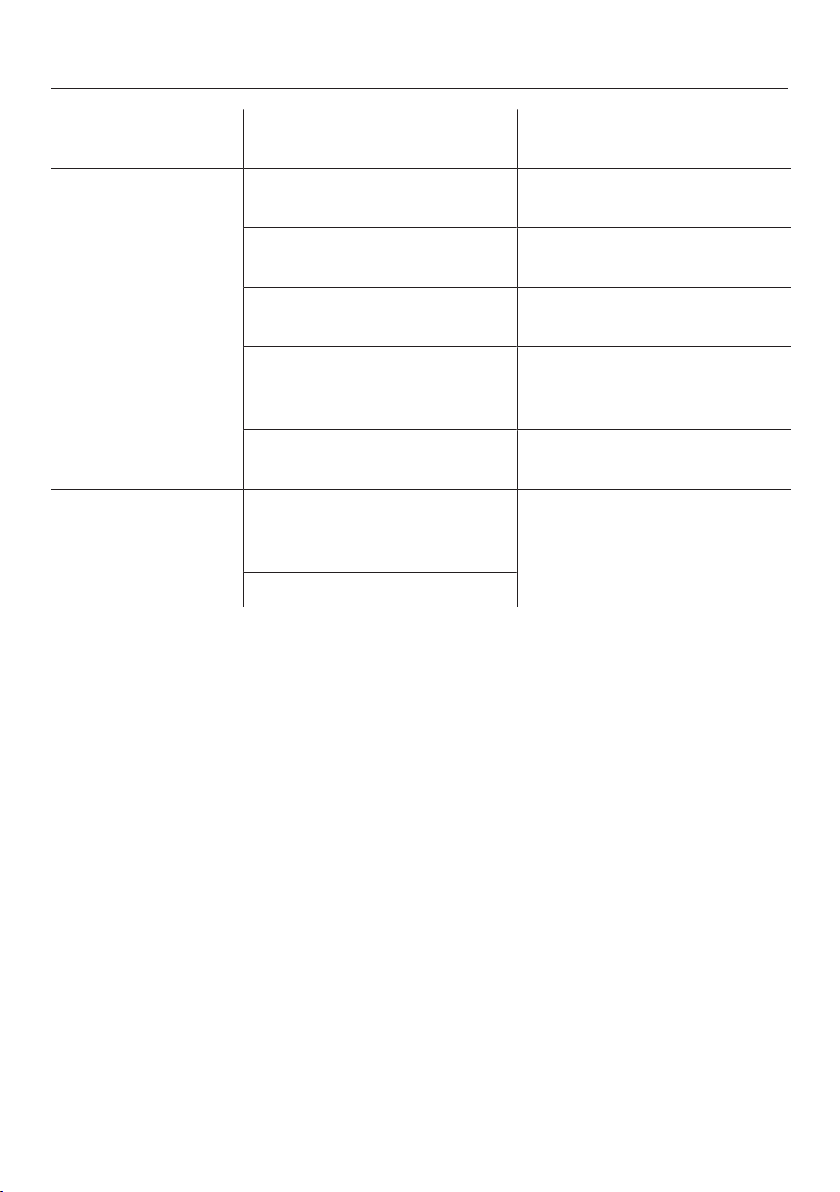
Installation /
Maintenance
In a ventilated room. In an enclosed, unventilated
room.
Protected from direct sun-
light.
In direct sunlight.
Not near to a heat source
(radiator, oven).
Near to a heat source (radi-
ator, oven).
Where the ideal ambient
room temperature is approx.
20°C.
Where the ambient room
temperature is above 25°C.
Ventilation gaps uncovered
and dusted regularly.
Ventilation gaps covered or
dusty.
Temperature
setting
Wine conditioning zones 10
to 12°C
The lower the temperature,
the higher the energy con-
sumption.
Freezer section -18°C
Saving energy
16
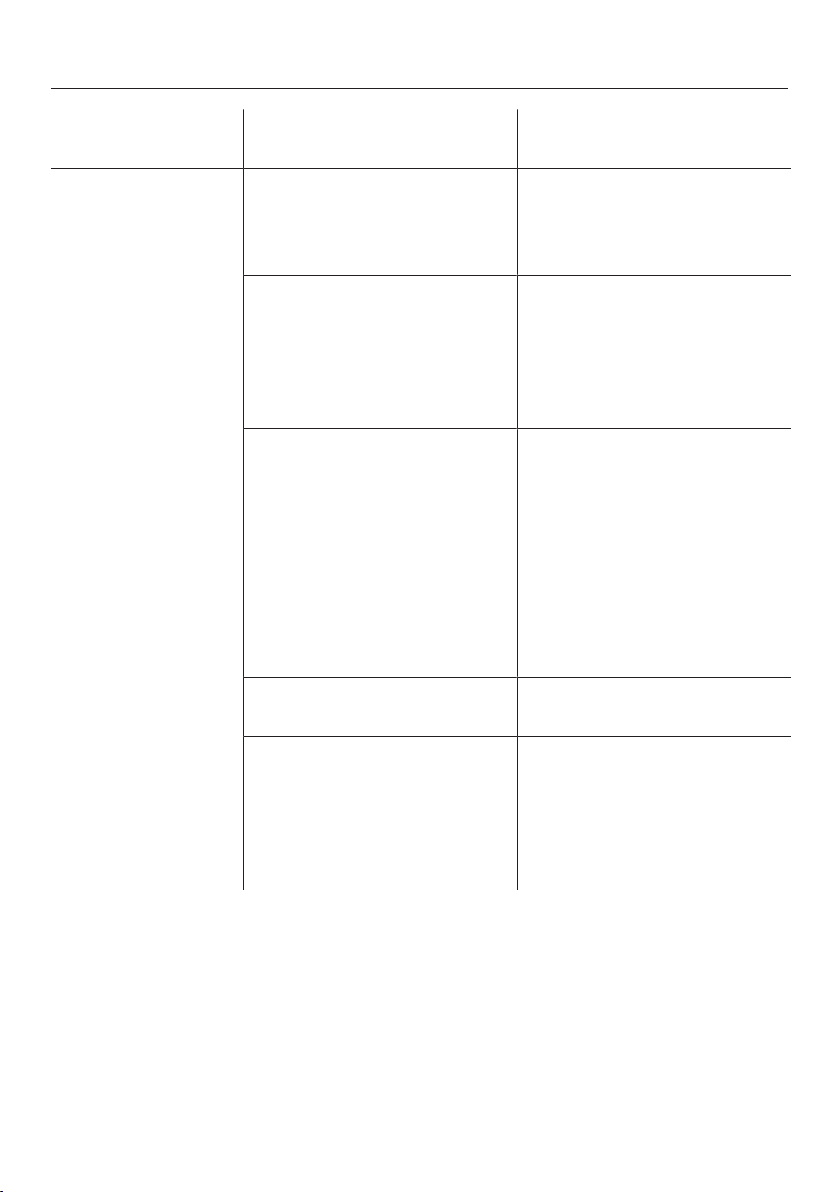
Normal energy consump-
tion
Increased energy con-
sumption
Use Wooden shelves, drawers
and glass shelves arranged
as they were when the appli-
ance was delivered.
Only open the door when
necessary and for as short a
time as possible. Store wine
bottles and food in an or-
ganised way.
Frequent opening of doors
for long periods will cause a
loss of coldness. The appli-
ance will try to cool down
and the compressor will run
for longer periods.
Take an insulated cool bag
when shopping, and load
food in the appliance as
soon as possible.
Replace any food removed
as quickly as possible, be-
fore it begins to thaw.
Allow hot food and drinks to
cool down before placing
them in the appliance.
Hot food or food at room
temperature raises the tem-
perature inside the appli-
ance. The appliance will try
to cool down and the com-
pressor will run for longer
periods.
Place frozen food in the refri-
gerator to defrost.
Do not overload the wooden
shelves in the wine condi-
tioning zones or the drawers
in the freezer section. Doing
so will restrict the free flow
of air inside the appliance.
Poor air circulation will
cause a loss of coldness.
Guide to the appliance
17
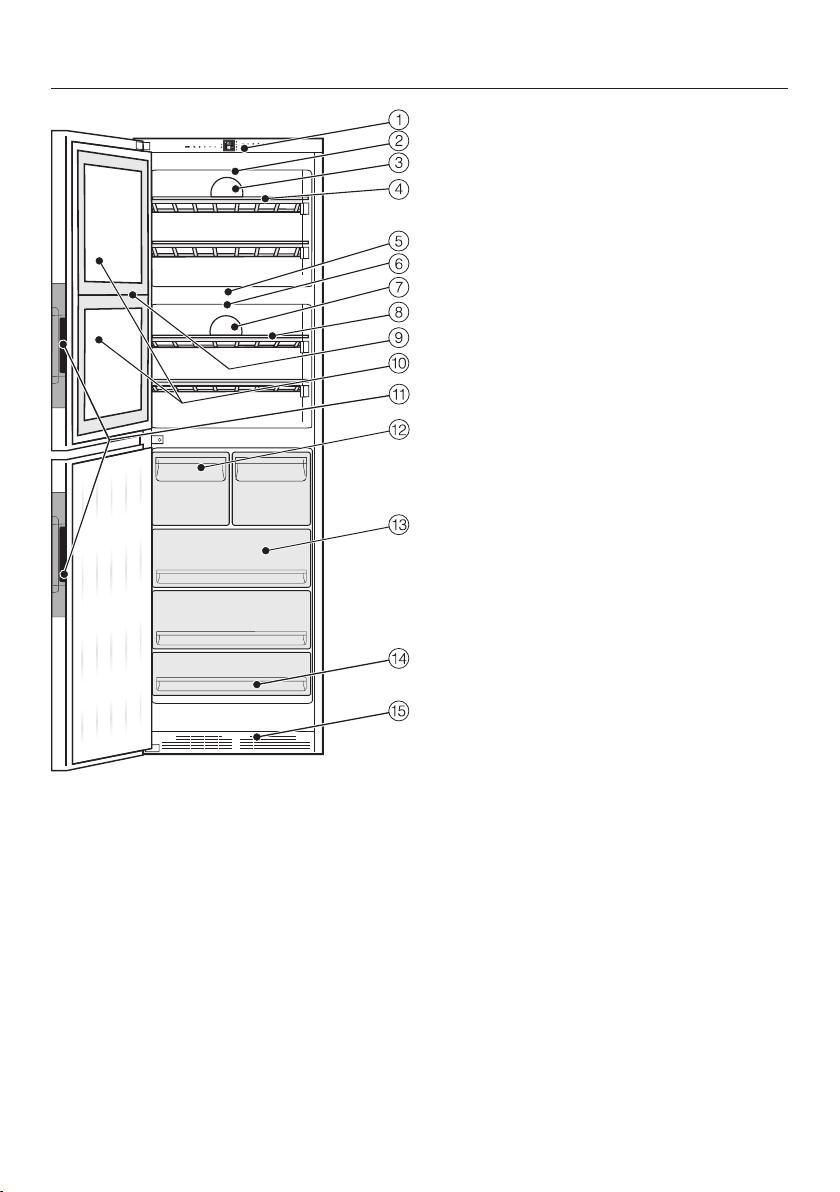
This drawing is for illustration purposes only.
a
Control panel with display
b
Interior lighting/feature lighting
c
Fan (DynaCool) with active charcoal
filters (Active AirClean)
d
Wooden shelves with labels
(FlexiFrames with Noteboard)
e
Isolator plate for thermal separation
of the wine conditioning zones
f
Interior lighting/feature lighting
g
Fan (DynaCool) with active charcoal
filters (Active AirClean)
h
Wooden shelves with labels
(FlexiFrames with Noteboard)
i
Isolation strips for thermal
separation of the temperature zones
j
Safety glass door
with UV filter
k
Recessed handle with door opening
aid (Click2open)
l
Ice cube drawer with automatic ice
cube maker
m
Freezer drawers
n
Lowest freezer drawer, can also be
used as a freezing tray
o
Ventilation grille
For easier installation there are trans-
port handles on the back at the top and
transport wheels underneath the appli-
ance.
Guide to the appliance
18
Ice cube maker with integrated
ice cube tray
For the automatic ice cube maker to
operate, it must be connected to a
mains water supply (see “Mains water
connection”).
The ice cube maker can be turned off
independently of the refrigeration ap-
pliance if you do not want to make any
ice cubes.
The automatic ice cube maker is loc-
ated in the ice cube drawer.
An ice cube tray, in which the ice
cubes are produced, is integrated in the
ice cube maker. This ice cube tray
cannot be removed.
The ice cube tray automatically empties
into the drawer as soon as ice cubes
are produced.
The ice cube maker is switched on via
Settings mode (see “Selecting fur-
ther settings” – Switching the ice cube
maker on and off”).
Guide to the appliance
19
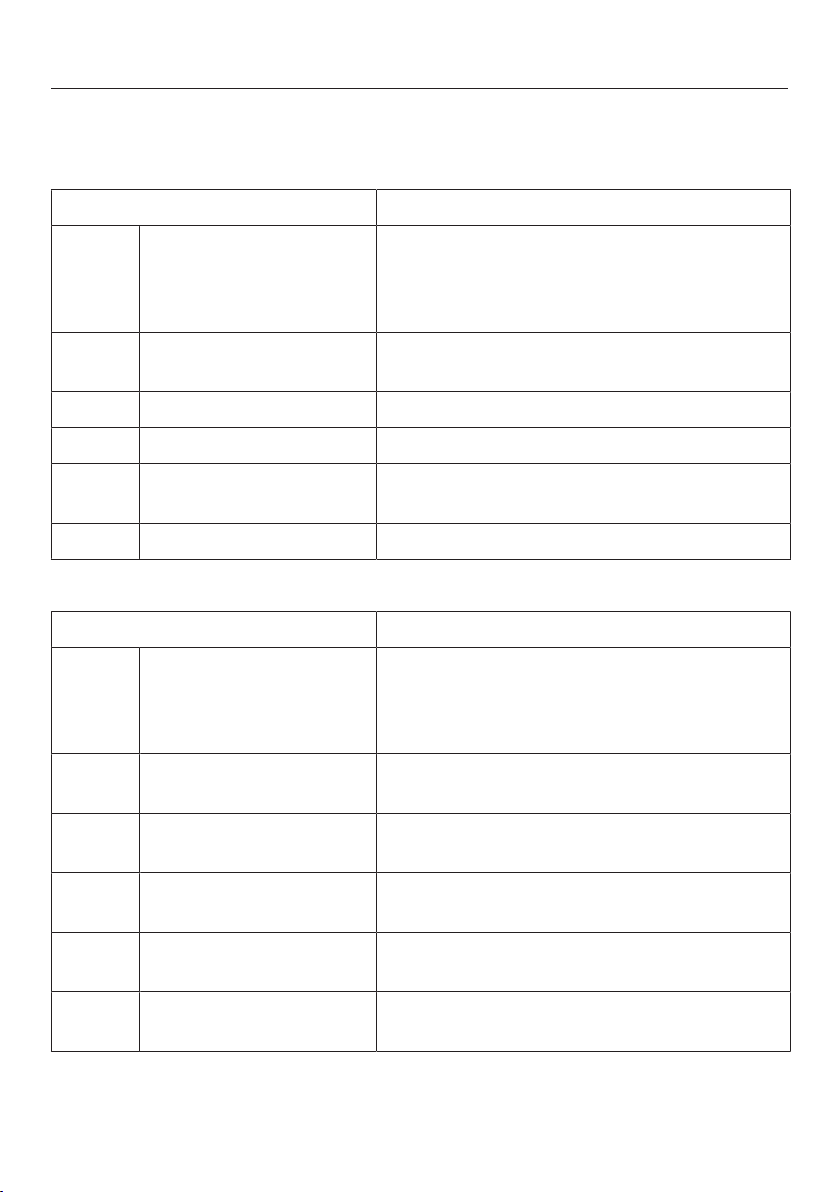
Symbols on the display
Controls
Symbol Meaning
Standby For switching on the whole refrigeration ap-
pliance,
for switching on the wine conditioning zone
separately
Settings mode For selecting settings (see “Selecting further
settings”)
/ Minus/plus For altering a setting (e.g. temperature)
OK For confirming a setting
/ Left/right navigation ar-
row
For scrolling in Settings mode to select a
setting
Back For exiting a menu
Information
Symbol Meaning
Standby The appliance is connected to the power
supply but is not switched on.
The wine conditioning zone is switched off
separately.
Freezer section Identifies the freezer section temperature
display.
Temperature alarm Warning (see “Problem solving guide - Dis-
play warnings”).
Door alarm Warning (see “Problem solving guide - Dis-
play warnings”).
Power failure Warning (see “Problem solving guide - Dis-
play warnings”).
There is a fault with the
ice cube maker
Warning (see “Problem solving guide - Dis-
play warnings”).
Accessories
20
Accessories supplied
Active AirClean filter
The active charcoal filters in the back
wall achieve optimum air quality by fil-
tering the incoming air.
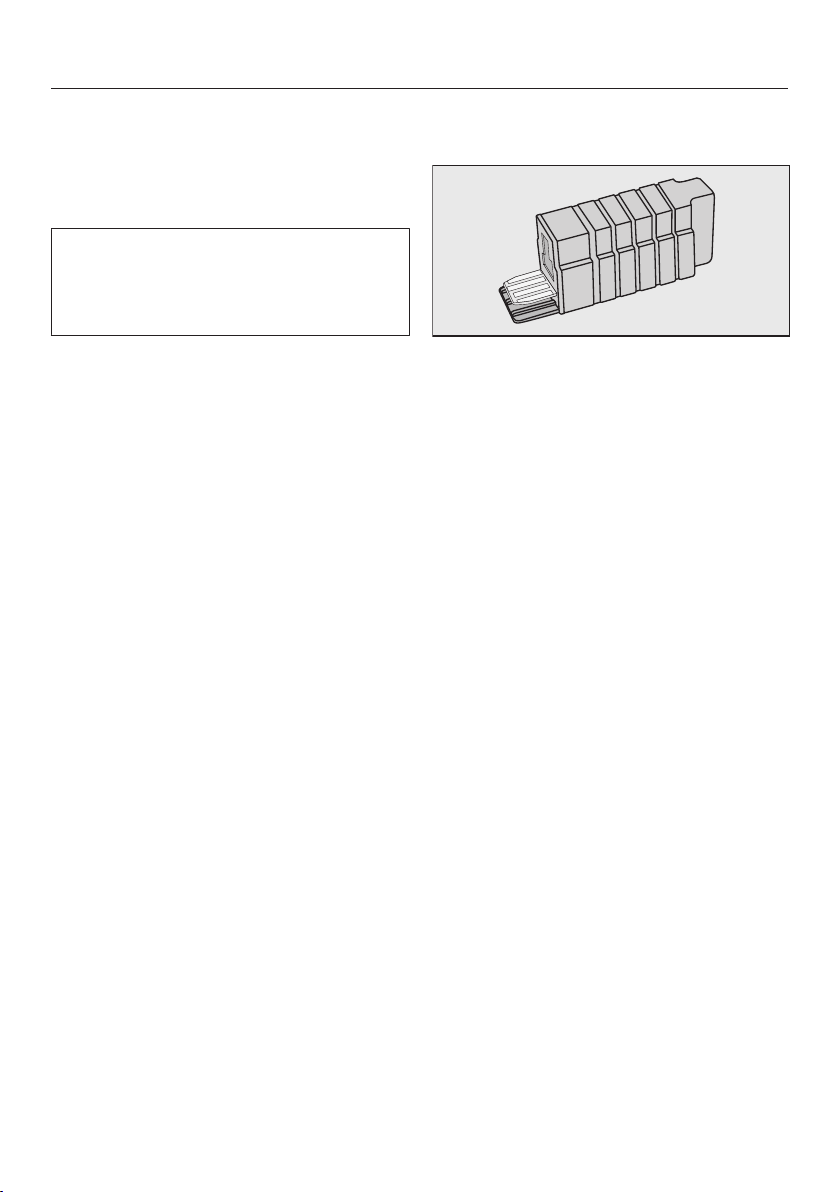
Cool pack
The cool pack prevents the temperature
in the freezer section from rising too
quickly in the event of a power cut. This
can help prolong the storage life.
The cool pack will be at its most effect-
ive after it has been in the freezer for
approx. 24hours.
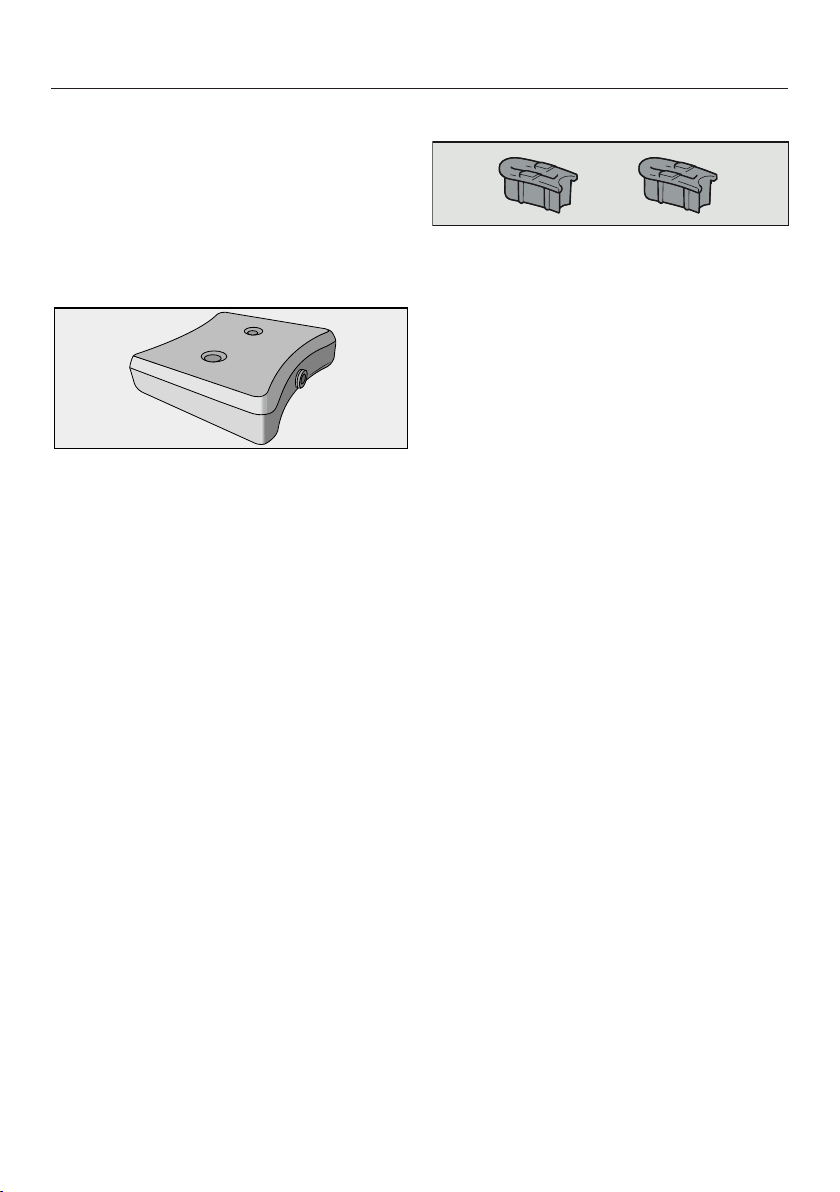
Door opening angle limiter
The door hinges are set ex works to en-
able the door to be opened up to 115°.
If the appliance door hits an adjacent
wall when opened, for example, the
opening angle can be limited toapprox.
90°.
Side-by-side fitting kit
For installing two appliances next to
each other.
Accessories
21
Optional accessories
A range of useful Miele accessories and
care products are available for your ap-
pliance.
Accessories are available to order via
the Miele Webshop, from Miele dir-
ectly (see back cover for contact de-
tails) or from your Miele dealer.
Active AirClean filters
See “Accessories supplied”.
Multi-purpose microfibre cloth
The microfibre cloth is suitable for re-
moving fingerprints and light soiling
from surfaces such as stainless steel,
glass, plastic and chrome without the
use of chemicals.
MicroCloth Kit
The MicroCloth Kit contains a universal
cloth, a glass cloth and a polishing
cloth.
These cloths are extremely resistant to
tearing and very robust. Thanks to very
fine microfibres these cloths achieve an
excellent cleaning performance.
XKS3100W WiFi stick
(Miele@home)
The WiFi stick enables your refrigeration
appliance to communicate, so that you
can access appliance data at any time
with a smartphone or tablet (iOS® or
Android™ operating systems).
To use the Miele@mobile app or
Miele@home features, such as the op-
tion to switch on SuperCool/Super-
Freeze, you must insert the WiFi stick
into your Miele refrigeration appliance
and connect it to your WiFi network.
Fitting and installation instructions for
the stick are supplied with it and de-
scribe how to install the WiFi stick and
connect to a WiFi network.

Before using for the first time
22
Before using for the first time
Packaging material
Remove all packaging material from
the inside of the appliance.
Protective foil removal
Stainless steel surfaces have a layer of
protective foil to prevent scratching dur-
ing transportation.
Do not remove the foil until the appli-
ance has been positioned in its final
location. Start at one of the top
corners.
Cleaning the appliance
Please refer to the relevant instruc-
tions in “Cleaning and care”.
Clean the inside of the appliance and
the accessories.
Throw away the first 3 batches of ice
cubes made after the ice-cube
maker is started up, as the water will
have been used for the initial rinsing
of the water supply line.
Clean the ice-cube maker.
Connecting the appliance
Connect the appliance to the electri-
city supply as described in “Electrical
connection”.
Standby
will appear in the display.
Switching on and off
23
Touch display
Using pointed or sharp objects on
the touch display can damage it.
Only touch the display with your fin-
gers.
If your fingers are cold, the touch dis-
play may not react.
Switching the appliance on
To enable the temperature to get suffi-
ciently cold inside the appliance, allow
the appliance to run for approx.
2hours before placing food in it.
Do not place food in the freezer until it
has reached the required coldness (at
least -18°C).
Standby
Touch briefly.
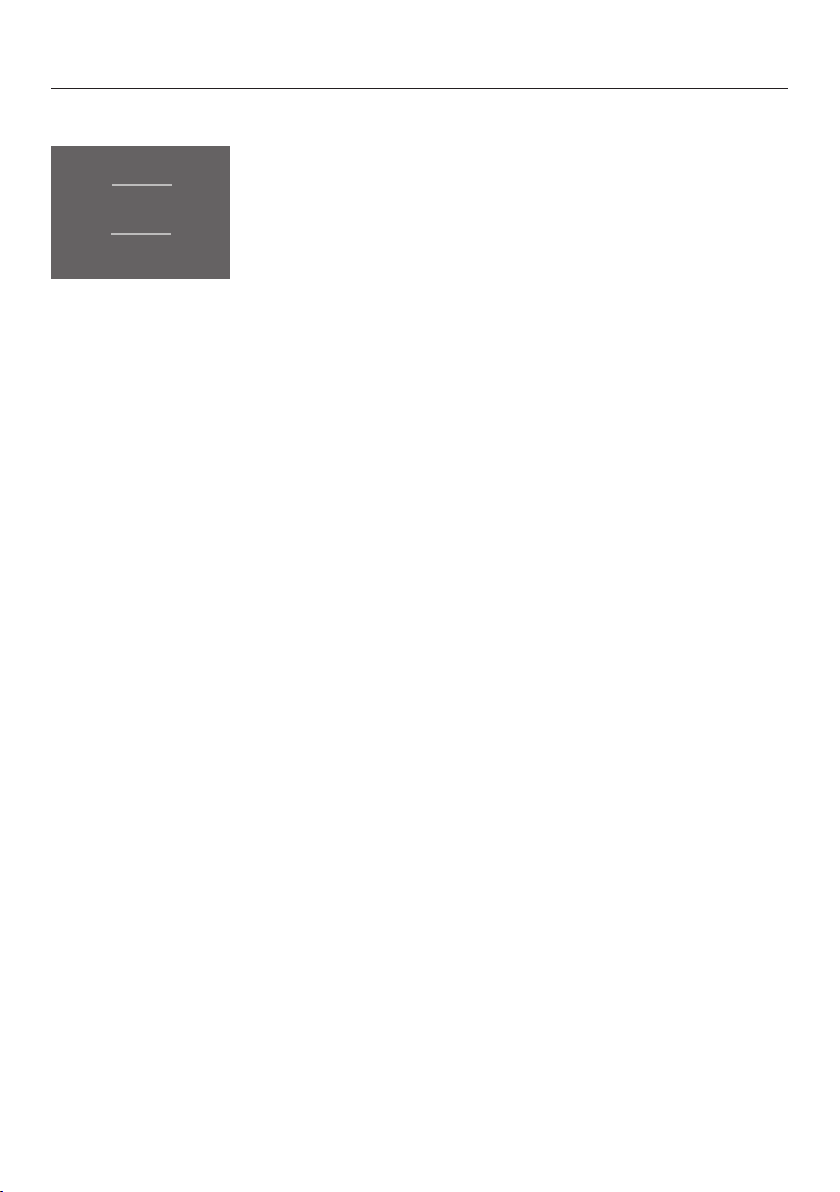
The welcome message
Miele - Willkommen will appear in the dis-
play for approx. 3seconds.
°C
-18
°C
12
°C
12
Star screen - pre-set temperatures
The display changes to the start screen.
The interior lighting comes on gets
brighter until it reaches its maximum
brightness. The appliance is now
switched on and will start to cool. The
appliance will gradually reach the pre-
set temperatures:
- Temperature in the wine conditioning
zones=12°C
- Temperature in the freezer section=
-18°C
Switching on and off
24
Start screen
°C
-18
°C
12
°C
12
Star screen - pre-set temperatures
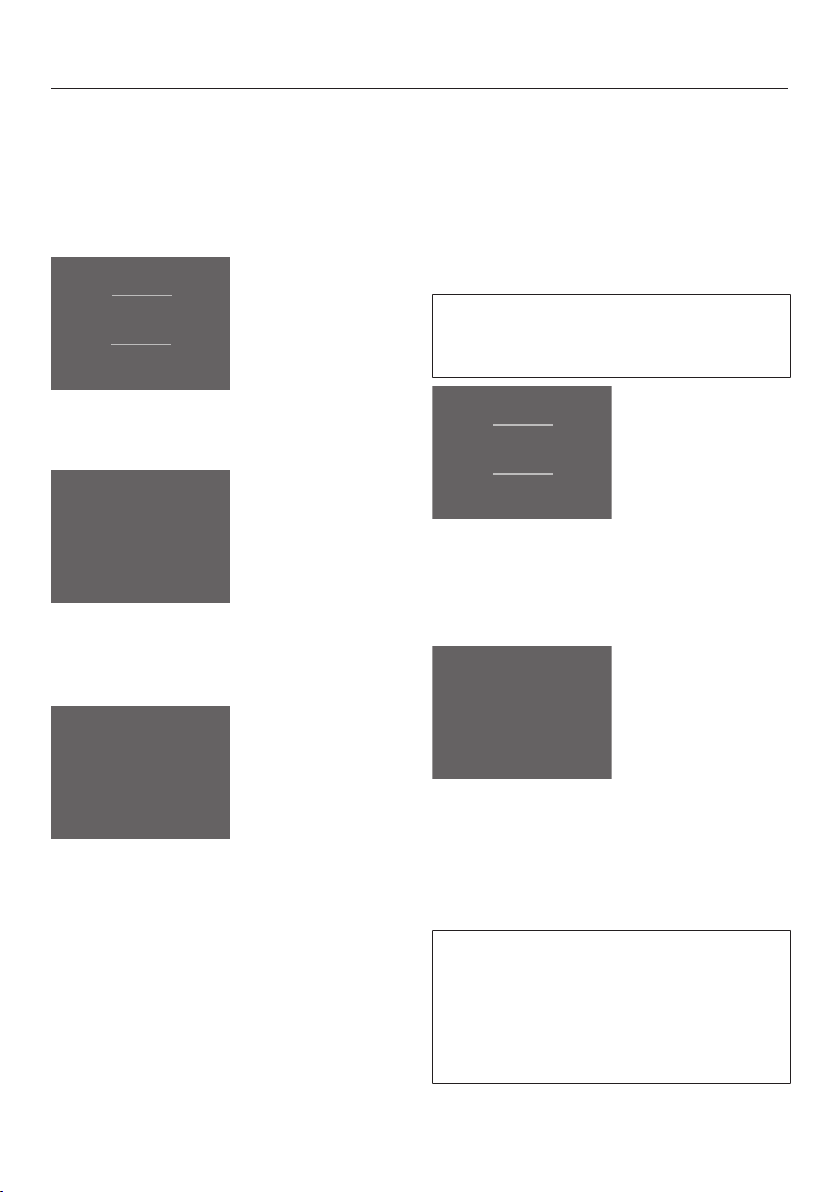
The start screen is the screen from
which all settings can be selected.
The display is divided into several fields
for this purpose:
The temperature display for the wine
conditioning zones is in the two up-
per fields.
Touch one of the temperature displays
to access the required wine condition-
ing zone display. Here you can set or
change the temperature (see “The op-
timum temperature and air quality” –
“Setting the temperature”, as well as se-
lect the DynaCool function (see “The
optimum temperature and air quality” –
“DynaCool”).
The temperature display for the
freezer section is in the lower field.
This is also identified by.
Touch the temperature display to ac-
cess the freezer section display. Here
you can set or change the temperature
as well as select the Super freeze
function (see “Using Super freeze”).
Settings mode is on the right-
hand side.
Touch the symbol to access Settings
mode. Here further settings can be se-
lected (see “Selecting further settings”).
Switching on and off
25
Switching the refrigeration ap-
pliance off
You can switch the refrigeration appli-
ance off in Settings mode (see “Select-
ing further settings”).
°C
-18
°C
12
°C
12
Start screen – pre-set temperatures
Touch .
Settings mode
Use the or arrow buttons until
is displayed.
Switching the refrigeration appliance off
Touch .
The temperature display goes out and
lights up.
The interior lighting goes out and cool-
ing is turned off.
will go out after approx. 10minutes.
The display goes dark and switches to
energy-saving mode.
Switching off the wine conditioning
zones separately
The two wine conditioning zones can
be switched off at the same time
without having to switch off the freezer
section. The freezer section cannot be
turned off separately.
If the DynaCool function has been
previously selected, it will be switched
off automatically.
°C
-18
°C
12
°C
12
Star screen - pre-set temperatures
Touch one of the two temperature
displays for the wine conditioning
zones.
12
°C
OK
Wine conditioning zone display
Touchor until is displayed.
Touch .
TouchOK to confirm your entry.
Switching the wine conditioning zones
off must always be confirmed withOK.
The setting entered is not automatic-
ally adopted after a certain length of
time, or after the appliance door has
been shut.

Switching on and off
26
°C
-18
Start screen - Wine conditioning zones
switched off
The symbol lights up in the temperat-
ure displays for both wine conditioning
zones. The wine conditioning zones
switched off.
The temperature in the freezer section
will still be shown in the display. The in-
terior lighting goes on in the wine con-
ditioning zones.
Switching the wine conditioning
zones on separately (if previously
switched off)
°C
-18
Start screen - Wine conditioning zones
switched off
Touch .
12
°C
OK
Wine conditioning zone display
Touch or until 6°C is displayed.
TouchOK to confirm your entry.
The wine conditioning zones will be
switched on and the interior lighting will
come on. They will start to cool and
gradually reach the set temperature.
Switching on and off
27
Switching off for longer peri-
ods of time
If, during a long absence, the refri-
geration appliance is switched off
but not cleaned and the door(s) left
shut, there is a risk of mould forming
inside the appliance.
It is essential to clean the refrigera-
tion appliance.
If the refrigeration appliance is not go-
ing to be used for a longer period of
time, observe the following:
Switch the refrigeration appliance off.
Switch the appliance off at the wall
socket and pull the plug out of the
socket, or disconnect the fuse.
Empty the ice cube drawer.
Risk of damage to the ice cube
maker.
If the water inlet is blocked while the
ice cube maker is still in use, the wa-
ter inlet pipe can freeze up.
Turn the ice cube maker off if the wa-
ter inlet is turned off (e.g. while on
holiday).
Close the stopcock for the water in-
let.
Clean the refrigeration appliance and
leave the door ajar to air the appli-
ance and avoid odours building up in-
side.
It is also advisable to carry out the last
two instructions if you are switching
the refrigerator section off for a longer
period of time.
The optimum temperature and air quality
28
Wine keeps on maturing depending on
the surrounding conditions. The length
of time for which wine can be kept in
good condition will therefore depend
not only on the temperature but also on
the air quality.
The wine conditioning unit with its con-
stant ideal temperature, increased air
humidity and odour free atmosphere of-
fers the perfect conditions for storing
your wine.
It also guarantees a vibration-free envir-
onment (in contrast to a refrigerator) so
that the maturing process is not dis-
turbed.
The optimum temperature
Wine can be stored at a temperature
between 6 and 18°C. If you are storing
white and red wines together, select a
temperature between 12 and 14°C.
This is suitable for both white and red
wines. Red wine should be taken out of
the wine conditioning unit and opened
at least two hours before drinking to al-
low it to breathe and develop its aroma.
At too high a temperature (over 22°C)
wine matures too quickly, which pre-
vents the aromas from developing fur-
ther. Wine cannot mature fully at too
low a temperature (below 5°C).
Fluctuations in temperature put wine
under stress and interrupt the maturing
process. It is therefore very important to
maintain a constant temperature.
Type of wine Recommended
drinking
temperature*
Light, fruity reds: +14°C to +16°C
Full-bodied reds: +18°C
Rosé wines: +8°C to +10°C
Delicate, aromatic
whites:
+8°C to +12°C
Full-bodied or
sweet whites:
+12°C to +14°C
Champagne,
sparkling white
wines, Prosecco:
+6°C to +10°C
* Store the wine 1 or 2°C cooler than
the recommended drinking temperature
as it warms up a little when poured into
the glass.
Tip: Full-bodied reds should be opened
for 2-3 hours before drinking to allow
the wine to breathe and develop its
aroma.

The optimum temperature and air quality
29
Setting the temperature
The temperatures for the wine condi-
tioning zones and for the freezer section
can be set independently of one an-
other.
Touch the temperature display for the
section you want to change.
The previously set temperature will ap-
pear.
12
°C
OK
Wine conditioning zone display
-18
°C
OK
Freezer section display
Use the and arrows to set the
temperature higher or lower.
Touch OK immediately after setting
the temperature to confirm your entry.
Or wait approximately 8 seconds
after the last touch of a sensor. The
temperature will then be automatically
adopted.
Tip: The newly set temperature can also
be confirmed and adopted by closing
the appliance door.
The temperature display will then
change to the current temperature in
the wine conditioning unit.
Temperature range
- The temperature in the wine condi-
tioning zones can be adjusted
from5°C to 20°C.
- The temperature in the freezer sec-
tion can be adjusted from -16°C to
-26°C.
Tip: If you have adjusted the temperat-
ure, wait for approx. 6hours if the ap-
pliance is not very full and for approx.
24hours if the appliance is full before
checking the temperature display, as it
will take this long for the appliance to
give an accurate reading.
If, after this time, the temperature is
still too high or too low, you will need
to adjust it again.
The optimum temperature and air quality
30
Temperature display
In normal operation the temperature
display shows the current temperat-
ure in the middle of the wine condi-
tioning zone, and the current temper-
ature in the warmest part of the
freezer section.
Depending on the ambient temperature
and the temperature setting, it can take
the appliance a few hours to reach the
temperature required and for this tem-
perature to then be shown as a con-
stant temperature in the display.
Air quality and humidity
In most refrigerators the humidity is too
low for wine and therefore a refrigerator
is not suitable for wine storage. High
humidity levels are necessary when
storing wine to moisten corks from the
outside. When the humidity is too low
the corks dry out and the bottle is no
longer tightly sealed. For this reason
wine bottles should always be stored
horizontally to ensure that corks are
also kept moist from the inside. If air
gets into the bottle, this will have a neg-
ative impact on the wine!
Danger of damage from excess
amounts of moisture
An increase in humidity will lead to
condensation on the interior walls.
Condensate can cause damage such
as corrosion to the wine unit.
Do not introduce additional moisture
to air in the cabinet, e.g. by placing a
dish of water in the wine unit.
The optimum temperature and air quality
31
DynaCool (constant humidity)
DynaCool raises the relative humidity
inside the whole of wine conditioning
unit. It also distributes the humidity and
the temperature evenly around the in-
terior so that you can store all your wine
under the same excellent conditions.
This will create a stable climate in the
unit which imitates that of a wine cellar.
Switching DynaCool on and off
Touch the temperature display for one
of the wine conditioning zones.
6
°C
OK
Wine conditioning zone display – DynaCool
The current temperature and appear
in the display.
Touch .
- If the symbol is lit up orange, the
function is selected.
- If the symbol is white, the function is
deselected.
Touch OK to confirm your entry.
Or wait approximately 8seconds
after the last press of a button. The
setting will then be automatically ad-
opted.
The DynaCool function is switched off
for one or both wine conditioning
zones.
Functions that are switched on are not
displayed on the start screen.
After an interruption to the power sup-
ply any function that was previously
switched on will be switched off.
Displaying a selected function
Touch the temperature display for one
of the wine conditioning zones.
The current temperature appears on the
display. The symbol for the selected
function lights up orange.
Air filtration with the Active AirClean
filters
The Active AirClean filters ensure op-
timum air quality by filtering the incom-
ing air.
Fresh air from the room enters the ap-
pliance via the Active AirClean filters.
The fans (DynaCool) then distribute the
air evenly throughout the cabinet.
Filtering the incoming air through the
Active AirClean filters ensures that all
the air entering the appliance is fresh
and free from dust and odours.
This also ensures your wine does not
absorb any unwanted odours through
the corks.
Replace the Active AirClean filters regu-
larly. The symbol will appear in the
display to remind you (see “Cleaning
and care” – “Replacing the Active
AirClean filters”).
Using Super freeze
32
The Super freeze function can also
be switched on.
Super freeze function
For optimum results switch on the Su-
per freeze function before putting fresh
food into the freezer section. This helps
food to freeze quickly and retain its nu-
trients, vitamins, flavours and appear-
ance.
Exceptions:
- When placing food in the freezer that
is already frozen
- When freezing up to 1kg of fresh
food daily
The SuperFreeze function should be
switched on 6hours before placing
food in the freezer section.
When freezing the maximum amount
of food the SuperFreeze function
should be switched on 24hours be-
forehand.
When SuperFreeze is switched on, the
appliance will work at full power to
lower the temperature in the freezer.
The SuperFreeze function will switch it-
self off automatically after approx.
65hours. The quantity of fresh food
placed in the freezer will determine the
time before the SuperFreeze function
turns off.
Tip: To save energy, you can manually
switch off SuperFreeze once the freezer
reaches a constant temperature of
-18°C or colder. Monitor the temperat-
ure in the freezer section.
When SuperFreeze is switched off, the
appliance will run at normal power
again.
Switching SuperFreeze on and off
Touch the temperature display.
-18
°C
OK
Display – SuperFreeze
The current temperature and appear
in the display.
Touch.
- If lights up orange, the function is
selected.
- If lights up white, the function is
deselected.
TouchOK to confirm your entry.
Or wait approximately 8seconds
after the last press of a button. The
setting will then be automatically ad-
opted.
The SuperFreeze function is switched
on or off.
The function that has been switched
on is not shown in the status display.
If SuperFreeze was previously
switched on it will be switched off fol-
lowing an interruption to the power
supply.
Displaying a selected function
Touch the temperature display.
The current temperature appears on the
display. The symbol for the selected
function lights up orange.
Temperature and door alarm
33
The appliance has been fitted with a
warning system which ensures that the
temperature in the freezer section and
in the wine conditioning zones cannot
rise unnoticed and to avoid energy be-
ing wasted if a door is left open.
The temperature alarm is only dis-
played in the start screen and not
when selecting a setting.
A temperature alarm is displayed be-
fore an existing door alarm.
Wine conditioning zone temperature
alarm
If the temperature in one of the wine
conditioning zones rises or falls by a
certain amount,
will light up red in
the temperature display.
An alarm will also sound until the cause
of the alarm is rectified or the alarm is
switched off.
Audible and visual signals will be activ-
ated, for example,
- when the appliance is switched on if
the temperature in the appliance dif-
fers greatly from the set temperature,
- too much warm ambient air entering
the cabinet when bottles are being
rearranged or taken out,
- when a large number of bottles are
stored for the first time,
- in the event of a power cut,
- if the appliance has a fault.
The alarm will stop and
will go out
as soon as the temperature has
dropped down to the correct level
again.
Freezer section temperature alarm
Health risk caused by decom-
posing food.
If the temperature in the freezer re-
mains above -18°C for a long time,
the frozen food can start to defrost.
This will reduce the storage life of the
food.
Check whether the frozen food has
started to defrost. If it has, check
that the food is safe to use and if it
is, then use it as soon as possible or
cook it before freezing it again.
If the temperature in the freezer section
becomes too warm,
will light up red
in the freezer section temperature dis-
play.
An alarm will also sound until the cause
of the alarm is rectified or the alarm is
switched off.
The temperature the refrigeration appli-
ance is set at determines the temperat-
ure the appliance recognises as being
too warm.
The audible and visual signals will be
activated if:
- You switch on the refrigeration appli-
ance and the temperature in a tem-
perature zone differs greatly from the
set temperature.
- A lot of warm room air enters the
freezer when you are rearranging or
taking out frozen food.
- You are freezing large amounts of
food at once.
- You are freezing warm food.
- There was a power cut.
Temperature and door alarm
34
- The refrigeration appliance has a
fault.
The alarm will stop and
will go out
as soon as the temperature has
dropped down to the correct level
again.
Switching the temperature alarm off
early and checking the warmest tem-
perature
If the noise disturbs you, you can
switch the alarm off if you wish. You
can also find out what the warmest
temperature was in the respective sec-
tion.
Touch
.
The fault message is confirmed, and the
alarm will stop. The start screen ap-
pears in the display: the warmest tem-
perature recorded in the freezer will
flash for about 1minute in the display.
Then the temperature display will
change to the current temperature in
the freezer.
You can exit from the flashing temperat-
ure display early:
Touch the temperature display.
The warmest temperature displayed will
disappear. The display will then revert
to showing the current temperature in
the freezer.
Door alarm
The refrigeration appliance is fitted with
a warning system to avoid increased
energy consumption and prevent stored
food becoming warm if the door is left
open.
If the appliance door is left open for a
longer period of time,
will light up
yellow in the temperature display. An
audible alarm will also sound.
The amount of time until the door alarm
is triggered depends on the setting se-
lected (factory default setting =
1minute) and can be changed (see
“Selecting further settings – Changing
the time until the door alarm is
triggered”). However, the door alarm
can also be turned off (see “Selecting
further settings – Setting the volume/
Switching alarms and audible tones on/
off”).
The alarm will stop and
will go out
in the display as soon as the door is
closed.
The door alarm is only displayed on
the start screen.
The door alarm is automatically
supressed when you are in Settings
mode. No symbol will be displayed
and no alarm will sound.
If an alarm does not sound even
though the door is open, the alarm has
been switched off in Settings mode
(see “Selecting further settings – Set-
ting the volume/Switching alarms and
audible tones on/off”).
Temperature and door alarm
35
Switching the door alarm off early
If the noise disturbs you, you can
switch the alarm off if you wish.
Touch
.
The current temperature is shown in the
display. The alarm will stop.
Selecting further settings
36
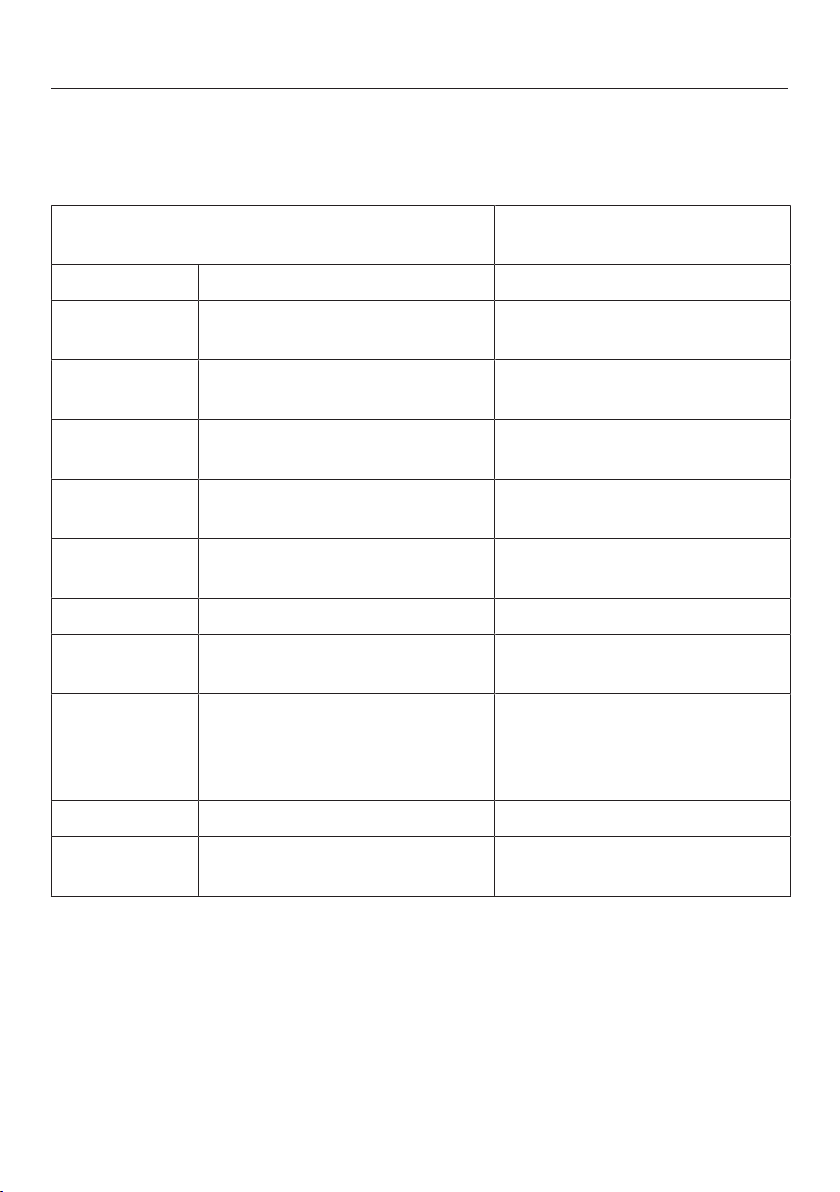
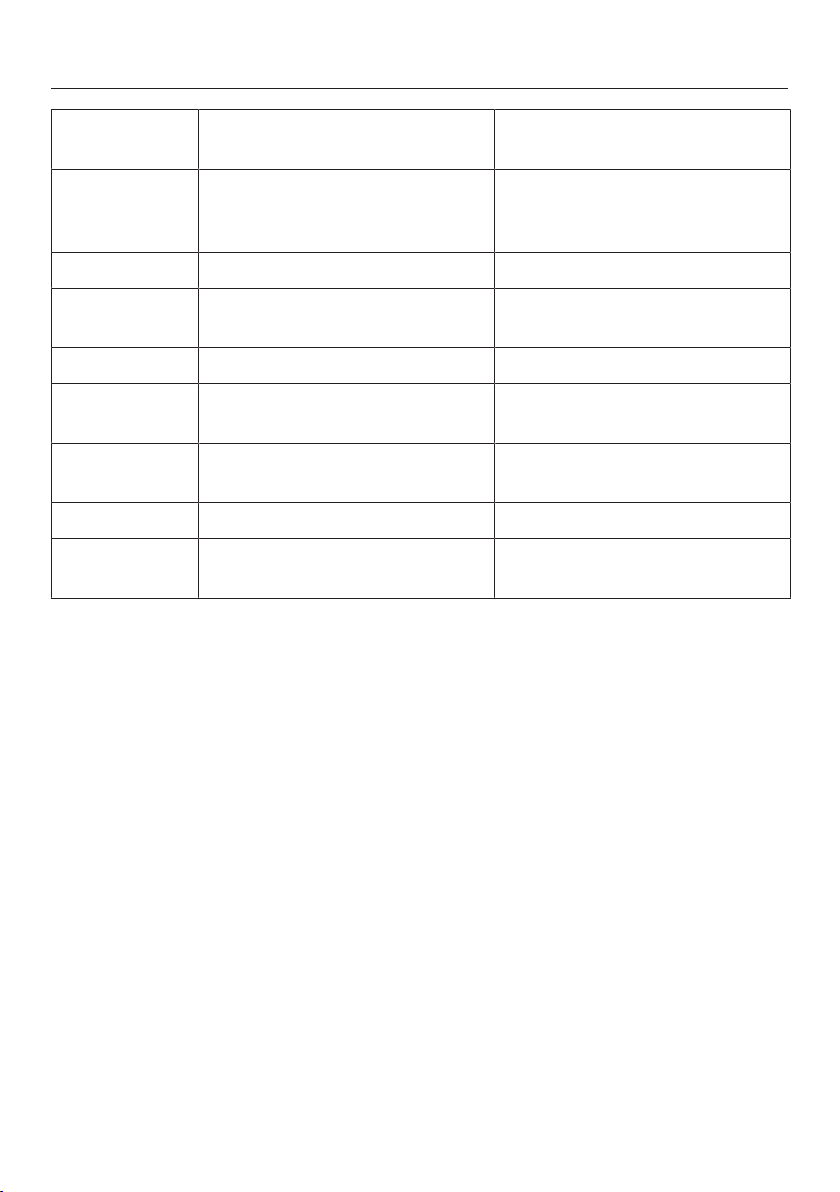
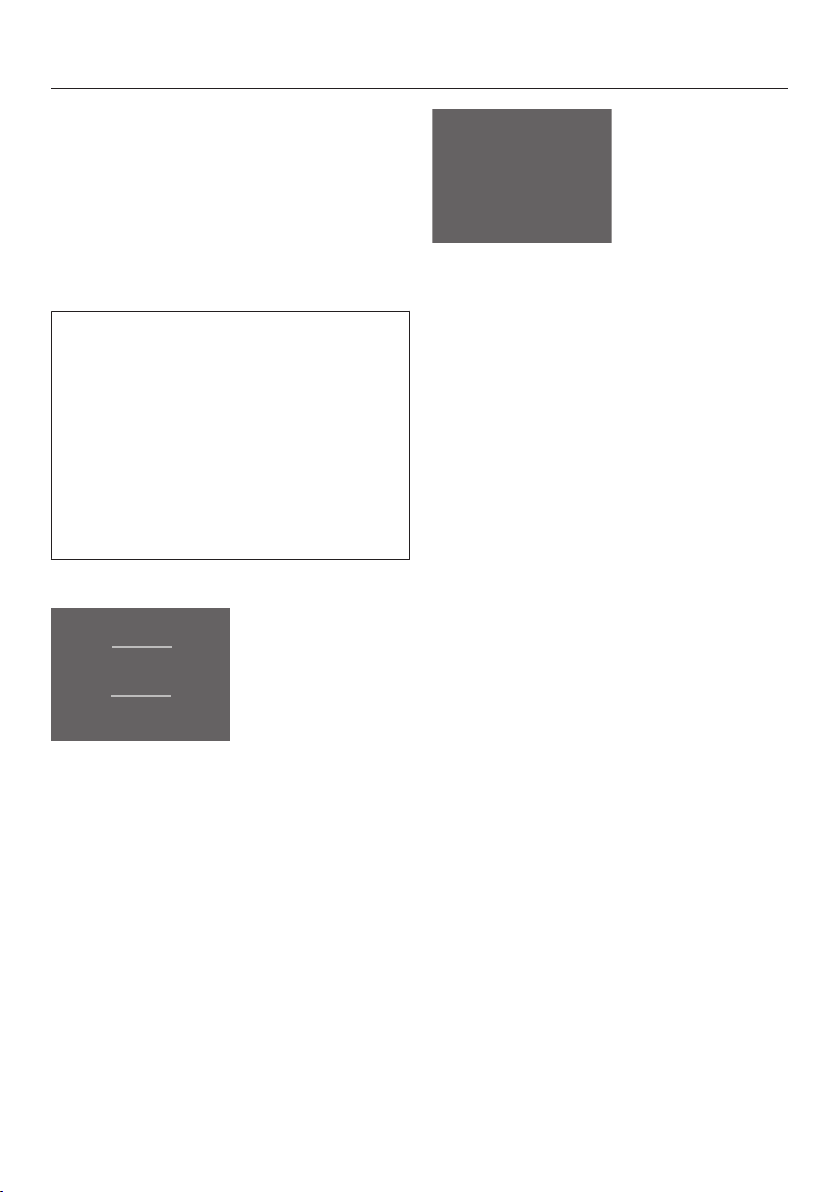
Settings overview
The following settings can be activated or changed. Default settings are shown in
bold or as marked level in the segment bar.
Setting Selection/factory default set-
ting
Switching Party mode on/off On (orange symbol)/off
Use minute minder
(QuickCool Timer)
0:00–9:59 h:min
Switching the ice cube maker
on and off
On (symbol orange) / Off
Switch the feature lighting on
and off, or the duration it is on
Levels 1 - 8
(no segments filled = off)
/ Activate/deactivate the safety
lock
On/off
Switching the wine condition-
ing unit off
OK
Switch Sabbath mode on/off On (orange symbol)/off
Change the time before the
door alarm is triggered
Level1–7 (level1 = 30sec)
(level2 = 1min)
Miele@home system settings
(only visible if the WiFi stick
has been fitted)
Further setting options are de-
scribed in the fitting and in-
stallation instructions, which
are enclosed with the stick.
/
Switch keypad tone on/off On/off
/ Set volume/switch off alarms
and audible tones
Off – level7
Selecting further settings
37
Set the display brightness Level 1–7
Set the brightness for the fea-
ture lighting (only appears if the
feature lighting is switched on)
Levels 1 - 7
°C Change the temperature unit °C/°F
Demo mode (only visible when
switched on)
Off
Reset default settings
Access information about your
refrigeration appliance
Display (important when re-
porting a fault to Miele Service)
Reminder to replace the Active
AirClean filters
On (symbol orange) / Off
Clean ventilation grille reminder On (orange symbol)/off
Cleaning (only appears when
the ice maker is switched on)
On (symbol orange) / Off
Selecting further settings
38
Selecting further settings
In Settings mode, certain settings
can be adjusted and functions selected,
allowing you to adjust the refrigeration
appliance to suit your requirements.
See the following pages for more in-
formation on these settings.
The door alarm and other warnings
are automatically supressed when you
are in Settings mode. No symbol will
be displayed and no alarm will sound.
Exception: If there is an appliance fault
(F+numbers), Settings mode will be
exited automatically. The fault code
will be shown on the display and an
alarm will sound (see “Problem solving
guide – Display messages”).
Selecting the setting you want
°C
-18
°C
12
°C
12
Start screen
Touch.
Settings mode
Scroll left or right using
theorarrow buttons.
The symbol for the selectable setting
appears in the middle of the display.
The symbols for the next available set-
tings appear in the background to the
right and left, but are not selectable.
Touch the symbol for the setting you
want (see “Settings overview”).
Depending on the setting selected,
there are two options:
1. You go into a sub-menu with further
options or where values can be
entered.
2. You select the setting directly. The
symbol turns orange and this con-
firms your selection. If the symbol is
white, the function has not been ac-
tivated.
Selecting further settings
39
Entering values
All values entered must be confirmed
withOK. If the value is not confirmed
the display will revert to the start screen
after approx. 15seconds and the set or
altered values will not be adopted.
Exiting a menu (“Back”)
You can return to the previous screen
by touching.
Entries made before this which have not
been confirmed withOK will not be
saved.
Explanation of the different
Settings
Switching Party mode on or off
This function is particularly useful if you
need to cool or freeze large quantities
of food and drink quickly, or make ice
cubes, for example, if you are expecting
a large number of guests.
SuperFreeze is switched on automatic-
ally:
The temperature in the freezer section is
reduced rapidly to its lowest setting (de-
pending on the room temperature).
Tip: Switch the function on approx.
4hours before placing food in the appli-
ance.
Party mode switches itself off automat-
ically after approx. 20hours. However,
you can switch it off early at any time.
After a power cut, a previously activ-
ated Party mode is switched off.
The ice cube maker is also switched on
and ice cubes will be produced (see
“Making ice cubes”).
Using the minute minder (Quick-
Cool timer)
The minute minder can be used to time
other activities in the kitchen,
e.g.chilling pastry. The audible tone will
sound at the set time.
A maximum minute minder duration of
9h59min can be set.
– Setting the minute minder
Touch.
Use or to set the hours.
Selecting further settings
40
Confirm withOK.
The hours are now set. You can now set
the minutes.
Use or to set the minutes.
Confirm withOK.
The minutes are now set. The set
minute minder time starts counting
down. If the appliance door is opened
again, the minute minder duration will
appear counting down in the display.
After approx. 3s, the display changes
to the start screen.
If the minute minder duration is dis-
played or altered, the minute minder
duration countdown will be halted.
In the event of an interruption to the
power supply or when power is re-
stored, any previously set minute
minder duration will be deleted.
– When the minute minder duration
has elapsed
An audible signal will sound and will
flash.
Touch the display.
The start screen appears.
–Altering a minute minder entry
Open the appliance door.
and the minute minder duration
countdown appear for approx. 3s in
the display.
During this time, touch the minute
minder duration countdown in the
display.
Touch to alter a minute minder dur-
ation. Proceed exactly as for setting
the minute minder duration (see “Set-
ting the minute minder”).
–Cancelling a minute minder dura-
tion
Open the appliance door.
and the minute minder duration
countdown appear for approx. 3s in
the display.
During this time, touch the minute
minder duration countdown in the
display.
Touch to delete a minute minder
duration.
The start screen appears.
You can also alter or cancel a set
minute minder duration in Settings
mode.
Selecting further settings
41
Switching the ice cube maker on
and off
Risk to health due to contamin-
ated water.
Bacteria can develop in water which
has been sitting in the water supply
lines for too long. This poses a risk to
your health.
Throw away the first 3 batches of ice
cubes made after the ice cube maker
is started up, as the water will have
been used for the initial rinsing of the
water supply line.
This applies to the initial commis-
sioning as well as when using the ice
cube maker again after it has been
switched off for an extended period
of time (more than 5days).
Only make normal domestic quantities
of ice cubes with the ice cube maker.
Please note:
- When using the appliance for the first
time, it can take up to 24hours for
the first ice cubes to drop out of the
ice cube maker and collect in the
drawer.
- After the ice cube maker has been
turned off and on again, this process
lasts max. 6hours.
- Make sure that the ice cube drawer is
empty before switching on the ice
cube maker.
- Ice cubes can only be made when
the ice cube drawer is completely
closed.
If lights up in the display, the ice
cube maker is not being supplied with
sufficient water.
Make sure the stopcock is open.
The ice cube maker can be turned off
independently of the refrigeration appli-
ance if you do not want to make any ice
cubes.
Tip: If the ice cube maker is switched
off, the ice cube drawer can be used as
an extra drawer for freezing fresh food
and storing frozen food.
After a power cut, the ice cube maker
will, if it was previously switched on,
be deactivated after power is restored.
–Additional functions
After switching the ice cube maker on,
the function “Ice cube tray: set to clean-
ing position ” will appear in the dis-
play in Settings mode.
For further information on the function
go to “Cleaning and care”, “Cleaning
the ice cube tray”.
Selecting further settings
42
Switch the feature lighting on and off,
or the duration it is on
The interior lighting can be set to re-
main on when the door is closed so
your wines can be on display at all
times. Each wine conditioning zone has
its own lighting so that the Wine unit
can be illuminated to maximum effect.
Thanks to the use of LED lighting, the
wine will not be adversely affected by
heat or UV light.
You can set the length of time that the
feature lighting stays on in the seg-
ment bar:
the duration can be set in increments of
15minutes, starting with 15minutes
(level 2 =1filled segment) up to being
on continuously (level 7 =8filled seg-
ments).
–Setting the “brightness for the fea-
ture lighting”
After switching on the feature lighting,
the function will appear in Settings
mode.
You can set the brightness for the fea-
ture lighting in the segment bar:
If all segments are filled in, the max-
imum brightness is selected.
You will see the brightness change as it
is being adjusted.
Switching/ on and off
The safety lock can be activated to pre-
vent:
- the appliance being switched off by
mistake,
- the temperature being changed by
mistake,
- the DynaCool and Super freeze func-
tions being selected by mistake,
- settings being adjusted by mistake (it
is only possible to deactivate the
safety lock).
This prevents the appliance being
switched off or settings adjusted
without your knowledge; for example,
by children.
The safety lock will remain activated
following an interruption to the power
supply, if previously switched on.
– Deactivating the safety lock tem-
porarily
Touch the display.
appears.
Touch for approx. 6seconds.
You can now select further settings
(temperature, additional functions, etc.).
When the appliance door is closed
again the safety lock is switched back
on.
Selecting further settings
43
– Deactivating the safety lock
Touch the display.
appears.
Touch for approx. 6seconds.
The start screen will appear.
Touch.
Select.
lights up orange.
Touch.
appears in the display. The safety
lock is deactivated.
Switching the wine conditioning unit
off
The whole appliance can be switched
off with this function.
The temperature display goes out and
lights up.
The interior lighting goes out and cool-
ing is turned off.
will go out after approx. 10minutes
and the display turns dark (Energy-sav-
ing mode).
Switching Sabbath mode on/off
The refrigeration appliance has a Sab-
bath mode to support the observance
of religious customs.
The following are switched off:
- The interior lighting when the appli-
ance door is opened
- All acoustic and visual signals
- The temperature display
- The SuperFreeze and DynaCool func-
tions (if previously selected)
- The minute minder (if switched on
previously)
In addition, you cannot make any set-
tings in Settings mode.
The Sabbath mode function will switch
itself off automatically after approx.
120hours.
Ensure that the appliance doors are
properly closed, as visual and audible
alarms are switched off.
Health risk caused by decom-
posing food.
As any power cut during Sabbath
mode is not indicated, the frozen
food may thaw or defrost. This will
reduce the storage life of the food.
Check whether the frozen food has
started to defrost. If it has, check
that the food is safe to use and if it
is, then use it as soon as possible or
cook it before freezing it again.
Selecting further settings
44
– Switching Sabbath mode on
Touch.
lights up orange.
Then lights up white in the display.
Sabbath mode display
will go out after approx. 3seconds
and the display will go dark.
– Switching Sabbath mode off pre-
maturely
Touch the display.
appears.
Touch.
lights up orange.
Touch.
lights up white. The function is
switched off.
Setting the time before the door
alarm
is triggered
The refrigeration appliance has a door
alarm. If a door is open for a longer
period of time an alarm will sound (if
this has not been switched off: see
“Setting the volume/Switching alarms
and audible tones on/off”) and
will
light up in the display (see “Temperature
and door alarm – Door alarm”).
You can set the time before the door
alarm
sounds with the segment bar:
The time can be set in 30-second incre-
ments, starting with 30seconds (level
1=1filled-in segment) up to a max-
imum of 3minutes 30seconds
(level7=7filled-in segments).
Selecting further settings
45
Switching the sensor tone
on /
off
Every time a selectable field is touched
a sensor tone sounds. You can switch
this on
or off
.
Setting the volume/Switching alarms
and audible tones on/off
You can set the volume of the alarms
and audible tones in the segment bar:
If all segments are filled in, the max-
imum volume is set.
If no segments are filled in, the alarm
and audible tones are switched off.
appears.
You will hear the volume change as it is
adjusted.
Alarms and audible tones for temper-
ature alarms, error messages, inter-
ruptions to the power supply or a set
minute minder cannot be switched off.
Setting the display brightness
You can set the display brightness in
the segment bar:
If all segments are filled in, the max-
imum brightness is selected.
You will see the brightness change as it
is being adjusted.
Setting the temperature unit°C/°F
You can choose between degrees
Celsius°C and degrees Fahrenheit°F
for the temperature display.
Switching Demo mode off
Demo mode allows the refrigeration
appliance to be presented in the
showroom without the cooling system
being switched on. Do not activate
this setting for domestic use.
If Demo mode has been switched on as
a default setting, will show on the dis-
play. You can switch the function off
here.
If Demo mode has been switched off it
cannot be switched on again via Set-
tings mode.
Selecting further settings
46
Resetting to the factory default set-
tings
All appliance settings are reset to the
factory default and the appliance is
switched off.
Accessing information
Appliance data (model number and
serial number) is shown in the display.
Tip: This data is important when report-
ing an appliance fault to Miele Service.
Confirm with OK to leave the informa-
tion screen.
–Displaying licence agreements
Licences used can be displayed via ©.
Reminder to replace the Active
AirClean filters
The appliance is fitted with Active
AirClean filters.
If the charcoal filter indicator has been
activated, you will be reminded to re-
place the filters after approx. 12months
(see “Cleaning and Care” - “Replacing
the charcoal filters”).
Thesymbol will then appear in the
start screen in the temperature display
and an audible tone will sound (if
switched on).
Touch the symbol to confirm the mes-
sage. This resets the counter and the
display changes back to the start
screen.
Selecting further settings
47
Clean ventilation grille reminder
The appliance has a ventilation grille in
the plinth.
If the Clean ventilation grille reminder is
activated, you will be reminded to dust
the ventilation grille after ap-
prox.12months (see “Cleaning and
care - Cleaning the ventilation grille”).
will then appear in the display and
an audible tone will sound (if switched
on).
Tip: The ventilation grille should be
cleaned on a regular basis with a brush
or vacuum cleaner (e.g. use the dusting
brush for Miele vacuum cleaners).
A build-up of dust will increase the en-
ergy consumption of the appliance.
Touch the symbol to confirm the mes-
sage. This resets the counter and the
display changes back to the start
screen.
Storing wine bottles
48
Vibration and movement have a negat-
ive effect on the maturing process,
which can in turn affect the taste of the
wine.
To avoid disturbing other bottles when
removing a bottle of wine, store bottles
of the same type beside each other on
the same shelf. Avoid stacking bottles
on top of one another on the wooden
shelves.
Always place the bottles in a horizontal
position so that the natural corks can
be kept moist on the inside and air is
prevented from getting into the bottles.
Tip: We also recommend increasing the
humidity level inside the wine condition-
ing unit for wine bottles with natural
corks (see “The optimum temperature
and air quality – Using DynaCool (con-
stant humidity)”).
Risk of injury from falling wine
bottles.
Wine bottles may become wedged in
the wooden shelves above and fall
out of the wine conditioning unit
when the shelves are pulled out.
Always pull out the wooden shelves
slowly and carefully.
Risk of damage and injury from
broken glass.
If wooden shelves and bottles pro-
trude too far forwards, they may
damage the glass door when it is
closed.
Please ensure that the wooden
shelves and wine bottles do not pro-
trude.
Do not cover the vents in the rear
wall, as they are essential for keeping
the appliance cool.
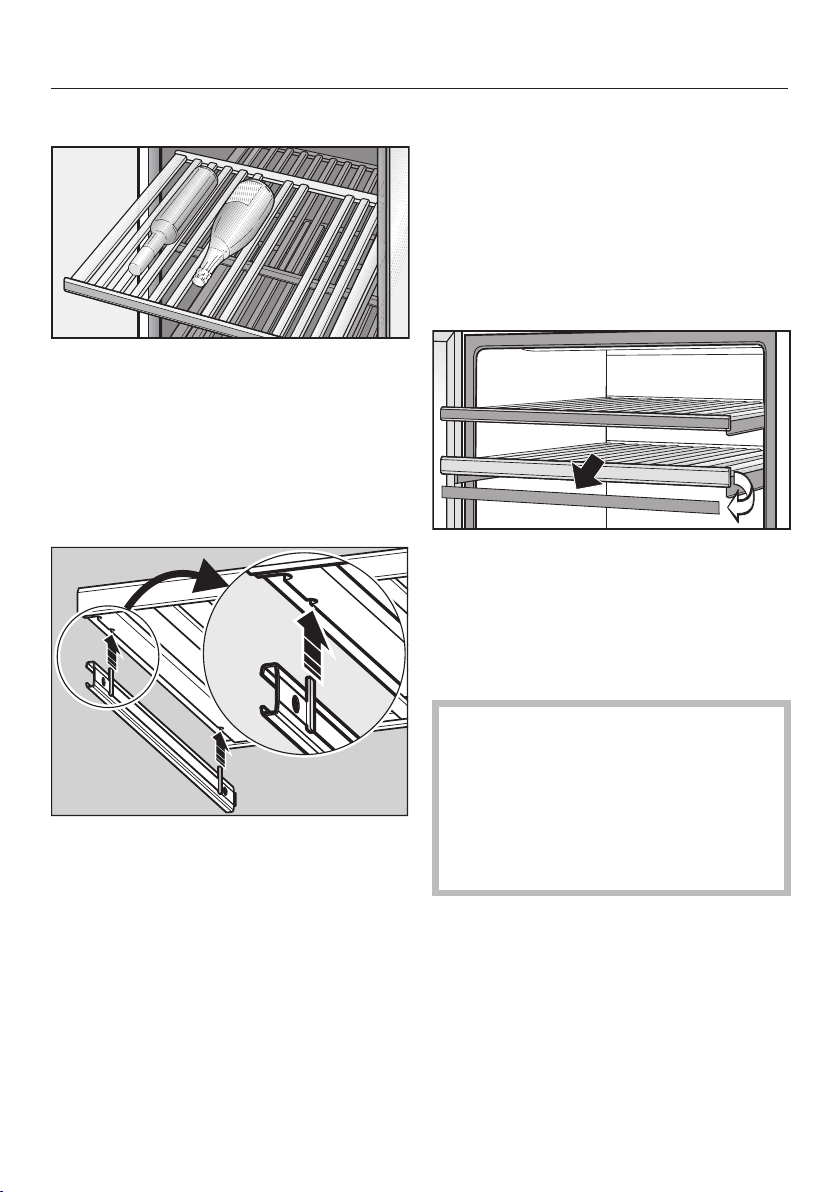
Storing wine bottles
49
Wooden shelves
The wooden shelves are on telescopic
runners which can be pulled out to
make it easier to store and remove
bottles.
Moving the wooden shelves
The wooden shelves can be removed
and replaced again if required.
Pull the wooden shelf out until it
stops, then lift it up and off the run-
ners. Hold onto the frame to do this.
To replace the shelf, place it on the
extended rails. The magnetic strip
must face the front.
Annotating wooden shelves
For quick and easy identification of the
wines stored, you can write on the
blackboard-painted surface on the
magnetic strips on the wooden shelves.
Use the chalk supplied. You can write
directly on the magnetic strip or remove
it from the wooden shelf. To do so:
Hold the magnetic strip by the sides
and pull it forwards. The magnetic
strip is held on the wooden shelf by
magnets.
The magnetic strip can be wiped
clean with a damp cloth.
Risk of damage from unsuitable
cleaning methods.
Cleaning the magnetic strips with a
cleaning agent may damage the
blackboard surface on them.
Use clean water only to wipe the
magnetic strips.
Annotate the magnetic strip with the
chalk supplied and replace it on the
front of the wooden shelf.
Storing wine bottles
50
Maximum capacity
Risk of damage!
Do not exceed the maximum load-
bearing capacity of 25kg for each
wooden shelf. Stacking bottles on
the wooden shelves should be
avoided.
Up to 42 Bordeaux bottles (0.75l) can
be stored in the wine conditioning unit.
Freezing and storing food
51
Maximum freezing capacity
To ensure that fresh food placed in the
freezer freezes through to the core as
quickly as possible, the maximum
freezing capacity must not be ex-
ceeded. The maximum freezing capa-
city for freezing within a 24-hour period
is given on the data plate: “Freezing ca-
pacity...kg/24hrs”.
Freezing fresh food
Fresh food should be frozen as quickly
as possible. This way the nutritional
value of the food, its vitamin content,
appearance and taste are not impaired.
Food which takes a long time to freeze
will lose more water from its cells,
which then shrink. During the defrosting
process, only some of this water is re-
absorbed by the cells. What this means
in practice is that the food loses more
moisture. You can see this in the large
amount of water that collects around
the food when it defrosts.
If food is frozen quickly, the cells have
less time to lose moisture, so they
shrink less. As there is not so much
moisture loss, it is easier for the food to
reabsorb it during the defrosting pro-
cess, and very little water collects
around the defrosted food.
Storing frozen food
Never re-freeze partially or fully de-
frosted food. Defrosted food may
only be re-frozen after it has been
cooked.
When buying frozen food to store in
your freezer, check:
- That the packaging is not damaged
- The use-by date
- The temperature at which the frozen
food is being stored in the shop.
The length of time food can be kept
is reduced if it has been stored at a
temperature warmer than -18°C.
Buy frozen food once you have fin-
ished the rest of your shopping and
wrap it in newspaper or use a cool
bag or cool box to transport it.
Put it into the freezer as soon as pos-
sible.
Freezing and storing food
52
Home freezing
Only freeze fresh food which is in a
good condition.
Before placing food in the appliance
When freezing more than 1kg of
fresh food, switch on the Super
freeze function some time before pla-
cing the food in the freezer (see “Su-
per freeze”).
This helps create a cold reserve in food
which is already stored in the freezer.
Placing frozen food in the freezer
Risk of damage caused by load-
ing too much food.
Loading food which is too heavy can
cause damage to the freezer draw-
ers/glass shelves.
Do not exceed the relevant maximum
load size:
Freezer drawer = 25kg
Glass shelf = 35kg
Unfrozen food should not touch
frozen food as this will cause the
frozen food to begin to thaw.
To prevent food sticking together
when frozen, make sure that the
packaging and containers are dry.
–Freezing small amounts of food
Place the food in the upper freezer
drawers.
Place the frozen food flat in the bot-
tom of the freezer drawers so that it
freezes through to the core as quickly
as possible.
–Freezing the maximum amount of
food (see data plate)
If the ventilation slots are blocked the
cooling performance will decrease
and energy consumption will in-
crease.
When placing food in the freezer,
make sure that the ventilation slots
are not blocked.
Remove the upper freezer drawers.
Place the food flat on the upper glass
shelves so that it freezes through to
the core as quickly as possible.
Once frozen:
Place the frozen food in the freezer
drawer and push it back in.
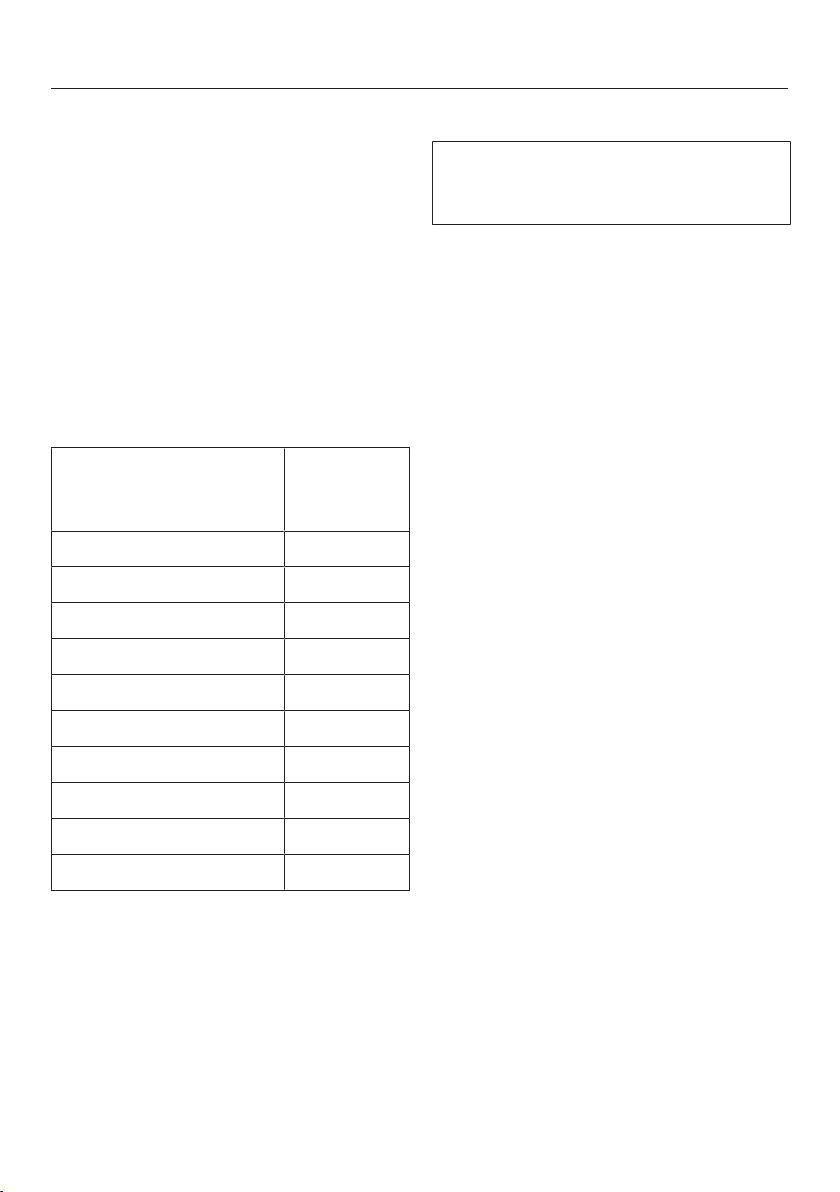
Freezing and storing food
53
Storage time for frozen food
The storage life of food is very variable,
even at a constant temperature of
-18°C. Decomposition processes also
take place in frozen food, albeit at a
very reduced speed. For example, fat
can become rancid from contact with
oxygen in the air. This is why lean meat
can be stored approx. twice as long as
fatty meat.
The storage times quoted are guide val-
ues for the storage life of different food
groups in the freezer zone.
Food group Storage
time
(Months)
Ice cream 2to6
Bread, baked goods 2to6
Cheese 2to4
Fish, oily 1to2
Fish, lean 1to5
Sausage, ham 1to3
Game, pork 1to12
Poultry, beef 2to10
Vegetables, fruit 6to18
Herbs 6to10
For standard freezing results, follow the
advice on packaging.
By keeping the freezer zone at a con-
stant temperature of -18°C and taking
appropriate hygiene measures you can
maximise the storage life of your food
and avoid food waste.
Defrosting frozen goods
Never re-freeze partially or fully de-
frosted food. Defrosted food may only
be re-frozen after it has been cooked.
Frozen goods can be defrosted in differ-
ent ways:
- In a microwave oven
- In an oven using “Fan heat” or the
“Defrost” setting
- At room temperature
- In the refrigerator zone (the cold
given off by the frozen food helps to
keep the other food cold)
- In a steam oven
Flat pieces of partially thawed meat
or fish can be placed directly into a hot
frying pan.
Meat and poultry (e.g. mince, chicken,
fish fillets) should not come into contact
with other foods while defrosting. Catch
the liquid from defrosting and dispose
of it carefully.
Fruit should be defrosted at room tem-
perature in its packaging, or in a
covered bowl.
Most vegetables can be cooked while
still frozen. Just put straight into boiling
water or hot fat. The cooking time is
slightly less than that of fresh veget-
ables due to changes in the cell struc-
ture.
Freezing and storing food
54
Cooling drinks quickly
When cooling drinks quickly in the
freezer, make sure bottles are not left in
for more than one hour. Otherwise
they could burst.
Tip: To avoid forgetting about bottles
placed in the freezer you can set the
minute minder (QuickCool timer) in Set-
tings mode.
Making ice cubes
Switching the ice cube maker on and
off
For instructions on how to switch the
ice cube make on and off see “Select-
ing further settings” - “Switching the
ice cube maker on and off”.
Making a large amount of ice cubes
The amount of ice cubes produced de-
pends on the temperature in the freezer.
The lower the temperature, the more ice
cubes are produced within a given time.
At a temperature of -18°C, approx. 1kg
of ice cubes will be produced within
24hours.
Tip: If you require a large amount of ice
cubes, replace the full ice cube drawer
with the drawer beside it on the right.
The ice maker will begin to produce ice
cubes again as soon as this drawer has
been placed in position and closed
properly.
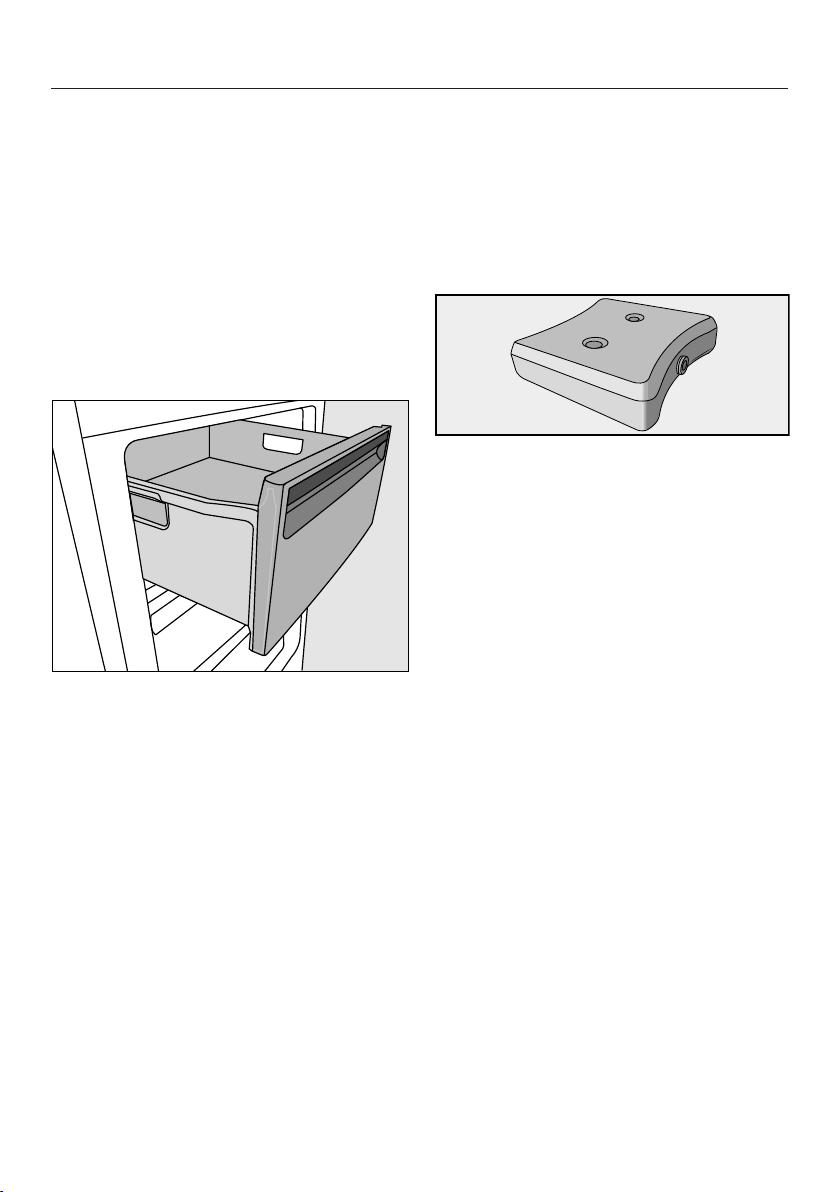
Freezing and storing food
55
Adjusting the interior fittings
Removing the drawers and glass
shelves
The drawers can be removed for filling,
emptying or cleaning purposes.
You can also expand the space avail-
able in the freezer section. If you wish to
freeze large items such as a turkey or
game, the glass shelves between the
drawers can be removed.
Pull out the drawer as far as it will go,
and then lift it up and out.
Lift the glass shelf slightly, then pull it
forward and out.
Using accessories
Using the cool pack
The cool pack prevents the temperature
in the freezer zone from rising too
quickly in the event of a power cut. This
can help prolong the storage life.
Place the cool pack in the top drawer
of the freezer zone.
The cool pack will be at its most effect-
ive after it has been in the freezer for
approx. 24hours.
–In the event of a power cut
Place the frozen cool pack directly on
top of the frozen food in the front of
the top drawer.
Tip: When placing fresh food in the
freezer, use the cool pack to separate
the fresh food from the food which is
already frozen so that the frozen food
does not begin to thaw.
Defrosting
56
Wine conditioning zones
The wine conditioning zones defrost
automatically.
Condensate and frost can build up on
the back wall of the wine conditioning
zones whilst the compressor is running.
You do not need to remove this, as it
will defrost and evaporate automatically
with the warmth generated by the com-
pressor.
The condensate is drained away
through a channel and drain hole, then
fed into an evaporation system at the
back of the appliance.
Keep the condensate channel and
drain hole clean to enable this. Con-
densate must be able to drain away
unhindered at all times.
Freezer section
The appliance is equipped with a
“NoFrost” system. The freezer defrosts
automatically.
The moisture generated in the appli-
ance collects on the condenser and is
automatically defrosted and dissipated
from time to time.
This automatic defrosting system en-
ables the freezer to remain permanently
ice-free. Food stored in the freezer will
not defrost with this system.
Cleaning and care
57
Do not let water get into the elec-
tronic module or the lighting.
Risk of damage due to moisture
ingress.
The steam from a steam cleaner can
damage plastic and and electrical
components.
Do not use a steam cleaner to clean
the refrigeration appliance.
Cleaning water must not get into the
drain hole.
The data plate located inside the in-
terior cabinet of the refrigeration appli-
ance must not be removed. It contains
information which is required in the
event of a fault.
Cleaning agents
Cleaning and conditioning agents
used inside the appliance must be
food safe.
To avoid damaging all the surfaces of
your appliance, do not use:
- cleaning agents containing soda, am-
monia, acids or chlorides
- cleaning agents containing descaling
agents
- abrasive cleaning agents, e.g.
powder cleaners and cream cleaners
- solvent-based cleaning agents
- stainless steel cleaning agents
- dishwasher cleaner
- oven sprays
- glass cleaning agents
- hard, abrasive sponges and brushes,
e.g. pot scourers
- melamine eraser blocks
- sharp metal scrapers
We recommend using a clean sponge,
lukewarm water with a little washing-up
liquid to clean surfaces of the appli-
ance.
The following pages contain important
information on cleaning.
Cleaning and care
58
Cleaning the ice cube tray
Clean the ice cube tray
– before switching off the ice cube
maker for a long time.
– regularly, to remove ice and water
residues.
The ice cube tray cannot be removed
and must be cleaned in situ. For this
reason the ice cube tray must be set to
the cleaning position.
Selecting the cleaning position
The ice cube maker has to be
switched on before the “Select clean-
ing position” function can be selec-
ted.
The ice cube drawer must also be in
position.
Empty the ice cube drawer and place
it in the appliance.
Select the symbol in Settings
mode.
The selected setting is applied. You will
hear the ice cube tray turn so that it is
at an angle.
Wait until the ice cube tray has com-
pleted this rotation before continuing.
The symbol will appear in the dis-
play.
Remove the ice cube drawer.
Clean the ice cube tray and the ice
cube drawer with lukewarm water
and a little washing up liquid. Wipe
thoroughly with clean water and dry
with a cloth.
Insert the ice cube drawer back into
the appliance.
After cleaning, confirm withOK.
You will hear the ice cube tray return to
its original position.
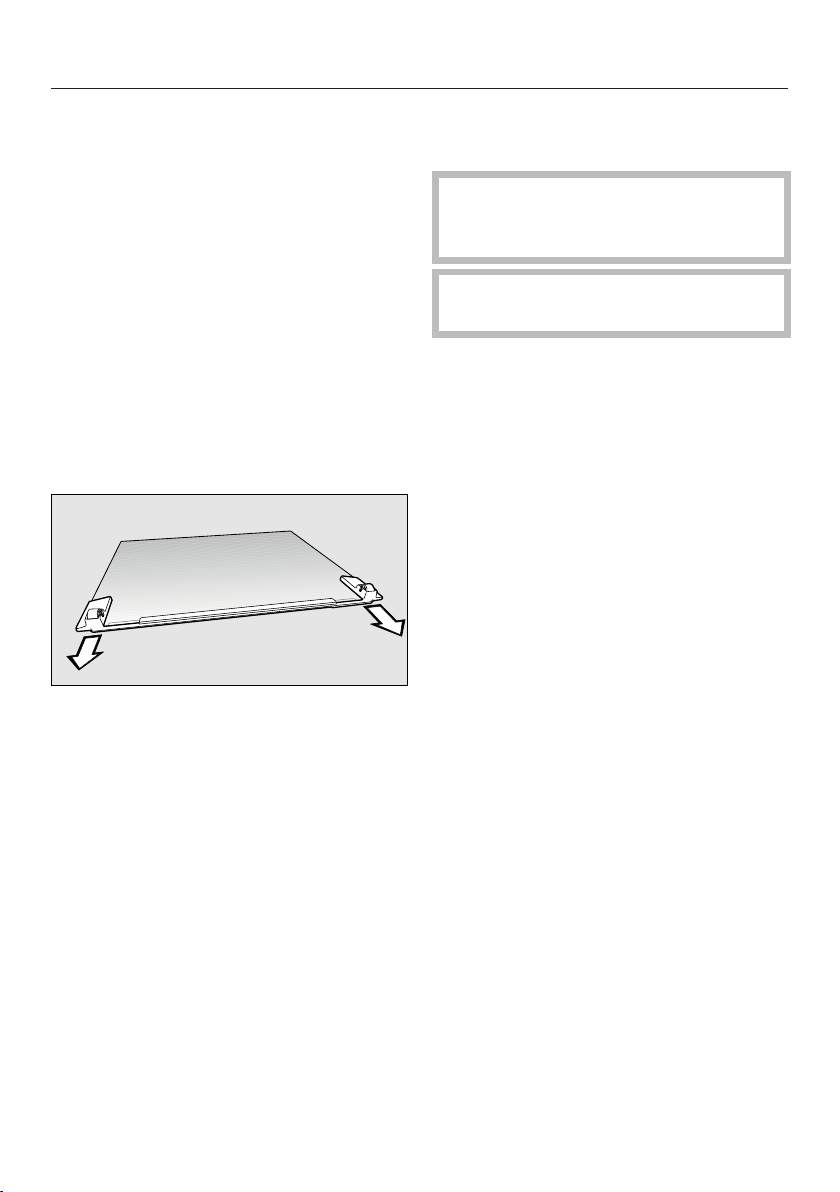
Cleaning and care
59
Preparing the refrigeration ap-
pliance for cleaning
Switch the refrigeration appliance off.
appears in the display and cooling is
switched off.
Take any wine bottles and frozen food
out of the appliance and store in a
cool place.
Remove the magnetic strips from the
wooden shelves before cleaning
them.
Take out the freezer drawers and
glass plates.
Pull off the front strip with the rollers.
Take out all other removable parts for
cleaning.
Cleaning the interior and ac-
cessories
The refrigeration appliance should be
cleaned regularly (at least once a
month).
Remove soiling immediately to pre-
vent it from drying on.
Clean the interior with a clean
sponge, lukewarm water and a little
washing-up liquid.
After cleaning, wipe with clean water
and dry with a soft cloth.
The following parts cannot be cleaned
in a dishwasher:
- the wooden shelves
- all drawers and the compartment lid
(depending on model)
- the cool pack
These accessories should all be hand
washed.
Cleaning and care
60
Risk of damage as a result of ex-
cessively high dishwasher temperat-
ures.
Parts of the refrigeration appliance
may become unusable, e.g. deform,
if they are washed in the dishwasher
at more than 55°C.
For dishwasher-safe parts, only use
dishwasher programmes with a max-
imum temperature of 55°C.
Contact with natural dyes from car-
rots, tomatoes and ketchup, etc., may
discolour the plastic parts in the dish-
washer. This discolouration does not
affect the stability of the parts.
The following parts can be cleaned in
the dishwasher:
- the glass plates (without trim)
The wooden shelves in the wine con-
ditioning zones are fitted on tele-
scopic rails. Wipe the telescopic rails
with a damp cloth to clean them.
Risk of damage as a result of in-
correct cleaning.
The telescopic rails contain a special
lubricant which can be washed out
during cleaning, damaging the rails.
Wipe the telescopic rails with a damp
cloth to clean them.
Leave the door open to air the appli-
ance for a short while and to prevent
odours building up.
Cleaning the front of the appli-
ance and the side panels
If soiling is left on for any length of
time, it may become impossible to
remove. Surfaces may suffer discol-
ouration or damage.
Therefore, it is best to remove soiling
from the appliance front and side
panels immediately.
All surfaces are susceptible to
scratching. Contact with unsuitable
cleaning agents can alter or discol-
our the surfaces.
See the information on “Cleaning
agents” at the beginning of this sec-
tion.
Clean the surfaces with a clean
sponge and a solution of warm water
and washing-up liquid. A clean, damp
microfibre cloth without cleaning
agent can also be used.
After cleaning, wipe with clean water
and dry with a soft cloth.
Appliance front
Risk of damage as a result of in-
correct cleaning.
The front finish (CleanSteel) will be
damaged.
Do not use a stainless steel clean-
ing agent on this surface.
The appliance front has a high quality,
special finish (CleanSteel). It is resistant
to soiling and is very easy to clean.
Clean the appliance door with a pro-
prietary glass cleaner.
Cleaning and care
61
Cleaning the ventilation grille
A build-up of dust will increase the en-
ergy consumption of the appliance.
The ventilation grille should be
cleaned on a regular basis with a
brush or vacuum cleaner (e.g. use the
dusting brush for Miele vacuum
cleaners).
Tip: If you want to be reminded auto-
matically every 12 months, switch the
“Clean ventilation grille” reminder on
(see “Selecting further settings – Clean
ventilation grille reminder”).
Cleaning the door seal
If the door seal is damaged or has
slipped out of its groove, the appli-
ance door may not close properly
and cooling performance will be re-
duced. As a result, condensate will
build up in the interior cabinet and
this can cause a build-up of ice.
Do not damage the door seal and
ensure it does not slip out of its
groove.
Risk of damage as a result of in-
correct cleaning.
If you treat the door seal with oils or
grease, it can become porous.
Do not use any oils or grease on the
door seal.
The door seal should be cleaned reg-
ularly with clean water and then
wiped dry with a cloth.
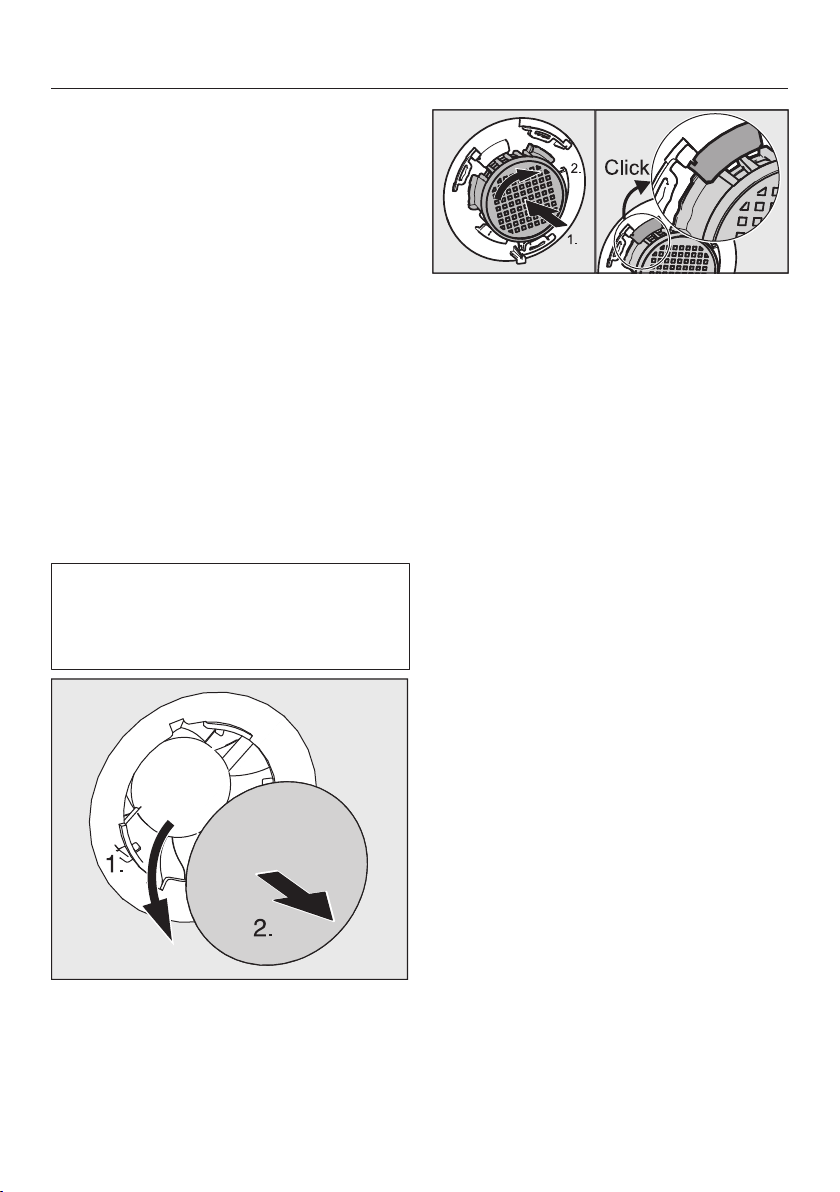
Cleaning and care
62
Replacing the Active AirClean
filters
Fresh air from the room enters the ap-
pliance via the Active AirClean filters.
Filtering the incoming air through the
Active AirClean filters ensures that all
the air entering the appliance is fresh
and free from dust and odours.
Replace the Active AirClean filters in
both wine conditioning zones approx.
every 12months.
If you would like to be reminded auto-
matically every 12months, switch on
the Active AirClean filter reminder (see
“Selecting further settings” - “Reminder
to replace the Active AirClean fil-
ters”).
Replacement KKF-KWNS Active
AirClean filters can be obtained from
your Miele dealer, Miele or from the
Miele website.
Remove the cover.
Turn the filter 90° anti-clockwise.
Remove the filter.
Insert the new filter.
Turn the filter 90 °C clockwise until it
clicks into place.
Refit the cover.
Touch to confirm that the filters
have been replaced.
The charcoal filter reminder indicator
will then go out and the counter will re-
set itself.

Cleaning and care
63
After cleaning
Replace all shelves and accessories
in the appliance.
Switch the refrigeration appliance on.
Switch on the Super freeze function
for a while so that the freezer section
can cool down quickly.
Place the wine bottles back in the ap-
pliance and close the door.
Place the freezer drawers with the
frozen food back in the freezer sec-
tion and close the door.
When the temperature in the freezer
section is a constant -18°C or colder
press the Super freeze button to
switch the Super freeze function off.
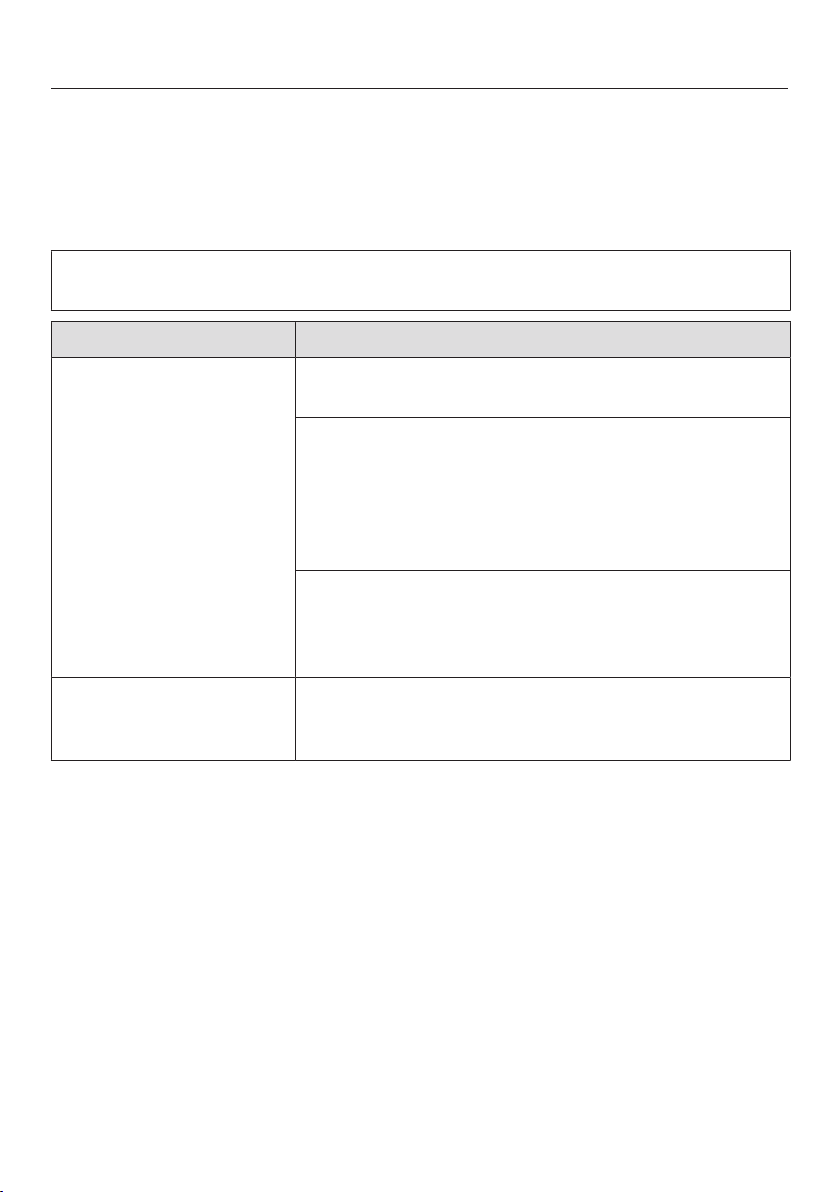
Problem solving guide
64
Many malfunctions and faults that can occur in daily operation can be easily
remedied. Time and money will be saved because a service call will not be
needed.
The following guide may help you to find the reason for a malfunction or a fault,
and to correct it.
To prevent unnecessary loss of temperature it is advisable not to open the door
while waiting for the appliance to be serviced.
Problem Cause and remedy
The appliance is not
getting cold and the in-
terior lighting does not
come on when the door
is opened.
The appliance has not been switched on.
Switch the appliance on.
The mains plug is not inserted in the socket correctly
or the plug connector is not inserted into the socket
at the back of the appliance correctly.
Insert the mains plug into the mains socket and
the plug connector into the appliance socket cor-
rectly and switch on.
Check whether the mains fuse has tripped. There
could be a fault with the appliance, the household
electrical wiring or another electrical appliance.
Contact a qualified electrician or Miele.
The compressor runs
continuously.
This is not a fault. To save energy, the compressor
runs at a lower speed, but for longer, when less
cooling is required.
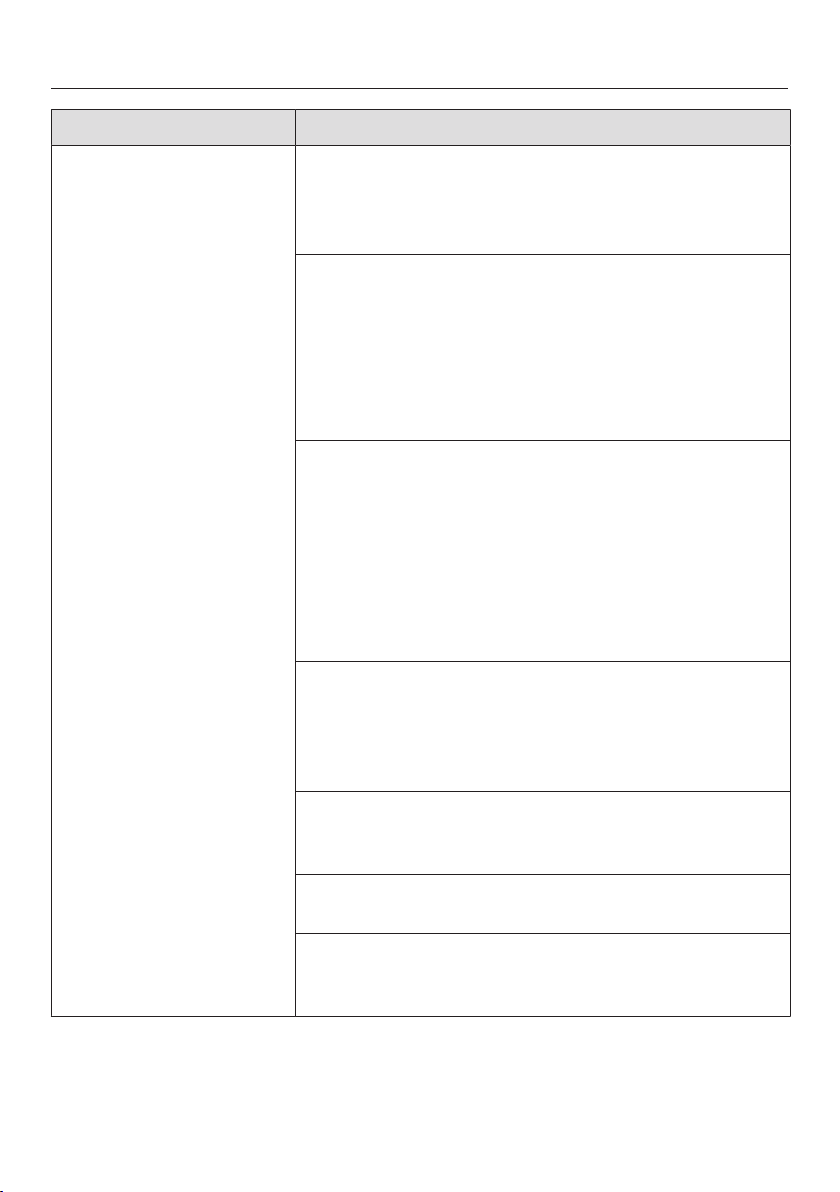
Problem solving guide
65
Problem Cause and remedy
The compressor is
switching on more fre-
quently and for longer
periods of time. The
temperature in the refri-
geration appliance is
too low.
The ventilation gaps have been covered or become
too dusty.
Do not block the ventilation gaps.
Dust the ventilation gaps regularly.
The appliance doors have been opened too fre-
quently, or a large amount of fresh food has been put
in all at once for storage or freezing.
Only open the appliance doors when necessary
and for as short a time as possible.
After a while, the temperature will return to normal by
itself.
The appliance doors are not closed properly. A thick
layer of ice may have formed in the freezer section.
Close the appliance doors.
After a while, the temperature will return to normal by
itself.
If a thick layer of ice has already formed, this will af-
fect cooling and increase energy consumption.
Defrost the refrigeration appliance and clean it.
The ambient room temperature is too high. The
higher the ambient temperature, the longer the com-
pressor has to run.
See the information in “Installation – Installation
site”.
The temperature setting in the refrigeration appliance
is too low.
Correct the temperature setting.
A large amount of food is being frozen at once.
See “Freezing and storing food”.
The SuperFreeze function is still switched on.
You can switch off the SuperFreeze function earlier
to save energy.
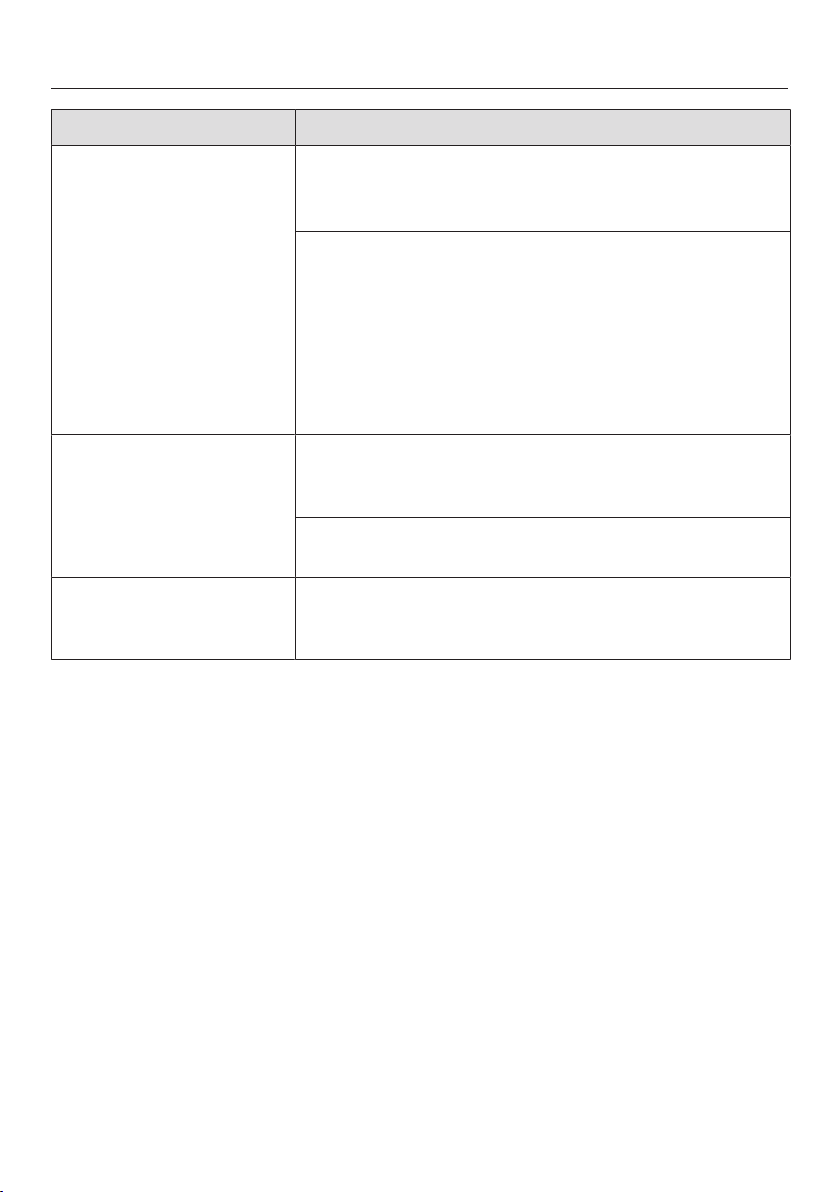
Problem solving guide
66
Problem Cause and remedy
The compressor comes
on less and less often
and for shorter periods
of time. The temperat-
ure in the refrigeration
appliance rises.
Not a fault. The temperature setting is too high.
Correct the temperature setting.
Check the temperature again after 24hours.
The frozen goods begin to defrost.
The room temperature is too low for this refrigeration
appliance.
If the room temperature is too low, the compressor
will run less frequently. This may cause the freezer
section to become too warm.
See the information under “Installation – Location”.
Increase the temperature of the room.
Ice or condensation has
built up inside the refri-
geration appliance. The
appliance door may not
close correctly.
The door seal has come out of its groove.
Check that the door seal is correctly positioned in
the groove.
The door seal is damaged.
Check whether the door seal is damaged.
The door seal is dam-
aged or needs to be re-
placed.
No tools are required to change the door seal.
Change the door seal. A replacement is available
from Miele or from specialist retailers.
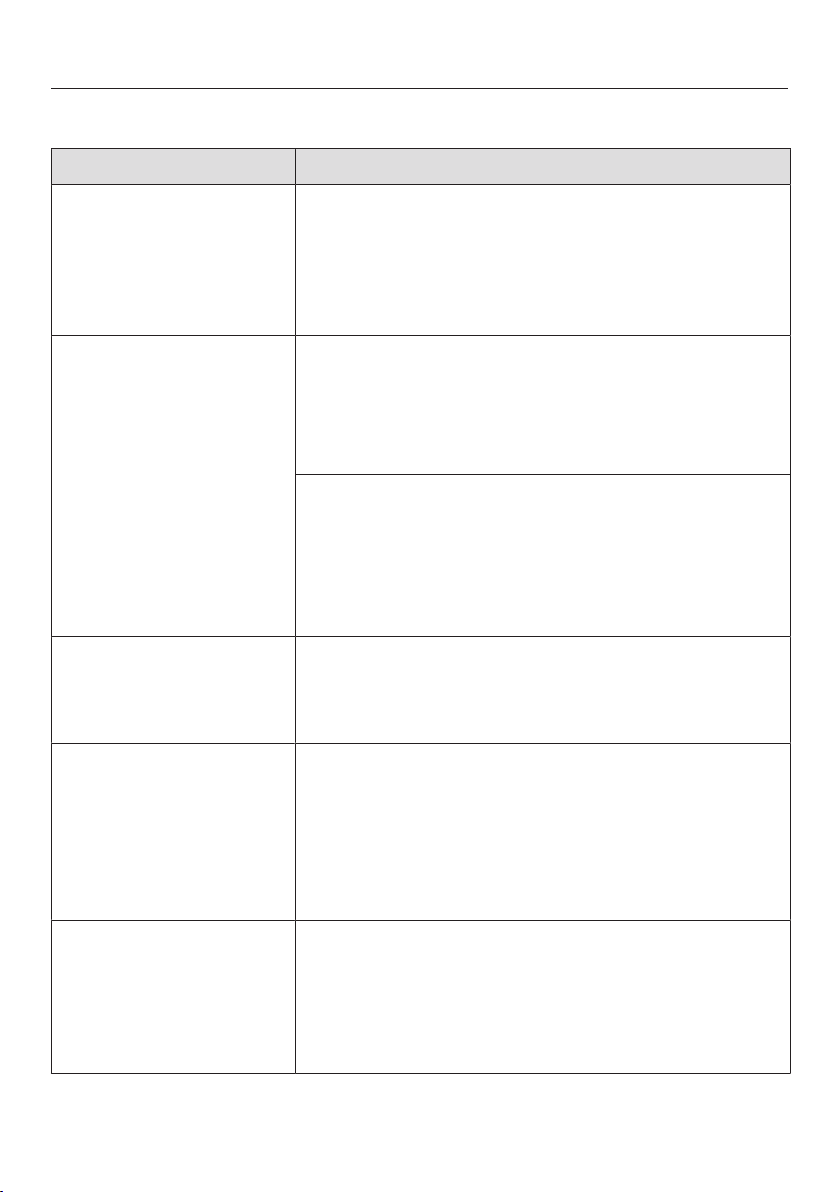
Problem solving guide
67
Display warnings
Message Cause and remedy
lights up on the dis-
play, the appliance does
not get cold even
though the controls and
the interior lighting are
working.
Demo mode is switched on.
Switch Demo mode off (see “Selecting further set-
tings – Switching Demo mode off”).
Nothing is visible on the
display. The display is
completely blank.
Energy-saving mode is switched on. If the appli-
ance has not been operated for a while (approx.
10minutes), the display is switched off.
Touch the display.
The display shows the most recent indication.
Sabbath mode is switched on. The interior lighting is
switched off and the appliance is cooling down.
Touch the display.
will then light up white in the display (see “Select-
ing further settings – Switching Sabbath mode on/
off”).
is lit up in the display
and the appliance can-
not be used.
The safety lock has been activated.
Deactivate the safety lock temporarily or switch it
off completely (see “Selecting further settings -
Activating or deactivating the safety lock”).
lights up in the wine
conditioning zone tem-
perature display and an
audible tone sounds.
The Replace charcoal filter reminder setting has
been activated. This is the reminder to change the
KKF-KWNS Active AirClean filters.
Confirm that the filters have been replaced by
touching in the display, and replace the Active
AirClean filters in the holder (see (“Cleaning and
care” - “Replacing the Active AirClean filters”).
lights up in the dis-
play and an audible
tone also sounds.
The Clean ventilation grille reminder setting has
been activated. This is the prompt to clean the ventil-
ation grille.
Confirm the message by touching in the display
and clean the ventilation grille (see “Cleaning and
care - Cleaning the ventilation grille”).
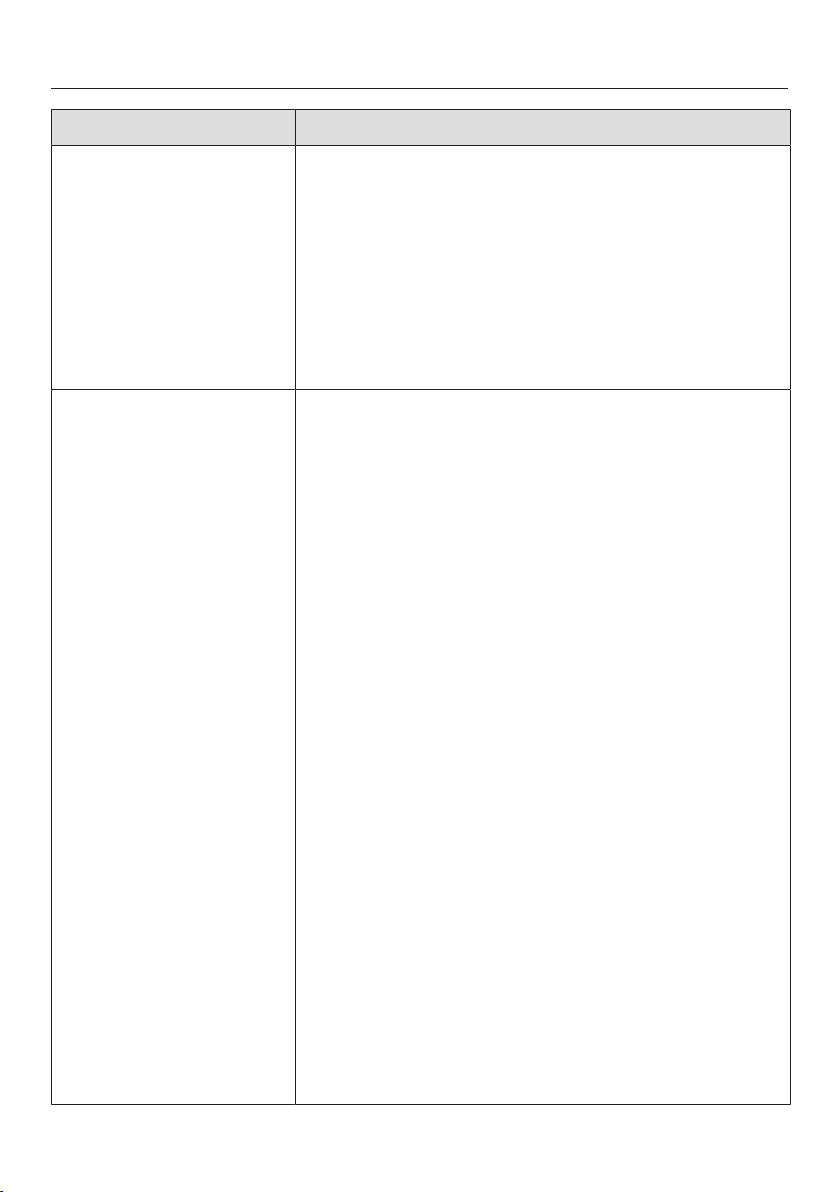
Problem solving guide
68
Message Cause and remedy
is lit up yellow in the
one of the temperature
displays and an alarm is
also sounding.
The door alarm has been activated (also see “Tem-
perature and door alarm”).
Touch
in the display.
The alarm message is confirmed and the warning
tone stops.
The current temperature reappears in the temperat-
ure display.
Close the relevant appliance door.
The alarm will stop.
is lit up red in the
one of the tem-
perature displays
and an alarm is
also sounding.
The temperature alarm has been activated (see
“Temperature and door alarm”). The temperature in
the respective section has risen higher or fallen lower
than the temperature set.
This could be due to, for example:
– Too much warm ambient air entering the cabinet
when bottles are being rearranged or taken out.
– When a large number of bottles are stored for
the first time.
– An appliance door being opened too often, or
being left open.
– A large quantity of fresh food being placed in
the freezer at once without switching on the Su-
perFreeze function.
– An interruption to the power supply.
– A fault with the refrigeration appliance.
Touch
in the display.
The alarm message is confirmed:
goes out and
the alarm stops.
The start screen appears in the display: the warmest
temperature recorded in the freezer will flash for
about 1minute in the display. Then the temperature
display will change to the current temperature in the
freezer.
You can exit from the flashing temperature display
early:
Touch the temperature display.
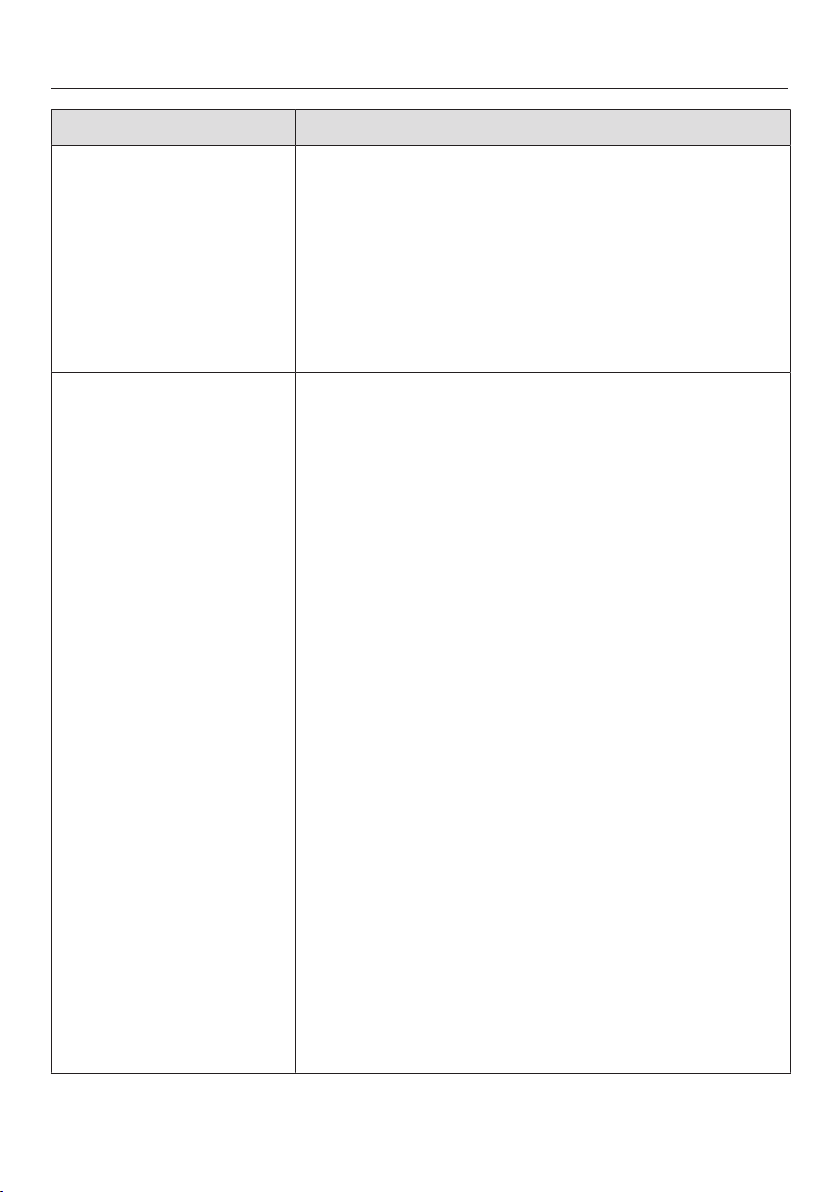
Problem solving guide
69
Message Cause and remedy
The warmest temperature displayed will disappear.
The display will then revert to showing the current
temperature in the refrigeration section.
Rectify the cause of the alarm.
Depending on the temperature displayed, you
should check whether food in the freezer has star-
ted to thaw or has defrosted. If it has, it should be
used as soon as possible. Defrosted food may
only be re-frozen after it has been cooked.
lights up red in
the display and
an alarm also
sounds.
Indication of an interruption to the power supply: the
temperature in the freezer section over the last few
days or hours has risen too high because of a power
cut or interruption to the power supply.
Tap
.
The fault message is confirmed:
goes out and the alarm will stop.
The warmest temperature recorded in the freezer
section will flash for about 1minute in the temperat-
ure display for the freezer section. Then the temper-
ature display will change to the current temperature
in the freezer section.
You can exit from the flashing temperature display
early:
Touch the temperature display for the freezer sec-
tion.
The warmest temperature displayed will disappear.
The display will then revert to showing the current
temperature in the freezer. The appliance will go back
to the last temperature setting when the power is
back on.
Rectify the cause of the alarm.
Depending on the temperature displayed, you
should check whether food in the freezer has star-
ted to thaw or has defrosted. If it has, it should be
used as soon as possible. Defrosted food may
only be re-frozen after it has been cooked.
Problem solving guide
70
Message Cause and remedy
lights up red in
the display and a
fault code F with
numbers may ap-
pear. An alarm
will also sound.
There is a fault.
Tap on the display to switch the alarm off.
Call the Miele Customer Service Department.
To report the fault, you need the fault code and also
the model number and serial number of your refriger-
ation appliance. You can access this information on
the display.
To do this, touch on the display.
The appliance data required will be shown on the
display.
Confirm with OK to exit the information display and
the fault code will be shown again on the display.
The refrigeration appliance can be switched off dir-
ectly from the fault message display.
There is an appliance fault: this display always has
priority over any settings which have just been selec-
ted.
An appliance fault has priority over any current door
and/or temperature alarms displayed.
Problem solving guide
71
Message Cause and remedy
lights up yellow
in the display and
an alarm also
sounds.
The ice cube drawer is not in the refrigeration appli-
ance. A buzzer sounds after closing the appliance
door.
Touch in the display.
The alarm message is confirmed and the buzzer
stops.
The current temperature will appear in the display
again.
Replace the drawer correctly in the refrigeration
appliance or switch the ice cube maker off.
The mains water connection has not been installed.
Make sure that the mains water connection has
been installed correctly.
The water supply is turned off.
Open the stopcock.
There is a kink in the stainless steel hose.
Check the stainless steel hose; if it is faulty, it must
only be replaced by an original Miele spare part.
The water connection pressure is too low.
Check that the water connection pressure is
between 150kPa and 600kPa (1.5bar and 6bar).
The symbol lights up
in the display and an
alarm sounds.
You have selected the “Cleaning position” func-
tion, and the appliance has detected that the ice
cube drawer is full. The selected procedure is inter-
rupted and an alarm has sounded.
Touch in the display.
The alarm message is confirmed and the warning
tone stops.
The current temperature will appear in the display
again.
Empty the drawer, and then replace it in the appli-
ance.
lights up red in
the display and
an alarm also
sounds.
There is a fault with the ice cube maker.
Tap
on the display to switch the alarm off.
Call the Miele Customer Service Department.
The ice cube maker can also be switched off in Set-
tings mode.
Problem solving guide
72
Problems with the ice cube maker
Problem Cause and remedy
The ice cube maker will
not switch on.
The appliance is not connected to the power supply
or is not switched on.
Reconnect to the mains and switch the appliance
back on.
The ice cube maker is
not producing any ice
cubes.
The refrigeration appliance and the ice cube maker
are not switched on.
Switch the refrigeration appliance and the ice cube
maker on.
The temperature in the freezer zone is too high.
Select a lower temperature.
The appliance door has been opened too frequently,
causing the compressor to turn on more often and
the ice cube maker has iced up.
Only open the appliance door when necessary and
for as short a time as possible.
Remember that it can take up to 24hours to pro-
duce the first ice cubes.
Problem solving guide
73
Problem Cause and remedy
The ice cubes taste or
smell odd.
The ice cube maker is in continuous use and should
be cleaned regularly.
Rinse the ice cube maker and inlet pipe regularly.
The 1st three batches of ice should be thrown
away and not consumed.
The ice cube maker is rarely used. Ice cubes that are
stored for a long time can absorb the taste and smell
of other items.
Empty the ice cube drawer if you are not going to
use the ice cube maker for a long period of time.
Rinse the ice cube maker and inlet pipe regularly.
The 1st three batches of ice should be thrown
away and not consumed.
Unwrapped food is stored in the freezer. Ice can ab-
sorb the taste and smell of unwrapped food.
Only store food which is packaged in the freezer
section.
The ice cube drawer is dirty.
Clean the ice cube drawer.
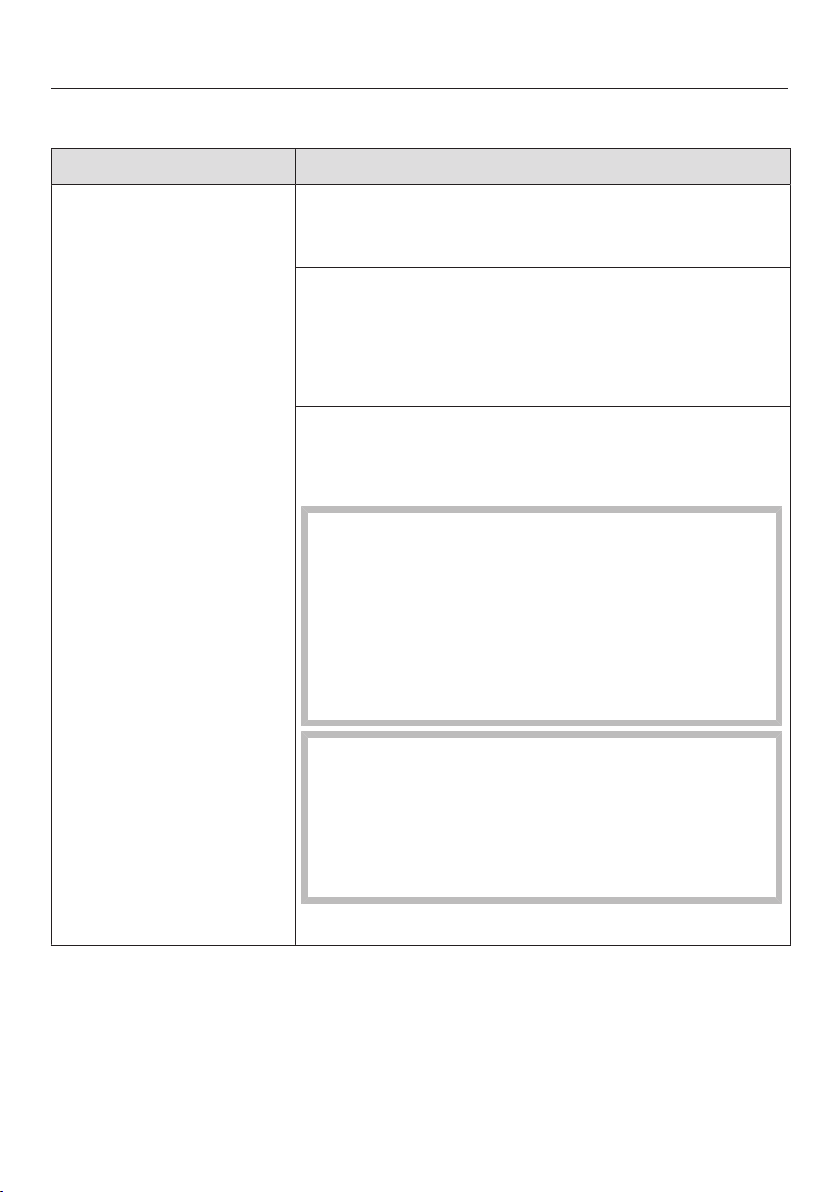
Problem solving guide
74
The interior lighting is not working.
Problem Cause and remedy
The interior lighting is
not working.
The refrigeration appliance has not been switched
on.
Switch the refrigeration appliance on.
Sabbath mode is switched on: the display is dark
and the refrigeration appliance is cooling.
Touch the display.
will then light up white in the display (see “Select-
ing further settings – Sabbath mode”).
To avoid overheating, the lighting switches itself off
automatically after approx. 15minutes if the appli-
ance door is left open. If this is not the case, then
there is a fault.
Risk of electric shock due to exposed, live
electrical components.
When removing the lighting cover, there is a risk of
coming into contact with live electrical compon-
ents.
Do not remove the lighting cover. The LED lighting
may only be repaired or replaced by the Miele
Customer Service Department.
Danger of injury from LED lighting.
This lighting corresponds to risk group RG2. If the
cover is defective, there is a danger of eye injury.
If the lighting cover is defective, do not look from a
close range directly into the lighting with optical in-
struments (e.g. magnifying glass or similar).
Call the Miele Customer Service Department.
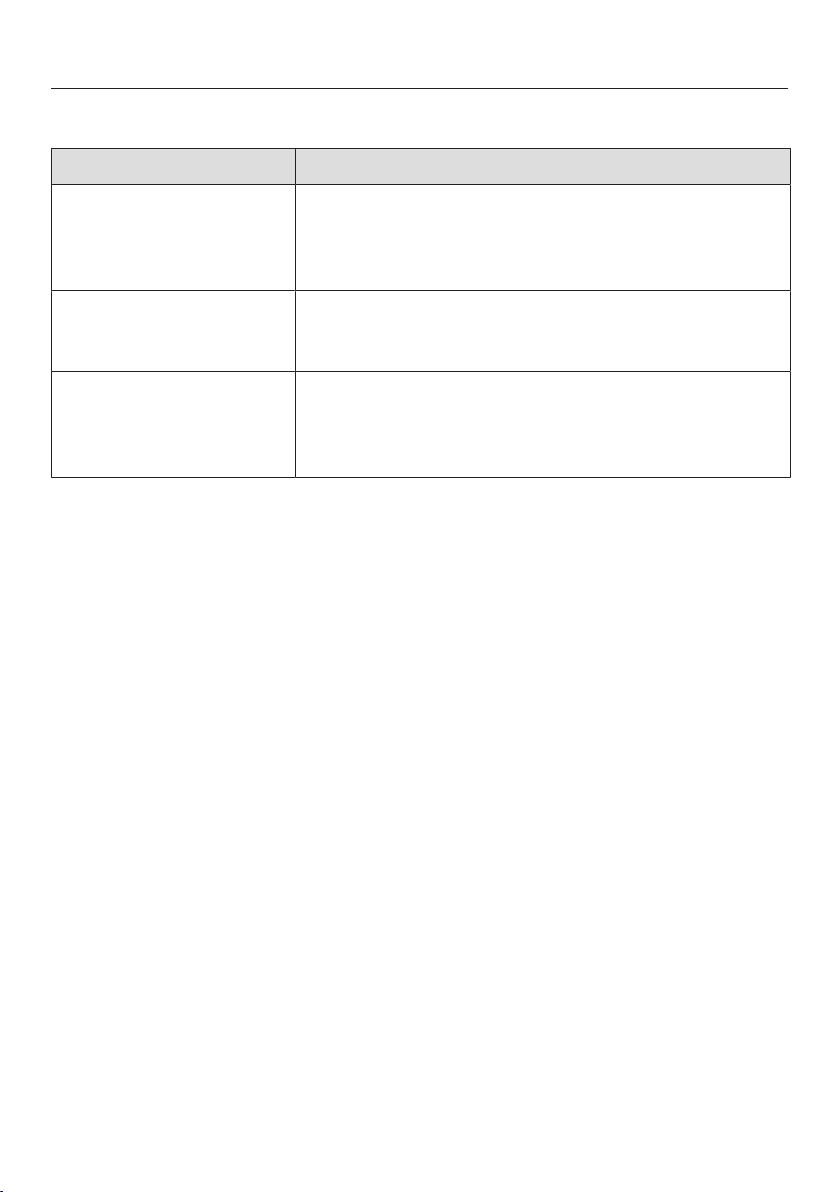
Problem solving guide
75
Other problems
Problem Cause and remedy
Food has frozen to-
gether.
The food packaging was not dry when placed in the
freezer.
Use a blunt instrument, e.g. a spoon handle or
plastic scraper, to prise it apart carefully.
The external walls of
the appliance feel
warm.
This is not a fault. The heat created by the evapor-
ator is used to prevent condensation.
There is no audible
alarm even though the
door has been open for
a long time.
Not a fault! The alarm has been switched off in Set-
tings mode (see “Selecting further settings – Setting
the volume/Switching alarms and audible tones
on/off”).
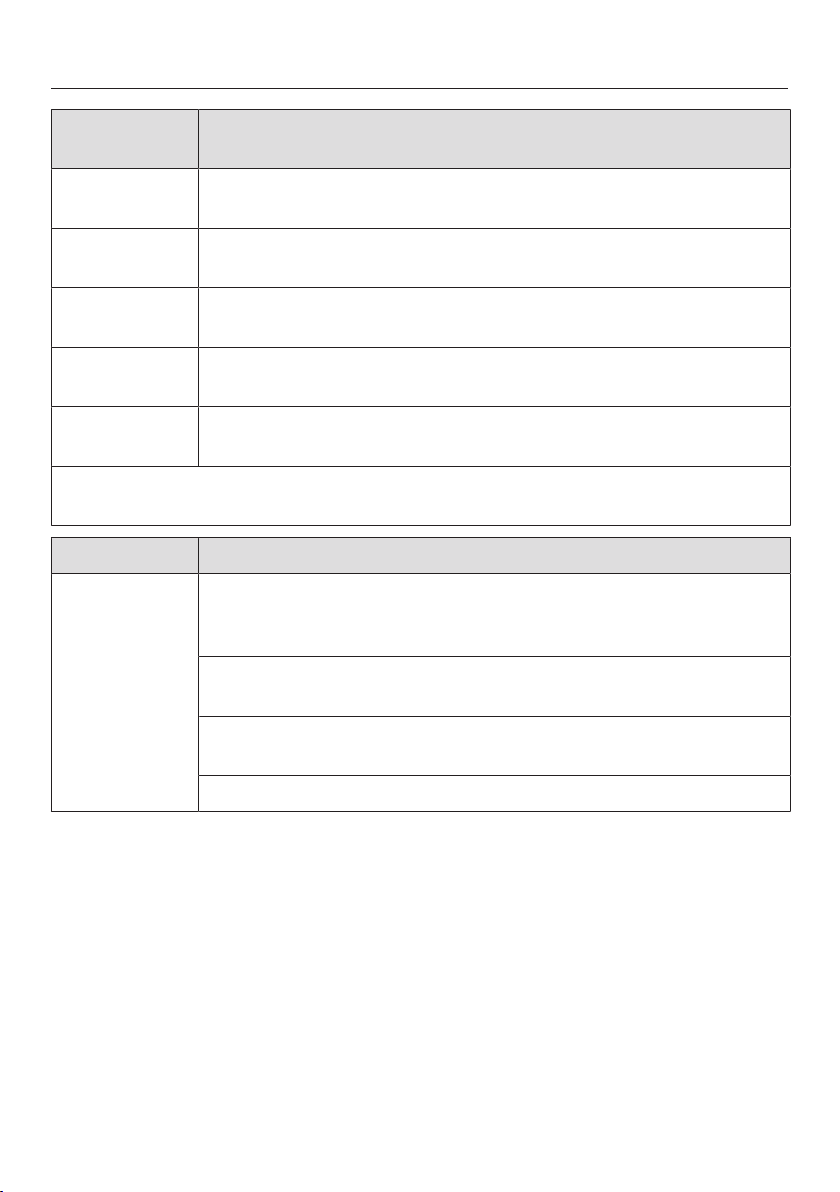
Noises
76
Normal
noises
What causes them
Brrrrr ... A humming noise is made by the motor (compressor). This noise
can get louder for brief periods when the motor switches on.
Blubb,
blubb ...
A gurgling noise can be heard when coolant is circulating
through the pipes.
Click ... Clicking sounds are made when the thermostat switches the
motor on and off.
Sssrrrrr ... You can sometimes just hear the sound of the fan inside the ap-
pliance.
Crack ... A cracking sound can be heard when materials expand inside
the appliance.
Remember that the noise of the compressor and the coolant circulating in the
system is unavoidable.
Noises Cause and remedy
Rattling, vi-
brating
The refrigeration appliance is uneven. Realign the appliance us-
ing a spirit level by raising or lowering the adjustable feet under-
neath the refrigeration appliance.
The refrigeration appliance is touching another appliance or
piece of furniture. Move it away.
Drawers, baskets or shelves are jiggling or are stuck. Check all
removable items and refit them correctly.
Bottles or containers are touching. Separate them.
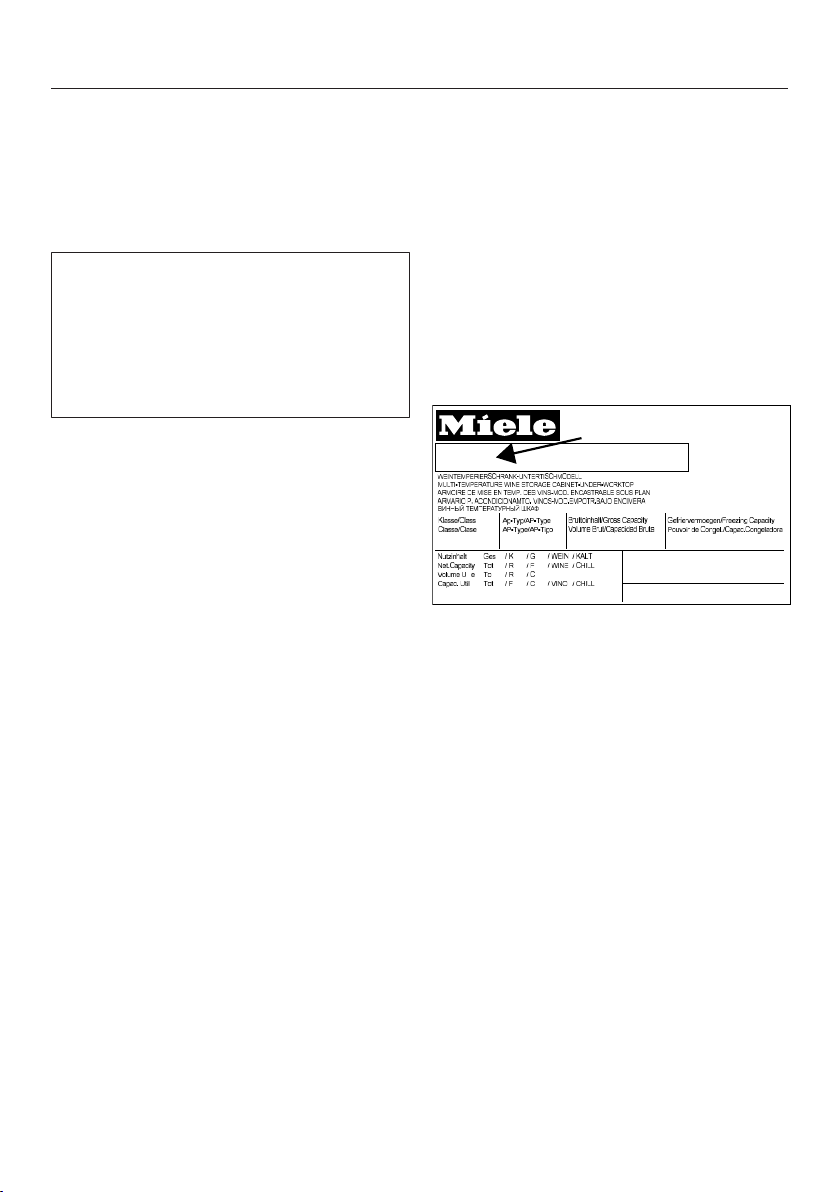
Service
77
Contact in the event of a fault
In the event of any faults which you
cannot remedy yourself, please contact
your Miele dealer or the Miele Customer
Service Department.
You can book a Miele Customer Ser-
vice Department call-out online at
www.miele.com/service.
Contact information for the Miele Cus-
tomer Service Department can be
found at the end of this document.
Please quote the model identifier and
serial number of your appliance (Fabr./
SN/Nr.) when contacting the Miele Cus-
tomer Service Department. This inform-
ation can be found on the data plate.
Please note that telephone calls may be
monitored and recorded for training
purposes and that a call-out charge will
be applied to service visits where the
problem could have been resolved as
described in this booklet.
The data plate can be found inside the
appliance.
Displaying appliance informa-
tion
This can be found in Settings mode un-
der Information (see “Selecting further
settings”) or on the data plate inside the
refrigeration appliance.
–Displaying licence agreements
Licences used can be displayed via ©.
EPREL database
From 1 March 2021, information on en-
ergy labelling and ecodesign require-
ments will be available in the European
Product Database (EPREL). You can
find the product database at the follow-
ing link https://eprel.ec.europa.eu/. You
will be asked to enter the model identi-
fier.
The model identifier can be found on
the data plate.
SN-ST
R600a:
XXXXXX
Nr. XX/ XXXXXXXXX.
XXX l
XXg
Warranty
The appliance warranty is valid for 2
years from date of purchase. In the UK,
you must activate your cover by calling
0330 160 6640 or registering online at
www.miele.co.uk.
For more information on country-spe-
cific warranty terms and conditions,
please contact Miele Customer Service.
Installation
*INSTALLATION*
78
Installation
Fire risk and risk of damage from
appliances which give off heat.
Appliances which give off heat can
catch fire and set fire to the refrigera-
tion appliance.
Do not place appliances which give
off heat, such as mini-ovens, double
burner hobs or toasters on the refri-
geration appliance.
Fire risk and danger of damage
from open flames.
Open flames can set fire to the refri-
geration appliance.
Keep open flames (e.g. a candle)
away from the refrigeration appli-
ance.
Location
This appliance should be installed in a
dry, well-ventilated room.
When deciding where to install your re-
frigeration appliance please bear in
mind that it will use more energy if in-
stalled near to a heater, a cooker or
other appliance that gives off heat. Dir-
ect sunlight should also be avoided.
The higher the room temperature, the
longer the compressor runs and the
higher the energy consumption is.
When installing the appliance, please
note:
- The socket must be easily accessible
in an emergency, not concealed be-
hind the appliance.
- The plug and cable must not touch
the rear of the appliance as they
could be damaged by vibrations from
the appliance.
- Do not plug in other appliances be-
hind this appliance.
Risk of damage due to corrosion.
In environments with high humidity,
condensation can build up on ex-
ternal refrigeration appliance panels.
This condensate can cause corrosion
on external appliance panels.
Install the refrigeration appliance in a
dry and/or air-conditioned room with
sufficient ventilation.
After installation, make sure that the
appliance doors close properly, the
ventilation gaps are not covered and
that the refrigeration appliance has
been installed in accordance with
these installation instructions.
Installation
*INSTALLATION*
79
Climate range
This refrigeration appliance is designed
for use within specific ambient temper-
atures (climate range). Do not use in
ambient temperatures for which it is not
designed. The climate range is stated
on the data plate in the interior cabinet
of the refrigeration appliance.
Climate range Ambient temper-
ature
SN +10to +32°C
N +16to +32°C
ST +16to +38°C
T +16to +43°C
A lower ambient temperature leads to
the compressor switching off for longer
periods. This can cause the internal
temperature in the refrigeration appli-
ance to rise with the risk of food deteri-
orating and going off.
Ventilation
Risk of fire and damage due to
insufficient ventilation.
If the refrigeration appliance is not
ventilated sufficiently, the com-
pressor will run more frequently and
for longer periods. This will result in
increased energy consumption and a
higher operating temperature for the
compressor. This may, in turn, cause
damage to the compressor.
Please ensure that there is adequate
ventilation around the refrigeration
appliance.
It is essential to observe the required
ventilation gaps.
The ventilation gaps must not be
covered or blocked in any way.
They must also be regularly dusted.
Air at the back of the refrigeration appli-
ance gets warm.
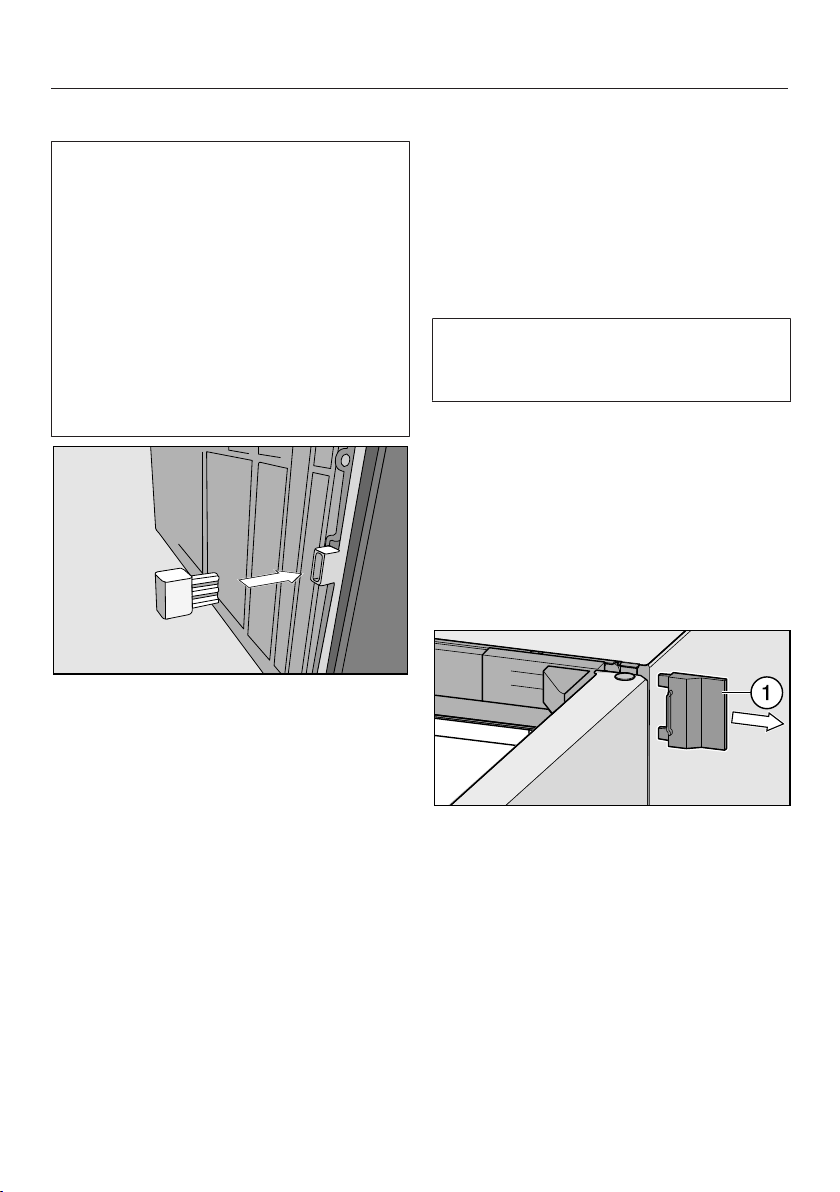
Installation
*INSTALLATION*
80
Fitting supplied wall spacers
The wall spacers supplied must be
used in order to achieve declared en-
ergy consumption values and to pre-
vent the build-up of condensation at
high ambient temperatures. The appli-
ance depth is increased by approx.
15mm with the wall spacers fitted. If
the wall spacers are not used, the
functionality of the appliance is not af-
fected. Energy consumption is only
slightly increased with less distance
between the appliance and the wall.
Fit the wall spacers onto the back of
the refrigeration appliance on the bot-
tom left and right.
Limiting the opening angle of the ap-
pliance door
The door hinges are set ex works to en-
able the door to be opened up to 115°.
If the appliance door hits an adjacent
wall when opened, for example, the
opening angle can be limited toapprox.
90°:
The door opening angle limiter should
be fitted before the refrigeration appli-
ance is installed.
Fitting the door opening angle limiter
Switch off at the wall and remove the
plug from the socket, or disconnect
the fuse.
–Removing the soft-close mechan-
ism
Open the appliance door.
Push off the right outer cover.
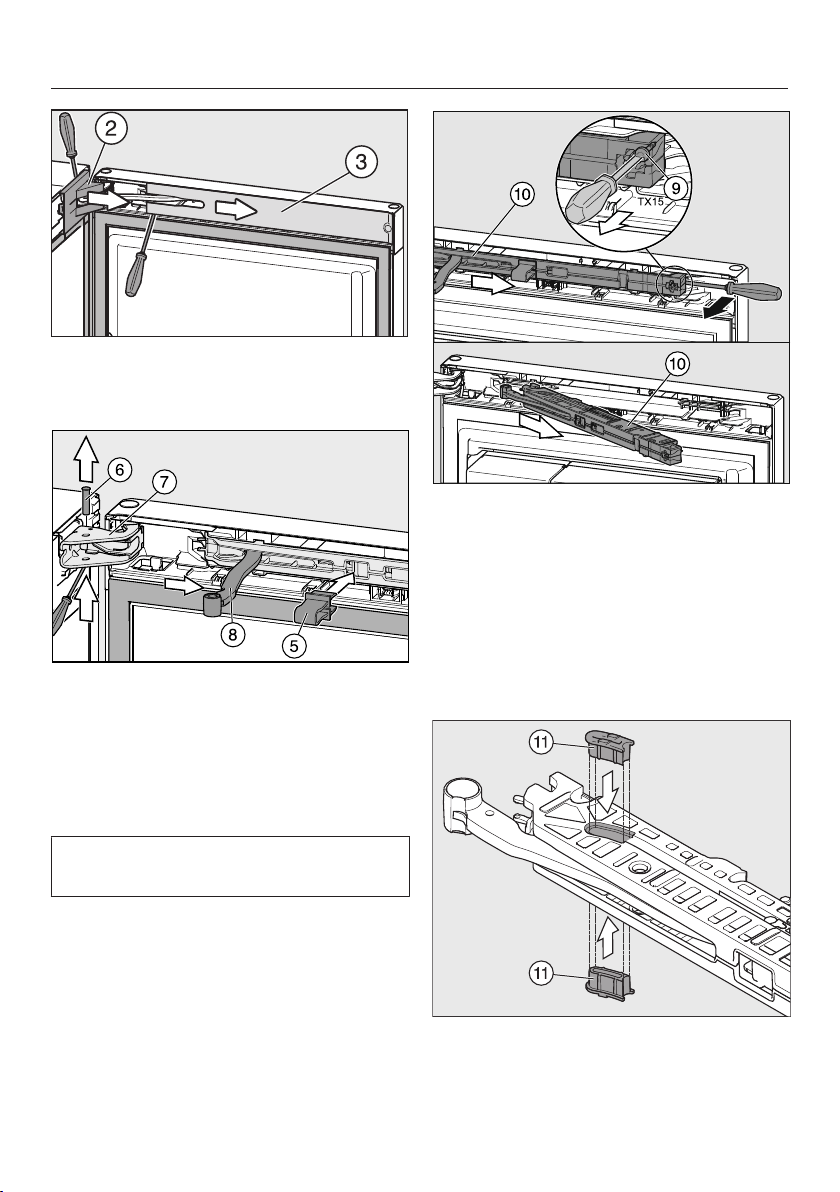
Installation
*INSTALLATION*
81
Remove the cover from the door
hinge and the cover from the soft-
close mechanism.
Click the red safety device (sup-
plied with the refrigeration appliance)
into place in the opening.
The safety device prevents the soft-
close mechanism and the hinge plate
from snapping shut.
Do not remove the red safety device
until instructed to do so.
Push the pin out of the door
hinge and remove it.
Move the hinged arm of the soft-
close mechanism away from the door
hinge.
Undo and remove the screw on
the soft-close mechanism and in-
sert a screwdriver behind the soft-
close mechanism.
Remove the soft-close mechan-
ism.
–Fitting the door opening angle lim-
iter
Press a door opening angle limiter
in from above and below as shown.
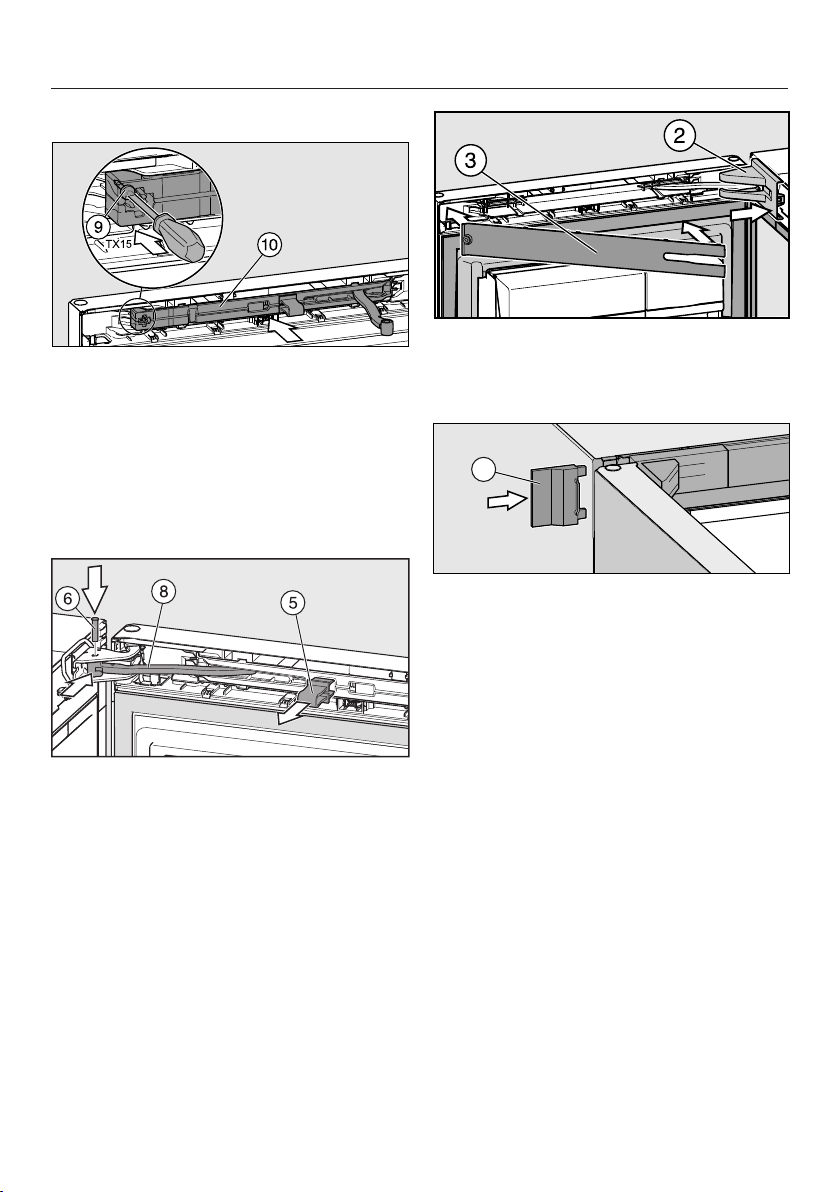
Installation
*INSTALLATION*
82
–Fitting the soft-close mechanism
Insert the soft-close mechanism
on the door hinge side (at an angle
initially) so that it clicks into position.
Then press the other end of the soft-
close mechanism into the opening.
Secure the soft-close mechanism
with the screw.
Push the hinged arm into the
opening on the door hinge.
Insert the pin into the door hinge
from above. Turn this with a screw-
driver (by approx. ¼turn) until both
lugs on the pin click into position cor-
rectly in the grooves.
Pull out the red safety device.
Tip: Keep the red safety device in case
you want to change the door hinging
again at a later date.
Fit the cover on the door hinge.
Fit the panel so that it clicks into
position.
1
Push on the outer cover.
Close the appliance door.
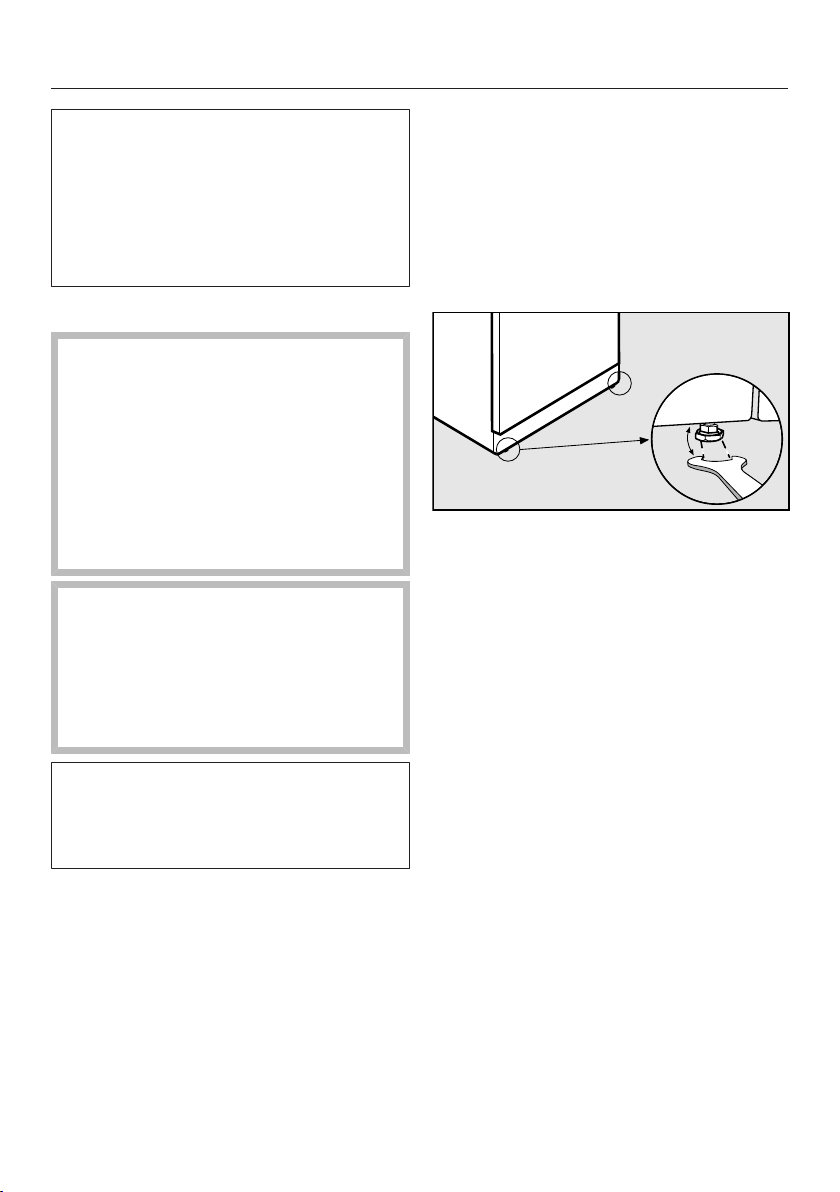
Installation
*INSTALLATION*
83
If you intend to install your appliance
“side-by-side” with another refrigera-
tion appliance, please ensure that you
observe the instructions in “Installing
in a side-by-side combination”. The
necessary installation parts are sup-
plied with your appliance.
Installing the refrigeration appliance
Danger of injury and damage
due to the refrigeration appliance tip-
ping over.
There is an increased danger of in-
jury and damage if the refrigeration
appliance is installed by a single per-
son.
Two people are required for installing
the refrigeration appliance.
Risk of damaging the floor.
Moving the refrigeration appliance
can cause damage to the floor.
Move the refrigeration appliance
carefully on floors that are sensitive
to scratching.
For easier installation, there are trans-
port handles on the back at the top
and transport wheels underneath the
refrigeration appliance.
Tip: The refrigeration appliance must be
empty when it is installed.
Prepare the refrigeration appliance for
installation as close as possible to its
intended installation site.
Connect the refrigeration appliance to
the electricity supply as described in
“Electrical connection”.
Move the refrigeration appliance
carefully to its intended installation
site.
Position the refrigeration appliance
with the wall spacers (if used) or the
back close to the wall.
Aligning the appliance
To align the appliance, adjust the
front feet using the spanner supplied
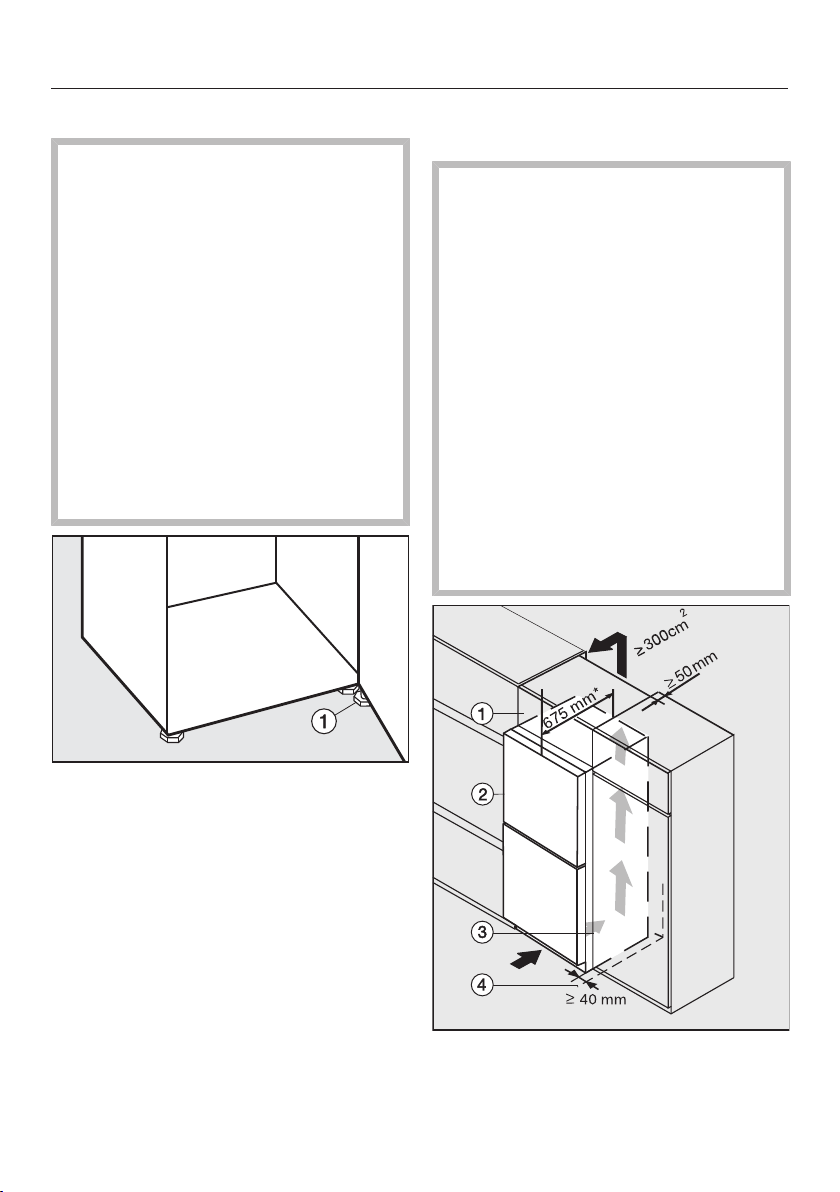
Installation
*INSTALLATION*
84
Levelling the appliance door
Risk of damage and injury
caused by the appliance door falling
out or the refrigeration appliance tip-
ping over.
If the additional adjustable foot on
the hinge plate at the bottom is not
resting firmly on the floor, the appli-
ance door can fall out or the refriger-
ation appliance can tip over.
Use the open spanner supplied with
the appliance to unscrew the ad-
justable foot until it is resting on the
floor.
Then unscrew the adjustable foot by
a further quarter turn.
Installing the refrigeration appliance
in a run of kitchen units
Risk of fire and damage due to
insufficient ventilation.
If the refrigeration appliance is not
ventilated sufficiently, the com-
pressor will run more frequently and
for longer periods. This will result in
increased energy consumption and a
higher operating temperature for the
compressor. This may, in turn, cause
damage to the compressor.
Please ensure that there is adequate
ventilation around the refrigeration
appliance.
It is essential to observe the required
ventilation gaps. The ventilation gaps
must not be covered or blocked in
any way.
Top box
Refrigeration appliance
Housing unit
Wall
Installation
*INSTALLATION*
85
* The appliance depth is increased by
approx. 15mm for refrigeration appli-
ances with wall spacers fitted.
The refrigeration appliance can be built
into any run of kitchen units and in-
stalled directly next to a kitchen fur-
niture housing unit. The appliance front
must protrude in front of furniture fronts
by at least 65mm. This enables the ap-
pliance door to be opened and shut
without being obstructed. To match the
height of the rest of the kitchen units,
the refrigeration appliance can be fitted
with a suitable top box.
When installed next to a wall, a dis-
tance of at least 40mm must be main-
tained on the hinge side between the
wall and the refrigeration appli-
ance.
The larger the ventilation gap, the
more economically the compressor
will work.
- A ventilation gap of at least 50mm
depth must be provided at the back
of the refrigeration appliance behind
the whole width of the top box for air
to circulate.
- The ventilation gap under the ceiling
must be at least 300cm
2
to ensure
that warm air can escape without ob-
struction.

Installation
*INSTALLATION*
86
Appliance dimensions
* Dimensions without wall spacers. Appliance depth is increased by 15mm with the wall
spacers supplied fitted.
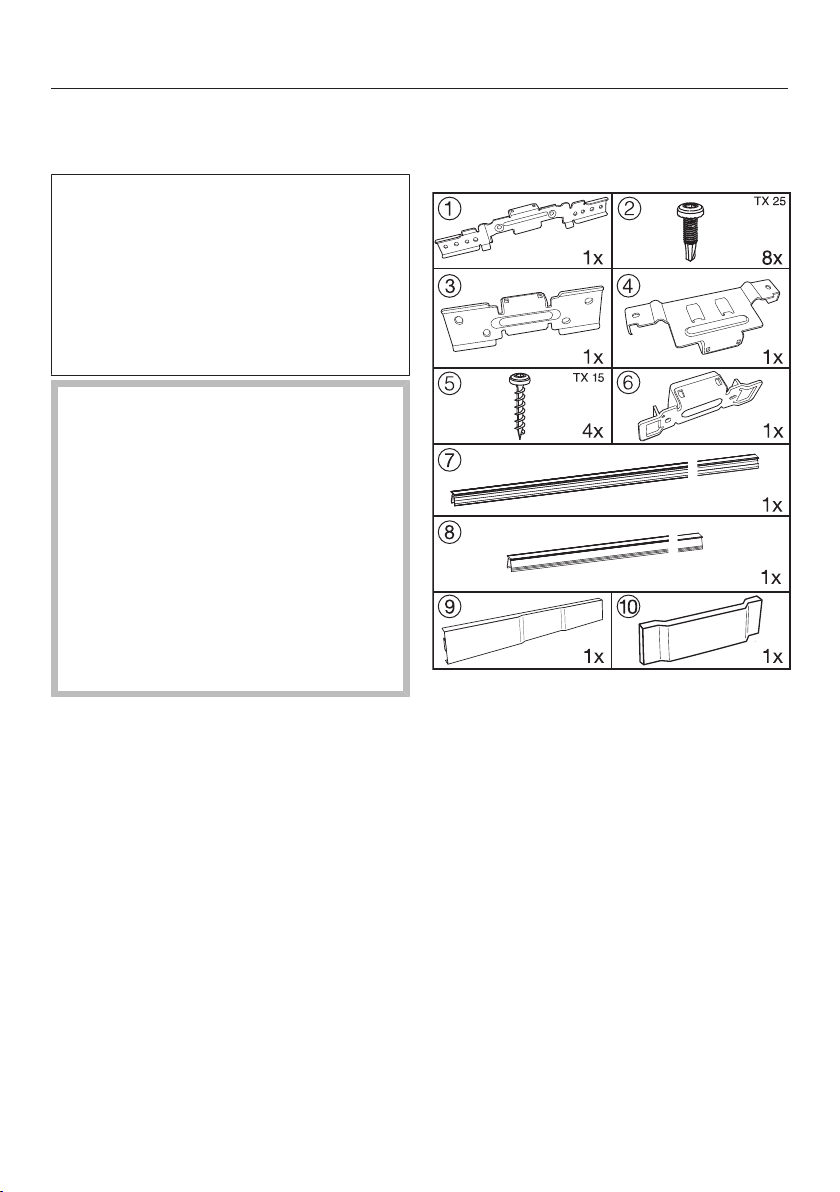
Installation
*INSTALLATION*
87
Installing in a side-by-side
combination
To avoid a build-up of condensation
and resultant damage, refrigeration
appliances should not generally be in-
stalled directly next to other such ap-
pliances (side-by-side). Your appliance
has side-wall heating and can there-
fore be installed side-by-side with an-
other refrigeration appliance.
Risk of damage!
The assembled side-by-side combin-
ation is very heavy. Incorrect moving
of the combination can cause the
appliances to become dented or
glass fronts to shatter.
Please observe the following notes
when moving a side-by-side appli-
ance combination.
It is essential that all side-by-side in-
stallation work is carried out by two
people.
All fixings required for side-by-side
installation are supplied with the ap-
pliance:
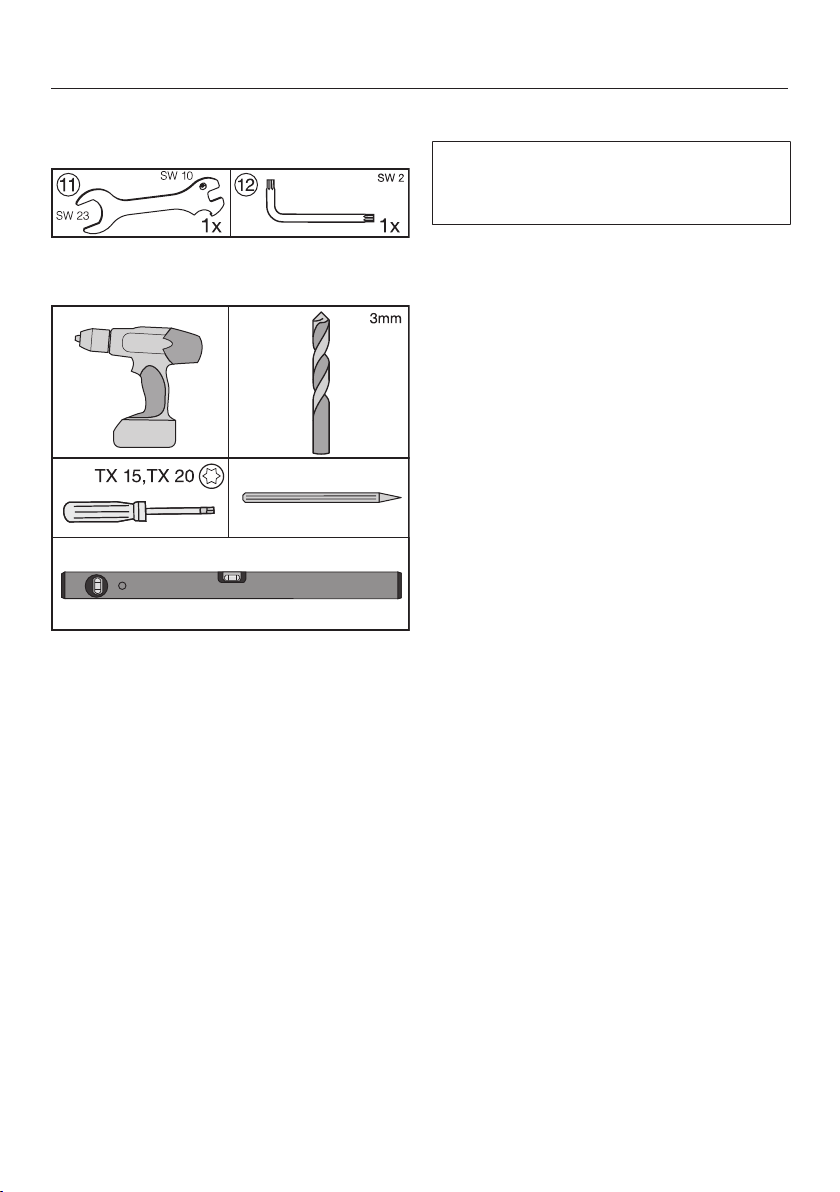
Installation
*INSTALLATION*
88
The following tools are supplied with
the appliance:
The following additional tools are
also required:
Installation
The backs of the appliances must be
kept accessible to complete the in-
stallation.
The freezer or refrigerator with freezer
section must be installed to the left of
the other refrigeration appliance
(when viewed from the front). The
side wall heating in the inner wall of
the freezer or the refrigeration appli-
ance with freezer section is designed
to prevent the build-up of condensa-
tion between the two appliances.
Place the two appliances as close as
possible to their final position so that
they can be aligned for any uneven-
ness in the floor.
Before starting, peel off any protect-
ive foil from the appliance casing.
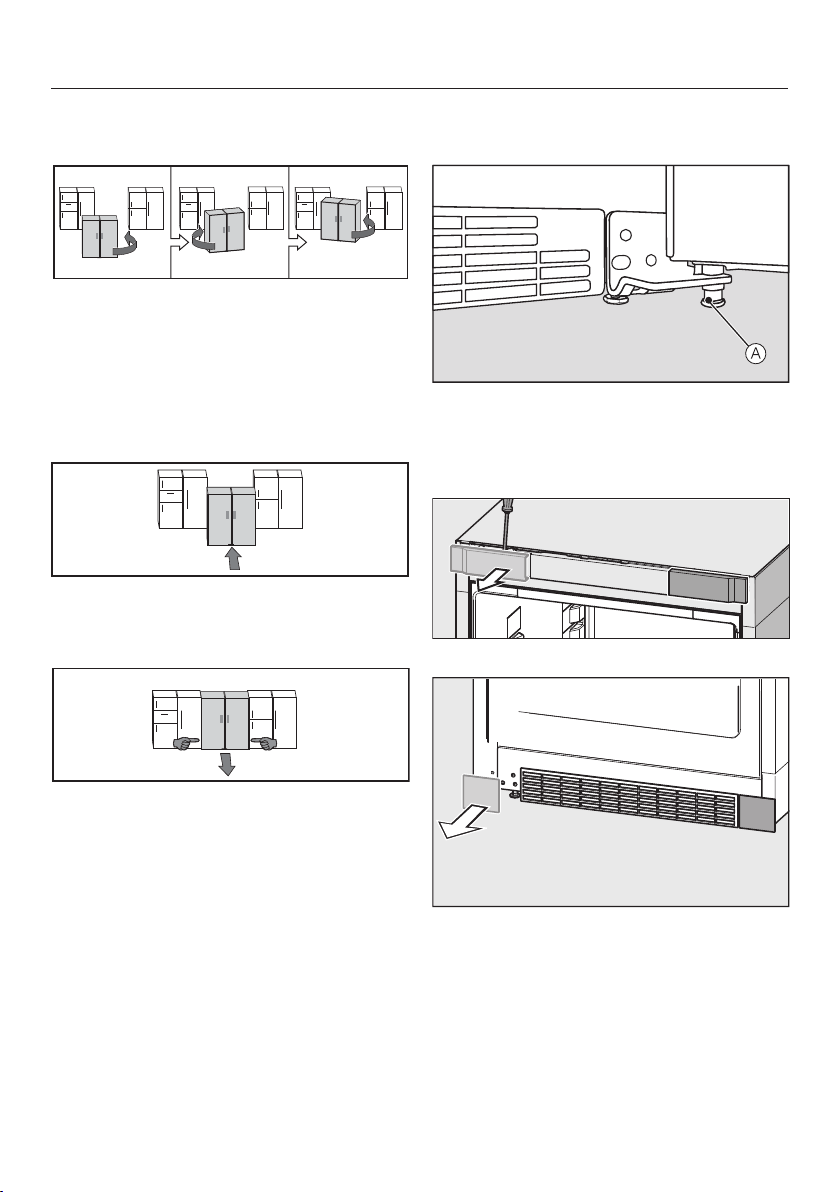
Installation
*INSTALLATION*
89
Notes on moving side-by-side appli-
ances:
Push the combination alternately from
the left and right corners. Whilst do-
ing so grasp the outside front
corners. Do not, under any circum-
stances, use your knees to push
against the sides or the appliance
doors.
Once the side-by-side combination is
directly in front of the niche, push it
carefully into position.
If you need to pull the combination
back out of the niche, hold it by the
lower third and pull it straight out.
Installation instructions from the
front of the appliances
Screw adjustable foot (for support-
ing the appliance door) right in with
the spanner. The adjustable foot
must not touch the floor.
Top cover
Bottom cover
Take the covers off both appliances
(from the side that they will be con-
nected to each other on).
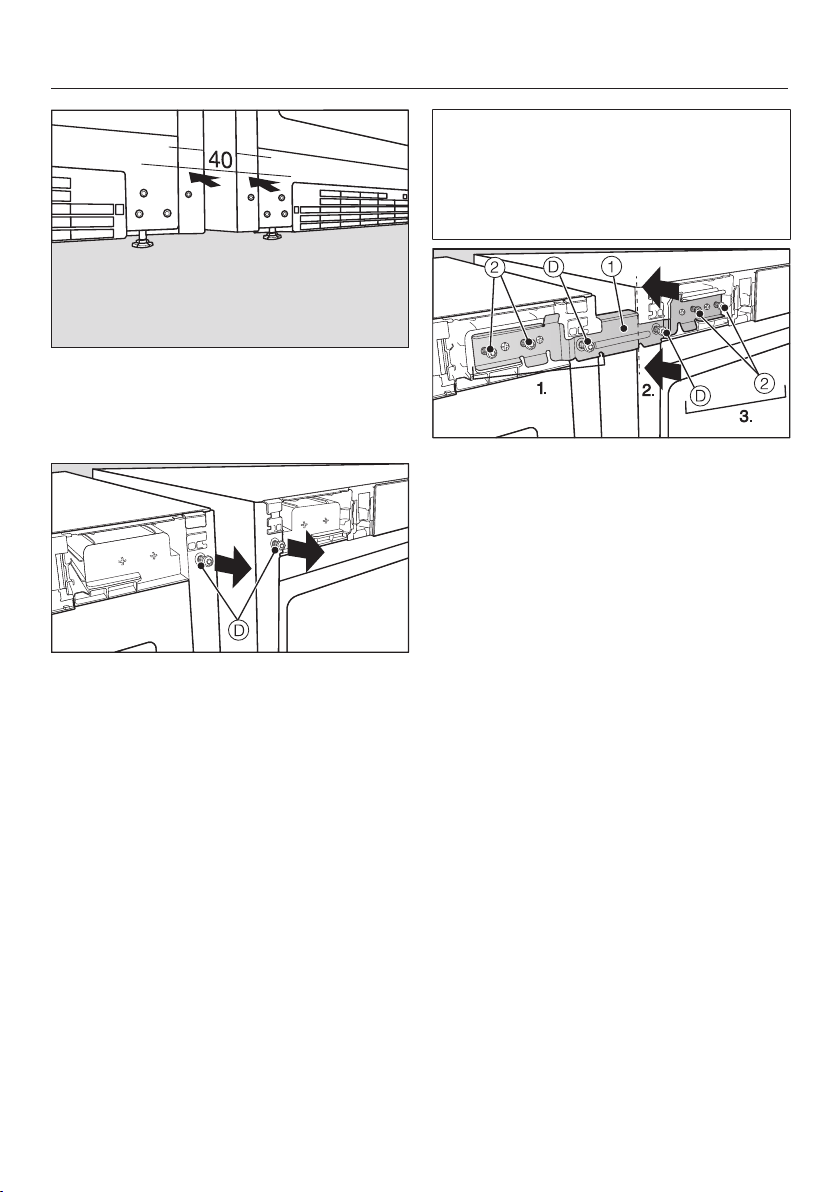
Installation
*INSTALLATION*
90
Place the appliances next to each
other so that the fronts are aligned,
leaving a gap of slightly over 40mm
between them.
Remove screws and keep them for
the next step. They are needed for
securing connecting bracket with.
The upper connecting bracket is fit-
ted to align both appliances in height
and depth with each other. If one ap-
pliance stands higher than the other,
start with the higher one first.
Fit the upper connecting bracket
to the pins on the appliance and se-
cure it follows:
1. Secure connecting bracket in pos-
ition using the screw that you have
just unscrewed from the appliance,
and screws.
2. Now press the second appliance up
against the spacer piece on the con-
necting bracket.
3. Secure connecting bracket in pos-
ition on the second appliance using
the screw that you have just un-
screwed from the appliance, and
screws. When doing so push the
appliances together slightly.
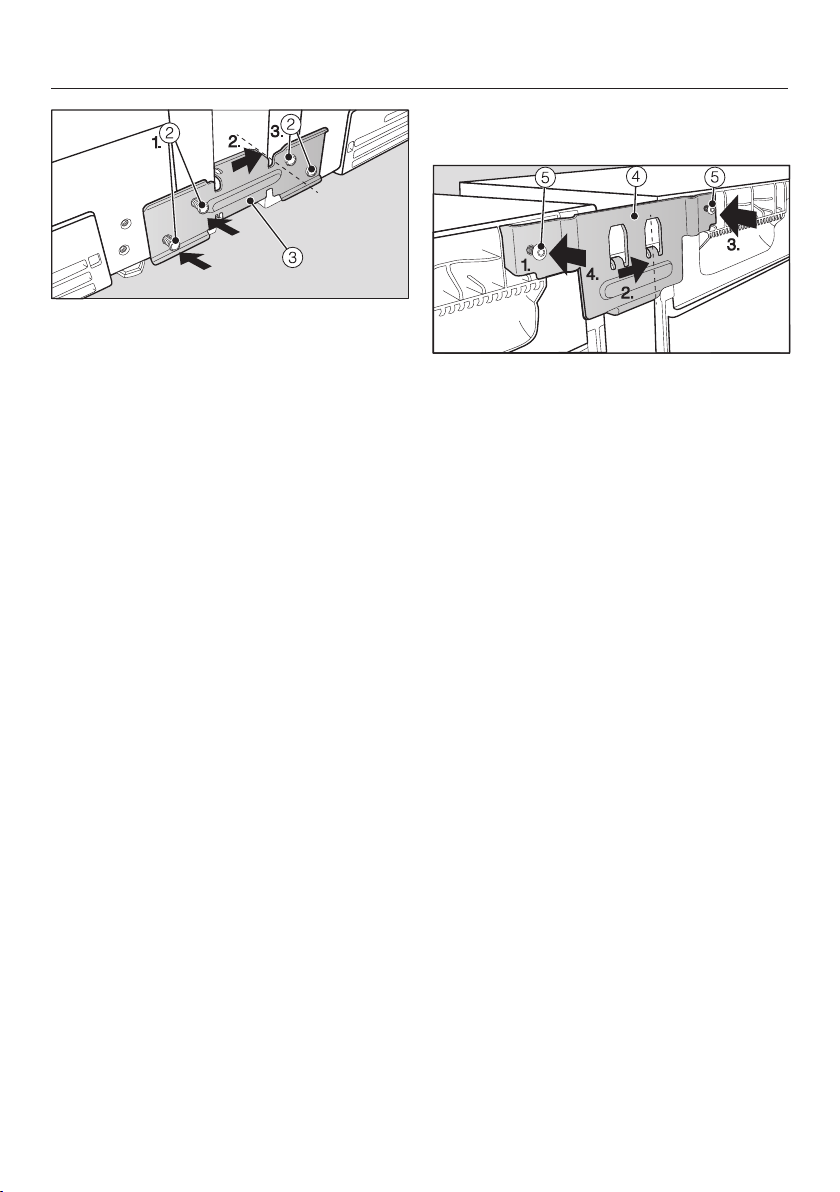
Installation
*INSTALLATION*
91
Place connecting bracket with the
horizontal long slots on the left-hand
side and secure them as follows:
1. Secure it loosely in position with two
screws .
2. Adjust the connecting bracket until
its centre piece abuts against the
side of the second appliance.
3. Secure the connecting bracket us-
ing screws.
4. Now tighten the loose screws and as
you do so push the right-hand appli-
ance up against the left-hand appli-
ance.
Installation steps from the back of
the appliances
Place connecting bracket with the
horizontal long slot on the left-hand
side and secure it as follows:
1. Secure it loosely with screw.
2. Adjust the connecting bracket until
its centre piece abuts against the
side of the second appliance.
3. Secure the connecting bracket us-
ing screw.
4. Now tighten the loose screw and as
you do so push the right-hand appli-
ance up against the left-hand appli-
ance.
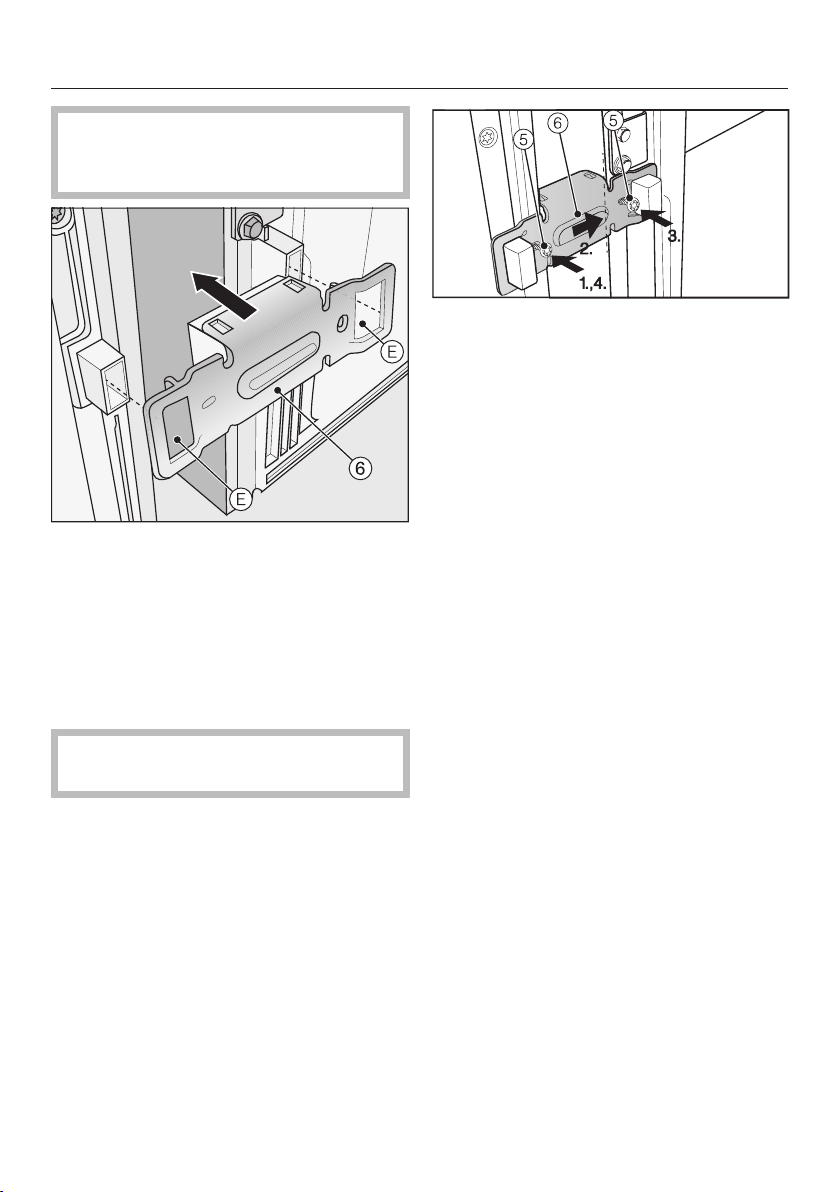
Installation
*INSTALLATION*
92
The holes for securing the connect-
ing bracket to have to be pre-
drilled.
Push the connecting bracket with
cut-outs over the holders for the
wall spacers.
Use a pen to mark the position of the
drill holes.
Then take the connecting bracket
off again.
Drill through the panel only. Drilling
depth approx. 1mm.
Drill the screw holes with a 3mm bit
and then file any rough edges
smooth.
Place connecting bracket with the
horizontal long slot on the left-hand
side and secure it as follows:
1. Secure it loosely with screw.
2. Adjust the connecting bracket until
its centre piece abuts against the
side of the second appliance.
3. Secure the connecting bracket us-
ing screw.
4. Now tighten the loose screw and as
you do so push the right-hand appli-
ance up against the left-hand appli-
ance.
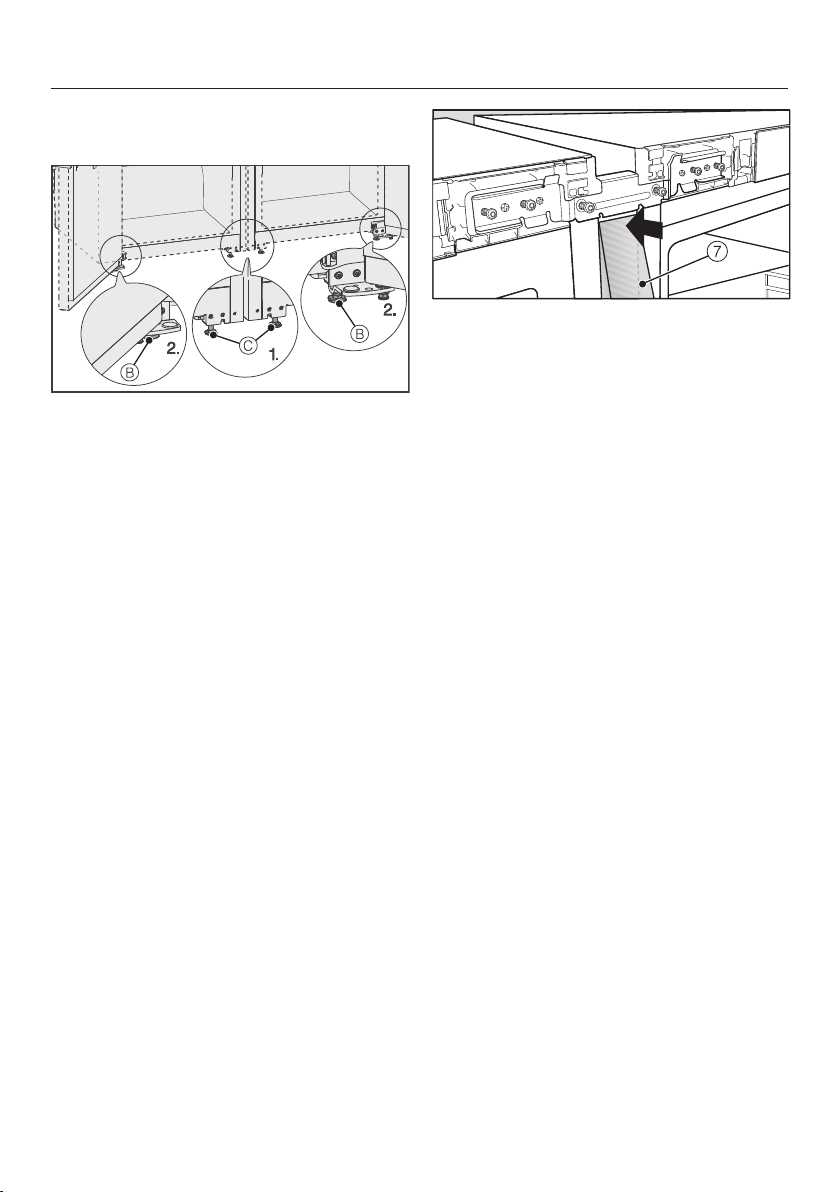
Installation
*INSTALLATION*
93
Further installation instructions from
the front of the appliances
Adjust the front feet with the span-
ner.
1. Screw in the central adjustable feet
such that they do not touch the
floor.
2. Now level the complete side-by-side
combination with the outermost ad-
justable feet .
Place trim at the front of the appli-
ance underneath the top connecting
bracket and carefully work the trim
into the groove. Use a soft cloth to do
this to avoid denting the trim.
Tip: Press both ridges along the entire
length of the trim together. This simpli-
fies the process of fitting the trim into
the gap.
Remove the protective foil from the
stainless steel trim.

Installation
*INSTALLATION*
94
Now position trim along the top of
the appliance so that it sits flush with
the corners of the appliance and then
carefully work the trim into the
groove.
Tip: Press both ridges along the entire
length of the trim together. This simpli-
fies the process of fitting the trim into
the gap.
Then place cover into position at
the top on the front of the appliance.
Then place cover into position at
the bottom on the front of the appli-
ance.
Connect the side-by-side combina-
tion to the mains as described in the
operating and installation manual.
On appliances with an ice-maker
connect the appliance to the mains
water supply as described in the op-
erating and installation manual.
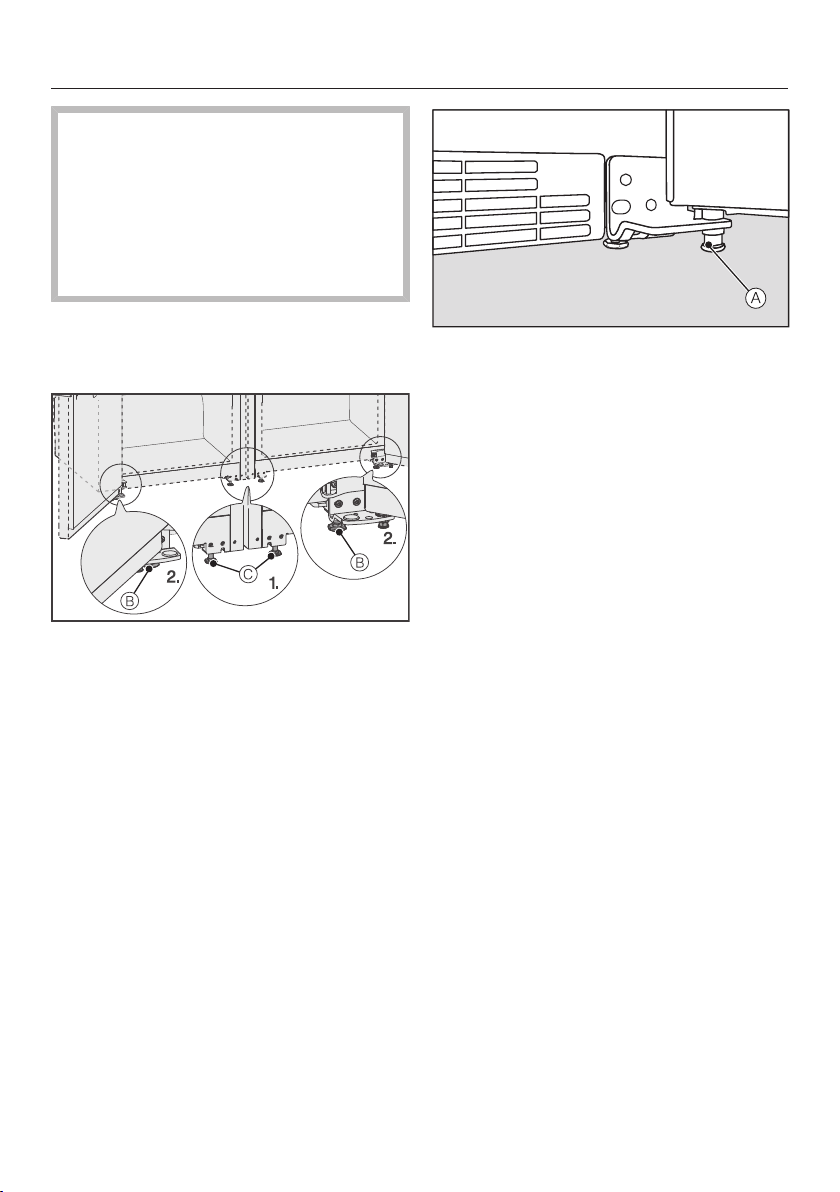
Installation
*INSTALLATION*
95
Caution! Risk of damage when
moving the appliance combination!
The assembled side-by-side combin-
ation is very heavy. Incorrect moving
can cause dents
Follow the instructions on how to
move it.
The side-by-side combination must
be pushed very carefully into posi-
tion.
Adjust the height of the side-by-side
combination again if necessary via
the two adjustable feet using span-
ner.
1. Unscrew the middle adjustable feet
until they touch the floor.
2. Unscrew the outer adjustable feet
to align the appliance.
Support the appliance doors on the
hinge plate using the adjustable foot
: Unscrew the adjustable foot
until it touches the floor. Then un-
screw it by a further 90°.
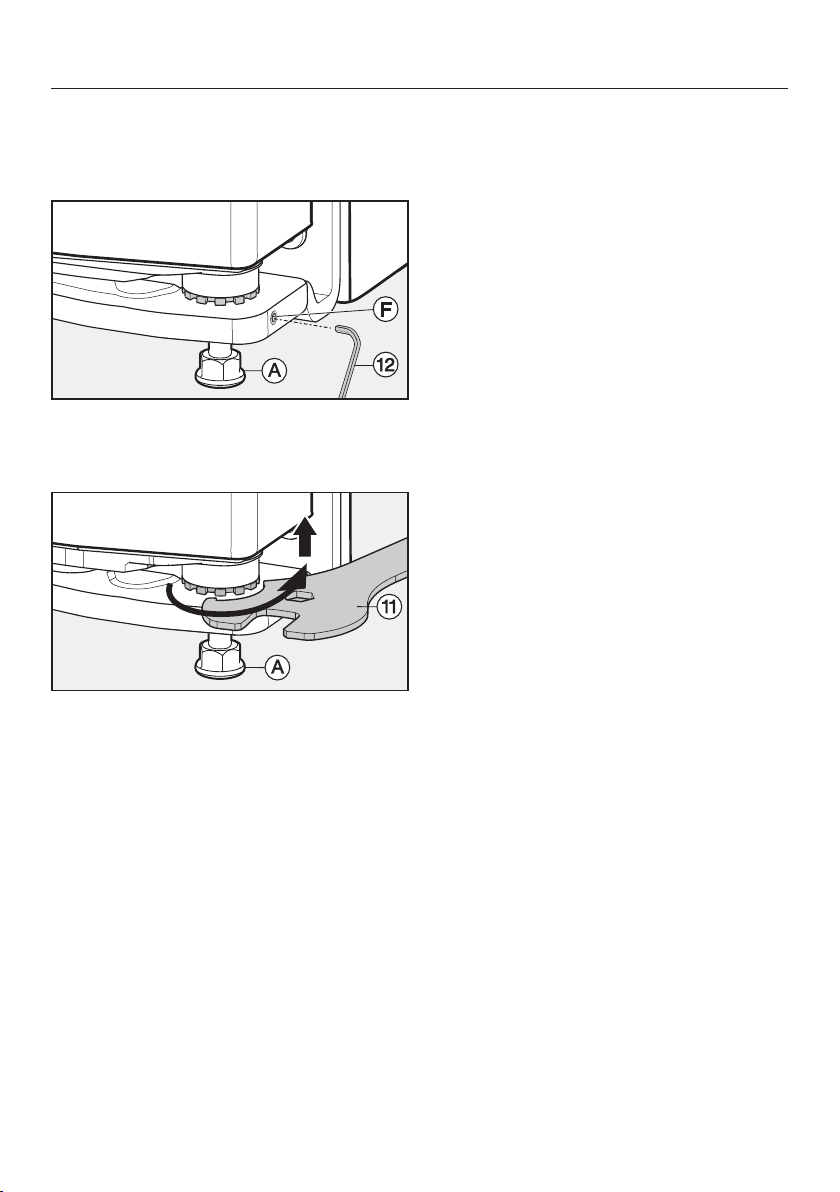
Installation
*INSTALLATION*
96
Aligning the appliance doors
The appliance door(s) can be height-ad-
justed at the lower hinge plates.
Unscrew the set screw a maximum
of one turn using the Allen key
supplied.
Adjust the height of the hinge pin with
the spanner supplied. The appli-
ance is delivered with the hinge pin
fully screwed in.
- To raise the door: turn it clockwise.
- To lower the door: turn it anti-clock-
wise.
Tighten the set screw . The hinge
pin is fastened again.
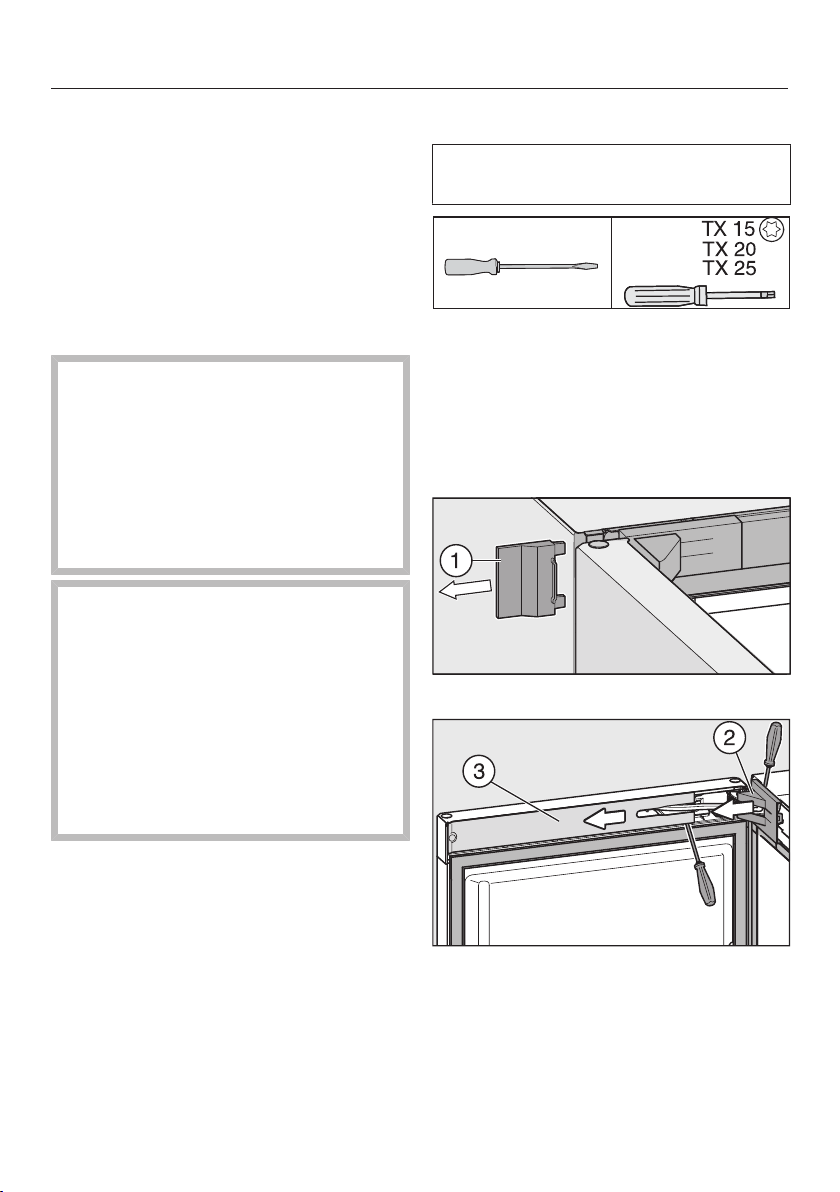
Installation
*INSTALLATION*
97
Changing the door hinging
The refrigeration appliance is supplied
with left-hand hinging. If right-hand
hinging is required, the hinges can be
changed.
Do not change the hinging if this refri-
geration appliance is going to be in-
stalled side-by-side with another refri-
geration appliance.
Danger of injury and damage
when changing the door hinging.
There is an increased danger of in-
jury and damage if the refrigeration
appliance is installed by a single per-
son.
Always change the door hinging with
the help of a second person.
If the door seal is damaged or has
slipped out of its groove, the appli-
ance door may not close properly
and cooling performance will be re-
duced. Condensate will build up in
the interior cabinet and this can
cause a build-up of ice.
Do not damage the door seal and
ensure it does not slip out of its
groove.
Preparation
To change the door hinging, you will
need the following tools:
Place a suitable cover on the floor in
front of the appliance to protect the
appliance door and your floor from
damage.
Removing the top covers
Open the appliance door.
Push off the right outer cover.
Remove the cover from the door
hinge and the cover from the soft-
close mechanism.
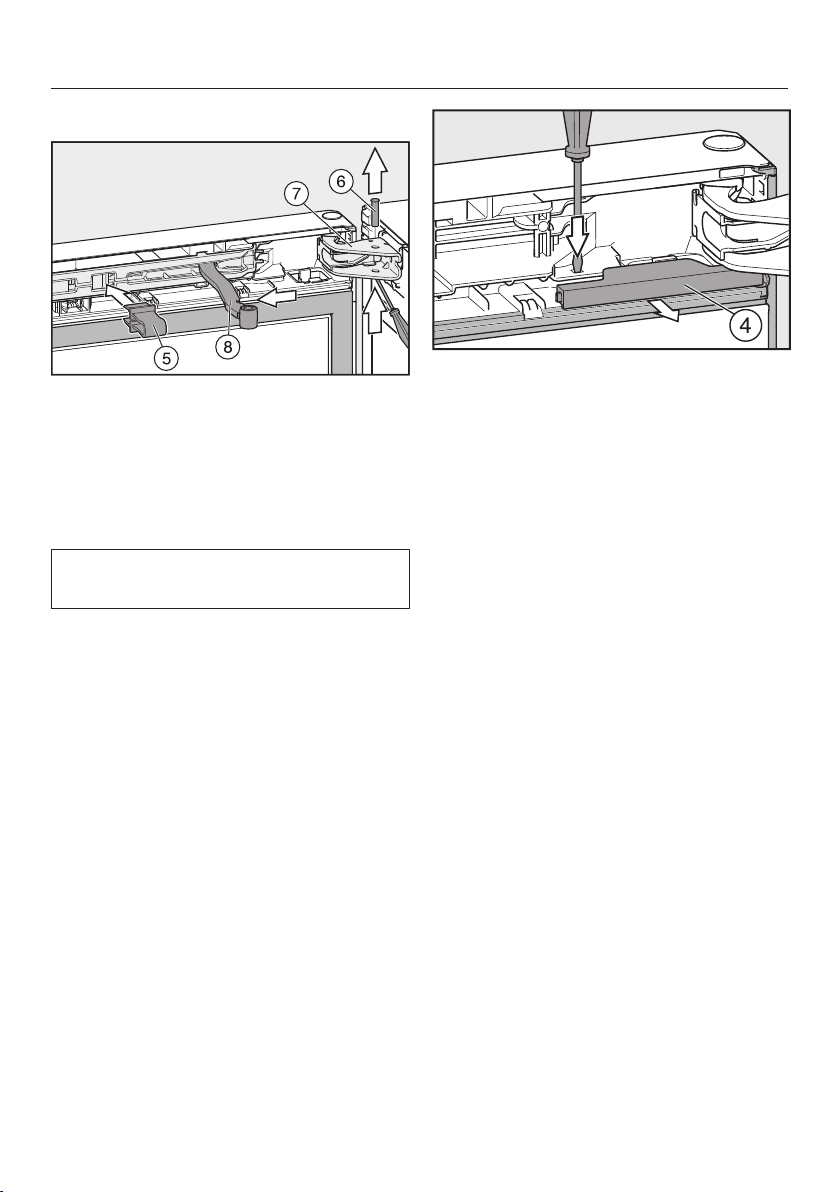
Installation
*INSTALLATION*
98
Removing the soft-close mechanism
Click the red safety device (sup-
plied with the refrigeration appliance)
into place in the opening.
The safety device prevents the soft-
close mechanism and the hinge plate
from snapping shut.
Do not remove the red safety device
until instructed to do so.
Push the pin out of the door
hinge and remove it.
Move the hinged arm of the soft-
close mechanism away from the door
hinge.
Use a flat-head screwdriver to push
the tab down and pull the cover
out of the coupling.
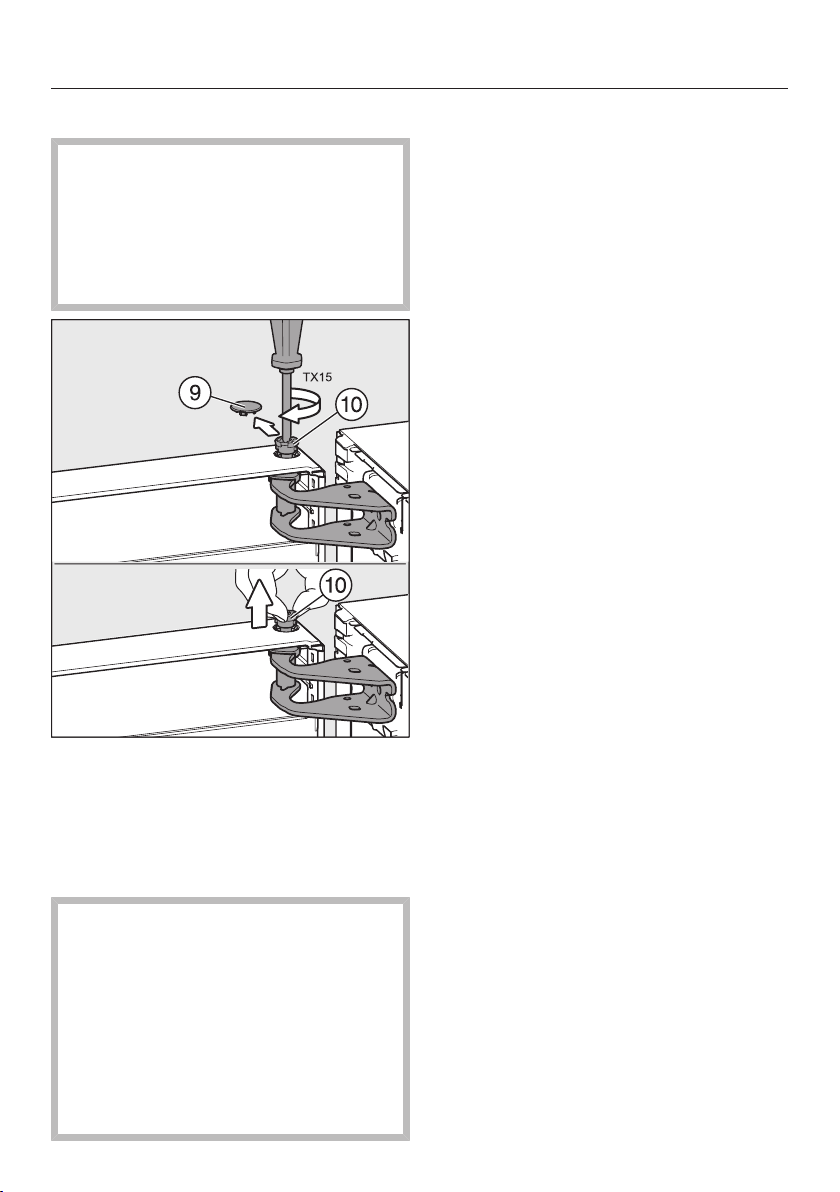
Installation
*INSTALLATION*
99
Removing the upper appliance door
Danger of injury when removing
the upper appliance door.
The upper appliance door is not se-
cure as soon as the pin has been re-
moved from the door hinge.
Hold the upper appliance door firmly.
Carefully pull off the safety cover.
Loosen the pin slightly (ap-
prox.¼turn) until it clicks.
Now use your fingers to pull the
pin right out.
Danger of injury when removing
the upper appliance door.
As soon as the hinge pin is located in
the upper appliance door rather than
in the middle hinge plate, the lower
door is not secured and could fall off.
Ensure that the hinge pin remains
located in the middle hinge plate and
in the lower appliance door.
Lift the upper appliance door off and
place it carefully to one side.
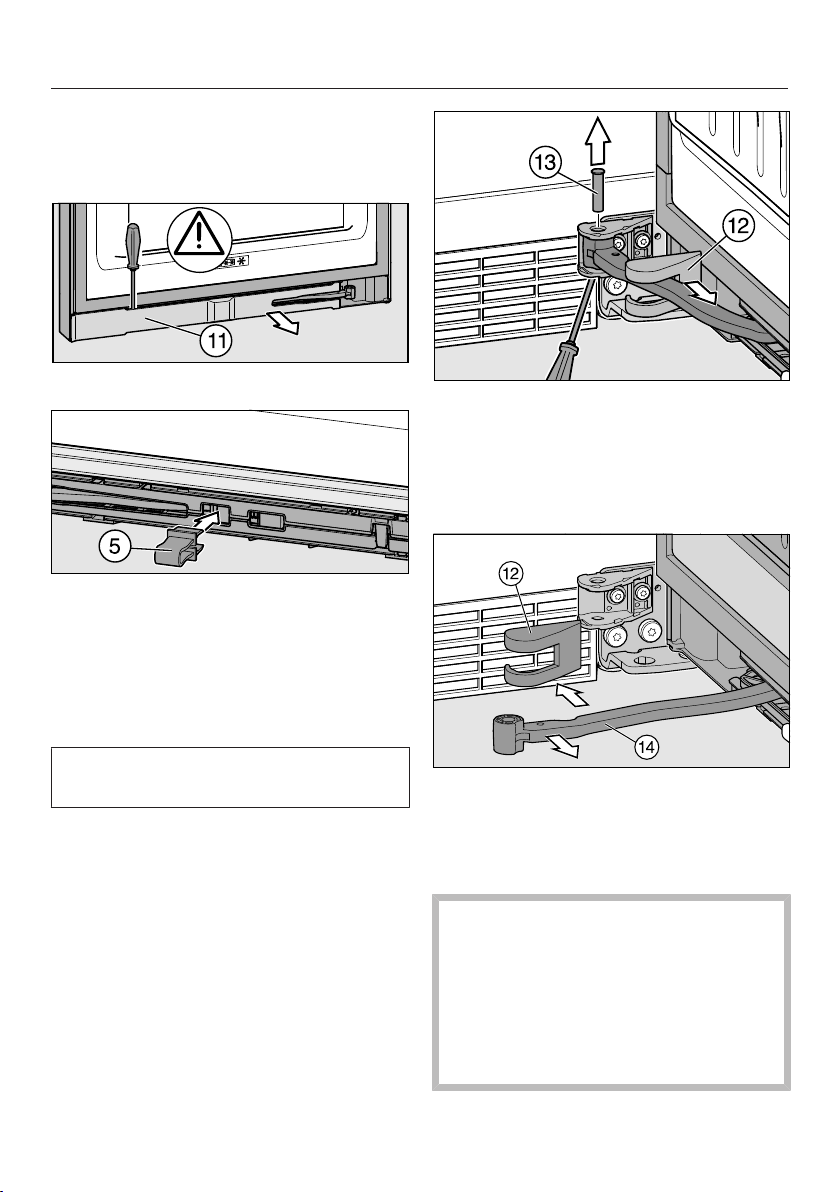
Installation
*INSTALLATION*
100
Removing the lower soft-close mech-
anism
Open the lower appliance door.
Remove the panel.
Click the red safety device (sup-
plied with the refrigeration appliance)
into place in the opening.
The safety device prevents the soft-
close mechanism and the hinge plate
from snapping shut.
Do not remove the red safety device
until instructed to do so.
Pull off the cover and push the
soft-close mechanism along until the
hinge plate is accessible.
Push out the pin on the hinge plate
from below and remove it.
Move the hinged arm of the soft-
close mechanism away from the
hinge plate and remove cover.
Removing the lower door
Danger of injury when removing
the lower door.
As soon as the hinge pin is removed
from the lower door in the following
instructions, the door is no longer
secured.
Hold the lower door firmly.
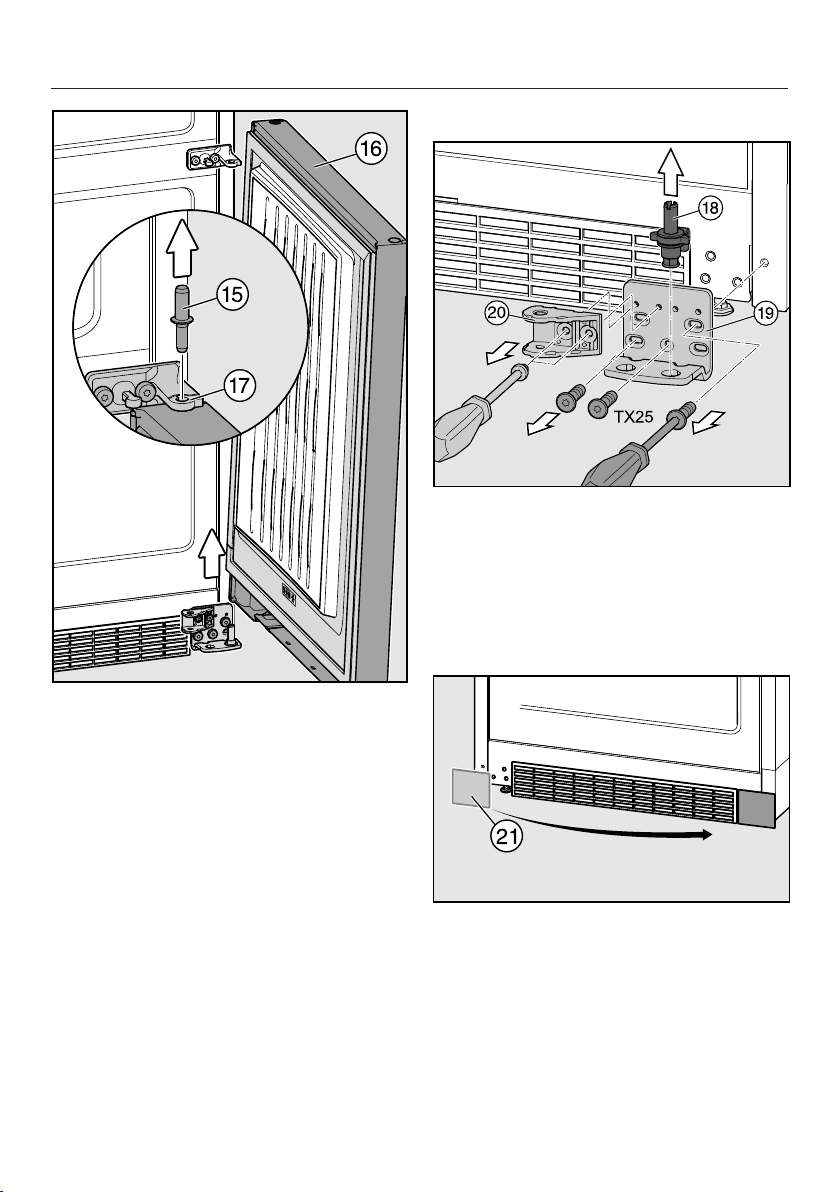
Installation
*INSTALLATION*
101
Remove hinge pin from the bear-
ing bush in lower door.
Tip: Please note that the grey plastic
cover on the middle hinge plate can
fall off when the door is being removed.
Lift lower door off and put it down
carefully.
Changing the lower hinge plate over
Pull hinge pin complete with
washer and adjusting foot upwards to
remove.
Unscrew hinge plate.
Unscrew holder for the soft-close
mechanism.
Remove cover and refit on the op-
posite side.
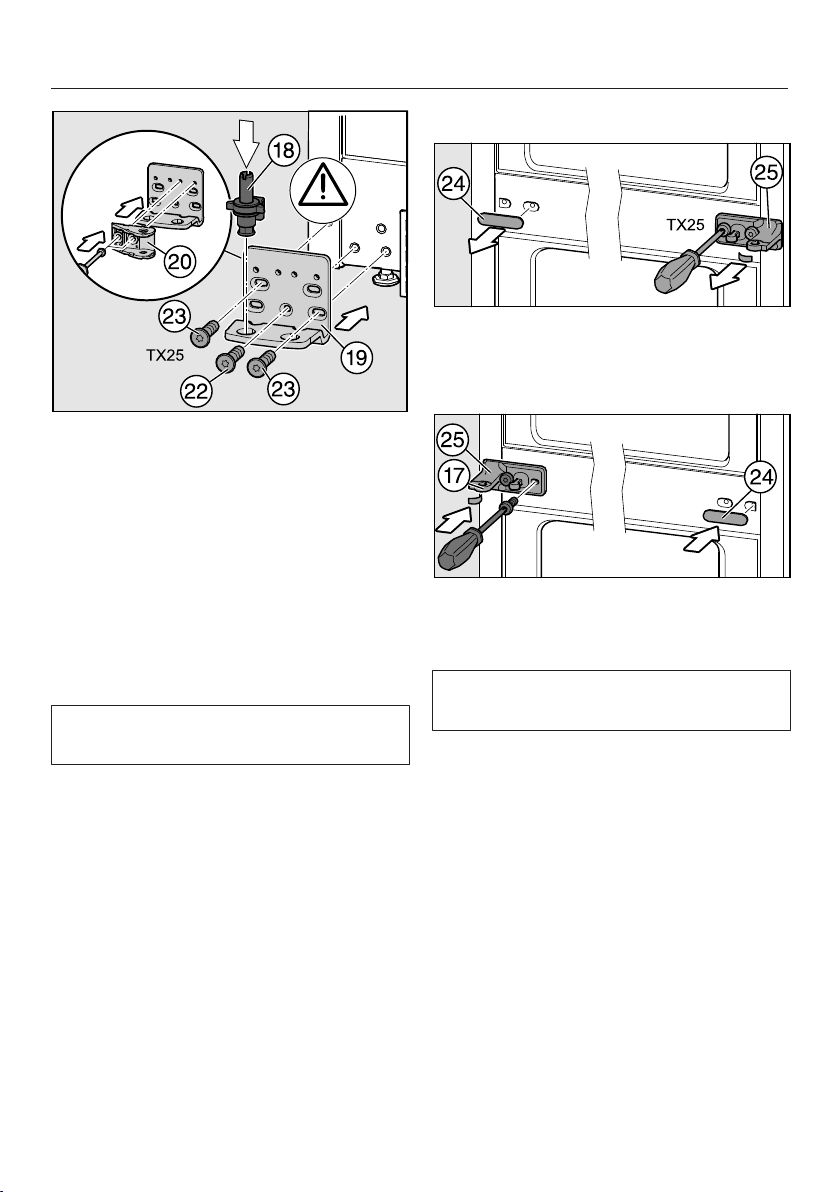
Installation
*INSTALLATION*
102
Turn holder through 180°, and
screw it into position in the two op-
posite slots in the hinge plate.
Secure hinge plate on the opposite
side, starting with screw in the
middle at the bottom.
Then screw in the other two
screws.
Reinsert hinge pin complete with
washer and adjustable foot.
The lug on the hinge pin must point to
the back again.
Changing the middle hinge plate over
Pull off cover.
Unscrew hinge plate with the pro-
tective film underneath.
Turn hinge plate through 180° and
screw it with the protective film into
position on the opposite side.
The protective film protects the appli-
ance housing from damage.
Turn grey plastic cover through
180° and refit it in the hinge plate.
Tip: Plastic cover fits over the pro-
truding bearing bush so that this is
covered from underneath and from the
side.
Turn cover through 180° and refit it
on the opposite side.
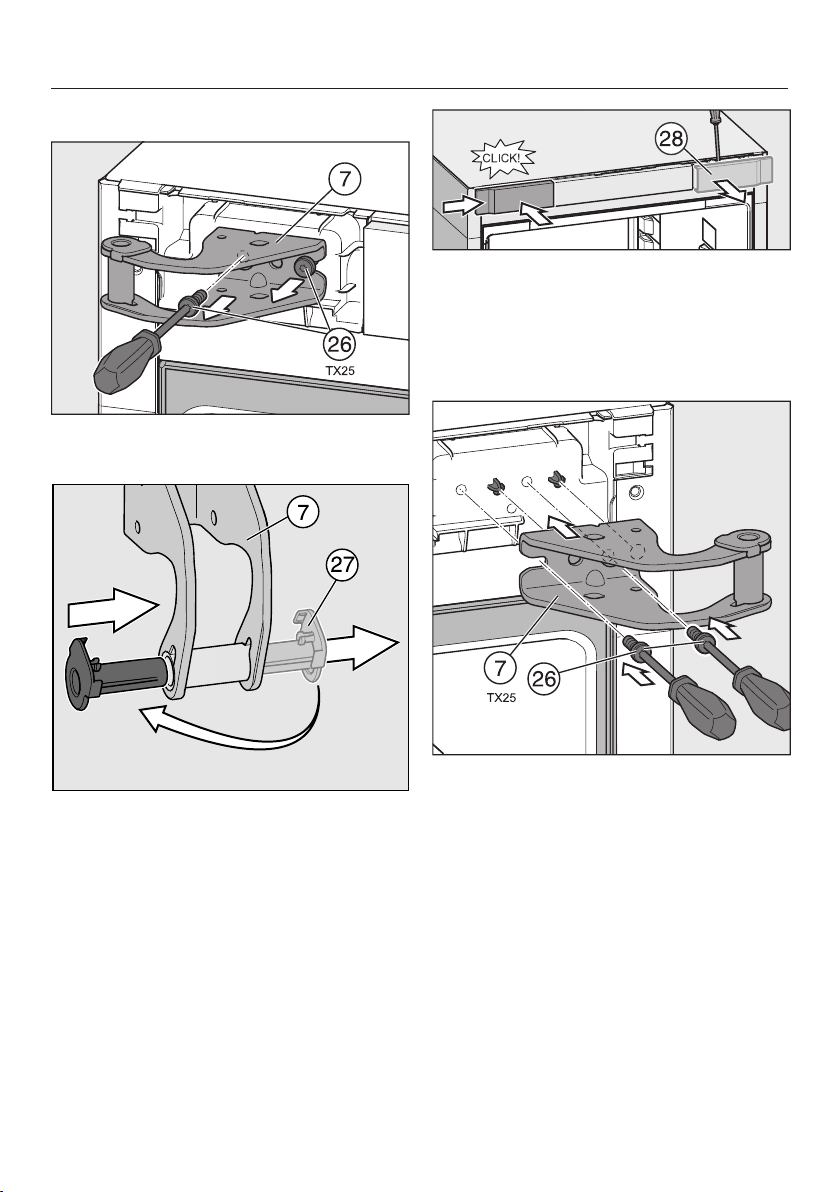
Installation
*INSTALLATION*
103
Changing the upper door hinge over
Unscrew the screws on the door
hinge and remove it.
Pull the bearing bush out of the
guide on the door hinge and refit it
on the opposite side.
Slide the cover off to the side.
Turn the cover 180° and refit it on the
opposite side. Push on the cover
from the side and click it into posi-
tion.
Fit the upper door hinge onto the
pins on the refrigeration appliance.
Secure the door hinge with the
screws.
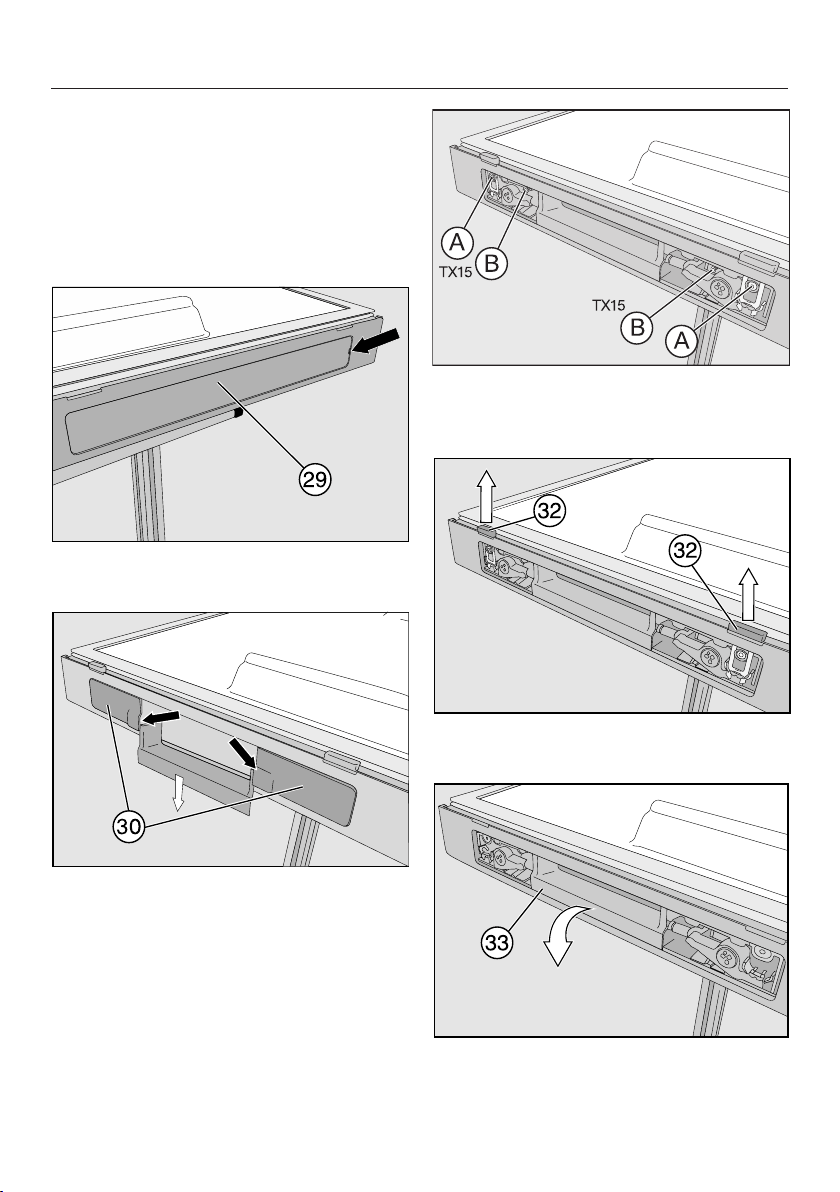
Installation
*INSTALLATION*
104
Preparing the appliance door
Tip: Spread a suitable cover over a
stable surface to protect the appliance
door from damage. Place the appliance
door on it with the outside facing down.
Change the door opening aid over
Remove cover from the opening
for the recessed handle.
Remove the covers on the right
and left of the recessed handle.
Fully unscrew the screw with the grey
plastic collar and the screw
without the collar.
Pull the door opening sliders firmly
upwards to remove them.
Remove the door opening aid .
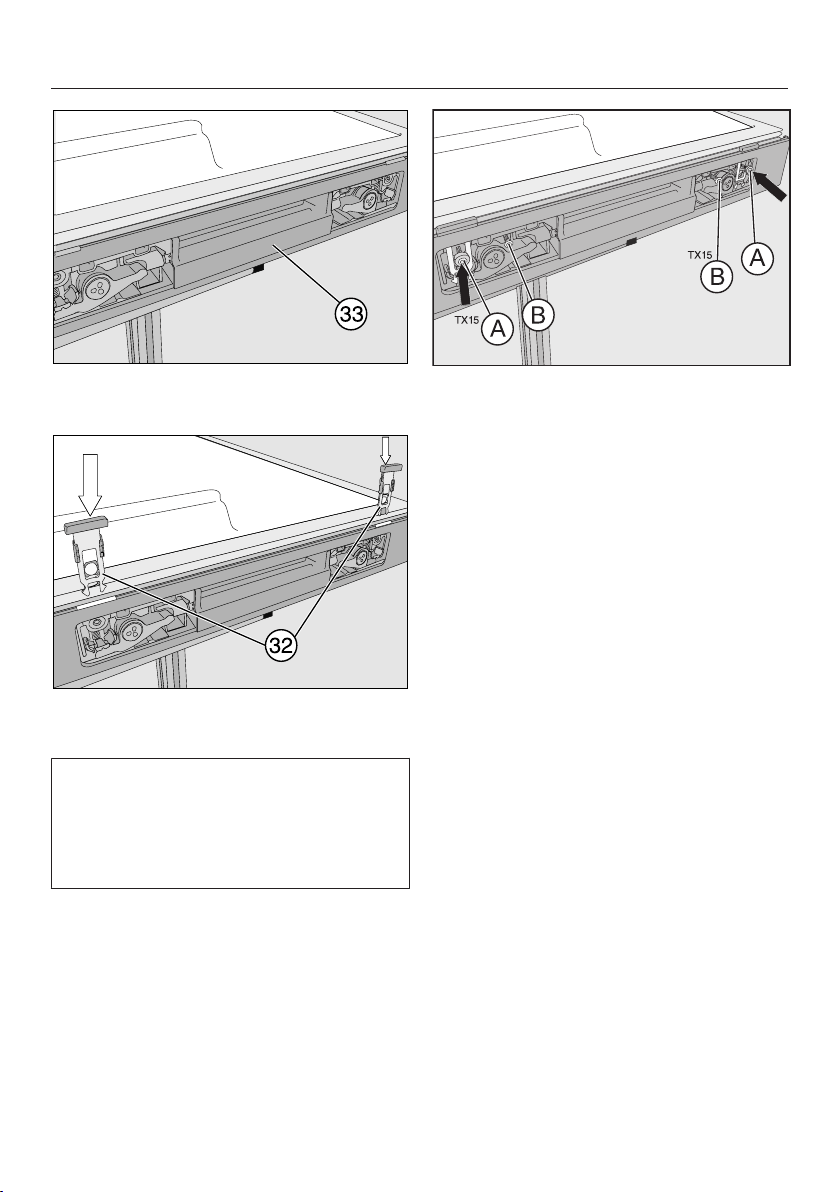
Installation
*INSTALLATION*
105
Refit door opening aid on the op-
posite side.
Push door opening slider through
the slots until it clicks into position.
The flush side of the door opening
slider must face the door seal. The
plastic lug on the slider must not abut
the door seal but must point towards
the outer edge of the door.
Secure the door opening aid using
the screw with the plastic collar
and the screw without a plastic col-
lar. Do not overtighten the screws!
Tip: Check whether the door opening
aid moves easily by pressing it. If it
does not move freely, the screws
should be loosened slightly.
Fit covers and.
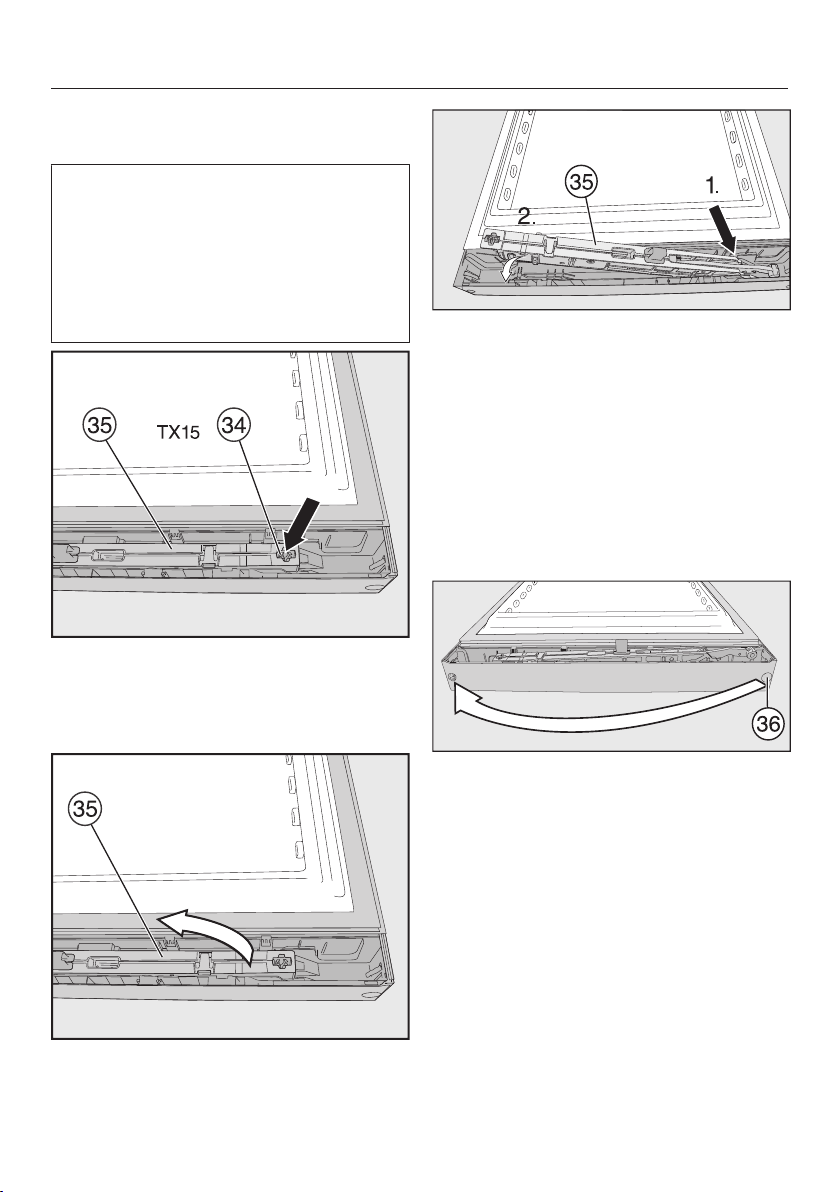
Installation
*INSTALLATION*
106
Changing the soft-close mechanism
over
If you want to limit the door opening
angle toapprox. 90° you need to fit
the door opening angle limiter sup-
plied before refitting the soft-close
mechanism (see “Installation – Fitting
the appliance door opening angle lim-
iter”).
Undo and remove the screw on
the soft-close mechanism and in-
sert a screwdriver behind the soft-
close mechanism.
Remove the soft-close mechanism
and turn it 180°.
Insert the soft-close mechanism
on the door hinge side (at an angle
initially) so that it clicks into position.
Then press the other end of the soft-
close mechanism into the opening.
Secure the soft-close mechanism
with the screw.
Changing over the bearing bush
stopper
Pull the stopper out of the door bear-
ing bush and replace it on the op-
posite side.
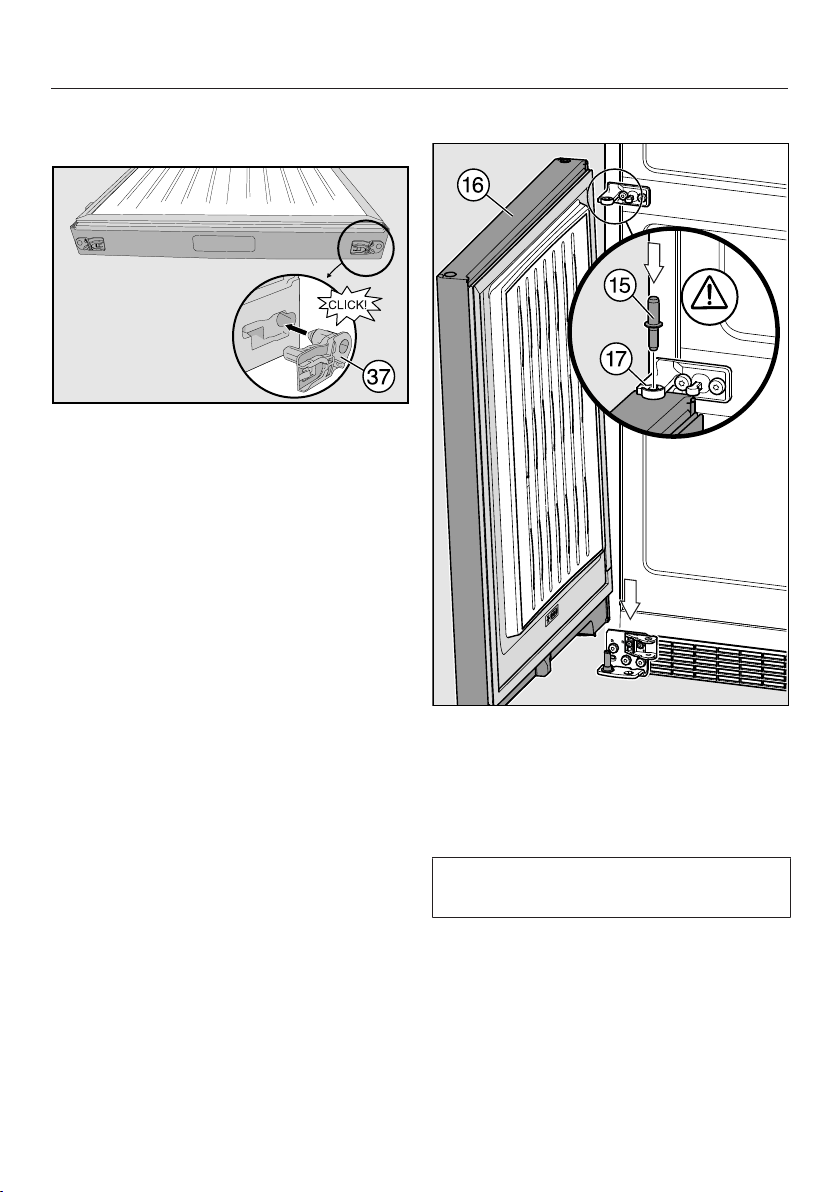
Installation
*INSTALLATION*
107
Fit the bearing bush supplied into the
upper appliance door
Fit the bearing bush (supplied with
the appliance) in the opening on the
lower edge of the appliance door.
Remove the bearing bush from the
opposite side.
Tip: Keep the bearing bush in case you
want to change over the door hinging
again at a later date.
Refitting the lower door
Place door onto the hinge pin from
above.
Insert middle hinge pin through
middle hinge plate into the bearing
bush of the lower appliance door.
Important. The lug on the hinge pin
must point to the back again.
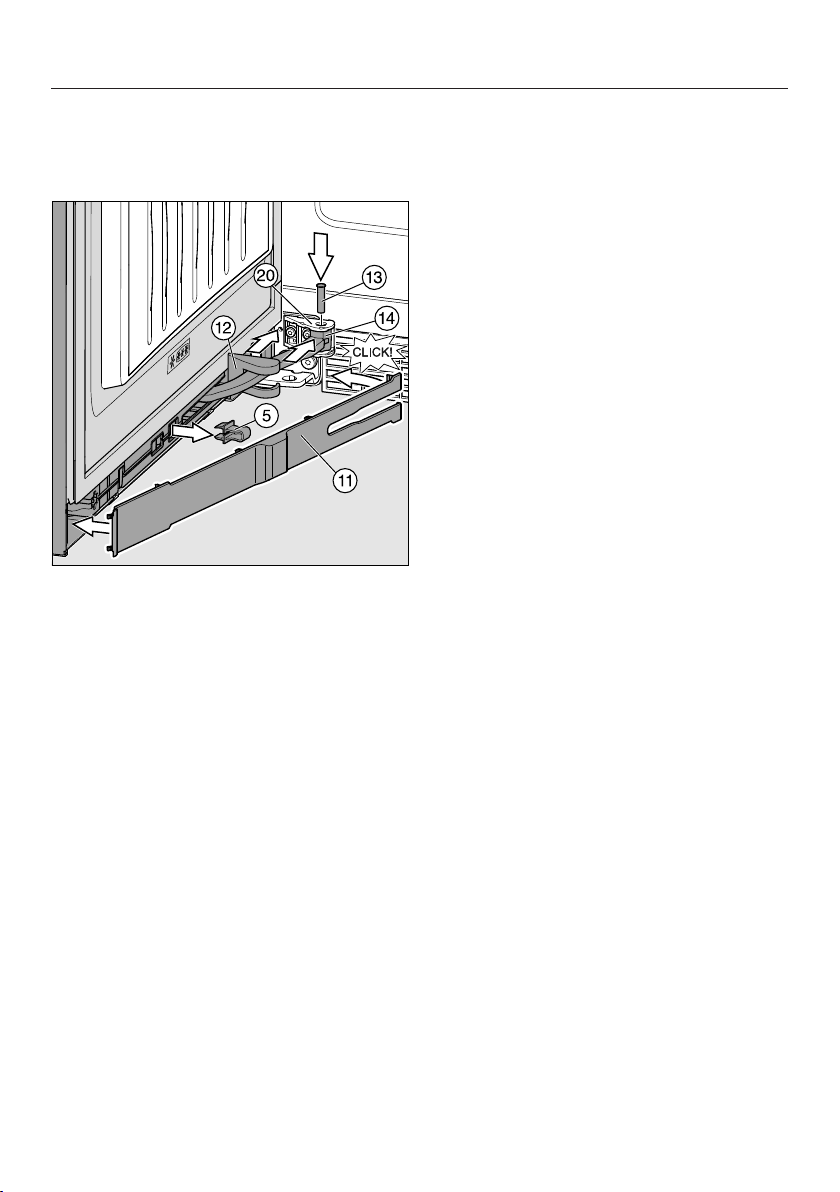
Installation
*INSTALLATION*
108
Securing the lower soft-close mech-
anism
Open the lower door.
Pull cover along hinged arm on
the soft-close mechanism.
Open the door 90°.
Push hinged arm into the opening
on holder.
Insert pin into the hinge plate from
above. Turn this with a screwdriver
(approx. ¼ turn) until both lugs on the
pin click into position correctly in the
grooves.
Push cover further along hinged
arm on the soft-close mechanism
until it locks into position on the
holder for the soft-close mechanism.
Pull out red safety aid.
Tip: Keep the red safety aid in case you
want to change over the door hinging
again at a later date.
Insert panel on the opposite side
from the door hinge (at an angle ini-
tially) and then click it into position.
Close the appliance door.

Installation
*INSTALLATION*
109
Refitting the upper door
Place upper door onto middle
hinge pin and guide the upper
opening on the hinge side of the door
onto the door hinge with the bearing
bush.
Use your fingers to insert pin into
the door bearing bush.
Screw in pin (by approx. ¼turn)
until it clicks into position.
Fit safety cover on to the pin.
The appliance door is not secure until
safety cover has been correctly fit-
ted.
Securing the soft-close mechanism
Open the appliance door 90°.
Push on the cover until it clicks
into position.
Push the hinged arm into the
opening on the door hinge.
Insert the pin into the door hinge
from above. Turn this with a screw-
driver (by approx. ¼turn) until both
latches on the pin click into position
correctly in the grooves.
Pull out the red safety device.
Tip: Keep the red safety device in case
you want to change the door hinging
again at a later date.
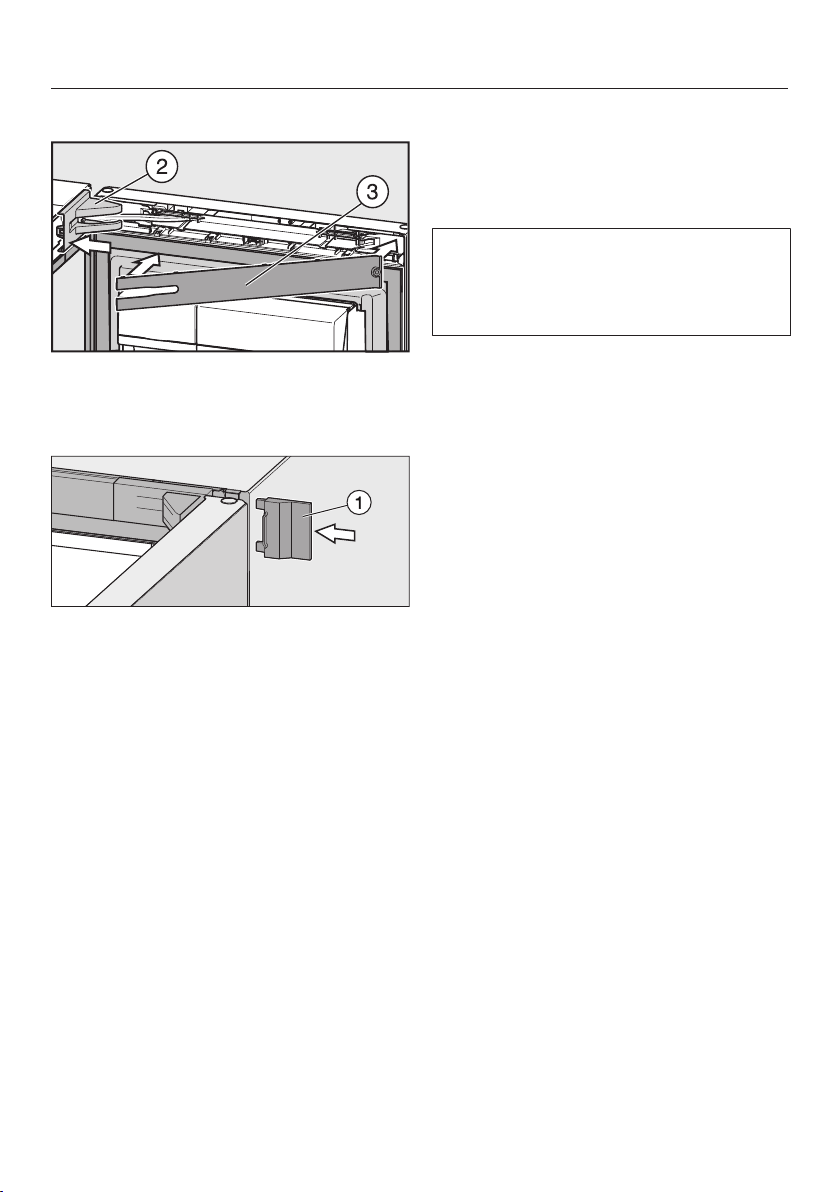
Installation
*INSTALLATION*
110
Fitting the upper covers
Fit the cover on the door hinge.
Fit the panel so that it clicks into
position.
Push on the outer cover.
Close the appliance door.
Aligning the appliance doors
The appliance doors can be aligned
with the appliance housing after they
have been fitted.
In the following illustration the door is
not shown in the closed position to
make it easier to see what you have to
do.
To align the lower door use the long
outer slots in the lower hinge plate:
Remove centre screw from the
hinge plate.
Slightly loosen both outer screws.
Align the door by sliding the hinge
plate to the left or right.
Then tighten screws again.
Screw does not need to be refit-
ted.
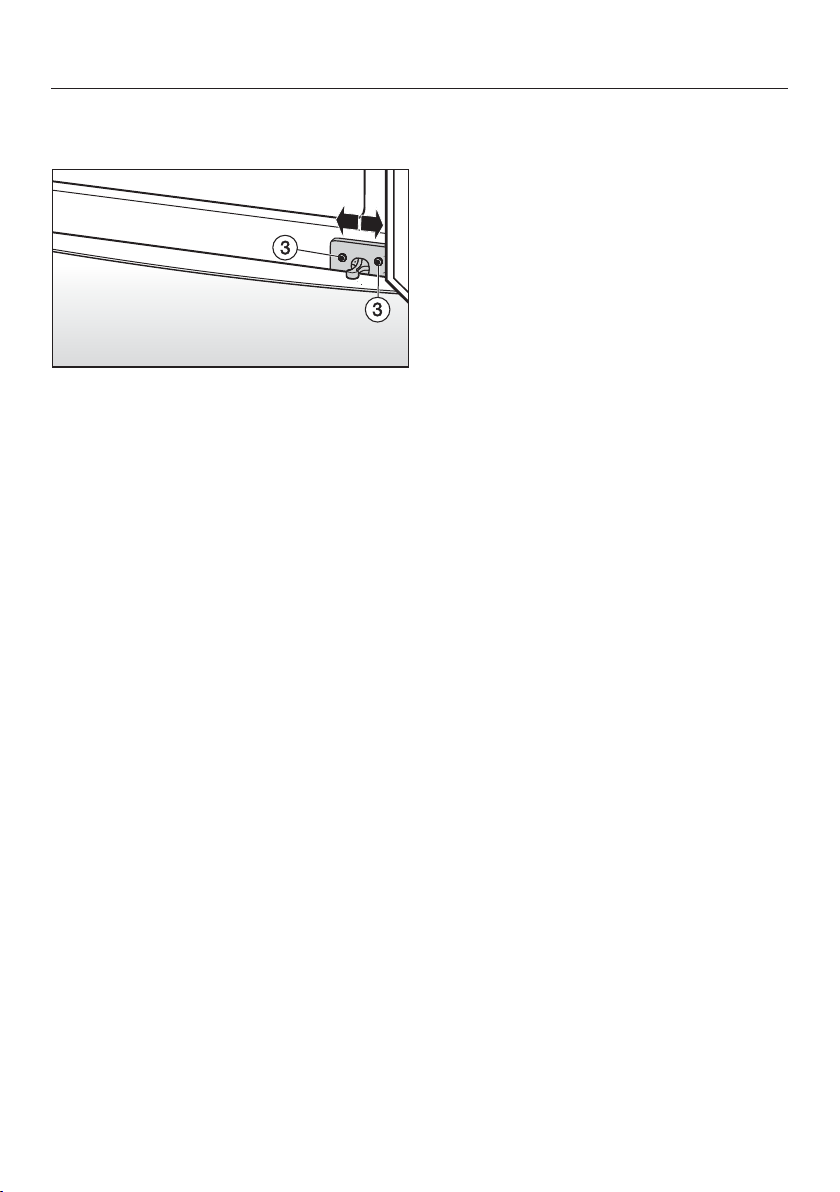
Installation
*INSTALLATION*
111
Align the upper door using the long
outer slots in the middle hinge plate:
Slightly loosen both screws.
Align the door by sliding the hinge
plate to the left or right.
Then tighten screws.
Installation
*INSTALLATION*
112
Mains water connection
Information about the mains water
connection
Risk of injury and appliance
damage if appliance is not connec-
ted properly.
Failing to connect the appliance
properly can result in personal injury
and/or material damage.
The appliance may only be connec-
ted to the mains water connection by
suitably qualified specialists.
Disconnect the refrigeration ap-
pliance from the power supply before
connecting it to the mains water sup-
ply.
Close the stopcock before connect-
ing the refrigeration appliance to the
mains water supply.
Risk to health and risk of dam-
age due to contaminated water.
The quality of the incoming water
must conform to the requirements for
drinking water in the country where
the refrigeration appliance is being
used.
Connect the refrigeration appliance
to the drinking water supply.
This refrigeration appliance meets the
requirements of IEC61770 and
EN61770.
Connection to the water supply must
comply with the applicable regula-
tions in the country where the appli-
ance is being installed. All appliances
and systems used to supply water to
the refrigeration appliance must also
comply with the applicable regula-
tions in the respective country.
The water connection pressure needs
to be between 150kPa and 600kPa
(1.5bar and 6bar).
Use fresh water to ensure that the
quality of the ice cubes remains high.
Connect the stainless steel hose to
the mains water supply and avoid
connection to a water supply in
which the water might stagnate.
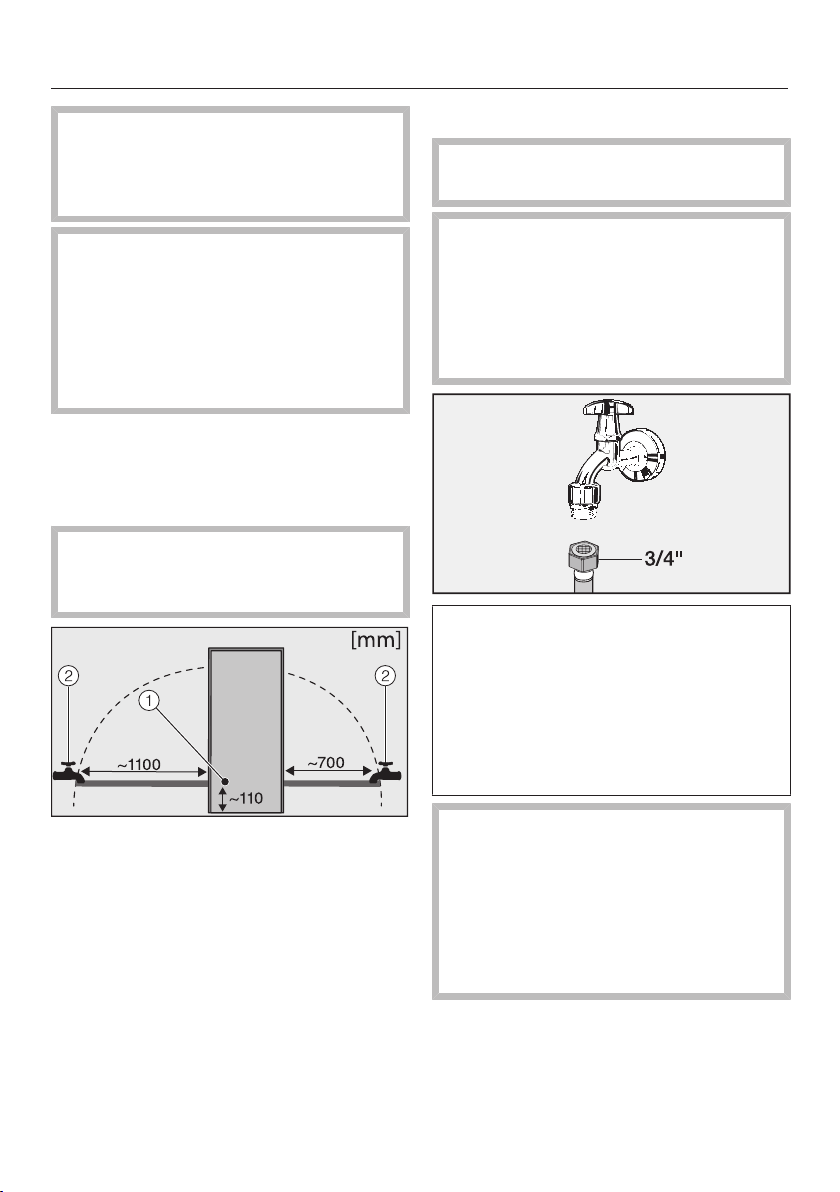
Installation
*INSTALLATION*
113
Only use the stainless steel hose
supplied. The stainless steel hose
must not be shortened, extended or
replaced by a different hose.
The stainless steel hose must only
be replaced by an original Miele
spare part. The food-grade, stainless
steel hose is available to order from
the Miele webshop, from the Miele
Customer Service Department or
from your local Miele dealer.
A stopcock must be provided between
the stainless steel hose and the mains
water supply to ensure that the water
supply can be cut off if necessary.
Make sure that the stopcock is still
accessible after the refrigeration ap-
pliance has been installed.
Solenoid valve
Stopcock
The stainless steel hose supplied is
1,5m long.
Water supply
Ensure that the connections are tight
and leak-proof.
Risk of damage to the stainless
steel hose.
The water supply from the tap to the
ice cube maker has been interrupted.
Do not bend or damage the stainless
steel hose.
A stopcock with a metric R3/4thread
must be incorporated when connect-
ing to the water supply.
The solenoid valve is located at the
back of the refrigeration appliance on
the bottom right. It also has a metric
R3/4thread.
Danger of injury from damaged
tool.
If exposed to very high or very low
temperatures, the tool supplied can
become brittle and break.
Use the tool at room temperature
only.
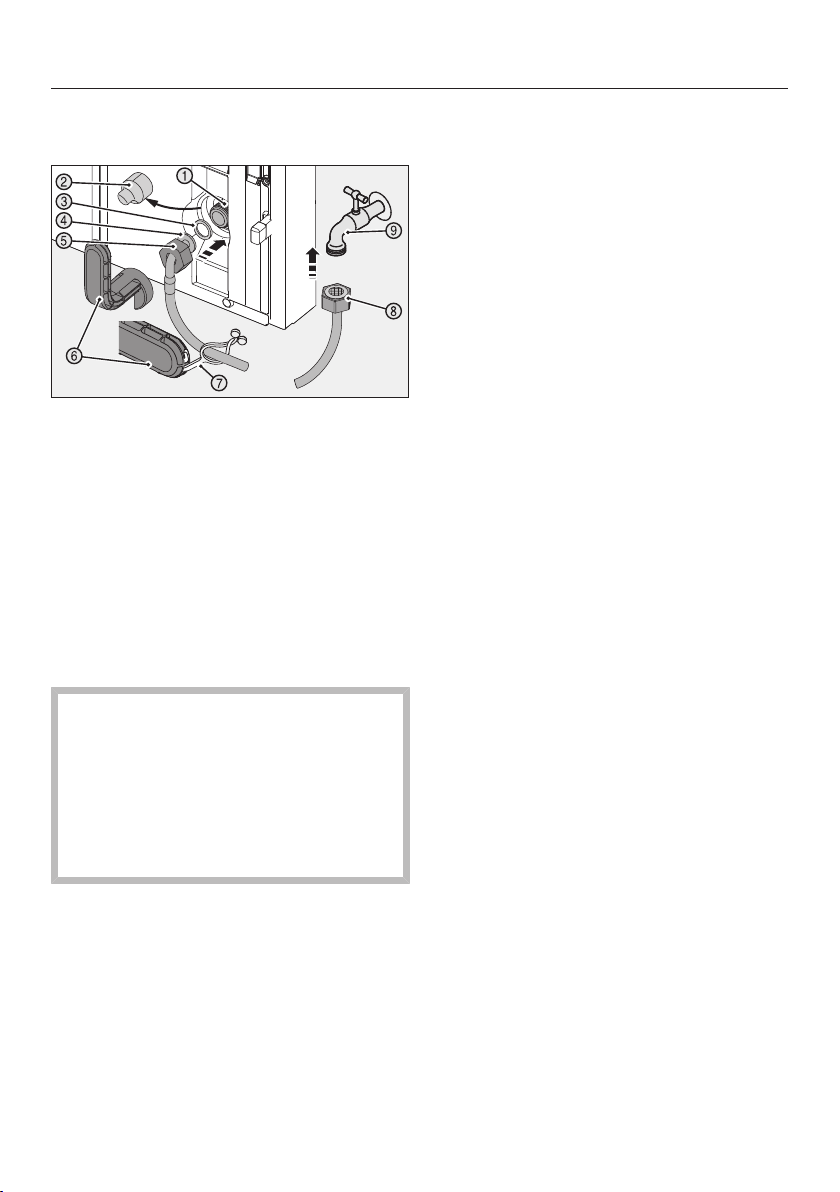
Installation
*INSTALLATION*
114
–Connecting the stainless steel hose
to the refrigeration appliance
Pull the cover off the thread of the
solenoid valve.
Push the nut over the angled end
of the hose as far as it will go,
holding the nut securely.
Moisten the seal, then press the
seal into the nut.
The seal should lie flush with the angled
end of the hose and be held lightly in
position.
Take care not to damage the
thread of the solenoid valve.
There is a risk of damaging the
threads beyond repair.
Position the nut straight on the
thread and screw it carefully into
place.
Tip: Lay out the straight end of the hose
on the floor to the left of the appliance.
Use two fingers to position the nut
straight on the thread of the solenoid
valve and screw it carefully into place.
Tighten the nut with the tool sup-
plied by turning it clockwise until
the maximum torque is reached and
the tool is over-torqued.
–Connecting the stainless steel hose
to the stopcock
Unscrew the safety cap from the
nut on the straight end of the hose.
Connect this nut using the tool
supplied to the stopcock. Tighten
the nut by turning it clockwise until
the maximum torque is reached and
the tool is over-torqued.
–Checking the mains water connec-
tion
Open the stopcock and switch the
ice cube maker on (see “Selecting
further settings” – “Switching the ice
cube maker on and off”) as soon as
the refrigeration appliance has been
connected to the electricity supply.
Check the entire water system for
leaks.
Fold the tab on the toolin and
secure the tool to the stainless steel
hose for safe-keeping.
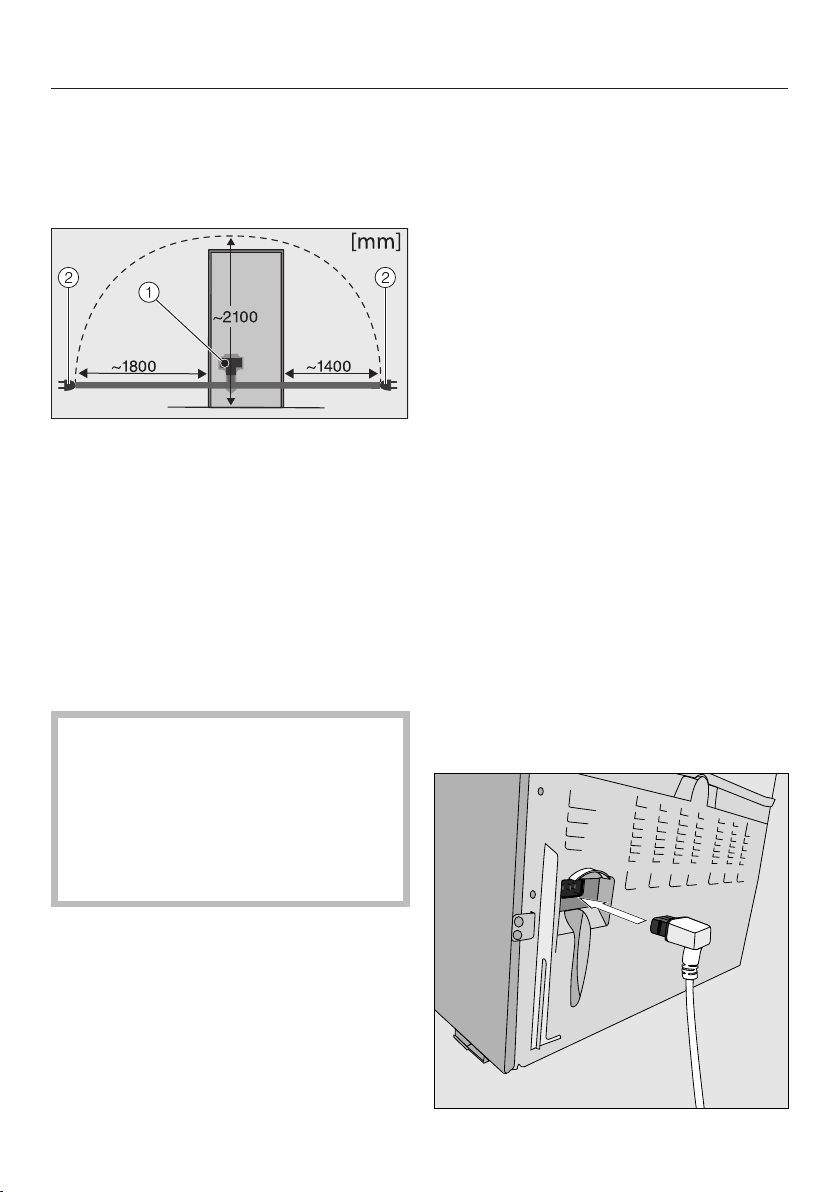
Installation
*INSTALLATION*
115
Electrical connection
The refrigeration appliance must only be
connected to an earthed socket using
the connection cable supplied.
Appliance plug connector
Mains plug
A longer connection cable is available
to order from the Miele Customer Ser-
vice Department.
The socket must be easily accessible
after the refrigeration appliance has
been installed. If the socket is not easily
accessible, ensure that a suitable
means of disconnection is provided on
the installation side for each pole.
Risk of fire from overheating.
Connecting the refrigeration appli-
ance to a multi-socket plug adapter
or to an extension lead can overload
the cable.
For safety reasons, do not use an ex-
tension lead or multi-socket adapter.
The electrical installation must comply
with VDE0100 requirements.
For safety reasons, we recommend us-
ing a type A residual current device
(RCD) in the assigned electrical installa-
tion for connecting the refrigeration ap-
pliance.
If the mains connection cable is dam-
aged, it must only be replaced with a
specific mains connection cable of the
same type (available from the Miele
Customer Service Department). For
safety reasons, such replacement may
only be carried out by a qualified spe-
cialist or the Miele Customer Service
Department.
These operating instructions and the
data plate indicate the nominal power
consumption and the appropriate fuse
rating. Compare this information with
the data of the on-site electrical con-
nection.
If in any doubt, consult a qualified elec-
trician.
Do not connect the refrigeration appli-
ance to a stand-alone inverter such as
those used with an autonomous energy
source, e.g. solar power. When the refri-
geration appliance is switched on,
power surges could result in an auto
switch-off. This could damage the elec-
tronic module.
Connecting the appliance
Installation
*INSTALLATION*
116
Insert the plug connector into the
socket at the back of the refrigeration
appliance.
Make sure that the plug connector has
clicked into position correctly.
Insert the mains plug into the mains
socket and switch on.
The appliance is now connected to the
electricity supply:
will appear on the display.
Follow the steps described in “Switch-
ing on and off – Switching on”.



United Kingdom
Miele Co. Ltd., Fairacres, Marcham Road, Abingdon, Oxon, OX14 1TW
Tel: 0330 160 6600, Internet: www.miele.co.uk/service, E-mail: [email protected]
Australia
Miele Australia Pty. Ltd.
ACN 005 635 398
ABN 96 005 635 398
1 Gilbert Park Drive
Knoxfield, VIC 3180
Tel: 1300 464 353
Internet: www.miele.com.au
Miele Electrical Appliances Co., Ltd.
1-3 Floor, No. 82 Shi Men Yi Road
Jing' an District
200040 Shanghai, PRC
Tel: +86 21 6157 3500
Fax: +86 21 6157 3511
E-mail: [email protected],
Internet: www.miele.cn
China Mainland
Miele (Hong Kong) Ltd.
41/F - 4101, Manhattan Place
23 Wang Tai Road
Kowloon Bay, Hong Kong
Tel: (852) 2610 1025
Fax: (852) 3579 1404
Email:
Website: www.miele.hk
Hong Kong, China
Miele India Pvt. Ltd.
1st Floor, Copia Corporate Suites,
Commercial Plot 9,
Mathura Road, Jasola,
New Delhi - 110025
E-mail: customercare@miele.in
Website: www.miele.in
India
Miele Ireland Ltd.
2024 Bianconi Avenue
Citywest Business Campus
Dublin 24
Tel: (01) 461 07 10
Fax: (01) 461 07 97
E-Mail: [email protected]
Internet: www.miele.ie
Ireland
Malaysia
Miele Sdn Bhd
Suite 12-2, Level 12
Menara Sapura Kencana
Petroleum
Solaris Dutamas No. 1
Jalan Dutamas 1
50480 Kuala Lumpur, Malaysia
Phone: +603-6209-0288
Fax: +603-6205-3768
Miele New Zealand Limited
IRD 98 463 631
8 College Hill
Freemans Bay, Auckland 1011
New Zealand
Tel: 0800 464 353
Internet: www.miele.co.nz
New Zealand
Miele Pte. Ltd.
29 Media Circle
#11-04 ALICE@Mediapolis
Singapore 138565
sTel: +65 6735 1191
Fax: +65 6735 1161
E-Mail: [email protected]
Internet: www.miele.sg
Singapore
Miele (Pty) Ltd.
63 Peter Place
Bryanston 2194
P.O. Box 69434
Bryanston 2021
Tel: (011) 875 9000
Fax: (011) 875 9035
E-mail: [email protected]
Internet: www.miele.co.za
South Africa
Miele Appliances Ltd.
Showroom 1
Eiffel 1 Building
P.O. Box 114782 - Dubai
Tel. +971 4 3044 999
Fax. +971 4 3418 852
800-MIELE (64353)
E-Mail: [email protected]
Website: www.miele.ae
United Arab Emirates
Manufacturer:
Miele & Cie. KG, Carl-Miele-Straße 29, 33332 Gütersloh, Germany
Thailand
Miele Appliances Ltd.
BHIRAJ TOWER at EmQuartier
43rd Floor Unit 4301-4303
689 Sukhumvit Road
North Klongton Sub-District
Vadhana District
Bangkok 10110, Thailand
Sheikh Zayed Road, Umm Al Sheif

M.-Nr. 10 999 990 / 03en-GB
KWNS 28462 E ed/cs