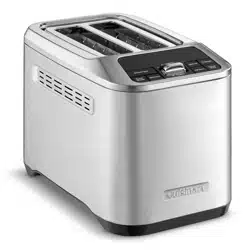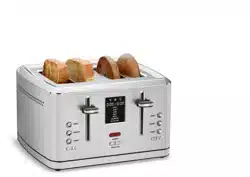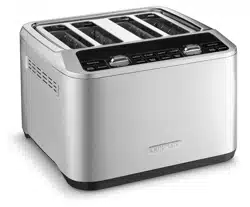
4-Slice Motorized Digital Toaster CPT-540
For your safety and continued enjoyment of this product, always read the instruction book carefully before using.
INSTRUCTION BOOKLET

2
CONTENTS
Important Safeguards . . . . . . . . . . . . . . . . . . . . . . . . . . . . . . . . . . . . . . . 2
Special Cord Set Instructions
................................. 3
Before First Use
............................................ 3
General Operation
.......................................... 3
Features and Benefits
....................................... 4
MemorySet Feature
......................................... 5
Functions
................................................. 5
Tips and Hints
............................................. 6
Cleaning and Maintenance
................................... 7
Troubleshooting
............................................7
Warranty
.................................................. 8
IMPORTANT SAFEGUARDS
When using an electrical appliance, especially when children are
present, basic safety precautions should always be taken, including
the following:
1. Read all instructions.
2. Always unplug from outlet when not in use and before cleaning.
Allow to cool before cleaning or handling.
3. Do not touch hot surfaces. Use buttons or bars.
4. To protect against electric shock, do not immerse cord or plug or
place any part of the toaster in water or other liquids. See instructions
for cleaning.
5. This appliance should not be used by or near children or individuals
with certain disabilities. Close supervision is necessary when any
appliance is used by or near children.
6. Do not operate any appliance with a damaged cord or plug, after the
appliance has malfunctioned or has been dropped, dropped in water
or damaged in any way, or if it is not operating properly. Return the
toaster to the store or retailer where purchased for examination,
repair or adjustment.
7. The use of accessory attachments not recommended by Cuisinart
may cause injury.
8. Do not use outdoors.
9. Do not let cord hang over the edge of the table or countertop or
touch hot surfaces.
10. Do not place toaster on or near a hot gas or electric burner or in a
heated oven.
11. Do not use this toaster for anything other than its intended use.
12. Oversized foods, metal foil packages or utensils must not be inserted
in the toaster, as they may involve a risk of re or electric shock.
13. A re may occur if the toaster is covered or touching ammable
materials, such as curtains, draperies or walls, when
in operation. Do not operate under wall cabinets.

3
14. Do not attempt to dislodge food when the toaster is plugged into
an electrical outlet.
15. To avoid possibility of re, do not leave toaster unattended during use.
16. To disconnect, push the Activation Bar toward CANCEL, then
remove plug from wall. Unplug from outlet when not in use and before
cleaning. Allow to cool before putting on or taking off parts.
17. Do not operate your appliance in an appliance garage or under a wall
cabinet. When storing in an appliance garage, always unplug the
unit from the electrical outlet. Not doing so could create a risk of
re, especially if the appliance touches the walls of the garage or the
door touches the unit as it closes.
SAVE THESE INSTRUCTIONS
FOR HOUSEHOLD USE ONLY
SPECIAL CORD SET INSTRUCTIONS
A short power-supply cord is provided to reduce the risks resulting from
becoming entangled in or tripping over a longer cord. Longer extension
cords are available and may be used if care is exercised in their use.
If an extension cord is used, the marked electrical rating of the extension
cord should be at least as great as the electrical rating of the appliance,
and the longer cord should be arranged so that it will not drape over the
countertop or tabletop where it can be pulled on by children or tripped
over unintentionally.
NOTICE: This appliance has a polarized plug (one blade is wider than
the other). As a safety feature, this plug will fit in a polarized outlet only
one way. If the plug does not fit fully in the outlet, reverse the plug. If it
still does not fit, contact a qualified electrician. Do not attempt to
defeat this safety feature.
BEFORE FIRST USE
Unwind the power cord. Check that the crumb tray is in place and that
there is nothing in the toaster slots. Plug power cord into the wall outlet.
GENERAL OPERATION
1. Insert slice(s) of bread
NOTE: Use controls and activation bar on the left to toast items in the
left slots. Use controls and activation bar on the right to toast items in
the right slots.
2. Select desired bread options and/or functions
Choose among White Bread, English Mufn, Pastry, Whole Wheat,
Bagel or Wafe for your bread type and select Defrost and/or Single if
desired. Alternatively, use the Memory Button to retrieve one of your
4 saved settings. Press the Memory Button until your desired memory
setting is displayed (if this option is chosen, skip to step 4).
3. Set the browning level
Use the Toast Shade button to select your desired shade setting.
The shade number will be displayed. Shade range is as follows:
SET TING COLOR
1–2 light
3–5 medium
6–7 dark
4. To begin toasting
Press the Activation Bar down towards TOAST. The motorized carriage
will lower the bread into the toasting chamber and toasting will begin.
Countdown bars will ash to indicate how much toasting time remains.
5. To stop cycle
When the toasting cycle is nished, the toast will be raised and 3
audible tones will sound. If you wish to stop the cycle before it is
nished, simply press the Activation Bar up toward CANCEL.
6. After use, unplug the toaster from the electrical outlet.
NOTE: After 3 minutes of no operation, toaster will go into sleep mode,
Digital Display will turn off. Press any button or push down the Activation
Bar, and the Digital Display will turn on.
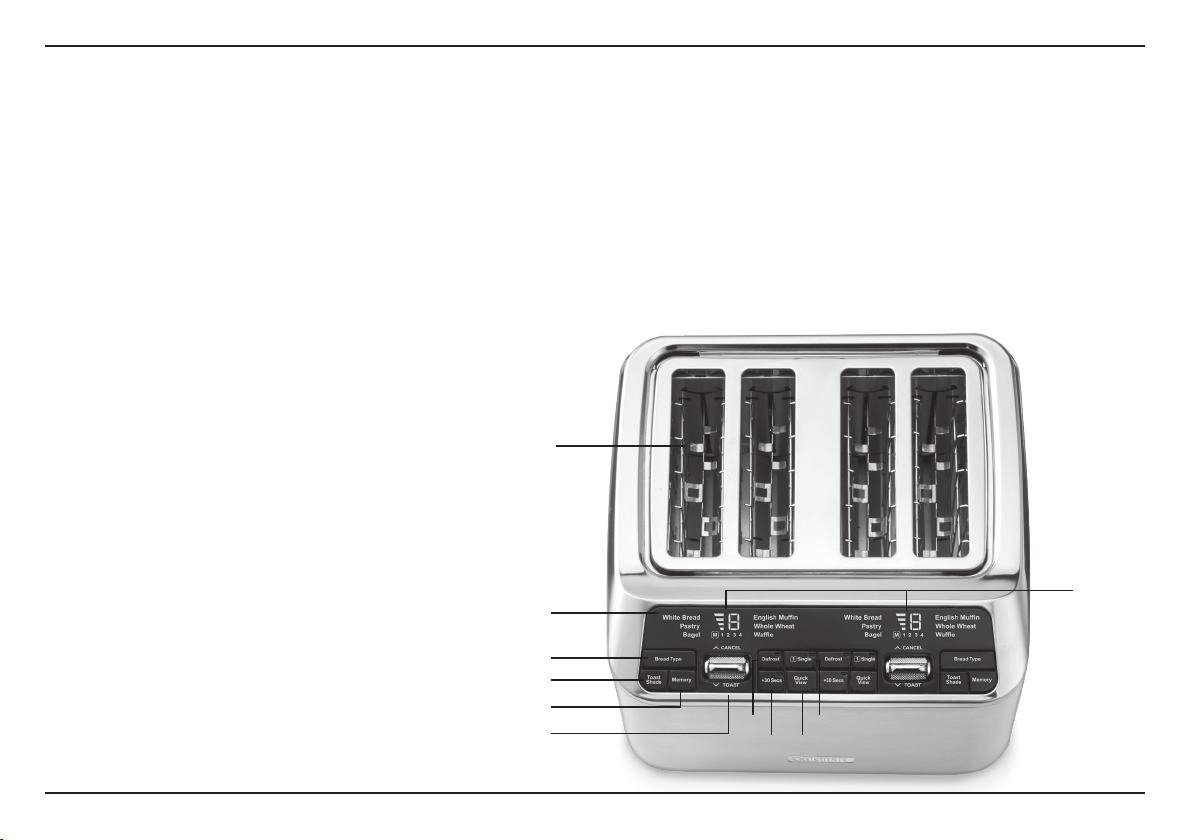
1
8
9 10
11
2
4
5
6
7
3
4
FEATURES AND BENEFITS
1. Toasting Slots
Wide slots accommodate a variety of
bread types.
2. Digital Display
Shows selected shade and bread settings,
the memory function and provides a
countdown so you know when your toast
will be ready.
3. Dual Control Panels
Two sets of controls toast breads on different
settings. Use controls and bar on the side
you are toasting.
4. Bread Type Button
Press to select desired bread function
(White Bread, Pastry, Bagel, English Mufn,
Whole Wheat, Wafe). Selected bread will
ash during programming and be lit solid
during toasting.
5. Toast Shade Button
Press to select desired shade level (1-7).
Currently selected shade setting will be
displayed.
6. Memory Button
MemorySet feature programs up to 4 of
your favorite settings per side. See page 5
for more details.
7. Toast/Cancel Activation Bar
Activate the toasting function by pressing
the bar down toward TOAST; the motorized
carriage will lower the bread into the toasting
chamber. Press the bar up toward CANCEL
to stop the toasting process and automatically
lift the bread.
8. Defrost Button
Defrosts then toasts frozen bread. LED
indicator will illuminate when selected.
9. +30 Secs Button
Can be used to toast for 30 seconds or
to extend an originally selected browning
shade setting for an additional 30 seconds.
10. QuickView Button
Press during toasting to momentarily lift the
bread to observe the shade status without
interrupting the toasting cycle. See page 6
for more details.
11. Single-Slice Button
Evenly toasts, side to side. LED indicator
will illuminate when selected.
12. Audible Tone (not shown)
Lets you know when toasting is nished.
13. Slide Out Crumb Tray (not shown)
A removable tray located on back of
toaster collects crumbs and slides out for
easy cleaning.
14. Cord Storage (not shown)
Wraps the excess cord to keep countertop neat.

5
MEMORYSET FEATURE
The MemorySet feature is designed to easily save up to 4 of your
preferred toast settings per side, for a total of 8 memory settings.
To program a memory setting:
1. Select desired bread options and/or functions and toast shade.
2. Press and hold the Memory Button until the M lights and 1 ashes on
the display.
3. Select your desired memory setting number by pressing the Memory
Button until the desired number (1-4) ashes.
4. Conrm by pressing and holding the Memory Button again until
ashing stops. Or, if nothing is pressed for 3 seconds, ashing will
stop automatically and setting displayed will be saved.
NOTE: Any memory function setting can be revised by repeating the
steps above and overriding the current setting.
NOTE: Memory settings will remain saved even when toaster is unplugged.
To easily erase all memory settings:
1. Unplug the toaster.
2. Simultaneously press and hold the Bread Type and Memory buttons
from the left-side control panel.
3. Keep pressing Bread Type and Memory buttons while plugging
toaster into the power outlet. Once the 3 beeps stop, release buttons
and all memory settings should have reverted to default (White Bread,
shade 4).
FUNCTIONS
The BREAD TYPE function is designed to toast, or defrost (in conjunction
with the DEFROST setting), various types of bread based on their unique
properties. Some breads require more or less time due to density, sugar
content, and other factors.
The WHITE BREAD function is designed for soft, white sandwich
breads. These breads are made mostly of rened white our and are
more commonly known as the sliced, packaged varieties found in the
supermarket bread aisle, labeled as country or farmhouse white.
The BAGEL function is designed to toast bagels to perfection by
reducing heat on one side of the toasting slot. This toasts the cut side
of the bagel slightly more than the other side.
A directional icon located on the top of the toaster shows you
the correct way to insert your bagel. (The cut side should always
face away from center of the pair of toasting slots.)
The WHOLE WHEAT function is designed for unrened, nutrient-dense
breads made from 100% whole grains, or mostly whole grains, including
varieties such as whole wheat, sprouted whole grains, rye, oat, ax, etc.
The ENGLISH MUFFIN function adds extra time to the toasting cycle to
allow for a more dense bread type.
The WAFFLE function is designed for wafes. Select DEFROST for
frozen wafes.
The PASTRY function is designed for toaster pastries. Exercise caution;
the lling can become quite hot, long before the surface of the pastry
becomes browned. Start by using the lightest setting. Never leave toaster
pastries unattended while toasting.
Defrost
The DEFROST function is a longer cycle designed to rst defrost and
then toast the bread to the desired browning shade. LED indicator will
illuminate when selected.

6
Single Slice
The SINGLE function generates balanced heat for even toasting on just
one slice of bread. While both slots heat up, the heaters automatically
adjust time and intensity to ensure great results with even side-to-side
browning. LED will illuminate when selected.
QuickView™
The QUICKVIEW™ feature allows you to check on the toasting progress
without interrupting the cycle. Simply press the button during toasting
to momentarily lift the bread to observe the shade status. The bread will
automatically lower back down and continue toasting without interrupting
the cycle.
NOTE: The QuickView™ function can be activated a maximum of 3 times
during a toasting cycle. Operating the QuickView™ function more than
once will affect the toast color.
+30 Secs
The +30 SECS function allows you to extend the toasting time by
30 seconds.
If selected during toasting cycle:
• The +30 Secs LED indicator will ash. Current shade countdown will
be paused. Upon completion of the 30-second cycle, the originally
selected browning shade cycle will resume.
If selected after toasting cycle has completed:
• The +30 Secs LED indicator will light and shade setting will disappear.
Once toasting begins, the +30 Secs indicator will ash until time has
elapsed.
TIPS AND HINTS
Notes on Browning
Toasting is a combination of cooking and drying of the bread. Therefore,
differences in moisture level from one item to another can result in
varying toasting times.
• For lighter, airier, or slightly dry breads, use a lower setting than
normal.
• For very fresh bread, use the Whole Wheat setting.
• For breads with uneven surfaces, similar to English mufns or
crumpets, use the English Mufn setting.
• For thicker, denser, or very fresh breads, use a higher browning
setting than normal. Very thick slices may require a second cycle.
• When toasting raisin or other fruit breads, remove any loose raisins,
etc., from the surface of the bread before placing into the toaster.
This will help prevent fruit pieces from falling into the toaster or
sticking on the guide wires in the slots.
• Before toasting bagels, slice into two equal halves.
Frozen Bread, Waffles, Pancakes, French Toast and Bagels
Use the Defrost function to defrost, and then toast these items.
Simply insert the frozen item, select desired function, select Defrost,
select desired browning setting (1–7) and then press down the bar
to start.
For Best Results
• Never force foods into the toasting slots. Foods should t freely
between the guide wires.
• Do not place buttered breads in the toaster, as this could create
a re hazard.
• Uneven toasting is usually due to inserting slices of uneven
thickness.
7
CLEANING AND MAINTENANCE
1. Always allow the toaster to cool completely before cleaning.
2. Always unplug the toaster from the electrical outlet before
cleaning.
3. Do not use abrasive cleaners. Simply wipe the exterior with a clean,
damp cloth and dry thoroughly.
4. To remove crumbs, slide out the crumb tray and discard crumbs.
Wipe clean and replace. Never operate the toaster without the crumb
tray in place.
5. To remove any pieces of bread remaining in the toaster, unplug the
toaster, turn it upside down and gently shake. Never insert any hard
or sharp instruments into the slots, as this could damage the toaster
and cause a safety hazard.
6. Never wrap the cord around the outside of the toaster. Use the cord
storage cleats on the underside of the toaster.
7. Any other servicing should be performed by an authorized
service representative.
TROUBLESHOOTING
PROBLEM SOLUTION
Why won’t my unit turn on?
Make sure your unit is plugged into a
functional outlet.
If this doesn’t solve the issue, call
our Consumer Service Center at
1-800-726-0190.
Why does the bread go up
and down repeatedly and/or
display shows an “E” while
my toaster beeps?
Your bread may have gotten caught.
This happens most often when the
bread is too thick for the slot. Unplug
the toaster, let it cool down and check
that the bread is not stuck and try
running a toast cycle with no bread.
If the issue persists, call our Consumer
Service Center.
Why do both heaters turn on
when I select Single Slice?
It is normal for both heaters to turn on.
They are internally programmed to
adjust the intensity and time when
Single Slice is selected.
Can I add time during the
toasting cycle?
Yes, you can add time to the toasting
cycle by increasing your shade level or
pressing the +30 Secs button.
I can’t get my Memory
settings to reset, what
should I do?
Try following the steps 1-3 on page 5 of
this instruction booklet.
Make sure you are pressing the BREAD
TYPE and MEMORY buttons while
plugging the unit back in the outlet.

8
WARRANTY
Limited Three-Year Warranty
This warranty is available to U.S. consumers only. You are a consumer
if you own a Cuisinart
®
4-Slice Motorized Digital Toaster that was
purchased at retail for personal, family or household use. Except as
otherwise required under applicable law, this warranty is not available
to retailers or other commercial purchasers or owners. We warrant that
your Cuisinart
®
4-Slice Motorized Digital Toaster will be free of defects
in materials and workmanship under normal home use for 3 years from
the date of original purchase.
We recommend that you visit our website, cuisinart.registria.com/, for a
fast, efficient way to complete your product registration. However, product
registration does not eliminate the need for the consumer to maintain the
original proof of purchase in order to obtain the warranty benefits. In the
event that you do not have proof of purchase date, the purchase date for
purposes of this warranty will be the date of manufacture.
CALIFORNIA RESIDENTS ONLY
California law provides that for In-Warranty Service, California residents
have the option of returning a nonconforming product (A) to the store
where it was purchased or (B) to another retail store that sells Cuisinart
products of the same type. The retail store shall then, according to
its preference, either repair the product, refer the consumer to an
independent repair facility, replace the product, or refund the purchase
price less the amount directly attributable to the consumer’s prior
usage of the product. If neither of the above two options results in the
appropriate relief to the consumer, the consumer may then take the
product to an independent repair facility, if service or repair can be
economically accomplished. Cuisinart and not the consumer will be
responsible for the reasonable cost of such service, repair, replacement,
or refund for nonconforming products under warranty. California
residents may also, according to their preference, return nonconforming
products directly to Cuisinart for repair or, if necessary, replacement by
calling our Consumer Service Center toll-free at 1-800-726-0190.
Cuisinart will be responsible for the cost of the repair, replacement, and
shipping and handling for such nonconforming products under warranty.
HASSLE-FREE REPLACEMENT WARRANTY
Your ultimate satisfaction in Cuisinart products is our goal,
so if your Cuisinart
®
4-Slice Motorized Digital Toaster should fail
within the generous warranty period, we will repair it or, if necessary,
replace it at no cost to you. To obtain a return shipping label,
e-mail us at www.cuisinart.com/customer-care/product-assistance/
product-inquiry. Or call our toll-free customer service department at
1-800-726-0190 to speak with a representative.
Your Cuisinart
®
4-Slice Motorized Digital Toaster has been manufactured
to the strictest specifications and has been designed for use only in
120-volt outlets and only with authorized accessories and replacement
parts. This warranty expressly excludes any defects or damages
caused by attempted use of this unit with a converter, as well as use
with accessories, replacement parts or repair service other than those
authorized by Cuisinart. This warranty does not cover any damage
caused by accident, misuse, shipment or other than ordinary household
use. This warranty excludes all incidental or consequential damages.
Some states do not allow the exclusion or limitation of these damages,
so these exclusions may not apply to you. You may also have other
rights, which vary from state to state.
Important: If the nonconforming product is to be serviced by someone
other than Cuisinart’s Authorized Service Center, please remind the
servicer to call our Consumer Service Center at 1-800-726-0190 to
ensure that the problem is properly diagnosed, the product is serviced
with the correct parts, and the product is still under warranty.
©2021 Cuisinart
Glendale, AZ 85307
Printed in China
21CE076794
IB-17120-ESP-B
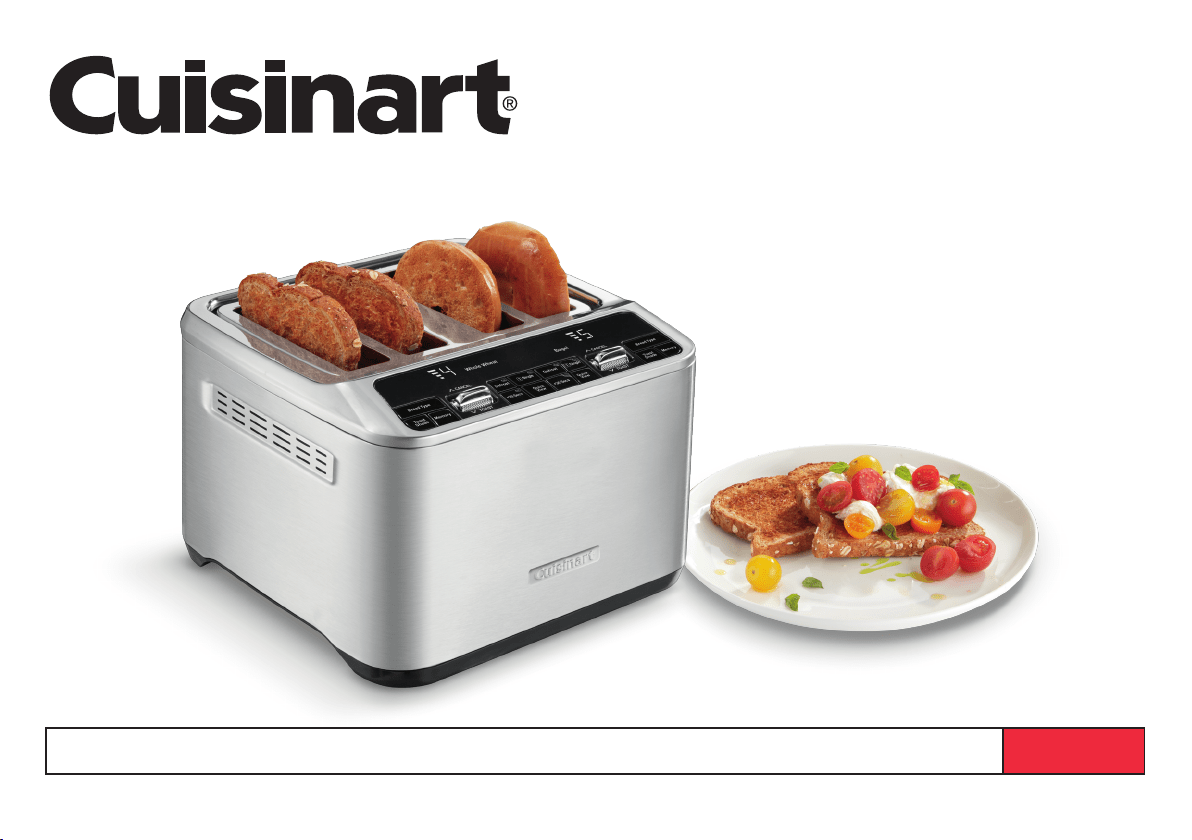
Tostadora digital automática de 4 rebanadas CPT-540
Para su seguridad y para disfrutar plenamente de este producto, siempre lea cuidadosamente las instrucciones antes del uso.
MANUAL DE INSTRUCCIONES

2
ÍNDICE
Medidas de seguridad importantes .............................2
Uso de alargadores
.........................................3
Antes del primer uso
........................................3
Operación general
..........................................3
Piezas y características
...................................... 4
Función de memoria
........................................5
Funciones
................................................. 5
Consejos y sugerencias ......................................6
Limpieza y mantenimiento
.................................... 7
Resolución de problemas
....................................7
Garantía
.................................................. 8
MEDIDAS DE SEGURIDAD
IMPORTANTES
Al usar aparatos eléctricos, especialmente en presencia de niños,
siempre se deben tomar precauciones básicas de seguridad, entre ellas
las siguientes:
1. Lea todas las instrucciones.
2. Siempre desenchufe el aparato cuando no está en uso y antes
de limpiarlo. Permita que el aparato se enfríe antes de limpiarlo
o manipularlo.
3. No toque las superficies calientes; use los botones o las barras.
4. Para reducir el riesgo de descarga eléctrica, no sumerja el cable,
el enchufe, ni ninguna parte del aparato en agua ni en ningún otro
líquido. Véase las instrucciones de limpieza.
5. Este aparato no debe ser usado por o cerca de niños o personas con
ciertas discapacidades. Supervise el uso de este aparato con cuidado
cuando sea usado por o cerca de niños.
6. No use este aparato si el cable o el enchufe están, después de un mal
funcionamiento, después de que se haya caído (incluso en agua), o si
está dañado; devuélvalo a un centro de servicio autorizado o al lugar
donde lo compró para su revisión, reparación o ajuste.
7. El uso de accesorios no recomendados por Cuisinart puede causar
heridas.
8. No lo use en exteriores.
9. No permita que el cable cuelgue del borde de la encimera o de la
mesa, ni que tenga contacto con superficies calientes.
10. No coloque el aparato sobre o cerca de un quemador a gas o de un
hornillo eléctrico caliente, ni en un horno caliente.
11. No use el aparato para ningún fin que no sea el indicado.
12. No introduzca artículos muy grandes, papel de aluminio o utensilios de
metal en el aparato; esto puede crear un riesgo de incendio o de
descarga eléctrica.
13. Puede ocurrir un incendio si el aparato está cubierto, toca, o se
encuentra cerca de materiales inflamables, tales como cortinas,
colgaduras o paredes. No coloque ningún artículo sobre el aparato
mientras está encendido o caliente. No haga funcionar el aparato
debajo de un armario/gabinete.
14. No intente desalojar alimentos atascados mientras el aparato está
enchufado.
15. Para evitar los riesgos de incendio, no descuide ni deje el aparato sin
vigilancia durante el uso.
16. Para desconectar, ponga la barra de activación en CANCEL, y luego
desenchufe el aparato. Desenchufe el aparato cuando no esté en uso
y antes de limpiarlo. Permita que se enfríe antes de instalar/sacar piezas.
17. No haga funcionar el aparato debajo o dentro de un armario/gabinete.
Siempre desenchufe el aparato antes de guardarlo en un armario/
gabinete. Dejar el aparato enchufado representa un riesgo de
incendio, especialmente si este toca las paredes o la puerta del
armario/gabinete cuando se cierra.

3
GUARDE ESTAS
INSTRUCCIONES
PARA USO DOMÉSTICO
SOLAMENTE
USO DE ALARGADORES
El cable provisto con este aparato es corto, para reducir el riesgo de que
alguien se enganche o tropiece con un cable más largo. Se podrá usar un
cable alargador/de extensión, pero con cuidado.
La clasificación nominal del cable alargador/de extensión debe ser por lo
menos igual a la del aparato. El cable más largo debe ser acomodado de
tal manera que no cuelgue de la encimera/mesa, donde puede ser jalado
por niños o causar tropiezos.
AVISO: El cable de este aparato cuenta con un enchufe polarizado
(una pata es más ancha que la otra). Como medida de seguridad,
se podrá enchufar de una sola manera en la toma de corriente
polarizada. Si no entra en la toma de corriente, inviértalo. Si aun así
no entra completamente, comuníquese con un electricista. No intente
modificar esta función de seguridad.
ANTES DEL PRIMER USO
Desenrolle y enderece el cable. Compruebe que la bandeja recogemigas
está en su sitio y que no hay nada en las ranuras. Enchufe el cable en una
toma de corriente.
OPERACIÓN GENERAL
1. Introduzca la(s) rebanada(s) en la(s) ranura(s).
NOTA: Use el los controles y la barra de activación a la izquierda para
controlar las ranuras izquierdas; use los controles y la barra a la derecha
para controlar las ranuras derechas.
2. Elija el tipo de pan y/o las funciones
Presione repetidamente el botón BREAD TYPE para elegir el tipo
de pan que desea tostar: “WHITE BREAD” (pan blanco), “PASTRY”
(HOJALDRE), “BAGEL” (panecillo), “ENGLISH MUFFIN” (muffin inglés),
“WHOLE WHEAT” (pan integral) o “WAFFLE” (waffle/gofre). Si desea
tostar solamente una rebanada, presione el botón SINGLE. Si el artículo
que desea tostar está congelado, también presione el botón DEFROST
(descongelar). Si desea usar una de las cuatro memorias previamente
programadas, presione repetidamente el botón MEMORY hasta que el
programa deseado aparezca en la pantalla. Nota: Si usa la función de
memoria, pase directamente al paso 4.
3. Elija el grado de tostado
Presione repetidamente el botón TOAST SHADE (grado de tostado)
para elegir el grado de tostado; el número correspondiente al grado de
tostado aparecerá en la pantalla. Grados de tostado:
AJUSTE GRADO DE TOSTADO
1–2 claro/ligeramente tostado
3–5 medio
5–6 muy tostado
4. Para iniciar el ciclo de tostado
Ponga la barra de activación en “TOAST”; el sistema motorizado bajará
el pan en la tostadora y el ciclo de tostado empezará. Barras de cuenta
regresiva aparecerán en la pantalla digital, parpadeando, para indicar el
tiempo de tostado restante hasta el final del ciclo de tostado.
5. Para interrumpir el ciclo de tostado
Al final del ciclo de tostado, la unidad emitirá 3 pitidos y el/los artículo(s)
tostado(s) subirá(n) automáticamente. Si desea interrumpir el ciclo antes
del final, ponga la barra de activación en “CANCEL”.
6. Desenchufe el aparato después del uso.
NOTA: Después de 3 minutos de inactividad, la tostadora ingresará al
modo de espera y la pantalla digital se apagará. Para salir del modo
de espera, presione cualquier botón o ponga la barra de activación en
“TOAST”; la pantalla digital se encenderá.
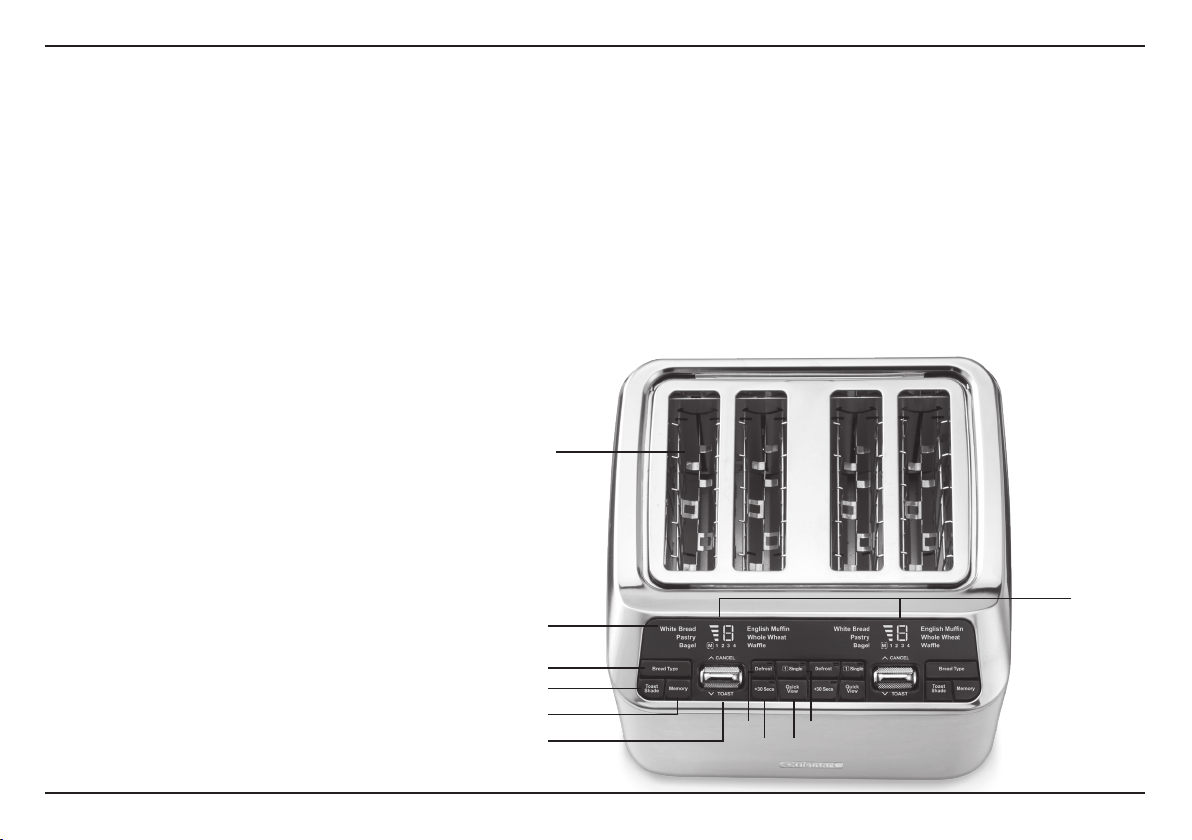
1
8
9 10
11
2
4
5
6
7
3
4
PIEZAS Y CARACTERÍSTICAS
1. Ranuras de tostado
Ranuras anchas permiten tostar una gran
variedad de panes.
2. Pantalla digital
Muestra el grado tostado, el tipo de pan y la
función de memoria elegidos, así como el
tiempo restante hasta el fin del ciclo de tostado.
3. Controles independientes
Permiten tostar de manera independiente
el pan colocado en las ranuras izquierdas y
derechas. Use los controles y la barra de
activación que se encuentran en el lado que
está usando para tostar.
4. Botón BREAD TYPE (tipo de pan)
Presiónelo repetidamente para elegir el tipo
de pan que desea tostar: “WHITE BREAD”
(pan blanco), “PASTRY” (HOJALDRE),
“BAGEL” (panecillo), “ENGLISH MUFFIN”
(muffin inglés), “WHOLE WHEAT” (pan
integral) o “WAFFLE” (waffle/gofre); el tipo
de pan elegido aparecerá en la pantalla,
parpadeando. Dejará de parpadear cuando
empiece el ciclo de tostado.
5. Botón TOAST SHADE (grado de tostado)
Presiónelo repetidamente para elegir el
grado de tostado deseado, desde 1 hasta 7;
el grado elegido aparecerá en la pantalla.
6. Botón MEMORY (memoria)
La función de memoria permite programar
hasta 4 de sus ajustes favoritos. Véase la
página 5 para más detalles.
7. Barra de activación TOAST/CANCEL
(tostar/cancelar)
Póngala en “TOAST” para bajar el pan,
activando el sistema elevador motorizado.
Póngala en “CANCEL” para detener el ciclo
de tostado y levantar automáticamente el
pan en cualquier momento
.
8. Botón DEFROST (descongelar)
Permite descongelar, y luego tostar los artículos
congelados. Cuando elija esta función,
el indicador LED del botón se encenderá.
9. Botón +30 SECS
Permite tostar un artículo durante solo
30 segundos, o añadir 30 segundos al ciclo
de tostado.
10. Botón QUICK VIEW (vista rápida)
Presiónelo durante el tostado para levantar
momentáneamente el pan y observar el
grado de tostado sin interrumpir el ciclo de
tostado. Véase la página 6 para más detalles.
11. Botón SINGLE (una rebanada)
Permite tostar solamente una rebanada,
tostando el pan uniformemente de lado a
lado. Cuando elije esta función, el indicador
LED del botón se encenderá.
12. Señal sonora (no ilustrada)
Le avisa cuando el ciclo de tostado ha
terminado.
13. Bandeja recogemigas removible (no ilustrada)
La bandeja, ubicada en la parte posterior de
la unidad, recoge las migas y se desliza
hacia fuera para una fácil limpieza.
14. Espacio para guardar el cable (no ilustrado)
Permite enrollar el cable debajo de la unidad
para mantener la encimera ordenada.

5
FUNCIÓN DE MEMORIA
La función de memoria permite programar y guardar hasta 4 memorias en
cada lado de la tostadora (8 memorias en total).
Para programar una memoria:
1. Elija el tipo de pan, las opciones deseadas (p.ej., DEFROST o SINGLE)
y el grado de tostado deseado.
2. Mantenga presionado el botón MEMORY hasta que una “M” y el número
“1” aparezcan en la pantalla, parpadeando.
3. Elija el número de memoria deseado, desde 1 hasta 4, presionando
repetidamente el botón MEMORY hasta que su selección aparezca
(parpadeando) en la pantalla.
4. Mantenga presionado el botón MEMORY por un segundo, hasta que
el número deje de parpadear, para confirmar su selección. O, si no
presiona ningún botón por 3 segundos, el número dejará de parpadear
y la programación será guardada en la memoria automáticamente.
NOTA: Para reprogramar una memoria, repita los pasos anteriores.
NOTA: La unidad guardará las memorias incluso cuando esté
desenchufada.
Para borrar las memorias:
1. Desenchufe la unidad.
2. Presione simultáneamente y mantenga presionados los botones BREAD
TYPE y MEMORY situados en el lado izquierdo del panel de control.
3. Siga manteniendo presionados simultáneamente los botones BREAD
TYPE y MEMORY mientras vuelve a enchufar la unidad; la unidad
emitirá 3 pitidos. Suelte los botones y todas las memorias deberían
haber vuelto a las opciones por defecto: “WHITE” (pan blanco) y grado
de tostado n.° 4.
FUNCIONES
La función “BREAD TYPE” (tipo de pan) está diseñada para tostar o
descongelar (junto con el modo “DEFROST”) varios tipos de pan basado
en sus características únicas. Algunos tipos de pan requieren más o
menos tiempo para tostarse dependiendo de su densidad, contenido de
azúcar y otros factores.
La función “WHITE BREAD” (pan blanco) está diseñada para tostar pan
de sándwich blanco suave. La mayoría de estos panes están hechos
de harina blanca refinada y los encontrará rebanados y empacados en
el pasillo del pan del supermercado, etiquetados como “pan de campo”
o “pan blanco”.
La función “BAGEL” está diseñada para tostar mitades de panecillo a la
perfección, reduciendo el calor emitido por la resistencia exterior de cada
ranura y tostando el lado cortado del panecillo ligeramente más que el
otro lado.
Un diagrama estampado en la parte superior de la tostadora
indica cómo posicionar las mitades de panecillo en las ranuras
(el lado cortado siempre debe apuntar hacia el exterior).
La función “WHOLE WHEAT” (pan integral) está diseñada para tostar
panes densos en nutrientes hechos al 100 % o en su mayoría de granos
enteros, tales como el pan de trigo integral, los panes de granos enteros
germinados, el pan de centeno, el pan de avena, el pan de linaza, etc.
La función “ENGLISH MUFFIN” (muffin inglés) añade tiempo extra al ciclo
de tostado para tostar panes más densos.
La función “WAFFLE” (waffle/gofre) está diseñada para tostar waffles/
gofres. Nota: También presione el botón DEFROST si los waffles/gofres
están congelados.
La función “PASTRY” (hojaldre) está diseñada para tostar hojaldres.
Tenga cuidado al tostar productos rellenos, ya que el relleno se pondrá
muy caliente mucho antes de que el hojaldre parezca tostado. Empiece
a tostar estos artículos usando el grado de tostado más bajo, y siempre
vigílelos durante el ciclo de tostado.

6
Función “DEFROST” (descongelar)
La función “DEFROST” (descongelar) permite descongelar el pan antes de
tostarlo. Cuando elija esta función, el indicador LED del botón se encenderá.
Función “SINGLE” (una rebanada)
La función “SINGLE” (una rebanada) ajusta la temperatura para tostar a la
perfección una sola rebanada de pan. Mientras ambas ranuras se calientan, las
resistencias ajustan automáticamente el tiempo y la intensidad del calor para
garantizar excelentes resultados con un dorado uniforme en cada lado del pan.
La luz LED del botón SINGLE se iluminará cuando se seleccione.
Función QuickView™
La función QUICKVIEW™ permite chequear el grado de tostado sin
interrumpir el ciclo de tostado. Simplemente presione el botón QUICKVIEW
durante el tostado para levantar momentáneamente el pan y observar el
grado de tostado sin interrumpir el ciclo de tostado. El pan volverá a bajar
automáticamente y seguirá tostándose sin que se interrumpa el ciclo
de tostado.
NOTA: La función QuickView™ puede ser activada un máximo de 3 veces
durante el ciclo de tostado. Nota: Activarla más de una vez afectará el
grado de tostado.
Función +30 SECS
La función +30 SECS
permite añadir 30 segundos al ciclo de tostado.
Si elige esta función durante el ciclo de tostado:
• El indicador luminoso del botón +30 SECS parpadeará. El ciclo actual
se detendrá, y un ciclo de tostado de 30 segundos se iniciará. Al final
del ciclo de 30 segundos, el ciclo original continuará.
Si elige esta función al final del ciclo de tostado:
• El indicador luminoso del botón +30 SECS se encenderá y el grado
de tostado elegido desaparecerá de la pantalla. Al iniciarse el ciclo de
tostado otra vez, el indicador luminoso del botón +30 SECS parpadeará
hasta el final del tiempo.
CONSEJOS Y SUGERENCIAS
Consejos generales
Las tostadoras secan y asan el pan simultáneamente. Por lo tanto, el
contenido de humedad del producto (que varía de un producto a otro)
afecta el tiempo necesario para tostarlo.
• Para tostar panes más ligeros o ligeramente secos, use un ajuste más
bajo de lo normal.
• Para tostar pan muy fresco, use la función “WHOLE WHEAT”
(pan integral).
• Para tostar panes con superficie irregular, tal como los “crumpets” o
muffins ingleses, use la función “ENGLISH MUFFIN” (muffin inglés).
• Para tostar panes más gruesos, más densos o muy frescos, use
un ajuste más alto de lo normal. Nota: Las rebanadas muy gruesas
pueden requerir hasta dos ciclos de tostado.
• Antes de tostar pan con pasas u otras frutas secas, quite las frutas
sueltas antes de colocar el pan en la tostadora;
esto evitará que los pedazos de fruta se caigan en la tostadora o
se peguen a la rejilla.
• Corte los panecillos (“bagels”) por la mitad a lo largo antes de tostar
las mitades.
Pan, waffles/gofres, panqueques, tostadas francesas (“French toasts”)
y panecillos (“bagels”) congelados
Use la función “DEFROST” para descongelar estos artículos antes de
tostarlos.
Simplemente coloque el artículo congelado en la ranura, elija la función
deseada y presione el botón DEFROST. Luego, elija el grado de tostado
deseado (de 1 a 7) y baje la barra de activación para iniciar el ciclo de
tostado.
Para resultados óptimos
• Nunca introduzca los alimentos a la fuerza en las ranuras; deben
caber libremente entre las rejillas.
• No tueste pan untado con mantequilla; esto presenta un riesgo incendio.
• Si las rebanadas no son de grosor uniforme, no se tostarán
uniformemente.
7
LIMPIEZA Y MANTENIMIENTO
1. Permita que la unidad se enfríe completamente antes de limpiarla.
2. Siempre desenchufe la unidad antes de limpiarla.
3. No use limpiadores abrasivos. Simplemente limpie la carcasa de la
unidad con un paño húmedo, y séquela bien.
4. Para eliminar las migas, deslice la bandeja recogemigas hacia fuera.
Limpie la bandeja y vuelva a colocarla en su sitio. Nunca haga
funcionar el aparato sin la bandeja recogemigas.
5. Para quitar pedazos de pan atascados en la tostadora, desenchufe
la unidad, voltéela y sacúdala suavemente. Nunca introduzca ningún
utensilio duro o afilado en las ranuras; esto puede dañar la tostadora
u ocasionar riesgos para el usuario.
6. Nunca enrolle el cable alrededor de la unidad; más bien, enróllelo
debajo de ella, usando los tacos diseñados para esto.
7. Cualquier otro servicio debe ser realizado por un técnico autorizado.
RESOLUCIÓN DE PROBLEMAS
PROBLEMA RESOLUCIÓN
La unidad no se enciende.
Compruebe que la toma de corriente en
la cual está enchufado el aparato está
funcionando.
Si esto no resuelve el problema, llame a
nuestro Centro de Atención al Cliente al
1-800-726-0190.
¿Por qué el pan sube y
baja repetidamente y/o
la pantalla muestra una “E”
mientras la tostadora emite
un pitido?
Puede que las tostadas hayan quedado
atrapadas. Esto suele ocurrir cuando el
pan es demasiado grueso para la ranura.
Desenchufe la tostadora, deje que se
enfríe y compruebe que el pan no está
atascado. Luego, intente hacer un ciclo
de tostado sin pan. Si el problema
persiste, llame a nuestro Centro de
Atención al Cliente.
¿Por qué se encienden las
dos resistencias cuando
selecciono la opción
SINGLE” (una rebanada)?
Esto es normal. Las resistencias están
programadas para ajustar la temperatura
y el tiempo cuando se selecciona la
opción “SINGLE”.
¿Puedo añadir tiempo
durante el ciclo de tostado?
Sí, puede añadir tiempo al ciclo de
tostado aumentando el nivel de grado de
tostado o presionando el botón +30
SECS.
No consigo reiniciar las
memoria. ¿Qué debo hacer?
Siga los pasos 1 a 3 en la página 5 de
este manual de instrucciones.
Cerciórese de presionar los botones
BREAD TYPE y MEMORY mientras
vuelve a enchufar la unidad.

8
GARANTÍA
Garantía limitada de tres años
Esta garantía es para los consumidores que residen en los EE.UU.
solamente. Usted es un consumidor si posee una tostadora digital
automática de 4 rebanadas Cuisinart
®
que fue comprada en una tienda,
para uso personal, familiar o casero. A menos que la ley aplicable exija lo
contrario, esta garantía no es para los minoristas u otros consumidores/
compradores comerciales. Cuisinart garantiza este producto contra todo
defecto de materiales o fabricación durante 3 años después de la fecha
de compra original, siempre que el aparato haya sido usado para uso
doméstico y según las instrucciones.
Le aconsejamos que llene el formulario de registro disponible en
cuisinart.registria.com/, a fin de facilitar la verificación de la fecha de
compra original de este producto. Sin embargo, no es necesario registrar
el producto para recibir servicio bajo esta garantía. En ausencia de prueba
de la fecha de compra, el período de garantía será calculado a partir de la
fecha de fabricación del producto.
RESIDENTES DE CALIFORNIA
La ley del estado de California ofrece dos opciones bajo el período de
garantía. Los residentes del estado de California pueden regresar el
producto defectuoso (A) a la tienda donde lo compraron o (B) a otra
tienda que venda productos Cuisinart
®
de este tipo. La tienda podrá, a su
elección, reparar el producto, referir el consumidor a un centro de servicio
independiente, sustituir el producto, o reembolsar al consumidor el precio
de compra menos la cantidad directamente atribuible al uso anterior del
producto por el consumidor. Si estas dos opciones no satisfacen al
consumidor, podrá llevar el aparato a un centro de servicio independiente,
siempre que se pueda arreglar o reparar el aparato de manera económica.
Cuisinart (no el consumidor) será responsable por los gastos de servicio,
reparación, sustitución o reembolso de los productos defectuosos bajo
garantía. Los residentes de California también pueden, si lo desean,
mandar el producto defectuoso directamente a Cuisinart para que lo
reparen o lo cambien. Para esto, se debe llamar a nuestro servicio
posventa al 1-800-726-0190. Cuisinart será responsable por los gastos
de reparación, reemplazo, manejo y envío de los productos defectuosos
durante el período de garantía.
GARANTÍA DE REEMPLAZO SIN DIFICULTADES
Su máxima satisfacción es nuestra prioridad, así que si este producto
Cuisinart
®
falla dentro del generoso período de garantía, lo repararemos o,
de ser necesario, lo reemplazaremos, sin costo alguno para usted. Para
obtener una etiqueta de envío, contáctenos visitando www.cuisinart.
com/customer-care/product-assistance/product-inquiry
. O llame sin
cargo a nuestro servicio de atención al cliente, al 1-800-726-0190, para
hablar con un representante.
Este producto satisface las más altas exigencias de fabricación y ha sido
diseñado para funcionar con 120 V, usando accesorios y repuestos
autorizados solamente. Esta garantía excluye expresamente los defectos
o daños causados por accesorios, piezas o reparaciones no autorizados
por Cuisinart, así como los defectos o daños causados por el uso de un
convertidor de voltaje. Esta garantía no cubre el uso comercial o industrial
del producto, y no es válida en caso de daños causados por mal uso,
negligencia o accidente. Esta garantía excluye todos los daños
incidentales o consecuentes. Algunos Estados no permiten la exclusión
o limitación de daños incidentales o consecuentes, de modo que las
limitaciones mencionadas pueden no regir para usted. Usted puede tener
otros derechos que varían de un Estado a otro.
Importante: Si debe llevar el producto defectuoso a un centro de servicio
no autorizado, por favor informe al personal del centro de servicio que
deben llamar al Centro de Servicio al Cliente de Cuisinart al 1-800-726-0190
a fin de diagnosticar el problema correctamente, usar las piezas correctas
para repararlo y comprobar que el producto aún esté bajo garantía.
©2021 Cuisinart
Glendale, AZ 85307
Impreso en China
21CE076794
IB-17120-ESP-B