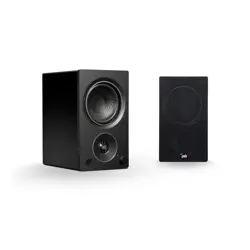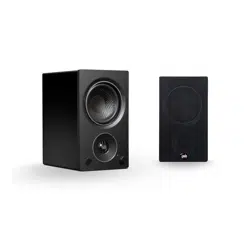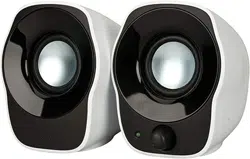
Z120 COMPACT STEREO SPEAKERS
HAUT-PARLEURS STÉRÉO COMPACTS Z120
Complete Setup Guide
Guide d’installation complet

English 3
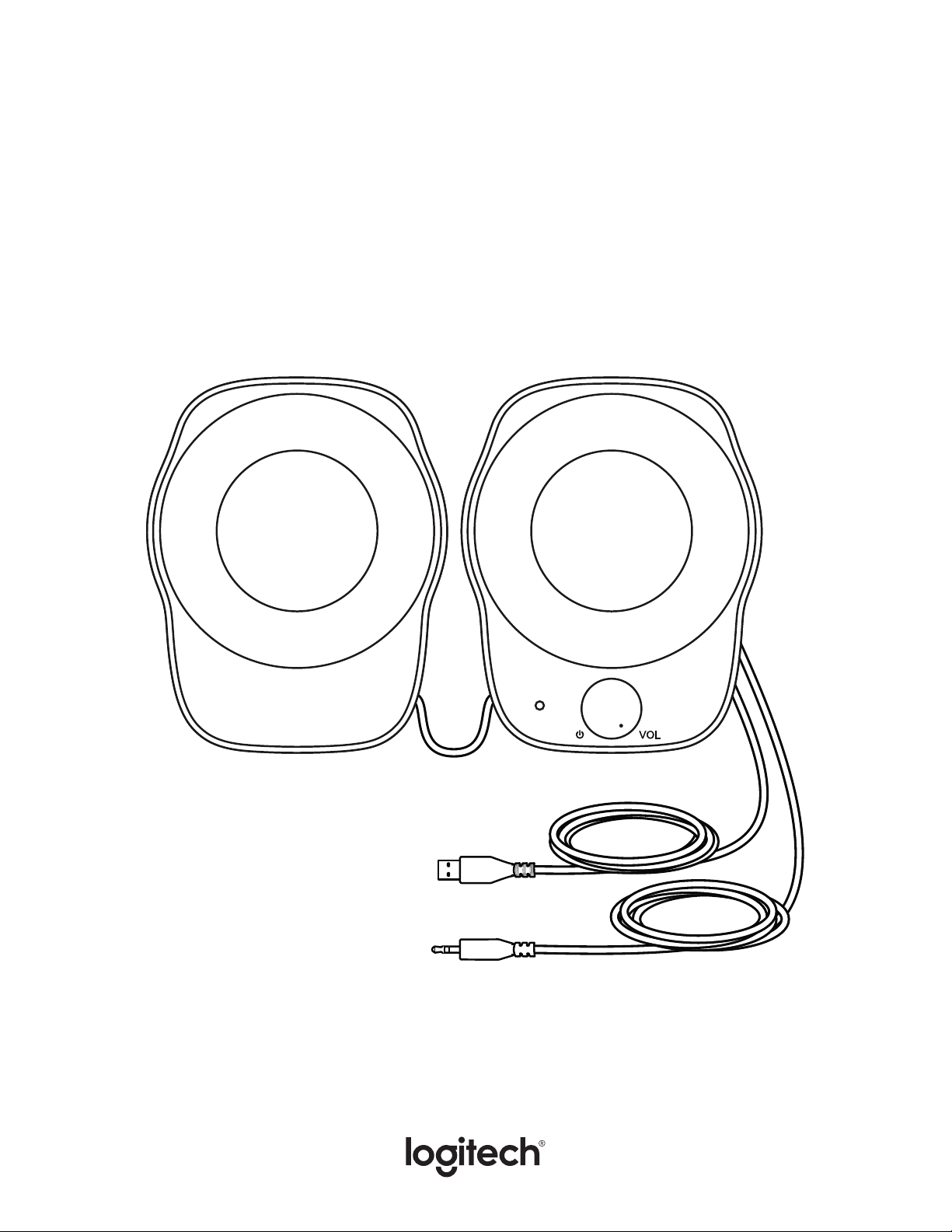
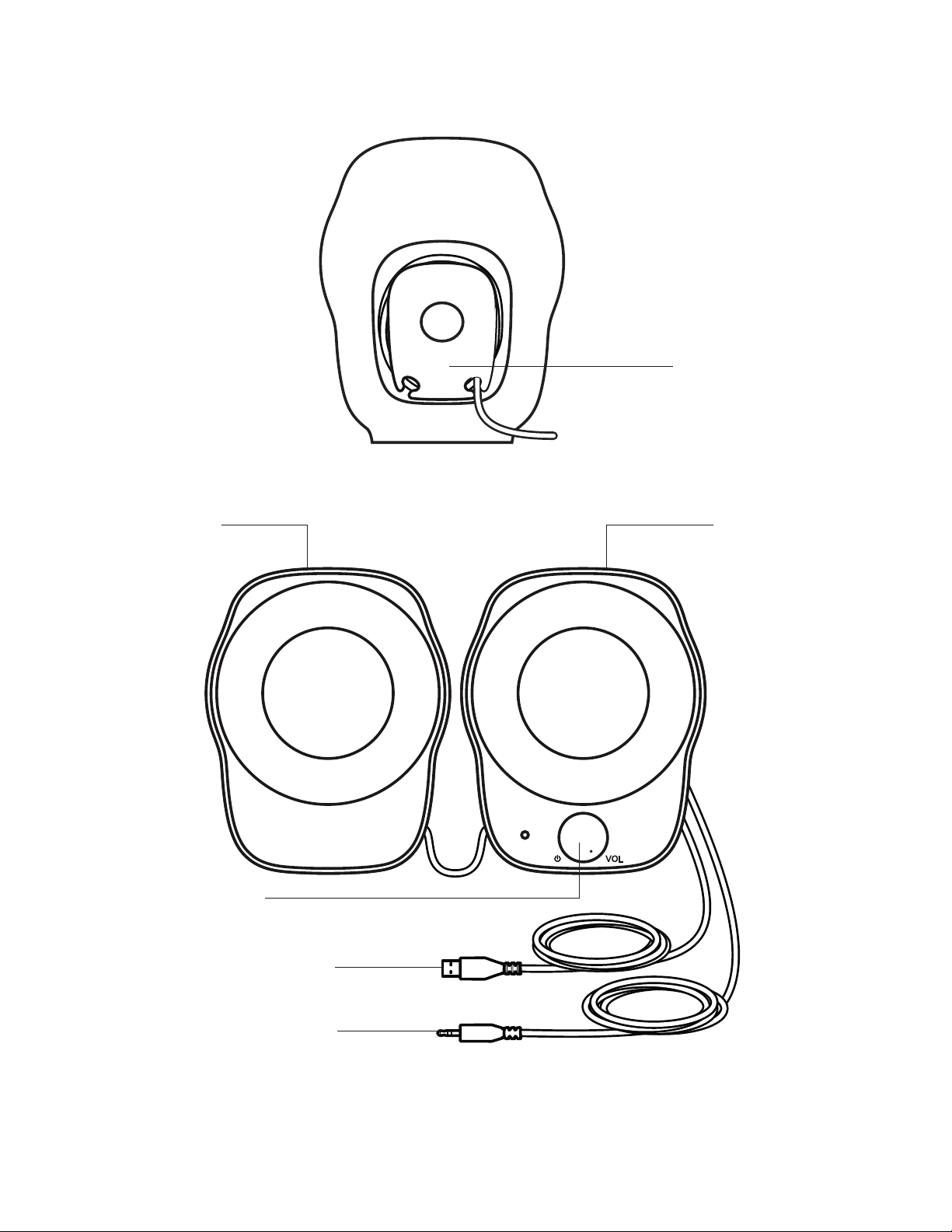
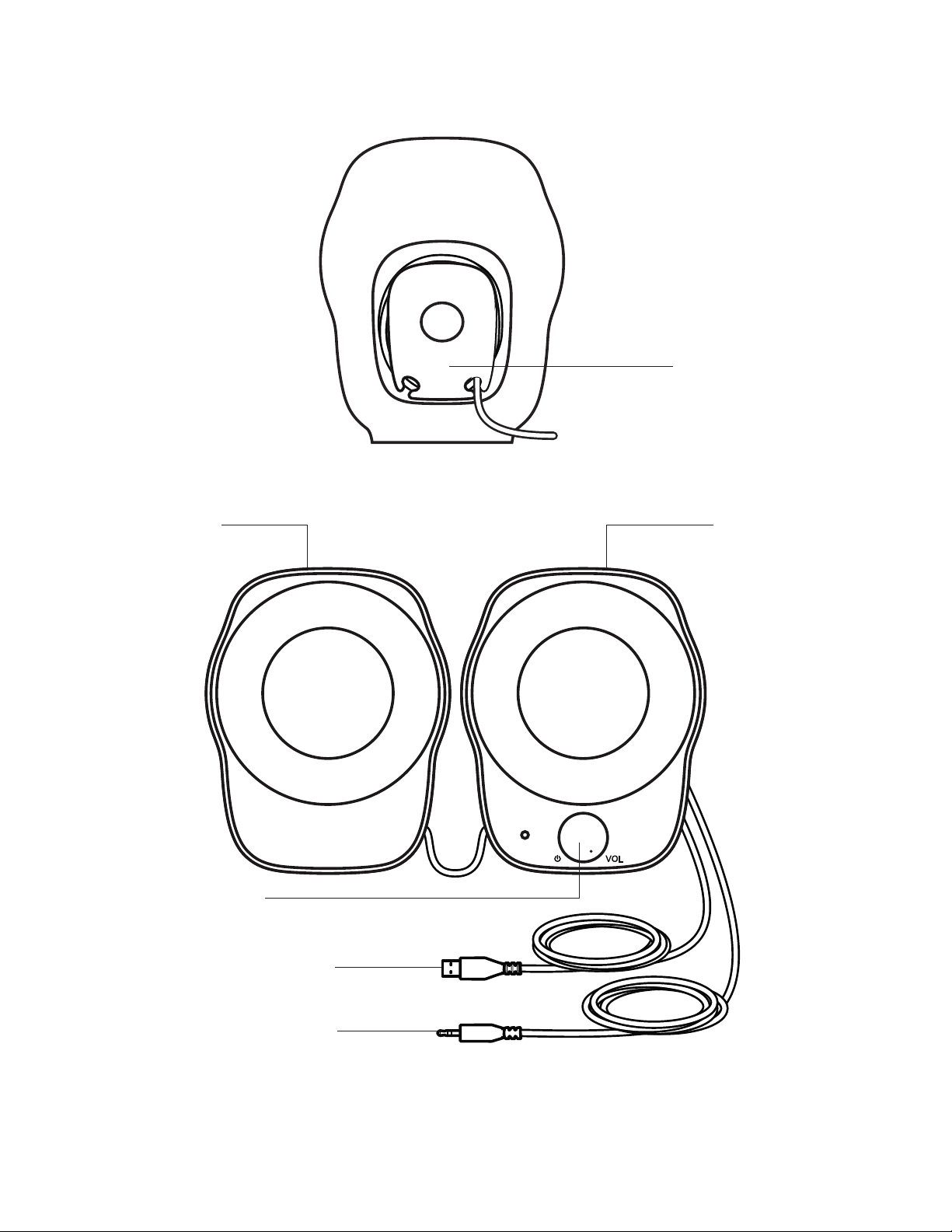
KNOW YOUR PRODUCT
Left speaker
Power and volume
control
USB-A for power
3.5mm input for audio
Cable management
Right speaker
English 4
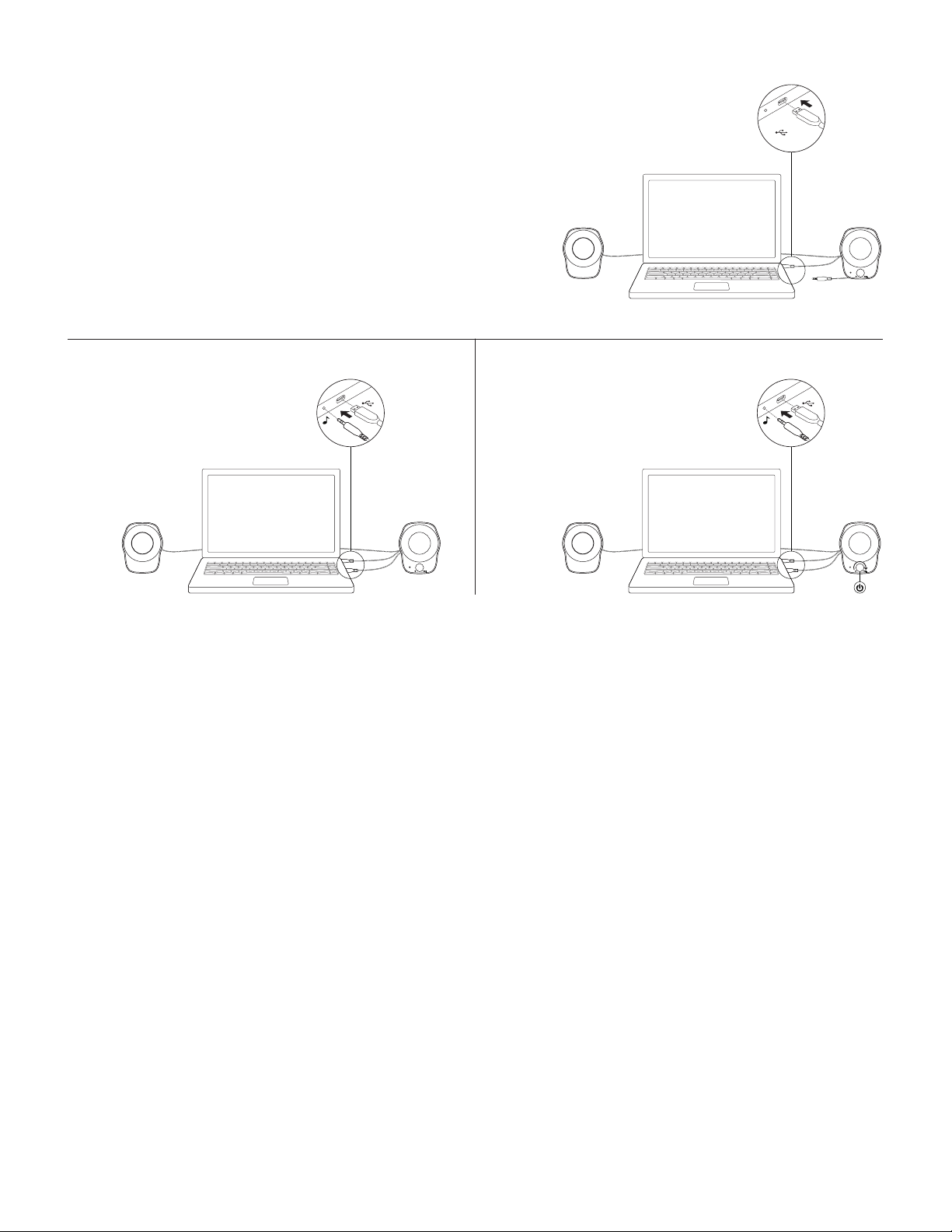
CONNECT THE SPEAKERS
1. Plug the USB-A plug into the USB-A port on
yourcomputer for power.
2. Plug the 3.5mm connector into the 3.5mm jack on
youraudio device.
3. Turn the speaker on using the power knob.
USB-A
USB-AUSB-A
1
3
2
Français 6
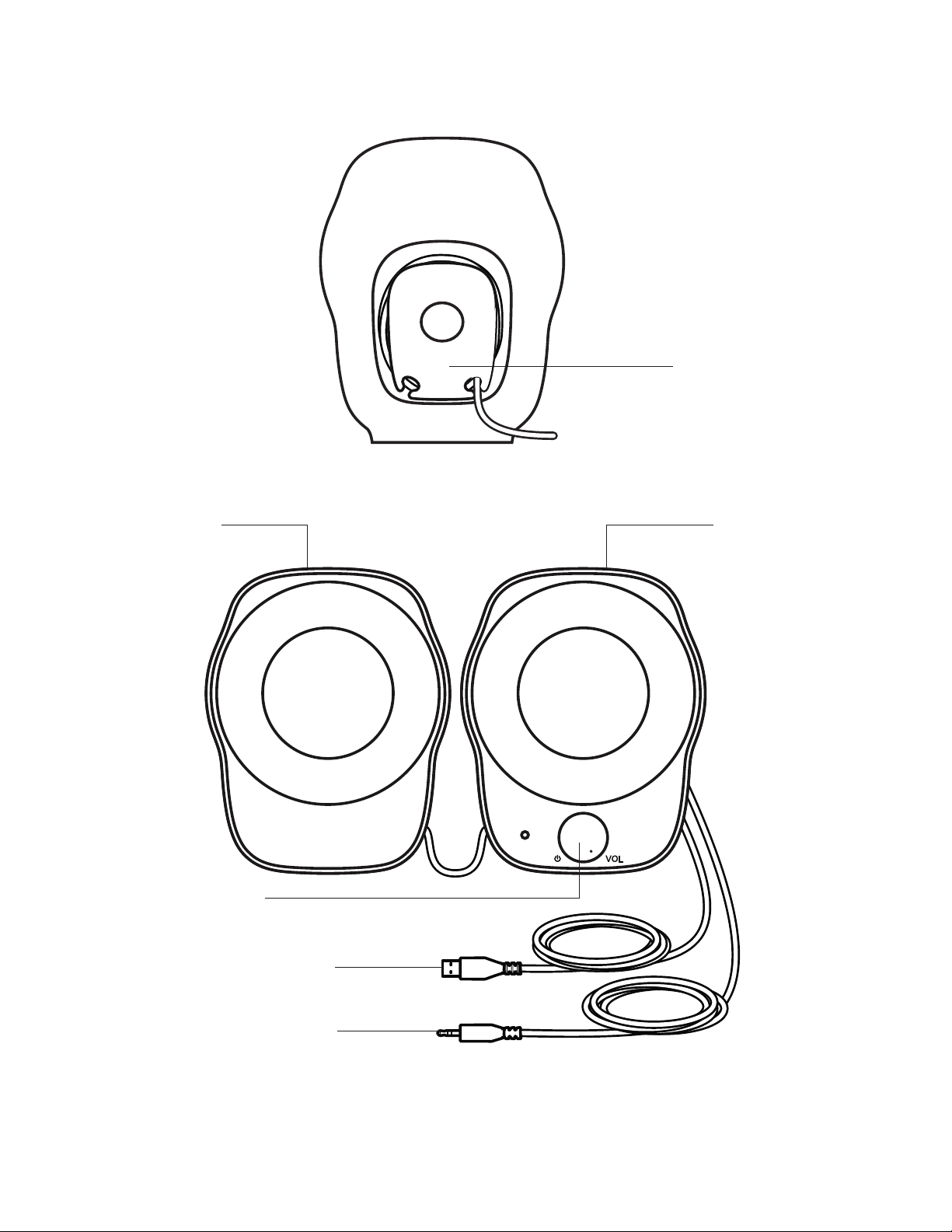
PRÉSENTATION DU PRODUIT
Haut-parleur gauche
Bouton d'alimentation
etde volume
USB-A pour l'alimentation
Entrée 3,5mm pour l'audio
Rangement des câbles
Haut-parleur droit
Français 7
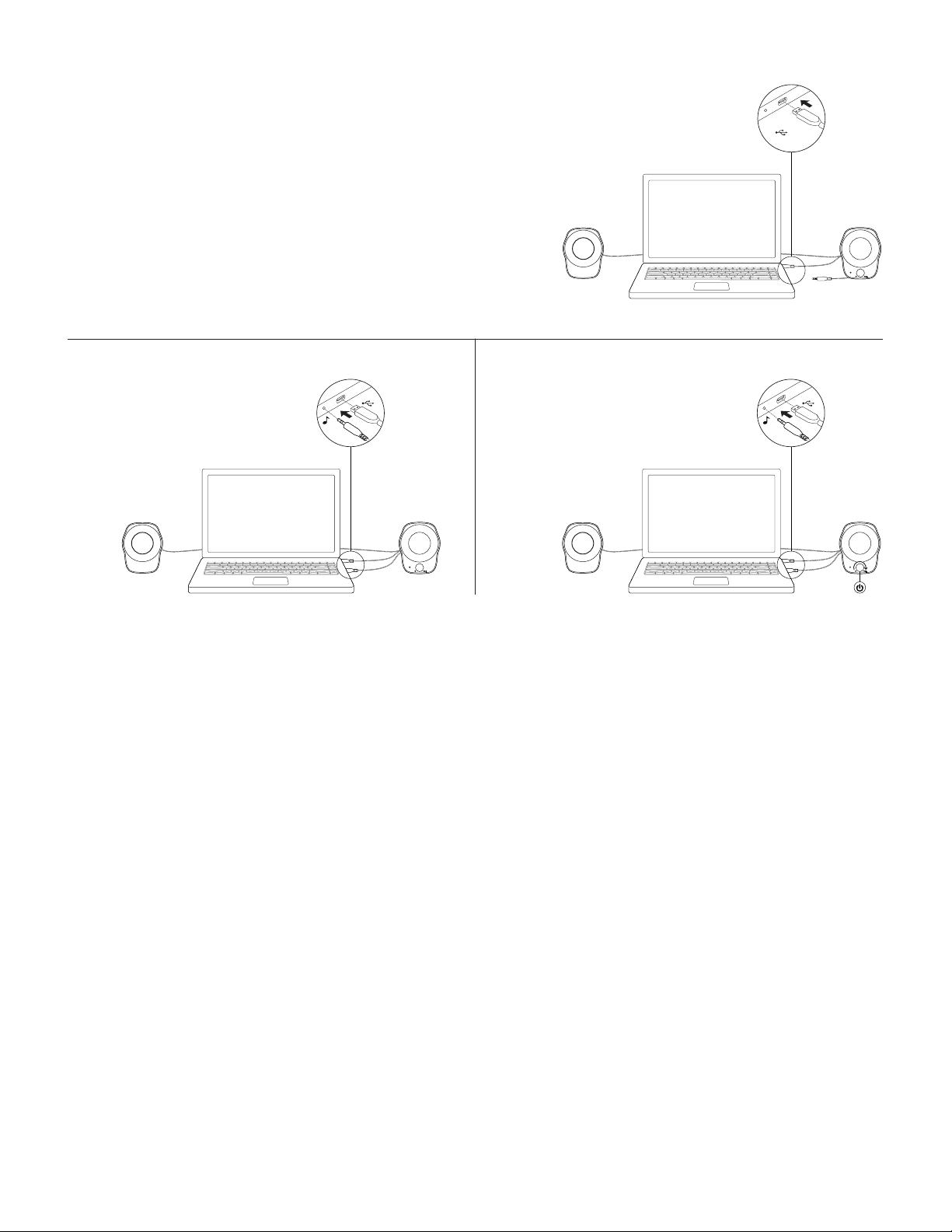
CONNEXION DES HAUT-PARLEURS
1. Branchez l'extrémité USB-A au port USB-A
devotreordinateur pour l'alimentation.
2. Branchez le connecteur 3,5mm à la prise jack 3,5mm
devotre dispositif audio.
3. Allumez votre haut-parleur en utilisant le bouton
d'alimentation.
USB-A
USB-AUSB-A
1
3
2
Français 8
www.logitech.com/support/Z120
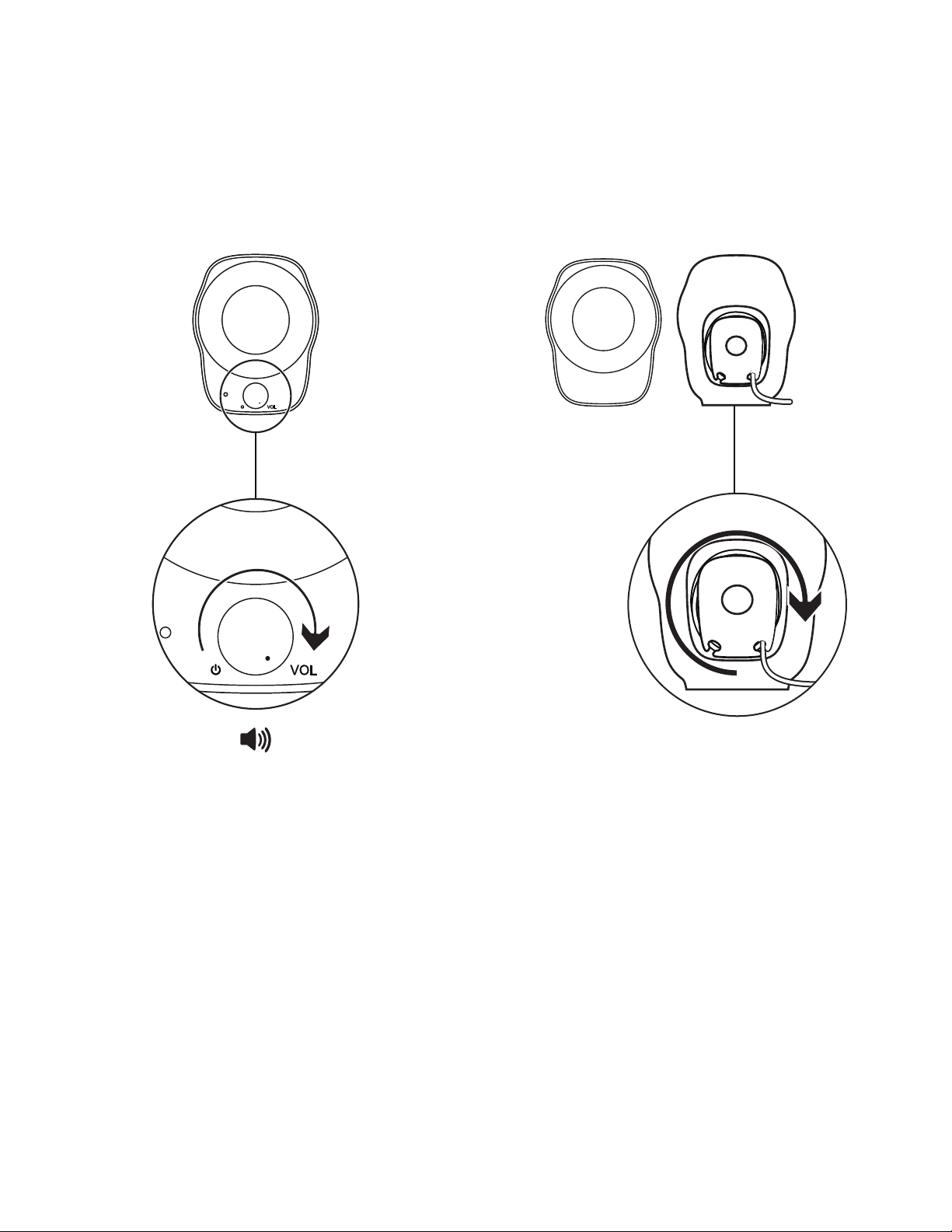
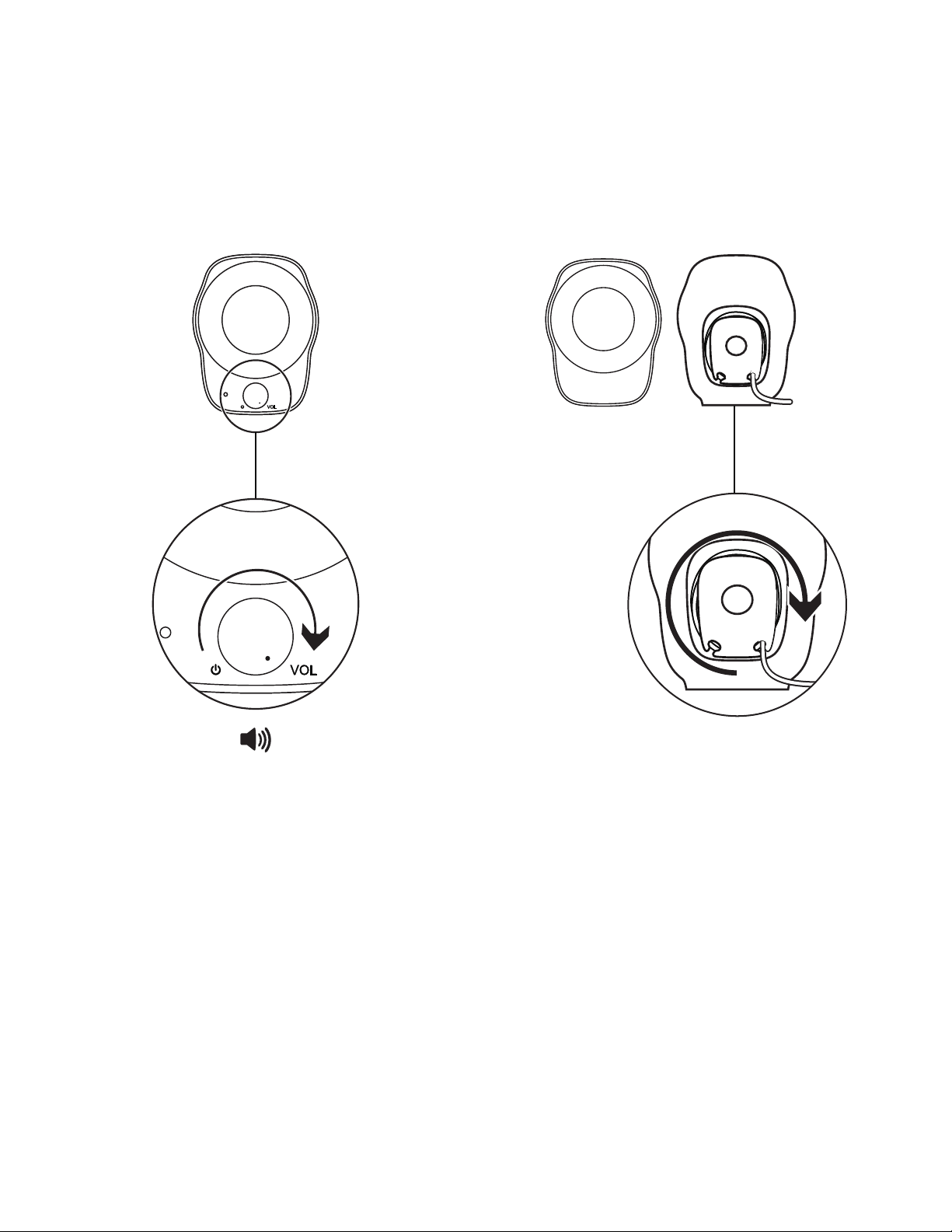
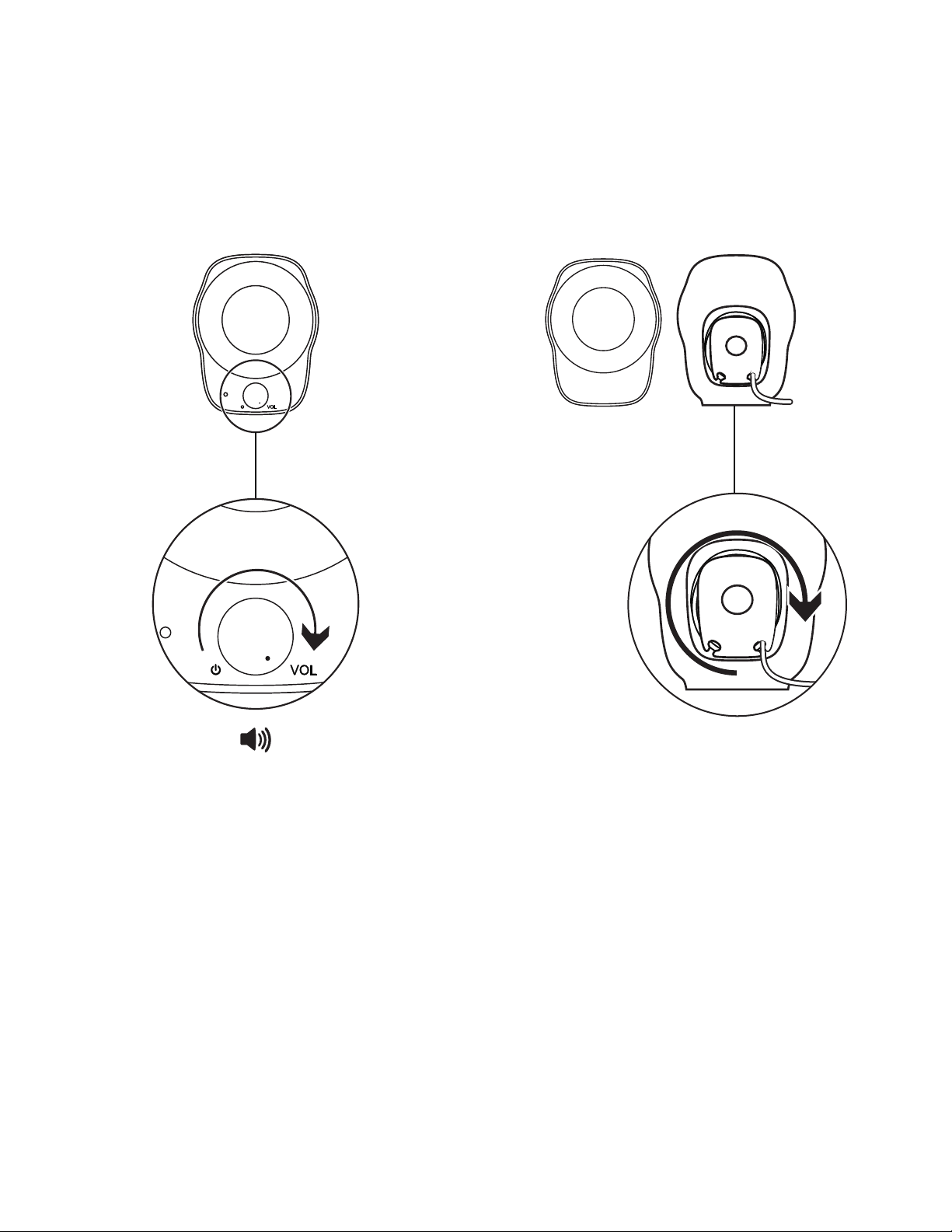
AJUSTEMENT DU VOLUME
Augmentez (ou baissez) le volume des haut-
parleurs en faisant tourner la molette de contrôle
du volume dans le sens horaire (antihoraire)
surlehaut-parleur droit.
RANGEMENT DES CÂBLES
Enroulez la longueur restante du câble dans
descompartiments pratiques prévus à cet eet
derrière chaque haut-parleur.

Español 9
COMPONENTES DEL PRODUCTO
Altavoz izquierdo
Control de encendido
yvolumen
USB-A para alimentación
Entrada de 3,5mm para audio
Distribución de cables
Altavoz derecho
Español 10
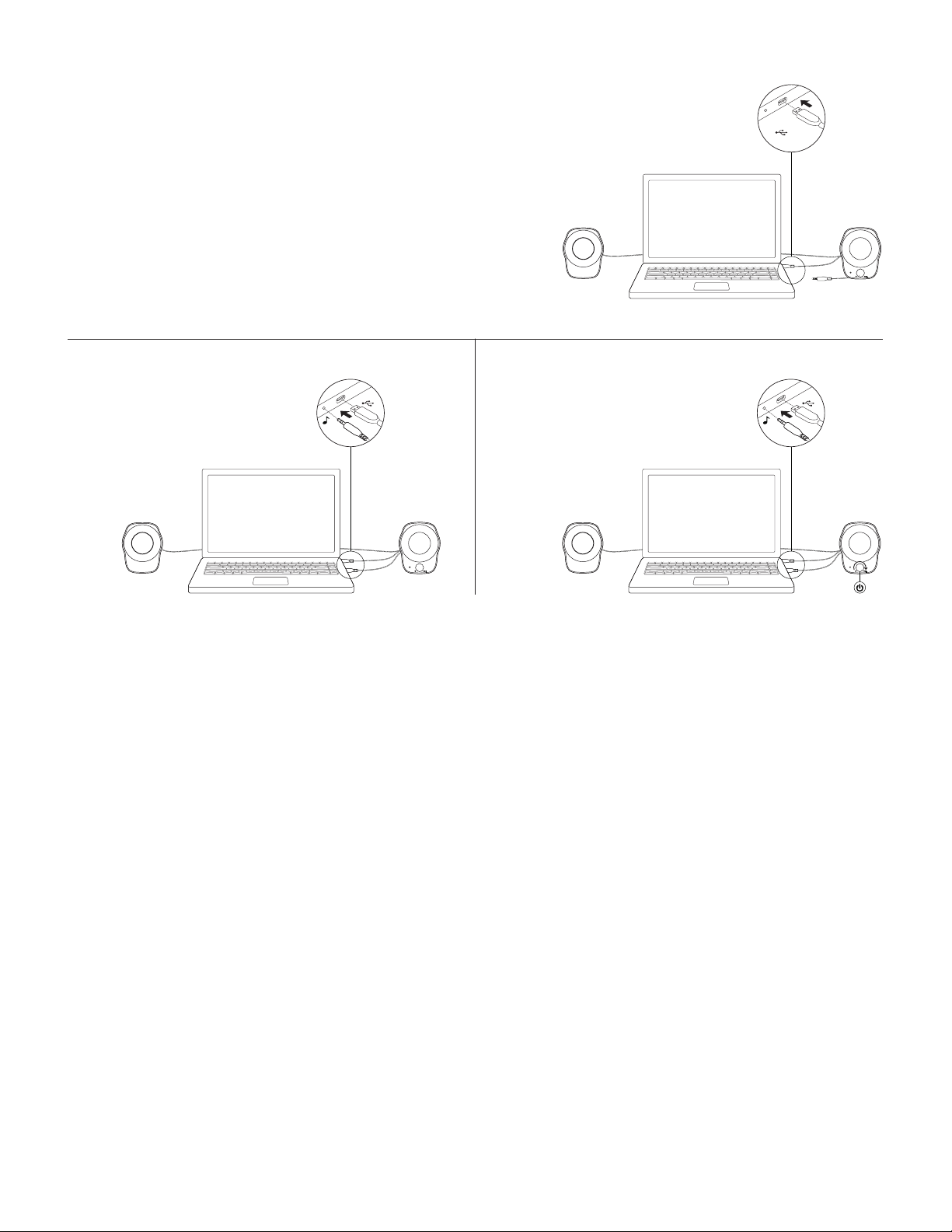
CONECTA LOS ALTAVOCES
1. Conecta el extremo USB-A al puerto USB-A
delacomputadora para alimentación.
2. Conecta el conector de 3,5mm a la entrada de 3,5mm
del dispositivo de audio.
3. Enciende el altavoz mediante el control giratorio
deencendido.
USB-A
USB-AUSB-A
1
3
2
Español 11
www.logitech.com/support/Z120
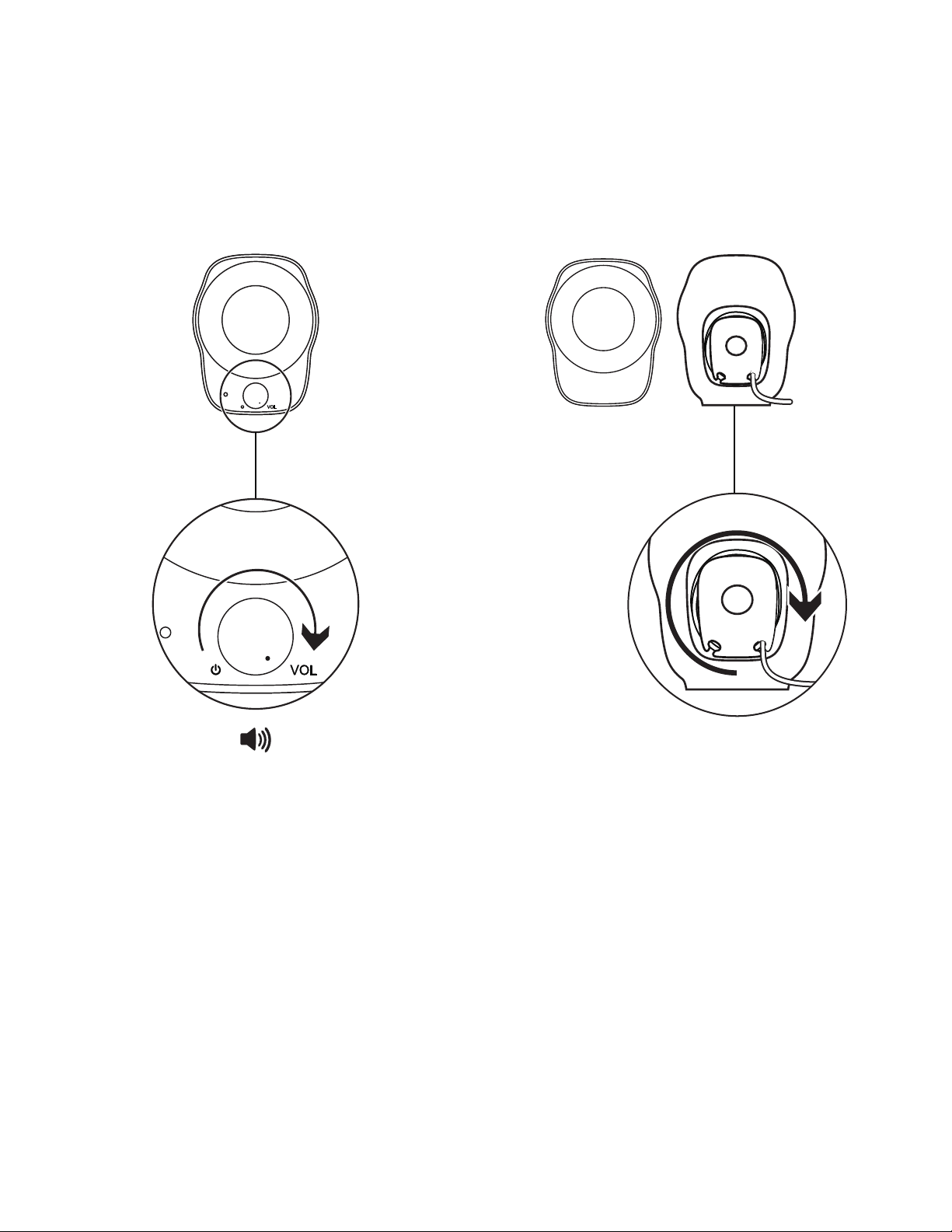
AJUSTA EL VOLUMEN
Aumenta (o reduce) el volumen de los altavoces
girando el control de volumen en el sentido
delasagujas del reloj (o en sentido contrario)
enelaltavoz derecho.
DISTRIBUCIÓN DE CABLES
La largura sobrante se puede enrollar en las prácticas
cavidades posteriores de cada altavoz.
Português 12
CONHEÇA O SEU PRODUTO
Caixa de som esquerda
Controle de volume
eenergia
USB-A para carregamento
Entrada de 3,5 mm para áudio
Gerenciamento de cabos
Caixa de som direita

Português 13
CONECTAR OS ALTO-FALANTES
1. Conecte o plugue do USB-A na porta USB-A
docomputador para alimentá-lo com energia.
2. Conecte o conector de 3,5 mm na entrada de 3,5 mm
do dispositivo de áudio.
3. Ligue a caixa de som usando o botão de energia.
USB-A
USB-AUSB-A
1
3
2

WEB-621-001289.002
© 2019 Logitech. Logitech, Logi and other Logitech marks are owned by Logitech
and may be registered. All other trademarks are the property of their respective
owners. Logitech assumes no responsibility for any errors that may appear in
this manual. Information contained herein is subject to change without notice.
© 2019 Logitech. Logitech, Logi et les autres marques Logitech sont la propriété
de Logitech et sont susceptibles d'être déposées. Toutes les autres marques
sont la propriété exclusive de leurs détenteurs respectifs. Logitech décline toute
responsabilité en cas d'erreurs susceptibles de s'être glissées dans le présent manuel.
Les informations énoncées dans ce document peuvent faire l'objet de modifications
sans préavis.
www.logitech.com/support/Z120