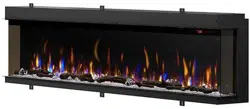
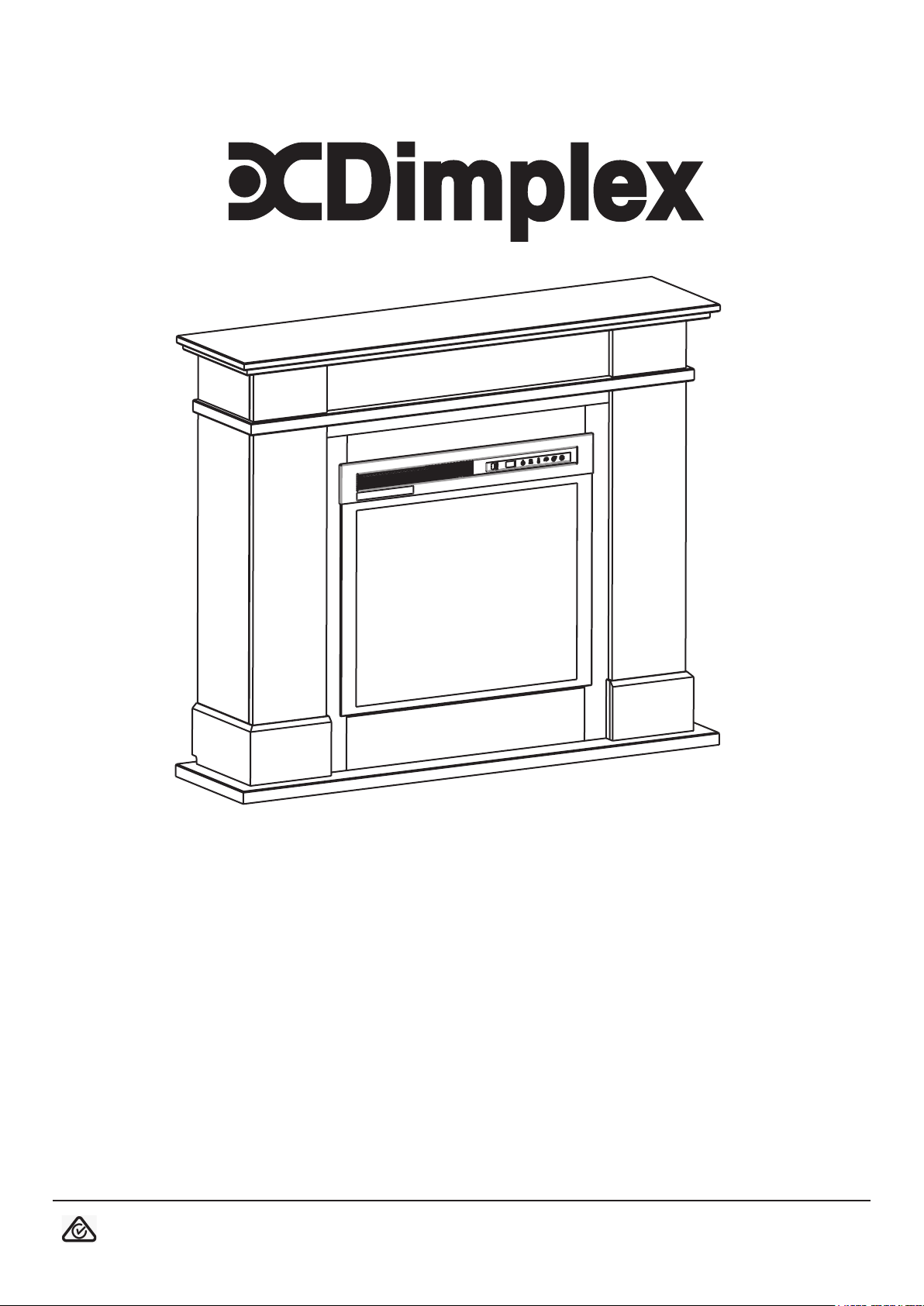
RAIL SUITE XHD23L-AU-RL
8/54717/0 Issue 3
OCN:11800
The product complies with the Australian Safety Standards and the Standard Electromagnetic Compatibility.
1
2
3
A
B
C
F
D
G
E
H
4
IMPORTANT: THESE INSTRUCTIONS SHOULD BE READ CAREFULLY AND RETAINED FOR FUTURE REFERENCE
General
Unpack the heater carefully and retain the
packaging for possible future use, in the
event of moving or returning the re to your
supplier.
The re incorporates a ame effect, which
can be used with or without heating, so that
the comforting effect may be enjoyed at
any time of the year. Using the ame effect
on its own only requires little electricity.
Before connecting the heater check that the
supply voltage is the same as that stated on
the heater.
Please note: Used in an environment where
background noise is very low, it may be
possible to hear a sound which is related
to the operation of the ame effect. This
is normal and should not be a cause for
concern.
Electrical Connection
WARNING: THIS APPLIANCE MUST BE
EARTHED
This heater must be used on an AC ~ supply
only and the voltage marked on the heater
must correspond to the supply voltage.
Before switching on, please read the safety
warnings and operating instructions.
Resetting the Temperature Cutout Switch
Should the heater overheat, an automatic cutout will
turn the heater off. It will not come back on without being
reset.
To reset the cutout switch, unplug the unit and wait 5
minutes before plugging it back in.
Important Safety Advice
When using electrical appliances, basic
precautions should be followed to
reduce the risk of re, electric shock, and
injury to persons, including the following:
If the appliance is damaged, check
immediately with the supplier before
installation and operation.
Do not use this appliance in the
immediate surroundings of a bath,
shower or swimming pool.
Do not use outdoors.
This appliance must not be located
immediately above or below a fixed
socket outlet or connection box.
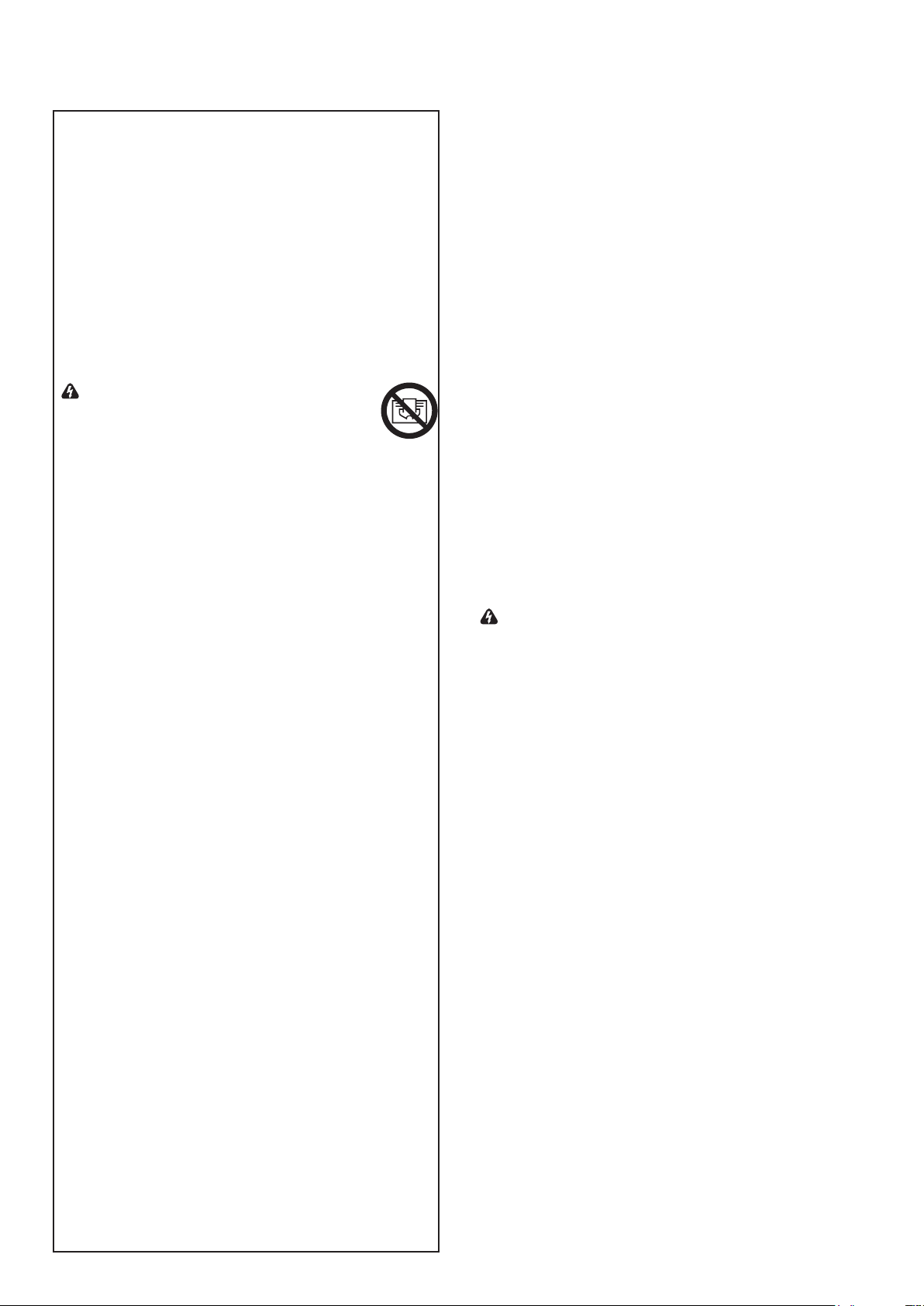
WARNING: The appliance carries
the Warning Symbol indicating that
it must not be covered or has a Do
not cover label. Do not cover or
obstruct in any way the heat outlet grille
located above the ame window on the
appliance Overheating will result if the
appliance is accidentally covered. Do
not place material or garments on the
appliance, or obstruct the air circulation
around the appliance, for instance by
curtains or furniture, as this could cause
overheating and a re risk.
In the event of a fault unplug the heater.
Unplug the appliance when not required
for long periods.The supply cord must
be placed on the right hand side of
the heater away from the heat outlet
underneath the appliance.
This appliance is not intended for use
by persons (including children) with
reduced physical, sensory or mental
capabilities, or lack of experience and
knowledge, unless they have been given
supervision or instruction concerning use
of the appliance by a person responsible
for their safety.
Children should be supervised to ensure
they do not play with the appliance.
Prior to cleaning or other maintenance,
the appliance must be disconnected
from the supply mains.
The appliance must be positioned so that
the plug is accessible.
If the supply cord is damaged it must be
replaced by the manufacturer or service
agent or similarly qualified person in
order to avoid a hazard.
CAUTION: In order to avoid a hazard due
to inadvertent resetting of the thermal
cut-out, this appliance must not be
supplied through an external switching
device, such as a timer, or connected
to a circuit that is regularly switched on
and off by the utility.
CAUTION - Some parts of this product
can become very hot and cause burns.
Particular attention has to be given
where children and vulnerable people
are present.
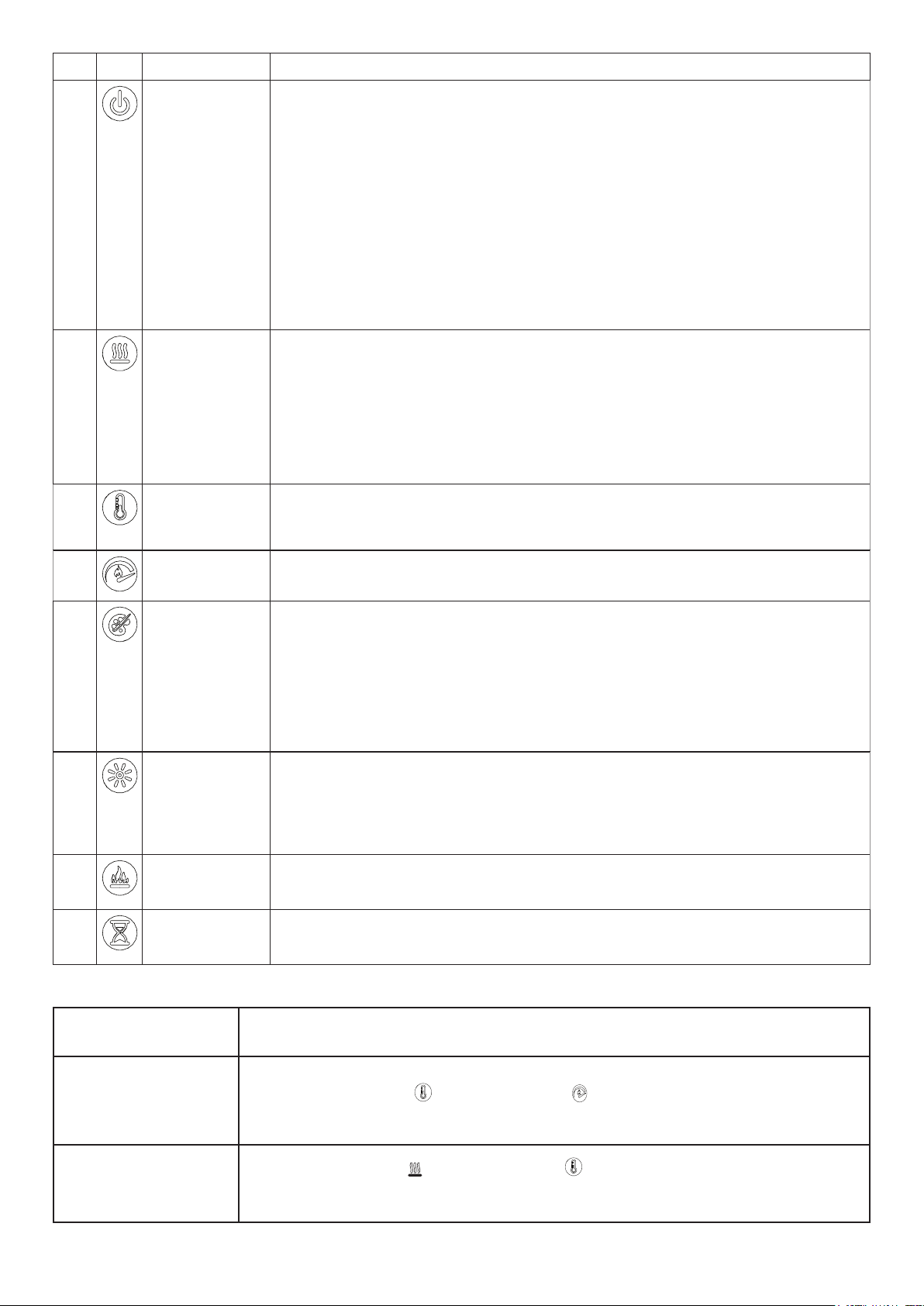
Icon Function Description
A
Power Press to turn unit Off or On.
• Unit Off
Press to turn everything Off. Press again to turn unit On with previous settings.
• Unit On
Press to turn unit On with previous settings.
- If the flame effect was On, the flame will turn on and the previous heat setting will
be activated (On or Off). Display will show current heater temperature setting and
after 2 sec displays the room temperature.
- [remote only] If the flame effect was Off, the previous heat setting will be
activated (On or Off).
- [panel only] If the flame effect was Off, the flame will turn on and the previous
heat setting will be activated (On or Off)
B
Heat • Heat On
Press to turn heat On (indicated by 1 short beep). Display will show current heater
temperature setting and after 2 sec displays room temperature. Use the Temp icon
to change the heater temperature setting.
• Heat Off
Press to turn heat Off (indicated by 1 short beep).
NOTE: After the heater is switched o, the fan will continue on for 60 seconds before turning
o.
C
Temp Press multiple times to raise the heater temperature in 1
o
F (1
o
C) increments. Display
will show current temperature. Temperature range is 62
o
-78
o
F (17
o
-26
o
C).
This feature is active whenever the heat is enabled.
D
Flame Speed Press multiple times to toggle through flame speeds (minimum, medium, maximum).
Display will show current speed number (F1, F2, F3 respectively).
E
Color Themes Press multiple times to change the media and flame base colors. This feature is
active only when the flame effect is On. Display will show theme (t0, t1, t2, etc.)
XHD28L, XHD26L or XHD23L
(Log Unit) themes:
• Theme t0 - no flame
• Theme t1 - Natural (flame base off)
• Theme t2 - Red Highlights (flame base red/orange)
• Theme t3 - Blue Highlights (flame base blue)
F
Brightness Press to change the flame and logs brightness. Display will show b3, b1, b2
respectively.
• High
• Low
• Medium
G
Flame Press to turn the flame effect On. Press again to turn the flame effect Off.
H
Timer Press multiple times to change the sleep timer by 0.5 hr from 0.5 hr to 8 hr before
turning off. Press again, the remaining time on the timer displays.
User Modes:
Mode Name /Discription Action (Actions cannot be input by remote control)
Change Celsius (
0
C) to
Fahrenheit (
0
F)
Press both Temp Button ( ) and flame speed( ) on the unit and hold until beep is
heard and display flashes. (To revert back to Celsius repeat this action)
Disable / Enable Heat
Options
Hold both Heat Button ( ) and Temp Button ( ), on the unit, for 2 seconds, when the
heater has been disabled the display will read “--” and beep. To enable heat repeat this
action.
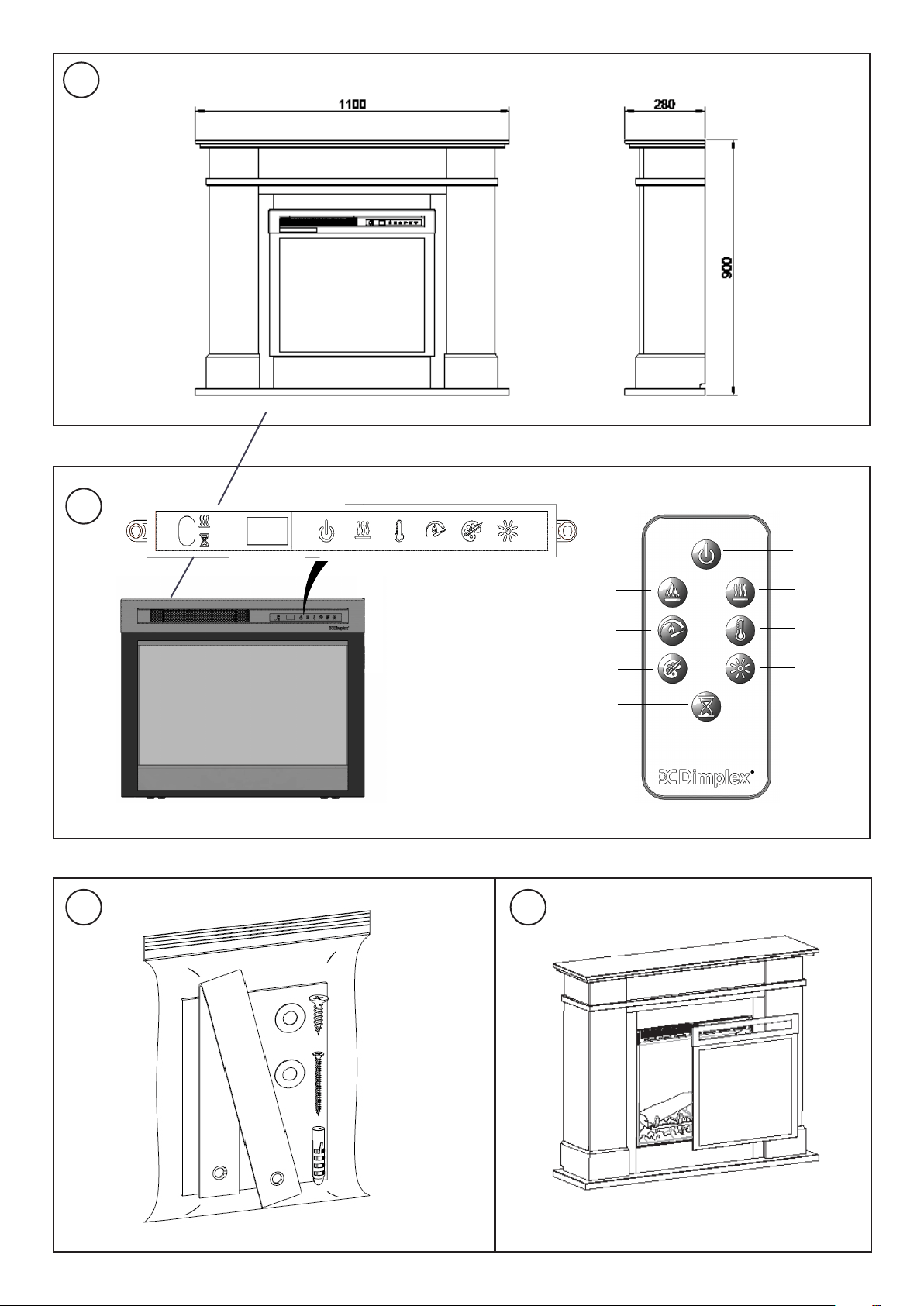
Controls: See Fig. 2
on and off by the utility.
Mounting Glass frame- See Fig. 4
Product comes with glass frame not xed to re, but packed
separately to the re in its own packing.
To x frame the hooks on both side at the top need to be
aligned up with corresponding slots on both sides of the re.
When hooked in place the frame hangs vertical covering
the re.
Maintenance
WARNING: ALWAYS DISCONNECT FROM THE POWER
SUPPLY BEFORE ATTEMPTING ANY MAINTENANCE.
Light Emitting Diode
This re is tted with LED (Light Emitting Diode) lamps. These
LED lamps are maintenance-free and should not require
replacing during the life of the product.
Cleaning
WARNING: ALWAYS DISCONNECT FROM THE POWER
SUPPLY BEFORE CLEANING THE HEATER.
For general cleaning use a soft clean duster – never use
abrasive cleaners. The glass viewing screen should be
cleaned carefully with a soft cloth.
DO NOT use proprietary glass cleaners.
To remove any accumulation of dust or uff the soft brush
attachment of a vacuum cleaner should occasionally be
used to clean the outlet grille of the fan heater.
WARNING: do not operate the product without the grille
and outer glass in position as this may effect the operation
of the heater.
Recycling
At the end of the electrical products useful life
it should not be disposed of with household
waste. Please recycle where facilities exist.
Check with your Local Authority or retailer for
recycling advice in your country.
After Sales Service
Should you require after sales service or should you need
to purchase any spares, please contact the retailer from
whom the appliance was purchased or contact the
service number relevant to your country on the warranty
card.
Please do not return a faulty product to us in the rst
instance as this may result in loss or damage and delay
in providing you with a satisfactory service. Please retain
your receipt as proof of purchase.
Remote Control - See Fig. 2
The maximum range of use is ~ 9metres.
NOTE: It takes time for the receiver to respond to the
transmitter.
NOTE: The reciever for the remote control is located in
the display, aim the remote control in this direction when
inputting commands.
Do not press the buttons more than once within two
seconds for correct operation.
Battery Information
1. To activate the remote control remove the clear battery
isolation strip at the base of the remote control, which
is used to ensure your remote control reaches you fully
charged.
2. To replace the remote control battery, turn over the
remote control, and follow the diagram embossed on the
remote control
3. Only use CR2025 or CR2032 size of batteries.
WARNING - KEEP BATTERIES OUT OF REACH OF CHILDREN
1. Swallowing may lead to serious injury in as little as 2
hours or death, due to the chemical burns and potential
perforation of the oesophagus.
2. If you suspect your child has swallowed or inserted
a button battery immediately call the 24-hour Poisons
Inforation Centre on 13 11 26 (in Australia) or 0800 764 766
(in New Zealand) for fast, expert advice.
3. Examine devices and make sure the battery compartment
is correctly secured, e.g. that the screw or other mechanical
fastener is tightened. Do not use if the compartment is not
secure.
4. Dispose of used button batteries immediately and safely.
at batteries can still be dangerous.
Tipping Restraint- See Fig. 3
WARNING: FALLING OR TIPPING APPLIANCES CAN
CAUSE INJURY OR DEATH OF YOUNG CHILDREN, PLEASE
ENSURE CHILDREN DO NOT CLIMB, HANG OR STAND ON
THIS PRODUCT.
WARNING: THE APPLIANCE IS PROVIDED WITH A TIPPING
RESTRAINT, THIS RESTRAINT IS NOT A SUBSTITUTE FOR
PROPER ADULT SUPERVISION. THIS RESTRAINT MAY PROVIDE
PROTECTION AGAINST TIPPING FURNITURE. DO NOT ALLOW
CHILDREN TO CLIMB ON FURNITURE. FAILURE TO DETACH
THIS RESTRAINT BEFORE MOVING FURNITURE MAY RESULT IN
INJURY AND DAMAGE.
This product is provided with a ‘Tipping Restraint Kit’ as
shown in Fig 3, to prevent the product accidentally tipping.
Instructions are supplied with this kit please follow these
instructions carefully. This accessory is intended to improve
the safety of the the product.
Thermal Safety Cut-out
The built-in overheat cut-out, switches off the appliance
automatically in the event of a fault! Should this occur
switch off the appliance or disconnect the mains plug
from the socket.
Remove any obstructions which may have caused the
overheating. After a short cooling down phase, the
appliance is ready for use again! If the fault should occur
again, contact your local dealer!
WARNING: In order to avoid a hazard due to inadvertent
resetting of the thermal cut-out, this appliance must not be
supplied through an external switching device, such as a
timer, or connected to a circuit that is regularly switched


Glen Dimplex Australia
8 Lakeview Drive,
Scoresby,
VIC 3179,
Australia
www.dimplex.com.au
Ph: 1300 556 816
Glen Dimplex New Zealand Pty
Ltd.
35 Harris Road,
East Tamaki,
2013 Auckland
New Zealand
www.dimplex.co.nz
Ph: 0800 666 2824
© Glen Dimplex Heating & Ventilation.
All rights reserved. Material contained in this publication may not be reproduced in whole or part, without
prior permission in writing of Glen Dimplex Heating & Ventilation.