HRF580YHS
HRF580YHC
Thank you for purchasing a Haier Product.
Please read these instructions carefully before using this appliance. The instructions contain
important information which will help you get the best out of the appliance and ensure safe
and proper installation, use and maintenance.
Keep this manual in a convenient place so you can always refer to it for the safe and proper
use of the appliance.
If you sell the appliance, give it away, or leave it behind when you move house, make sure you
also pass this manual so that the new owner can become familiar with the appliance and
safty warnings.
Legend
Warning – Important Safety information
General information and tips
Environmental information
Disposal
Help protect the environment and human health. Put
the packaging in applicable containers to recycle it.
Help to recycle waste of electrical and electronic appli-
ances.marked with this symbol with the household
waste. Return the product to your local recycling facility
or contact your municipal oce.
Risk of injury or suocation!
Refrigerants and gases must be disposed of professionally. Ensure that the tubing of
the refrigerant circuit is not damaged before being properly disposed of. Disconnect
the appliance from the mains supply. Cut o the mains cable and dispose of it.
Remove the trays and drawers as well as the door catch and seals, to prevent children
and pets to get closed in the appliance.
23
29
26
35
32
Accessories
Check the accessories and literature in accordance with this list:
1
Before switching on the appliance for the rst time read the following
safety hints!
Before rst use
Make sure there is no transport damage.
Remove all packaging and keep out of children´s reach.
Wait at least two hours before installing the appliance in order to ensure the
refrigerant circuit is fully ecient.
Handle the appliance always with at least two persons because it is heavy.
Installation
The appliance should be placed in a well-ventilated place. Ensure a space of
at least 10 cm above and around the appliance.
Never place the appliance in a damp area or location where it might be
splashed with water. Clean and dry water splashes and stains with a soft
clean cloth.
Do not install the appliance in direct sunlight or in the near of heat
sources(e.g. stoves, heaters).
Install and level the appliance in an area suitable for its size and use.
WARNING:Keep ventilation openings in the appliance or in the in-built
structure clear of obstruction.
Make sure that the electrical information on the rating plate agrees with the
power supply. If it does not, contact an electrician.
Connec the appliance to the electrical supply (220V-240V 50Hz) with the
tted plug and lead .
Abnormal voltage uctuation may cause the appliance to fail to start, or
damage to the temperature control or compressor, or there may be an
abnormal noise when operating. In such case, an automatic regulator shall
be mounted.
Do not use multi-plug adapters and extension cables.
WARNING:Do not locate multiple portable socket-outlets or portable power
supplies at the rear of the appliance.
WARNING:When positioning the appliance, ensure the supply cord is not
trapped or damaged.
2
Use a separate earthed socket for the power supply which is easy acces-
sible. The appliance must be earthed.
WARNING:Do not damage the refrigerant circuit.
Daily use
This appliance is not intended for use by persons (including children)
with reduced physical,sensory or mental capabilities, or lack of experi-
ence and knowledge, unless they have been given supervision or
instruction concerning use of the appliance by a person responsible for
their safety.
Children aged from 3 to 8 years are allowed to load and unload, but not
allowed to clean or install the refrigerating appliances.
Keep away children under 3 years of age from the appliance unless they
are constantly supervised.
Children should be supervised to ensure that they do not play with the
appliance.
If cool gas or other inammable gas is leaking in the vicinity of the
appliance, turn o the valve of the leaking gas, open the doors and
windows and do not unplug a plug in the power cable of the refrigerator
or any other appliance.
Notice that the appliance is set for operation at a specic ambient range
between 16 and 38℃. The appliance may not work properly if it is left for
a long period at a temperature above or below the indicated range.
Do not place unstable articles (heavy objects, containers lled with
water) on top of the refrigerator, to avoid personal injury caused by
falling or electric shock caused by contact with water.
Do not pull on the door shelves. The door may be pulled slant, the bottle
rack, may be pulled away, or the appliance may topple.
Open and close the doors only with the handles. The gap between the
doors and between the doors and the cabinet is very narrow.
Do not extend your hands in these areas to avoid pinching your ngers.
Open or close the refrigerator doors only when there are no children
standing within the range of door movement.
Do not store or use inammable, explosive or corrosive materials in the
3
Do not store explosive substances such as aerosol cans with a amma-
ble propellant in this appliance.
Do not store medicines, bacteria or chemical agents in the appliance.
This appliance is a household appliance. It is not recommended to store
materials that require strict temperatures.
Never store liquids in bottles or cans (besides high percentage spirits)
especially carbonated beverages in the freezer, as these will burst
during freezing.
Check the condition of food if a warming in the freezer has taken place.
Do not set unnecessarily low temperature in the refrigerator compart-
ment. Minus temperatures may occur at high settings.
Attention: Bottles can burst
Do not touch frozen goods with wet hands (wear gloves).
Especially do not eat ice lollies immediately after removal from the
freezer compartment. There is the risk to freeze or the formation of frost
blisters. FIRST aid: keep immediately under running cold water.
Do not pull away!
Do not touch the inside surface of the freezer storage compartment
when in operation, especially with wet hands, as your hands may freeze
onto the surface.
Unplug the appliance in the event of a power interruption or before
cleaning. Allow at least 5 minutes before restarting the appliance, as
frequent starting may damage the compressor.
WARNING: Do not use electrical devices inside the food storage com-
partments of the appliance, unless they are of the type recommended
by the manufacturer.
Maintenance / cleaning
Make sure children are supervised if they carry out cleaning and main-
tenance. Disconnect the appliance from the electrical supply before
undertaking any routine maintenance. Allow at least 5 minutes before
restarting the appliance, as frequent starting may damage the com-
pressor.
4
Hold the plug, not the cable, when unplugging the appliance.
Do not clean the appliance with hard brushes, wire brushes, detergent
powder, petrol, amyl acetate, acetone and similar organic solutions, acid or
alkaline solutions. Please clean with special refrigerator detergent to avoid
damage.
Do not scrape o frost and ice with sharp objects. Do not use sprays,
electric heaters like heater, hair dryer, steam cleaners or other sources of heat
in order to avoid damage to the plastic parts.
WARNING:Do not use mechanical devices or other means to accelerate the
defrosting process, other than those recommended by the manufacturer.
If the supply cord is damaged, it must be replaced by the manufacturer,
its service agent or similarly qualied persons in order to avoid a hazard.
Do not try to repair, disassemble or modify the appliance by yourself.
In case of repair please contact our customer service.
Eliminate the dust on the back of the unit at least once in the year to avoid
hazard by re, as well as increased energy consumption.
Do not spray or ush the appliance during cleaning.
Do not use water spray or steam to clean the appliance.
Do not clean the cold glass shelves with hot water. Sudden temperature
change may cause the glass to break.
Refrigerant gas information
The appliance contains the ammable refrigerant ISOBUTANE(R600a).
Make sure the refrigerant circuit is not damaged during transportation or
installation. Leaking refrigerant may cause eye injuries or ignite. If a damage
has occurred, keep away open re sources, throughly ventilate the room,
do not plug or unplug the power cords of the appliance or any other appli-
ance.Inform the customer service. In case of eyes get into contact
with the refrigeran, rinse immediately it under running water and call imme-
diately the eye specialist.
5
This product contains ammable refrigerant isobutane (R600a)
It is hazardous for anyone other than an Authorised Service Person to
service this appliance. In Queensland – the authorized Service Person
MUST hold a Gas Work Authorisation f or hydrocarbon refrigerants, to
carry out Servicing or repairs which involve the removal of covers .
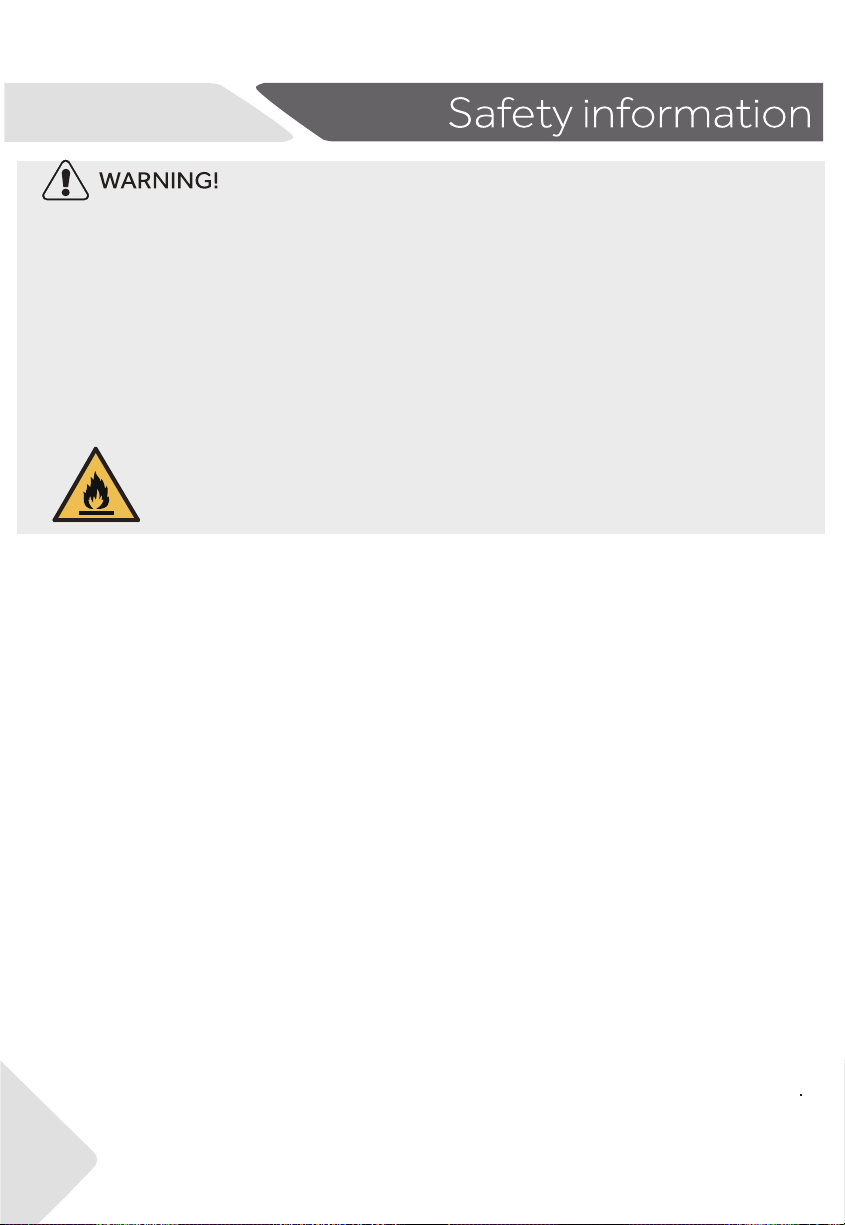
The symbol indicates there is a risk of fire since flamma-
ble materials are used. Take care to avoid causing a fire
by ingiting flammable material.
6
-
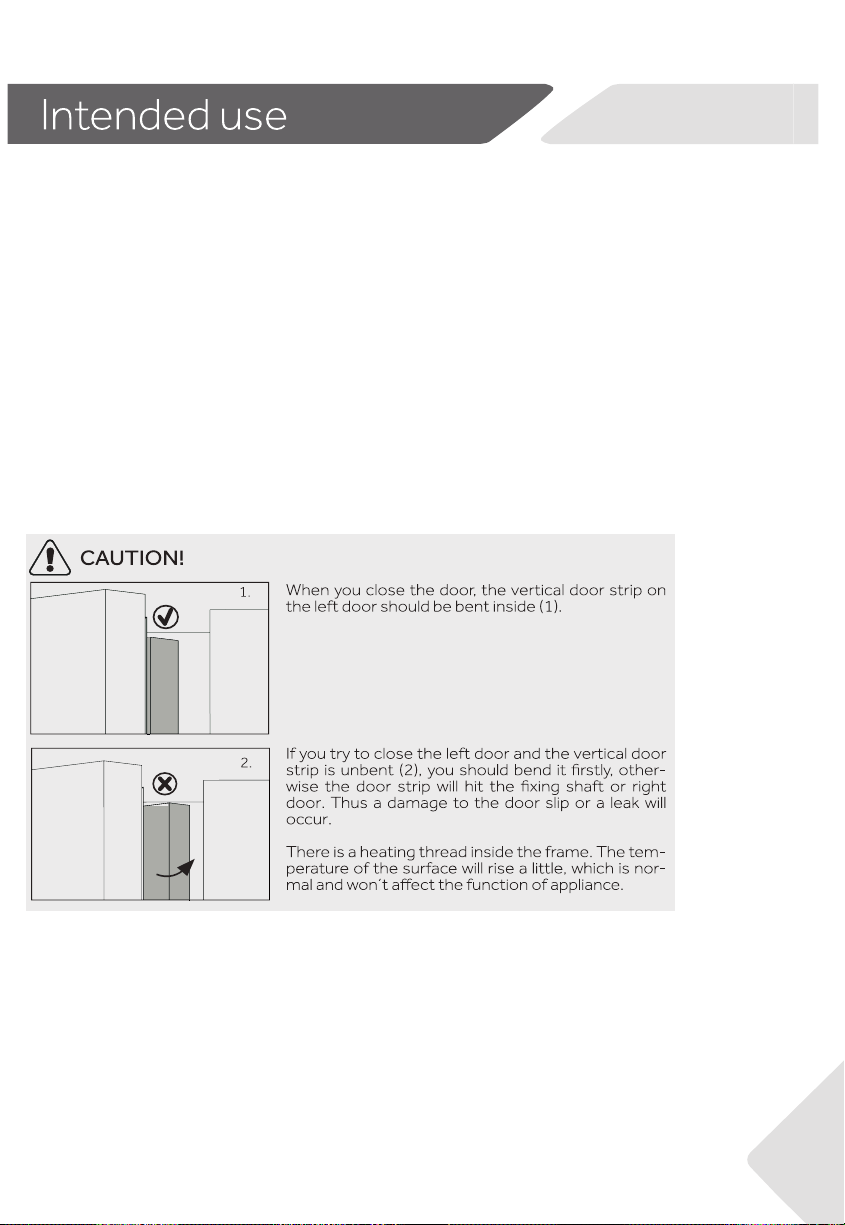
Please abandon the refrigerator according to local regulators for it use ammable blowing
gas and refrigerant.
Intended use
This appliance is intended to be used in household and similar applications such as
– sta kitchen areas in shops, oces and other working environments;
– farm houses and by clients in hotels, motels and other residential type environments;
– bed and breakfast type environments;
– catering and similar non-retail applications.
Changes or modications to the device are not allowed. Unintended use may cause hazards
and loss of warranty claims.
7
8
8
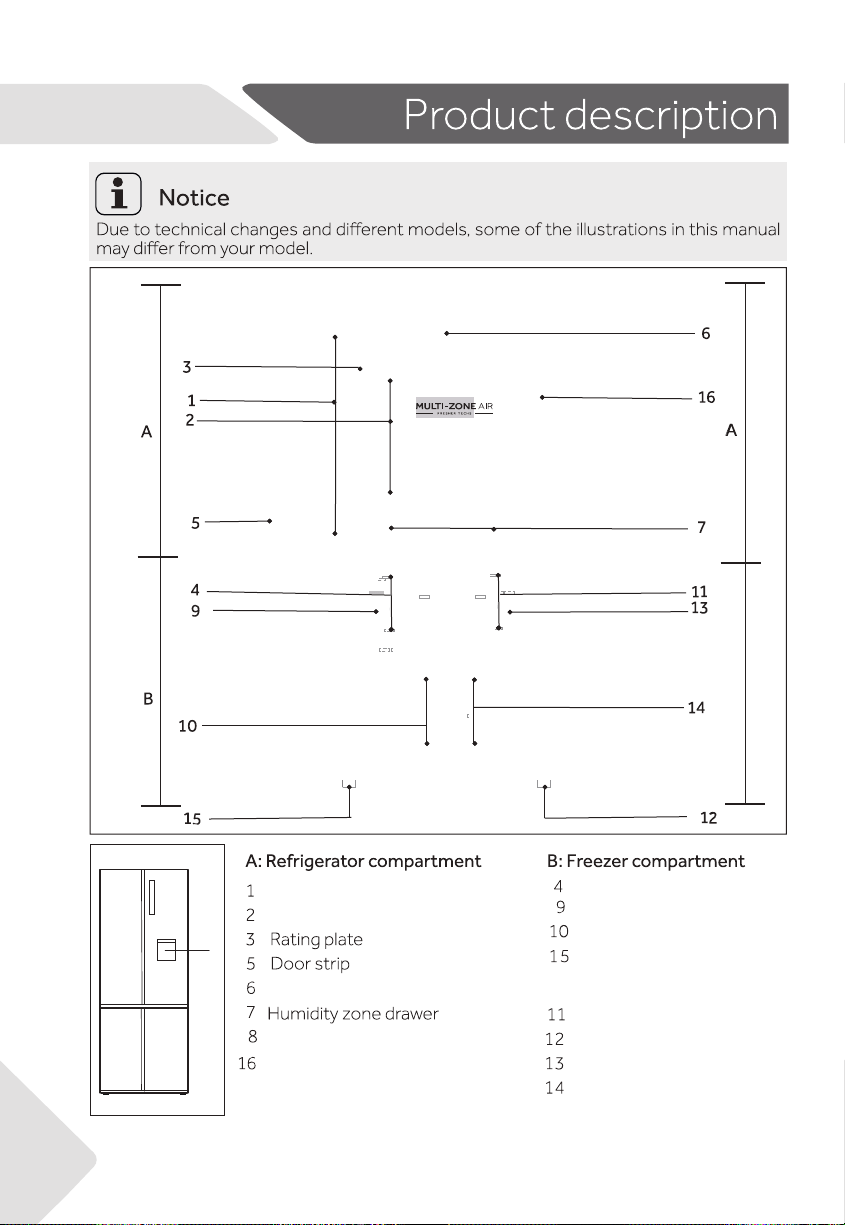
Water dispenser
Storage tray
Switch Zone storage drawer
Door shelf
Cabinet shelf
Ceiling light
Storage tray
Storage drawer
Adjustable feet
Air duct
Air duct
C
C:Switch Zone compartment
Adjustable feet
Water tank
Before rst use
Remove all packaging materials, keep them out of children`s reach and dispose them in an
environmentally friendly manner.
Clean the inside and outside of the appliance with water and a mild detergent before putting
any food in it.
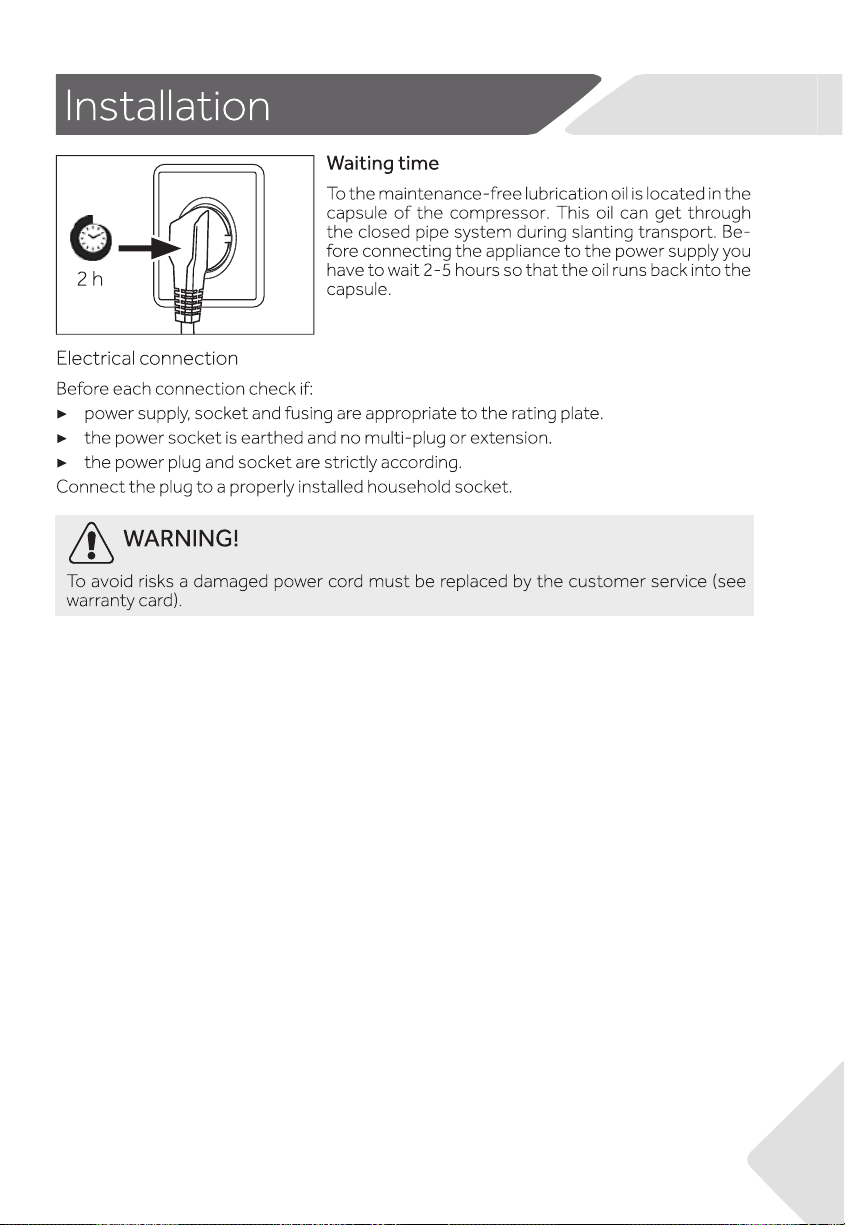
After the appliance has been levelled and cleaned, wait for at least 2-5 hours before connect-
ing it to the power supply. See Section INSTALLATION.
Precool the compartments at high settings before loading with food. The function Super-
Freeze helps to cool down the compartments quickly.
The refrigerator temperature ,Switch Zone temperature and freezer temperature are automat-
ically set to5℃ ,-18℃and -18℃respectively. These are the recommended settings. If desired,
you can change these temperatures manually. Please see ADJUST THE TEMPERATURE.
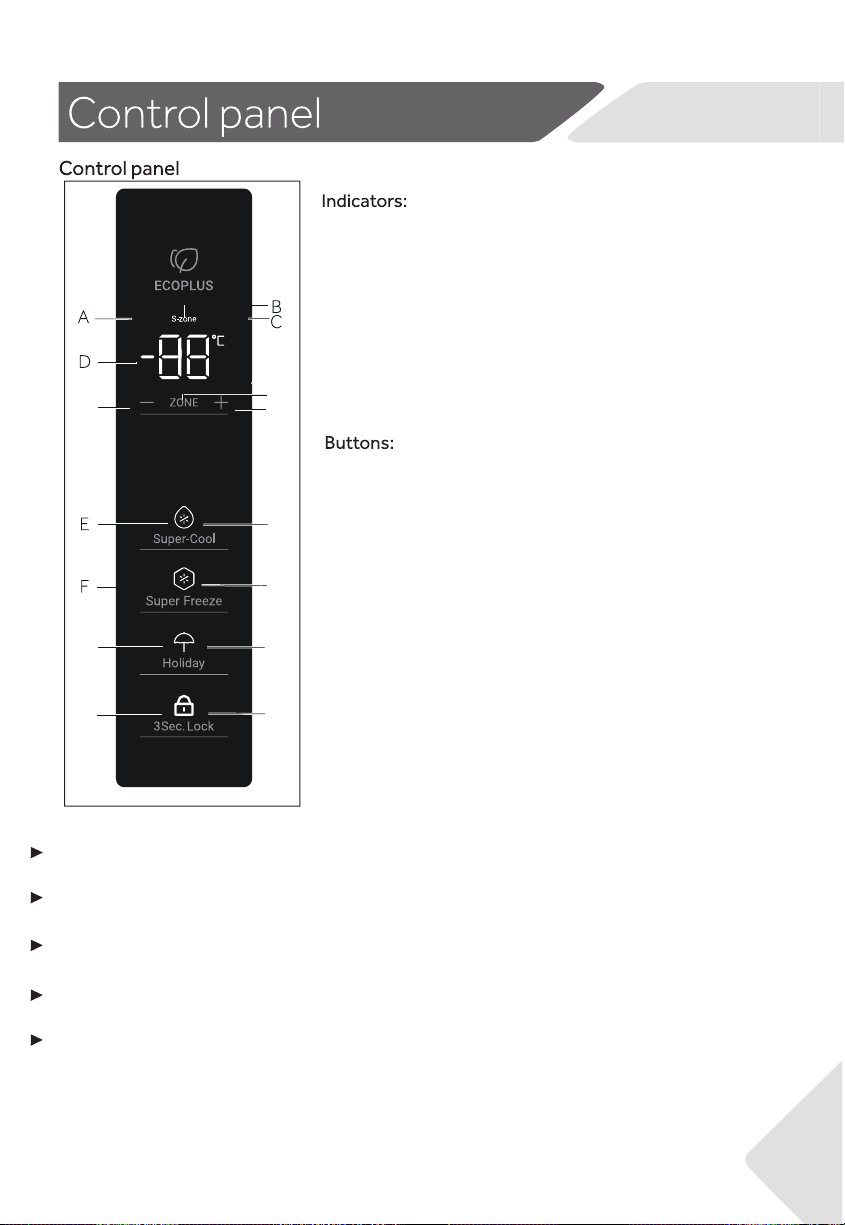
G
H
I
J
K
L
M
N
O
A Fridge Compartment
B Switch Zone
C Freezer Compartment
D Temperature display
E Super Cool Function
F Super Freeze Function
G Holiday mode
H Panel lock
I Temperature control "-"
J Compartment selection
K Temperature control "+"
L Super Cool function selector
M Super Freeze function selector
N Holiday mode selector
O Panel lock selector
Freezer
Fridge
9
The appliance is preset to the remomended temperature of 5 ℃(Refrigerator)-18℃(
Switch Zone)and -18℃(Freezer).Under normal ambient condition you need not to
set a temperature.
When the appliance is switched on after disconnection from the main power supply, it
may take up to 12 hours for the correct temperatures to be reached.
Sensor keys
The buttons on the control panel are sensor keys, which already respond when lightly
touched with the nger.
Switch on /o the appliance
The appliance is in operation as soon as it is connected to the power supply.
When the refrigerator is rst powered on, the indicator “D” (Temperature display)
illuminates.
The fridge temperature, Switch Zone temperature and freezer temperature are
automatically set to 5℃, -18℃and -18℃ respectively.
Maybe the panel lock is active.
Empty the appliance before switching o. To switch o the appliance,pull the power
cord out o the power socket.
10
Standby-mode
Manual adjusting mode
If you want to manually adjust the temperature of the appliance ,you can set the
temperature via a temperature adjust button (refer to ADJUST THE TEMPERATURE)
.
Adjust the temperature
The indoor temperatures are inuenced by the following factors:
Ambient temperature
Frequency of door opening
Amount of stored foods
Installation of the appliance
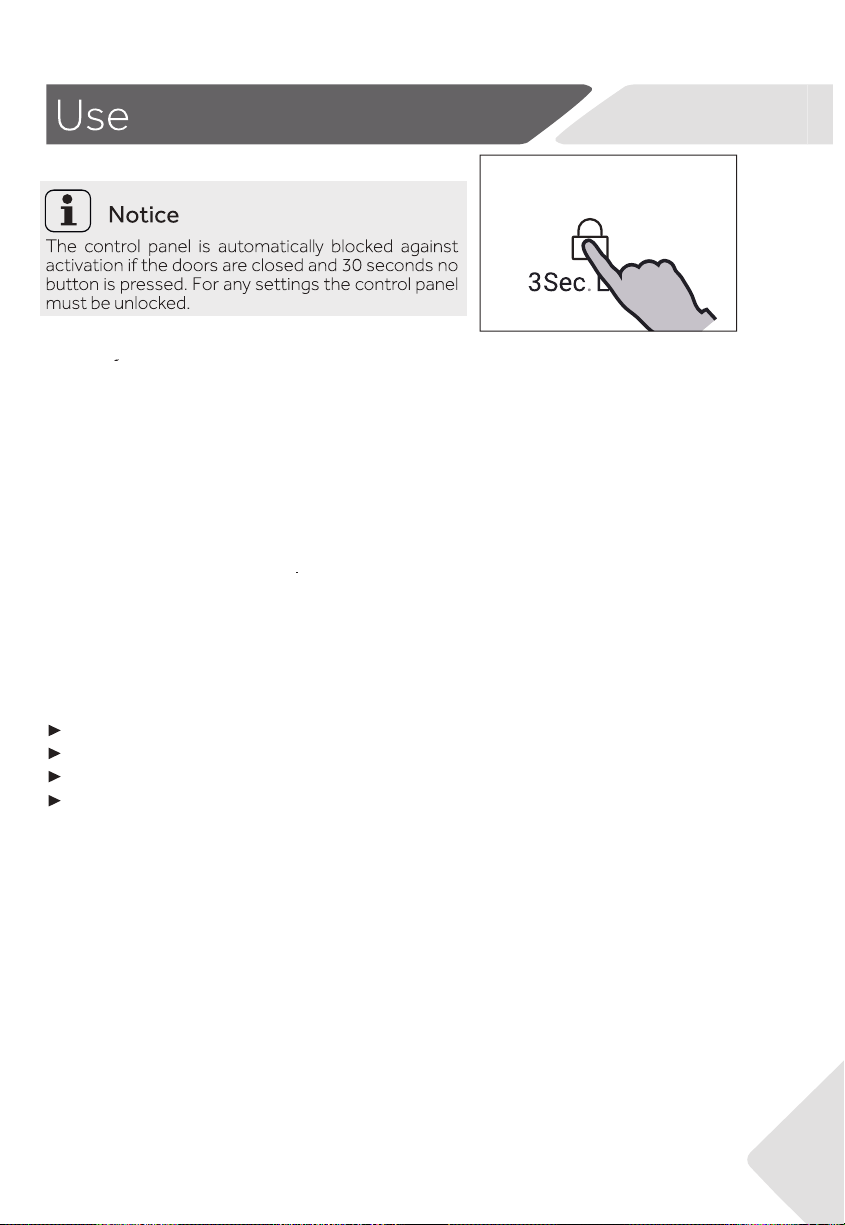
Lock/unlock panel
The display screen turns o automatically 30seconds after pressing a key .The display
will be automatically locked.It lights up automatically when pressing any key or
opening any door (Alarm does not light up the display screen)
Door alarm
Door alarm will trigger when door opens for long time or not closed properly, as a
reminder.
11
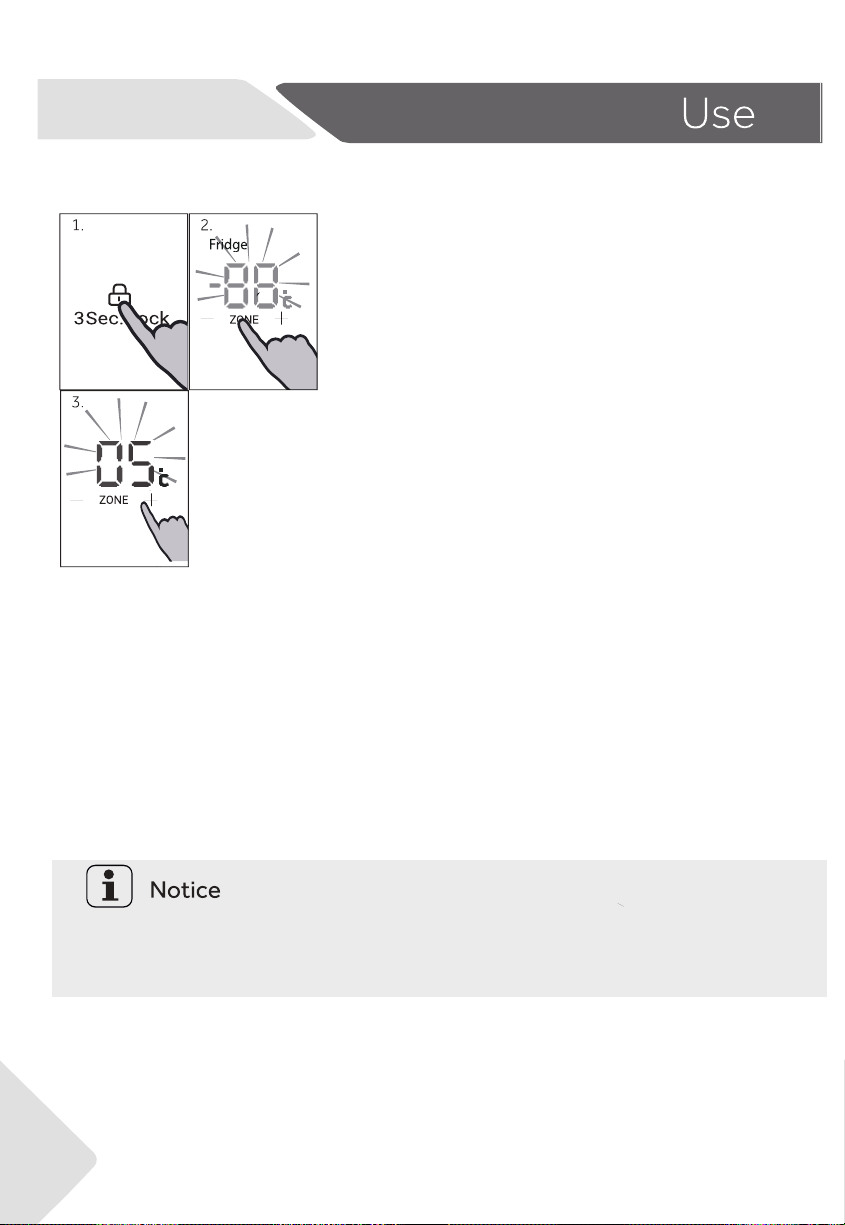
Unlock the settings by long pressing key “O”
for 3 seconds.
Under unlock state, press key “J” (Tempera-
ture zone selector) to toggle across compart-
ments. When indicator “A” (Fridge compart-
ment indicator) lights up, press key “I” (Tem-
perature control “-”) or key “K” (Temperature
control “+”) to adjust the fridge compart-
ment temperature.
Value displayed on indicator “D” decreases by
1 ℃ when key “I” is pressed each time.
The display ahes and turns solid with the set temperature, then goes o
after a few seconds. Accordingly, value displayed on indicator “D”
increases by 1 °C when key “K” is pressed each time. The display ahes
and turns solid with the set temperature, then goes o after a few
seconds. Fridge compartment temperature can be adjusted from 1 ℃ to
9 ℃ with 1 ℃ incremental.
Adjust the temperature for Fridge
12
Fridge temperature can't be adjusted under Super Cool and lock state.
Adjust the temperature for Freezer
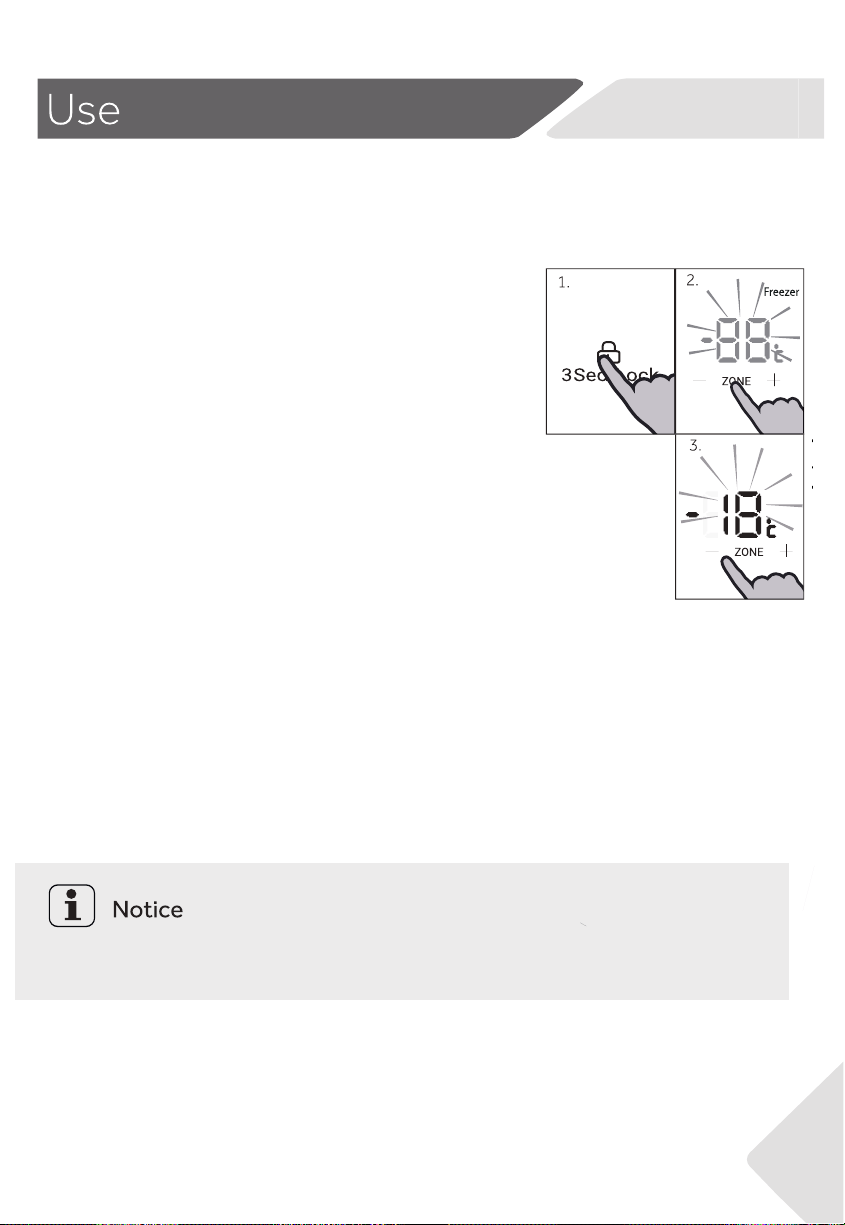
Unlock the settings by long pressing key “O” for
3 seconds.
Under unlock state, press key “J” (Temperature
zone selector) to toggle across compartments.
When indicator “C” (Freezer Compartment
indicator) lights up, press key “I” (Temperature
control “-”) or key “K” (Temperature control “+”)
to adjust Freezer compartment temperature.
Value displayed on indicator “D” decreases by 1
℃ when key “I” is pressed each time. The
display ahes and turns solid with the set
temperature, then goes o after a few seconds.
Accordingly, value displayed on indicator “D”
increases by 1 ℃ when key “K” is pressed each
time. The display ahes and turns solid with the
set temperature, then goes o after a few
seconds. Freezer compartment temperature
can be adjusted from -14 ℃ to -24 ℃ with 1 ℃
incremental.
Freezer temperature can't be adjusted under Super Freeze and lock state.
13
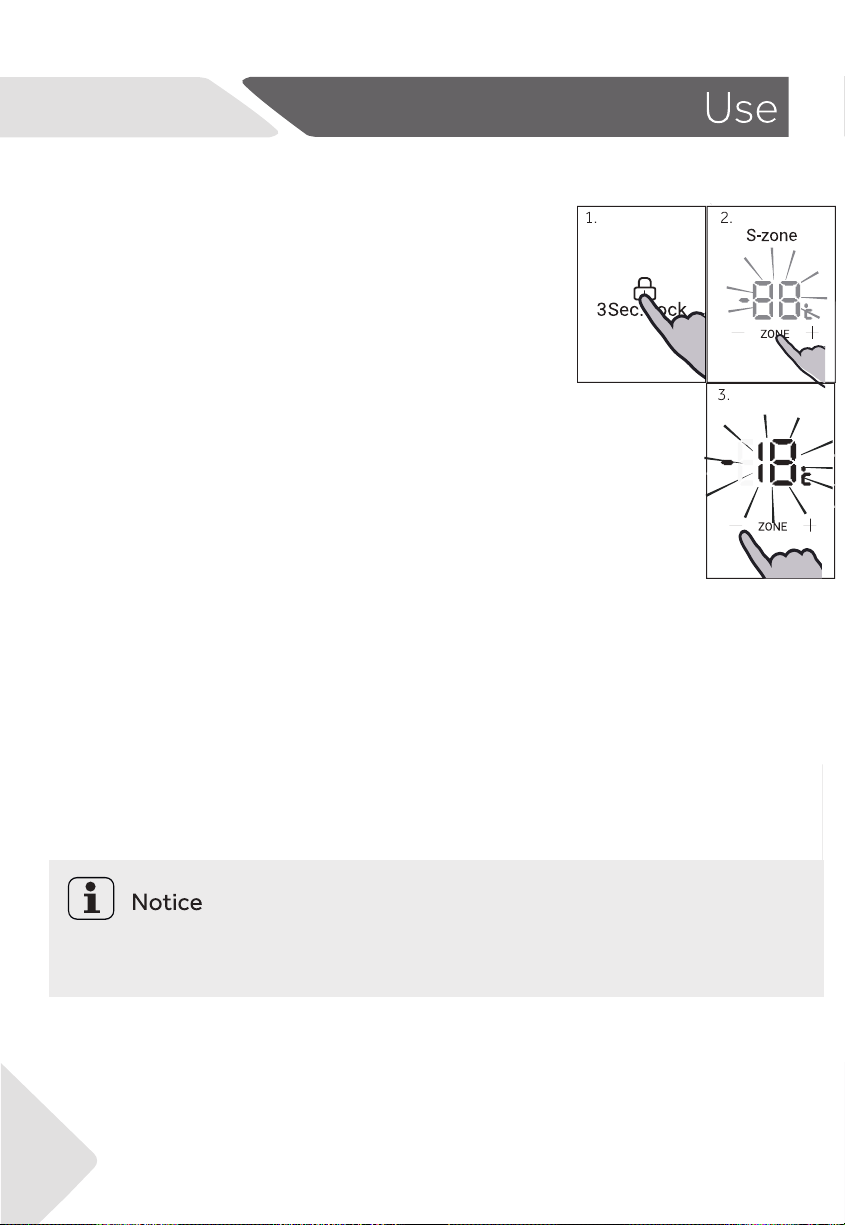
Unlock the settings by long pressing key “O” for 3
seconds.
Under unlock state, press key “J” (Temperature
zone selector) to toggle across compartments.
When indicator “B” (Switch Zone indicator) lights
up, press key “I” (Temperature control “-”) or key “K
“(Temperature control “+”) to adjust Switch Zone
compartment temperature. Value displayed on
indicator “D” decreases by 1 ℃ when key “I” is
pressed each time. The display ahes and turns
solid with the set temperature, then goes o after
a few seconds. Accordingly, value displayed on
indicator “D” increases by 1 ℃ when key “K” is
pressed each time. The display ahes and turns
solid with the set temperature, then goes o after
a few seconds. Switch Zone compartment tem-
perature can be adjusted from 5 ℃ to -18 ℃ with
1 ℃ incremental.
Adjust Switch Zone temperature
Switch Zone temperature can't be adjusted under lock state.
14

Super Freeze function
Super Freeze function can freeze the fresh
food as soon as possible to the core by accel-
erating the freezing to preserve the best
nutritional value, appearance and taste of
food. If you need to freeze a large amount of
food once, it is recommended to set the
Super Freeze function on ahead for 24 hours
before the usage of freezer compartment.
Under unlock state, press key “M” (Super Freeze function selector),
indicator “F” (Super Freeze function indicator) lights up, product
enters Super Freeze mode. Product automatically exits Super
Freeze mode after 50 hours of activation. For manually exiting
Super Freeze mode, press key “M” (Super Freeze function selector)
under unlock state, indicator “F” (Super Freeze function indicator)
goes o, product exits Super Freeze mode.
Unlock the settings by long pressing key “O” for 3
seconds.
Under Super Freeze mode, key “I” (Temperature control “-”) & key “K”
(Temperature control “+”) are locked when freezer compartment is select-
ed and freezer compartment temperature cannot be adjusted.
15
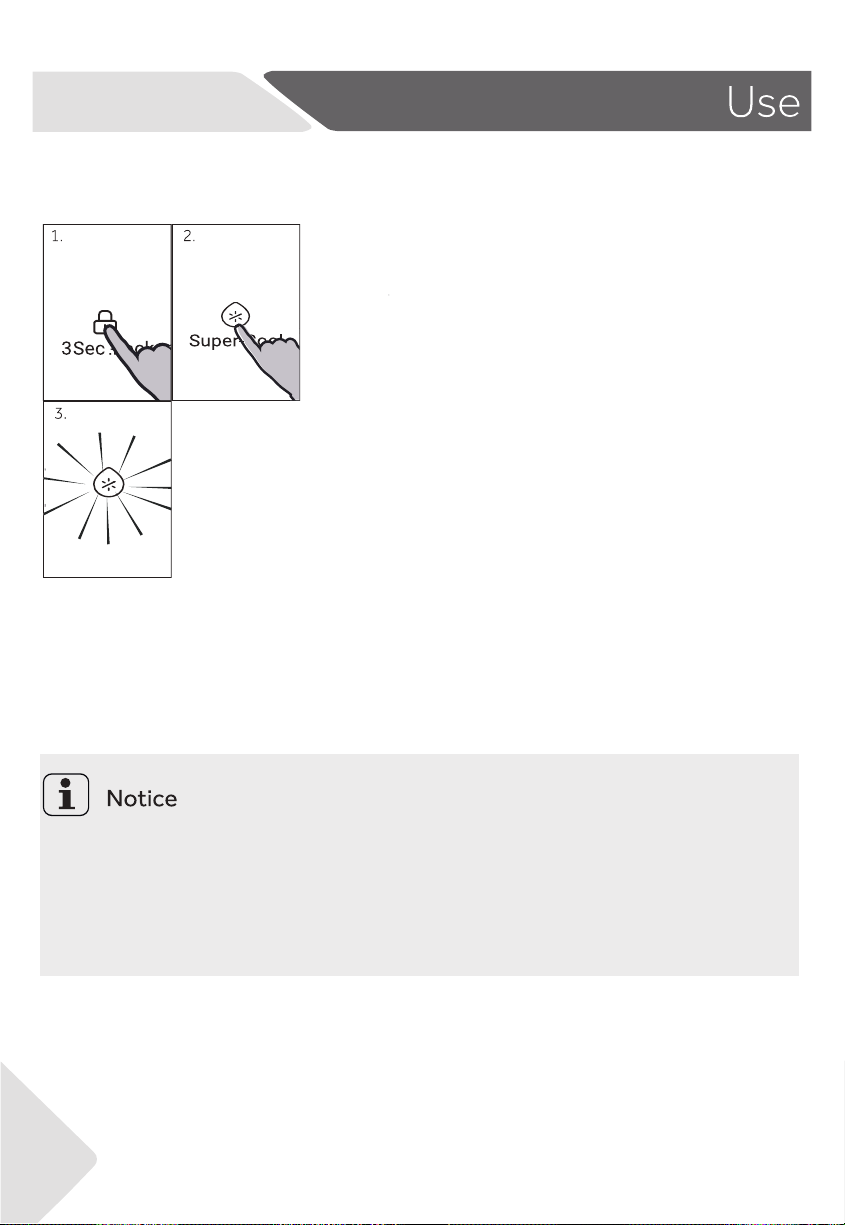
After putting food into fridge compartment,
if you want to cool it down quickly, you can
enable the Super Cool function.
Unlock the settings by long pressing key “O”
for 3 seconds.
Under unlock state, press key “L” (Super Cool
function selector), indicator “E” (Super Cool
function indicator) lights up, product enters
Super Cool mode. Product automatically
exits Super Cool mode after 6 hours of
activation. For manually exiting Super Cool
mode, press key “L” (Super Cool function
selector) under unlock state, indicator “E”
(Super Cool function indicator) goes o,
product exits Super Cool mode.
Super Cool function
Super Cool function de-activates automatically when Holiday mode is
selected. Under Super Cool mode, key “I” (Temperature control “-”) & key
“K” (Temperature control “+”) are locked when fridge compartment is
selected and fridge compartment temperature cannot be adjusted.
16
Holiday Mode
Under Holiday mode, fridge compartment
automatically sets to 17℃ (for energy saving),
while SwitchZone and freezer compartment
operate at normal temperature settings.
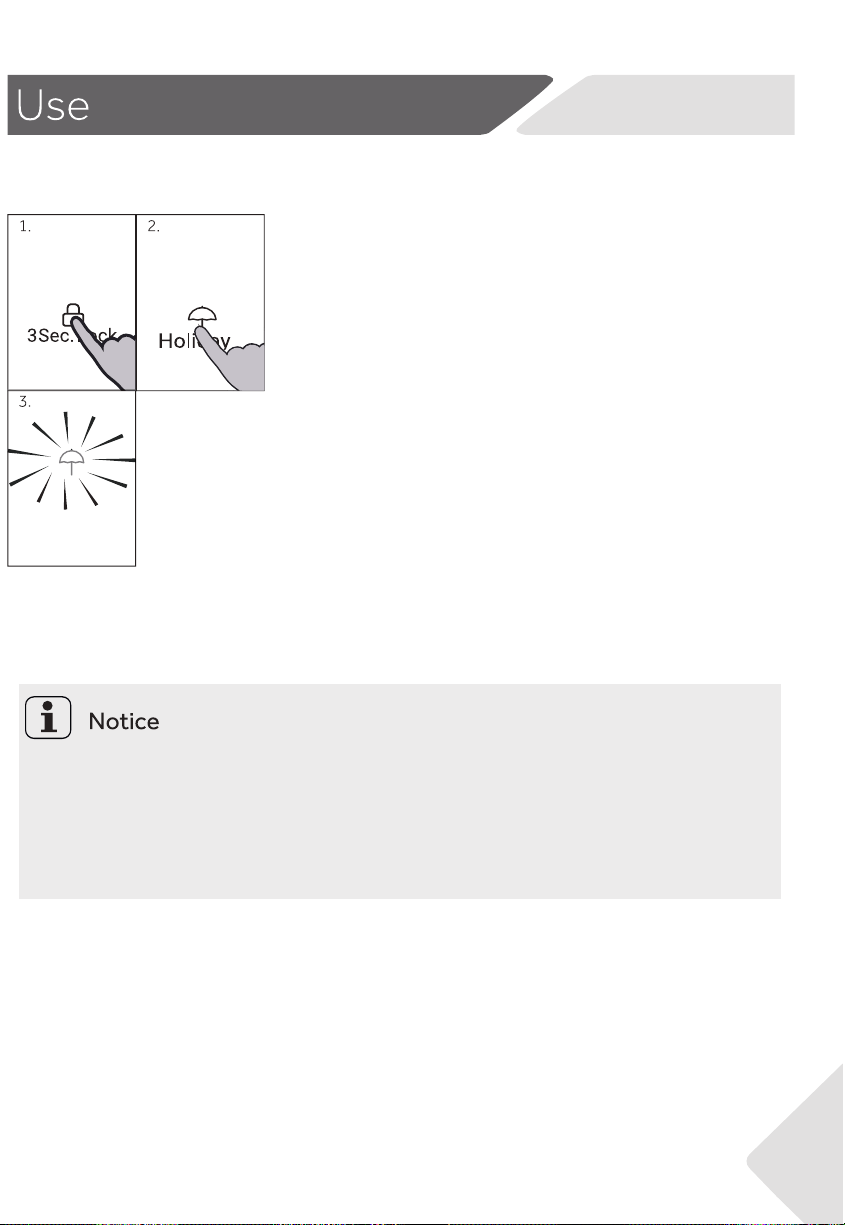
Unlock the settings by long pressing key “O” for 3
seconds.
Under unlock state, press key “N” (Holiday mode
selector), indicator “G” (Holiday mode indicator)
lights up, product enters Holiday mode; to exit,
press key “N” (Holiday mode selector), indicator
“G” goes o, and the product exits Holiday mode.
Holiday mode exits automatically when Super Cool function is activated.
Under Holiday mode, key “I” (Temperature control “-”) & key “K” (Tempera-
ture control “+”) are locked when fridge compartment is selected and
fridge compartment temperature cannot be adjusted.
17
18
A
C
WARNING!
Fill with potable water only.
Filling the water tank
Notice:Water dispenser
Water dispenser
Getting water from the dispenser
Before reling dispose residual water and clean the tank.
When you don't need water for a long time, please empty the water tank and insert the
cleaned tank.
The cover (C) on the water tank is additionally used to save energy. If you do not want
to get water from the water dispenser for a long period, please still install the cover
because of better insulating and saving. energy.
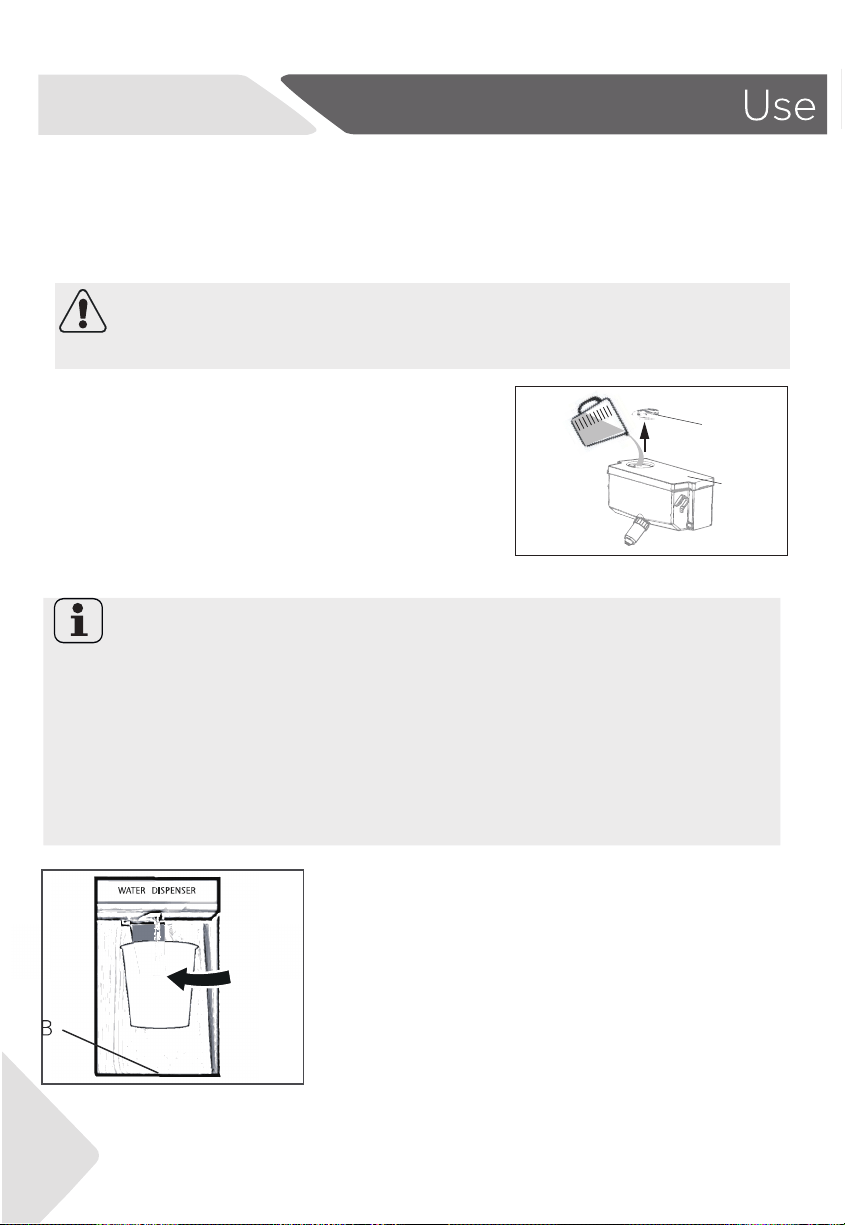
1. Place a glass underneath the water outlet.
2. Push it gently against the water dispenser lever. Make
sure the glass is in line with the dispenser to prevent the
water from splashing out
3. Water in the tray (B) should be removed in time,as it
could overow when the door opens and closes.
1.Ensure that the water is properly inserted (see
EQUIPMENT)
2.Rotate and lift the round lid(A)and ll the water
tank up with fresh drinking water.
3.Fill water only up to the mark (2.5l), as it could
overow when the door opens and closes.
4.Close the round lid(A)until it clicks into place.
.
With the water dispender cool drinking water can be tapped.
The water tank should be cleaned before rst use (see CARE AND CLEANING).

19
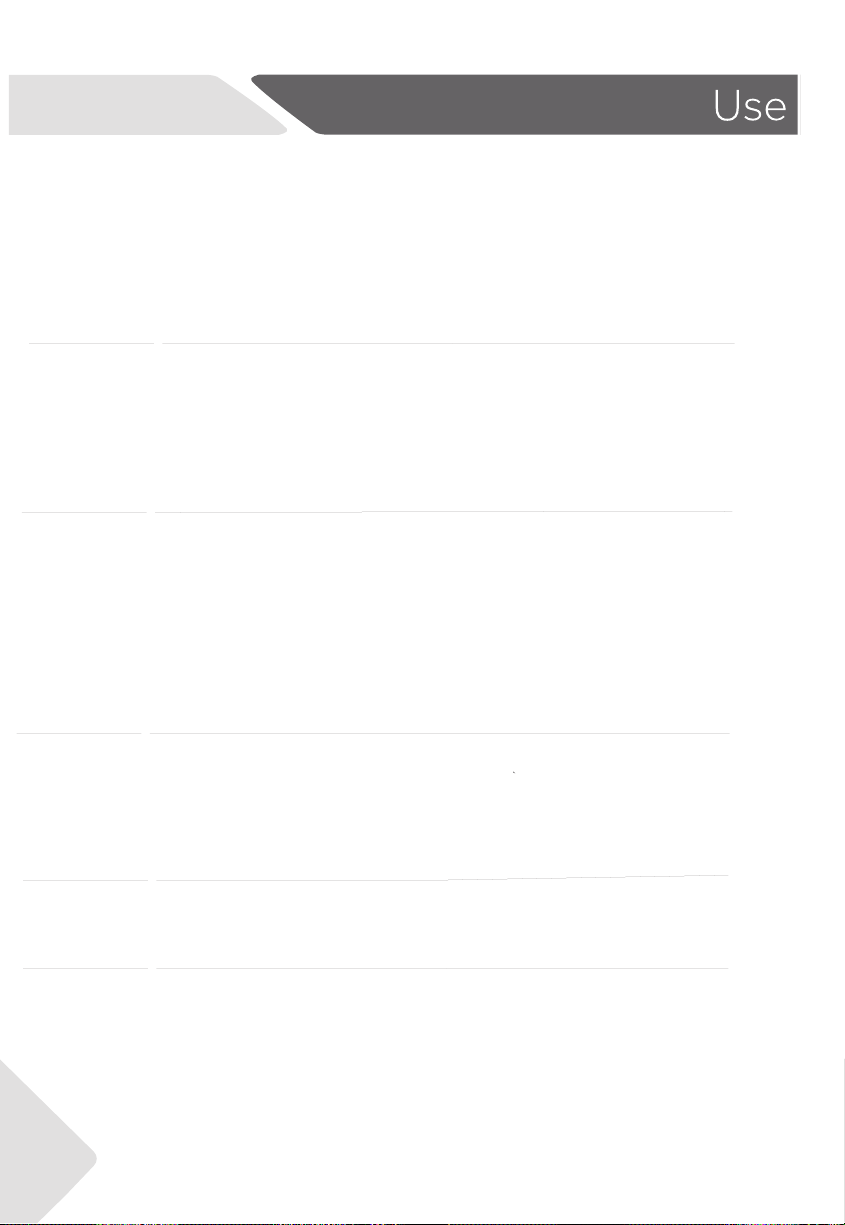
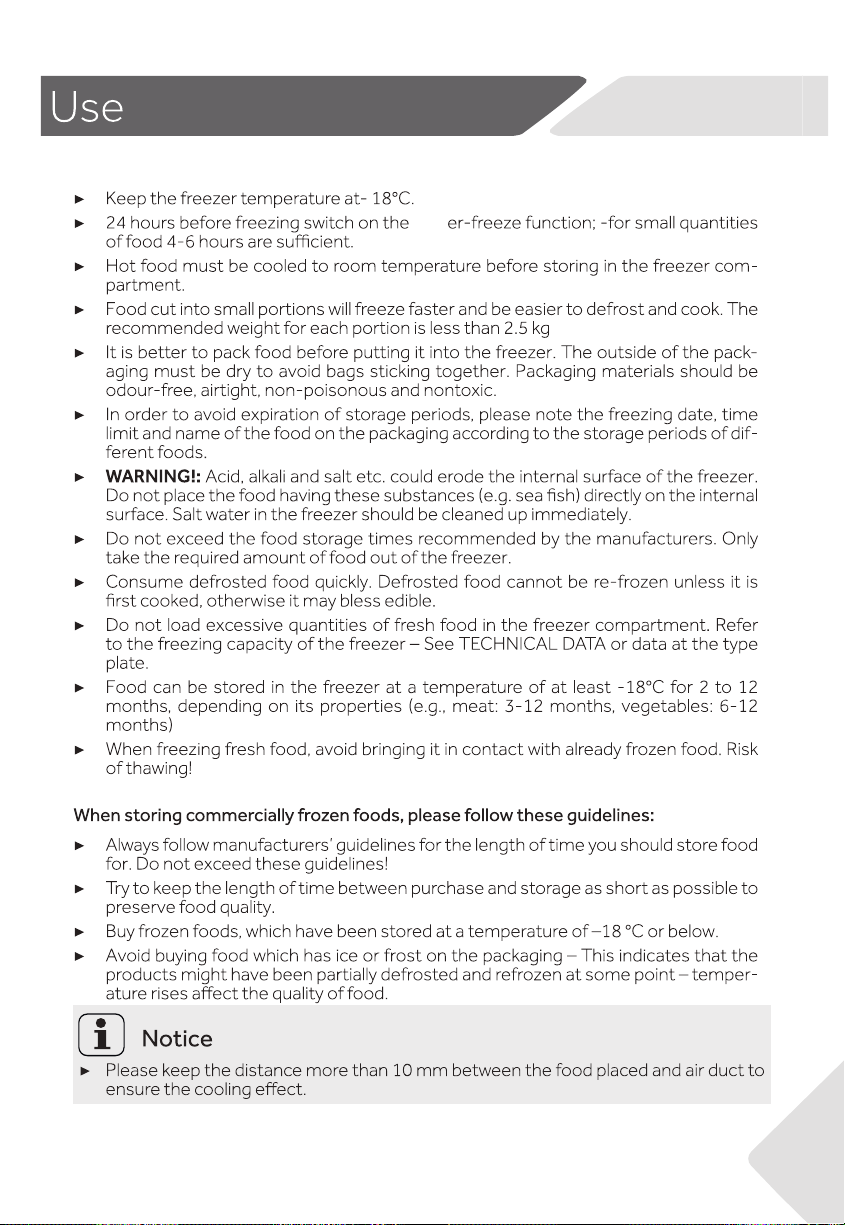
Switch Zone compartment allows you to adjust the temperature between -18℃ to 5℃
according to the demand of food storage and provide you with further exibility in storage
options for your convenience.
-18°C
For general frozen food items
that require storage between
1 – 12 months .
Meat, poultry, seafood,
pre-cooked foods and
leftovers, some fruits and
vegetable, ice cream, and
other frozen desserts.
-7°C
Allows easy portioning of food
and the ability to heat, cook or
serve foods straight from the
compartment without waiting
for it to thaw.
Meats, seafood, soups,
sauces, pureed foods,
bread, desserts and
pastries.
Note: Recommended for
storage of creamy desserts
such as ice cream.
0°C
Providing the perfect storage zone
for highly perishable food to ensure
they retain their vital freshness and
quality.
Highly perishable meats,
poultry and seafood.
Alcoholic beverages such
as beer.
5°C
The ideal mode for fresh foods
such as fruit and vegetables, dairy
products, meats and drinks.
Fruit and vegetables,
dairy products, jams and
chutneys/preserves, meats
and drinks.
20
Storage into the Switch Zone compartment
Sup
21
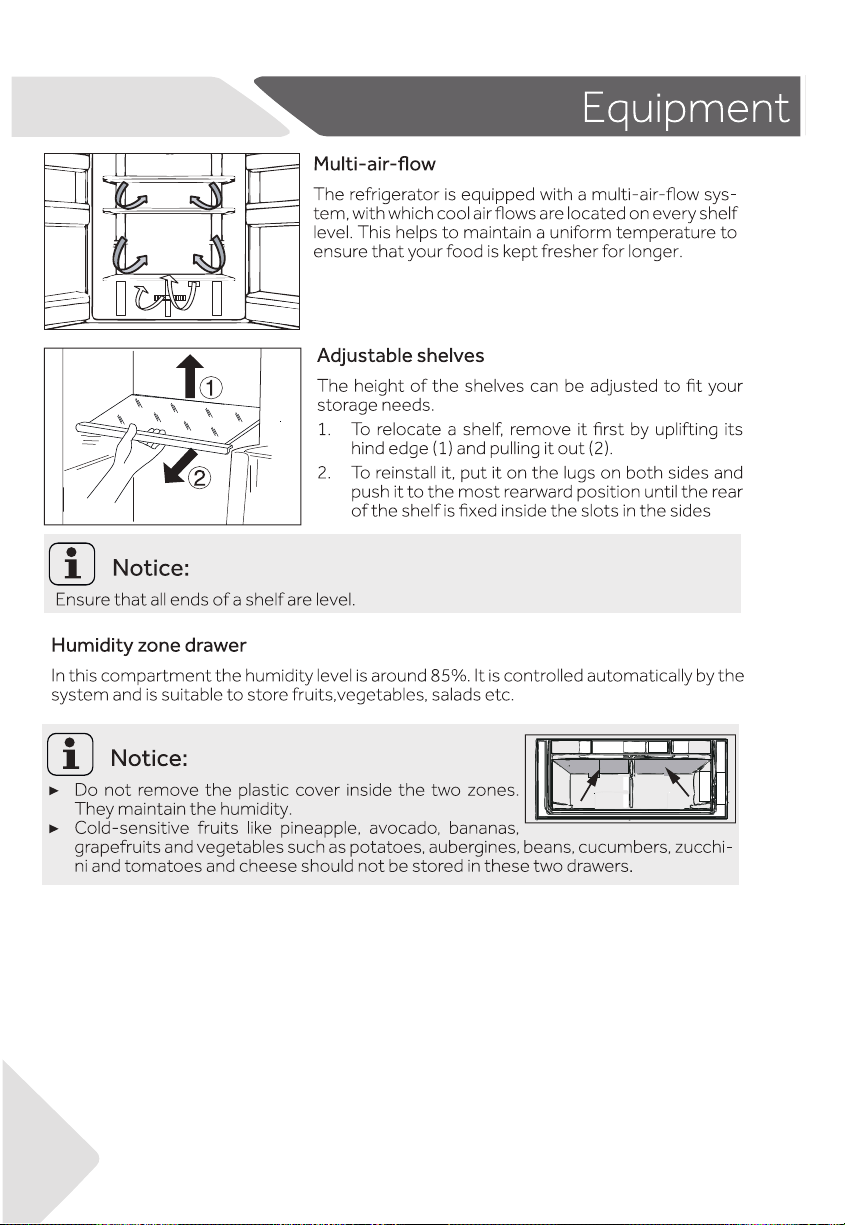
Storage into the freezer compartment
22
24
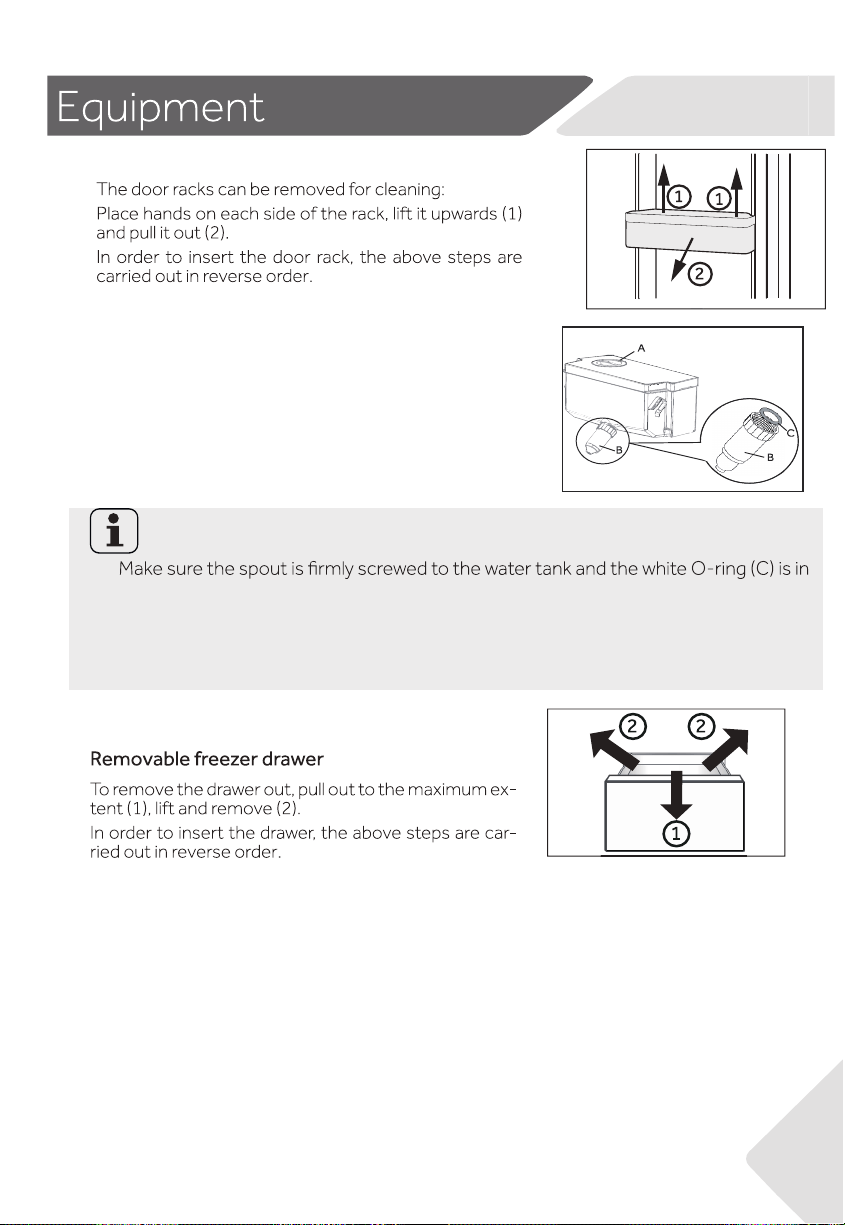
The Light
The LED interior light comes on when the door is opened and it will automatically
goes o if the door is left open for more than 7 minutes. The performance of the
lights is not aected by any of the appliances other settings.
23
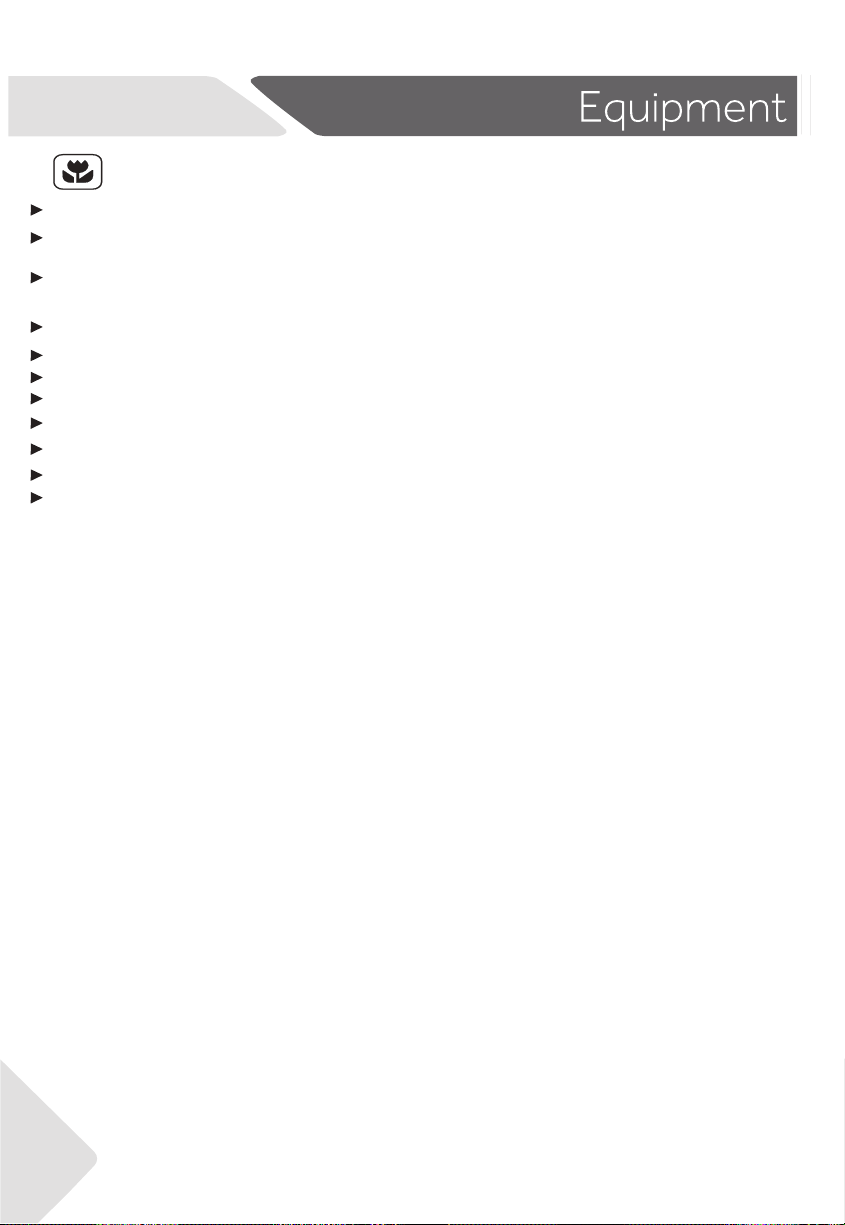
Notice: Water tank
position.
The water tank can be removed and reinstalled for
cleaning in the same way as the door shelves.
Place the water tank in the position that the water
outlet (B)ts into the opening the door.Makes
sure that the water tank is locked.
If the water tank is not properly inserted, water can drip from the connection.
Do not use excessive force when removing or installing the water tank, to avoid
damaging the tank.
Removable door shelves
Removable water tank
Insert water tank
24
Make sure the appliance is properly ventilated (see INSTALLATION).
Do not install the appliance in direct sunlight or in the near of heat sources (e.g.
stoves,heaters).
Avoid unnecessarily low temperature in the appliance. The energy consumption increases
the lower the temperature in the appliance is set.
Functions like Super- Freeze consume more energy.
Allow warm food to cool down before placing it in the appliance.
Open the appliance door as little and as briey as possible.
Do not overll the appliance to avoid obstructing the air ow.
Avoid air within the food packaging.
Keep door seals clean so that the door always closes correctly.
Defreeze frozen food in the fridge storage compartment.
The most energy-saving conguration requires the appliance keep drawers, food box and
shelves on factory-fresh condition, and food should be places as far as possible without
blocking the air outlet of the duct.
Energy saving tips

25

8
26
.
Cleaning the water tank
Notice:Water tank
If the water tank is not properly inserted, water can drip from the connection.
Do not use excessive force when removing or installing the water tank, to avoid
damaging.
1.Take o the water tank out of the appliance
2.Remove the cover (A).
3.Unscrew the dispenser spout(B).
4.Clean the tank and dispenser spout with warm water and
liquid dishwashing detergent. Make sure all soap is rinsed o.
5.Mount the dispenser out (B)and take care that it is rmly
screwed to the water tank and the white O-ring (C)is in
position.
6.Close the cover (A)and replace the tank inside the
appliance.
Replacing the LED light
ight
ight
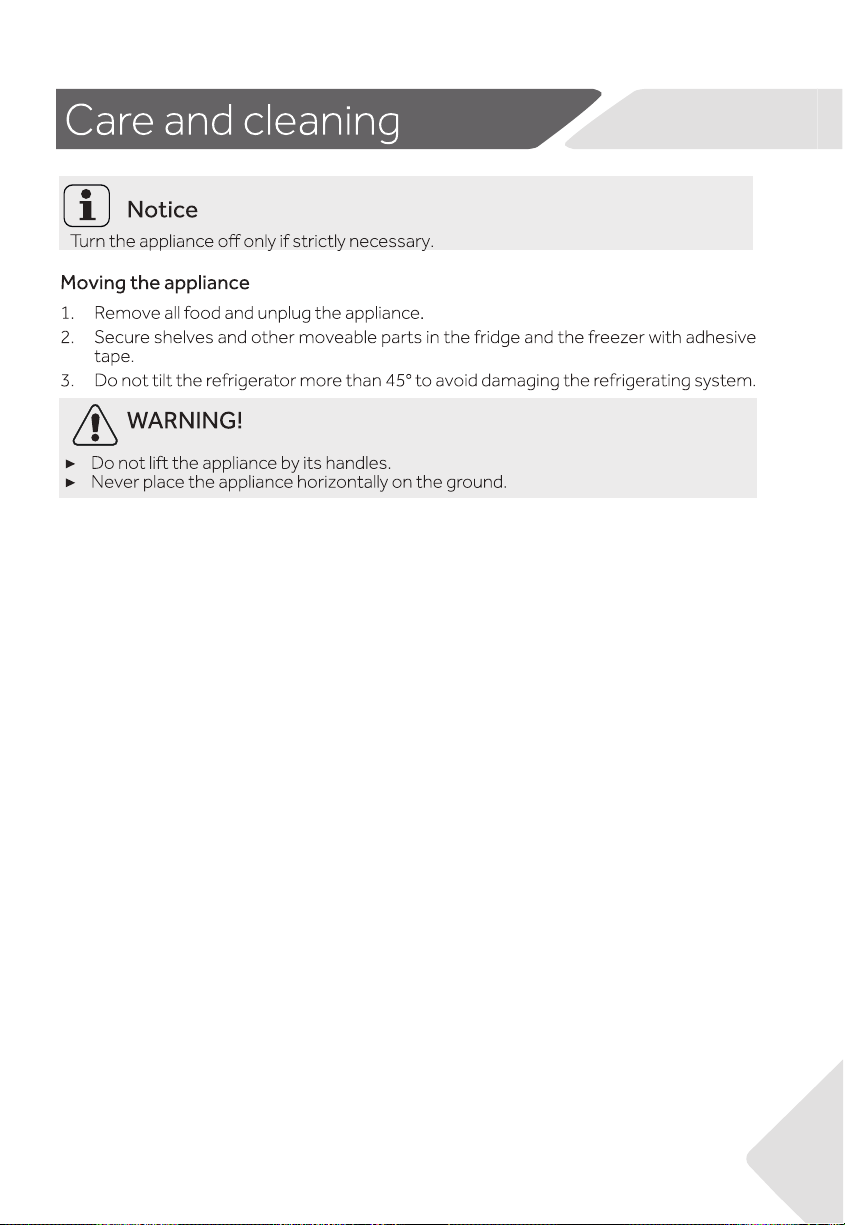
27

28
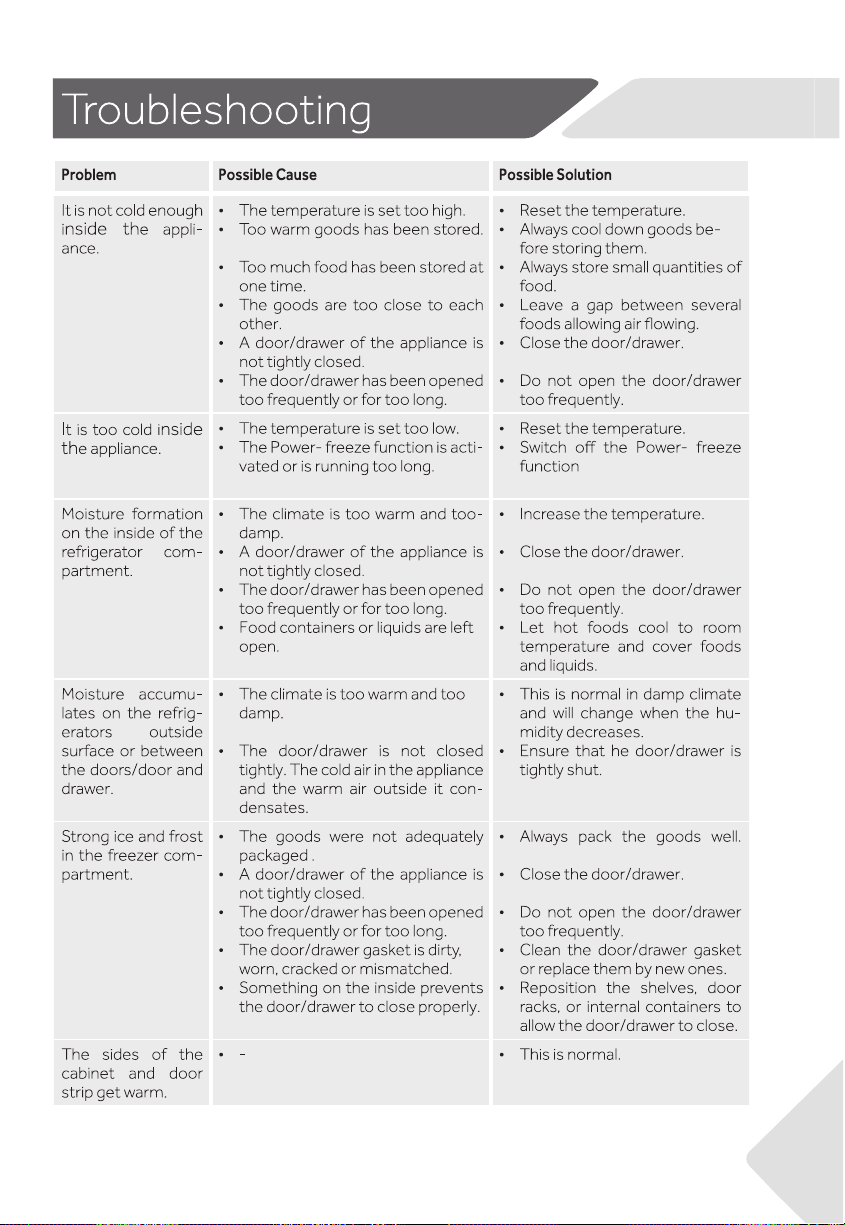
29
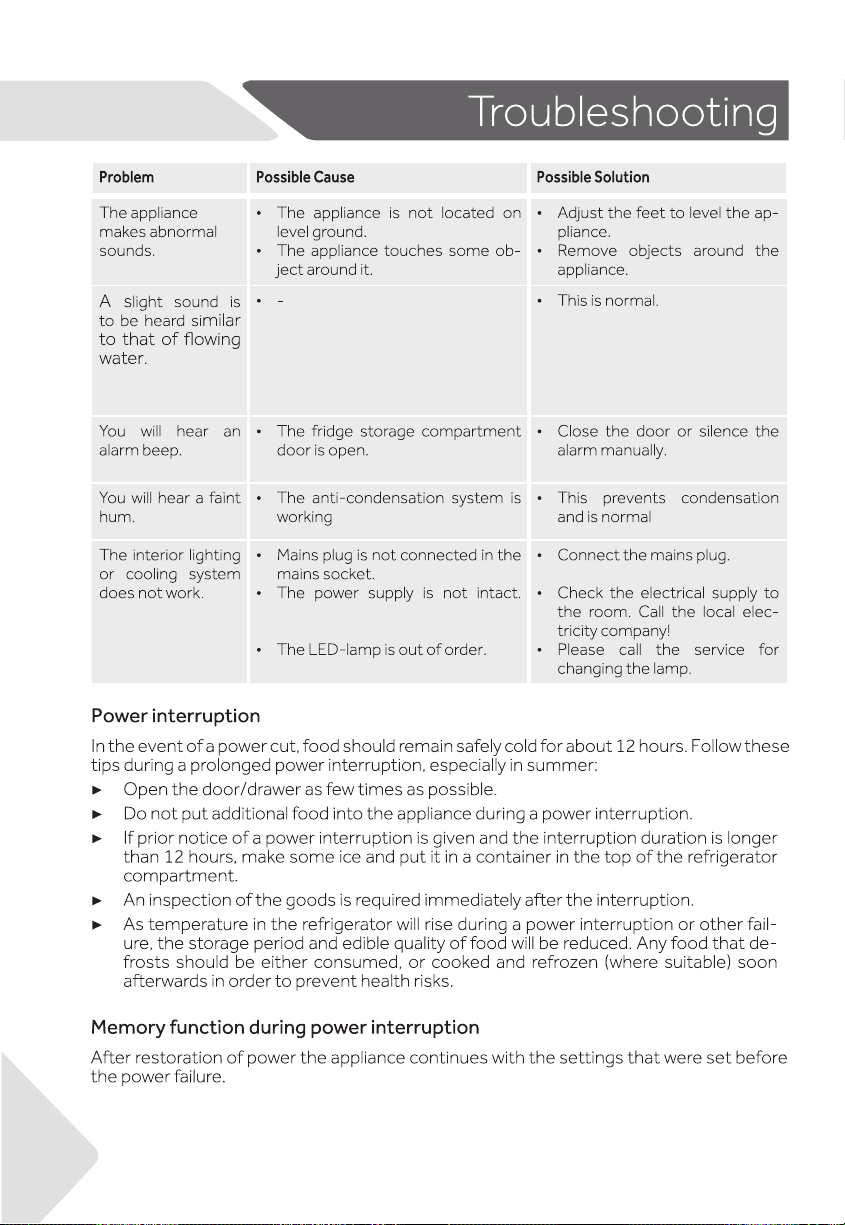
30
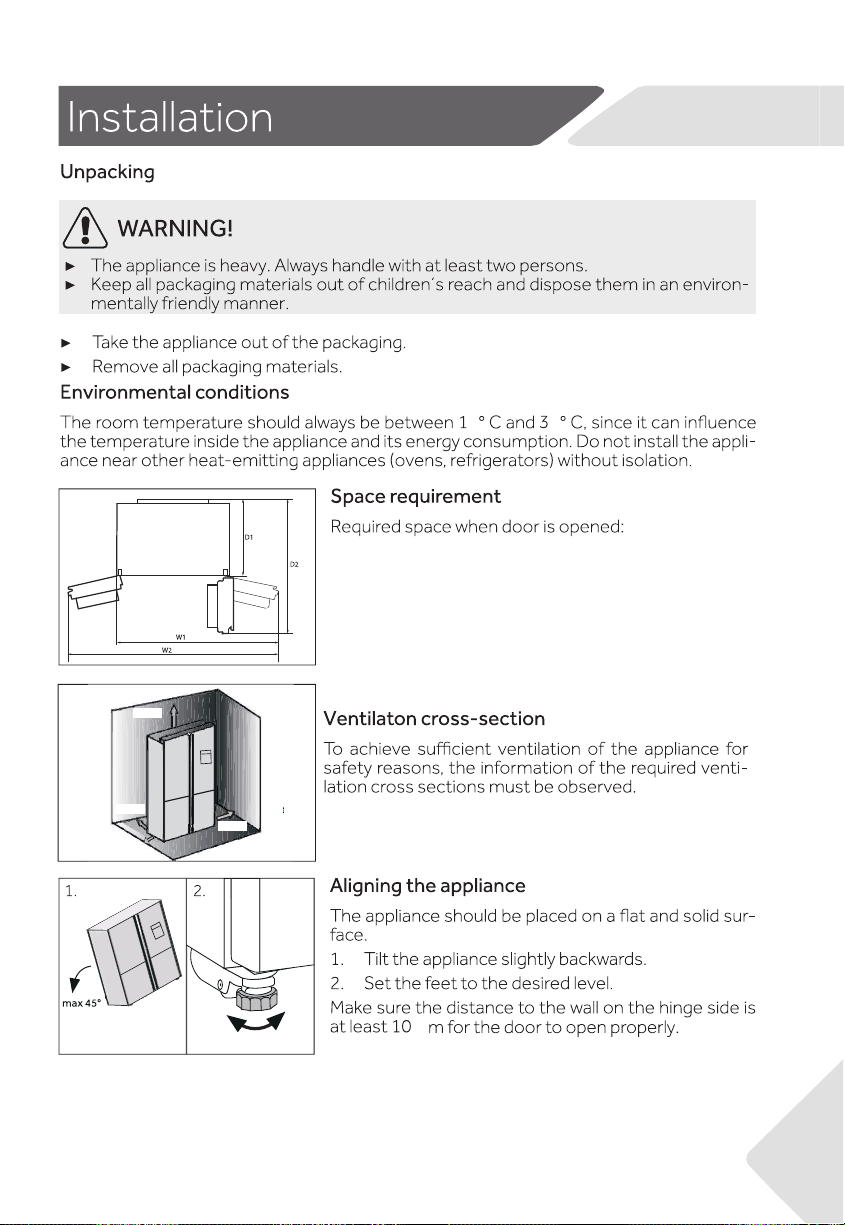
Notice: Dimensions above are for reference only.
Please make the object as the standard.
31
10 cm
10 cm
10 cm
10 cm
86
c
W1=1076mm
W2=1360mm
D1=628mm
D2=1064mm
32
33
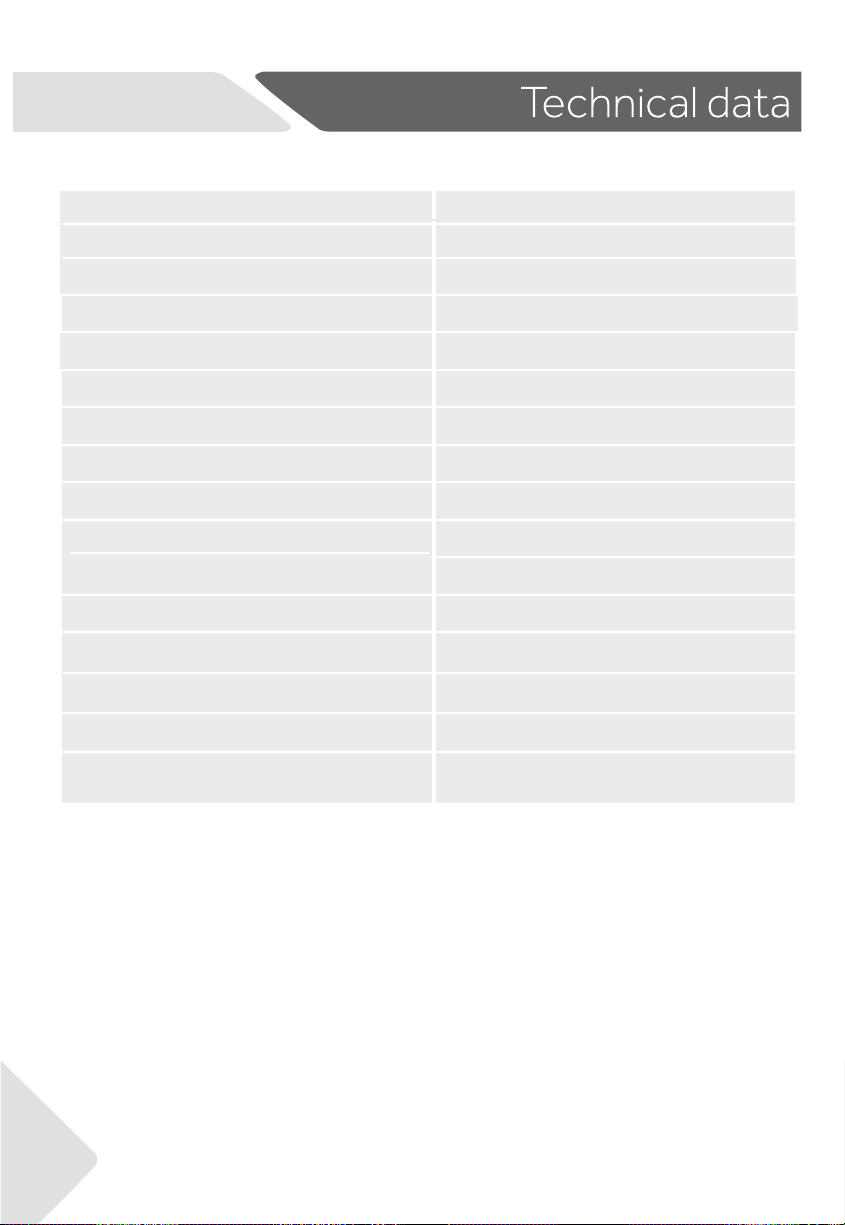
Trade mark
Haier
Category of the model
Refrigerator-freezer
Frostfree system
Yes
Climate class
Model No.
HRF580YHC/ HRF580YHS
Energy Star
Voltage / Frequency
220V-240V~/50Hz
Product group
5B
Total product volume
508L
Fresh food compartment volume
321L
88L
99L
Insulation blowing gas
HC-C601
Dimension (DxWxH)
705x830x1775mm
Rrefrigerant
R600a 76g
T
Protection class
I
4.5 Stars
Freezer compartment volume
Convertible compartment volume
34